lights AUDI S3 2015 Owner's Manual
[x] Cancel search | Manufacturer: AUDI, Model Year: 2015, Model line: S3, Model: AUDI S3 2015Pages: 310, PDF Size: 76.15 MB
Page 82 of 310
80 Driving
To sti ll be able to start or stop t he engine, re
fer to "Correcting a malfunction"
¢ page 79.
fll Key not in vehicle?
The fll ind icator light tu rns on and this mes
sage appears if the conven ience key was re
moved from t he vehi cle when the engine was
runni ng. If the conven ien ce key is no lo nger in
the vehicle, yo u cannot swi tch the ign ition on
or start the engine on ce yo u stop it . Yo u also
cannot lock the veh icle from the o utside .
Press brake pedal
This message appears if you do not press t he
b rake peda l when starting the engine .
Please engage N or P
This message appears whe n starting or stop
p ing the engine if the se lecto r lever is not in
the Nor
P posit ion. The eng ine will not start/
stop.
Shift to P , otherwise vehicle can roll away.
Doors do not lo ck if lever is not in P
This message appears fo r safe ty rea sons
a long with a wa rning tone. I t ap pears if the
se lecto r lever for the automatic transm iss ion
i s not in the P position when sw itch ing the ig
n it ion off with the
! START ENGINE STOPI*
button . Sh ift the selector lever to t he P posi
tion . O the rwise, the vehicle could ro ll. You al
so cannot lock the vehicle usi ng the locki ng
sensor on the door handl e or us ing the con
ve nien ce key.
Electromechanical
parking brake
Operating
The ele ctromechanical parking brake replaces
t he hand brake.
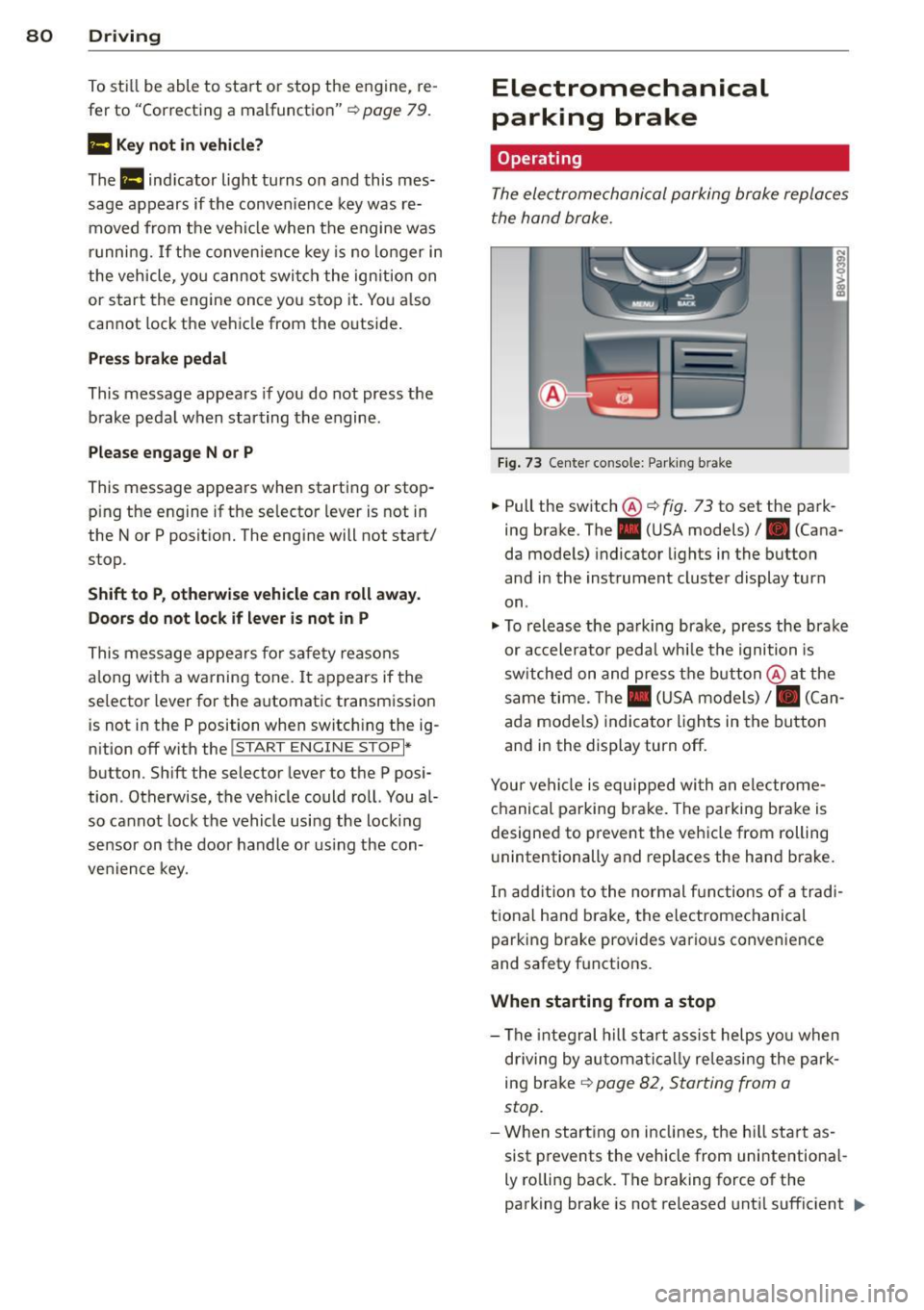
Fi g. 7 3 Center co nsole: Park ing b rake
.,. Pull the switch®¢ fig. 73 to set the park
ing brake. The. (USA m odels)/ . (Cana
da mode ls) indicator lights in the button
and in the instrument cluster display turn
on .
.,. To releas e the pa rking brak e, press the brake
or ac celera to r peda l wh ile the ignition is
sw itched on and pres s th e bu tton @ at the
same time. The . (USA mo dels) /. (Can
ada models) indica to r li gh ts in the bu tton
and i n the display turn off.
Your ve hicle is equipped wi th a n ele ctrome
ch anical parking brake. The parkin g bra ke is
designed to p revent the vehicle from rolling
u nintentionally and replaces the hand brake.
In ad dition to the normal fu nctions o f a tra d i
tio na l han d brake, the e lectromechanical
parking b rake provi des vario us convenience
and safety f unctions .
When starting from a stop
-The integral hill start assist helps yo u when
d riving by au toma tically releasi ng the pa rk
ing brake ¢
page 82, Starting from a
stop.
- W hen start ing o n in clines, t he h ill sta rt as
sist p revents the vehicle from unintentiona l-
ly ro lling back . The braking force of the
parking brake is not released unt il sufficient .,.
Page 83 of 310
M N
0 > co ,...., \!) ..,.,
M ..,., ,....,
driving force has been built up at the
whee ls.
E mergenc y brake fun ction
An emergency braking funct ions ensures that
the vehicle can be slowed down even if the
normal brakes fail¢ page 82, Emergency
braking function .
A WARNING
-Do not press the accelerator pedal inad
vertent ly when the vehicle is stationary
and the engine is runn ing and a gear is
selected. Otherwise the vehicle will start
to move immediately and could result in a crash .
- If the power supply fa ils, the re leased
park ing brake can no longer engage. In
this case, par k the vehicle on level
ground and secure it by placing the se
lector lever i n the P pos ition. See an au
thori zed Aud i dea ler or a utho rized Aud i
Serv ice Facility for ass istance.
(D Note
I f the . or. (U SA mode ls) /. (Cana
da mode ls) indicato r light in t he instru
ment cluster blinks, there is a mal fun ct ion
in the brake system . Re fer to the detailed
description of the indicator lights
r=:>page 18.
-If the . (USA models) /. (Cana-
da models) or
Iii indicator light turns
on, there is a malfunct ion in the park ing
brake
r=:> page 19.
(D Tips
- If the electromechanical parking brake is
set wh ile the ignition is switched off, the
¢C)'A indicator light in the button and in
the instrument cluster dis- play . (USA models)
I. (Cana-
da models) w ill t urn off afte r a ce rtain
amount of time.
- If dr iver's door is opened while the ign i
tion is switched on, the parking b rake
sets automat ically. This prevents unin
tended ro lling of the vehicle .
Dri vin g 81
-Occasional noises when the pa rking
brake is set and released are normal and
are not a cause for concern.
- When the vehicle is pa rked, the park ing
brake goes through a self -test cycle at
regu lar interva ls. Any no ises assoc iated
w ith this are normal.
- If there is a power fa ilure, the park ing
brake will not set if it is released, and it
w ill not release if it is set
r=;, & . See a n
authorized Audi dealer or autho rized
Audi Service Facility fo r ass ista nce.
Parking
" Press the b rake pedal to stop the veh icle.
" Pull the switch @¢
page 80, fig. 73 to set
t he par king brake.
" Place the se lecto r lever in the P position .
.. Turn the engine off¢
A_.
"Tu rn the steering wheel when parking on in
clines so that the wheels w ill roll into the
curb if the vehicle starts moving.
A WARNING
- Always take the vehicle key w ith you
when leav ing the vehicle, even for a
short pe riod of time. This applies part ic
ularly when children rema in in the veh i
cle . Ot herwise children co uld s tart the
engine, release the pa rking brake o r op
erate electrical equipment such as power
windows, which increases the risk of an
accident.
- No one should remain in the vehicle
when it is locked, especially children.
Loc ked doors make it more difficult for
emergency workers to get into the ve hi
cle, which puts lives at risk.
•
Page 86 of 310
84 Driving
-For reasons of safety, cruise control
should not be used in the city, in stop
and-go traffic, on winding roads and
when road conditions are poor (such as
ice, fog, gravel, heavy rain and hydro
planing) -you could have an accident .
- Switch the cruise control off temporarily
when driving in turning lanes, highway
exits or in construction zones.
- Please note that unconsciously "resting"
your foot on the accelerator pedal pre
vents the cruise control from braking.
This is due to the control system being
overridden by the driver's acceleration.
- If there is a brake system malfunction
such as overheating when the speed
warning system is switched on, the brak
ing function in the system will be deacti
vated. The remaining speed warning sys
tem functions will remain active, as long
as the
B (USA models)/ ii (Canada
models) indicator light is on.
@ Tips
- The cruise control system is ideal for
stretches with speed limits. The driver is
responsible for adhering to the correct
speed.
- The cruise control remains active when
shifting gears.
- The brake lights turn on when the brakes
are activated.
Switching on
Applies to vehicles: with cr uise contro l system
0
f
~
0
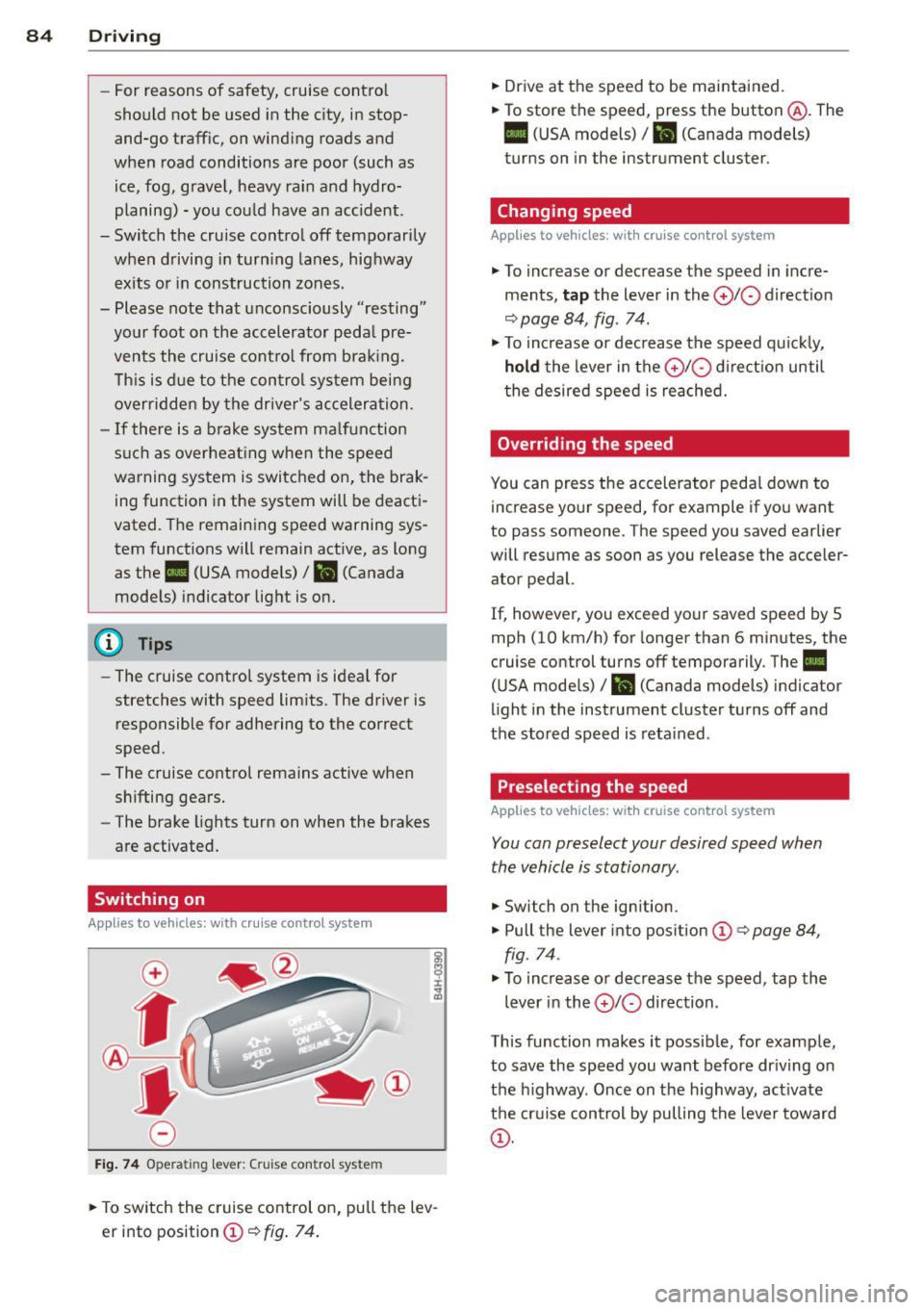
Fig. 74 Opera ting lever: Cruise control system
.,. To switch the cruise control on, pull the lev
er into position
CD¢ fig. 74.
.,. Drive at the speed to be maintained.
.,. To store the speed, press the button @. The
B (USA models)/ ii (Canada models)
turns on in the instrument cluster.
Changing speed
Applies to vehicles: with cruise control system
.,. To increase or decrease the speed in incre
ments,
tap the lever in the 0 10 direction
<:;>page 84, fig. 74 .
.,. To increase or decrease the speed quickly,
hold the lever in the 010 direction until
the desired speed is reached.
Overriding the speed
You can press the accelerator pedal down to
increase your speed, for example if you want
to pass someone. The speed you saved earlier
will resume as soon as you release the acceler ator pedal.
If, however, you exceed your saved speed by 5
mph (10 km/h) for longer than 6 minutes, the
cruise control turns off temporarily. The
II
(USA models) / Bl (Canada models) indicator
light in the instrument cluster turns off and
the stored speed is retained .
Preselecting the speed
Applies to vehicles: with cruise control system
You can preselect your desired speed when
the vehicle is stationary .
.,. Switch on the ignition .
.,. Pull the lever into position
CD¢ page 84,
fig . 74.
.,. To increase or decrease the speed, tap the
lever in the
010 direction .
This function makes it possible, for example,
to save the speed you want before driving on
the highway . Once on the highway, activate
the cruise control by pulling the lever toward
CD-
Page 90 of 310
88 Audi adaptive cruise control
What can adaptive cruise control do?
The ad aptive cruise co ntrol sys tem uses r ad ar
a nd a video came ra . T he r ada r is subject to
designated system limits ¢
page 86.
On ope n roads w ith no t raff ic, i t fun ctions like
a cruise co ntro l system . Th e stored s peed is
main taine d. When approach ing an object
ahead and the system detects it, the ada ptive
cr uise control system automatically brakes to
match that ob ject's speed and then maintains
the stored d istance. As soon as the system
does not detect an object ahead, adaptive
cru ise control accelerates up to the s to red
speed .
W ith in the lim its of the system, adaptive
cru ise contro l can brake in stop-and-go traff ic
u ntil t he vehicle is stationary and then begin
d riving aga in under certa in conditions
¢ page 90, Driving in stop-and-go traffic.
Which functions can be controlled?
When you sw itch adaptive cruise cont ro l on,
you can set the cur rent speed as the "control
speed" ¢
page 88, Switching on/off .
When driving, you can stop cruise control
¢
page 90 or change the speed ¢ page 89
at any time .
You can a lso adjust the following settings :
- D istan ce
¢page 91
- D riving p rogram ¢ page 92
-Driving mode ¢ page 92
l) Spee d lim it s depe nd o n th e cou ntry and t he s pee dom
e te r.
Switching on/off
Applies to vehicles: wit h Audi adapt ive cr uise contro l
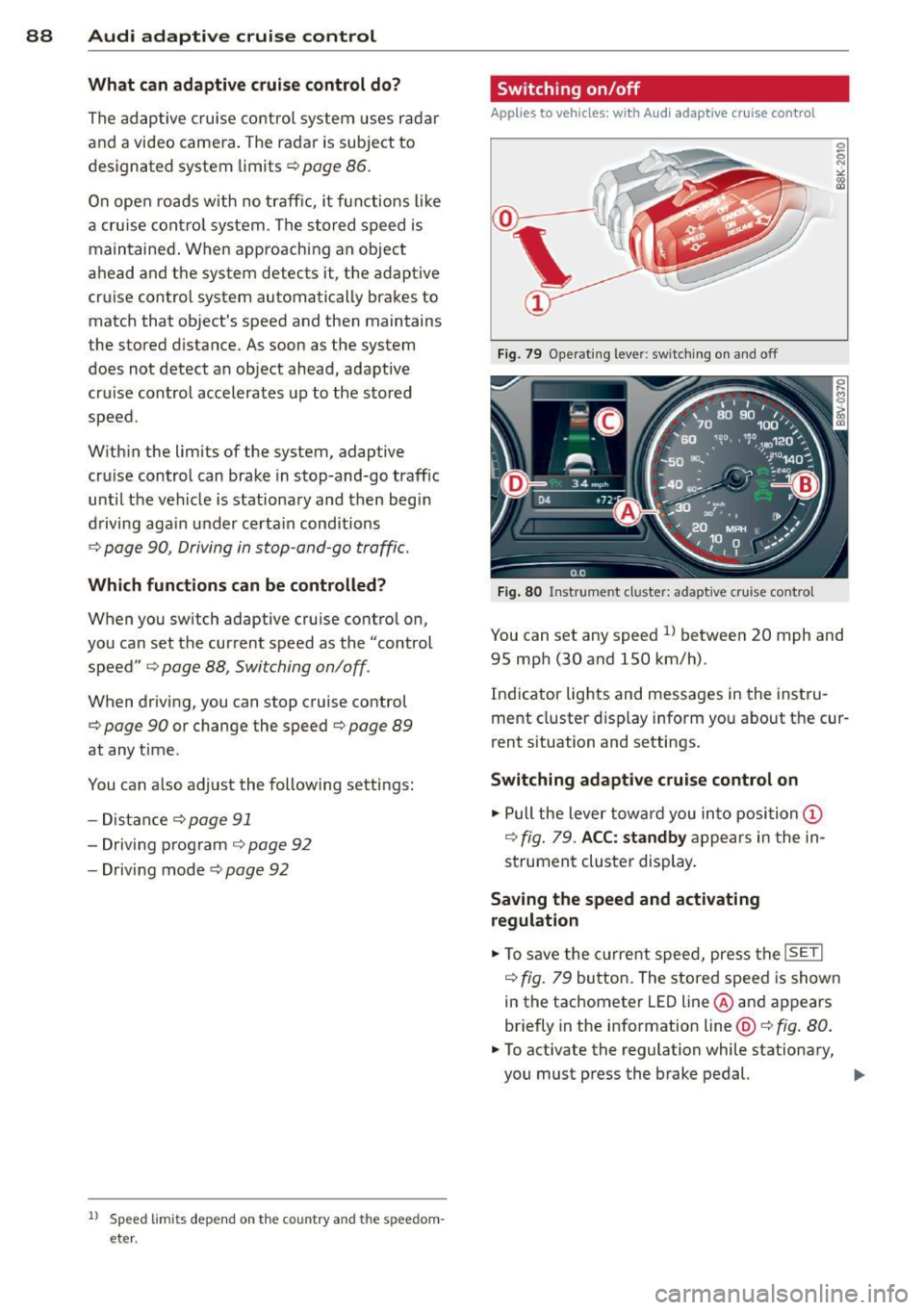
Fig . 79 Opera ting leve r: sw itc hin g on and off
Fig. 80 Instrume nt cluster: adaptive cru ise control
You can set any speed ll betwee n 20 mph and
95 mp h (30 and 150 km/h).
Ind icator lights and messages in the inst ru
me nt cluster d isp lay inform yo u about the cur
rent s ituation and settings.
Switching adaptive cruise control on
.,. Pull the lever tow ard you in to position (D
¢ fig . 79 . ACC: standby a ppears in the in
s trument cluster display.
Saving the speed and activating
regulation
.,. To save the c urre nt spee d, press t he ISETI
¢ fig. 79 bu tto n. The stored speed is show n
in the tachometer LE D line @and appears
briefly in the info rmation line@¢
fig. 80 .
• To activate the regulation while stationary,
you must press the brake pedal.
IJJ,-
Page 101 of 310
....,
N
0 > co
Switching on and off
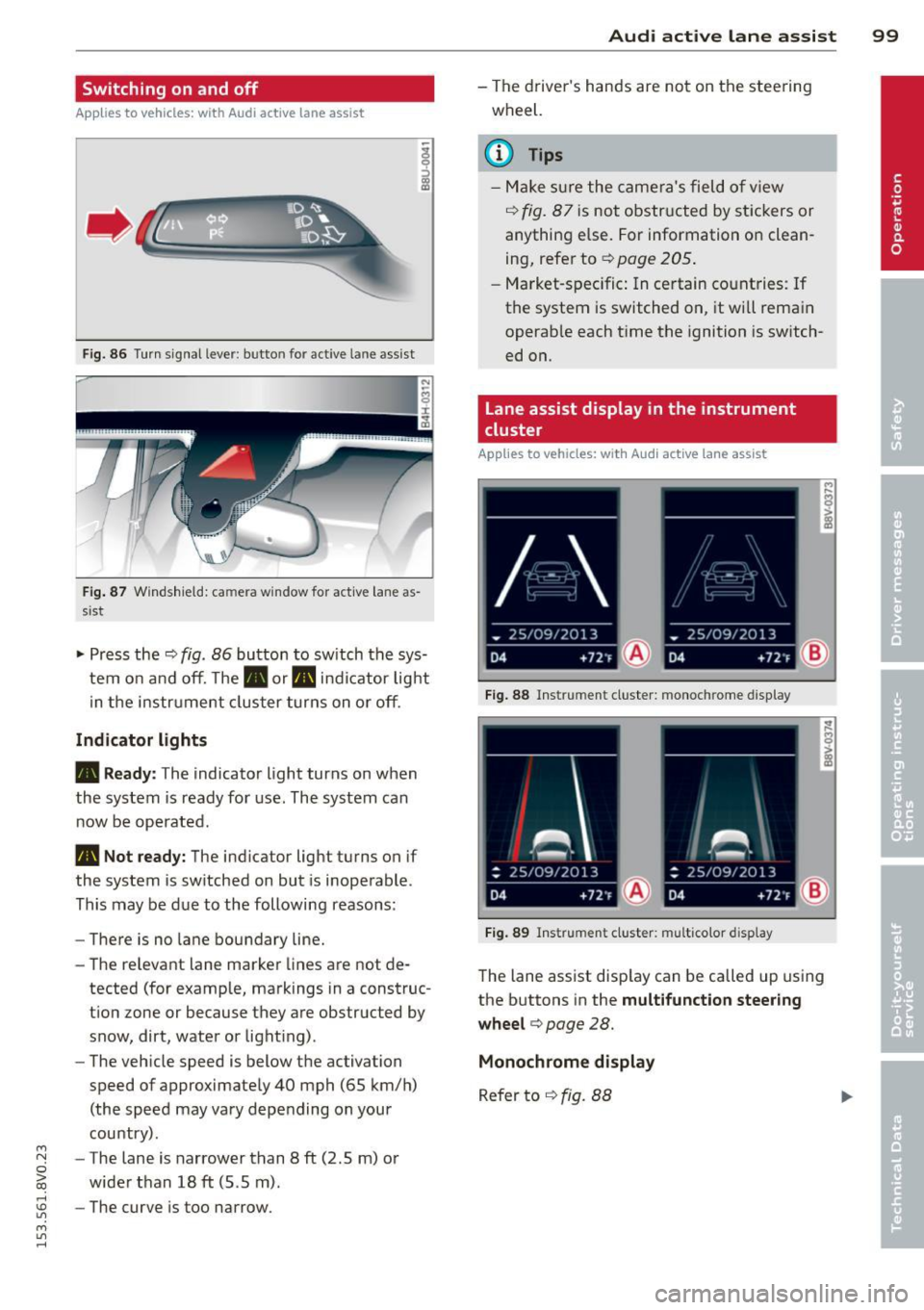
Applies to vehicles: with Audi active lane assist
•
Fig. 86 Turn signal lever: butto n fo r act ive la n e ass ist
Fig. 87 Windsh ield: ca mera w indow for act ive lane as
s is t
.. Press the q fig. 86 button to switch the sys
tem on and off. The . or. indicator light
in the instr ument cluster turns on or off.
Indicator lights
• Ready:
The indicator light turns on when
the system is ready for use. The system can
now be operated .
• Not ready: The indicator light turns on if
the system is switched on but is inoperable.
This may be due to the following reasons:
- There is no lane boundary line.
- The relevant lane marker lines are not de-
tected (for example, markings in a construc
tion zone or because they are obstructed by
snow, dirt, water or light ing) .
- The vehicle speed is below the activation
speed of approximately 40 mph (65 km/h)
(the speed may vary depending on your
country) .
- The lane is narrower than 8
ft (2 .5 m) or
wider than 18
ft (5.5 m).
rl 1.0 -The curve is too narrow.
"' ....,
"' rl
Audi active lane assist 99
-The driver's hands are not on the steering
wheel.
a) Tips
- Make sure the camera's field of view
¢ fig. 87 is not obstructed by stickers or
anything else. For information on clean
ing, refer to
¢ page 205.
- Market-specific: In certain countries: If
the system is switched on, it wi ll remain
operab le each time the ignition is switch
ed on.
lane assist display in the instrument
cluster
Applies to vehicles: with Audi active lane assist
Fig. 88 Instrumen t cluster: monoc hrome d ispl ay
Fig. 89 Instrume nt clust er: mult icolor display
The lane assist display can be called up using
the buttons in the
multifunction steering
wheel ¢
page 28.
Monochrome display
Refer to q fig. 88
Page 111 of 310
M N
0 > co ,...., \!) 1.1"1
M 1.1"1 ,....,
Automatic
transmission S tronic-transmission
Introduction
Applies to vehicles: with S tronic transmiss ion
Your vehicle is equipped with an electronical
l y -controlled DSG transmission called S tronic.
T wo independent clutches transfer the power
between the engine and transmission. It al
lows the vehicle to accelerate without a no
ticeable interruption in traction .
T he transmission upshifts or downshifts auto
matically. The driving style continuously influ
ences the selection of the driving program .
When a
moderate driving style is used, the
transmission selects the most econom ica l
driving mode. The transmission upshifts at a
lower RPM and downshifts at a higher RPM to
improve fuel effic iency .
T he transmission switches to a sporty mode
after a kick-down or when the driver uses a
sporty driving style characterized by quick ac
celerator pedal movements, heavy accelera
tion, frequent changes in speed and traveling
at the maximum speed.
If desired, the driver can also select the gears
manually (tiptronic mode) r=> page 114,
Shifting manually (tiptronic mode) .
Selector lever positions
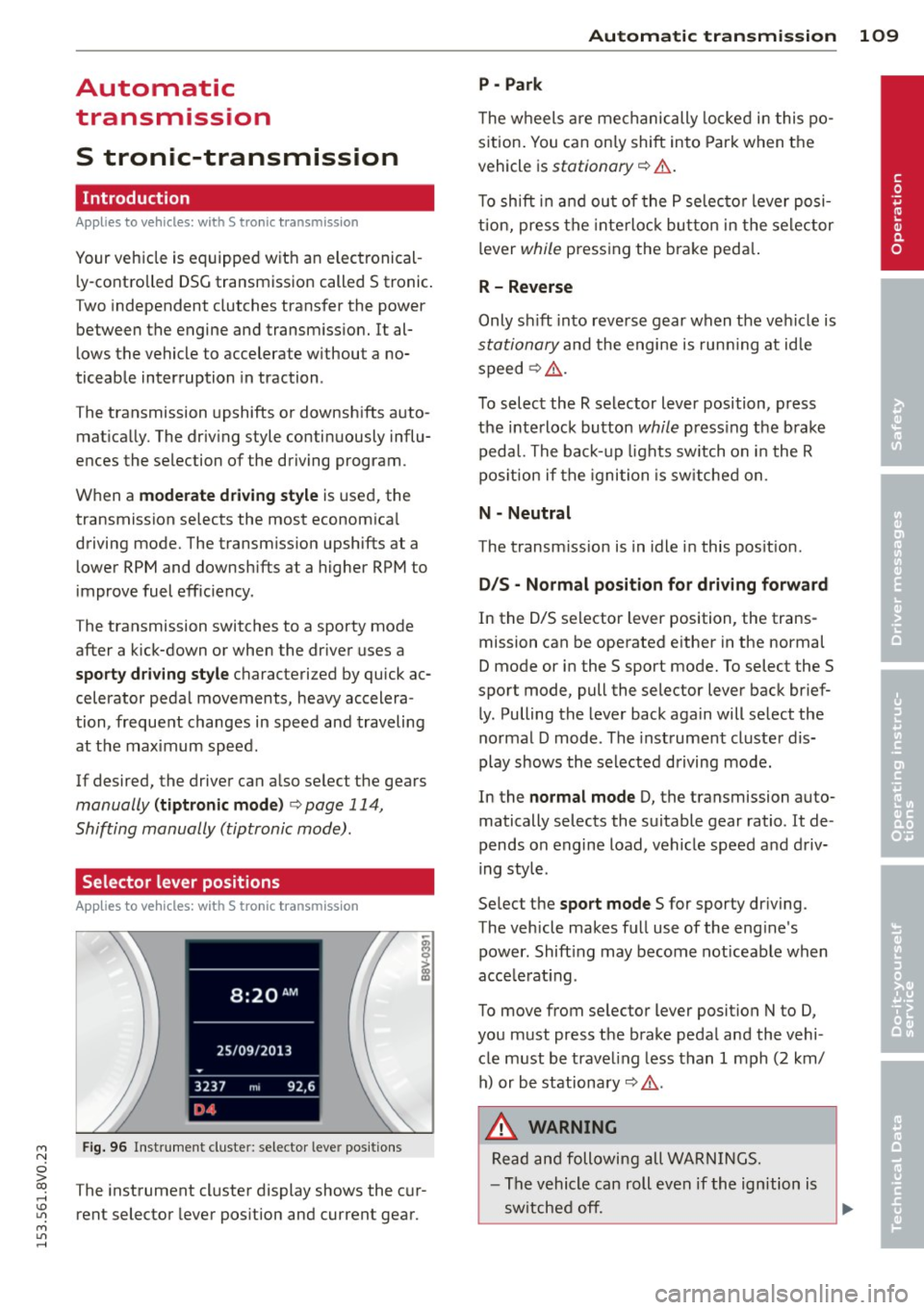
Applies to vehicles: with S tro nic transmission
Fig. 96 Instrument cluster: selector leve r positions
The instrument cluster display shows the cur
rent selector lever position and current gear.
Automatic transmission 109
P -Park
The wheels are mechanically locked in this po
sition. You can only shift into Park when the
vehicle is
stationary r=> &..
To shift in and out of the P selector lever posi
tion, press the interlock button in the selector
lever
while pressing the brake peda l.
R- Reverse
Only shift into reverse gear when the vehicle is
stationary and the engine is running at idle
speed
r=> &. .
To select the R selector lever position, press
the interlock button
while press ing the brake
pedal. The back-up lights sw itch on in the R
pos ition if the ignition is switched on .
N -Neutral
The transm iss ion is in idle in this position .
DIS -Normal position for driving forward
In the D/S selector lever position , the trans
mission can be operated either in the normal
D mode or in the S sport mode. To select the S
spor t mode, pull the selector lever back brief
ly. Pulling the lever back again will select the
normal D mode . The instrument cluster dis
play shows the selected driving mode.
In the
normal mode D, the transmission auto
matically selects the suitable gear ratio . It de
pends on engine load, vehicle speed and driv
ing style .
Select the
sport mode S for sporty driving .
The vehicle makes full use of the eng ine's
power. Shift ing may become noticeable when
acce lerat ing.
To move from selector lever position N to D,
you must press the brake pedal and the vehi cle must be traveling less than 1 mph (2 km/
h) or be stationary~ &.-
.&_ WARNING
Read and following all WARNINGS.
- The vehicle can roll even if the ignition is
switched off.
~
•
Page 113 of 310
....,
N
ci > co
rl I.O
"' ....,
"' rl
position longer than approximately 2 seconds
when the brake pedal is not pressed.
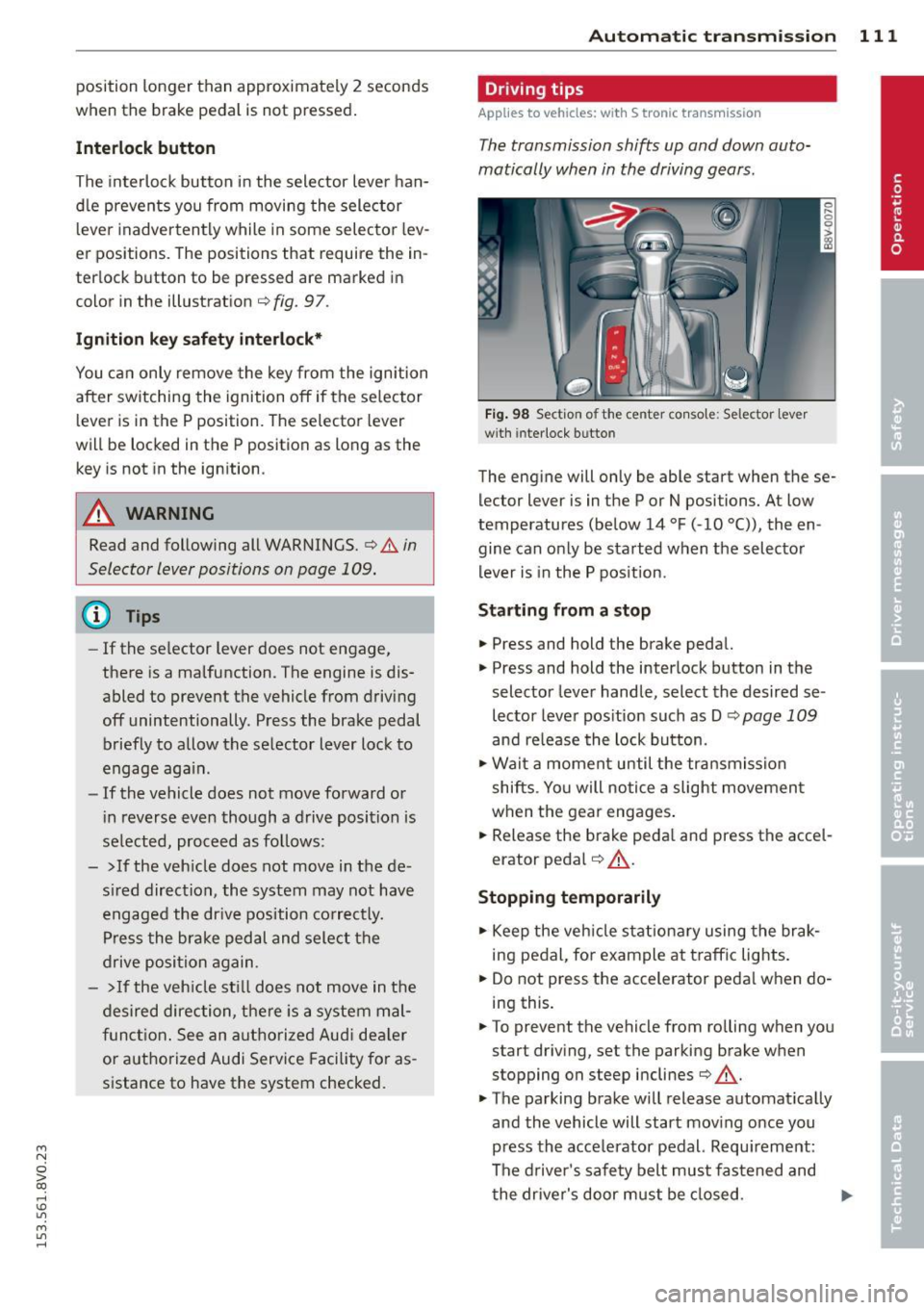
Interlock button
The interlock button in the selector lever han
dle prevents you from moving the selector
l eve r inadvertently while in some selecto r lev
er positions. The positions that require the in
terlock button to be pressed are marked in
color in the illustration
c::;, fig. 97.
Ignition key safety interlock*
You can only remove the key from the ignition
after switching the ignition off if the se lector
lever is in the P position. The selector lever
will be locked in the P position as long as the
key is not in the ignition .
A WARNING
Read and following all WARNINGS. c::;, &. in
Selector lever positions on page 109.
{D) Tips
- If the selector lever does not engage,
there is a malfunction. The engine is dis
abled to prevent the vehicle from driving
off unintentionally . Press the brake pedal
briefly to allow the selector lever lock to
engage again.
- If the vehicle does not move forward or
i n reverse even though a drive position is
se lected, proceed as follows:
- > If the veh icle does not move in the de
sired direction, the system may not have
engaged the dr ive position correctly.
Press the brake pedal and select the
drive position again.
- >If the vehicle still does not move in the
desired direction, there is a system mal
function. See an authorized Aud i dea ler
or authorized Audi Service Facility for as
sistance to have the system checked.
Autom atic transm ission 111
Driving tips
Applies to veh icles: w it h S tronic transm iss ion
T he transmission shifts up and down auto
matically when in the driving gears.
Fig. 98 Section of the center co nsole: Selector lever
w ith interlock b utto n
The engine will only be able start when these
lector lever is in the P or N positions. At low
temperatures (below 14 °F (-10 °C)), the en
gine can only be started when the selector
lever is in the P position.
Starting from a stop
.,. Press and hold the brake pedal.
.,. Press and hold the interlock button in the
selector lever handle, select the desired se
lector lever position such as D
c::;, page 109
and re lease the lock button.
.,. Wait a moment until the transmission
shifts . Yo u will notice a slight movement
when the gear engages.
... Release the brake peda l and press the accel
erator pedal
c::;, .&_ .
Stopping temporarily
.,. Keep the vehicle stationary using the brak
ing pedal, for example at traffic lights.
.,. Do not press the accelerator peda l when do
ing this.
.,. To prevent the vehicle from ro lling when you
start driving, set the parking brake when
stopping on steep inclines
c::;, .&_ .
.,. The parking brake will release automat ically
and the vehicle will start moving once you
press the acce lerator pedal. Requ irement:
The driver's safety belt must fastened and
the driver's door must be closed.
IJll,,
Page 128 of 310
126 Driving safety
• Make sure that all lights and signals are op
erating correctly .
• Make sure that the tire pressure is correct .
• Make sure that a ll windows are clean and af
ford good visibility to the o utside.
• Secure all luggage and other items ca refully
c:::> page 64, c:::>page 62 .
• Make sure that noth ing can i nterfere with
t h e pedals.
• Adjust front seat, head rest rain t and mirro rs
correct ly for your he ight .
• Instr uct passenge rs to adjust the head re
straints according to their height.
• Make sure to use the right child restraint
correctly to protect chi ldren
c:> page 170 ,
Child Safe ty .
• Sit properly i n your seat and make sure that
you r passenge rs do the same
c:::> page 57,
Front seats .
• Fasten your safety be lt and wear it properly.
Also ins truc t your passengers to faste n their
sa fety belts proper ly
c:> pag e 13 5.
What impairs driving safety?
Safe driving i s direc tly rela ted to the condi
tion of the vehicle, the driver as well as the
driver 's ability to concentrate on the road
without being distracted .
The driver is respons ib le for the safety of the
ve hicl e and a ll of its occupants . If you r ability
to drive is impaired , safety r is k s for everybody
in the vehicle increase and you a lso become a
hazard to everyone else on the road
c:> &_ .
Therefore:
• Do not let you rself be distracted by passen
gers or by using a cellular telephone.
• NEV ER dr ive when your dr iv ing ability is im
paired (by medicat ions, alcohol, drugs, etc.).
• Observe all traffic laws , rules of the road
and speed limits and plain common sense .
• ALWAYS ad just your speed to road, t raff ic
and weathe r condit ions .
• Take frequent breaks on long t rips. Do not
dr ive for mo re th an two hours a t a str etc h .
• Do N OT drive when you are t ired, under
pressure or when you are stressed .
A WARNING
-Impaired driving safety increases the r isk
of ser ious perso nal inju ry and death when
ever a vehicle is bei ng use d.
Proper occupant
seating positions
Proper seating position for the driver
The proper driver seating position is impor
tant for safe, relaxed driving.
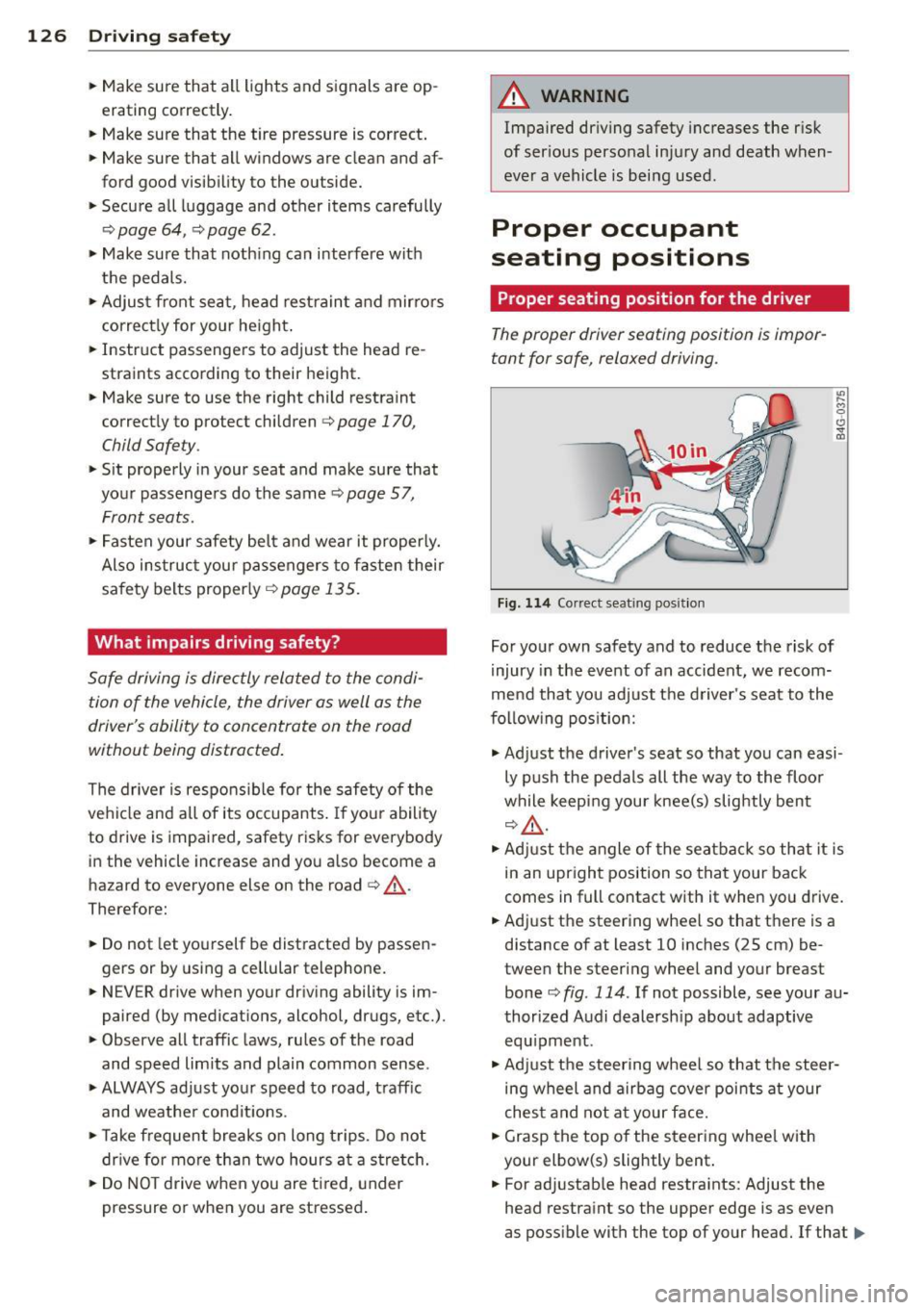
Fig . 11 4 Correct seat ing pos it io n
For you r own safety and to reduce t he risk of
injury in the event of an accident, we recom
me nd that you adjust t he d river's seat to the
f o llow ing pos ition:
.,. Ad just the driver's seat so that you can easi
ly p ush the pedals all the way to the floo r
while keep ing you r knee(s) slightly bent
c:>& ,
.,. Adj ust t he an gle of the seatba ck so th at it is
in an uprigh t position so that your back
comes in full contact with it when you drive.
• Adj ust the steering whee l so that t here is a
distance of at least 10 inches
(25 cm) be
tween the steering wheel and your breast bone
c:::> fig. 114 . If not possible, see your a u
thor ized Audi dealersh ip about adaptive
equ ipment .
.. Ad just t he steering whee l so that the steer
ing wheel and airbag c over poi nts at your
ches t and not a t your f ace.
• Grasp the top o f the steering whee l with
your elbow(s) slightly bent .
• For ad justab le head restra ints : Adjust the
head restra int so the uppe r edge is as even
as poss ible with the top of your head. If that..,_
Page 137 of 310
M N
0 > co ,...., \!) 1.1'1
M 1.1'1 ,....,
Safety belts
General notes
Always wear safety belts!
Wearing safety belts correctly saves lives!
T his chapter explains why safety belts are nec
essary, how they work and how to adjust and
wear them correctly .
~ Read all the information that follows and
heed all of the instructions and WARNINGS.
A WARNING
Not wearing safety belts or wearing them
improperly increases the risk of serious
personal injury and death.
- Safety belts are the single most effective
means available to reduce the risk of se
rious injury and death in automobile acci
dents. For your protection and that of
your passengers, always correctly wear
safety belts when the vehicle is moving .
- Pregnant women, injured, or physically
impaired persons must also use safety
belts. Like all vehicle occupants, they are
more likely to be seriously injured if they
do not wear safety belts. The best way to
protect a fetus is to protect the mother -
throughout the entire pregnancy.
Number of seats
Your Audi has a total of five seating positions:
two in the front and three in the rear. Each
seating position has a safety belt .
A WARNING
Not wearing safety belts or wearing them
improperly increases the risk of serious
personal injury and death.
- Never strap more than one person, in
cluding small children, into any belt. It is
especially dangerous to place a safety
belt over a child sitting on your lap.
- Never let more people ride in the vehicle
than there are safety belts available.
Safety belts 13 5
-Be sure everyone riding in the vehicle is
properly restrained with a separate safe
ty belt or child restraint.
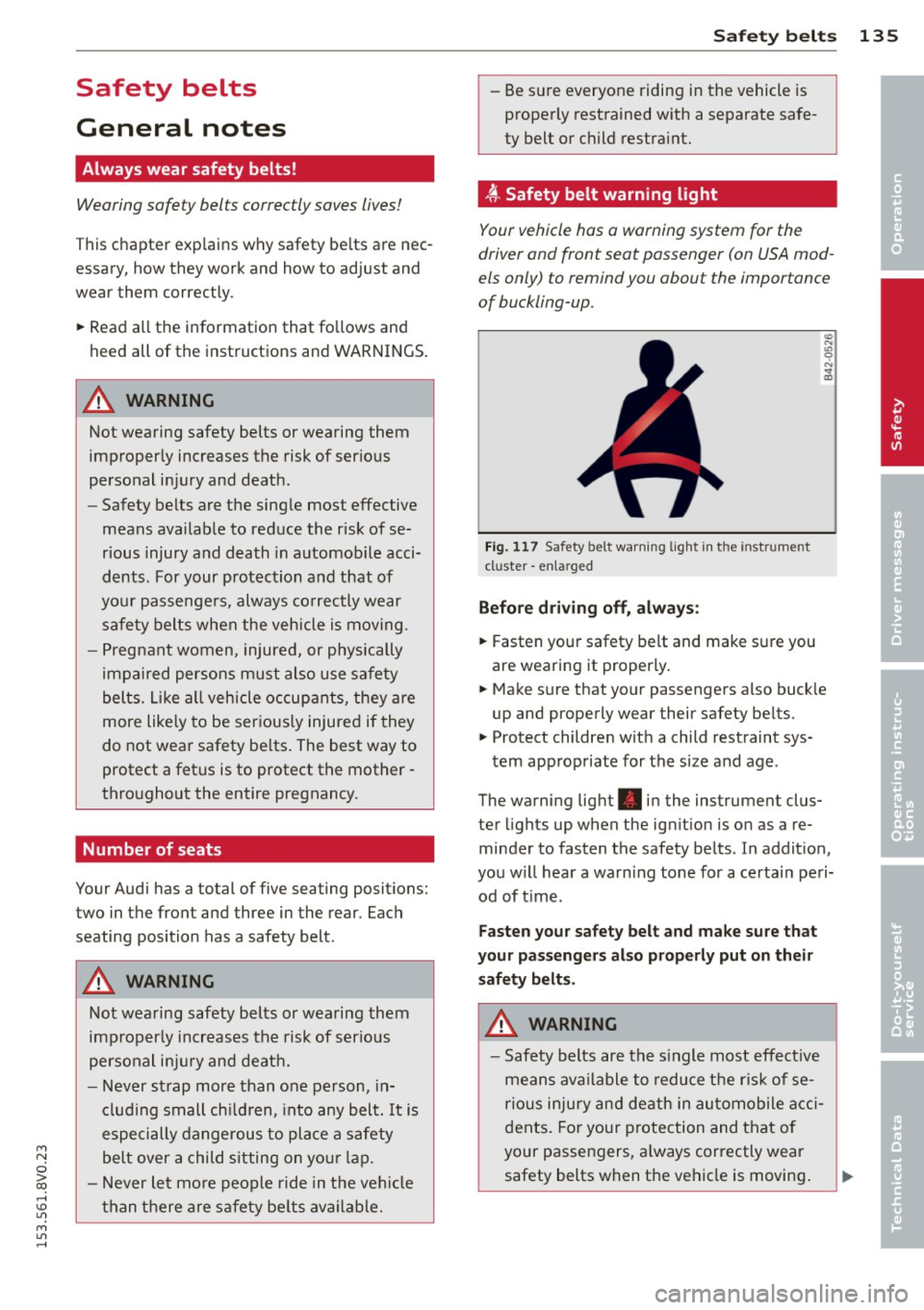
~ Safety belt warning light
Your vehicle has a warning system for the
driver and front seat passenger (on USA mod
els only) to remind you abou t the importance
of buckling-up.
Fig. 117 Safety bel t warn ing light in the instr ume nt
cl uster -enla rged
Before driving off, always:
~ Fasten your safety belt and make sure you
are wearing it properly.
~ Make sure that your passengers also buckle
up and properly wear their safety belts.
~ Protect children with a child restraint sys-
tem appropriate for the size and age .
The warning light . in the instrument clus
ter lights up when the ignition is on as a re
minder to fasten the safety belts . In addition,
you will hear a warning tone for a certain peri
od of time .
Fasten your safety belt and make sure that
your passengers also properly put on their
safety belts.
A WARNING
- Safety belts are the single most effective
means available to reduce the risk of se
rious injury and death in automobile acci
dents. For your protection and that of
your passengers, always correctly wear
safety belts when the vehicle is moving. •
•
•
Page 195 of 310
M N
0 > co ,...., \!) 1.1'1
M 1.1'1 ,....,
the brakes. If you need to brake addit ion
ally, bra ke in intervals and not continu
ously.
(D Tips
- If the brake boos ter is not wor king, you
must p ress the brake pedal with much
more force t hen no rma l.
- If yo u retrof it your vehicle with a front
s po ile r, wheel covers or similar items,
make sure that the air f low to the front
whee ls is not interrupted. Otherwise the
brake system can become too hot.
Electromechanical
steering
The elec tromechanical steering suppor ts the
driver's s teering movements .
Powe r stee ring adapts electronically based o n
the veh icle speed.
The vehicle still has full stee ring fu nctionality
if the powe r steering fails o r whe n the eng ine
i s stopped (towi ng). To s teer, yo u must app ly
m uc h mo re fo rce than usual.
Indicator lights and messages
• Do not drive vehicle: steering defective
If th is in dicator lig ht tu rns on and stays on
and this message appears, the power steering may have fa iled.
Do
not co ntin u e dr iving . See an autho rize d
Aud i dea ler o r autho rized Aud i Service Fac ility
for assistance.
• Do not drive vehicle: steering defective
There is a malf unct io n in the electro nic steer
in g lo ck. You canno t turn the ign ition on.
Do
not tow your vehicle beca use it ca nnot be
steered. See an autho rized Aud i dea le r or au
thor ized Audi Se rv ice Facility for ass istance.
Ei:-Y Steering malfunction : you can continue
driving
I f the indicator light turns on, the steering
wheel may be more difficult to move or more
Smart Technolog y 193
sensit ive tha n usua l. The stee ring wheel may
also be at a n angle when dr iv ing stra ight .
D rive slowly to you r auth ori zed Audi de aler o r
qualifie d wo rkshop to have the ma lf u ncti on
correc ted.
II Steering lock : sy stem fault! Pl ease con
tact Service
T he re is a malfunction in the elec tronic steer
ing lock .
D rive to an author ized Audi dealer or author
ized Audi Serv ice Facility immediately to have
the malfunc tion corrected.
A WARNING
Have the sys tem ma lf u nction co rrec ted as
soon as po ssible by an aut horiz ed Aud i
d e aler or au thoriz e d Au di Service Fa cili ty,
a s this incr eases the r is k of an acciden t.
(D Tips
If th e . or l~ij indi cator ligh t only s tays
o n for a short t ime , you may con tinue dr iv
i ng.
ALL wheel drive
(quattro)
App lies to vehicles: wi th all wheel drive
In all wheel drive, all four wheels are pow
ered.
General information
In all whee l dr ive, the dr iv ing power is divi ded
between all fo ur whee ls. Thi s happens auto
matically depending on yo ur driv ing behavior
as well as the current road conditions. Refer
to
¢ page 189, Electronic stabilization con
trol (ESC) .
The all wheel drive concept is designed for
high eng ine power. Your veh icle is except ion
a lly powerfu l and has excellent driving charac
te ristics both under normal driv ing cond itions
and on snow a nd ice. Always read and follow
safety precaut ions¢ .&.. ..,.
•
•
•