engine AUDI S3 SEDAN 2015 User Guide
[x] Cancel search | Manufacturer: AUDI, Model Year: 2015, Model line: S3 SEDAN, Model: AUDI S3 SEDAN 2015Pages: 282, PDF Size: 71.14 MB
Page 22 of 282
Instruments and indicator lights
If th is message turns off after a little while, the
battery charged enough while driving .
I f the message does no t turn off, have and au
thor ized Audi dealer or au thorized A udi Service
F acility repair the ma lfunction.
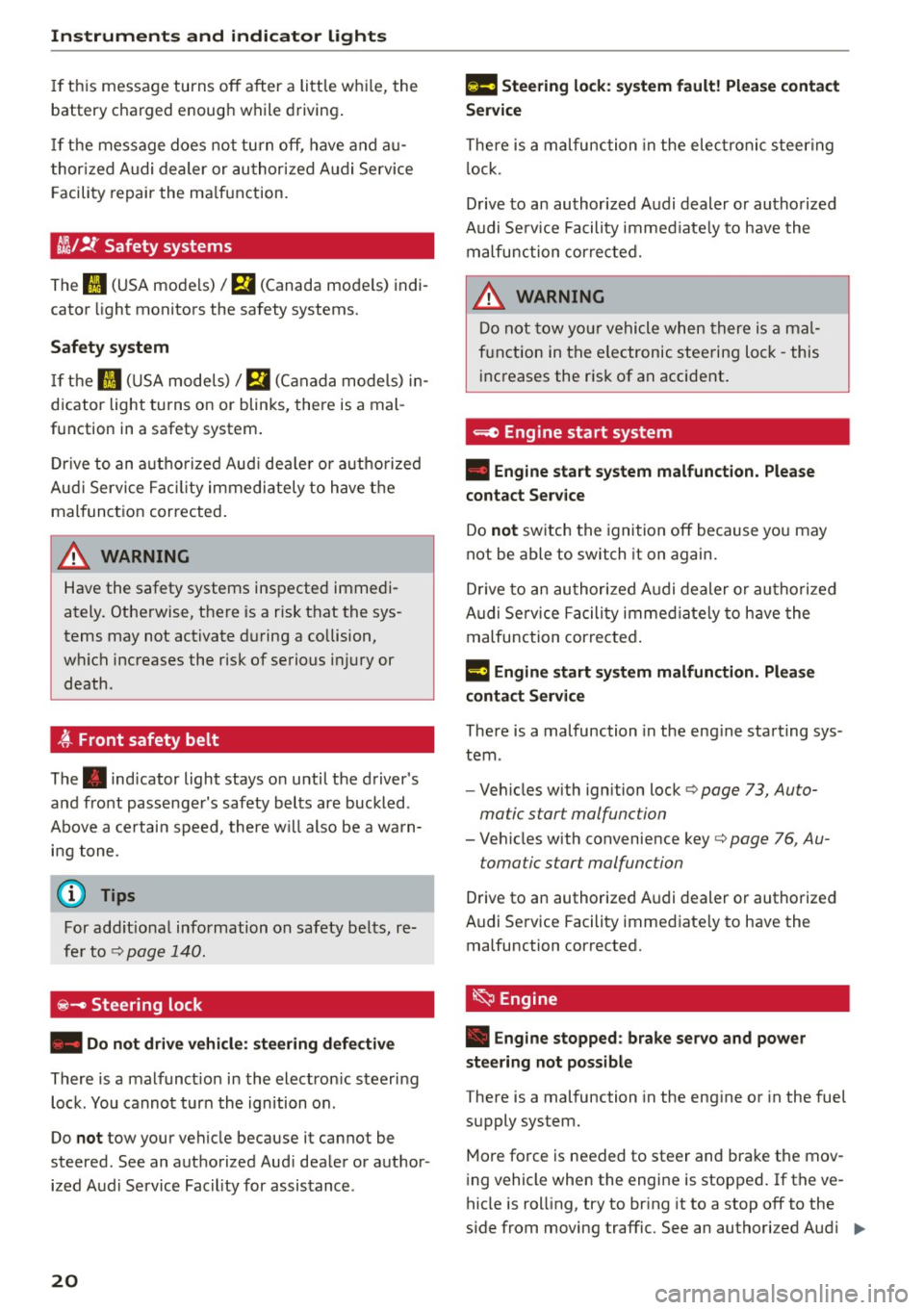
t/ll !i.: Safety systems
The II (USA models)/ m (Canada mode ls) indi
cator light monitors the safety systems.
Safety system
If the II (USA mode ls) I m (C anada mode ls) in
d icator light turns on or blinks, there is a mal
function in a safety system.
D rive to an a uth o rized Aud i dea le r or a uth o rized
Aud i Service Fac ility immediately to have the
malfunct ion corrected .
A WARNING
-
Have the safety systems inspected immedi
ately. Otherwise, there is a risk that the sys
tems may not activate d uring a co llision,
wh ich increases the risk of serious injury or
death .
t Front safety belt
The. indicator light stays o n until the driver 's
and front passenge r's safety belts are buckled .
Above a certain speed, there w ill also be a warn
i n g tone .
@ Tips
For add it ional information on safety be lts, re
fe r to
c::> page 140.
~ - Steering lock
• Do not dri ve v ehicle : steerin g defective
There is a malfunct ion in the electron ic steering
lock . You cannot turn the ignition on .
Do
not tow your vehicle because it cannot be
steered . See an authorized Aud i dea ler or author
ized Aud i Service Fac ility for assistance .
20
II!! Steering lock: sy stem fault! Please contact
Serv ice
There is a malfunction in the elec tronic steer ing
l ock.
D rive to an authori zed Audi dealer or authorized
Audi Se rv ice Facility immed iate ly to have the
malfunction cor rec ted.
A WARNING
D o not tow yo ur vehicle when there is a mal
f u nction in the e lectronic steering loc k - this
inc reases the r is k of an accident .
~ Engine start system
• Eng ine start system malfunction. Plea se
contact Ser vice
Do not sw itch the ignition off because you may
not be able to switch it on again.
D rive to an authori zed A udi dealer or au thori zed
Audi Service Facility immed iate ly to have the
malfunction corre cted.
¥ ·1 Engine start system malfunction. Pl ea se
conta ct Servi ce
-
There is a malfunction in the eng ine starting sys
tem .
- Veh icles with ign ition lock
c::> page 73, Auto
matic start malfunction
- Veh icles with convenience key c::> page 76 , Au-
tomatic start malfunction
Drive to an authorized A udi dealer or authorized
A udi Service Facility immed iate ly to have the
malfunction corrected.
~ Engine
• Eng ine stopped : brake ser vo and power
steering not pos sibl e
There is a malfunction in the eng ine or in the fuel
supply sys tem.
More fo rce is needed to steer and bra ke t he mov
i ng vehicle when the engine is stopped. If the ve
hicle is roll ing, try to br ing it to a stop off to the
s ide from moving traffic. See an authori zed Audi .,.
Page 23 of 282
dealer or authorized Audi Service Facility for as
sistance.
A WARNING
If the engine stops while driving, you will
need to use more force to brake the vehicle.
This increases the risk of an accident. There
will still be power steering if the ignition is
switched on while the vehicle is rolling and
there is sufficient battery charge. Otherwise,
you must use greater force when steering.
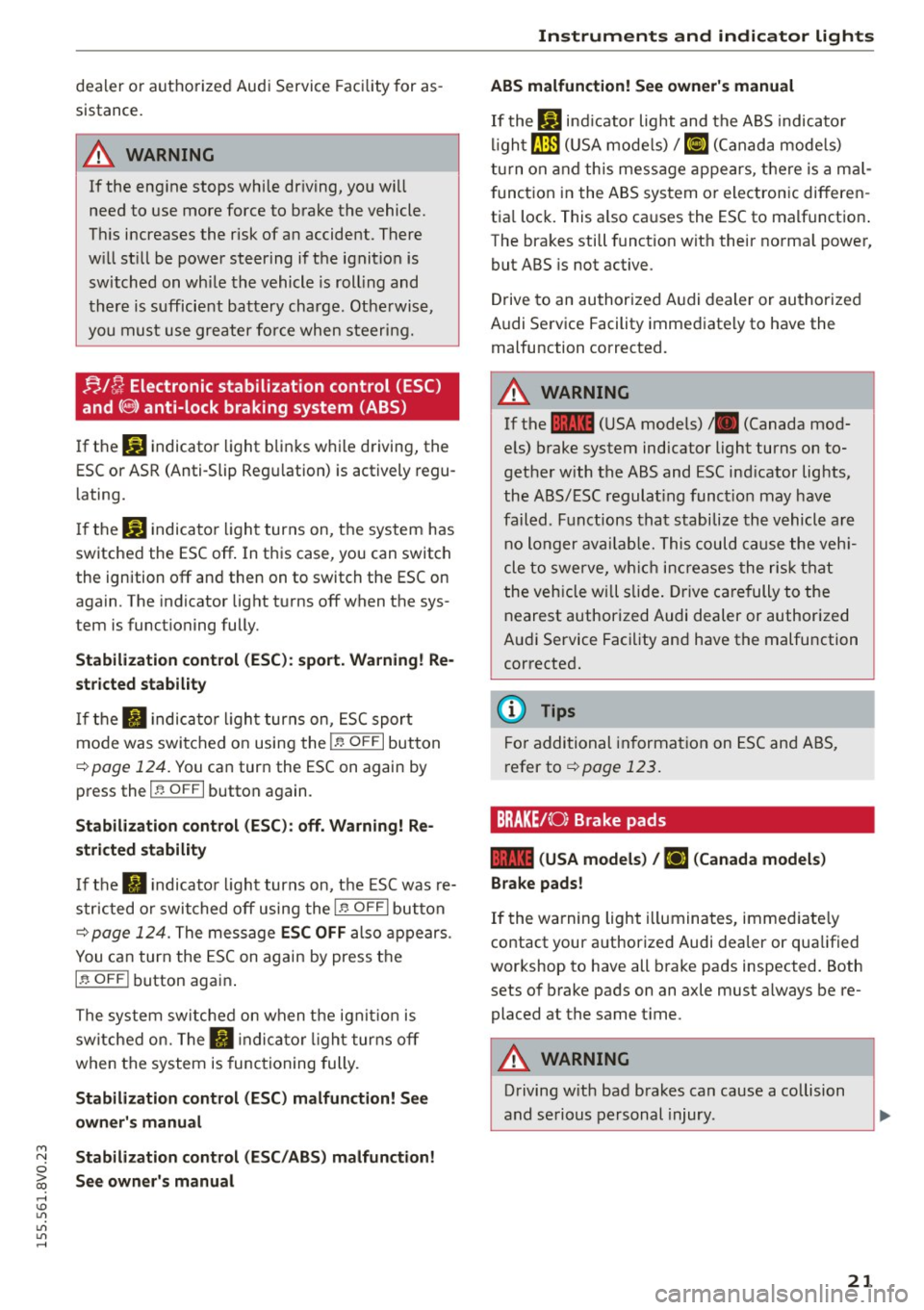
!;.!~ Electronic stabilization control (ESC)
and
(8) anti-lock braking system (ABS)
If the DJ indicator light blinks while driving, the
ESC or ASR (Anti-Slip Regulation) is actively regu
lating.
If the
DJ indicator light turns on, the system has
switched the ESC off. In this case , you can switch
the ignition off and then on to switch the ESC on
again. The indicator light turns off when the sys
tem is functioning fully.
Stabilization control (ESC): sport. Warning! Re
stricted stability
If the II indicator light turns on, ESC sport
mode was switched on using the
i .i, O FF I button
¢ page 124. You can turn the ESC on again by
press the
i .i, OFFI button again .
Stabilization control (ESC): off. Warning! Re
stricted stability
If the II indicator light turns on, the ESC was re
stricted or switched off using the
I.$ O FF I button
r::!:> page 124. The message ESC OFF also appears.
You can turn the ESC on again by press the
i.i, OF F! button again.
The system switched on when the ignition is
switched on. The
II indicator light turns off
when the system is functioning fully.
Stabilization control (ESC) malfunction! See
owner's manual
M N Stabilization control (ESC/ABS) malfunction! 0
iii See owner's manual ,...., \!) 1.1"1
1.1"1
1.1"1
,....,
Instruments and indicator lights
ABS malfunction! See owner's manual
If the Bl indicator light and the ABS indicator
light[!] (USA models) /
¢0) (Canada models)
turn on and this message appears, there is a mal
function in the ABS system or electronic differen
tial lock. This also causes the ESC to malfunction.
The brakes still function with their normal power,
but ABS is not active.
Drive to an authorized Audi dealer or authorized
Audi Service Facility immediately to have the
malfunction corrected.
A WARNING
If the 1111 (USA models) /. (Canada mod
els) brake system indicator light turns on to
gether with the ABS and ESC indicator lights,
the ABS/ESC regulating function may have
failed . Functions that stabilize the vehicle are
no longer available. This could cause the vehi
cle to swerve, which increases the risk that
the vehicle will slide. Drive carefully to the
nearest authorized Audi dealer or authorized
Audi Service Facility and have the malfunction
corrected.
(D Tips
For additional information on ESC and ABS,
refer tor::!:> page
123.
BRAKEt< O: Brake pads
1111 (USA models) / [IJ (Canada models)
Brake pads!
If the warning light illuminates, immediately
contact your authorized Audi dealer or qualified
workshop to have all brake pads inspected. Both
sets of brake pads on an axle must always be re
placed at the same time.
A WARNING
-Driving with bad brakes can cause a collision
and serious personal injury .
21
Page 24 of 282
Instruments and indicator lights
-If the warnin g light EiJ or the warning
light
11111 ) w ith the message Brake p ads!
comes on in the instrument cluster display,
immediately contact your author ized Audi
dealer or qualified workshop to have all
brake pads checked o r replaced if necessary.
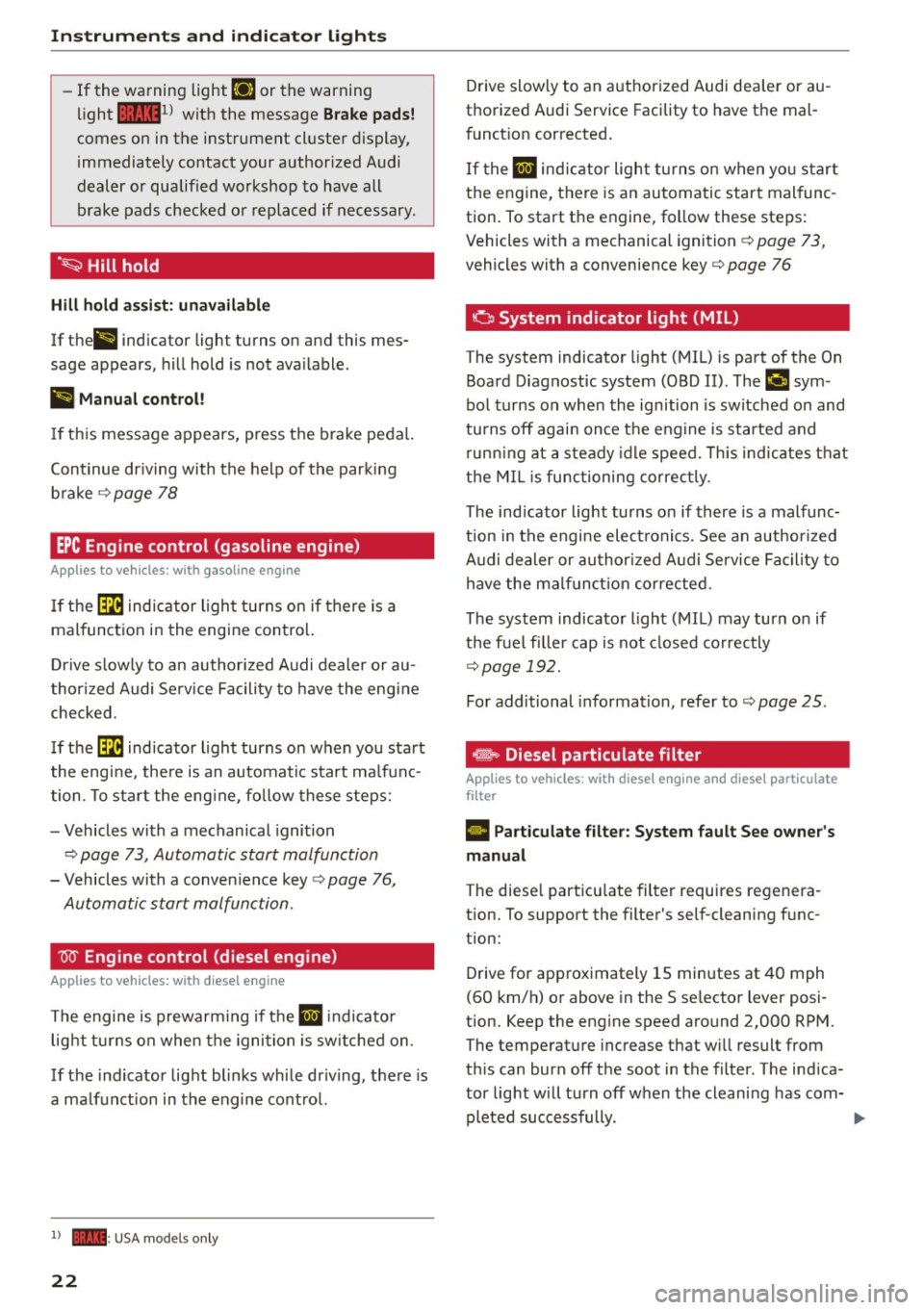
·~ Hill hold
Hill hold assi st: unavailable
If the ll ind icator light turns on and this mes
sage appears, hill hold is not ava ilable.
II Manual control!
If thi s message appears, press the b rake peda l.
Continue dr iv ing with the help of the parking
b ra ke
¢ page 78
EPC Engine control (gasoline engine)
A pp lies to veh icles: w ith gaso line engine
If th e ~ indica tor ligh t turns on if there is a
malfunct ion in the engine contro l.
D rive s low ly to an author ized A udi dealer or au
thor ized Audi Se rv ice Facility to have the eng ine
checked.
I f the ~ indicator light turns on when you sta rt
the eng ine, the re is an automatic start ma lf u n c
tion. To sta rt the eng ine, fo llow these steps:
- Vehicles with a mechanical igni tion
c:> page 73, Automatic start malfunction
- Vehicles with a conven ience key c:> page 76,
Automatic start malfunction .
W Engine control (diesel engine)
A pp lies to veh icles: w ith d iesel e ngi ne
T he engine is prewa rming if t he II indicato r
light t urns on when the igni tion is sw itched on .
If the indicator lig ht blinks while dr iv ing , th e re is
a ma lfunct ion in the engine cont ro l.
l) - : USA mode ls onl y
22
Drive slowly to an a uthorized Audi dea ler or au
thorized Audi Service Facility to have the mal
funct ion corrected .
I f the
II ind ic a tor light tu rns on w hen yo u start
t h e engine, t here is a n automatic start mal func
tion . To start the engine, follow these ste ps:
Vehicles with a mechanical ignition ¢
page 73,
vehicles with a convenience key c:> page 76
o System indicator light (MIL )
The system indicator light (MIL) is part of the On
Board Diagnostic system (OBD II). ThP
¢..ifi sym
bo l turns on whe n the ignition is switched on and
tu rns off agai n once t he eng ine is started and
r un ning at a steady id le speed. This ind ic a te s th at
t h e MIL i s func tioning correc tly.
The ind icator light turns on if there is a malfunc
t ion in t he engine electronics. See an author ized
A udi de aler or au thori zed A udi Service Faci lity to
h ave the mal funct io n corrected.
The system indicato r light (MIL) may turn o n if
the f ue l filler cap is not closed co rrectly
¢page 192.
For additional information, refer to c:> page 25.
... Diesel particulate filter
Applies to vehicles : wit h diese l eng ine a nd diese l particulate
filter
• Part iculate filter: System fault See owner's
manual
The diese l part icu late filter requires regenera
tion. To support the filter's self-cleaning f unc
tion:
D rive for app roximately 15 minutes at 40 mph
(60 km/h) o r above in the S se lector lever posi
tion. Keep the eng ine speed around 2,000 RP M.
The temperat ure increase that w ill result from
th is can burn off the soot in the filter. The ind ica
tor light w ill turn off when the cleani ng has com-
pleted successfully. .,..
Page 25 of 282
M N
0 > co ,...., \!) ..,.,
..,.,
..,., ,....,
If the indicator light does not turn off, drive im
mediately to an authorized Audi dea ler or author
ized Audi Service Facility to have the malfunction
corrected.
_& WARNING
Always adapt your speed to the current
weather, road and traffic conditions. You
should never disobey traffic laws in order to
follow driving recommendations .
@ Tips
For additional information on the diesel par
ticulate filter, refer to¢
page 195.
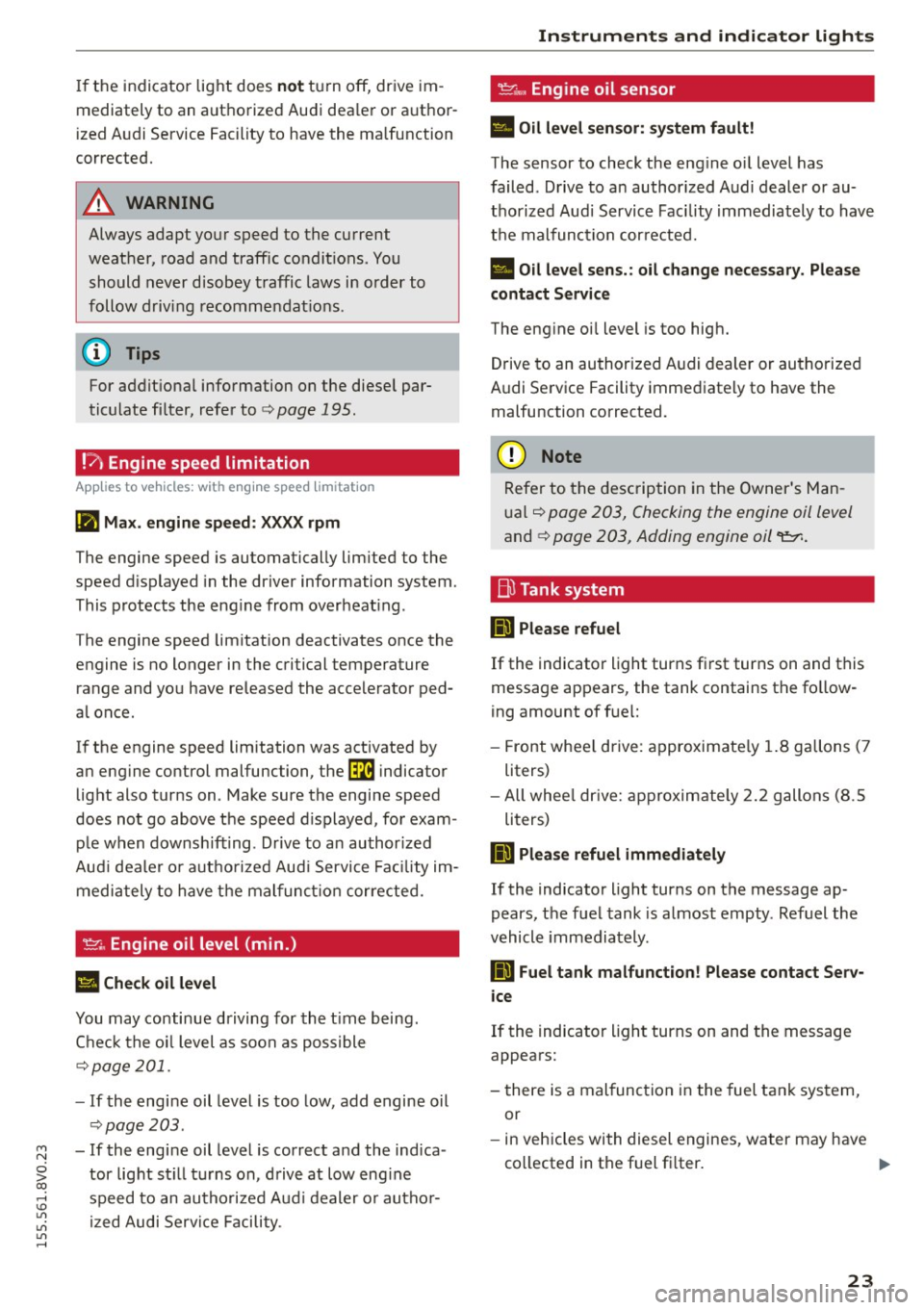
!7l Engine speed limitation
A pplies to vehicles: with eng ine spee d limitat ion
(II Ma x. engine speed: XXXX rpm
The engine speed is automatically limited to the
speed displayed in the driver information system.
This protects the engine from overheat ing .
The engine speed limitation deactivates once the
engine is no longer in the critical temperature range and you have released the accelerator ped
al once.
If the engine speed limitation was activated by
an engine control malfunction, the~ indicator
light also turns on . Make sure the engine speed
does not go above the speed d isplayed, for exam
ple when downshifting. Drive to an author ized
Aud i dealer or autho rized Aud i Service Facility im
mediately to have the malfunct ion corrected.
~ .. Engine oil level (min.)
l!I Check oil level
You may continue driving for the time being.
Check the oil level as soon as poss ible
¢page 201.
-If the engine oil level is too low, add engine oil
~page 203.
- If the engine oil level is correct and the indica
tor light st ill turns on, drive at low engine
speed to an authorized Audi dealer or author
ized Audi Service Facility .
Instruments and indicator lights
'I::?;."', Engine oil sensor
• Oil level sensor: system fault!
The sensor to check the engine oi l level has
failed. Drive to an author ized Audi dealer or au
thorized Audi Service Facility immediately to have
the malfunction corrected.
• Oil level sens.: oil change necessary. Please
contact Service
The engine oil level is too high.
Drive to an authorized Audi dealer or authorized
Audi Service Facility immediately to have the
malfunction corrected.
(D Note
Refer to the description in the Owner's Man
ual~
page 203, Checking the engine oil level
and¢ page 203, Adding engine oil
D Please refuel
If the indicator light turns first turns on and this
message appears , the tank contains the fol low
ing amount of fuel:
- Front wheel drive: approximate ly 1.8 gallons (7
liters)
- All whee l dr ive: approximately
2.2 gallons (8.5
liters)
Hid Please refuel immediately
If the indicator light turns on the message ap
pears, the fuel tank is almost empty. Refuel the
vehicle immediately.
D Fuel tank malfunction! Please contact Serv
ice
If the indicator light turns on and the message
appears:
- there is a malfunction in the fuel tank system,
or
- in vehicles with diesel engines, water may have
collected in the fuel fi lter.
1111>
23
Page 26 of 282
Instruments and indicator lights
Drive to an authorized Aud i dea ler or authorized
Audi Service Faci lity immediately to have the
malfunct ion corrected .
(D Note
Applies to veh icles with diesel engines: If the
diese l fue l quality is poor , it may be necessary
to have the water drained from the water sep
arator
l) in the fuel filter more often than
specified in the ma intenance schedule. Th is
can help reduce engine malfunct ions.
@ For the sake of the environment
Fuel should never enter the sewer system or
come into contact w ith the ground.
More information on refueling is ava ilable on
page
c:> page 192.
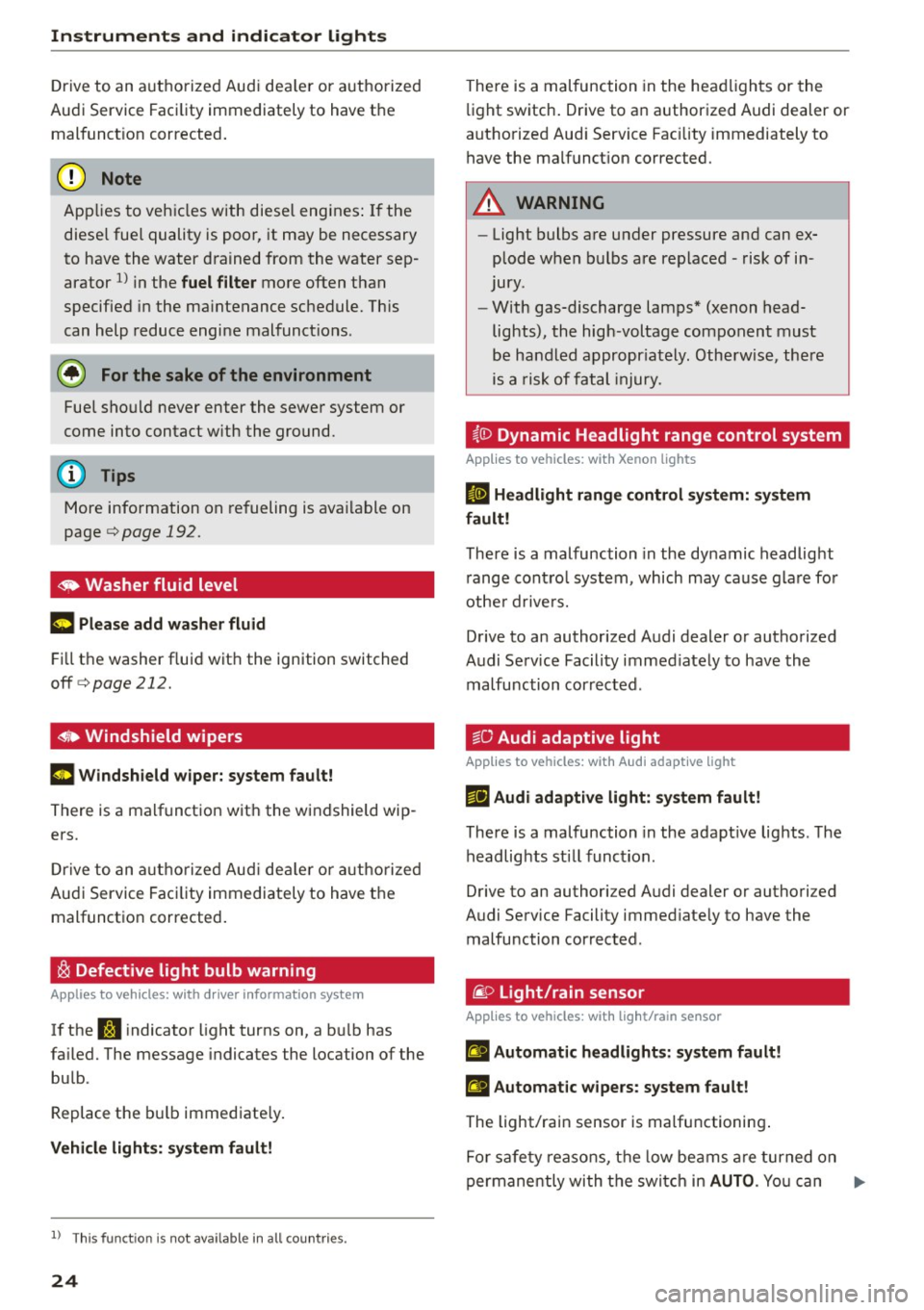
~ Washer fluid level
~ Pl ease add w asher flu id
F ill the washer fluid with the ignition switched
off
c:> page 212.
~~ Windshield wipers
m Wind shield w iper: s yste m fault!
There is a malfunction with the windshield wip
ers.
Dr ive to an a utho rized Aud i dea le r or a uthorized
Audi Service Faci lity immediately to have the
malfunct ion corrected .
~ Defective light bulb warning
Applies to veh icles: w ith driver information system
If the S:i indicator light turns on, a bu lb has
fa iled. The message indicates the location of the
bu lb.
Replace the bu lb immediate ly.
Vehi cle l ight s: syste m fault!
l) Thi s fun ction is not av ailable in all c ountri es.
24
There is a malfunction in the headlights or the
li ght switch . Drive to an authorized Audi dealer or
authorized Aud i Service Fac ility immediately to
have the malfunct ion corrected.
A WARNING
--
- Light bulbs are under pressure and can ex
plode when bulbs are replaced -risk of in
jury .
- With gas-discharge lamps* (xenon head
lights), the high -voltage component must
be handled appropr iately. Otherwise, there
is a risk of fatal injury.
~(D Dynamic Headlight range control system
App lies to vehicles: wit h Xeno n lights
II He adlight r an ge control system: sy ste m
f a ult!
There is a malfunction in the dynamic headlight
r ange contro l system, which may cause glare for
othe r drive rs.
Drive to an authorized Audi dealer or authorized
Audi Service Facility immed iate ly to have the
malfunction corrected.
go Audi adaptive light
App lies to vehicles : wi th Audi adapt ive ligh t
l'!J Audi adaptiv e light : system fault!
There is a malfunction in the adapt ive lights . T he
headlights sti ll function.
Drive to an authori zed Audi dealer or authori zed
Audi Service Facility immed iate ly to have the
malfunction corrected.
@ Light/rain sensor
App lies to vehicles: wit h lig ht/rain sensor
II Automat ic headlight s: s ys tem fault!
El Automat ic wipe rs: s ystem fault !
The light/rain sensor is ma lfunctioning .
Fo r safety reasons, the low beams a re turned on
permanently wi th the switch in
AUTO . You can .,..
Page 27 of 282
....,
N
0 > co
rl I.O
"'
"'
"'
rl
continue to turn the lights on and off using the
light switch. You can still contro l all wiper func
tions that are independent of the rain sensor .
Drive to an autho rized Aud i dea le r or authorized
Audi Service Facility immediate ly to have the
malfunction corrected.
; Adaptive dampers
Applies to vehicles: with Audi drive select
R Suspension: system fault!
There is an adaptive damper ma lfunction.
D rive to an authorized Aud i dea ler or a uthorized
Aud i Service Facility immediate ly to have the
malfunction corrected.
¢¢Turn signals
If the B or DI indicator light blinks, a turn sig
na l is turned on. If both indicator lig hts are blink
ing, the emergency flashers are on.
I n an indicator light blinks twice as fast as usual
then a blinker bulb has failed. Carefully drive to
your authorized Audi dealer immed iate ly to have
the ma lfunction corrected.
(D Tips
For more information on the turn signals, re
fer to
q page 45.
On-Board Diagnostic
system (OBD)
System indicator light (MIL)
The system indicator light (MIL) ¢4 in the instru
ment cluster is part of the On Board Diagnostic
System (OBD II).
The warning/indicator light turns on when the ig nition is switched on and turns off once the en
gine is started and is running in idle at a stab le
speed. Th is ind icates that the MIL is funct ion ing
correctly .
If the light does not turn off after starting the
engine
or turns on while driving, this may indi
cate there is a ma lfunction in the engine. If the
Instruments and indicator lights
indicator turns on, the cata lytic conve rter may be
damaged.
Drive
with reduced engine performance (avoid
high speeds for extended per iods of time and/or
f ast acceleration) and have the malfunction cor
rected . See an authorized Audi dealer or author
ized Audi Serv ice Facility.
T he indicator may turn on if the e lectronic speed
limiter is faulty. For add itiona l information, refer
to
¢ page 94, Electronic speed limiter*.
The MIL may also turn on if the fuel filler cap is
not closed correctly ¢
page 192.
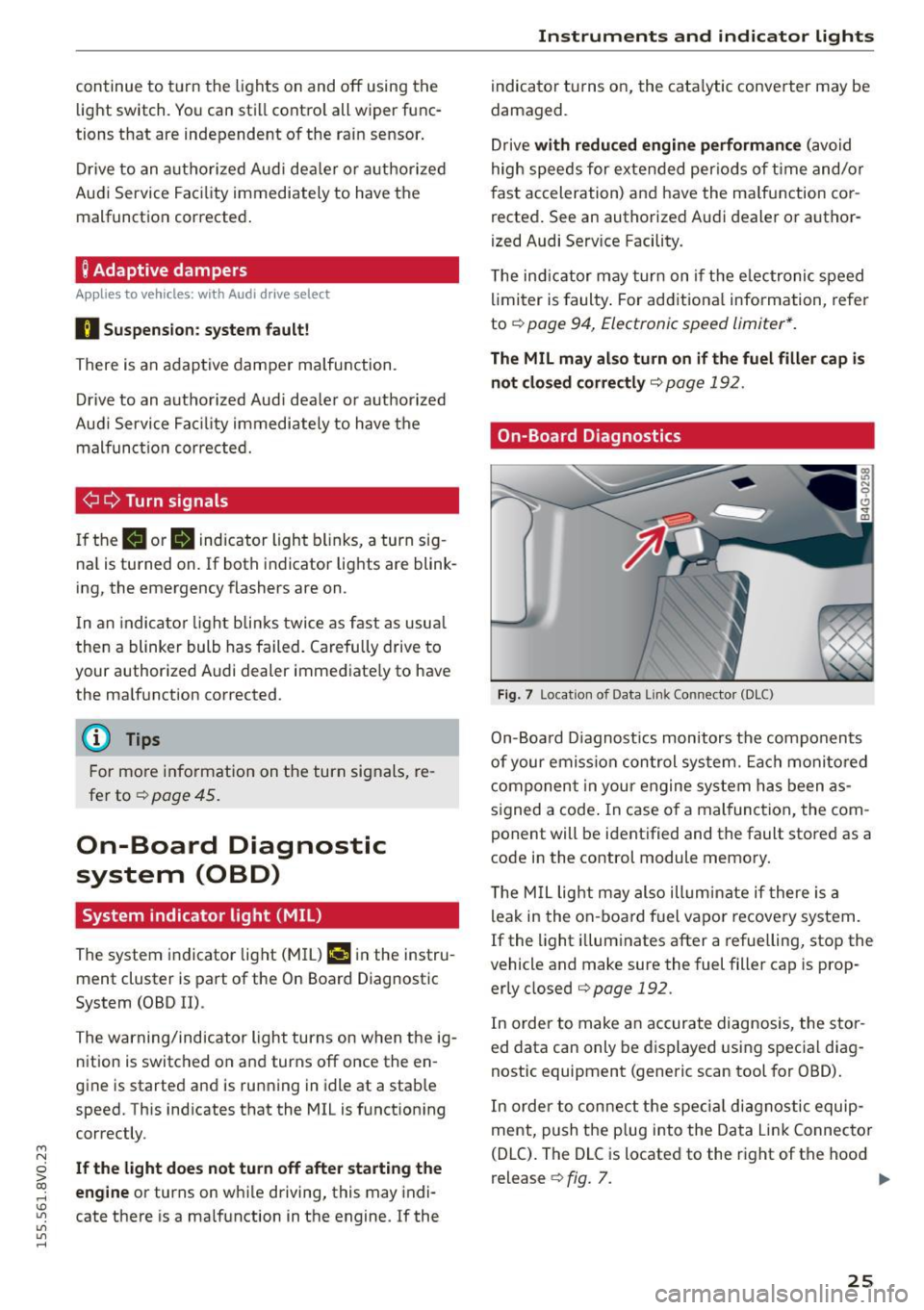
On-Board Diagnostics
Fig. 7 Location of Data Link Connector (DLC)
On-Board Diagnostics monitors the components
of your emission control system. Each monitored
component in your engine system has been as
s igned a code . In case of a mal function, the com
ponent will be identified and the fault stored as a
code in the control module memory.
T he M IL light may also illuminate if there is a
leak in the on-board fuel vapor recove ry system.
If the light illuminates after a refuelling, stop the
vehicle and make sure the fuel filler cap is prop
erly closed
qpage 192.
In order to make an accurate diagnosis, the stor
ed data can only be displayed using special diag
nostic equipment (generic scan tool for OBD).
In order to connect the special diagnostic equip
ment, push the plug into the Data Link Connector
(DLC). The DLC is located to the right of the hood
release
¢ fig. 7. ..,.
25
Page 30 of 282
Drive r in formation syste m
On-board comput er display
The on-boa rd comp uter display monitors the dif
ferent memory levels:
- Short-term memory (on-board computer 1)
- Long-term memory (on-board computer 2)
- Efficiency program
The follow ing information can be displayed in on
board computer 1 and 2 one after the other.
-Date
- Estimated range based on current fuel leve l
- Travel time
- Average consumption
- Average speed
- Distance
- Current fuel consumption
- Engine o il temperature indicator*
On -board computer
D (sho rt -term memory )
The short-term memory collects driving informa
tion from the time the ign it ion is switched on un
til it is switched off . If you continue driving with
in tw o ho ur s after sw itchi ng the ignition off, the
new values are included when calcu lating the c ur
rent trip information. If stopped for more the
two hours , the short term memory is automati
cally erased once you begin driving.
On-board com put er
fJ (long-t erm m emor y)
Unlike the short-te rm memory, the long-term
memory is not erased automat ica lly. You can se
lect the time period for evaluating trip informa
tion yourself.
E fficie ncy program
ii
The effic iency program can help you to use less
fuel ~page29.
(j) Tips
- The on-board computer is controlled by the
l eft button fields on the multifunction
steering wheel.
- For information on using the other b utton
fields, such as the audio, telephone* and navigation * functions, see the MM I owner's
manua l.
28
Operation
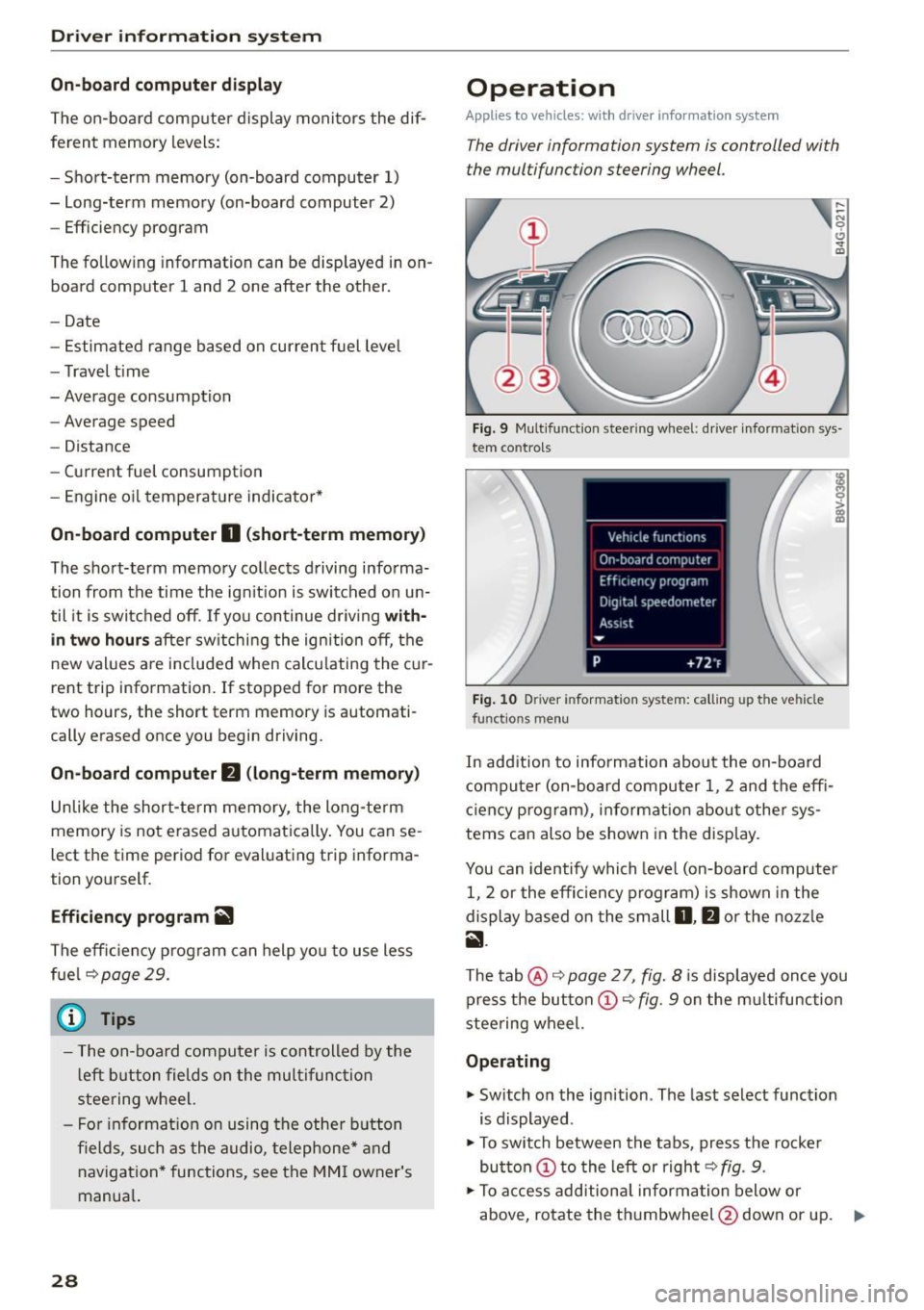
Applies to vehicles: with driver information system
The driver information system is controlled with
the multifunction steering wheel.
Fig. 9 Mult ifunction steering wheel: driver informat ion sys
tem contro ls
Fig . 10 Dr iver info rmation system: ca lling up the vehicle
functions menu
In addition to information about the on-board
computer (on-board compu ter 1 , 2 and the effi
c iency prog ram), information about othe r sys
tems can also be shown in the display .
You can identify which level (on-board computer
1, 2 or the effi ciency program) is shown in the
display based on the small
D , fJ or the nozz le
ii .
The tab@~ page 2 7, fig. 8 is displayed once you
press the button
(D ~ fig . 9 on the m ultifunction
stee ring wheel.
Operating
"' Switch on the ignition . The last select function
is displayed .
"' To switch between the tabs, press the rocke r
button
(D t o the left or right ~ fig. 9.
"'To access add itiona l informa tion below or
above, rotate the thumbwheel @down or up.
9"'
Page 31 of 282
....,
N
0 > co
rl I.O
"'
"'
"'
rl
.. To confirm a selection, press the thum bwheel
@ .
.. To se lect a function programmed to a steer ing
whee l button , press the button @. For addi
tiona l information, see c:>
page 29, Assigning
a function to a programmable steering wheel
button
Opening the Vehicle functions
.. Se lect the f irst tab w ith the button (!) .
.,. Press the button @. The
Veh icle functions
menu is displayed 9 fig. 10.
.. To select a menu item, turn and press the
t hu mbwheel @.
Resetting values to zero
.. In the Vehicle funct ions menu, select On-board
computer or Efficiency program .
.. Se lect a va lue in the desired trip computer or in
t h e efficie ncy prog ram .
.,. To reset t he val ues in a memo ry, press and hold
t h e thu mbw heel @for on e secon d.
Recalling indicator lights and messages
.. Press the button CD repeated ly until the Q tab
appea rs.
The
Q tab is only visibl e when there is a mal
f u nction.
Assigning a function to a programmable
steering wheel button
.. Se lect: the I MENU j button >Car > Systems *
control button > Vehicle settings > Steering
wheel button programming .
The Q tab is only visible when there is at lea st
one ind icat or light or message displayed.
(D Tips
- If the vehicle battery is discon nected , all
memo ry values a re erased.
- In form ation on the e fficiency pr ogra m
c:> pag e 29 .
-There is more inf orm atio n on the m ultifunc
t io n st eering wheel in the MMI* owner 's
manua l.
Driver information system
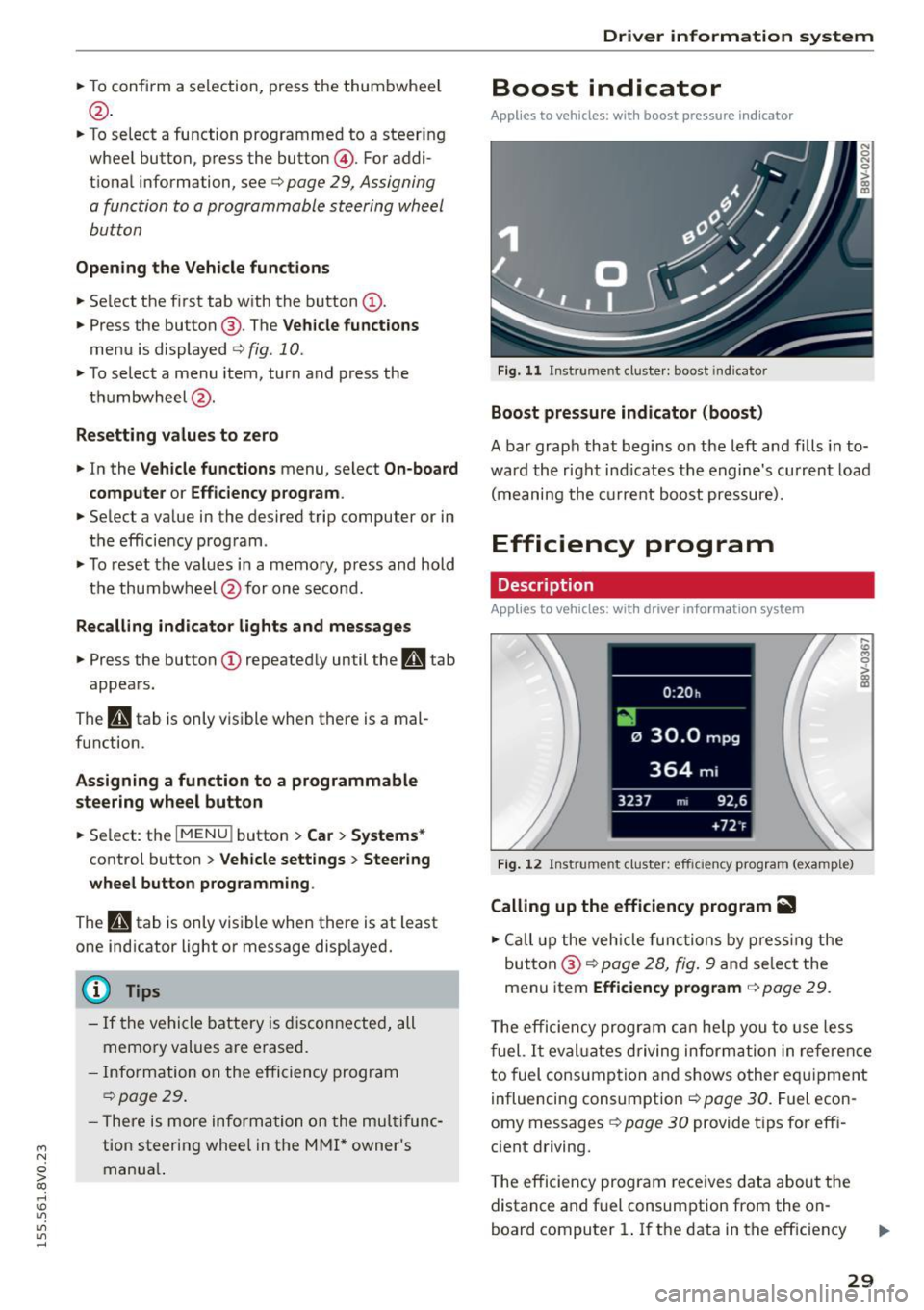
Boost indicator
Applies to vehicles: with boost pressure indicator
Fig. 11 Instrume nt cl ust e r: boost in dic ato r
Boost pressure indicator (boost)
A bar grap h that begins on the l eft and fills in t o
wa rd the righ t ind icates the engine's cu rrent load
( m eaning the cur rent b oost pressure).
Efficiency program
Description
App lies to vehicles: with driver info rmation system
Fig. 12 Inst rume nt clust er: effici ency p rogram (exa mple)
Calling up the efficiency program ii1
.. Call up the veh icle functio ns by pre ss in g the
but to n @ c:>
page 2 8, fig . 9 and se lec t the
menu item
Efficiency program c:> page 29.
,._
m
T he effi ciency pro gr am can he lp y ou to use le ss
f uel.
It eval uates driving inform ati on in ref ere nce
to fuel consump tion and shows o ther eq uipme nt
i nfluencing consumpt ion c:>
page 30 . Fue l econ
omy messages
c:> page 30 provide t ips for eff i
c ient driving .
T he efficiency program rece ives data abou t the
distance and f uel consumpt ion from the on
board compu ter
1. If the data in t he eff iciency
29
Page 32 of 282
Driver information system
program is deleted ¢page 29, the values in the
on-board computer 1 are also reset.
Other equipment
Applies to vehicles: with driver information system
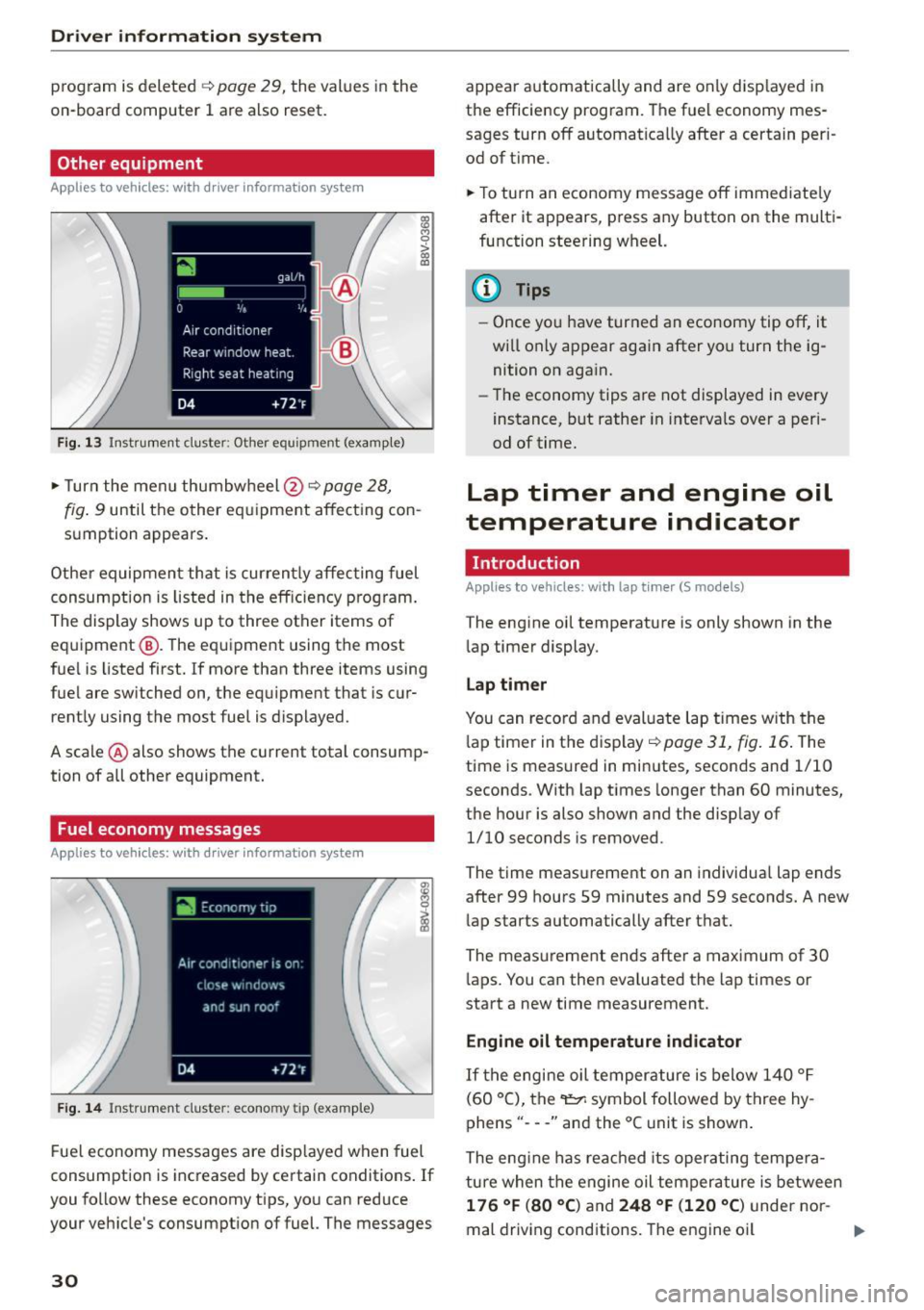
Fig. 13 Instrument cluster: Other equ ipment (examp le)
"'T urn the menu thumbwheel @ ¢ page 28,
l8 M 0
>
"' a,
fig. 9 until the other equipment affecting con
sumption appears.
Other equipment that is currently affecting fuel
consumption is listed in the efficiency prog ram.
The display shows up to three other items of
equipment @. The equipment using the most
fue l is listed first. If more than three items using
fuel are switched on, the equ ipment that is cur
rently using the most fuel is displayed.
A scale @ also shows the current total consump
tion of all other equipment.
Fuel economy messages
Applies to vehicles: with driver information system
Fig. 14 Instrument cluster: economy tip (example)
Fuel economy messages are disp layed when fuel
consumption is increased by certain conditions . If
you follow these economy tips, you can reduce
your veh icle's consumption of fuel. The messages
30
appear automatically and are only disp layed in
the efficiency program. The fuel economy mes
sages turn off automatically after a certain per i
od of t ime.
"'T o turn an economy message off immediate ly
after it appears, press any button on the multi
function steering wheel.
(D Tips
- Once you have turned an economy tip off, it
wi ll only appear again after you turn the ig
nition on again.
- The economy tips are not displayed in every
instance, but rather in intervals over a peri
od of time.
Lap timer and engine oil
temperature indicator
Introduction
Applies to veh icles: with lap tim er (S models)
The engine oil temperature is only shown in the
lap timer display.
Lap timer
You can record and evaluate lap times with the
l ap timer in the display¢
poge 31, fig. 16. The
time is measured in minutes, seconds and 1/10
seconds. With lap times longer than 60 minutes,
the hour is also shown and the display of
1/10 seconds is removed.
The time measurement on an individua l lap ends
after 99 hours 59 minutes and 59 seconds. A new
lap starts automatically after that.
The meas urement ends after a maximum of 30
laps. You can then eva luated the lap times or
start a new time measurement.
Engine oil temperature indicator
If the engine oil temperature is below 140 °F
(60 °C), the~ symbol followed by three hy
phens" ---" and the °C unit is shown .
The engine has reached its operating tempera
ture when the engine oil tempera ture is between
176 °F (80 °() and 248 °F (120 °C) under nor-
mal driving conditions. The engine oil
IJI>
Page 35 of 282
M N
0 > co ,...., \!) 1.1"1
1.1"1
1.1"1
,....,
Opening and closing
Central locking
Key set
Fig. 18 Your vehicle key set
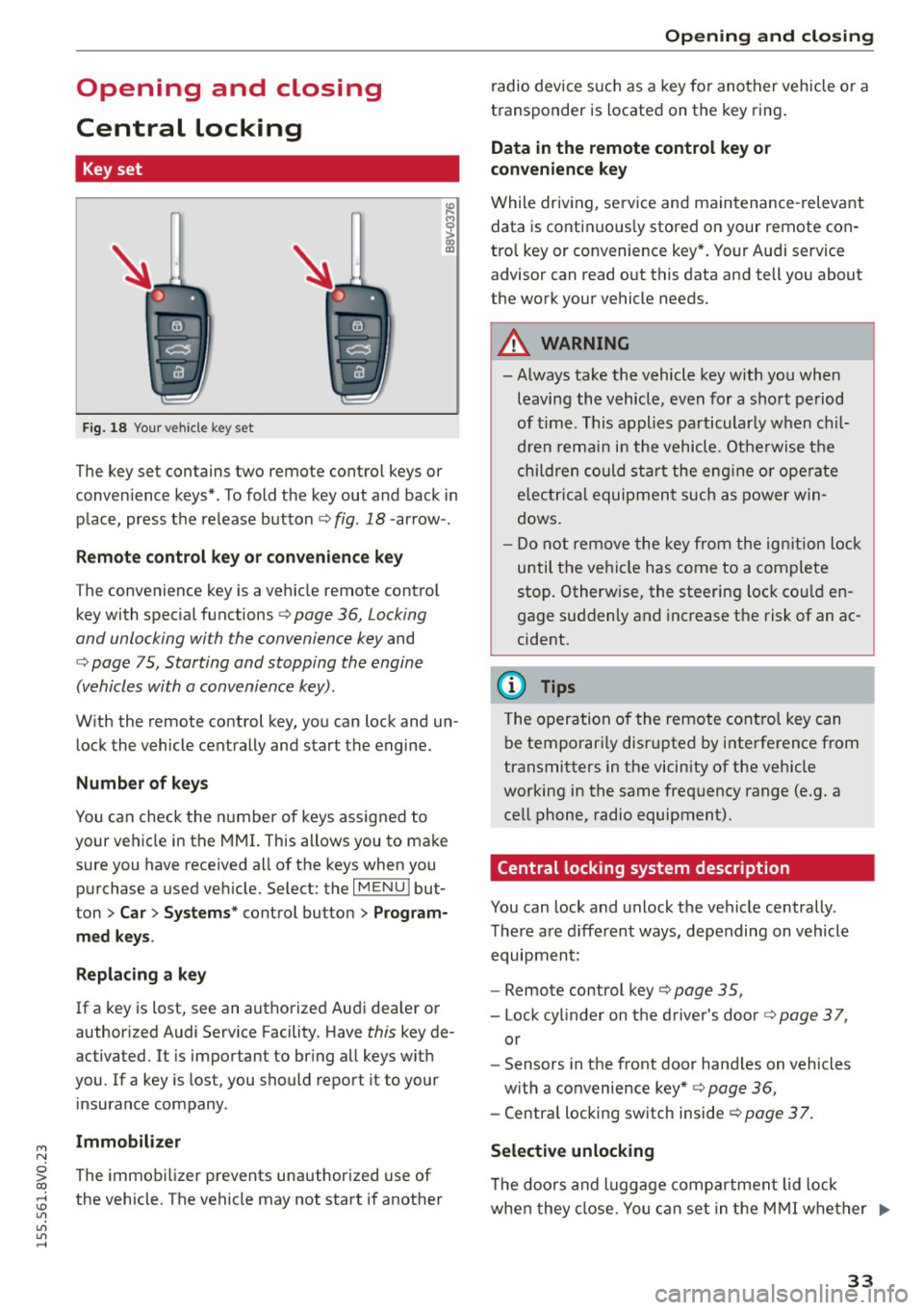
The key set contains two remote control keys or
conven ience keys*. To fold the key out and back in
place, press the release button¢ fig . 18 -arrow- .
Remote control key or convenience key
The convenience key is a vehicle remote contro l
key with special functions¢ page 36, Locking
and unlocking with the convenience key and
¢ page 75, Starting and stopping the engine
(vehicles with a convenience key) .
With the remote control key, you can lock and un
lock the vehicle centrally and start the engine.
Number of keys
You can check the number of keys assigned to
your vehicle in the MMI. This allows you to make
sure you have received all of the keys when you
purchase a used vehicle. Select: the
I MENU I but
ton
> Car> Systems * control button > Program
med keys.
Replacing a key
If a key is lost, see an authorized Audi dealer or
author ized Audi Service Facility. Have this key de
activated. It is important to bring all keys with
you .
If a key is lost, you should report it to your
insurance company.
Immobilizer
The immobilizer prevents unauthorized use of
the vehicle. The vehicle may not start if another
Opening and closing
radio device such as a key for another vehicle or a
transponder is located on the key ring.
Data in the remote control key or
convenience key
While driving, service and maintenance -relevant
data is continuous ly stored on your remote con
trol key or convenience key*. Your Audi service
advisor can read out this data and tell you about
the work your vehicle needs.
A WARNING
-- Always take the vehicle key with you when
leaving the vehicle, even for a short period
of time. This applies particularly when chil
dren remain in the vehicle. Otherwise the
children could star t the engine or operate
electrica l equipment such as power win
dows.
- Do not remove the key from the ignition lock
until the vehicle has come to a complete
stop. Otherw ise, the steering lock could en
gage suddenly and increase the risk of an ac
cident.
(D Tips
The operation of the remote control key can
be temporari ly disrupted by interference from
transmitters in the vicinity of the vehicle
working in the same frequency range (e .g. a
cell phone, radio equipment).
Central locking system description
You can lock and unlock the vehicle centrally.
There are d ifferent ways, depending on vehicle
equipment:
- Remote control key ¢page 35,
- Lock cylinder on the driver's door ¢page 37,
or
- Sensors in the front door hand les on vehicles
with a convenience key* ¢ page 36,
- Central locking switch inside <=:>page 37.
Selective unlocking
T he doors and luggage compa rtment lid lock
when they close. You can set in the MMI whether .,..
33