display AUDI S3 SEDAN 2015 Owner's Manual
[x] Cancel search | Manufacturer: AUDI, Model Year: 2015, Model line: S3 SEDAN, Model: AUDI S3 SEDAN 2015Pages: 282, PDF Size: 71.14 MB
Page 84 of 282
Automatic transmi ssion
Automatic transmission
S tronic
Introduction
Applies to veh icles: w ith S tro nic transmiss ion
Your vehicle is equ ipped w ith an electronically
contro lled DSG transmission ca lled S tronic. Two
independent clutches transfer the power be
tween the eng ine and t ransmission. It a llows the
vehicle to accelerate without a noticeable inter
ruption in tract ion .
The transmission upshifts or downsh ifts auto
matica lly. The driv ing style contin uously influen
ces the se lection of the driving program .
When a
mod era te driving style is used, the
transmiss ion se lects the mos t econom ica l driving
mode. The transmission upsh ifts at a lower RPM
and downshifts at a higher RPM to improve fuel
efficiency .
The transmission swit ches to a sporty mode after
a kick-down or when the driver uses a
s po rty driv
ing sty le
characterized by quick accelerator pedal
movements, heavy acceleration, frequent
changes in speed and t raveling at the maximum
speed.
If desired, the drive r can a lso se lect the gears
manually ( tiptronic mode) ¢ page 87, Shift ing
manually (tiptronic mode) .
Selector lever positions
Applies to vehicles: w ith S tro nic transmiss ion
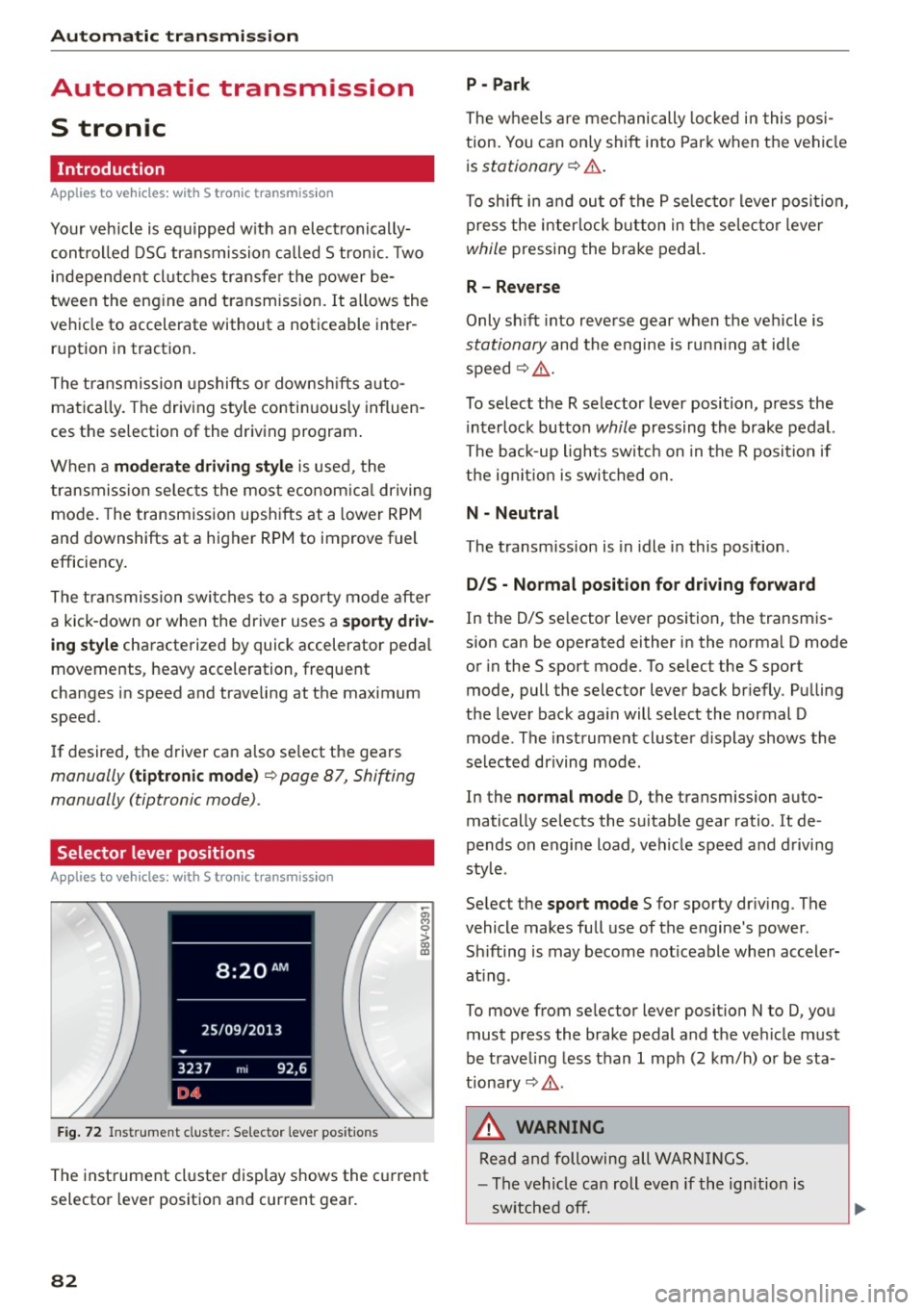
F ig. 72 In strum ent clus te r: S electo r lev er pos it io ns
-~ 0 > a, ID
The inst rument cl uste r display shows the c urrent
selector lever position and current gear.
82
P - Park
The wheels a re mechanically locked i n this pos i
tion . You can on ly shift into Par k when the vehi cle
i s
stationary ¢.&. .
To shift i n and ou t of the P se lec to r lever posit io n,
press the interlock button in the selec tor lever
while pressing the brake pedal.
R - Reverse
Only sh ift into reve rse gear when the vehicle is
stationary and the engine is run ning at id le
speed¢ .&..
To select the R selector lever position, p ress the
i nterlock button
while pressing the brake pedal.
The back-up lights switc h on in the R posit ion if
the ign it io n is switched on.
N - Neutral
The transm ission is in idle in this pos ition .
D/S - Normal po sit ion fo r dri ving f orward
In the D/S se lector lever position , the transm is
s ion can be operated either in the norma l D mode
or in the S sport mode. To se lect the S sport
mode, pull the selector lever back br iefly . Pu lling
the lever back aga in will select the normal D
mode . The instrument cluster display shows the
selected driving mode .
In the
normal mode D, the transmission auto
matically selects the suitable gear ratio. It de
pends on engine load, vehicle speed and d rivi ng
style .
Se lect the
sport mode S for sporty dr iv ing . The
vehicle makes fu ll use of the engine 's power.
Sh ifting is may become not iceable when accele r
at ing .
To move from se lec tor lever position N to D, you
must p ress the brake pedal and the ve hicle must
be traveling less than 1 mph (2 km/h) o r be sta
tiona ry¢ .&..
&, WARNING
Read and following all WA RN IN GS.
- The vehicle can roll even if the ignition is
sw itched off.
Page 89 of 282
....,
N
0 > co
rl I.O
"'
"'
"'
rl
Shifting manually (tiptronic mode)
Applies to vehicles: with 5 tronic transmiss ion/ shi ft padd les
The tiptronic allow the driver to shift the gears
manually.
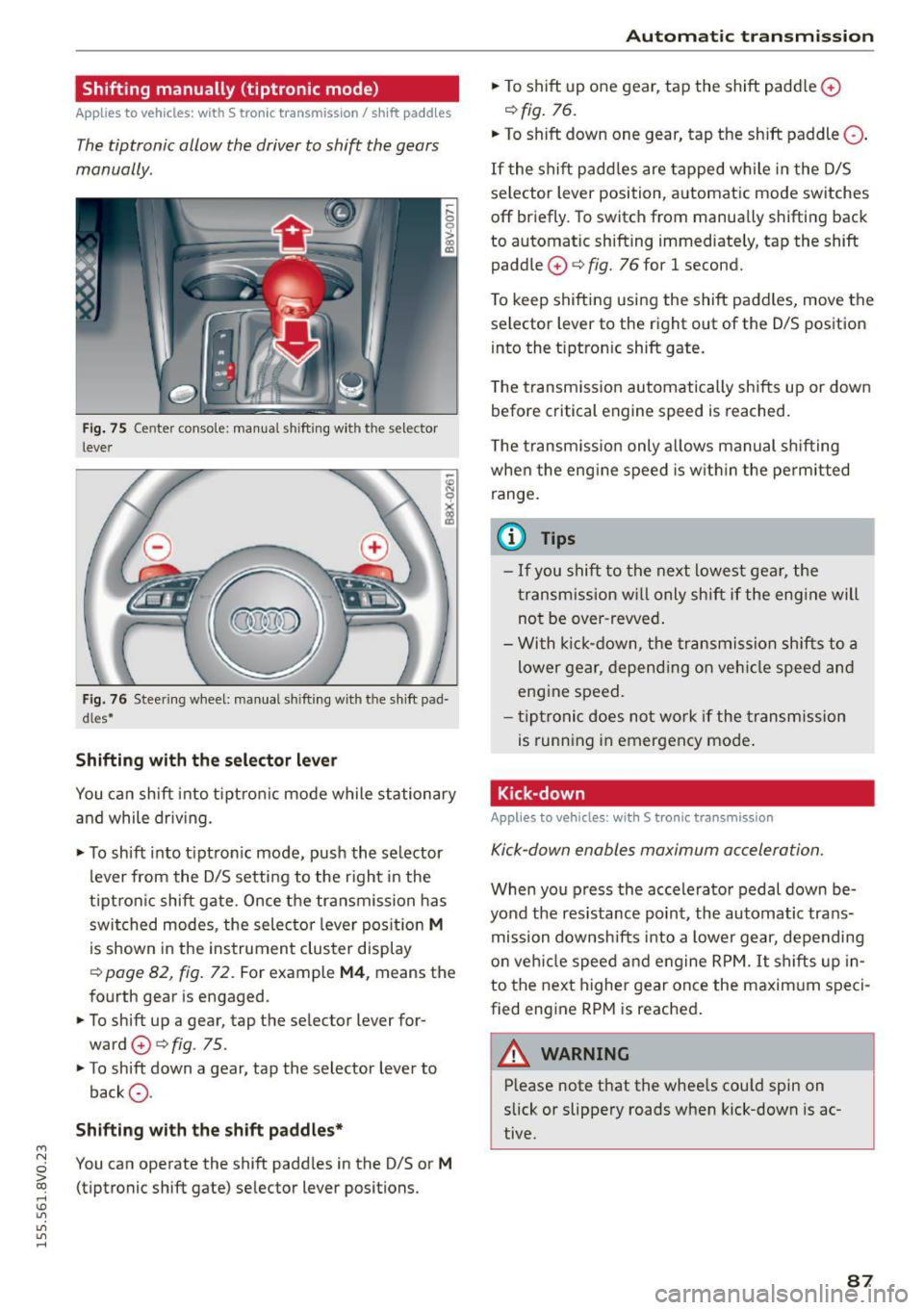
Fig. 75 Center c_onso le: manual shi fting wi th the selec tor
lever
Fig. 76 Steering wheel: manual shi fting with t he shift pad
d les*
Shifting with the selector lever
You can shift into tiptronic mode while stationary
and while driv ing.
• To shift into tip tron ic mode, push the selector
lever from the D/S setting to the right in the
tiptron ic shift gate. Once the transmission has
switched modes, the selecto r lever position
M
is shown in the instrument cluster display
r:::> page 82, fig. 72 . For example M4, means the
fourth gear is engaged.
• To shift up a gear, tap the selector lever for
ward
0 r:::> fig . 75.
• To shift down a gear, tap the selector lever to
back
0 -
Shifting with the shift paddles*
You can operate the shift paddles in the D/S or M
(tiptronic shift gate) selector lever positions.
Automatic transmission
• To shift up one gear, tap the shift padd le 0
r:::> fig. 76.
• To shift down one gear, tap the shift paddle 0 -
If the shift paddles are tapped while in the D/S
selector lever position, automatic mode switches
off briefly. To switch from manually shifting back
to automatic shifting immediately, tap the shift paddle
0 ¢ fig. 76 for 1 second.
To keep shifting using the shift paddles, move the
selector lever to the right out of the D/S position
into the t iptron ic shift gate.
T he transmission automatically shifts up or down
before critical engine speed is reached.
The transmission only allows manual shifting
whe n the engine speed is within the permitted
range.
(0 Tips
- If you shift to the next lowest gear, the
transmission will only shift if the engine will
not be over-revved.
- With kick-down, the transmission shifts to a
lower gear, depending on vehicle speed and
engine speed.
- tiptronic does not work if the transmission
is running in emergency mode .
Kick-down
Applies to vehicles: wit h S tronic transm issio n
Kick-down enables maximum acceleration.
When you press the accelerator pedal down be
yond the resistance point , the automatic trans
mission downsh ifts into a lower gear, depending
on veh icle speed and engine RPM.
It shifts up in
to the next higher gear once the maxim um speci
fied eng ine RPM is reached.
A WARNING ~
Please note that the whee ls cou ld spin on
slick or slippery roads when kick-down is ac
tive .
-
87
Page 90 of 282
Automatic transmission
Launch Control-Program
Applie s to v ehi cles: w ith launch control
The Launch Control Program enables maximum
acceleration .
Requirement: The engine must be at operating
temperature and t he steering wheel must not be
turned.
.,. With the engine running, press the
!~OFFI but
ton briefly one time
l) .
.,. Pull the selector lever back out of the O/S posi
tion briefly to select the S position, or press it
toward the right into the tiptronic position or
select the
Dynamic driving mode in drive se
lect*
~page 112.
.,. Press the brake pedal firmly with your left foot
and hold it all the way down for at least 1 sec
ond.
.,. At the same time, press the gas pedal all the
way down with your right foot until the engine
reaches and stays at a high RPM level.
.,. Remove your left foot from the brake.
_.&. WARNING
- Always adapt your driving to the traffic flow.
- Only use Launch Control when road and traf-
fic conditions allow it and other drivers will
not be endangered or impacted by your driv
ing and the vehicle's acceleration.
- Please note that the drive wheels can spin
and the vehicle can break away when sport
mode is switched on, especially when the
road is slippery.
- Once the vehicle has started moving, press
the
l .1'3 OFF ! button briefly to turn the sport
mode off.
(D Tips
- The transmission temperature may increase
significantly after using the launch control program. If that happens, the program may
1l In vehicles w ith a d rive r infor matio n syste m, a n ESC light
in t he instrument clus ter s tays o n co ntinuo usly and t he
message
Stabilization control (ESC): sport. Warning! Re·
stricted stability
appears temporarily.
88
not be available for a few minutes. It will be
available again after a cool-down period.
- When accelerating using the launch control
program, all vehicle parts are subject to
heavy loads. This can lead to increased wear.
Emergency mode
App lies to vehicles : wi th S t ro ni c t ra nsmi ssio n
In the event of a system malfunction, there is an
emergency program .
If all of the selector lever positions are highlight
ed with a light background in the instrument
cluster display, there is a system malfunction and
the S tronic transmission is running in the emer
gency program. The vehicle can still be driven in
emergency mode, but only with reduced speed
and not in all gears. In some cases, the vehicle
cannot drive in reverse .
(D Note
If the transmission runs in emergency mode,
drive to an authorized Audi dealer or author
ized Audi Service Facility immediately to have
the malfunction corrected.
Transmission malfunction
• Transmission malfunction! Please stop the
vehicle and select P
There is a malfunction in the transmission. Park
the vehicle securely and do not continue driving.
See an authorized Audi dealer or authorized Audi
Service Facility for assistance.
• Transmission overheating! Please stop the
vehicle!
The transmission is too hot and can become dam
aged. Stop and let the transmission cool with the
engine running (at idle) in the P selector lever po
sition. Then the indicator light and the message
turn off, drive to an authorized Audi dealer or au
thorized Audi Service Facility immediately to have.,.
Page 101 of 282
M N
0 > co ,...., \!) 1.1'1
1.1'1
1.1'1
,....,
Switching adaptive cruise control on
"'Pull the lever toward yo u into posit ion (!)
¢fig. 84. ACC: sta ndb y appears in the instru
ment cluster disp lay .
Saving the speed and activating regulation
"'T o save the current speed, press the !SETI
¢ fig. 84 button . T he stored speed is s hown in
the tachomete r LED line @and appears briefly
in the information line @¢
fig. 85.
"' To activate the reg ulation while stationary, you
must press the brake pedal.
Sw itching adaptiv e cruise c ontrol off
"' Push the lever away from you into position @
u nt il it clicks into place. The message
ACC : off
appears .
The stored speed in the L ED line is erased.
@ Indicato r light s
II-adaptive cruise contro l is switched o n. Ob
jects ahead are not detected. The stored speed is
maintained.
• -An object ahead was detected . The adaptive
cruise control system regu lates the speed and
d istance to the object ahead and brakes/acceler
ates automatica lly.
f:i -adaptive cru ise contro l is switched o n. An
object ahead was detected. Yo ur vehicle remains
stopped and w ill not start dr iving automatica lly.
• -The automatic brak ing is no t eno ugh to
maintain a sufficient distance to an object ahead .
You must intervene ¢
page 102, Request for
driver intervention.
© Instrument clu ster display
If adaptive cruise control is not shown in the in
strument cluster display, yo u can call i t up using
the mu ltifunc tion steering wheel buttons
¢page 28.
Based on the g raphics in the display, you can de
termine if the system is ma inta ining a distance to
a vehicle ahead and what that dis tance to this ve
h icle is:
No vehi cle -No object ahead was detected .
Ass is t
White vehicle -An object ahead was de tected .
Re d vehi cle -Request fo r the d river to take action
¢page 102.
Both arrows on the scale© indicate the d istance
to the object ahead. No arrow appears when the
vehicle is on an open road and the re is no object
ahead. If a n object is detected ahead, the a rrow
moves on the sca le.
T he green zone on the sca le indicates the store
distance. For i nformat ion on changing the dis
t a nce, refer to ¢
page 101. If the distance se
l ected is ex ceeded or not reached, the arrow
moves into the red zone on the scale .
_& WARNING
-Using adaptive cruise contro l incorrectly can
cause collisions, other accidents and serious in ju ries.
- If you press the
ISETI button when driving at
speeds be low 20 mph (30 km/h), the vehi
cle acce lerates automatically up to 20 mph
(30 km/h), which is the mi nimum speed
that can be set.
{!) Tips
- If you switch the ignit ion or the adaptive
cruise contro l system off, the set speed is
erased for safety reason.
- The Electronic Stabilization Control (ESC) and Anti-Slip Regulat ion (ASR) both sw itch
on when the adaptive cruise contro l is
switched on . ESC and ASR ca nnot be switch
e d off when adaptive c ruise cont ro l is
sw itched on.
- With the adaptive c ruise control activated
the ESC sport mode cannot be activated .
99
Page 102 of 282
Ass is t
Changing the speed
Applies to vehicles: with Audi adaptive cruise control
0
f
•
0
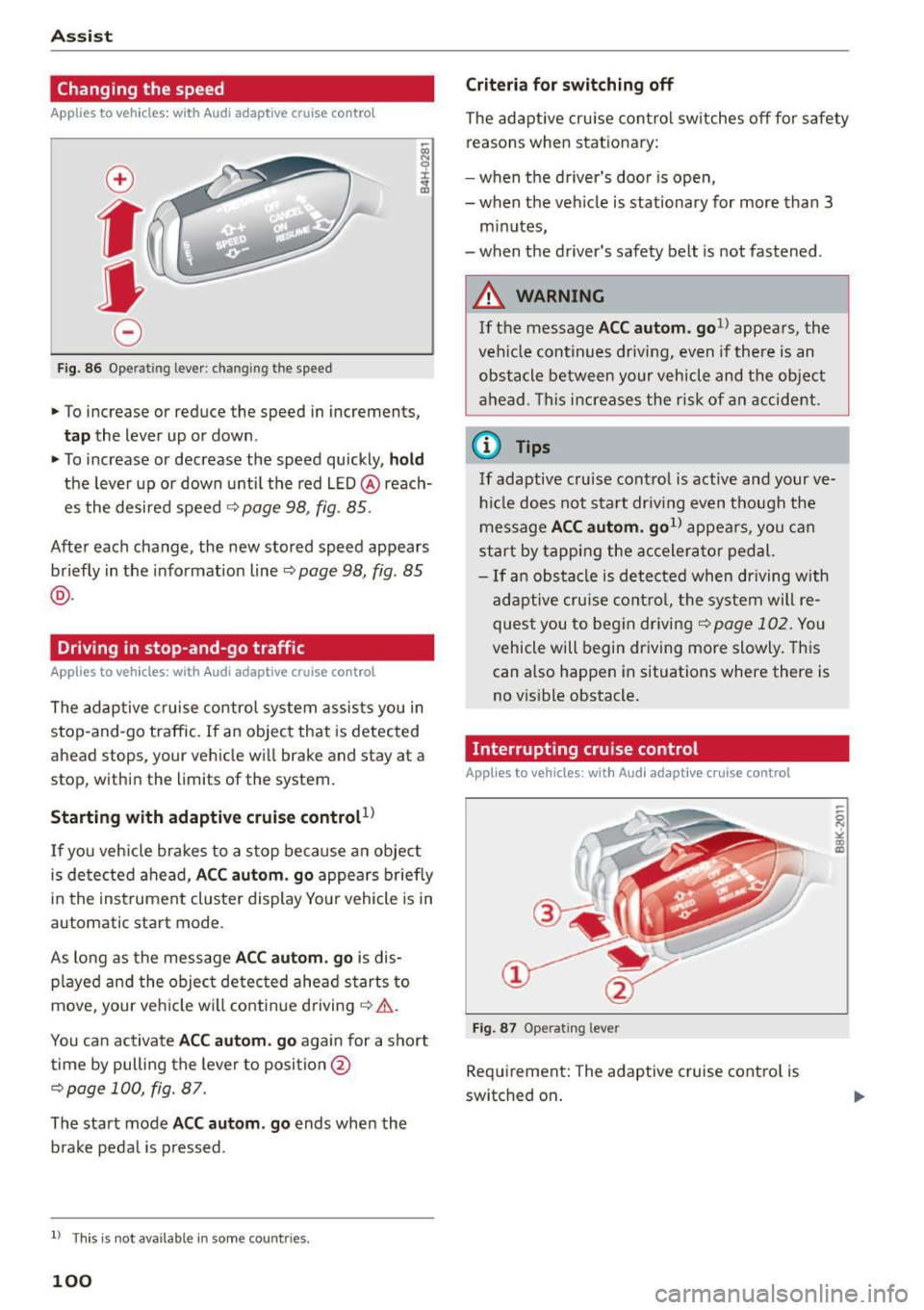
Fig. 86 O pera tin g leve r: chan gin g th e speed
.,. To increase or reduce the speed in increment s,
tap the lever up or down .
.,. To increase or decrease the speed quickly,
hold
the leve r up or down until the red LED @reach
es the desired speed
¢ page 98, fig . 85.
Afte r each change, the new stored speed appears
briefly in the informat ion line ~
page 98 , fig. 85
@ .
Driving in stop-and-go traffic
Applies to vehicles: with Audi adaptive cruise control
The adaptive c ruise co ntrol system assists you in
s top-and-go traffic. If an object that is detected
ahead stops, your vehicle wi ll brake and stay at a
stop, within the limits of the system.
Starting with adaptive cruis e controt1l
If you veh icle brakes to a stop because an object
is de tected ahead,
ACC aut om . go appea rs briefly
in the ins trument cluste r display You r vehicle is in
automatic start mode.
As long as the message
ACC autom. g o is dis
p layed and the object detected ahead s tarts to
move , your veh icle wi ll contin ue driving ~& .
You ca n activate
ACC aut om . go again for a short
time by pulling the lever to position @
¢page 100, fig. 87.
The start mode ACC autom . go ends when the
b rake peda l is pressed .
ll T hi s is no t available i n some c oun tries .
100
Criteria for switching off
The adaptive cru ise contro l sw itches off for safety
reasons when stat ionary:
- when the driver 's doo r is open,
- when t he veh icle is stationary for more than 3
m inutes,
- when t he driver's safety belt is not fastened .
A WARNING
If the message ACC a utom . go1l appea rs, the
vehicle continues driving,
even i f there is an
obstacle between your vehicle and the obje ct
a head . Th is increases the risk of a n accident .
@ Tips
If adaptive cruise cont ro l is active and your ve
h icl e does not s tart dr iv ing even t h ough the
me ssage
ACC autom. go1l appea rs, you c an
start by tappi ng the accelera tor pedal.
- If an obstacle is de tec ted when dr iving with
adaptive cruise cont ro l, the system will re
ques t you to beg in d riving
¢page 102. You
vehicle will begin dr iving more slowly. This
can also happen in situations where there is
no v isible obstacle.
Interrupting cruise control
Applies to vehicles: with Audi adaptive cruise contro l
Fig. 87 O pe ra ting le ver
Requirement: The adaptive cruise cont ro l is
switched on .
Page 103 of 282
M N
0 > co ,...., \!) 1.1'1
1.1'1
1.1'1
,....,
Overriding cruise control
Overriding means exceeding the selected speed
when adaptive cruise contro l is active, for exam
p le when pressing the acce lerator pedal when
passing.
"'T o accelerate man ua lly, pull the lever towa rd
you into position @and ho ld it there. The mes
sage
ACC: o ve rride appears . Or
"' press the accelerator peda l.
"' To resume cruise control, release the lever or
take your foot off the acce lerator pedal.
Int errupting c ruis e contr ol w hil e driving
"'Move the lever into position @. The message
ACC: stand by appears. Or
"' press the brake peda l.
"' To resume the stored speed, move the lever in
to posit ion @.
Int errupting c rui se contr ol wh en stopped
"' Push the lever away from you into position @.
The message
ACC: s ta ndby appears.
"' To resume cruise control, press the brake peda l
and pull the lever toward you into position@.
A WARNING
It is dangerous to act ivate cru ise contro l and
resume the stored speed when the current
road, traff ic or weather condit ions do not per
m it this. This could result in a c rash.
Setting the distance
A ppl ies to vehicles: with Audi adaptive cruise co ntrol
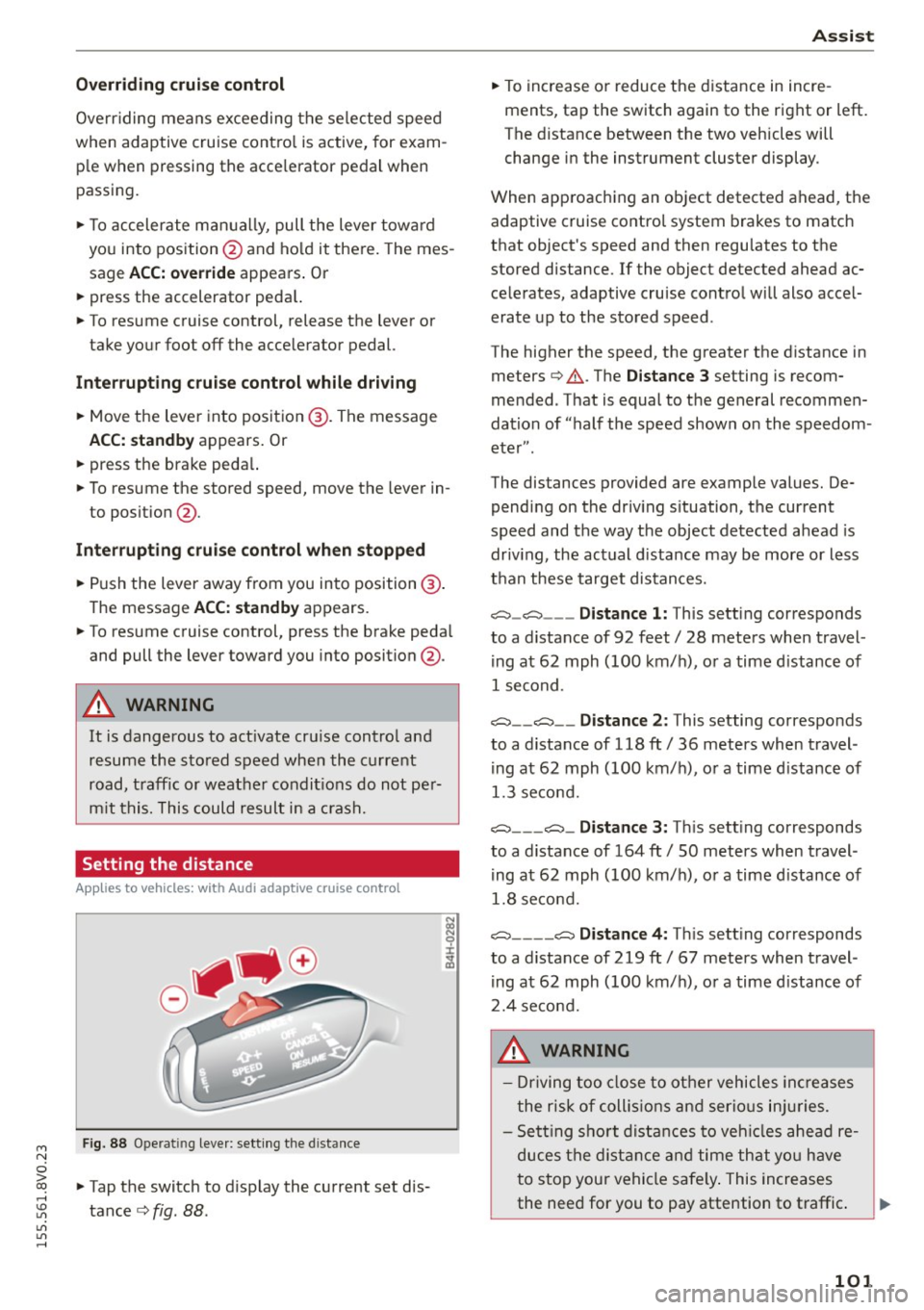
Fig. 88 Ope rat ing leve r: sett ing the d istance
"' Tap the switch to d isplay the current set dis
tance
c> fig. 88 .
Ass is t
"' To increase or reduce the d istance in incre
ments, tap the switch again to the right or left.
The distance between the two vehicles will
change in the instrument cluster display .
When approaching an object detected ahead, the adaptive cruise contro l system brakes to match
that object's speed and then regu lates to the
stored distance. If the object detected ahead ac
celerates, adaptive cruise control will also accel
erate up to the stored speed .
The higher the speed, the greater the distance in meters
c> .&. . The Distanc e 3 setting is recom
mended. That is equal to the general recommen
dation of "half the speed shown on the speedom
eter" .
The distances provided are example values. De pending on the driv ing s ituation, the current
speed and the way the object detected ahead is
driv ing, the actual d istance may be more or less
than these target distances.
c::::::, _c::::::, ___ Distance 1: This setting corresponds
to a distance of 92 feet/ 28 meters when travel
ing at 62 mph (100 km/ h), or a time d istance of
1 second.
c::::::, __ c::::::, __ Distance 2 : This setting corresponds
to a distance of 118 ft/ 36 meters when travel
ing at 62 mph (100 km/ h), or a time d istance of
1.3 second.
c::::::, ___ c::::::,_ Distanc e 3: Th is sett ing corresponds
to a distance of 164 ft/ 50 meters when travel
ing at 62 mph (100 km/ h), or a time d istance of
1.8 second.
c::::::, ____ c::::::, Distance 4: This sett ing corresponds
to a distance of 219 ft/ 67 meters when travel
ing at 62 mph (100 km/h), or a time d istance of
2.4 second.
A WARNING
- Driving too close to other vehicles inc reases
the risk of coll is ions and ser io us in juries.
- Sett ing s ho rt distances to veh icles ahead re
duces the dist ance and time that you have
to stop your vehicle safe ly . This increases
the need for you to pay attention to traffic. .,,.
101
Page 106 of 282
Ass is t
- The pre sense basic functions may not be
available if there is a malfunction in the ESC
system or the airbag control module.
- Note that with pre sense basic, the reversi·
ble safety belt pretensioner on the front
passenger's side deact ivates when the front
passenger's airbag is deactivated .
Audi pre sense front
Description
Applies to vehicles: with Audi pre sense front or Audi adaptive
cruise control
Pre sense front informs you if the d istance to the
vehicle ahead falls below the safe distance for a n
extended per iod of time.
It c an warn of a possi·
b le co llision and initiate braking maneuvers,
within the limits of the system.
When detected in time, the system can assess
dangerous situations whe re a n object ahead
b rakes s udden ly or if you r own vehicle is traveling
at a high speed and approaching an object t hat is
moving more s lowly . If detection is not possible ,
then pre sense front does not re act .
Warnings
Applies to vehicles: with Audi pre sense front or Audi adaptive
cruise control
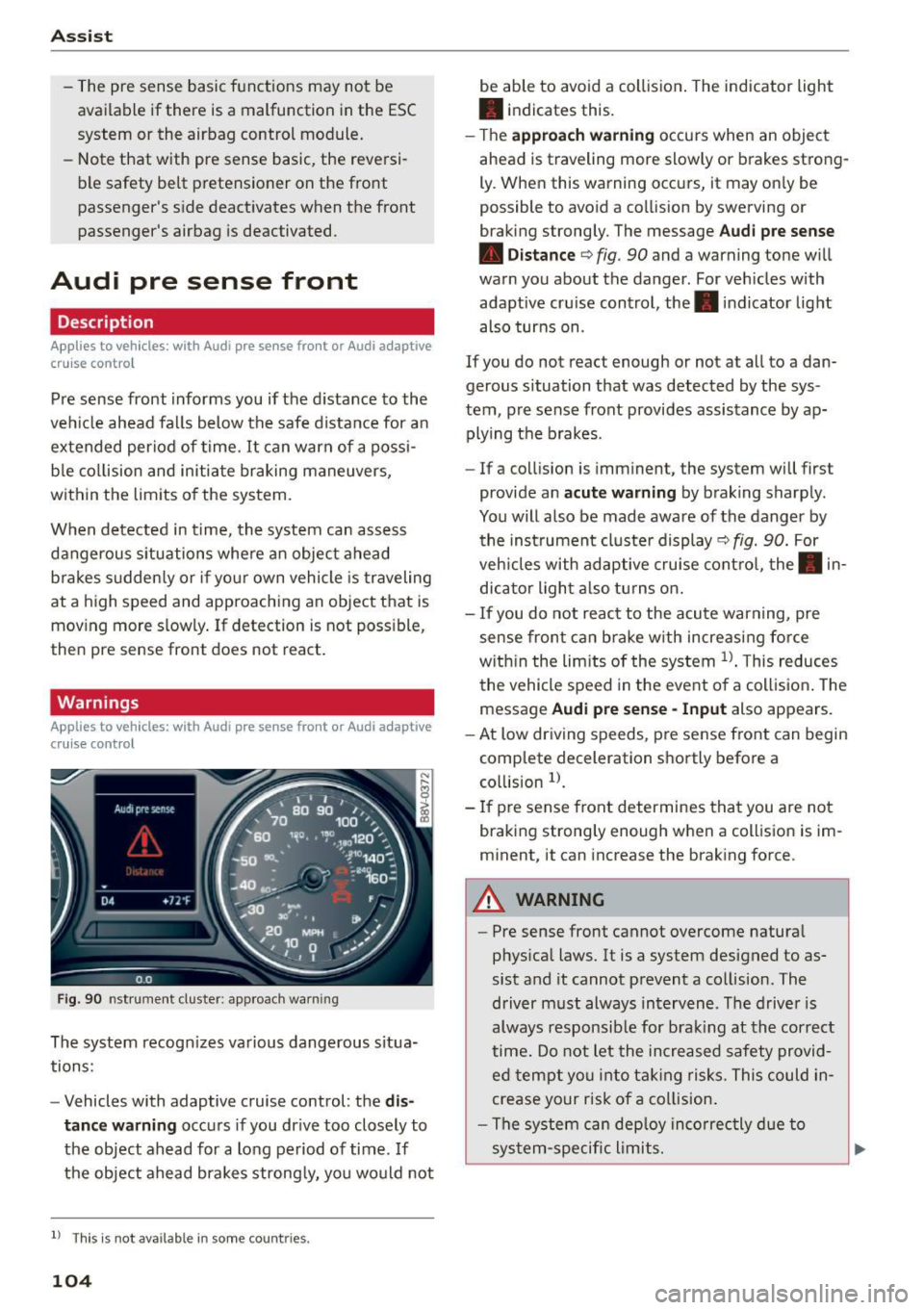
F ig . 90 nst rument clus te r: app roac h warn ing
The system recogn izes va rious dangerous situa
tions:
- Vehicles with adaptive cruise control: the
dis
tanc e warnin g
occurs if you dr ive too closely to
the object ahead for a long period of time .
If
the object ahead brakes strong ly, you would not
l l Thi s is no t ava ilab le i n so me c oun tries .
104
be able to avoid a collision . The indicator light
• indicates th is.
- T he
approach warn ing occurs when an object
ahead is traveling more slowly or brakes strong·
Ly. When this warning occ urs, it may on ly be
possible to avo id a collision by swerving o r
b raking strongly. The me ssage
Audi pre se nse
• Dis tance
q fig. 90 and a warning tone will
warn you about the danger . For veh icles with
adaptive cru ise control, the. indicator light
also turns on.
If you do no t reac t enough or no t at all to a dan
gerous situation that was detected by the sys
tem, p re sense front provides assistance by ap
plying the b rakes .
- If a collision is imm inen t, the system will first
provide a n
acu te warning by braking sharp ly .
You will also be made aware of the danger by the inst rument cluste r display
q fig. 90. For
veh icles with adaptive cru ise cont ro l, the . in
dic ator light a lso tu rns o n.
- If you do not reac t to the acu te warning, pre
sense front ca n brake w ith increasing force
w it hi n the lim its of the system
1> . T his reduces
the vehicle speed in the event o f a collis io n. The
message
Audi pre sense -Input also appears.
- At low driving speeds, pre sense front can begin
complete decelerat ion shortly before a
co llision
l).
- If p re sense front determines that you are not
braki ng strong ly enough when a coll is ion is im·
minent, it can increase the brak ing force .
A WARNING
-
-Pre sense front cannot overcome natura l
phys ica l laws. It is a system designed to as
sist and it cannot prevent a collision. The
driver m ust always intervene . The d river is
always responsib le for brak ing at the correct
time . Do not let the in crea sed safety provid
ed tempt you into ta king risks. This could in
crease your risk of a collision .
- The system can dep loy inco rrec tly d ue to
sys tem-specific l imits.
Page 109 of 282
....,
N
0 > co
rl I.O
"'
"'
"'
rl
-For safety reasons, act ive lane assist must
not be used when there are poor road and/
or weather conditions such as slippery
roads, fog, gravel, heavy rain, snow and the
potent ial for hydroplaning. Us ing active lane
assist under these conditions may increase
the risk of a crash.
Switching on and off
A ppl ies to vehicles: with Audi ac tive lane assis t
•
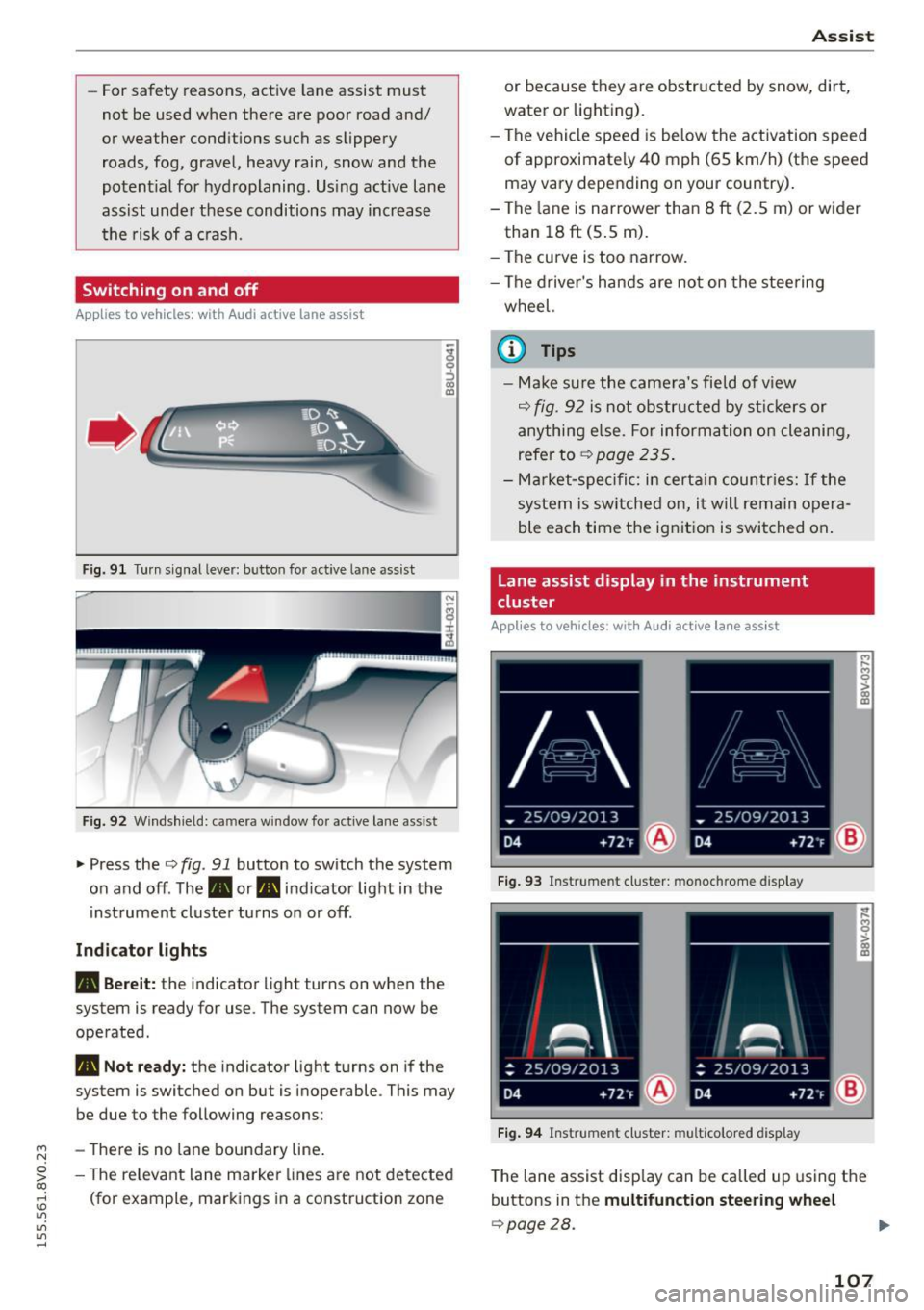
Fig. 91 Turn s ignal lever: but ton for active lane assist
Fig. 92 W indsh ield: camera w indow fo r active lane assist
~ Press the Q fig. 91 button to switch the system
on and off. The. or. indicator light in the
inst rument cluster turns on or off.
Ind icat or light s
• Bere it:
the indicator light turns on when the
system is ready for use. The system can now be
operated .
• Not read y: the indicator light turns on if the
system is switched on but is inoperable . This may
be due to the following reasons:
- There is no lane boundary line .
- The re levant lane marke r lines a re not detected
(for example, markings in a construction zone
A ssi st
or because they a re obstr ucted by snow, dirt,
water or lighting).
- The vehicle speed is be low the activation speed
of approximately 40 mph (65 km/h) (the speed
may vary depending on your country) .
- The la ne is nar rower than 8
ft (2.5 m) or wider
than 18
ft (5 .5 m).
- The curve is too narrow.
- The driver's hands are not on the stee ring
wheel.
a) Tips
- Make sure the came ra's field of v iew
Q fig. 92 is not obstr ucted by st ic kers or
anything e lse. For informa tion o n cleaning,
refer to
~ page 235.
-Ma rket -s pe ci fic: i n certa in countr ies: If the
system is sw itched on, i t will remain opera
ble each time the ignit ion is switched on .
Lane assist display in the instrument
cluster
App lies to vehicles: wit h Audi a ctive la ne ass ist
F ig . 93 Instrument cluster: monochrome display
Fi g. 94 Instrument cluster: multicolored display
M
~ > a,
a,
T he lane assist disp lay can be called up us ing the
buttons in the
multifunct ion steering wheel
Q page28.
107
Page 110 of 282
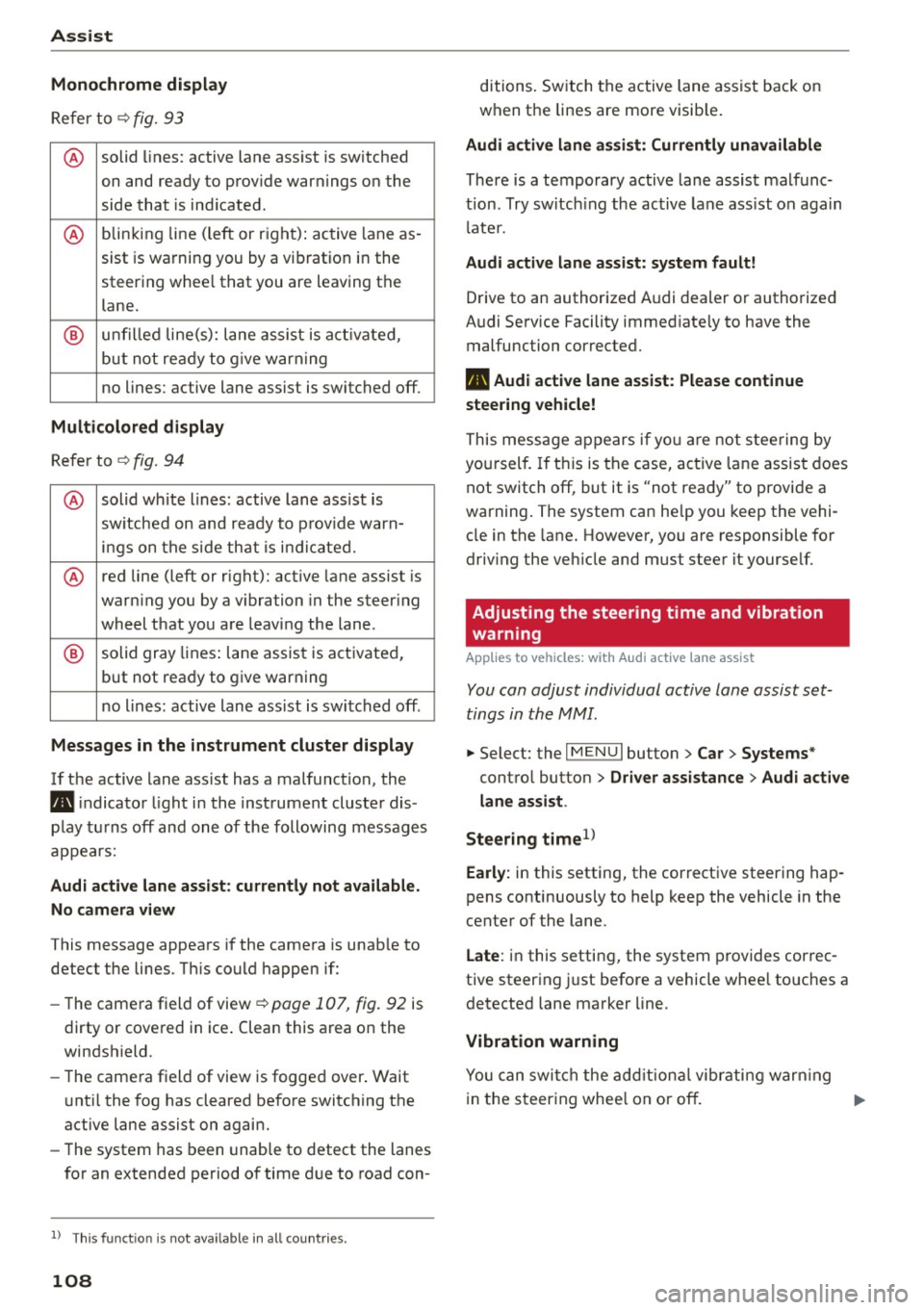
Assist Monochrome display
Refer to¢ fig. 93
® solid lines: active lane ass ist is switched
on and ready to provide warnings on the
side that is ind icated.
® blinking line (left or r ight): active lane as -
sist is warning you by a vibration in the
steering whee l that you are leaving the
lane.
® unfilled line(s): lane assist is activated,
but not ready to give warn ing
no lines: active lane assist is switched off .
Multicolored display
Refer to¢ fig. 94
® solid white lines: active lane assist is
switched on and ready to provide warn-
ings on the side that is indic ated.
® red line (left or rig ht): active lane assist is
warn ing you by a v ibration in the steer ing
wheel that you are leaving the lane .
® solid gray lines: lane assist is activated,
but not ready to give warning
no lines: active lane assist is switched off .
Messages in the instrument cluster display
If the active lane ass ist has a malfunction, the
ra, indicator light in the inst rument cluste r dis
play turns off and one of the following messages
appears:
Audi active lane assist: currently not available.
No camera view
This message appears if the camera is unab le to
detect the lines . Th is could happen if:
- The camera field of view ¢
page 107, fig. 92 is
dirty or cove red in ice . Clean this area on the
windshield.
- The came ra f ield of view is fogged over. Wait
u nt il the fog has cleared before switching the
active lane assist on again.
- The system has been unable to detect the lanes
for an extended period of time due to road con-
l) Thi s fun ctio n is not available in all cou ntri es.
108
ditions. Switch the active lane assist back on
when the lines are more visib le.
Audi active lane assist: Currently unavailable
There is a temporary active lane assist malfunc
tion . Try switching the active lane assist on again
l ate r.
Audi active lane assist: system fault!
Drive to an authorized A udi dealer or authorized
Audi Service Facility immed iate ly to have the
malfunction corrected.
ra, Audi active lane assist: Please continue
steering vehicle!
This message appears if you are not steering by
you rself. If this is the case, active lane assist does
not switch off, but it is "not ready" to provide a
warning. The system can he lp you keep the vehi
cle in the lane. However, you are responsible for
driving the veh icle and must steer it yourse lf.
Adjusting the steering time and vibration
warning
Applies to vehicles: with Audi active lane assist
You can adjust individual active lane assist set
tings in the MMI.
.,. Select: the I MENU I button> Car > Systems *
control button > Driver assistance > Audi active
lane assist .
Steering time
1>
Early: in this setting, the corrective steering hap
pens continuously to help keep the vehicle in the
center of the lane.
Late : in this setting, the system provides correc
tive steering just before a vehicle whee l touches a
detected lane marker line .
Vibration warning
You can switch the additional vibrating warning
i n the steer ing whee l on or off.
II>
Page 111 of 282
....,
N
0 > co
rl I.O
"'
"'
"'
rl
_& WARNING
With the vibration warning switched off, no
visible warning will appear in t he instrument
cluster dis play when crossing a lane ma rker.
(D Tips
Ma rket-specific: your settings are automati
cally stored and assigned to the remote con
trol key being used .
Audi side assist
Description
Applies to vehicles: with Audi side assist
Fig . 9 5 Sensor detect io n range
Fig . 96 Display on the exterior mirror
fR 0
0
> CX)
traffic behind your ve hicle. W it hi n the limit s of
the system, it warns yo u about vehicles that are
coming closer or that are traveling with your
within sensor range
(D ¢ fig . 95: If a lane change
is classified as cr it ica l, the display @in the exte
rior mirror turns on
c:> fig. 96.
The display in the left exterior mirro r provides as
sistance when making a la ne change to the left,
while the d isp lay in the right exterior mirror pro-
A ssi st
vides assistance when making a lane change to
th e right.
Information stage
As long as you do not act ivate the tu rn signa l,
s ide ass ist
informs yo u about vehicles that are
de te cted a nd classified as criti cal. The d is pl ay in
the mirror turns on, but is dim .
T he display rema ins d im in the info rmation stage
so tha t your v iew toward the front is not dis tur
bed.
Warn ing stage
If you activate the turn s ignal, s ide ass ist warns
you about vehicles that are de tected and classi
fied as cri tica l. The display in the respective m ir
ro r blinks brightly . If this happe ns, che ck tr affi c
by glanc ing in the rearv iew mirror and over your
sho ulder
c:> .&. in General information on
page 110.
@ Tips
- Yo u can adjust the brightness on of the dis
play on the rearview mirror
c:> page 111 .
109