button AUDI S3 SEDAN 2017 Owners Manual
[x] Cancel search | Manufacturer: AUDI, Model Year: 2017, Model line: S3 SEDAN, Model: AUDI S3 SEDAN 2017Pages: 400, PDF Size: 67.32 MB
Page 227 of 400
CXl CXl .... N r---N .... 0
When importing, the audio files a re automatical
l y sorted into the media center categor ies based
on the stored addit ional info rmation
c:> page 231. The copied video files are stored in
the media ce nter under the
Videos category.
Playing the Ju kebo x
Req uirement: the J ukebox must contain audio/
vi deo fi les
c:> page 224, Adding files to the Juke
box.
The Jukebox is a ccesse d and ope rated thr ou gh
the
M MI(D c:>page230, fig. 213.
Displaying Jukebox memory capacity
Select: r igh t control button > Jukebox memory
c apacity .
Inform ation abou t the J ukebox memory
c a pacity and the numbe r of store d tra cks is dis
p layed .
Deleting tracks from the Jukebox1
)
Req uirement: the Ju kebox must contain audio/
video fi les.
- Deleting an entry : select an entry from the
Jukebox media center. Select: rig ht cont ro l but
ton
> Delete from jukebox > This entry or En
tire list .
- The s tatus of the de leti ng p rocess is shown in
the MMI. Jukebox playback stops d uring the de
l eting process a nd starts again au tomatically
on ce the dele tio n i s comp lete.
(D Note
D o not import au dio/video files when the en
g in e is t urned off because this will d rain the
ve hicl e battery.
(D Tips
-Tracks fro m aud io C Ds cannot be impo rted
t o the Jukebox for leg al re as ons .
- Files that have al rea dy been import ed are
a utomat ica lly recogn ized and ca nnot be
cop ied to the Juk ebox again.
-It is no t possib le to play audio/v ideo* files
i n the C D/D VD* drive while import ing the m.
N iii l) Not in th e Playba ck view .
Media
-The Jukebox does not provi de a n export
function d ue to legal reasons .
- F iles o r trac ks w ithout addi tion al store d in
formatio n are listed as
Unknown . Audi rec
ommends adding a dditio nal info rmation
(such as 103 tags) to a udio f iles.
- Reset the
Jukebox to the factory defa ult
sett ings when selling you r vehicle
<=:> page 242.
Bluetooth audio player
Appl ies to: vehicles with Bluetooth
With the Bluetooth audio player , you con ploy
music wirelessly from your Bluetooth-capoble
device (such as a cell phone) through the MMI.
Requirement: the vehicle must be stationary and
t h e Bluetooth function on your Bl uetooth device
and the
Bluetooth audio player c:> page 244 in
the MMI m ust both be switched on .
- Connecting a
Bluetooth dev ice : press the
!MEDI Ai butto n. Press the left control button
until the sources overview is disp layed. Selec t
and confirm Bluetooth audio player ®
<=:>page 230, fig. 214 .
-If necessa ry, select and co nfirm, Not connected
> Connect Bluetooth audio player . The Blue
t oot h dev ice searc h starts. Follow the inst ru c
tion s in the M MI.
- Select and confirm the des ired Bluetooth d e
vice from the list. The M MI generates a PIN fo r
t he conne ction.
- Select an d confirm
Yes .
-En ter the PIN for connect ing o n your Bl uetoo th
dev ice .
Or : if the PIN is already displayed on
your Bl uetoo th device, co nfi rm i t in the Bl ue
t ooth dev ice and in the MMI. The t ime a llowed
for ente ring the P IN is lim ite d t o approx ima tely
30 seconds.
T he media is s tarted and operated thro ugh the
mobile device o r th e
M MI, depending on t he de-
vi ce being used.
..,.
225
Page 228 of 400
Media
(D Tips
-Check for any connection requests on your
Bluetooth dev ice .
- Mult iple Bluetooth audio players can be
connected to the MMI, but only one mobile
device can be active.
- Bluetooth protocols AVRCP ( 1.0/1.3/1.4)
and A2DP are suppo rted.
- Note the volume setting on your Bluetooth device. A ud i recommends setting your mo
bile device to the maxim um vo lume when
us ing it as a Bluetooth audio player.
- The supported media functions (such as
sh uffle) depend on the Bluetooth device be
i ng used.
- For more information on the supported de
v ices, visit
www.aud iusa.com /bluetooth or
contact an author ized Audi dealer or author
i zed Audi Service Facility.
Wi-Fi audio player
A ppl ies to: ve hicles w ith Wi-F i
Using the Wi-Fi audio player media source on the
MMI, you can connect and operate your Wi-Fi-ca
pable media player (such as a smartphone) to wirelessly play music from your media player
li
brary. The media player is connected through the
vehicle's Wi -Fi hotspot. A UPnP Server opp or an
integrated UPnPIDLNA server on your media
player is required to access your media player
li
brary.
Requirement: the Wi-Fi function on your media
p layer must be sw itched on. The
Aud i MMI con
n ect
app or a UPnP server app must be installed
on your med ia p layer .
Or: you must be us ing a
media player with an integrated UPnP/DLNA
server.
- Connecting a medi a playe r: press the I MEDIA !
button. Press the left control button unti l the
sources
overview ¢ page 230 is displayed . Se
lect and co nfirm
W i-Fi audio play er 0
¢ page 230, fig . 214 .
- If necessary, select and confirm Wi-F i turn ed
off > Turn on Wi-Fi
to activate Wi-Fi in the
MMI. Select
Wi-Fi s etti ng s, if necessa ry . Se lect
226
the same settings on the wireless media player
that are used for the Wi- Fi hotspot .
-Starting the Wi-Fi audio pla yer : start the Audi
MMI connect
app or a UPnP server app, or set
media permissions on your media player.
Operating the medi a pl ayer : the med ia p layer is
operated through the MM I.
- Press the left control button repeatedly until
the
Folders menu item appears. Select and con
firm
Folder s.
- Playing music from the medi a pla yer:
select
and confirm
M edia cent er.
Web r adio :
see ¢ page 22 7.
A WARNING
-As the d river, do not allow usage of the Wi
Fi hotspot to distract you from driving, as
this could increase the r isk of an accident.
- It is on ly safe to use tablets, laptops, mo
bi le devices and other similar dev ices when
the vehicle is stat ionary because, like all
loose objects, they co uld be thrown around
the inside of the ve hicle in a c rash and ca use
serio us inju ries . Store these types of devices
secure ly while driving.
- Do not use any wire less devices on the front
seats wi thin range of the airbags while dr iv
ing . Also read and follow the warn ings in
¢ page 271, Front airbags.
(D Note
A lways fo llow the information fo und in ¢ (!) in
Wi -Fi hotspo t on page 195.
(D Tips
- Always read the chapter¢ page 196, Audi
connect (Infotainment) general informa
tion.
- Please note that a Wi-F i connection does
not automatically make it possible to use
the Interne t. For addit io nal info rm ation,
see
¢ page 190 .
- To avoid interr upt ions du ring playback, de
act ivate the powe r saving function on the
media player or connect it to a charger.
Page 229 of 400
a, a, ..... N
" N ..... 0 N > 00
-The loading times for the audio data depend
on the media player used and the number of
files that it contains.
- A maximum of 2,000 entries per directory
are displayed in the MMI.
-Songs downloaded for offline use using mu
sic streaming services are stored on your mobile device (such as a smartphone) and
may be ORM protected. The Wi-Fi audio
player will not play ORM protected files.
-Contact an authorized Audi dealer or au
thorized Audi Service Facility for additional information on the Wi-Fi audio player .
Online media and
Internet radio
Applies to: vehicles with Audi connect (Infotainment)
You can playback and operate various online me
dia services and Internet radio using the MMI .
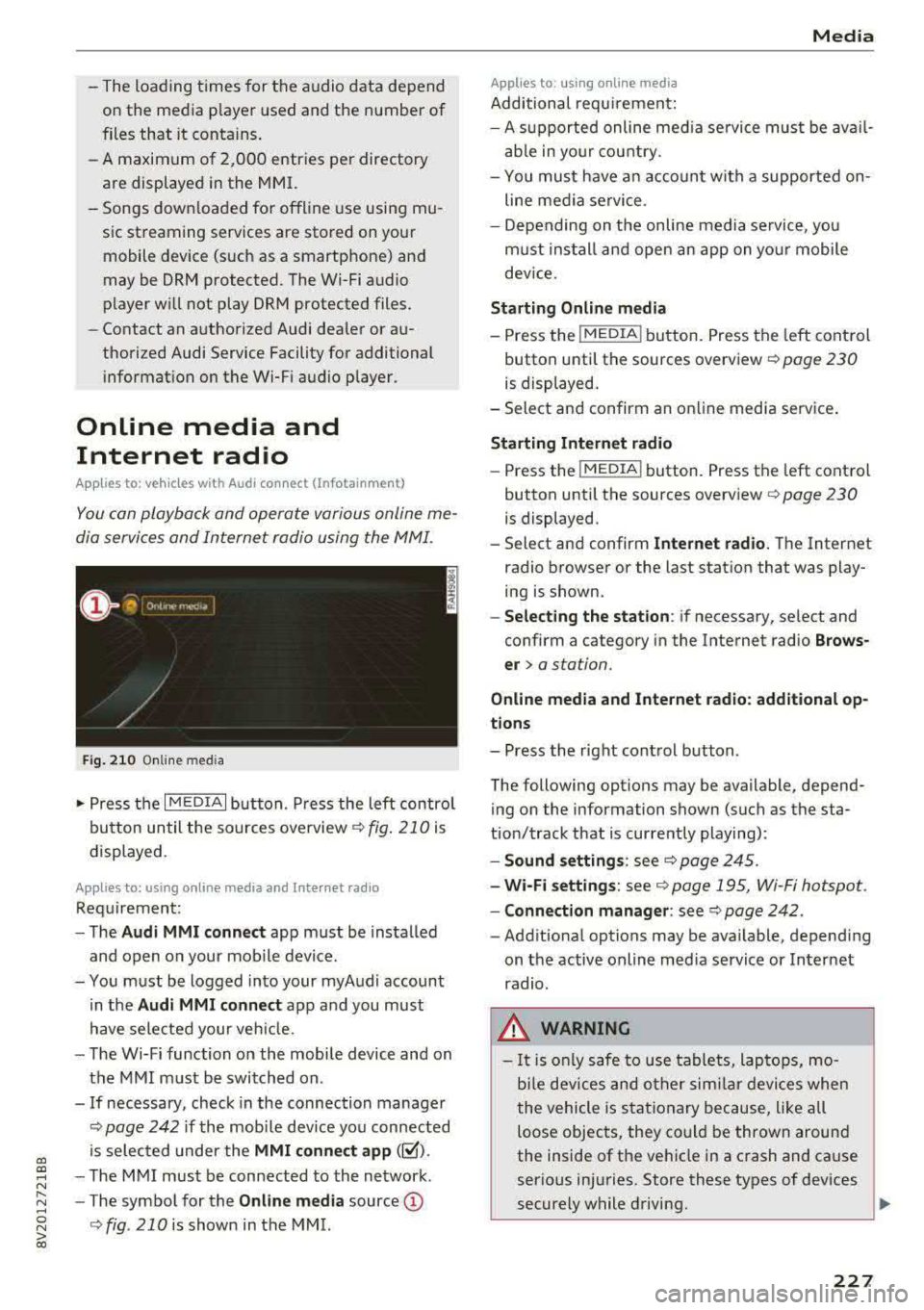
Fig. 210 Online med ia
... Press the I MEDIAi button. Press the left contro l
button until the sources overview
c:> fig. 210 is
displayed.
Applies to: using online media and Internet radio
Requirement:
-The Audi MMI connect app must be installed
and open on your mobile device.
-You must be logged into your myAudi account in the
Audi MMI connect app and you must
have selected your veh icle.
-The Wi-Fi function on the mobile device and on
the MMI must be switched on .
-If necessary, check in the connection manager
c:> page 242 if the mobile dev ice you connected
is selected under the
MMI connect app (~).
-The MMI must be connected to the network .
-The symbol for the Online media source@
<::>fig . 210 is shown in the MMI.
Applies to: using online media
Additional requirement:
Media
-A supported online med ia service must be avail
able in your country.
-You mus t have an account with a supported on
line media service .
-Depending on the on line media service, you
must install and open an app on your mobile
dev ice.
Starting Online media
-Press the I MEDIA i button. Press the left control
button until the sources overview
c:> page 230
is displayed.
-Select and confirm an online media service .
Starting Internet radio
-Press the I MEDIAi button. Press the left control
button until the sources overview
c:> page 230
is displayed.
-Select and confirm Internet radio. The Internet
radio browser or the last station that was play
ing is shown.
-Selecting the station: if necessary, select and
confirm a category in the Internet radio
Brows
er>
a station.
Online media and Internet radio: additional op
tions
-Press the right control button.
The following options may be available, depend ing on the information shown (such as the sta
tion/track that is currently playing):
-Sound settings: see c:> page 245.
-Wi-Fi settings: see c:> page 195, Wi-Fi hotspot.
-Connection manager: see c:> page 242.
-Additional options may be available, depending
on the active online media service or Internet
radio.
_& WARNING
-It is only safe to use tablets, laptops, mo
b ile devices and other similar devices when
the vehicle is stationary because, like all
loose objects, they could be thrown around
the inside of the vehicle in a crash and cause
serious injuries. Store these types of devices
securely while driving.
~
227
Page 232 of 400
Media
-Changed content on a mobile device l) that
is connect ed to the Audi music interface
may not be disp layed in the med ia center .
In this case, reset t he
Med ia settings back
to
Factory settings ¢ page 242.
- Video p layback through the Audi music in
terface is only supported if the connected
device is recog nized as a USB storage device
(fo r example a USB s tic k). Apple devices and
M TP devices (s uch as smartphones) a re not
r e cogni ze d as US B storage devices .
- i Pod/iPhone malfunct io ns also affect the
ope ration of the MMI. Reset your iPod/
iPhone if th is happens.
- For importa nt information on operating
your iPod/iPhone, ref er to th e user guide for
the dev ice. Audi re comme nds up dat ing the
i Po d/i Pho ne so ftwa re to t he lates t ve rsion .
- Fo r more information about the Audi music
i nte rfa ce and supporte d device s, check the
A ud i d ata base fo r mobile devices at
www.audiusa.com/bluetooth or contact an
authorized Audi dea le r or a uthorized Audi
Service Fac ility.
Playing media
Accessing media
You can start and operate various media
through th e
MMI control panel.
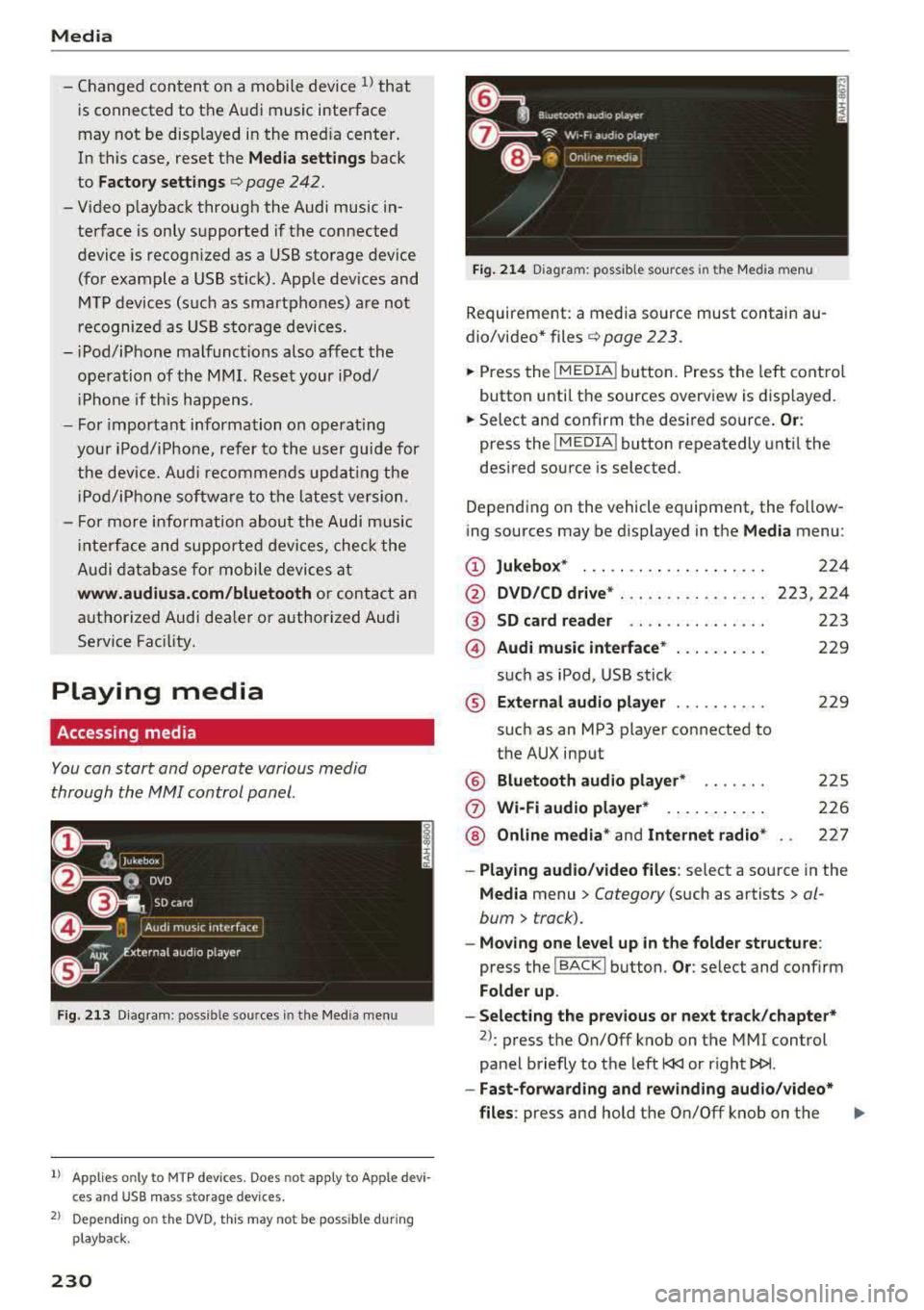
Fig . 2 13 Diag ra m : p ossibl e sources i n the Med ia m enu
1> A pplies only t o MTP dev ices . Do es not app ly to Ap ple d evi
c e s a nd U SB ma ss sto ra ge de vice s.
2> Depe ndin g o n the DVD , thi s m ay not be pos sib le d urin g
p la y ba ck.
230
Fi g. 214 D ia gram: possible sour ces i n the Media m en u
Requir ement : a media source must contain au
dio/video*
files ¢ page 2 23 .
.,.. Press the IM EDIA ! button. Press the left cont rol
button unti l t h e sources overview is displayed.
.,.. Select and confirm th e desired source. Or:
press the I MEDIA ! button repeatedly unt il the
desired source is selected .
Depend ing o n the vehicle equipment , the follow
ing sources may be d isplayed in the
Media menu :
(D Jukebo x* ... .. .. .. .. .. .. .... .
@ DVD/CD drive * ... .. .. .. .. .... .
@ SD card re ader ....... ....... .
@ Audi music interface * .. .. . .... .
su ch as iPod , USB st ick
® Extern al audio player ... .. .... .
su ch as an MP3 player connected to
the AUX inp ut
@ Bluetooth audio player* ...... .
(J) Wi-Fi audio player* .... .. .... .
@ Online media * and Internet radio *
224
223,224
223
229
22 9
2 25
226
227
-Playing audio/ video files : select a sourc e in the
Media menu > Category (such as artists > al
bum
> t rack).
-Moving one level up in the folder structu re :
press the I BACK ! button . Or: select and confirm
Fo lder up .
-Selecting the pre vious or ne xt track /chapter*
2>: press t he On/Off knob on the MMI cont rol
panel briefly to the left
l
- Fast-forwarding and rew inding audio /video *
files :
press and hold the On/Off knob on the ..,.
Page 233 of 400
a, a, ..... N
" N ..... 0 N > 00
MMI control panel to the left l
a longer time.
-Pausing or resuming playback: press the On/
Off knob on the MMI control panel briefly.
@ Tips
- You can scroll through long lists quickly by
turning the control knob quickly. The
scroll
ing speed depends on the number of list en
tries.
- For safety reasons, the video image is only
displayed when the vehicle is stationary.
On·
Ly the sound from the video plays while driv
ing.
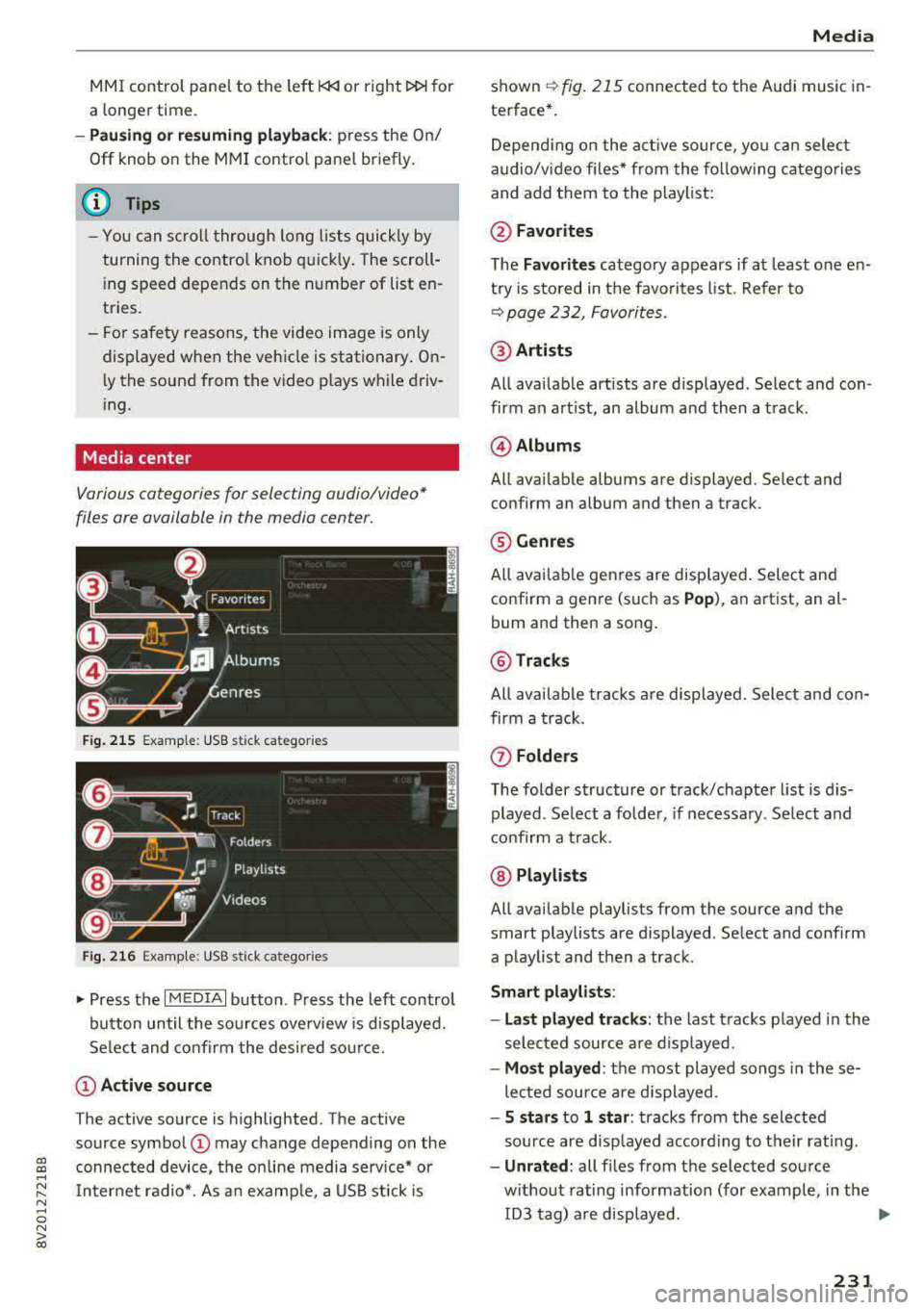
Media center
Various cat egori es for s electing audio/vid eo*
files ore available in the media center .
Fig. 215 Example: USB stick ca te gori es
Fig. 216 Example: USB stick ca tegorie s
"'Press the I MEDIAi button . Press the left control
button until the sources overview is displayed.
Select and confirm the desired source.
(D Active source
The active source is highlighted. The active
source symbol
(D may change depending on the
connected device, the on line media service* or
Internet radio*. As an example, a USB stick is
Media
shown ~ fig. 215 connected to th e Audi music in·
terfac e*.
Depending on the active source , you can select
audio/video files* from the following categories
and add them to the playlist:
@Favorites
The Favorites category appears if at least one en·
try is stored in the favorites list. Refer to
~ page 232, Favorites.
@Artists
All available artists are displayed . Select and con ·
firm an artist, an album and then a track.
@ Albums
All available albums are displ ayed . Select and
c onfirm an album and then a tra ck .
® Genres
All available genres are displayed. Select and
confirm a genre (such as
Pop), an artist, an al·
bum and th en a song.
@ Tracks
All available tracks are displayed. Select and con
firm a track.
(f) Folders
The folder structure or track/chapter list is dis
played . Select a folder, if necessary. Select and
confirm a track .
@ Playlists
All available playlists from the source and the
smart playlists are di splayed . Select and confirm
a playlist and then a track .
Smart playlists :
- Last played tracks:
the last tracks played in the
selected source are displayed .
-Most played : the most played songs in these
lected source are displayed .
-5 stars to 1 star: tracks from the selected
source are displayed according to their rating.
- Unrated: all files from the selected source
without rating information (for example, in the ID3 tag) are displayed.
.,.
231
Page 235 of 400
CXl CXl .... N ,.__
N .... 0 N > 00
When you store a track as a favo rite, the assoc i
ated album will appear in t he favo rites list as an
entry.
R eq uiremen t: at least one e ntry m ust be stored
in the favor ites list .
Displaying the favorites list : press the I MEDIA !
butt o n . Pr ess the left contro l bu tt on until the
sources overv iew¢
page 230 is displ ayed. Sele ct
the so urce that conta ins the
categories
¢ page 231 (for example, SD car d). Select the Fa
vorites category .
Req uiremen t: the f avor ites lis t m ust be dis
p layed .
-Listening to a preset : select and confirm a pre
set from the list.
- Move favorite : select a favorite from the list>
rig ht cont rol button> Move favorite . Select
and co nfirm the locat ion of the selected preset .
-Deleting a favorite : select a favorite from the
list>
r ight co ntro l butto n > Delete favorite >
Delete th is favorite or Delete all favorit es.
Additional settings
Options menu
Context-specific functions and settings are ava il
ab le depending on the se lected so urce .
.. Press t he right contro l bu tton .
Sound settings
Refer to ¢page 245.
Input level
Req uirement: a mob ile dev ice m ust be co nnected
to the AUX co nnect ion cable o r to a USB adapter
¢ page 228, Multimedia connections .
The volume of the mobi le device is adapted to
the MMI. A udi recommends adjusting the vo lume
on the mobile device to 70% of the max imum
volume output .
Bluetooth settings
R efer to ¢ page 244.
l) The fun ctio n automa tica lly sw itc hes off w he n th e source
i s c hange d.
Media
Wi-Fi settings*
Refer to ¢ page 195, W i-Fi h otspot.
Connection manager
Refer to ¢ pag e 242.
Additional track information
With the function switched on ~ and a playlist
open, va rious in format ion about the current t rack
(such as artist, a lbum and alb um cove r*) as well
as the playing time and the remaini ng play ing
t ime are display ed .
Jukebox memory capacity*
Info rmation on the J ukebox memo ry ca pac ity and
t h e number of sto red t racks in the Jukebox is dis
played .
Change playing position
Turn the cont rol knob to the left or to the right .
Or: move you r finger across the M MI touch con
tro l pad * from left to right.
Shuffle1>
W ith t he fu nction swi tched on~, all files in the
playlist are p layed and s hown in random ord er.
Repeat track1>
When th e funct io n is swi tched on~ , the curre nt
t rack repea ts .
Back to 'Playback'
The options menu is closed. The t rack cur rently
playing appea rs in the p laylist .
Play similar music*
The track cu rre ntly playing is quick ly ana lyzed
(s uch as artists, ge nres, mood, beat) an d a sma rt
playlist w ith sim ila r tracks is s hown.
Play more .. .
A smart playlist is shown based on the tra ck cu r
r ently playing. Yo u can select between a p lay list
with more tracks
by this artist , from this album
o r of this genre .
233
Page 236 of 400
Media
Copy to jukebo x*
Refer to¢ page 224, Adding files to the Jukebox .
Set as ringtone*1
)
Requ irement: a cell phone must be connected to
the MMI. The track current ly playing must be in
the Jukebox* ¢
page 224.
The selected track will be used as the ringtone
for incoming calls .
Gracenote online d atab ase*
Req uirem ent: the M MI must b e connected to the
Internet.
Depending on availability, various in format ion
will load abo ut the track currently playing when
this function is switched
on~ -
Favorites
Refer to ¢ page 232 .
Additional options
Requirement: the vehicle must be stationary and
a
video file* or a DVD* must be p lay ing .
Parental control*
Playback of v ideo DVDs can be restricted us ing
parental control.
Enter the password fo r parenta l contro l. Pass
word set at the factory:
1234. You have the fol
lowing options :
-Protection level: select an d conf irm the pro tec
tion level (for example, Leve l 5). Eight different
protect ion leve ls can
be set fo r parenta l con
trol. If you set the pa rental control leve l at Lev
el 5, a ll DVDs from level 1-5 can be played. Vid
eo DVDs with a higher leve l will not play . Se lect
Unrestri cted to remove all of the restr ictions.
- Change password : edit the current password.
l ) Thi s fun ctio n is not ava ilabl e for all ce ll phone s.
2> Th e fun ctio n au to m at ic a lly sw it ch es o ff when the s ource
i s c ha ng ed .
3> Depe nding o n th e DVD , thi s may not be poss ible d uring
p layba ck.
234
Switch to full screen
The video im age is disp laye d. T urn the contro l
k nob to d is play the playlist .
Or: press the I BACK I
button.
Replay video2
)
When this f unct ion is switched o n ~. th e cur rent
v ideo will replay .
Show DVD menu
The DVD main menu opens i n the Infotai nment
system d is p lay .
-Select ing a menu item : select and confirm a
menu item.
Or : move your finger on the MMI
to uch control pad* and press the control knob .
Audio track3>
You can manually set the aud io t rack (lang uage
and audio fo rmat). The lang uage and audio fo r
mat options depend on the video DVD.
Subtitles3l
You can set subti tles for p lay ba ck manually . The
la nguages availab le depend o n the DVD .
Aspect
Audi recommends the Automatic setting for the
pi ctu re fo rmat. Yo u ca n se t the p icture forma t
depe nding on the a ctive file or source ( for exam -
ple v ideo fi le *, D VD*).
..,
Page 241 of 400
CXl CXl .... N ,.__
Audi smartphone interface
Setup
App lies to: ve hicles with Audi smartpho ne interface
You can connect your smartphone to the MMI us
ing the Audi smartphone interface . Certain con
tent on your smartphone is adapted to the Info
tainment system display while driving and can
be operated through the
MMI control panel.
R equirement:
The vehicle must be stationary and the ignition
must be switched on.
iPhone generation 5 or higher with Lightning
connector and iOS 7.1.2 operating system or
h igher.
O r:
Smartphone with Android Auto app and Android
5 .0 Loll ipop operating system or higher.
.,. Connect your smar tphone to the Audi music in
te rface
c:> page 229 using a USB adapter
c:> page 228, fig. 211 .
.. Select and confirm A cti va te Apple CarPl ay or
Acti vate And roid Auto no w.
.. Follow the system instruct ions.
.,. Pay attention to any add itional system prompts
on your smartphone if applicable.
If you chose not to use Apple CarPlay or Android
Auto when connecting your smartphone for the
first time, you can start the Audi smartphone in
terface later on using the
Connection m an ager .
.. Select: I MENU I button > Audi smartphone in ·
terfa ce
> Change to connecti on manager .
.. Connect your smar tphone to the Audi music in
terface using a USB adapter
c:> page 228,
fig .211.
.. Se lect and confirm Audi smartphone : in the
Connection manager c:> page 242. You can se
lect your smartphone in the list of devices that
are already paired
c:> page 243.
.,. Follow the system instruct ions.
N .... 0 N iii l) In preparat io n at t he t ime of pr inting.
Aud i smartphon e int erfac e
(D Note
Always fo llow the information found in c:> @ in
Wi-Fi hotspot on page 195.
(D Tips
-The functions that can be used depen d on
the fo llowing factors, among others:
- the brand of your smartphone
- the vers ion of the operating system in
your smartphone
- the software version of the app used
- the USB adapter cab le and correct connec-
tion
- your cell phone service provider
- the customized se ttings on your sma rt-
phone
- O ne of the factors
above or a comb ina tion
o f any of them could cause your sma rtphone
to be incompatib le with the Audi smart
phone interface. Compatibility cannot be
guaranteed for all types of smartphones.
For more informat ion and assistance, refe r
to the user guide and the ma nufacturer of
your smartphone.
- If the connected smartphone has voice con
trol, you can operate you r smartpho ne usi ng
t he exter nal voice recognition system
c:> page 175.
- The menu language shown in the MMI is
based on the sett ings in you r smartphone.
- The time d isplayed in the MMI is based o n
the settings in yo ur smartphone .
- Severa l MMI functions are not avai lab le
when Apple CarPlay or Andro id Auto is ac
t ive.
- You cannot co nnect any mob ile dev ices
via
Bluetooth when an App le CarPlay connec
tion is act ive.
- Whe n the Apple CarPlay connection is ac
t ive,
Tag this song for iTunes*1> is not ava il
able
c:>page 218 .
239
Page 242 of 400
Audi smartphone interface
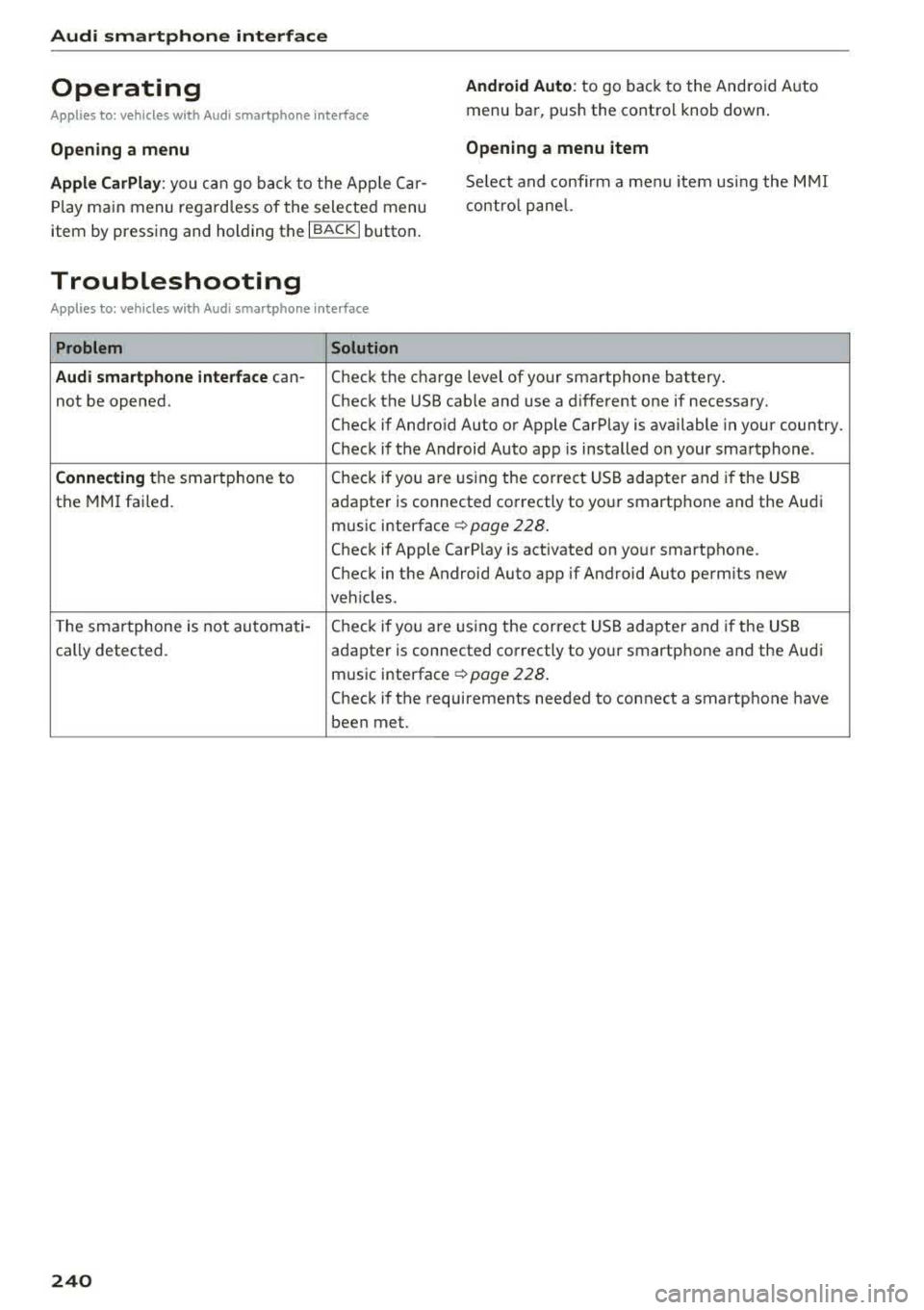
Operating
Applies to: vehicles w ith Audi smartphone interface
Android Auto: to go back to the Android Auto
menu bar, push the contro l knob down.
Opening a menu Opening a menu item
Apple CarPlay:
you can go back to the App le Car
Play main menu regardless of the selected menu
item by pressing and holding the
I BACKI button. Se
lect and confirm a menu item using the MMI
contro l panel.
Troubleshooting
Applies to: vehicles with Audi smartphone interface
Problem Solution
Audi smartphone interface
can-
Check the charge level of your smartphone battery.
not be opened. Check the USB cable and use a different one if necessary.
Check if Android Auto or Apple CarPlay is available in your country.
Check if the Android Auto app is installed on your smartphone .
Connecting the smartphone to Check if you
are U1sing the corre ct USB adapter and if the USB
the MMI failed.
adapter is connected correctly to your smartphone and the Audi
mus ic interface
c:> page 228 .
Check if Apple CarP lay is activated on your smartphone .
Check in the Android Auto app if Android Auto permits new
veh icles .
T he smartphone is not automati-
Check if you are U1sing the correct USB adapter and if the USB
cally detected . adapter is connected correctly to your smartphone and the Aud i
music interface
c:> page 228 .
Check if the requirements needed to connect a smartphone have
been met.
240
Page 243 of 400
CXl CXl .... N r--N .... 0 N > 00
System settings
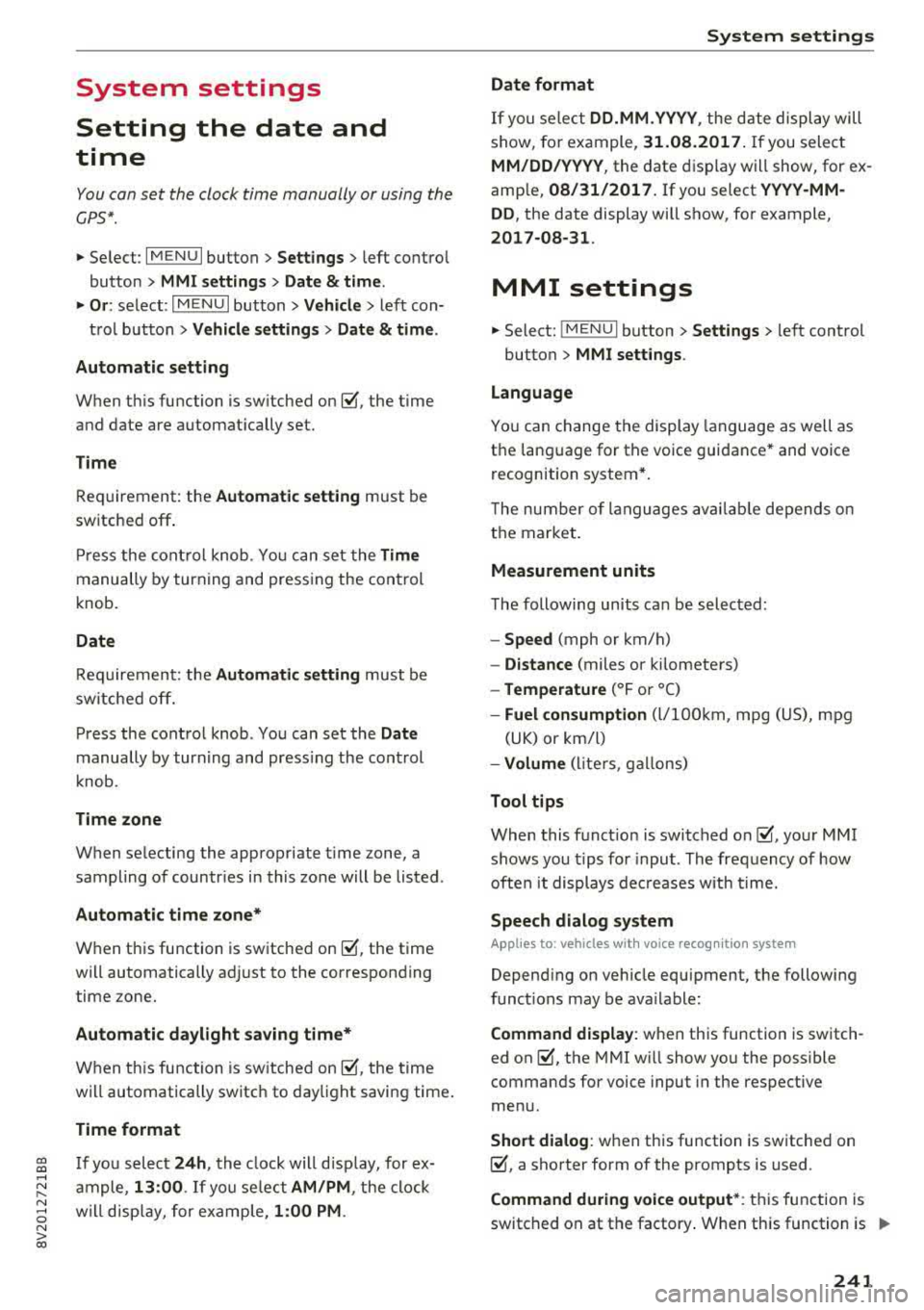
Setting the date and
time
You can set the clock time manually or using the
CPS*.
.,. Select : I MENU I button> Settings> left control
button >
MMI settings> Date & time .
.,. Or: select : IMENUI button> Vehicle > left con-
trol button >
Vehicle settings> Date & time.
Automatic setting
When this function is switched on g, the time
and date are automatically set.
Time
Requirement: the Automatic setting must be
switched
off .
Press the control knob. You can set the Time
manually by turning and pressing the control
knob.
Date
Requirement: the Automatic setting must be
switched
off.
Press the control knob . You can set the Date
manually by turning and press ing the cont rol
knob.
Time zone
When selecting the appropriate time zone, a
sampling of countr ies in this zone will be listed .
Automatic time zone*
When this function is switched on g, the time
will automatically adjust to the corresponding
time zone.
Automatic daylight saving time*
When this function is switched on g, the time
will automatically switch to daylight saving time .
Time format
If you select 24h, the clock will disp lay, for ex
ample ,
13:00 . If you se lect AM/PM , the clock
will disp lay, for example,
1:00 PM .
System settings
Date format
If you select DD.MM .YYYY , the date display will
show, for example,
31.08.2017. If you select
MM/DD/YYYY , the date display will show, for ex
ample,
08/31/2017. If you select YYYY-MM
DD ,
the date display will show, for example,
2017-08-31 .
MMI settings
.,. Select: !MENUI button> Settings> left control
button >
MMI settings .
Language
You can change the display language as well as
the language for the voice guidance* and voice
recognition system*.
T he number of languages available depends on
the market.
Measurement units
The following units can be selected:
-Speed (mph or km/h)
- Distance (miles or kilometers)
-Temperature (°For 0
()
-Fuel consumption (L/100km, mpg (US), mpg
(UK) or km/l)
- Volume (liters , gallons)
Tool tips
When this function is switched on g, your MMI
shows you tips for input. The frequency of how
often it displays decreases with time.
Speech dialog system
Applies to : vehicles wi th voice recog nitio n system
Depend ing on vehicle equipment, the following
functions may be ava ilable:
Command display : when this function is switch
ed on
g, the MMI will show you the possible
commands for voice input in the respective
menu.
Short dialog : when this function is switched on
g, a shorter form of the prompts is used .
Command during voice output*: this function is
switched on at the factory . When this function is
II>-
241