ESP AUDI S3 SEDAN 2017 Owner's Manual
[x] Cancel search | Manufacturer: AUDI, Model Year: 2017, Model line: S3 SEDAN, Model: AUDI S3 SEDAN 2017Pages: 400, PDF Size: 67.32 MB
Page 108 of 400
e-tron
The gasoline engine is no longer available be
cause th ere is not enough fuel. Drive immediately
to a gas station.
Fuel filler door emergency release
A pp lies to: ve hicles w ith plug- in hy brid drive
You must use the emergency release to open the
fuel filler door when there is a malfunction
c::> page315 .
The tank is not vented. You can only fill a small
amount of fuel in the tank.
~ Fill only until the automatic fuel pump nozzle
turns off for the first time when it is operated
correctly.
Drive to an authorized Audi dealer or authorized
Audi Service Facility immediately to have the
malfunction corrected.
(D Tips
Pressure can escape if you open the tank cap
after using the emergency release. This can
create noises.
Charging
General information
A pp lies to: ve hicles w ith p lug -in hybrid drive
Two options are available for charging the vehi
cle:
- Charge at a public charging station with a spe
cial charging cable*
c::> page 108.
- Charge with household and industrial power
sockets using the Audi e-tron charging system
c::> page 108.
Environmental conditions when using the
Audi e-tron charging system
-Operating temperature : -13 °F (-2 5 °C) to 9 5 °F
(+35 °C)
- Humidity: S% to 95%, non-condensing
- 13,000 feet (4,000 meters) maximum above
sea level
- Protected against dust and spray (IP54 (USA:
enclosure 3 R))
106
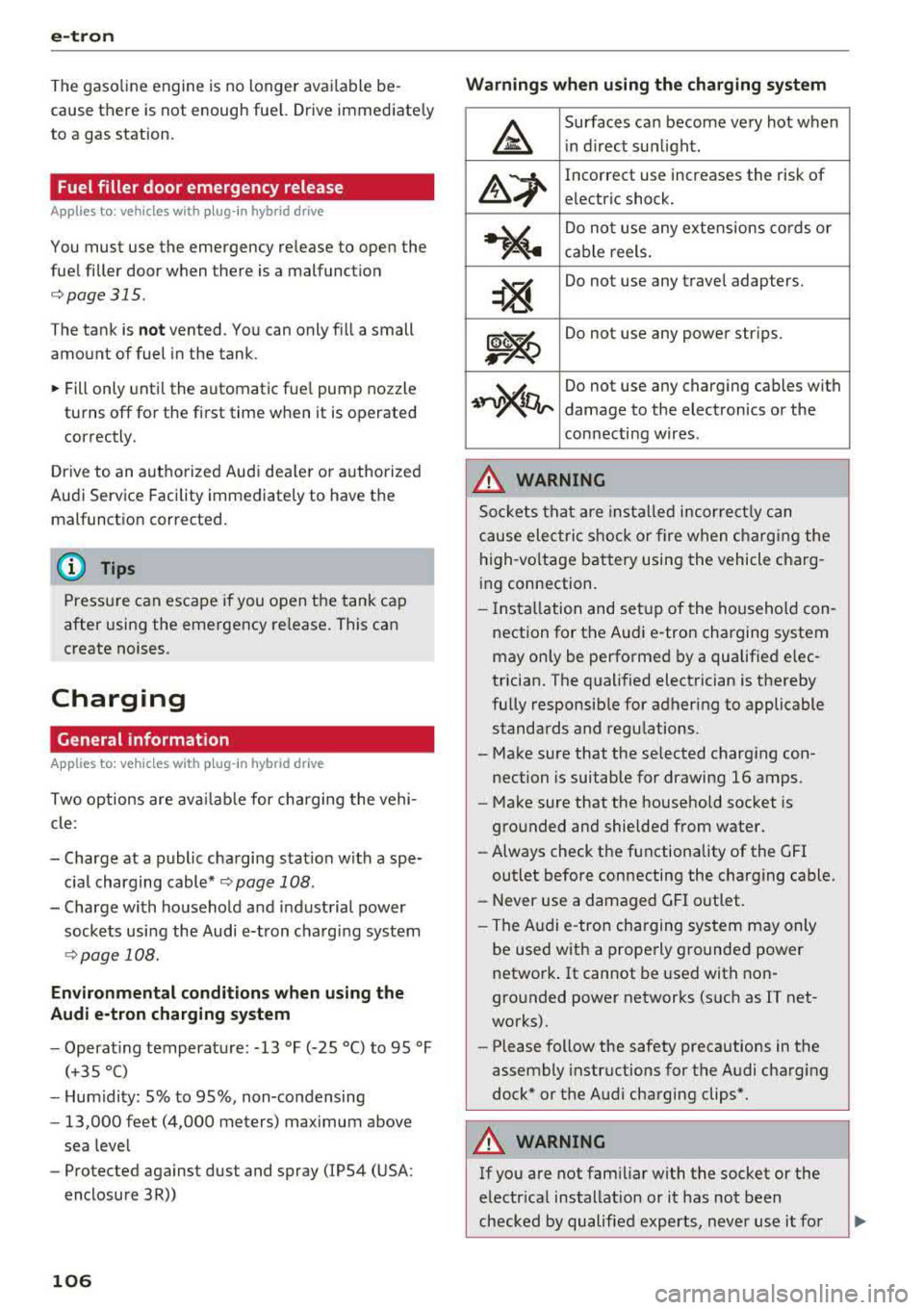
Warnings when using the charging system
&
Surfaces can become very hot when
in direct sunlight.
&~
Incorrect use increases the risk of
electric shock.
~"4
Do not use any extensions cords or
cable reels.
~
Do not use any travel adapters.
~~
Do not use any power strips.
~~~
Do not use any charging cables with
damage to the electronics or the
connecting wires.
.&_ WARNING
-
Sockets that are installed incorrectly can
cause electric shock or fire when charging the
high-voltage battery using the vehicle charg
ing connection.
- Installation and setup of the household con
nection for the Audi e-tron charging system
may only be performed by a qualified elec
trician. The qualified electrician is thereby
fully responsible for adhering to applicable
standards and regulations.
- Make sure that the selected charging con nection is suitable for drawing 16 amps .
- Make sure that the household socket is
grounded and shielded from water.
- Always check the functionality of the GFI
outlet before connecting the charging cable.
- Never use a damaged GFI outlet.
- The Audi e-tron charging system may only
be used with a properly grounded power
network. It cannot be used with non
grounded power networks (such as IT net
works).
- Please follow the safety precautions in the
assembly instructions for the Audi charging
dock* or the Audi charging clips*.
.&_ WARNING
If you are not familiar with the socket or the
electrical installation or it has not been
checked by qualified experts, never use it for
Page 109 of 400
CXl CXl .... N ,.__
N .... 0 N > 00
charging. Even very low charging currents can
cause serious damage and in partic ular fires if
the socket or e lectrical installation is in bad
condition . If necessary, get expert assistance
from a qual ified electrical installation spec ial
ist .
A WARNING
Incorrect handling of the connector contacts
can cause e lectric shock or fire.
- Do not touch the contacts on the veh icle
charg ing port and on the Audi e-tron cha rg
ing system .
- Do not insert any objects in the vehicle
charg ing port or i n the Audi e-t ron charging
system.
- Protect the sockets and connectors against
any moisture, water and other flu ids.
A WARNING
Using a damaged or incorrect cha rging cable
or a damaged or incorrect socket, using the
Audi e -tron charging system incorrectly or
disregarding the safety precautions could
cause short circuiting, electric shock, explo
sions, fires or burns.
- Do not use the Audi e-tron charging system
if it is damaged and/or dirty . Check the ca
ble and connector for damage and dirt be
fore using.
- The Audi e-tron charging system must only be connected to sockets that are installed
correctly and that are not damaged as well
as to electr ical installat ions that have no
faults.
- Do not use any extens ion cords, cable reels,
power str ips or (travel) adapters .
- Disconnect the Audi e-tron charging system
from the power network dur ing a thunder
storm .
- Do not modify or repair any electrical com
ponents .
- Never immerse the Audi e-tron charging
system and connectors in water .
- The Audi e-tron charg ing system must only
be cleaned when the control unit is com
pletely d isconnected from the power supply
e-tron
and from the vehicle . Use a dry towel to
clean.
- If a 110 volt household socket is used for
charging, only connect one vehicle at a time
to the same circuit . Use a different c ircuit if
an add it ional vehicle needs to be charged at
the same time. Note the maximum perm it
ted c urrent draw for the c ircuit . Contact a
qualified electrical technicia n if there is any
doubt .
A WARNING
The components in the Audi e-tron charg ing
system can trigger sparks which can ca use
f lammable or explosive fumes to ignite.
- To reduce the r isk of exp losions, espec ia lly
in garages, make sure the contro l uni t is a t
least 19 inches (50 cm) above the floor
when charging.
- Do not use the Audi e-tron charging system
in areas at risk for exp losions .
- The A udi e -tron charging system is only suit
ed for use on A udi vehicles and veh icles
within the Volkswagen Group . Using the de ·
vice on vehicles made by another manufac
turer is not authori zed.
(D Note
Make su re that you a lways use the suitable
power plug provided with the Audi e-tron
charging system for the corresponding mar ket . Contact an authori zed Aud i dealer or au
thorized Audi Service Facility for more infor mation .
(D Tips
- Only use the factory-prov ided charg ing ca
ble from Aud i or the Vo lkswagen Group to
charge your vehicle.
- For an uninterrupted charging process, we
recommend only charg ing using sockets
that are connected to a separately protect
ed circuit .
- Us ing either NEMA sockets with a current
rating of at least 30 A or industrial sockets
in accordance w ith IEC 60309 when charg
ing is recommended.
107
Page 121 of 400
Setting the timer
Appl ies to: ve hicles with p lug -in hybrid drive
By setting the depa rture time, you dete rm ine
when yo ur vehicle shou ld reach the desi red tem
pe rature . You can set the time r in the auxiliary air
conditioning menu in the Infotainment system.
Auxiliary climate control : setting th e timer
• Select: I MENU I button > Veh icl e> left control
button >
Auxiliar y A/C > right cont rol b utton>
Program tim er.
• Set the time and the date .
• Press the I BACK I button.
• Confirm the setting with the control knob to ac-
tivate the timer. A
..f appears in the box.
When you reprogram a timer, the next calendar
day is automatica lly entered in the Infotainment
system . To activate the auxiliary climate control
for the next day, confirm the
setting( ../ in the In
fotainment system).
Error me ssag es
l;c1 -The hig h-voltage battery charge level is too
low to heat/air condition the vehicle using only
e lectric power.
I f one of the fo llow ing symbols appears in the
d isp lay, then you cannot switch on the auxiliary
climate cont rol:
,...c -T here is a system ma lf u nction.
Bu -The fuel level is too low .
(D Tips
-You can set the t imer a maximum of seven
days in advance.
- You can operate the climate control in the
vehicle interior when the high-vo ltage bat
tery is charging using the charging timer
9 page 112 . The climate control output de
pends on the powe r socket capac ity.
- Make su re the time and date match in the
Infotainment system settings so that the
timer can function
p roper ly ~ page 241 .
~ -The aux ilia ry climate control can continue to ....
~ run after the depart ure t ime is reached.
N .... 0 N > 00
e-tron
Cleaning/maintenance
information
Appl ies to : vehicles wi th plug-in hybrid drive
When was hing your vehicle with a pressure wash
er, always follow the operat ing instruct ions pro
vided with the pressure washer . This is especially
i mportant in regard to the pressu re and spray ing
distance. Do not dire ct cleaning spray at the
charg ing unit in the rad iator g rille or at t he
charg ing dock*/charging cl ip *. Keep a d istance of
a t least 16 in (40 cm) .
Do not remove snow and ice with a pressure
washer .
Never use cone nozzles or high pressure nozzles .
The water temperature must not be above 60
°C.
Remove contaminants on the Audi e -tron system
with a dry towel.
Remove contaminants on the charging do ck*/
charg ing clip* wi th a wet towel dampened w ith
alcohol-free clean ing solution .
A WARNING ~
-Never immerse t he Audi e-tron charging
system and connecto rs in water.
- The A udi e -tron charging system must on ly
be cleaned when the control unit is com
p letely disconnected from the power supp ly
and from the vehicle.
(D Note
To dec rease the risk of discoloration, never
clean the c harging doc k*/charging clip * with
harsh cleaning sol utions or so lutions that
contain alcoho l.
119
Page 123 of 400
CXl CXl .... N ,.__
N .... 0 N > 00
tires to trailer and tire manufacturers' specifica
tions.
Lights
Check to make sure both vehicle and trailer lights
are working p roperly.
Safety chains
Be sure trailer safety chains are properly connect
ed from the tra iler to the hitch on the vehicle.
Leave enough slack in the chains to permit turn
in g corners . When you install safety cha ins, ma ke
sure they w ill not drag on the road when yo u are
driving .
The chains shou ld cross under the trailer tongue
to prevent it from dropping in case of separat ion
from the hitch.
Driving instructions
Driving with a trailer always requires extra care
and consideration.
Weight distribution
Towing a loaded trailer w ith an empty car results
in a highly unstable distribution of weight . If this
cannot be avo ided, drive at very low speeds only
to avoid the risk of losing steering control.
A "balanced" rig is easier to operate and control.
This means that the tow vehicle should be loaded
to the extent possible and permissible, while
keep ing the tra iler as light as possib le under the
circumstances. Whenever possib le, t ransfer
some cargo to the luggage compartment of the
tow vehicle whi le observing tongue load require
ments and vehicle loading considerations .
Speed
The higher the speed, the more difficult it be
comes for the driver to control the rig. Do not
drive at the maximum permissible speed. Reduce
your speed even more if load, weather or wind
conditions are unfavorable
-particu larly when
going downhill.
Reduce vehicle speed
immediately if the trailer
shows the s lightest sign of swaying .
Do not try
to stop the swaying by accelerating.
Tra iler towing
Observe speed limits. In some a reas, speeds for
vehicles towing trailers are lower than for regular
vehicles .
Always apply brakes early. When driving down
hill, shift into a lower gear to use the engine
braking effect to slow the vehicle. Use of the
brakes alone can cause them to overheat and fa il.
Coolant temperature
T he coo lant tempe rature gauge ~ page 11 must
be observed carefully . The coolant temperature
can increase if you drive on long inclines in a low
gear at high engine speeds. Reduce your speed
immediately if the LEDs in the top part of the dis
play turn on.
For more information about indicator lights, re
fer
to . ~page 28.
A WARNING ,-
Anyone not properly restrained in a moving
vehicle is at a much greater risk in an acci
dent. Never let anyone ride in your car who is
not properly wearing the restraints provided
by Aud i.
Trailer towing
information
Important to know
Your vehicle handles differently when towing a
trailer because of the addit ional weight and dif
ferent weight distribution . Safety, performance
and economy will g reatly depend on how careful
ly you load your trailer and operate yo ur rig.
Before you actually tow your trailer, pract ice
turning, stopping and backing up in an area away
from traffic. Keep practic ing until you have be
come complete ly familiar w ith the way your vehi
cle-trailer combination behaves and responds.
Backing up is difficult and requires practice.
Backing up with a t railer genera lly requires steer
i ng action opposite to that when backing up your
vehicle without a tra iler.
Maintain a greater distance between your vehicle
and the one in front of you. You will need more
.,,.
121
Page 125 of 400
a, a, ..... N
" N ..... 0 N > 00
Assistance systems Electronic speed limiter
Applies to: vehicles with electronic speed lim iter
Your vehicle may be factory equipped with tires
that are rated for a maximum speed of 130 mph
(210 km/h). This is less than the maximum speed
of your vehicle. To reduce the risk of sudden tire
failure and loss of control if the vehicle is operat
ed at excessive speeds, your vehicle also has an
electronic speed lim iter . The electronic speed
limiter prevents your vehicle from going faster
than the tir e speed rating. For more information
¢page 335.
If the engine control unit receives faulty vehicle
road speed s ignals, the Malfunction Indicator
L amp (MIL)
II! will illuminate . If this occurs,
contact the nearest authorized Audi dealer for
assistance .
& WARNING
Always observe the posted speed limits and
adjust your speed to suit prevailing road, traf
fic and weather conditions. Never drive your
vehicle faster than the max imum speed rat ing
of the tires installed.
Speed warning system
Applies to: vehicles with speed warning system
The speed warning system helps you to stay be
low a specified maximum speed that can be set,
changed or deleted in the Infotainment system .
The speed warning system warns you if you are
exceeding the maximum speed that you have set.
A warning tone will sound as soon as your speed
exceeds the stored value slightly . The
101 (USA
models) /
[01 (Canada mode ls) indicator light
and the corresponding message appear in the in
strument cluster display at the same time. The
[OJ (USA models)/ (•j (Canada models) indicato r
light and the message turn
off when the vehicle
speed drops below the stored maximum speed.
Setting a threshold is recommended if you would
like to be reminded when you reach a certain
maximum speed. Situations where you may want
to do so include driving in a country with a gener-
Assistance systems
al speed limit or if there is a specified maximum
speed for winter tires.
Setting the warning threshold
• Select in the Infotainment system: I MENU ! but
ton
> Vehicle > left control b utton > Driver as
sistance
> Speed warning > Manual.
(0 Tips
Regardless of the speed warning system, you
shou ld always monitor your speed using the
speedometer and make sure you are following
the lega l speed limit.
Cruise control system
Switching on
Applies to: vehicles wit h cruise control system
The cruise control system makes it possible to
drive at a constant speed starting at 15 mph (20kmlh) .
0
f
~
0
Fig. 127 Operat ing lever: cruise control system
i;:i N 0 > ... m
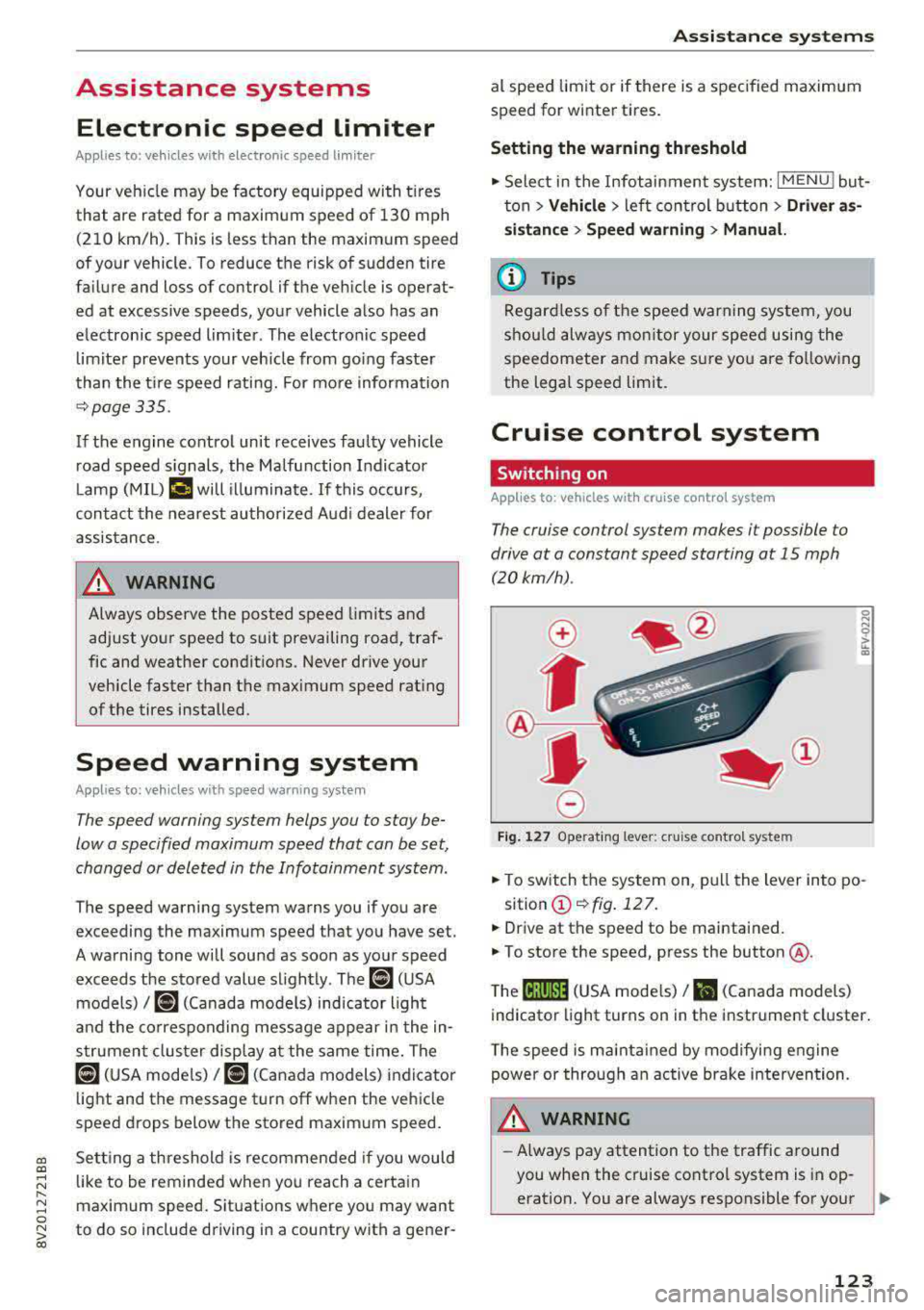
• To switch the system on, pull the lever into po-
sition
(D ¢fig . 127.
• Drive at the speed to be maintained.
.. To store the speed, press the button @.
T he
(ij;jl)~1i (USA mode ls)/ Bl (Canada models)
indicator light turns on in the instrument cluster.
T he speed is maintained by modifying engine
power or through an active brake intervention.
.i\, WARNING
-Always pay attention to the traffic around
-
you when the cruise control system is in op
eration. You are always responsible for your
..,
123
Page 129 of 400
a, a, ..... N
" N ..... 0 N > 00
Which functions can be contr oll ed?
When you sw itch adaptive cruise control on, you
can set the current speed as the "control speed"
¢ page 128 , Switching on/off .
When driving, you can stop cruise co ntro l
¢ page 130 or change the speed ¢ poge 129 at
any time .
You can also set the distance to the veh icle ahead
and set t he adaptive cruise contro l dr iv ing pro
g ram
¢ page 131 .
General information
Applies to: vehicles with Audi adaptive cruise control/Audi pre
sense front
F ig. 129 Fro nt o f vehicl e: sensor
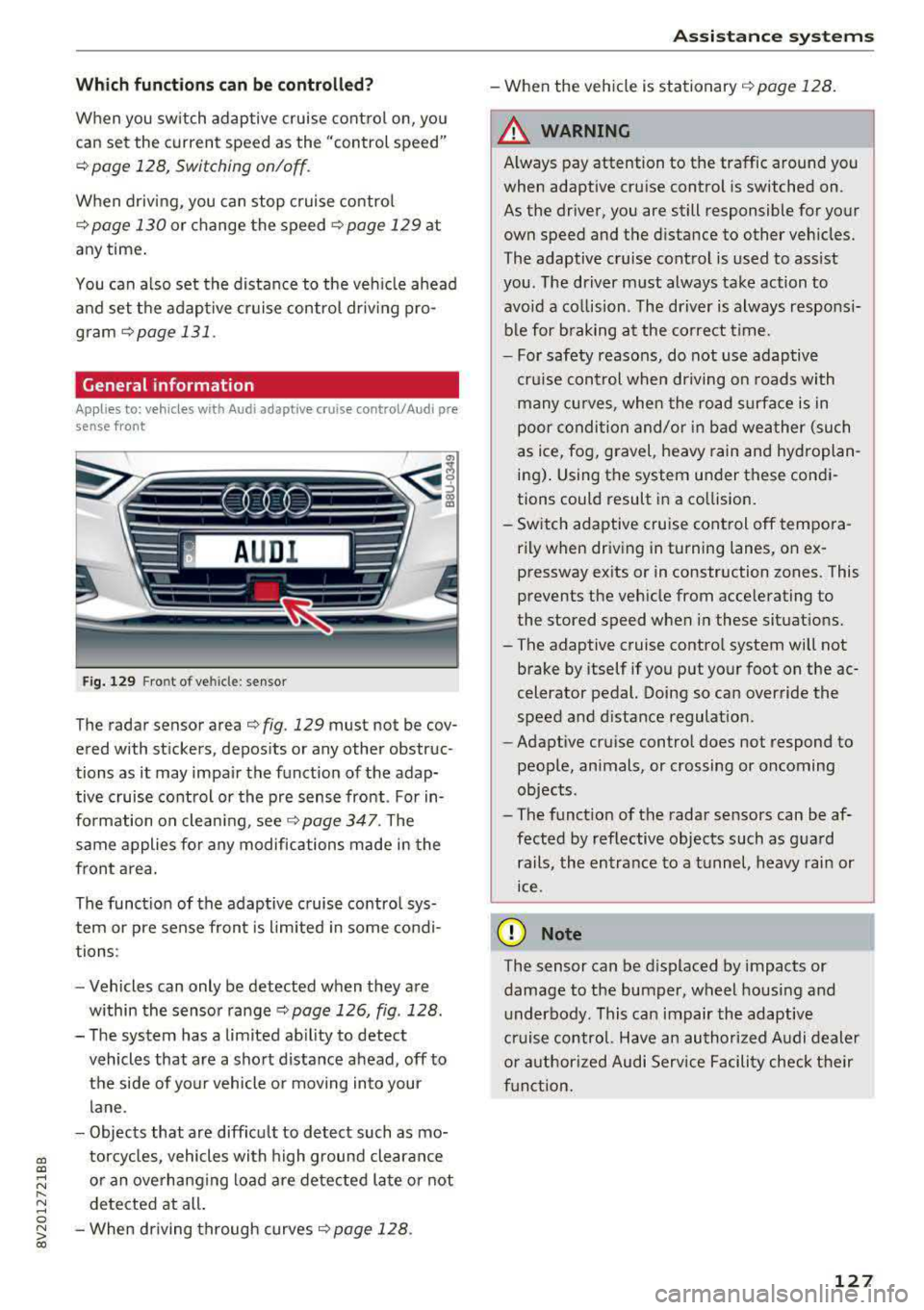
T he radar sensor area ¢ fig . 129 mus t not be cov
ered with st ickers, deposits or any other obstruc
tions as it may impair the function of the adap tive c ruise control or the pre sense front . For in
formation on clean ing ,
see ¢ page 347 . The
same applies fo r any modifications made in the
front area .
The funct ion of the adaptive cruise contro l sys
tem or pre sense fron t is l imited in some cond i
tions :
- Vehicles can only be detected when they are
within the senso r
range¢ page 126, fig . 128 .
- The system has a limited abil ity to detect
vehicles that are a short distance ahead, off to
t h e side of your vehicle or moving into your
lane .
- Objects that are difficu lt to detect such as mo
torcycles, vehicles with high ground clearance
or an overhanging load are detected late or not detected at all .
- When driving through curves
¢ page 128 .
Ass is ta nce syst ems
-When the vehicle is stationary ¢ page 128.
A WARNING
Always pay attention to the traffic around you
when adaptive cruise control is switched on.
As the driver , you are still responsible for your
own speed and the d istance to other veh icles .
The adaptive cruise control is used to ass ist
you . The driver m ust always take action to
avo id a co llision . The d river is always responsi
b le for b raking at the co rrect t ime.
- For safety reasons, do not use adaptive
cru ise control when driving on roads with
many cu rves , when the road s urface is in
poor conditio n and/or in bad wea ther (such
as ice, fog, gravel, heavy rain and hyd roplan
ing) . Using the system under these condi
tions could result in a co llision.
- Sw itch adaptive cruise control off tempora
rily when driving in turning lanes, on ex pressway ex its or in construction zones . This
prevents the veh icle from acce lerating to
the stored speed when i n these situat ions.
- The adaptive cruise contro l system will not
brake by itself if you put you r foot on the ac
celerator pedal. Doing so can override the
speed and d istance regulat ion .
- Adapt ive cruise control does not respond to
peop le, animals, or crossing or oncoming
objects .
- The funct ion of the radar sensors can be af
fected by reflective objects such as gua rd
rails, the en trance to a t unnel, heavy rain or
ice .
(D Note
The sensor can be displaced by impacts or
damage to the bumper, wheel housing and underbody. This can impair the adaptive
cruise control. Have an authorized A udi dealer
o r authorized Audi Service Facility check t heir
f u nct ion.
127
Page 133 of 400
a, a, ..... N
" N ..... 0 N > 00
Inte rr upting crui se control while driving
• Move the lever into posit ion @. The message
AC C: standb y appears. Or
• press the brake pedal.
• To resume the stored speed, move the lever in
to position
@ .
In te rrupting crui se contr ol when stopped
• Push the lever away from you into position @.
The message
A CC: sta ndb y appears.
• To resume cruise control, press the brake pedal
and pull the lever toward you into position @.
A WARNING
It is dangerous to activate cruise control and
resume the stored speed when the current
road, traffic or weather conditions do not per
m it this . This inc reases the risk of an acc ident.
Setting the distance
Applies to: vehicles with Audi adaptive cruise contro l
,
0
Fig. 137 Operat ing lever : setting the d istance
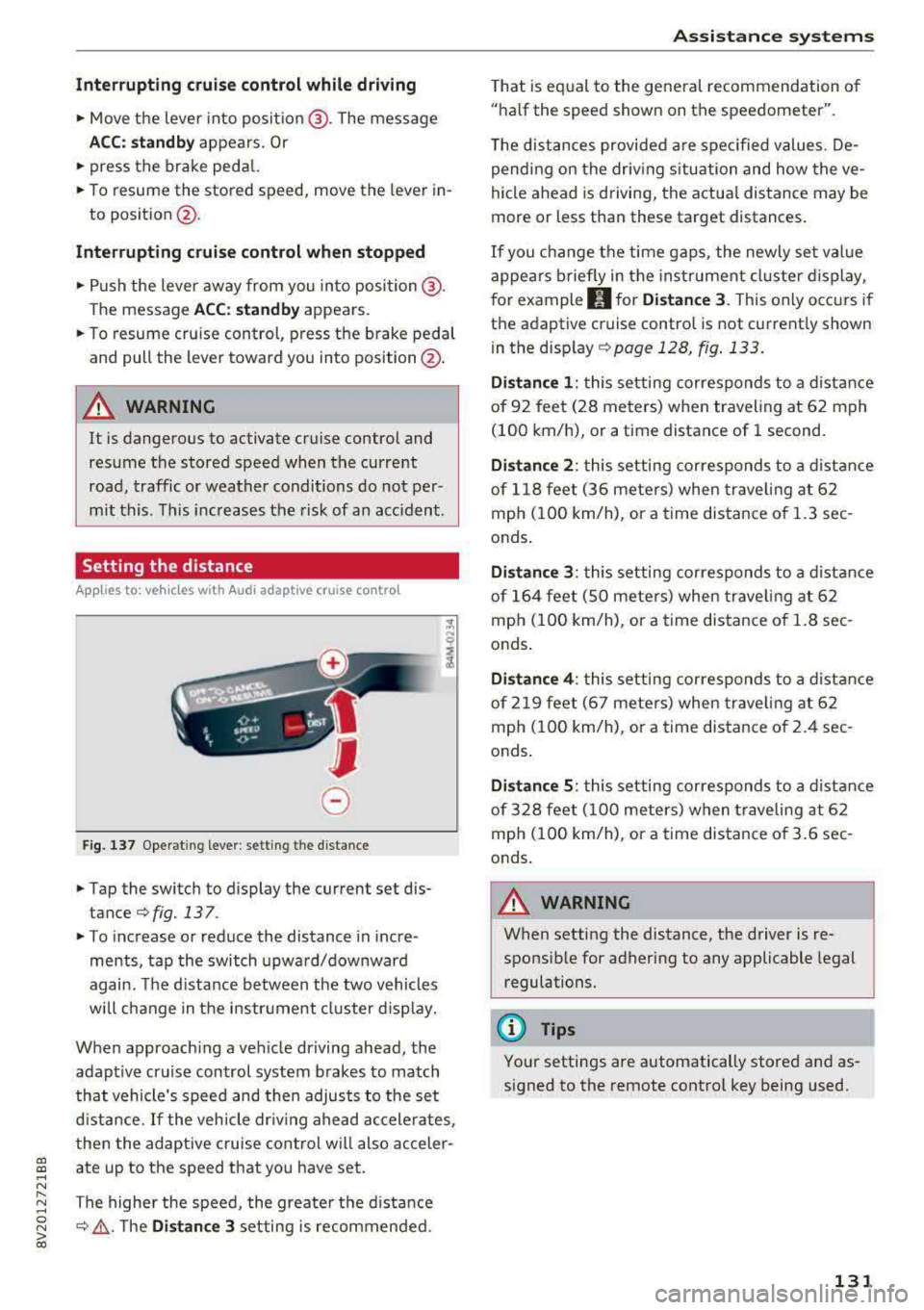
• Tap the switch to display the current set dis
tance
¢fig. 137 .
• To increase or reduce the distance in incre
ments, tap the switch upward/downward
again. The d istance between the two vehicles
wi ll change in the instr ument cluster d isp lay.
When approach ing a vehicle driving ahead, the
adapt ive cruise control system brakes to match
that vehicle's speed and then adjusts to the set
d istance.
If the vehicle dr iv ing ahead ac celerates,
then the adaptive cruise control wi ll also acceler
ate up to the speed that you have set.
The higher the speed, the greate r the d ista nce
¢ &, .T he Di stan ce 3 setting is recommended.
A ss is ta nce syst ems
That is equal to the general recommendation of
"ha lf the speed shown on the speedometer".
T he distances provided a re specified values. De
pend ing on the driv ing s ituation and how the ve
hicle ahead is d riving, the actua l distance may be
more or less than these target distances.
If you change the time gaps, the newly set value
appea rs briefly in the instrument cl uster d isplay,
f or example
II for Di stan ce 3 . This only occurs if
the adaptive cruise contro l is not current ly shown
i n the display ¢
page 128, fig. 133.
Dista nce 1 : this setting corresponds to a distance
of 92 feet (28 meters) when traveling at 62 mph
(100 km/h), or a time distance of 1 second.
Di stance 2 : this setting corresponds to a dist ance
of 118 feet (36 mete rs) when traveling at 62
mph (100 km/h), or a time distance of 1.3 sec
onds .
Distance 3: this setting corresponds to a distance
of 164 feet (SO mete rs) when traveling at 62
mph (100 km/h), or a time distance of 1.8 sec
onds .
Distance 4 : this setting corresponds to a dist ance
of 219 feet (67 mete rs) when traveling at 62
mph (100 km/h), or a time distance of 2.4 sec
onds .
Distance 5 : this setting corresponds to a distance
of 328 feet (100 meters) when traveling at 62
mph (100 km/h), or a time distance of 3.6 sec
onds .
A WARNING
-
When setting the distance, the driver is re -
sponsible for adhering to any applicable legal
regulations.
(D Tips
Your settings are automatically stored and as
signed to the remote control key being used.
131
Page 134 of 400
Ass is tance sy stems
Setting the driving program
Applies to: ve hicles w ith Audi adaptive cruise co ntro l
Depending on the se lected dr iv ing program and
d istance, driving behav ior when accelerating w il l
vary from dynamic to com fortable.
Setting the driv ing pro gram on vehicles
without dri ve s ele ct *
• Se lect in the Infotainment system : I MENU I but
ton
> Vehi cle > left contro l bu tton > Driver a s
s is ta nc e
> Audi adapt iv e cr uise contr ol > Dr iv
i ng p rogram
> Com fort , Standard or Dynami c.
Setting the driv ing mode on vehicles w ith
d riv e se le ct*
Refer to ~ page 144.
@ Tips
Your sett ings are automa tically stored and as
signed to the remote control key being used.
Driver intervention request
A pp lies to: ve hicles with Audi adaptive cruis e co ntrol
F ig . 138 Instrument cluster: request for drive r interven
t io n
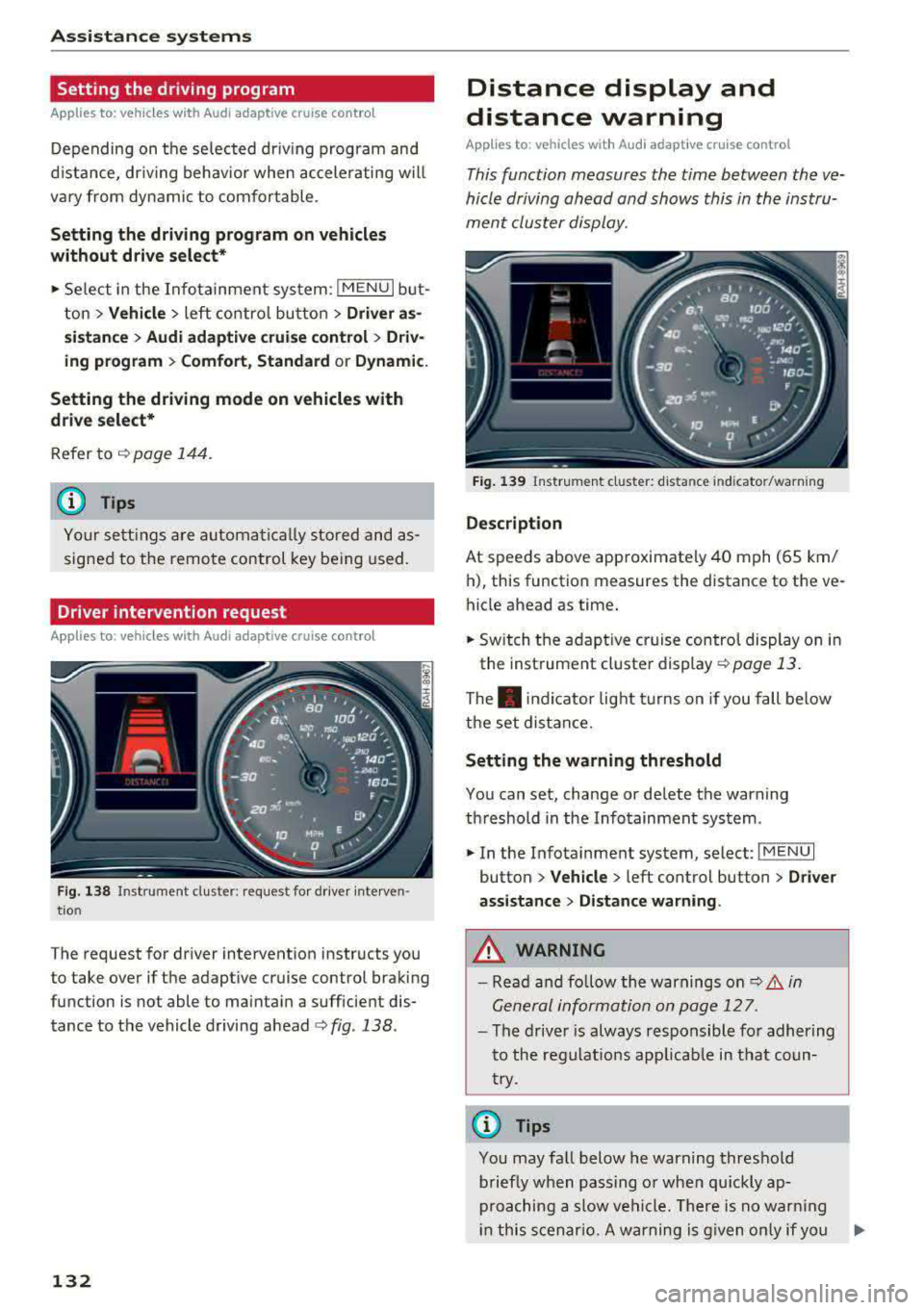
The request for driver intervention instructs you
to take over if the adaptive cruise control braking
function is not able to maintain a sufficient dis
tance to the vehicle driving
ahead ¢ fig. 138.
132
Distance display and
distance warning
App lies to : vehicles wit h Audi ada ptive c ru ise con trol
This function measures the time between the ve
hicle driving ahead and shows this in the instru
ment cluster display.
Fig . 139 Instrument cluster: dista nce indicato r/warning
D es cript ion
At speeds above approximately 40 mph (65 km/
h), this function measures the distance to the ve
hicle ahead as time.
• Switch the adaptive cruise control display on in
the instrument cluster
display ~ page 13.
The . indicator light t urns on if you fall below
the set distance.
Sett ing the w arnin g thre shold
You can set, change or delete the warning
threshold in the Infotainment system.
• In the Infotainment system, select: I MENU I
button > Vehicle > left control button > Driver
assis ta nc e > Di st a nc e wa rning.
,& WARNING
-Read and fo llow the warnings on q .&. in
General information on page 127.
- The driver is always responsible fo r adher ing
to the regulat ions app licab le in tha t coun
try.
(D Tips
You may fa ll below he warning threshold
briefly when passing o r when qu ickly ap
proaching a slow vehicle. There is no warn ing
in this scenar io. A warning is g iven only if you
Page 136 of 400
Assistance systems
-Due to the interlinking of various vehicle sys
tems, critica l driving situations can be detected
by
pre sense basic and measures for preventa
tive occupant protection are can be initiated.
-The pre sense front uses the data from the ra
dar sensors and calcu lates the probability of an
accident
c> page 127. An impending collision
with vehicles can be detected within the limits
of the system . In this case, the system warns
the driver visually, acoustically and with a jerk
on the brakes if necessary. If needed, it can i ni
tiate a partia l or full dece le rat ion to reduce the
collision speed o r to avoid the coll ision unde r
ce rtain c ircumstances. In conjunction with pre
sense basic, the front safety belts are also re
versib ly tensioned when needed . The pre sense
front is also active when adaptive cruise con
trol* is sw itched off.
.,&. WARNING
Also follow the general instructions found in
c> .&. in General information on page 127.
(i) Tips
-Certain pre sense functions switch off when
driving in reverse.
-The pre sense functions may not be availa ble if there is a malfunction in the ESC sys
tem or the airbag contro l module.
-Note that the reversible belt tensioner on
the front passenger's side deactivates when
the front passenger's a irbag is deactivated .
-Switch the pre sense off when you are not
us ing public streets or when loading the ve
hicle onto a vehicle carr ier, train, ship or
other type of transportation. This can pre
vent an undes ired intervention from the pre
sense system.
Audi pre sense basic
Description
Applies to: veh icles with Audi pre sense basic
The pre sense basic funct ions are activated at a
speed of approximately 20 mph (30 km/h) or h igher.
134 The following
functions can be triggered under
certain conditions within the limits of the sys
tem:
-Tensioning of the safety bel ts (for examp le,
during heavy braking): the front safety belts
have reversib le be lt tensioners. If a collision
does not occur, the safety belts loosen slightly
and are ready to trigger aga in.
-Initiating the closing of the windows and the
panorama glass roof* (for examp le when un
der- or oversteering).
Audi drive select* : the trigger times are adjusted
depending on the mode selected.
Audi pre sense front
· Description
Applies to: vehicles with Audi pre sense front
Within the limits of the system and depending
on the situation and speed, pre sense front can
warn you about impending collisions with sta
tionary, stopped, and moving vehicles and ini
tiate appropriate braking measures.
If detection is not possib le, then pre sense front
does not react.
The following func tions trigger in conjunction
with pre sense basic at corresponding vehicle
speeds :
-Reversible tens ion ing of the front safety belts.
-Closing the windows and panorama glass roof*.
Warnings and braking
Applies to: vehicles with Audi pre sense front
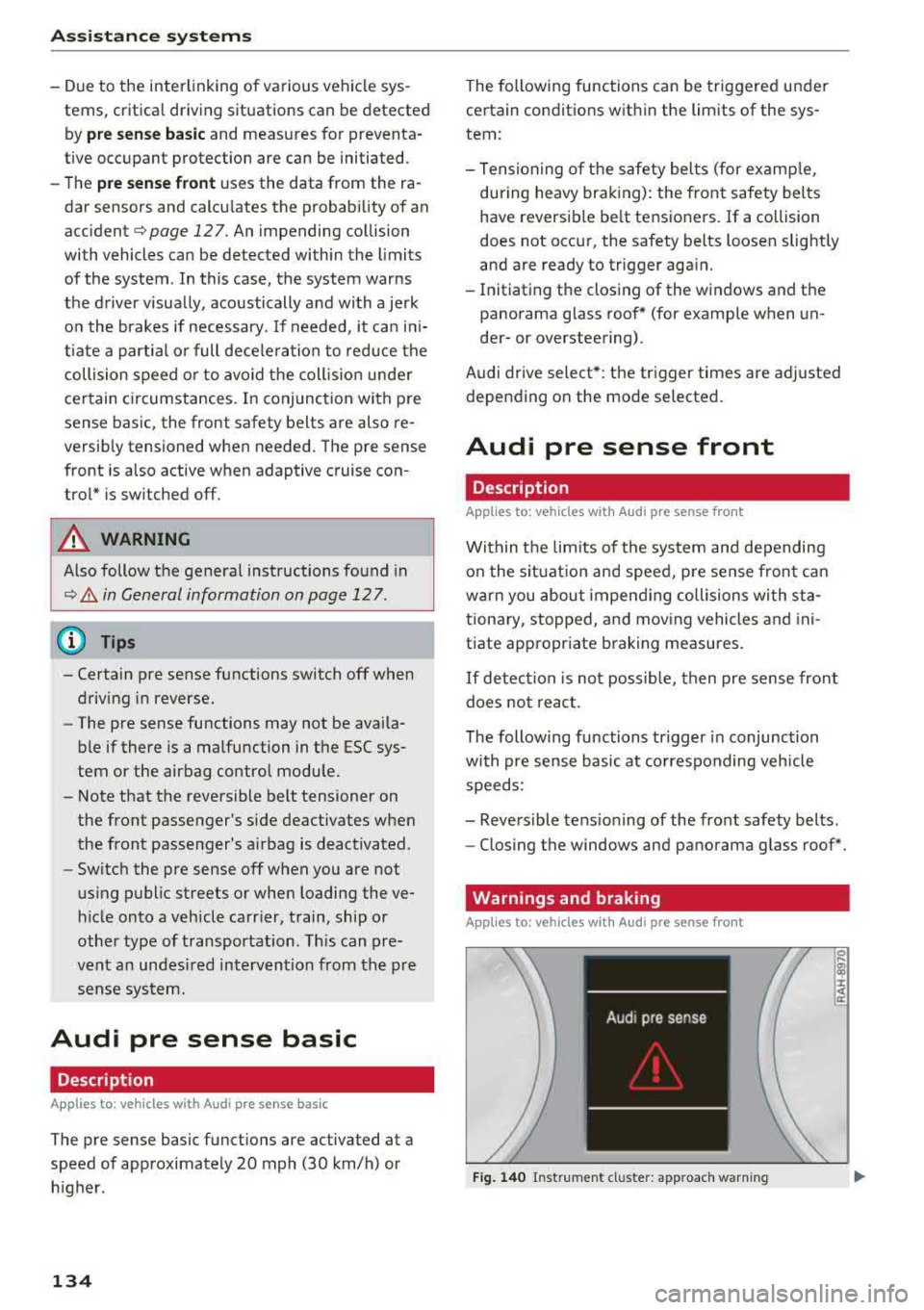
Fig. 140 Instrument cluster: approach warning
0
;
::c
Page 137 of 400
CXl CXl .... N r--N .... 0 N > 00
Ea rl y warning /a cut e warning
The system can prov ide v is u al and aud ible warn
ings when dangerous situations are detected.
The
earl y wa rning may occur if:
- a vehicle d riving ahead brakes strongly,
- your vehicle is traveling at speeds between ap-
prox imately 20 to 50 mph (30 to 85 km/h) and
it approaches a stationary veh icle.
- your vehicle is trave ling at speeds between ap
prox imately 20 to 155 mph (30 to 250 km/h)
and it approaches a vehicle that is clearly t rav
eling more slowly o r a veh icle in your direction
of travel that is stopped.
When t his warning occurs, it may on ly be poss i
b le to avoid a collision by swerv ing or b raking
strong ly. The message
Aud i pre sens e.
¢ fig . 140 and a warning tone will warn you
about the danger .
If there is an impending collision with vehicles,
there will a lso be an
acute warning in the form of
sharp braking. If you do not react to the acute
warn ing, pre sense front can brake with increas
ing force within the limits of the system. This re
duces the vehicle speed in the event of a coll i
sion.
Automatic d ecel erati on
Depending on the speed , pre sense front can de
c elerate automat ically
shortly before a collision:
- i f there are s tat ionary vehicles whe n you are
traveling at speeds up to approximately 28 mph (45 km/h).
- if there are vehicles driving or stopped ahead
when you are traveling at speeds up to approxi
mately 155 mph (250 km/h) .
Automatic braking force inc rease
I f pre sense front determines that you are no t
b raking st rongly enough when a collision is imm i
nent, it can increase the b raking force, depending
on the situation and speed.
- i f there are stationary vehicles whe n you are
t raveling at speeds up to approximately 50
mph (85 km/h) .
A ss ista nce sys te m s
- if there are vehicles d riving or stopped ahead
when you are traveling at speeds up to approxi mate ly 155 mph (250 km/h).
A WARNING "--
Pre sense front cannot overcome the laws of
physics. It is a system designed to ass ist and
i t cannot prevent a collision in every c ircum
stance. The driver must always intervene. The
d river is always respons ible for braking at the
cor rect time. Do not let the increased safety
p rovided tempt you into ta king risks. This
could increase your risk of a collis ion .
- Keep in mind th at pre sense front can pro
vide warn ings or b rake unexpected ly. Al
ways secure any cargo or objects that yo u
are transporting to reduce the risk of dam
age or injury.
- The system can dep loy incorrectly due to
system-specific limits.
- Please note that the sensor does not a lways
detect a ll objects . T hi s increases the risk of
a co llision.
- Pre sense front does not react to vehicles traveling toward you in the same lane, to peop le, groups of people, anima ls, objects
that are crossing the road, or objects that are difficult to
detect¢ &. in General infor
mation on page 12
7.
A WARNING
"---
Pre sense front may be restricted or not avail
able i n the follow ing example s ituations:
- if there a re other ref lective objects nearby,
such as guard ra ils or vehicles.
- when dr iv ing into a tunnel.
- in heavy fog, ra in, spray or snow.
- if the radar sensor is di rty, covered in ice,
damaged, or covered .
- in curves .
- if the ESC was restri cted or sw itched off.
(£) Note
The sensor can be displaced by impacts or
damage to the bumper, wheel housing and u nderbody. Pre sense front ca n be impaired
135