automatic transmission AUDI S3 SEDAN 2018 User Guide
[x] Cancel search | Manufacturer: AUDI, Model Year: 2018, Model line: S3 SEDAN, Model: AUDI S3 SEDAN 2018Pages: 404, PDF Size: 62.3 MB
Page 143 of 404
u. 00 .-< N l' N .-< 0 N > 00
Engine and automatic transmission
D epending on the mode, the eng ine and auto
mat ic transmission * respond more quickly or in a
more balanced manner to accelerator pedal
movements . In the sporty dynamic mode, the
transmission shifts at higher speed ranges.
Suspen sion control (Audi magnetic ride) *
The s uspension contro l uses sensors to reco rd in
formation regarding steering movements, brak
ing and acce leration operations by the driver, as
well as information abo ut th e road s urface, driv
ing speed, and load. With Audi dr ive select you
can adjust the suspens ion control to sporty (dy
namic), comfortable (comfort) or balanced (au
to) .
Steering
T he steering adapts in terms of steering assis
tance. There are different modes
¢ page 142 .
Indirect steering that moves easily as in comfort
mode is especia lly su ited to long drives on a high
way . The dynam ic mode p rovides sporty, d irect
steer ing .
For vehicles w ith progressive steering* the steer
in g performance is more ag ile .
Audi adapt ive light *
The i llumination on curves in adaptive light is
adapted to the se lected mode.
Audi adaptive cruise control*
The behav ior when a cce le ra ting can be adjus ted
from com fortab le to sporty, depending on the
drive select mode . Adaptive cr uise control a lso
r e sponds to the driving behavior of the ve hicle
ahead in a more conservative or sporty manner.
(D Tips
- In some models, the maximum vehicle
speed can only be reached in the auto and
dynam ic modes.
A ss istance systems
- The "S " sele ctor leve r position au tomatically
engages if the dynamic mode is selected.
Selecting the driving mode
Applies to: vehicles with Audi drive select
You con choose between comfort, auto, dynamic
and individual* .
Fig. 144 Ce nter co nso le: dri ve se lect button
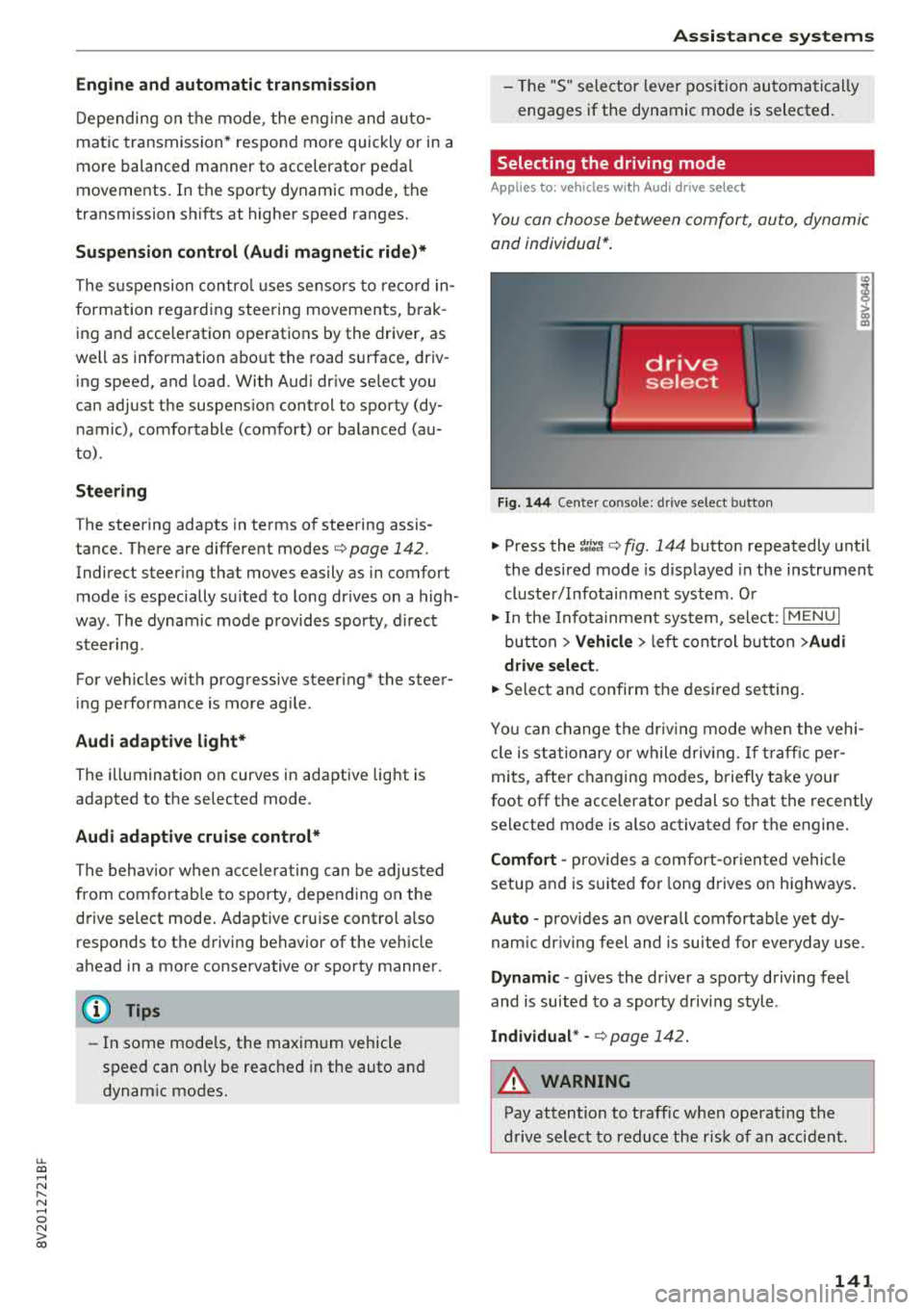
"' Press the ~:i;~ ¢ fig . 144 button repeatedly unt il
the desired mode is d isp layed in the instrument
cluste r/ Infotainment system . Or
"' In the Infota inment system, selec t: I M ENU I
bu tton > Vehicl e > left cont rol b utt on > Audi
dri ve select .
"'Select and confirm the desired se tting.
Yo u can change the dr iv ing mode when the veh i
cl e is stationary or while drivin g. If t raff ic per
mi ts, after c hanging mo des, briefly ta ke your
foot off t he accelerator pedal so that the recently
selected mode is also activated fo r th e engine.
Comfort -prov ides a co mfort -or iented vehicle
setup a nd is s uited for long d rives on h ighways .
Auto -provides a n overa ll comfortab le yet dy
nam ic dr iv ing feel and is suited for eve ryday use.
Dynamic
-g ives the drive r a sporty driving fee l
and is suited to a spo rty d riving style .
Individual * -¢ page 142.
A WARNING
--
Pay attention to traffic when ope rating the
drive select to reduce the r is k of an accident .
141
Page 375 of 404
LL co .... N
" N .... 0 N > co
No. Equipment
F49 Clutch sensor (relay 1+2),
high-voltage
battery, power electronics
F52 Control module for suspension control
F53 Rear window defogger
The power seats* are protected via
circuit break
ers
that automatically switch on after a few sec
onds after the overload has been reduced.
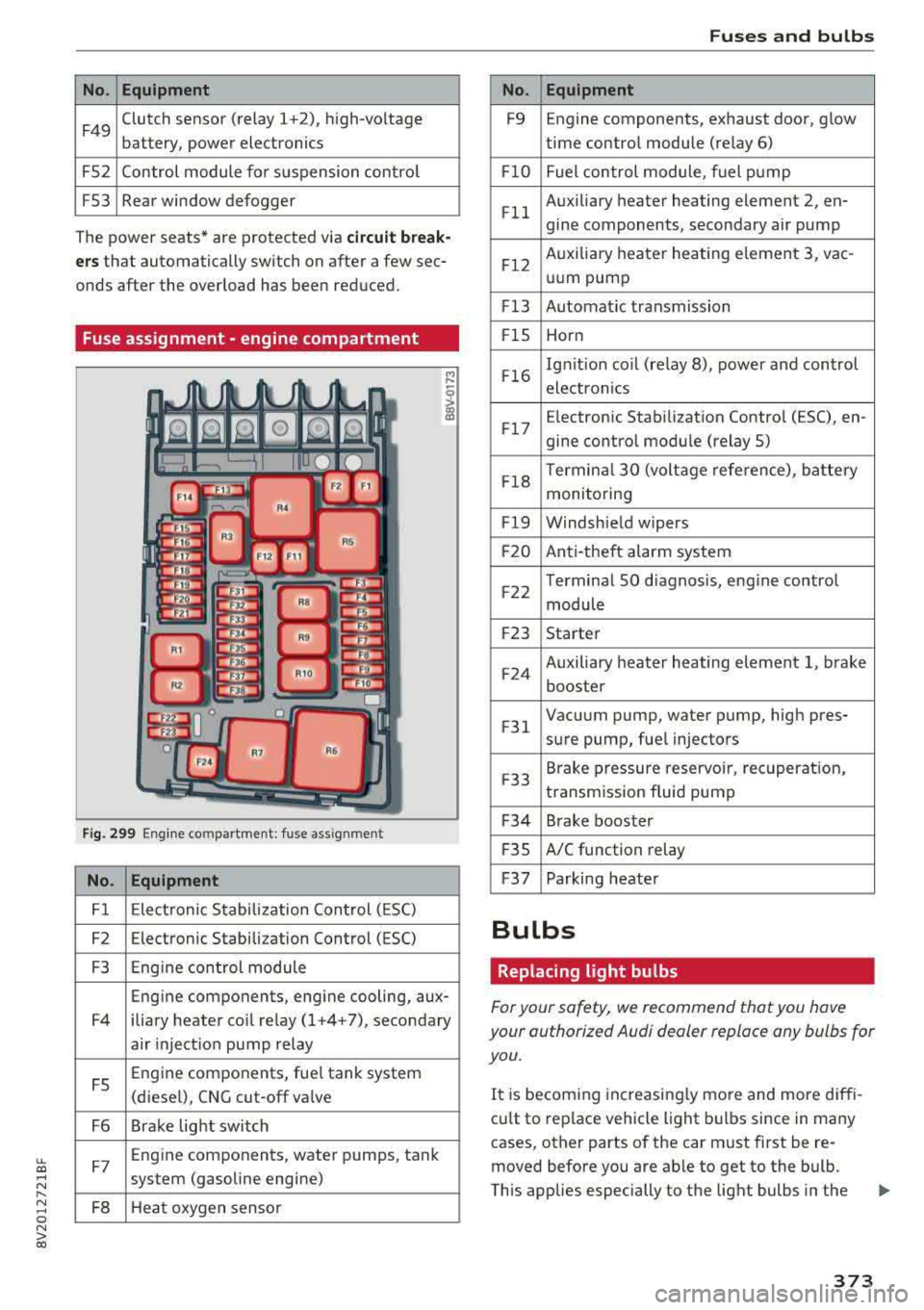
Fuse assignment -engine compartment
Fig. 299 Engine compartme nt: fuse assignment
No. Equipment
Fl Electronic Stabilization Control (ESC)
F2 Electronic Stabilization Control (ESC)
F3 Engine control module
Eng ine components, engine cooling, aux-
F4 iliary heater co il relay (1+4+7), secondary
air inject ion pump relay
FS Engine components, fue
l tank system
(diesel), CNG cut-off va lve
F6 Brake light switch
F7 Eng
ine components, water pumps, tank
system (gasoline engine)
FB Heat oxygen sensor
Fuses and bulbs
No. Equipment
F9 Engine
components, exhaust door, glow
time control module (relay 6)
F lO Fuel control module, fuel pump
F ll Auxiliary
heater heating element 2, en-
gine components, secondary air pump
F12 Auxiliary
heater heating element 3, vac-
uum pump
F13 Automat ic transmission
F lS Horn
F16 Ign
it ion coil (relay 8), power and control
electronics
F17 E
lectroni c Stabilization Control (ESC), en-
gine control module (relay S)
F18 Terminal
30 (voltage reference), battery
monitoring
Fl9 Windshield wipers
F20 Anti-theft alarm system
F22 Terminal
SO diagnos is, engine control
module
F23 Starter
F24 Auxiliary
heater heating element 1, brake
booster
F 31 Vacuum pump, water pump, high pres-
sure pump, fuel injectors
F33 Brake
pressure reservoir, recuperation,
transmission fluid pump
F34 Brake booster
F 35 A/C function
relay
F37 Parking heater
Bulbs
Replacing light bulbs
For your safety, we recommend that you have
your authorized Audi dealer replace any bulbs for
you.
It is becom ing increasingly more and more diffi
cu lt to replace vehicle light bulbs since in many
cases, other parts of the car must first be re
moved before you are ab le to get to the bulb.
This applies especially to the light bulbs in the
373
Page 377 of 404
u. 00 .-< N l' N .-< 0 N > 00
Emergency situations
General
This chapter is intended for trained emergency
crews and working personnel who have the nec
essary tools and equipment to perform these
operations.
Starting by pushing or
towing
~ Note
Vehicles with an automatic transmission can
not be started by pushing or towing.
Jump starting
Preparation
If needed, the engine can be jump started by an
other vehicle battery.
Applies to: vehicles with plug-in hybrid drive: the
connection points for the jump start cable are
different
q page 102.
If the engine does not start because the vehicle
battery is drained, you can jump start the engine
using another vehicle battery. You need a jump
start cable to do this.
Both vehicle batteries must have 12 V nominal
voltage . The voltage capacity (Ah) of the vehicle
battery that is giving power must not be less
than the capacity of the drained vehicle battery.
Jump start cable
Only use a jump start cable with a large enough
diameter. Note the manufacturer's specifica
tions .
Only use a jump start cable with insulated termi
nal clamps.
Positive cable - usually red .
Negative cable -usually black.
Emergency situations
A WARNING
--
- Applies to: vehicles with plug-in hybrid
drive: you must
not give a jump start with
your vehicle . This could cause significant
damage to the electrical system in your ve
hicle
Q page 102.
-A drained vehicle battery can freeze at tem
peratures around 0
Q(. If the vehicle battery
is frozen, you must thaw it before connect
ing the jump start cables. If you do not, this
increases the risk of an explosion and chem
ical burns. After jump starting the vehicle,
drive to an authorized Audi dealer or author
ized Audi Service Facility immediately to
have the vehicle battery checked.
- The engine compartment is a dangerous
area and can cause serious injuries. Before
working in the engine compartment, read
and follow the warnings
Qpage 318.
- Handling the jump start cables incorrectly
may cause the vehicle battery to explode
and lead to serious injuries . To reduce the
risk of injury, observe the following:
- Do not touch the non-insulated parts of the
terminal clamps. The cable must also not
come into contact with vehicle components
that conduct electricity when it is connected
to the positive terminal. This can cause a
short circuit.
- Route the jump start cables so they cannot
get caught in the moving parts in the engine
compartment.
- To reduce the risk of chemical burns, do not
bend over the vehicle battery.
- The locking bolts on the battery cells must
be tightened securely.
- Keep ignition sources (open flames, burning
cigarettes, etc.) away from the vehicle bat
teries to reduce the risk of an explosion.
- Do not clamp the negative cable to fuel sys tem components or to the brake lines.
(LlJ} Note
- There must be no contact between the
vehicles, If there is, current could already be
.,.
375
Page 378 of 404
Emergency situations
flowing when connecting the positive termi
nals and the vehicle battery in the vehicle
providing the jump start cou ld be drained.
- Jump start cables can cause considerab le
damage to the vehicle electrical system if
they are connected incorrectly.
- The drained vehicle battery must be con
nected correctly to the electrical system.
- P lease note that the connecting process de
scribed below for the jump start cables is in
tended for when your vehicle is being jump
started. If you are jump starting another ve
hicle, do not connect the negative cable to
the negat ive terminal( -) on the drained ve
hicle battery, but rather connect it to a large
metal component that is bolted securely to
the engine block, or to the engine block it
se lf. If the vehicle battery in the vehicle be
ing jump started is not vented to the out
side, there is a risk of explosion due to hy
drogen gas.
@ Tips
If a car phone is installed, switch it off or
check the operating guide for what to do in
this situation.
A3 models: starting the engine
Both jump start cables must be connected in the
correct order!
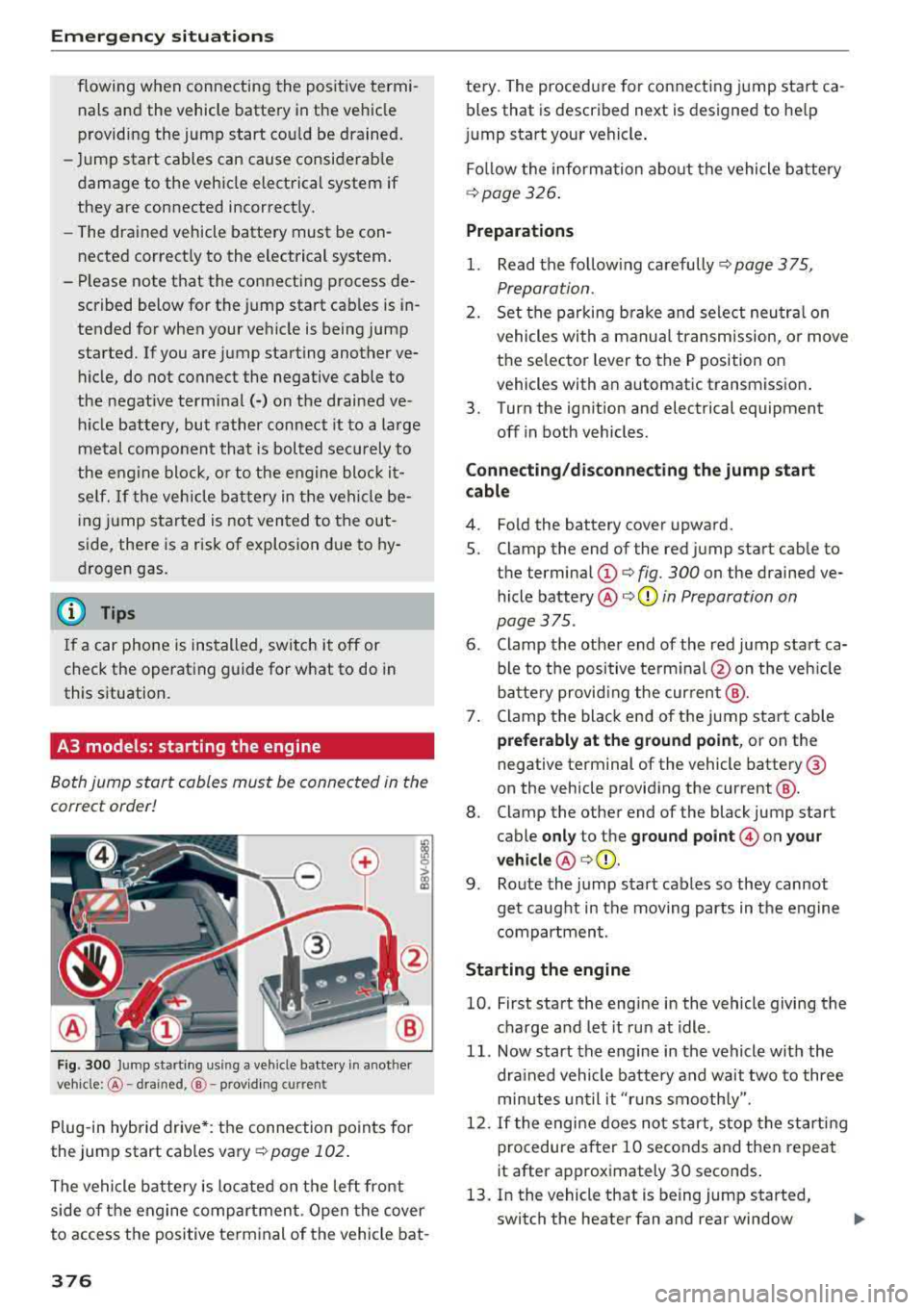
F ig. 300 Ju mp starting using a vehicle batte ry in anot her
vehicle :@ - dra ined, @- providing cu rrent
Plug-in hybrid drive *: the connection points for
the jump start cables vary Q
page 102.
The vehicle battery is located on the left front
side of the engine compartment . Open the cover
to access the positive terminal of the vehicle bat-
376
tery. The procedure for connecting jump start ca
bles that is described next is designed to help
j ump start your vehicle .
Follow the information about the vehicle battery
Qpage 326 .
Preparations
1. Read the following carefully ¢ page 375,
Preparation.
2. Set the parking brake and select neutral on
vehicles with a manual transmission, or move
the selector lever to the P position on
vehicles with an automatic transmission .
3. Turn the ignition and electrical equipment
off in both vehicles.
Connecting/disconnecting the jump start
cable
4. Fold the battery cover upward.
5. Clamp the end of the red jump start cable to
the termina l
(D ¢ fig. 300 on the drained ve
hicle
battery @Q(D in Preparation on
page
375 .
6. Clamp the other end of the red jump start ca
ble to the positive terminal @on the vehicle
battery providing the current @.
7. Clamp the black end of the jump start cab le
preferably at the ground point, or on the
negative terminal of the vehicle battery@
on the vehicle providing the current @.
8. Clamp the other end of the black jump start
cable
only to the ground point © on your
vehicle @Q(D .
9. Route the jump start cables so they cannot
get caught in the moving parts in the engine
compartment.
Starting the engine
10. First start the engine in the vehicle giving the
charge and let it run at idle.
11. Now start the engine in the vehicle with the
dra ined vehicle battery and wait two to three
minutes until it "r uns smoothly".
12. If the engi ne does not start, stop the starting
procedure after 10 seconds and then repeat
it after approximately 30 seconds .
13. In the vehicle that is being jump started, switch the heater fan and rear window
..,,
Page 386 of 404
Consum er Info rmation
today's automobi les, have steadi ly red uced the
scope of maintenance and repairs which can be
carried out by veh icle owners.
Al so , sa fet y and
en vironmental
concerns place very strict limits
on the nature of repairs and adjustments to en
g ine and transmission parts w hich an owner can
perform .
Maintenance, adjustments and repairs usually re
qu ire special tools, testing devices and other
equ ipment available to specially trained work
shop personnel in order to assure proper per
forma nce, re liab ility and safety of the ve hicle and
its many systems .
Improper maintenance, adjustments and repairs
can impair the operation and reliab il ity of your
ve hicle and eve n void your vehicle warra nty .
Therefo re, proof of se rvicing in accordance w ith
the m aintenance schedule may be a condition fo r
up hold ing a possible wa rranty claim made wi thin
the warranty pe riod.
Above all, ope rational safety can be adversely af
fected, c re ating unnecessa ry risks fo r you and
your passengers.
I f in doubt about any servicing, have it done by
your author ized Audi dealer or any other prope rly
eq uipped and qualified workshop . We strongly
urge yo u to g ive your author ized Audi dealer the
opportunity to perform a ll scheduled mainte
nance and necessary repairs. Your dealer has the
facilities, origina l parts and tra ined specialists to
keep your veh icle running properly.
Performing limit ed maint enanc e yourself
The fo llowing pages describe a limited number of
procedures whic h can be performed on your ve hi
cle with ordinary tools, should the need arise and
tra ined personnel be unava ilable. Before per
forming any of these procedures, always thor
ough ly read all of the app licab le text and carefu l
ly follow the instructions g iven . Always rigorously
observe the
W ARNINGS prov ided .
Befo re yo u check an ything in the engine com
partment , alway s read and h eed all WARNINGS
c> .&. and c> page 318 .
384
A WARNING
-Ser ious personal injury may occur as a result
of improperly performed maintenance, ad
justments or repairs .
- Always be extreme ly careful when work ing
on the vehicle . Always follow commonly ac
cepted safety practices and general com mon sense. Never r is k personal in jury.
- Do not attempt any of the maintenance,
checks or repairs described on the following pages if you are not fu lly fam il iar with these
or other procedu res with respect to the ve
hicle, or are uncertain how to proceed.
- Do not do any work wi thout the prope r tools
and eq uipmen t. H ave the necessary wo rk
done by your authorized Audi dealer or an
other properly equipped and qualified work
shop.
- The engine compartment of any motor vehi
cle is a potentially hazardous area . Never
reach into the area around or touch the radi
ator fan. It is temperature controlled and
can switch on suddenly - even when the en
gine is off . The radiato r fan switches on au
tomatically when the coolant reaches a cer
tain tempe rature and w ill cont inue to run
until the coolant temperature d rops.
- Always sw itch off the ignition before anyone
gets under the vehicle.
- Always support your vehicle with safety
stands if it is necessary to work underneath
the vehicle. The jack supp lied with the veh i
cle is no t adequate fo r th is pu rpose and
could collapse causing serious personal in
jury .
- If you must wor k unde rneath the vehicle
w ith the wheels on the g round, always make
sure the vehicle is on level ground, that the
wheels a re always sec urely blocked and that
the engine cannot be started.
- Always make sure the transmission se lector
lever (automatic t ransm iss ion) is in P (Park
position) and the pa rk b rake is applied .
Ill>
Page 390 of 404
Index
Audi pre sense . . . . . . . . . . . . . . . . . . . . . . . 130
Messages . . . . . . . . . . . . . . . . . . . . . . 130, 133
Aud i Service Repair Manuals and Literature 383
Audi side assist . . . . . . . . . . . . . . . . . . . . . . . 136
Cleaning the sensors . . . . . . . . . . . . . . . . . 355
Messages . . . . . . . . . . . . . . . . . . . . . . . . . . 140
Rear cross-traffic assist . . . . . . . . . . . . . . . 139
Audi smartphone interface . . . . . . . . . 241, 245
Aud i virtual cockp it
refer to Instrument cluster . . . . . . . . . . . . . 10
AUTO
Automatic climate control system . . . . . . .
69
Automatic headlights . . . . . . . . . . . . . . . . . 49
Auto Lock (centr al locking system) . . . . . . . . 31
Automatic belt retractor . . . . . . . . . . . . . . . 264
Automatic climate control system
refer to Climate control system
(automatic) . . . . . . . . . . . . . . . . . . . . . .
68, 69
Automatic power top
refer to Power top . . . . . . . . . . . . . . . . . . . . 42
Automatic transmission . . . . . . . . . . . . . . . . . 83
Driving tips . . . . . . . . . . . . . . . . . . . . . . . . . . 86
Emergency mode . . . . . . . . . . . . . . . . . . . . . 89
Hill descent control . . . . . . . . . . . . . . . . . . . 87
Kick -down . . . . . . . . . . . . . . . . . . . . . . . . . . .
88
Launch control program . . . . . . . . . . . . . . . 89
Malfunction . . . . . . . . . . . . . . . . . . . . . . . . . 84
Manual shift ing (tiptronic mode) . . . . . . . . 88
Selector lever . . . . . . . . . . . . . . . . . . . . . . . . 86
Selector lever emergency re lease . . . . . . . . 90
Selector lever lock . . . . . . . . . . . . . . . . . . . . 84
Selector lever positions . . . . . . . . . . . . . . . . 84
Shift padd les . . . . . . . . . . . . . . . . . . . . . . . . 88
Automatic wipe/wash system . . . . . . . . . . . . 55
Auto Safety Hotline . . . . . . . . . . . . . . . . . . .
258
Auxiliary climate contro l . . . . . . . . . . . . . . . 116
AUX input . . . . . . . . . . . . . . . . . . . . . . . . . . . 230
Average consumption ........... .... . 17, 18
Average speed . . . . . . . . . . . . . . . . . . . . . 17, 18
B
BACK button . . . . . . . . . . . . . . . . . . . . . . . . . 154
Bag hooks . . . . . . . . . . . . . . . . . . . . . . . . .
63, 65
Balance (sound) . . . . . . . . . . . . . . . . . . . . . . 247
Bass (sound) . . . . . . . . . . . . . . . . . . . . . . . . . 247
388
Battery
In the key . . . . . . . . . . . . . . . . . . . . . . . . . . .
32
also refer to High-voltage battery . . . . . . . 92
also refer to Vehicle battery . . . . . . . . . . . 326
Before driv ing . . . . . . . . . . . . . . . . . . . . . . . . 249
Belt tensioners . . . . . . . . . . . . . . . . . . . . . . . 267
Blended gasoline . . . . . . . . . . . . . . . . . . . . . 314
Blower
Automat ic climate control system . . . . . . .
70
Bluetooth
Audio player . . . . . . . . . . . . . . . . . . . . . . . .
226
Connecting a cell phone . . . . . . . . . . . . . . 177
Settings . . . . . . . . . . . . . . . . . . . . . . . . . . . 246
Boost . . . . . . . . . . . . . . . . . . . . . . . . . . . . . . . . 19
Booster seats . . . . . . . . . . . . . . . . . . . . . . . . 304
Boost pressure indicator . . . . . . . . . . . . . . . . 19
Brakes . . . . . . . . . . . . . . . . . . . . . . . . . . . . . . 150
Brake assist . . . . . . . . . . . . . . . . . . . . . . . . 148
Brake fluid . . . . . . . . . . . . . . . . . . . . . . . . . 326
Electromechanical parking brake . . . . . . . . 81
Emergency braking function . . . . . . . . . . . . 82
New brake pads . . . . . . . . . . . . . . . . . . . . . 150
Break-in security feature . . . . . . . . . . . . . . . . 36
Breaking in
New brake pads . . . . . . . . . . . . . . . . . . . . .
150
New engine . . . . . . . . . . . . . . . . . . . . . . . . . 72
New tires . .... .. .. .. ............. .. 337
Browser
refer to Media center . . . . . . . . . . . . . . . . . 233
Bulbs . . . . . . . . . . . . . . . . . . . . . . . . . . . . . . . 373
Buttons
Control panel (MMI) . . . . . . . . . . . . . . . . .
154
Multifunction steering wheel . . . . . . . . 13, 16
Programming (multifunction steering
wheel) . . . . . . . . . . . . . . . . . . . . . . . . . . . . . . 15
Switching the Infotainment system display
on/off . . . . . . . . . . . . . . . . . . . . . . . . . . . . .
155
C
Cable (USB adapter/AUX connector cable) 229
California Proposition 65 Warning . . . . . . . 319
Battery specific . . . . . . . . . . . . . . . . . . . . . 327
Call list . . . . . . . . . . . . . . . . . . . . . . . . . . . . . 180
Call options . . . . . . . . . . . . . . . . . . . . . . . . . . 188
Page 395 of 404
u. 00 .-< N l' N .-< 0 N > 00
How are child restraint system anchors re lat -
ed to chi ld safety . . . . . . . . . . . . . . . . . . . . . 308
H ow many airbags does my vehicle have? . . 2 76
H ow safety belt pretensioners work . . . . . . 267
I
Ignition
Establishing drive ready mode (plug-in hy-
brid drive) . . . . . . . . . . . . . . . . . . . . . . . . . . . 94
Switching on/off (plug-in hybrid drive) . . . 94
Sw itching on/off (us ing the button) . . . . . . 76
Sw itch ing on/off (us ing the key) . . . . . . . . . 75
Imba lance (wheels) . . . . . . . . . . . . . . . . . . . 339
I mmobilizer
refer
to Electronic immobilizer . . . . . . . . . . 32
Important things to do before driving . . . . 249
Importing and exporting (contacts) . . . . . . 187
I mproperly worn safety belts . . . . . . . . . . . 266
Indicator lights . . . . . . . . . . . . . . . . . . . . . . . . 20
A irbag system . . . . . . . . . . . . . . . . . . . . . . 28 1
PASSENGER AIR BAG OFF . . . . . . . . . . . . . 281
Indicator lights (plug-in hybrid drive) . . . . . . 96
I nfant seats . . . . . . . . . . . . . . . . . . . . . . . . . 300
Input Using the MMI touch . . . . . . . . . . . . . . . . . 157
Using the speller . . . . . . . . . . . . . . . . . . . . 161
Input level (media) . . . . . . . . . . . . . . . . . . . . 235
I nspection interval . . . . . . . . . . . . . . . . . . . . 328
Install ing the upper tether strap on the an-
chorage . . . . . . . . . . . . . . . . . . . . . . . . . . . . . 312
Instrument cluster . . . . . . . . . . . . . . . . . . . . . 10
Cleaning . . . . . . . . . . . . . . . . . . . . . . . . . . . 357
Messages . . . . . . . . . . . . . . . . . . . . . . . . . . . 20
Plug -in hybrid dr ive . . . . . . . . . . . . . . . . . . . 95
Instruments Adjusting illumination . . . . . . . . . . . . . . . . . 52
I nterior lighting . . . . . . . . . . . . . . . . . . . . . . . 52
Internet refer
to Audi connect (Infotainment) . . . . 190
Internet radio . . . . . . . . . . . . . . . . . . . . . . . . 228
I nterva l mode (w indshie ld w ipers) . . . . . . . . 55
iPhone refer
to Audi music interface . . . . . . . 229, 230
iTunes tagging ................. ..... . 218
Index
J
Jukebox . . . . . . . . . . . . . . . . . . . . . . . . . . . . . 225
Jump start . . . . . . . . . . . . . . . . . . . . . . . . . . . 102
Jump starting . .. .. ............... 102,375
K
Key......... ....... ................ .. 32
Key not recognized . . . . . . . . . . . . . . . . . . . 79
Key recognition . . . . . . . . . . . . . . . . . . . . . . 68
Messages . . . . . . . . . . . . . . . . . . . . . . . . . . . 78
Kick-down (automatic transmission) . . . . . . . 88
Knee a irbags . . . . . . . . . . . . . . . . . . . . . . . . . 285
Description . . . . . . . . . . . . . . . . . . . . . . . . . 285
How they work . . . . . . . . . . . . . . . . . . . . . . 286
Important safety instructions . . . . . . . . . . 287
L
Lane assist
refer to Audi active lane assist . . . . . . . . . 133
Lap timer. . . . . . . . . . . . . . . . . . . . . . . . . . . . 122
LATCH . . . . . . . . . . . . . . . . . . . . . . . . . . . . . . 308
Description . . . . . . . . . . . . . . . . . . . . . . . . . 309
Installing a child restraint............ . 310
Location . . . . . . . . . . . . . . . . . . . . . . . . . . . 309
Mounting and releasing the anchorage
hook . . . . . . . . . . . . . . . . . . . . . . . . . . . . . . 310
Launch control program . . . . . . . . . . . . . . . . . 89
Leather care and cleaning . . . . . . . . . . . . . . 357
Left control button . . . . . . . . . . . . . . . . . . . . . 14
Licensing agreements (MMI) . . . . . . . . . . . . 248
Lifting jack . . . . . . . . . . . . . . . . . . . . . . . . . . 366
Light/rain sensor Automatic headlights . . . . . . . . . . . . . . . . . 49
Switching the rain sensor on/off. . . . . . . . . 55
Lighting Exterior . . . . . . . . . . . . . . . . . . . . . . . . . . . . . 49
Interior . . . . . . . . . . . . . . . . . . . . . . . . . . . . . 52
Lights . . . . . . . . . . . . . . . . . . . . . . . . . . . . . . . 49
Interior/read ing lights . . . . . . . . . . . . . . . . 52
Listening to music
refer to Media ... .. ............. 223, 232
Load....... .. .. .. .. ............... .. 382
Locking/unlocking
refer to Unlock ing/ locking ....... 31, 33, 34
Low beam headlights . . . . . . . . . . . . . . . . . . . 49
393
Page 397 of 404
u. 00 .-< N l' N .-< 0 N > 00
Online map update ................... . 214
Onl ine media . . . . . . . . . . . . . . . . . . . . . . . . . 228
Online services
refer to Audi connect (Infotainment) . . . . 190
Opening ..... .. ................ ..... .. 31
Doors . . . . . . . . . . . . . . . . . . . . . . . . . . . 33, 34
Fu el filler door ................ ..... . 315
Hood .. .. .. .. ............... .. .. .. . 320
Luggage compartment lid . . . . . . . . . . . . . . 37
Panorama glass roof . . . . . . . . . . . . . . . . . . 40
Power top . . . . . . . . . . . . . . . . . . . . . . . . . . . 42
Windows . . . . . . . . . . . . . . . . . . . . . . . . . . . 39
Opening/closing
refer to Unlocking/locking ..... .. 31, 33, 34
Operating Multifunction steering wheel . . . . . . . . 13, 16
Multi Media Interface . . . . . . . . . . . . . . . . 155
Voice recognition system . . . . . . . . . . . . . 170
Opt ions menu .. ............. .. 14, 156 , 160
Outside temperature display . . . . . . . . . . . . . 10
Overview (Cockpit) 8
p
Paint damage . . . . . . . . . . . . . . . . . . . . . . . . 356
Paint number . . . . . . . . . . . . . . . . . . . . . . . . 381
Panorama glass roof. . . . . . . . . . . . . . . . . . . . 40
also refer to Convenience opening/closing 40
Parental control
DVD ............................... 235
Parking aid . . . . . . . . . . . . . . . . . . . . . . . . . . 143
Adjusting . . . . . . . . . . . . . . . . . . . . . . . . . . 147
C leaning sensors/camera . . . . . . . . . . . . . 355
Malfunction . . . . . . . . . . . . . . . . . . . . . . . . 147
Rearview camera . . . . . . . . . . . . . . . . . . . . 145
Parking brake
refer to Electromechanical parking brake . 81
Parking lights . . . . . . . . . . . . . . . . . . . . . . . . . 49
Parking (automatic transmission) . . . . . . . . . 86
Parts replacement . . . . . . . . . . . . . . . . . . . . 385
Pass -through . . . . . . . . . . . . . . . . . . . . . . . . . 66
PASSENGER AIR BAG OFF light . . . . . . . . . . 281
Pause (audio/video file) . . . . . . . . . . . . . . . . 232
Pedals . . . . . . . . . . . . . . . . . . . . . . . . . . . . . . 254
Performance/torque display
refer to Sport displays . . . . . . . . . . . . . . . . . 20
Personal route assistance . . . . . . . . . . . . . . 206
Index
Phone book
refer to Contacts
186
Physical principles of a frontal col lision . . . 261
Picture format (video) . . . . . . . . . . . . . . . . . 235
Playback (media) . . . . . . . . . . . . . . . . . . . . . 232
Playlist . . . . . . . . . . . . . . . . . . . . . . . . . . . . . 234
Plug-in-Hybrid-Drive High-voltage battery . . . . . . . . . . . . . . . . . . 93
Plug-in hybrid drive . . . . . . . . . . . . . . . . . . . . 92
12 volt vehicle battery . . . . . . . . . . . . . . . . 102
Auxiliary climate control . . . . . . . . . . . . . . 116
Boost . . . . . . . . . . . . . . . . . . . . . . . . . . . . . . 99
Charging . . . . . . . . . . . . . . . . . . . . . . . . . . . 104
Charging clip . . . . . . . . . . . . . . . . . . . . . . . 108
Charging dock . . . . . . . . . . . . . . . . . . . . . . 108
Charging system PIN . . . . . . . . . . . . . . . . . 115
Charging the high-voltage battery . . . . . . 106
Charging time . . . . . . . . . . . . . . . . . . . . . . 114
Cleaning the charging system ........ .. 117
Climate control . . . . . . . . . . . . . . . . . . . . . 116
Coasting . . . . . . . . . . . . . . . . . . . . . . . . . . . . 99
Coo lant . . . . . . . . . . . . . . . . . . . . . . . . . . . . 102
Driving . . . . . . . . . . . . . . . . . . . . . . . . . . . . . 94
E-max (power availability) . . . . . . . . . . . . . 100
Efficient driving . . . . . . . . . . . . . . . . . . . . . . 99
Ending drive ready mode . . . . . . . . . . . . . . . 94
Energy flow display . . . . . . . . . . . . . . . . . . 100
Establishing drive ready mode . . . . . . . . . . 94
EV mode/hybrid mode . . . . . . . . . . . . . . . . . 98
High-vo ltage battery .............. 92, 115
High-vo ltage system . . . . . . . . . . . . . . . . . . 92
Indicator lights . . . . . . . . . . . . . . . . . . . . . . 96
Inserting the fuel pump nozzle . . . . . . . . . 103
Introduction . . . . . . . . . . . . . . . . . . . . . . . . . 92
Jump start . . . . . . . . . . . . . . . . . . . . . . . . . 102
Jump starting . . . . . . . . . . . . . . . . . . . . . . . 102
Power meter . . . . . . . . . . . . . . . . . . . . . . . . . 95
Range and statistics . . . . . . . . . . . . . . . . . . . 97
Range disp lay . . . . . . . . . . . . . . . . . . . . . . . . 97
Recuperation . . . . . . . . . . . . . . . . . . . . . . . . 99
Refueling . . . . . . . . . . . . . . . . . . . . . . . . . . 103
Setting the modes . . . . . . . . . . . . . . . . . . . . 98
Starting the vehicle . . . . . . . . . . . . . . . . . . . 94
Status dis plays . . . . . . . . . . . . . . . . . . . . . . 112
Switching the ignition on/off . . . . . . . . . . . 94
Tachometer . . . . . . . . . . . . . . . . . . . . . . . . . 95
Tire mobility kit . . . . . . . . . . . . . . . . . . . . . 101
Vehicle sound . . . . . . . . . . . . . . . . . . . . . . . . 94
395
Page 399 of 404
u. 00 .-< N l' N .-< 0 N > 00
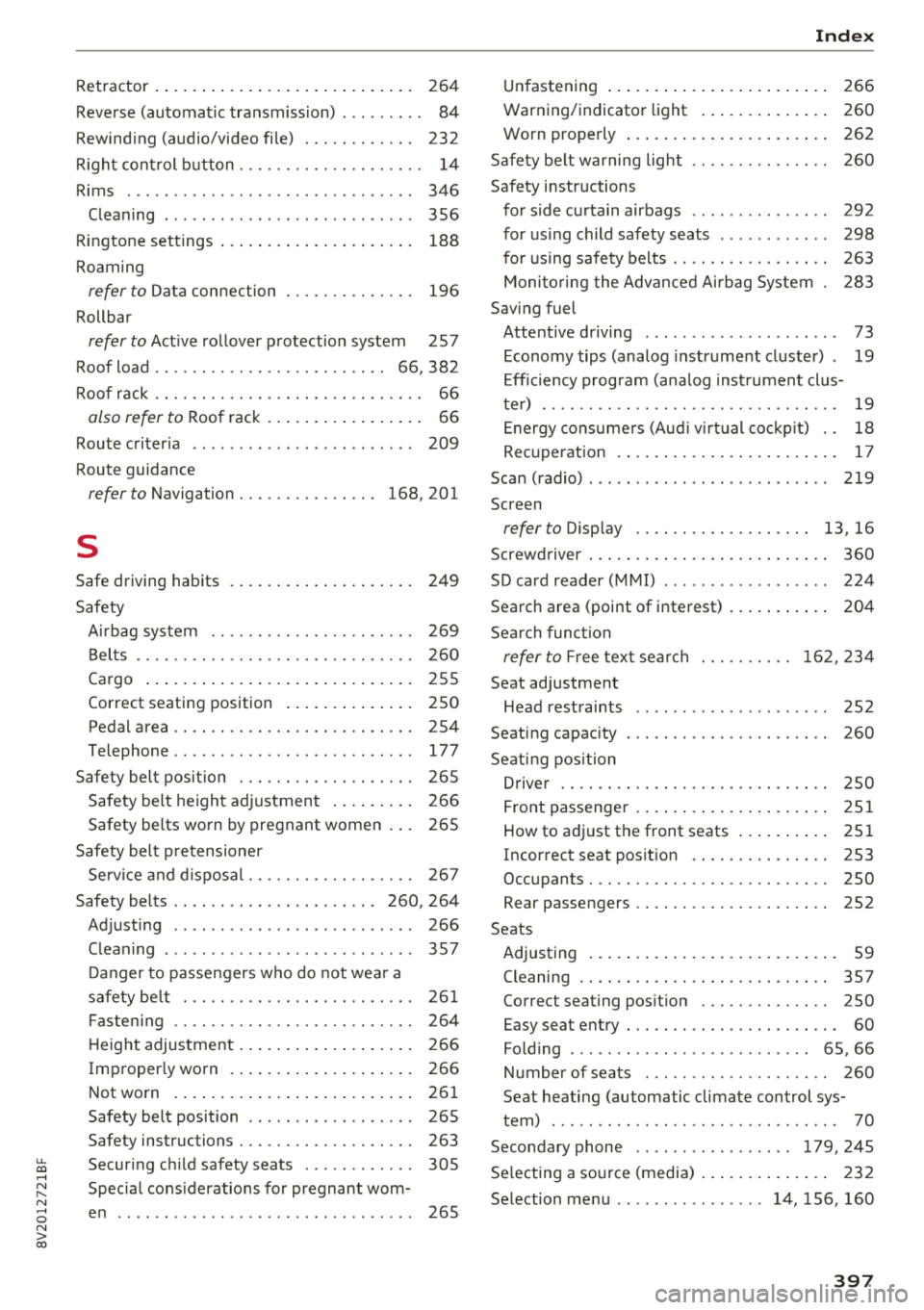
Retractor . . . . . . . . . . . . . . . . . . . . . . . . . . . . 264
Reverse (automatic transmission) . . . . . . . . . 84
Rewinding (audio/video file) . . . . . . . . . . . . 232
Right control button . . . . . . . . . . . . . . . . . . . . 14
Rims ..... .. .. ................ ... .. . 346
Cleaning . . . . . . . . . . . . . . . . . . . . . . . . . . . 356
Ringtone settings . . . . . . . . . . . . . . . . . . . . . 188
Roaming
refer to Data connection . . . . . . . . . . . . . . 196
Rollbar
refer to Active rollover protection system 257
Roof load . . . . . . . . . . . . . . . . . . . . . . . . . 66, 382
Roof rack . . . . . . . . . . . . . . . . . . . . . . . . . . . . . 66
also refer to Roof rack . . . . . . . . . . . . . . . . . 66
Route criteria . . . . . . . . . . . . . . . . . . . . . . . . 209
Route guidance
refer to Navigation . . . . . . . . . . . . . . . 168, 201
s
Safe driving habits
Safety 249
A irbag system . . . . . . . . . . . . . . . . . . . . . . 269
Belts . . . . . . . . . . . . . . . . . . . . . . . . . . . . . . 260
Cargo . . . . . . . . . . . . . . . . . . . . . . . . . . . . .
255
Correct seating position . . . . . . . . . . . . . . 250
Pedal area . . . . . . . . . . . . . . . . . . . . . . . . . . 254
Telephone .. .. ............... .. .. .. . 177
Safety belt position . . . . . . . . . . . . . . . . . . . 265
Safety belt height adjustment . . . . . . . . . 266
Safety belts worn by pregnant women . . . 265
Safety belt pretensioner
Service and disposal. . . . . . . . . . . . . . . . . .
267
Safety belts . . . . . . . . . . . . . . . . . . . . . . 260, 264
Adjusting . . . . . . . . . . . . . . . . . . . . . . . . . . 266
Cleaning . . . . . . . . . . . . . . . . . . . . . . . . . . . 357
Danger to passengers who do not wear a
safety belt . . . . . . . . . . . . . . . . . . . . . . . . .
261
Fastening . . . . . . . . . . . . . . . . . . . . . . . . . . 264
H eight adjustment . . . . . . . . . . . . . . . . . . . 266
Improperly worn . . . . . . . . . . . . . . . . . . . . 266
Not worn . . . . . . . . . . . . . . . . . . . . . . . . . . 261
Safety belt position . . . . . . . . . . . . . . . . . . 265
Safety instructions . . . . . . . . . . . . . . . . . . . 263
Securing child safety seats . . . . . . . . . . . . 305
Special considerations for pregnant wom-
en . . . . . . . . . . . . . . . . . . . . . . . . . . . . . . . .
265
Index
Unfastening . . . . . . . . . . . . . . . . . . . . . . . . 266
Warning/indicator light . . . . . . . . . . . . . . 260
Worn properly . . . . . . . . . . . . . . . . . . . . . . 262
Safety belt warning light 260
Safety instructions
for side curtain airbags .............. .
292
for using child safety seats ........... . 298
for using safety belts ............. .. . . 263
Monitoring the Advanced Airbag System 283
Saving fuel
Attentive driving . . . . . . . . . . . . . . . . . . . . .
73
Economy tips (analog instrument cluster) . 19
Efficiency program (ana log instrument clus-
ter) . . . . . . . . . . . . . . . . . . . . . . . . . . . . . . . .
19
Energy consumers (Audi virtual cockp it) . . 18
Recuperation . . . . . . . . . . . . . . . . . . . . . . . . 17
Scan (radio) ..... .. .. ................ . 219
Screen
refer to Display . . . . . . . . . . . . . . . . . . . 13, 16
Screwdriver . . . . . . . . . . . . . . . . . . . . . . . . . . 360
SD card reader (MMI) . . . . . . . . . . . . . . . . . . 224
Search area (point of interest) . . . . . . . . . . . 204
Search function
refer to Fr ee text search
Seat adjustment 162,234
Head restraints . . . . . . . . . . . . . . . . . . . . .
252
Seating capacity . . . . . . . . . . . . . . . . . . . . . . 260
Seating position
Driver . . . . . . . . . . . . . . . . . . . . . . . . . . . . .
250
Front passenger . . . . . . . . . . . . . . . . . . . . . 251
How to adjust the front seats . . . . . . . . . . 251
Incorrect seat position . . . . . . . . . . . . . . . 253
Occupants. . . . . . . . . . . . . . . . . . . . . . . . . . 250
Rear passengers . . . . . . . . . . . . . . . . . . . . . 252
Seats
Adjusting . . . . . . . . . . . . . . . . . . . . . . . . . . .
59
Cleaning . . . . . . . . . . . . . . . . . . . . . . . . . . . 357
Correct seating position . . . . . . . . . . . . . . 250
Easy sea t entry . . . . . . . . . . . . . . . . . . . . . . . 60
Folding . . . . . . . . . . . . . . . . . . . . . . . . . . 65, 66
Number of seats . . . . . . . . . . . . . . . . . . . . 260
Seat heating (automatic climate control sys-
tem) . . . . . . . . . . . . . . . . . . . . . . . . . . . . . . .
70
Second ary phone .. .. ............. 179,245
Se lecting a source (media) . . . . . . . . . . . . . . 232
Selection menu .. .. .. .......... 14, 156, 160
397
Page 400 of 404
Index
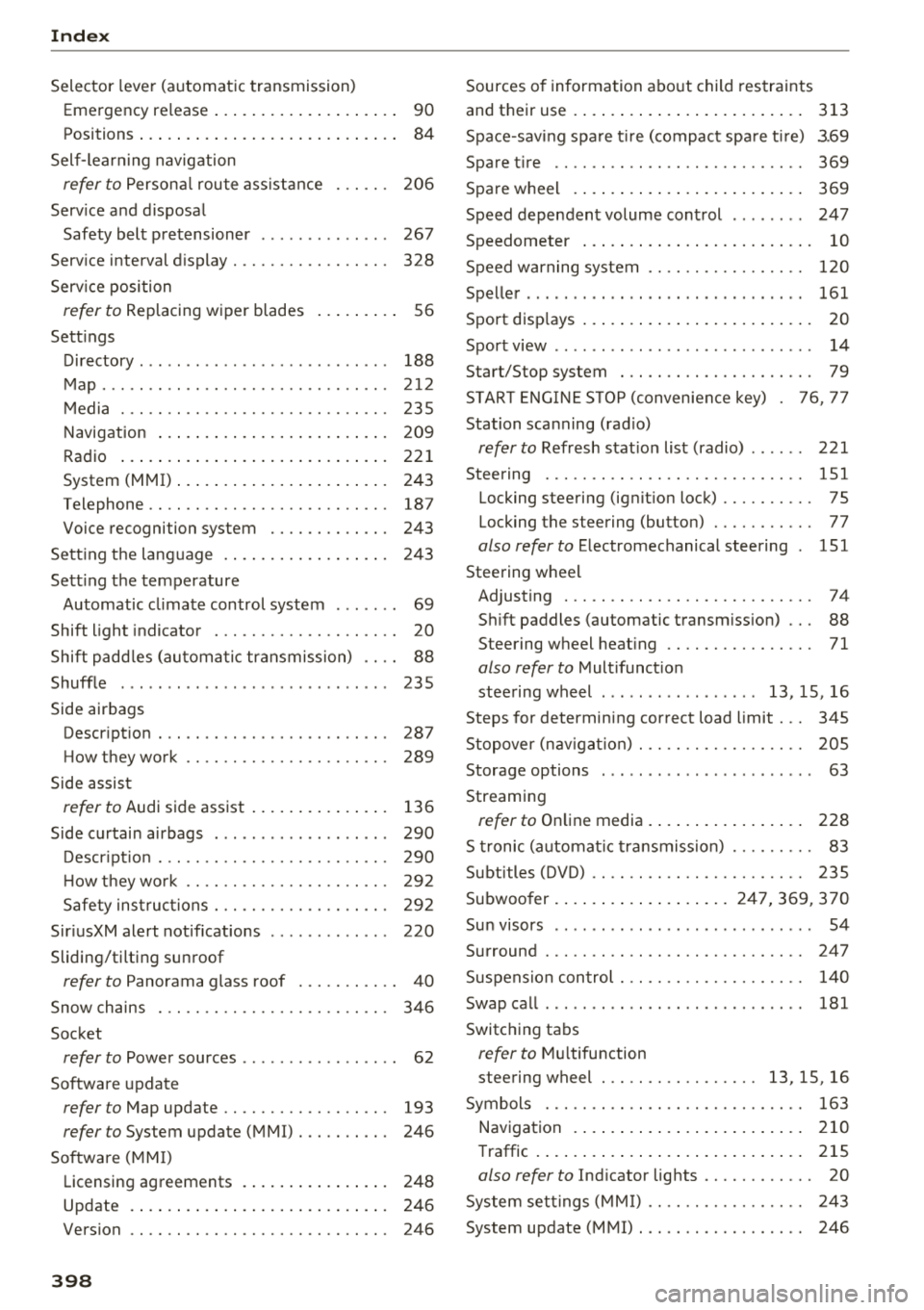
Selector lever (automatic transmission)
Emergency release . . . . . . . . . . . . . . . . . . . .
90
Positions . . . . . . . . . . . . . . . . . . . . . . . . . . . . 84
Self -lear ning navigation
refer to Persona l rou te ass ista nce . . . . . . 206
Serv ice and d isposa l
Safety belt p retensioner . . . . . . . . . . . . . .
267
Serv ice interval d isplay . . . . . . . . . . . . . . . . . 328
Serv ice position
refer to Replacing w iper blades . . . . . . . . . 56
Sett ings
D ' t irec ory . . . . . . . . . . . . . . . . . . . . . . . . . . . 188
M ap. .. .. .. .. .. ............. .. .. .. . 2 12
M edia . . . . . . . . . . . . . . . . . . . . . . . . . . . . . 235
Navigat ion . . . . . . . . . . . . . . . . . . . . . . . . . 209
R adio ... ...... ... .. ..... ... .. .. ... 22 1
System (MMI) ...... .. ..... ... .. .. ... 243
Telephone . . . . . . . . . . . . . . . . . . . . . . . . . . 187
Voice recognition system . . . . . . . . . . . . . 243
Se tt ing t he lang uage . . . . . . . . . . . . . . . . . . 243
Sett ing t he temperature
Automatic cl imate control system . . . . . . .
69
Shift light indicator . . . . . . . . . . . . . . . . . . . . 20
Shift padd les (au tom atic transmission) . . . . 88
Shuffle . . . . . . . . . . . . . . . . . . . . . . . . . . . . . 235
Side airbags
Descr ipt ion . . . . . . . . . . . . . . . . . . . . . . . . .
287
How they wo rk . . . . . . . . . . . . . . . . . . . . . . 289
Side assis t
refer to Audi side assist . . . . . . . . . . . . . . . 13 6
Side cur tain airbags . . . . . . . . . . . . . . . . . . . 290
D ..
escnpt 1o n . . . . . . . . . . . . . . . . . . . . . . . . . 290
H ow t hey wo rk . . . . . . . . . . . . . . . . . . . . . . 29 2
s f t . t t' a e yins rue ions . . . . . . . . . . . . . . . . . . . 29 2
Sir iusXM alert notif icat ions . . . . . . . . . . . . . 220
Sliding/tilting sunroof
refer to Panorama glass roof . . . . . . . . . . . 40
Snow chains . . . . . . . . . . . . . . . . . . . . . . . . . 34 6
Socket
refer to Power sources . . . . . . . . . . . . . . . . . 62
So ftware updat e
refer to Map update . . . . . . . . . . . . . . . . . . 193
refer to System update (MMI) . . . . . . . . . . 246
So ftware ( MMI)
Licensing agreements . . . . . . . . . . . . . . . .
248
Update . . . . . . . . . . . . . . . . . . . . . . . . . . . . 246
Version . . . . . . . . . . . . . . . . . . . . . . . . . . . . 246
398
Sources o f information abo ut child restraints
and their use
. . .. .... .. ... .. ..... ... ..
Space-sav ing spa re t ire (compact spa re t ire)
Spare t ire .. .. .. .. .. .. ............. . .
Spare w heel . ... .... .. ... .. ..... ... . .
313
3 .69
369
369
Speed dependen t volume con trol . . . . . . . . 24 7
Speedometer . . . . . . . . . . . . . . . . . . . . . . . . .
10
Speed warning system . . . . . . . . . . . . . . . . . 120
Spel ler . . . . . . . . . . . . . . . . . . . . . . . . . . . . . . 161
Sport disp lays . . . . . . . . . . . . . . . . . . . . . . . . . 20
Sport view . . . . . . . . . . . . . . . . . . . . . . . . . . . . 14
Start/Stop system . . . . . . . . . . . . . . . . . . . . . 79
STAR T ENG IN E ST OP (conven ience key) . 76 , 7 7
Station scanning (rad io)
refer to Refresh stat io n list (radio) . . . . . . 221
Steering 151
Locking steering (ignit ion lock) . . . . . . . . . . 75
Locking the steering (button) . . . . . . . . . . . 77
also refer to E lectromechanical steering 151
Steering w heel
Adjusting . . . . . . . . . . . . . . . . . . . . . . . . . . .
74
S hi ft paddles (automatic transm iss ion) . . . 88
Steering wheel heat ing . . . . . . . . . . . . . . . . 71
also refer to Mult ifunct io n
stee ring wheel . . . . . . . . . . . . . . . . .
13 , 15, 16
Steps for determining correct load limit . . . 345
Stopover (nav iga tion) . . . . . . . . . . . . . . . . . . 2 05
Storage options . . . . . . . . . . . . . . . . . . . . . . . 63
Streaming
refer to On line media . . . . . . . . . . . . . . . . . 228
S tr onic (automat ic t ra nsmiss ion) . . . . . . . . . 83
Subtitles (DVD) . . . . . . . . . . . . . . . . . . . . . . . 235
Subwoo fer . ... .. .... .. ... .. .. 247, 3 69, 370
Sun visors . . . . . . . . . . . . . . . . . . . . . . . . . . . . 54
Surround . . . . . . . . . . . . . . . . . . . . . . . . . . . . 247
Suspension con trol . . . . . . . . . . . . . . . . . . . . 140
Swap ca ll . . . . . . . . . . . . . . . . . . . . . . . . . . . . 181
Switc hing tabs
refer to M ultifunction
steering wheel . . . . . . . . . . . . . . . . .
13, 15, 16
Symbols . . . . . . . . . . . . . . . . . . . . . . . . . . . . 163
Naviga tion . . . . . . . . . . . . . . . . . . . . . . . . . 210
T raffic . . . . . . . . . . . . . . . . . . . . . . . . . . . . . 215
also refer to Ind icator lights . . . . . . . . . . . . 20
System set tings (MMI) . . . . . . . . . . . . . . . . . 2 43
System update (MMI) . . . . . . . . . . . . . . . . . . 246