ad blue AUDI S3 SEDAN 2018 Owner's Manual
[x] Cancel search | Manufacturer: AUDI, Model Year: 2018, Model line: S3 SEDAN, Model: AUDI S3 SEDAN 2018Pages: 404, PDF Size: 62.3 MB
Page 237 of 404
-Move favorite : select a favorite from the list>
right contro l button > Move favorite . Select
and confirm the location of the se lected favor
ite.
- Deleting a favorite : select a favorite from the
list>
right contro l button > Delete favorite >
Delete this favorite or Delete all favorites .
Additional settings
Options menu
Context-specific functions and settings are avail
ab le depending on the selected so urce.
.,. Press the right control button.
Sound settings
See q page 247.
Input level
Requirement: a mobile device m ust be connected
to the AUX connection cable or to a USB adapter
q page 229, Multimedia connections.
The vo lume of the mobi le device is adapted to
the MMI. Audi recommends adjusting the vo lume
on the mobile device to
70% of the maximum
volume output.
Bluetooth settings
See q page 246.
Wi-Fi settings*
See q page 195, Wi-Fi hotspot .
Connection manager
See q page 244.
Additional track information
With the function switched on l;1 and a playlist
open, var ious information about the current track
(such as a rtist, album and album cover*) as well
as the playing time and the remaining playing
time are displayed.
u. co ... N ~ l) Th e fun ctio n automat ic ally sw itc hes off when th e sou rce
8 is ch an ged . N &j 2> This fun ctio n is not availa ble fo r all cell phone s.
Media
Jukebox memory capacity*
Information on the Jukebox memory capacity and
the number of stored tracks in the Jukebox is dis
played.
Rewind/Fast forward
T urn the cont rol knob to the left or to the right.
Or: move your finger across the MMI touch con
trol pad* from left to right.
Shuffle1>
With the function switched on 1;1, all files in the
playlist are played and shown in random order.
Repeat track1>
When the funct ion is switched on 1;1, the current
track repeats.
Back to 'Playback'
The options menu is closed. The track currently
playing appears in the playlist.
Play similar music*
The track currently playing is quickly analyzed
(s uch as artists, genres, mood , beat) and a smart
playlist with simi lar trac ks is shown .
Play more ...
A smart playlist is shown based on the track cur
r ently playing. You can select between a p laylist
with more tracks
by this artist , from this album
o r of this genre.
Copy to jukebox*
See q page 225, Adding files to the Jukebox .
Set as ringtone*2>
Requirement: a cell phone must be connected to
the MMI. The track currently play ing must be in
the Jukebox"
q page 225.
The selected track wi ll be used as the ringtone
for incoming calls.
235
Page 241 of 404
u. 00 .-< N l' N .-< 0 N > 00
Media
-Specia l characte rs (such as those in 10 3 tag
i nformat ion) d isp lay different ly depending o
n the sys tem lan guage an d cannot always
be guaranteed.
Troubleshooting
Problem Solution
Audi music interface /Bluetooth
Read the instructions in the chapter ¢ page 229, Multimedia con -
audio player*: mobile dev ice is nections/ ¢ page 226, Bluetooth audio player. You can lear n
not supported. about supported mobile devices in the Aud i database for mobile
dev ices at www .audiusa .com/bluetooth .
Audi music interface : the volume A
dju st the volume of the mobile device to approximate ly 70% of
is too high/too low when sta rt ing the maxim um output ¢
page 235, Input level.
playback th rough the AUX inp ut.
Audi music interface : the porta- For many ce ll phones o r mobi le devices, playback is not possib le
ble device is no t recogni ze d a s a when t he batt ery leve l is to o low (less th an 5% of its cap aci ty).
so urce . The mobile de·vice will on ly be recog nized as a so urce in t he MM I
afte r con necting if the ba tte ry charge is s ufficient.
Audi music interface : malfunc-The Bluetooth audio player function is switched on . Sw itch this
t ions during audio playback function off
ca> page 246 when yo u are not using the Bluetooth
t h rough an iPod/ iPhone. audio player .
Audi music interface :
contents Reset the Media settings to the factory defau lt settings
that are c hanged on a mob ile de-
¢page 244.
vice connected to the Audi music
interface
a ) a re not d isp layed in
t he med ia center .
AUX input : there is stat ic when W
hen connecting a nd disconnecting, the External audio player
connect ing and disconnect ing the source is a lready selected. Before connecting or disconnecting the
AUX connection cable. mobile device, eithe r mute the dev ice (see
¢ page 247) or switch
to a different audio so urce (fo r example
<=> page 218 , Opening the
radio) .
Bluetooth audio player * /Wi-Fi On ly one interface s hou ld be ac tively used at a time to ens ure
audio player *: audio playback in- p ro blem -free playback .
te rfe rence.
Wi -Fi audio player* : audio p lay- Aud io playb ac k i nterfe re nce can o ccur on some ce ll phones if the
back inte rference . In ter net connect ion in t he vehicle was not es tablished throug h
t he S IM ca rd reade r on the MM I contro l pane l and the
mobile da-
ta
option on the ce ll phone is swi tc h ed on . Deactiva te t he mobile
data
option on your cell p hone .
Jukebox *: tracks on the impo rted W hen import ing p lay lists, a ll of the fi les themse lves mus t be im-
playlist are g raye d ou t. ported.
Jukebox*: imported tracks cannot I f yo u cannot find imported trac ks in the media center, they may
be played o r found. not be supported . Only copy supported fi les
¢ page 237to the
J ukebox .
239
Page 242 of 404
Media
Problem Solution
Wi-Fi audio playe r*:
multiple de- Close the Audi MMI connect app on the connected devices (for ex -
vices are connected to the Wi-Fi ample, smartphones) that are not being used as the Wi-Fi audio
hotspot. A media player (such as a player*. Likewise, close the UPnP server apps or the media permis-
smartphone) appears as the sions on the integrated UPnP/DLNA server. Connect the desired
source and cannot be changed. dev ice as a Wi-F i aud io player*
~page 227.
Online media*: connection failed
To establish a connection to the MMI, the MMI connection switch
between the MMI and the
Audi must be switched on in the Audi MMI connect app status screen .
MMI connect app.
Bluetooth audio player *: inte rfer -Playback interfere nce can occur when us ing the Bluetooth audio
ence wi th t rack d isp lay and audio player if a music player app from a third party provider is open.
playback. Audi recommends using the integrated media p layer on your Bl ue-
tooth device (such as a smartphone).
Wi-Fi hotspot *: your Wi-Fi device Make sure the network optim izat ion functions are sw itched off in
is disconnected from the W i- Fi the Wi-Fi setti ngs or in the network settings for your W i- Fi dev ice.
ho tspot. For additional information refer to the user guide for your Wi-Fi
device.
Audi music interface: aud io play- Make sure the USB mode MTP is selected in the sett ings on your
back through the connected mo- mob ile device.
bile device is not possible .
a) Applies only to MTP devices. Does not app ly to Apple dev ices and USB m ass storage dev ices.
240
Page 246 of 404
System settings
wait for the sig nal t one (bee p) to say a new
command.
Volume : you can a djust th e vol ume of th e
p romp ts by turning the con tro l k no b.
Individual speech training (on ly when the v ehi
cle is s ta ti onary): yo u ca n ad apt the vo ice recog
ni tion sy ste m to your voic e or pro nunciati on in
or der to im prove the sys tem's a bili ty to re co gni ze
your speec h. Indivi dua l speech train ing is com
p rised of 20 s peech ent ries t hat consist o f com
mands and sequences of numbers . You can de
lete the p rogrammed voice t rain ing with the
Re
set individual speech training
function.
Display brightness
You can a djust the brigh tness o f the Info tain
ment system disp lay by t urning the cont ro l knob.
Factory settings
D epe ndi ng on t he ve hicle eq uipme nt, th e fo llow
i ng fu nctio ns ca n b e rese t to factory se ttings :
-Sound settings
- Radio
- Media settings
- Jukebox *
- Directory
-Telephone
- Bluetooth and Wi-Fi*
- Navigation settings*
- Navigation and online memory *
- Speech dialog system*
- Message settings *
-Apps*
- Tool tips
- Audi connect*
- Audi smartphone interface *
You can select the des ired functions individually
or all at once with the option
Select all entries .
Select and confirm Restore factory settings .
(D Tips
-Make s ure that n ot on ly t he settings we re
d eleted but also the stored data, if ap plica
b le.
- Pleas e note t hat the vo ice reco gnit io n sys
te m* is not availab le in Cabr io lets .
244
Connection manager
Introduction
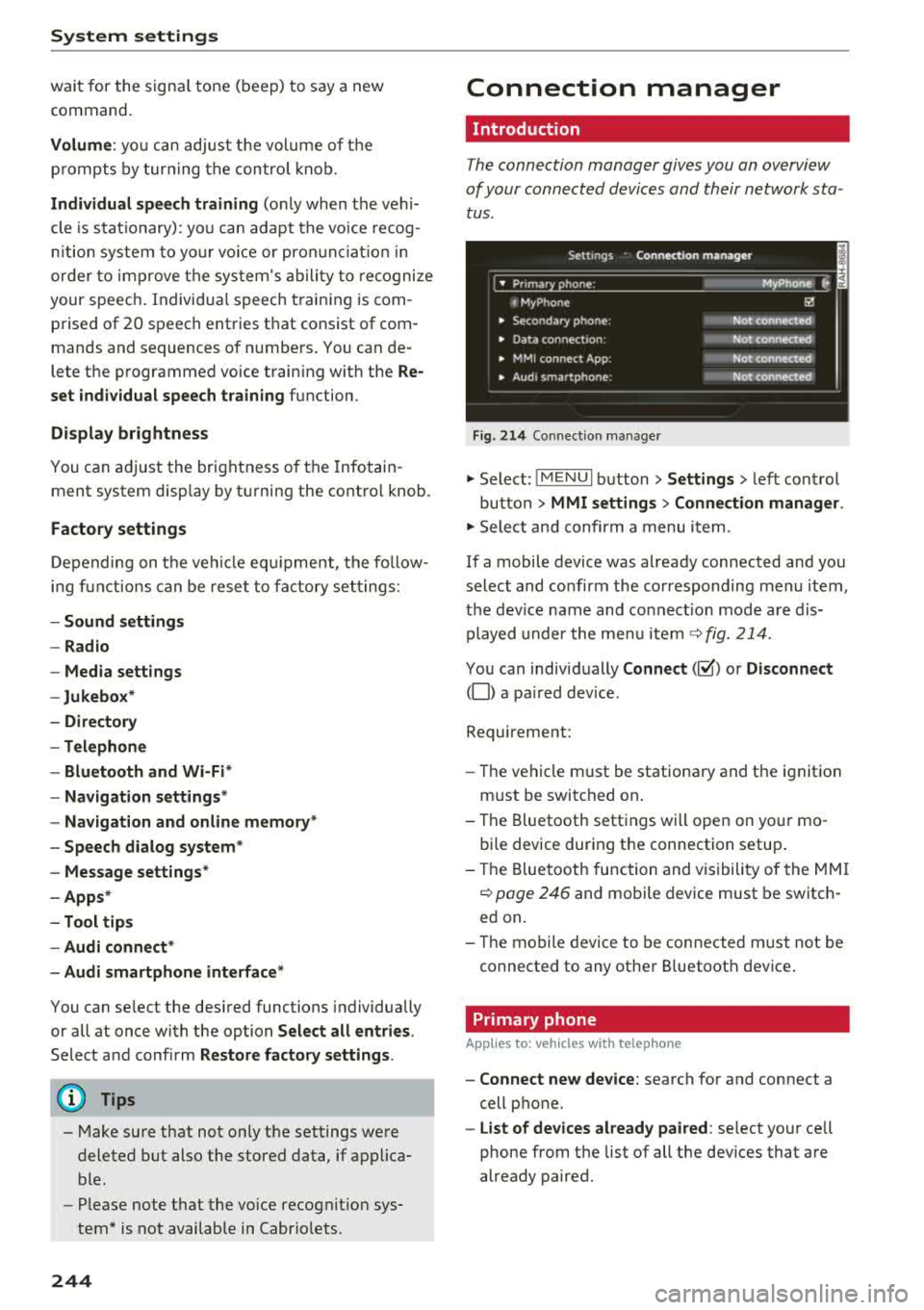
The connection manager gives you an overview
of your conn ected devic es and th eir network sta
tus .
Settings Conne -ction manager I
-====- ,.· • Prima hone: MyPhone .,.
c M yPhone
• Second ary phone :
• Data conn ection :
• MM I connect App :
• Audi smartphone:
Fig. 214 Co nnec tion man ag er
Ii'!
Not connected
Not
conn.,ct.,d
Not connected
Not
conn..cted
"' Select : !ME NUI bu tton> Settings > left con trol
bu tton >
MMI settings > Connection manager .
"'Sele ct a nd confirm a menu item.
If a mobile device was already connected and you
select and co nfirm the co rresponding menu item,
t h e dev ice name and co nnect ion mode a re dis
p layed under the menu i tem
r:!;> fig. 214 .
You can indiv id ually Connect (~ ) or Disconnect
(0) a pa ired device .
Requirement:
- The ve hicl e m ust be statio na ry and the ignit io n
m ust be switc hed on .
- Th e Bluetooth sett ings will open on yo ur mo
bi le device dur ing the connection setup .
- T he Blue tooth func tion and v is ibili ty of the MMI
c:!;> page 24 6 and mobile device must be switc h
ed on.
- T he mo bile device to be con nected m ust not be
connected to any othe r Bluetoot h dev ice .
Primary phone
App lies to: vehicles wit h telepho ne
- Connect new device: search for and connect a
cell p hone.
- List of devices already paired : select yo ur cell
phone from the list of all the dev ices that a re
already paired.
Page 247 of 404
u. 00 ... N l' N ... 0 N > 00
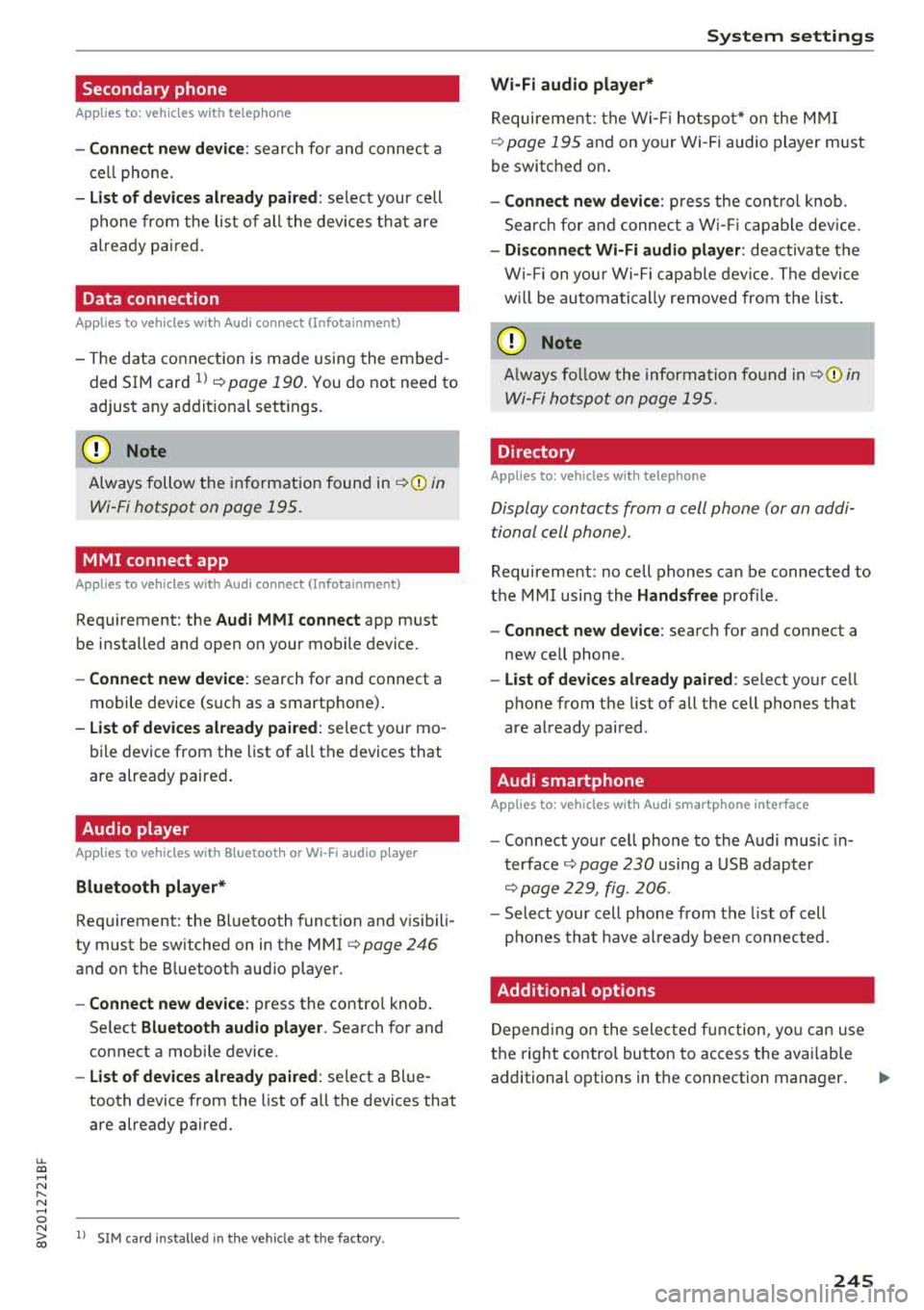
Secondary phone
Applies to: vehicles with telephone
-Connect new device : search for and connec t a
c e ll phone.
- List of devices already paired : selec t your cell
p hone fro m the lis t of all the devices t hat are
al re ad y p aired.
Data connection
Applies to vehicles with Audi connect (Infotainment)
- T he data conne ct ion is made using the em bed
ded SIM car d
ll i=>page 190. You do not need to
adjust a ny a ddit io n al sett ings.
{Ll) Note
Always follow t he inf ormat ion foun d in i=> @ in
Wi-Fi hotspot on page 195 .
MMI connect app
Applies to vehicles with Audi connect (Infotainment)
Requirement: the Audi MMI connect app m ust
be installed and open on your mobile device.
- Connect new device : search for and connect a
mobile device (s uch as a smartp hone) .
-List of devices already paired : selec t your mo
bile device from the list of a ll the devices that
are already paire d.
Audio player
Applies to vehicles with Bluetooth or Wi-Fi audio player
Bluetooth player*
Requirement: the Bluetooth funct ion and v is ibili
ty must be sw itched on in the MMI
i=> page 246
and on the B luetoot h aud io player.
- Connect new device : press the control knob.
Se lect
Bluetooth audio player . Search fo r and
connect a mobile device .
-List of devices already paired : select a Bl ue
tooth device from the list of a ll the devices that
are already paire d.
ll SIM card inst alle d in t he v eh icle at the fa ctory.
System settings
Wi-Fi audio player*
R eq uiremen t: th e W i-Fi h otspo t* on the M MI
i=> page 195 an d on yo ur Wi -Fi audio playe r must
be switched o n.
-Connect new device: press the co ntrol knob.
Se arch for and conne ct a W i-Fi ca pabl e dev ice.
- Disconnect Wi-Fi audio player: de activate t he
W i-Fi on you r W i-Fi capa ble dev ice. The devi ce
w ill be au tom atic a lly removed from the lis t.
@ Note
Alway s follo w the inf ormat ion foun d in i=> @ in
W i-F i h ots pot on p age 195.
Directory
Applies to: vehicles with telephone
Display contacts from a cell phone (or an addi
tiona l cell phone).
Requirement: no ce ll phones can be connec ted to
the MMI using the
Handsfree pro file.
- Connect new device: search for and connect a
new ce ll phone .
-List of devices already paired : select yo ur cell
phone from t he list of all the cell phones that
are a lready paired .
Audi smartphone
Applies to: vehicles with Audi smartphone interface
-Connect yo ur cell phone to the A udi music in
t erface
i=> page 230 using a USB adap ter
i=> page 22 9, fig. 2 06.
- Sel ect your cell p ho ne from t he list of cell
p ho nes th at h ave already bee n con nec ted.
Additional options
D epen ding on the sele cted fun ct ion, yo u ca n use
t h e righ t contro l bu tton to access the ava ila bl e
additional options in t he connection mana ger .
.,.
245
Page 248 of 404
System settings
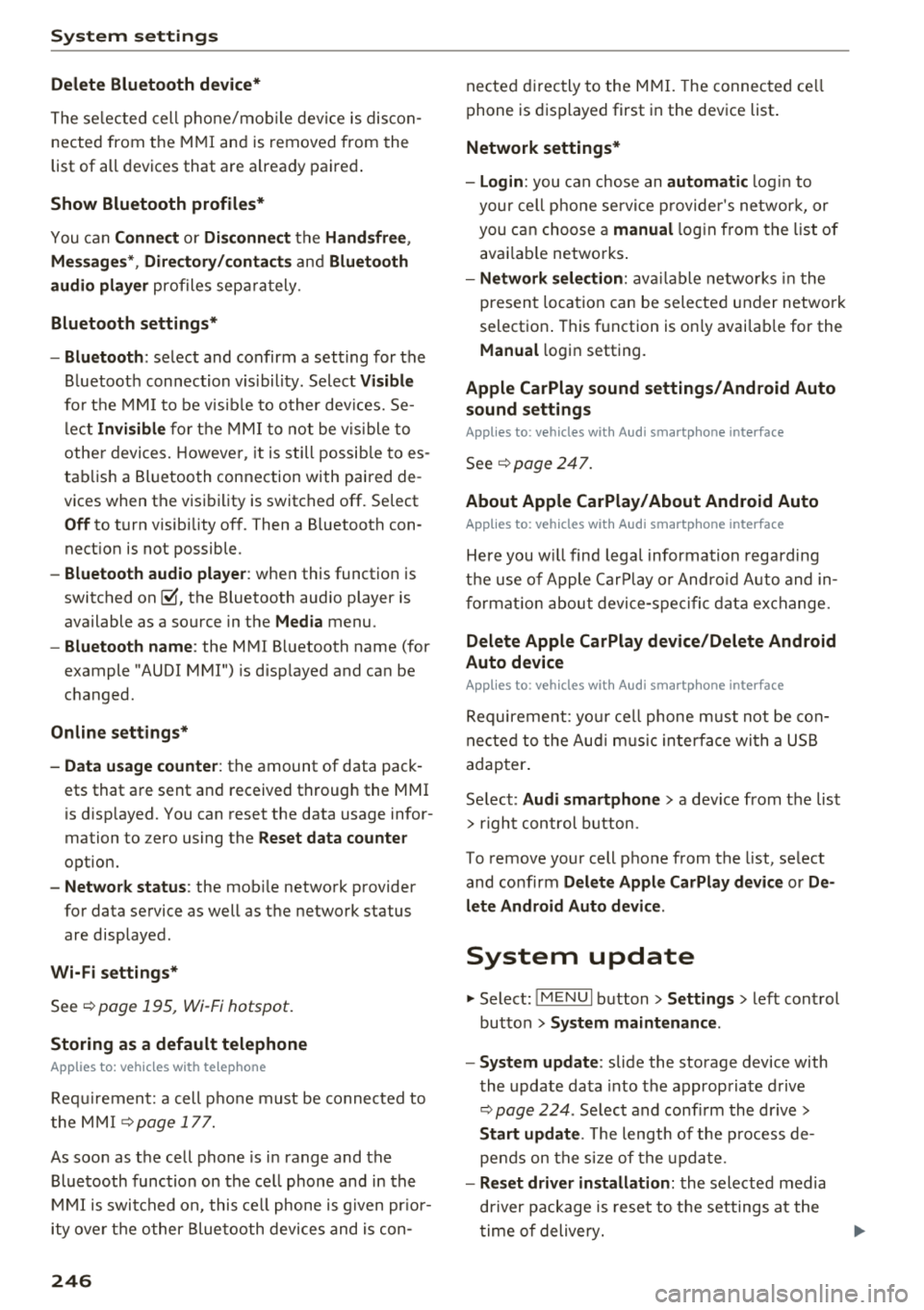
Delete Bluetooth device*
The se lecte d cell p ho ne/mo bile dev ice is dis con
nected from t he M MI and is removed from the
list of all devices that are alrea dy paire d.
Show Bluetooth profiles*
You can Connect or Disconnect the Handsfree ,
Me ssages *, Dire ctory /contacts
an d Bluetooth
audio player
pro files sep arately.
Bluetooth settings*
- Bluetooth :
select and confirm a set ting for the
B luetoot h connec tion v is ibility . Select
Visible
fo r th e MM I to be vis ib le to o ther dev ices. Se
l ec t
Invisible fo r th e M MI to not be v is ible t o
othe r devi ce s. H oweve r, it is still possib le to es
tab lish a Bl uetoo th con nection with pai red de
vices when the v is ibi lity is switched off. Se lect
Off to t urn visibi lity off . Then a B luetooth con
nect ion is not possible .
-Bluetooth audio player : when this function is
switc hed
on ~' the Bluetooth audio player is
available as a so urce in t he
Media menu .
-Bluetooth name : the MMI B luetooth name (for
example "AUDI MMI") is d isp layed and ca n be
c h anged.
Online settings*
- Data usage counter :
the amount of data pack
ets that a re sent a nd received throug h the MMI
is d isp layed. You can reset the data usage infor
mation to zero using the
Reset data counter
option.
- Network status : the mobile netwo rk p rovider
fo r data se rvice as well as the netwo rk status
are disp layed .
Wi-Fi settings*
See ¢ page 195, Wi -Fi hotspot.
Storing as a default telephone
Applies to: vehicles with telephone
Requir emen t: a cell phone must be connected to
t he MM I
¢page 17 7.
As soon as t he cell phone is i n range and the
B lue tooth func tion on the ce ll phone and in the
MM I is swi tched o n, this ce ll phone is g iven pr io r
ity ove r th e ot her Blue tooth devices and is c on-
246
necte d dir ectly to the M MI. The connec ted ce ll
p hone is d is pl ayed first in t he dev ice li st .
Network settings*
- Login :
you can chose an automatic log in to
your cell p ho ne servi ce pro vider 's ne twor k, or
you can ch oose a
manual log in from t he list of
avai la bl e netwo rks .
-Network selection : availabl e netwo rks in t he
presen t loca tion can be sele cte d unde r network
select io n. This f unction is on ly avai la bl e for the
Manual log in setting.
Apple CarPlay sound settings/ Android Auto
sound settings
Applies to: vehicles with Audi smartphone interface
See q page 24 7.
About Apple CarPlay/ About Android Auto
Applies to: vehicles with Audi smartphone interface
Here you w ill find l ega l informa tion regarding
t h e use o f A pple Car Play o r And ro id Aut o and in
fo rmat ion a bout device -s p eci fic d ata exch ange.
Delete Apple CarPlay device/Delete Android
Auto device
Applies to: vehicles with Audi smartphone interface
Require ment: yo ur cell phone must not be con
n ect ed to the Au di music interf ace wi th a USB
adap ter.
Se lec t:
Audi smartphone > a dev ice from t he lis t
> r igh t con trol b utto n.
To remove your cell p ho ne from the list, se lect
and co nfirm
Delete Apple CarPlay device or De
lete Android Auto device .
System update
"'Select : !ME NUI bu tton> Settings > left control
bu tton >
System maintenance.
- System update :
slide the storage device with
t he update da ta into the a pprop ria te drive
¢ page 224 . Selec t and conf irm the dr ive>
Start update . The length of the p rocess de
pe nds on the s ize of the upd ate.
- Reset driver installation: the selected media
dr iver p ackage is rese t to t he se ttings a t the
t im e of delivery .
Page 373 of 404
LL co .... N
" N .... 0 N > co
Fuses and bulbs
Fuses
Changing fuses
A fuse that has blown will have metal strips that
have burned through .
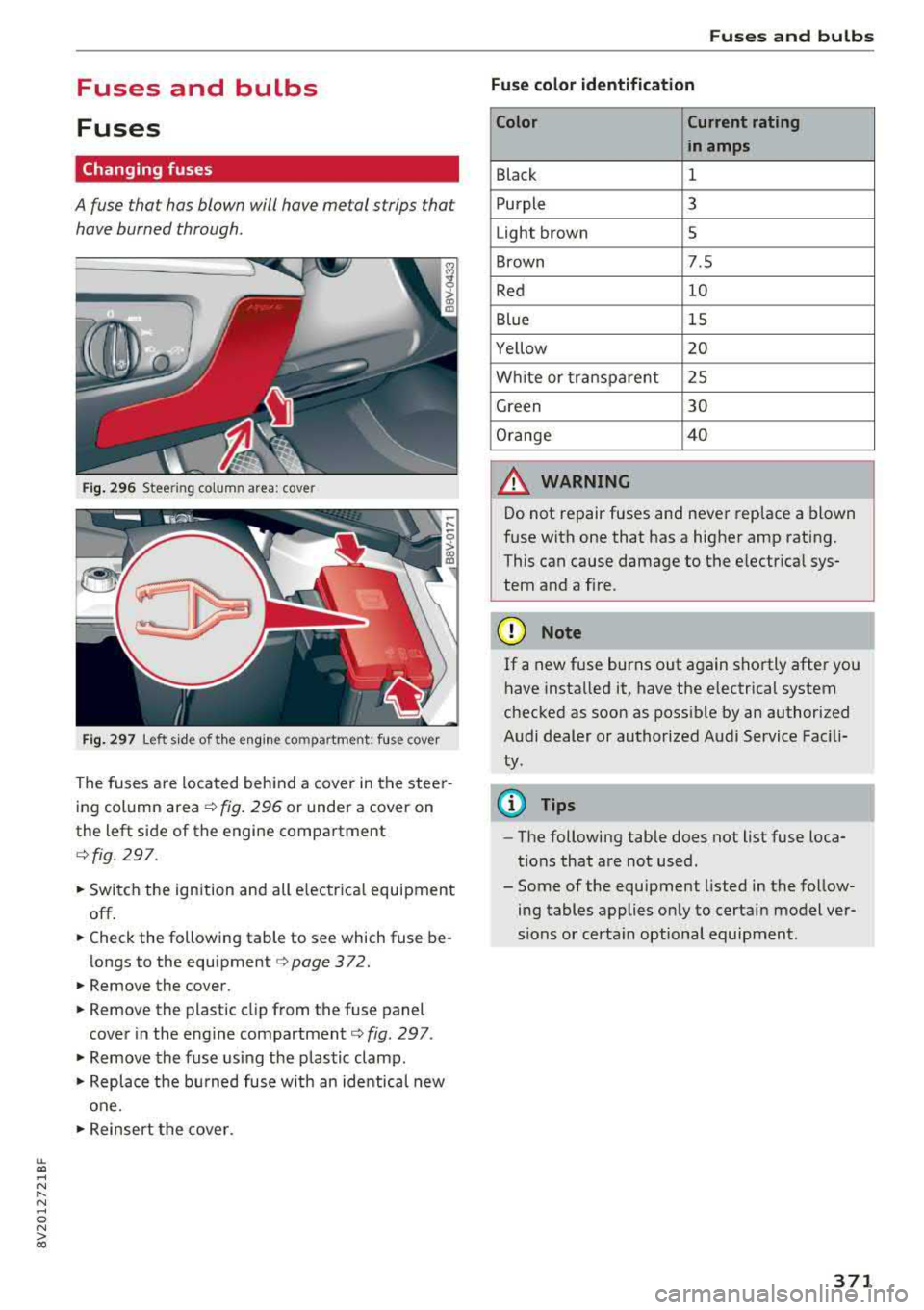
Fig. 2 96 Steering column area: cover
Fig. 297 Left s ide of the eng ine compartment: fu se cover
T h e fuses a re loca ted behind a cover in t he stee r
ing column area ¢
fig. 296 or under a cover on
the left side of the engine compartment
¢ fig. 297.
.. Switch the ignition and all e lectr ica l equipment
off.
.. Check the following table to see which fuse be
longs to the equipment
¢ page 372 .
.. Remove the cover .
.. Remove the plastic cl ip from the fuse panel
cove r in the engine
compartment¢ fig. 297 .
.. Remove the fuse using the plastic clamp .
.. Replace the burned fuse w ith an identical new
one .
.. Reinsert the cove r.
Fuses and bulbs
Fuse color identification Color Current rating
in amps
Black 1
P urple 3
Light brown 5
Brown 7.5
Red 10
Blue 15
Yellow 20
W hite or tra nspa rent 25
Green 30
O range 4 0
_& WARNING
-
Do not repair fuses and neve r rep lace a blown
f u se with one that has a higher amp rating.
This can cause damage to the e lectr ica l sys
tem and a fi re .
@) Note
If a new fuse burns out again shortly afte r you
have insta lled it, have the electrical system
chec ked as soon as poss ible by an authorized
Audi dealer or authorized Audi Service Fac ili
ty.
(D Tips
- The following table does not list fuse loca
tions that are not used.
- Some of the equipment listed in the fo llow
ing tables applies on ly to certain model ver
sions or certa in optional equipment.
371
Page 374 of 404
Fuses and bulbs
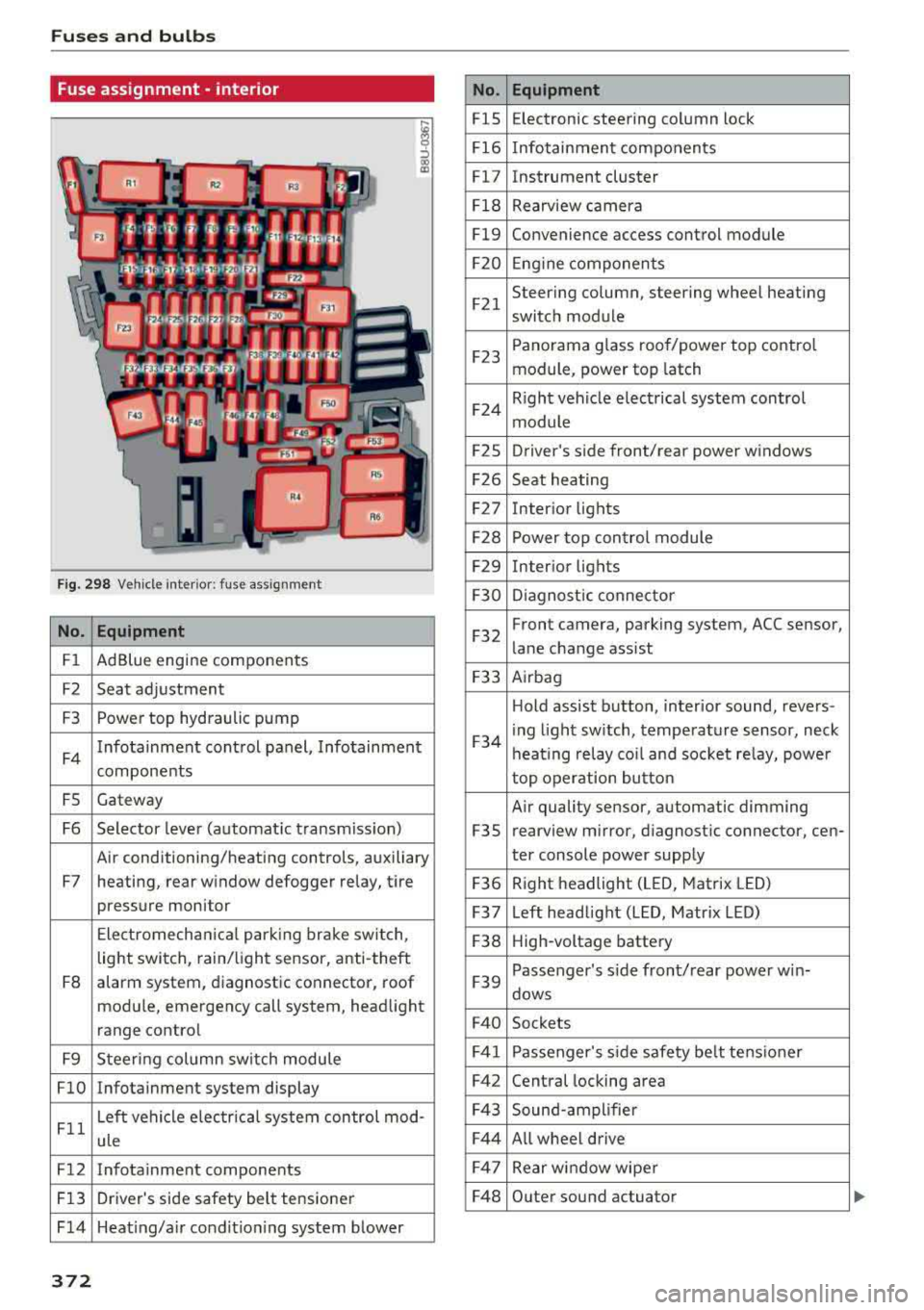
Fuse ass ignment - interior
ij
::, CX) ID
F ig. 298 Vehicle interior: fuse assignment
No. Equipment
Fl Ad Blue engine components
F2 Seat adjustment
F3 Power top hydraulic pump
F4 Infotainment control panel,
Infotainment
components
FS Gateway
F6 Selector lever (automat ic transm iss ion)
Air conditioning/heating controls, auxiliary
F7 heating, rear window defogger relay, tire pressure monitor
Electromechan ical park ing brake switch,
light switch, rain/light sensor, anti-theft
F8 alarm system,
diagnostic connector, roof
module, emergency call system, head light
range control
F9 Steering col umn sw itch module
FlO Infotainment system display
Fll Left vehicle electrica
l system control mod-
ule
F12 Infotainment components
F13 Driver's side safety belt tensioner
F 14 Heat ing/a ir condit ion ing system blower
372
No . Equipment
FlS Electronic
steering column lock
F16 Infotainment components
Fl7 Instrument cluster
Fl8 Rearview camera
Fl9 Convenience access control module
F20 Engine components
F21 Steering column, steering wheel heating
switch module
F23 Panorama glass
roof/power top control
module, power top latch
F24 R
ight vehicle electrical system control
module
F2S Driver
's side front/rear power windows
F26 Seat heating
F27 Interior
lights
F28 Power top control module
F29 Interior lights
F30 Diagnostic connector
F32 Front camera, parking
system, ACC sensor,
lane change assist
F33 Airbag
Hold assist button, interior sound, revers-
F34 i
ng light sw itch, temperature sensor, neck
heating relay coil and socket relay, power
top operation button
Air quality sensor, automatic dimming
F3S rearview
mirror, diagnostic connector, cen-
ter console power supply
F36 Right
headlight (LED, Matrix LED)
F37 Left headlight (LED, Matrix LED)
F38 High-voltage battery
F39 Passenger
's side front/rear power w in-
dows
F40 Sockets
F41 Passenger's sid e safe ty be lt tens ioner
F42 Central locking area
F43 Sound-amplifier
F44 All wheel drive
F47 Rear window wiper
F48 Outer sound actuator
Page 389 of 404
u. 00 .-< N l' N .-< 0 N > 00
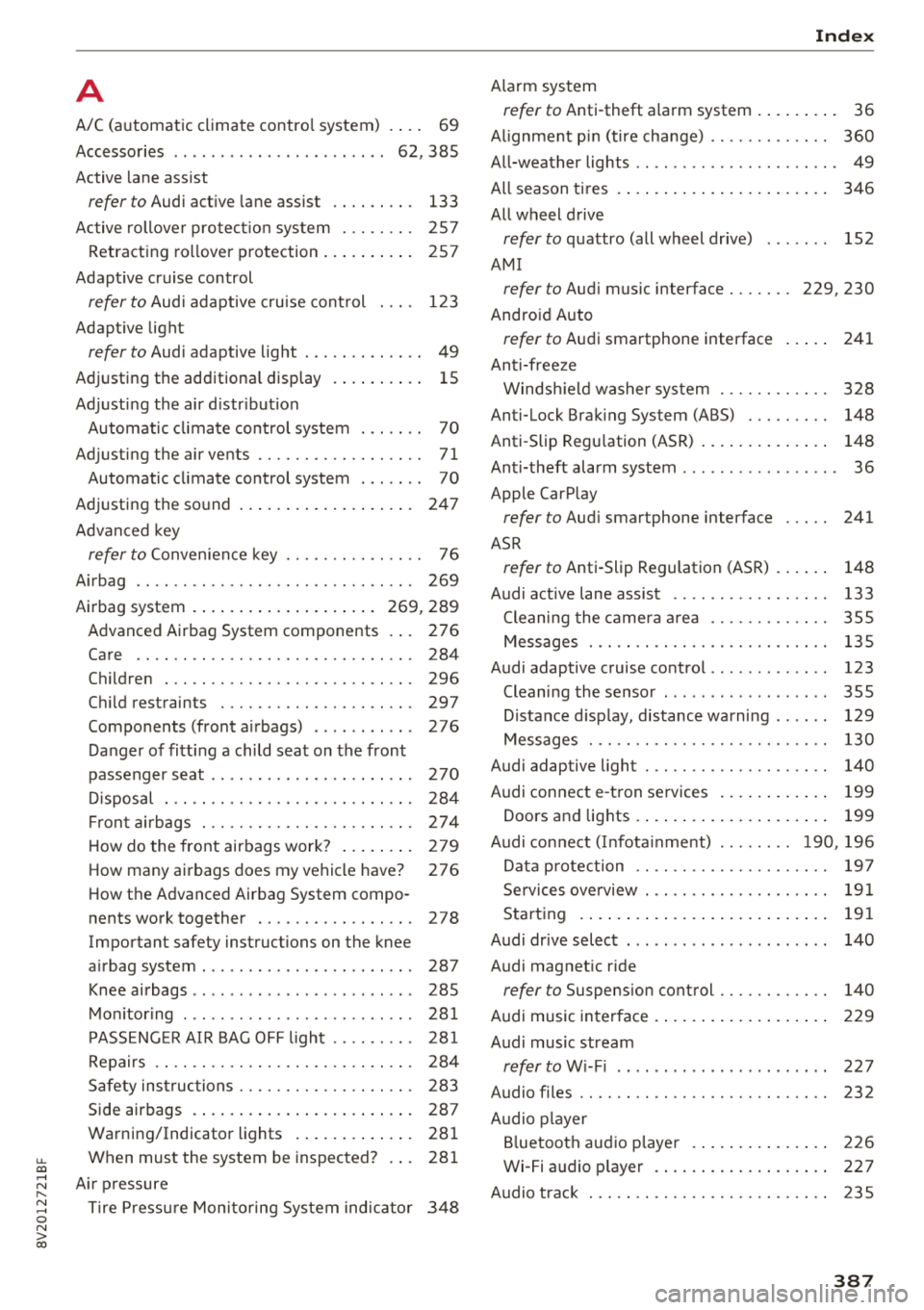
A
A/C (automatic climate control system)
Accessories
. . .. ................ ...
Active lane assist ..
.. 69
62 ,385
refer to Audi active lane assist . . . . . . . . . 133
Active rollover protection system . . . . . . . . 257
Retracting rollover protection . . . . . . . . . . 257
Adapt ive cruise control
refer to Audi adaptive cruise control . . . . 123
Adaptive light
refer to Audi adaptive light . . . . . . . . . . . . . 49
Adjusting the additiona l display . . . . . . . . . . 15
Adjusting the air d istr ibut ion
Automatic climate control system . . . . . . . 70
Adjusting the air vents . . . . . . . . . . . . . . . . . . 71
Automatic climate control system . . . . . . . 70
Adjusting the sound . . . . . . . . . . . . . . . . . . . 247
Advanced key
refer to Convenience key . . . . . . . . . . . . . . . 76
Airbag .. .. .. .. ............... .. .. .. . 269
Airbag system . . . . . . . . . . . . . . . . . . . . 269, 289
Advanced Airbag System components . . . 276
Care . . . . . . . . . . . . . . . . . . . . . . . . . . . . . . 284
Children
Child restraints 296
297
Components (front airbags) . . . . . . . . . . . 276
Danger of fitting a child seat on the front
passenger seat . . . . . . . . . . . . . . . . . . . . . .
2 70
Disposal . . . . . . . . . . . . . . . . . . . . . . . . . . . 284
Fr ont airbags . . . . . . . . . . . . . . . . . . . . . . . 274
How do the front airbags work? . . . . . . . . 279
How many airbags does my vehicle have? 276
How the Advanc ed Airbag System compo-
nents wo rk together . . . . . . . . . . . . . . . . . 278
Important safety instructions on the knee
airbag system . . . . . . . . . . . . . . . . . . . . . . . 287
Knee airbags . . . . . . . . . . . . . . . . . . . . . . . . 285
Monitoring . . . . . . . . . . . . . . . . . . . . . . . . . 281
PASSENGER AIR BAG OFF light . . . . . . . . . 281
Repairs . . . . . . . . . . . . . . . . . . . . . . . . . . . . 284
Safety instructions . . . . . . . . . . . . . . . . . . . 283
Side airbags . . . . . . . . . . . . . . . . . . . . . . . . 287
Warning/Indicator lights . . . . . . . . . . . . . 281
Wh en must the system be inspected? . . . 281
Air pressure
Tire Pressure Monitoring System indicator 348
Index
Alarm system
refer to Anti-theft alarm system . . . . . . . . . 36
Al ignment pin (tire change) . . . . . . . . . . . . . 360
All-weather lights . . . . . . . . . . . . . . . . . . . . . . 49
All season tires . . . . . . . . . . . . . . . . . . . . . . . 346
All wheel drive
refer to quattro (all wheel drive) . . . . . . . 152
AMI
refer to Audi music interface . . . . . . . 229, 230
Android Auto
refer to Audi smartphone interface 241
Anti-freeze Windshield washer system . . . . . . . . . . . . 328
Anti-Lock Braking Sys tem (ABS) . . . . . . . . . 148
Anti-Slip Regu lation (ASR) . . . . . . . . . . . . . . 148
Anti-theft alarm system . . . . . . . . . . . . . . . . . 36
Apple CarP lay
refer to Audi sm artphone interface . . . . . 241
ASR
refer to Anti-Slip Regulation (ASR) . . . . . . 148
Audi active lane assist Cleaning the camera area
Messages ... .. .. .. ............... . .
Audi adaptive cruise control ............ .
Cleaning the sensor ................. .
Distance display, distance warning .. .. . .
Messages ... .. .. .. ............. .. . .
Audi adap tive light ... ............... . .
Audi connect e-tron services
............
Doors and lights .... ................ . 133
355
135
123
355 129
130
140
199
199
Audi connect (Infotainment) ........ 190, 196
Data protection . . . . . . . . . . . . . . . . . . . . . 197
Services overview . . . . . . . . . . . . . . . . . . . . 191
Starting . . . . . . . . . . . . . . . . . . . . . . . . . . . 191
Audi drive select . . . . . . . . . . . . . . . . . . . . . . 140
Audi magnetic ride
refer to Suspension control . . . . . . . . . . . . 140
Audi music interface . . . . . . . . . . . . . . . . . . . 229
Audi music stream
refer to Wi-Fi . . . . . . . . . . . . . . . . . . . . . . . 227
Audio files . . . . . . . . . . . . . . . . . . . . . . . . . . . 232
Audio player
Bluetooth audio player . . . . . . . . . . . . . . . 226
Wi-Fi audio p lay er . . . . . . . . . . . . . . . . . . . 227
Audio track 235
387
Page 390 of 404
Index
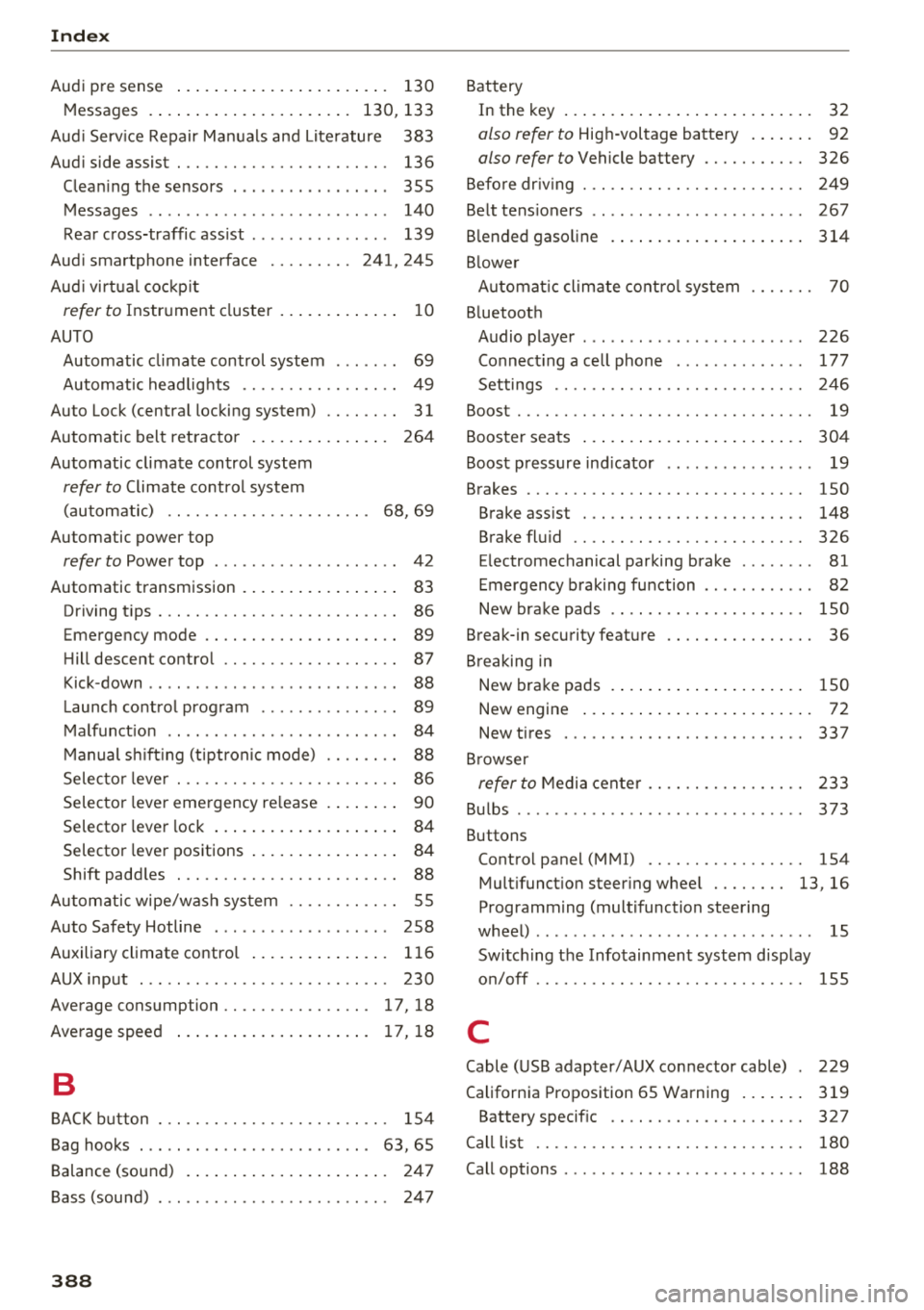
Audi pre sense . . . . . . . . . . . . . . . . . . . . . . . 130
Messages . . . . . . . . . . . . . . . . . . . . . . 130, 133
Aud i Service Repair Manuals and Literature 383
Audi side assist . . . . . . . . . . . . . . . . . . . . . . . 136
Cleaning the sensors . . . . . . . . . . . . . . . . . 355
Messages . . . . . . . . . . . . . . . . . . . . . . . . . . 140
Rear cross-traffic assist . . . . . . . . . . . . . . . 139
Audi smartphone interface . . . . . . . . . 241, 245
Aud i virtual cockp it
refer to Instrument cluster . . . . . . . . . . . . . 10
AUTO
Automatic climate control system . . . . . . .
69
Automatic headlights . . . . . . . . . . . . . . . . . 49
Auto Lock (centr al locking system) . . . . . . . . 31
Automatic belt retractor . . . . . . . . . . . . . . . 264
Automatic climate control system
refer to Climate control system
(automatic) . . . . . . . . . . . . . . . . . . . . . .
68, 69
Automatic power top
refer to Power top . . . . . . . . . . . . . . . . . . . . 42
Automatic transmission . . . . . . . . . . . . . . . . . 83
Driving tips . . . . . . . . . . . . . . . . . . . . . . . . . . 86
Emergency mode . . . . . . . . . . . . . . . . . . . . . 89
Hill descent control . . . . . . . . . . . . . . . . . . . 87
Kick -down . . . . . . . . . . . . . . . . . . . . . . . . . . .
88
Launch control program . . . . . . . . . . . . . . . 89
Malfunction . . . . . . . . . . . . . . . . . . . . . . . . . 84
Manual shift ing (tiptronic mode) . . . . . . . . 88
Selector lever . . . . . . . . . . . . . . . . . . . . . . . . 86
Selector lever emergency re lease . . . . . . . . 90
Selector lever lock . . . . . . . . . . . . . . . . . . . . 84
Selector lever positions . . . . . . . . . . . . . . . . 84
Shift padd les . . . . . . . . . . . . . . . . . . . . . . . . 88
Automatic wipe/wash system . . . . . . . . . . . . 55
Auto Safety Hotline . . . . . . . . . . . . . . . . . . .
258
Auxiliary climate contro l . . . . . . . . . . . . . . . 116
AUX input . . . . . . . . . . . . . . . . . . . . . . . . . . . 230
Average consumption ........... .... . 17, 18
Average speed . . . . . . . . . . . . . . . . . . . . . 17, 18
B
BACK button . . . . . . . . . . . . . . . . . . . . . . . . . 154
Bag hooks . . . . . . . . . . . . . . . . . . . . . . . . .
63, 65
Balance (sound) . . . . . . . . . . . . . . . . . . . . . . 247
Bass (sound) . . . . . . . . . . . . . . . . . . . . . . . . . 247
388
Battery
In the key . . . . . . . . . . . . . . . . . . . . . . . . . . .
32
also refer to High-voltage battery . . . . . . . 92
also refer to Vehicle battery . . . . . . . . . . . 326
Before driv ing . . . . . . . . . . . . . . . . . . . . . . . . 249
Belt tensioners . . . . . . . . . . . . . . . . . . . . . . . 267
Blended gasoline . . . . . . . . . . . . . . . . . . . . . 314
Blower
Automat ic climate control system . . . . . . .
70
Bluetooth
Audio player . . . . . . . . . . . . . . . . . . . . . . . .
226
Connecting a cell phone . . . . . . . . . . . . . . 177
Settings . . . . . . . . . . . . . . . . . . . . . . . . . . . 246
Boost . . . . . . . . . . . . . . . . . . . . . . . . . . . . . . . . 19
Booster seats . . . . . . . . . . . . . . . . . . . . . . . . 304
Boost pressure indicator . . . . . . . . . . . . . . . . 19
Brakes . . . . . . . . . . . . . . . . . . . . . . . . . . . . . . 150
Brake assist . . . . . . . . . . . . . . . . . . . . . . . . 148
Brake fluid . . . . . . . . . . . . . . . . . . . . . . . . . 326
Electromechanical parking brake . . . . . . . . 81
Emergency braking function . . . . . . . . . . . . 82
New brake pads . . . . . . . . . . . . . . . . . . . . . 150
Break-in security feature . . . . . . . . . . . . . . . . 36
Breaking in
New brake pads . . . . . . . . . . . . . . . . . . . . .
150
New engine . . . . . . . . . . . . . . . . . . . . . . . . . 72
New tires . .... .. .. .. ............. .. 337
Browser
refer to Media center . . . . . . . . . . . . . . . . . 233
Bulbs . . . . . . . . . . . . . . . . . . . . . . . . . . . . . . . 373
Buttons
Control panel (MMI) . . . . . . . . . . . . . . . . .
154
Multifunction steering wheel . . . . . . . . 13, 16
Programming (multifunction steering
wheel) . . . . . . . . . . . . . . . . . . . . . . . . . . . . . . 15
Switching the Infotainment system display
on/off . . . . . . . . . . . . . . . . . . . . . . . . . . . . .
155
C
Cable (USB adapter/AUX connector cable) 229
California Proposition 65 Warning . . . . . . . 319
Battery specific . . . . . . . . . . . . . . . . . . . . . 327
Call list . . . . . . . . . . . . . . . . . . . . . . . . . . . . . 180
Call options . . . . . . . . . . . . . . . . . . . . . . . . . . 188