brake light AUDI S4 2013 User Guide
[x] Cancel search | Manufacturer: AUDI, Model Year: 2013, Model line: S4, Model: AUDI S4 2013Pages: 302, PDF Size: 75.61 MB
Page 84 of 302
82 On the road
Starting the vehicle with the emergency
key
Applies to vehicles: with ig ni tion lock
You can use the emergency key as an ignition
key in on emergency.
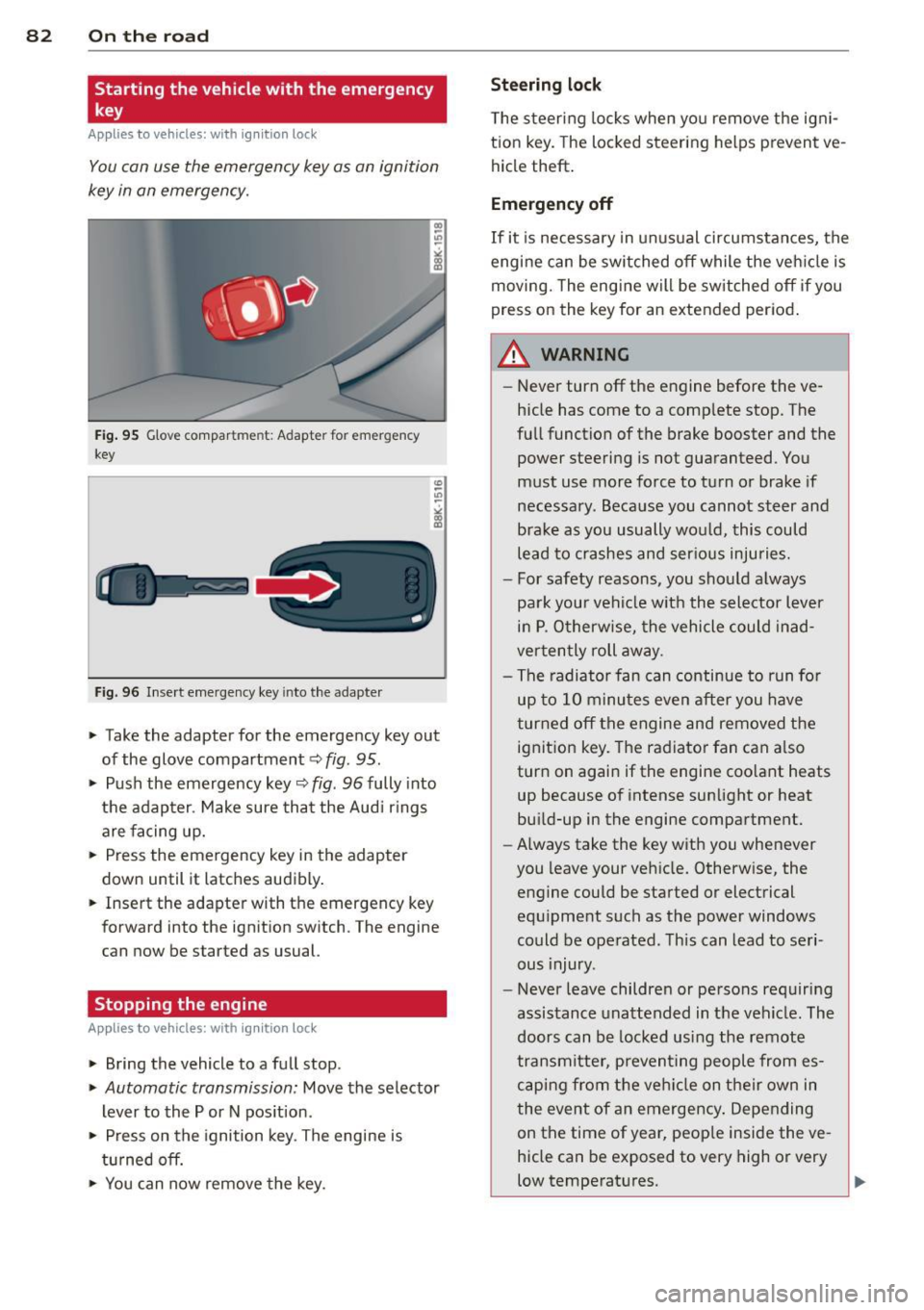
Fig. 95 G love compar tment: Adapter for emergency
key
Fig. 96 Insert emergency key into the adapter
.. Take the adapter for the emergency key out
of the glove compartment
c!> fig. 95 .
.. Push the emergency key c::> fig . 96 fully into
the adapter . Make sure that the Audi rings
are facing up.
.. Press the emergency key in the adapter
down until it latches audibly.
.. Insert the adapter with the emergency key
forward into the ignition switch. The engine
can now be started as usual.
Stopping the engine
App lies to vehicles: with ig n ition lock
.. Bring the vehicle to a full stop.
.. Automatic transmission: Move the selector
lever to the P or N position .
.. Press on the ignition key. The engine is
turned off.
.. You can now
remove the key.
Steering lock
The steering locks when you remove the igni
tion key. The locked steering helps prevent
ve
hicle theft.
Emergency off
If it is necessary in unusual circumstances, the
engine can be switched off while the vehicle is
moving. The engine will be switched off if you
press on the key for an extended period.
A WARNING ~
- Never turn off the engine before the ve
hicle has come to a complete stop. The
full function of the brake booster and the power steering is not guaranteed. You
must use more force to turn or brake if
necessary. Because you cannot steer and
brake as you usually would, this could lead to crashes and serious injuries.
- For safety reasons, you should always
park your vehicle with the selector lever
in P. Otherwise, the vehicle could inad
vertently roll away.
- The radiator fan can continue to run for
up to 10 minutes
even after you have
turned off the engine and removed the
ignition key. The radiator fan can also
turn on again if the engine coolant heats
up because of intense sunlight or heat
build-up in the engine compartment.
- Always take the key with you whenever
you leave your vehicle. Otherwise, the
engine could be started or electrical
equipment such as the power windows
could be operated. This can lead to seri
ous injury.
- Never leave children or persons requiring
assistance unattended in the vehicle . The
doors can be locked using the remote
transmitter, preventing people from es caping from the vehicle on their own in
the event of an emergency. Depending
on the time of year, people inside the
ve
hicle can be exposed to very high or very
low temperatures .
Page 86 of 302
84 On th e road
in the hy dra ulic valve adjusters. This is
norma l and not a cause for concern.
- If you leave the vehicle with the ignition
switched on, the ignition will switch
off
after a certain period of time . Please
note that e lectrica l equipment such as
exter ior lights w ill switch
off as well
when that happens.
Switching engine off
Applies to vehicles: with conven ience key
" Bring your vehicle to a complete stop.
" Automat ic transm iss ion: Move the selector
lever to the P or N pos it ion.
" Press the
!START ENGINE STOPI button
r::!;page 83, fig. 97.
St eering lock
The steering locks when you t urn the engine
off us ing the I STAR T ENGINE STOP I button
and open the dr iver's door. The locked stee r
i ng helps p reven t vehicle theft.
Emergency off
If necessary, the eng ine ca n be sw itched off
with the selector leve r in the R or D/S pos i
tions. To do so, step on the brake pedal and
p ress and hold the
I START ENGINE STOP I but
ton vehicle speed must be less th an 6 mph
(10 km/h).
_& WARNING
- Never turn off the eng ine before the ve
hicle has come to a complete stop . The
full f unction of the brake booster and the
power steering is not guaranteed. You
must use more force to turn or brake if
necessary. Because you cannot steer and
brake as you usua lly would, this could
lead to crashes and se rious injur ies.
- For safety reasons, you s hould always
par k your vehicle with the se lector lever
in P. Ot herwise, the ve hicle co uld i nad
vertent ly roll away.
- T he ra diator fan ca n continue to ru n for
up to 10 mi nutes even after yo u have
tu rne d
off the eng ine and remove d the ignit
ion key. The radiator fan can a lso
turn on again if the engine coo lant heats
up because of intense sunlight or heat
bu ild-up in the engine compartment.
- Always take the key w ith you whenever
you leave your ve hicle. Otherw ise, the
eng ine could be sta rted or electrical
equ ipme nt such as the power windows
could be ope rated. This can lead to seri
ous injury.
(D Note
If the engine has bee n under heavy load
fo r an extended pe riod, heat bu ilds up in
the engine compartment after the engine
i s sw itched
off -there i s a r is k of damag ing
the e ngine. A llow the eng ine to run at id le
for about two minutes before switching it
off.
Driver messages
Ignition i s on
This message appears and a warning tone
sounds if you open the d river's door when the
ignition is sw itched on.
No key id entified
This message appears when the
I S TART ENGI NE STOPI button is pressed if
there is no master key ins ide the veh icle or if
the system does not recognize it . Fo r exam
ple, the master key cannot be recognized if it
is covered by an object (e.g. al uminum b rief
case) which
screens the radio s ignal. Elec tron
ic dev ices such as cell phones can also inter
fere with the radio s ignal.
Pres s brak e pedal to start engine
This message appears if you do not press the
brake pedal to start the eng ine in a veh icle
with an automat ic transm iss ion.
Press clutch pedal to sta rt engine
T his message ap pears if you do not press the
clutch pedal to start the engine in a vehicle
with a manual transmission. .,.
Page 87 of 302
Shift to N or P to start engine
This message appea rs whe n attempti ng to
sta rt the engine if the se le ctor lever for the
a u tomatic t ransmission is not in the P or N
p osition. The engine can on ly be sta rted w ith
the selector in these posit ions .
Is the key in the vehicle?
This m essage appears if the maste r key is re
moved from t he vehi cle w ith the eng ine run
ni ng.
If the mas ter key is no longe r in the ve
hicl e, yo u ca n not swi tch on the igni tion a fter
s t opping the eng ine a nd you also canno t st art
the eng ine again. Mo reover, yo u cannot lock
the vehicle from the outside with the key .
Shift to P otherwise vehicle can roll away.
Doors do not lo ck if lever is not in P.
This m essage appea rs for saf ety reaso ns
along w it h a wa rning signa l.
It appears if t he
s e lec to r l ever for the aut omat ic tra n sm iss io n
i s no t in the P po sition when switch ing off t he
ignit ion . Move the se lector lever to the P pos i
tion, othe rwise the veh icle is not sec ured
aga inst rolling away. You a lso cannot lock the
ve hicle using the locking button * on the door
h andle or using the remote key.
Convenience key defective! Use ignition lock
Thi s m essa ge appe ars if the eng ine mu st be
s ta rted or s to p ped using the ig nition key and
no t th e
I S TART ENGINE STOP! button.
On the road 85
Electromechanical
parking brake
Operation
The ele ctromechani cal parking brake replaces
the hand br ake.
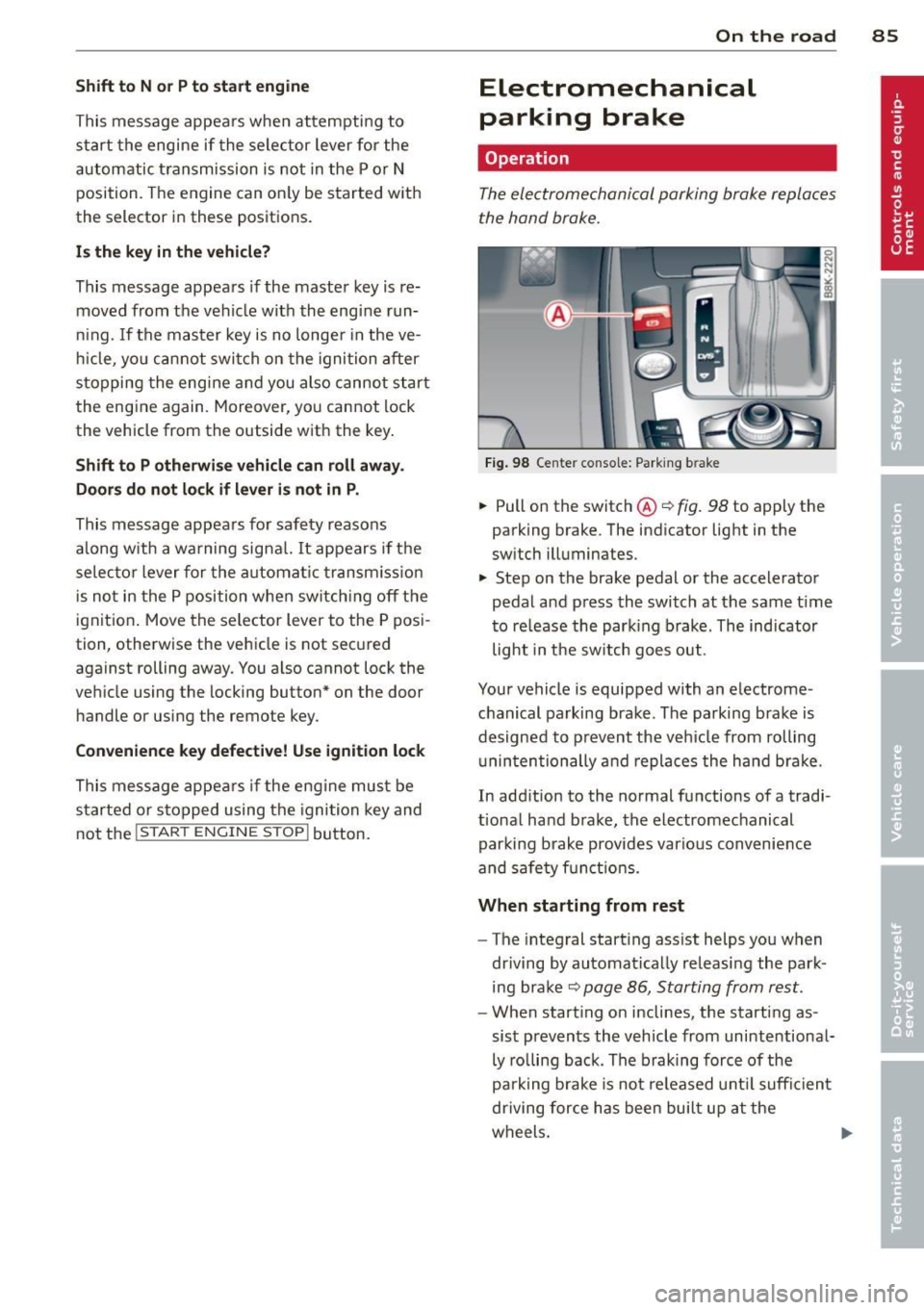
Fi g. 98 Ce nter console: Park ing b rake
.,. Pull on the switc h@ ¢ fig. 98 to apply the
parking brake. The ind icator lig ht in the
sw itch illuminates.
.,. Step on the brake pedal or the accele rator
pedal and press the switch at the same t ime
t o re lease the par king brake. The indicator
light in the sw itch goes out.
Your vehicle is equipped with an e lectrome
c hanical p arking bra ke. The pa rking bra ke is
d esigned to p revent the ve hicle from rolling
u nin ten tionally and repla ces the hand b ra ke.
In add ition to the normal fu nctions of a tradi
t ional ha nd b rake, the electromechanical
par king b rake provides vario us conv enience
and sa fe ty f unct ion s.
When starting from rest
- The integral start ing ass ist helps you when
dr iving by automat ica lly releasi ng the par k
ing b ra ke ¢
pag e 86, Starting from rest .
-When start ing on inclines, the starting as
sis t preven ts the veh icle from unintentiona l
ly ro lling back . The braking force of the
pa rk ing brake is no t released u ntil su ffici ent
driving for ce h as been bui lt up at the
w heel s. ..,.
Page 88 of 302
86 On the road
Emerg ency b rake function
An emergency brake ensures t hat the vehicle
can be slowed down even if the
normal brakes
fail
c::> page 87 , Emergency broking.
Indicat or light s
-If the par king b rake is closed w ith the igni
t ion
s witc hed on the . (USA models) /
• (Canada mode ls) indica tor lights come
on in the instrum ent cluster and the switch .
-If the parking brake is closed w ith the igni
tion
s witc hed off the . (USA models) /
• (Canada mode ls) indicator lights come
on in the instrument clust er and th e switch
for about 20 seconds .
A WARNING
If a gear or a drive range (automat ic trans
m ission) is engaged with the vehicle sta
tionary and the engine runn ing, you must
in no instance accelerate o r release the
cl utch * careless ly. Otherw ise the vehicle
w ill sta rt to move immediately- r isk of an
accident .
@ Note
If the . symbol in the display or the
.. (USA models) . (Canada models)
ind icator light in the instr ume nt cl uster
flashes, there is a ma lf u nction in the brake
system. By pressing the
ISETI button, you
can bring up a driver message which ex
plains the malfunction in more detail. If
the driver message
Pa rking brake! ap
pears, there is an operating malfunction in
the park ing brake which you should have
repaired immediately by an authorized
Aud i deale r or other qualified workshop
c::> page 15.
(D Tips
- You can apply the parking brake at any
time - even w ith the ignition switched
off . Th e ignit ion must be t urned on in o r
der to release the par king brake. - Occasional noises when the parking
bra ke is applied and released are normal
and are not a cause for concern.
- When the vehicle is parked , the parking
brake goes through a self-test cycle at
regu lar interva ls. Any associated noises
are normal.
Parking
Parking
.,. Press the br ake ped al to s top the veh icle .
.,. Pull the button
@ c::> page 85, fig. 98 to set
the parking brake.
.,. Automatic transmission: Move the selector
lever to P.
.,. Tur n the engine off
c::> ,& .
.,. Man ual transmission: Shift into 1st gear.
In addition on inclines and gr ades
.,. Turn the steering wheel so that you r vehicle
w ill roll aga inst the curb in case it shou ld
s tart to move.
A WARNING
- When you leave yo ur vehicle -even if on
ly briefly -always remove the igni tion
key. This app lies particularly when chi l
dren remain in the vehicle. Otherwise the
children could start the eng ine, release
the park ing brake or operate electrical
equ ipme nt (e .g . power windows). There
is the risk of an acc ident .
- When the veh icle is locked, no one -par
ticularly not children should rema in in
the vehicle . Locked doors ma ke it mo re
d ifficult for em ergency worke rs to get in
to the vehicle -putting lives at r isk .
Starting from rest
The starting assist function ensures that the
parking brake is released automatically upon starting.
Stopping and applying parking brake
.,. Pull the switch @ c::> page 85 , fig . 98 to ap-
ply the parking brake . .,.
Page 94 of 302
92 Transmission
vehicle to accelerate without a noticeable in
terruption in traction.
tiptronic transmission
I n the tiptronic transmission, power is trans
ferred by a torque converter.
Selector lever positions
Applies to vehicles: with multitronic/5 tronic/tiptronic
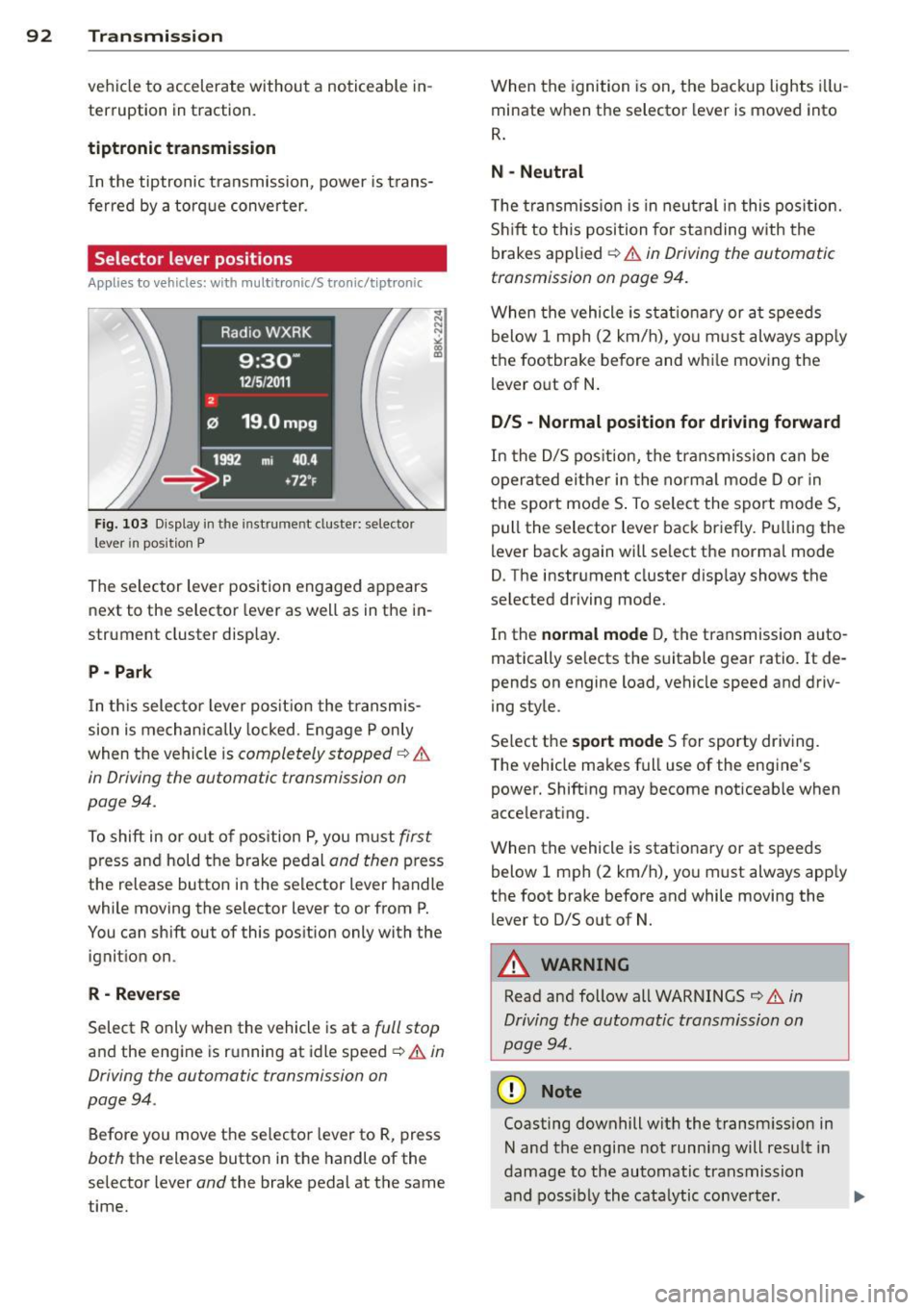
Fig. 103 Display in the in stru me nt duste r: selecto r
lever in position P
The selector lever position engaged appears
next to the selector lever as well as in the in
strument cluster display.
P - Park
In this selector lever position the transmis
sion is mechanically locked. Engage P only
when the vehicle is
completely stopped ¢ &
in Driving the automatic transmission on
pag e 94 .
To shift in or out of pos ition P, you must first
press and hold the brake pedal and then press
the release button in the selector lever handle
wh ile mov ing the se lector lever to or from P.
You can shift out of this position only with the
ignition on .
R-Reverse
Select R only when the vehicle is at a full stop
and the engine is running at idle speed ¢ & in
Driving the automatic transmission on
page 94 .
Before you move the selector lever to R, press
both the release button in the handle of the
selector lever
and the brake pedal at the same
time. When the
ignition is on, the backup lights illu
minate when the selector lever is moved into
R.
N -Neutral
The transmission is in neutral in this position .
Shift to this position for standing with the
brakes applied ¢
& in Driving the automatic
transmission on page 94.
When the vehicle is stat ionary or at speeds
below 1 mph (2 km/h), yo u must always apply
the footbrake before and whi le moving the
lever out of N.
D/S - Normal position for driving forward
In the D/S position, the transmission can be
operated either in the normal mode D or in
the sport mode S . To select the sport mode S,
pull the selector lever back briefly. Pulling the
lever back again will se lect the normal mode
D. The instrument cluster disp lay shows the
selected driving mode.
In the
normal mode D, the transmission auto
matically selects the suitable gear ratio.
It de
pends on engine load, vehicle speed and driv
ing style .
Select the
sport mode S for sporty driving .
T he vehicle makes full use of the engine's
power. Shift ing may become noticeable when
accelerating.
When the vehicle is stationary or at speeds
below 1 mph (2 km/h), you must always app ly
the foot brake before and while moving the lever to D/S out of N.
A WARNING
Read and follow all WARNINGS ¢ & in
Driving the automatic transmission on
page 94 .
(D Note
Coasting downhill with the transm ission in
N and the engine not running will result in
damage to the automatic transmission
and possibly the catalytic conve rter. .,..
Page 95 of 302
@ Tips
-On vehicles with drive select*, you can
adjust the sporty shift characteristics in
the
Dynamic driving mode.Swill appear
in the instrument cluster display instead
ofD.
- If you accidentally select N while driving,
take your foot off the accelerator pedal
immediately and wait for the engine to
slow down to idle before selecting D/S.
- If there is a power failure, the selector
lever will not move out of the P position .
The emergency release can be used if
th is happens ~
page 98.
Automatic Shift Lock (ASL)
Applies to vehicles: with multitronic/5 tronic/tiptron ic
The Automatic Shift Lock safeguards you
against accidentally shifting into a forward or
the reverse gear and causing the vehicle to
move unintentionally.
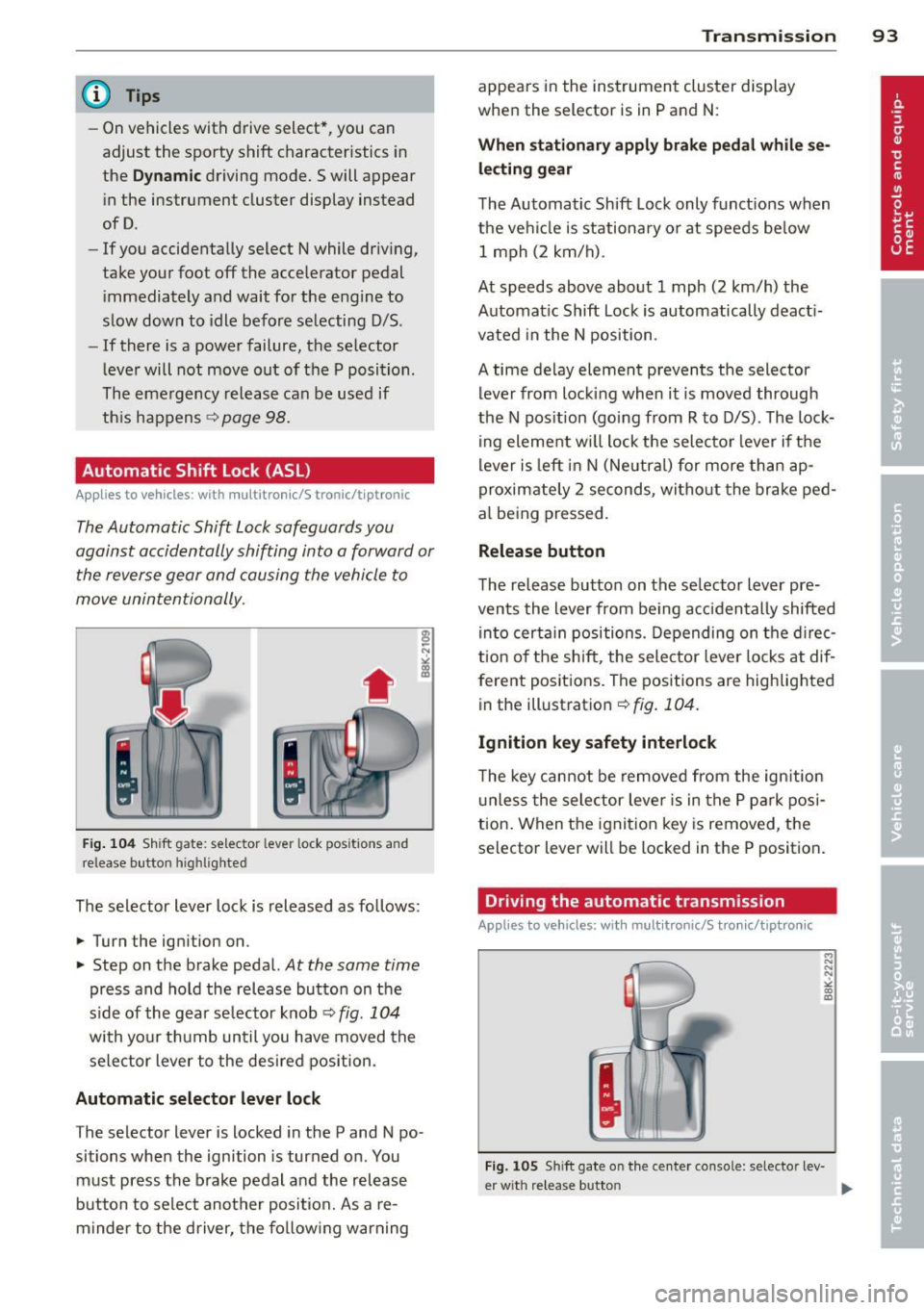
Fig. 104 Shift gate: selector lever lock positions and
release button highlighted
The selector lever lock is released as follows:
... Turn the ignition on .
... Step on the brake pedal.
At the same time
press and hold the release button on the
side of the gear se lector knob ¢
fig. 104
with your thumb until you have moved the
selector lever to the desired position.
Automatic selector lever lock
The selector lever is locked in the P and N po·
sitions when the ignition is turned on . You
must press the brake pedal and the release
button to select another position. As a re·
m inder to the driver, the following warning
Transmission 93
appears in the instrument cluster display
when the selector is in P and N:
When stationary apply brake pedal while se
lecting gear
The Automatic Shift Lock only functions when
the vehicle is stationary or at speeds below 1 mph (2 km/h).
At speeds above about 1 mph (2 km/h) the
Automatic Shift Lock is automatically deacti
vated in the N position .
A time delay element prevents the selector lever from locking when it is moved through
the N position (going from R to D/S). The lock
ing element will lock the selector lever if the
lever is left in N (Neutral) for more than ap
proximately 2 seconds, without the brake ped
al being pressed.
Release button
The release button on the selector lever pre
vents the lever from be ing accidentally shifted
into certain positions. Depending on the direc
tion of the shift, the selector lever locks at dif
ferent positions. The positions are highlighted
in the illustration¢
fig. 104 .
Ignition key safety interlock
The key cannot be removed from the ignition
unless the selector lever is in the P park posi
tion. When the ignition key is removed, the
selector lever will be locked in the P position.
Driving the automatic transmission
Applies to vehicles; with mult itronic/S tronic/tiptronic
Fig. 105 Sh ift gate on the center console: selector lev-
er w it h re lease button ..,_
Page 96 of 302
94 Transmission Starting the engine
.. The selec to r l eve r must be in P or N.
Starting off
.. Press and hold the brake pedal.
.. Press and hold the release button in these
lector lever handle, select t he des ired selec
tor lever position such as D/S and release
the b utton .
.. Wait briefly until the transmission has shift
ed (you will feel a slight movement) .
.. Remove your foot from the brake pedal and
acce lerate.
Stopping temporarily
.. Keep the vehicle stationary using the b rak
ing peda l, for examp le at traffic lights .
.. Do not press the accelerator pedal when do
ing this.
.. To prevent the vehicle from rolling when
you start dr iving, set the parking brake
when stopping on steep inclines ¢&_ .
.. The parking brake will release automatically
and the vehicle w ill start moving once you
press the accelerator peda l.
Stopping/parking
If the selector lever is not in the P position
when you open the dr iver's door, the vehicle
could roll. The message
Transmission: Car
may roll! Shift to park!
appears.
.. Press and hold the brake pedal unt il the ve
hicle has come to a complete stop .
.. Apply the parking brake¢
page 86, Park-
ing .
.. Se lect the P selector lever position ¢ &.-
Stopping on an incline
.. Always press the brake pedal to hold the ve
hicle in place and prevent it from "rolling
back"
¢ &_ . Do not try to prevent the vehi
cle from "rolling back" when a gear is en
gaged by increasing the engine speed ¢Q).
Starting on an incline
.. Activate the parking brake.
.. With the driving gear selected, press the ac
celerator pedal carefully . The parking brake will release automatically if your seat
belt is
fastened .
Under certain circumstances, such as driving
in the mountains, it may be usefu l to switch
temporarily to the manual shift program in or
der to adjust the gears to the driving condi
tions by hand ¢
page 96.
On s lopes, activate the parking brake first and
then move the selector lever to the P position .
This prevents too much stress from being
placed on the locking mechanism .
Vehicles with multitronic transmission: Your
vehicle is equipped with
hill hold assist allow
ing yo u to start while on an incline. The sys
tem is activated when the brake pedal is
pressed down and he ld
for a few seconds . The
brake pressure will hold for
a moment after
the brake pedal loosens to prevent the vehicle
from roll ing backwards w hile starting up .
A WARNING
-The vehicle can also roll when the engine
is stopped.
-Unintended vehicle movement can cause
serious injury.
- Never leave your vehicle with the engine
r un ning while in gear. If you must leave
your veh icle when the engine is running,
activate the parking brake and move the
selector lever to P.
- Power is still transmitted to the wheels
when the engine is runn ing at idle. To
prevent the vehicle from "creeping", you
must keep your foot on the brake when
the engine is running and the selector
lever is in 0/5 or R or "t iptronic" mode is
selected .
- Do not press the accelerator pedal when changing the selector lever position
while the veh icle is stationary and the
engine is running.
- Never shift into R or P while driving.
- Before driving down a steep s lope, re-
duce your speed and shift into a lower
gear with "tiptronic" .
Page 99 of 302
A WARNING 1=
Please note that the drive wheels can spin
if kick-down is used on a smooth slippery
road - there is a risk of skidding.
Launch Control Program
App lies to vehicles: with S tronic
The Launch Control Program provides the
best acceleration possible when starting from
a stop .
Requirement : The engine must be at operat
ing temperature and the steering wheel must
not be turned .
~ Press the l.e OFFI button ¢ page 187 or
r:::> page 188 while the engine is running.
The
fsl indicator light illuminates in the in
strument cluster and
Tra ction con trol
( ASR ): Off. W arning! Re stri cted stabil ity
appears in the dr iver information system
display .
~ Move the selec to r l ever to the D/S position
or se lect the
d y nami c driving mode in drive
select*
r:::> page 114.
~ Press the brake peda l strong ly wit h your left
foot and hold it down for at least 1 second.
~ At the same time, press the accelerator
pedal down completely with your right foot
until the engine reaches and maintains a
high RPM .
~ Remove your foot from the brake peda l
within 5 seconds
r:::> .&, .
A WARNING
-Always adapt you r driving to the traffic
flow.
- Only use the Launch Control Program
when road and traffic conditions allow it
and other drivers will not be endangered
or annoyed by you r driv ing and the vehi
cle's acce leration.
- Please note that the driving wheels can
spin and the vehicle can break away
when ASR is switched off, especially
when the road is slippery.
-
Tran sm iss ion 97
-Once you have accelerated, you shou ld
sw itch the ASR back on by pressing the
l.e O FFI button.
(D Tips
- The transmission temperature may in
crease s ignificantly after using the
Launch Control Program. If that hap-
pens, the program may not be availab le
for a few m inutes. It will be ava ilable
again after a cool-down per iod .
- When accelerating using the Launch
Cont ro l program, a ll vehicle parts are
subject to heavy loads. This can result in
increased wear .
Transmission malfunction
Applies to vehicles: with multitro nic/S tronic/t iptronic
[O] Transmis sion: Pr ess brake p edal and se·
Leet gear again .
Press the brake peda l and select the desired
selector lever position again. You ca n the n
continue driving.
[O] Trans mission overhe ating: Pl ease drive
conservatively .
The transmiss ion temperature has increased
s ignificantly due to the sporty d riving manner .
D rive in a less sporty ma nner until the tem
perature returns to the normal range and the
indicato r light switc hes of.
[O] Tran smission malfunction: You can con
tinue driv ing
There is a system malfunction in the transmis
sion. You may cont inue driving. Drive to your
authorized Aud i dea ler or qualified repa ir fa
c ility soo n to have the malfunction corrected .
[O] Transm ission malfunction : Lim ited dr iv·
ing functionality
There is a system malfunction in the t ransmis
s ion . The transm ission is switching to emer
gency mode . This mode on ly shifts into cer-
ta in gears or will no longer shift at all. The en
gine may sta ll. Dr ive to your authorized Audi ..,.
Page 104 of 302
102 Audi adaptive cruise control and braking guard
Switching on and off
Applies to vehicles: with Audi adaptive cruise control
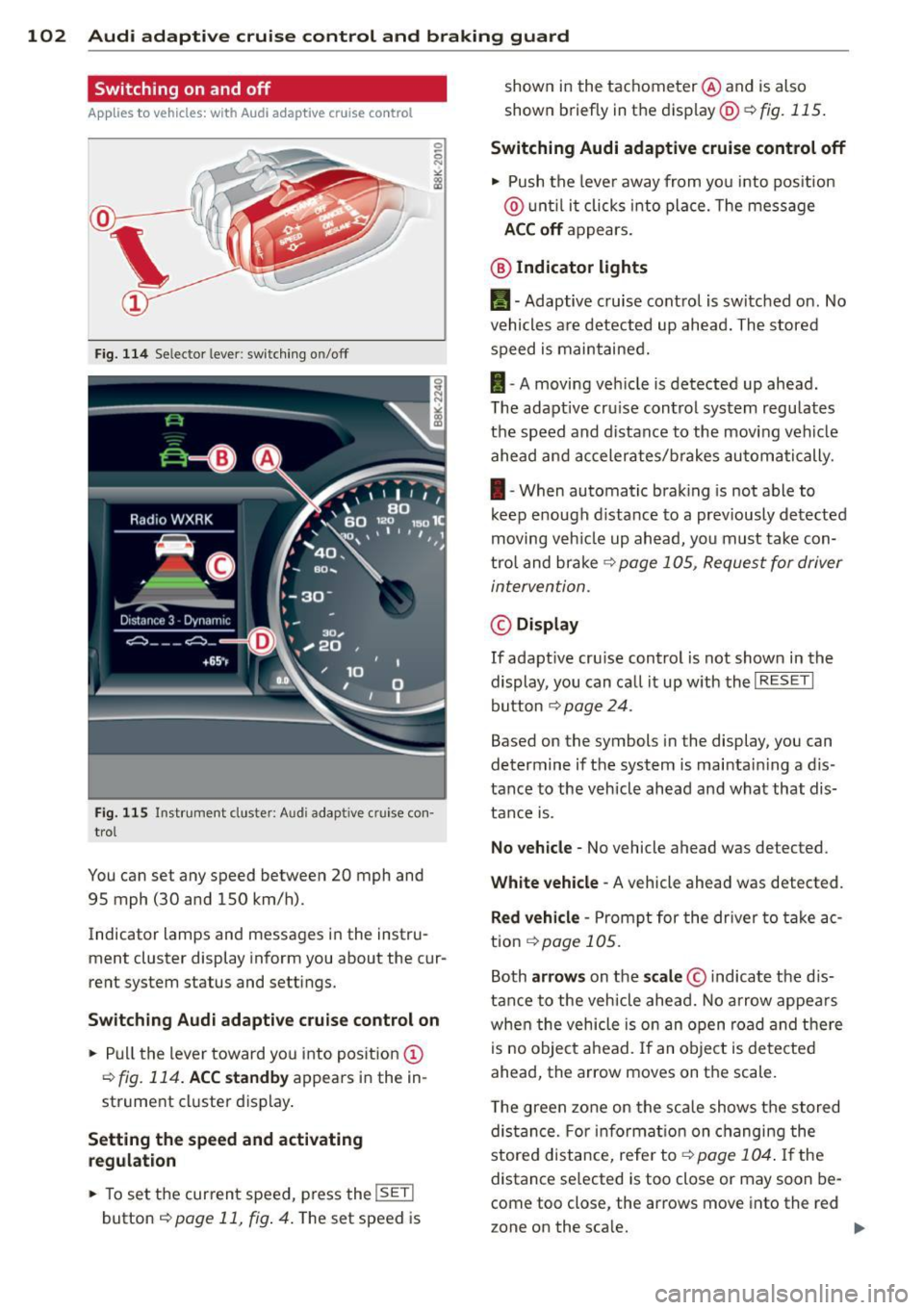
Fig. 114 Se lec tor lever: switching on/off
Fig. 115 Instrument clus te r: A udi adap tive c ru ise co n·
trol
You can set any speed between 20 mph and
95 mph (30 and 150 km/h).
Indicator lamps and messages in the instru·
ment cluster display inform you about the cur·
rent system status and settings.
Switching Audi adaptive cruise control on
• Pull the lever toward you into position@
r=;,fig. 114. ACC standby appears in the in ·
strument cluster display.
Setting the speed and activating
regulation
.. To set the current speed, press the !SE T!
button r=;, page 11, fig . 4. The set speed is shown in
the tachometer @and is also
shown briefly in the display@~
fig. 115.
Switching Audi adaptive cruise control off
• Push the lever away from you into position
@ until it clicks into place. The message
ACC off appears.
@ Indicator lights
11 · Adaptive cruise control is switched on. No
vehicles are detected up ahead. The stored
speed is maintained.
I-A moving vehicle is detected up ahead.
T he adaptive cru ise control system regulates
the speed and distance to the moving vehicle
ahead and accelerates/brakes automatically.
I-When automatic braking is not able to
keep e nough distance to a previously detected
moving veh icle up ahead, you must take con·
trol and brake ~
page 105, Request for driver
intervention.
© Display
If adapt ive cru ise control is not shown in the
display, you can call it up w ith the
I RESET I
button r=;, page 24.
Based on the symbols in the display, you can
determine if the system is maintain ing a d is ·
tance to the vehicle ahead and what that dis
tance is.
No vehicle· No vehicle ahead was detected .
White vehicle· A vehicle ahead was detected .
Red vehicle -Prompt for the driver to take ac
tion
,=;, page 105.
Both arrows on the scale© indicate the dis·
tance to the vehicle ahead. No arrow appears
when the vehicle is on an open road and there
is no object ahead. If an object is detected
ahead, the arrow moves on the scale .
T he green zone on the scale shows the stored
distance. For information on changing the
stored distance, refer tor=;,
page 104 . If the
distance se lected is too close or may soon be·
come too close , the arrows move into the red
zone on the sca le. .,..
Page 107 of 302

Audi adaptive cruise control and braking guard 105
Setting the driving mode for vehicles with
Audi drive select*
Refer to r=;,poge 1 14 .
(D Tips
Yo ur setti ngs a re automatically store d an d
assig ned to the remote contro l key be in g
used.
Request for driver intervention
A pp lies to vehicles: w ith Audi a daptive cruise control
Fig. 119 Inst rumen t cl uster: reques t fo r drive r in te r·
ve ntio n
In ce rtain si tuations, t he sys tem w ill prom pt
you to take actio n. This cou ld ha ppen, for ex
ample, if braking by the a daptive cr uise con
trol system is not enough to maintain enough
d istance to the vehicle ahead.
The inst rument cluste r will war n you about
the danger
r=;,fig. 119:
- A red ve hicle is pic tured in the d is pla y.
- The text
DISTANCE! appea rs in the s ta tus
b ar.
- T he r ed indi cator lig ht
I blinks .
- In add it ion, a warning tone sounds.
Audi braking guard
Description
App lies to vehicles: wi th Audi ada ptive c ruise con tro l
Fig. 120 In str um ent clus ter: approach warnin g
Brak ing guard uses a radar sensor. It also
funct ions wit hin the lim its of the system
whe n adapt ive cruise control is switched off.
What can Audi braking guard do?
When detected in time, the system can assess
situations when a veh icle ahead brakes s ud
denly or if your own vehicle is t raveling at a
high speed and approac hing a ve hicle up
ahead that is movi ng mo re sl ow ly. B raking
guard does not reac t if it cannot detec t the
s ituation.
The system advis es yo u of various s ituations:
- The
distance wa rning is given if yo u are too
close to the vehicle ahead for a long time. If
the vehicle ahead bra kes sharply , yo u will
not be ab le to avoid a collision . The ind icator
light
I in the d isp lay comes o n.
- The
approach warning is given when a de
tected ve hicle up ahead i n your lane is mov
ing m uch mo re sl owly than you are or if i t
brake s sh arp ly. W hen t his war ning is g iven,
it may on ly be poss ible to avoi d a co llision
by swe rving or b ra kin g sharp ly. The indic ator
light
I a nd indic ator in t he di spl ay w ill war n
you abo ut the d ange r¢
fig . 120. You will a l
so hear an aco ustic s ignal.
If y o u do no t rea ct fas t eno ugh o r do not r eact
at all to the si tuat ion, B rak ing guard will in
t e rvene by b rak ing and t he message
braking
guard intervention
w ill appea r.