towing AUDI S4 2014 Owners Manual
[x] Cancel search | Manufacturer: AUDI, Model Year: 2014, Model line: S4, Model: AUDI S4 2014Pages: 296, PDF Size: 73.56 MB
Page 5 of 296
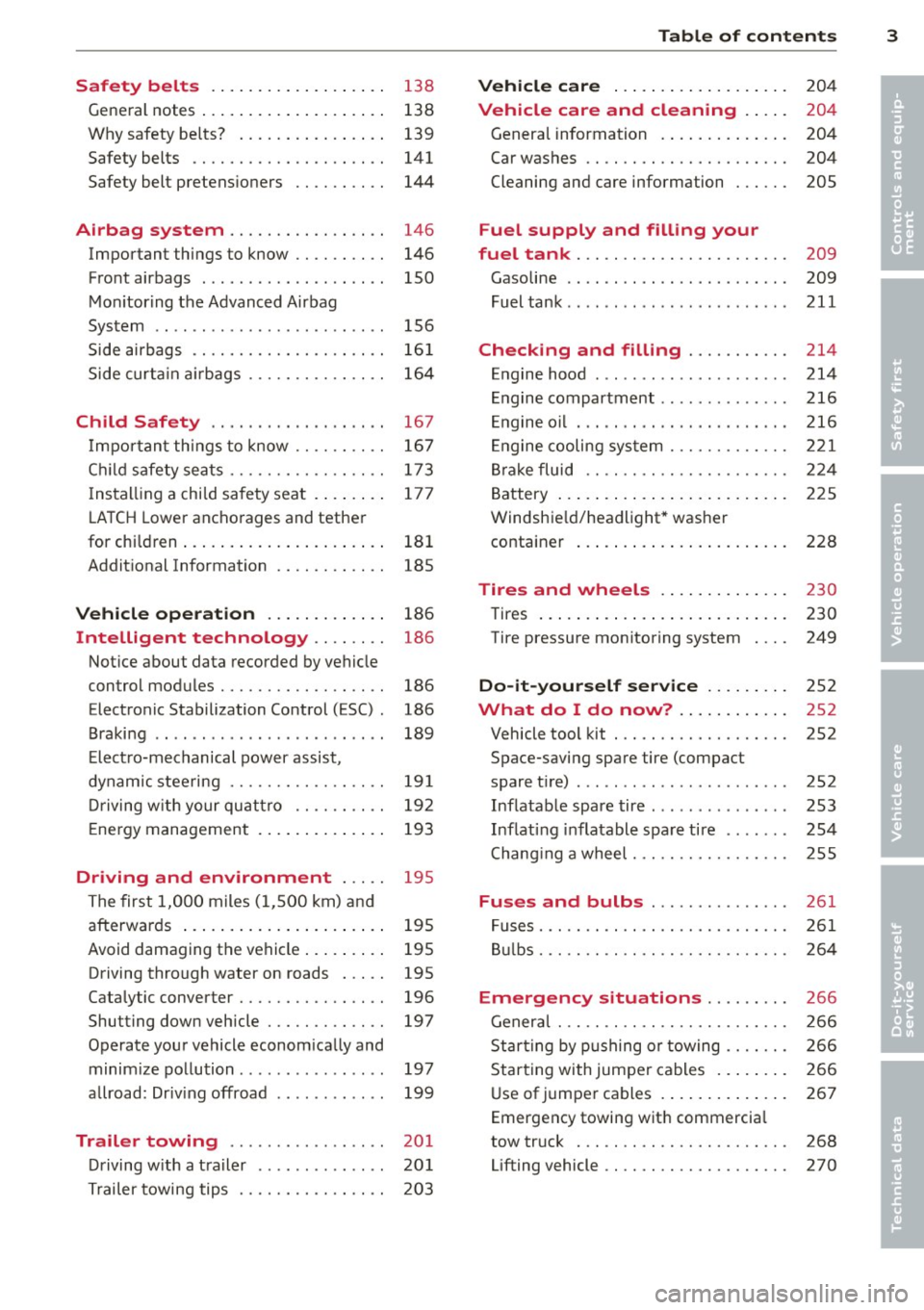
Safety belts . . . . . . . . . . . . . . . . . . . 13 8
General notes . . . . . . . . . . . . . . . . . . . . 138
Why safety be lts? . . . . . . . . . . . . . . . . 139
Safety belts . . . . . . . . . . . . . . . . . . . . . 141
Safety belt pretens ioners . . . . . . . . . . 144
Airbag system ................ .
Important things to know ......... .
Front airbags ................... .
Mon itor ing the Advanced Airbag
System ........................ .
Side airbags ............. .... .. . .
Side curta in a irbags .............. .
Child Safety ........ .... ... .. . .
Impor tant things to know ......... .
C hi ld safety sea ts ................ .
I nstall ing a chi ld safety seat . ... .. . .
L A T CH Lower anchorages and tether
for children ... .... .... ... .. .. .. . .
Addit ional Information
Vehi cle operat ion ..... .. .. .. . .
Intelligent technology .. .. .. . .
Not ice about data recorded by vehicle
control modules .......... .... .. . .
Electronic Stabilization Control (ESC) .
Braking .. ... ................ ... .
E lect ro-mechanical power assist ,
dynamic stee ring ................ .
Driving w ith your qu attro ......... .
E ne rgy management ... ... .. .. .. . .
Driving and environment ... ..
The first 1,000 miles (1,500 km) and
afterwards ... ... ..... ... .. .. .. . .
Avoid damaging the vehicle ... .. .. . .
Driving through water on roads ... . .
Catalytic converter .......... .. .. . .
Shutting down vehicle ............ .
Operate your vehicle econom ically and
minim ize pollution ............... .
a llroad: Driv ing offroad ........ ... .
Trailer towing ... ... ... .. .. .. . .
D riving w ith a t railer ............. .
Trailer towing tips ........ .... .. . . 146
146
150
156
16 1
164
167
167
173
17 7
18 1
185
186
186
186
186
189
19 1
19 2
193
195
195
195
195
196
197
197
199
20 1
20 1
203
Table of contents 3
Vehicle care . . . . . . . . . . . . . . . . . . .
204
Vehicle care and cleaning . . . . . 204
Genera l information . . . . . . . . . . . . . . 204
Car washes . . . . . . . . . . . . . . . . . . . . . . 204
Cleaning and care information . . . . . . 205
Fuel supply and filling your
fuel tank ..... .. .. . ............ .
Gasoline .. .. .. .... ..... ..... ... .
Fuel tank .. .. .. .. .. . .. .... ...... .
Checking and filling .......... .
Engine hood ... ... .............. .
Engine compartment ............. .
E ngine oil . .. .. .. ... .. .. ..... ... .
E ngine cooling system ............ .
B rake fluid .. .. .. .. . ............ .
Battery ... .. .... .. . .. .. ..... ... .
Windshie ld/headlight* washer
container ... .... ... .. .. ..... ... .
Tires and wheels ... ..... ... .. .
Tires ... .. .. .. .... . ... ...... ... .
Tire pressure monitoring system
Do-it-yourself service ...... .. .
What do I do now? ...... ... .. .
Vehicle tool kit . ...... ........... .
Space-saving spare tire (compact
spare tir e) .... ... .. ............. .
Inflatable spare tire .............. .
Inflat ing i nflatable spa re tire ...... .
Changi ng a wheel . .... ........... .
Fuses and bulbs ...... ........ .
Fuses ..... .... .. .. . ............ .
B ulbs ..... .. .. .. .. .. ........... .
Emergency situations ........ .
Genera l ... .. .. .. ............... .
St art ing by p ushing or towing ...... .
Star ting with jumpe r cables .. ... .. .
Use of jumper cables . .. ..... ... .. .
Emergency towing wit h commercia l
tow truck ... .. .. .. .. ........... .
Lifting vehicle .. .. ............... . 209
209
211
214
214
216
216
2
21
224
225
228
2 3 0
230
249
252
252
252
252
253
254
255
261
2 61
264
2 66
2 66
2 66
266
267
268
270
•
•
Page 29 of 296
The values in the single-t rip or the total-trip
memory can a ll be reset to zero at the same
time under
Reset in the menu .
I n addition, you can determine what informa
tion from the trip computer should be shown
in the instrument cluster display. If one of the
p ieces of driver information is turned
Off , that
driver information w ill not be shown in the
display. The information will continue to be
calculated by the trip computer and can be
turned back
On at any t ime.
(D Tips
- This function is not avai lab le on all
vehicles.
- The driving information in the efficiency
program is also reset to zero with the
s ingle-trip memory.
Gearshift Indicator
A ppl ies to vehicles: with manu al transmis sion a nd gea r·
shi ft indica tor
This indicator con help conserve fuel.
~~~------------~~ ~.;;-
Fig. 12 Display: Gea rs hi ft indicator
m ~ ~ a, a,
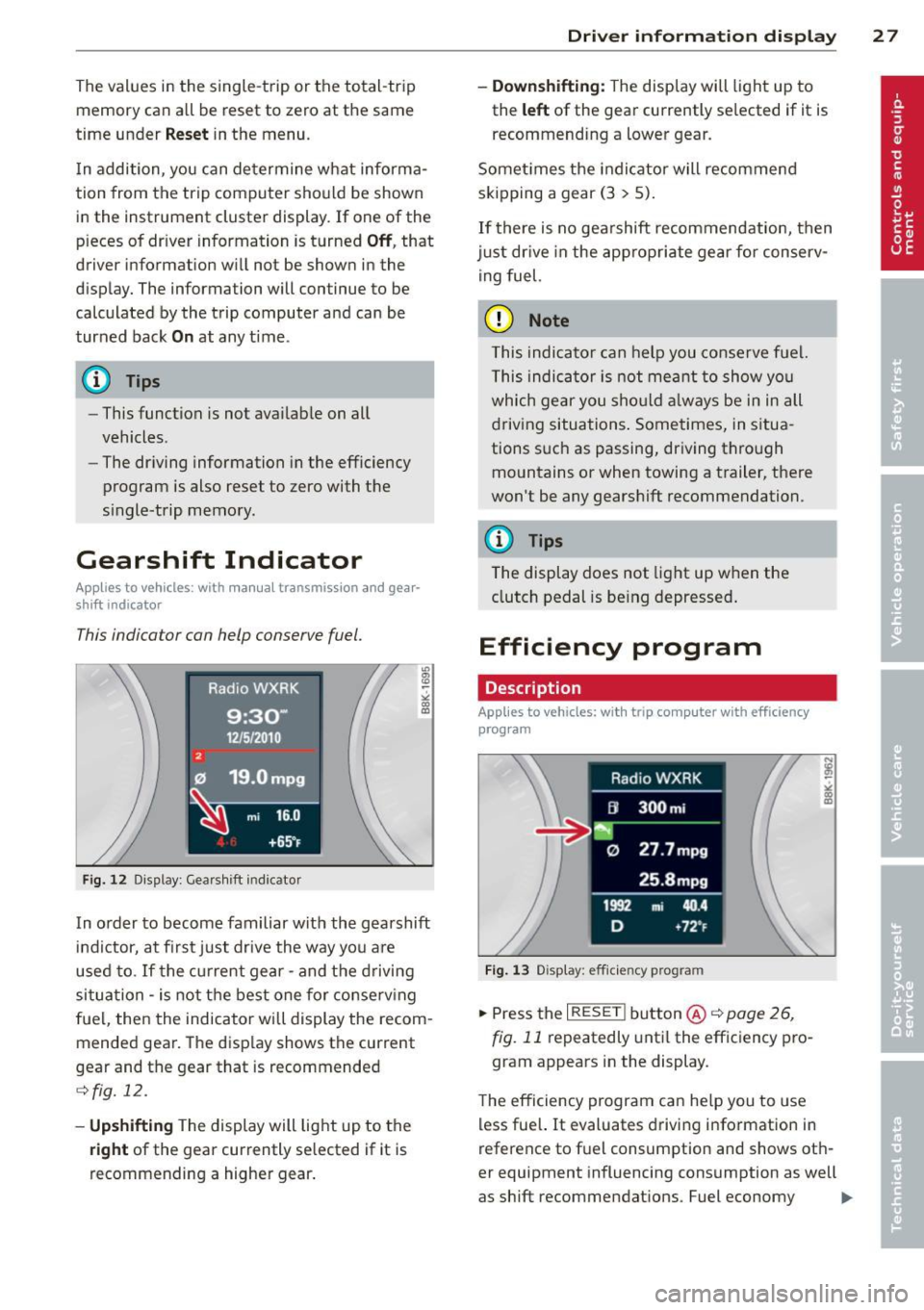
In order to become familiar with the gearshift
indictor, at first just drive the way you are
used to.
If the current gear -and the driving
situa tion -is not the best one for conserving
fuel, then the indicator will display the recom
mended gear. The display shows the current
gear and the gear that is recommended
¢fig. 12.
-Upshifting The display will light up to the
right of the gear currently selected if it is
recommending a higher gear.
Driver information display 2 7
- Downshifting:
The display will light up to
the
left of the gear currently se lected if it is
recommending a lower gear.
Sometimes the indicator will recommend
skipping a gear (3
> 5).
If there is no gearshift recommendation, then
just drive in the appropriate gear for conserv
ing fuel.
(D Note
This indicator can help you conserve fuel.
This indicator is not meant to show you
which gear you should always be in in all
driving situations . Sometimes, in situa
tions such as passing, driving thro ugh
mountains or when towing a trailer, there
won't be any gearshift recommendation.
(D Tips
The display does not light up when the
clutch pedal is be ing depressed.
Efficiency program
Description
App lies to vehic les: wi th trip co mp uter with efficiency
prog ram
Fig. 13 Display: efficiency program
.. Press the I RESET I button@¢ page 26,
fig. 11 repeatedly until the efficiency pro
gram appears in the display.
The efficiency program can help you to use
less fuel. It evaluates driving information in
reference to fuel consumption and shows oth
er equipment influencing consumption as well
as shift recommendations. Fuel economy ...,
Page 30 of 296
28 Driver information d isplay
messages ¢ page 29 provide tips for effi
cient driving .
The effic iency program uses distance and con
sumption data from trip computer
1. If the
data are deleted in the efficiency program,
those values are also reset in trip computer
1.
Enhanced shift indicator
Applies to vehicles: with manual transmission and trip
computer with efficiency program
Fig. 14 Display: enhanced shift indicator
"In the efficiency program, press the function
selection switch ¢
page 26, fig. 11 @ re
peatedly until the enhanced sh ift indicator
appea rs in the display.
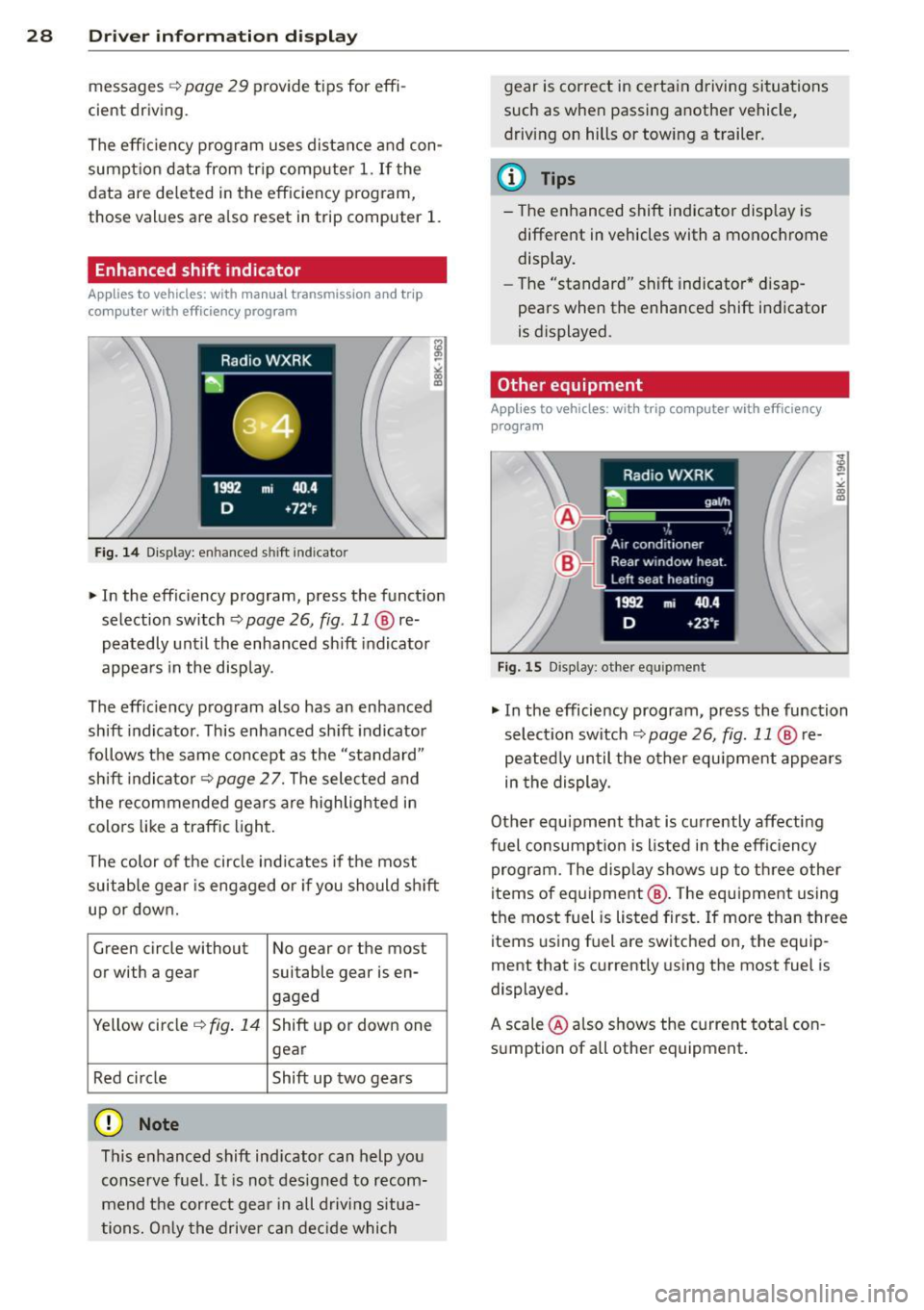
The eff ic iency program also has an enhanced
shift indicator . This enhanced shift indicator
follows the same concept as the "standard"
shift indicator¢
page 27. The selected and
the recommended gears are highlighted in
colo rs like a traffic light.
The color of the circle indicates if the most
suitable gear is engaged or if you should sh ift
up or down.
Green circle without No gear or the most
or with a gear suitable gear is en- gaged
Yellow circle ¢
fig. 14 Shift up or down one
gear
Red circle Shift up two gears
(D Note
This enhanced shift indicator can help you
conserve fuel.
It is not designed to recom
mend the correct gear in all driving situa
tions. Only the driver can decide which gear
is correct in certain driving situations
such as when passing another vehicle,
driving on hills or towing a trailer.
(D Tips
- The enhanced shift indicator display is
different in vehicles with a monochrome
display.
- The "standard" sh ift indicator* disap
pears when the enhanced shift indicator
is displayed.
Other equipment
Applies to vehicles: with trip computer with efficiency program
Fig . 15 Display: other equ ipmen t
"In the efficiency program, press the function
selection switch ¢
page 26, fig. 11 @ re
peated ly until the other equ ipment appears
in the display .
Other equipment that is currently affecting
fuel consumpt ion is listed in the efficiency
program. The display shows up to three other
items of equipment @. T he equipment using
the most fuel is listed first. If more than three
items using fuel are switched on, the equip
ment that is currently using the most fuel is
displayed.
A scale @also shows the current total con
sumption of all other equipment.
Page 70 of 296
68 Seats and stor age
damage to the load and even the vehicle
itself.
- Make sure that the open rear lid and the
sunroof do not come into contact with
objects on the roof.
Loading the roof rack
Always distribute loads evenly. J\llake sure
anything on the roof rock is securely tied
down.
.. Always distribute the loads on the roof rack
evenly .
.. Always attach items to the roof rack securely
before you drive off.
The maximum permissible roof weight is
200 lb (90 kg). The roof weight is the total of
the we ight of the roof rack, the attachments
and the cargo you are carrying. You must also not exceed the maximum load weight for the
roof rack you are using .
When using a roof rack system which has a
lower load carrying capacity, you must not use
up the total maximum permissible load carry
ing capacity specified above. Instead, you
should load the roof rack system only to the
maximum capacity specified by the manufac
turer of the roof rack system.
A WARNING
Weak, damaged or improper straps used
to secure items to the roof rack can fail
during hard braking or in a collision and
cause serious personal injury.
- Make sure the roof rack is installed exact
ly as specified above
~ page 67.
- Always use suitable mounting straps for
securing items to the roof rack to help
prevent items from shifting or flying for
ward.
- Items on the roof rack must always be
securely mounted.
- The use of a roof rack can negative ly af
fect the way a vehicle handles. Cargo
that is large, heavy, bulky, long or flat
will have a greater negative influence on
.
the vehicle's aerodynamics, center of
gravity and overall handling. Always
drive slowly, avoid sudden braking and maneuvers when transporting cargo on
the roof of your vehicle.
- Never exceed the maximum permissible
load carrying capacity of the roof of your
vehicle, the permissible axle weights and
the permissible total weight of your vehi
cle
~ page 2 72, Weights.
(D Note
Make sure that the opened rear lid does
not come in contact with the cargo on the
roof.
@ For the sake of the environment
As a result of the increased wind resist
ance created by a roof rack, your vehicle is
using fuel unnecessarily. So remove the
roof rack after using it.
Luggage compartment
General information
A WARNING
Read and follow the important safety pre
cautions on
~ page 134, Stowing lug
gage.
Page 76 of 296
7 4 Seats and storage
Loading
.,. Fol d the rear seat center armrest down .
.,. Fold the pass-thro ugh cover
¢
fig. 87 -arrow-down.
.,. Slide the ski sack
from the luggage com
partment through the pass-through with
the z ipper a t the rear ¢.&. -
Securing
.,. Inse rt the ski sack st rap @ co fig. 88 in the
center buck le @ .
.,. Pull the safety belt taut on the free end of
the belt @.
A WARNING
-The ski sack is intended only for the
transportation of skis and ot her light ob
jects . To reduc e the risk of serious p er
sonal injury, neve r transport heavy o r
poin ted objects in the ski sa ck.
- When bra king rapidly or d uring an acci
dent, the load could be displaced and
cause inju ry to occupants.
- Sharp edges on the load must be cove red
for pro tect ion. Always fas ten the belt
ti gh tly around the sac k an d its contents
c::> fig . 88.
- F or safety reasons, do not transport
more than two pa irs o f skis in the ski
sac k.
- You m ust sec ure the ski sack with t he
st rap a fter loading .
- M ake su re all obje cts tha t you are trans
porting in the pass- thro ugh a re secured.
O therwise they cou ld slide around during
s u dden braking maneuvers and cause in
jury.
(D} Tips
- Never stow the sk i sack away when i t is
still wet or damp (for examp le, snow
melt ing from sk is) . Allow it to dry com
plete ly before stowing it away.
- When transporti ng skis or snowboards,
tighten the securing strap between the
bindings. -
Pos ition skis in the ski sack with the
pointed ends facing the front and ski
poles with the pointed ends facing the
rear.
- Sedan: You ca n lock or unlock the pass
through using the mechanical key. This prevents any access to the luggage com
partment from the vehicle inte rior .
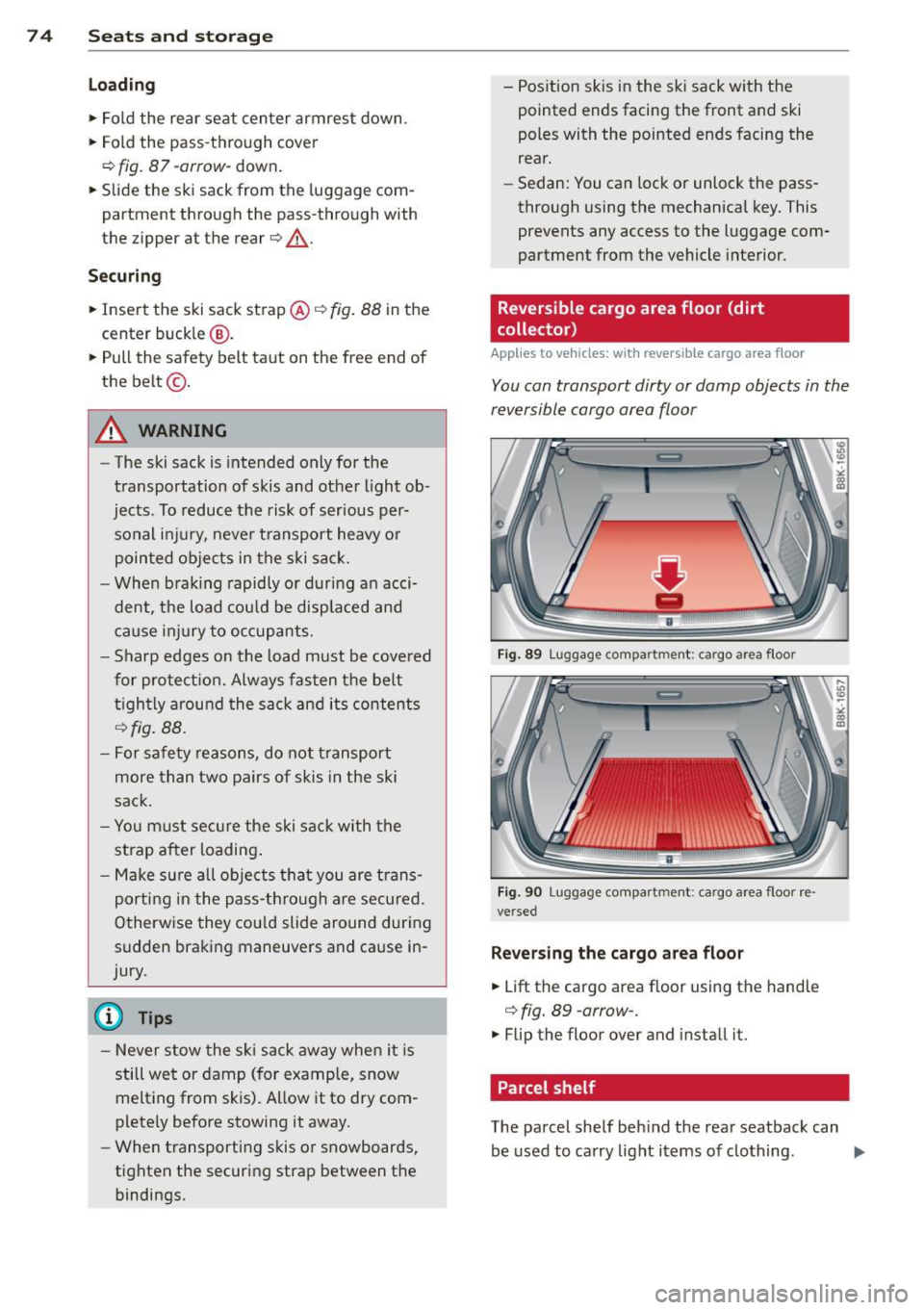
Reversible cargo area floor (dirt
collecto r)
Applies to vehicles: with reversible cargo area floor
You con transport dirty or damp objects in the
reversible cargo area floor
F ig . 89 Lu ggag e compar tmen t: cargo a rea floo r
F ig . 9 0 Lugg ag e co mpa rt m ent: cargo area floo r re ·
ve rse d
Reversing the cargo are a floor
.,. Lift the cargo area f loor using the handle
c::> fig. 89 -arrow- .
.,. Flip the floor over and install it.
Parcel shelf
., U1 .,
-><
~
The pa rcel shelf beh ind t he rea r seatback can
be used to ca rry light items of clothing .
ll>-
Page 114 of 296
112 Audi side assist
- Side assist is not active wh ile you are
making the adjus tment.
- Your settings are automatica lly sto red
and ass igned to the remote control key
being used.
Driver messages
App lies to vehicles: with Audi side assist
If s ide ass ist switches off by itse lf, t he LED in
the butto n tur ns off a nd a message will ap
pear in t he instr ume nt cl uster d is p lay:
Audi side assist unavailable : Sensors blocked
T he radar sensors' vision is a ffected. Do not
cover the area in front of the senso rs with bike
wheels, stickers, dirt or other objects . Clean
the area in front of the sensors, if necessary
c::;,page 110, fig. 124.
Audi side assist : Currently unavailable
Side assist can not be swi tched on tempora ril y
bec ause there is a mal func tio n (for ex am ple,
the ba ttery cha rge leve l may be too low) .
Audi side assist : System fault!
The system ca nnot guara ntee that it w ill de
tec t ve hicles co rrec tly and it is sw itched off .
Th e senso rs have been displaced o r are faulty .
H ave the sys tem che cked by an au thor ized
Au di d eale r or auth oriz e d Au di S ervice Fa cility
soon .
Audi side assist : Unavailable when towing
Side assist sw itches off automatically when a
factory- insta lled trailer hitch is connected to
the elec trical connector on the trailer . There is
no guarantee the system will switc h off when
usi ng a retrofitted t railer hi tch . Do not use
si de assis t when towing a tra iler .
Page 136 of 296
134 Driving Safel y
-Always make sure that objects cannot
fall into the driver footwe ll wh ile the ve
hicle is moving. Objects can become
trapped under the brake pedal and accel
erator peda l causing a loss of veh icle
contro l.
Stowing luggage
Loading the luggage compartment
All luggage and other objects must be prop
erly stowed and secur ed in the luggage com
partment.
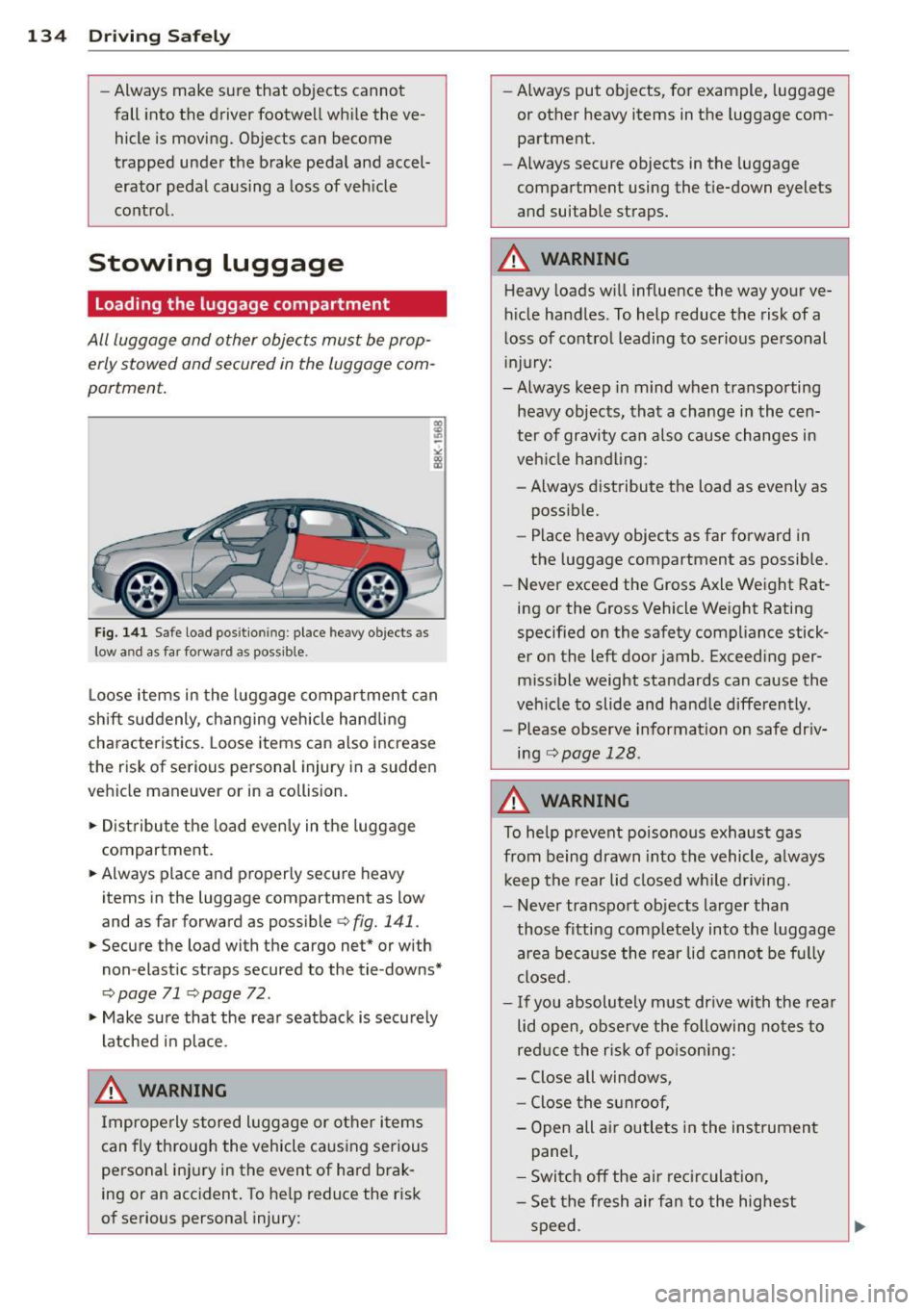
Fig. 141 S afe load positio nin g: place heavy objects as
l ow a nd a s far forward as pos sible.
Loose items in the luggage compartment can
shift suddenly, changing vehicle hand ling
characteristics. Loose items can also increase
the risk of serious personal injury in a sudden
vehicle maneuver or in a collision .
.,. Distribute the load even ly in the luggage
compartment .
.,. Always place and properly secure heavy
items in the luggage compartment as low
and as far forward as possible¢
fig. 141.
.,. Secure the load with the cargo net* or with
non -elastic straps secured to the tie-downs*
¢ page 71 ¢page 72 .
.,. Make sure that the rea r seatback is secu rely
latched in place.
.&_ WARNING
Improperly stored luggage or other items
can fly throug h the vehicle ca using serious
personal inj ury in the event of hard brak
ing or an accident. To help reduce the r isk
of serious personal injury: -
Always put objects, for example, luggage
or other heavy items in the luggage com
partment.
- Always secure objects in the luggage
compartment using the t ie-down eyelets
and suitable straps.
.&_ WARNING
-
Heavy loads w ill influence the way your ve
hicle handles . To help reduce the risk of a
loss of control leading to serious personal
in jury:
- Always keep in mind when transporting
heavy objects, that a change in the cen
ter of gravity can also cause changes in
veh icle handling :
- Always distribute the load as evenly as
possible.
- Place heavy objects as far forward in
the luggage compartment as possible .
- Never exceed the Gross Axle Weight Rat
ing or the Gross Vehicle Weight Rating
specified on the safety compliance stick
er on the left door jamb. Exceeding per
missible weight standards can cause the
veh icle to slide and handle differently.
- Please observe information on safe dr iv
ing
c> page 128.
.&_ WARNING
To help prevent poisonous exhaust gas
from being drawn into the vehicle, always
keep the rear lid closed while driving.
- Never transport objects larger than
those fitting completely into the luggage
a rea because the rear lid cannot be fully
closed.
- If you absolutely m ust dr ive with the rear
lid open, observe the following notes to
red uce the risk of poisoning:
- Close all windows,
- Close the sunroof,
- Open all air outlets in the instrument
panel,
- Switc h off the ai r recirculation,
- Set the fresh air fan to the highest
speed.
Page 188 of 296
186 Intelligent technology
Intelligent technology
Notice about data
recorded by vehicle
control modules
Your veh icle is not equipped with an Event Da
ta Recorde r (EDR), ins talled by some manu
facture rs fo r the express p urpose of capturing
data for retrieval after an accident or cras h
event . EDR's are sometimes ca lled "crash re
corders".
Some state laws restr ict the retr ieval or down
loading of data stored by EDR's that were in
stalled in a vehicle for the express purpose of retrieving data after an accident or crash
event without the owner's consent.
A ltho ugh yo ur vehicle is not equ ipped wit h an
EDR, it is equipped with a number of electron
ic control modules for various vehicle systems
such as, for examp le, eng ine f unction, em is
sion control, as well as for the airbags and
safety belts.
These electronic contro l modules also record
vehicle-re lated data during norma l vehicle op
erat ion for diagnostic and repa ir purposes.
The recording capacity of the electronic con
trol modules is limited to data (no sound is re
corded) and only a small amount of data is ac
tually recorded ove r a ve ry limited pe riod of
time and stored when a sys tem faul t or o ther
cond ition is sensed by a cont ro l u nit. Some of
the data then stored may re late to vehicle
speed, direction, braking as we ll as restraint
system use and performance in the event of a
crash or other condit ion. Stored data can only
be read and downloaded w ith special equip
ment.
Electronic Stabilization
Control (ESC)
Description
ESC helps to improve road holding and vehicle
dynamics to help reduce the probability of
skidd ing and loss of ve hicle control. It works
only when the eng ine is running. ESC detects certain difficult driving situat
ions, including
when the vehicle is beginning to spin (yaw)
o ut of control and he lps you to get the veh icle
back under control by se lectively braking the
whee ls, and/or reducing eng ine power and
providing steer ing ass istance to he lp hold the
vehicle o n the dr iver's intended course. The in
dicator light
J.i) in the instrument cluster
blinks when ESC is ta king action to help yo u
control the veh icle.
ESC has limitations.
It is importa nt to remem
ber that ESC cannot overcome the laws of
physics. It will not always be able to help out
under a ll cond it ions you may come up aga inst.
F or example, ESC may not always be able to
help you master situations where there is a
s u dden change in the coefficient of friction of
the road surface. When there is a section of dry road that is sudden ly covered w ith water,
s lush or snow, ESC cannot perform the same
way it wou ld on the dry surface . If the ve hicle
hydroplanes (rides on a cushion of water in
stead of the road surface), ESC will not be
able to help you steer the vehicle be cause con
tact with the pavement has been in terrupted
and the vehicle cannot be braked or steered .
D uring fast cornering, particularly on winding
roads, ESC cannot always deal as effectively
with difficult driving situations than at lower
speeds. When towing a trailer, ESC is not able
to help you regain control as it would if you
were not tow ing a trailer.
Always adjust your speed and driving style to road, traffic and weather condit ions. ESC can
not override the vehicle's physical limits, in
crease the availab le tract ion, or keep a ve hicle
on the road if road departure is a result of
driver inattent io n. Instead, ESC imp roves the
poss ibil ity of keeping the vehi cle under con
trol and on the road during extreme maneu
vers by using the d river's steering inputs to
help keep the vehicle going in the intended di
rection . If you are traveling at a speed that
ca uses you to run off the road before ESC can
provide any assistance, you may not experi
ence the benefits of ESC.
Page 203 of 296
Trailer towing Driving with a trailer
General information
Your Audi was designed primarily for passen
ger transportation .
If you plan to tow a tra iler, p lease remember
that the addit ional load will affect durab ility,
economy and performance .
T railer towing not on ly places more stress on
the vehicle, it also calls for more concentra
tion from the driver.
F or this reason, a lways fo llow the operating
and driving instructions provided and use
common sense.
Technical requirements
Traile r hitch
Use a weight-carrying hitch conforming to the
gross trailer we ight. The hitch must be suita
b le for your veh icle and trailer and must be
mounted secure ly on t he veh icle's chassis at a
technically sound location . Use only a t railer
h itch w ith a removab le ball moun t. A lways
check with the tr ailer hitch man ufac tur er to
make sure that you are using the correct
hitch.
Do not use a bumper hitch.
T he hitc h must be installed in such a way that
it does not inte rfe re with the impac t-absorb
i ng b umper syst em. No modifica tions should
be made to the vehicle exhaus t and b rake sys
tems . From t ime to time, check that a ll hitch
mo unt ing bolt s remain securely fas tened.
W hen you are not tow ing a trailer, remove the
trai le r hi tch ball moun t. T h is prevents the
hi tch from causing damage sho uld your ve hi
cle be str uck from be hind
¢ &. .
Trailer brakes
If yo ur tra iler is equ ipped w it h a braking sys
tem, check to be su re that it conforms to a ll
r eg ulat io ns.
Trailer towin g 201
The trailer hyd ra ulic bra ke system must not be
direct ly connected to the vehicle's hydraulic
brake system
¢ &. .
Safety chains
Alw ays use s afety chains between your ve hicle
and t he tra ile r.
Trailer lights
Tra ile r lights m ust meet all reg ulations . Be
su re to check w ith your authorized Audi dealer
fo r c orrec t w iri ng, sw itches, and relays.
Mirrors
If you a re unable to see the traffic behind you
u sing the regula r outside m irrors, then you
must insta ll ext ended mir ro rs. It is important
t h at you
always have clea r vis io n to the rear .
.8, WARNING
- If a trai ler has elec trica l br ake s plea se
no te th at t hese bra kes are not activat ed
by the fa ctory -fit ted control unit -risk of
accident!
- After removing the t railer hi tch, do no t
s to re it in yo ur vehicle . In case of sudden
brak ing, the hitch could fly fo rward and
in ju re you or yo ur passenge rs .
Operating instructions
Maximum traile r we ight
-
A trai ler fo r you r vehicle is limited to a typical
class 1 or class 2 tra iler.
Trailer load distribution
B e sure the lo ad in the tra iler is h eld secure ly
i n p lace to p reven t it from shifting fo rward,
backward or sideways.
Never allow a passenger to ride in a trailer
¢ &. in Driving instru ctions on page 20 2.
Engine cooling system
Towing a t railer ma kes t he engine wor k hard
er . It is impo rta nt that the cooling system's
perfo rman ce is up to the additional load.
Make sure tha t the coo ling sys tem h as enough
f lu id . .,..
•
•
Page 204 of 296
202 Trailer towing
Tire pressure
When towing a trailer, inflate the tires of your
vehicle to the cold tire pressure listed under
"Full load" on the label located on the driver's
side B-pillar (visible when the door is open).
Inflate trailer tires to trailer and tire manufac
turers' specifications.
Lights
The headlight settings should be checked with
the trailer attached before driving off. Check
to make sure both vehicle and trailer lights
are working properly.
Safety chains
Be sure trailer safety chains are properly con
nected from the trailer to the hitch on the ve
hicle. Leave enough slack in the chains to per
mit turning corners. When you install safety
chains, make sure they will not drag on the road when you are driving.
The chains should cross under the trailer
tongue to prevent it from dropping in case of
separation from the hitch.
Driving instructions
Driving with a trailer always requires extra
care and consideration.
To obtain the best possible handling of vehicle
and trailer, please note the following:
.,. Do not tow a loaded trailer when your car it
self is not loaded.
.,. Be especially careful when passing other
vehicles.
.,. Observe speed limits .
.,. Do not drive at the maximum permissible
speed.
.,. Always apply brakes early.
.,. Monitor the temperature gauge.
Weight distribution
Towing a loaded trailer with an empty car re
sults in a highly unstable distribution of
weight . If this cannot be avoided, drive at very
low speeds only to avoid the risk of losing
steering control. A "balanced" rig is easier
to operate and con
trol. This means that the tow vehicle should be loaded to the extent possible and permissi
ble, while keeping the trailer as light as possi
ble under the circumstances. Whenever possi
ble, transfer some cargo to the luggage com
partment of the tow vehicle while observing
tongue load requirements and vehicle loading
considerations.
Speed
The higher the speed, the more difficult it be
comes for the driver to control the rig. Do not
drive at the maximum permissible speed. Re
duce your speed even more if load, weather or
wind conditions are unfavorable -particularly
when going downhill.
Reduce vehicle speed
immediately if the trail
er shows the slightest sign of swaying .
Do not
try to stop the swaying by accelerating.
Observe speed limits. In some areas, speeds
for vehicles towing trailers are lower than for
regular vehicles .
Always apply brakes early. When driving downhill, shift into a lower gear to use the en
gine braking effect to slow the vehicle . Use of
the brakes alone can cause them to overheat
and fail.
Coolant temperature
The coolant temperature gauge c> page 10
must be observed carefully . If the needle
moves close to the upper end of the scale, re
duce speed immediately and/or turn off the
air conditioner.
If the coolant temperature warning light •
in the instrument cluster starts flashing, pull
off the road, stop and let the engine
idle for
about two minutes to prevent heat build-up .
_& WARNING
Anyone not properly restrained in a mov
ing vehicle is at a much greater risk in an
accident. Never let anyone ride in your car
who is not properly wearing the restraints
provided by Audi.
-