adaptive cruise control AUDI S4 2017 User Guide
[x] Cancel search | Manufacturer: AUDI, Model Year: 2017, Model line: S4, Model: AUDI S4 2017Pages: 386, PDF Size: 96.32 MB
Page 103 of 386

.. To resume cruise control, release the lever or
take your foot off the acce lerator pedal.
Canceling cruise control while driving
.. Move the lever into posit ion @. The message
ACC: standby appears. Or
.. press the brake pedal.
.. To resume the stored speed, move the lever in
to position @.
Canceling cruise control when stopped
.. Push the lever away from you into position @.
The message
ACC : standby appears.
.. To resume cruise control, press the brake pedal
and pull the lever toward you into position@
A WARNING
It is dangerous to activate cruise control and
resume the stored speed when the current
road, traffic or weather conditions do not per
m it this . This increases the risk of an acc ident.
Setting the distance
A ppl ies to: ve hicles with Audi adaptive cruise co ntro l
,
0
Fig . 98 Operating lever: sett ing the dista nce
.. Tap the rocker switch to display the current set
distance
c:> fig. 98.
.. To increase or reduce the distance in incre
ments, tap the switch upward/downward
again . The distance between the two vehicles
will change in the instrument cluster display.
When approaching a veh icle driving ahead, the
adapt ive cruise control system brakes to match
that vehicle's speed and then adjusts to the set
d istance. If the vehicle driv ing ahead accelerates,
then the adaptive cruise cont rol w ill also acceler
ate up to the speed that you have set.
Assist
The higher the speed, the greater the distance
c:> &. The Distance 3 setting is recommended.
That is equal to the general recommendation of "ha lf the speed shown on the speedometer" .
T he distances provided are specified values. De
pending on the driving situation and how the ve
hicle ahead is driving, the actual distance may be
more or less than these target distances.
If you change the time gaps, the newly set value
appears brief ly in the instrument cluster display
II for example for Distance 3. This only occurs if
Driver assist is current ly not shown in the display
c:> page 98, fig. 94 .
Distance 1: this setting corresponds to a distance
of 92 feet (28 meters) when traveling at 62 mph
(100 km/h), or a time distance of 1 second .
Distance 2: this setting corresponds to a distance
of 118 feet (36 meters) when traveling at 62
mph (100 km/h), or a time distance of 1.3 sec
onds.
Distance 3: this setting corresponds to a distance
of 164 feet (SO meters) when traveling at 62
mph (100 km/h), or a time distance of 1.8 sec
onds.
Distance 4: this setting corresponds to a distance
of 210 feet (64 meters) when traveling at 62
mph (100 km/h), or a time distance of 2 .4 sec
onds.
Distance 5: this setting corresponds to a distance
of 328 feet (100 meters) when traveling at 62
mph (100 km/h), or a time distance of 3 .6 sec
onds.
A WARNING
-When setting the distance, the driver is re-
sponsible for adheri ng to any applicable legal
regulations.
@ Tips
- Distance
3 is set automatically each time
you switch the ignition on. If you would like
to set another distance as the standard set
ting, you can have the
Adaptive cruise con
trol
menu enabled by an authorized Audi
dealer or authorized Audi Service Facility.
101
Page 104 of 386

Assist
-Your settings are automatically stored and
assigned to the remote control key being
used.
Setting the driving program
A pp lies to: ve hicles w ith Audi adaptive cruise co ntro l
Depending on the selected driving program and
distance, driving behavior when accelerating will
vary from dynamic to comfortable.
Setting the driving program on vehicles
without drive select*
1>-In the Infotainment system, select: I MENU !>
Vehicle > left control button > Driv er assist >
Audi adaptive cruise control > Driving pro
gram > comfort, standard or dynamic .
Setting the driving mode on vehicles with
drive select*
Refer tor=;;, page 122 .
(D Tips
Your sett ings are automatically stored and as
signed to the remote control key being used.
Request for driver intervention
App lies to: ve hicles w ith Aud i ad aptive cruise co ntro l
Fig . 99 Instrument cluster: request for driver interve ntion
The request for driver intervent ion instructs you
to take over if the adaptive cruise contro l bra king
function is not able to mainta in a sufficient dis
tance to the vehicle driving ahead
c::> fig. 99.
l) Thi s is not ava ilab le in som e coun tri es .
102
Predictive control
(efficiency assist)
Description
App lies to: vehicles wit h Audi adap tive c ruise control and p re
dic tive efficiency ass ist
Fig. 100 In stru men t cl uster: p redict ive contro l
General information
The predict ive control 1> uses the map informa
tion from the navigation system in order to react
proactively when driving. Information from the
camera -based traffic sign recognition* is also ap
plied to recognize traffic signs
c::> page 24. When
coming up to areas with speed limits or changes
in the course of the road (such as curves, inter
sections or traffic c ircles), the system brakes au
tomatically and then accelerates back up to the
set speed .
When adaptive cruise control is switched off, the
system only provides notifications without con
trolled interventions
c::> page 95.
The driver can override the predictive contro l at
any time by pressing the accelerator or brake
pedal. If the system changes the veh icle speed to
adapt to speed limits, you can change the speed
using the lever
c::>page 99 , fig . 95.
Always switch off the predictive control in
the following situations:
-When increased attention is needed from the
driver .
- In poor weather conditions such as snow or
heavy rain .
- When driving on roads in poor cond ition.
Page 105 of 386
<( a, .... N ,....
N .... 0 0
3 a,
Indicator in the instrument cluster display
When the adaptive cruise control is switched on
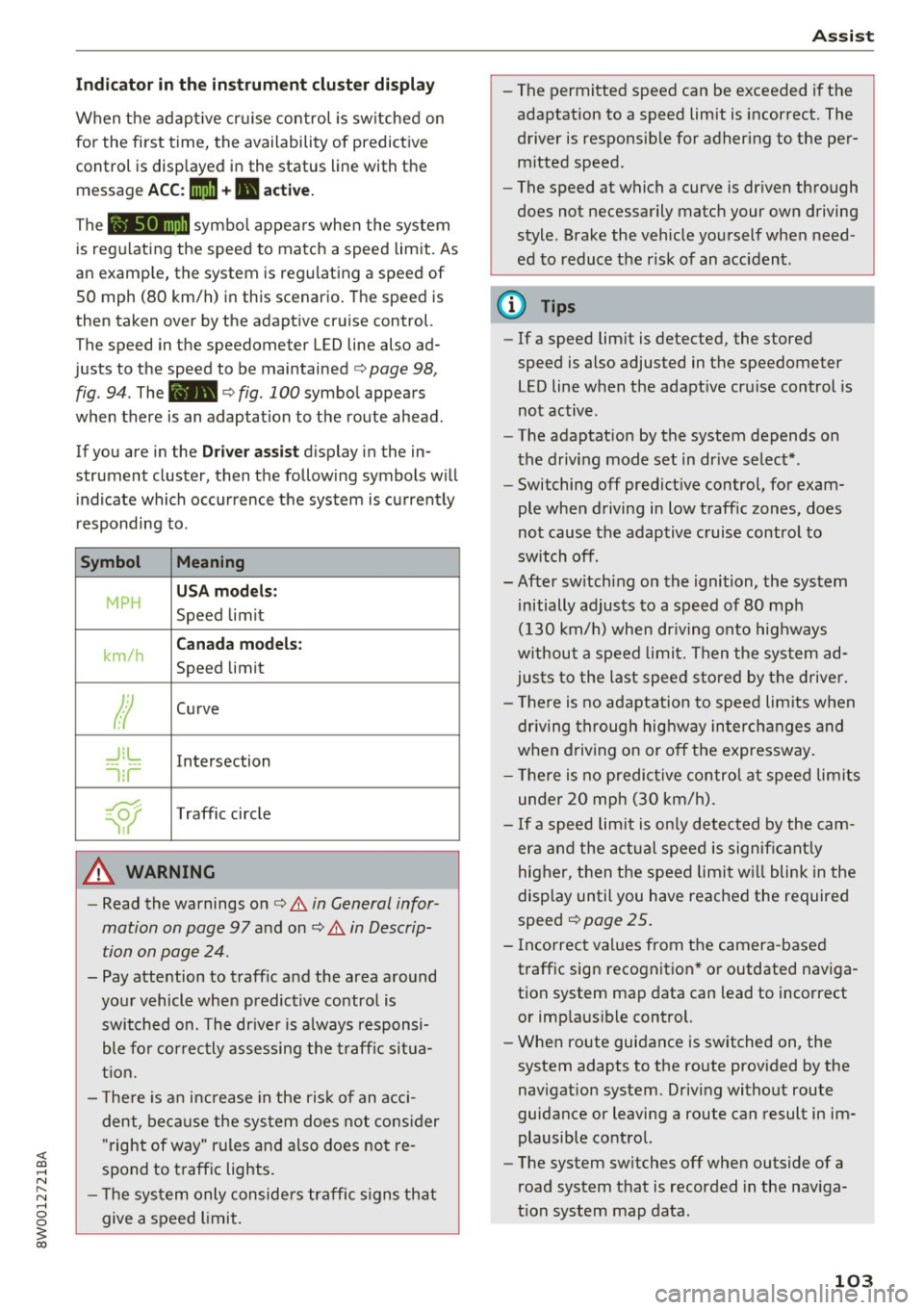
for the first time, th e availability of predictive
control is displayed in the status line with the m essage
ACC: 1111 + B active.
The symbol appears when the system
is regulating the speed to match a speed limit. As
an example, the system is regulating a speed of
50 mph (80 km/h) in this scenario. The speed is
then taken over by the adaptive cruise control.
The speed in the speedometer LED line also ad
justs to the speed to be maintained
c::> page 98,
fig .
94. The 111B c::> fig . 100 symbol appears
when there is an adaptation to the route ahead .
If you are in the
Driver assist display in the in
strument cluster, then the following symbols will indicate which occurrence the system is currently
responding to .
Symbol Meaning
MPH
USA models:
Speed limit
km/h
Canada models:
Speed limit
Ir
Curve
_J!L
-1:r
Intersection
~
Traffic circle
A WARNING
- Read the warnings on c::> & in General infor
mation on page 97
and on c::> & in Descrip
tion on page 24 .
- Pay attention to traffic and the area around
your vehicle when predictive control is switched on. The driver is always responsi
ble for correctly assessing the traffic situa
tion.
- There is an increase in the risk of an acci
dent, because the system does not consider
"right of way" rules and also does not re
spond to traffic lights .
- The system only considers traffic signs that
give a speed limit.
Assist
- The permitted speed can be exceeded if the
adaptation to a speed limit is incorrect. The
driver is responsible for adhering to the per
mitted speed.
- The speed at which a curve is driven through
does not necessarily match your own driving
style . Brake the vehicle yourself when need
ed to reduce the risk of an accident.
(D Tips
-If a speed limit is detected, the stored
speed is also adjusted in the speedometer
LED line when the adaptive cruise control is
not active.
- The adaptation by the system depends on
the driving mode set in drive select* .
- Switching off predictive control, for exam
ple when driving in low traffic zones, does
not cause the adaptive cruise control to
switch off .
-After switching on the ignition, the system
initially adjusts to a speed of 80 mph
(130 km/h) when driving onto highways
without a speed limit. Then the system ad
justs to the last speed stored by the driver.
- There is no adaptation to speed limits when
driving through highway interchanges and
when driving on or off the expressway.
- There is no predictive control at speed limits
under 20 mph (30 km/h).
- If a speed limit is only detected by the cam
era and the actual speed is significantly
higher, then the speed limit will blink in the
display until you have reached the required
speed
c::> page 25.
- Incorrect values from the camera-based traffic sign recognition* or outdated naviga
tion system map data can lead to incorrect
or implausible control.
- When route guidance is switched on, the
system adapts to the route provided by the
navigation system. Driving without route
guidance or leaving a route can result in im
plausible control.
- The system switches
off when outside of a
road system that is recorded in the naviga
tion system map data.
103
Page 106 of 386

Assist Switching predictive control on and off
Applies to: ve hicles w ith Aud i adapt ive cruise co ntro l and pre
di ctive eff iciency assist
• Select in the Infotainment system: I MENU I but
ton
> Vehicle > left control button > Driver as
sist
> Audi adaptive cruise control.
Set speed limit
When th is function is sw itched on, the system re
sponds to the speed limits. This can also be done
with at tolerance, if desired . In this scenar io, you
may fall below or exceed the set speed in
favor of
increased efficiency.
Adaptation to route ahead
When this function is sw itched on, the adapta
tion to the route ahead (such as a reduction in
speed at curves) activates.
Congestion assist
Description
A pp lies to: ve hicles with Aud i adapt ive cruise co ntrol
Congestion assist supports the driver when driv
ing in traffic jams or in heavy traffic.
Fig. 101 Turn signal lever: congestion ass ist button
Fig . 102 Inst rument cluster: congestion assist
104
In a speed range under 40 mph (65 km/h), con
gestion assist can he lp to keep the vehicle within
a lane calculated by the system. Within the limits
of the system, the system controls the steering
automat ica lly when adaptive cruise contro l is
switched on. Since congest ion assist is only a n
ass ist system, the driver must always keep his or
her hands on the steering wheel and be ready to
stee r. The driver can override the control at any
time by actively steering.
The system is designed for driving on express
ways and highways .
Switching congestion assist on and off
• Press the <=) fig . 101 button to switch the sys
tem on and off.
• To turn the system off completely, select in the
Infotainment system:
I MENU I button> Vehicle
> left control button > Driver assist > Conges
tion assist .
If congestion assist was deactivated through the
Infotainment system, you can continue operating
the active lane assist using the
Q fig. 101 button
Q page 113. The congestion assist functions are
no longer available.
Requirements for using congestion assist:
-Congestion assist must be switched o n in the
Infota inment system.
- Adaptive cru ise control must be switched on
and active ¢
page 98.
Always switch off congestion assist in the
following situations:
-When increased attention is needed from the
driver .
- In poor weather conditions such as snow or
heavy ra in.
- When driving on roads in poor cond ition.
- In construction zones.
- In city driving.
Congestion assist availability:
When you are in the Driver assist view in the in
strument cluster display, the indicator light turns
on
iii and the message Congestion assist availa
ble
appears if a traffic jam situation was detect-
ed. You can open up the
Driver assist display .,.
Page 107 of 386
using the multifunction steering wheel buttons
¢
page 12. To activate congestion assist, you
must press the¢
fig. 101 button and switch on
the adaptive cruise control¢
page 98.
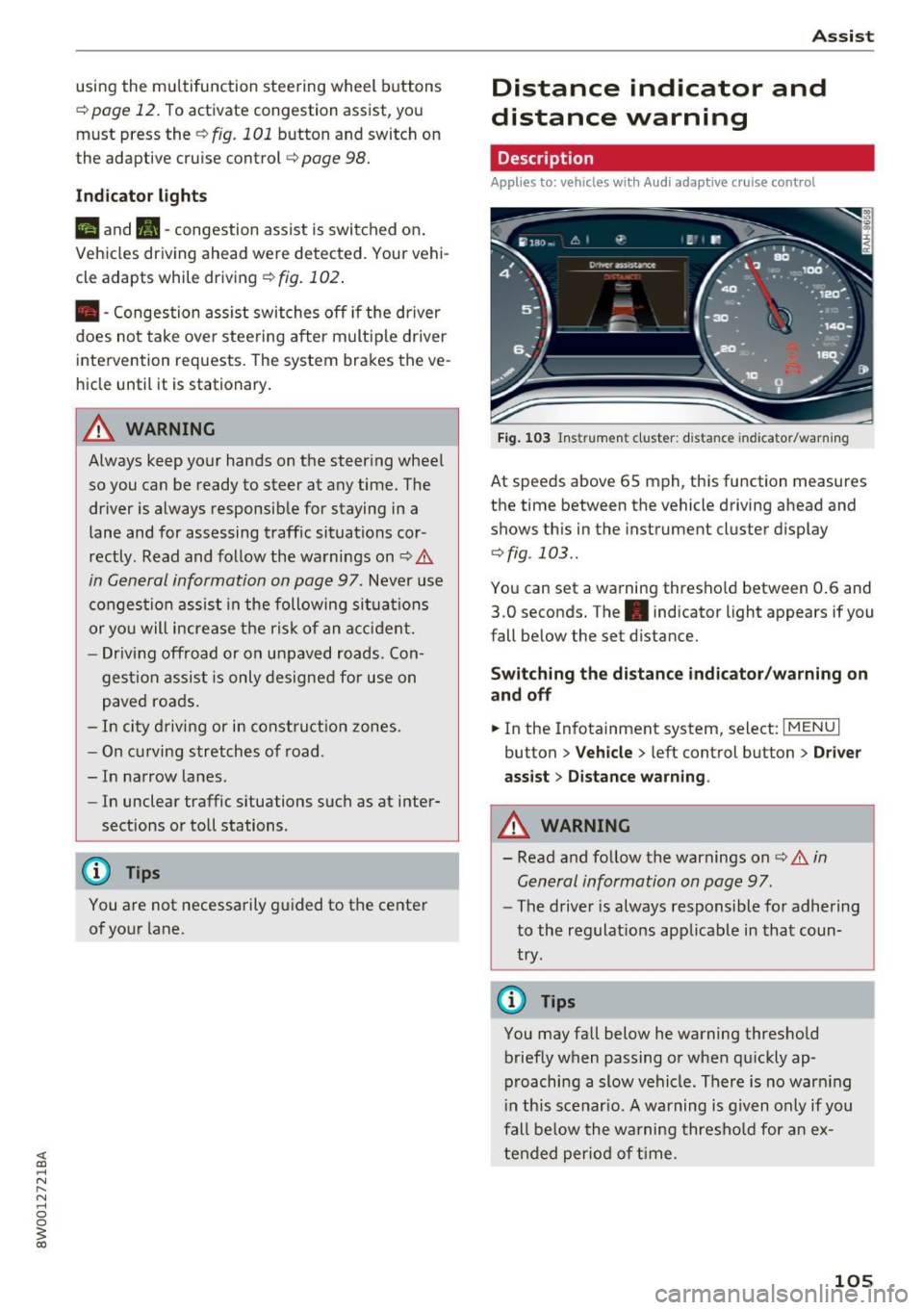
Indicator lights
11'1 and•-congestion assist is switched on .
Veh icles driving ahead were detected. Your vehi
cle adapts while driving
¢ fig. 102 .
•-Congestion ass ist switches off if the dr iver
does not take ove r stee ring after multip le driver
intervention requests . The system brakes the ve
hicle until it is stationary .
.&_ WARNING
Always keep your hands on the steering whee l
so you can be ready to steer at any time. The
driver is always responsib le for staying in a
lane and for assessing traffic situations cor
rectly . Read and follow the warnings on¢.&
in General information on page 97 . Never use
conge stion assist in the following si tuations
or yo u will increase t he ris k of an a cci den t.
- Drivi ng offroad or on unpaved roads. Con-
gestio n assist is only designed for use on
paved roads.
- In city dr ivi ng or in co nst ru ct ion zones.
- On curving stretches of road .
- In narrow lanes.
- In unclear traffic situations s uch as at inter-
sections or toll stations.
@ Tips
You are not necessarily g uided to the center
of yo ur lane.
A ss ist
Distance indicator and
distance warning
Description
Applies to: vehicles with Audi adaptive cruise control
Fig . 1 03 Instrumen t cl uster: dist ance indicato r/warn ing
At speeds above 65 mph , this function measures
the time between the vehicle driving ahead and
shows th is in the instrument cluster display
¢ fig . 103 ..
You can set a wa rning thresho ld between 0 .6 and
3.0 seconds. The . indicator light appears if you
fall be low the set d istance.
Switching the distance indicator /warning on
and off
.. In the Infotainment system, select: I MENU I
button > Veh icle > left control button > Driver
ass ist> Distan ce warning .
.&_ WARNING
-
- Read and fo llow the warnings on¢.& in
General information on page
97.
-
- The drive r is always responsible fo r adhering
to the regulat ions app licab le in that coun
try .
@ Tips
You may fall below he warning thresho ld
briefly when passing or when q uickly ap
p roaching a slow vehicle. There is no war ning
i n this scenar io. A warning is g iven only if you
fall be low the warning thresho ld for a n ex
tended per io d of t ime.
105
Page 108 of 386
Assist
Messages
Applies to: vehicles with Audi adaptive cruise control
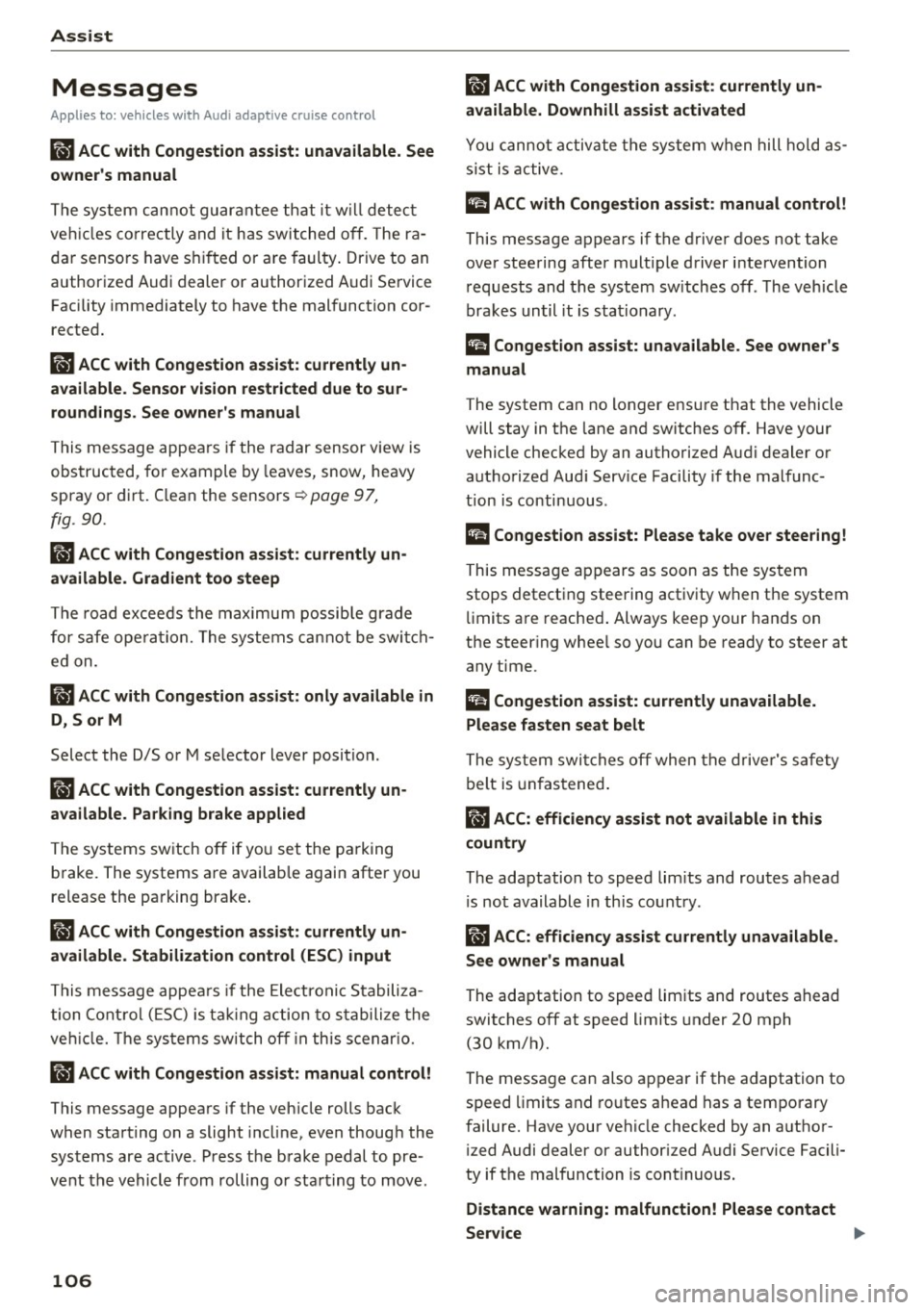
II ACC with Conge stion assist: unavailable. See
owner 's manual
Th e system c annot guarantee that it w ill detec t
ve hicl es co rre ctly and it h as swit ched
off. T he ra
dar senso rs have s hifted o r are faul ty . D rive to an
authorized Audi dealer or authorized Audi Se rvice
Facility immediately to have t he mal function cor
rected.
II ACC with Congestion assist: currently un
available. Sensor v ision restricted due to sur
roundings. See owner 's manual
T hi s message appears if the radar sensor view is
obs truc ted, for example by leaves, snow, heavy
spray or dirt. C lean the sensors ~
page 97,
fig . 90.
IIJ ACC with Congestion assist : currently un
available. Gradient too steep
T he road exceeds the maximu m possib le grade
for safe ope ra tion. The systems c annot be swi tch
e d on.
IIJ ACC with Congestion assist: only available in
D, Sor M
Select the D/S o r M selector lever position .
Bl ACC with Congestion assist: currently un·
a vailable . Parking brake applied
The systems sw itch off if yo u set the pa rk in g
brake. The systems a re availab le again after you
release the pa rking brake .
IIJ ACC with Congestion assist : currently un
available. Stabilization control (ESC ) input
This message appea rs if the Ele ct ro nic St abiliza
tion Cont rol (ESC) is ta king a ction to s tabilize the
ve hicl e. The sys tems sw itch
o ff in this s cenar io.
IIJ ACC with Congestion assist: manual control!
This message appea rs if the veh icle rolls bac k
when starting on a slight incl ine , even thoug h the
sys tems are ac tive . P ress the b rake pedal to pre
ve nt the vehicle from rolling o r sta rting to move.
106
ilJ ACC with Congestion a ssist: currently un
available. Downhill assist activated
Y ou canno t activ ate the sys te m when hill hold as
s ist is active.
tei ACC with Congestion assist: manual control!
This message appears if the driver does not take
over steering after multiple driver i ntervention
r equests and the system sw itches
o ff . The veh icle
brakes un til it is sta tionary .
tei Congestion assist: unava ilable . See owner's
manual
The system can no longer ensu re that the vehicle
will stay in t he lane and switches
off. Have your
vehicle checked by an authorized Audi dealer o r
aut horize d Aud i Serv ice Facility if the ma lf u nc
t ion is continuous .
II Congestion assist: Please take over steering!
This message app ears as soon as t he system
stops detect ing steering act iv ity when the system
li mits a re reached . Always keep your hands o n
t h e steer ing whee l so you can be ready to steer at
any t ime.
@ Conge stion assist: currently unavailable.
Please fasten seat belt
The system swi tches off when the drive r's safety
b elt is unfas tene d.
II ACC: efficiency as sist not available in thi s
country
The adaptation to speed lim its and rou tes ahead
i s not available in this co unt ry .
ii ACC: efficiency assist currently unavailable .
See owner's manual
The adaptation to speed lim its and routes ahead
switches off at speed limits under 20 mph
(30 km/h).
The message can also appear if the adaptation to speed limits and routes ahead has a temporary
failure. Have your vehicle checked by an a uthor
i zed Audi dealer or author ized Audi Se rvice Facili
ty if the malfunction is cont inuous.
Distance warning: malfunction! Please contact
Service
...
Page 109 of 386
<( a, .... N ,....
N .... 0 0
3 a,
The system cannot guarantee that it will detect
vehicles correctly and it has switched off. The ra
da r senso rs have sh ifted o r are faulty . Drive to an
author iz ed Audi dealer or author iz ed Audi Se rvice
Faci lity immediately to have the malfunction cor
rected .
Distance warning : currently una vailable . Sensor
v iew restricted due to surroundings. See own
er's manual
This message appears if the radar sensor view is
obstructed, for example by leaves, snow, heavy
spray or dirt . C lean the sensors ¢
page 97,
fig. 90 .
Distance warning: currently unavailable. See
owner 's manu al
This message appea rs if the sys tem has a tempo
rary fai lure. If this occ urs mult iple times, d rive to
an authorized Audi dealer or authorized A udi
Service Facility immediately to have the malfunc
tion corrected.
ACC: Please fa sten seat belt
The system is no t comp lete ly available if the d riv
e r' s sea t belt is u nfastened .
Stationary object ahead
This message appears if you would like to switch
the system o n and there is a stationary object di
rect ly in front of your vehicle.
Door open
The system is no t availab le when the door is
open .
Audi pre sense
Introduction
Applies to: ve hicles with Audi pre sense
W ith in the lim its of the system, t he pre sense
f u nctions can init iate measures in part icularly
dangerous sit uat ions to protect t he ve hicle pas
sengers and ot her road users.
- Because different veh icle systems such as the
ESC are i nterconnected , the
pre sense b asic in
t roduces p reempt ive safety meas ures for the
Assist
passengers i f an unstable driving si tuation is
detected.
- The
pre sen se front system uses the data from
the adaptive cruise contro l* radar sensors and
the camera to ca lculate the probability of a co l
lision . With in the lim its of the system, an im
pending co llision with vehicles can be detected
in both urba n and rural speed ranges. In t his
case, the system warns the driver visua lly,
acoust ica lly and w ith a jerk on the brakes if nec
essary. If needed, i t can in itiate a partia l o r fu ll
dece lerat ion to reduce the collision speed or to
avoid the collision under certa in circumstances.
I n conjunction with pre sense basic/rear, the
front safety belts are a lso reve rsibly tens ioned
when needed . The pre sense front is a lso active
when adaptive cruise control* is sw itched off.
- Pre sense rear contains pre sense basic func
tions. It uses the data from the side assist* ra
dar sensors and ca lculates within the limits of
the system the probability of a rear end colli
sion with t he vehicle behind you. Pre sense rear
is also act ive when side assist* is sw itched off .
- Within the limits of the system,
pre sense city
uses the camera data and can detect an im
pe nding collision with vehicles and pedestrians.
I n th is case , the system warns the driver visua l
ly , acous tic ally and wit h a jerk on the b rakes if
necessary. If needed, it c an initi ate a full dece l
erat io n to reduce the collis io n speed or to avoid
the collision under certain circumstances . In
conjunction with pre sense basic/rear, the front
safety belts are a lso reversibly tens ioned when
needed .
A WARNING
-
Read the genera l information on¢.&. in Gen -
eral information on page
97, c::> .&. in General
information on page 117 .
@ Tips
-Certa in pre sense funct ions sw itch off when
dr iving in reverse.
- The pre sense funct ions may not be availa
ble if there is a malfunct ion in the ESC sys
tem or t he a irbag control module .
107
Page 123 of 386
<( a, .... N ,....
N .... 0 0
3 a,
The rear cross-traffi c assist is not ava ila ble . E i
ther the ESC is switched off, or the radar sensors may be covered by a b ike rack, stickers, leaves,
snow or other objects. Switch the ESC on, or
clean the area in front of the sensors if necessary
c> page 116, fig. 112 . If this message cont inues
to be d isplayed, d rive immed iate ly to an au thor
iz ed A udi dealer o r autho rized Audi Servi ce Fac ili
ty to have t he malfunc tion repa ired.
Audi drive select
Introduction
Applies to: vehicles with Audi drive select
Drive se lect makes it possible to experience dif
fe rent types of vehicle settings in one vehicle.
The dr ive r can se lect
Comfort , Auto a nd Dynamic
modes in the I nfota inme nt system to switch be
tween , fo r exa mple, a sporty and a co mfo rtable
d riving mo de. Settings ca n be ad justed to your
p e rs o nal pr efe ren ces in
Individual m ode. This
makes it poss ible to comb ine settings su ch as a
sporty eng ine setting w ith smooth stee ring.
Descript ion
Applies to: vehicles with Audi drive select
The fo llow ing systems, among other things, are
i nfluenced by drive select:
Engine and automatic transmission
D epending on the mode, the en gine and auto
mat ic transmission respond more quickly o r in a
mo re balanced ma nner to accelerator pe dal
movements . In the spo rty
Dynamic mode, the
transmission shifts at higher speed ranges.
Steering
The power s teering adapts. Ind irect s teer ing t hat
moves easi ly as in
comfort mode is espec ia lly
suited to long drives on highways . The
dynamic
mode p rovides sporty, d irect steering.
The fo llow ing applies to vehicles wi th dynam ic
steer ing* : the stee ring rat io chan ges base d on
ve hicle speed in or der to ma inta in optim um
steer ing effort for the drive r at all times. This
sets the steer ing to be less sensitive at higher
speeds i n order to prov ide improved vehicle con-
Assist
t ro l. At r educed spee ds, steeri ng is more direct in
o rder to kee p the steering effort as minima l as
poss ib le when the drive r is maneuvering t he vehi
cle. Dynam ic steer ing* also p rovides more re
spons ive steering performance at low and aver
age speeds .
Suspension control*
The ada ptive dampers * use sensors to reco rd in
f ormat ion regard ing steering movements, b rak
ing and accele ration operations by the dr iver,
road s urface, driving speed, and load. This makes
it possible to adapt damping to the d riv in g situa
t io n virtu ally in rea l ti me . Wi th drive select, you
can ad just th e adap tiv e dam pers to sporty
(Dy
nami c),
comfo rtable (Comfort ) or balan ced (Au
to ).
Cornering light*
T he co rne ring light adapts the high beams to the
direction of the curve de pending on the speed .
T he pivo ting ac tion and the lighting also a dapt to
t h e mode.
Adaptive cruise cont rol (ACC)*
The behavio r whe n accelerati ng ca n be adjusted
from comfortable to s porty, depending on the
dr ive selec t mode . Adap tive cruise control also
r espon ds to the dr iv ing behav ior of t he vehicle
ahea d in a m ore conse rv a tive or sporty m an ner.
Engine sound*
The eng ine sound adapts to the c urrent mode
and can be subtle to sporty .
(D Tips
The S selector leve r posit ion automatically en
gages whe n the
Dynamic mode is select ed.
121
Page 355 of 386
<( a, .... N ,....
N .... 0 0
3 a,
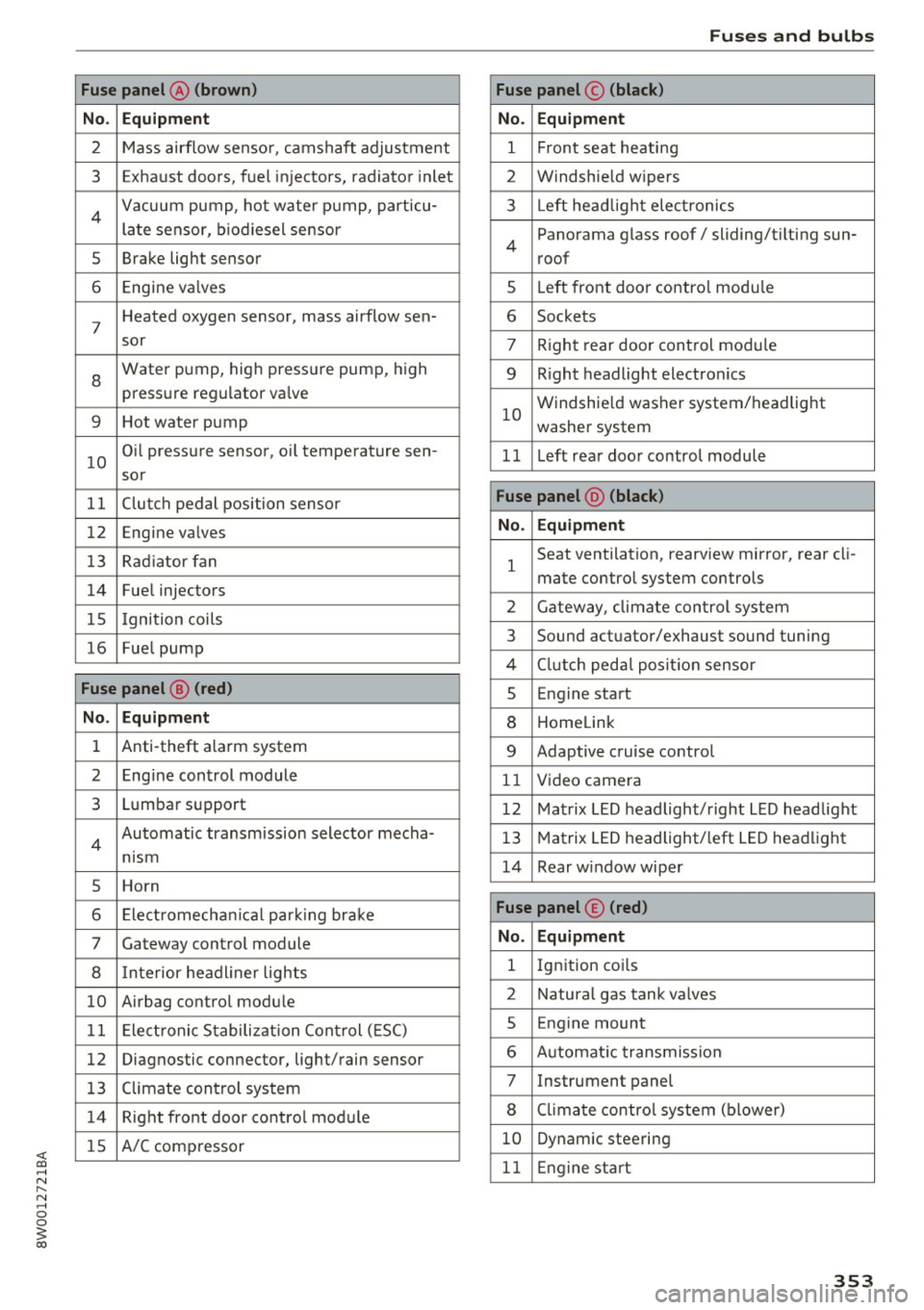
Fuse panel @ (brown)
No . Equipment
2 Mass airflow sensor, camshaft adjustment
3 Exhaust doors, fuel in jectors, radiator inlet
4 Vacuum pump, hot water pump, particu -
late senso r, biodiesel sensor
5 Brake light sensor
6 Engine va lves
7
Heated oxygen sensor, mass airflow sen-
sor
8
Water pump, high pressure pump, high
pressure regulator va lve
9 Hot water pump
10
Oil pressure sensor, oi l temperature sen-
sor
11 Clutch pedal position sensor
12 Engine valves
13 Radiator fan
14 Fuel injectors
15 I gnition coils
16 Fuel pump
Fuse panel @ (red)
No . Equipment
1 Anti-theft alarm system
2 Engine control module
3 Lumbar support
4
Automatic transmission selector mecha-
nism
5 Horn
6 Electromechan ical park ing brake
7 Gateway control module
8 I nterior headl iner lights
10 Airbag control module
11 Electronic Stabilization Control (ESC)
12 Diagnostic connector, light/rain sensor
13 Climate control system
14 Right front door control module
15 A/C compressor
Fuses and bulbs
Fuse panel © (black)
No . Equipment
1 Front seat heating
2 Windshield w ipers
3 L eft head light electronics
4
Panorama glass roof/ sliding/t ilting sun-
roof
5 L eft front door control module
6 Sockets
7 Right rear door control module
9 Right headlight electronics
10
Windshield washer system/headlight
washer system
1 1 Left rear door control module
Fuse panel @ (black)
No . Equipment
1
Seat ventilation, rearv iew mirror, rear cl i-
mate control system controls
2 Gateway , climate control system
3 Sound actuator/exhaust sound tuning
4 Clutch pedal pos ition sensor
s Engine start
8 Homelink
9 Adaptive cruise control
11 Video camera
12 Matrix LED headlight/right LED headlight
13 Matrix LED headlight/left LED headlight
14 Rear window wiper
Fuse panel © (red)
No . Equipment
l Ignition coi ls
2 Natural gas tank valves
5 Engine mount
6 Automat ic transmission
7 Instrument panel
8 Cli mate control system (blower)
10 Dynamic steering
11 Engine start
353
Page 368 of 386
Consumer inf orm ation
means t hat yo u risk both a substantia l reduction
in the operational safety of your vehicle and an
increased wear of veh icle parts ~&. .
Author ized Audi dealers w ill perform this work in
a professional and competent manner or, in spe
cial cases, refer you to a professional company
that spec ializes in such modif icat ions.
A WARNING
Improper repairs and modifications can
change the way vehicle systems work and
cause damage to the veh icle and ser ious per
sonal injury.
([) Note
If emergency repa irs must be performed else
where, have the vehicle examined by an au thorized Audi dealer as soon as possib le.
Declaration of
Compliance, Telecom munications and
Electronic Systems
Radio Frequency Devices and Radiocommunica
tion Equipment User Manual Notice.
The manufacturer is not responsible for any radio
or TV interference caused by unauthor ized modi
fications to this equ ipment .
Devices
The fo llow ing devices each comp ly w ith FCC Part
15.19, FCC Part 15.21 and RSS-Gen Issue
1:
- Audi adaptive cruise contro l*
- Audi s ide ass ist*
- Cell phone package*
- Convenie nce key*
- Electronic immobilizer
- Garage door opener (Homelink)*
- Remote control key
FCC Part 15.19
This device comp lies wit h pa rt 15 of the FCC
Rules. Operat ion is s ubject to the following two
conditions:
366
(1) This dev ice may not cause ha rmf ul interfer
ence, and
( 2 ) this devi ce must accep t any i nte rference re
ce ived, in cl ud ing in terference tha t may c ause un
desired ope ration.
FCC Part 15.21
CAUTION :
Changes or modificat ions not express ly approved
by the pa rty responsible for compliance could
vo id the user's a uthority to operate t he equ ip
ment .
RSS-Gen Issue 1
Operat ion is subject to the following two cond i
tions:
(1) this device may not ca use interference, and
(2) this devi ce must accep t any inte rference, in
cl ud ing interfe rence that may cause undesi red
operation of the device.