adaptive cruise control AUDI S4 2017 Owners Manual
[x] Cancel search | Manufacturer: AUDI, Model Year: 2017, Model line: S4, Model: AUDI S4 2017Pages: 386, PDF Size: 96.32 MB
Page 4 of 386
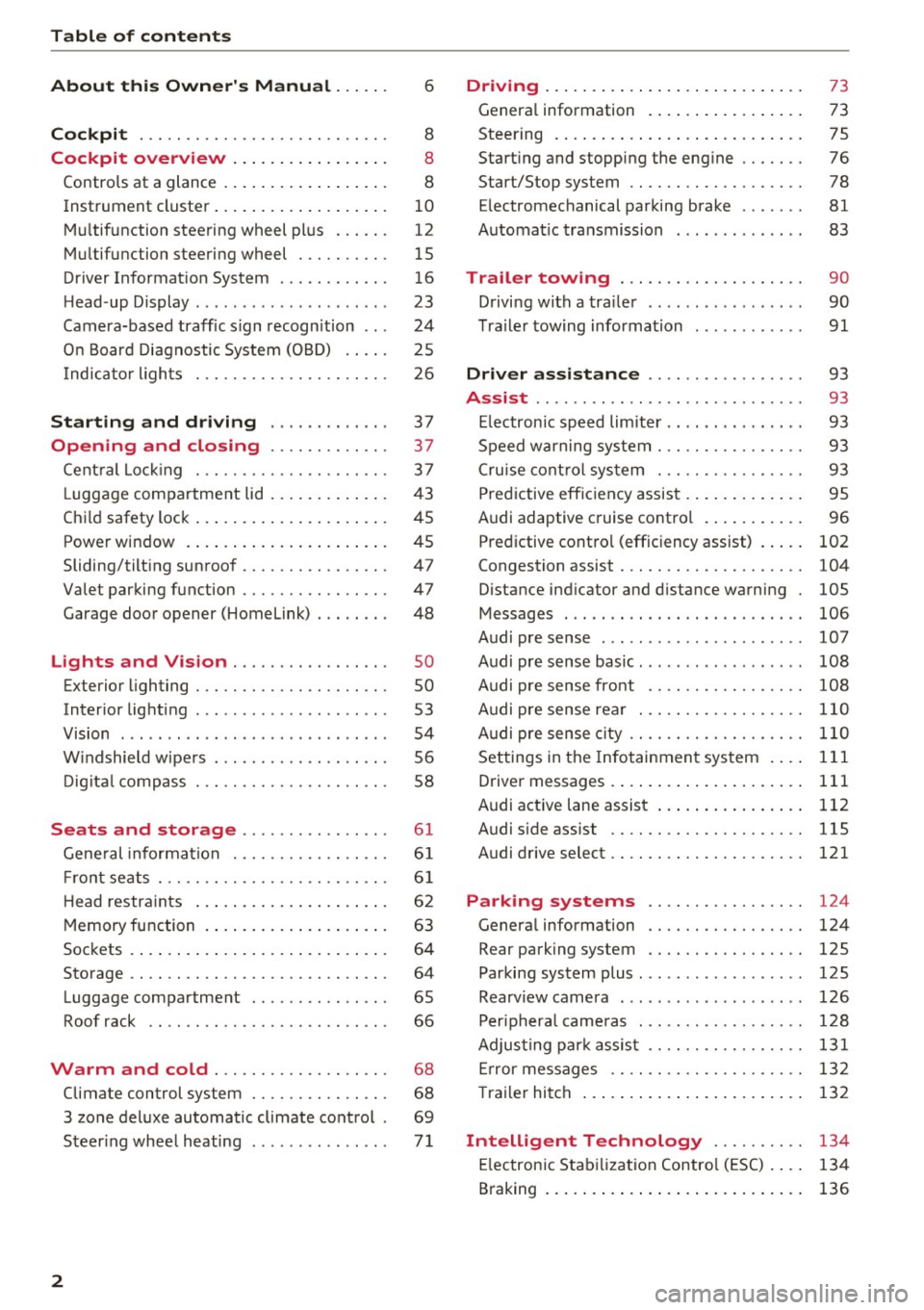
Table of contents
About this Owner's Manual ... .. .
Cockpit ... .. ............... .... .. .
Cockpit overview ................ .
Controls at a glance ... .......... .. .. .
Instrument cluster .. .......... .. .. .. .
Multifunction steering wheel plus ... .. .
Multifunction steering wheel ......... .
Driver Informat ion System ..... .. .... .
H ead-up Display .... .. .. ..... ... .. .. .
Camera-based traff ic sign recognition .. .
O n Board Diagnostic System (OBD) .... .
I ndicator l ights .............. .... .. .
Starting and driving
Opening and closing Cent ral Lock ing .............. .... .. .
L uggage compa rtment lid ... ..... .. .. .
Child safety lock .... .......... .. .. .. .
Power window ... .. .......... .. .. .. .
Sliding/tilting sunroof ......... .... .. .
Valet parking function ............. .. .
Garage door opener (Homelink) . .. .. .. .
L ights and Vision .............. .. .
Exterior lighting . .. . .......... .. .. .. .
Interior lighting ...... ........... ... .
V1s1on ....... .. ................ ... .
Windshield wipers . ... .... .... .. .. .. .
Digital compass . ............. .... .. .
Seats and storage ............ ... .
General information .......... .. .. .. . 6
8
8
8
10
12
15
16
23
24
25
26
37
37
3 7
43
45
45
47
47
48
so so
53
54
56
58
6 1
61
Front seats . . . . . . . . . . . . . . . . . . . . . . . . . 61
H ead restraints . . . . . . . . . . . . . . . . . . . . . 62
Memory function . . . . . . . . . . . . . . . . . . . . 63
Sockets . . . . . . . . . . . . . . . . . . . . . . . . . . . . 64
Storage . . . . . . . . . . . . . . . . . . . . . . . . . . . . 64
Luggage compartment . . . . . . . . . . . . . . . 65
Roof rack . . . . . . . . . . . . . . . . . . . . . . . . . . 66
Warm and cold . . . . . . . . . . . . . . . . . . . 68
Climate control system . . . . . . . . . . . . . . . 68
3 zone deluxe automatic climate control . 69
Steer ing whee l heating . . . . . . . . . . . . . . .
7 1
2
Driving ..... .. .. .. .. ... .......... . .
General information . ... ........... . .
Steering .......... .. .. . .......... . .
Start ing and stopping the eng ine ..... . .
Start/Stop system .. .. ............. . .
E le ctromechanical parking brake ...... .
Automat ic transmission
Trailer towing ... .. ... .. ..... ... . .
Driving with a trailer .. ........ ..... . .
Trailer towing information
Driver assistance .. ............ .. .
Assist ........... ... .............. .
Electronic speed limiter ... .. ... ... .. . . 73
73
75
76
78
81
83
90
90
91
93
93
93
Speed warning system . . . . . . . . . . . . . . . . 93
Cruise control system . . . . . . . . . . . . . . . . 93
Predictive efficiency assist . . . . . . . . . . . . . 95
Audi adaptive cruise control . . . . . . . . . . . 96
Predictive control (efficiency assist) . . . . .
102
Congestion assist . . . . . . . . . . . . . . . . . . . . 104
Distance ind icator and distance warning 105
Messages . . . . . . . . . . . . . . . . . . . . . . . . . . 106
Audi pre sense . . . . . . . . . . . . . . . . . . . . . . 107
Audi pre sense basic. . . . . . . . . . . . . . . . . . 108
Audi pre sense front . . . . . . . . . . . . . . . . . 108
Audi pre sense rear . . . . . . . . . . . . . . . . . . 110
Audi pre sense city . . . . . . . . . . . . . . . . . . . 110
Settings in the Infotainment system . . . . 111
Driver messages . . . . . . . . . . . . . . . . . . . . . 111
Audi active lane assist . . . . . . . . . . . . . . . . 112
Audi sid e ass ist . . . . . . . . . . . . . . . . . . . . . 115
Audi drive select . . . . . . . . . . . . . . . . . . . . . 121
Parking systems . . . . . . . . . . . . . . . . . 124
Genera l information . . . . . . . . . . . . . . . . . 124
Rear parking system . . . . . . . . . . . . . . . . . 125
Parking system plus . . . . . . . . . . . . . . . . . . 125
Rearview camera . . . . . . . . . . . . . . . . . . . . 126
Peripheral cameras . . . . . . . . . . . . . . . . . . 128
Adjusting park assist . . . . . . . . . . . . . . . . . 131
Error messages . . . . . . . . . . . . . . . . . . . . . 132
T railer hitch . . . . . . . . . . . . . . . . . . . . . . . . 132
Intelligent Technology . . . . . . . . . . 134
Electronic Stabilization Control (ESC) . . . . 134
Braking . . . . . . . . . . . . . . . . . . . . . . . . . . . . 136
Page 11 of 386
<( a, .... N ,....
N .... 0 0
3 a,
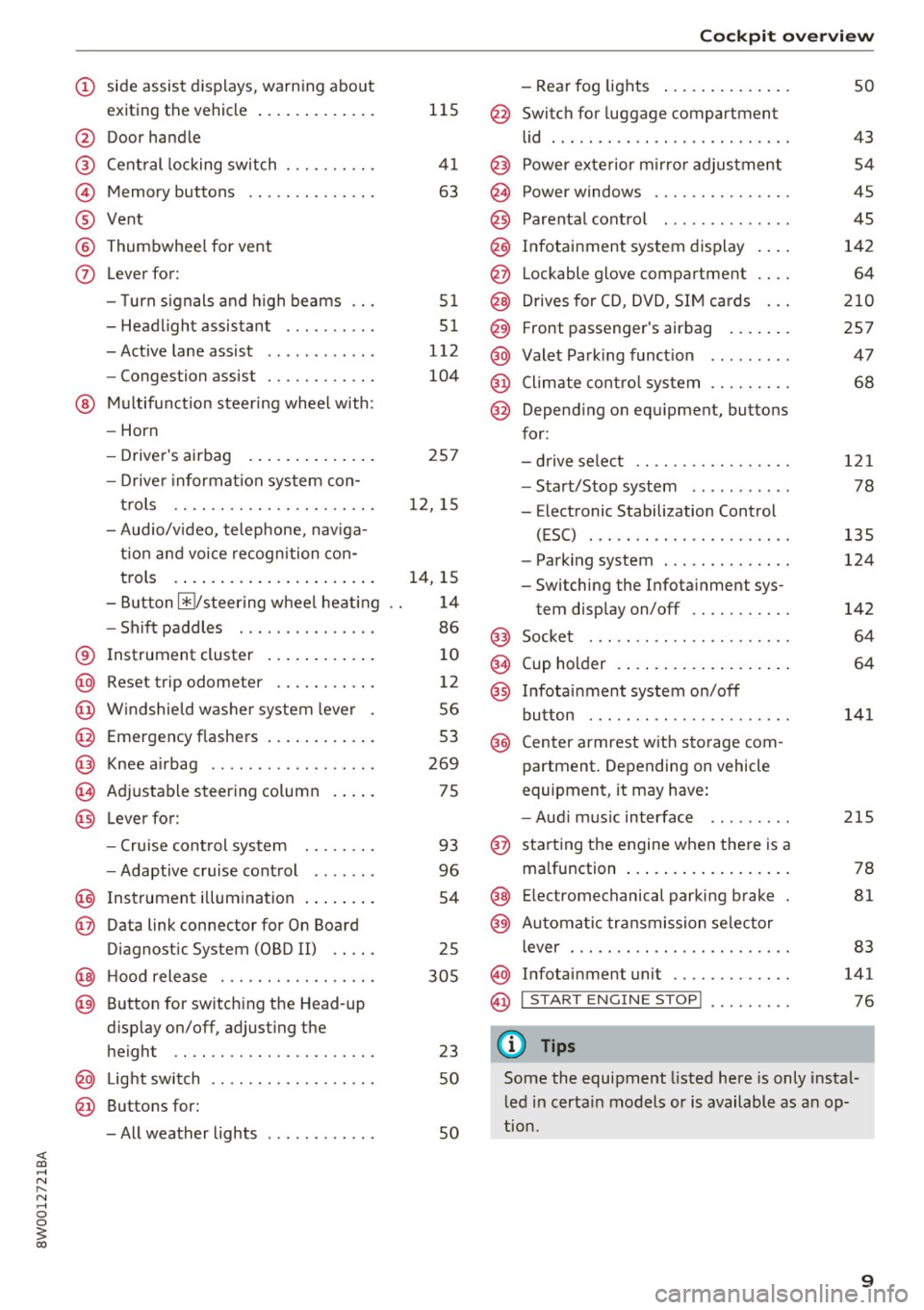
(!) side assist displays, warning abo ut
exiting the vehicle ..... ... .. .. .
@ Door handle
@ Cent ral locking switch ....... .. .
@ Memory buttons ........... .. .
® Vent
® Thumbwhee l for vent
(J) Lever for:
- T urn signals and h igh beams
- Headl ight assistant ......... .
- Active lane assist .. ..... ... . .
- Congestion assist ....... .. .. .
@ Mul tifunction steer ing wheel with:
- Horn
- Driver's airbag . ..... ... .. .. .
- Drive r information system con -
t rols .. .. ............. .. .. .
- Audio/v ideo, telephone, nav iga
t ion and voice recognition con-
trols . ... .... .. .... ... .. .. .
- Button ~/steering wheel heating
- Sh ift paddles .............. .
® Instrument cluster ....... .. .. .
@
@
@
@
~
@
Reset trip odometer ........ .. .
W indshie ld w asher system lever
Emergency flashers .... ... .. .. .
Knee a irbag ........ ... .. ... . .
Adjustable steer ing column
Lever for:
- Cruise cont rol system ..... .. .
- Adaptive cruise cont rol .. ... . .
@ Instrument i llum ination ... .. .. .
@ Data link connector for On Board
Diagnostic System (OBD II) .. .. .
@ H ood release . ........... .. .. .
@ Button for switching the Head-up
d isplay on/off, adjust ing the
height .. .. ............... .. .
@ Lig ht switch ............... .. .
@ Buttons for :
- All weather lights
llS
41
63
5 1
5 1
112
104
25 7
12, 15
14, 15
1 4
86
10
12
56
53
269
75
93
96
54
25
305
23 50
50
Coc kpit o ve rv iew
-Rear fog lights .. .. .. ..... .. .
@ Switch for luggage compartment
li d .... ... .. .. .. .... .. ... .. . .
@ Power exterior m irro r adjustment
@ Power windows .............. .
@ Parental cont rol ............. .
@ Infotainment system dis play . .. .
@ Lockable glove compartment ... .
@ Drives for CD, DVD, SI M cards .. .
@ Front passenger's airbag .... .. .
@ Valet Park ing funct ion ........ .
@ Climate cont ro l system ........ .
@ Depend ing on equ ipment, buttons
for:
- drive select .. .. ............ .
- Start/Stop system . ... ... .. . .
- Electronic Stabilization Control
(ESC) ..... .. .. ... ....... .. .
- Parking system . .... . ..... .. .
- Switching the Infota inment sys-
tem disp lay on/off .......... .
@) Socke t ... .. .. .. ............ .
@ Cup holder . ... .. .... . ..... .. .
@ Infotai nment system on/off
button ... .. .. .. .... .. ... .. . .
@ Center armrest w ith sto rage com
partment . Depending on vehicle
equipment, it may have:
- Aud i m usic interface ........ .
@ starting the engine when the re is a
ma lfunction .. ... .... . ..... .. .
@ E lectromechanical parking brake
@ Automa tic transmission se lector
lever ... .. .. . ... ............ .
@ Infotainment unit ............ .
@ I START EN GIN E STOP ! ........ .
(D Tips
50
43 54
45
45
142 64
2 10
257 47
68
121
78
135
124
142
64
64
141
215
78
81
83
141
76
Some the equipment listed here is only instal
l ed in certa in models or is available as an op-
tion .
9
Page 25 of 386
Head-up Display
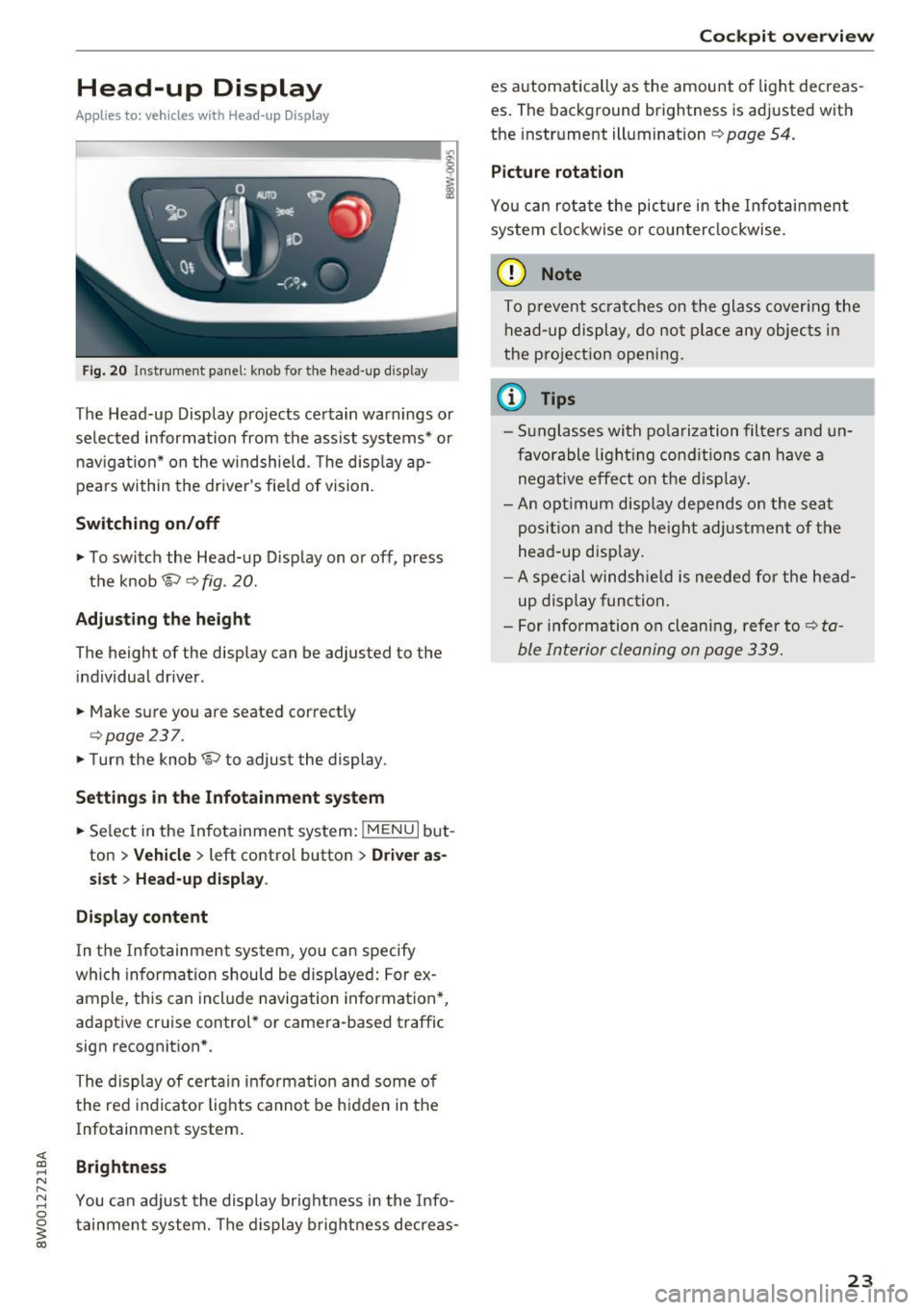
Applies to: vehicles with Head-up Display
Fig. 20 Instrument panel : knob for the head-up display
The Head-up Display projects certain warnings or
selected information from the assist systems* or
navigation* on the windshield. The d isplay ap
pears within the drive r's field of vision.
Switching on/off
• To switch the Head-up Display on or off, press
the knob
1;) ¢ fig . 20.
Adjusting the height
The height of the display can be adjusted to the
individual driver.
• Make sure you are seated correctly
¢ page 237.
• Turn the knob 1;) to adjust the display.
Settings in the Infotainment system
• Se lect in the Infotainment system: !MENU I but
ton
> Vehicle > left contro l button > Driver as
sist
> Head-up display .
Display content
In the Infotainment system, yo u can specify
which information should be displayed: For ex
ample, this can include navigation information*,
adaptive cruise control* or camera-based traffic
sign recognit ion* .
The display of certain information and some of the red indicator lights cannot be hidden in the
Infotainment system.
Brightness
You can adjust the display brightness in the Info
tainment system. The display brightness decreas-
Cockpit overview
es automatically as the amount of light decreas
es. The background brightness is adjusted with
the instrument illumination ¢
page 54.
Picture rotation
You can rotate the picture in the Infotainment
system clockwise o r counterclockwise.
(D Note
To prevent scratches on the glass cover ing the
head-up display, do not place any objects in
the pro jection opening.
(D Tips
- Sunglasses with polarization filters and un
favorable lighting conditions can have a
negative effect on the display .
- An opt imum disp lay depends on the seat
posi tion and the heigh t adjustment of the
head -up disp lay.
- A special windshie ld is needed for the head
up display function.
- For information on cleaning, refer to¢
ta
ble Interior cleaning on page 339.
23
Page 30 of 386
Cockpit over view
28
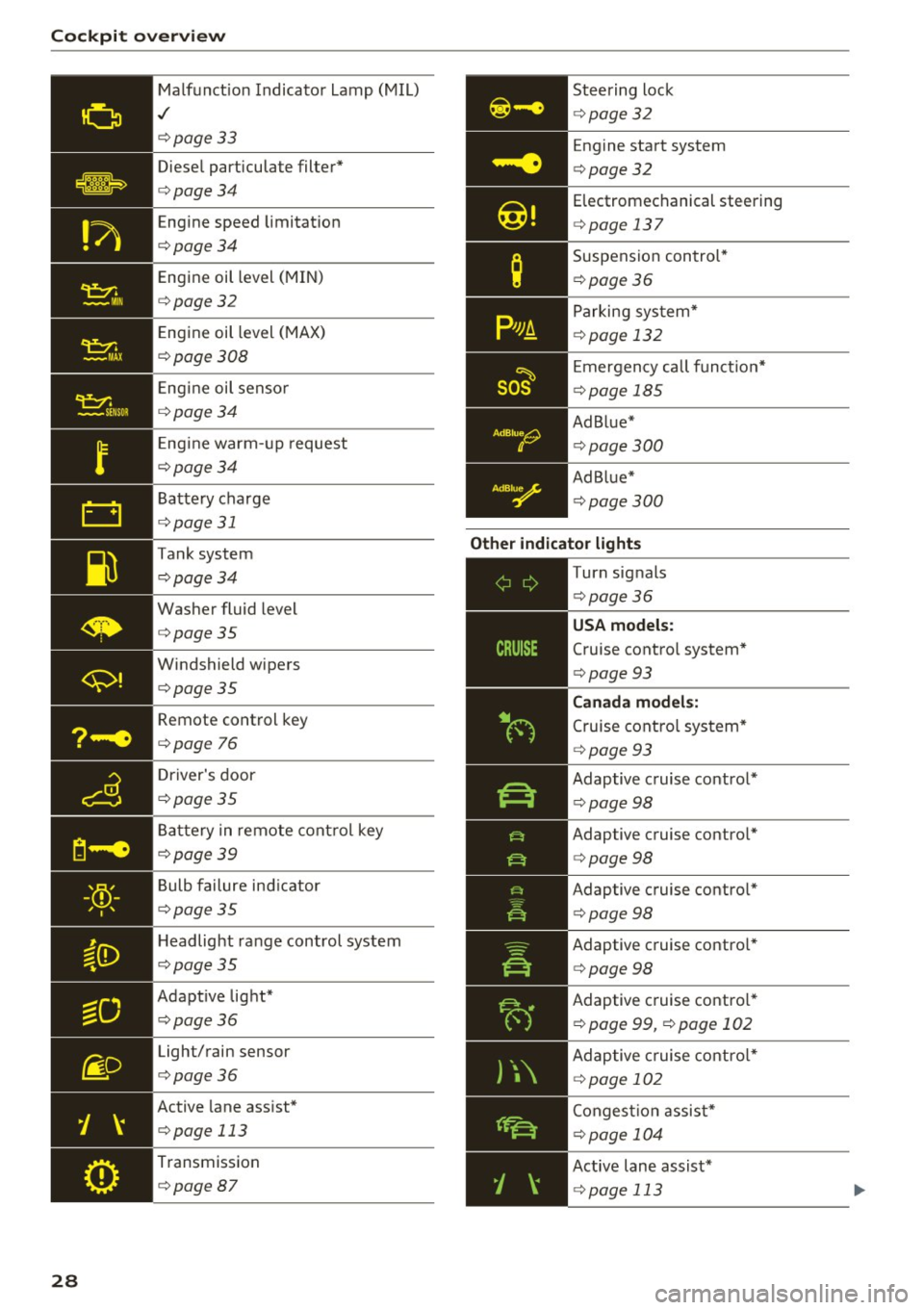
Malfunct ion Indicato r Lamp (MIL)
./
c::>page33
Diesel particulate filter*
c::>page34
Engine speed limitat ion
c::>page34
Engine oil level (MIN)
c::>page32
E ngine oil level (MAX)
c::>page308
Engine oil senso r
c::>page34
Eng ine warm -up request
c::>page34
Battery charge
<=:>page 31
Tank system
c::>page34
Washer fluid level
c::>page35
Windshield wipers
c::>page35
Remote control key
<=:>page 76
Driver's door
c::>page35
Ba ttery in remo te cont rol key
c::>page39
Bulb failure ind icator
c::>page35
H eadlight ra nge control system
c::>page35
Adapt ive lig ht*
c::>page36
Light/rain sensor
c::>page36
Active lane assist*
c::> page 113
Transmission
c::> page87
Steering lock
c::>page32
Engine start system
<=:>page 32
Electromechanical steering
c::> page 13 7
Suspension con trol*
c::> page36
Parking sys tem*
c::> page 132
E mergency call f unct io n*
<=:>page 185
Ad Blue*
c::>page300
Ad Blue*
c::>page300
Other indicator light s
--------------
Turn signals
c::> page36
Cruise contro l system*
<=:> page 93
Canad a model s:
Cruise cont rol sys tem*
<=:> page 93
Adaptive c ruise control *
¢page 98
Adaptive cruise contro l*
<=:> page 98
Adaptive cruise contro l*
¢ page 98
Adaptive c ruise contro l*
¢ page 98
Adaptive c ruise contro l*
¢ page 99, <=:>page 102
Adaptive c ruise cont ro l*
¢ page 102
Conges tion assist*
<=:>page 104
Active lane assist*
c::> page 113
Page 97 of 386

<( a, .... N ,....
N .... 0 0
3 a,
Switching off
Appl ies to: ve hicles with cr uise control system
Temporary deactivation
.. Press t he b rake peda l, o r
.. Press t he leve r in d irection @(not loc ked into
pla ce)
c:> page 93 , fig. 88.
Switching off completely
.. Press the lever into position @(clicked into
place) , or
.. Switch the ign ition off .
The speed you sto red w ill be mai nta ined if the
cru ise control has been switched off temporarily .
To res ume the store d speed, releas e the b rake
pedal and pu ll the leve r into position @.
Sw itchi ng the ign ition off will erase the stored
speed .
A WARNING
You should only resume the stored speed if it
is not too high for exis ting traffic co nd itions,
ot herwise you can in crease the risk of an acci
dent.
Predictive efficiency
assist
Description
A ppl ies to: ve hicles with pre dictive eff iciency assis t
General information
The predictive eff ici ency assist helps the driver to
d rive with an ticipation and therefore helps to
save fue l. The sy stem a ccesses p redic tive trip da
t a (in cluding speed lim its, in cli ne s a nd the radius
of cur ves) from the n avigat ion sys tem* . Informa
tion from the camera-based traff ic sign recogn i
tion* is also app lied to recognize traffic signs
c:> page24.
The mess ages disp layed depend on the navi ga
tion data * being up-to-date and the co rrect iden
tification by the traffic sign recognition *.
When adaptive cruise contro l* is sw itche d off,
the predi ctive efficiency ass ist only p rovides not i
fications without controlled intervent ions . When
Assist
adaptive cruise cont ro l* is sw itched on, the sys
tem responds to upcom ing situations a utomat i
ca lly.
Vehicles with adaptive cruise control*
Refer to pred ictive contro l c:> page 10 2.
Indicator in the instrument cluster display
Pred ictive messages appear in the inst rument
cluster d isp lay to show the dr ive r the a pprop ria te
t im e to coast when a sit uat io n ahead requ ires
yo u t o d rive at a lower speed.
The messages are o nly show n if the cruise co ntro l
system* o r adaptive cruise cont rol* is sw itched
off .
An additional indicator appears i n the Head-up
display* .
Symbol Meaning
Remove your foot from the acceler-
~
ator pedal to s low down because
there is a situa tion ahead that re-
quires a lower speed.
Keep yo ur foot on the accelerator
~
peda l because the situation requir-
ing a lower speed has not been
reached yet .
If you see
Driver ass ist in the instrument cluster
display, the following symbo ls wi ll indicate which
s ituation the system is cu rren tly reacti ng to .
Symbol Meaning
MPH
USA models:
Speed limit
km/h
Canada models:
S peed limit
_JiL
, : r
Intersect ion
01
Traffic c ircle
If there a re mul tiple s ituations, then these si tua-
t ions w ill appea r in order in the display. .,.
95
Page 98 of 386

Ass is t
A WARNING
Pay att ention to traffic a nd the area ar ound
yo ur vehicle wh en th e effici ency assist is
switched on . The dr iver is always respon sible
for correctly assess ing the traffic situation .
@ Tips
- The wording of the message may vary de
pending on the driving mode set in dr ive se
l ect*
r::::> page 121 and the current selector
l eve r pos ition . No messages a re displayed
whe n in the S selector leve r pos ition or in
d ynami c mode.
- When a route is planned using the naviga
tion system*, then the message fee d is
b ased on this rou te. W ithout rou te g uid
ance, the system uses an assumed ro ute for
the message feed.
- T here will not be a message for every si tua
tion ahead, for examp le if there is not
eno ugh distance remaining to react to the
situation.
- No messages are displayed when at s peeds
under 20 mph (30 km/h) .
Settings in the Infotainment system
A ppl ies to: ve hicles w ith predi ctive e fficiency assist
.. In the Infotainment system, select: I MENU I
button > Vehicle > left contro l button > Driver
assist
> Effi ciency assist .
Predictive messages are shown when this f unc
tion is sw itched on.
{D) Tips
No p redictive messages are shown on veh icles
w ithout a navigation system.
96
Audi adaptive cruise
control
Description
App lies to : vehicles wi th Audi adap tive c ru ise con trol
Fi g. 89 Detect io n range
The adaptive cru ise cont rol system is a comb ina
tion of speed and dis tance regu lation.
It ass ists
t h e d river by bo th regu lating the speed and
maintain ing a d is ta nce to the vehicle driv ing
ahead, within the limits of the system. If the sys
tem detects a vehicle d riving ahead, the adaptive
cruise contro l can brake and accelerate yo ur vehi
cle. T his makes driving more comfo rtable both
o n long st retches of hig hway and in stop-and-go
traffic .
What can adaptive cruise control do?
The adaptive cru ise control system uses video, ra
dar, ultrasound and navigat ion data . Vehicles
driv ing ahead can be recognized up to 650 feet
(200 m) away .
Pred ictive functions offer the drive r additional
comfort and contr ibute to the reduct ion in fuel
consumption a nd CO2 em issions
r::::> page 102.
On open roads with no traffic, it functions like a
cruise contro l system. The stored speed is main
ta ined . When approaching a vehicle d riving
ahead, the adaptive cruise contro l system auto
matically brakes to match that vehicle's speed
and then maintains the set dis tance. As soon as
the system do es not detect a vehicle dr iv ing
ahea d, adaptive cruise cont rol accelerates up to
t h e s to red spee d.
In stop-a nd-go traffic, adap tive cruise control can
brake until the veh icle is sta tionary a nd then can .,.
Page 99 of 386
also start driving again automatically under cer
tain conditions
c!;> page 100.
In traffic jams or slow-moving traffic, congestion
assist can assist the driver¢
page 104 .
Which functions can be controlled?
When you switch adaptive cruise control on, you
can set the current speed as the "control speed "
c!;> page 98, Switching on/off.
When driving, you can stop cruise control
c!;> page 100 or change the speed ¢ page 99 at
any time .
You can also set the dist ance to the vehicle d riv
ing ahead and set the driving mode of the adap
tive cruise control¢
page 101 .
General information
Appl ies to: ve hicles with Audi adaptive cruise co ntro l
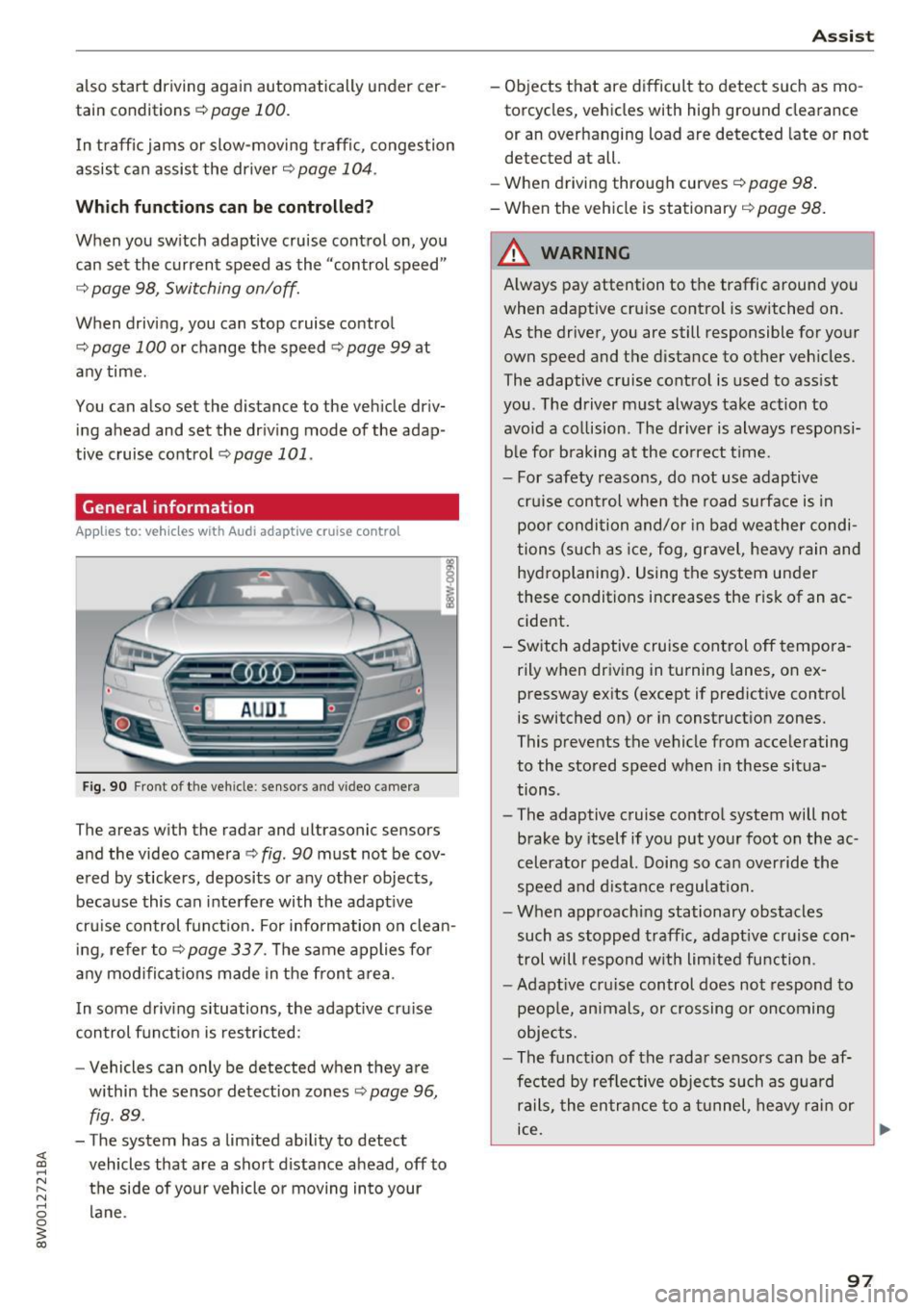
Fig. 90 Fro nt o f th e ve hicle : sensor s and video c amer a
The areas wi th the radar and ul trasonic senso rs
and the video camera¢
fig. 90 must not be cov
ered by stickers, deposits or any other objects ,
because this can interfere with the adaptive
cruise control function. For information on clean ing, refer to¢
page 337. The same applies for
any modifications made in the front area .
In some driving situations , the adaptive cruise
control function is restricted:
- Vehicle s can only be detected when they are
within the sensor detection zones
¢ page 96,
fig . 89 .
-The system has a limited ability to detect
vehicles that are a short distance ahead, off to
the side of your vehicle or moving into your lane .
Assist
-Objects that are difficult to detect such as mo
torcycles, v ehicles with high ground clearance
or an overhanging load are detected late or not
detected at all.
- When driving through curv es
c!;> pag e 98.
- When the vehicle is stationary ¢ page 98.
A WARNING
Always pay attention to the traffic around you
when adaptive cruise control is switched on .
As the driver, you are still responsible for your
own speed and the distance to other vehicles.
The adaptive cruise control is used to assist
you . The driver must always take action to
avoid a collision . The driver is always responsi
ble for braking at the correct time .
- For safety reasons, do not use adaptive
cruise control when the road surface is in poor condition and/or in bad weather condi
tions (such as ice, fog, gravel, heavy rain and
hydroplaning). Using the system under
these conditions increases the risk of an ac cident.
- Switch adaptive cruise control off tempora rily when driving in turning lanes, on ex
pressway exits (except if predictive control
is switched on) or in construction zones.
This prevents the vehicle from accelerating
to the stored speed when in these situa
tions .
- The adaptive cruise control system will not
brake by itself if you put your foot on the ac
celerator pedal. Doing so can override the
speed and distance regulation.
- When approaching stationary obstacles
such as stopped traffic, adaptive cruise con
trol will respond with limited function .
-Adaptive cruise control does not respond to
people, animals, or crossing or oncoming
objects.
- The function of the radar sensors can be af
fected by reflective objects such as guard
rails, the entrance to a tunnel, heavy rain or
ice.
~
97
Page 100 of 386
Assist
(D Note
The sensors can be displaced by impacts or
damage to the bumper , whee l housing and
underbody. This can impair the adaptive
cruise control. Have an authorized Audi dea ler
or authorized Audi Service Fac ility check their
function .
In curves
Applies to: vehicles with Audi adaptive cruise control
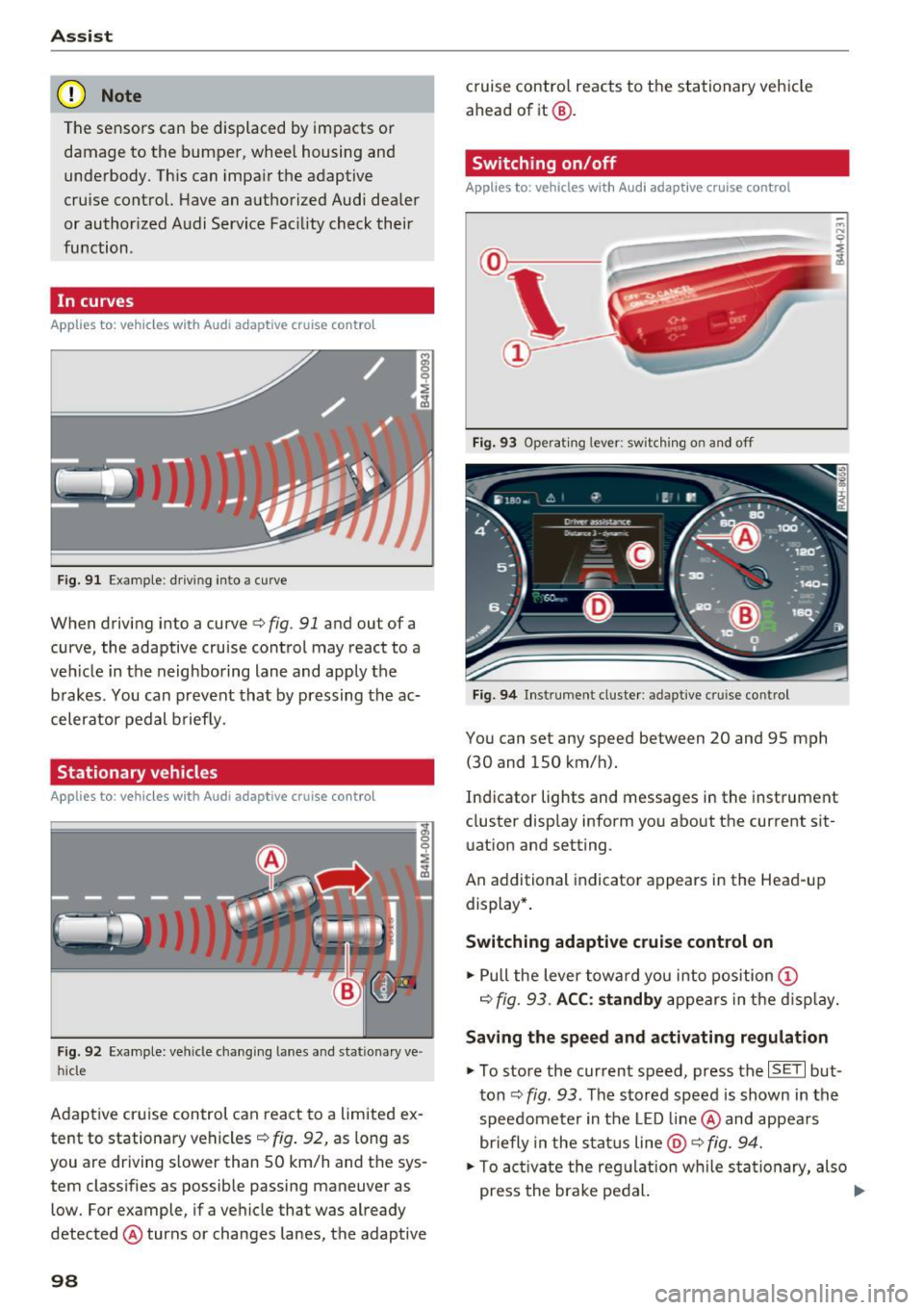
Fig . 9 1 Exa mple: drivin g in to a curve
When driving into a curve<=> fig. 91 and ou t of a
curve, the adaptive cruise control may react to a
veh icle in the neighboring lane and apply the
brakes . You can prevent that by pressing the ac
celerator pedal b rief ly.
Stationary vehicles
Applies to : vehicles with Aud i adaptive cruise contro l
Fig. 92 Example: vehicl e chang ing lane s and sta tiona ry ve
hi cle
Adaptive cruise control can react to a limited ex
tent to stationary vehicles
c:> fig . 92, as long as
you are driving slow er than SO km/h and the sys
tem classifies as possible passing maneuver as
low . For example, if a vehicle that was already
detected @turns or changes lanes, the adaptive
98
cruise contro l reacts to the stationary vehicle
ahead of it@ .
Switching on/off
Applies to: vehicles with Audi adaptive cruise control
Fig. 93 Operating lever : sw itc hin g on and off
Fig. 94 Inst rument cluster : adap tive cr uise cont rol
You can set any speed between 20 and 9S mph
(30 and lSO km/h).
Indicator lights and messages in the instrument
cluster display inform you about the cu rrent sit
uation and setting .
An add itional indicator appears in the Head-up
display *.
Switching adaptive cruise control on
.. Pull the lever toward you into position (D
c=> fig. 93. ACC: standby appears in the display.
Saving the speed and activating regulation
.. To store the current speed, press the ISE TI but
ton
c:> fig . 93 . The stored speed is shown in the
speedometer in the LED line@ and appears
briefly in the status line
@ c:> fig. 94.
.. To activate the regulation while sta tionary, also
press the brake pedal. .,.
Page 101 of 386

Switching adaptive cruise control off
• Push the lever away from you into position @
unti l it clicks into place. The message
ACC: off
appears.
@ Indicato r lights
I'll -adaptive cru ise control is switched on. No
vehicles are detected ahead. The stored speed is
maintained.
• -A vehicle driving ahead was detected. The
adapt ive cr uise control system regulates the
speed and distance to the vehicle dr iv ing ahead
and accelerates/brakes automatically.
• -adaptive cru ise cont rol is switched on . Ave
h icle was detected ahead. Yo ur vehicle is stat ion
ary and will not star t driving automatically.
(-j -adaptive cru ise control is switched on . No
vehicles we re detected ahead . Your vehicle is sta
tionary and will not start dr iving automati cally.
• -T he automatic brak ing is not enough to
maintain a sufficient distance to a veh icle dr iving
ahead . You must intervene
¢ page 102, Request
for driver intervention.
© In strum ent cluster display
If Dr ive r assis t is not shown in the instrument
cluster display, you can open it using the multi
function steering wheel buttons
¢ page 12.
Based on the graphic display, you can determine
if the system is maintaining a distance to the ve
h icle dr iving ahead and what that distance is .
No vehicle -no vehicle was detected driving
ahead .
Silver vehicle -a vehicle was detected driv ing
ahead.
Red vehicle -request for the dr iver to take action
¢page 102.
The five distance bar s on the gauge© rep resent
the set d istance (refer to
~ page 101 for infor
mat io n on how to change the dis tance) . If you
fa ll below the se lected distance, the distance
bars become red from the bottom upward.
A ss ist
A WARNING
If you press the !SET ! button when driv ing at
speeds below 20 mph (30 km/h), the veh icle
accelerates automatically up to 20 mph (30
km/h), wh ich is the minim um speed that can
be set.
@ Tips
- If you switch the ignition or the adaptive
cruise cont rol sys tem off, the set speed is
erased for safety reasons.
- The e lectronic stabilization control (ESC)
and the an ti-slip-regula tion (ASR) are auto
matically switched on when the adap tive
cruise cont rol is swit ched on.
Changing the speed
Appl ies to: vehicles wit h Aud i ada ptive cru ise control
0
f
'
0
Fi g. 95 Operat ing lever: changing the speed
"'To increase/decrease the speed in 1 mph (1
km/h) increments, b riefly
t a p the lever toward
0 10 ¢ fig. 95 to the firs t level.
• To increase/dec rease the speed in 5 mph
(5 km/h or 10 km/h) increments, brief ly
tap
the lever toward 0 10 to the second level.
• To increase or decrease the speed quick ly,
hold
the lever toward 0 10 up to the first or second
level unt il the red LED@ reaches the desired
speed¢
page 98, fig . 94 .
You can also preselect the speed when adaptive
cruise contro l is not act ive by moving the lever in
the des ired direction
0 10 . Activate the previ
ously selected speed by pulling the lever into po
sition
(D ¢ page 98, fig . 93 .
After every adjustment, the new stored speed ap
pears briefly in the status line ¢
page 98, fig. 94 ..,.
99
Page 102 of 386
Ass is t
@ . The B indicator light also turns on when
adaptive cruise control is active and the
Ill indi
cator light turns on when adaptive cruise contro l
is not active .. In the Audi v irtual cockpit*, the
II
indicator light appears instead.
Driving in stop-and-go traffic
Applies to: vehicles with Aud i adapt ive cruise contro l
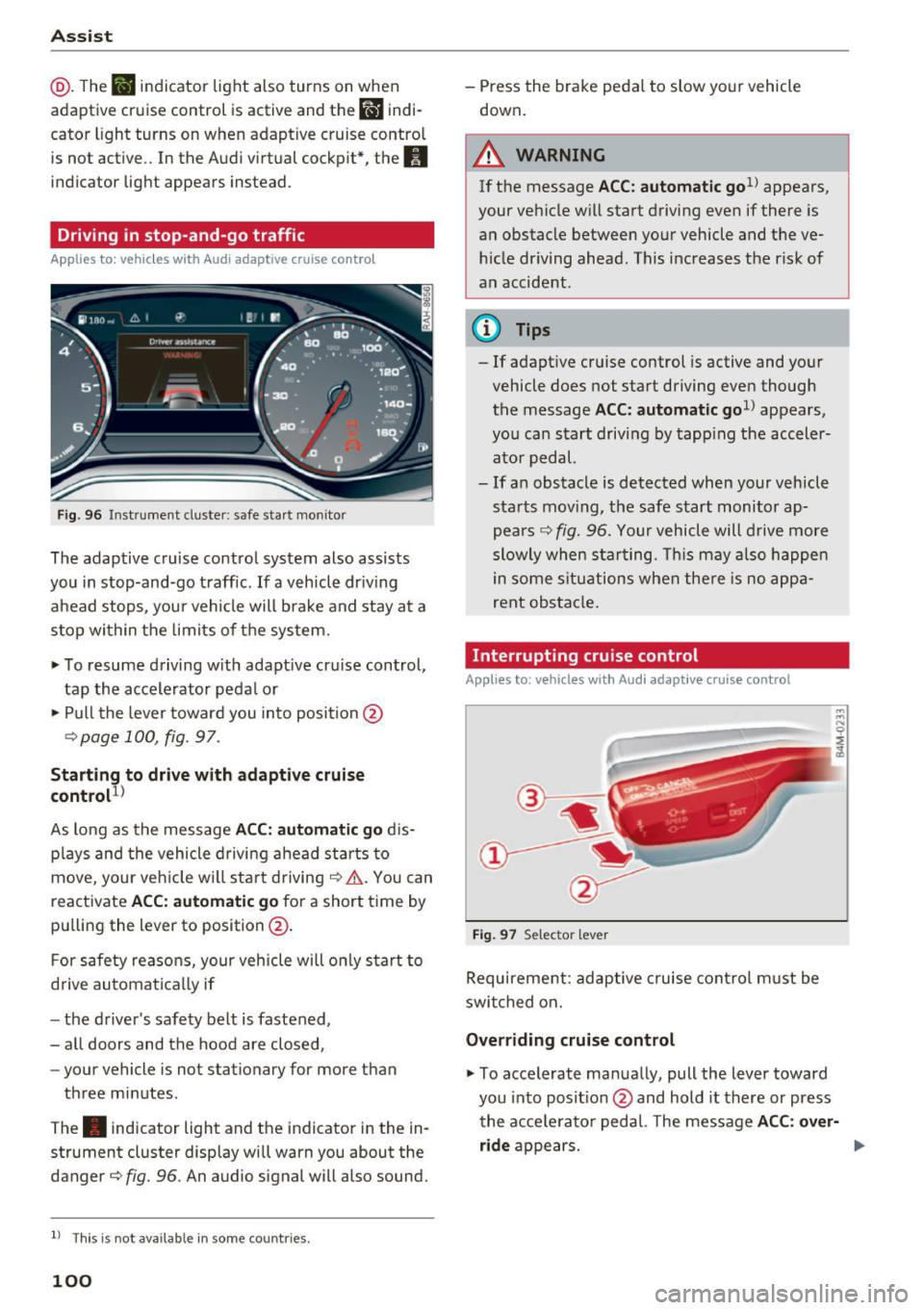
Fig. 96 Instru ment cluste r: safe sta rt mo nito r
The adaptive cruise control system also assists
you in stop-and-go traff ic.
If a vehicle dr iv ing
ahead stops, your vehicle will brake and stay at a
stop within the limits o f the system.
• To resume d riving w ith adapt ive cr uise control,
tap the accelerator peda l or
• Pull the lever toward you in to position @
¢page 100, fig . 97.
Starting to drive w ith adaptive cruise
control
1 )
As long as the message ACC: automatic go d is
p lays and the vehicle d rivi ng ahead starts to
move, your veh icle w ill sta rt driving ¢& . You can
reactivate
ACC: automatic go for a short time by
pu lling the lever to position @.
F or safety reaso ns, your vehicle will only start to
d rive automatically if
- the driver's safety belt is fastened,
- all doors and the hood are closed,
- your vehicle is not stationary for more than
three minutes .
The . indicator light and the indicator in the in
strument cluster display wi ll warn you about the
danger¢
fig. 96 . An audio signal will also sound.
l) Thi s is no t a vail able in so me c oun tries.
100
- Press the brake pedal to slow yo ur vehicle
down.
A WARNING
If the message ACC: automati c go1l appears ,
your vehicle w ill start driving even if there is
a n obstacle between your vehicle and t he ve
hi cle dr iving ahead. This increases the ris k of
an accident .
¢j) Tips
- If adaptive cruise control is active and your
vehicle does not start driving even though
the message
ACC: automatic go1> appears,
you ca n start driving by tapp ing the acceler
ato r pedal.
- If an obstacle is detected when your veh icle
sta rts mov ing, the safe s tart monitor ap
pea rs ¢
fig. 96. Yo ur vehicle will drive more
slowly when sta rting. This may a lso happe n
in some s itu ations when the re is no a ppa
rent obstacle .
Interrupting cru ise control
Applies to: vehicles wit h Audi adaptive c ruise control
Fig. 97 Selector leve r
Requirement : adaptive cruise cont rol m ust be
swi tched on.
Overriding cruise control
• To accelerate manua lly, pull the lever toward
you into posit ion @ and hold it there or press
the acce lerato r pedal. The message
ACC : over
ride
appears. ...