adaptive cruise AUDI S4 2018 User Guide
[x] Cancel search | Manufacturer: AUDI, Model Year: 2018, Model line: S4, Model: AUDI S4 2018Pages: 403, PDF Size: 66.81 MB
Page 115 of 403

-Press the brake pedal to slow your vehicle
down.
A WARNING
If the message ACC: automatic go1> appears,
your vehicle will start driving even if there is an obstacle between your vehicle and the ve
hicle driv ing ahead. This increases the risk of
an acc ident .
{!) Tips
If adaptive cruise control is active and your
vehicle does not start driving even though the
message
ACC: automatic go1 l appears, you
can start driving by tapping the accelerator
pedal.
Interrupting cruise control
A pplies to: ve hicles with Audi adaptive cruise contro l
Fig. 115 Selector lever
Requirement: adaptive cruise control must be
switched on.
Overriding cruise control
.. To accelerate manually, pull the lever toward
you into position @and hold it there or press
the accelerator pedal. The message
ACC: over
ride
appears .
.. To resume cruise control, release the lever or
take your foot off the acce lerator pedal.
Canceling cruise control while driving
.. Move the lever into position @. The message
ACC: standby appears . Or
.. Press the brake pedal.
ll Th is is not ava ilab le in some coun tries.
Assistance systems
.. To resume the stored speed, move the lever in-
to position @.
Automatic transmission: canceling cruise
control when stopped
.. Push the lever away from you into position @.
The message
ACC: standby appears.
.. To resume cruise control, press the brake peda l
and pull the lever toward you into position @.
A WARNING
It is dangerous to activate cruise control and
resume the stored speed when the current
road, traffic or weather cond itions do not per
mit this . This increases the risk of an accident.
Setting the distance
App lies to: vehicles wit h Audi adapt ive cr uise control
,
0
Fig. 116 Operating lever: setting the distance
.,. Tap the switch to display the current set dis
tance
qfig . 116.
.,. To increase or reduce the d istance in incre
ments, tap the switch upward/downward
again. The distance between the two vehicles
w ill change in the instrument cluster display.
When approaching a vehicle driving ahead, the
adaptive cruise control system brakes to match
that vehicle's speed and then adjusts to the set
distance. If the vehicle driving ahead accelerates,
then the adaptive cruise control will a lso acce ler
ate up to the speed that you have set .
T he higher the speed, the greater the distance
¢.& .The Distance 3 setting is recommended .
113
Page 116 of 403
Ass is tance sy stems
That is equal to the general recommendation of
"half the speed shown on the speedometer" .
The distances provided are specified val ues. De
pending on the d riving si tuat ion and how the ve
hicle ahead is driving, the actual distance may be
mo re or less than these target distances.
If you change the time gaps, the new ly set value
appears br iefly in the instrument clus ter display
II for example, for Di stance 3. T his only occurs
if the
Dr iver a ssistance display is not current ly
shown in the display
r:!:> page 110, fig. 112.
Distance 1 : this setting corresponds to a d istance
of 92 feet (28 meters) when traveling at 62 mp h
(100 km/h), or a time distance of 1 second.
Distan ce 2 : this setting co rresponds to a d istance
of 118 feet (36 meters) when traveling at 62
mph (100 km/h), or a time distance of 1.3 sec
onds.
Distan ce 3 : this setting corresponds to a d istance
of 164 feet (SO meters) when traveling at 62
mph (100 km/h), or a time distance of 1.8 sec
onds.
Distan ce 4 : this setting co rresponds to a d istance
of 219 feet (67 meters) w hen t raveling a t 62
mph (100 km/h), or a time distance of 2 .4 sec
onds.
Distan ce 5 : this setting co rresponds to a d ista nce
of 328 feet (100 me ters) when traveling at 62
mph (100 km/h), or a time distance of 3 .6 sec
onds.
A WARNING
When setting the distance, the driver is re sponsible for adhering to any applicab le legal
regulat ions.
(D Tips
- Depending on the selected driving mode in
drive select* and the set distance , the driv
i ng behavior will vary from dynamic to com
fortable when accelerating
¢ page 134.
- Distance 3 is set automatically each time
you switch the ignit ion on. If you would like
to set another d istance as the default set
ting, you can have the
adaptiv e cruis e con-
114 trot
menu enabled by an authorized Aud
i
dea ler or authorized Audi Service Facility .
- Your settings are a utomat ica lly stored and
assigned to the remote control key being
used.
Setting the driving program
Applies to: vehicles with Aud i adaptive cru ise control
Depend ing on the selected driving program and
distance, driving behavior when accelerating will
vary from dynam ic to comfortable .
Setting the driv ing program on vehicle s
without drive select*
.,. Select in the Infotainment system: IMENU j but
ton
> Veh icle > left control button > Driver as
si stance
> Audi adapti ve crui se control > Dr iv
ing program > Comfort, Standard or Dynamic .
Setting the d riving mode on veh icles w ith
drive sel ect*
See r:!:> page 134.
@ Tips
Your settings are automatically stored and as
signed to the remote control key being used.
Driver intervention request
App lies to : vehicles with Aud i adapt ive cru ise control
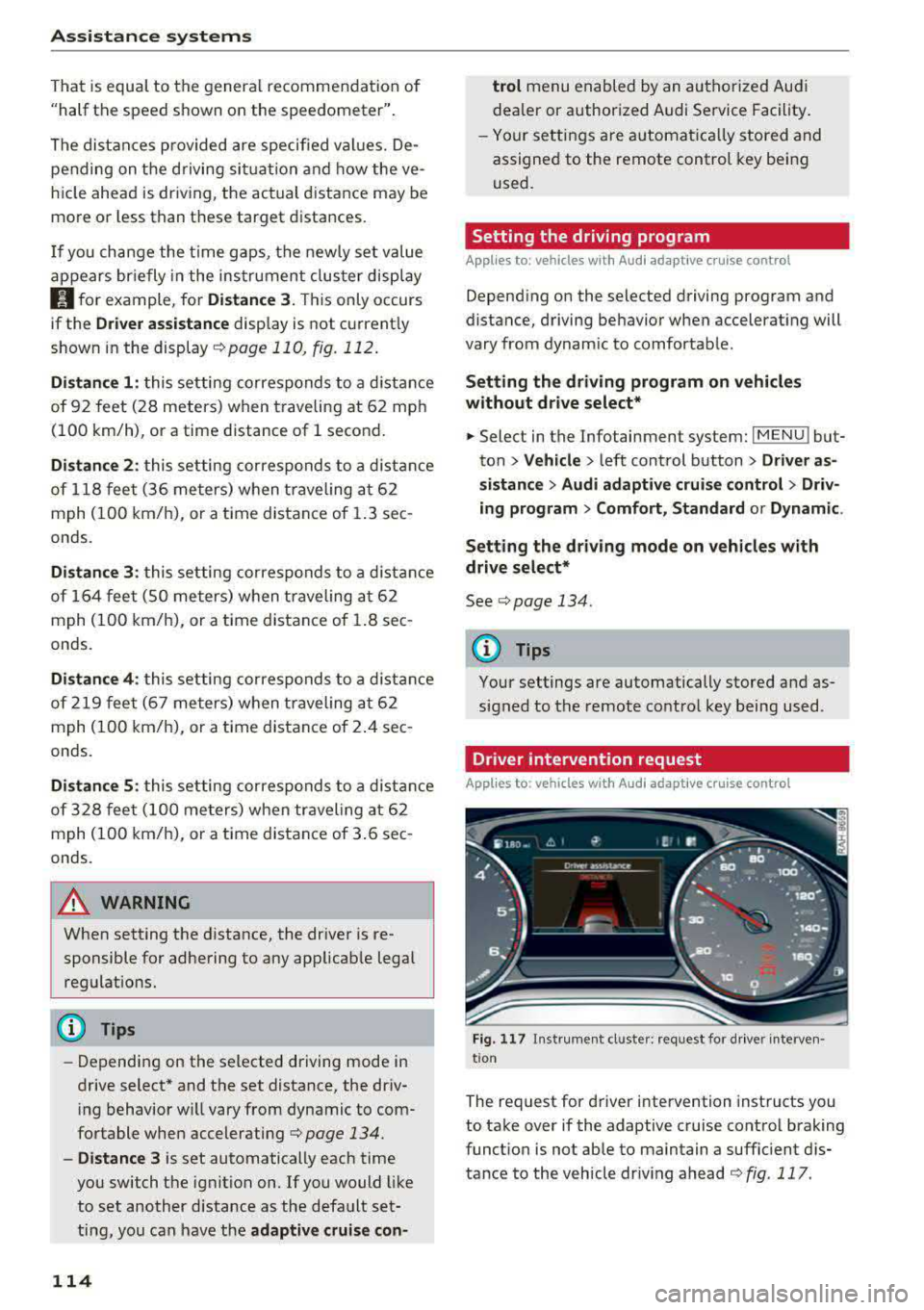
F ig . 117 In strument cl uster: request for d river interven·
t ion
The request for d river intervention instructs you
to take over if the adaptive cruise control braking
funct ion is not able to maintain a suffic ient d is
tance to the vehicle dr iv ing ahead
r:!:> fig. 117 .
Page 117 of 403

Predictive control
(efficiency assist)
Description
A pp lies to: ve hicles with Audi adaptive cruise co ntro l an d pr e·
di ctive efficiency assist
Fig. 118 Instrument cluster: pred ictive control
General information
The predictive control 1l uses the map informa
tion from the navigation system in order to react
proact ively when driv ing. Information from the
camera-based traffic sign recognition* is also ap plied to recognize traffic signs
<:!)page 104.
When coming up to areas with speed limits or
changes in the course of the road (such as curves,
intersections or traffic circles), the system brakes
automatically and then accelerates back up to
the set speed .
When adaptive cruise control is switched off, the
system only provides notifications without con
trolled
interventions ¢ page 107.
The driver can override the predictive control at
any time by pressing the accelerator or brake
pedal. If the system changes the vehicle speed to
adapt to speed limits, you can change the speed
using the
lever ¢ page 112, fig. 113 .
Always switch off the predictive control in
the following situations:
- When increased attention is needed from the
driver .
- In poor weather conditions such as snow or
heavy rain.
0 -When driving on roads in poor condition . al ~ N
" N ~ 0 0
~ ll This is not ava ila ble in some co untrie s. al
Assistance systems
Indicator in the instrument cluster display
When switching on the adaptive cruise contro l
for the first time, the message
ACC: 11D + B ac
tive
in the instrument cluster indicates the avail·
ability of the predictive control.
T he symbol appears when the system
is regulating the speed to match a speed limit . If
this is the case, the system is reg ulating a speed
of 50 mph (80 km/h). The speed is then taken
over by the adaptive cruise control. The speed in
the speedometer LED ring adjusts to the speed to
be maintained
¢ page 110, fig . 112. The ..
¢ fig . 118 symbo l appears when there is an adap
tation to the route ahead .
If you are in the Driver assistance display in the
instrument cluster, then the following symbols
will indicate which occurrence the system is cur
rently responding to:
Symbol Meaning
MPH USA
models:
Speed limit
km/h
Canada models:
speed limiter
Ir
Curve
_l!L
1i1
Intersection
~ ): Traffic c ircle
A WARNING
- Read the warnings on ¢.&. in General infor
mation on page 109
and on¢ .&. in Descrip
tion on page 104 .
- Pay attention to traffic and the area around
your veh icle when predictive control is
switched on. The driver is always responsi
ble for assessing the traffic situation.
- There is an increase in the risk of an acci
dent, because the system does not consider
"right of way" rules and also does not re-
spond
to traffic lights. ._.
115
Page 118 of 403

Ass is tance sy stems
-The system only considers traffic s igns that
give a speed limit.
-The permitted speed can be exceeded if the
adaptation to a speed limit is incorrect. The
driver is responsible for adhering to the per
mitted speed .
-The speed at which a curve is driven through
does not necessarily match your own dr iving
sty le . Brake the vehicle yourself when need
ed to reduce the risk of a n accident.
(D Tips
-If a speed limit is detected, the stored
speed is also adjusted in the speedometer
LED line when the adaptive cruise control is
not act ive.
-The adaptation by the system depends on
the driving mode set in drive select* .
-Switching off pred ictive control , for exam
ple when dr iv ing in low traffic zones, does
not ca use the adaptive cru ise control to
switc h off .
-After switching on the ignit ion, the system
i nit ially adj usts to a speed of 80 mph
(130 km/h) when driving onto highways
without a spee d limit . T he n the system ad
ju sts to the last speed stored by the driver.
- T here is no adapt ation to speed limits when
driv ing through highway inte rchanges an d
when d riving on o r off the ex pres sway.
- T here is no pre dic tive con trol at speed limits
u nder 20 mph (30 km/h).
- If a speed limit is only detected by the cam
e ra and the actual speed is s ignific antly
higher, the n the speed limit will bli nk i n t he
dis play u nti l you have reached the re qui red
speed
¢ page 105 .
-Incorrect v alues from the camera -based
traffic sign recognition* or outdated naviga
tion system map data can lead to incorrect
or implausible contro l.
- When route guidance is switched o n, the
system adapts to the route provided by the
navigation system. Driving without route
g uidance or leaving a route can resu lt in im
plaus ible control.
116
-T he system switches of f when ou tside of a
road system that is recorded in the naviga
t ion system map data .
Setting predictive control
Applies to: vehicles with Audi adapt ive cru ise control and p re
dictive efficiency ass ist
.. Select in the Infotainment system: IMENU ! but
ton
> Vehicle > l eft control button > Driver as
sistance
> Audi adaptive crui se control > Pre·
dictive control.
Set speed limit -
when this function is switched
on, the system adjusts to the sp eed limits. This
can a lso be done with at to lerance, if desired. In
th is scenario, you may fall below or exceed the
set speed in favor of increased efficiency .
Adaptation to route ahead -when this function
is sw itched on, the system adapts to the route
ahead (such as reducing the speed in curves).
Traffic jam assist
Description
Applies to: vehicles with traffic jam assist
Trofficjom assist supports the driver when driv
ing in traffic jams or in heavy traffic.
F ig . 119 Turn s ig na l leve r: tra ffic ja m ass ist button
Fig. 12 0 Instrument cl uste r: traff ic jam ass ist
Page 119 of 403

a co .... N ,....
N .... 0 0
3 co
In a speed range under 40 mph (65 km/h), traffic
jam assist can help to keep the vehicle within a lane calculated by the system. W ith in the lim its
of the system, the system controls the steering
automatically when adapt ive cruise control is
switched on . Since traffic jam assist is only an as
sist system, the driver must always keep his or
her hands on the steer ing whee l and be ready to
steer. The d rive r ca n override the control at any
time by actively steering.
The system is designed for driv ing on express
ways and highways.
Switching traffic jam ass ist on and off
... Press the button to switch the system on and
off<=> fig. 119.
... To turn the system off completely, select in the
Infotainment system:
I MENU ! button> Vehicle
> left contro l button > Driver a ssistance > Traf
fic jam a ssist .
If traff ic jam assist was deactivated through the
Infotainment system, you can cont inue operating
the act ive lane assist using
the<=> fig. 119 button
<=> page 126. The traffic jam ass ist functions are
no longer available.
Requirements for using traffic jam assist:
-Traffic jam assist must be switched on in the
Infota inment system .
-Adaptive cruise control must be switched on
and act ive
c;, page 110 .
Always switch off traffic jam assist in the
following situations:
-When increased attention is needed from the
driver .
-In poor weather conditions such as snow or
heavy rain .
-When driving on roads in poor condition .
-In construction zones.
-In city driving .
Traffic jam assist availability:
When you are in the Driver assistance view in the
in str ument cluster disp lay, the indicator light
turns
on ¥ and the message Traffic jam assist
available
appears if a traffic jam situation was
detected. You can open the
Driver assistance dis -
Assistance systems
play using the mu ltifunction steering wheel but
tons
c;, page 13 . To activate traffic jam assist, you
must press the
<=> fig. 119 button and switch on
the adaptive cruise control
c;, page 110.
Indicator lights
Ill and II-traff ic jam assist is switched on.
Vehicles driving ahead were detected. Your vehi
cle adapts whi le driving
c;, fig. 120.
•-Traffic jam ass ist switches off if the driver
does not take over steer ing after multiple driver
intervention requests . The system brakes the ve
hicle until it is stationary.
A WARNING
-A lways keep your hands on the steering wheel
so you can be ready to steer at any t ime . The
driver is always responsible for staying in a lane and for assessing traffic s ituations . Read
and follow the warnings
on<=>.& in General
information on page
109 . Never use traffic
jam ass ist in the following situations or you
will increase the risk of an accid ent.
-Driving offroad or on unpaved roads. Traffic
jam assist is only designed for use on paved
roads.
-I n city driv ing o r in construction zones.
-On curv ing stretches of road.
-In narrow lanes.
- In unclear traffic situat ions such as at inter-
sections or toll stat ions.
@ Tips
You are not necessarily guided to the center
of your lane.
117
Page 120 of 403

Assistance systems
Distance indicator and
distance warning
Description
Applies to: vehicles with Aud i adapt ive cruise control
F ig. 12 1 In stru ment cl uste r: dis tance indica tor/wa rning
At speeds above 40 mph (65 km/h), this funct ion
measures the time betwee n the vehicle driv ing
ahead and s hows th is in the instrument cl uster
d isp lay¢ fig. 121 .
You can set a warning t hreshold between 0 .6 and
3.0 seconds . The. indicator light t urns on if
you fall be low the set d is tance.
Switching the distance indicator/warning on
and off
.. In the Infotainment system, selec t: I MENU !
button > Vehicle > left contro l button > Driver
assistance > Distance warning.
A WARNING
-Read an d follow th e warn ings on ¢.&. in
Gen eral inf orma tion on page 1 09.
-The driv er is always r espons ib le for a dhering
to the regulations applicable in that co un
t ry .
{!) Tips
You may fall below he warn ing t hreshold
briefly whe n pass ing or when quickly ap
proac hing a s low veh icle . T h er e is no wa rning
in this scen ario . A warn ing is gi ve n only if you
f al l b elow the war ning thr eshold f or an ex
t en ded pe rio d o f tim e.
118
Messages
Appl ies to: vehicles with Audi adaptive cruise control
ii ACC with traffic jam assist: unavailable . See
owner's manual
The sy stem cannot gu aran tee t hat i t will dete ct
vehicle s cor re ctl y an d it h as sw itched
off . The ra
dar sensors have shifted or are fau lty . D rive to an
aut ho rize d Audi dea ler o r a uth orized Audi Service
Facility immed iate ly to have the malfunct ion cor
r ected .
ii ACC with traffic jam assist: currently un
available. See owner's manual
This mes sage ap pears if the ada ptive cruise con
t ro l canno t be activ ated, for example i f th e hood
is ope n.
ti ACC with traffic jam assist : currently un
available. Sensor vision restricted due to sur roundings. See owner 's manual
This message ap pears if the radar se nsor v iew is
obstr ucted, for e xamp le by leaves, snow, heavy
s p ra y or dirt . Cle an the
se nso rs ¢ pa ge 1 09,
fi g. 108 .
ill ACC with traffic jam assist: currently un
available. Grade too steep
T he road exceeds the maxim um poss ible g rade
for saf e operation . The systems cannot be sw itch
ed o n.
ill ACC with traffic jam assist: only available in
D, Sor M
Se lect t he D/S or M se lector lever position.
flJ ACC: available from 1st gear up
Manua l transmiss io n: ada ptive cr uise con trol
works in 1s t gear an d higher.
ti ACC: clutch pedal pressed
Manua l transmiss io n: pressing the clutc h pedal
l onger inte rrupts the cont rol.
IIJ ACC: note engine speed
Manu al transmissio n: this message appea rs if t he
d rive r ha s not shift ed up or down in t ime when
t he a dap tive cr uise co ntrol is b raking o r accele r-
at ing , ca usi ng the ve hicle to excee d or to not
.,.
Page 123 of 403

-Activating the emergency flashers l).
The message Audi pre sense . ¢ page 121,
fig. 122 will warn you abo ut the danger.
Aud i drive select*: the trigger t imes are adjusted
depending on the mode selected.
Audi pre sense front
Description
Applies to: veh icles with Audi adaptive cruise control
Within the limits of the system, pre sense front
can warn you of impending collisions and initiate
the corresponding braking maneuvers or the sup porting measures when avoiding a collision .
If detected in time, the system can rank the dan
gerous situation as critical if a vehicle driving
ahead brakes suddenly, if your own vehicle is ap
proaching a significantly slower vehicle at high
speed or when there is an oncoming vehicle dur
in g a turning maneuver .
If detection is not possible, then pre sense front
does not react .
Warnings
Applies to: ve hicles with Audi adaptive cruise control
Fig. 122 In strument cluste r: approac h warning
General information
The system recognizes various dangerous situa
tions . The
early warning occurs if:
-a vehicle driving ahead brakes suddenly,
-your own vehicle approaches a significantly
a s lower vehicle or stationary vehicle in the direc-co
;::; tion of travel. ,....
N .... 0 0
3 1) This is not availa ble in some co untrie s. co
Assistance systems
When this warning occurs, it may only be possi
ble to avoid a collision by swerving or braking
strongly. The message
Audi pre sense.
¢ fig. 122 and a warning tone will warn you
about the danger .
If you do not react enough or not at all to a dan
gerous situation that was detected by the sys
tem, pre sense front provides assistance by ap plying the brakes .
If a collision is imminent, the system will first
provide an
acute warning by braking sharply. You
will also warned by an indicator in the instrument
cluster
display¢ fig. 122. If you do not react to
the acute warning, pre sense front can brake with i ncreasing fo rce within the limits of the
system
1>. This reduces the vehicle speed in the
event of a collision. At low vehicle speeds, pre
sense front can in itiate a complete deceleration
shortly before a collision with a vehicle driving
ahead
l). If pre sense front determines that you
are not braking strongly enough when a collision
is imminent, it can increase the braking force.
T he following functions trigger in conjunction
with pre sense basic/rear at corresponding vehi
cle speeds:
-Reversible tensioning of the front safety belts.
-Closing the windows and sunroof* .
-Inflating the side bolsters* on the seat back-
rest .
Audi drive select*: depending on the mode se lected, the reversible belt tensioner, the closing
of the w indows and sunroof*, and the inflating of
the side bolsters* on the seat backrest may not be active.
Evasive steering support
Evasive steering support helps you to steer the
vehicle around an obstacle in a critical situation .
If you avo id an obstacle after the acute warning,
then the evasive steer ing support ass ists you by
applying slight stee ring adjustment to correct
.,.
121
Page 136 of 403

Assistance systems
Description
Applies to: vehicl es w ith Aud i drive select
The follow ing systems, among other things, are
influenced by drive select:
Engine and automatic transmission*
Depending on the mode, the engine and auto
mat ic transmission* respond more quickly or in a
mo re balanced manner to accelerator pedal
movements . In the sporty
Dynamic mode , the
transmission shifts at highe r speed ranges.
Suspension control*
The suspension control* uses sensors to record
information regard ing steering movements ,
braking and acceleration operations by the driv
er , road surface, driving speed, and load. This
makes it possible to adapt damping to the driv
ing situation nearly in rea l time. With drive se
lect, you can adjust the suspension control to
sporty
( Dynamic ), comfortab le ( Comfort ) or bal
anced
( Auto ).
Steering
The power steering adapts. Indi rect s teer ing that
moves easily as in
Comfort mode is especia lly
suited to long drives on highways . The
Dynamic
mode provides sporty , direct steering.
The following applies to vehicles with dynamic
steering* : the steering ratio changes based on
vehicle speed in order to maintain optimum
steer ing effort for the driver at all times . This
sets the steering to be less sensitive at higher
speeds in order to prov ide improved vehicle con
trol. At reduced speeds, steering is more direct in
order to keep the steering effort as min imal as
possible when the driver is maneuvering the vehi
cle. At low and average speeds, dynamic steer
ing* additionally provides more responsive steer
ing performance.
Sport differential*
As a component of the all wheel drive system
(quattro)
~ page 1 SO, the sport differential dis
tributes the driving power to the rear axle de
pending on the situation. The distribution of
power varies depending on the selected mode
134
from moderate (Comfort ) to sporty (Dynamic ).
The goal is a high level of agility and ability to ac
ce lerate on curves . The vehicle is very respons ive
to steering.
Adaptive cruise control (ACC)*
The behavior when accelerating can be adjusted
from comfortable to sporty, depending on the
drive select mode. Adaptive cruise control also
responds to the driving behavior of the vehicle
ahead in a more conservative or sporty manner.
Engine sound*
The engine sound adapts to the current mode
and can be subtle to sporty.
@ Tips
The S selector lever position automatically en
gages when the
Dynamic mode is selected .
Selecting the driving mode
Applies to: vehicles with Audi drive se lect
Fig. 135 Center co nsole: controls for drive se lect
.,. Press the left or right a rrow key ~ fig. 135 until
the desired mode appears in the instrument
cluster/ Infotainment system disp lay. Or
.,. Select in the Infotainment system: IMENU j but-
ton
> Vehicle > Audi drive select.
.,. Select and confirm the desired setting.
You can change the driving mode when the vehi
cle is stationary or while driving. If traffic per
mits, after changing modes, briefly take your
foot off the accelerator pedal so that the recently
selected mode is also activated for the engine.
.,.
Page 372 of 403

a co .... N ,....
N .... 0 0
3 co
Fuse panel @ (brown)
No . Equipment
2
Mass airflow sensor, camshaft adjust-
ment, charge air cooler pump
3 Exhaust doors, fuel injectors, radiator inlet
4 Vacuum pump, hot water pump, particu-
late sensor, biodiesel sensor
5 Brake light sensor
6 Engine va lves, camshaft adjustment
7
Heated oxygen sensor, mass airflow sen-
sor
8
Water pump, high pressure pump, high
pressure regulator va lve
9 Hot water pump
10
Oil pressure sensor, oil temperature sen-
sor
11 Clutch pedal position sensor
12 Engine valves
13 Radiator fan
14 Fuel injectors
15 Ignition coils
16 Fuel pump
Fuse panel @ (red)
No . Equipment
1 Anti-theft alarm system
2 Eng ine control module
3 Lumbar support
Automatic transmission selector mecha -
4
nism
5 Horn
6 Electromechanical park ing brake
7 Gateway control module
8 Interior headliner lights
10 Airbag control module
11 Electronic Stabilization Control (ESC)
12 Diagnostic connector, light/rain sensor
13 Climate control system
14 Right front door control module
15 A/C compressor
Fuses and bulbs
Fuse panel © (black)
No . Equipment
1 Front seat heating
2 Windshield wipers
3 Left head light electronics
4
Panorama glass roof I sliding/t ilting sun-
roof
5 L eft front door control module
6 Sockets
7 Right rear door control module
8 All wheel drive
9 Right headlight electronics
10
Windshield washer system/headlight
washer system
11 Left rear door control module
Fuse panel @ (black)
No. Equipment
Seat ventilation, rearv iew mirror, climate
1 control system, rear climate control sys-
tern controls, windshield defogger
2 Gateway, climate control system
3 Sound actuator/exhaust sound tuning
4 Clutch pedal posit ion sensor
5 Engine start
7 Rear USB charg ing port
8 Homelink
9 Adaptive cruise contro l
11 Video camera
12 Matrix LED headlight/right LED headlight
13 Matrix LED headlight/left LED headlight
14 Rear window wipe r
Fuse panel © (red)
No . Equipment
1 Ignition coils
5 En gine mount
6 Automat ic transmission
7 Instrument panel
8 Climate control system (blower)
10 Dynamic steering
11 Engine start
371
Page 388 of 403

a co .... N ,....
N .... 0 0
3 co
A
A/C MAX (button) ................ .... .. 78
A/C (button) ... .. . ..... ..... ... ... .. . 77
ABS .. .. ... . .. .. ............. .. .. .. . 146
Accessories 68 ,385
Active lane assist
Cleaning the camera area . . . . . . . . . . . . .
355
also refer to Audi active lane assist . . . . . 125
Adaptive cruise control . . . . . . . . . . . . . . . . . 108
Cleaning sensors . . . . . . . . . . . . . . . . . . . . 355
Distance indicator and distance warning . 118
Messages . . . . . . . . . . . . . . . . . . . . . . . . . . 118
Predictive control . . . . . . . . . . . . . . . . . . . . 115
Traffic jam assist . . . . . . . . . . . . . . . . . . . . 116
AdBlue .. .. .. .. ............... .. ..... 319
Messages
Additional accessories
Adjusting air distribution (automatic climate
control)
. .. .. .. ............... .. .. .. ..
Adjusting the sound ............ .. .. .. .
319
385
78
252
Adjusting the temperature (automatic climate
control) . . . . . . . . . . . . . . . . . . . . . . . . . . . . . .
78
Advanced key
refer to Convenience key . . . . . . . . . . . . . . . 83
Airbag .. .. .. .. ............... .. ..... 271
Airbag system . ................. .. 271,291
Advanced Airbag System components . . . 278
Care . . . . . . . . . . . . . . . . . . . . . . . . . . . . . . 286
Children . . . . . . . . . . . . . . . . . . . . . . . . . . . 297
Child restraints . . . . . . . . . . . . . . . . . . . . . 297
Components (front airbags) .. ..... ... .
Danger of fitting a child safety seat on the
front passenger seat ................ .
D. l 1sposa ... .. ............... .. .. .. .
Front airbags . .. ........... .. .. .... .
H ow do the front airbags work? ....... .
How many airbags does my vehicle have?
How the Advanced Airbag System compo-
nents work together ........ .. .. .... .
Important safety instructions on the knee
airbag system .... .. ..... ..... .. .... .
Indicator light ............ ...... ... .
Knee airbags .. ............ ...... ... .
Monitoring . .. ............. .. .. .... .
PASSENGER AIR BAG light ....... .. .. .
Repairs .. .. .. .. ........... .. .. .... .
278
272
286
276
281
278
280
289 283
287
283
283
286
Index
Safety instructions . . . . . . . . . . . . . . . . . . . 285
When must the system be inspected? 283
Air pressure
Tires ..... .. .. .. .. ............. .. ..
344
Alignment pin (changing the wheel) . . . . . . 360
All season tires . . . . . . . . . . . . . . . . . . . . . . . 349
All weather lights . . . . . . . . . . . . . . . . . . . . . . 54
All wheel drive
Indicator light . . . . . . . . . . . . . . . . . . . . . . .
35
also refer to quattro . . . . . . . . . . . . . . . . . 150
AMI
refer to Audi music interface . . . . . . . 233, 234
Android Auto
refer to Audi smartphone interface . .. ..
Anti -freeze
Windshield washer system ........... .
Anti- lock braking system
refer to ABS ..... .. ................ .
Anti-Slip Regulation
refer to ASR ... .. .................. .
Apple CarP lay
refer to Aud i smartphone interface ... ..
Arrow view
ASR
Audi active lane assist Messages
Audi connect emergency call and service ..
Online roadside assistance .......... . .
Audi connect vehicle contro l ........... .
Parking location .. .................. .
Remote locking and unlocking ..... .. . .
Vehicle status report ............... . .
246
332 146
146
246 23
146
125
127
202
203
198
199
199
199
Audi connect (Infotainment) . . . . . . . . 188, 195
Data protection . . . . . . . . . . . . . . . . . . . . . 196
Services overview ' .. ................ .
Starting ...... .. .. ................ .
Audi drive select
... .. ............. .. ..
Audi Entertainment mobile ...... ... .. . .
Audi music interface
.................. .
Audi music stream
refer to Wi-Fi .... .. ............... . .
Audio files
. . .... .. .. ............... . .
Audio player
B luetooth audio player .............. .
Wi-Fi audio player . ................. .
Audio track
189
189
133
235
233
231
236
230
231
239
387