maint AUDI S5 COUPE 2016 User Guide
[x] Cancel search | Manufacturer: AUDI, Model Year: 2016, Model line: S5 COUPE, Model: AUDI S5 COUPE 2016Pages: 264, PDF Size: 66.92 MB
Page 94 of 264
Audi adaptive cruise control and braking guard
You can set any speed between 20 mph and 95
mph (30 and 150 km/h).
I ndicator lamps and messages in the instrument
cluster display inform you about the current sys
tem status and settings.
Switching Audi adaptive cruise control on
• Pull the lever toward you into position @
¢
fig. 96. ACC standby appears in the instru
ment cluster d isplay.
Setting the speed and activating regulation
• To set the current speed, press the !SETI button
¢ page 11, fig. 4. The set speed is shown in the
tachometer @ and is also shown briefly in the
display @¢
fig. 97.
Switching Audi adaptive cruise control off
• Push the lever away from you into position @
until it clicks into place . The message
ACC off
appears.
@ Indicator lights
II-Adaptive cruise control is switched on. No
vehicles are detected up ahead. The stored speed
is mainta ined .
• -A moving vehicle is detected up ahead . The
adapt ive cruise control system regulates the
speed and distance to the moving vehicle ahead
and accelerates/brakes automatically .
• -When automatic braking is not able to keep
enough d istance to a previously detected moving
vehicle up ahead, you must take control and
brake
c> page 94 , Request for driver interven
tion .
© Display
If adaptive cruise contro l is not shown in the dis
p lay, you can call it up with the
IRESETI button
c>page23.
Based on the symbo ls in the display, you can de
termine if the system is maintaining a distance to
the vehicle ahead and what that distance is .
No vehicle -No vehicle ahead was detected .
White vehicle -A vehicle ahead was detected.
92
Red vehicle -Prompt for the driver to take action
c>page 94.
Both arrows on the scale© indicate the distance
to the vehicle ahead. No arrow appears when the
vehicle is on an open road and there is no object
ahead. If an object is detected ahead, the arrow
moves on the scale .
The green zone on the scale shows the stored dis
tance . For information on changing the stored
distance, refer tor:!;>
page 93 . If the distance se
lected is too close or may soon become too close,
the arrows move into the red zone on the scale.
A WARNING
Improper use of the adaptive cruise control
can cause collisions, other accidents and seri
ous personal injuries.
- Press ing the
!SETI button when dr iving at
speeds below 20 mph (30 km/h), will auto
mat ica lly acce le rate the veh icle to 20 mph
(30 km/h), which is the minimum speed
that can be set.
(}) Tips
-If you switch the ign it ion or the adaptive
cruise control off, the set speed is erased
from the system memory.
- The electronic stabilization control (ESC)
and the anti-slip-regulation (ASR) are auto
matically turned on when the adaptive
cruise control is turned on . Both systems
cannot be turned off if the adaptive cruise
control is turned on.
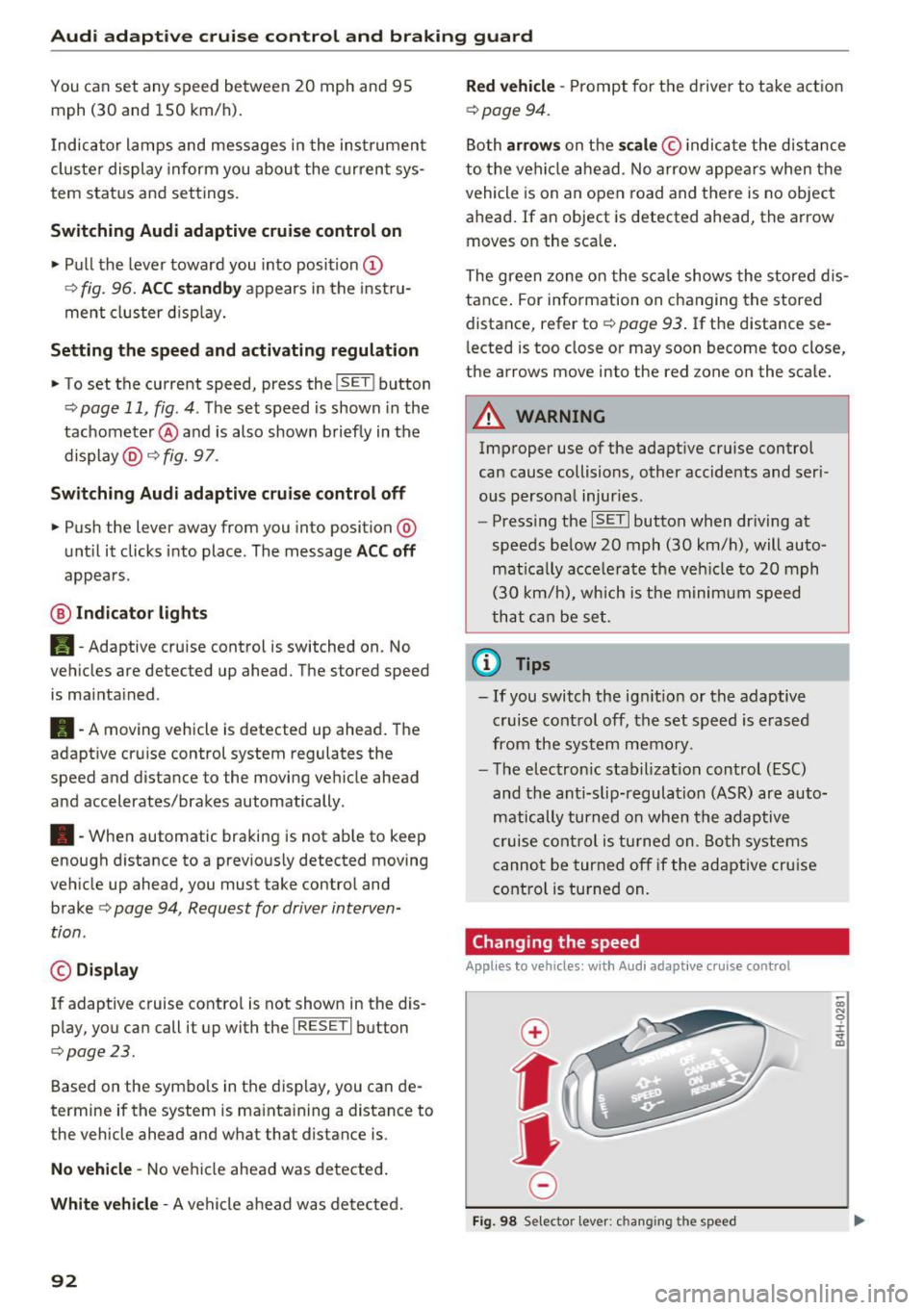
Changing the speed
Applies to veh icles: wit h Aud i adapt ive c ru ise control
0
f
jJ
0
Fig. 98 Selector lever: c hang ing the speed
co N 0 :i: .., m
Page 95 of 264
,-1 N
0 1-CX)
rl I.Cl U"I
,-1 I.Cl .-,
Audi adaptive cruise control and braking guard
.. To increase or reduce the speed in increments,
tap the lever up or down .
.. To increase or reduce the speed quickly,
hold
the lever up or down until the red LED ® reach
es the desired speed
<=:> page 91, fig. 97.
F ollowing any changes, the new stored speed will
be disp layed briefly in the display@r:::>
page 91,
fig. 97.
Interrupting cruise control
Appl ies to vehicles: w ith Audi a daptive cruise contro l
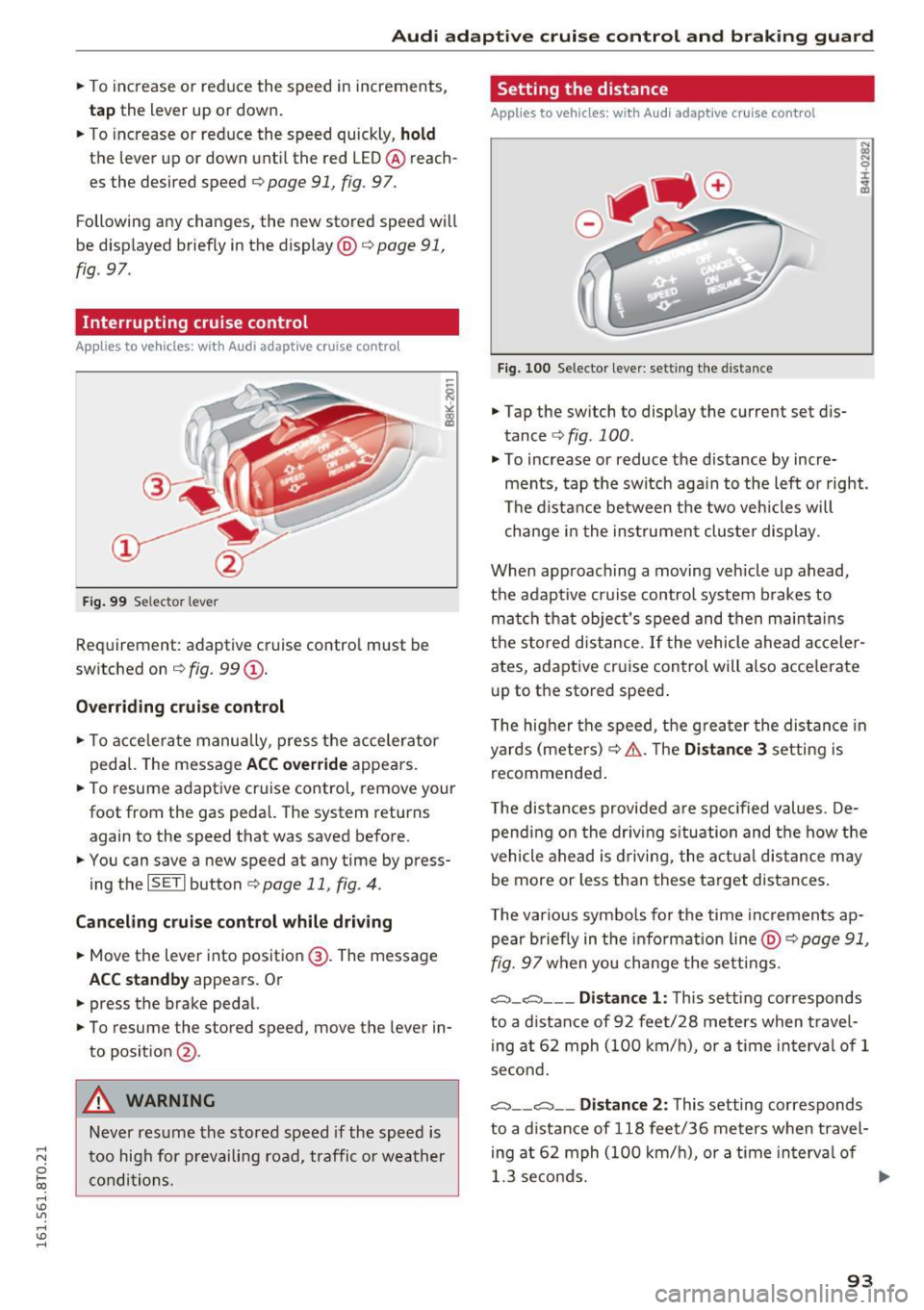
Fig. 99 Selec tor lever
Requirement: adaptive cruise contro l must be
switched on ¢
fig. 99 (D.
Overriding cruise control
.. To accelerate manually, press the accelerator
pedal. The message
ACC override appea rs.
.. To resume adaptive cruise control, remove your
foot from the gas pedal. The system returns again to the speed that was saved before.
.. You can save a new speed at any time by press
ing the
I SET I button ¢ page 11, fig . 4.
Canceling cruise control while driving
.. Move the lever into position @. The message
ACC standby appears. Or
.. press the brake pedal.
.. To resume the stored speed, move the lever in
to posit ion
@ .
A WARNING
Never resume the stored speed if the speed is
too high for prevailing road, traffic or weather
conditions.
Setting the distance
A pp lies to vehic les : with Aud i ada ptive cr uise con trol
Fig. 100 Selector lever: setting the distance
.. Tap the switch to display the current set dis
tance
r::::> fig. 100 .
.. To increase or reduce the d istance by incre
ments, tap the switch aga in to the left or right.
The distance between the two veh icles will
change in the instrument cluster display.
When approaching a moving vehicle up ahead,
the adaptive cruise control system brakes to
match that object's speed and then mainta ins
the stored distance.
If the vehicle ahead acceler
ates, adaptive cruise control will also accelerate
up to the stored speed .
T he higher the speed, the greater the distance in
yards (meters) ¢.& .T he
Distance 3 setting is
recommended .
T he distances provided are spec ified values. De
pending on the driving situation and the how the
vehicle ahead is driving, the actual distance may
be more or less than these target distances .
T he various symbols for the time increments ap
pear briefly in the info rmati on line @¢
page 91,
fig. 97 when you change the settings.
c:::::,_c:::::, ___ Distance 1: This setting corresponds
to a distance of 92 feet/28 meters when travel
ing at 62 mph (100 km/h), or a time interva l of 1
second.
c:::::, __ c:::::, __ Distance 2: This setting corresponds
to a distance of 118 feet/36 meters when travel
ing at 62 mph (100 km/h), or a time in terva l of
1.3 seconds.
ll>
93
Page 99 of 264
.... N
0 Ico ....
E ngine sp eed!
This drive r message appea rs in vehicles w it h
manual transm iss ion if the drive r had not up
shifted or downshifted in t ime wh ile using adap
tive cruise control braking or acce lerating, caus
ing the vehicle to exceed or not reach the permit
ted limit speed. The adapt ive cru ise control turns
off. A chime sounds as a reminder .
Shift l ever po siti on!
Veh icles with an automatic transmission : the
d river message appea rs if the selector leve r is
shifted to the N position . T he adapt ive cru ise
control is not available while in this position.
Veh icles with manual transmission : th e d river
message appea rs fo r vehicles wit h manual trans
miss ion if there is no forward gea r engaged,
meaning if the reverse gear or the 1st gear is en
gaged or if the selector lever is in the neutra l po
sition . The adaptive cru ise control is not avai lab le
while in this posit ion.
Stabilization control (ESC )
This message appea rs if the electronic stab iliza
tion contro l (E SC) is tak ing action to stab il ize the
ve hicl e. The adap tive cruise contro l tu rns off. A
chime sounds as a reminder .
Sp eed too low
T his message appears if the current speed is too
low to set or to maintain the desired speed.
The speed being saved must be at least 20 mph (30 km/h). The cru ise control is turned off for
speeds lower than 12 mph (20 km/h) . The adap
tive cruise control remains turned on for speeds
above 95 mph (150 km/h) (override) . It will sta
b ili ze again at 95 mph (150 km/h) when the d riv
e r takes his foot off of the gas pedal.
P a rking brake!
The driver message appears when the park ing
brake is activated . Adaptive cruise contro l is
turned off . A chime sounds as a reminder .
97
Page 111 of 264
,-1 N
0 1-CX)
,-1 I.Cl U"I
,-1 I.Cl ......
-You can change the volume and pitch of the
signals as well as the display
c::, page 111.
- What appears in the display is time-de
layed.
Reverse Parking
Applies to vehicles: with parking system (rear, with rear view
camera)
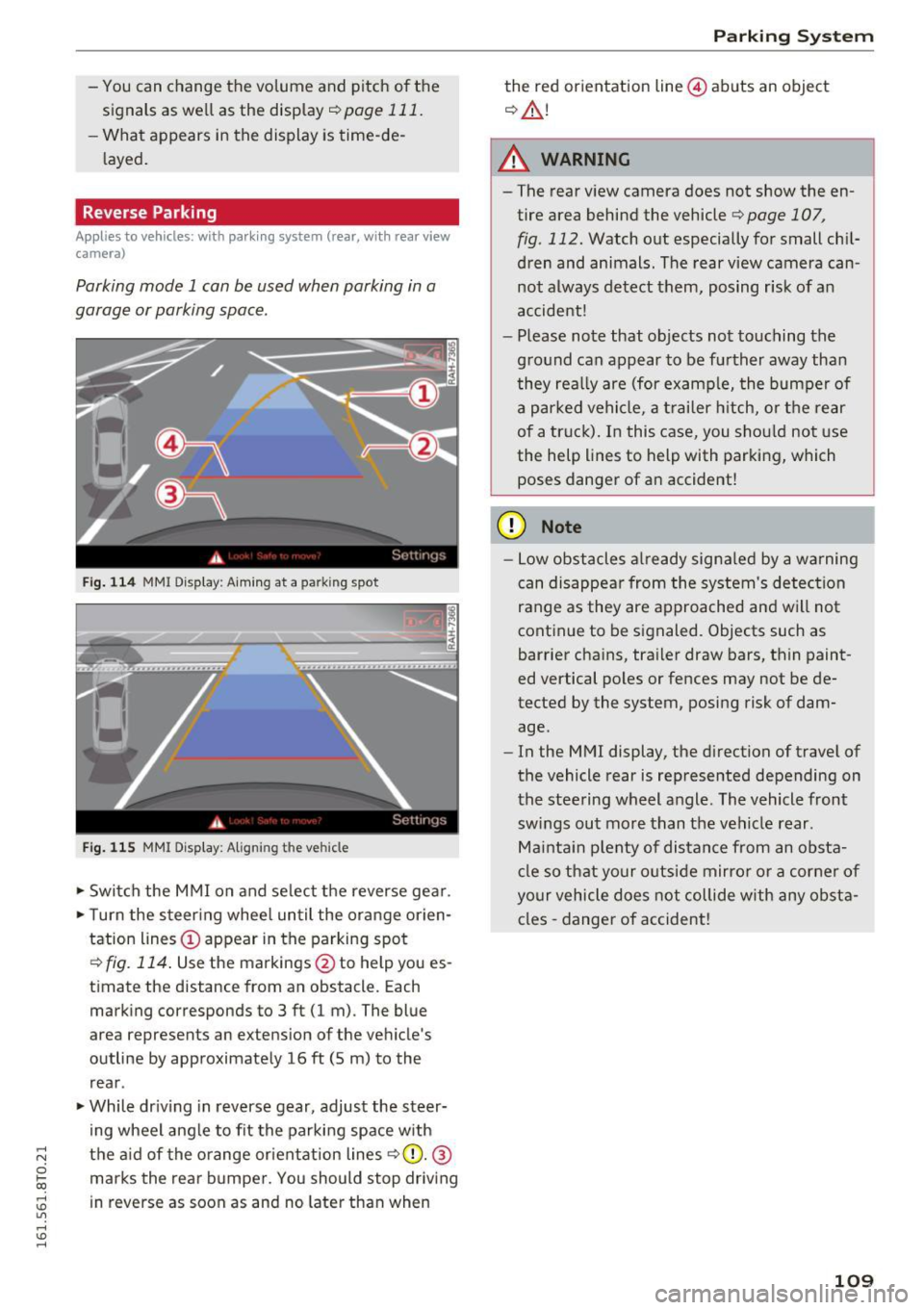
Parking mode 1 can be used when parking in a
garage or parking space .
Fig. 114 MM I Di splay : Aiming at a park in g spot
Fig. 115 MMI Display: Aligning t he ve hicle
• Switch the MMI on and select the reverse gear .
• Turn the steering wheel until the orange orien
tation lines © appear in the parking spot
c::> fig. 114. Use the markings @to help you es
timate the distance from an obstacle. Each marking corresponds to 3 ft (1 m) . The blue
area represents an extension of the vehicle 's
outline by approximately 16
ft (5 m) to the
rear .
• While driving in reverse gear, adjust the steer
ing wheel angle to fit the parking space with
the aid of the orange orientation lines
r=> (D. @
marks the rear bumper. You should stop driving
in reverse as soon as and no later than when
Parking System
the red orientation line@) abuts an object
c::, &.!
A WARNING
-The rear view camera does not show the en
tire area behind the vehicle r=>page 107 ,
fig . 112. Watch out especially for small chil
dren and animals. The rear view camera can
not always detect them, posing r isk of an
accident!
- Please note that objects not touching the
ground can appear to be further away than
they really are (for example, the bumper of
a parked vehicle, a trailer hitch, or the rear
of a truck). In this case, you should not use
the help lines to help with parking, which
poses danger of an accident!
(D Note
- Low obstacles already signaled by a warning
can disappear from the system's detection
range as they are approached and will not
continue to be signaled. Objects such as
barrier chains, trailer draw bars, thin paint
ed vertical poles or fences may not be de
tected by the system, posing risk of dam
age.
- In the MMI display, the direction of travel of
the vehicle rear is represented depending on
the steering wheel angle . The vehicle front
swings out more than the vehicle rear .
Maintain plenty of distance from an obsta
cle so that your outside mirror or a corner of
your vehicle does not collide with any obsta
cles -danger of accident!
109
Page 144 of 264
Airbag system
(D Tips
If the weight-sensing mat in the front passen
ger seat detects an empty seat, the front air
bag on the passenger side will be turned off,
and
PASSENGER AIR BAG OFF will stay on.
Repair , care and disposal of the airbags
Parts of the airbag system are installed at many
different places on your Audi. Installing , remov
ing, servicing or repairing a part in an area of the
vehicle can damage a part of an airbag system and prevent that system from working properly in a collision.
There are some important things you have to
know to make sure that the effectiveness of the
system will not be impaired and that discarded
components do not cause injury or pollute the
environment.
A WARNING
Improper care, servicing and repair proce
dures can increase the risk of personal injury
and death by preventing an airbag from de
ploying when needed or deploying an airbag
unexpectedly:
-
- Never cover, obstruct, or change the steer
ing wheel horn pad or airbag cover or the in
strument panel or modify them in any way .
- Never attach any objects such as cupholders
or telephone mountings to the surfaces cov
ering the airbag units.
- For cleaning the horn pad or instrument panel, use only a soft, dry cloth or one mois
tened with plain water. Solvents or cleaners could damage the airbag cover or change
the stiffness or strength of the material so
that the airbag cannot deploy and protect properly.
- Never repair, adjust , or change any parts of
the airbag system.
- All work on the steering wheel, instrument
panel, front seats or electrical system (in
cluding the installation of audio equipment,
cellular telephones and CB radios, etc.)
must be performed by a qualified technician
142
who has the training and special equipment necessary.
- For any work on the airbag system, we
strongly recommend that you see your au
thorized Audi dealer or qualified workshop .
- Never modify the front bumper or parts of
the vehicle body.
- Always make sure that the side airbag can
inflate without interference:
- Never install seat covers or replacement
upholstery over the front seatbacks that
have not been specifically approved by
Audi .
- Never use additional seat cushions that
cover the areas where the side airbags in
flate.
- Damage to the original seat covers or to
the seam in the area of the side airbag
module must always be repaired immedi
ately by an authorized Audi dealer .
- The airbag system can be activated only
once . After an airbag has inflated, it must
be replaced by an authorized Audi dealer or
qualified technician who has the technical
information, training and special equipment
necessary.
- The airbag system can be deployed only
once . After an airbag has been deployed, it
must be replaced with new replacement
parts designed and approved especially for
your Audi model version. Replacement of complete airbag systems or airbag compo
nents must be performed by qualified work
shops only. Make sure that any airbag serv
ice action is entered in your Audi Warranty
& Maintenance booklet under AIRBAG RE
PLACEMENT RECORD.
- In accidents when an airbag is deployed, the
vehicle battery separates the alternator and
the starter from the vehicle electrical sys
tem for safety reasons with a pyrotechnic
circuit interrupter.
- Work on the pyrotechnic circuit interrupt
er must only be performed by a qualified
dealer - risk of an accident!
- If the vehicle or the circuit interrupter is
scrapped, all applicable safety precautions
must be followed.
llll-
Page 174 of 264
Intelligent Technology
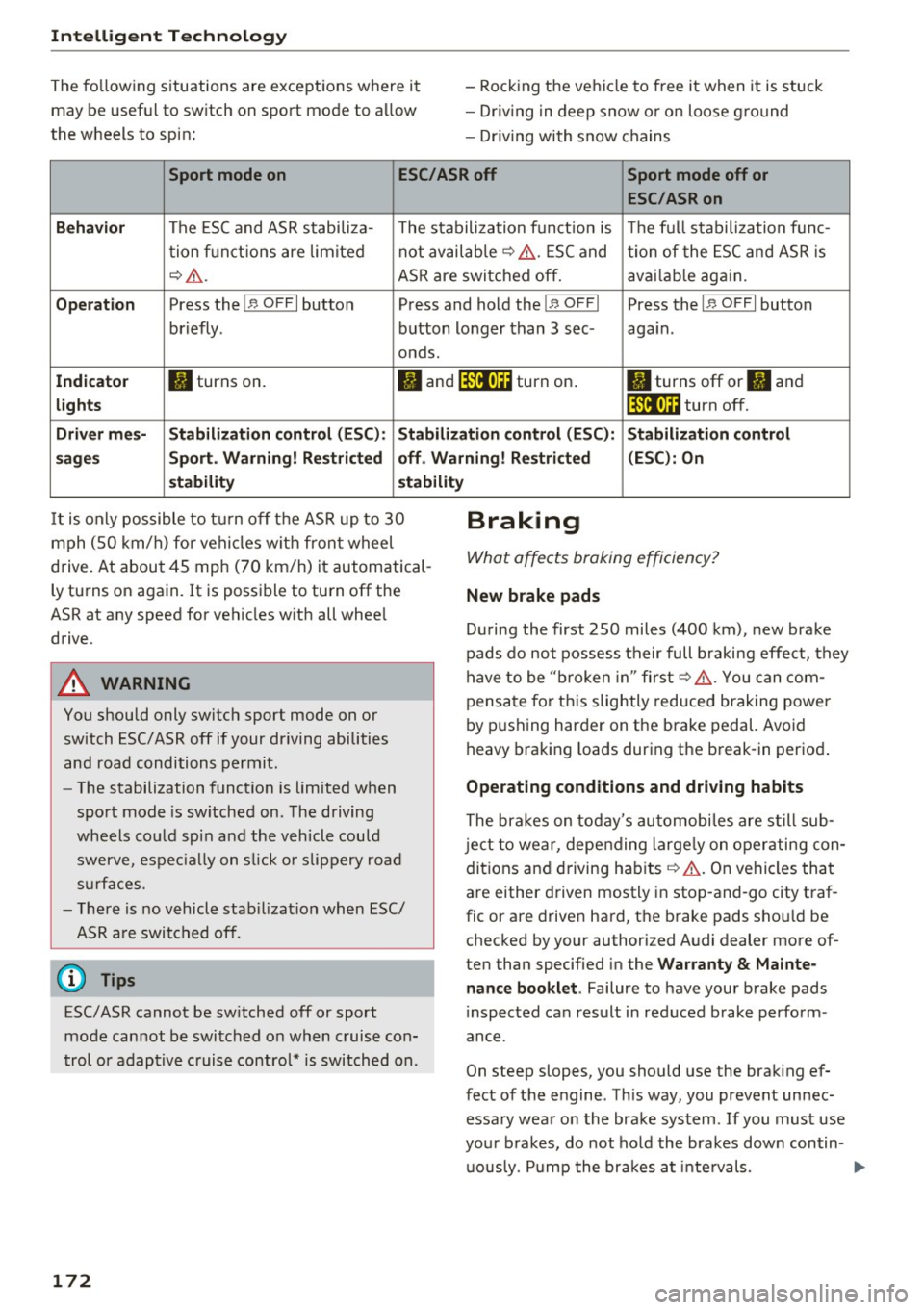
The fo llowing s ituations are exceptions where it
may be useful to switch on sport mod e to a llow
the wheels to sp in : -
Rock ing the vehicle to free it when it is stuck
- Dr iv ing in deep snow or o n loose g ro und
- Dr iving with snow chains
Sport mode on ESC/ASR off Sport mode off or
ESC/ASRon
Beha vior
The ESC and ASR stabiliza- The stabilization funct ion is The f ull stabilization fun c-
t ion f un ct ions are lim ited not availab
le ¢ ,&. . ESC and
tion of the ESC and ASR is
¢ .&. .
ASR are switched off. ava ilab le aga in.
Op era tion Press the I 1> OFF I button Press and hold the !1> O FFI Press the I,, OFF I button
briefly . button longer than 3 sec- again.
onds .
In dicato r II turns on.
• and lf'lii•li~ turn on . II turns off or II and
light s lf'lii•l~~ turn off.
Driv er m es- Stabilization contr ol (E S C): Stabilization control (ESC ): Stabilization control
s age s Sport. Warning! Restri cted off . Warning ! Re stri cted (ESC
): On
s t a bilit y stabilit y
It is only possible to t urn off the ASR up to 30
mph (SO km/h) fo r vehicles w ith front wheel
d rive. At about 45 mph (70 km/h) it automatical
ly tu rns on again. It is possible to turn off the
ASR at any speed for vehicles w ith all whee l
drive .
A WARNING
You should only switch sport mode on or
switch ESC/ASR off if your driving abilities
and road conditions permit .
-
-The stabilization function is limited when
sport mode is sw itched on . The driving
wheels co uld spi n and the vehicle could
swerve , espec ia lly on s lick o r slippery road
s ur faces.
- The re is no vehicle stab ilizat ion when ESC/
ASR a re switched off.
(D Tips
ESC/ASR cannot be sw itched off or sport
mode cannot be switched on when cruise co n
t rol or adaptive cruise control* is switched on .
172
Braking
What affects braking efficiency?
New brake pads
D ur ing the first 250 miles (400 km) , new brake
pads do not possess their full b raking effe ct, they
have to be "b roken in" first ¢,&. . You can com
pensa te for th is slightly reduced b raking power
by p ushing harder on the brake pedal. Avo id
heavy braking loads dur ing the break-in period .
Operating conditions and driving habits
The brakes on today's automobi les are s till sub
je ct to wear, depending large ly on operating con
dit ions and driving habits ¢.&. . On vehi cles that
a re either driven mostly i n stop-and-go city traf
fic or are drive n hard, the b rake pads sho uld be
checked by your authorized A udi dealer more of
ten than specified in the
Wa rrant y & Mainte
nance book let .
Failure to have your brake pads
i nspected can result in reduced brake perform
ance .
On steep slopes, you should use the brak ing ef
fect of the engine . Th is way, you prevent unnec
essary wear on the brake system . If you must use
your brakes, do not ho ld the bra kes down contin
u ously. P ump the bra kes at inte rvals.
Page 177 of 264
.... N
0 Ico ....
engine power. Your vehicle is exceptionally pow
erful and has excellent driving characterist ics
both under normal dr iving condit ions and on
snow and ice. Always read and fo llow safety pre
cautions <=>
,&.
Winter t ire s
When driving in the winter, your vehicle with a ll
wheel drive has an advantage, even with regular
tires. In winter road conditions it may be adv isa
ble to mount w inter tires (or all-season tires) for
i mproved driveab ility and brak ing : these tires
must be mounted on
all four wheels . See also
<=> page 220, Winter tires.
Tire chains
Where tire chains are mandatory on certain
roads, this normally also applies to vehicles w it h
all -wheel drive <=>
page 220, Snow chains.
Replacing wheels /tires
Vehicles with all-whee l dr ive must always have
tires of the same size. A lso avoid tires with differ
ent tread depths. For details see page
<=>
page 212, New tires or wheels.
Off-Road dri ving ?
Your Aud i does not have enough ground clear
ance to be used as an off-road vehicle.
It is there
fore best to avoid rough tracks and uneven ter rain as much as possible . Also refer to
<=> page 177 .
A WARNING
Always adjust your driving to road and t raff ic
conditions. Do not let the extra safety affo rd
ed by all-wheel drive temp t yo u into ta king
extra risks.
- Although the all-whee l drive is very effec
t ive, a lways remember th at br akin g capac ity
is limited by tire traction. Yo u should t here
f ore not drive at excess ive speeds on icy or
slippery road surfaces.
- On wet road surfaces, be caref ul no t to drive
too fast because the front wheels co uld be
gin to slide on top of the water (aq uaplan
ing). If this shou ld occur, you wi ll have no
Intellig ent Technology
warn ing from a s udden increase in engine
speed as w ith a front-wheel drive vehicle.
Always drive at speeds which are suited to the road conditions - risk of crash .
Energy management
Starting ability is optimized
Energy management controls the distribution of
elec trical energy and thus optimizes the availa
bility of ele ctrical energy for star ting the engine.
If a vehicle with a conventiona l energy system is
not dr iven fo r a long pe riod of time, the batte ry is
discharged by id ling curre nt cons umers (e.g. im
mobili ze r). In cer tain circumstances i t can res ult
in the re being insuffi cien t energy ava ilable to
start the engine .
Intellige nt energy manageme nt in yo ur vehicle
hand les the distri bu tion of elec trical energy.
Start ing ability is markedly improved and the life
of the battery is extended .
B as ic all y, energy managemen t cons ists of
bat
tery diagn osis , idling current man agement
a nd
d ynamic energy man agement.
Battery diagnosis
Battery d iagnosis con tinuously dete rmines the
state of the bat tery. Sensors de termine battery
vo ltage, b attery curren t and batte ry tempera
tu re. This de termines t he current state of charge
and the power of the battery .
Idling current management
Idling cur rent management reduces ene rgy con
s u mption wh ile the vehicle is standi ng. With the
ignition swi tched off , it co ntrols the energy sup
ply to the vario us elec trical components . Data
from battery diagnosis is considered .
Depend ing on the ba tte ry's s ta te of charge, indi
v idual consumers are g radually turned off to pre
ven t excess ive d ischarge of the battery and thus
maintain starting capab il ity.
Dynamic energy management
While the vehicle is being driven, dynam ic ene rgy
manageme nt dis trib utes the energy generated ""'
175
Page 178 of 264
Intelligent Technology
according to t he needs of the individua l compo
nents. It regu lates consumption , so that more
e lectr ical energy is not being used than is being
generated and ensures an optimal state of
charge for the battery.
(D Tips
- But even energy management cannot neg
ate the limits of physics . Cons ider that the
power and life of a battery are limited.
- If starting ability is threatened, the indica
tor light (•) appears ¢
page 16.
What you should know
The highest priority is given to maintaining start
ing capability.
The batte ry is severely taxed in short-distance
driving, in c ity traffic and d uring the co ld time of
year. Abundant electrical energy is req uired, but
only a little is generated . It is also c rit ica l if the
engine is not runn ing and electrical components
are turned on . In this instance energy is be ing
consumed but none is be ing generated .
It is in precisely t hese situations that you will no
tice energy management active ly regulat ing the
d istr ibut ion of energy .
Vehicle stands fo r an e xtended period
If you do not drive your vehicle over a period of
several days or weeks, electrical components are
gradually cut back or sw itched off. T his reduces
energy consumption and ma inta ins starting ca
pab ility over a longer period . Some of the con
ve nience funct ions may not ope rate, such as the
i n terio r lights or the powe r seat adjustment. The
conven ience f unc tions w ill be available again
when yo u switch on the ign it io n and s tart the en
g ine.
With the engine turned off
I f you listen to t he radio, fo r example , with the
engine tu rned off o r use other MMI functions,
the batte ry is being discharged.
If start ing capabili ty is jeopardized due to energy
consumpt ion, a message appears in t he M MI dis
p lay. The message indicates that the system wi ll
176 b
e switched off a utomat ica lly in a moment . If
you wish to continue using the functions, you have to sta rt the eng ine.
With the engine running
Althoug h elec trica l energy is gene rated w hen t he
vehicle is bei ng drive n, the batte ry can become
discharged. This happens mostly when little en
ergy is being generated and a great dea l con
s u med and the battery 's state of charge is not
optimal.
To bring the energy balance back into equilibri
u m, consumers whic h require espec ia lly large
amounts of energy are temporar ily cut back or
switched off. Heating systems in particular re
quire a great dea l of energy. If you notice, for ex
ample, that the heated seats* o r the heated rear
window are not heati ng, they have bee n tempo
r arily cut back o r switched off . These systems will
be available again as soon as the ene rgy balance
has been res tored.
You w ill also no tice that eng ine idle speed has
been increased slig htly . T his is no rma l and not a
ca use for concer n. By in cr easi ng engine idle
speed t he ad ditional energy required is gene rat
ed and the battery is charged.
Page 180 of 264
Driving and th e en vironm ent
(D Tips
- Check the depth of the water before driving
through it .
- Do not stop the veh icle, drive in reverse or
switch the engine
off when driving through
water.
- Keep in mind that oncoming vehicles may
create waves that raise the water level and
make it too deep for your veh icle to drive
through safely.
- Avoid driving through salt water because it
can cause corrosion.
Catalytic converter
It is very important that your emission control
system (catalytic converter) is functioning prop erly to ensure that your vehicle is running in an
environmentally sound manner .
~ Always use lead-free gasoline ¢ page 186,
Fuel supply .
~ Never run the tank down a ll the way to empty .
~ Never put too much motor oil in your engine
¢ page 195, 9::?1 Adding engine oil .
~ Never try to push- or tow-start you r vehicle.
The cata lytic converter is an efficient "clean-up"
dev ice bu ilt into the exha ust system of the vehi
cle. The cata lytic conve rter burns many of the
pollutants in the exhaust gas before they are re
leased into the atmosphere.
The exclusive use of unleaded fue l is critica lly im
portant for the life of the catalytic conve rter and
p roper functioning of the engine.
A WARNING ,..____ -
- The temperature of the exhaust system is
high, both when driving and after stopping
the engine.
- Never touch the exha ust tail pipes once they
have become hot. This could result in burns.
- Do not park or ope rate t he vehicle in areas
where the hot exha ust system may come in
contact with dry grass, br ush, fue l spill or
other mater ial which can cause a fire.
- Do not apply additional undercoating or
rustproofing on or near the exhaust mani-
178
fold, exha ust pipes, cata lytic conve rter or
heat shields. D uring driving, the substance
used for undercoat ing could overheat and
cause a f ire.
Cl) Note
- Be aware that just one tank f illing wit h
leaded fu e l w ill already seriously degrade
the performance of the catalytic converter.
- Do not exceed the correct engine oil leve l
¢page 195.
-Do not drive until the fue l tank becomes
completely empty. The engine could mis
fire. Unbu rned fue l cou ld also get into the
exhaust system and this could cause the
catalytic converter to overheat.
- Do not turn off the ign ition while the vehicle
is moving .
- Do not continue to operate your vehicle un
der these conditions, as otherw ise fuel can
reac h the catalytic converter. T his could re
sult in overheat ing of the converter, requir
ing its replacement.
- T o ass ure eff icient operat ion of the Emis
sion Contro l System:
- Have you r vehicle maintained properly and
i n accordance wit h the service recommen
dations in your Warranty
& Ma intenance
booklet.
- Lack of proper ma intenance as well as im
p roper use of the veh icle will impa ir the
function of the emission control system
and could lead to damage.
(® For the sake of the environment
Even when the Emiss ion Control System is op
erating properly, t he exhaust gas can have a
sulfur-like exhaust gas smell under some op
erating states. Th is depends on the sulfur
content of the fuel being used. Us ing a d iffer
ent brand of fuel may help, or fi lli ng the tank
wi th lead-free super g rade gasoline.
Shutting down vehicle
If you wo uld like yo ur vehicle to remain inopera
tive for a longer pe riod of time, con tact an Audi
o r other spec ia liz ed dealer. They can adv ise you ..,.
Page 181 of 264
.... N
0 Ico ....
tion, maintenance and storage . Pay attention to
addit ional information concerning the battery .
Refer to¢
page 200 .
Economical and environ
mentally-friendly driving
General
Your personal style of driving will determine the
economy of your vehicle, as well as exhaust and
noise levels.
F ue l economy, environmenta l impact, and we ar
on your engine, brakes and tires la rgely depend
on three factors :
- you r persona l dr iving sty le
- operating conditions
- technical lim itations
If you anticipate what you need to do next and
drive economically, you can eas ily cut your fue l
consumption by
10-15 percen t. This section will
g ive you some tips on how you can help the envi
ronment and yo ur pocketbook .
(!) Tips
The consumpt ion estimates as published by
ENVIRONMENTAL PROTECTION AGENCY (EPA) and Transport Canada may not cor re
spond to your actual consumption on the
road, which will va ry depending upon vehicle
load and speed, road and wea ther condi tions,
t rip length, etc.
Drive smoothly and keep a lookout ahead
Vehicles use the most fuel when they are acceler
ating.
" Avoid unnecessary accelerating a nd braking .
Veh icles use the most fuel when they are acceler
ating . If you anticipate what is going to happen
next , you will need to brake less and, thus, accel
e rate less . let the vehicle coast wheneve r possi
b le -fo r example when yo u see that the next traf
fic light is red .
Driving and the envir onment
Avoid full throttle
Driving at moderate speeds saves fuel and im
proves your mileage .
"Try and keep well below your car 's maximum
speed.
Acce lerating gently reduces fuel consumption,
engine wear, and does not disturb the environ
ment.
Fuel consumption, exhaust emissions and engine
noise increase disproport ionately at high speeds.
If you drive at approximately three quarters of
top speed, fuel consumption will be reduced by
one half. Never drive faster than the posted
speed limit and weather cond itions permit .
Reducing unnecessary idling
Even when your car is jus t idling it burns up fuel.
" Shut the eng ine off when you are not driving
the vehicle.
" Do not warm up the vehicle by lett ing the en-
gine run
at idle.
It makes sense to shut off the engine in traffic
jams, when waiting for trains to pass at railroad cross ings, or at traff ic lights that have long waits
on red . Turning the engine off for just
30 -40 sec
onds saves more f uel than is burned starting the
. . engine again.
It takes a long time for the eng ine to warm up
fully when it is running at idle . However, wear
and noxious emissions are especially h igh when
the engine is warming up . So yo u should dr ive
away as soon as you start the eng ine and avoid
runn ing at high rpms w hile the engine is st ill
warming up .
(D Note
Do not leave eng ine idling unattended after
s tart ing. If wa rning lights sho uld come on to
i ndicate improper operation, they would go
unheeded . Extended idling also prod uces
heat, which could resu lt in overheating or
other damage to the vehicle or other proper
ty.
179