light AUDI S5 COUPE 2016 Owner's Manual
[x] Cancel search | Manufacturer: AUDI, Model Year: 2016, Model line: S5 COUPE, Model: AUDI S5 COUPE 2016Pages: 264, PDF Size: 66.92 MB
Page 32 of 264
Driver information s ystem
sudden tire failure and loss of contro l if the vehi
cle is operated at excessive speeds, your vehicle has an electronic speed limiter . The e lectronic
speed limiter prevents your veh icle from go ing
faster than the t ire speed rating. For more infor
mat io n
¢ page 205 .
If the engine contro l unit receives faulty vehicle
roadspeed signa ls, the Malfunct ion Indicator
Light (MIU
¢'4wil l illuminate. If this occurs, con
tact the nearest author ized Audi dealer for assis
tance .
A WARNING
Always observe the posted speed limits and
adjust you r speed to s uit prevailing road, traf
fic and we athe r con ditions. Never drive you r
vehicle fas ter than the maximum speed rat ing
of the tires installed.
30
-
Page 35 of 264
-Do not remove the key from the ignition
lock until the vehicle has come to a com
plete stop . Otherwise the steer ing column
lock could suddenly engage -causing the
risk of an accident .
(D Tips
-The operation of the remote control key can
be temporarily d isrupted by interference
from transmitters in the vicinity of the vehi
cle work ing in the same frequency range
(e .g. a cell phone, radio equipment).
- For security reasons, replacement keys are
only available from authorized Aud i dea ler .
- For Declaration of Compliance to Un ited
States FCC and Industry Canada regulations
<::>page 247.
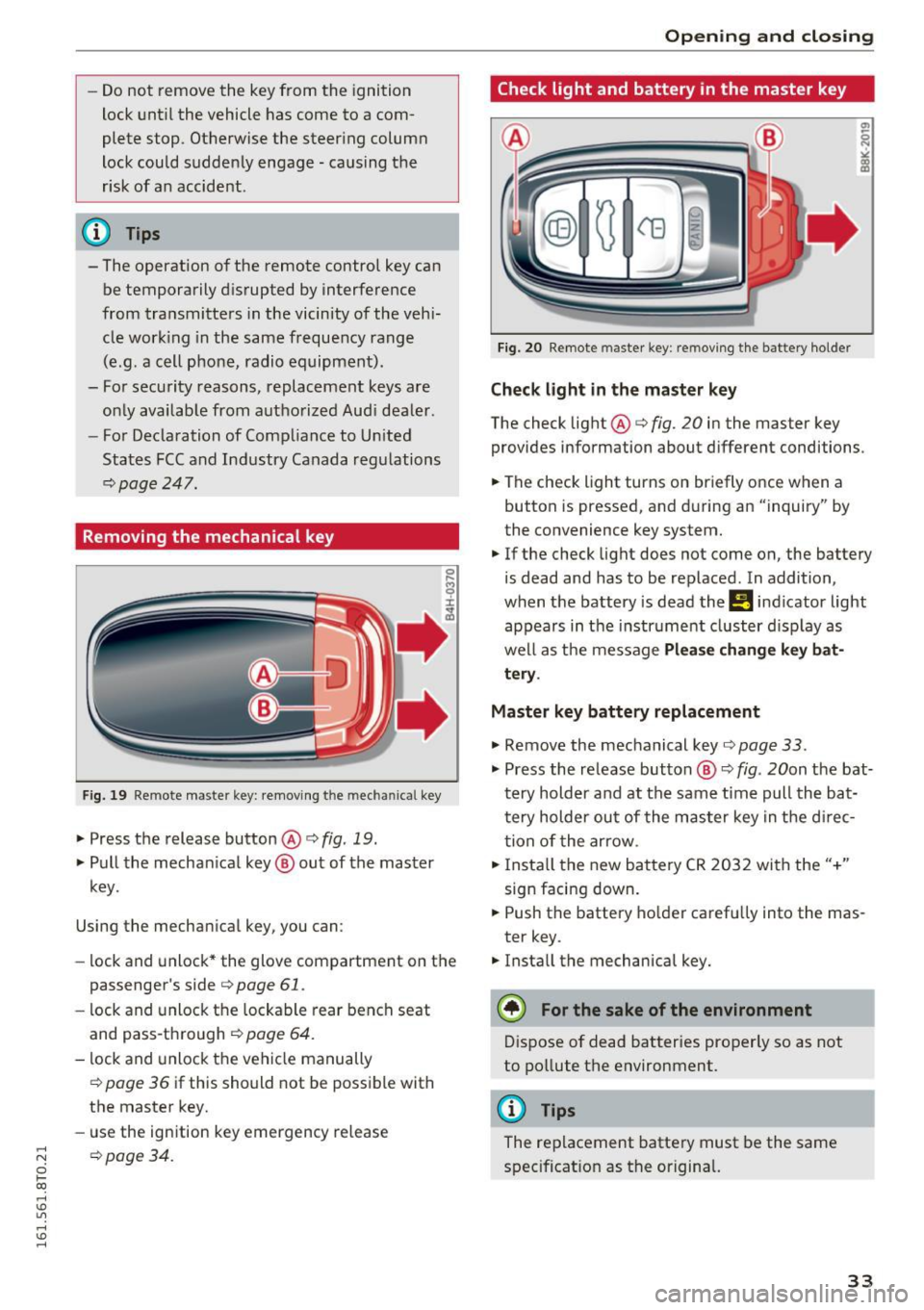
Removing the mechanical key
F ig. 19 Remote master key: removing t he m ec hani ca l key
.,. Press the release button @r=> fig. 19.
.,. Pull the mechan ical key ® out of the master
key.
Using the mechan ical key, you can :
- lock and unlock* the glove compartment on the
passenger's side
c> page 61 .
-lock and unlock the lockable rear bench seat
and pass-through
c> page 64.
- lock and unlock the vehicle manually
c> page 36 if this should not be possible with
the master key.
- use the ign ition key emergency release
;::; opage 34.
0 1-CX)
rl I.Cl U"I
rl I.Cl rl
Open ing and closing
Check light and battery in the master key
Fig. 20 Remote master key: re moving the bat tery holder
Check light in the master key
The check light @r=> fig. 20 in the master key
provides information about d ifferent conditions .
.,. The check light turns on briefly once when a
button is pressed, and during an "inquiry" by
the convenience key system.
.,. If the check light does not come on, the battery
is dead and has to be replaced . In addition,
when the battery is dead the
Ill indicator light
appears in the instr ument cluster display as
well as the message
Please change key bat
tery .
Master key battery replacement
.,. Remove the mechanical key o page 33 .
.,. Press the re lease button ® o fig. 20on the bat
t ery holder and at the same time pull the ba t
tery holder out of the master key in the d irec
tion of the arrow .
.,. Insta ll the new battery CR 2032 with the"+"
sign facing down .
.,. Push the battery holder carefully into the mas
ter key .
.,. Install the mechanical key.
@) For the sake of the environment
Dispose of dead batteries properly so as not
to pollute the environment.
@ Tips
The replacement battery must be the same
specificat ion as the original.
33
Page 37 of 264
,-1 N
0 1-CX)
rl I.Cl U"I
,-1 I.Cl ......
"'To lock the vehicle, close the door and touch
the sensor in the door hand le
on ce ~ fig. 22
~ A in General description on page 31 . Do not
reach inside the door handle .
The vehicle can be locked and un locked at any
door . The remote control key cannot be more
than 1.5 m away from the door handle. It makes
no difference whether the master key is in your
jacket pocket or in your brief case .
If you grip the door handle while locking, this can
adversely affect the locking function.
It is not possible to re-open the doo r for a b rief
period directly after closing it. This allows you to
ensure that the doors are properly locked .
It depends on the settings i n the rad io or MMI*
whether the entire vehicle is unlocked or one of
the doors
~ page 36.
A WARNING
Read and follow all WARNINGS~&. in Gener
al description on page 31.
@ Tips
If your vehicle has been standing for an ex
tended period, please note the following:
- The proximity sensors are deactivated after
a few days to save power . You then have to
pull on the door handle once to unlock the
vehicle and a second time to open the vehi
cle.
- To p revent the battery from being d is
charged and to preserve your vehicle's abili
ty to start for as long as possible, the ener
gy management system gradua lly switches
off unnecessary convenience functions. It is
possible that you w ill not be ab le to unlock
your vehicle using these convenience func tions .
- Fo r Decla ration of Comp liance to Un ited
States FCC and Industry Canada regu lations
~ page 247.
Op enin g an d clos ing
Locking and unlocking the vehicle from
inside
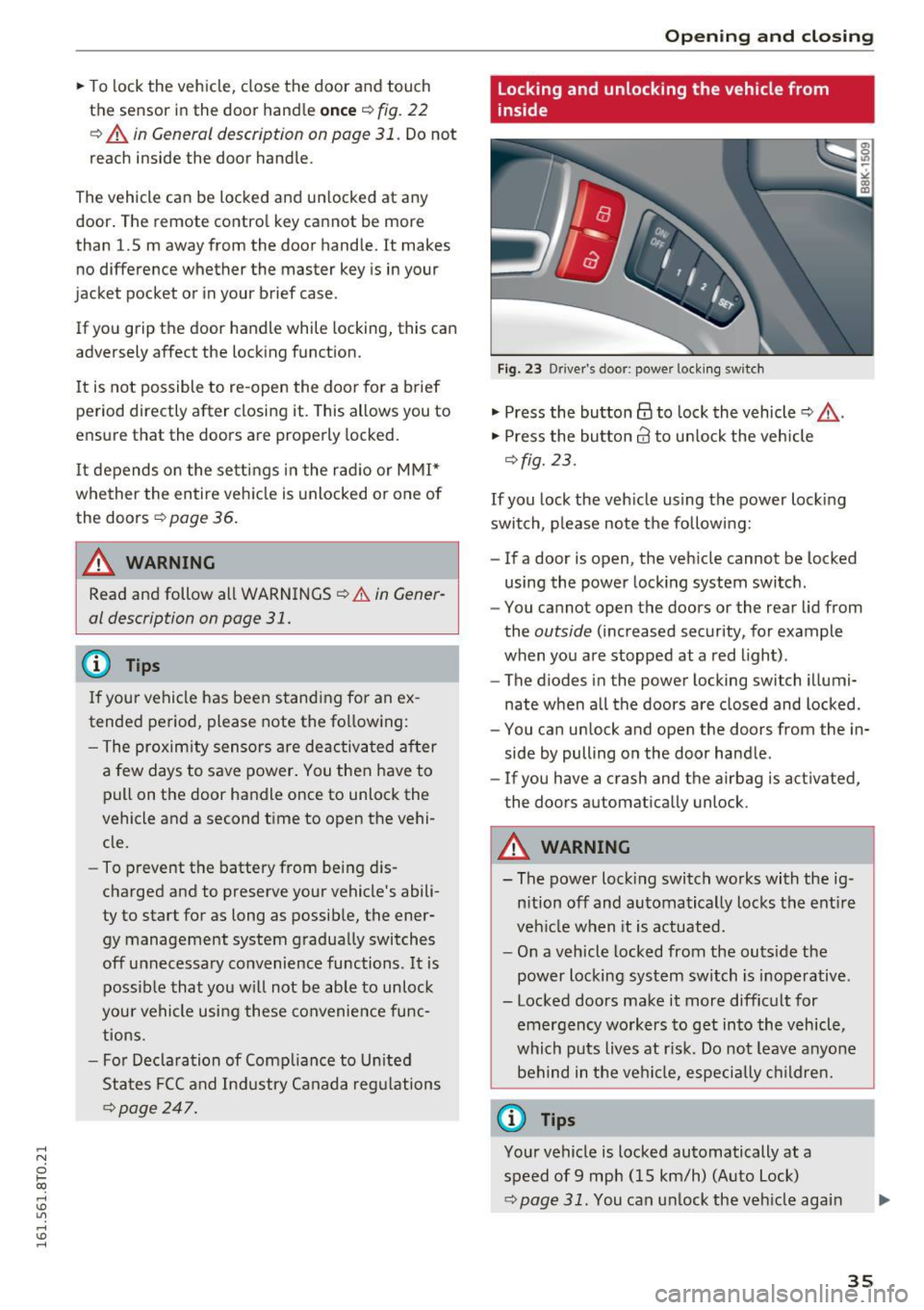
Fig. 23 Drive r's door; power lock ing sw itch
"' Press the button@ to lock the vehicle ~ &,.
"' Press the button 63 to un lock the veh icle
~ fig. 23.
If you lock the veh icle using the power lock ing
switch , please note the following:
- If a door is open, the veh icle cannot be locked
using the power locking system switch .
- You cannot open the doors or the rear lid from
the
outside (increased security, for example
when you are stopped at a red light) .
- The diodes in the power locking switch illumi
nate when a ll the doors are closed and locked .
- You can unlock and open the doors from the in
side by pulling on the door handle .
- If you have a crash and the airbag is act ivated,
the doors automatically unlock .
A WARNING
-- The power locking switch works with the ig-
n ition off and automatically locks the ent ire
veh icle when it is actuated.
- On a vehicle locked from the outs ide the
power locking system switch is inoperative .
- Locked doors make it more difficult for emergency workers to get into the vehicle,
which puts lives at r isk. Do not leave anyo ne
behind in the vehi cle, especially children.
@ Tips
Your vehicle is locked automatically at a
speed of 9 mph (15 km/h) (Auto Lock)
~ page 31. You can un lock the vehicle again
3 5
Page 39 of 264
,-1 N
0 1-CX)
rl I.Cl U"I
,-1 I.Cl ......
Once the front passenger's door has been closed,
you cannot open it again from the outside. The door can be opened from the inside by pulling
the door hand le.
A WARNING
Read and follow all WARNINGS¢&. in Gener
al description on page 31 .
@ Tips
After the ignition is switched on, the power
locking system switch and the unlocking but
ton for the rear lid
c;:; in the door are ena
bled .
Electronic immobilizer
The immobilizer prevents your vehicle from being
started by unauthorized persons .
Inside the key there is a computer chip. This chip
automatically activates/deactivates the electron ic immobilizer.
Applies to vehicles with ignition lock:
The electronic immobilizer deactivates automati
cally when you insert the remote control key into
the ignition lock . It activates again automatically
when you remove the remote control key from
the ignition lock .
Applies to vehicles with convenience key:
If the remote control key is located inside the ve
hicle and you press the
I START ENGINE STOPI
button, the electronic immobilizer deactivates
automatically. If you switch the ignition off and remove the remote control key from the vehicle,
the electronic immob ilizer act ivates aga in auto
mat ically.
A WARNING
Always take the key with you when you leave
the vehicle. The key can disarm the electron ic
eng ine immobiliz er and permit an unauthor
ized pe rson to start the engine and enable op
eration of the vehicle systems such as power
w indow or power sunroof leading to serious
personal injury.
Open ing and closing
(D Tips
-The vehicle cannot be started if an unau
thorized key is used. The vehicle may not
start if another radio device such as a key
for another veh icle or a transponder is lo
cated on the key ring.
- For Declaration of Compliance to United
States FCC and Industry Canada regulations
¢ page 247.
Luggage compartment
Lid
Opening /closing rear lid
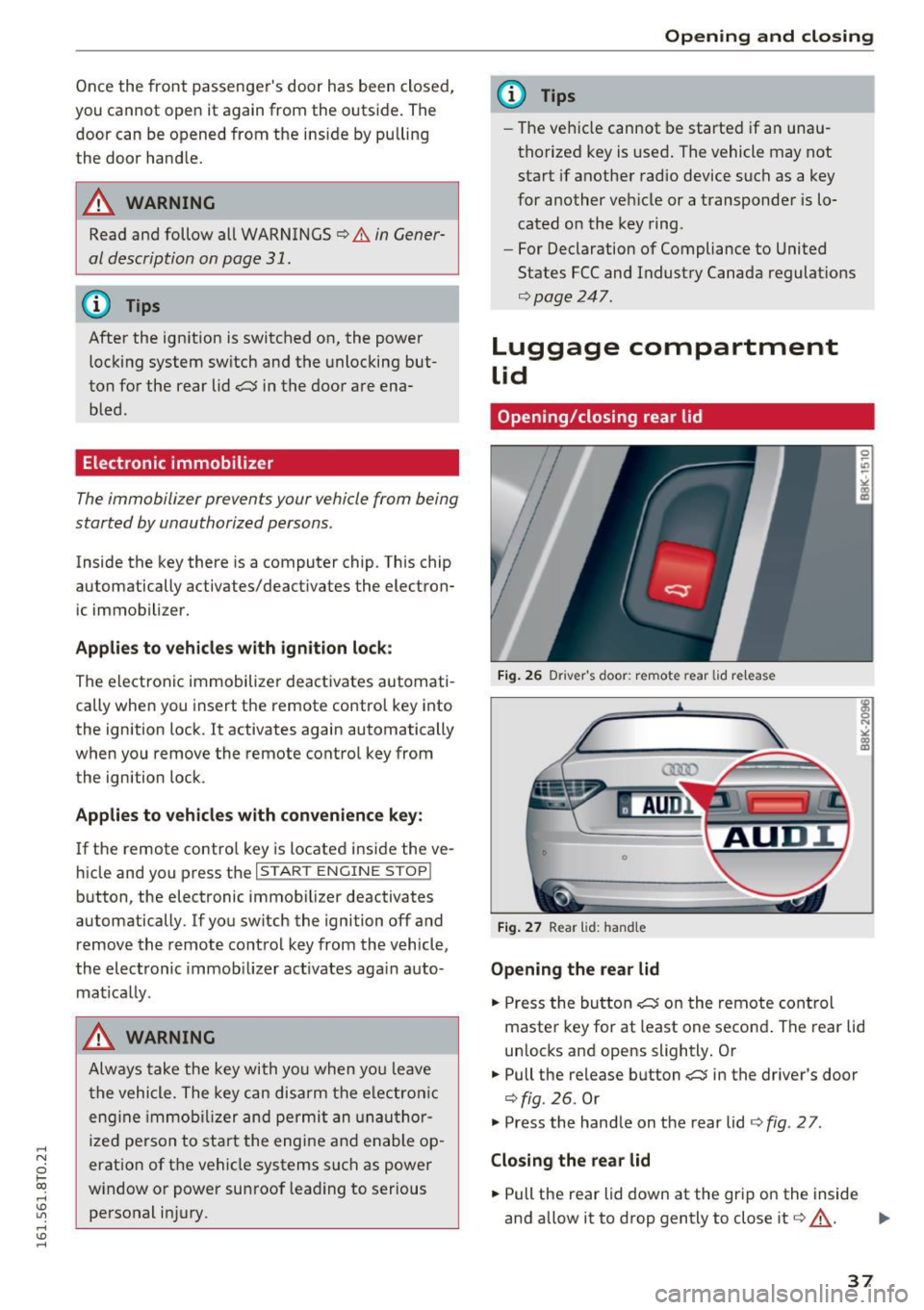
Fig. 26 Driver 's door: remote rear lid release
Fig. 27 Rear lid: handle
Opening the rear lid
.. Press the button c;:; on the remote control
master key for at least one second . The rear lid
unlocks and opens slightly. Or
.. Pull the release button
c;:; in the driver's door
¢fig. 26. Or
.,. Press the hand le on the rear lid ¢
fig. 2 7 .
Closing the rear lid
.. Pull the rear lid down at the grip on the inside
and allow it to drop gently to close it¢,&. . ..,.
37
Page 42 of 264
Opening and clo sin g
Panorama roof
Operation
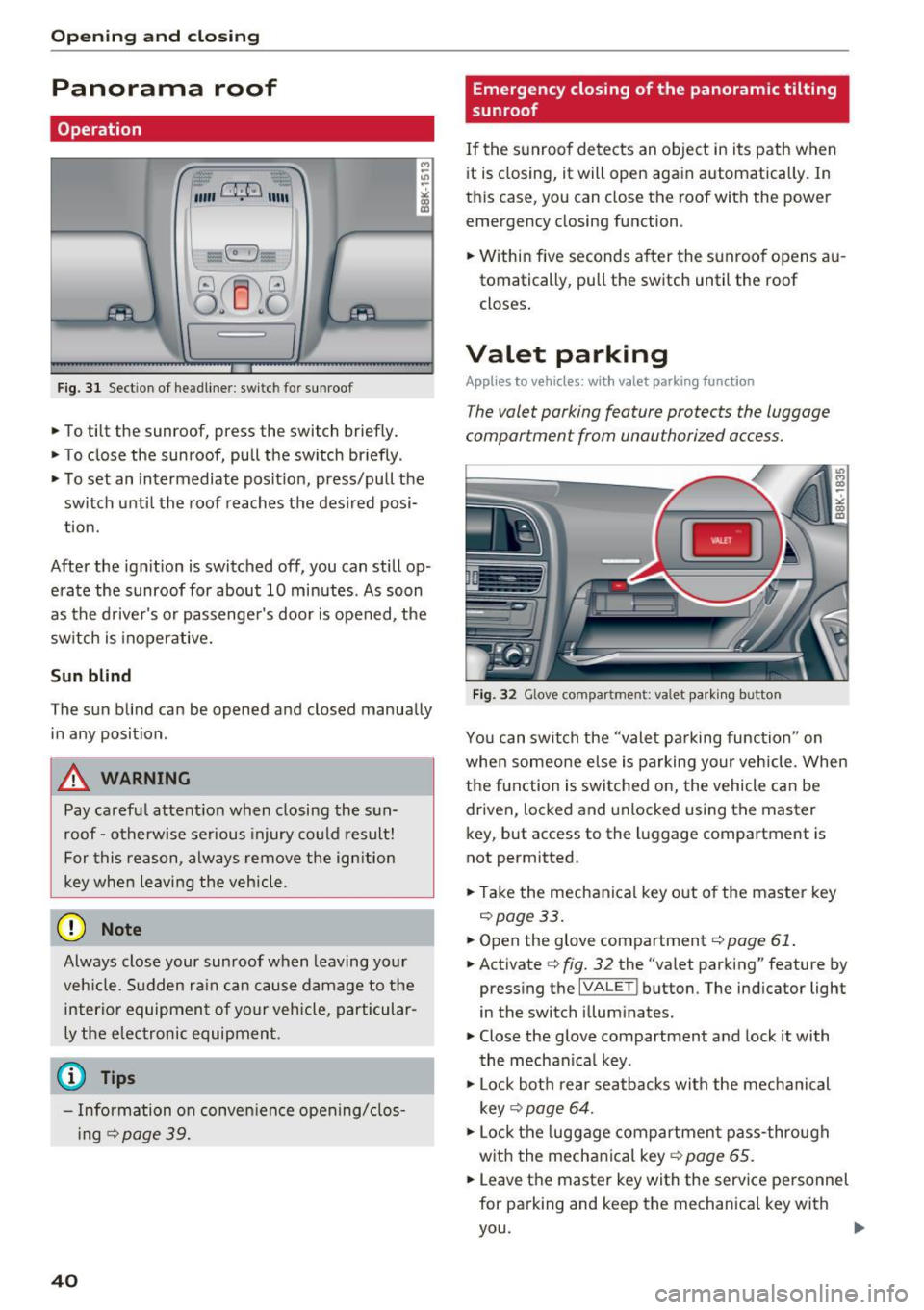
Fig. 3 1 Section of headliner: switch for sunroof
.,. To tilt the sunroof, press the switch briefly.
• To close the sunroof, pu ll the switch briefly .
• To set an intermediate pos it ion, press/pull the
switch unti l the roof reaches the des ired posi
t ion.
After the ign ition is switched off, you can still op·
erate the sunroof for about 10 minutes . As soon
as the d river's or passenge r's door is opened, the
sw itch is inoper ative.
Sun blind
The sun blind can be opened and closed manually in any position .
A WARNING
Pay carefu l attent ion when closing the sun·
roof· otherwise serious injury co uld result!
For this reason, always remove the ign ition
key when leaving the vehicle.
(D Note
Always close your sunroof when leaving yo ur
veh icle. S udden ra in can cause damage to the
interio r equipmen t of your vehicle, particular
ly the elec tronic equipmen t.
- Info rmation on conve nience opening/ clos
i ng
c::>page 39.
40
Emergency closing of the panoramic tilting
sunroof
If the sunroof detects an object in i ts path when
it is closing, it will open again automatically. In
this case, you can close the roof with the power
emergency closing function .
• Within five seconds a fter the sunroof opens au
tomatically, pu ll the sw itch until the roof
closes .
Valet parking
Applies to vehicles: with valet parking function
The valet parking feature protects the luggage
compartment from unauthorized access.
-
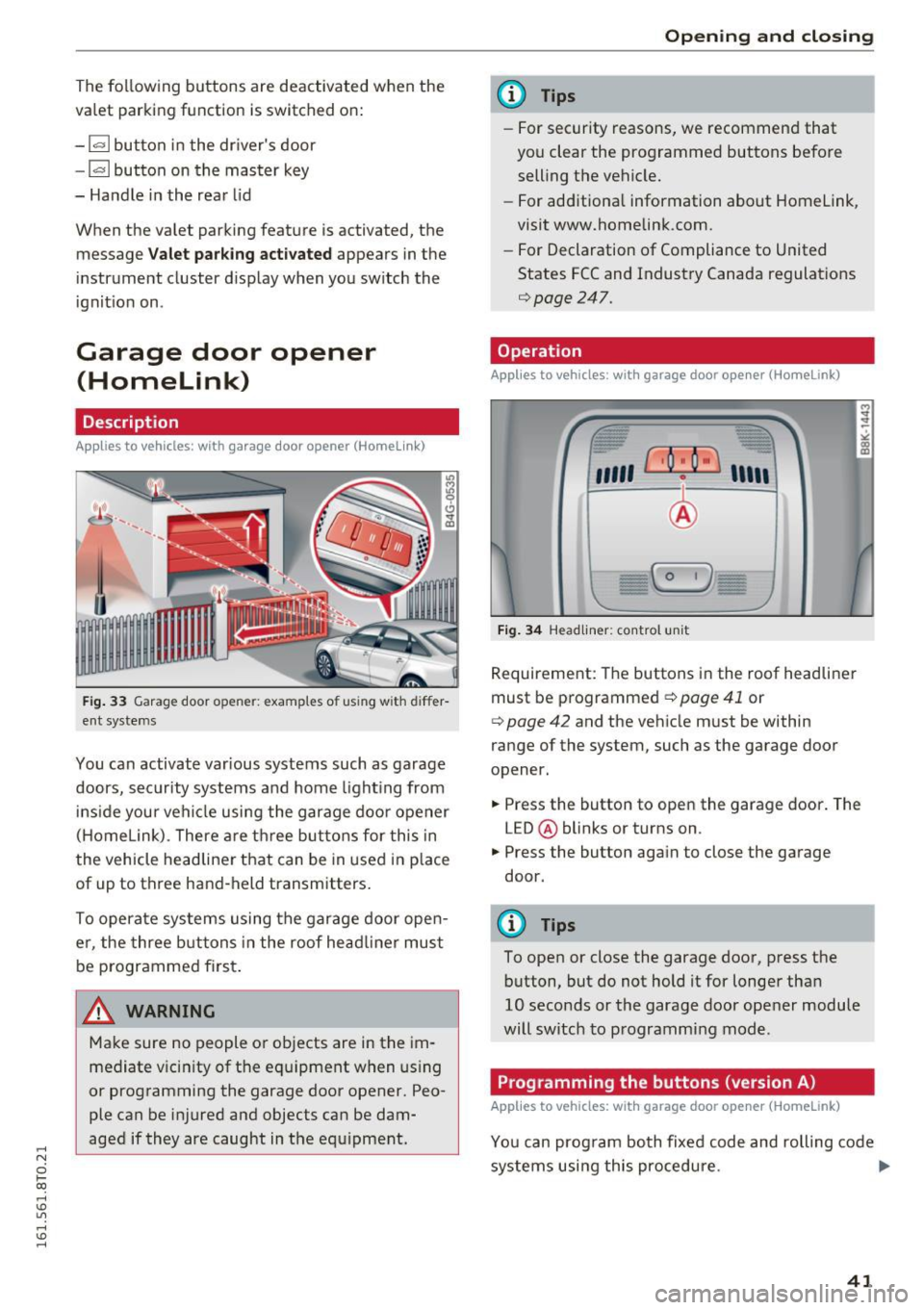
Fi g. 32 Glove compartment: va let pa rkin g bu tton
You can switch the "valet pa rking func tion " on
whe n someo ne else is parking your veh icle. When
the f unction is switc hed on, the vehicle can be
dr iven, locked and unlocked using the master
key, but access to the luggage compartment is
not permitted.
• Take the mechanical key o ut of the master key
<=:> page 33.
• Open the glove compartment c::> page 61 .
• Activate c::> fig. 32 the "va let parking" feature by
press ing the
IVA LE T ! button. The ind icator light
in the switch illum inates.
• Close the glove compartment and lock it with
the mechan ica l key .
• Lock bot h rear seatbacks with the mechanical
key
c::> page 64.
• Lock the luggage compartmen t pass -through
with the mechanical key
c::> page 65.
• Leave the master key with the service personnel
for parking and keep the mechanical key with
you.
...
Page 43 of 264
..... N
0 1-CX)
..... I.Cl U"I
..... I.Cl ......
The following buttons are deactivated when the
va let parking function is sw itched on:
- l'-"' I button in the driver's door
- I""' I button on the master key
- Handle in the rear lid
When the valet parking feature is activated, the message
Valet parking activated appears in the
instrument cluster d isplay when you sw itch the
ignit ion on .
Garage door opener
(Homelink)
Description
Applies to vehicles: with ga rage door opener (Homelink)
Fig. 33 Garage door o pen er: examples of using with d iffer
ent systems
You can activate var ious systems such as garage
doors, security systems and home light ing from
inside your vehicle using the garage door opener
(Homelink) . There are three buttons for this in
the vehicle headliner that can be in used in p lace
of up to three hand-held transmitters.
To operate systems using the garage door open er , the three buttons in the roof head liner must
be programmed first .
A WARNING
Make sure no people or objects are in the im
mediate v icin ity of the equipment when using
or programming the garage door opener. Peo
ple can be injured and objects can be dam
aged if they are caught in the equipment.
Open ing and closing
(D Tips
-For security reasons, we recommend that
you clear the programmed buttons before selling the vehicle.
- For add itiona l information about Homelink
•
visit www.homelink.com.
- For Declaration of Compliance to United
States FCC and Industry Canada regulations
¢page 247.
Operation
Applies to vehicles: wit h garage door opener (Home link)
Fig. 34 H ead liner: control un it
Requirement: The buttons in the roof headliner
must be programmed
¢ page 41 or
¢ page 42 and the vehicle must be within
range of the system, such as the garage door
opener.
.,. Press the button to open the garage door. The
LED @ blinks or turns on .
.,. Press the button again to close the garage
door.
(D Tips
To open or close the garage door, press the button, but do not hold it for longer than
10 seconds or the garage door opener module
will switch to programming mode .
Programming the buttons (version A )
Applies to vehicles: with garage door opener (Home link)
You can program both fixed code and rolling code
systems using this procedure . ..,.
41
Page 46 of 264
Light and Vision
Light and Vision
Exterior lighting
Switching the lights on and off
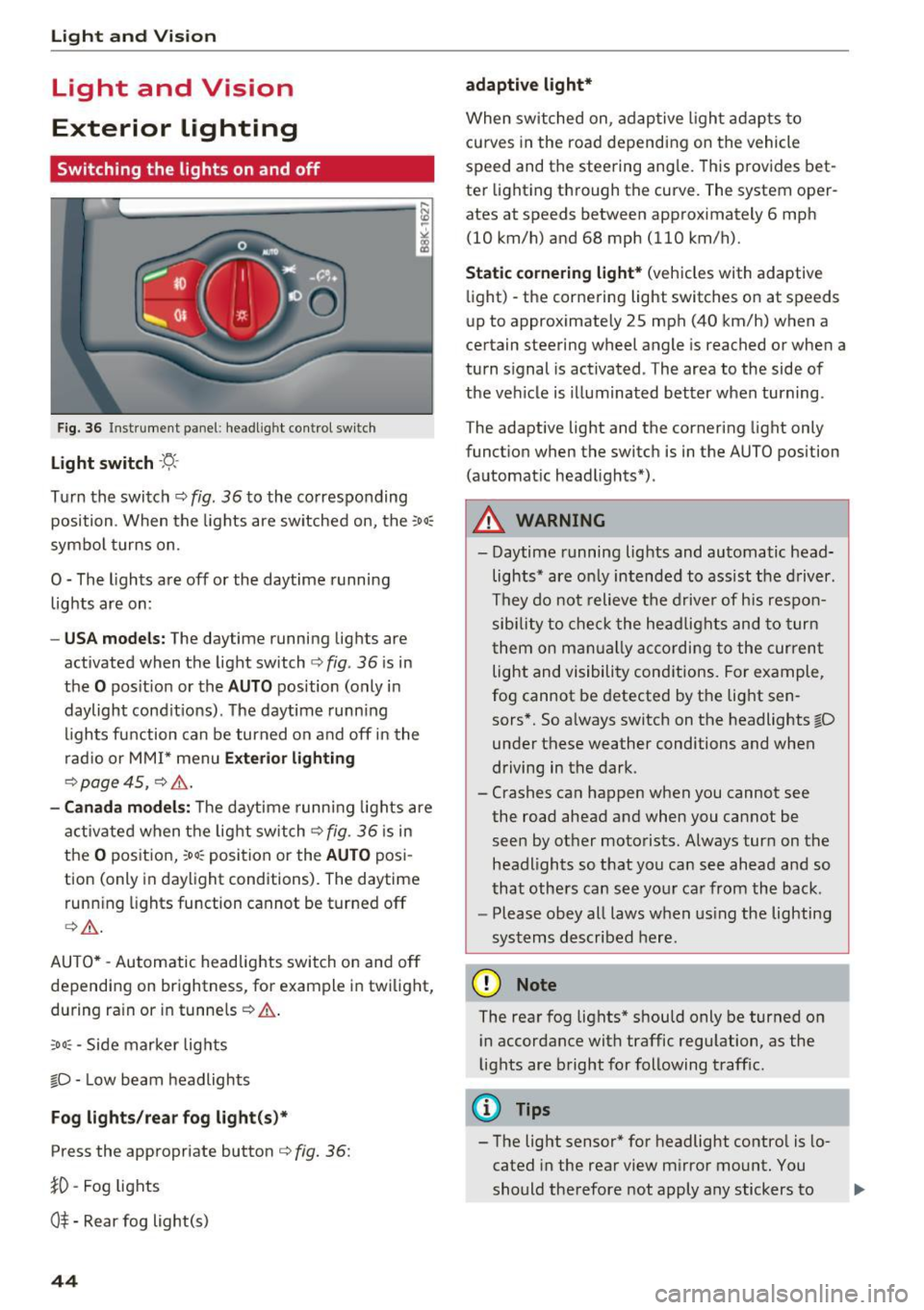
Fig. 36 Instrument panel : headlig ht co ntrol sw itch
Light switch ·'t/;
T u rn the switch c::> fig. 36 to the co rresponding
position . When the lights are switched on, the :
00
:
symbo l turns on.
O -The lights are off or the daytime r unning
lights are on :
-USA mode ls: The daytime running lig hts are
activated when the light switch
c:) fig . 36 is in
the
O pos it ion or the AUTO position (only in
daylight cond it ions) . The daytime runn ing
l igh ts fu nction can be turned on a nd off in the
r ad io or MM I* menu
Exterior lighting
c:) page 45, c::> & .
-Canada mo del s: T he daytime runn ing lights are
activ ated when t he lig ht switch
c:) fig . 36 is in
the
o pos it ion, :oo : position or the AUTO pos i
tion (only in daylight condit ions). The dayt ime
runn ing lights fu nction cannot be tur ned off
c> & .
AUTO * -Automatic headlights switch on and off
depending on brightness, for example in twilight,
du ring ra in or i n tunne ls
c::> & .
;o o: -Side marker lights
fD -Low beam headlights
Fog lights /rear fog light (s)*
Press the appropriate button c::> fig. 36 :
}0 -Fog lights
O* -Rear fog light(s)
44
adaptive light*
When switched on , adap tive ligh t ad apts to
curves in the roa d depending on the vehicle
speed and the steering ang le. Th is prov ides bet
ter light ing th rough the curve. The system oper
ates at speeds between approximately 6 mph (10 km/h) and 68 mph (110 km/h).
Static cornering light* (veh icles with adaptive
li ght) -the corne ring light switches on at speeds
up to approximately 25 mph (40 km/h) when a
ce rtain steering wheel angle is reached or when a
turn signal is act ivated . The area to the side of
the veh icle is illuminated better when turning .
T he adaptive light and the cornering light only
funct ion when the switc h is in the AUTO position
(automat ic head lights*) .
A WARNING
- Daytime r unning lights and au toma tic head
lights* are o nly intended to ass ist the d river .
T h ey do not relieve the drive r of his res pon
sibility to check t he headlig hts and to tur n
t hem on m anually acco rdi ng to the curren t
light and visibili ty cond itions. For example,
fog cannot be detected by t he light sen
sors*. So a lways switch on the headlights
io
unde r these weather conditions and when
driving in the dark .
- Crashes can happen when you cannot see
the road ahead and when you cannot be
seen by ot her motorists. Always tur n on the
headlights so that yo u can see ahead a nd so
that others can s ee yo ur ca r from the back .
- Please obey all laws w hen us ing the lighting
sys tems described here.
(D Note
The rear fog lights* shou ld only be turned on
i n accordance with traffic regu lation, as the
lights are bright for following traff ic.
{!) Tips
- The light sensor* for headlight contro l is lo
cated in the rear view m irror mount. You
should the refore not apply any stickers to .,.
Page 47 of 264
,-1 N
0 1-CX)
,-1 I.Cl U"I
,-1 I.Cl ......
the windshield in this a rea in o rder to
prevent ma lf u nctions or failures .
- Some exterior lighting functions can be ad
ju sted
c:, pa ge 45 .
-When yo u remove yo ur key from the igni
tion wh ile the vehicle's lights are turne d on,
a buzzer sounds as long as the driver's door
is open .
- In coo l or damp weather, the inside of the
headlights, turn s ignals and tai l lights can
fog over d ue to the temperature d ifference
between the inside and outs ide. They will
clear s hort ly after switch ing them on. This
does not affect the serv ice life o f th e light
i ng.
- In the event of a light sensor malfunction,
t h e d river is not ified in the instr ument clus
te r display
c:, page 21.
Turn signals and high beam lever
The lever operates the turn signals, the high
beams and the headlight flasher.
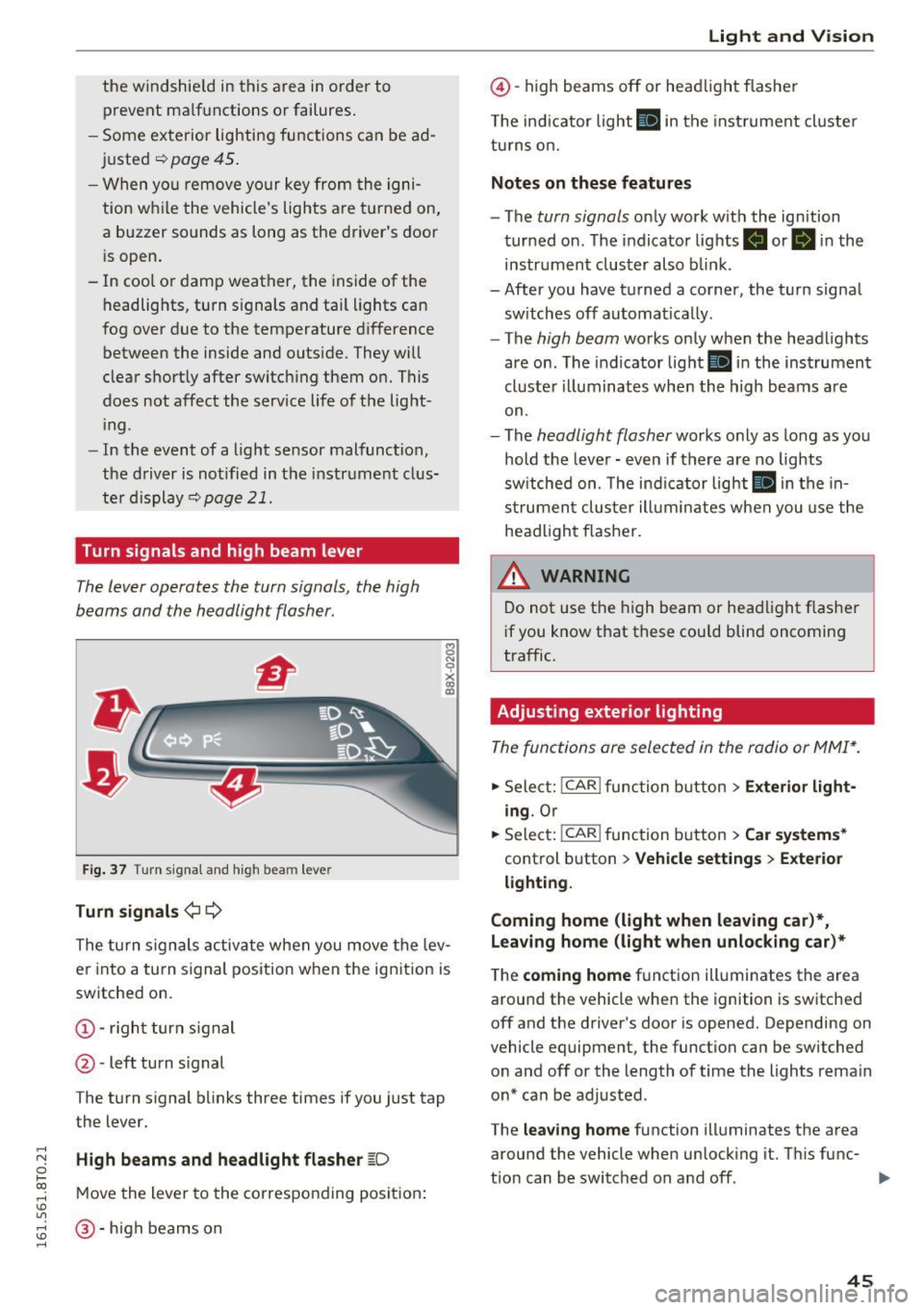
Fi g. 37 Turn signal and high beam lever
Turn signals ¢¢
g N
0
~ CD
The turn s ignals activate when you move the lev
er into a tu rn s ignal position w hen the ignition is
switched on.
@ -righ t tur n signal
@-left tu rn s ignal
The turn s ignal b links three times if you just tap
the lever .
High beams and headlight flasher ~D
Move the lever to the corresponding positio n:
@-hig h b eams o n
Light and V ision
@ -high beams off or he adlig ht flasher
T he in dicator light
II in t he inst rument cl uste r
tu rns o n.
Notes on these features
- The turn signals on ly wor k w ith the ignition
tur ned on. The indicator lig hts . or
II in the
ins trument clus ter also b link.
- After you have t urned a co rner, the t urn signa l
sw itches off automatica lly.
- The
high beam works only when the headlights
are on. The indicator lig ht
II in the ins trument
cl uste r illumina tes whe n the high beams a re
on.
- The
headlight flash er works only as lo ng as yo u
hold t he leve r - even if there a re no lights
sw itche d on . T he ind ic a tor light
II in the in
s tr umen t clu ster ill umin ates when you use t he
he ad ligh t fla sher.
WARNING
Do not use t he high beam or hea dlight flas her
i f you know that these could blind oncoming
tra ffic.
Adjusting exterior lighting
The func tions are selected in the radio or MMI* .
.,. Select: !CAR I function button> Exterior light
ing .
Or
.,. Sele ct: 1-C~A ~ R-.l func tion button > Car systems *
control button > Vehicle settings > Exterior
lighting .
Coming home (light when leaving car)*,
Leaving home (light when unlocking car)*
The coming home fu nction ill uminates the area
around the vehicle whe n the ignition is switched
off and the d river's door is opened. Depending on
vehicle equipment, the function can be switched o n and off or the length of time the lights rema in
on* can be a djusted .
The
leaving home function illuminates th e a rea
around the vehicle whe n unlock ing it. T his func-
t io n can be switched on and off.
ll>
45
Page 48 of 264
Light and Vision
The coming home and leaving h ome functions
only operate when it is dark and t he light switch
is in the AUTO position
~ page 44, fig. 36.
Auto headlights*
W hen the light swi tch is in the A UTO ~ page 44
position, the sw itch-on po int of the lights can be
cha nged in the automatic driving light function.
Daytime running lights
USA models :
You can switch the daytime r unning
lights
on and off .
Canada models: The funct ion cannot be tu rned
off .
It is activated automatically each t ime the ig
n ition is switched on.
Tra vel mode*
The headlight beam is asymmetrical. This pro
vides stronger illumination on the side of the
road on which you are driving.
If you are driving
in a cou ntry that dr ives on the opposite side of
the road from you r own country, this will cause
g lar e fo r oncom ing dr ive rs . To p revent glare:
- Travel mode must be selected in veh icles w ith
Xenon headlights* .
- In vehicles with halogen headlights, certain
areas of the headlight lenses must be cove red
with waterproof adhesive covers that prev ent
l ight from passing through. For more informa
tion, ple ase see you r auth orized Audi dea le r or
a uthorized repair fa ci lity .
When travel mode is ac tiva ted, a disp lay in
t he dr ive r inf orm ation sys tem in dicates this
e ach t ime yo u sw itch the ignition on .
46
Emergency flashers
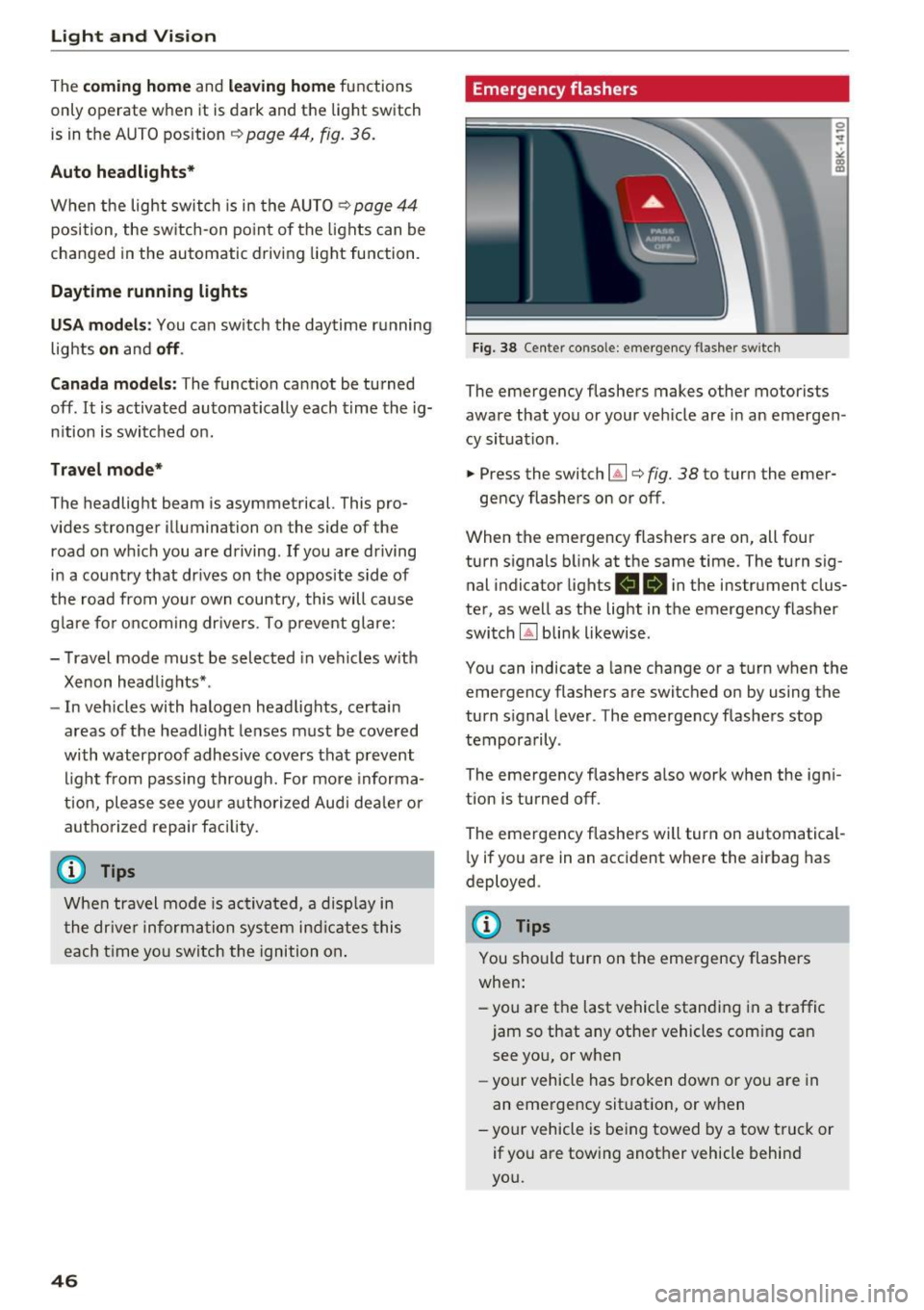
Fig. 38 Center console: emergency flashe r switc h
The emergency flashers makes other motorists
aware that you or your ve hicle are in an emergen
cy situat io n .
.. Press the switch~¢
fig. 38 to turn the emer-
gency flashers on or off .
When the emergency flashers are on, all four
turn s ignals b link at the same time. The turn sig
nal indicator lights
RB i n the instrument clus
ter, as well as the light in t he emergency flasher
switch
IA] blink likewise .
You can indicate a lane change or a turn when the
emergency flashers are switched on by using the
turn signal lever . The emergency flashers stop
tempora rily .
The emergency flashe rs a lso wor k when the ign i
tion is turned off.
The emergency flashers will turn on automatical
l y if you a re in an accident where the airbag has
deployed .
@ Tips
You should turn on the emergency flashers
when:
-you are the last vehicle standi ng in a traffic
jam so that any other vehicles com ing can
see yo u, or when
- yo ur ve hicle has broken down or yo u are in
an eme rge ncy sit uat ion, or w hen
-your vehicle is be ing towed by a tow tru ck or
if yo u are towing another vehicle behin d
you.
Page 49 of 264
,-1 N
0 1-CX)
,-1 I.Cl U"I
,-1 I.Cl ......
Interior Lighting
Front/rear interior lights
(• ' .,;,I
~~~
8 8
O. ~O
l
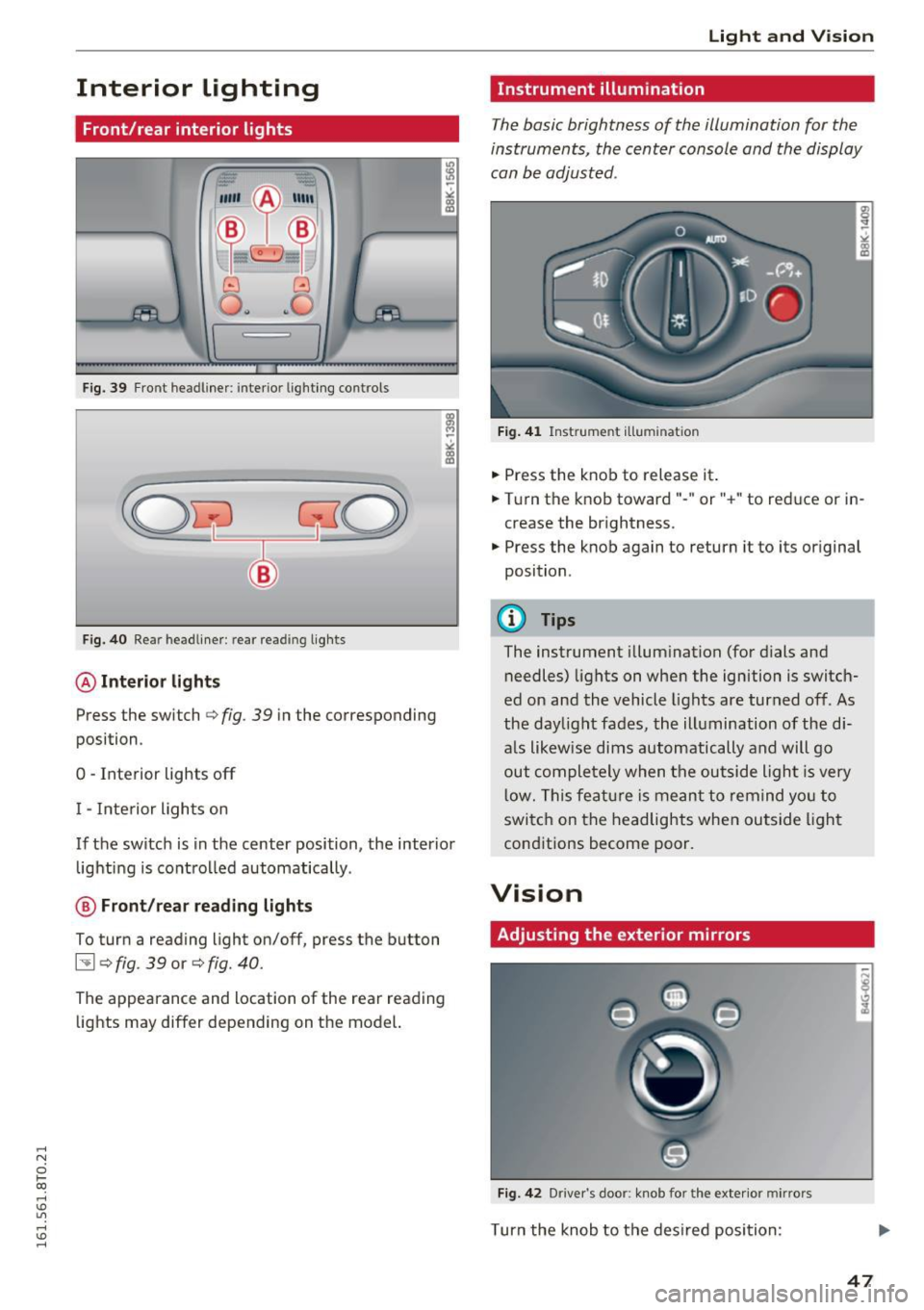
Fig. 39 Front headl iner : interio r lighting co ntrols
Fig. 40 Rear headliner : rear re ading lights
@Interior lights
Press the switch Qfig . 39 in the corresponding
position .
0 -Interior lights off
I - Interior lights on
If the switch is in the center position, the interior
lighting is controlled automatically .
@ Front/rear reading lights
To turn a reading light on/off, press the button
~ Q fig . 39 or Q fig. 40.
The appearance and location of the rear reading
lights may differ depending on the model.
Light and Vision
Instrument illumination
The basic brightness of the illumination for the
instruments, the center console and the display
can be adjusted .
Fig. 41 Instrume nt illumin atio n
• Press the knob to release it .
• Turn the knob toward"- " or"+" to reduce or in
crease the brightness .
• Press the knob again to return it to its original
position .
@ Tips
The instrument illumination (for dials and
needles) lights on when the ignition is switch
ed on and the vehicle lights are turned off. As
the daylight fades, the illumination of the di
a ls likewise dims automatically and will go
out completely when the outside light is very
low. This feature is meant to remind you to
switch on the headlights when outside light
conditions become poor.
Vision
Adjusting the exterior mirrors
Fig. 42 Driver 's doo r: kno b fo r the exterio r mirrors
Turn the knob to the desired position :
47