remote control AUDI S6 2008 User Guide
[x] Cancel search | Manufacturer: AUDI, Model Year: 2008, Model line: S6, Model: AUDI S6 2008Pages: 390, PDF Size: 88.42 MB
Page 87 of 390
[ i J Tips
• If automatic dimming for the inside mirror is switched off, the
outside mirrors are also not dimmed automatically.
• Automatic dimming for the mirror only operates properly if the
sunshade* for the rear window is retracted, or the light striking the
inside mirror is not hindered by other objects. •
Digital compass
Applies to vehicles: with digital compass
Activating or deactivating the compass
The direction is displayed on the interior rear view mirror.
Fig. 75 Inside rear
view mirror: digital
compass activated
To activate or deactivate, hold the@ button down until
the red display appears or disappears.
The digital compass only works with the ignition turned on. The
directions are displayed as initials :
N (North), NE (Northeast), E
(East), SE (Southeast), S (South), SW (Southwest), W (West), NW
(Northwest).
Con tro ls and eq uip
ment
Clear vision
[ i J Tips
To avoid inaccurate directions, do not allow any remote controls,
e lectrical systems, or metal parts close to the mirror. •
Applies to veh ic le s: w ith d igi tal compass
Setting the magnetic deflection zone
The correct magnetic deflection zone must be set in order
to display the directions correctly.
I
I
I
\ ©
' ' ,,_ ... ___ _
@
©
Fig. 76 North America: magnetic deflection zone boundaries
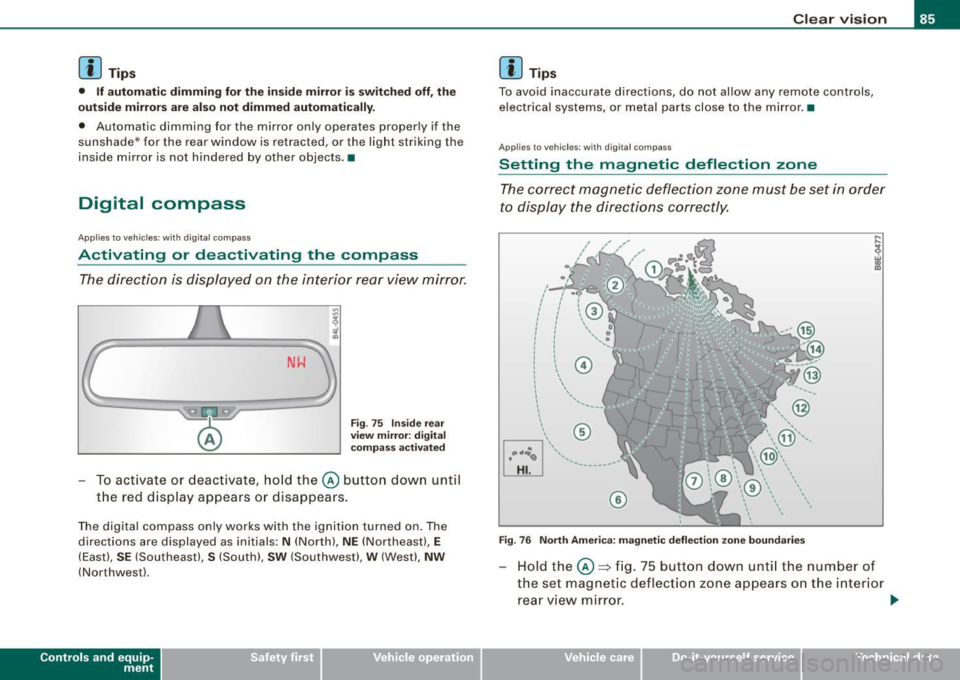
Hold the@::::, fig. 75 button down until the number of
the set magnetic deflection zone appears on the interior rear view mirror. _,.
Vehicle care I I irechnical data
Page 93 of 390
Seat memory
Applies to vehicles: w ith seat memory
Driver's seat memory
The seat adjustment settings for two drivers con be stored
using the memory buttons in the driver's door.
Fig . 81 Driver's door :
Seat memory
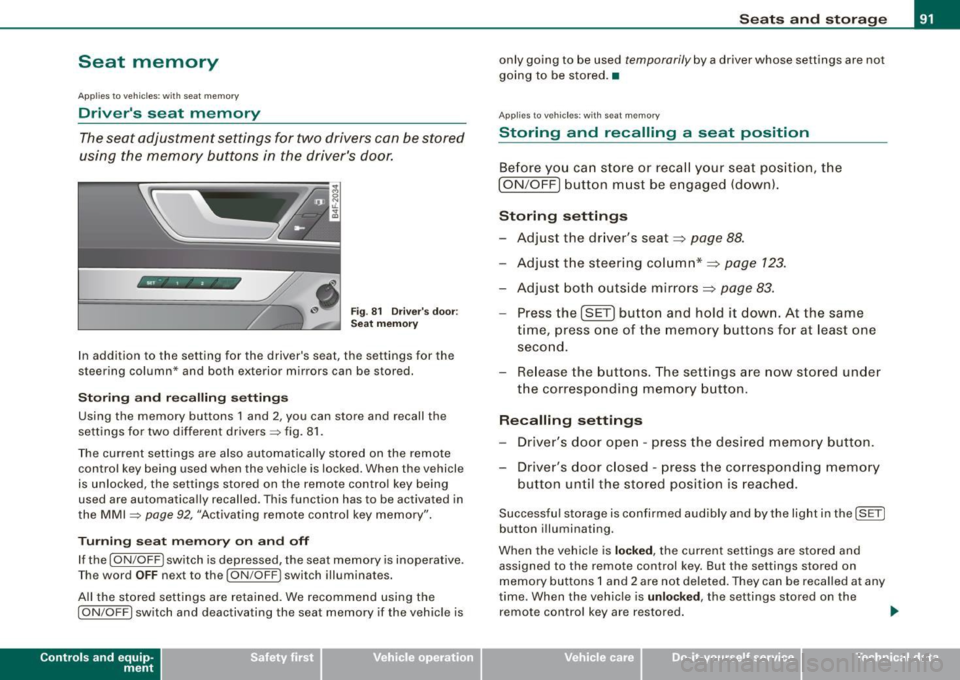
In addition to the setting for the driver's seat, the settings for the
steering column* and both exterior mirrors can be stored.
Storing and reca lling settings
Using the memory buttons 1 and 2, you can store and recall the
settings for two different drivers=> fig. 81.
The current settings are also automatically stored on the remote control key being used when the vehicle is locked. When the vehicle
is unlocked, the settings stored on the remote contro l key being
used are automatically recalled. This function has to be activated in
the MMI =>
page 92, "Activating remote control key memory".
Turning seat memory on and off
If the [ ON/OFF ! switch is depressed, the seat memory is inoperative.
Th e word OFF next to the [ON/OFF) switch illuminates.
All the stored settings are retained. We recommend using the
I ON/OFF] switch and deactivating the seat memory if the vehic le is
Con tro ls and eq uip
ment
Seats and storage
only going to be used temporarily by a driver whose settings are not
going to be stored. •
Applies to veh icles: w ith seat memory
Storing and recalling a seat position
Before you can store or recall your seat position, the
I ON/OFF] button must be engaged (down) .
Storing settings
- Adjust the driver's seat~
page 88.
-Adjust the steering column*~ page 123.
-Adjust both outside mirrors~ page 83.
-Press the !SE T] button and hold it down. At the same
time, press one of the memory buttons for at least one
second.
- Release the buttons. The settings are now stored under
the corresponding memory button.
Recalling settings
- Driver's door open -press the desired memory button.
- Driver's door closed -press the corresponding memory
button until the stored position is reached.
Successful storage is confirmed audibly and by the light in the [ SET)
button illuminating.
When the vehicle is
locked, the current settings are stored and
assigned to the remote control key. But the settings stored on
memory buttons 1 and 2 are not deleted. They can be recalled at any
time. When the vehicle is
unloc ked, the settings stored on the
remote control key are restored . ..,
Vehicle care I I irechnical data
Page 94 of 390
Seats and storage
If your vehicle is driven by other persons using your remote control key, you should save your individual seat position on one of the
memory buttons. You can recall your settings again simply and
conveniently by pressing the corresponding memory button. When
the vehicle is locked, these settings are automatically re-assigned to
the remote control key and stored.
& WARNING
• For safety reasons, the seat setting can only be recalled when
the vehicle is stationary -otherwise you risk having an accident .
• In an emergency, the recall operation can be stopped by
pressing the [
ON/OFF I button or by briefly pressing any given
memory button. •
Applies to vehicles: with seat memory
Activating remote control key memory
To be able to recall the stored settings with the remote
control key, the function hos to be activated in the MM/.
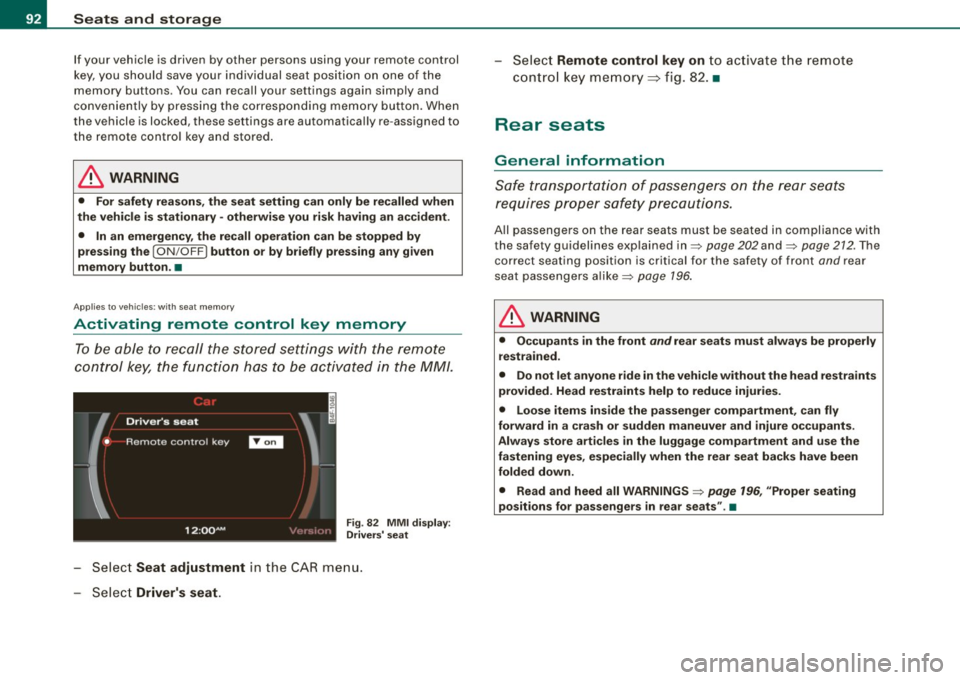
Fig . 82 MMI display :
Drivers' seat
- Select Seat adjustment in the CAR menu.
- Select
Driver's seat.
-Select Remote control key on to activate the remote
control key memory::::> fig. 82. •
Rear seats
General information
Safe transportation of passengers on the rear seats
requires proper safety precautions.
All passengers on the rear seats must be seated in compliance with
the safety guidelines explained in=>
page 202 and=> page 212. The
correct seating position is critical for the safety of front
and rear
seat passengers alike=>
page 196.
& WARNING
• Occupants in the front and rear seats must always be properly
restrained.
• Do not let anyone ride in the vehicle without the head restraints
provided. Head restraints help to reduce injuries.
• Loose items inside the passenger compartment, can fly
forward in a crash or sudden maneuver and injure occupants.
Always store articles in the luggage compartment and use the
fastening eyes, especially when the rear seat backs have been
folded down.
• Read and heed all WARNINGS=>
page 196, "Proper seating
positions for passengers in rear seats" .•
Page 149 of 390
_____________________________________________ A_ d_a ...: pc.. t _i_ v _e_ C_ ru_ is_ e_ C_ o_n_ t_ r_ o _ l __ ,n
• To resume the saved speed, release the brake pedal and press
t he control lever~
page 139, "Turning Adaptive Cruise Contro l off
temporarily".
• If you use the accelerator to go faster than the speed of the
object ahead of you, the
drive r int erv enti on prompt will not be
accompanied by a warning signal.
• If the speed you previously set is exceeded, the indicator light in
t he speedometer wi ll switch off .•
Appl ies to veh icles : w ith Ada ptive C ru ise Cont rol
MMI settings
Individual settings for Adaptive Cruise C ontr ol can be
selected in the MM/ .
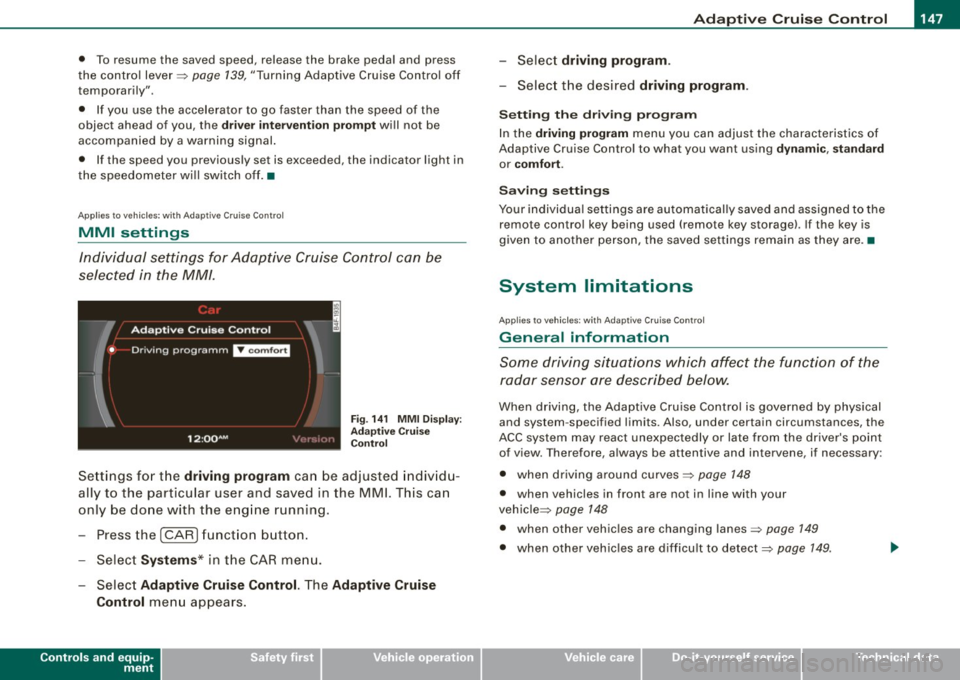
Fig. 1 41 MMI D isplay:
Ad apti ve C ru is e
Co ntrol
Sett ings for t he driving program can be adjusted indiv id u
ally to the particular user and saved in the MMI. This can
only be done with the eng ine running.
- Press the
I CARI funct ion b utton .
- Selec t
System s* in the CAR menu.
Select
Ad aptive Cruise Control. The Adaptive Cruise
Control
menu appears .
Controls and equip
ment
Select driving progr am.
- Selec t the desi red driving program .
Setting th e dri ving p rogr am
In the dri ving program menu you can adjus t the characteristics of
Adaptive Cruise Contro l to what you want using
dyn ami c, s ta ndard
or co mfort .
Saving setting s
Your individual settings are automat ical ly saved and assigned to the
remote contro l key being used (remote key storage). If the key is
given to another person, the saved settings remain as they a re. •
System limitations
Ap plie s t o v ehi cles: with Ad apt ive Crui se Co nt rol
General information
Some driving situations which affect the function of the
radar sensor ore described below.
When driving, the Adaptive Cru ise Control is governed by physical
and system -specified limits. Also, under certain circumstances, the
ACC system may react unexpec tedly or late from the dr iver's point
of view. Therefore, always be attentive and intervene, if necessary :
• when driv ing around curves~
page 148
• when vehicles in front are not in line with your
vehic le ~
page 148
• when other vehicles are changing lanes~ page 149
• when other vehic les are difficu lt to detect~ page 149.
I • •
Page 154 of 390
1111 Audi lane assist
--------------------
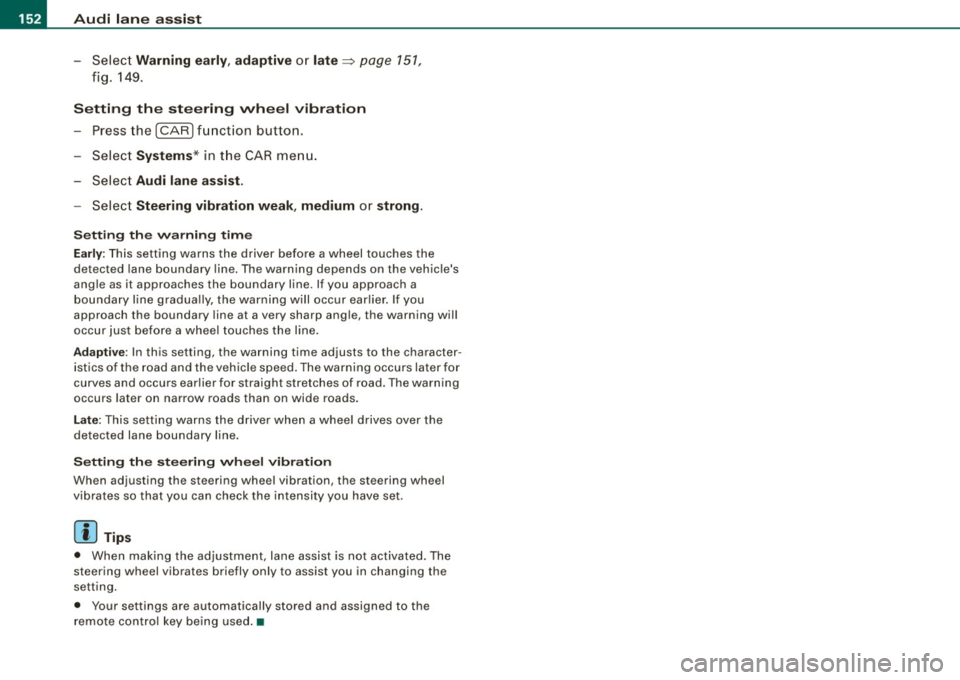
-Selec t Warning early , adaptive or late => page 151,
fig. 149.
Setting the steering wheel vibration Press the
I CAR I function button.
- Selec t
Systems * in the CAR menu.
- Selec t
Audi lane assist.
Select Steering vibration weak, medium or strong.
Setting the warning time
Early: This setting warns the driver before a wheel touches the
detected lane boundary line. The warning depends on the vehicle's
angle as it approaches the boundary line . If you approach a
boundary line gradually, the warning w ill occur earlier. If you
approach the boundary line at a very sharp ang le, the warning will
occur just before a wheel touches the line.
Adaptive : In this setting, the warning time adjusts to the character
istics of the road and the vehic le speed. The warning occurs later for
curves and occurs earlier for straight stretches of road . The warning
occurs later on narrow roads than on wide roads.
Late: This setting warns the driver when a whee l drives over the
detected lane boundary line .
Setting the steering wheel vibration
When adjusting the steering wheel vibration, the steering wheel
vibrates so that you can check the intensity you have set.
[ i ] Tips
• When making the adjustment, lane assist is not activated. The
steering wheel vibrates briefly only to assist you in changing the
setting .
• Your settings are automatically stored and assigned to the
remote control key being used.•
Page 171 of 390
![AUDI S6 2008 User Guide _____________________________________________ A_u_ d_ i _P _a_ r_ k_ i_n -=g a..- S-=y--- s_ t_ e_ m __ ....JIIIII
Rear frequency adjustment
- Pressthe (CAR]function button.
- Select
Audi par](/img/6/57596/w960_57596-170.png "AUDI S6 2008 User Guide _____________________________________________ A_u_ d_ i _P _a_ r_ k_ i_n -=g a..- S-=y--- s_ t_ e_ m __ ....JIIIII
Rear frequency adjustment
- Pressthe (CAR]function button.
- Select
Audi par")
_____________________________________________ A_u_ d_ i _P _a_ r_ k_ i_n -=g a..- S-=y'--- s_ t_ e_ m __ ....JIIIII
Rear frequency adjustment
- Pressthe (CAR]function button.
- Select
Audi parking system.
- Select Rear frequency when you want to change the
frequency of the rear audible signal generator.
When adjusting the volume and frequency, the new setting will
sound for approx. 2 seconds from each audible signal generator.
The volume and frequency settings are automatically stored and assigned to the master key with remote control.
& WARNING
• You should always adjust the volume and frequency of the
chimes so that you can easily hear the acoustic distance warning
even if the radio is playing, the air-conditioner blower is on High or
there is a high level of outside noise.
- Check the settings whenever anyone else has driven the
vehicle before you. •
Con tro ls and eq uip
ment
Audi Parking System (rear, with rear
view camera)
A pp lies to veh ic les: w ith Aud i Par king System ( rear) and re ar-view came ra
Acoustic parking system in the rear , with rear
view camera
The acoustic parking system gives an acoustic signal
when detecting obstacles, and the rear -view camera
offers further aid in the parking process.
Activation
Fig . 167 Rear lid: Loca
tion of the rear-view
camera
-Put the vehicle in reverse gear, the acoust ic parking
system with rear-view camera is activated automatically.
Activation of the acoustic parking system is confirmed by
a brief acknowledgement sound.
Deactivation
- Take the vehicle out of reverse gear. The acoustic park ing
system is immediately deactivated, and the rear -view
camera picture is deactivated automatically after a period of about 15 seconds, or
~
Vehicle care I I irechnical data
Page 180 of 390
• .___A_ u_d_ i _P _a_ r_ k_ i_ n ..:g=-- S_ y=-- s_t _ e _m _____________________________________________ _
& WARNING (continued)
• Maintain plenty of distance from an obstacle, so that your
outside mirror or a corner of your vehicle does not collide with any
obstacles - danger of accident!
• The Audi Parking System is not a substitute for being careful
and alert when backing up. Be especially careful during parking
and similar maneuvers. Always watch where you are driving and
make sure that nothing is in the way.
• When maneuvering or parking, do not only use the MMI Display
for orientation. Certain objects -depending on the screen resolu
tion -may not, or not entirely, be displayed ; for example trailer
hitches, chains, narrow posts, or fences . •
Settings in the MMI
App lies to veh ic les: witn Av(li Pi, rk ing System (rear! and rear-view camera
Adjusting the chimes -option 1
The volume and the pitch (frequency) of the chimes can
be adjusted in the MM/.
Fig . 179 MMI Display:
Selection menu
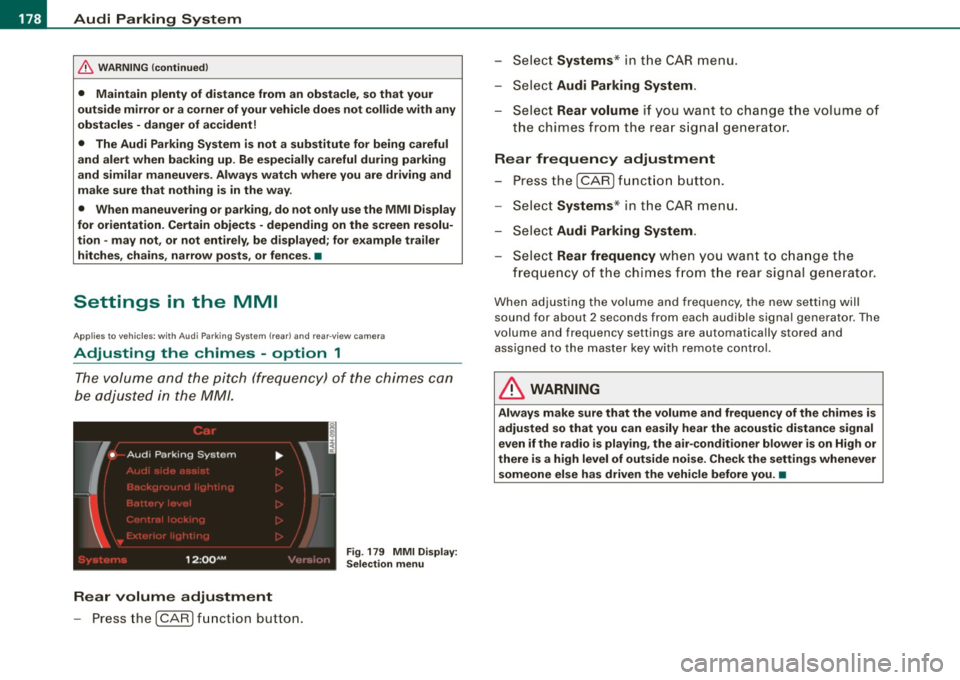
Rear volume adjustment
- Press the [CARI function button. -
Select
Systems * in the CAR menu .
- Select
Audi Parking System .
-Select Rear volume if you want to change the volume of
the chimes from the rear signal generator.
Rear frequency adjustment
- Press the [CAR I function button.
- Select
Systems* in the CAR menu .
- Select
Audi Parking System .
-Select Rear frequency when you want to change the
frequency of the chimes from the rear signal generator.
When adjusting the volume and frequency, the new setting will
sound for about 2 seconds from each audible signal generator . The
volume and frequency settings are automatically stored and assigned to the master key with remote control.
& WARNING
Always make sure that the volume and frequency of the chimes is
adjusted so that you can easily hear the acoustic distance signal
even if the radio is playing, the air-conditioner blower is on High or
there is a high level of outside noise. Check the settings whenever someone else has driven the vehicle before you. •
Page 181 of 390
_____________________________________________ A_u_ d_ i _P _a_ r_ k_ i_n -=g a..- S-=y'--- s_ t_ e_ m __ ....JJIIII
Ap plies to vehicles: with Audi Par king System (r ear) and rea r-vie w came ra
Adjusting the chimes -option 2
The menu for adjusting signal sounds can also be called
up via the control button with the "settings" function.
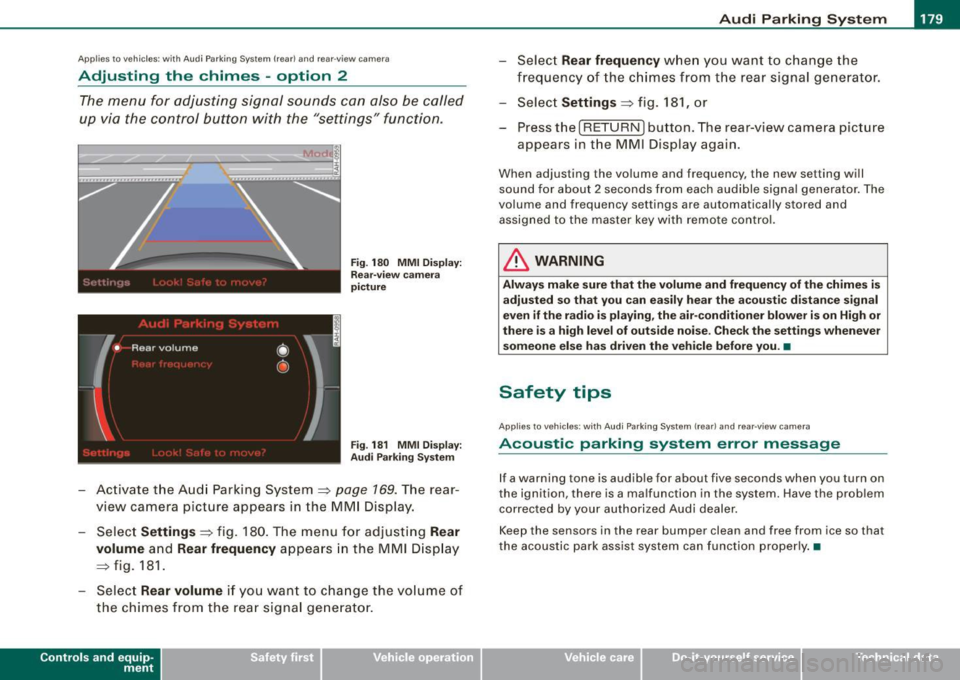
Fig. 180 MMI Display:
Rear-view camera
picture
Fig . 181 MMI Display:
Audi Parking System
- Activate the Audi Parking System=> page 169. The rear
view camera picture appears in the
MMI Display.
- Select
Settings => fig. 180. The menu for adjusting Rear
volume
and Rear frequency appears in the MMI Display
=> fig.
181.
Select Rear volume if you want to change the volume of
the chimes from the rear signal generator.
Contro ls and eq uip
ment
Select Rear frequency when you want to change the
frequency of the chimes from the rear signal generator.
Select
Settings => fig. 181, or
Press the [RETURN] button . T he rear-v iew camera picture
appears in the
MMI D isplay again.
When adjusting the volume and frequency , the new setting will
sound for about 2 seconds from each audible signal generator. The
volume and frequency settings are automatically stored and
assigned to the master key with remote control.
& WARNING
Always make sure that the volume and frequency of the chimes is
adjusted so that you can easily hear the acoustic distance signal
even if the radio is playing, the air-conditioner blower is on High or
there is a high level of outside noise. Check the settings whenever
someone else has driven the vehicle before you. •
Safety tips
Applies to vehic les: with Audi Par king System {rear) and rea r-v iew came ra
Acoustic parking system error message
If a warning tone is audible for about five seconds when you turn on
the ignition, there is a malfunction in the system. Have the problem
corrected by your authorized Audi dealer.
Keep the sensors in the rear bumper clean and free from ice so that
the acoustic park assist system can function properly.•
Vehicle care I I irechnical data
Page 188 of 390
• ..__H_ o_ m_ e_ L_in _ k_® ____________________________________________________ _
Homelink®
Universal remote control
Applies to vehicles: w ith Home Link® universal remote control
General information
The Homelink® feature can learn the up to three radio
frequency codes for most current transmitters used for
operating garage doors, estate gates, home or outdoor
lighting systems, and other devices.
You must first program the Homelink® transmitter before you can
use the system=>
page 186, "Programming the Homelink® trans
mitter".
In order to program the Homelink® transmitter for devices utilizing
rolling code, a second person on a ladder who can safely reach the
garage door opener motor is recommended. It is also necessary to
locate the "learn" button on your garage door opener motor. Refer
to the operating instructions for the opener, as the location and
color of this button may vary by manufacturer.
You can still use the original remote control for the device at any
time .
& WARNING
• Never use the Homelink"" transmitter with any garage door
opener that does have not the safety stop and reverse feature as
required by federal safety standards. This includes any garage
door opener model manufactured before April 1, 1982.
• A garage door opener which cannot detect an object, signaling
the door to stop and reverse does not meet current federal safety
standards . Using a garage door opener without these features
increases risk of serious injury or death .
& WARNING (continued)
• For safety reasons never release the parking brake or start the
engine while anyone is standing in front of the vehicle.
• A garage door or an estate gate may sometimes be set in
motion when the Homelink ® remote control is being
programmed . If the device is repeatedly activated, this can over
strain motor and damage its electrical components -an over
heated motor is a fire hazard!
• To avoid possible injuries or property damage, please always
make absolutely certain that no persons or objects are located in
the range of motion of any equipment being operated. •
Applies to vehicles: wit h Home link® universal remote contro l
Programming the Homelink ® transmitter
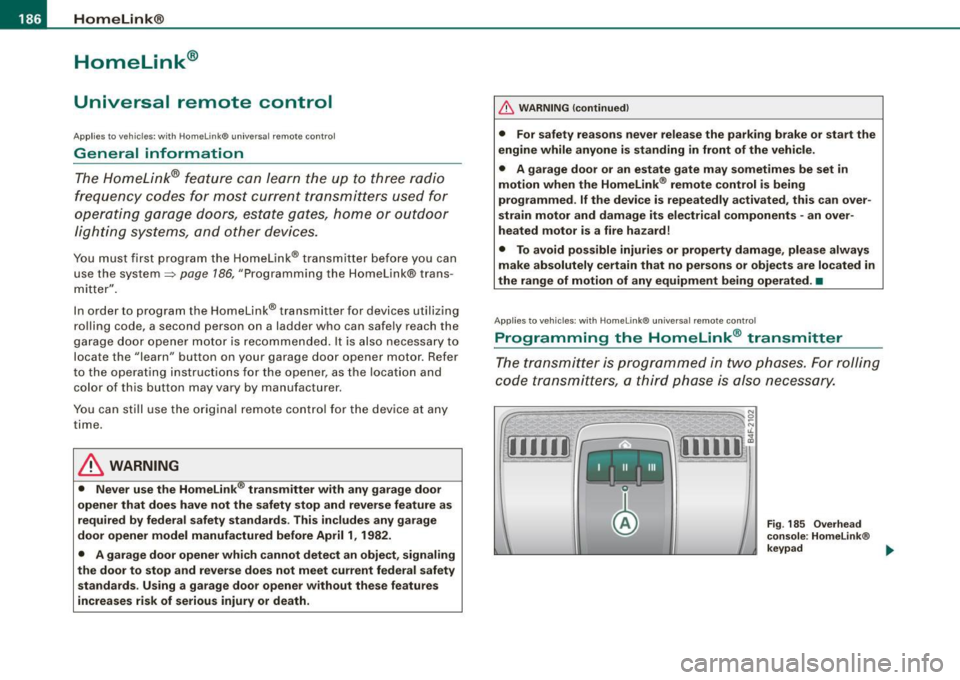
The transmitter is programmed in two phases. For rolling
code transmitters, a third phase is also necessary.
Fig . 185 Overhead
console: Homelink ®
keypad ...
Page 189 of 390
HomeLink®
------------------------------------
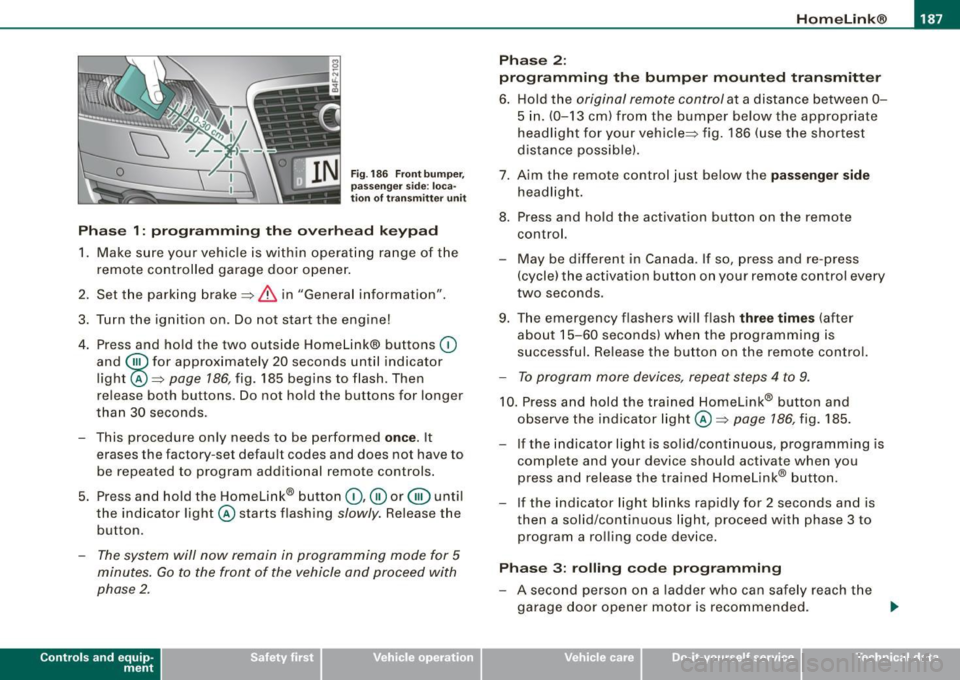
Fig. 186 Front bumper ,
passenger side: loca
tion of transmitter unit
Phase 1: programming the overhead keypad
1. Make sure your vehicle is within operating range of the
remote controlled garage door opener.
2. Set the parking brake::::>
& in "Genera l information".
3. Turn the ignition on. Do not start the engine!
4. Press and hold the two outside Homelink® buttons
(D
and @for approxim~tely 20 sec_onds until indicator
light ©::::>
page 186, fig. 185 begins to flash. Then
r elease both buttons. Do not hold the buttons for longer
than
30 seconds.
- This procedure only needs to be performed
once . It
erases the factory-set default codes and does not have to
be repeated to program additional remote controls.
5. Press and hold the Homelink® button
(D, ® or@ until
the indicator light © starts flashing
slowly. Release the
button .
-The system will now remain in programming mode for 5
minutes. Go to the front of the vehicle and proceed with
phase 2.
Contro ls and eq uip
ment
Phase 2:
programming the bumper mounted transmitter
6. Hold the original remote control at a distance between 0-
5 in. (0-13 cm) from the bumper below the appropriate
headlight for your vehicle::::> fig.
186 (use the shortest
distance possible).
7. Aim the remote control just below the
passenger side
headlight.
8. Press and hold the activation button on the remote control.
- May be different in Canada. If so, press and re-press
(cycle) the activation button on your remote control every
two seconds .
9. The emergency flashers will flash
three times (after
about
15-60 seconds) when the programming is
successful. Release the button on the remote control.
-To program more devices, repeat steps 4 to 9.
10. Press and hold the trained Homelink® b utton and
observe the indicator light© ::::>
page 186, fig. 185.
If the indicator ligh t is solid/continuous, programming is
complete and your device should activate when you press and release the trained Homelink® button.
- If the indicator light blinks rapidly for 2 seconds and is
th en a solid/continuous light, proceed with phase 3 to
program a rolling code device.
Phase 3: rolling code programming
-A second person on a ladder who can safely reach the
garage door opener motor is recommended. .,_
Vehicle care I I irechnical data