ECO mode AUDI S6 2008 Owner's Manual
[x] Cancel search | Manufacturer: AUDI, Model Year: 2008, Model line: S6, Model: AUDI S6 2008Pages: 390, PDF Size: 88.42 MB
Page 121 of 390
_________________________________________________ w_ a_ r_ m __ a_n_ d_ c_ o_ld __ llll
The air outlets are actuated either automatically or manually
depending on the operating mode selected. Heated or unheated
fresh air, or cooled air flows from the vents.
The air outlets to heat the rear footwell are located under the front
seats .
[ i] Tips
If the climate control system is operating in cooling mode, air flows
primarily from the outlets in the center console and in the door
pillars. To achieve adequate cooling, you should never close the
outlets completely. •
Using climate control economically
Using the climate controls prudently can help save fuel.
When you use the air conditioner, engine power is reduced
and fuel consumption increases. To save fuel, you should use the air conditioner only when necessary. Also please
note the following points:
- If you want to save fuel, activate ECON.
- If you are going to drive with the windows open, use
ECON.
If the vehicle is extremely hot due to the heat of the sun,
briefly open doors and windows.
~ For the sake of the environment
By reducing the amount of fuel you use, you also reduce the amount
of pollutants emitted into the air. •
Controls and equip
ment
App lies to vehic les: with solar sliding/ti lt ing sunroof
Solar blower fan /solar roof
With sufficient sunlight, the blower fan continues to
operate with solar energy to bring in fresh air after the
ignition has been switched off.
The blower fan motor is operated by solar energy through the solar
roof after the ignition is turned off. Please make certain that vents
© and © are open to achieve optimal ventilation=>
page 118.
The v entilation operates only with the sunroof closed or in the tilted
position.
If the vehicle was switched off in the recirculation mode, the air
conditioning automatically switches to fresh air operation.
Solar operation is not activated at low outside temperatures. •
Basic settings [SETUP ]
General
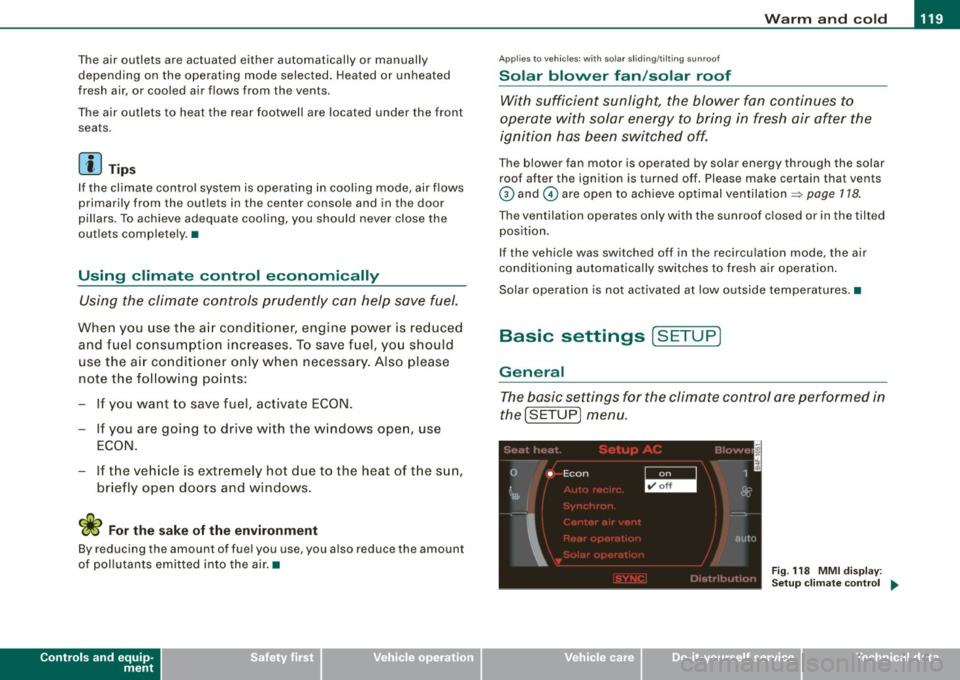
The basic settings for the climate control are performed in
the[SETUP] menu.
''I
0 • Econ 1
~ &
I
autu
Fig. 118 MMI display :
Setup climate control
~
I • •
Page 122 of 390
_L-_W.:..:.. a:.:.:.; rm:..:..:....: a::.: n..:..:: d:....:: c..:o :..;.l..:d ;__ _______________________________________________ _
The basic settings for the air conditioning can only be ma de
with MM I turned on.
Press the !SETUP] button in the controls to access the
menu.
Select the desired function using the control knob (driver
or passenger) in t he air condi tioning contro ls .
The fol lowing functions can be selected:
• ECON =>
page 120
• Auto recirc . => page 120
• Synchron . => page 120
• Center air vent=> page 121
• Solar operation*=> page 121 •
ECON
The ECON mode helps to save fuel.
The air conditioning is turned off in ECON mode. "ECON" means
"Economy" . By switching off the air conditioning (compressor), you
save fuel.
Please note that vehic le interior temperature cannot be lower than
the outs ide temperature in the ECON mode . The air is not cooled or
dehumidified.
If the vehic le interior becomes too hot or if the windows fog up,
ECON mode should be turned off . As soon as the !AUTO
I button in
the air conditioning controls is p ressed, the system automatically
leaves the ECON mode, and the air conditioning compressor is
turned on again .•
Automatic recirculation mode
An air quality sensor detects incre ased concentratio ns of
pollutants in the outside air and aut omatically switches
to recirculation mode.
We recommend that you always keep automatic air recirculation ON
to prevent polluted outside air from entering the vehicle interior .
I f the
air qualit y sensor located in the air conditioning system
detects po lluted outside air, the sensor decides whether the air
pol lution can be reduced by the factory -installed po llutant filter or
whe ther it is necessary to swi tch to air recirculatio n. With heavy
concentrations of pol lutants, the air conditioning system is
sw itched automatically to rec irculation mode and the supp ly of
outside air is blocked . As soon as the concentration of pollutants in
the outside a ir drops, fresh air is supp lied to the vehic le inte rior
aga in.
I n the event that the windows fog up during automatic air recircu la
t ion, you must press the® button immed iately.
Under certain operating conditions , automatic air recircu lation is
sw itched off automatically. With outside temperatures be low about
+10 °C , automatic air recirculation is limited to 30 seconds. With
outside temperatures below about -1 °C and in the ECO N mode,
automatic air recirculation is limited to 15 seconds .•
Synchronization
One climate control se tting f or all seats.
With synchronization active, the driver 's or the passenger's settings
are adopted for the other seats . Al l the other settings that were
made are trans ferred to the other seats. This includes all the c limate
control settings right down to the heated seats.
I f a differen t setting is selected at a "synchronized seat", synchroni
z ation is cancelled .•
Page 131 of 390
___________________________________________________ O_ n_ t_h _e_ r_o _a_ d _ ___.9I
and then the driver's door is opened. In this instance, the steering is
not locked . The steering is locked :
• If you press the
I STOP ] button aga in for more than 1 second.
• If you c lose the driver's door and lock your vehicle from the
outside .•
Electromechanical parking brake
Operation
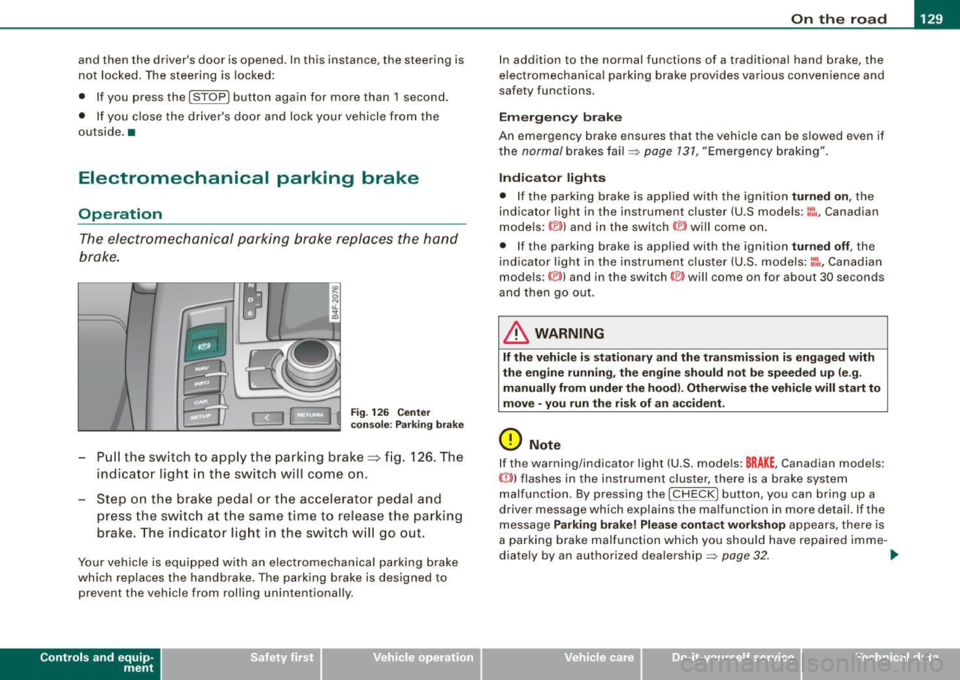
The electromechanical parking brake replaces the hand
brake.
Fi g. 12 6 Center
co nso le: Parki ng bra ke
- Pull the switch to app ly the park ing brake => fig. 12 6. The
indicator light in the switch will come on .
- Step on the brake pedal or the accelerator pedal and
press the switch at the same time to rel ease the parking
brake. The indicator lig ht in the switch wi ll go out.
Your vehicle is equipped with an elect romechanical parking brake
which replaces the handbrake . T he parking brake is designed to
prevent the vehicle from rol ling unintentional ly.
Con tro ls and eq uip
ment
I n add ition to the normal functions of a traditional hand brake, the
e lectromechanica l parking brake provides various convenience and
safety functions.
Emergen cy brake
An emergency brake ensur es that the vehicle can be slowed even if
t he
normal brakes fail=> page 131, "Emergency braking".
Ind icator lights
• If the parking brake is applied with the ignition tu rned on , the
indicator light in the instrument cluster (U.S models :
::i.:,, Canadian
models: ®)) and in the switch <®) will com e on .
• I f the parking brake is app lie d with the ignition
tu rn ed off , the
indicator light in the instrument cluster (U.S. models: ::.:\,, Canadian
models :(®) ) and in the switch© will come on for about 30 seconds
and then go out .
& WARNING
If the vehicle i s stationary and the tr ansmi ssion is engag ed with
the engine ru nning , the engine should not be speeded up (e .g .
manu ally from under the hood ). Otherwi se the vehicle will sta rt to
move -you run the risk of a n accident .
0 Note
If the warning/indica tor light (U.S . mode ls: BRAKE , Canadian mode ls :
(Ci)) ) flashes in the instrument clus ter, there is a brake system
malfunction . By pressing the
I CHECK] button, you can bring up a
driver message which explai ns the ma lfunc tion in more detail. If the
message
P a rki ng brake ! Plea se conta ct w ork shop appears, there is
a par king brake malfunction which you should have repaired imme -
d iate ly by an authorized dealership=>
page 32. ..
Vehicle care
I I irechnical data
Page 174 of 390
-Audi Parking System -------=--=---------------
"Parking mode
1" appears by default in the MMI Display if the rear
v iew came ra is activate d=>
page 169 . You can switch to " parki ng
mode
2" by pressing the control button with the mode @
=> page 173, fig. 173 function . By repeatedly p ressing the control
button with the
mode function, you can switch back and forth
between "parking mode
1 " and "pa rking mode 2".
Orientation lines and marked surfa ces
Orientati on l ines and col ored ma rke d surfaces( => page 173, fig . 172
or=>
page 175, fig. 174) are projected into the rear -view camera
pictu res, subject to the two diffe rent par king modes . These orienta
tion lines and surfaces offer aid when parking or maneuvering. The
orientation lines and su rfaces refer to the height of a leve l driving
sur face.
When the indicated orientation lines and indicated blue surfaces
sup erimpos e veh ic le s or o bjects, a t the lates t, t he respectiv e
d istance to the vehicles or objects has become too short
=>
p age 177 .
If the tr unk lid is open, the o rien tat io n lin es and marked su rfaces are
not displayed .
& WARNING
• The rear-view camera has blind spots , in which objects cannot
be detected . Be especially careful to check for small children and
animals before backing up . Small children and animals will not
always be detected by the sensors.
• The Audi Parking System is not a substitute for being careful
and alert when backing up . Be especially careful during parking
and similar maneuvers . Always watch where you are driving and
make sure that nothing is in the way.
• Remember that low obstacles which have already been
signaled may pass below the system 's sensing zone when the
vehicle is backing up . The fact that the signal stops does not mean
that you have cleared the obstacle . When the signal stops , impact
is imminent . Objects such as trailer hit ches, chains , narrow posts
& WARNING (continued )
or fences covered by a thin layer of paint may not always be
detected by the sy stem. They can still damage your vehicle
without warning .
• Always make sure that the volume and frequency of the chime s
is adjusted so that you can easily hear the acoustic distance signal
even if the radio is playing , the air -conditioner blower is on High or
there is a high level of outside noise .
- Check the settings whenever someone else has driven the
vehicle before you .
• Improper reliance on the Audi Parking System can cause colli
sions and serious personal injury .
- Never rely only on parking assi st w hen changing backing up .
- Always check rear view mirrors to make sure it is safe to back
up .
[ i ] Tips
• Before parking with the rear -view camera, the Adaptive Air
Su spensi on* co mfort or automatic mode must be switched on
=>
page 21.
• The rea r-v iew ca mera pic ture is avai la bl e as soon as the M MI
Display or the MMI is sw itched on, or the start -up phase is
completed.
• I n order for the rear-view camera to function proper ly, the
c a m era len s=>
page 169, fig . 16 7 mu st be kept clea n, a nd free of
snow and ice. P lease follow the additional notes on=>
page 180.
• The came ra c overage a ngle changes when the trunk lid is open .
T herefore, the rear-view camera picture is d isplayed without orien
t a tion lin es an d w ith out blue surfaces .•
Page 175 of 390
Audi Parking System -
----------------=----=------'
Applies to vehicles: with Audi Parking System (r ear) and rea r-vie w came ra
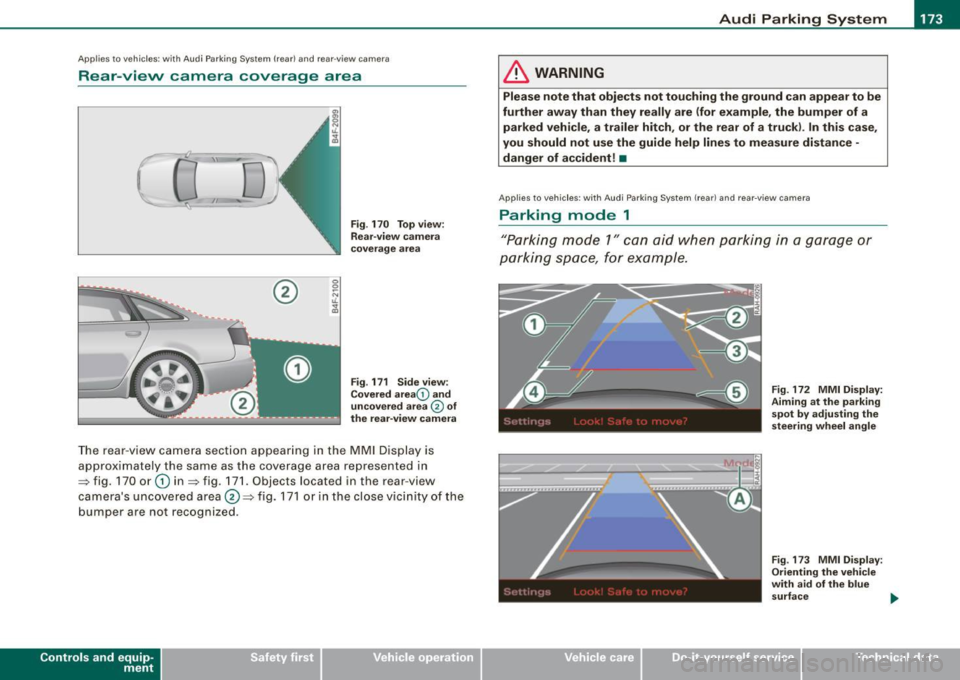
Rear -view camera coverage area
®
Fig . 170 Top view:
Rear-view camera
coverage area
Fig . 171 Side view :
Covered area 0 and
uncovered area
0 of
the rear-view camera
The rear-view camera section app earing in the MMI Display is
approximately the same as the coverage area represented in
=> fig. 170 or
G) in=> fig . 171. Objects located in the rear-view
camera's uncovered area@=> fig . 171 or in the close vicinity of the
bumper are not recognized.
Con tro ls and eq uip
ment
& WARNING
Please note that objects not touching the ground can appear to be
further away than they really are (for example , the bumper of a
parked vehicle, a trailer hitch, or the rear of a truck) . In this case,
you should not use the guide help lines to measure distance -
danger of accident! •
Applies to veh ic le s: w ith Aud i Parking Sys tem (re ar} and rear0view camera
Parking mode 1
"Parking mode 1" can aid when parking in a garage or
parking space, for example.
Vehicle care I I
Fig. 172 MMI Display:
Aiming at the parking
spot by adjusting the
s teering wheel angle
Fig. 173 MMI Di splay :
Orienting the vehicle
with aid of the blue
surface
irechnical data
Page 182 of 390
• .___A_ u_d_ i _P _a_ r_ k_ i_ n ..:g=-- S_ y=-- s_t _ e _m _____________________________________________ _
Applies to vehic les: with Audi Park ing System (rearl and rear-view camera
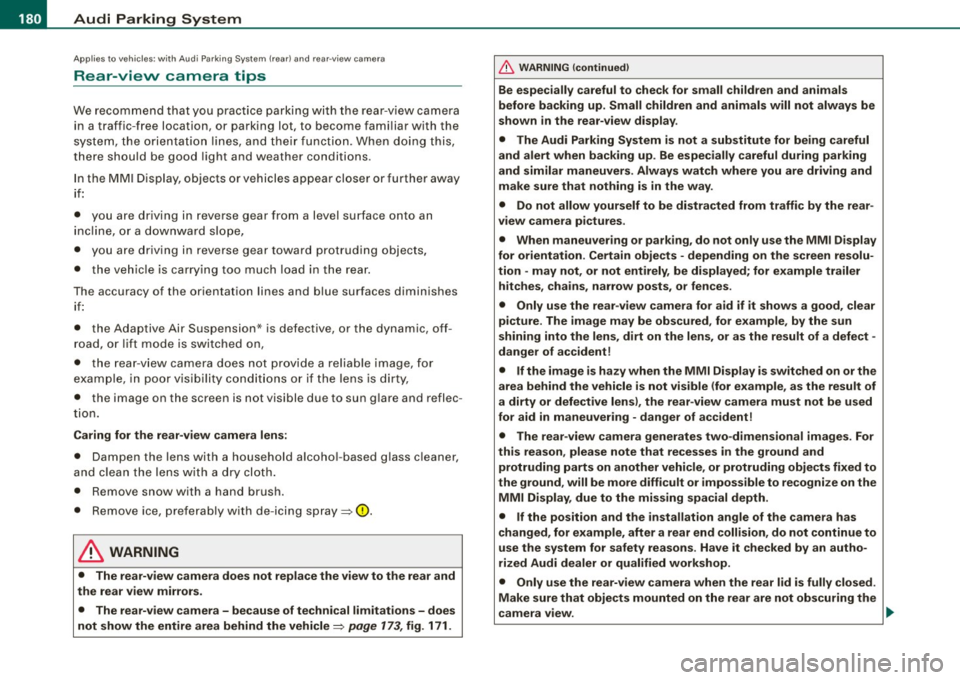
Rear-view camera tips
We recommend that you practice parking with t he rear -view camera
in a traff ic -free location, or parking lot, to become fami liar with the
system, the orientati on line s, a nd th eir functi on. When doi ng this,
there should be good light and weather conditions.
In the MMI Display, objects or vehicles ap pea r closer or further away
i f:
• you are driving in reverse gear from a level surface onto an
inc lin e, o r a downwa rd sl ope,
• you are driving in reverse gear toward protruding objects,
• the ve hicle is carrying too much load in the rear.
The accuracy of the orientation lines and blue surfaces diminishes if :
• the Adaptive Air Suspension* is defective, or th e dynamic, off
road, o r lift mode is swi tched on,
• the rear -view camera does not provide a reliable image, for
exam ple, in po or vi sibi lit y c ondi tio ns or if the lens is dirt y,
• the image on the screen is not visible due to sun g lare and reflec
t ion .
Caring for the rear-view camera lens:
• Dampen the lens with a household a lcoho l- based g lass c leaner,
and c lean th e lens wit h a dry cl oth.
• Remove snow with a hand brush.
• Remove ice, preferably with de -icing spray~
0.
& WARNING
• The rear-v iew camera does not replace the view to the rear and
the rear view mirrors .
• The rear-view camer a - because of technical limitat ions -does
not show the entire area behind the vehicle~
page 17 3, fig. 171.
& WARNING (continued )
Be especially careful to che ck for small children and animals
before backing up . Small children and animals will not alway s be
shown in the rear-view display .
• The Audi Parking System is not a sub stitute for being careful
and alert when back ing up . Be especially careful during parking
and similar maneuver s. Always watch where you are driving and
make su re that nothing is in the way .
• Do not allow yourself to be distracted from traffic by the rear
view camera pi ctures .
• When maneuvering or parking , do not only u se the MMI Display
for orientat ion . Certain obje cts - depending on the screen resolu
tion -may not, or not entirely, be displayed ; for example tr ailer
hitches , cha ins , narrow posts , or fences .
• Only use the rear -view camera for aid if it shows a good , clear
picture . The image may be obscured , for example , by the sun
shining into the lens, dirt on the lens, or as the result of a defect -
danger of accident!
• If the image i s hazy when the MMI Display is switched on or the
area behind the vehicle is not visible (for e xample , as the result of
a dirty or defective lens ), the rear -view camera must not be used
for aid in maneuver ing - danger of accident!
• The rear -view camera generates two -dimensional images . For
this reason , please note that recesses in the ground and
protruding parts on another vehicle , or protruding objects fixed to
the ground , will be more difficult or impossible to recognize on the
MMI Di splay, due to the missing spacial depth .
• If the position and the installation angle of the camera has
changed, for example , after a rear end collision , do not continue to
use the system for safety reasons . Have it checked by an autho
rized Audi dealer or qualified work shop .
• Only use the rear-v iew camera when the rear lid is fully closed .
Make sure that objects mounted on the rear are not obscuring the
camera v iew .
Page 185 of 390
____________________________________________ A_ d_a--' p=-- t_iv _e_ A_ ir_ S_u_ s-=- p_e _ n_ s _ io_ n __ lllll
Ap plies to vehicl es: wi th Adap tive Ai r Su sp ension
Chassis controls
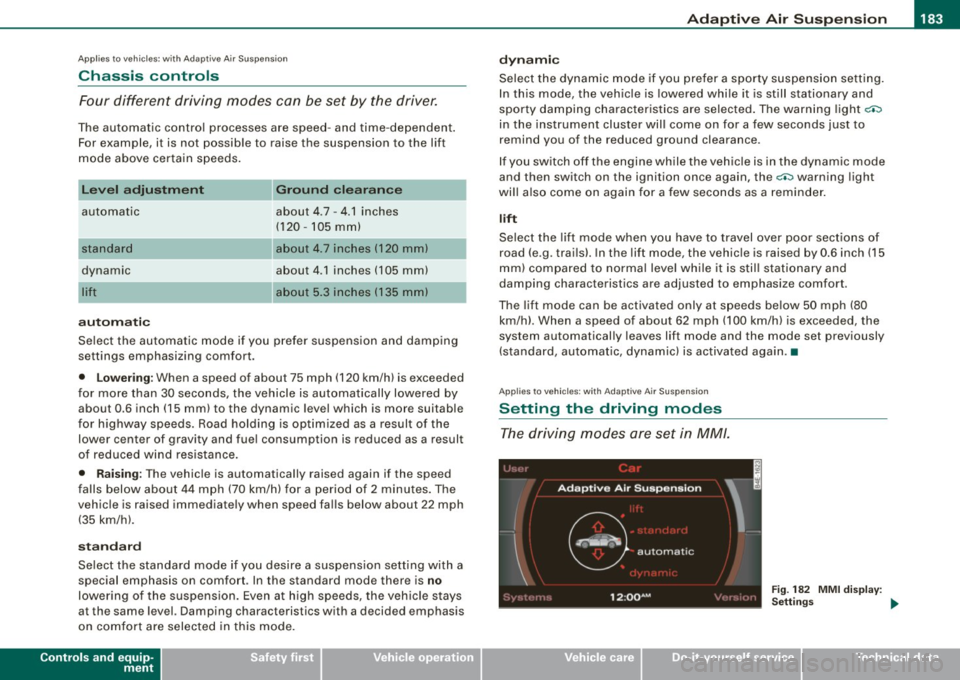
Four different driving modes can be set by the driver.
The automatic contro l processes are speed -and time -dependent.
For example, it is not possib le to raise the suspension to the lift
mode above certain speeds.
L ev el a djustment
automatic
dynamic
aut om ati c Ground clearan
ce
about 4.7 - 4 .1 inches
(120 -105 mm)
about 4.7 inches (120 mm)
about 4.1 inches (105 mm)
a bo ut 5.3 inches ( 135 mm)
Se lect the automatic mode i f you p refer suspension and damping
settings emphasizing comfort .
• Low ering : When a speed of about 75 mph (120 km/h) is exceeded
for more than 30 seconds, the vehicle is automatically lowered by about 0.6 inch (15 mm) to the dynamic level which is more suitable
for highway speeds. Road holding is optimized as a result of the lower center of gravity and fuel consumption is reduced as a result
of reduced wind res istance.
• Rais ing : The vehicle is automatically raised again if the speed
falls below about 44 mph (70 km/h) for a period of 2 minutes . The
vehic le is raised immediate ly when speed falls below about 22 mph
(35 km/h).
s ta nd ard
Select the standard mode if you desire a suspension setting with a
special emphasis on comfort. In the standard mode there is
no
lowering of the suspension. Even a t high speeds, the vehicle stays
at the same level. Damping characteristics with a decided emphasis
on comfort are selected in this mode.
Controls and equip
ment d
y n ami c
Select the dynamic mode if you prefer a sporty suspension setting .
In this mode, the vehicle is lowered whi le it is still stationary and
spo rty damping characteristics are selected . The warn ing light
c.::i
in the instrument cluster will come on for a few seconds just to
remind you of the reduced ground clearance .
If y ou switch off the engine wh ile the ve hicle is in the dynamic mode
and then switch on the ignition once again, the
c.::i warning light
wi ll also come on again f or a few seconds as a reminder .
lift
Select the lift mode when you have to travel over poor sect ions of
road (e .g. trails). In the lift mode, the vehic le is raised by 0.6 inch (15
m m) compared to norma l leve l while it is stil l stationary and
damping characteristics are adjusted to emphasize comfort .
The lift mode can be activated only at speeds below 50 mp h (80
km/h) . When a speed of about 62 mph (100 km/h) is exceeded, the
system automatical ly leaves lift mode and the mode set previously
(standard, automat ic, dynam ic) is activated aga in. •
App lies to v ehic les : with Ada ptive Air Suspens io n
Setting the driving modes
The driving modes are set in MM/.
Fig . 18 2 MMI di splay:
Settin gs _,.
I • •
Page 188 of 390
• ..__H_ o_ m_ e_ L_in _ k_® ____________________________________________________ _
Homelink®
Universal remote control
Applies to vehicles: w ith Home Link® universal remote control
General information
The Homelink® feature can learn the up to three radio
frequency codes for most current transmitters used for
operating garage doors, estate gates, home or outdoor
lighting systems, and other devices.
You must first program the Homelink® transmitter before you can
use the system=>
page 186, "Programming the Homelink® trans
mitter".
In order to program the Homelink® transmitter for devices utilizing
rolling code, a second person on a ladder who can safely reach the
garage door opener motor is recommended. It is also necessary to
locate the "learn" button on your garage door opener motor. Refer
to the operating instructions for the opener, as the location and
color of this button may vary by manufacturer.
You can still use the original remote control for the device at any
time .
& WARNING
• Never use the Homelink"" transmitter with any garage door
opener that does have not the safety stop and reverse feature as
required by federal safety standards. This includes any garage
door opener model manufactured before April 1, 1982.
• A garage door opener which cannot detect an object, signaling
the door to stop and reverse does not meet current federal safety
standards . Using a garage door opener without these features
increases risk of serious injury or death .
& WARNING (continued)
• For safety reasons never release the parking brake or start the
engine while anyone is standing in front of the vehicle.
• A garage door or an estate gate may sometimes be set in
motion when the Homelink ® remote control is being
programmed . If the device is repeatedly activated, this can over
strain motor and damage its electrical components -an over
heated motor is a fire hazard!
• To avoid possible injuries or property damage, please always
make absolutely certain that no persons or objects are located in
the range of motion of any equipment being operated. •
Applies to vehicles: wit h Home link® universal remote contro l
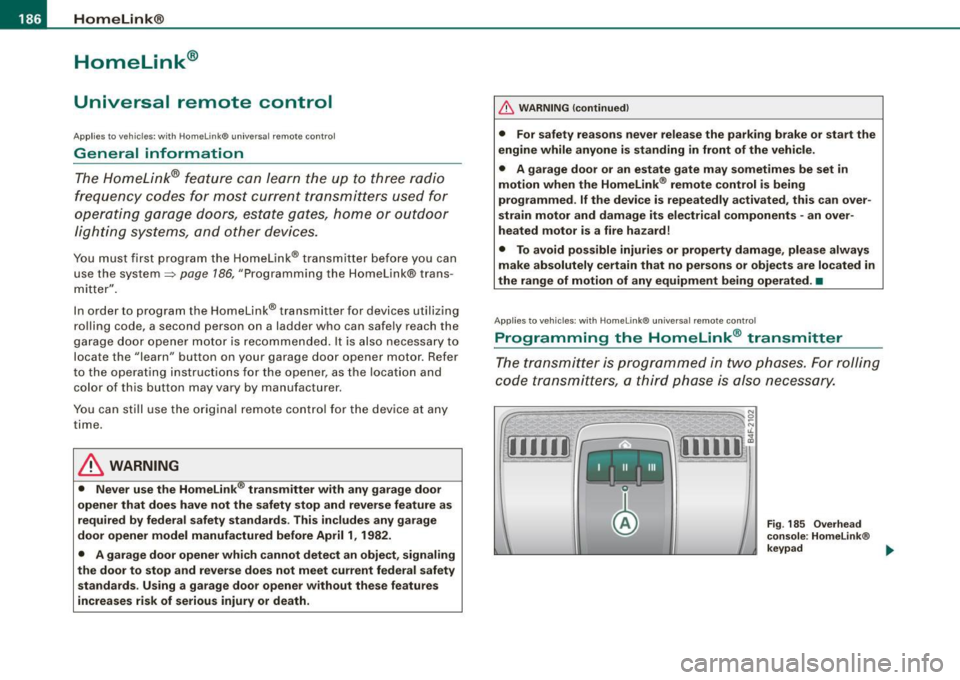
Programming the Homelink ® transmitter
The transmitter is programmed in two phases. For rolling
code transmitters, a third phase is also necessary.
Fig . 185 Overhead
console: Homelink ®
keypad ...
Page 189 of 390
HomeLink®
------------------------------------
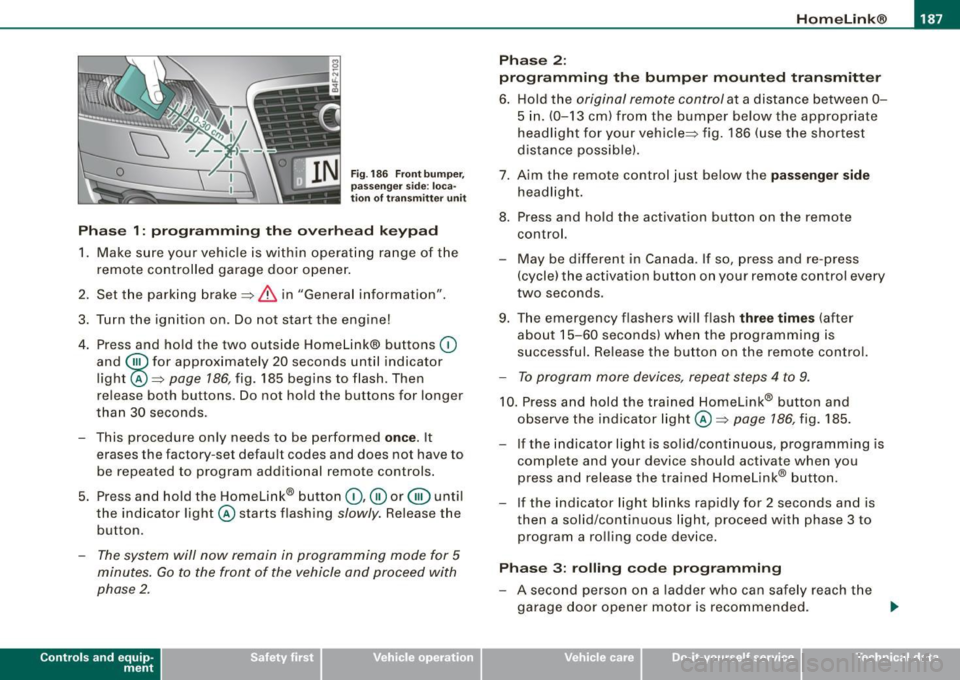
Fig. 186 Front bumper ,
passenger side: loca
tion of transmitter unit
Phase 1: programming the overhead keypad
1. Make sure your vehicle is within operating range of the
remote controlled garage door opener.
2. Set the parking brake::::>
& in "Genera l information".
3. Turn the ignition on. Do not start the engine!
4. Press and hold the two outside Homelink® buttons
(D
and @for approxim~tely 20 sec_onds until indicator
light ©::::>
page 186, fig. 185 begins to flash. Then
r elease both buttons. Do not hold the buttons for longer
than
30 seconds.
- This procedure only needs to be performed
once . It
erases the factory-set default codes and does not have to
be repeated to program additional remote controls.
5. Press and hold the Homelink® button
(D, ® or@ until
the indicator light © starts flashing
slowly. Release the
button .
-The system will now remain in programming mode for 5
minutes. Go to the front of the vehicle and proceed with
phase 2.
Contro ls and eq uip
ment
Phase 2:
programming the bumper mounted transmitter
6. Hold the original remote control at a distance between 0-
5 in. (0-13 cm) from the bumper below the appropriate
headlight for your vehicle::::> fig.
186 (use the shortest
distance possible).
7. Aim the remote control just below the
passenger side
headlight.
8. Press and hold the activation button on the remote control.
- May be different in Canada. If so, press and re-press
(cycle) the activation button on your remote control every
two seconds .
9. The emergency flashers will flash
three times (after
about
15-60 seconds) when the programming is
successful. Release the button on the remote control.
-To program more devices, repeat steps 4 to 9.
10. Press and hold the trained Homelink® b utton and
observe the indicator light© ::::>
page 186, fig. 185.
If the indicator ligh t is solid/continuous, programming is
complete and your device should activate when you press and release the trained Homelink® button.
- If the indicator light blinks rapidly for 2 seconds and is
th en a solid/continuous light, proceed with phase 3 to
program a rolling code device.
Phase 3: rolling code programming
-A second person on a ladder who can safely reach the
garage door opener motor is recommended. .,_
Vehicle care I I irechnical data
Page 191 of 390
___________________________________________________ H_ o_m_ e_ L_ i_ n _ k_ @_ R __ JIIII
Pro gra mmin g th e bump er mounted tr ansmitt er
1. Hold th e original remote control at a distance between 0 -
5 in. (0- 13 cm) from the bumper below the appropriate
headlight for your vehicle (use the shortest distance
poss ible).
2. Aim the remote control just below the pass enger side
headlight.
3. Press and hold the activation button on the remote
control.
4 . The emergency flashers will flash three t ime s (after
abo ut
15-60 seconds) w hen the programming is
successful. Now release the button on the remote
control.
- I f the device utilizes a ro lling code, please follow phase
3
of ~ page 186, "Programmi ng the Home Link® trans
mitter" for rolling code programming .
This pr oce dure w ill cause the ex ist ing prog ram ming on the
H om eli nk® butto n to be eras ed! •
Applies to vehicles: with Homelink® unive rsal remote contro l
Erasing the programming of the HomeLink ®
transmitter
When you erase the programming, the programming on
all three of the transmitter channels with be lost!
- Perform steps 1 to 4 as described on~ page 187 , "Phase
1: programming the overhead keypad".
When comp leted, the Homelink ® system wil l be in the program
ming mode and is then ready to learn the codes for remote
controlled devices.
Controls and equip
ment
[ i ] Tip s
• Programmed buttons cannot be erased indiv idual ly.
• For security reasons you are advised to erase the programming
of the Homelink® system before you sell your vehicle. •
Applies to veh icles : w ith Homelink® universal remote control
Information and accessories
If you wou ld like more information on Homelink ®, where to
purchase the Homelink® compatib le products, or would like to
purchase the Homelink ® Home Lighting Package, please cal l toll
free: 1-800-355-3515.
[ i ] Tip s
• The Homelink ® universal transmitter complies with part 15 of
the FCC rules and RSS -210 of IC part 15 . Operation is subject to the
following conditions :
- this device may not cause harmful interference, and
- this dev ice must accept any interference that may be received
inc luding interference that may cause undesired operation.
• Changes or modifications not express ly approved by the party
responsible for compliance could void the user's authority to
operate the device (DOC : ISTC 1763 102 264 Prince MODEUFCC ID :
CB2 V94800). •
I • •