light AUDI S6 2008 Owner's Manual
[x] Cancel search | Manufacturer: AUDI, Model Year: 2008, Model line: S6, Model: AUDI S6 2008Pages: 390, PDF Size: 88.42 MB
Page 37 of 390
& WARNING
Your vehicle must not be towed in the event of a malfunction in the electronic steering column lock because it cannot be steered due
to the locked steering . If it is towed with the steering locked, there
is the risk of an accident. •
Ignition lock malfunction ~
A malfunction in the ignition lock must be repaired imme
diately.
If the .Pe symbol in the display blinks, there is a malfunction
in the electronic ignition lock. An additional driver message
can also be displayed by pressing the [ CHECK] button:
Ignition lock defective. Contact workshop!
-Do not turn the engine off.
- Drive immediately to an authorized Audi dealer to have
the malfunction corrected.
If there is a malfunction in the electronic ignition lock, the ignition
cannot be turned off. Drive immediately to an authorized Audi
dealer to have the cause of the malfunction corrected.
On vehicles wi th Advanced Key *, the engine should not be switched
off using the
I STOP I button because the engine cannot be started
again after the ignition is switched off .•
Controls and equip
ment
Driver information display
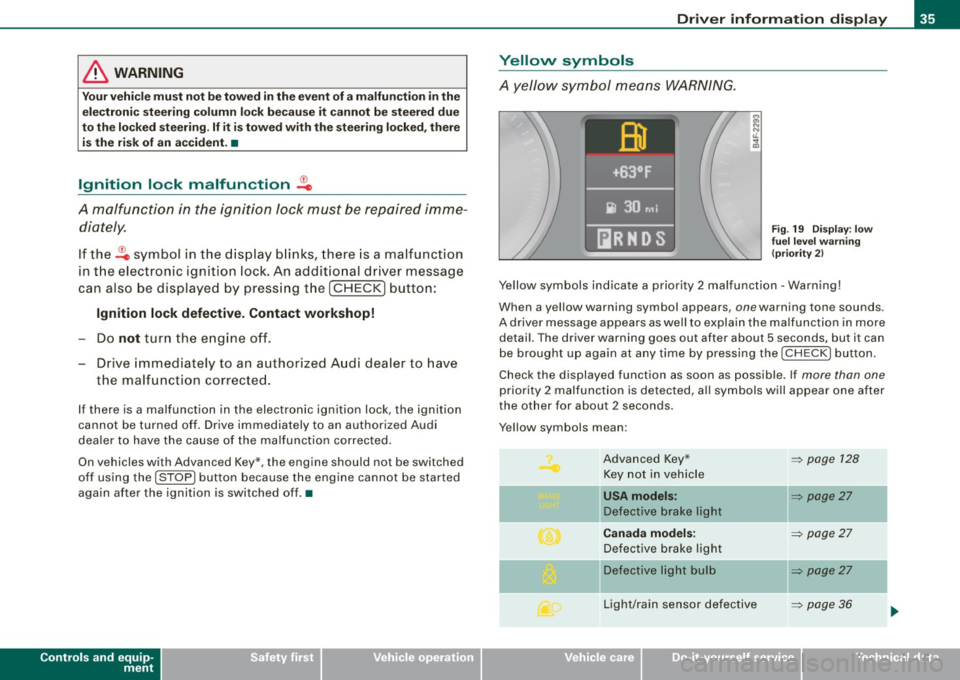
Yellow symbols
A yellow symbol means WARNING.
Fig. 19 Display: low
fuel level warning
(priority 2)
Yellow symbols indicate a priority 2 malfunction -Warning!
When a yellow warning symbol appears , one warn ing tone sounds.
A driver message appears as well to explain the malfunction in more
detail. The driver warning goes out after about 5 s econds, but it can
be brought up again at any time by pressing the I CHECK I button.
Check the displayed function as soon as possible . If more than one
priority 2 malfunction is detected, all symbols will appear one after
the other for about 2 seconds .
Y ellow symbols mean :
Advanced Key* Key not in vehicle
l[usA models:
Defective brake light
Canada models:
Defective brake light
]f Defective light bulb
Light/rain sensor defective
I • •
~ page 128
~ page27
-
~ page27
~ page27
-
~ page36
Page 38 of 390
Driver inf ormati on displ ay
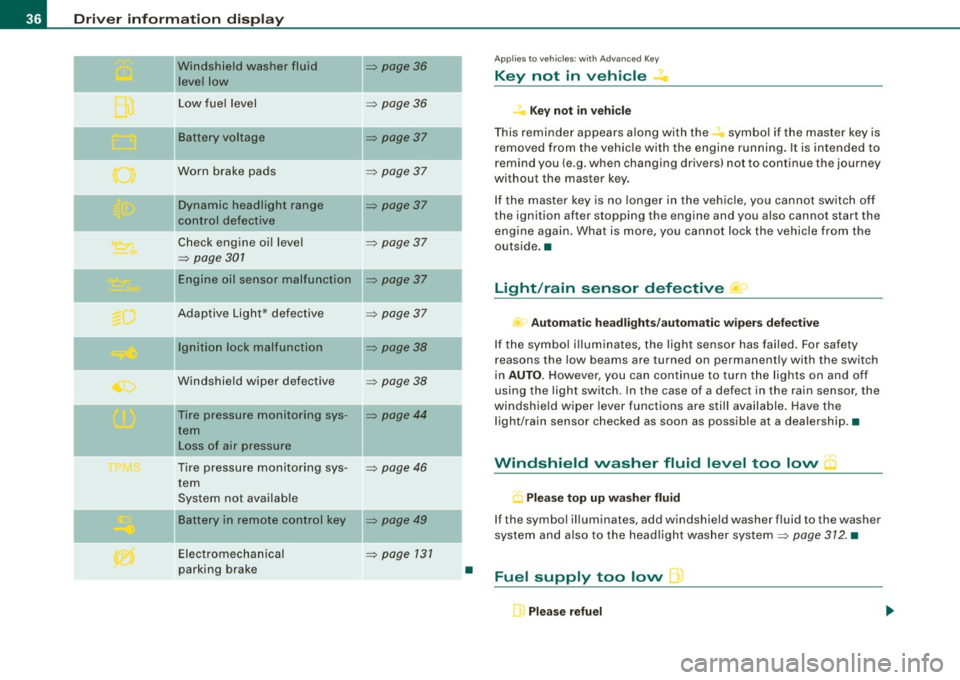
Windshield washer fluid
leve l low
...
Low fue l level
-Battery voltage
Worn brake pads
-
Dynamic headlight range
control defective
Check engine oil level
=> page 301
Engine oil sensor malfunction
-
Adaptive Light* defective
-
Ignition lock malfunction
Windshie ld wiper defective
Tire pressure monitoring sys-
tern Loss of air pressure
Tire pressure monitoring sys -
tern
System not available
Ba ttery in remote control key
Electromechan ical
parking brake
=> page 36
=> page 36
-
=> page 37
=> page 37
-
=> page 37
=> page 37
=> page 37
=> page 37
-
=> page 38
=> page 38
=> page 44
:::::, page 46
=> page 49
:::::, page 131
•
Appl ies to vehic les: with Advanced Key
Key not in vehicle
,:, Key not in vehi cle
T his reminder appears a long with the -symbol if the master key is
removed from the vehic le with the engine running. It is intended to
remind you (e .g. when changing drivers) not to continue the journey
without the master key .
If the master key is no longer in the veh ic le, you cannot switch off
the ignition after stopping the engine and you also cannot start the
engine again. What is more, you cannot lock the vehicle from the
outside. •
Light/rain sensor defective )
c Automatic hea dlight s/aut oma tic w iper s def ective
If the symbo l il luminates, the light sensor has failed. For safety
reasons the low beams are turned on permanently with the switch
in
AUTO. However, you can continue to turn the lights on and off
using the light switch . In the case of a defect in the rain sensor, the
windshield wiper lever functions are still available. Have the
l ight/rain sensor checked as soon as possib le at a dealersh ip .•
Windshield washer fluid level too low
.5 Pl eas e top up w asher fl uid
If the symbol illuminates, add windshield washer fluid to the washer
system and also to the headlight washer system:::::,
page 312. •
Fuel supply too low L)
Please refuel
Page 39 of 390
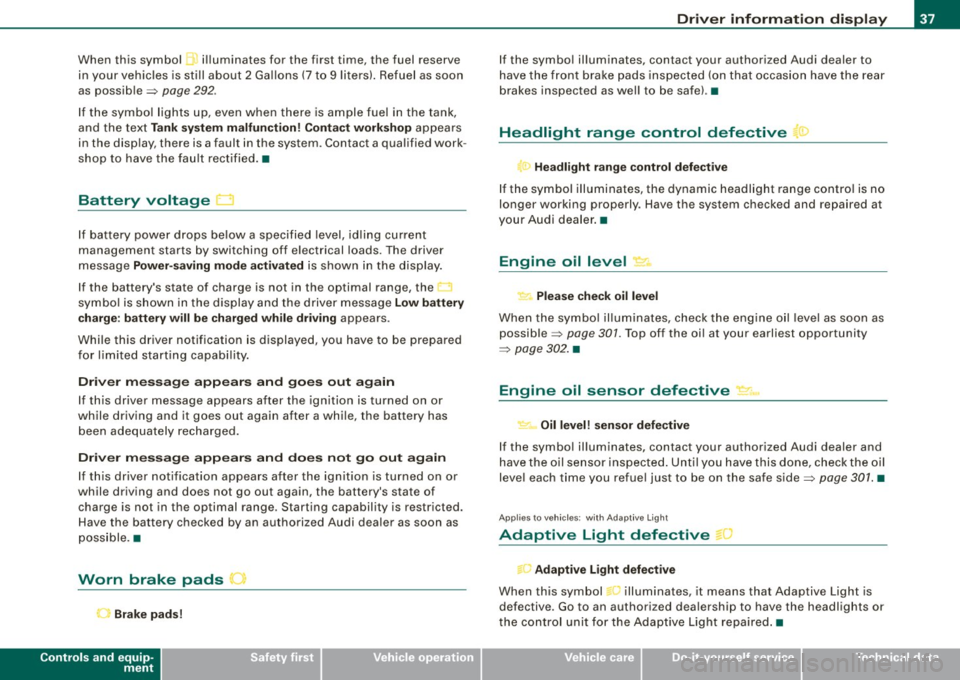
When this symbol 5' illuminates for the first time, the fuel reserve
in your vehicles is still about 2 Gallons (7 to 9 liters}. Refuel as soon
as possible~
page 292.
If the symbol lights up, even when there is ample fuel in the tank,
and the text
Tank system malfunction! Contact workshop appears
in the display, there is a fault in the system . Contact a qualified work
shop to have the fault rectified .•
Battery voltage LJ
If battery power drops below a specified level, idling current
management starts by switching off electrical loads. The driver
message
Power-saving mode activated is shown in the display.
If the battery's state of charge is not in the optimal range, the
U
symbol is shown in the display and the driver message Low battery
charge: battery will be charged while driving
appears .
While this driver notification is displayed, you have to be prepared
for limited starting capability.
Driver message appears and goes out again
If this driver message appears after the ignition is turned on or
while driving and it goes out again after a while, the battery has
been adequately recharged.
Driver message appears and does not go out again
If this driver notification appears after the ignition is turned on or
while driving and does not go out again, the battery's state of
charge is not in the optimal range. Starting capability is restricted.
Have the battery checked by an authorized Audi dealer as soon as
possible. •
Worn brake pads ... 1
C Brake pads!
Controls and equip
ment
Driver information display
If the symbol illuminates, contact your authorized Audi dealer to
have the front brake pads inspected (on that occasion have the rear
brakes inspected as well to be safel. •
Headlight range control defective
, Headlight range control defective
If the symbol illuminates, the dynamic headlight range control is no
longer working properly . Have the system checked and repaired at
your Audi dealer. •
Engine oil level r.
' Please check oil level
When the symbol illuminates, check the engine oil level as soon as
possible ~
page 301. Top off the oil at your earliest opportunity
~ page 302. •
Engine oil sensor defective ~1 .•
~ Oil level! sensor defective
If the symbol illuminates, contact your authorized Audi dealer and
have the oil sensor inspected. Until you have this done, check the oil
level each time you refuel just to be on the safe side~
page 301. •
Applies to veh ic les: w ith Adaptiv e Lig ht
Adaptive Light defective 1
' Adaptive Light defective
When this symbol .... illuminates, it means that Adaptive Light is
defective. Go to an authorized dealership to have the headlights or
the control unit for the Adaptive Light repaired.•
I • •
Page 45 of 390
• Each tire, including the spare, should be checked monthly when
cold and inflated to the inflation pressure recommended by the
vehicle manufacturer on the vehicle placard or tire inflation pres sure label. (I f your vehicle has tires of a different size than the size
indicated on the vehicle placard or tire inflation pressure label, you
should determine the proper tire inflation pressure for those
tires.) •
TPMS malfunction indicator
Your vehicle has also been equipped with a TPMS malfunction indi
cator to indicate when the system is not operating properly . The
TPMS malfunction indicator is combined with the low t ire pressure
telltale. When the system detects a ma lfunction, the te lltale wi ll
flash for approximately one minute and then remain continuously il luminated . T his sequence will continue upon subsequent vehicle
starts up as long as the malfunction exists.
When the malfunction indicator is illuminated, the system may not be ab le to detect or signa l low tire pressure as intended.
TPMS ma lfunctions may occur for a variety of reasons, including the
installation of replacement or alternate tires or wheels on the
veh ic le that prevent the TPMS from functioning proper ly . Always
check the TPMS malfunction telltale after replacing one or more
tires or whee ls on your ve hicle to ensure t hat the replacement or
a lternate tires and wheels a llow the TPMS to continue to function
proper ly .•
Introduction
The tire pressure monitoring system monitors air pressure
in all four road wheels while the vehicle is moving .
As soon as the tire pressure monitoring system senses a significant
loss of air pressure in one or severa l tires, text messages and yellow
symbo ls appear in the instrument cluster display to a lert the driver .
Controls and equip
ment
Dr ive r informat ion di spl ay
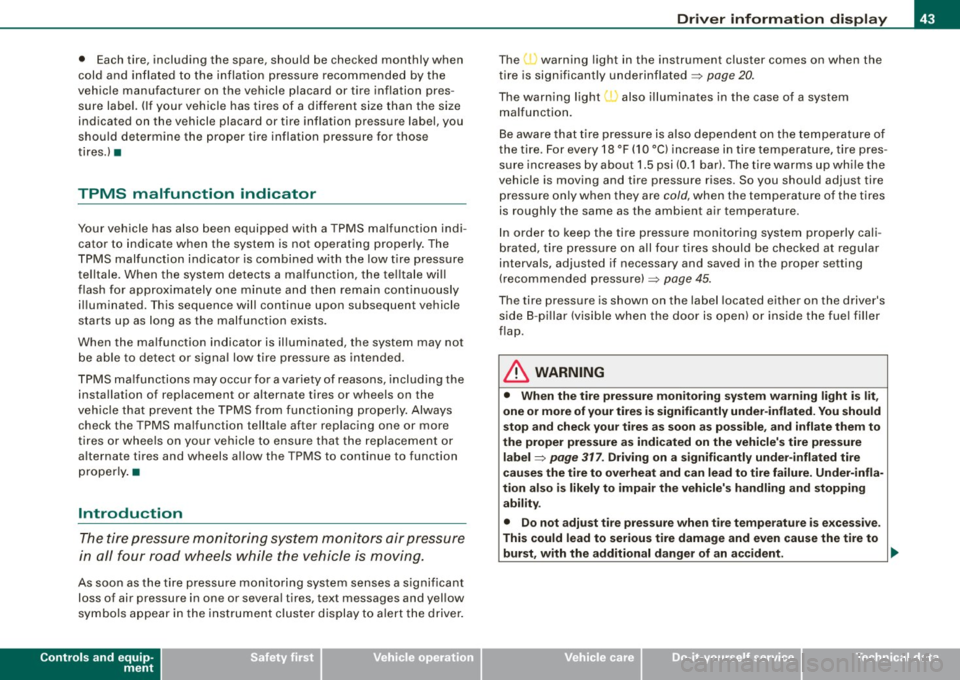
The , J warning light in the instrument cluster comes on when the
t ire is significantly underinflated
~ page 20 .
The warning light I also i lluminates in the case of a system
malfunction.
Be aware that t ire pressure is also dependent on the temperature of
the tire . For every 18 °F (10 °C) increase in tire temperature, tire pres
sure increases by about 1 .5 psi (0 .1 bar). The tire warms up while the
vehicle is moving and tire pressure rises . So you should adjust tire
pressure on ly when they are
cold, when the tempera ture of the tires
is roughly the same as the ambient air temperature.
I n order to keep the tire pressure monitoring system properly cali
brated, tire pressure on all four tires should be checked at regular
intervals, adjusted if necessary and saved in the proper setting
(recommended pressure) ~
page 45.
The tire pressure is shown on the label located either on the driver's
s ide 8 -pi llar (visible when the door is open) or inside the fue l filler
flap .
& WARNING
• Wh en the tire pre ssure mon itor ing system warning light i s lit,
one or more of your tir es i s s ignifi cantly und er-inflated. You should
s to p and che ck your ti re s as s oon as possible , and infl ate them to
the proper pre ssure as indicated on the vehicle's tire pre ssure
l a bel ~
page 317 . Driving on a signifi cantly und er- inflated tire
c au se s the tire to ov erheat and can l ead to tir e fa ilure. Under-infla
tion als o i s lik ely to impair the ve hicle' s handling and st opping
a bility .
• Do not adju st tire pre ssure when t ire tempe rat ure is exces sive.
Thi s could lead to ser iou s tire d amage and ev en cau se the tire to
bur st, w ith the addition al d anger of an ac cid ent . .,,
I • •
Page 48 of 390
Driver inf ormati on displ ay
• The tire pressure monitoring system helps the driver to keep an
eye on tire pressures. But the driver stil l has the responsibility for
maintaining the correct tire pressure .•
Wheel change
If a wheel is changed, the wheels that were exchanged
have to be re-programmed.
- Turn on the ignit ion.
- Pressthe!CARlfunction button.
- Select
Systems in the CAR menu.
- Selec t
Tire pre ssure monitoring .
Select Initialize wheel s.
Programming is necessary:
• after the tires have been rotated on the vehicle, or the spare tire
is used,
• if tires with new wheel sensors are used.
A ll pressure warning and system malfunction indicators in the
display will be canceled.
If a wheel change has been made, it is necessary to complete the
Initi alize w heel s function . After you have selected the function, the
new wheels are programmed and the actual pressures are stored.
This learning phase can take up to 20 minutes driving time.
During the learning process the tire pressure monitoring system is
not avai lable .•
Malfunctions :.r,,11~
A malfunction can h ave various causes.
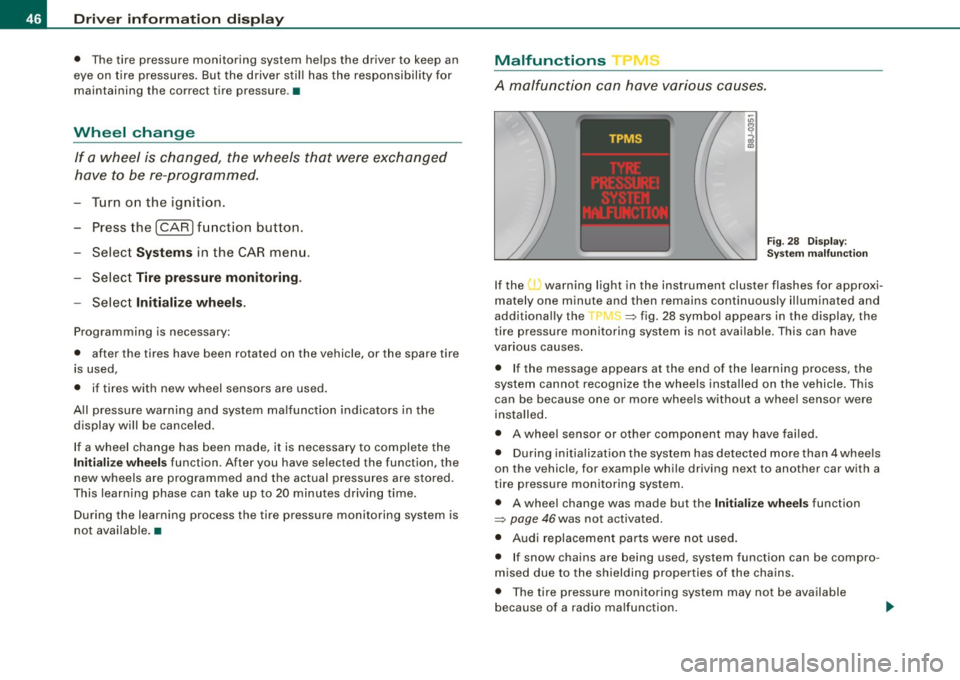
Fig . 28 Displ ay :
Syste m malfu nc tion
If the warning light in the instrument cluster flashes for approxi
mately one minute and then remains continuously il luminated and
additionally the
JIS => fig . 28 symbol appears in the display , the
tire pressure monitoring system is not available. This can have
various causes.
• If the message appears at the end of the learning process, the
system cannot recognize the wheels installed on the vehicle. This
can be because one or more wheels without a whee l sensor were
insta lled .
• A wheel sensor or other component may have failed .
• During initialization the system has detected more than 4 whee ls
on the vehicle, for examp le while driving next to another car with a
tire pressure monitoring system .
• A wheel change was made but the Initialize wheel s function
=> page 46was not activated.
• Audi replacement parts were not used .
• I f snow chains are being used , system function can be compro
m ised due to the shielding properties of the cha ins .
• T he tire pressure monitoring system may not be available
because of a radio ma lfunction.
Page 49 of 390
• Transmitters with the same frequency, such as radio head
phones in the veh ic le or radio equipment, can cause a temporary
disruption of the system through excessive electromagnetic fields.
• Eliminate the interference if possib le/if you can and then re-start
the
Init ialize wh eels function . If the warning light comes on again,
you shou ld contact your authorized Audi dealer immediate ly to have
the problem corrected.
• Do not use commercially available tire sealants. Otherwise, the
e lectrical components of the tire pressure monitoring system will
no longer work properly and the sensor for the tire pressure moni
toring system wi ll have to be replaced by a qua lified workshop .•
Controls and equip
ment
Dr ive r informat ion di spl ay
I • •
Page 51 of 390
Master key with remote control The remote c ontrol allows you to lock or unlock the
vehicle electronically.
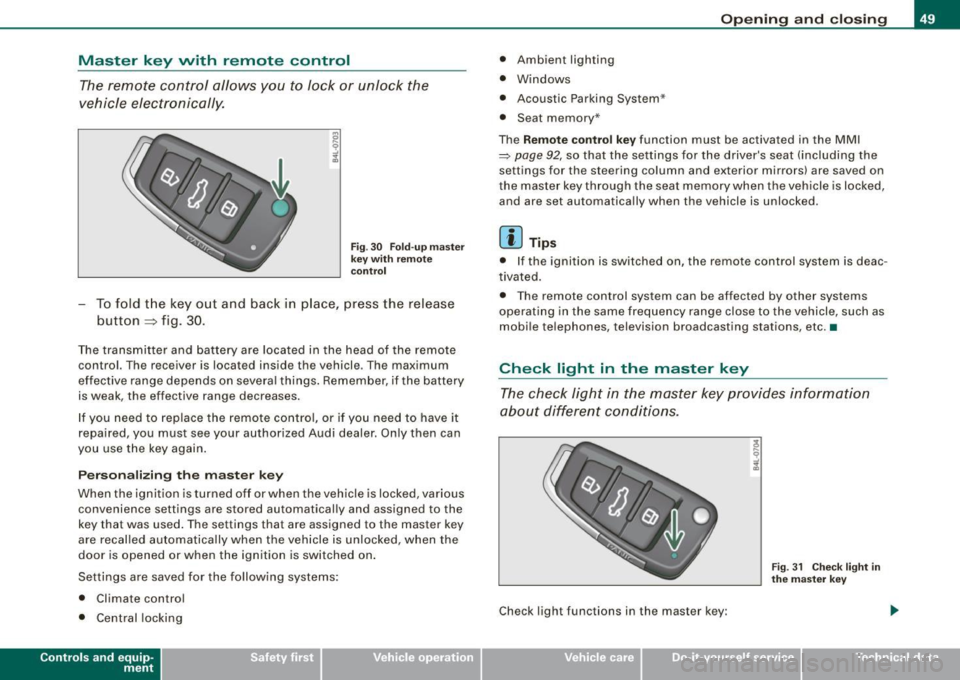
F ig . 3 0 Fold -u p m as ter
k ey wit h re mo te
co ntrol
- To fold t he key out and back in place, press the release
button
=> fig. 30.
The transmitter and battery are located in the head of the remote
control. The r eceiver is locat ed inside the vehicle . The maximum
effective range depends on severa l things . Remember, if the battery
is weak, the effect ive range decreases.
I f you need to replace the remote co ntro l, or if you need to have it
repaired , you must see your authorized Audi dealer. Only then can
you use the key again .
Person alizing the m ast er key
When the ignition is tu rned off or when the vehicle is locked, various
convenience settings are stored automatical ly and assigned to the
key that was used . The settings that are assigned to the master key
are recalled automatically when the veh icle is unlocked, when the
door is opened or when the ignition is switched on .
Settings are saved for the fo llowing systems:
• Climate contro l
• Central locki ng
Con tro ls and eq uip
ment
Op ening and clo sing
• Ambient lighting
• Windows
• Acoustic Parking System*
• Seat memory *
The
Remot e control ke y function must be activated in the MMI
~ page 92, so that the se ttings for the driver's seat (including the
settings for the ste ering column and exterior mirrors) are saved on
t he master key through the sea t memory when the vehicle is locked,
and are set automatica lly when the vehicle is unlocked .
[ i ] Tips
• I f the ignition is switched on, the remote control system is deac
t ivated.
• The remote control syst em can be affected by other syst ems
operating in the same frequency range close t o the vehicle, such as
mobi le te lephones, television broadcasting stations, etc. •
Check light in the master key
The chec k lig ht in the maste r key pr ovides informa tion
ab out diffe ren t condi tio ns.
Check light func tions in the master k ey:
Vehicle care I I
Fig . 3 1 C heck ligh t in
the m aster k ey
Technical data
Page 52 of 390
Opening and closing
Vehicle within range of the key
If the vehicle is within range of the key, the check light comes on
briefly once when a button is pressed .
Vehicle outside the range of the key
If the vehicle is outside the range of the key, the check light comes
on briefly once and then shows the status of the vehicle door locks:
• If the light is flashing quickly , the vehicle is not locked .
• If the light is flashing slowly, the vehicle is locked .
State of master key battery
If the check light does not come on, the battery is dead and has to
be replaced . In addition, when the battery is dead the symbol
appears in the instrument cluster display as well as the message:
Please replace master key battery
Battery replacement ~ page 50.
[ i J Tips
Please note that the current state of the vehicle door locks can only
be recalled with the master key that was last used to lock the
vehicle . It is possible that a different state is shown for the door
locks on the other master key which is not the same as that of the
vehicle .•
Master key battery replacement
Each master key contains a battery housed under the
cover.
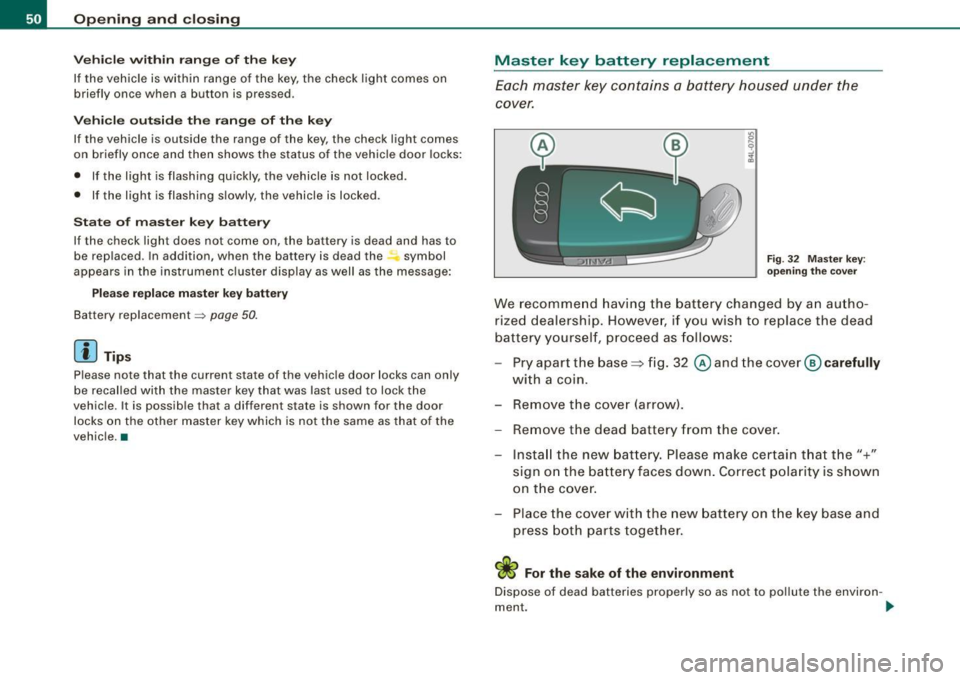
Fig . 32 Master key :
opening the cover
We recommend having the battery changed by an autho
rized dealership. However, if you w ish to replace the dead
battery yourself, proceed as follows:
- Pry apart the base~ fig. 32 @and the
cover @carefully
with a coin.
- Remove the cover (arrow).
- Remove the dead battery from the cover.
- Install the new battery. Please make certain that the"+"
sign on the battery faces down. Correct polarity is shown
on the cover.
- Place the cover with the new battery on the key base and
press both parts together.
ci> For the sake of the environment
Dispose of dead batteries properly so as not to pollute the environ -
ment . _,,,
Page 53 of 390
![AUDI S6 2008 Owners Manual [ i] Tips
The replacement battery must be the same specification as the original. •
Electronic immobilizer
The immobilizer helps to prevent unauthorized use of
your vehicle.
A c](/img/6/57596/w960_57596-52.png "AUDI S6 2008 Owners Manual [ i] Tips
The replacement battery must be the same specification as the original. •
Electronic immobilizer
The immobilizer helps to prevent unauthorized use of
your vehicle.
A c")
[ i] Tips
The replacement battery must be the same specification as the original. •
Electronic immobilizer
The immobilizer helps to prevent unauthorized use of
your vehicle.
A computer chip inside your key automatically deactivates the elec
tronic immobilizer when you insert the key in the ignition lock, or on
vehicles with Advanced Key *, when the key is inside the vehicle.
When you remove the key from the ignition lock, or on vehicles with
Advanced Key, when you remove the key from the vehicle, the elec
tronic immobilizer is automatically activated once again .
If an unauthorized key was used , SAFE is displayed continuously in
the odometer display field.
& WARNING
Always take the key with you when you leave the vehicle. The key
can disarm the electronic engine immobilizer and permit an unau
thorized person to start the engine and enable operation of the
vehicle systems such as power window or power sunroof* leading
to serious personal injury.
[ i] Tips
• Your engine can only be started using the factory -equipped key.
• You may no t be able to start your vehicle if an ignition key of a
different vehicle make is also located on your set of keys. •
Controls and equip
ment
Opening and closing
Valet key function
The valet key function prevents unauthorized persons
from opening the glove comportment or rear lid.
•
Fig . 33 Center
console: button for
valet key function
Activating and deactivating the function
Insert the master key into the ignition lock and switch on
the ignition.
Press the [VALET) button~ fig. 33 to activate/ deactivate
the function as desired. The indicator light in the button
illuminates when the function is active.
- Remove the master key from the ignition lock.
Hand over only the
valet key~ page 48, fig. 29 to the
person who will take charge of the vehicle.
When the function is switched on, the buttons for opening the rear
lid and glove compartment have no function . However, please note
the following exceptions:
Exceptions
If the ignition has been switched on using the master key, you can
still open the glove compartment .
As long as the ignition is switched off, you can still open the rear lid
using the rear lid button on the master key
.c::5. The same holds true .,,
I • •
Page 54 of 390
Openin g a nd clo sin g
for using the rear lid release handle in conjunction with the
advanced key*.
For this reason, be sure to only hand over the
valet key to the person
who wil l take charge of your vehicle.
[ i ] Tip s
Be sure to activate the function before handing over the valet key to
someone else. The valet key only fits the lock in the driver's door and
the ignition lock. •
Certification
The remote control device comp lies with
• USA model s: Part 15 of the FCC Rules.
• Cana da mo dels: RSS -210 of Industry Canada.
Operation is subject to the following conditions:
• this device may not cause harmful interference, and
• this device must accept any interference received, inc luding
interference that may cause undesired operation .
0 Note
The manufacturer is not responsible for ANY RADIO OR TV interfer
ence caused by unauthor ized modifications to th is equipment .
Changes or modifications to this unit not express ly approved by the
party responsib le for comp liance could void the user's authority to
operate the equipment. •
Power locking system
General description
The power locking system locks or unlocks all doors and
the rear lid simultaneously.
T he power locking system in your vehic le incorporates the fol lowing
functions :
• Central locking function
• Selective unlock feature~
page 55
• Remote contro l feature ~ page 49
• Advanced Key*~ page 59
• Anti -theft alarm system ~ page 61
All the doors and the rear lid are locked by the central locking
system when you lock the vehicle . You can set whether genera lly
only the driver's door or all doors and the rear lid should be
unlocked when you open the v ehicle in th e MMI menu
Central
lo cking
to suit your individual desires~ page 55 .
Un loc king t he vehicle
You can un lock the vehic le from outside either by using the remo te
control
or by inserting and turning the key in th e driver's door lock.
When you
unlock your vehicle :
• The anti-theft alarm system is deactivated briefly.
• The vehicle interior lights illuminate for approximate ly 30
seconds .
• All turn signal lights will flash twice when the car is unlocked.
• After un locking the vehicle, you have 60 seconds to open a door
or the rear lid. After 60 seconds, the vehicle automatically loc ks and
the anti-theft a larm system activates again .
The rear lid can be locked or unlocked either by using the remote
control
o r by inserting and turning the key in the driver's door lock . _,,