light AUDI S6 2008 Owner's Guide
[x] Cancel search | Manufacturer: AUDI, Model Year: 2008, Model line: S6, Model: AUDI S6 2008Pages: 390, PDF Size: 88.42 MB
Page 55 of 390
Unlocking the vehicle with the remote control wi ll only unlock the
rear lid, t o
open it, the lid handle needs to be pressed .
Locking the vehi cle
You can lock the vehicle from outside e ither by using the re mote
control
or by inserting and turning the key in the drivers 's door lock.
When you
l oc k th e vehicle:
• All doors and the rear lid are locked .
• All turn signal lights w ill flash once when the car i s locked.
• T he anti -theft alarm system is activated . The horn of the anti
t hef t alarm syste m wi ll sound and the an ti-the ft alarm sys tem readi
ness light, located in the upper part of the driver's door panel, wil l
sta rt to bl ink.
• T he vehicle interior lights turn off .
Unlocking and lo cking with Ad van ced Key *
On vehicles which a re equipped with the Advan ced Key * authoriza
tion system, the doors are unlocked
wi thout a key by means o f a
proximity sensor in the door hand le. The doors are simi lar ly locked
without a key usi ng t he locking button . Each door has a prox imity
sensor and a locking button .
Power side door closer*
The vehic le is equipped with a power side door closer. When c losing
a door, you simply need to gently push on the doo r. The door wil l
then automatica lly c lose by itself~
page 56.
Automatic lo cking
The automatic locking feature locks all the vehicle doors and the
rear lid when you drive fas ter than 9 mph (15 km/h) . This funct ion
can be turned on and off in the
MMI Central lo cking Menu
~ p age 55.
You can unlock the vehicle from the inside by :
• removing the key from the ignition switch (the vehicle will auto
matica lly un lock itself) or
Controls and equip
ment
Opening and clo sing
• pressing the unlock part of the power lock sw itch rw or
pull ing the door handle (twice to open the rear doo rs) .
& WARNING
• When you lock your veh icle from outside , nobody -especially
c hildren -should remain in side the vehi cle . Re membe r, when you
lock the vehicle from the out side the windows cannot be opened
from the in side .
• When you leave the vehicle, alway s remove the ignition key and
t ak e it with you . Th is will prevent passengers (children , for
example ) from accidentally being locked in the vehicle should they
accidentally p ress the po wer lock ing s witch in the front doors .
• Do not leave children ins ide the vehicle unsupervised. In an
emergen cy it would be impo ssible to open the doors from the
outside without the key.
[ i ] Tips
• I n the eve nt of a crash with airbag deploymen t all locked do ors
wi ll be automatically un locked to give access to the vehicle occu
pan ts from the ou tside.
• I f the power lock ing system should malfunction, you can lock
each door individua lly using the vehicle key~
page 57.
• If the power locking system should fail, you can still open the
fu el t ank flap in an emerg ency ~
pag e 295.
• You are well advised not to keep va luables inside an unattended
vehic le, visible o r not. Even a properly locke d veh ic le can not provide
the security of a safe .•
I • •
Page 59 of 390
• You cannot open the doors or the rear lid from the outside
(increased security, for example when you are stopped at a red
light).
• The diodes in the power locking switches illuminate when all the
doors and the rear lid are closed and locked.
• All diodes turn dark as soon as one of the doors has been
unlocked .
• You can unlock and open the doors from the inside by pulling on
the door handle.
• If the driver's door is opened (after you have locked the vehicle
from the inside using the power locking switch), the door will
remain unlocked to prevent you from locking yourself out of your
vehicle. After you close the door, you have to lock the driver's door
again.
• If you have a crash and the airbag is activated, the doors auto
matically unlock.
& WARNING
• If you use the power locking switch with the doors closed,
remember that all the vehicle doors will lock.
• Locking doors from the inside can help prevent inadvertent
door opening during an accident and can also prevent unwanted
entry from the outside . Locked doors can, however, delay assis
tance to vehicle occupants and hold up rescue efforts from the outside in an accident or other emergency. •
Con tro ls and eq uip
ment
Opening and closing
Emergency locking
If the central locking system fails (power supply), each
door has to be locked separately.
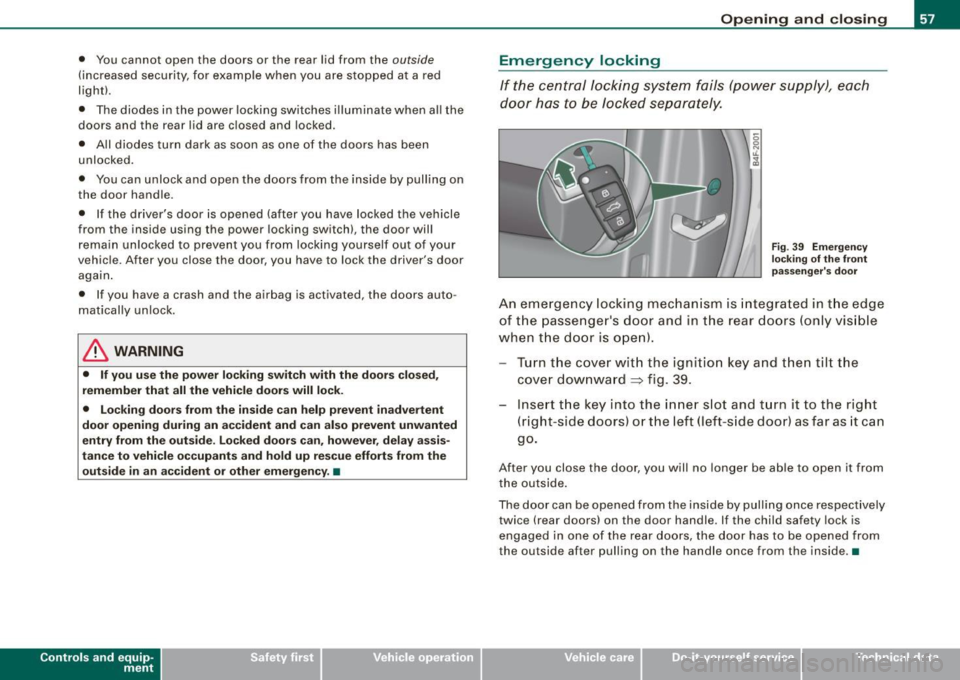
Fig . 39 Emergency
locking of the front
passenger's door
An emergency locking mechanism is integrated in the edge
of the passenger 's door and in the rear doors (only visible
when the door is open).
Turn the cover with the ignition key and then tilt the
cover downward
=> fig. 39.
Insert the key into the inner slot and turn it to the right
(right-side doors) or the left (left -side door) as far as it can
go.
After you close the door, you will no longer be able to open it from
the outside.
The door can be opened from the inside by pulling once respectively
twice (rear doors) on the door handle. If the child safety lock is
engaged in one of the rear doors, the door has to be opened from
the outside after pulling on the handle once from the inside .•
Vehicle care I I irechnical data
Page 61 of 390
Child safety lock
Power child safety lock for the rear doors t
The power child safety lock prevents the rear doors from
being opened from the inside.
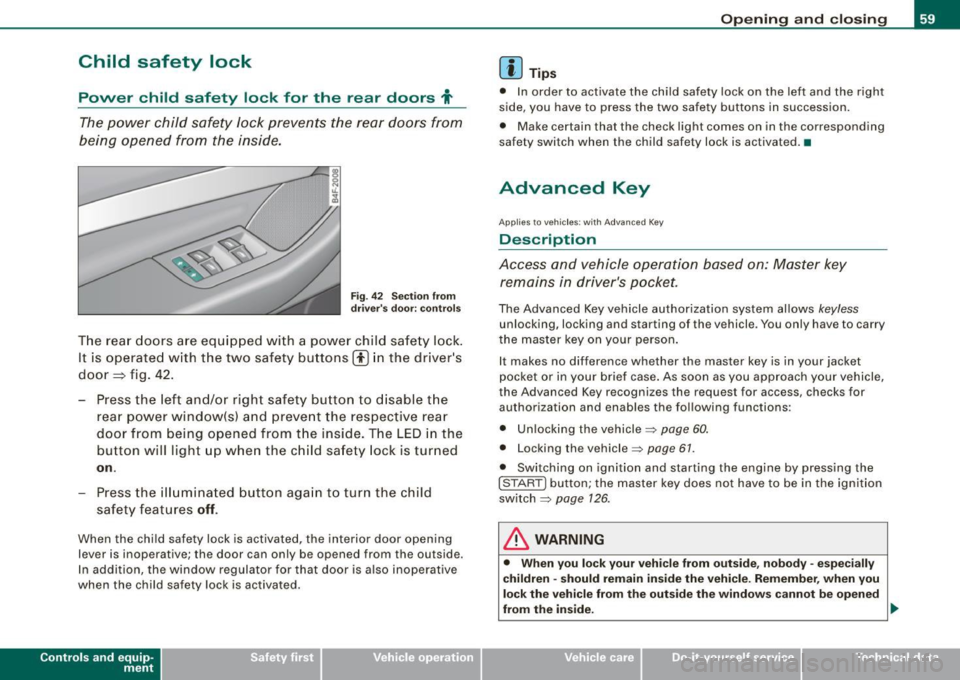
Fi g. 4 2 Sec tio n fro m
dr ive r's door: co ntrols
T he rear doors ar e equip ped with a power child safe ty lock .
It is operated with t he two safety buttons(!) in the driver's
door=} fig. 42 .
- Press the left and/or right safety button to disable t he
rear p ower window(sl and preve nt the respective rear
door from being opened from t he inside. The LED in the
button will light up when the chi ld safety lock is tur ned
on .
- Press the ill umina ted butt on aga in t o turn the child
safety f eatures
off .
When the chi ld safe ty lock is activated, the interior door opening
lever is inoperative; the door can only be opened from the ou tside .
In addi tion, the window regulator for that door is a lso inoperative
when the child safety lock is activated.
Con tro ls and eq uip
ment
Op ening and clo sing
[ i ] Tip s
• In order to activate the child safety lock on the left and the righ t
side, you have to press the two safety buttons in succession.
• Make certain that the check light comes on in the corresponding
safety switch when the child safety lock is activated. •
Advanced Key
Applies to veh ic les: wit h Ad vanced Key
Description
Access and vehicle operation based on: Master key remains in driver's pocket.
The Advanced Key vehicle authori zation system allows keyless
unlocking, locking and starting of the vehicle . You only have to carry
t he master key on your person .
It makes no difference whether the master key is in your jacket
pocket or in your brief case . As soon as you approach your vehicle ,
the Advanced Key recogni zes the request for access, checks for
authori zation and enab les th e following functions :
• Unlocking the vehicle:::::,
page 60.
• Locking th e vehicle :::::, page 61.
• Switching on ignition and starting the engine by pressing the
I STAR T] button; the master key does not have to be in the igni tion
sw itch:::::,
page 126 .
& WARNING
• Whe n you lock your veh icle from o uts id e, nobod y -espe cia lly
c hildren -sh ould re main in side the vehic le. Reme mber , when you
lock the vehicle fr om the out side th e windo ws cannot be open ed
from the inside. .,,.
Vehicle care
I I Technical data
Page 63 of 390
• The proximity sensors are deactivated after a few days to save
power. You then have to pull on the door handle once to unlock the
vehicle and a second time to open the vehicle .
• To prevent the ba ttery from being discharged and to preserve
your vehicle's ability to start for as long as possible , the energy
management system gradual ly swi tches off unnecessa ry conve
nience functions. It is possib le that you will not be ab le to un lock
your vehicle using these convenience functions .•
Ap plie s to v ehicl es: with Adv ance d Key
Locking the vehicle
The vehicle can be Jocked wi thou t op era ting the mas tery
key.
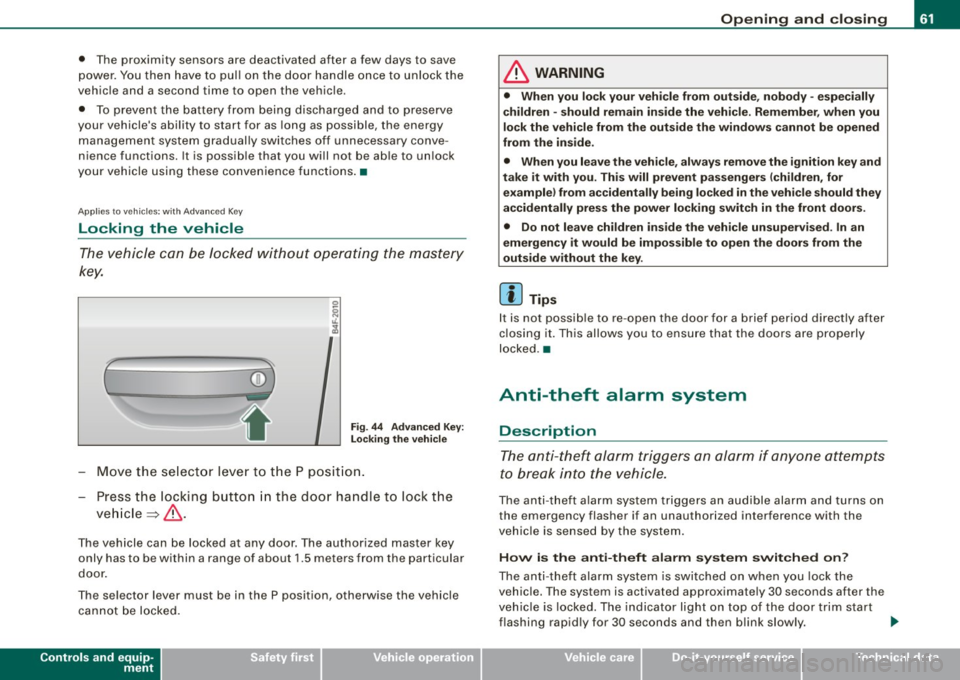
(
i
Fig . 44 Ad vanced Key:
L ock ing th e vehi cle
- Move th e se lect or lever to t he P posit ion.
- Press the locking butto n in the doo r handle to lock the
ve hicle ~ & -
The vehicle can be locked at any door. The authorized master key
only has to be within a range of about 1.5 meters from the particular
door .
The se lector lever must be in the P position, otherwise the vehicle
can not be locked.
Controls and equip
ment
Opening and clo sing
& WARNING
• When you lock your vehicle from out side , nobody -espe cially
children -should remain inside the vehicle . Remember , when you
lock the vehicle from the outs ide the windo ws ca nnot be opened
from the in side .
• When you leave the vehi cle , al wa ys remo ve the ignition key and
t ak e it with you. Thi s will prevent pa ssenger s (children , for
e x ample ) from a ccidentally b ein g locked in the vehic le should they
accidentally pre ss the power locking swit ch in the front door s.
• Do not lea ve ch ildren in side the vehi cle un supe rvised . In an
emergency it would be impo ss ible to open the doors from the
out side w ithout the key .
[ i ] Tips
It is not possib le to re -open the door for a brief period directly after
c losing it. This allows you to ensu re that the doo rs are properly
locked .•
Anti-theft alarm system
Description
The anti- theft alarm triggers an alarm if anyone attempts
to break into the vehicle.
The an ti- theft a la rm system trig gers an audible alarm and turns on
the emergency flasher if an unauthorized interference with the
vehic le is se nsed by the system .
How is the anti-theft alarm s yst em switch ed on?
The anti -theft alarm system is switched on when you lock the
vehic le. The system is activated approximately 30 seconds after the
veh ic le is locked. The indicator light on top of the door trim start
flashing rapid ly for 30 seconds and then blink slow ly. .,_
I • •
Page 64 of 390
Opening and closing
H ow is th e a nti-th eft alarm s yste m swi tched off ?
The anti -theft alarm sys tem is switched off only whe n you un lock
your vehicle. If you do not open a door within 60 seconds after you have un locked with the remote control , the vehicle will lock itself
again automatically.
When will the anti -th eft alarm syst em be trigg ered ?
When the vehicle is locked, the alarm system monitors and protects
the following parts of the vehic le:
• engine compartment
• luggage compartment
• doors
• vehicle incline
• ignition
When the system is activated, the alarm will be trigge red if one of
the doors, the engine hood or the rear lid are opened, or if the igni
t ion is turned on or if the veh icle incline has been changed. The an ti
theft a larm system will also go off when the battery is disconnected.
You can also trigger the alarm by pressing the PA NIC button on your
remote control. This w ill alert other people in case of emergency.
Press the
PANIC button again to turn off the alarm.
H ow i s th e ant i-th eft al arm swit ch ed off whe n
tr igg ered ?
The alarm system is switched off when you unlock the vehic le or
when the ignition is switched on . T he alarm will a lso switch itself off
when it comes to the end of its cycle .
Emergency flasher and horn
The emergency flasher wi ll blink briefly and the horn sounds when
the doors, engine hood and rear lid are properly closed.
If the emergency flashers do not blink, or the horn does not sound ,
check the doors, engine hood and rear lid to make sure they are
properly c losed . If you close a doo r, the hood or the rear lid w ith the anti
-theft a larm switched on, the emergency flashers will blink and
t he horn will sound only af ter you have closed the door or l id .
Ii ] Tips
Fo r the anti -theft a larm system to function proper ly, make sure a ll
vehic le doors and windows are closed before leaving the vehicle .•
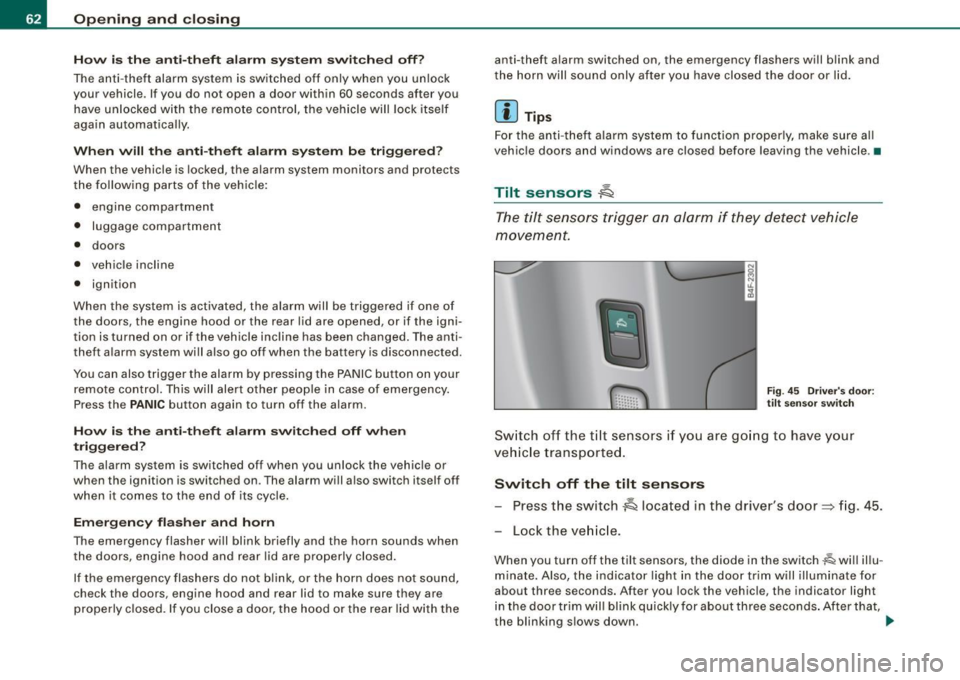
Tilt sensors 1Q
The tilt sensors trigger an alarm if they detect vehi cle
movement.
F ig . 4 5 Driver 's doo r:
tilt sensor swit ch
Sw itch o ff th e til t sensors if you ar e go ing to have your
vehic le transporte d.
Switch off the tilt sensors Press the switch
~ located in the driver's door~ fig. 45.
Lock the ve hicle .
When you turn off the tilt sensors, the diode in the switch~ will illu
minate. Also, the indicator light in the door trim will illuminate for
about three seconds. After you lock the vehicle, the indicator light
in the door t rim wil l bl ink quick ly for about three seconds . After that,
the blinking s lows down. .,.
Page 66 of 390
Opening and closing
Closing th e w ind ows
- Pull the switch up to the first stop and hold it there until
the window has risen to the desired position.
- Pull the sw itch qu ickly to the
second pos ition : the
window will automatically close all the way~
& in
" Contro ls" .
Activating /deactivating rear windows
Press the left 00 sw itch ~ page 63, fig. 46 to deactivate
only the w indow reg ulato r in t he left door. The ind icat or
l igh t in the switch illuminates .
Press the right
00 switch => page 63, fig. 46 to deactivate
only the window regulator in th e right door. The indicator
light in t he switch illuminates.
- Press the
[ t ] switch aga in to reac tivate the win dow regu -
lator . The indica to r l ight in the switch goes out.
This function can also deactivated. Press both (I) switches @ in
succession.
• If
only the left (I) switch was pressed, only the window regulator
sw itch in the
left r ear door is deac tiva ted. In addition , the door is
locked .
• If
onl y the right (I) switch was press ed, o n ly the window regu
lator switch in the
right rear do or is deactivated . In addition, the
door is locked .
This feature has been prov ided for the safety of small chi ldren riding
in the rear of the vehicle .
[ i ] Tips
• The windows can still be opened and closed fo r about ten
minutes after the ignition has been turned off. The power windows
are no t shut off until one of the front doors is opened . •
In order to activate the child safety lock on the left and the right
side, you have to press the two safety switches in succession. Make
certain that the check light comes on the co rresponding safety
switch when the child safety lock is activated .•
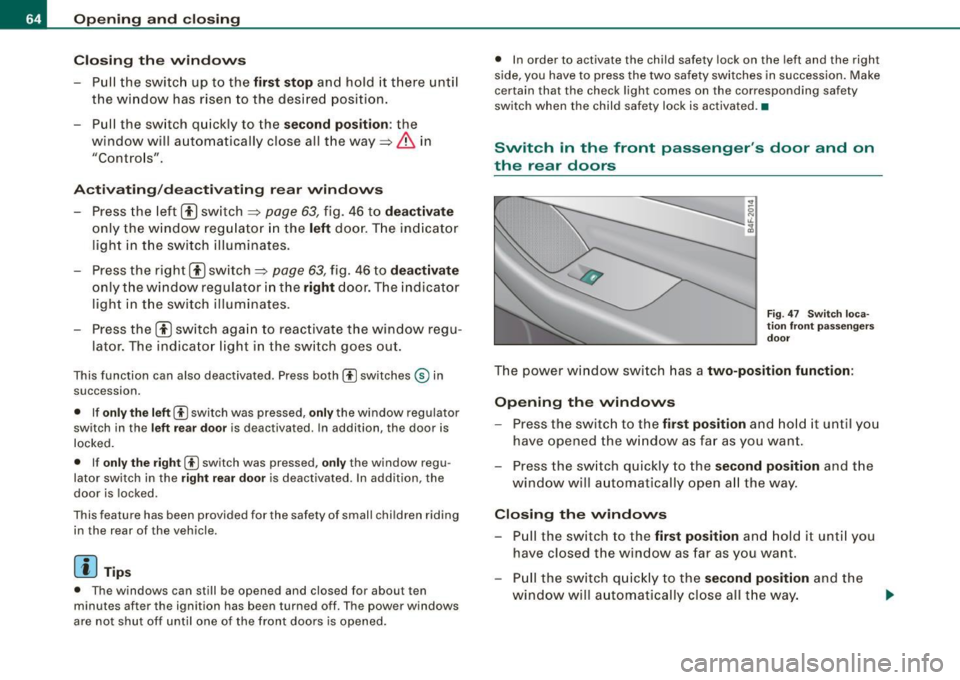
Switch in the front passenger 's door and on
the rear doors
F ig . 4 7 Sw itc h l oca
ti on fr ont p asseng ers
d o or
The power window switch has a two-position function :
Opening the windows
-Press the switch to the first po sition and ho ld it until you
have opene d the w indow as fa r as you wan t.
- Press the sw itch quickly to the
s econd position and the
window will a utomatically open a ll the way.
Closing the windows
- Pu ll the sw itch to the first position and hold it unt il you
have closed the window as far as you want.
- Pull the sw itch q uick ly to th e
second position and the
window w ill a utomatically close all t he w ay.
Page 68 of 390
Opening and closing
Sliding/tilting power sunroof
App lies to vehicles: w ith s liding/ tilt ing power sun roof
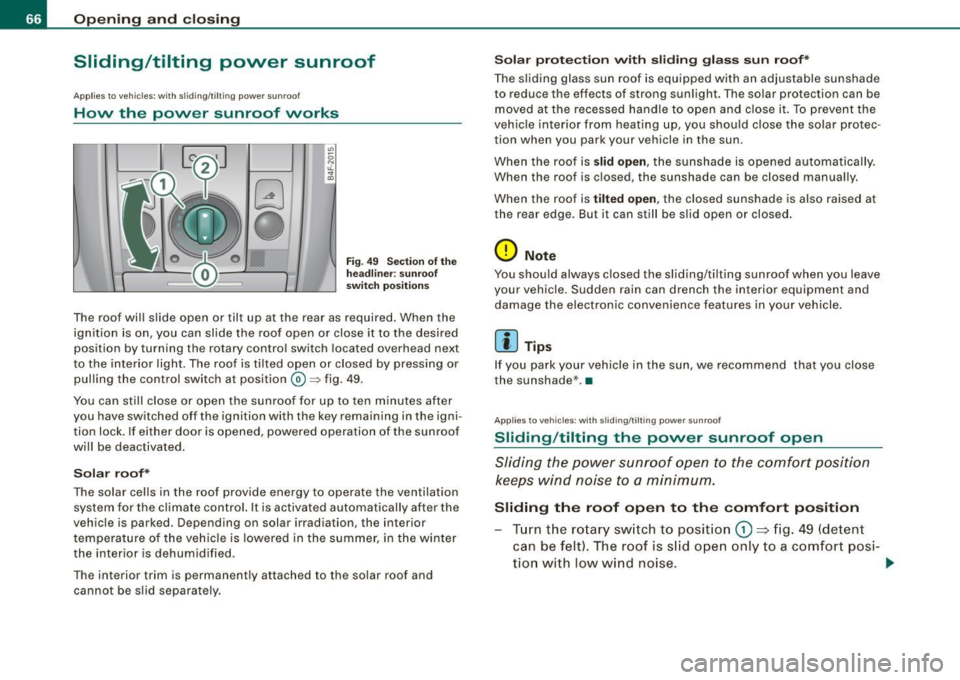
How the power sunroof works
0
0
Fi g. 49 Sec tion of th e
h ea dlin er: s unr oof
s wit ch po siti ons
The roof wil l slide open or tilt up at the rear as required. When the
ign ition is on, you can slide the roof open or close it to the desired
position by turning the rotary control switch located overhead next
to the interior light. The roof is ti lted open or closed by pressing or
pul ling the control switch at position@=> fig. 49.
You can sti ll close or open the sunroof for up to ten minutes after
you have switched off the ignition with the key remaining in the igni
tion lock. If e ither door is opened, powered operation of the sun roof
wi ll be deactivated.
Solar roof*
The solar cel ls in the roof provide energy to operate the ventilation
system for the climate control. It is ac tivated automatically after the
vehic le is parked. Depending on solar irradiation, the interior
t empe ratu re of the veh ic le is lowered in the summer, i n the winte r
the interior is dehumid ified .
The interior trim is permanently attached to the solar roof and cannot be s lid separate ly .
S olar prote ction w ith sliding gla ss sun roof*
The s liding glass sun ro of is equipped with an adjustable sunshade
to reduce the effects of strong sun light. The solar protection can be
moved at the recessed ha ndle to o pen and close it. To p revent the
vehic le interior from heating up, you shou ld c lose the solar protec
tion when you park your vehicle in the sun.
When the roof is
slid open , the sunshad e is opened aut omat ically.
When the roof is c losed, the sunshade can be closed manual ly.
When the roof is
tilt ed open, the closed sunshade is also raised at
the rear edge . But it can still be sl id open or closed.
0 Note
You shou ld always closed the sliding/ti lting sun roof when you leave
your vehic le. Sudden rain can drench the interior equipment and
damage the electro nic convenience features in your vehicle.
[ i ] Tips
If you park your v ehicle in the sun, we recom mend that you close
the sunshade* .•
Ap plies to vehicles: with sl iding/tilting power sunroof
Sliding /tilting the power sunroof open
Sliding the power s unroof open to the comfort position
keeps wind n oise t o a minimum.
Sliding the roof open to the comfort position
Tur n the ro ta ry sw itch to posit io n G) ~ fig. 49 (detent
can be felt) . The roof is s lid ope n only to a co mfort posi-
tio n with l ow wind noise. .,.
Page 69 of 390
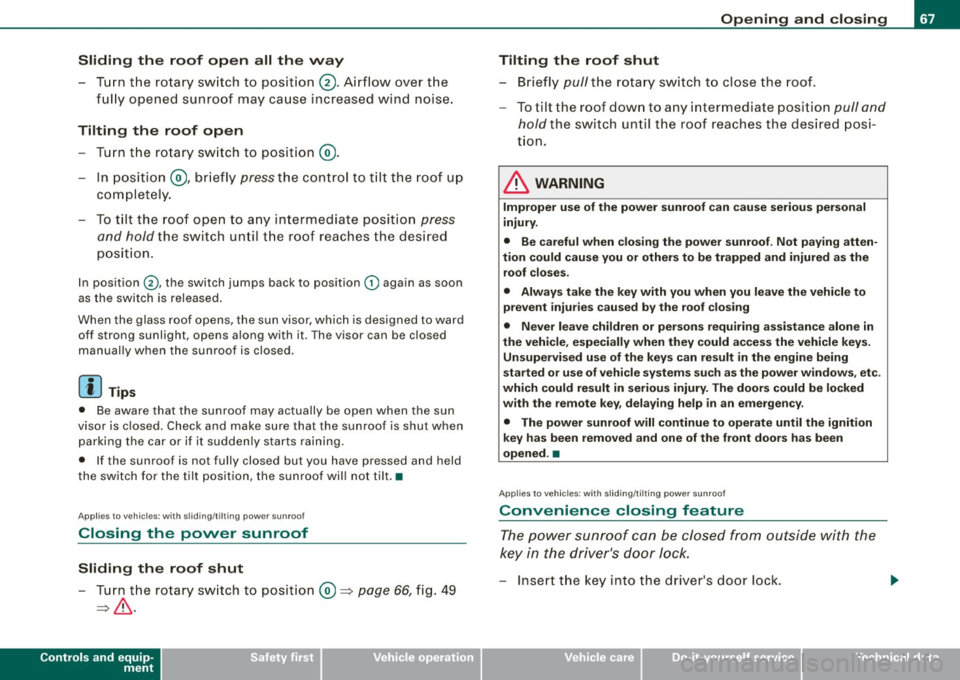
Sliding the roof open all the way
- Turn the rotary switch to position
0-Airflow over the
fully opened sunroof may cause increase d wind noise.
Tilting the roof open - Turn the rotary switch to position @.
- In position @, briefly
press the control to tilt the roof up
completely.
To tilt the roof open to any intermediate position
press
and hold
the switch until the roof reaches the desired
position.
In position ©, the switch jumps back to position G) again as soon
as the switch is released.
When the glass roof opens, the sun visor, which is designed to ward
off strong sunlight, opens along with it. The visor can be closed
manually when the sunroof is closed.
[ i] Tips
• Be aware that the sunroof may actually be open when the sun
visor is closed. Check and make sure that the sunroof is shut when
parking the car or if it suddenly starts raining.
• If the sunroof is not fully closed but you have pressed and held
the switch for the tilt position, the sunroof will not tilt. •
Appl ies to vehicles: with sliding/tilt ing power sunroof
Closing the power sunroof
Sliding the roof shut
- Turn the rotary switch to position
0 => page 66, fig. 49
=>& .
Controls and equip
ment
Opening and closing
Tilting the roof shut Briefly
pull the rotary switch to close the roof.
To tilt the roof down to any intermediate position
pull and
hold
the switch until the roof reaches the desired posi
tion.
& WARNING
Improper use of the power sunroof can cause serious personal
injury.
• Be careful when closing the power sunroof . Not paying atten
tion could cause you or others to be trapped and injured as the roof closes.
• Always take the key with you when you leave the vehicle to
prevent injuries caused by the roof closing
• Never leave children or persons requiring assistance alone in
the vehicle, especially when they could access the vehicle keys. Unsupervised use of the keys can result in the engine being
started or use of vehicle systems such as the power windows. etc .
which could result in serious injury. The doors could be locked
with the remote key, delaying help in an emergency.
• The power sunroof will continue to operate until the ignition
key has been removed and one of the front doors has been
opened. •
Applies to veh icles: with sliding/t ilting power sunroof
Convenience closing feature
The power sunroof can be closed from outside with the
key in the driver's door lock.
-Insert the key into the driver's door lock.
I • •
Page 71 of 390
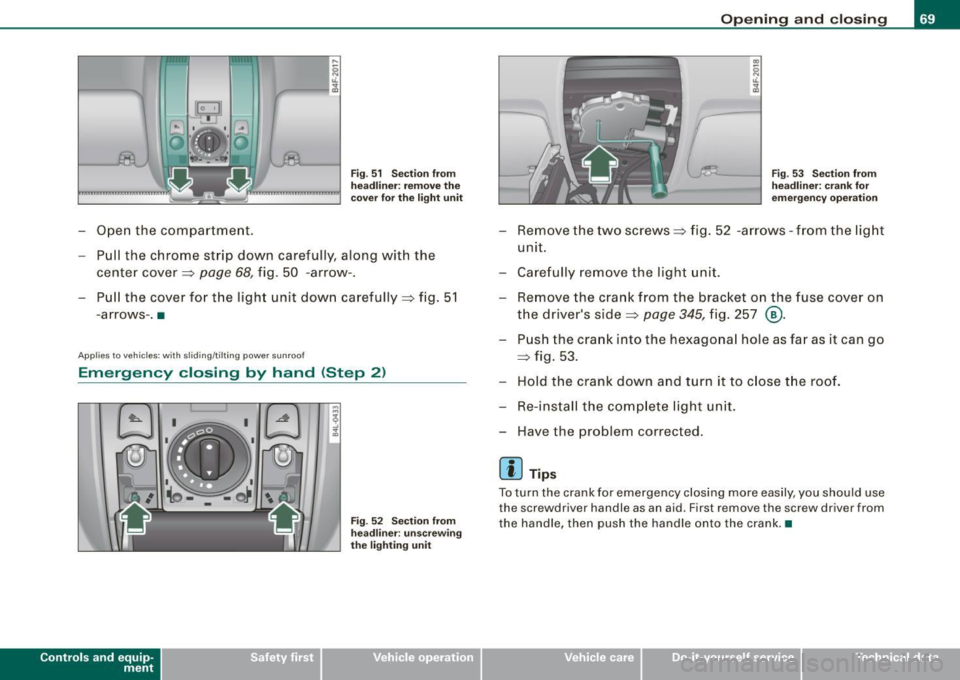
-Open the compartment.
Fig . 51 Section from
headliner: remove the
cover for the light unit
Pull the chrome strip down carefully, along w ith the
center cover=>
page 68, fig. 50 -arrow-.
- Pull the cover for the light unit down carefully=> fig. 51
- arrows -. •
A pplies to vehicl es : wit h sli ding/ tilt in g p ower su nroof
Emergency closing by hand (Step 2)
Con tro ls and eq uip
ment
.& 1
Fig. 52 Section from
headliner : unscrewing
the lighting unit
Opening and closing
Fig. 53 Section from
headliner: crank for
emergency operation
Remove the two screws=> fig. 52 -arrows -from the light
unit.
Carefully remove the light unit.
Remove the crank from the bracket on the fuse cover on
the driver's side=>
page 345, fig. 257 ®·
Push the crank into the hexagonal hole as far as it can go
=> fig. 53.
Hold the crank down and turn it to close the roof.
Re-install the complete light unit .
Have the problem corrected.
[ i] Tips
To turn the crank for emergency closing more easily , you should use
the scr ewd river handle as an a id . First remove the screw driver from
the handle, then push the handle onto the crank .•
Vehicle care I I Technical data
Page 72 of 390
Clear vision
Clear vision
Lights
Switching the headlights on and off ·t/.·
In the "AUTO" position, a light sensor automatically
s w itches the head- and taillights on an d off in resp onse to
l igh t co nditio ns.
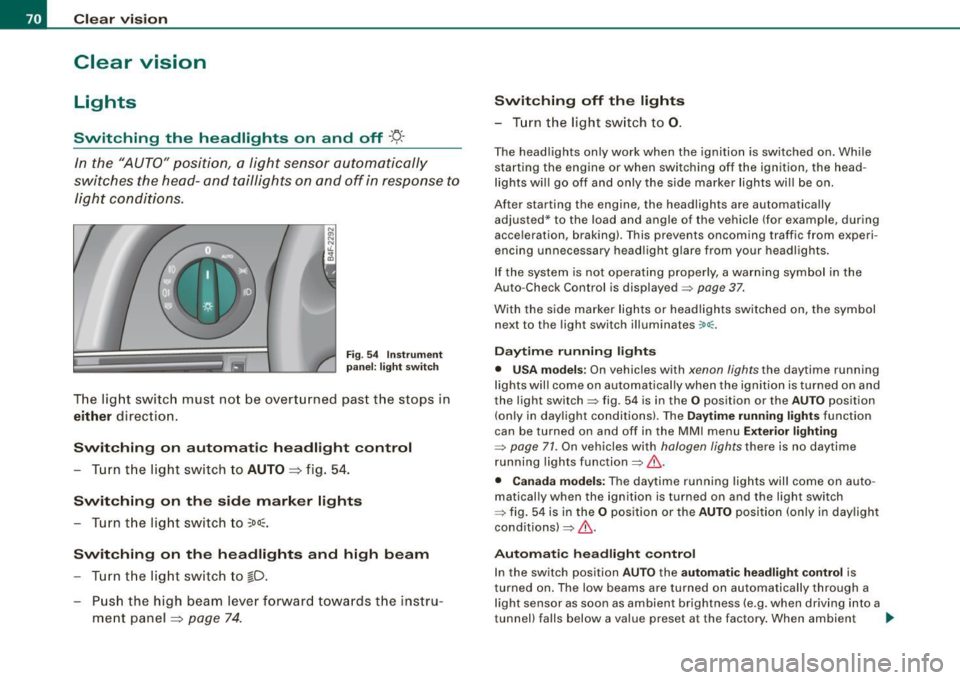
Fig . 54 In strument
p anel: light swit ch
T he lig ht switc h must no t be overt urned pas t the stops in
either direc tion .
Switching on automatic headlight control
-Tur n t he light switch to AUTO =:> fig. 5 4.
Switching on the side marker lights
- Turn t he lig ht s witch to ~oo~.
Switching on the headlights and high beam
- Turn t he lig ht switch to ~D.
- Pu sh th e high beam l ever f orwar d tow ards t he ins tru-
m en t panel =:>
page 74 .
Switching off th e lights
- T urn the light switch to 0.
The head lights only work when the ignition is swi tched on. Whi le
starting the engine or when switching off the ignition, the head
l ights wi ll go off and only the side marker lights wi ll be on.
After starting the engine, the headlights are automatically adjusted* to the load and angle of the vehicle (for example, dur ing
acce leration, braking) . T his prevents oncoming traffic from experi
encing unnecessary head ligh t glare from your headligh ts .
If the system is not ope rating properly, a warni ng sy mbol in the
Auto -Check Control is displayed =>
page 37.
With the side marker lights or headlights switched on, the symbol
next to the light switch illuminates
coo:.
Daytime running light s
• USA models : On vehicles with xenon lights the daytime running
l ights wil l come on a utomatica lly when th e ignition is t urned on an d
the light switch => fig. 54 is in the
O position or the AUTO position
(on ly in day light co nditions). The
Daytime running lights func tion
can be turned on and off in the MMI menu
Exterior lighting
=> page 71. On vehicles with halogen lights there is no daytime
running lights function=> &.
• Canada models: The daytime running lights wil l come on auto
matical ly when the ignition is turned on and the ligh t switch
=> fig. 54 is in the
O position or the AUTO position (only in day ligh t
conditions)=> &.
Automatic headlight control
In the switch position AUTO the automatic h eadlight control is
turned on . The low beams are tu rned on automatically through a
l ight sensor as soon as ambient brightness (e .g. when driving into a
tunnel) falls below a value preset at the factory . When ambient ...