stop start AUDI S6 2008 Owner's Manual
[x] Cancel search | Manufacturer: AUDI, Model Year: 2008, Model line: S6, Model: AUDI S6 2008Pages: 390, PDF Size: 88.42 MB
Page 172 of 390
• .___A_ u_d_ i _P _a_ r_ k_ i_ n ..:g=-- S_ y=-- s_t _ e _m _____________________________________________ _
-Switch the ignition off, the entire acoustic parking
system is automatically deactivated.
The rear-view camera will deactivate automatically when you shift
into a forward gear and drive faster than about
9 mph (15 km/h) .
The delay in deactivating the camera provides an uninterrupted
view behind the vehicle especially when maneuvering in tight parking spaces and prevents the picture from turning off the every
time you shift out of reverse.
The vehicle -obstacle distance at which the sensors start to measure
is
about:
To the side 2 ft (0.60 m)
Center rear 5.2 ft (1.60 ml
Backing up
Distance notification when backing up starts when an obstacle is
detected that is within range of the Audi Parking System. As the
distance decreases, the time between the chimes gets shorter .
When the distance is less than
1 ft (0.30 m), the chime becomes a
continuous tone. Here, at the latest, you should stop backing up.
Please note that low objects already signaled by Audi Parking
System can become so close that they can no longer be detected
and will not continue to be signaled .
If the distance to an obstacle stays the same, the volume of the
distance signal chime is gradually reduced after about
4 seconds
(does not affect the continuous signal tone). Approaching another
obstacle will cause the distance signal to sound again at the normal
volume.
Distance signal tones
Distance is signaled by chimes from the rear signal generator. The
volume and the pitch of the chimes can be adjusted in the MMI
=>
page 178.
Rear-view camera (rear view)
The rear -view camera picture ~ page 173, fig. 172 appears in the
MMI Display as a mirror image . The rear-view camera picture has
orientation lines and marked surfaces projected into it, as an aid to
the parking process=>
page 171 . The red line in the picture
=>
page 171, fig. 168 or=> page 171, fig. 169 indicates the collision
area . Here , at the latest, you should stop backing up~&.
If the warning message appears in the display but not the rear-view
camera picture, read and confirm the warning message. The
acoustic distance signal is always active.
If you press a function button on the MMI terminal, the rear -view
camera picture disappears. The rear-view camera picture reappears
the next time you park.
When the rear -view camera picture is displayed, you can adjust the
volume and frequency of the acoustic parking via the control button
with the
Settings function ~ page 179.
Further information on the warning message and the MMI terminal
can be found in the MMI instruction booklet.
& WARNING
• Sensors have blind spots in which objects cannot be detected.
Be especially careful to check for small children and animals
before backing up. Small children and animals will not always be
detected by the sensors.
• The Audi Parking System is not a substitute for being careful
and alert when backing up. Be especially careful during parking
and similar maneuvers. Always watch where you are driving and
make sure that nothing is in the way.
• Remember that low obstacles which have already been
signaled may pass below the system's sensing zone when the
vehicle is backing up. The fact that the signal stops does not mean
that you have cleared the obstacle. When the signal stops, impact is imminent . Objects such as trailer hitches, chains, narrow posts
or fences covered by a thin layer of paint may not always be
~
Page 174 of 390
-Audi Parking System -------=--=---------------
"Parking mode
1" appears by default in the MMI Display if the rear
v iew came ra is activate d=>
page 169 . You can switch to " parki ng
mode
2" by pressing the control button with the mode @
=> page 173, fig. 173 function . By repeatedly p ressing the control
button with the
mode function, you can switch back and forth
between "parking mode
1 " and "pa rking mode 2".
Orientation lines and marked surfa ces
Orientati on l ines and col ored ma rke d surfaces( => page 173, fig . 172
or=>
page 175, fig. 174) are projected into the rear -view camera
pictu res, subject to the two diffe rent par king modes . These orienta
tion lines and surfaces offer aid when parking or maneuvering. The
orientation lines and su rfaces refer to the height of a leve l driving
sur face.
When the indicated orientation lines and indicated blue surfaces
sup erimpos e veh ic le s or o bjects, a t the lates t, t he respectiv e
d istance to the vehicles or objects has become too short
=>
p age 177 .
If the tr unk lid is open, the o rien tat io n lin es and marked su rfaces are
not displayed .
& WARNING
• The rear-view camera has blind spots , in which objects cannot
be detected . Be especially careful to check for small children and
animals before backing up . Small children and animals will not
always be detected by the sensors.
• The Audi Parking System is not a substitute for being careful
and alert when backing up . Be especially careful during parking
and similar maneuvers . Always watch where you are driving and
make sure that nothing is in the way.
• Remember that low obstacles which have already been
signaled may pass below the system 's sensing zone when the
vehicle is backing up . The fact that the signal stops does not mean
that you have cleared the obstacle . When the signal stops , impact
is imminent . Objects such as trailer hit ches, chains , narrow posts
& WARNING (continued )
or fences covered by a thin layer of paint may not always be
detected by the sy stem. They can still damage your vehicle
without warning .
• Always make sure that the volume and frequency of the chime s
is adjusted so that you can easily hear the acoustic distance signal
even if the radio is playing , the air -conditioner blower is on High or
there is a high level of outside noise .
- Check the settings whenever someone else has driven the
vehicle before you .
• Improper reliance on the Audi Parking System can cause colli
sions and serious personal injury .
- Never rely only on parking assi st w hen changing backing up .
- Always check rear view mirrors to make sure it is safe to back
up .
[ i ] Tips
• Before parking with the rear -view camera, the Adaptive Air
Su spensi on* co mfort or automatic mode must be switched on
=>
page 21.
• The rea r-v iew ca mera pic ture is avai la bl e as soon as the M MI
Display or the MMI is sw itched on, or the start -up phase is
completed.
• I n order for the rear-view camera to function proper ly, the
c a m era len s=>
page 169, fig . 16 7 mu st be kept clea n, a nd free of
snow and ice. P lease follow the additional notes on=>
page 180.
• The came ra c overage a ngle changes when the trunk lid is open .
T herefore, the rear-view camera picture is d isplayed without orien
t a tion lin es an d w ith out blue surfaces .•
Page 188 of 390
• ..__H_ o_ m_ e_ L_in _ k_® ____________________________________________________ _
Homelink®
Universal remote control
Applies to vehicles: w ith Home Link® universal remote control
General information
The Homelink® feature can learn the up to three radio
frequency codes for most current transmitters used for
operating garage doors, estate gates, home or outdoor
lighting systems, and other devices.
You must first program the Homelink® transmitter before you can
use the system=>
page 186, "Programming the Homelink® trans
mitter".
In order to program the Homelink® transmitter for devices utilizing
rolling code, a second person on a ladder who can safely reach the
garage door opener motor is recommended. It is also necessary to
locate the "learn" button on your garage door opener motor. Refer
to the operating instructions for the opener, as the location and
color of this button may vary by manufacturer.
You can still use the original remote control for the device at any
time .
& WARNING
• Never use the Homelink"" transmitter with any garage door
opener that does have not the safety stop and reverse feature as
required by federal safety standards. This includes any garage
door opener model manufactured before April 1, 1982.
• A garage door opener which cannot detect an object, signaling
the door to stop and reverse does not meet current federal safety
standards . Using a garage door opener without these features
increases risk of serious injury or death .
& WARNING (continued)
• For safety reasons never release the parking brake or start the
engine while anyone is standing in front of the vehicle.
• A garage door or an estate gate may sometimes be set in
motion when the Homelink ® remote control is being
programmed . If the device is repeatedly activated, this can over
strain motor and damage its electrical components -an over
heated motor is a fire hazard!
• To avoid possible injuries or property damage, please always
make absolutely certain that no persons or objects are located in
the range of motion of any equipment being operated. •
Applies to vehicles: wit h Home link® universal remote contro l
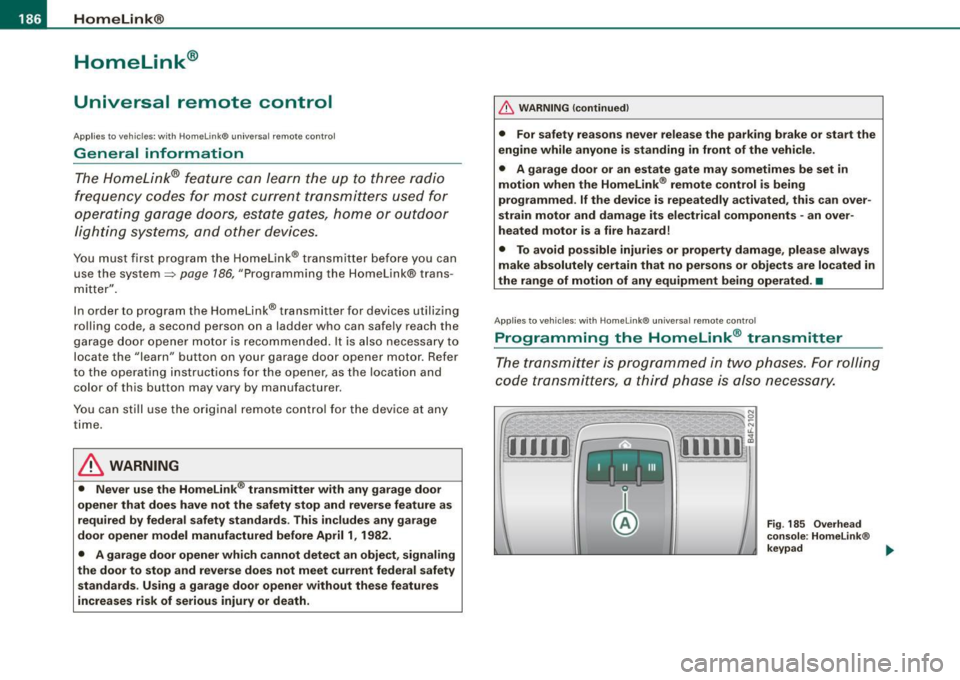
Programming the Homelink ® transmitter
The transmitter is programmed in two phases. For rolling
code transmitters, a third phase is also necessary.
Fig . 185 Overhead
console: Homelink ®
keypad ...
Page 270 of 390
___ D_ r_iv _ in_... g"'- a_ n_ d_ e_ n_ v_i_r _o _n_ m_ e_n_ t _______________________________________________ _
New brake pads
--
Remember that new brake pads do not have a full braking
effect during the first 250 miles (400 kilometers) after they
are installed .
New brake pads have to be "burnished in" before they have optimal
grab =>& .
During the break -in period, you should avoid putting severe loads
on the brakes . Severe loads include, for examp le, sudden hard
braking, in particular at very high speeds or, for example, on moun
tain passes.
& WARNING
New brake pads don't have the best stopping power and must be
"broken-in" during the initial 100 to 150 miles (150 to 200 kilome
ters) of normal city driving. You can compensate for this by
pressing the brake pedal more firmly . This also applies later when
new pads are installed.
:J
Catalytic converter
It is very important that your emission control system
(catalytic converter) is functioning properly to ensure that
your vehicle is running in an environmentally sound
manner.
- Always use lead-free gasoline:=> page 291, "Fuel supply".
- Never run the tank down all the way to empty.
- Never put too much motor oil in your engine ==>
page 302,
"Adding engine oil 't=:;r\11
•
Never try to push- or tow-start your vehicle.
The catalytic converter is an efficient "clean-up" device built into the
exhaust system of the vehicle. The catalytic converter burns many
of the po llutants in the exhaust gas before they are released into the
atmosphere.
The exclusive use of unleaded fuel is critically important for the life
of the catalytic converter and proper functioning of the engine.
& WARNING
• Do not park or operate the vehicle in areas where the hot
exhaust system may come in contact with dry grass, brush, fuel
spill or other material which can cause a fire .
• Do not apply additional undercoating or rustproofing on or
near the exhaust manifold, exhaust pipes, catalytic converter or
heat shields. During driving, the substance used for undercoating
could overheat and cause a fire .
0 Note
• Be aware that just one tank filling with leaded fuel will alr eady
seriously degrade the performance of the catalytic converter.
• Do not exceed the correct engine oil level=>
page 302.
• Do not drive until the fuel tank becomes completely empty. The
engine could misfire. Unburned fuel could also get into the exhaust
system and this could cause the catalytic converter to overheat.
• Do not turn off the ignition while the vehicle is moving.
• Do not continue to operate your vehicle under these conditions,
as otherwise fuel can reach the catalytic converter. This could result
in overheating of the converter, requiring its replacement .
• To assure efficient operation of the Emission Control System:
- Have your vehicle maintained properly and in accordance with
the service recommendations in your Maintenance
& Warranty
booklet. •
Page 276 of 390
___ T_ r _a_ il_e _r_ t_ o_ vv_ in__... g,_ __________________________________________________ _
Speed
The higher the speed, the more difficult it becomes for the driver to
control the rig. Do not drive at the maximum permissible speed. Reduce your speed even more if load, weather or wind conditions
are unfavorable -particularly when going downhi ll.
Reduce vehicle speed
im med ia tel y if the trailer shows the slightest
sign of swaying.
Do not try to s top the swayi ng by accelerating.
Observe speed limits. In some areas, speeds for vehicles towing
trai lers are lower than for regular vehicles .
Always apply brakes ear ly. When driving downhill, shift into a lower
gear to use the engine braking effect to slow the vehicle. Use of the
brakes a lone can cause them to overheat and fail.
C ool ant t emp era tur e
The coolant temperature gauge=> page 13 must be observed care
fully. If the needle moves close to the upper end of the scale, reduce
speed immed iately and/or turn off the air conditioner.
If the coolant temperature warning light in the instrument cluster
starts flashing
- F- , pull off the road, stop and let the engine idle for
about two minutes to prevent heat build-up.
& WARNING
A nyo ne n ot properly re str aine d in a moving vehi cle i s at a mu ch
g re ater ri sk in an accident . Never let any on e r ide in y our car who
is n ot pr operl y wea ring th e re stra ints pr ovided b y Audi . •
Trailer towing tips
Important to know
Your vehicle handles differently when towing a trailer because of
the additional weight and different weight distribution. Safety, performance and economy will greatly depend on how carefully you
l
oad your trailer and operate your r ig.
Before you actually tow your trailer, practice turning, stopping and
backing up in an area away from traffic . Keep practicing unti l you
have become comp letely familiar with the way your vehicle-trai ler
combination behaves and responds.
Back ing up is difficult and requires practice. Backing up with a
trailer generally requires steering action opposite to that when backing up your vehic le without a tra iler.
Ma intain a greater distance between your veh ic le and the one in
front of you . You will need more room to stop. To compensate for
the trai ler, you w ill need a larger than norma l turning radius.
When passing, remember that you cannot accelerate as fast as you nor mally wou ld because of the added load . Make su re you have
enough room to pass. After passing, allow plenty of room for your
trai ler befo re changing lanes again .
Avoid jerky starts, sharp turns or rapid lane changes.
[ i ] T ips
• Do not tow a trailer during the break -in period of your vehicle.
• I f you tow a trailer, your Audi may require more frequent main te
nance due to the extra load=>
page 366. •
Parking on a slope
Do not park on a slope with a trailer. If it cann ot be
avoi ded, do so only after d oing the followi ng:
When p arking :
-Apply the foot brake.
- Have someone p lace chocks under both the vehicle and
the trailer wheels. ._
Page 277 of 390
-Wit h chocks i n place, slowly release the brakes until the
wheel chocks absorb the load .
- Turn the wheels towards the curb.
- Apply the parking brake.
- Move the selector lever to
P.
Wh en r est arting aft er parking :
-Apply the foot brake.
- Start the engine.
- Move the selector lever to
D .
- Release the parking brake and slowly pull out and away
f rom the whee l chocks.
- Stop and have someone retrieve the wheel chocks .
[ i ) Tip s
If you move the selector lever of the automatic transmission to P
befor e applying th e parking brake and before blocking th e wheels ,
you may have to use more force later to move the lever out of the
P
position .
Controls and equip ment Safety first Vehicle operation
Tr
aile r t owing
Vehicle care Do-it-yourself service Technical data
Page 299 of 390
___________________________________________ C_ h:....:e :....: c:....: k..:..: i..:.. n :..::g ::.....:: a:..:.n ..:..: d=---.:. f..:..:il ..:..:li ..:..n :.:::g !--_!11
•
Closing the engine hood
- Pull the hood down until the pressure from the struts is
reduced .
- Let the hood
drop down and latch in place. Do not try to
push it shut;
it may fail to engage => &.
& WARNING
A hood that is not completely latched could fly up and block your
view while driving.
• When you close the engine hood, check it to make sure the
safety catch has properly engaged. The hood should be flush with
the surrounding vehicle body parts.
• If you notice while driving that the hood is not secured prop
erly, stop at once and close it. •
Working in the engine compartment
Be especially careful whenever you work in the engine
compartment.
Whenever you must perform any work in the engine compartment,
for example checking and filling different fluids, there is a risk of injury, burns and accidents. To prevent personal injury always
observe the following WARNINGS. The engine compartment of any
vehicle is a hazardous area
~ & .
& WARNING
To help avoid injury, before you check anything under the hood :
• Turn off the engine.
• Remove the ignition key.
• Apply the parking brake .
& WARNING (continued)
• Move selector lever to "P" (Park).
• Always let the engine cool down. Hot components will burn
skin on contact.
• To reduce the risk of being burned, never open the hood if you
see or hear steam or coolant escaping from the engine compart
ment. Wait until no steam or coolant can be seen or heard before
carefully opening the hood.
• Keep children away from the engine compartment .
• Never spill fluids on hot engine components. They can cause a
fire.
• Never touch the radiator fan. The auxiliary electric fan is
temperature controlled and can switch on suddenly.
• Never open the coolant reservoir cap when the engine is still
warm . The coolant system is pressurized and hot coolant could
spray out.
• Protect your face, hands and arm from steam or hot engine
coolant by placing a thick rag over the cap when you open the
coolant reservoir.
• If work on the fuel system or the electrical system is necessary :
- Always disconnect the battery.
- Never smoke or work near heaters or open flames . Fluids in
the engine compartment could start a fire.
- Keep an approved fire extinguisher immediately available.
• To avoid electrical shock and personal injury while the engine
is running or being started, never touch:
- Ignition cables
- Other components of the high voltage electronic ignition system.
• If you must perform a check or repair with the engine running: -First, fully apply the parking brake, move selector lever to "P"
(Park). .,
Vehicle care
I t •
Page 322 of 390
-~_T_ ir_e_ s_ a_ n_d _ w_ h_ e_e _l_s _________________________________________________ _
possible to see whether the radial tires used today are underinflated
just by looking at them.
Therefore, be sure to check tire pressures at least once a month and
always before going on a long trip. Make sure to take the number of
people and the amount of luggage into account when adjusting tire
pressure for a trip -even one that you would not consider to be
"long." See=>
page 321, "Tires and vehicle load limits" for more
important information.
Always use an accurate tire pressure gauge when checking and
adjusting inflation pressures . Check all of the tires and be sure not
to forget the spare tire. If the pressure in any tire is too high when
the tire is "cold," let air out of the tire slowly with the edge of the tire
gauge and keep checking the pressure until you reach the pressure
that is correct for the load (passengers and luggage) and kind of
driving you plan to do.
If the pressure in any tire is too low, note the difference between the
pressure in the cold tire and the pressure you need and add the air
that you need to reach the correct pressure for the vehicle load
(passengers and luggage) for the tires on your vehicle as listed on
the on your vehicle and in this manual and the kind of driving you
plan to do.
Never exceed the maximum inflation pressure listed on the tire
sidewall for any reason.
Remember that the vehicle manufacturer, not the tire manufacturer,
determines the correct tire pressure for the tires on your vehicle.
It is important to check the tire pressure when the tires are cold.
• Read the required tire pressure from the tire pressure label. On
USA vehicles, the tire pressure label is located on the driver's side
8-pillar . On Canada vehicles, the tire pressure label is located either
on the driver's side 8-pillar or inside the fuel filler flap.
• Turn the valve stem cap counter-clockwise to remove it from the
tire valve.
• Place the air pressure gauge on the valve. • The
tire pressures should only be checked and adjusted when
the tires are cold. The slightly raised pressures of warm tires must
not be reduced .
• Adjust the tire pressure to the load you are carrying.
• Reinstall the valve stem cap on the valve.
When should I check the tire pressure?
The correct tire pressure is especially important at high speeds. The
pressure should therefore be checked at least once a month and
always before starting a journey. Do not forget to check the tire pres
sure for the spare wheel =>
page 337.
When should I adjust the tire pressures?
Adjust the tire pressure to the load you are carrying. After changing
a wheel
or replacing wheels you have to adjust the tire pressures on
all wheels. In addition, you must then initialize the new tire pres
sures in the tire pressure monitoring system=>
page 42.
& WARNING
Incorrect tire pressures and/or underinflation can lead sudden tire
failure, loss of control, collision, serious personal injury or even
death.
• When the warning symbol I appears in the instrument
cluster, stop and inspect the tires.
• Incorrect tire pressure and/or underinflation can cause
increased tire wear and can affect the handling of the vehicle and
stopping ability .
• Incorrect tire pressures and/or underinflation can also lead to
sudden tire failure, including a blowout and sudden deflation,
causing loss of vehicle control.
• The driver is responsible for the correct tire pressures for all
tires on the vehicle. The applicable pressure values are located on a sticker on the driver's side 8-pillar or on the inside of the fuel
filler flap. .,_
Page 374 of 390
-Alphabetical index ..,,,_.:_.__ ____ _...::.:...::..;.:___ ________________ _
A
A . ccessones ............. .... .... .. .
Adapter for cupholder ..... ...... ... . 368
103
Ad . A' S .
apt1ve 1r uspens1on .. .... ... .... 182
Automatic mode . . . . . . . . . . . . . . . . . 183
Description . . . . . . . . . . . . . . . . . . . . . 182
Dynamic mode . . . . . . . . . . . . . . . . . . 183
Jacking mode when changing a flat tire .
184
Lift mode . . . . . . . . . . . . . . . . . . . . . . . 183
Setting the driving modes .. .... ... 183
Standard mode . . . . . . . . . . . . . . . . . . 183
Trailer towing mode ... .... .... ... 184
Warning/indicator lights ....... .... 21
Adaptive Cruise Control . . . . . . . . . . . . . . 135
Changing speed .. ........... .... 138
Driver information ............... 142
Driver interven tion prompt ........ 146
Driving in traffic ...... .... ...... . 136
Driving program ...... .... .... ... 147
Error messages . . . . . . . . . . . . . . . . . . 145
Open road . . . . . . . . . . . . . . . . . . . . . . 136
Override . . . . . . . . . . . . . . . . . . . . . . . . 136
Request for driver to assume control 136
Save speed . . . . . . . . . . . . . . . . . . . . . . 137
Setting distance . . . . . . . . . . . . . . . . . 140
Setting time interval .. .. .......... 140
Settings . . . . . . . . . . . . . . . . . . . . . . . . 147
Specia l driving situations ......... 147
Status messages . . . . . . . . . . . . . . . . . 145
Switching on and off .. .... ... .... 137
System limits ...... .... .......... 147
Tempor arily turning off ... ...... .. 139
warning/indicator lights .... ...... . 143
Adaptive Light ......... ... .... .... ... 73
defective .......... .... ..... .. .... 37
Adding
Engine coolant ......... ... .... ...
305
Engine oil ... .. ...... ....... ..... 302
Windshield washer fluid .... .... ... 312
Additional accessories .... .... .... ... 368
Additives
Engine oil ... .. ..... .. ...... .....
302
Adjusting
Instrument cluster i llumination ......
16
Steering column electrically .... ... 123
Steering column manually ...... ... 122
Ad' . f Justing ront seats .. .... .... .... ... 87
Advanced Key ...... .. .... ........... 59 Care
........ ..... ....... ... .. ...
226
Child restraints .................. 236
Children ....... ....... .... ..... . 235
Components (front airbags) ........ 219
Danger of fitting a chi ld safety seat on the
front passenger seat .. ..... .. ...
214
Disposal ............ .. .... ...... 226
Fron t airbags ...... .... .... .. 216, 217
How do the front airbags work? . ... 221
How many airbags does my vehicle have?
219
How the Advanced Airbag System compo -
nents work together . . . . . . . . . . . . .
220
Important things to know ... ..... .. 212
Indicato r light ...... ... .. .... .... 223
Monitoring .... .... .... ...... .... 223
PASSENGER AIR BAG OFF light ..... 224
Repairs ..... .. .... .... ... ... ... . 226
Driver messages . . . . . . . . . . . . . . . . .
128 Safety instructions .... .... .... ... 225
Locking vehicle ................. .. 61 Side airbags ... .... .... ... ... ... . 228
START button ................... 126 Side curtain airbags (SIDEGUARD) .. 231
Starting engine ........ ..... .. ... 126 Weight-sensing mat .. ....... ..... 235
STOP button .... ... .... .... ...... 127 When must the system be inspected? .. .
Switching engine off ...... .... ...
127 223
Switching on ignition ...... .... ... 126 All Whee l Drive ... .... .... .......... 264
Unlocking vehicle ........... ...... 60 Alloy wheels . .... .... ....... .... ... 283
Air conditioning
See Climate controls ... .......... . 11 O
Airbag
Warning/indicator lights ..... ......
20
Airbag system ... ... .. .... .... .. 212, 229
Advanced Airbag System ...... .... 216
Advanced Airbag System components
219
All- whee l drive
Winter tires .... ........... .... ..
329
Alternator
See Generator . . . . . . . . . . . . . . . . . . . . 19
Anti -freeze
See Engine coolant system ...... .. 303
Anti-glare inside day-night mirror .... .. 82
Page 378 of 390
llffl __ A_l.:,. p _h_ a_ b_e _t _ic _ a_l _in _ d_e _x ____________________________________________ _
Driver seat
See Seating position . . . . . . . . . . . . . . 194
Driver's seat . . . . . . . . . . . . . . . . . . . . . . . . 88
Driver's seat memory . . . . . . . . . . . . . . . . . 91
Activating remote control key .. ... .. 92
Recalling a seat posit ion ...... .... . 91
Storing a seat position . ........ .... 91
Driving messages ...... .... .... .... .. 30
Driving safely .... .... .... ...... .... 192
Driving time . ...... .. .... .... .... .... 40
Dup licate key ........... .... ... .... .. 48
DVD player for navigation system . . . . . . 99
Dynamic shift program .............. 163
E
Easy entry feature 124
Electric seat adjustment
S ee Power seat . . . . . . . . . . . . . . . . . . . 88
Electromechanica l parking brake
Emergency braking .. ...... ...... . 131
Malfunction ...... .... .... ....... 131
Operation . . . . . . . . . . . . . . . . . . . . . . . 129
Parking . . . . . . . . . . . . . . . . . . . . . . . . . 130
Rel easing and app lying .... ... .... 129
Starting off with a trailer ... ..... .. 131
Warning /indicator ligh ts ... .... .... 23
Electronic differential lock (EDU
How the system works . . . . . . . . . . . . 259
Warning /indicator lights ....... .... 22
Electronic immobilizer . ... .... .. . .. 15, 51
Electronic power contro l
(EPC) warning/indicator light ...... .. 19 Electronic stabili
zation program (ESP)
How the system works . ...... ..... 258
Wa rning/indicator lights ......... .. 19
Emergency braking . . . . . . . . . . . . . . . . . 131
Emergency closing Power sunroof ......... .... ... . 68, 69
Emergency flasher . . . . . . . . . . . . . . . . . . . 73
Wa rning/indicator lights ..... ...... 20
Emergency locking of doors ....... ... . 57
Emergency starting .. ... .... .... .... 351
Emergency towing ..... .... .... ... .. 354
Energy management ... .. .... .... ... 265
Battery power . . . . . . . . . . . . . . . . . . . 266
Driver notification 266
Engine Compartment . .... .... .... .... .. 298
Coolant ......................... 303
Hood ... .. .... .... .... .... .... .. 296
Starting ...... ........ .... .. 124, 125
Starting with jumper cables .. ..... 351
Stopping ........................ 126
Engine compartment Safety instructions .... ...... ..... 297
Working the engine compartment .. 297
Engine coolant system ........ .... ... 303
Adding coolan t ..... ........ .... . 305
Checking coo lant level .. ....... ... 304
Check ing the engine coolant level .. 304
Malfunction ......... .... .. .. .... . 33
Radiator fan ...... .. .. .... .... ... 306
Engine coolant temper .ature
Temperature gauge ...... ...... ... 13
Engine data .. ... ... .. .... .... ...... 363 Engine hood
Clos ing ... .... ... ... ... .. .... ... 297
How to release the hood . . . . . . . . . . 296
Engine oi l ..... ... .... .... .. .. ..... . 299
Adding ... .... .... .... .... ... ... 302
Additiv es .. ...... ..... .. .. .... ... 302
Changing . ....... .... ... .. ...... 302
Checking the engine oil level . .... .. 301
Indications and conditions requiring extra
checking .. ...... .... .......... 301
Oil consumption ... .... .... .... .. 300
Oil grades . ...... ... ... .... ..... . 299
Recommended oil che ck in tervals .. 301
Specif ication and viscosity .. .. .. ... 299
Engine oil leve l ... .... .... .. .. ..... .. 37
Engine oil pressure Malfunction .. .. .. .... .... .... .... 34
Eng ine oi l sensor defective .... .... .... 37
Environment Break -in period ........ ..... ..... 267
Catalytic converter .... .... ..... .. 268
Disposing of your vehicle battery .. . 311
Driving a t high speeds ............ 269
Driv ing to minimize pollution and noise .
269
Fuel .... .. .... .... .............. 293
Fuel economy ...... .... .. .. .... .. 269
Leaks under your vehicle ....... ... 297
Letting the vehicle stand and warm up ..
270
Proper disposal of drained brake fluid 307
P roper disposal o f drained engine
coo lant ..... .. .. .... .... ....... 305