wheel AUDI S6 2008 Owner's Manual
[x] Cancel search | Manufacturer: AUDI, Model Year: 2008, Model line: S6, Model: AUDI S6 2008Pages: 390, PDF Size: 88.42 MB
Page 137 of 390
__________________________________________ ...;A::::::..:: d::..: a~ p~t :..:iv ::_:e:::._: C~ ru~ is~e::....:: C:::.: o~ n:.!t :.'...ro ~ I _ _Jl'II
Adaptive Cruise Control
Speed and distance control system
Applies to vehic les : with Adaptive C ruise Cont rol
Description
The Adaptive Cruise Control driver assistance program is
a combined speed and distance control system.
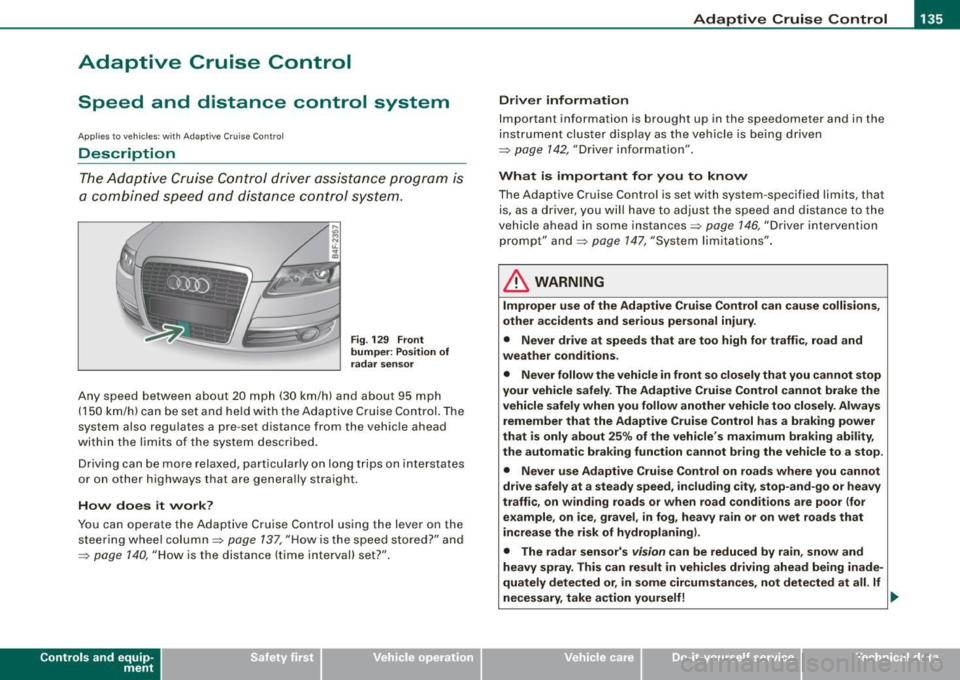
Fig. 129 Front
bumper: Position of
radar sensor
Any speed between about 20 mph (30 km/h) and about 95 mph
(150 km/h) can be set and he ld with the Adaptive Cruise Con trol. The
system also regulates a pre-set distance from the vehicle ahead
within the limits of the system described.
Driving can be more relaxed, particularly on long trips on interstates
or on other highways that are generally straight.
How does it work?
You can operate the Adaptive Cruise Control using the lever on the
steering wheel column::::> page 137, "How is the speed stored?" and
=> page 140, "How is the distance (time interval) set?".
Con tro ls and eq uip
ment
Driver information
Important information is brought up in the speedometer and in the
instrument cluster display as the vehicle is being driven
=> page 142, "Driver information" .
What is important for you to know
The Adaptive Cruise Control is set with system -specified limits, that
is, as a driver, you will have to adjust the speed and distance to the
vehic le ahead in some instances=> page 146, "Driver intervention
prompt" and=> page 147, "System limita tions".
& WARNING
Improper use of the Adaptive Cruise Control can cause collisions,
other accidents and serious personal injury .
• Never drive at speeds that are too high for traffic , road and
weather conditions.
• Never follow the vehicle in front so closely that you cannot stop
your vehicle safely. The Adaptive Cruise Control cannot brake the
vehicle safely when you follow another vehicle too closely. Always
remember that the Adaptive Cruise Control has a braking power
that is only about 25% of the vehicle's maximum braking ability,
the automatic braking function cannot bring the vehicle to a stop.
• Never use Adaptive Cruise Control on roads where you cannot
drive safely at a steady speed, including city, stop-and-go or heavy
traffic, on winding roads or when road conditions are poor (for
example, on ice, gravel , in fog , heavy rain or on wet roads that
increase the risk of hydroplaning).
• The radar sensor's
vision can be reduced by rain, snow and
heavy spray. This can result in vehicles driving ahead being inade
quately detected or, in some circumstances, not detected at all. If
necessary , take action yourself! ._
Vehicle care I I irechnical data
Page 151 of 390
_____________________________________________ A_ d_a ...: p_ t_ i_ v _e_ C_ ru_ is_e_ C_ o_n _ t_ r_o _ l _ __.BIII
Ap plies t o vehi cle s: wi th Ada ptive Crui se Co nt rol
Lane changes by other vehicles
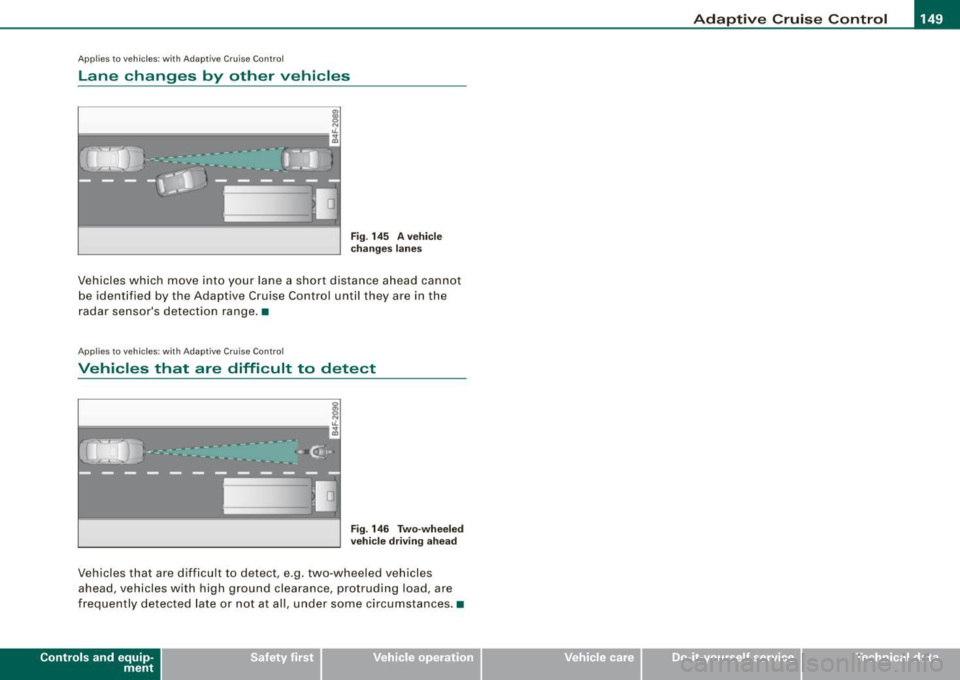
Fig . 145 A vehicle
changes lanes
Vehicles which move into your lane a short distance ahead cannot
be identified by the Adaptive Cruise Control until they are in the
radar sensor's detection range. •
Applies to veh ic le s: w ith Adap tiv e C ruise Cont rol
Vehicles that are difficult to detect
I
i------------------"-;A
Fig . 146 Two-wheeled
vehicle driving ahead
Vehicles that are d ifficult to detect , e.g. two -wheeled vehicles
ahead, vehicles with high ground clearance, protruding load, are
frequently detected late or not at al l, under some circumstances. •
Contro ls and eq uip
ment Vehicle care I I irechnical data
Page 152 of 390
-L_!_A~u~d:!!i~la~n~e :...a ~ s~s ~i s ~t _______________________________________________ _
Audi lane assist
Lane assist
Applies to vehic les : w ith lane assist
Description
Lane assist helps you keep your vehicle in your lane.
Lane assist uses a camera to detect lane boundary lines. If the
system detects that your vehicle is about to leave a lane boundary
line, the steering wheel
vibrates to alert the driver . If lane assist
de tects boundary lines on both sides of the vehicle's lane, the
system enters active standby mode, which is indicated by the green
indicator light /: on the instrument cluster.
If the system is in active standby mode and the turn signal is acti
vated before driving over the boundary line, the warning does not
occur since the system allows for intentional lane changes.
The system is designed for driving on freeways and expanded high
ways and thus works only at speeds of 40 mph (65 km/h) or more.
& WARNING
• Lane assist will not keep your vehicle in your lane. The system
only warns the driver when the vehicle is leaving the lane . The
driver is always responsible for keeping the vehicle in the lane .
• The camera is not able to detect all lane boundary lines and in
some cases might also detect lane structures or objects as
boundary lines . This can lead to incorrect warnings or warnings
that fail to go off at all.
• The camera's visibility can be impaired by vehicles ahead of
you , for instance, or by rain, snow, heavy spray or light shining into
the camera lens. This can cause lane assist to fail to detect
boundary lines. •
Applies to veh icle s: with lane assi st
Activating and deactivating
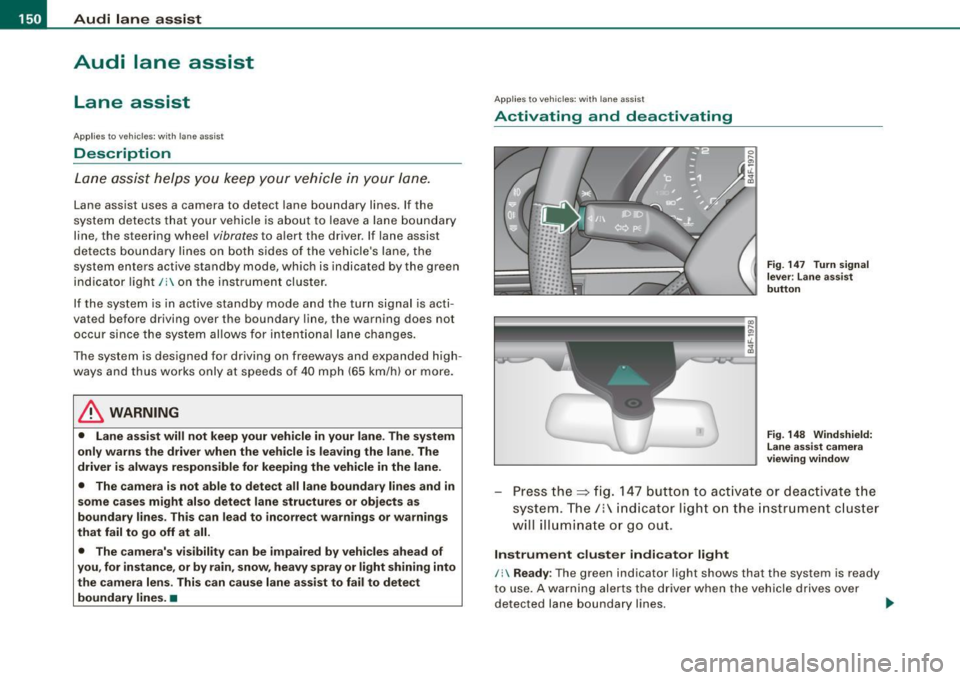
Fig . 147 Turn signal
le ve r: Lane assist
button
Fig . 148 Windshield:
Lane assist camera
viewing window
Press the=> fig. 147 button to activate or deactivate the
system. The/: indicator light on the instrument cluster
will illuminate or go out.
Instrument cluster indicator light
/: Ready : The green indicator light shows that the system is ready
to use. A warning alerts the driver when the vehicle drives over
detected lane boundary lines. -.,
Page 153 of 390
Audi lane assist -
----------------
, Not ready: The yellow indicator light shows that the system is
turned on but unable to send a warning. This can be due to the
following:
• There are no boundary lines, or there is only one boundary line
present .
• The boundary lines are not detected (e.g. due to snow, dirt, wet
conditions or light shining into the camera lens).
• More than two boundary lines (such as at construction sites) are
located in the vehicle's lane.
• The vehicle's speed is below the speed needed to activate it,
which is about
40 mph (65 km/h).
• The lane is narrower than about
8 ft. (2.5 ml, or wider than about
16 ft. (5 ml.
• The curve is too sharp.
Notes on the instrument cluster display
When the lane assist turns off automatically, the instrument cluster
indicator goes out and one of the following messages appears on
the display:
Audi lane assist not available: Currently no sensor vision
This message appears when the camera can no longer function
because it cannot detect the boundary lines. This may be due to the
following:
• The exterior side of the camera viewing window=>
page 150,
fig. 148 is covered with dirt or ice. Clean this part of the windshield.
• The camera viewing window is fogged up on the inside. In this
case, wait until the fog disappears before turning lane assist on
again.
• The system was unable to detect boundary lines over an
extended period of time due to road conditions (such as snow
covered lanes). Do not turn lane assist on again until the lines can
be more easily detected.
Audi lane assist not available
Controls and equip
ment A temporary malfunction is preventing
lane assist from operating .
Try turning on lane assist again at a later time.
Audi lane assist: system fault
The system should be checked by an authorized Audi dealer or other qualified workshop.
[ i] Tips
• Make sure that the camera viewing window=> page 150, fig. 148
is not covered by stickers or similar objects .
• Always keep the camera viewing window clean. This can usually
be done by operating the windshield wipers. •
Applies to vehic les: with lane ass ist
MMI settings
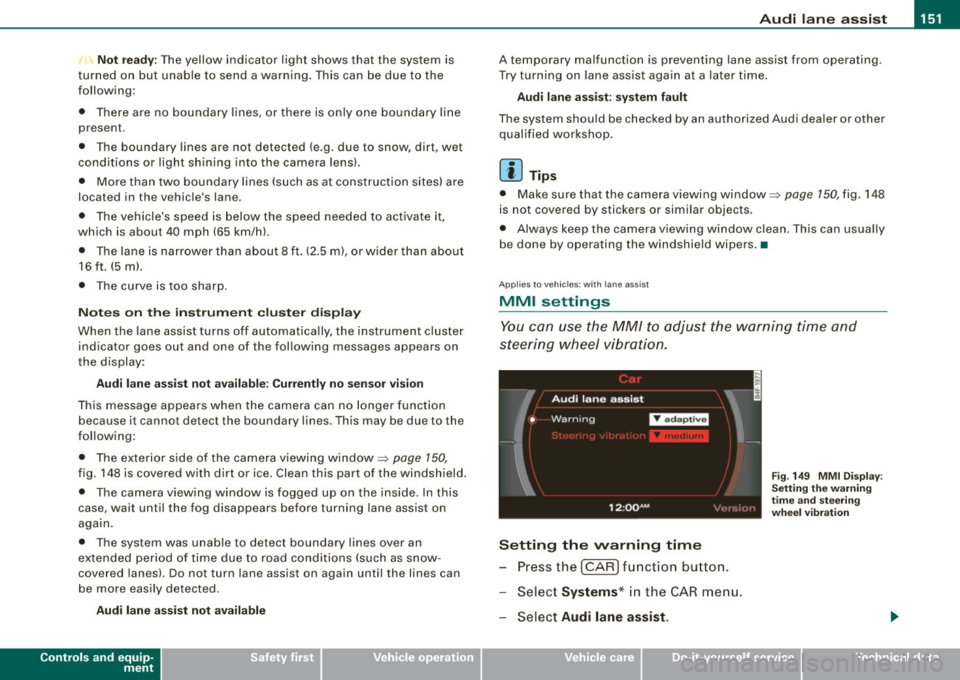
You can use the MM/ to adjust the warning time and
steering wheel vibration.
Setting the warning time
Pressthe[CAR]function button.
Select
Systems * in the CAR menu.
Select
Audi lane assist.
I • •
Fig . 149 MMI Display :
Setting the warning
time and steering
wheel vibration
Page 154 of 390
1111 Audi lane assist
--------------------
-Selec t Warning early , adaptive or late => page 151,
fig. 149.
Setting the steering wheel vibration Press the
I CAR I function button.
- Selec t
Systems * in the CAR menu.
- Selec t
Audi lane assist.
Select Steering vibration weak, medium or strong.
Setting the warning time
Early: This setting warns the driver before a wheel touches the
detected lane boundary line. The warning depends on the vehicle's
angle as it approaches the boundary line . If you approach a
boundary line gradually, the warning w ill occur earlier. If you
approach the boundary line at a very sharp ang le, the warning will
occur just before a wheel touches the line.
Adaptive : In this setting, the warning time adjusts to the character
istics of the road and the vehic le speed. The warning occurs later for
curves and occurs earlier for straight stretches of road . The warning
occurs later on narrow roads than on wide roads.
Late: This setting warns the driver when a whee l drives over the
detected lane boundary line .
Setting the steering wheel vibration
When adjusting the steering wheel vibration, the steering wheel
vibrates so that you can check the intensity you have set.
[ i ] Tips
• When making the adjustment, lane assist is not activated. The
steering wheel vibrates briefly only to assist you in changing the
setting .
• Your settings are automatically stored and assigned to the
remote control key being used.•
Page 156 of 390
....... __ A_u_ t_o _m_ a_ t_ ic_ t_ r_a _ n_ s_m _ i_s _s _i_o _n ________________________________________________ _
The selector lever must be in Nor P. If one of the driving positions
is engaged a safe ty switch will prevent the engine from bei ng
started . See also=:> page 125 .
Before you move the selector lever from the
P position, you must
a lways apply the brake peda l be fore and wh ile depress ing the
button in the hand le of the selector lever .
& WARNING
• Unintended vehicle movement can cause serious injury .
- When the selector lever is in a driving po sition , the vehicle
m ay creep , even at idle speed . Therefore do not release the
parking brake or foot brake until you are ready to move ,
be cause power i s tran smitted to the wheels as soon as a
driving position is engaged .
- Do not accelerate wh ile se le cting a driving position . At th is
t ime the engine must be at idle speed so that undue stre ss is
not pla ced on the clut che s in the tr ansmission .
- Remember : - even when stopped briefly with the automatic
tr ansmission in "D ", "S " or "R ", engine po wer i s bei ng tran s
mitted to the whe els. Y our vehicle could "c reep " forward or
ba ckward. When stopped , keep the brake pedal fully depre ssed
and u se the parking brake if nece ssary to keep the vehicle from
rolling .
• If the selector lever is unintentionally moved into N while you
are driving , take yo ur foot off the a ccelerator pedal and wait fo r
the engine to return to id le speed before selecting a driving posi
t ion .
• Never shift into "R " or "P " when the vehicle i s in motion .
• Never get out of the driver 's seat when the engine is runnin g.
• If you must get out of the veh icle, move the selector le ver
se curely into the P position and appl y the park ing brake firmly .
• If the engine must remain running , ne ver have any dr iving po si
tion engaged when che cking under the hood . Make sure the
s electo r le ver has securel y eng aged and i s lo cked in "P " with the
& WAR NING (continued )
parking brake firmly set=> page 289 , "Engine compartment ".
Otherwi se , any increase in engine speed may set the vehicle in
motion , even w ith the park ing bra ke applied . •
App lies to vehicles: with 6-speed automatic t ransmission
Selector lever positions
This sec tion describes the select or lever p ositions and
drivin g ra nges.
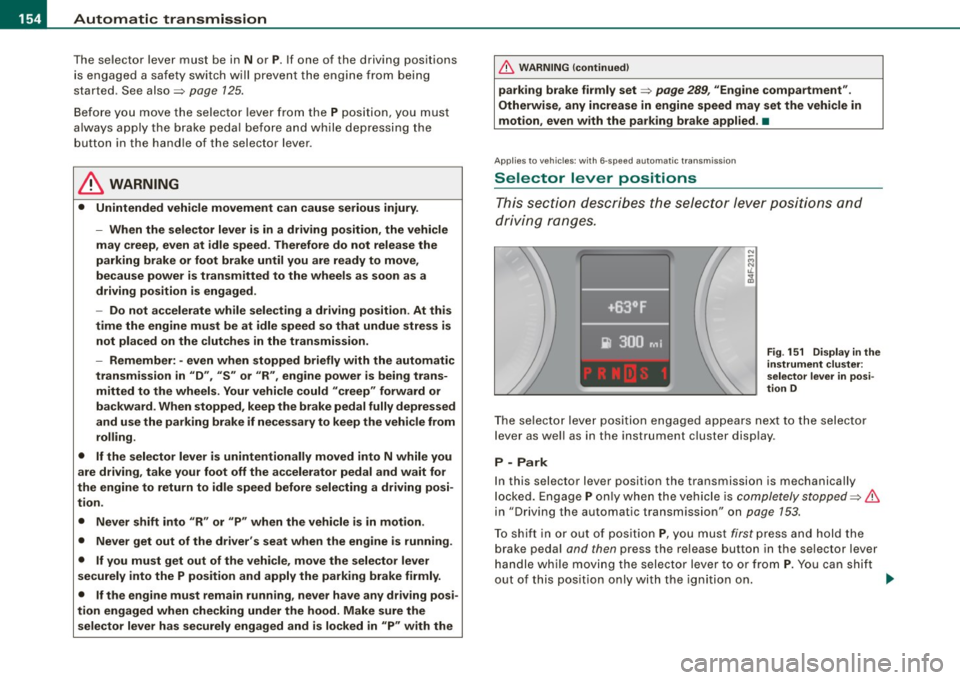
Fi g. 1 51 D isplay i n the
in strument clu ster :
s ele ctor lev er in po si
t ion D
T he se lec tor leve r posi tion engaged appea rs next to the selector
lever as we ll as in the instrument c luster disp lay .
P -Park
In this selector lever position the transmission is mechanically
l ocked. Engage
P on ly when the vehicle is completely stopped=> &
in "Driving the automatic transmission" on page 153.
To shift in or out of positio n
P, you must first press and hold the
brake peda l and then press the release button in the se lector lever
handle while moving the selector lever to or from
P . You can shif t
out o f this pos ition only with the ignition on.
~
Page 160 of 390
-L-_:A:....::..: u:;. t .:.o.::..:. m.:....:..: a:;. t.:. i;..: c :......: t.:r .:a :...n.: s;;:..:. m;_;_;_ is.::....:: s.:i o .::..:. n.:.... _______________________________________________ _
[ i J Tip s
• When you shift into the next lower gear, the tran smission will
downshift only when there is no possibi lity of over -revv ing the
engin e.
• When the kickdown comes on, th e transmission wil l shift down
to a lower gear, depending on vehicle and engine speeds.
• tiptronic® is inoperative when the transmission is in the fail -safe
mode .•
A pplies to vehi cles : w it h 6- speed automatic trans mission
St ee ring wh eel with tiptroni c®
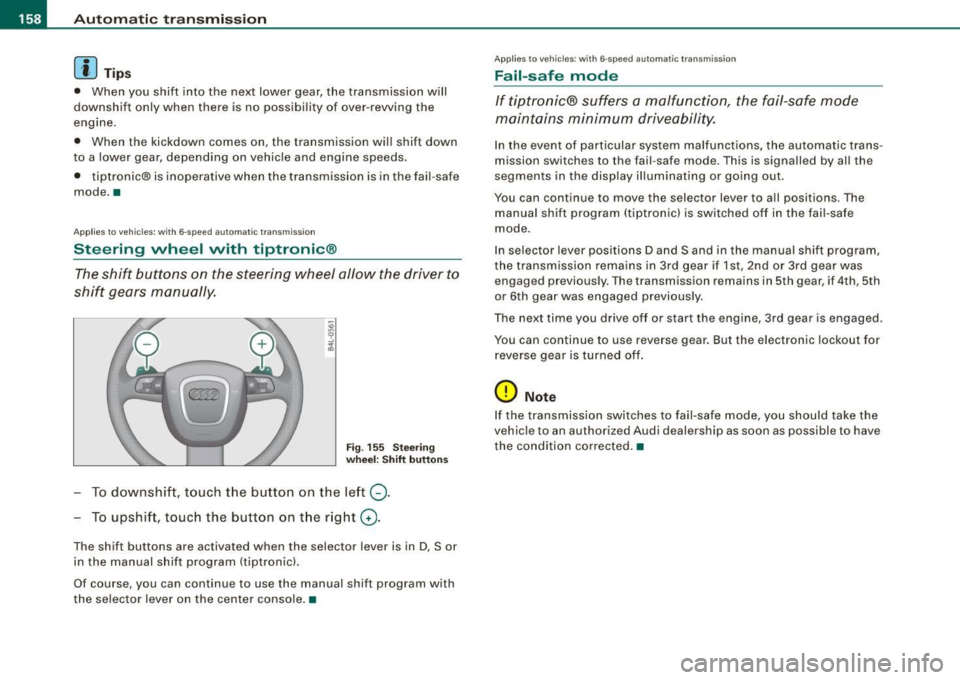
The shift buttons on the steering wheel allow the driver to
shift gears manually.
Fig . 155 Stee ring
whe el: Shift button s
To downshift, touch the button on the left Q.
To upshift, touc h the button on the r ight G) .
The shift buttons are act ivated when the selector lever is in D, Sor
in the manual shift program (tiptronic) .
Of course, you can continue to use the manual shift program with
the selec tor lever on the center console. •
App lies to veh ic les : w it h 6-speed au tomat ic tra n smission
Fail-saf e mode
If tiptronic® suffers a malfunction, the fail-safe mode
maintains minimum driveability.
In the event of particular system malfunctions, the au tomatic trans
mission switches to th e fail -safe mode. This is signalled by al l the
segments in the display illuminating or going out.
You can continue to move the selec to r lever to all positions . The
manual shift program (tiptronic l is switched off in the fai l- safe
mode .
In selector lever positions D and Sand in the manual shift program,
the transmission remains in 3rd gear if 1st, 2nd or 3rd gear was e ngag ed pr evious ly. The transmission remains in 5th gear, if 4 th , 5th
or 6th gear was engaged previous ly .
T he next time you drive off or sta rt the engine , 3rd gear is engaged .
You can continue to use reverse gear. But the electronic lockout for
reverse gea r is turned off.
(D Note
If the transmission switches to fail -safe mode , you should take the
v ehicle to an au thori zed Audi dealership as soon as possible to have
the condition corrected .•
Page 163 of 390
Automatic transmission 1111111 __________________________ ___;__:..;____;_ ______ _
& WARNING (continued )
-When the selector lever is in a driving position , the vehi cle
may creep , even at idle speed . Therefore do not release the
parking brake or foot brake until you are ready to move ,
because power is transmitted to the wheels as soon as a
driving position is engaged.
- Do not accelerate while selecting a driving position. At this
time the engine must be at idle speed so that undue stress is
not placed on the clutches in the transmission.
- Remember : - even when stopped briefly with the automatic
transmission in "D", "S" or "R" , engine power is being trans
mitted to the wheels . Your vehicle could "creep " forward or
backward . When stopped , keep the brake pedal fully depressed
and use the parking brake if necessary to keep the vehicle from
rolling .
- If the sele ctor lever is unintentionally moved into N while you
are driving , take your foot off the accelerator pedal and wait for
the engine to return to idle speed before selecting a driving
position .
- Never shift into "R " or "P " when the vehicle is in motion .
- Never get out of the driver's seat when the engine is running.
- If you must get out of the vehicle , move the selector lever
securely into the P position and apply the parking brake firmly .
- If the engine must remain running, never have any driving
position engaged when checking under the hood. Make sure
the selector lever has securely engaged and is locked in "P "
with the parking brake firmly set :::::, page 289, "Engine
compartment ". Otherwise , any increase in engine speed may
set the vehicle in motion , even with the parking brake
applied .•
Controls and equip
ment
Ap plies to vehic les : wit h m ultit ron ic® Conti nuous ly Va riable Transm ission (CVT)
Selector lever positions
This sec tion des cribes th e sele ctor lev er positi ons an d
dr iv ing ra ng es.
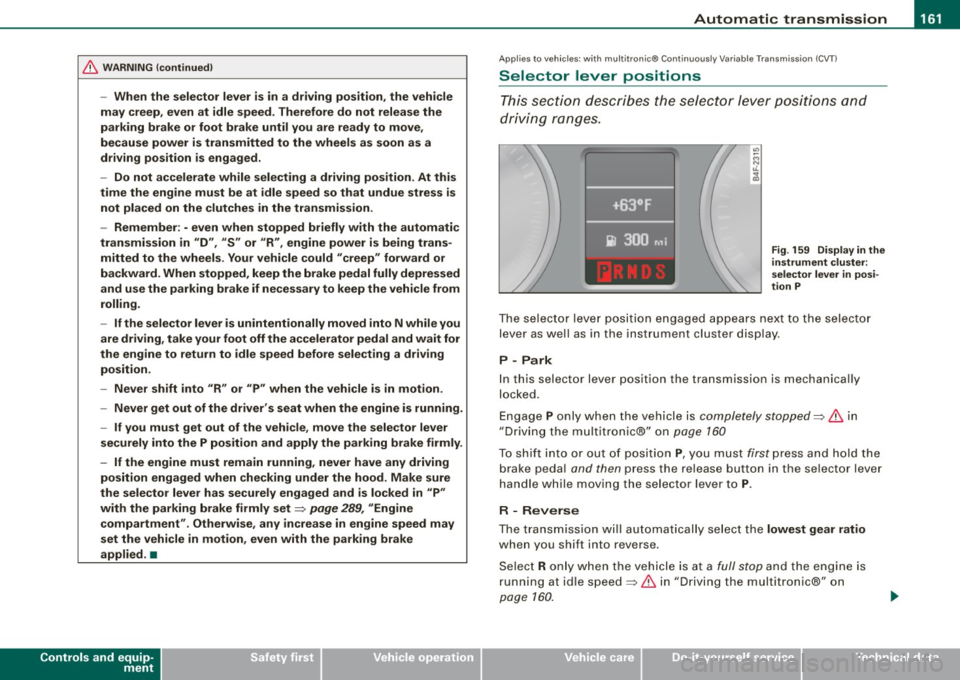
Fig . 159 Display in the
instrument clu ster:
se lector lever in posi ·
tion P
Th e se lecto r le ver p ositi on engag ed app ear s ne xt to th e selec tor
lev er as well as in the instrument cluste r disp lay .
P -Park
In this s electo r lever position the transmission is mechanica lly
lo cke d.
Eng age P on ly when t he veh ic le is completely stopped=> 11::::. in
" Dr ivin g th e multitroni c®" on page 160
T o s hift int o or out o f pos ition P , you m ust fi rs t p ress a nd h old the
brake peda l and then press the r elease button in th e se lector lever
h an dle whi le m oving the sele ctor l ev er to P .
R - Reverse
The tra nsm issio n w ill automat ica lly se lect the lowest gear ratio
when you sh ift into reverse .
S ele ct R only wh en th e ve hicle is at a
fu ll sto p and t he engine is
running at id le speed :::::, 11::::. in "Driving t he multitron ic®" on
page 1 60.
I • •
Page 167 of 390
_________________________________________________ A_ u_t_ o_ m_ a_t _i _ c _ t _ra_ n_s_ m __ is_ s_ io_ n _ __.1111
automatic downshifting is interrupted as soon as you apply throttle
again .
[ i J Ti ps
• When you shift into the next lower gear, the engine will down
shift only when there is no possibility of over-revving .
• When the kick-down comes on, the transmission will sh ift down
to a lower gear depending on vehicle and engine speeds.
• The tiptronic® is inoperative when the transmission is in the fail
safe mode .•
Ap plies to vehic les: with multit ron ic® Continuous ly Variable Transm ission (CVT)
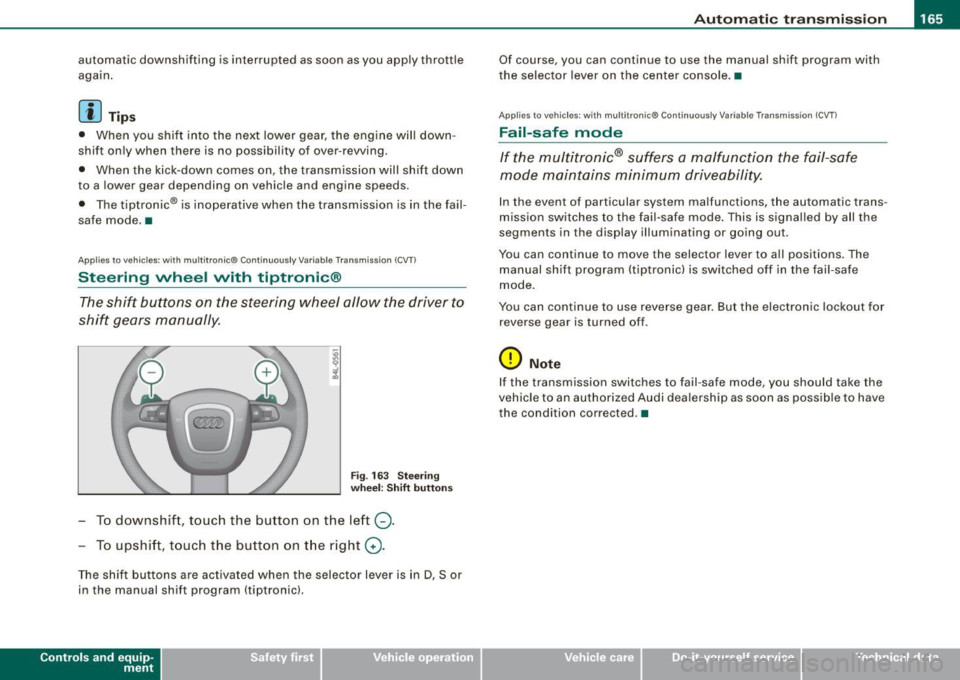
Steering wheel with tiptronic ®
The shift buttons on the steering wheel allow the driver to
shift gears manually.
Fig . 163 S teering
w heel : S hift butt ons
- To downshift, touch the button on the left Q.
- To upshift, touch the button on t he right G) .
The shift buttons are activated when the selector lever is in D, Sor
in the manual shift program (tiptronic).
Contro ls and eq uip
ment
Of course, you can continue to use the manual shift program with
the selector lever on the center console. •
Applies to vehicles : with multitronic® Continuously Var iable Transm ission (CVT )
Fail -safe mode
If the multitronic® suffers a malfunction the fail-safe
mode maintains minimum driveability.
In the event of particular system malfunctions, the automatic trans
mission switches to the fail-safe mode . This is signal led by all the
segments in the display illuminating or going out.
You can continue to move the selector lever to all positions. The
manual shift program (tiptronic) is switched off in the fail-safe
mode.
You can continue to use reverse gear. But the electronic lockout for
reverse gear is turned off .
0 Note
If the transmission switches to fail-safe mode, you should take the
vehicle to an authorized Audi dea lership as soon as poss ib le to have
the condition corrected. •
Vehicle care I I irechnical data
Page 175 of 390
Audi Parking System -
----------------=----=------'
Applies to vehicles: with Audi Parking System (r ear) and rea r-vie w came ra
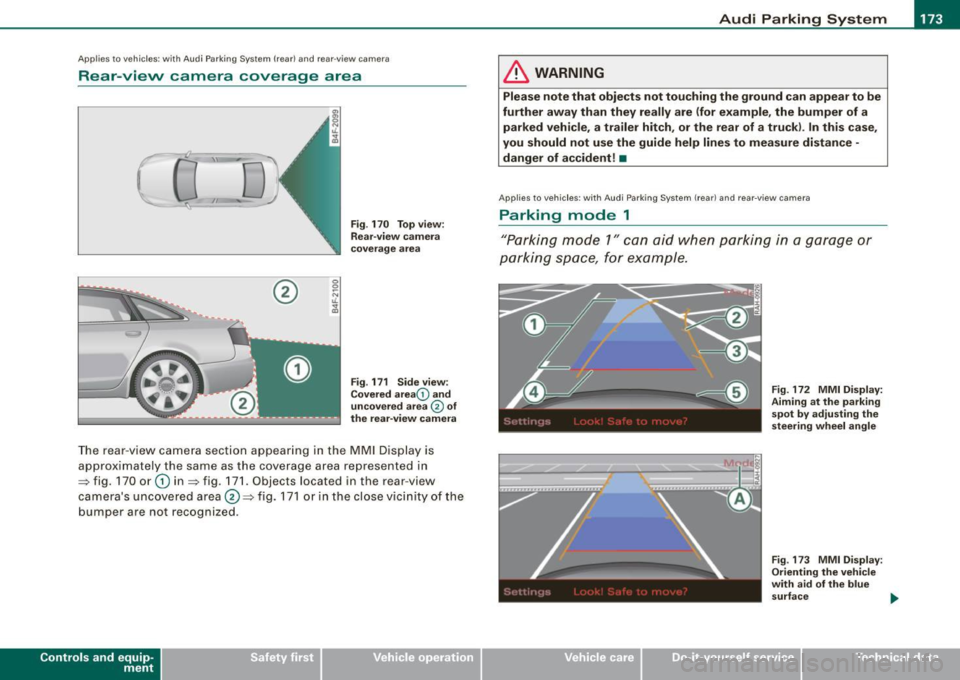
Rear -view camera coverage area
®
Fig . 170 Top view:
Rear-view camera
coverage area
Fig . 171 Side view :
Covered area 0 and
uncovered area
0 of
the rear-view camera
The rear-view camera section app earing in the MMI Display is
approximately the same as the coverage area represented in
=> fig. 170 or
G) in=> fig . 171. Objects located in the rear-view
camera's uncovered area@=> fig . 171 or in the close vicinity of the
bumper are not recognized.
Con tro ls and eq uip
ment
& WARNING
Please note that objects not touching the ground can appear to be
further away than they really are (for example , the bumper of a
parked vehicle, a trailer hitch, or the rear of a truck) . In this case,
you should not use the guide help lines to measure distance -
danger of accident! •
Applies to veh ic le s: w ith Aud i Parking Sys tem (re ar} and rear0view camera
Parking mode 1
"Parking mode 1" can aid when parking in a garage or
parking space, for example.
Vehicle care I I
Fig. 172 MMI Display:
Aiming at the parking
spot by adjusting the
s teering wheel angle
Fig. 173 MMI Di splay :
Orienting the vehicle
with aid of the blue
surface
irechnical data