display AUDI S6 2008 Service Manual
[x] Cancel search | Manufacturer: AUDI, Model Year: 2008, Model line: S6, Model: AUDI S6 2008Pages: 390, PDF Size: 88.42 MB
Page 115 of 390
![AUDI S6 2008 Service Manual Warm and cold -
----------------
Turning on and off [ECON ON /OFF]
Turning th e air conditioning on
- Press [ECON ON/OF F] briefly, or
- Press [AUTO].
Turning the air conditioning](/img/6/57596/w960_57596-114.png "AUDI S6 2008 Service Manual Warm and cold -
----------------
Turning on and off [ECON ON /OFF]
Turning th e air conditioning on
- Press [ECON ON/OF F] briefly, or
- Press [AUTO].
Turning the air conditioning")
Warm and cold -
----------------
Turning on and off [ECON ON /OFF]
Turning th e air conditioning on
- Press [ECON ON/OF F] briefly, or
- Press [AUTO].
Turning the air conditioning off
-Press the !ECON ON/OFF] button for at least 2 seconds to
switch the a ir cond itioning off and to block the air supply
f rom the outs ide .
"O FF" appears in the display.
Sw itchin g air c ondit ioning on /off
- Switching the air conditioning system on/off is done with
climate contro l switched on.
- Press the !ECON ON/OFF] button just
briefly.
The air conditioner turns back on if you press one of the control
buttons or the contro l knob.
ECON operation is indicated by the glowing LED on the right next to
the word ECON.
The air conditioning (compressor) is turned off in ECON mode .
"ECON" means "Economy" . You save fuel by switching off the air
conditioning=>
page 119.
Please note that vehicle interior temperature cannot be lower than
the outside temperature in the ECON mode. The air is no t cooled or
dehumidified. This can cause the windows to fog up.
[ i ) Tip s
Residu al he at: With the ignition turned off, you can activate the
residual heat function by pressing the !ECON ON/OFF] button. The
residual heat from the coo lant can be used to heat the vehic le inte-
Controls and equip
ment
rior. The residual heat function is turned off automatical ly after 30
minutes .•
Aut omati c mod e [AUTO ]
The automatic mode is the standard setting for all
seasons.
Turning on AUTO
- Selec t temperature be tween 60 °F (+ 1 6 °C) and 84 °F
(+28 °C) .
-Press [AUTO]~ page 112, fig. 109.
Automatic operation ensures constant temperatures in the interior and dehumidifies the air inside the vehicle . Air temperature, volume
and distribution are controlled automatically to reach or maintain
the desired interior temperature as quickly as possib le. Fluctuations
in exter ior temperature and the effects of temperature from the
position of the sun are compensated for automatica lly.
This operating mode works only in the adjustable temperature range, from 60 °F ( + 16 °C) to 84 °F ( +28 °C). If a temperature below
60 °F (+16 °C) is se lected,
LO appears in the display. At temperatures
above 84 °F (+28 °Cl,
HI is displayed. At both extreme settings,
climate control runs continuously at maximum cooling or heating
power. There is no temperature regulation. •
I • •
Page 116 of 390
• ..__w_ a_ r_m _ a_ n_d_ c_ o_ ld __________________________________________________ _
Setting the temperature
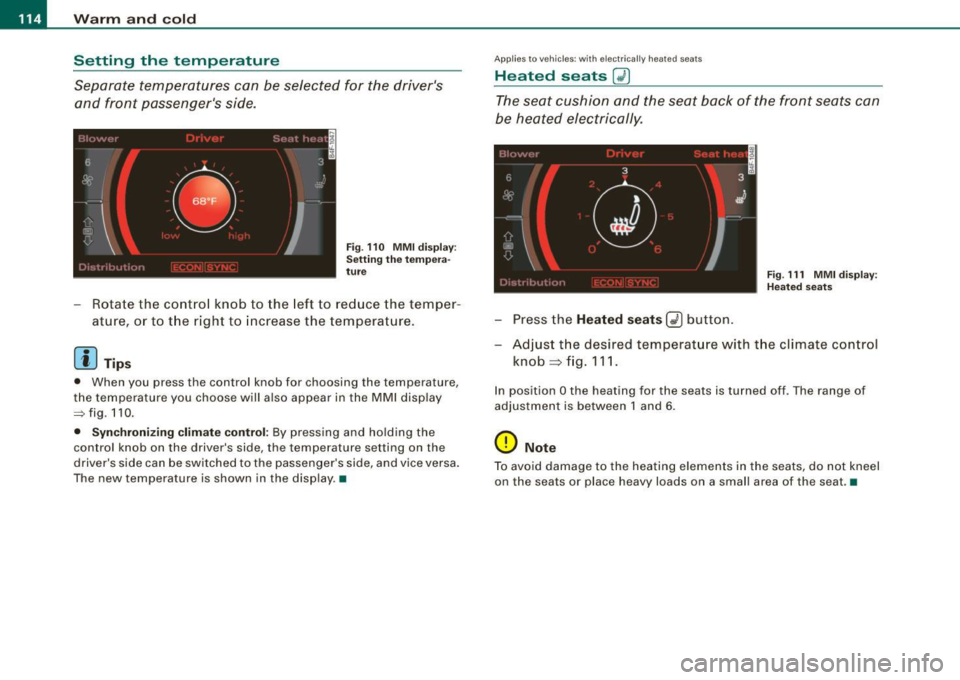
Separate temperatures can be selected for the driver's and front passenger's side.
F ig . 110 MMI display:
Se tting the tem per a
tu re
- Rotate the contro l knob to the left to reduce the temper-
ature, or to t he r ight to increase the temperature .
[ i ] Tip s
• When you press the control knob for choosing the temperature,
the temperature you choose w ill also appear in the MMI disp lay
~fig .110 .
• Synchr oni zing cl imate control: By pressing and ho lding the
control knob on the driver's side, the temperature setting on the
driver's side can be switched to the passenger 's side, and vice versa .
The new temperature is shown in the disp lay .•
Ap plies to vehicles : wi th electr ic a lly h eated seats
Heated seats G2)
The seat cushion and the seat back of the front seats can
b e heated electrically.
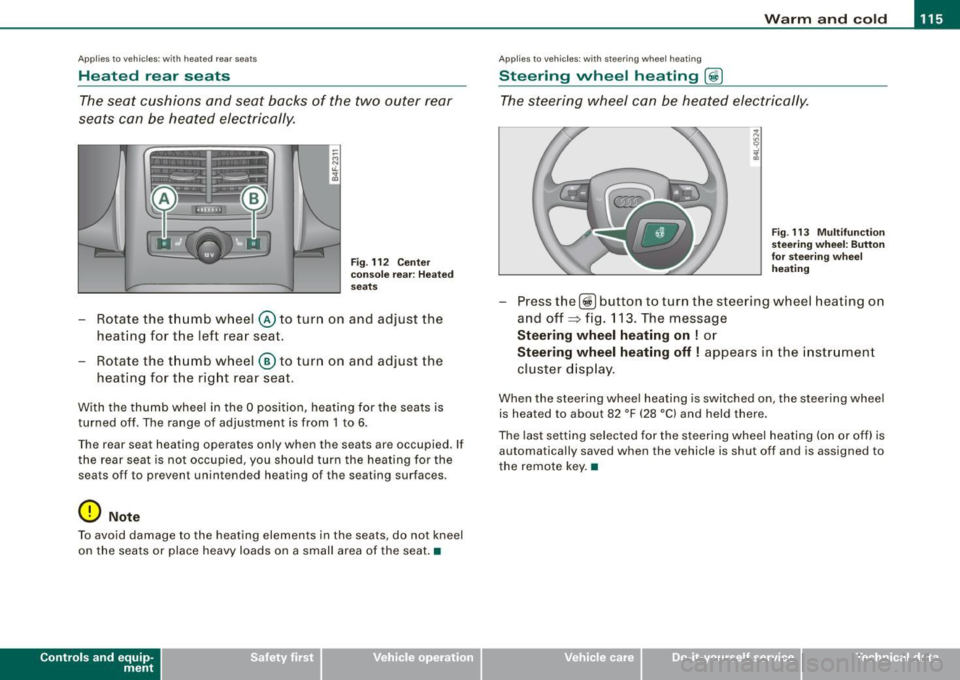
Fi g. 111 MMI di spl ay:
Hea te d sea ts
- Press the Heated seats Q) button.
- Adjust t he desi red temperat ure with t he climate con trol
knob=> fig. 111 .
In position O the heating for the seats is turned off . The range of
adjustment is between 1 and 6.
0 Note
T o avo id damage to the hea ting elements in the seats, do not kneel
on the seats or place heavy loads on a small area of the seat. •
Page 117 of 390
Warm and cold 1111
-------------------'
Applies to vehicles: with heated rear se ats
Heated rear seats
The seat cushions and seat backs of the two outer rear
seats can be heated electrically.
Fig . 112 Center
console rear : Heated
seats
- Rotate the thumb wheel @ to turn on and adjust the
heating for the left rear seat.
- Rotate the thumb wheel
® to turn on and adjust the
heating for the right rear seat.
With the thumb wheel in the O position, heating for the seats is
turned off . The range of adjustment is from 1 to 6.
The rear seat heating operates only when the seats are occupied. If
the rear seat is not occupied, you should turn the heating for the
sea ts off to preven t unintended heating of the seating sur faces .
0 Note
To avoid damage to the heating elements in the seats , do not kneel
on the seats or place heavy loads on a small area of the seat. •
Contro ls and eq uip
ment
Ap plies to vehi cle s: with ste erin g w heel heatin g
Steering wheel heating @
The steering wheel can be heated electrically.
Fig . 113 Multifunction
steering wheel: Button
for steering wheel
heating
Press the[@!] button to turn the steer ing wheel heating on
and off~ fig. 113. The message
Steering wheel heating on ! or
Steering wheel heating off! appears in the instrument
cluster display.
When the steering wheel heating is switched on , the steering wheel
is heated to about 82 °F (28 °Cl and held there.
The last setting selected for the steering wheel heating (on or off) is
automatically saved when the vehicle is shut off and is assigned to
the remote key. •
Vehicle care I I irechnical data
Page 118 of 390
• ..__w_ a_ r_m _ a_ n_d_ c_ o_ ld __________________________________________________ _
Air distribution
(ID
The automatically controlled air distribution can be
changed manually.
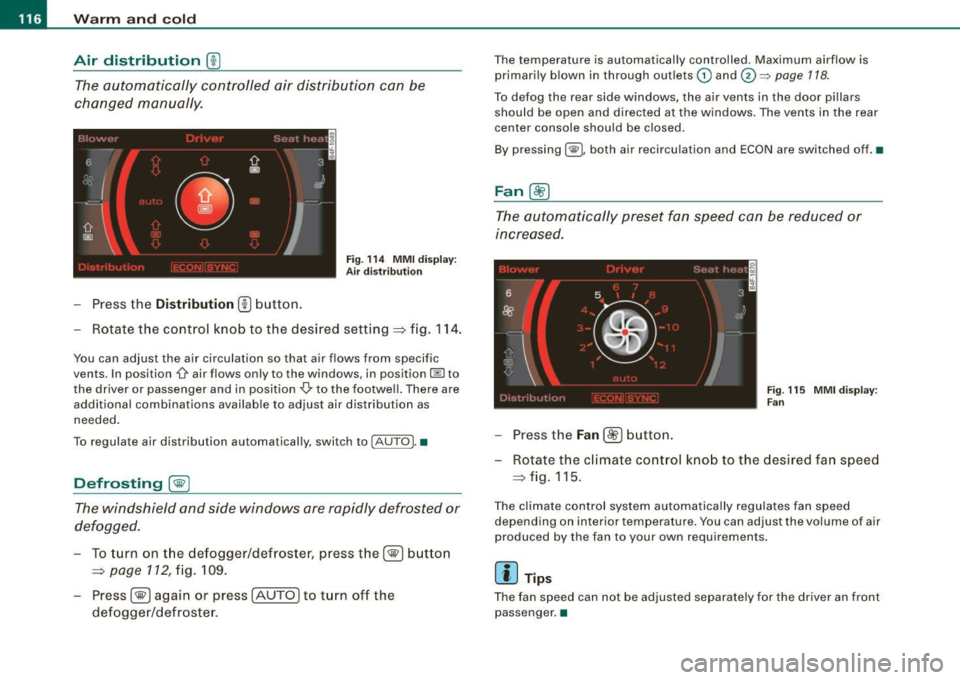
Fig . 114 MMI display:
Air distr ibutio n
-Press the Distribution (!) button.
- Rotate the control knob to the desired setting=> fig. 114.
You can adjust the air circulation so that air flows from specific
vents. In position
-0 air flows only to the windows, in position @to
the driver or passenger and in position
-0, to the footwell. There are
additional combinations available to adjust air distribution as
needed.
To regulate air distribution automatically, switch to !AUTO). •
Defrosting [@]
The windshield and side windows are rapidly defrosted or
defogged.
- To turn on the defogger/defroster, press the[@] button
=> page 112, fig. 109.
- Press[@] again or press [AUTO
I to turn off the
defogger/defroster.
Th e temperature is automatically controlled. Maximum airflow is
primarily blown in through outlets
(D and 0 ~ page 118.
To defog the rear side windows, the air vents in the door pillars
should be open and directed at the windows. The vents in the rear
center console should be closed.
By pressing
[ @L both air recirculation and ECON are switched off. •
Fan@
The automatically preset fan speed can be reduced or
increased.
Fig . 115 MMI display:
Fan
- Press the Fan[ ~] button.
- Rotate the climate control knob to the desired fan speed
=>fig .115.
The climate control system automatically regulates fan speed
depending on interior temperature. You can adjust the volume of air
produc ed by the fan to your own requirements.
[ i ] Tips
The fan speed can not be adjusted separately for the driver an front
passenger .•
Page 121 of 390
_________________________________________________ w_ a_ r_ m __ a_n_ d_ c_ o_ld __ llll
The air outlets are actuated either automatically or manually
depending on the operating mode selected. Heated or unheated
fresh air, or cooled air flows from the vents.
The air outlets to heat the rear footwell are located under the front
seats .
[ i] Tips
If the climate control system is operating in cooling mode, air flows
primarily from the outlets in the center console and in the door
pillars. To achieve adequate cooling, you should never close the
outlets completely. •
Using climate control economically
Using the climate controls prudently can help save fuel.
When you use the air conditioner, engine power is reduced
and fuel consumption increases. To save fuel, you should use the air conditioner only when necessary. Also please
note the following points:
- If you want to save fuel, activate ECON.
- If you are going to drive with the windows open, use
ECON.
If the vehicle is extremely hot due to the heat of the sun,
briefly open doors and windows.
~ For the sake of the environment
By reducing the amount of fuel you use, you also reduce the amount
of pollutants emitted into the air. •
Controls and equip
ment
App lies to vehic les: with solar sliding/ti lt ing sunroof
Solar blower fan /solar roof
With sufficient sunlight, the blower fan continues to
operate with solar energy to bring in fresh air after the
ignition has been switched off.
The blower fan motor is operated by solar energy through the solar
roof after the ignition is turned off. Please make certain that vents
© and © are open to achieve optimal ventilation=>
page 118.
The v entilation operates only with the sunroof closed or in the tilted
position.
If the vehicle was switched off in the recirculation mode, the air
conditioning automatically switches to fresh air operation.
Solar operation is not activated at low outside temperatures. •
Basic settings [SETUP ]
General
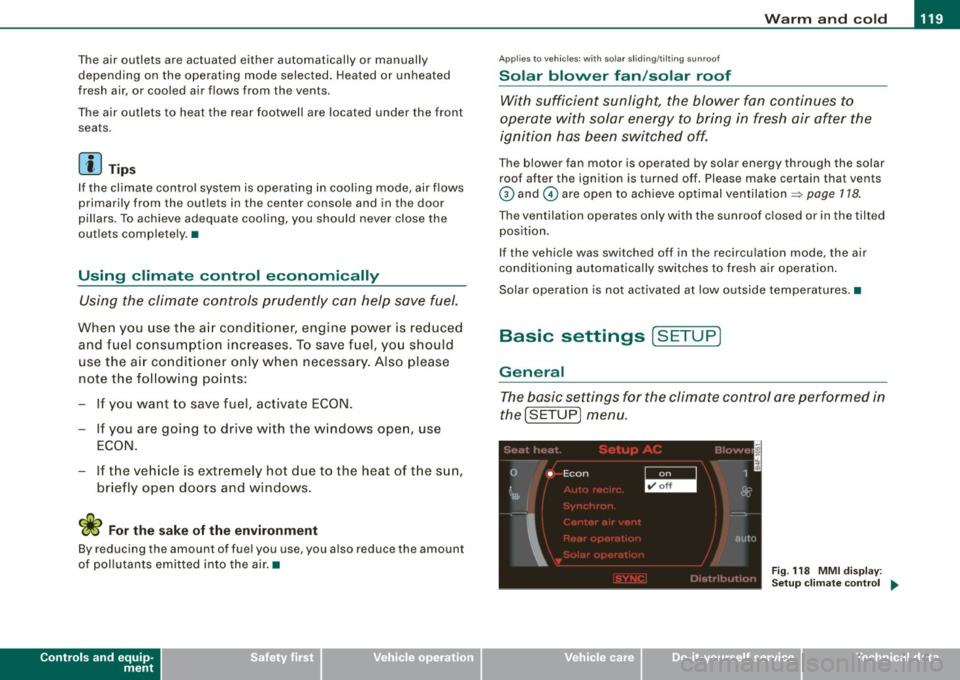
The basic settings for the climate control are performed in
the[SETUP] menu.
''I
0 • Econ 1
~ &
I
autu
Fig. 118 MMI display :
Setup climate control
~
I • •
Page 127 of 390
On th e road -
-------------------'
& WARNING
• Never re m ove the ke y from the ignition lo ck wh ile th e ve hicl e is
movin g. The steering wh eel will l ock , cau sing l oss of contr ol.
• I f yo u have t o le ave y our veh icle, e ven for ju st a mi nute , always
r e m ove the ign ition ke y and t ake it with you. T his is es pe ciall y
import ant if y ou are going t o leave c hildren unatt end ed in the
vehic le. The children could start the engin e or use other ve hicle
c ontr ols. Un sup erv is ed u se of veh icle c ontrol s (for e xam ple, pow er
w indow s) can cause se rious per sonal injurie s.
0 Note
• I f the ~ symbol in the display blinks, there is a malfunction in the
e lectronic steering column lock . Follow the instructions in
~ page 34 , "Steering malfunction i".
• If the ~ symbol in the display blinks , there is a malfunction in
the electronic ignition lock . Follow the instructions in~ page
35,
"Ignition lock malfunction ~"-
[ i ] Tip s
• If you release the ignition key in posit ion @, the key automati
cally r eturns to posit ion
G) .
• If you open the driver's door when the ignition is swi tched on , a
buzzer sounds and the message Ignition is on appears in the instru
ment cluster display. P lease switch the ignition off. •
Ignition key safety lock
The ignition key can only be removed when the selector
lever is in the "P" (Park) position.
After turning off the ignition, the ignition key can only be removed
from the ignition lock when the selec tor lever is in the "P" (Park)
Con tro ls and eq uip
ment position. Af
ter you have removed the key , the sele ctor lever is locked
and cannot be moved. •
Starting and stopping the engine
Starting the engine
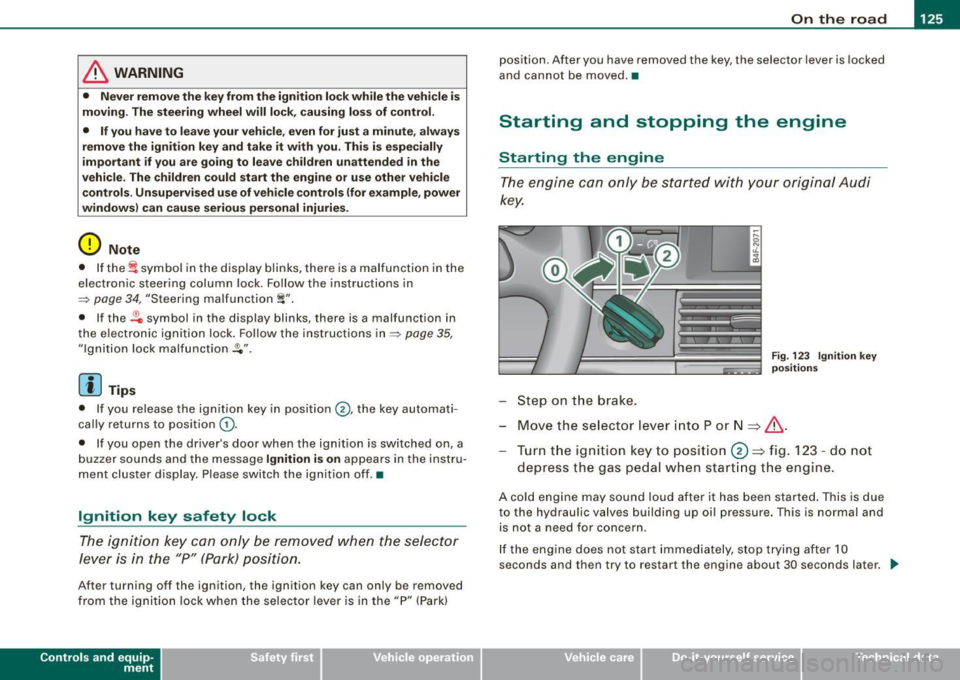
The engine can only be started with your original Audi
key.
Step on t he brake.
Fig . 123 Ig ni tio n k ey
p osit io n s
Move the selector lever into P or N => &,.
Tu rn the ignition key to pos ition 0 => fig . 123 - do not
depress the gas peda l when start ing the engine.
A co ld engine may sound loud after it has been started . This is due
to the hydrau lic valves building up oi l pressure. This is normal and
is not a n eed for concern .
If the engine does not start immediately, stop trying after 10
seconds and th en try to restart the engine about 30 seconds later . _.,
Vehicle care
I I irechnical data
Page 129 of 390
![AUDI S6 2008 Service Manual On th e road -_________________________________ __::..:....:.......;,;_;_;_ _ __;____,J
Switching the ignition on
- Press t he [ S TART] button once to the first stage to switch
on on](/img/6/57596/w960_57596-128.png "AUDI S6 2008 Service Manual On th e road -_________________________________ __::..:....:.......;,;_;_;_ _ __;____,J
Switching the ignition on
- Press t he [ S TART] button once to the first stage to switch
on on")
On th e road -_________________________________ __::..:....:.......;,;_;_;_ _ __;____,J
Switching the ignition on
- Press t he [ S TART] button once to the first stage to switch
on on ly the ignition.
Starting the engine
- Step on t he brake.
- Move the se lector leve r to t he P or N posit ion
~ & .
- Press the [ STA RT ] button to t he second s tage to star t the
engine.
After a cold engine is started, there may be a brief period of
increased noise because oil pressure must first bui ld up in the
hydraulic valve adjusters . This is norma l and not a cause for
concern.
If the engine does not start immed iately, stop trying after 10
seconds and then try to restart the engine about 30 seconds later.
& WARNING
Ne ver all ow the e ngine to run in confined spa ce s -danger of
asphyxi atio n.
0 Note
• Avo id high engi ne rp m, full throttle and heavy engine loads unti l
the engine has reached operating temperature -otherwise you risk
engine damage .
• T he engine cannot be started by pushing or towing the vehic le.
c£> For the sake of the environment
Do not allow the engine to warm up with the vehicle stationary . Start
driving right away . In this way you avo id unnecessary emissions .
Contro ls and eq uip
ment
[ i ] Tip s
If you open the driver's door when t he ign itio n is switched on, a
buzzer sounds and the message
Ign ition i s on appears in the instru
ment cluster display. P lease switch the ignition off. •
Applies to vehic le s: with Adva nced Key
Switching engine off with the [STOP] button
Bring yo ur vehicle to a comp le te sto p.
Fig. 12 5 Advan ced
Key: E NGIN E STO P
button
Move the se lector lever to the P o r N position .
Press the [
STOP I button ~ fig . 125.
Pressing the ( STO P] button once switches off the engine and the
ignition . If you press the ( S T OP! button again for more than 1
second, the steering is locked, provided that the selector leve r is in
the P position
~ & .
Emergency OFF function
If necessary , the engine can be switched off with the selector leve r
in the R, Dor S positions. To do so, step on the brake peda l and
press and hold the ( STOP] button (vehicle speed must be less than
6 mph/ 10 km /h. .,,_
Vehicle care I I irechnical data
Page 130 of 390
• .___O_ n_ t_h _e _ r_o _a_ d __________________________________________________ _
& WARNING
• Never turn off the engine until the vehicle has come to a
complete stop.
• The brake booster and servotronic only work when the engine
is running. With the ignition turned off, you have to apply more
force when steering or braking. Since you cannot steer and stop
normally, this can lead to accidents and serious injuries.
• For safety reasons, you should always park your vehicle with
the selector lever in P. Otherwise, the vehicle could inadvertently roll away.
• After the engine has been switched off, the radiator fan can
continue to run for up to 10 minutes -even with the ignition
switched off. It can also switch on again after some time if the
coolant temperature rises as the result of a heat buildup or if the
engine is hot and the engine compartment is additionally heated
by the sun's rays.
0 Note
If the engine has been under heavy load for an extended period,
heat builds up in the engine compartment after the engine is
switched off -there is a risk of damaging the engine. Allow the
engine to run at idle for about 2 minutes before switching it off. •
Applies to vehicles: w ith Advanced Key
Driver messages in the instrument cluster
display
If a function is not present, a driver message appears.
No key identified
This message appears when the [STAR T) button is pressed if there
is no master key inside the vehicle or if the system does not recog
nize it. For example, the master key cannot be recognized if it is
covered by an object (e.g. aluminum brief case) which
screens the radio signal.
.Electronic devices such as cell phones can also inter
fere with the radio signal.
Press brake pedal to start engine
This message appears if you press the [ START) button to start the
engine and do not depress the brake pedal. The engine can only be
started if the brake pedal is depressed.
Engage N or P to start engine
This message appears when the engine is started if the selector
lever for the automatic transmission is not in the P or N position.
The engine can only be started with the selector in these positions.
? Key not in vehicle
This message appears along with the symbol if the master key is
removed from the vehicle with the engine running. It is intended to
remind you (e.g. when changing drivers) not to continue the journey
without the master key.
If the master key is no longer in the vehicle, you cannot switch off
the ignition after stopping the engine and you also cannot start the engine again. Moreover, you cannot lock the vehicle from the
outside with the key.
Shift to P, otherwise vehicle can roll away. Doors do not lock if lever
is not in
P.
This message appears for safety reasons along with a warning
buzzer if the selector lever for the automatic transmission is not in
the P position when the ignition is switched off with the
[STOP)
button and the driver's door is opened. Move the selector lever to
the P position, otherwise the vehicle is not secured against rolling
away. You also cannot lock the vehicle using the locking button on
the door handle or using the remote key.
To engage steering lock, press and hold STOP button
This message appears for safety reasons if the engine and the igni
tion have been switched off by pressing the [
STOP) button once, .,,_
Page 135 of 390
On the road -
----------------
The display=> page 132, fig. 128 will show the set speed . The
display may vary depending on the type of disp lay in your vehicle .
The indicator light
CRU ISE (US model) I (')0 (Canadian mode l) wi ll also
light up in the instrument cluster.
The speed is kept constant via an engine output adjustment or active brake intervention .
_& WARNING
• Always pa y attent ion to traffic even whe n the crui se control is
switc hed on. You are alw ays r esp onsi ble for your speed and the
di sta nce b etween your vehi cle and other vehi cle s.
• For s afet y reason s, the crui se control should not be u sed in the
c ity , in stop- and-go traffic , on twi sting roads and when road condi
t ion s a re p oor (s uch a s ice , fo g, gra vel , he avy ra in and h ydro
planing ) - risk of accident.
• Turn off the crui se control tempor arily when e nte ring tu rn
lan es, highway exit lanes or in constru ction zone s.
• Plea se note that in adv ertentl y "re sting " yo ur foot on the accel
erator ped al cau se s the cruise control not to brake . Thi s is b ecau se
the crui se control i s overridden b y the dri ve r's acc eleration .
[ i] Tips
The brake lights il luminate as soon as the brakes decelerate
automatically .•
Ap plie s to v ehicl es: w it h c ruise contro l
Changing speed
-Press lever© in the 0 or O directi on => page 132,
fig. 127 t o in crease or d ec reas e your spe ed.
- Re lease the lever to s ave tha t speed.
Controls and equip
ment Change speed in increments of 1 mph (1 km/h) by
lightly pressing
the lever . If you keep the lever pressed down, you will a lter your
speed in 5 mph (10 km /h) increments .
You can a lso press the acce lerator pedal down to increase your
speed, e.g. if you want to pass someone. The speed you saved
earlier will resume as soon as you release the accelerator pedal.
If , however, you exceed your saved speed by 5 mph (10 km/h) for
longer than 5 minutes, the cruise control will turn off temporarily .
The symbol wi ll go ou t bu t the saved speed wi ll be retained. •
Applie s to v ehic le s: with c ruise cont ro l
Presetting your speed
You can prese t your desire d speed while the vehicle is not
moving.
- Turn o n the ignition .
Pu ll lever © into posit ion
G) => page 13 2, fig. 127 .
Press the lever in the
0 or O direction to increase or
decrease your speed .
- Release the lever to save that speed .
This function makes it possible, for example, to save the speed you
want before driving on the highway. Once on the highway , activate
the cruise contro l by pu lli ng the lever toward
G) . •
Ap plies to ve hic les: with c ruise contro l
Switching the system off
Temporary dea ctivation
- Press the brake pedal, or
I • •
Page 137 of 390
__________________________________________ ...;A::::::..:: d::..: a~ p~t :..:iv ::_:e:::._: C~ ru~ is~e::....:: C:::.: o~ n:.!t :.'...ro ~ I _ _Jl'II
Adaptive Cruise Control
Speed and distance control system
Applies to vehic les : with Adaptive C ruise Cont rol
Description
The Adaptive Cruise Control driver assistance program is
a combined speed and distance control system.
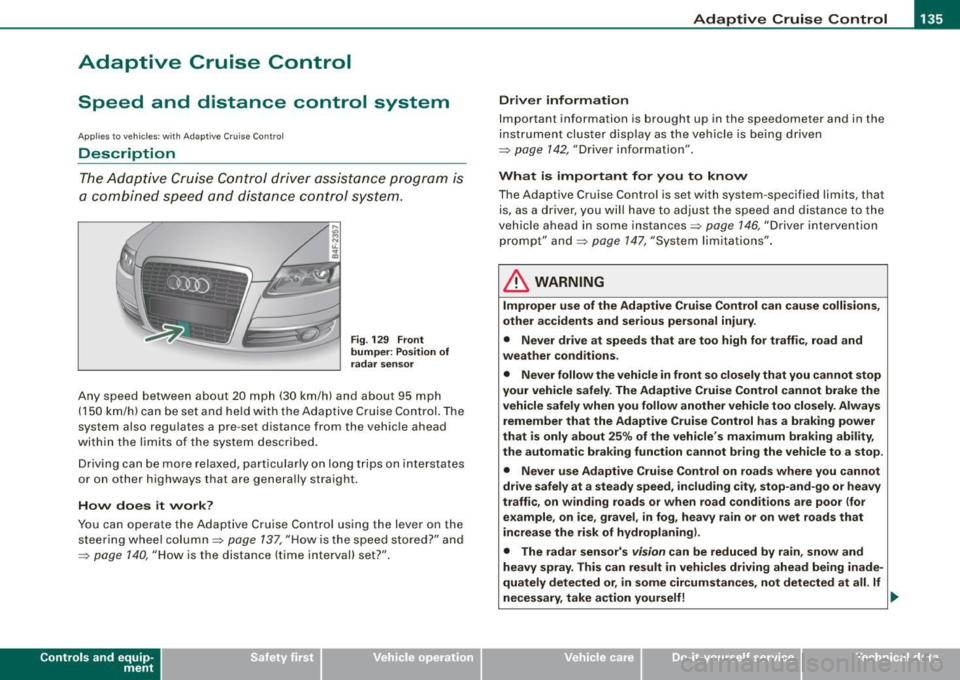
Fig. 129 Front
bumper: Position of
radar sensor
Any speed between about 20 mph (30 km/h) and about 95 mph
(150 km/h) can be set and he ld with the Adaptive Cruise Con trol. The
system also regulates a pre-set distance from the vehicle ahead
within the limits of the system described.
Driving can be more relaxed, particularly on long trips on interstates
or on other highways that are generally straight.
How does it work?
You can operate the Adaptive Cruise Control using the lever on the
steering wheel column::::> page 137, "How is the speed stored?" and
=> page 140, "How is the distance (time interval) set?".
Con tro ls and eq uip
ment
Driver information
Important information is brought up in the speedometer and in the
instrument cluster display as the vehicle is being driven
=> page 142, "Driver information" .
What is important for you to know
The Adaptive Cruise Control is set with system -specified limits, that
is, as a driver, you will have to adjust the speed and distance to the
vehic le ahead in some instances=> page 146, "Driver intervention
prompt" and=> page 147, "System limita tions".
& WARNING
Improper use of the Adaptive Cruise Control can cause collisions,
other accidents and serious personal injury .
• Never drive at speeds that are too high for traffic , road and
weather conditions.
• Never follow the vehicle in front so closely that you cannot stop
your vehicle safely. The Adaptive Cruise Control cannot brake the
vehicle safely when you follow another vehicle too closely. Always
remember that the Adaptive Cruise Control has a braking power
that is only about 25% of the vehicle's maximum braking ability,
the automatic braking function cannot bring the vehicle to a stop.
• Never use Adaptive Cruise Control on roads where you cannot
drive safely at a steady speed, including city, stop-and-go or heavy
traffic, on winding roads or when road conditions are poor (for
example, on ice, gravel , in fog , heavy rain or on wet roads that
increase the risk of hydroplaning).
• The radar sensor's
vision can be reduced by rain, snow and
heavy spray. This can result in vehicles driving ahead being inade
quately detected or, in some circumstances, not detected at all. If
necessary , take action yourself! ._
Vehicle care I I irechnical data