esp AUDI S6 2010 Owners Manual
[x] Cancel search | Manufacturer: AUDI, Model Year: 2010, Model line: S6, Model: AUDI S6 2010Pages: 368, PDF Size: 86.82 MB
Page 5 of 368
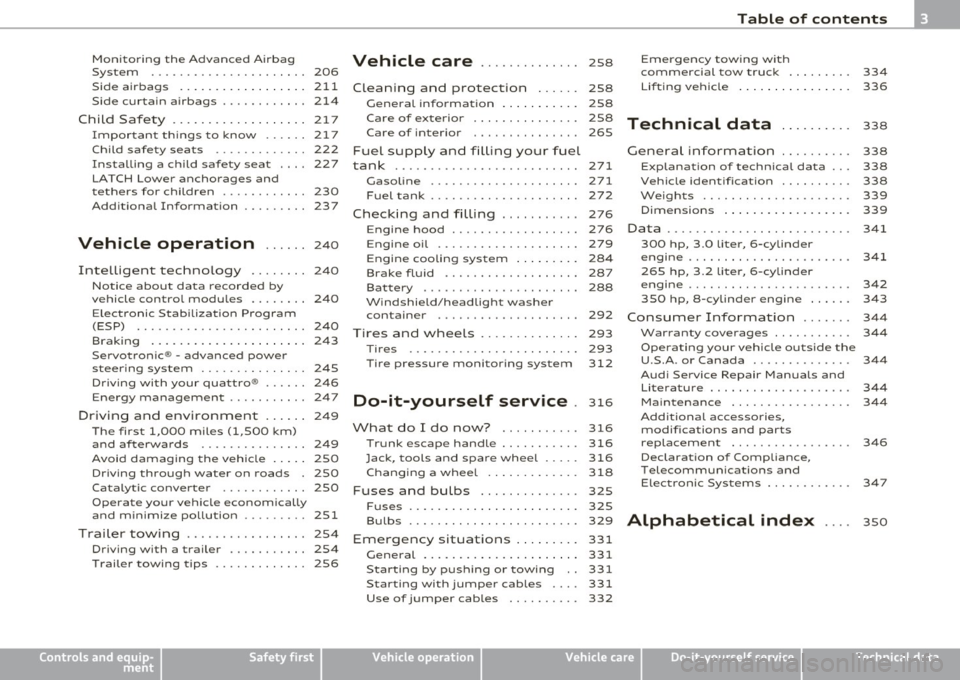
Table of contents
Monitoring the Advanced Airbag Vehicle care .............. 258 Emergency towing with
System ...................... 206 commercial tow truck ........ .
Side airbags ... ......... ...... 211
Cleaning and protection ...... 258 Lift
ing vehicle ............... . 334
336
Side curtain airbags . . . . . . . . . . . . 214
Child Safety .. .. .......... ..... 217
Important things to know . . . . . . 217
Child safety seats . . . . . . . . . . . . . 222
Installing a child safety seat .. .. 227
LATCH Lower anchorages and
tethers for children . . . . . . . . . . . . 230
Additional Information 237
Vehicle operation ...... 240
Intelligent technology ........ 240
Notice abou t data recorded by
vehicle control modules . . . . . . . . 240
E lectronic Stabilization Program
(ESP) ........................ 240
Braking ...................... 243
Servo tronic® -advanced power
steering system . . . . . . . . . . . . . . . 245
Driving with your quattro® . . . . . . 246
Energy management ........... 247
Driving and environment ...... 249
The first 1,000 miles (1,500 km)
and afterwards . . . . . . . . . . . . . . . 249
Avoid damaging the veh icle . . . . . 250
Driving through water on roads . 250
Catalytic converter . . . . . . . . . . . . 250
Operate your vehicle economically
and minimize pollution ......... 251
Trailer towing ................. 254
Driving with a trailer . . . . . . . . . . . 254
T railer towing tips . . . . . . . . . . . . . 256
Controls and equip
ment Safety first
General informa
tion . . . . . . . . . . . 258
Care of exterior . . . . . . . . . . . . . . . 258
Care of interior . . . . . . . . . . . . . . . 265
Fuel supply and filling your fuel
tank ..........................
271
Gasoline . . . . . . . . . . . . . . . . . . . . . 271
Fuel tank . . . . . . . . . . . . . . . . . . . . . 272
Checking and filling . . . . . . . . . . . 276
Technical data
General information
Explanation of technical data .. .
Vehicle ident ification ......... .
Weights ................... . .
Dimensions ............... .. . 338
338
338
338
339
339
Engine hood . . . . . . . . . . . . . . . . . . 276
Data . . . . . . . . . . . . . . . . . . . . . . . . . . 341
Engine oil . . . . . . . . . . . . . . . . . . . . 279 300 hp, 3.0 liter, 6-cylinder
Engine cooling system . . . . . . . . . 284
Brake fluid . . . . . . . . . . . . . . . . . . . 287
Ba ttery . . . . . . . . . . . . . . . . . . . . . . 288
Windshield/headlight washer container . . . . . . . . . . . . . . . . . . . . 292
Tires and wheels . . . . . . . . . . . . . . 293 engine ......................
.
265 hp, 3.2 liter , 6-cylinder
engine ......... ..... ........ .
350 hp, a-cylinder engine ..... .
Consumer Information ...... .
Warranty coverages .......... . 341
342
343
344
344
T ires ........................ 293 Operating your vehicle outside the
T ire pressure monitoring system 312
Do-it-yourself service . 316
What do I do now? ........... 316
Trunk escape handle ........... 316
Jack, tools and spare wheel ..... 316
Changing a wheel . . . . . . . . . . . . . 318
Fuses and bulbs . . . . . . . . . . . . . . 325
F u ses ........... ............. 325 U.S.A
. or Canada ............. .
Audi Service Repair Manuals and
Literature ................... .
Maintenance ................ .
Additional accessories, modifications and parts replacement ............... . .
Declaration of Compliance,
T elecommunications and
Electronic Systems .......... . .
Bulbs ........................ 329
Alphabetical index ....
Emergency situations ......... 331
General . . . . . . . . . . . . . . . . . . . . . . 331
Starting by pushing or towing 331
Starting with jumper cables .... 331
Use of jumper cables . . . . . . . . . . 332
Vehicle operation Vehicle care Do-it-yourself service
344
344
344
346
347
350
Technical data
Page 7 of 368
About this Owner's Manual
This owner's manual contains important information, t ips, sugges
tions, an d warnings fo r the use of yo ur ve hicle.
Make s ure that this owne r's manua l is a lways located in the vehicle.
This is especia lly important if you allow other peop le to drive the
vehicle, or if you sell i t.
Th is owner's manual descr ibes the
equipment range specified for
this model at the editorial deadline date. Some of the equipment
described here will only be ava ilable at a later date, or only in spec ific
ma rkets .
Some se ctions in t his owne r's m an ual do no t app ly to a ll vehi cles. In
that case, the
range of applicability is given at the beginning of the
se ct io n, e.g. "Applies to vehicles: with A udi Parking System". In addi
tion, optiona l equipment is indicated by an asterisk"*".
Th e detai ls in the
illust rations may be different from those in your
vehicle, and a re intended to be viewed as a bas ic gu ide.
You w ill find a
table of contents at the beginn ing of this book, which
display s all t opi cs described in this m anu al in o rde r of a ppear ance.
You will find an alphabetica l
index at the end of this book.
All
directions , such as "left", "right", "front", "back", are re lative to
the d irec tion of travel.
* optional eq uipment
.,. Th is section continues on the next page.
• Indicates the
end of a section .
® Registered trademarks are ident ified with a®. If this symbol is
m issi ng, i t is no guarantee that t he te rms c an be used freely.
=> & Cross-reference to a "WARNI NG!" within a sect io n. For indica
tion with a page number, the correspon ding "WARN ING!" can be
found outside of the sect ion .
Controls and equip
ment Safety first Vehicle operation
About this Owner's Manual
& WARNING
Tex
t with this symbol contains important information on safety
and how to redu ce the risk of pers onal injury or death .
0 Note
Text with this symbol draws your attentio n to potential sources of
damage to yo ur vehicle.
ci' For the sake of the environment
Text w ith th is symbol contai ns information about the environment
and how you can help protect it.
[I) Tips
Text w it h this symbol contains spec ia l tips and other information
abou t gett ing the mo st out o f yo ur vehi cle and its fea tures. •
Vehicle care Do-it-yourself service Technical data
Page 9 of 368
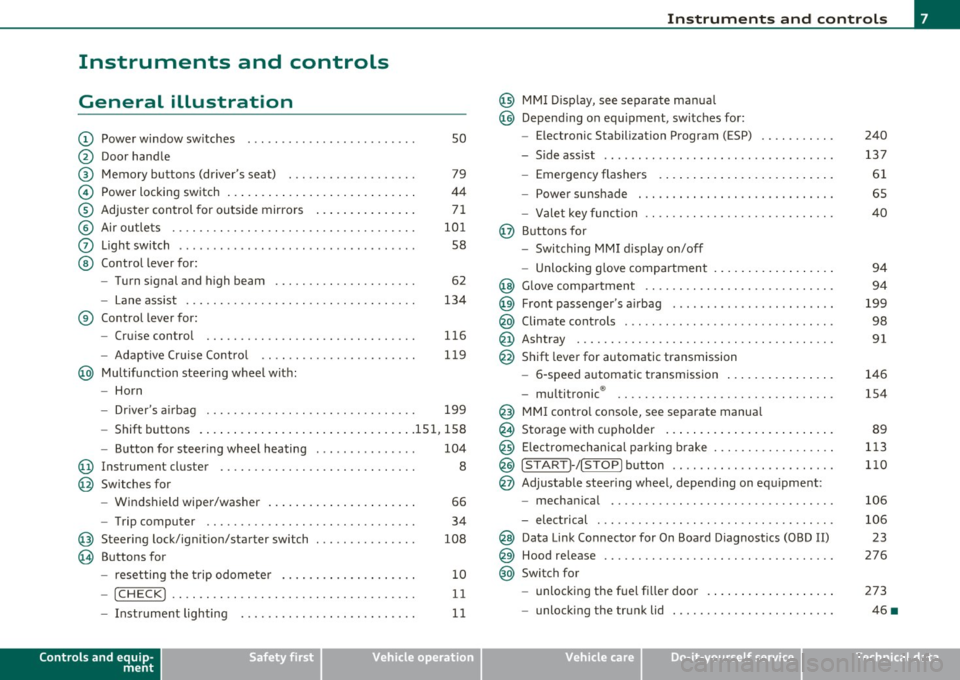
Instruments and controls
General illustration
(D Power window switches . . . . . . . . . . . . . . . . . . . . . . . . . 50
@ Door handle
@ Memory buttons (driver's seat) . . . . . . . . . . . . . . . . . . . 79
© Power locking switch . . . . . . . . . . . . . . . . . . . . . . . . . . . . 44
® Adjuster control for outside mirrors . . . . . . . . . . . . . . . 71
© Air outlets . . . . . . . . . . . . . . . . . . . . . . . . . . . . . . . . . . . . 101
0 Light switch . . . . . . . . . . . . . . . . . . . . . . . . . . . . . . . . . . . 58
@ Control lever for:
- Turn signal and high beam . . . . . . . . . . . . . . . . . . . . . 62
- Lane assist . . . . . . . . . . . . . . . . . . . . . . . . . . . . . . . . . . 134
® Control lever for:
- Cruise control . . . . . . . . . . . . . . . . . . . . . . . . . . . . . . . 116
- Adaptive Cruise Control . . . . . . . . . . . . . . . . . . . . . . . 119
@ Multifunction steering wheel with:
- Horn
- Driver 's airbag . . . . . . . . . . . . . . . . . . . . . . . . . . . . . . . 199
- Shift buttons ...... .. .. .... ........ .......... 151, 158
- Button for steering wheel heating . . . . . . . . . . . . . . . 104
@ Instrument cluster . . . . . . . . . . . . . . . . . . . . . . . . . . . . . 8
@ Switches for
- Windshield wiper/washer . . . . . . . . . . . . . . . . . . . . . . 66
- Trip computer ............... .. .. .. .. ....... .
@ Steering lock/ignition/starter switch ... .. ......... .
@ Buttons for
- resetting the trip odometer .......... .. .. .. ... .
- !CHECK] .... .... .. .... .. .... ............... .
-Instrument lighting . ....... .... .. .. .... .. .. . .
Controls and equip
ment Safety first
34
108
10
11
11
Instruments and controls
@ MMI Display, see separate manua l
@ Depending on equipment, switches for:
- Electronic Stabili zation Program (ESP)
- Side assist .. ... . .... .. .. .. .. .. .... .. .. .. ... .
- Emergency flashers .. .... .. .. .. ............. .
- Power sunshade . ... ... .. .. .. .. .... .. .. ... .. .
- Valet key function .. .. .. .. .... ....... ...... .. .
@ Buttons for
- Switching MMI display on/off
- Unlocking glove compartment
@ Glove compartment ...... .. .. .. .... .. ......... .
@ Front passenger 's airbag ............... ... .. .. . .
@ Climate controls ... .. .. .. .. .. .... .......... ... .
@ Ashtray .............. .. .... .. .. .. .. .... ..... .
@ Shift lever for automatic transmission
- 6-speed automatic transmission ....... .. ... ... .
- multitronic ® ....................... .. .... .. .
@ MMI contro l console, see separate manua l
@ Storage with cupholder ... .. ... .............. .. .
@) Electromechanical parking brake .............. .. . .
@ ISTAR T]-/ISTOP] button ........ .. ... .......... .
@ Adjustable steering wheel, depending on equipment :
- mechanical ............. .. .. .. ............. .
- electrical . ... ... .. .. .. .. .. .. .. .. .. ....... .. .
@ Data Link Connector for On Board Diagnostics (OBD II)
@ Hood release .......... .. .... .. .. .. .. ......... .
@ Switch for
unlocking the fuel fi ller door .............. .... .
- unlocking the trunk lid . .. ........ .. ... .. .. .. . .
Vehicle care
240
137
61
65
40
94
94
199
98
91
146
154
89
113
110
106
106 23
276
273
46 •
Technical data
Page 14 of 368
Instruments and warning /indicator lights
- Press the"+" button to increase the brightness during the
hours of darkness.
- Press the"-" button to decrease the brightness during the
hours of dark ness.
A light sensor in the instrument cluster contro ls the illumination for
the instrument cluster, the center console and the displays. In a
br ight env ironment, using the buttons to change the br ightness has
no effect .
[ i ] Tips
The illumination for the instrument cluster lights up whenever you
switch on the ig nition with the vehicle head lights off. As the daylight
fades, the instrument cluster illum inat ion likewise d ims automati
cally and w ill go out completely when the outside light is very low.
Th is feature is meant to remind you to sw itch on the headlights when
outside light conditions become poor. •
Warning/indicator lights
Overview
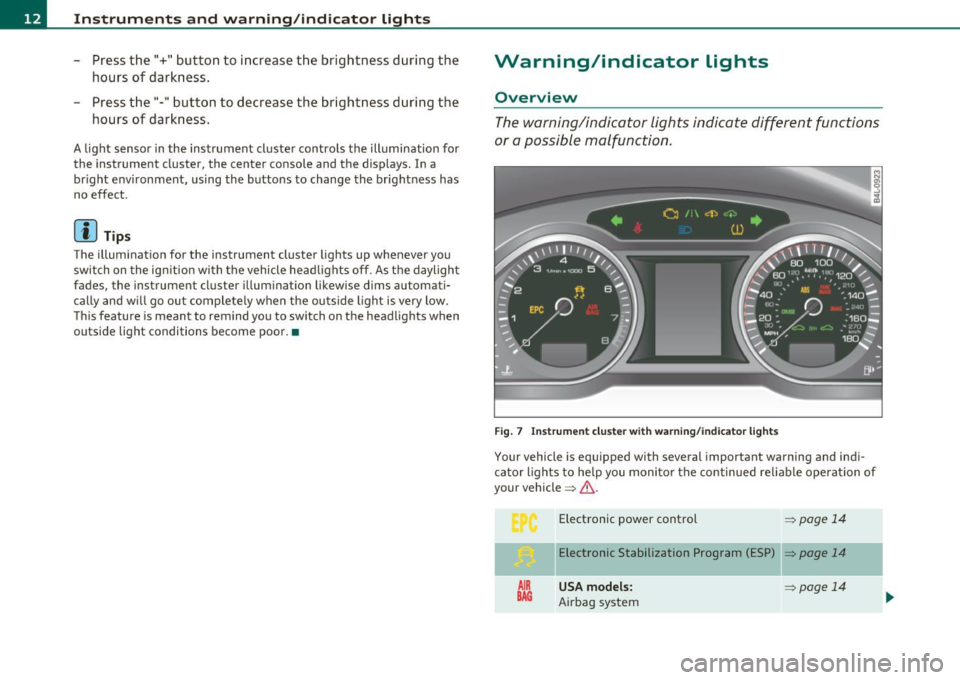
The warning/indicator lights indicate different functions
or a possible malfunction .
Fig . 7 Instr um ent cluste r w ith warn in g/ indicato r lig hts
Your vehicle is equipped with several important warning and ind i
ca tor lights to he lp you moni to r the continued re liable operat ion of
your vehicle =>& .
AIR
BAG
Electronic power control => page 14
Elect ronic Stabilization Program (ESP) => page 14
USA models: ~page 14
Airbag system
Page 16 of 368
![AUDI S6 2010 Owners Manual Instruments and warning /indicator lights
(I] Tip s
Many fun ct ions a re mon itored by the Auto-Check system=> page 24.
Malfunctions or faults will be identified either with a red](/img/6/57594/w960_57594-15.png "AUDI S6 2010 Owners Manual Instruments and warning /indicator lights
(I] Tip s
Many fun ct ions a re mon itored by the Auto-Check system=> page 24.
Malfunctions or faults will be identified either with a red")
Instruments and warning /indicator lights
(I] Tip s
Many fun ct ions a re mon itored by the Auto-Check system=> page 24.
Malfunctions or faults will be identified either with a red symbol
(pr iority
1-Dange r!) or w ith a ye llow symbo l (prio rity 2 -Warn ing). •
Electronic power control C
This warning/indicator light monitors the electronic
power control.
The warn ing/indicator light (Electro nic Power Control) illumi-
nates when you turn on the ignition as a function check .
(I] Tips
If this warning/indicator light illuminates while you are driving, then
there is a malfunct io n in the engine electron ics . Have the ma lfunct io n
corrected as soon as possib le by your authori zed Audi dealer or qual
ified repair fac ility. •
Electronic stabilization program (ESP) ,,. ..
This warning/indicator light monitors the electronic
stabilization program.
T he warn ing/indicator lig ht has the follow ing funct ions:
• It blinks while you are driving when the ESP is working.
• It illumina tes when you sw itch on the ignition fo r approximately 2
seconds as a function check .
• It illuminates whe n there is a malfunction in the ESP .
• It illuminates when ESP or ASR (Ant i-Slip Regula tion) is deacti
vated .
• It ill umina tes if t he re is a malfunction in the A BS, s ince the ESP is
part of the ABS system. If the battery terminals were disconnected and re-connected, the
vehicle was jump st arted o r th e bat tery is very weak, t he ESP se nsor
system goes through a learning process for the first few yards. The
warning/indicator light illuminates. The war ning/indicator light goes
out as soo n as the learning process is complete .
If the ESP warning/indicator light ill uminates and stays on after yo u
have sta rted t he engine, t his may mean that the co ntrol system has
temporarily switched off the ESP . If this is case , you can react ivate
t he ESP by tu rning the igni tion off and t hen o n ag ain . The
warning/indica tor light should go out to show that the system is fully
functional again.
For more information about the ESP=>
page 240. •
Airbag system
~i (USA models) l!.!r (Canada models)
This warning/indica tor ligh t monitors the airbag and the
pretensioner systems.
The G>! (USA models)/ !.!r (Canada mode ls) warn ing light illuminates
fo r a few seconds ea ch time yo u sw itch on the ignitio n.
If the
G>! (USA models)/ !.!r (Canada mode ls) warn ing light does not go
out, or if it illuminates while you are driving, or if it starts to blink,
then there is a malfunction somewhere in the system . If the light
does not illuminate when yo u switch on the ignition, this a lso means
there is a malfunction.
& WARNING
If you have a malfunction in th e airbag syst em, contact your
authorized Audi deale r immediately . Otherwi se the airbag or the
belt pr eten sion er may not work properly in an accid ent .•
Page 19 of 368

Anti-lock brake system (ABS)
A ...
.j {USA models) /..., {Canada models)
This warning/indicator light monitors the ABS and the
electronic differential lock (EDL) .
The warning/indicator light will come on for a few seconds when the
ign ition is switched on . The light w ill go out after an a utomat ic check
sequence is comp leted .
There is a malfunction in the ABS when:
• Th e warn ing/ indic ator light does not ill uminate when you swi tch
on the ig nit io n.
• Th e warn ing/ in dic ator lig ht does not go out a fter a few se conds .
• The warning/ind icator light illuminates while d riving.
The brake sy stem will still re spond even without the a ssistance of
the ABS system . See your authorized Audi dealer as soon as
possible to restore full braking performance.
For more i nformat ion
regarding the ABS=>
page 244.
The ABS warning l ight and the brake warning light come on
together. The ABS will not work and you will noti ce a change in
brak ing response and performance.
Malfunction in the brake system
If the brake warning light=> page 18 and the ABS warning ill uminate
together there may be a malfu nction in t he A BS, a nd there may a lso
be a malfunction in the brake system itself=>& .
In the even t of a
malfunction in the b rake system the warning/ indi
ca tor light
BRAKE (U SA mode ls)/ ((])) (Canada models) in the instrume nt
cl uster flashes . By p ressing the
I C H ECK ) button, you ca n bring up a
dr iver message w hic h explains the malfunc tion in mo re de tail. Please
not e=>
pag e 26.
Controls and equip
ment Safety first
Instruments and warning
/indicator lights
Malfunction in the electroni c differential lock (EDL)
Th e ED L wor ks toge ther w it h the ABS . The A BS wa rning light will
come on if t he re is a malfunction in the EDL system=>
page 241. See
your authorized Aud i dea le r as soon as poss ible.
& WARNING
• If the ... Is~ (USA models)/ d (Canada models ) warning light
does not go out , o r if it comes on while driving, the ABS system is
not working properly . The vehicle can then be stopped only with
the standard brakes (without ABS ). You w ill not have the protec
tion ABS provide s. Contact your Aud i dealer as soon as pos sible.
• USA models: If the BRAKE warning light and the 9 warning
light come on together, the rear wheel s could lock up fir st under
hard braking. Rear wheel lock-up can cau se los s of vehicle control
and an accident . Have your vehicle repaired immediately by you r
authorized Audi dealer or a qualified work shop. Drive slowly and
avoid sudden, hard brake applications.
• Canada models : If the brake warning light «D> and the ABS
warning light come on together , the rear wheels could lock up
first under hard braking . Rear wheel lock -up can cause loss of
vehicle control and an accident. Have your vehicle repaired imme
diately by your authorized Audi dealer or a qualified work shop.
Drive slowly and a void sudden, hard brake applications. •
Electromechanical parking brake
~E {USA models) /(®) {Canada models)
The warning/indicator light monit ors the electromechan
ical parking brake.
With the parking bra ke app lied and the ignition turned o n, t he
warning/indicator light illum inates. After the ign ition has been
t u rned
off, the wa rni ng/ind icator light co nti nu es to i llumi nate for
abou t 30 seconds . If the parki ng brake is applied w it h the ignition _,,
Vehicle care Technical data
Page 20 of 368
Instruments and warning/indicator lights
tu rned off, the warning/ind icator light illum inates for abo ut 30
s e co nd s.
Th e warn ing/i ndicator lig ht w ill go out whe n the parking brake is
re lease d.
If the w arn ing/ indi ca tor li ght flas hes c ontinuou sly
after applying th e
park ing brake, braking force is not suffic ient to p revent the vehicle
fro m rolling unin te n ti onally. Pleas e note the following:
• If th e slope of the g round is too ste ep to pa rk the vehicle, the addi
tional drive message ap pea rs
Caution: Vehicle parked too steep .
• In th e eve nt of a pa rk ing bra ke malfunc tion, t he yellow symbol
appea rs in the inst rument cluste r display a nd the dr ive r message
Parking brake auto release: system fault is displayed . Have the
ma lf u nctio n re paire d as soo n as poss ible by a qualified Audi
dea le rs hi p.•
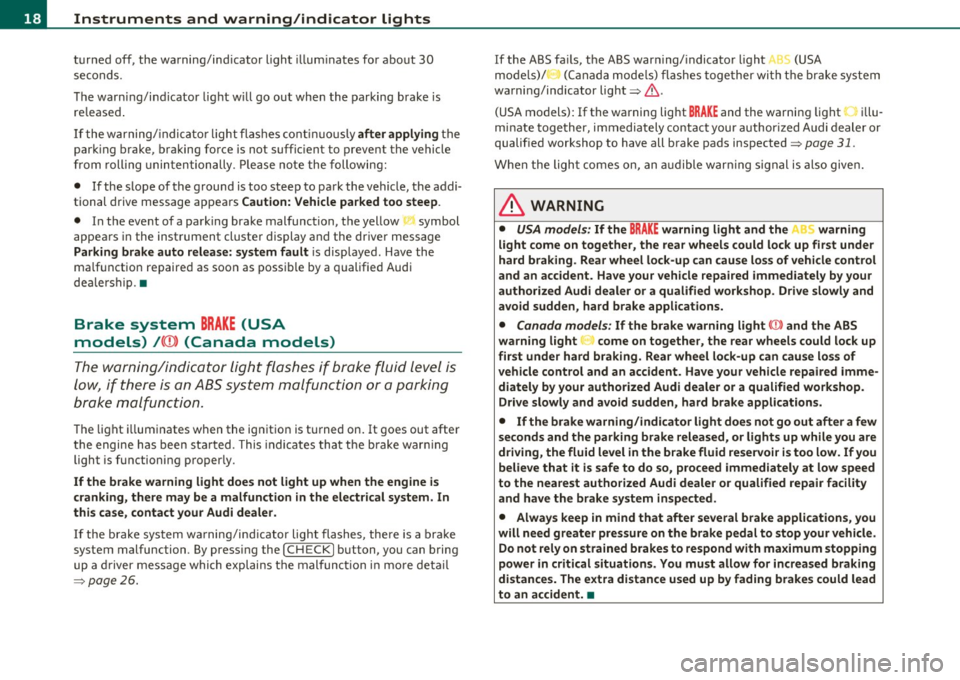
Brake system BRAKE (USA
models)
/ {Q)) (Canada models)
The war ning/in dic ator li ght flash es i f br ake fluid le vel is
low , if t he re i s an A BS sys te m malfu nction or a pa rking
b rake malf unct ion.
The lig ht ill um inates when the ign it io n is tu rned on . It goes out afte r
t he engi ne has been st arted. This indicat es tha t the b ra k e war ning
light is functioning proper ly.
If the brake warning light does not light up when the engine is
cranking, there may be a malfunction in the electrical system. In
this case, contact your Audi dealer.
If the b ra ke sys tem w arning/i nd ic a tor light flashes, there is a br ake
system malfunction . By press ing the [
CHECK ] button, you can bring
up a driver mess age whi ch expl ain s t he m alfunc tion in mo re de ta il
=>page 26 .
If the ABS fa ils, t he ABS war ning/ indica to r li ght (USA
mod els)/ (Canada mo dels) fla shes toge ther wi th th e bra ke syste m
warni ng/ind icator light=> &.
(USA models):
If the warning light BRAKE and the wa rnin g light illu
m inate toge ther, im media tely con tac t you r author ized A udi dealer or
qualif ied workshop to have all brake pads inspected=>
page 31.
When the ligh t comes on, an a udible w arnin g signal is also give n.
& WARNING
• USA models: If the BRAKE warning light and the r i,~ warning
light come on together, the rear wheels could lock up first under
hard braking . Rear wheel lock-up can cause loss of vehicle control
and an accident . Have your vehicle repaired immediately by your
authorized Audi dealer or a qualified workshop . Drive slowly and
avoid sudden, hard brake applications.
• Canada models : If the brake warning light (CD) and the ABS
warning light :::; come on together, the rear wheels could lock up
first under hard braking. Rear wheel lock -up can cause loss of
vehicle control and an accident. Have your vehicle repaired imme di ately by your authorized Audi dealer or a qualified workshop .
Drive slowly and avoid sudden, hard brake applications.
• If the brake warning/indicator light does not go out after a few
seconds and the parking brake released, or lights up while you are
driving, the fluid level in the brake fluid reservoir is too low. If you
believe that it is safe to do so, proceed immediately at low speed
to the nearest authorized Audi dealer or qualified repair facility
and have the brake system inspected.
• Always keep in m ind that after several brake applications , you
will need greater pressure on the brake pedal to stop your vehicle.
Do not rely on strained brakes to respond with maximum stopping
power in critical situations. You must allow for increased braking
distances. The extra distance used up by fading brakes could lead
to an accident. •
Page 22 of 368
Driver information display
Sound system display
Fig. 9 Displa y: soun d
system
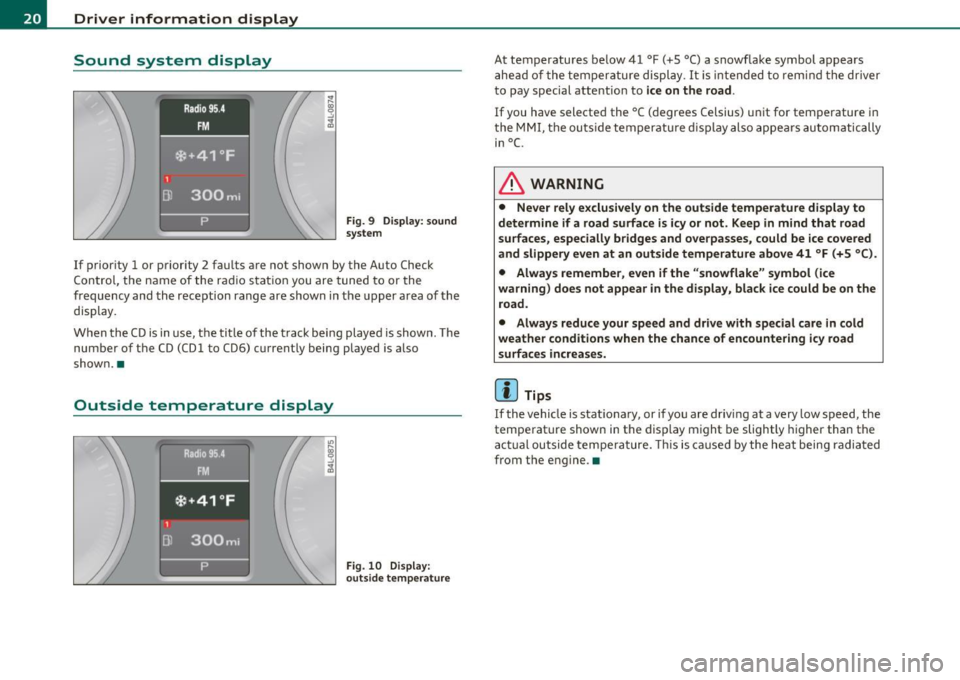
If prior ity 1 or priority 2 fau lts are not show n by the A uto Check
C on tro l, t he name of the ra dio s tat ion you are tuned to or the
frequency and the reception range are shown in the upper area o f the
display.
W hen the C D is in use, t he tit le of th e track bei ng played is show n. The
num ber of t he CD (CD l to CD6) current ly being played is a lso
show n.•
Outside temperature display
Fig. 10 D isplay:
outs ide temperature
At temperatures be low 41 °F ( +S °C) a snowflake symbol appears
a he ad of the te mp eratu re di splay.
It is in te nded to rem ind the driver
to pay special attent io n to
ice on the road .
If you have selected the °C ( degrees Celsius) u nit for tem perature i n
t he
MM I, the ou tside te mpera tu re di sp lay also appe ars automatic ally
in
°C.
& WARNING
• Never rely exclusively on the outside temperature display to
determine if a road surface is icy or not . Keep in m ind that road
su rfaces , especially bridges and overpa sses, could be ice covered
and slippery even at an outside temperature above 41 °F (+5 °C ).
• Always remember , even if the "snowflake" symbol (ice
warning ) does not appear in the di splay, black ice could be on the
road.
• Always reduce your speed and drive with special care in cold
weather conditions when the chance of encountering icy road
surfaces increases.
(I] Tips
If the vehi cle is stat io na ry, or if yo u are driv ing at a very low speed, the
temperature shown in the display m ight be slightly higher than the
a ctu al outside tempe ra t ure. This is ca used by the he at being radi ated
from the engine .•
Page 24 of 368
Driver information display
& WARNING (conti nu ed )
• Work with due care when handling the high- voltage section of
gas di scharg e (xenon ) light s. Failure to do so could result in death
or serious injury.
[ i J Tips
Have the bu lb replaced or the connection repa ired by your author ized
Audi Se rvice department. •
Service interval display
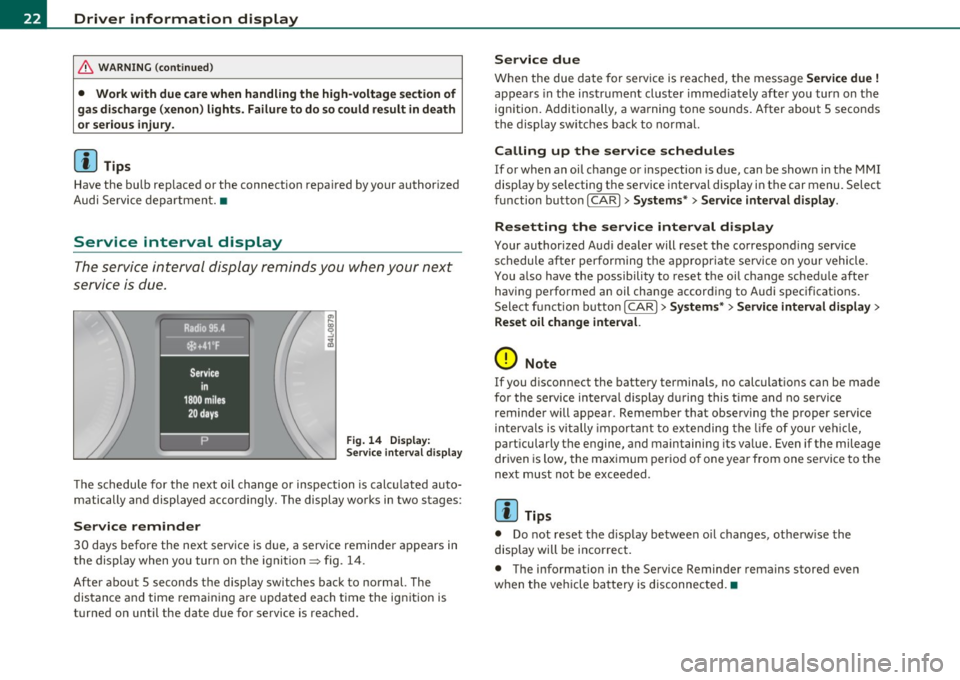
The service interval display reminds you when your next
service is due.
Fig . 14 Displ ay:
Se rvice inte rval disp la y
T he schedule for the next o il change or inspection is calc ulated auto
matically and displayed accordingly. The display wo rks in two stages :
Service reminder
30 days before the next serv ice is d ue, a service reminder appears in
the display when you tur n on the ignition
=> fig . 14 .
After about 5 seconds the disp lay switches back to normal. The
distance and time rem aini ng a re updated each time the ig nition is
turned on until the da te due for service is reached .
Service due
When the due date for service is reached, the messa ge Service due !
appea rs in the instrument cluste r immediately afte r yo u turn on the
ign ition. Additionally, a warning tone soun ds. After about 5 seconds
t he display switc hes back to normal.
Calling up the service schedules
If or when an oil change or inspection is due, can be show n in the MMI
display by se lecting t he service inte rval disp lay i n the car menu. Select
function butto n
I CAR]> Sy stems *> Service interval display.
Resetting the service interval display
Your authorized A ud i dea ler will reset the co rrespond ing service
schedule after performing the appropriate se rvice o n your vehicle.
You a lso have the possibility to reset the oi l change sched ule after
having performe d an oil change accord ing to Audi spec ificat ions .
Select f unct io n butto n
I CAR]> Systems *> Service interval di splay >
Reset oil change interval.
0 Note
If you d isconnect the battery terminals, no calculat ions can be made
for the service interva l display d uring this t ime and no servi ce
reminder will appear. Remember that observing the proper service
in terva ls is vi tally importan t to extending the life of your ve hicle,
part icularly the engine, and maintaining its va lue. Even if the mileage
driven is low, the max imum perio d of one year from one se rvi ce to the
next must not be exceeded .
[I] Tips
• Do not reset the d isp lay between oi l changes, ot he rw ise the
display will be incorrec t.
• The informat ion in the Service Reminder rema ins stored eve n
w hen the ve hicle ba ttery is d isconnec ted. •
Page 30 of 368
Driver information display
Engine oil pressure malfunction
~
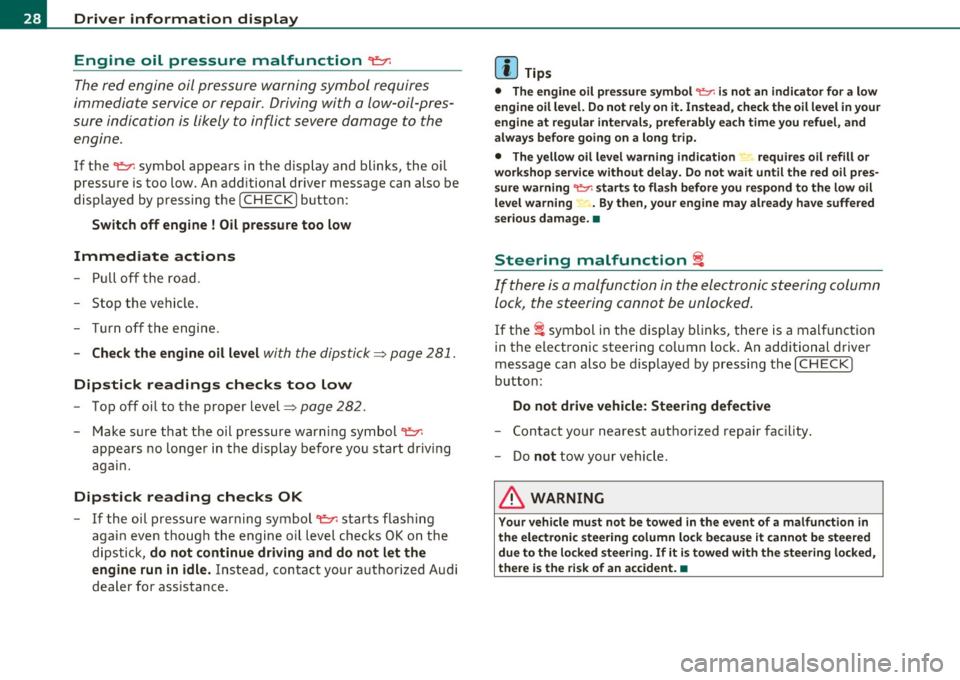
The red engine oil pressure warning symbol requires
immediate service or repair. Driving with a low-oil-pres
sure indication is likely to inflict severe damage to the
engine .
If the "t=:;r: symbol appears in the display and blinks, the oil
pressure is too low. An additional driver message can also be
displayed by pressing the
[CHECK] button :
Switch off engine ! Oil pressure too low
Immediate actions
-Pull off the road .
- Stop the vehicle.
- Turn off the engine.
- Check the engine oil level with the dipstick=> page 281.
Dipstick readings checks too low
- Top off oil to the proper level=> page 282 .
Make sure that the oil pressure warning symbol "t=:;r:
appears no longer in the display before you start driving
again.
Dipstick reading checks OK
- If the oil pressure warning symbol "t=:;r: starts flashing
again even though the engine oil level checks OK on the
dipstick,
do not continue driving and do not let the
engine run in idle.
Instead, contact your authorized Audi
dealer for assistance.
W Tips
• The engine oil pressure symbol 't=1: is not an indicator for a low
engine oil level. Do not rely on it. Instead, check the oil level in your
engine at regular intervals, preferably each time you refuel, and
always before going on a long trip.
• The yellow oil level warning indication "" requires oil refill or
workshop service without delay. Do not wait until the red oil pres
sure warning
't=1: starts to flash before you respond to the low oil
level warning -. By then, your engine may already have suffered
serious damage. •
Steering malfunction i
If there is a malfunction in the electronic steering column
lock, the steering cannot be unlocked.
If the i symbol in the display blinks, there is a malfunction
in the electronic steering column lock . An additional driver
message can also be displayed by pressing the [
CHECK ]
button:
Do not drive vehicle: Steering defective
-Contact your nearest authorized repair facility.
- Do
not tow your vehicle .
& WARNING
Your vehicle must not be towed in the event of a malfunction in
the electronic steering column lock because it cannot be steered due to the locked steering. If it is towed with the steering locked,
there is the risk of an accident. •