ignition AUDI S6 2011 User Guide
[x] Cancel search | Manufacturer: AUDI, Model Year: 2011, Model line: S6, Model: AUDI S6 2011Pages: 370, PDF Size: 87.15 MB
Page 23 of 370
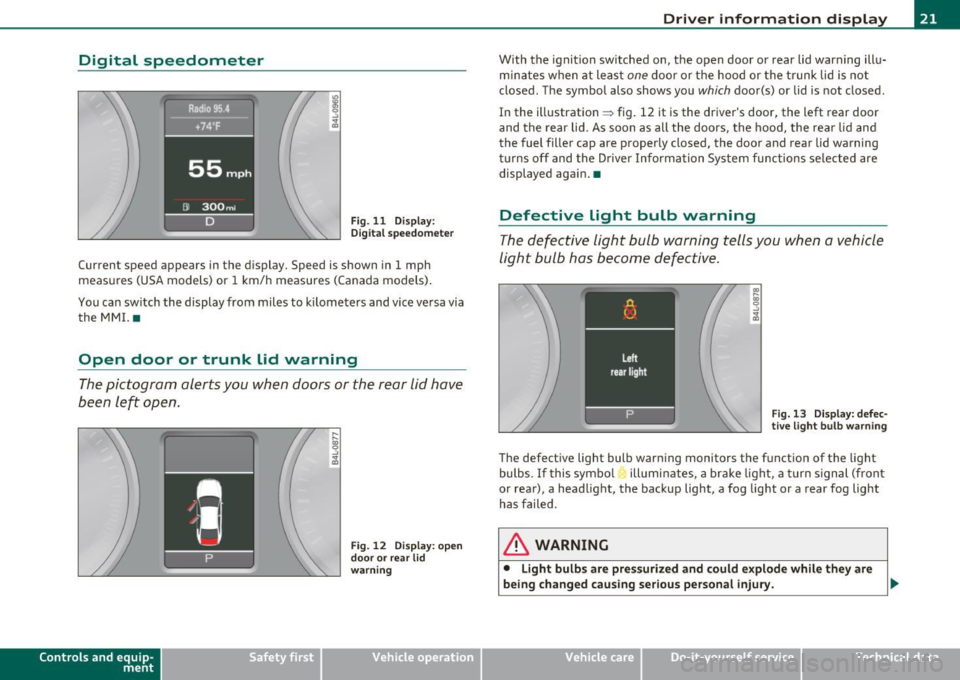
Digital speedometer
Fig. 11 Display:
Digital speedomete r
Current speed appears in the display. Speed is shown in 1 mph
measures (USA models) or 1 km/h measures (Canada models) .
You can switch the display from miles to kilometers and vice versa via
the MMI. •
Open door or trunk lid warning
The pictogram alerts you when doors or the rear lid have
been left open.
Con tro ls a nd e quip
m en t
Fig . 12 Display: open
door or rear lid
warning
Vehicle OP-eration
Driver information display
With the ignition switched on, the open door or rear lid warning illu
minates when at least
one door or the hood or the trunk lid is not
closed . The symbol also shows you
which door(s) or lid is not closed.
In the illustration ~ fig. 12 it is the driver's door, the left rear door
and the rear lid. As soon as all the doors, the hood, the rear lid and
the fuel filler cap are properly closed, the door and rear lid warning
turns off and the Driver Information System functions selected are
displayed again. •
Defective Light bulb warning
The defective light bulb warning tells you when a vehicle
light bulb has become defective.
Fig. 13 Display: defec
tive light bulb warning
The defective light bulb warning monitors the function of the light
bulbs.
If this symbol illuminates, a brake light, a turn signal (front
or rear), a headlight, the backup light, a fog light or a rear fog light
has failed .
& WARNING
• Light bulbs are pressurized and could explode while they are
being changed causing serious personal injury. .._
Vehicle care Do-it-yourselt service iTechnical data
Page 24 of 370
Driver information display
& WARNING (conti nu ed )
• Work with due care when handling the high- voltage section of
gas di scharg e (xenon ) light s. Failure to do so could result in death
or serious injury.
[ i J Tips
Have the bu lb replaced or the connection repa ired by your author ized
Audi Se rvice department. •
Service interval display
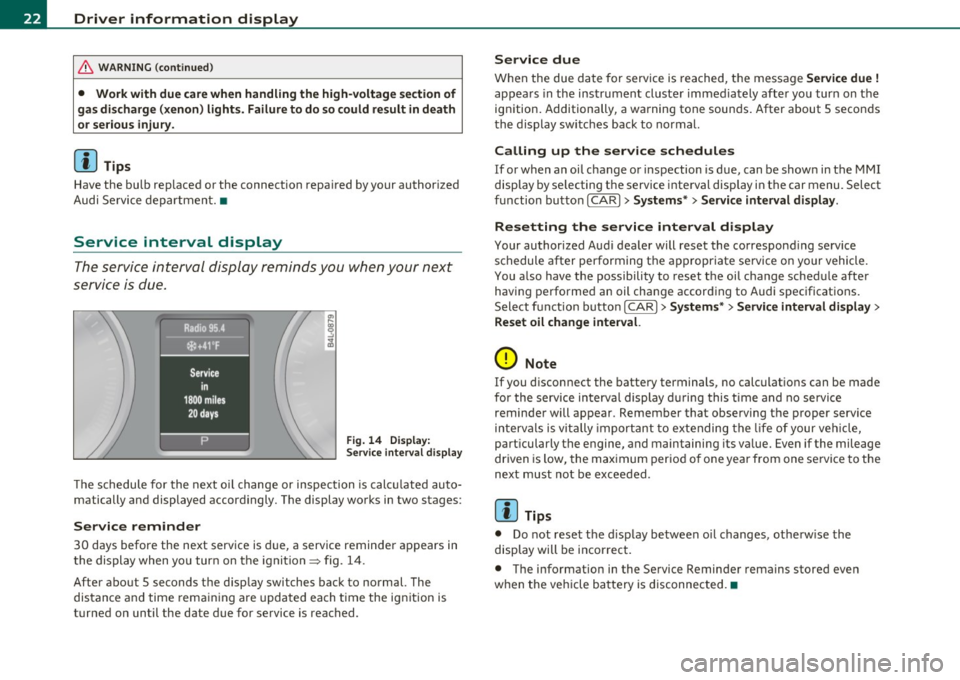
The service interval display reminds you when your next
service is due.
Fig . 14 Displ ay:
Se rvice inte rval disp la y
T he schedule for the next o il change or inspection is calc ulated auto
matically and displayed accordingly. The display wo rks in two stages :
Service reminder
30 days before the next serv ice is d ue, a service reminder appears in
the display when you tur n on the ignition
=> fig . 14 .
After about 5 seconds the disp lay switches back to normal. The
distance and time rem aini ng a re updated each time the ig nition is
turned on until the da te due for service is reached .
Service due
When the due date for service is reached, the messa ge Service due !
appea rs in the instrument cluste r immediately afte r yo u turn on the
ign ition. Additionally, a warning tone soun ds. After about 5 seconds
t he display switc hes back to normal.
Calling up the service schedules
If or when an oil change or inspection is due, can be show n in the MMI
display by se lecting t he service inte rval disp lay i n the car menu. Select
function butto n
I CAR]> Sy stems *> Service interval display.
Resetting the service interval display
Your authorized A ud i dea ler will reset the co rrespond ing service
schedule after performing the appropriate se rvice o n your vehicle.
You a lso have the possibility to reset the oi l change sched ule after
having performe d an oil change accord ing to Audi spec ificat ions .
Select f unct io n butto n
I CAR]> Systems *> Service interval di splay >
Reset oil change interval.
0 Note
If you d isconnect the battery terminals, no calculat ions can be made
for the service interva l display d uring this t ime and no servi ce
reminder will appear. Remember that observing the proper service
in terva ls is vi tally importan t to extending the life of your ve hicle,
part icularly the engine, and maintaining its va lue. Even if the mileage
driven is low, the max imum perio d of one year from one se rvi ce to the
next must not be exceeded .
[I] Tips
• Do not reset the d isp lay between oi l changes, ot he rw ise the
display will be incorrec t.
• The informat ion in the Service Reminder rema ins stored eve n
w hen the ve hicle ba ttery is d isconnec ted. •
Page 25 of 370
On-Board Diagnostic system (OBD)
Malfunction Indicator Lamp (MIL)
The Malfunction Indicator Lamp (MIL) in the instrument cluster
~ page 12, fig. 7 is part of the On-Board Diagnostic (OBD II) system.
The warn ing/ind icator light illuminates when the ignition is switched
on and goes out after the engine starts and the idle has stabilized.
This indicat es that the MIL is working properly.
If the light does not go out after the engine is started, or illuminates
while you are driving , a malfunction may exist in the engine system.
If the light illuminates, the catalytic co nverter could be damaged .
Continue driving
with reduced power (avoiding sustained high
speeds and/or rapid accelerations) and have the condition corrected.
Contact your authorized Audi dealer .
If the light illuminates, the electronic speed limiter may also be
malfunctioning. For more information~
page 23, "Electronic speed
limiter".
An improperly closed fuel filler cap may also cause the MIL light to
illuminate ~
page 275. •
On-Board Diagnostics
Contro ls a nd e quip
m en t
Fig . 15 Locat ion of
Data Link Connector ( DLC )
Vehicle OP-eration
Driver information display
On-Board Diagnostics monitors the components of your emission
control system. Each monitored component in your engine system
has been assigned a code. In case of a malfunction, the component
will be identified and the fault stored as a code in the control module
memory .
The MIL light may also illuminate if there is a leak in the on-board fue l
vapor recovery system. If the light illuminates after a refuelling, stop
the vehicle and make sure the fuel filler cap is properly closed
~ page 275 .
In order to make an accurate diagnosis, the stored data can only be
displayed using specia l diagnostic equipment (generic scan too l for
OBD).
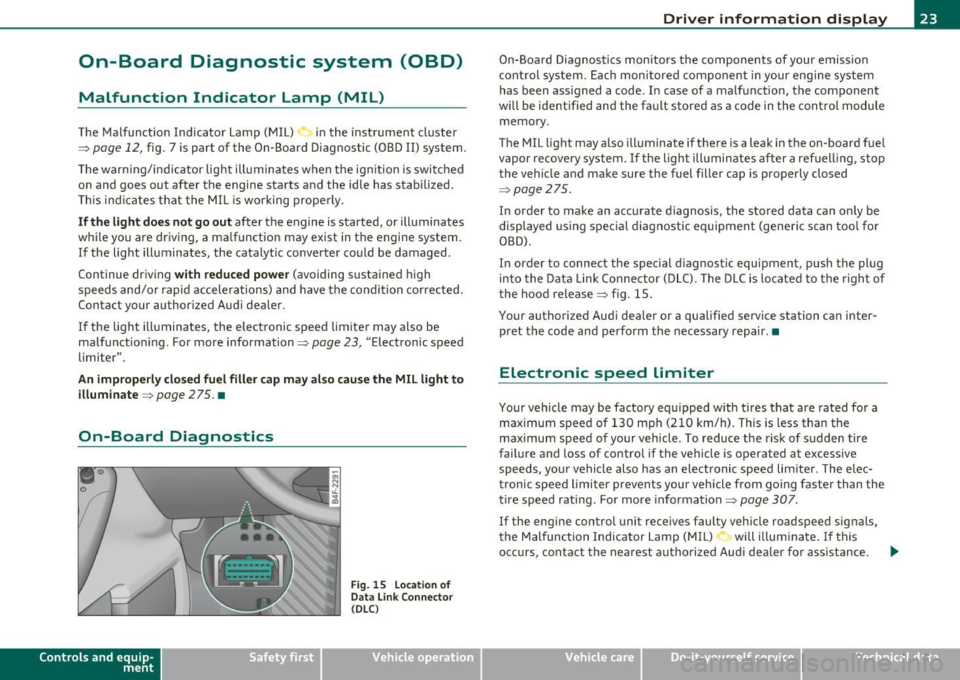
In order to connect the special diagnostic equipment, push the plug
into the Data Link Connector (DLC). The DLC is located to the right of
the hood release~ fig . 15.
Your authorized Audi dealer or a qualified service station can inter
pret the code and perform the necessary repair.•
Electronic speed limiter
Your vehicle may be factory equipped with tires that are rated for a
maximum speed of 130 mph (210 km/h). This is less than the
maximum speed of your vehicle . To reduce the risk of sudden tire
failure and loss of control if the vehicle is operated at excessive
speeds, your vehicle also has an electronic speed limiter. The elec
tronic speed limiter prevents your vehicle from going faster than the
tire speed rating. For more information ~
page 307.
If the engine con trol unit receives faulty vehicle roadspeed signals,
the Malfunction Indicator Lamp (MIL) will illuminate. If this
occurs, contact the nearest authorized Audi dealer for ass istance . .,.
Vehicle care Do-it-yourselt service iTechnical data
Page 26 of 370
Driver information display
in. WARNING
Always observe the posted speed limits and adjust your speed to
s uit prevailing road, traffic and weather condition s. Never drive
your vehicle fa ster than the maximum speed rating of the tires
installed. •
Auto Check Control
Introduction
The Auto-Check control monitors the function o f ce rtain vehicle
featu res and components.
It simp ly makes su re t hese featu res and
components are work ing properly. The Auto-Check control works as
long as the ignition is on, as we ll as whe neve r th e veh icle is d riven.
If a component is malfu nctioning or if the need for an urgent repair
has been de tected, this wi ll appear in t he instrument clus ter display .
Yo u will also hea r an a udible warning to ne. The disp lays are colo r
coded in e ither red or yellow depend ing on their level of prior ity.
A red symbo l me ans
Danger , a yellow sym bol indic ates Warning . In
certain situations, information message for the driver appear in addi
t ion to the red and yellow sym bols.
Function test: automatic transmission
T he Auto-Check Contro l w ill a uto matic ally perform a test each t ime
you switch on the ignit ion. W ith the selector lever in
P or N , the
f ollowin g messa ge a ppears in the displ ay :
When stationary apply foot brake while selecting gear .
When you a se lect a d ifferent gear (for example : R, D , etc .), the
message w ill disappea r and the Au to-C hec k function is d isp layed.
If there is a ma lfunction, then the malfunct ion message will appear
a bou t 15 seco nds after t he you st art the vehicle . At t he same time
you will hea r a wa rn ing tone .•
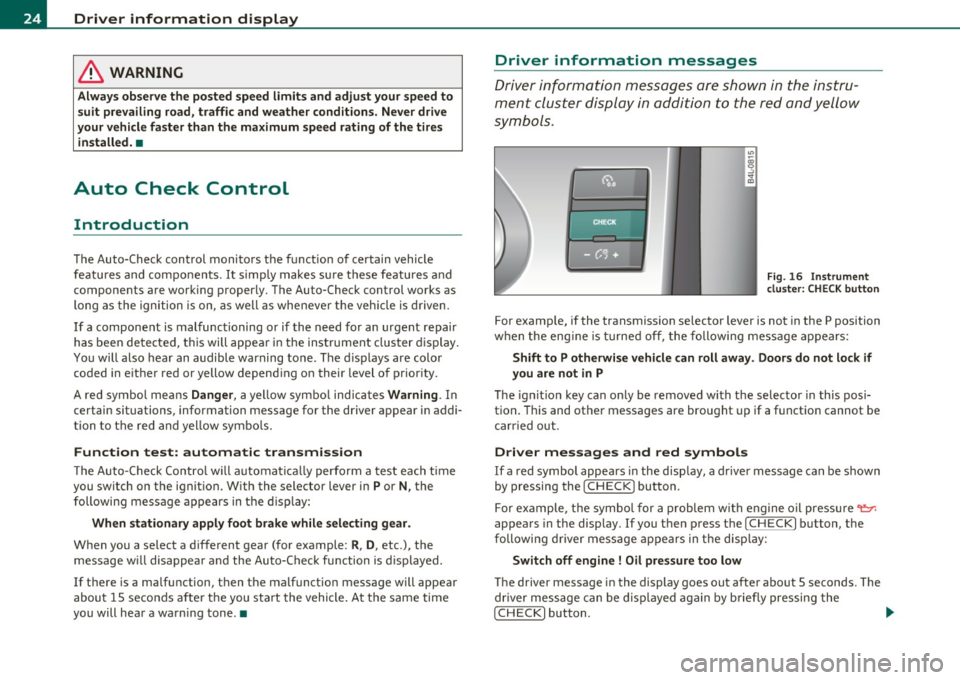
Driver information messages
Dr ive r inf orm ation messa ges a re show n in the instru
men t clust er dis play i n addition to the red a nd yell ow
sym bols .
Fig . 16 In st rument
cluste r: CHE CK button
For examp le, if the transmiss ion se lector lever is not in the P position
w hen the eng ine is tu rne d off, the following mess age app ears :
Shift to P otherwise vehicle can roll away. Doors do not lock if
you are not in P
Th e ig nit io n key can on ly be removed w ith t he selecto r in this posi
tion. This and other messages are brought up if a funct io n cannot be
c arr ied out.
Driver messages and red symbols
If a red symbol appears in the disp lay, a dr ive r message can be s hown
by pressing the [ CHECK] button .
F or e xample, t he symbol for a prob lem w ith e ngine oil press ure
'l:::r.
appea rs in the display. If you t hen p ress the I CHECK ] b utton, the
f ollowi ng dr iver me ss a ge ap pea rs in t he disp lay:
Switch off engine ! Oil pressure too low
The driver message in the display goes out afte r abo ut 5 seconds . The
dr ive r mes sage can be di spla yed a gain by b riefly p ressing the
[CHECK ] button. .,,.
Page 28 of 370
Driver info rmation d isplay
• Speed warnings threshold 1 B (USA models)/ 8 (Canada models)
and thresho ld 2
9, (USA mode ls)/ 8, (Canada models) are also shown
as red symbols . The warning is always shown as a small symbol in the
upper area of th e display ~
page 32. •
Alternator malfunction 0
If the D symbol in the instrument panel d isplay flashes, then there
is a malfunction in the alternator or the vehicle electronics . A warning
to the driver will appear, too. The driver warning goes out after about
5 seconds, but it can be brought up at any time by pressing the
[CHECK] button again .
Us ua lly, you can still drive to the next dea lership. Tu rn off all but the
mos t necessary elec trical consumers, since these drain the vehicle 's
battery.
0 Note
If the _ f_ warning symbol (coolant system malfunction) a lso lights up
on the instrument panel during the trip~
page 27, then you have to
stop immediate ly and turn off the engine. The coo lant pump is not
work ing anymore - danger of damage to the engine! •
Brake system malfunction
A malfunction in the brake system must be repaired as
soon as possible.
If the warning /indicator light BRAKE (USA models)/ (©)
(Canada models) in the instrument cluster flashes, there is a
brake system malfunction . By pressing the [CHECK] bu tton,
you can bring up a driver message which expla ins the
malfunct ion in more deta il.
Stop vehicle and check brake fluid level
- Pull off the road .
- Stop the vehicle .
- Turn off the engine .
- Chec k the bra ke fluid level=>
page 289 .
-Contact your nearest authorized repair facility if neces-
sary.
Warning! Fault in brake system. Conta ct
workshop
- Drive carefully to the nearest authorized repair facility and
have the malfunct ion corrected=> &,.
Parking brake! Please contact workshop
-If the warning/indicator light flashes when the vehicle is
statio nary or afte r the ignition is turned on, check to see if
the parking brake can be released. Drive to an authorized
repair facility as soon as possible and have the malfunc
tion corrected . If the parking brake cannot be re leased,
contact your neares t authorized repa ir facility .
If the warning/indicator light flashes while you are
dr iv ing , it is possible that the traction control or the emer
gency brake has malfunctioned. It is poss ible that the
park ing brake cannot be applied . It is also poss ible that
the parking brake cannot be released after it has been
applied . Drive to an authorized Audi dealer to have the
ma lfunction corrected .
If the ABS system malfunctions, th e ABS warn ing/indicator light i llu
m inates together w ith the brake system malfunction warning/indi-
cator light~& . .,_
Page 31 of 370
Ignition Lock malfunction ~
A malfunction in the ignition lock must be repaired immediately .
If the .Pe symbol in the display blinks, there is a malfunction
in the electronic ignition lock. An additional driver message
can also be displayed by pressing the
[CHECK ] button:
Ignition lock defecti ve . Contact wor kshop!
- Do not turn the engine off.
- Drive immediately to an authorized Audi dealer to have
the malfunct ion correc ted.
If the re is a malfunction in the e lectronic ignition lock, the ignit ion
cannot be turned
off . Drive immediately to an authori zed Audi dealer
to have the cause of the mal function corrected.
On vehicles with Convenience key* , the eng ine should not be switched
off using the [STOP] button because the engine cannot be started
again afte r the ign ition is switched off .•
Yellow symbols
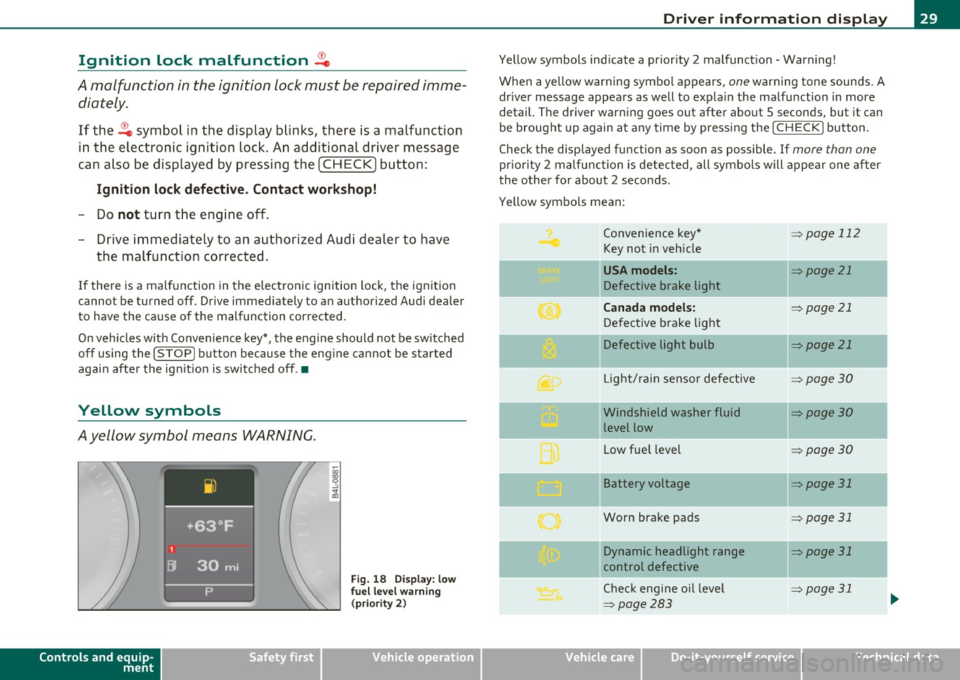
Ayellow symbol means WARNING.
Controls and equip
ment Safety first
Fig.
18 Disp la y : lo w
f u el l evel warning
(p rio ri ty 2)
Dri ver information display
Yellow symbols ind icate a prior ity 2 malfunct ion - Warning!
When a yellow warning symbo l appears,
one warning tone sounds. A
dr iver message appears as well to expla in the malfunction in more
detail. The driver warning goes out after about 5 seconds, but it can
be brought up again a t any time by pressing the
I CHECK] button .
Check the displayed function as soon as possible . If
more than one
pr iori ty 2 malfunction is detected, all symbo ls will appear one after
the other for about 2 seconds.
Yellow symbols mean:
Convenience key*
=> page 112
Key not in vehicle
-
USA models : => page 21
Defective brake light
Canada models : => page 21
Defective brake light
Defective light bulb
=> page 21
L ig ht/rai n sensor defective :::>page 30
Windshield washer fluid =:>page 30
level low
Low fue l level
=:> page30
II Battery voltage => page 31
-
Worn brake pads => page 31
II Dynamic headlight range => page 31
control defective
-
Check engine oil leve l => page 31
=>page 283
...
Vehicle care Technical data
Page 32 of 370
Driver information display
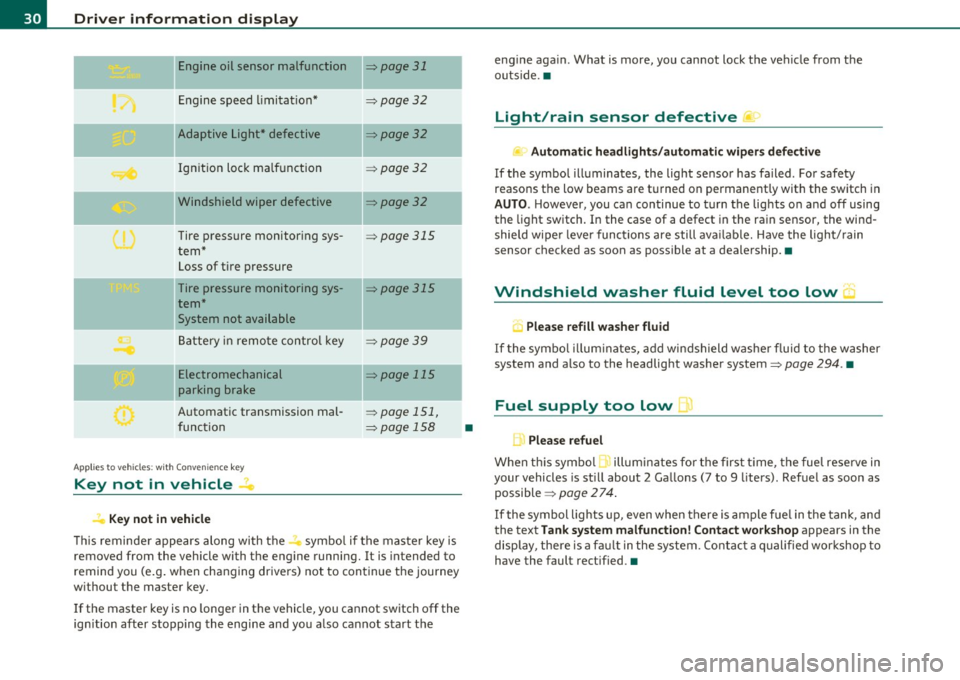
Engine oil sensor malfunction => page 31
._ --
Engine speed limitation* :::>page 32
-- -Adaptive Light* defective => page 32
Ignition lock malfunction =>page 32
--Windshield wiper defective => page 32
Tire pressure monitoring sys
tem*
Loss of tire pressure
Tire pressure monitoring sys
tem*
System not available
Battery in remote control key
--
=> page 315
=> page 315
:::>page 39
Electromechanical => page 115
parking brake
Automatic transmission mal
function
Ap plies to vehicles: w ith Conven ience key
Key not in vehicle
Key not in vehicle
=> page 151,
=> page 158
-
-
This reminder appears along with the...., symbol if the master key is
removed from the vehicle with the engine running. It is intended to
remind you (e.g. when changing drivers) not to continue the journey
without the master key.
If the master key is no longer in the vehicle, you cannot switch off the
ignition after stopping the engine and you also cannot start the
•
engine again . What is more, you cannot lock the vehicle from the
outside. •
Light/rain sensor defective )
Automatic headlights/automatic wipers defective
If the symbol illuminates, the light sensor has failed . For safety
reaso ns the low beams are turned on permanently with the switch in
AUTO. However, you can continue to turn the lights on and off using
the light switch. In the case of a defect in the rain sensor, the wind
shield wiper lever functions are still available. Have the light/rain
sensor checked as soon as possible at a dealership. •
Windshield washer fluid level too low 5
, Please refill washer fluid
If the symbol illuminates, add windshield washer fluid to the washer
system and also to the headlight washer system=>
page 294. •
Fuel supply too low )
L Please refuel
When this symbol 1. illuminates for the first time, the fuel reserve in
your vehicles is still about 2 Gallons (7 to 9 liters). Refuel as soon as
possible =>
page 274.
If the symbol lights up, even when there is ample fuel in the tank, and
the text
Tank system malfunction! Contact workshop appears in the
display, there is a fault in the system . Contact a qualified workshop to
have the fault rectified.•
Page 33 of 370
Battery voltage 1• i
If the battery's state of charge is not in the optima l range, the
symbo l is show n in the di splay and the d river me ssage
Low battery
charge: battery will be charged while dri ving
appears.
Whi le this d river notification is displayed, you have to be prepared for
limited starting capability .
Driver message appears and goes out again
If this driver message appears after the ignition is turned on or while
driving and it goes o ut again afte r a while, the ba ttery has been
adequate ly recharged.
Driver me ssage appears and does not go out again
If th is dr iver notification appears after the ignition is turned on or
wh ile driving and does not go ou t aga in, the battery 's state o f charge
is not in the opt imal range . Starting capability is restricted. Have the
bat tery checked by an au thor ized A udi dea le r as soon as possible. •
Worn brake pads U
._ Brake pads!
If the war ning lig ht ill um inates, immediately co ntact your au tho rized
Audi dea ler or qualified wor kshop to have all brake pads inspected.
On USA mode ls the warn ing light comes on together w it h the
warning light
BRAKE . Both sets of brake pads on an axle must a lways
be re placed at th e same time.
& WARNING
Driving with bad brakes can cause a collision and serious personal
injury .
Controls and equip
ment Safety first
Driver information display
& WARNING
(co ntinued )
• If the warning light... and the warning light BRAKE1l with the
mes sage Brake pads! comes on in the instrument cluster di splay,
immediately contact your authorized Audi dealer or qualified
workshop to have all brake pads checked or replaced if necessary. •
Headlight range control defective ((
~ ~ Headlight range control defective
If the symbo l illumina tes, the dynam ic he adlig ht r an ge con tro l is no
longer working properly. Have the system checked and repaired at
your Audi de aler. •
Engine oil Level~
Please che ck oil level
Whe n the symbol i llumina tes, check t he engine o il level as soo n as
poss ible => page 283 . Top off the oil at yo ur earlies t oppor tunity
=>page284 .•
Engine oil sensor defective _t..
Oi l level! sensor defective
If the symbo l illuminates, contact your author ized A udi dealer and
have the oi l senso r inspected. Un til you have t his don e, check the oil
level each time you refue l just to be on the safe side => page 283. •
ll BRAKE : USA mode ls only
Vehicle care Technical data
Page 34 of 370
Driver information display
Applies to veh icles : w ith eng ine s peed limitat ion
Engine speed limitation .?i
11'1 Do not exceed max. engine speed of XXXX rpm
The -symbol illuminates when there is an engine control malfunc
tion. The indicator light in the instrument cluster also illuminates.
The engine speed is limited to the speed displayed in the driver infor
mation system. Keep in mind that the engine speed will not exceed
the value d isp layed in the drive r informat ion system, for example
when downshifting.
Please go to an authorized Audi dealer or other qualified workshop to
have the malfunction repaired.•
Applies to vehicles: wi th Adap tive Light
Adaptive Light defective
adaptive light defective • r
When this symbol illuminates, it means that Adaptive Light is
defective. Go to an authorized dealership to have the headlights or
the control unit for the Adaptive Light repaired. •
Ignition lock malfunction ..e
If the symbol in the display comes on, there is a malfunc-
t ion in the electronic ignition lock. An additional driver
message can be displayed by pressing the [CHECK] button:
Defective ignition switch
-Drive to an aut horized service facility at your earliest
convenience to have the malfunction corrected.•
Windshield wipers faulty , . .>
.... Windshield wiper malfunction
When this symbol . illuminates, it means that the electronics for
the windshield wipers are defective . Please go to an authorized deal
ership to have the windshield wiper system repaired. •
Speed warning system
Overview
The speed warning system helps you to keep your driving
speed below a set speed limit.
Th e speed warning system warns the driver if he exceeds a previously
stored maximum speed. A warning tone will sound as soon as the
vehicle speed exceeds the set speed by about 3 mph (3 km/h). At the
same time, a warning symbol appears in the display.
The speed warning system has
two warning thresholds that function
independently of each other and that have somewhat different
purposes :
Speed warning 1
You can use speed warning 1 to set the maximum speed while you are
driving. This setting w ill remain in effect until you turn off the igni
tion, assum ing that you have not changed or reset the setting .
Th e speed warning symbo l
'8 (USA models)/ 8 (Canada mode ls) in
the warning 1 display appears when you exceed the maximum speed.
It goes out when the speed falls be low the stored maximum speed.
Th e speed warning symbol will also go out if the speed
exceeds the
stored maximum speed by more than about 25 mph (40 km/h) for at
least 10 seconds. The stored maximum speed is deleted.
Sett ing speed warn ing 1
=> page 33. ~
Page 37 of 370
Memories
The trip computer is equipped with two fully automatic
memories .
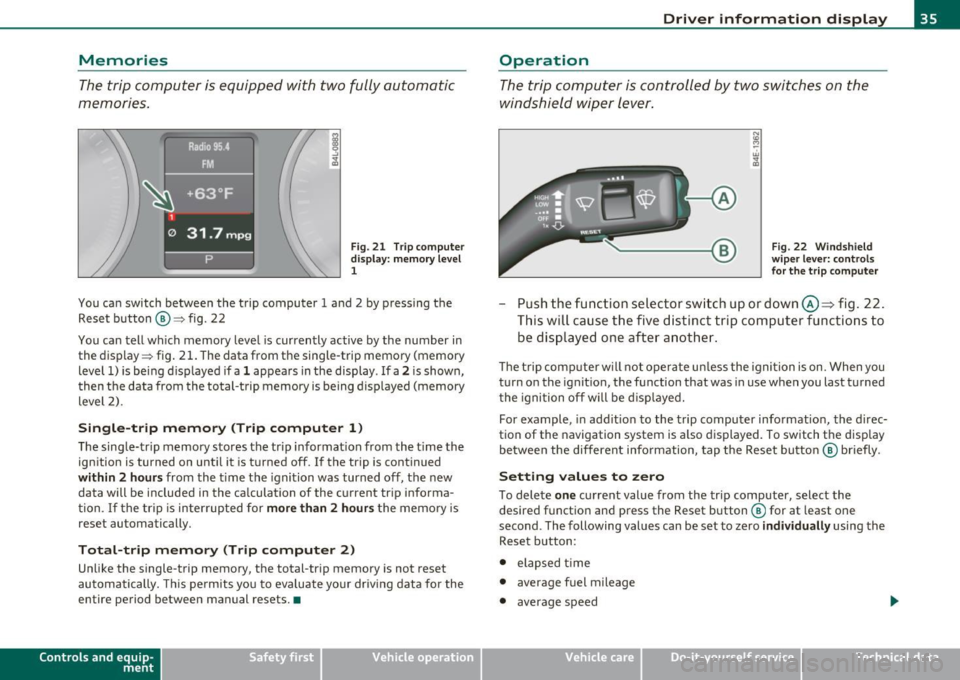
Fig. 21 T rip c omput er
di spl ay : m emory l evel
1
You ca n switch be twee n the t rip computer 1 a nd 2 by p ressing the
Rese t button @=> fig. 22
You can tell wh ich memory level is currently active by the number in
the display => fig . 21 . The data from t he single-trip memory (memory
level 1) is be ing d isp layed if a
1 appea rs in the display . If a 2 is shown,
then t he data from the total-trip memory is being displayed (memory
level 2) .
Single-trip memory (Trip computer 1 )
The sing le-tr ip memory sto res the trip informat ion from the t ime the
ign ition is turned on unt il it is t urned off .
If the trip is cont inued
within 2 hour s from the time the ignition was turned off, the new
data will be included in the ca lculation of the current tr ip informa
tion .
If the tri p is interrup ted for more than 2 hours t he memory is
reset automatically.
Total-trip memory (Trip computer 2)
Unlike the single-trip memory, the total-tr ip memory is not reset
au tomatically. This pe rmit s you to eva luate yo ur driv ing data fo r the
entire period between manual resets. •
Contro ls a nd e quip
m en t Vehicle
OP-eration
Driver information display
Operation
The trip comp uter is controlle d by two swit che s on the
w ind shield wi per lev er.
Fig . 22 W indsh ield
w ipe r lev er: co nt rol s
fo r the trip compute r
-Push the fu nctio n se le ctor sw itch up or down @~ fig . 22 .
Thi s will cause th e five d ist inc t trip c om puter func tion s to
be dis played o ne aft er anoth er.
The trip com puter w ill not oper ate u nless the igni tion is on. When you
turn o n the ignit ion, the function that was in use when you last turned
t he igni tion off w ill be dis played.
For example , in add it ion to the trip compu ter informat io n, the direc
tion of the navigation system is a lso d is p layed . To switch t he display
be tween the different info rmation, tap the Reset butt on @ briefly .
Setting values to zero
To dele te one c ur rent value from the tr ip computer, select the
desired f unct io n an d press the Reset b utton ® for at least one
second . The following values can be set to zero
individually using the
Reset b utton :
• elapsed time
• average fuel mileage
• average speed
Vehicle care Do-it-yourselt service iTechnical data