warning light AUDI S6 2011 User Guide
[x] Cancel search | Manufacturer: AUDI, Model Year: 2011, Model line: S6, Model: AUDI S6 2011Pages: 370, PDF Size: 87.15 MB
Page 19 of 370

Anti-lock brake system (ABS)
A ...
.j {USA models) /..., {Canada models)
This warning/indicator light monitors the ABS and the
electronic differential lock (EDL) .
The warning/indicator light will come on for a few seconds when the
ign ition is switched on . The light w ill go out after an a utomat ic check
sequence is comp leted .
There is a malfunction in the ABS when: • Th e warn ing/ indic ator light does not ill uminate when you swi tch
on the ig nit io n.
• Th e warn ing/ in dic ator lig ht does not go out a fter a few se conds .
• The warning/ind icator light illuminates while d riving.
The brake sy stem will still re spond even without the a ssistance of
the ABS system . See your authorized Audi dealer as soon as
possible to restore full braking performance.
For more i nformat ion
regarding the ABS=>
page 246.
The ABS warning l ight and the brake warning light come on
together. The ABS will not work and you will noti ce a change in
brak ing response and performance.
Malfunction in the brake system
If the brake warning light=> page 18 and the ABS warning ill uminate
together there may be a malfu nction in t he A BS, a nd there may a lso
be a malfunction in the brake system itself=>& .
In the even t of a
malfunction in the b rake system the warning/ indi
ca tor light
BRAKE (U SA mode ls)/ ((])) (Canada models) in the instrume nt
cl uster flashes . By p ressing the
I C H ECK ) button, you ca n bring up a
dr iver message w hic h explains the malfunc tion in mo re de tail. Please
not e=>
pag e 26 .
Controls and equip
ment Safety first
Instruments and warning
/indicator lights
Malfunction in the electroni c differential lock (EDL)
Th e ED L wor ks toge ther w it h the ABS . The A BS wa rning light will
come on if t he re is a malfunction in the EDL system=>
page 243. See
your authorized Aud i dea le r as soon as poss ible.
& WARNING
• If the ... Is~ (USA models)/ d (Canada models ) warning light
does not go out , o r if it comes on while driving, the ABS system is
not working properly . The vehicle can then be stopped only with
the standard brakes (without ABS ). You w ill not have the protec
tion ABS provide s. Contact your Aud i dealer as soon as pos sible.
• USA models: If the BRAKE warning light and the 9 warning
light come on together, the rear wheel s could lock up fir st under
hard braking. Rear wheel lock-up can cau se los s of vehicle control
and an accident . Have your vehicle repaired immediately by you r
authorized Audi dealer or a qualified work shop. Drive slowly and
avoid sudden, hard brake applications.
• Canada models : If the brake warning light «D> and the ABS
warning light come on together , the rear wheels could lock up
first under hard braking . Rear wheel lock -up can cause loss of
vehicle control and an accident. Have your vehicle repaired imme
diately by your authorized Audi dealer or a qualified work shop.
Drive slowly and a void sudden, hard brake applications. •
Electromechanical parking brake
~E {USA models) /(®) {Canada models)
The warning/indicator light monit ors the electromechan
ical parking brake.
With the parking bra ke app lied and the ignition turned o n, t he
warning/indicator light illum inates. After the ign ition has been
t u rned
off, the wa rni ng/ind icator light co nti nu es to i llumi nate for
abou t 30 seconds . If the parki ng brake is applied w it h the ignition _,,
Vehicle care Technical data
Page 20 of 370
Instruments and warning/indicator lights
tu rned off, the warning/ind icator light illum inates for abo ut 30
s e co nd s.
Th e warn ing/i ndicator lig ht w ill go out whe n the parking brake is
re lease d.
If the w arn ing/ indi ca tor li ght flas hes c ontinuou sly
after applying th e
park ing brake, braking force is not suffic ient to p revent the vehicle
fro m rolling unin te n ti onally. Pleas e note the following:
• If th e slope of the g round is too ste ep to pa rk the vehicle, the addi
tional drive message ap pea rs
Caution: Vehicle parked too steep .
• In th e eve nt of a pa rk ing bra ke malfunc tion, t he yellow symbol
appea rs in the inst rument cluste r display a nd the dr ive r message
Parking brake auto release: system fault is displayed . Have the
ma lf u nctio n re paire d as soo n as poss ible by a qualified Audi
dea le rs hi p.•
Brake system BRAKE (USA
models)
/ {Q)) (Canada models)
The war ning/in dic ator li ght flash es i f br ake fluid le vel is
low , if t he re i s an A BS sys te m malfu nction or a pa rking
b rake malf unct ion.
The lig ht ill um inates when the ign it io n is tu rned on . It goes out afte r
t he engi ne has been st arted. This indicat es tha t the b ra k e war ning
light is functioning proper ly.
If the brake warning light does not light up when the engine is
cranking, there may be a malfunction in the electrical system. In
this case, contact your Audi dealer.
If the b ra ke sys tem w arning/i nd ic a tor light flashes, there is a br ake
system malfunction . By press ing the [
CHECK ] button, you can bring
up a driver mess age whi ch expl ain s t he m alfunc tion in mo re de ta il
=>page 26 .
If the ABS fa ils, t he ABS war ning/ indica to r li ght (USA
mod els)/ (Canada mo dels) fla shes toge ther wi th th e bra ke syste m
warni ng/ind icator light=> &.
(USA models):
If the warning light BRAKE and the wa rnin g light illu
m inate toge ther, im media tely con tac t you r author ized A udi dealer or
qualif ied workshop to have all brake pads inspected=>
page 31.
When the ligh t comes on, an a udible w arnin g signal is also give n.
& WARNING
• USA models: If the BRAKE warning light and the r i,~ warning
light come on together, the rear wheels could lock up first under
hard braking . Rear wheel lock-up can cause loss of vehicle control
and an accident . Have your vehicle repaired immediately by your
authorized Audi dealer or a qualified workshop . Drive slowly and
avoid sudden, hard brake applications.
• Canada models : If the brake warning light (CD) and the ABS
warning light :::; come on together, the rear wheels could lock up
first under hard braking. Rear wheel lock -up can cause loss of
vehicle control and an accident. Have your vehicle repaired imme di ately by your authorized Audi dealer or a qualified workshop .
Drive slowly and avoid sudden, hard brake applications.
• If the brake warning/indicator light does not go out after a few
seconds and the parking brake released, or lights up while you are
driving, the fluid level in the brake fluid reservoir is too low. If you
believe that it is safe to do so, proceed immediately at low speed
to the nearest authorized Audi dealer or qualified repair facility
and have the brake system inspected.
• Always keep in m ind that after several brake applications , you
will need greater pressure on the brake pedal to stop your vehicle.
Do not rely on strained brakes to respond with maximum stopping
power in critical situations. You must allow for increased braking
distances. The extra distance used up by fading brakes could lead
to an accident. •
Page 21 of 370
Driver information display
Introduction
General notes
The driver information display inside the instrument
cluster provides you, the driver, with much useful infor
mation .
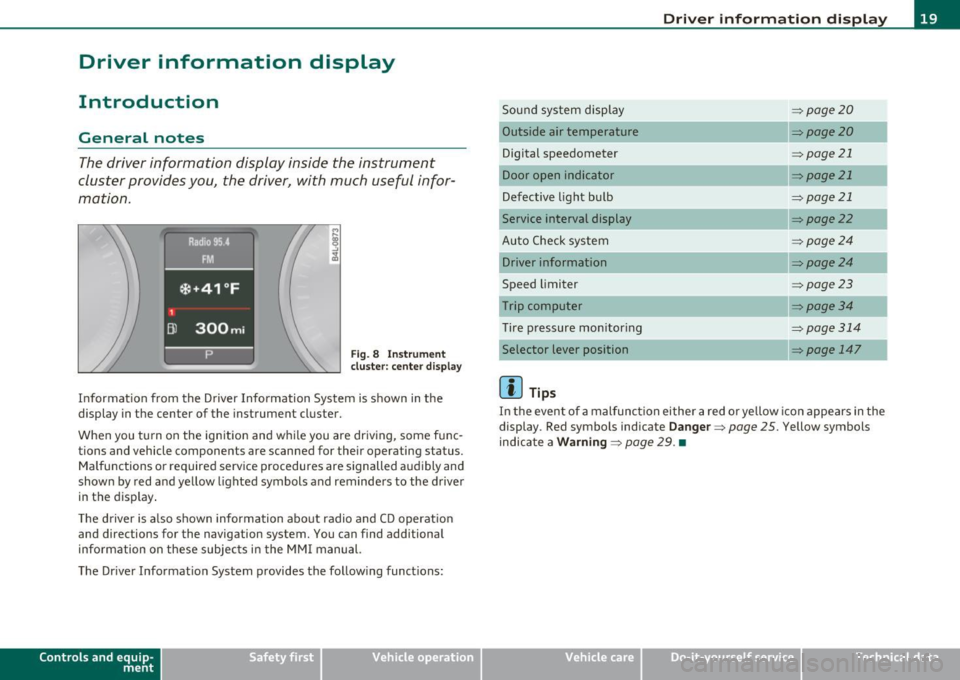
Fig. 8 Instrument
cluster: center display
Informat ion from the Driver Information System is shown in the
display in the center of the instrument cluster.
When you tu rn on the ignition and while you are driving, some func
tions and vehicle components are scanned for their operating status.
Malfunctions or required service procedures are signalled audibly and
shown by red and yellow lighted symbols and reminders to the driver
in the display .
Th e driver is also shown information about radio and CD operat ion
and directions for the navigation system. You can find additional
information on these subjects in the MMI manual.
The Driver Information System provides the follow ing functions:
Con tro ls a nd e quip
m en t Vehicle
OP-eration
Driver information display
Sound system display ~page20
Outside a ir temperature ~page20
Digital speedometer ~ page21
Door open indicator ~page21
Defective light bulb ~page21
Service interval display ~page22
Auto Check system ~page24
Driver information ~page24
Speed limiter ~page23
Trip computer ~ page3 4
Tire pressure monitoring ~page314
Selector lever position ~ page 147
(I] Tips
In the event of a malfunction either a red or yellow icon appears in the
display . Red symbols indicate
Danger ~ page 25. Yellow symbols
indicate a
Warning ~ page 29. •
Vehicle care Do-it-yourselt service iTechnical data
Page 22 of 370
Driver information display
Sound system display
Fig. 9 Displa y: soun d
system
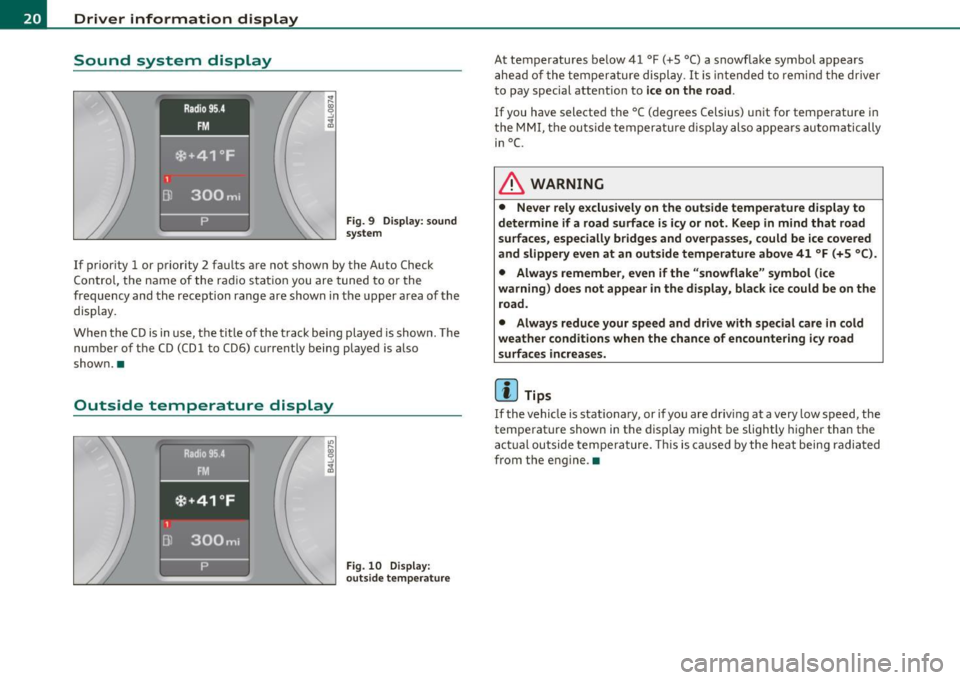
If prior ity 1 or priority 2 fau lts are not show n by the A uto Check
C on tro l, t he name of the ra dio s tat ion you are tuned to or the
frequency and the reception range are shown in the upper area o f the
display.
W hen the C D is in use, t he tit le of th e track bei ng played is show n. The
num ber of t he CD (CD l to CD6) current ly being played is a lso
show n.•
Outside temperature display
Fig. 10 D isplay:
outs ide temperature
At temperatures be low 41 °F ( +S °C) a snowflake symbol appears
a he ad of the te mp eratu re di splay.
It is in te nded to rem ind the driver
to pay special attent io n to
ice on the road .
If you have selected the °C ( degrees Celsius) u nit for tem perature i n
t he
MM I, the ou tside te mpera tu re di sp lay also appe ars automatic ally
in
°C.
& WARNING
• Never rely exclusively on the outside temperature display to
determine if a road surface is icy or not . Keep in m ind that road
su rfaces , especially bridges and overpa sses, could be ice covered
and slippery even at an outside temperature above 41 °F (+5 °C ).
• Always remember , even if the "snowflake" symbol (ice
warning ) does not appear in the di splay, black ice could be on the
road.
• Always reduce your speed and drive with special care in cold
weather conditions when the chance of encountering icy road
surfaces increases.
(I] Tips
If the vehi cle is stat io na ry, or if yo u are driv ing at a very low speed, the
temperature shown in the display m ight be slightly higher than the
a ctu al outside tempe ra t ure. This is ca used by the he at being radi ated
from the engine .•
Page 23 of 370
Digital speedometer
Fig. 11 Display:
Digital speedomete r
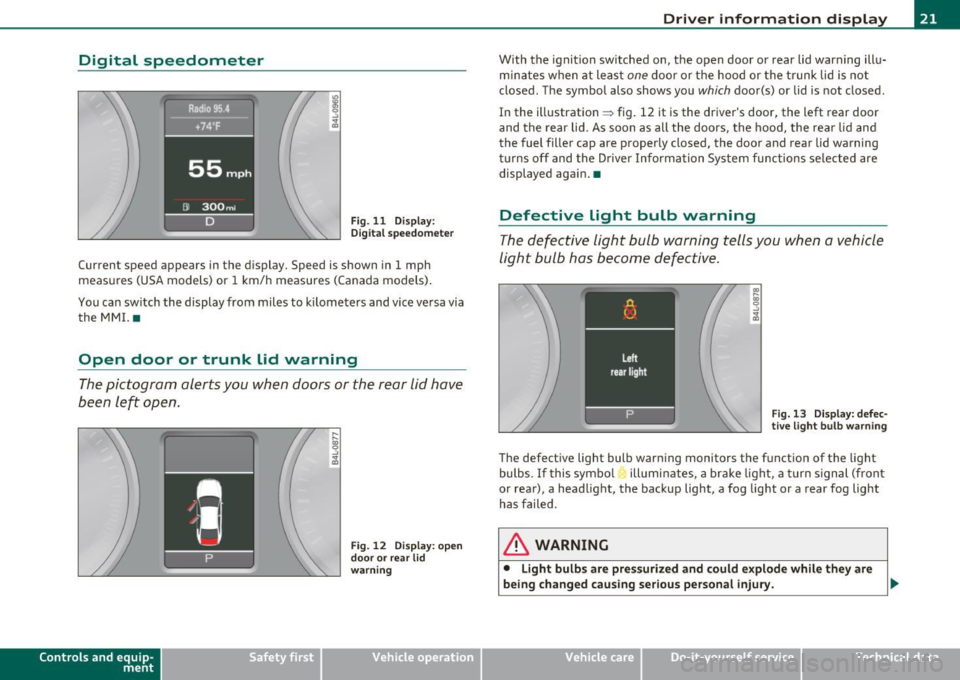
Current speed appears in the display. Speed is shown in 1 mph
measures (USA models) or 1 km/h measures (Canada models) .
You can switch the display from miles to kilometers and vice versa via
the MMI. •
Open door or trunk lid warning
The pictogram alerts you when doors or the rear lid have
been left open.
Con tro ls a nd e quip
m en t
Fig . 12 Display: open
door or rear lid
warning
Vehicle OP-eration
Driver information display
With the ignition switched on, the open door or rear lid warning illu
minates when at least
one door or the hood or the trunk lid is not
closed . The symbol also shows you
which door(s) or lid is not closed.
In the illustration ~ fig. 12 it is the driver's door, the left rear door
and the rear lid. As soon as all the doors, the hood, the rear lid and
the fuel filler cap are properly closed, the door and rear lid warning
turns off and the Driver Information System functions selected are
displayed again. •
Defective Light bulb warning
The defective light bulb warning tells you when a vehicle
light bulb has become defective.
Fig. 13 Display: defec
tive light bulb warning
The defective light bulb warning monitors the function of the light
bulbs.
If this symbol illuminates, a brake light, a turn signal (front
or rear), a headlight, the backup light, a fog light or a rear fog light
has failed .
& WARNING
• Light bulbs are pressurized and could explode while they are
being changed causing serious personal injury. .._
Vehicle care Do-it-yourselt service iTechnical data
Page 24 of 370
Driver information display
& WARNING (conti nu ed )
• Work with due care when handling the high- voltage section of
gas di scharg e (xenon ) light s. Failure to do so could result in death
or serious injury.
[ i J Tips
Have the bu lb replaced or the connection repa ired by your author ized
Audi Se rvice department. •
Service interval display
The service interval display reminds you when your next
service is due.
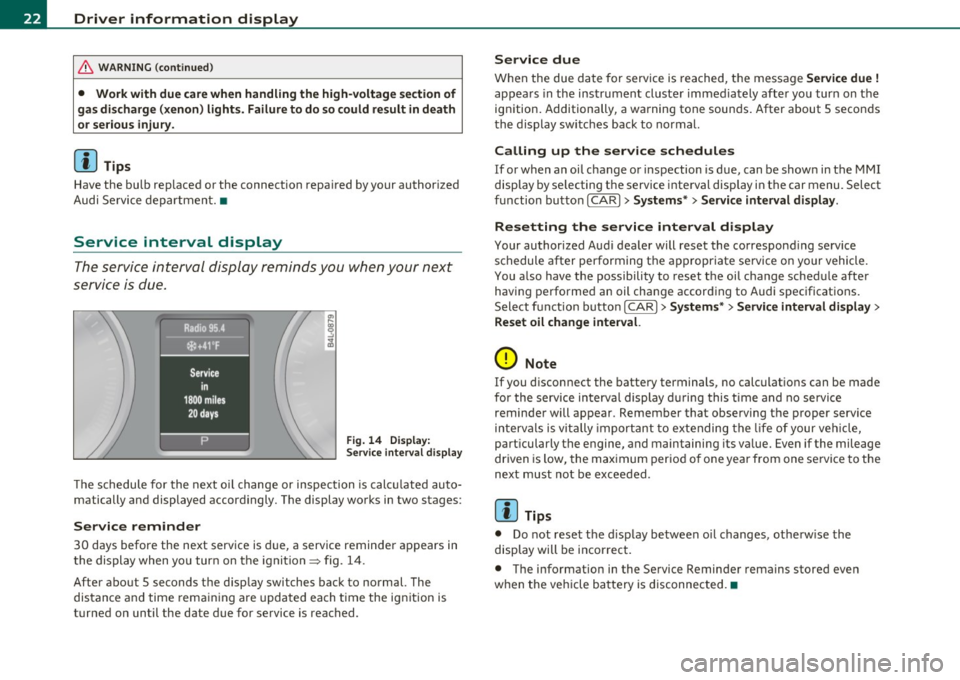
Fig . 14 Displ ay:
Se rvice inte rval disp la y
T he schedule for the next o il change or inspection is calc ulated auto
matically and displayed accordingly. The display wo rks in two stages :
Service reminder
30 days before the next serv ice is d ue, a service reminder appears in
the display when you tur n on the ignition
=> fig . 14 .
After about 5 seconds the disp lay switches back to normal. The
distance and time rem aini ng a re updated each time the ig nition is
turned on until the da te due for service is reached .
Service due
When the due date for service is reached, the messa ge Service due !
appea rs in the instrument cluste r immediately afte r yo u turn on the
ign ition. Additionally, a warning tone soun ds. After about 5 seconds
t he display switc hes back to normal.
Calling up the service schedules
If or when an oil change or inspection is due, can be show n in the MMI
display by se lecting t he service inte rval disp lay i n the car menu. Select
function butto n
I CAR]> Sy stems *> Service interval display.
Resetting the service interval display
Your authorized A ud i dea ler will reset the co rrespond ing service
schedule after performing the appropriate se rvice o n your vehicle.
You a lso have the possibility to reset the oi l change sched ule after
having performe d an oil change accord ing to Audi spec ificat ions .
Select f unct io n butto n
I CAR]> Systems *> Service interval di splay >
Reset oil change interval.
0 Note
If you d isconnect the battery terminals, no calculat ions can be made
for the service interva l display d uring this t ime and no servi ce
reminder will appear. Remember that observing the proper service
in terva ls is vi tally importan t to extending the life of your ve hicle,
part icularly the engine, and maintaining its va lue. Even if the mileage
driven is low, the max imum perio d of one year from one se rvi ce to the
next must not be exceeded .
[I] Tips
• Do not reset the d isp lay between oi l changes, ot he rw ise the
display will be incorrec t.
• The informat ion in the Service Reminder rema ins stored eve n
w hen the ve hicle ba ttery is d isconnec ted. •
Page 28 of 370
Driver info rmation d isplay
• Speed warnings threshold 1 B (USA models)/ 8 (Canada models)
and thresho ld 2
9, (USA mode ls)/ 8, (Canada models) are also shown
as red symbols . The warning is always shown as a small symbol in the
upper area of th e display ~
page 32. •
Alternator malfunction 0
If the D symbol in the instrument panel d isplay flashes, then there
is a malfunction in the alternator or the vehicle electronics . A warning
to the driver will appear, too. The driver warning goes out after about
5 seconds, but it can be brought up at any time by pressing the
[CHECK] button again .
Us ua lly, you can still drive to the next dea lership. Tu rn off all but the
mos t necessary elec trical consumers, since these drain the vehicle 's
battery.
0 Note
If the _ f_ warning symbol (coolant system malfunction) a lso lights up
on the instrument panel during the trip~
page 27, then you have to
stop immediate ly and turn off the engine. The coo lant pump is not
work ing anymore - danger of damage to the engine! •
Brake system malfunction
A malfunction in the brake system must be repaired as
soon as possible.
If the warning /indicator light BRAKE (USA models)/ (©)
(Canada models) in the instrument cluster flashes, there is a
brake system malfunction . By pressing the [CHECK] bu tton,
you can bring up a driver message which expla ins the
malfunct ion in more deta il.
Stop vehicle and check brake fluid level
- Pull off the road .
- Stop the vehicle .
- Turn off the engine .
- Chec k the bra ke fluid level=>
page 289 .
-Contact your nearest authorized repair facility if neces-
sary.
Warning! Fault in brake system. Conta ct
workshop
- Drive carefully to the nearest authorized repair facility and
have the malfunct ion corrected=> &,.
Parking brake! Please contact workshop
-If the warning/indicator light flashes when the vehicle is
statio nary or afte r the ignition is turned on, check to see if
the parking brake can be released. Drive to an authorized
repair facility as soon as possible and have the malfunc
tion corrected . If the parking brake cannot be re leased,
contact your neares t authorized repa ir facility .
If the warning/indicator light flashes while you are
dr iv ing , it is possible that the traction control or the emer
gency brake has malfunctioned. It is poss ible that the
park ing brake cannot be applied . It is also poss ible that
the parking brake cannot be released after it has been
applied . Drive to an authorized Audi dealer to have the
ma lfunction corrected .
If the ABS system malfunctions, th e ABS warn ing/indicator light i llu
m inates together w ith the brake system malfunction warning/indi-
cator light~& . .,_
Page 29 of 370
& WARNING
• Always observe the warnings in~ page 2 71, "Engine compart
ment ", before opening the hood and che cking the brake fluid.
• Driving w ith low brake fluid is a safety haza rd. Stop the car and
get profe ssional a ssistan ce.
• USA models : If the BRAKE warning light and the warning
light come on tog ether, the rear wheel s could lock up fir st under
hard b raking. Rear wheel lock -up can cause loss of vehicle cont rol
and an a ccident . Have your vehicle repaired immediately by your
authorized Audi dealer or a qualified workshop. Drive slowly and
avoid sudden, hard brake application s.
• Canada models : If the brake warning light((])) and the ABS
warning light come on together , the rear wheel s could lock up
first under hard braking. Rear wheel lock-up can cause loss of
vehicle control and an accident. Have your vehicle repaired imme diately by your authorized Audi dealer or a qualified workshop.
Drive slowly and avoid sudden , hard brake applications. •
Engine cooling system malfunction _t_
A malfunction in the engin e cooling system must be
repaired as soon as possible.
When t he J_ symbol in the disp lay blinks , th en e ither the
engine coola nt
temperature is too high, or t he coolan t level
is too low. A n add itiona l dr iver messa ge ca n also be d isp layed
by pressing t he
[CHECK) bu tton :
Switch off engine and check coolant level
-Pull off the road.
- S to p the v ehicl e.
- Turn off the eng ine .
Controls and equip
ment Safety first Driver information display
- Ch
eck coolant level => page 286 .
- Add coola nt if necessa ry=> page 287.
- Continue driv ing on ly after the eng ine coolant
war ning/i ndica tor light goes ou t.
- Contact your authorized Audi dea ler for assistance if
necessary.
If the eng ine coolan t leve l is correct, then the radiator fan may be the
cause of the malfu nction .
If the
D wa rning symbol (alternator ma lfunction) also lights up on
t he ins trumen t pa ne l~
page 2 6, the n th e fan b elt may be d amaged .
& WARNING
• If your vehicle should break down for mechanical or other
reasons, park at a safe distance from moving t raffic , turn off the
engine and turn on the hazard warning lights~
page 61, "Emer
gency fl asher
A ".
• Never open the hood if you see or hear steam or coolant
escaping from the engine compartment -you risk being scalded.
Wait until you can no longer see or hear steam or coolant escaping .
• The engine compartment of any vehicle is a dangerous area. Before you perform any wo rk in the engine compartment, turn of
the engine and allow it to cool. Follow the warning stickers
~ page 2 71, "Engine compartment" .
0 Note
Do not continue driving if the -F-symbol illum inates. There is a
m alfu nct ion in the engine cooling system -yo u co uld da mage yo ur
engine. •
Vehicle care Technical data
Page 31 of 370
Ignition Lock malfunction ~
A malfunction in the ignition lock must be repaired immediately .
If the .Pe symbol in the display blinks, there is a malfunction
in the electronic ignition lock. An additional driver message
can also be displayed by pressing the
[CHECK ] button:
Ignition lock defecti ve . Contact wor kshop!
- Do not turn the engine off.
- Drive immediately to an authorized Audi dealer to have
the malfunct ion correc ted.
If the re is a malfunction in the e lectronic ignition lock, the ignit ion
cannot be turned
off . Drive immediately to an authori zed Audi dealer
to have the cause of the mal function corrected.
On vehicles with Convenience key* , the eng ine should not be switched
off using the [STOP] button because the engine cannot be started
again afte r the ign ition is switched off .•
Yellow symbols
Ayellow symbol means WARNING.
Controls and equip
ment Safety first
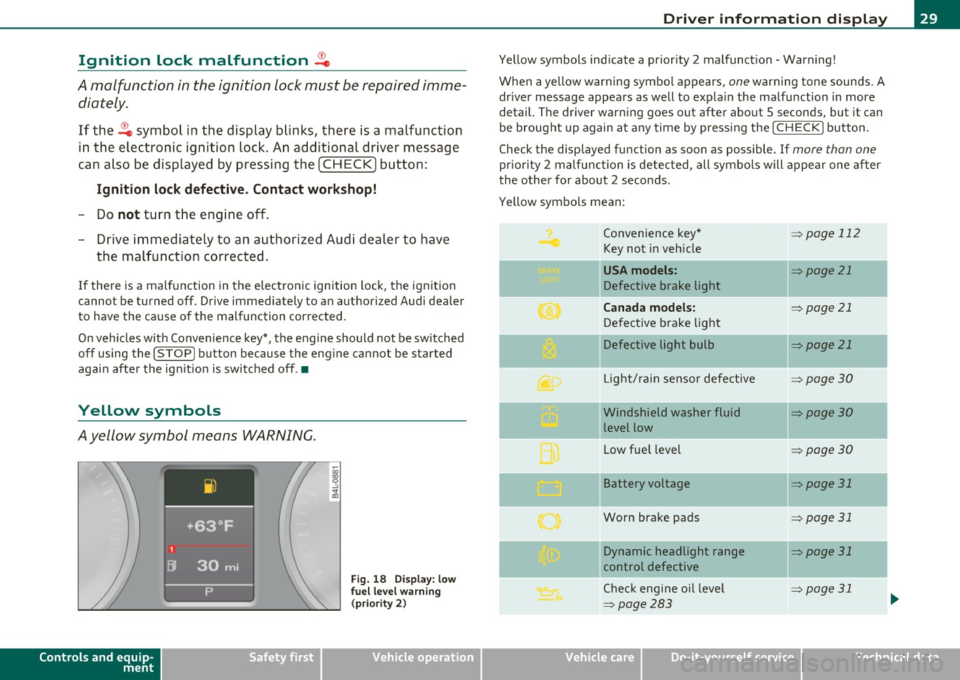
Fig.
18 Disp la y : lo w
f u el l evel warning
(p rio ri ty 2)
Dri ver information display
Yellow symbols ind icate a prior ity 2 malfunct ion - Warning!
When a yellow warning symbo l appears,
one warning tone sounds. A
dr iver message appears as well to expla in the malfunction in more
detail. The driver warning goes out after about 5 seconds, but it can
be brought up again a t any time by pressing the
I CHECK] button .
Check the displayed function as soon as possible . If
more than one
pr iori ty 2 malfunction is detected, all symbo ls will appear one after
the other for about 2 seconds.
Yellow symbols mean:
Convenience key*
=> page 112
Key not in vehicle
-
USA models : => page 21
Defective brake light
Canada models : => page 21
Defective brake light
Defective light bulb
=> page 21
L ig ht/rai n sensor defective :::>page 30
Windshield washer fluid =:>page 30
level low
Low fue l level
=:> page30
II Battery voltage => page 31
-
Worn brake pads => page 31
II Dynamic headlight range => page 31
control defective
-
Check engine oil leve l => page 31
=>page 283
...
Vehicle care Technical data
Page 33 of 370
Battery voltage 1• i
If the battery's state of charge is not in the optima l range, the
symbo l is show n in the di splay and the d river me ssage
Low battery
charge: battery will be charged while dri ving
appears.
Whi le this d river notification is displayed, you have to be prepared for
limited starting capability .
Driver message appears and goes out again
If this driver message appears after the ignition is turned on or while
driving and it goes o ut again afte r a while, the ba ttery has been
adequate ly recharged.
Driver me ssage appears and does not go out again
If th is dr iver notification appears after the ignition is turned on or
wh ile driving and does not go ou t aga in, the battery 's state o f charge
is not in the opt imal range . Starting capability is restricted. Have the
bat tery checked by an au thor ized A udi dea le r as soon as possible. •
Worn brake pads U
._ Brake pads!
If the war ning lig ht ill um inates, immediately co ntact your au tho rized
Audi dea ler or qualified wor kshop to have all brake pads inspected.
On USA mode ls the warn ing light comes on together w it h the
warning light
BRAKE . Both sets of brake pads on an axle must a lways
be re placed at th e same time.
& WARNING
Driving with bad brakes can cause a collision and serious personal
injury .
Controls and equip
ment Safety first
Driver information display
& WARNING
(co ntinued )
• If the warning light... and the warning light BRAKE1l with the
mes sage Brake pads! comes on in the instrument cluster di splay,
immediately contact your authorized Audi dealer or qualified
workshop to have all brake pads checked or replaced if necessary. •
Headlight range control defective ((
~ ~ Headlight range control defective
If the symbo l illumina tes, the dynam ic he adlig ht r an ge con tro l is no
longer working properly. Have the system checked and repaired at
your Audi de aler. •
Engine oil Level~
Please che ck oil level
Whe n the symbol i llumina tes, check t he engine o il level as soo n as
poss ible => page 283 . Top off the oil at yo ur earlies t oppor tunity
=>page284 .•
Engine oil sensor defective _t..
Oi l level! sensor defective
If the symbo l illuminates, contact your author ized A udi dealer and
have the oi l senso r inspected. Un til you have t his don e, check the oil
level each time you refue l just to be on the safe side => page 283. •
ll BRAKE : USA mode ls only
Vehicle care Technical data