warning light AUDI S6 2013 Workshop Manual
[x] Cancel search | Manufacturer: AUDI, Model Year: 2013, Model line: S6, Model: AUDI S6 2013Pages: 306, PDF Size: 76.92 MB
Page 100 of 306
98 Audi drive select
Audi drive select
Driving settings
Introduction
Aud i d rive select mak es it possible to expe ri
ence diffe ren t types of vehi cle se ttin gs i n o ne
ve hicl e. The dr ive r can se lect th ree
Comfort ,
Auto and Dynamic modes in the M MI to
switch between a sporty and a comforta ble
driving mo de.
You c an a lso a djust the setti ng according to
your p re ferences in the
Individual mode . F o r
examp le, you ca n combine settings such as a
sporty en gine t uning with comfortab le steer
ing.
A WARNING
Improper use of the A udi drive select can
cause collisions, ot her acc idents and se ri
ous pe rsonal injury.
Description
The vehicle setup in each mode depends on
the veh icl e's featu res. The engine, t ransm is
sion, stee ring, reve rsible sa fe ty belt tension
e rs a nd adap tive air su spension are alw ays in
volved.
Engine and transmission
Depending on the mode, the e ng ine and the
tra nsmission respond quic ker or i n a more bal
an ced manne r to acce le rator pedal move
men ts. In the sporty dyn ami c mode, the
tra nsmission sh ifts at highe r RP Ms.
Air suspension*
The adaptive air suspens ion/adaptive air sus
pension spor t*
(Air suspen sion in the MM I) is
a n e lec tronic ally con trolled air suspension and
da mpi ng sys tem. They are adjus ted depend
ing on the se lected driving mode, the drive r's
steeri ng, braking an d acceleration input and
the road s urface, ve hicle speed and load. A
sporty setting is generally used in ve hicles
with adaptive air suspension sport*. T
he veh icle clearance varies depending on the
se lected mo de an d the speed .
T he highway setti ng is a ct ivated automatic ally
whe n you dr ive above 7 5 mph (120 km/ h) fo r
more than
3 0 seconds in the Auto or Dynamic
mode. The gro und clea rance is increased a uto
matically if the speed drops below
44 mph
(70 km/h) for more than 120 seconds.
Steering
T he s teer ing adap ts in terms of s teer ing effor t
and steering ratios . Indirect stee ring that
moves easily, like the steer ing in comfo rt
mode, is best suited to long drives on a high
way. In contrast, dynamic mode provides sporty, direct steer ing .
Sport differential*
As a component of the all whee l drive system
(quattro ®)
r=:> page 196, th e Sport differen
t ia l* distributes the driving powe r to the rear
axle depending on the situation. The distr ibu
t ion of power va ries depe nding on the select
ed mode, from balanced (comfort) to agile
(dyna mic) . Th e goa l is a high leve l of agility
and ability to acce le rate on cu rves . Th e vehicle
is ve ry re sponsive to st eer ing.
Curve light*
The curve light adapts to driving on curves .
T he pivo ting act io n and the lighting are also
adapt ed to the mode .
Adaptive cruise control*
The behav ior when accelerating can be adjust
ed from comfortab le to sporty, depending on
the drive select mode. Adaptive cru ise cont ro l
also responds to th e dr iv ing behavior o f th e
vehicle a head in a mo re co nse rvative o r sporty
man ne r.
Engine sound*
The sound of the eng ine is adapted to the se
lected mode and ranges from sub tle to sporty . .,.
Page 104 of 306
102 Night visi on assis tant
Pedestrian warning
Applies to vehicles: with night vision assistant
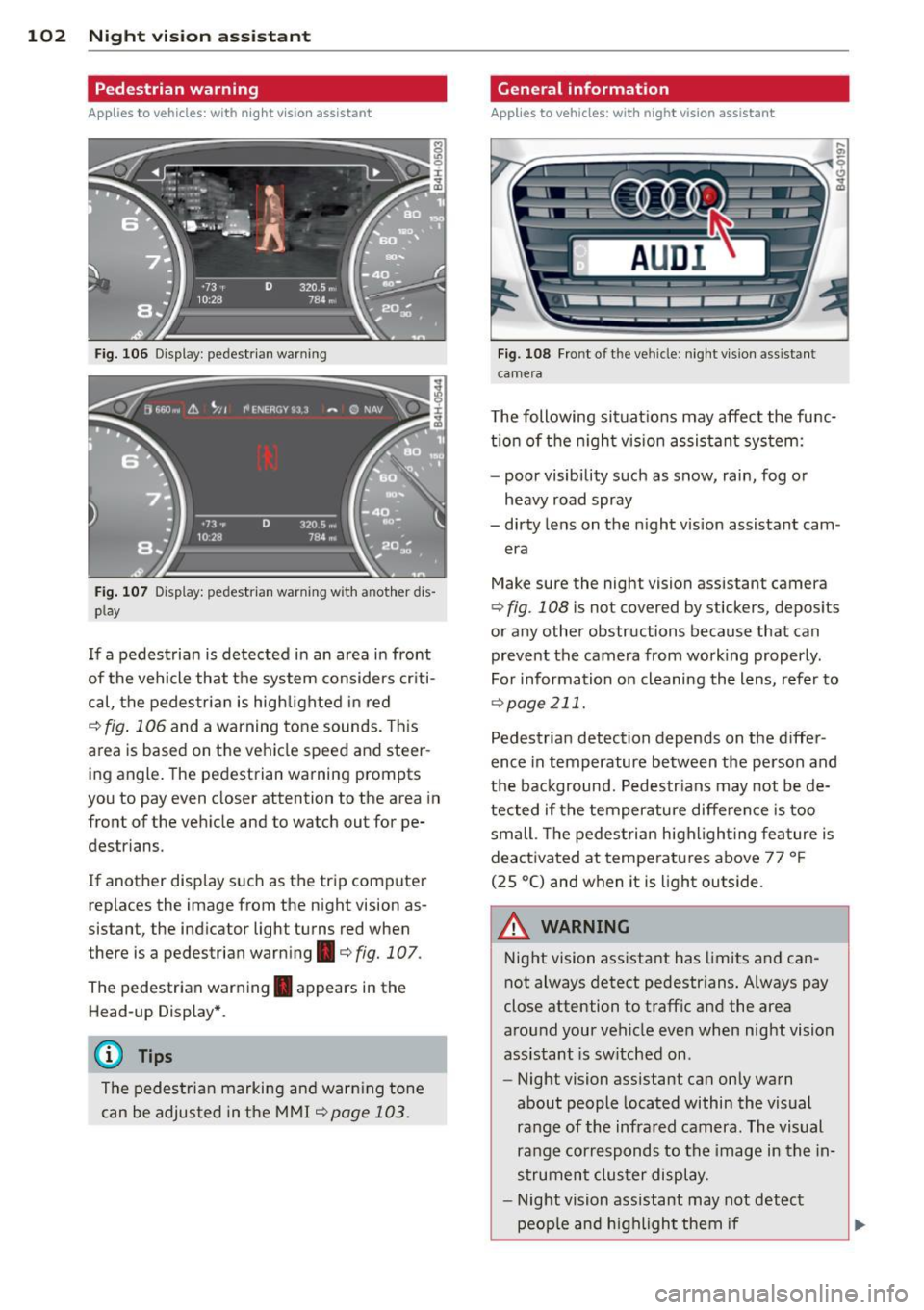
Fig. 106 Display : pedestrian warning
Fig . 107 D is p lay: pedestrian warning w ith a nother dis
p lay
I f a pedestrian is detected in an area in front
of the vehicle that the system considers criti
cal, the pedestrian is high lighted in red
¢ fig . 106 and a warning tone sounds. This
area is based on the vehicle speed and steer
ing angle. The pedestrian warning prompts
you to pay even closer attention to the area in
front of the vehicle and to watch out for pe
destrians.
If another display s uch as the tr ip computer
replaces the image from the night vision as
sistant, the indicator light turns red when
there is a pedestrian warning.¢
fig. 107 .
The pedestrian warning . appears in the
Head-up Display *.
(D Tips
The pedestrian marking and warn ing tone
can be adjusted in the MMI
!:!) page 103.
General information
Applies to vehicles: with night vision assistant
Fig. 108 Fro nt of th e ve hicle: night v ision assistant
camera
T he following situat ions may affect the func
t ion of the n ight vision assistant system:
- poor visibility such as snow, rain, fog or
heavy road spray
- dirty lens on the n ight vis ion assistant cam -
era
Make sure the night vision assistant camera
¢
fig . 108 is not covered by stickers, deposits
or any other obstructions because that can
prevent the camera from working properly.
For information on cleaning the lens, refer to
¢ page 211.
Pedestrian detection depends on the d iffer
ence in temperature between the person and
the background. Pedestr ians may not be de
tected if the temperature diffe rence is too
small . Th e pedestrian highl ighting feature is
deactivated at tempe ratures above 77 ° F
(25 °C) and when it is light outside.
A WARNING
Night vision assistant has limits and can
not always detect pedestr ians. Always pay
close attention to traffic and the area
around your vehicle even when night vision
assistant is sw itched on .
- Night vision assistant can only warn
about people located within the visual
range of the infrared camera. The visual
range corresponds to the image in the in
strument cluster display .
- Night vision assistant may not detect
-
peop le and highlight them if .,.
Page 105 of 306
-they are not in an upright position, for
example if they are sitting, crouching
or lying down and/or
- if the outline in the display is incom
plete or interrupted, for example be
cause the person is partially hidden by
a parked vehicle .
(D Tips
-Pedestrian detection and the pedestrian
warming are limited to objects that are
detected as pedestrians. The system
does not detect animals . Even though
the shape and warmth radiated by each
object detected is evaluated, the system
does have limitations and it can give in
correct warnings.
- For technical reasons , the image pauses
in split second intervals.
Switching on and off
Appl ies to vehicles: with night vision assistant
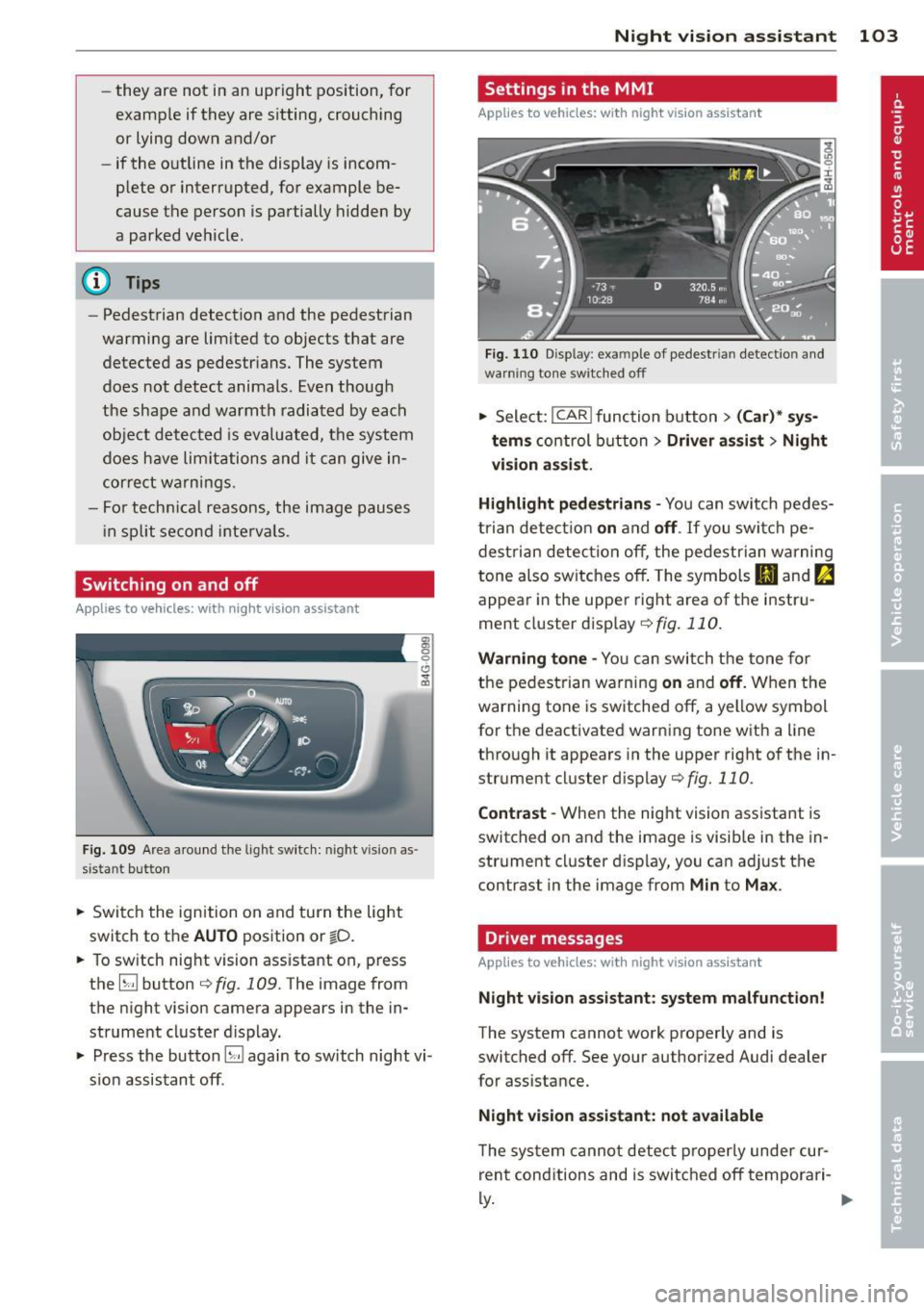
Fig. 109 Area around the lig ht switch: night vis io n as
si st ant button
.. Switch the ignition on and turn the light
switch to the
AUTO position or io.
.. To switch night vision assistant on, press
the
EJ button <::> fig. 109. The image from
the night vision camera appears in the in
strument cluster display.
.. Press the button
EJ again to switch night vi
sion assistant off .
Night vision assistant 103
Settings in the MMI
Applies to vehicles: with night vision assistant
Fig. 110 Disp lay : exa mple of pedest rian detect io n and
warn ing tone sw itched off
.. Select: I CAR I function button > (Car)* sys
tems
control button > Driver assist> Night
vision assist.
Highlight pedestrians -
You can switch pedes
trian detection
on and off . If you switch pe
destrian detection off, the pedestrian warning
tone also switches off. The symbols
(II and ria
appear in the upper right area of the instru
ment cluster display ¢
fig. 110.
Warning tone -You can switch the tone for
the pedestrian warning
on and off. When the
warning tone is switched off, a yellow symbol
for the deactivated warning tone with a line
through it appears in the upper right of the in
strument cluster display¢
fig. 110.
Contrast -When the night vision assistant is
switched on and the image is visible in the in
strument cluster display, you can adjust the
contrast in the image from
Min to Max .
Driver messages
Applies to vehicles: with night vision assistant
Night vision assistant: system malfunction!
The system cannot work properly and is
switched off. See your authorized Audi dealer
for assistance.
Night vision assistant: not available
The system cannot detect properly under cur
rent conditions and is switched off temporari-
~ ~
Page 112 of 306
110 Automatic Tran sm iss ion
Kick-down
Applies to vehicles: with multitron ic/S tronic/t iptronic
Kick-down enables maximum acceleration .
Applies to ve hicle s w ith a multit ro nic ®
t ra nsmission
When you depress the accelerator pedal be
yond the resistance po int, the transmission
downshifts into a lower gear ratio depend ing
on the vehicle speed and engine speed. As l ong as the accelerator peda l is depressed, the
engine speed is a utomat ica lly regulated for
maximum accelera tion.
Appli es to veh icl es with a S tronic ®-/ ,
tiptronic tran smi ssion
When you dep ress the accele rator pedal be
yond the resistance po int, the a utomat ic
transmission downshifts into a lower gear, de
pending on vehicle speed and engine speed.
The upshift into the next higher gear takes p lace once the maximum specified engine
speed is reached.
A WARNING
,-
Please note that the drive wheels can spin
if kick-down is used on a smooth slippery
road - there is a risk of skidding .
Launch Control Program
Applies to vehicles: with S tronic
The Launch Control Program provides the
best acceleration possible when starting from
a stop .
Requirement : The engine must be at operat
ing temperature and the steering wheel must
not be turned .
.. Press the
I~ O FF I button ¢ page 194 while
the engine is running. The
IJ indica tor light
illuminates in the instrument cluster and
Sta bilization contr ol (ESC ): Off Warn ing!
R educed stabi lit y
appears in the dr iver in
fo rmat io n system disp lay .
.. Move the selecto r lever to posit ion D/S to
select sport mode (5) or select
D yna mic
mode in Audi dr ive select c:> page 99 .
.. Press the b rake pedal strongly with you r left
foot and hold it down for at least 1 second .
.. At the same time, press the accelerator
pedal down complete ly with your r ight foot
until the engine reaches and mainta ins a
high RPM .
.. Remove your foot from the brake pedal
w ith in
5 seconds c:> ,&. .
_&. WARNING
-Always adapt your dr iving to the tr aff ic
f low.
- Onl y use the Launch Cont ro l Program
when road and t raff ic condi tions a llow i t
and other d rivers w ill not be endangered
or annoyed by your driving and the vehi
cle 's acceleration.
- Please note that the driving wheels can spin and the vehicle can b reak away
when ESC is switched off, especially
when the road is slippery .
- Once the vehicle has started moving,
press the
1 1' OFFI button brief ly to turn
the ESC on .
(D Tips
- The transmission temperature may in
crease signif icantly after using the
launch control program. If that happens,
the program may not be ava ilable for a
few minutes. It w ill be available again af
ter a cool-down per iod.
- When accelerating using the launch con
tro l program, all vehicle parts are subject
to heavy loads . This can resu lt in in
creased wear .
Transmission malfunction
Applies to vehicles: with multitronic/S tronic/tiptronic
[O] Tran smi ssi on: Pr ess brake pedal and se
lect gear again
Press the brake peda l and select the desired
selector lever position again. You can the n
continue d riving .
[O] Transmi ssion overheating: Plea se drive
con servatively
Page 114 of 306
112 Parking system s
Parking systems
General information
A ppl ies to vehicles: with pa rk in g system plus/ rear view
camera/peripheral cameras/par king ass istant
Depending on your vehicle's equ ipment, vari
ous parking aids will help yo u when pa rk ing
and maneuvering.
The
pa rking sy stem plu s assists you when
pa rking by audib ly and visually indicat ing ob
jects detected
in front of and behind t he vehi
cle
~ page 113.
The rear vie w c am era shows the area behind
the vehicle in the Infotainment d isp lay. This
d isplay assists you when you are c ross o r par
allel parking
q page 114. In addit ion, you are
assisted by the functions from the parking
system plus
~ page 113 .
The periph eral camera s ass ist you with park
ing and maneuvering. You are aided by var ious
cameras depending on the vehicle equipment leve l¢
page 117. In addition, you are assist
ed by the function s from the parking sy stem
p lus ¢ page 113.
A WARNING
- Always look for traff ic and check the area
around your vehicle by looking at it di
rectly as well . The parking system cannot
replace the d rive r's attent ion. The dr iver
is always respons ible for safety during
par king and for all other maneuvers.
- Please note that some surfaces, such as
clothing, are not detected by the system.
- Sensors and cameras have blind spots in
w hich peop le and objects cannot be de
tected. Be especially cautious of children
and animals.
- T he sensors can be displaced by impacts
or damage to the radiato r grille, bumper,
wheel housing and the unde rbody. The
parking systems may become impaired
as a result . Have your authorized Audi
dealer or qualified workshop check their
function. -
Make sure the sensors are not covered by
stickers, deposits or any other obstruc
tions as it may impair the sensor func
tion . For information on cleaning, refer
to
~ page 211 .
(D Note
- Some objects are not detected by the
system under certain c ircumstances :
- Objects su ch as ba rrie r chains, trailer
draw bars, vertical po les or fences
- Objects above the senso rs such as wall
extensions
- Objects w ith specific surfaces or struc
tures su ch as chain link fences or pow
der snow.
- If you contin ue driving closer to a low- ly
ing object, it may disappear from the
sensor range. Note that you w ill no lon
ger be warned abo ut this obstacle.
(j) Tips
- The system may provide a wa rning even
tho ugh there are no obs tacles in the cov
erage area in some situations, such as:
- certain road surfaces or for long grass.
- externa l ultrasonic sources e.g. from
clean ing vehicles.
- heavy rain, snow or thick vehicle ex
haust.
- We recommend that you practice park
ing in a traff ic-free location or park ing
lot to become familiar with the system.
When doing this, there should be good light and weather cond itions .
- You can change the volume and pitch of
the s ignals as we ll as the display
¢page 122.
- Please refer to the instructions for tow
ing a trailer
¢ page 123 .
-What appears in the infotainment dis
play is somewhat time-delayed .
Page 126 of 306
124 Homelin k®
Homelink ®
Universal remote
control
General information
Applies to vehicles: with Homelink® unive rsal remote
co ntrol
The Homelink universal remote control can
be programmed with hand-held transmitters
from existing equipment.
With Homelink, you can control devices such
as the garage door, security systems, house lights, etc. comfortably from the inside of you
vehicle.
Homelink makes it possible for you to replace
three different remote controls from devices in your home with one universal remote . Th is
feature works for most garage door and exte rior door moto r signals. Programming the in
d iv idual remote control fo r you r remote con
trol takes p lace near the center of the radiator
grille. There is a control module attached at
this location .
A one-t ime programm ing of the sensor mus t
be performed before you are able to use sys
tems w ith Homelink.
A WARNING
- Never use the Homelink ® transmitter
with any garage door opener that does have not the safety stop and reverse fea
ture as required by federal safety stand
ards. This includes any garage door open
er mode l manufact ured before April 1,
1982.
- A garage door opener which cannot de
tect an object, signaling the door to stop
and reverse does not meet current feder
al safety s tandards. Us ing a garage doo r
o pener witho ut these fea tures increases
risk of serious inj ury or death.
- F or safety reasons never release t he
parking brake or s tart the engine while
anyone is standing in front of the vehicle .
- A garage door or an est ate gate may
sometimes be set in motion when the Homelink
® remote control is being pro
grammed. If the device is repeatedly ac
tivated, this can overstrain motor and
damage its electrica l components - an
overheated motor is a fire hazard!
- To avo id possible injuries or property
damage, please always make absolutely
certa in that no persons or objects are lo
cated in the rang e of motion of any
equ ipme nt being ope rated.
(0 Tips
- If you would like add itional information
on the Home Link® Unive rsal Transce iver,
Homelink compatib le products, or to
purc hase other accessories s uch as the
HomeL ink® Light ing Package, please
contact Homelink at 1-800 -355 -3515 or
on the Internet at www.homelink .com.
- For Declaration of Comp liance to United
States FCC and Ind ustry Canada reg ula
tions
¢page 288.
-For security reasons, we recommend that
you clear the programmed b uttons be
fore selling the vehicle .
Operation
Applies to vehicles: wit h Ho meli nk
Fig . 14 1 Headliner: controls
M 0
9 (!)
~
Req uirement: The bu tto ns must be program
med ¢
page 125 .
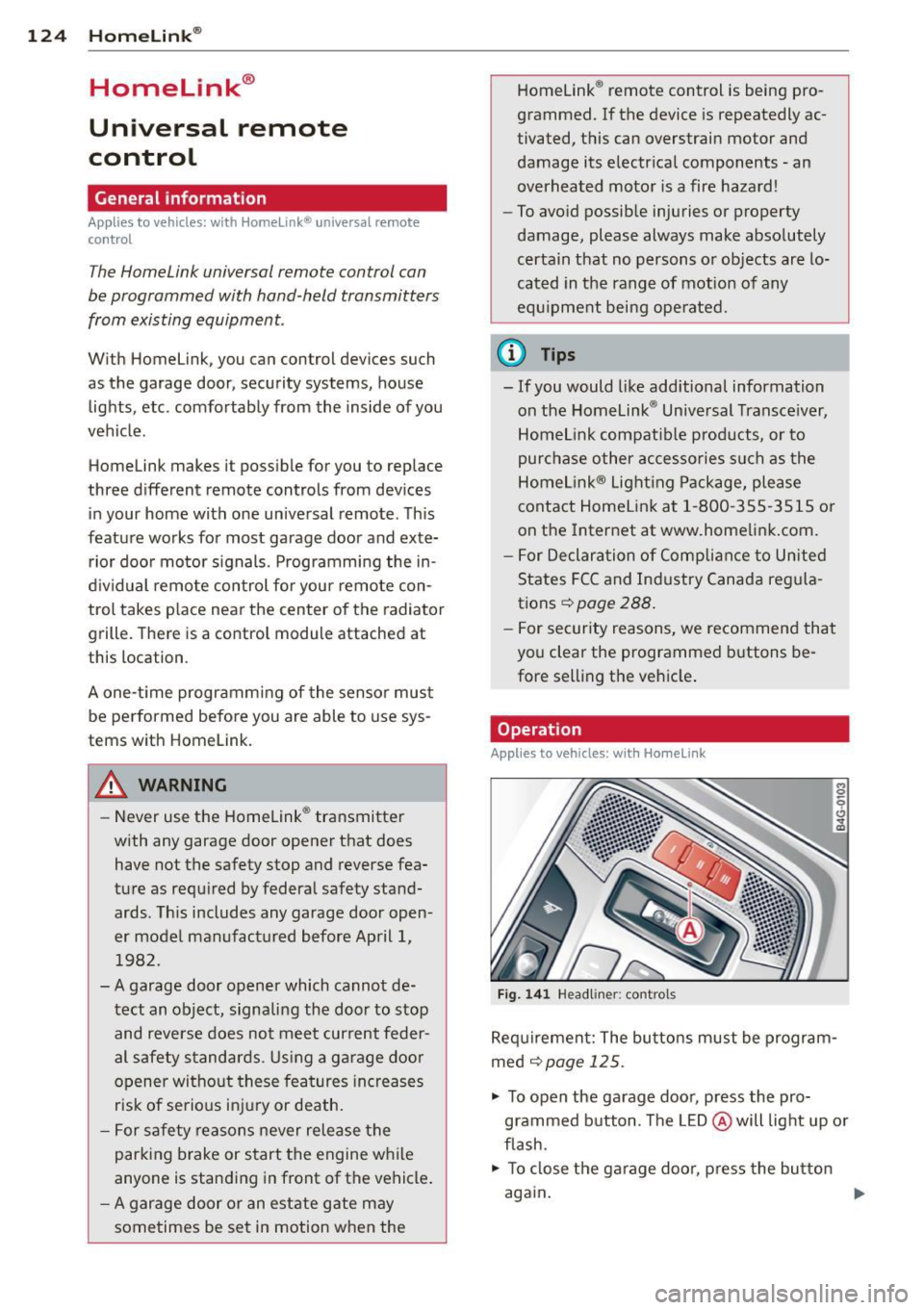
"' To open the garage doo r, press the pro
grammed b utton. The LED @ will light up o r
flash.
"' To close the ga rage doo r, press the button
again .
Ill>
Page 129 of 306
.. Make sure to use the right child restraint
correct ly to protect children
Q page 171,
Child Safety.
.. Sit properly in your seat and make sure that
your passengers do the same¢
page SO,
General recommendations .
.. Faste n your safety belt and wear it properly.
Also instruct your passengers to fasten their
safety belts properly ¢
page 136.
What impairs driving safety?
Safe driving is directly related to the condi
tion of the vehicle, the driver as well as the
driver 's ability to concentrate on the road
without being distracted.
The driver is respons ible for the safety of the
veh icle and all of its occupants.
If your ability
to drive is impai red, safety r isks for everybody
in the vehicle increase and you also become a
hazard to everyone else on the road ¢ _&. .
Therefore:
.. Do not let yourself be dist racted by passen
gers or by using a cellular telephone.
.. NEVER drive when your driving ability is im
paired (by medications, alcohol, drugs, etc.).
.. Observe all traffic laws, rules of the road
and speed limits and plain common sense .
.. ALWAYS adjust your speed to road, traffic
and weather conditions .
.,. Take frequent breaks on long trips . Do not
drive for more than two hours at a stretch.
.. Do NOT drive when you are tired, under
pressure or when you are stressed.
A WARNING
Impaired driving safety increases the risk
of serious personal injury and death when
ever a vehicle is being used.
Driving Safely 12 7
Proper occupant
seating positions
Proper seating position for the driver
The proper driver seating position is impor
tant for safe, relaxed driving .
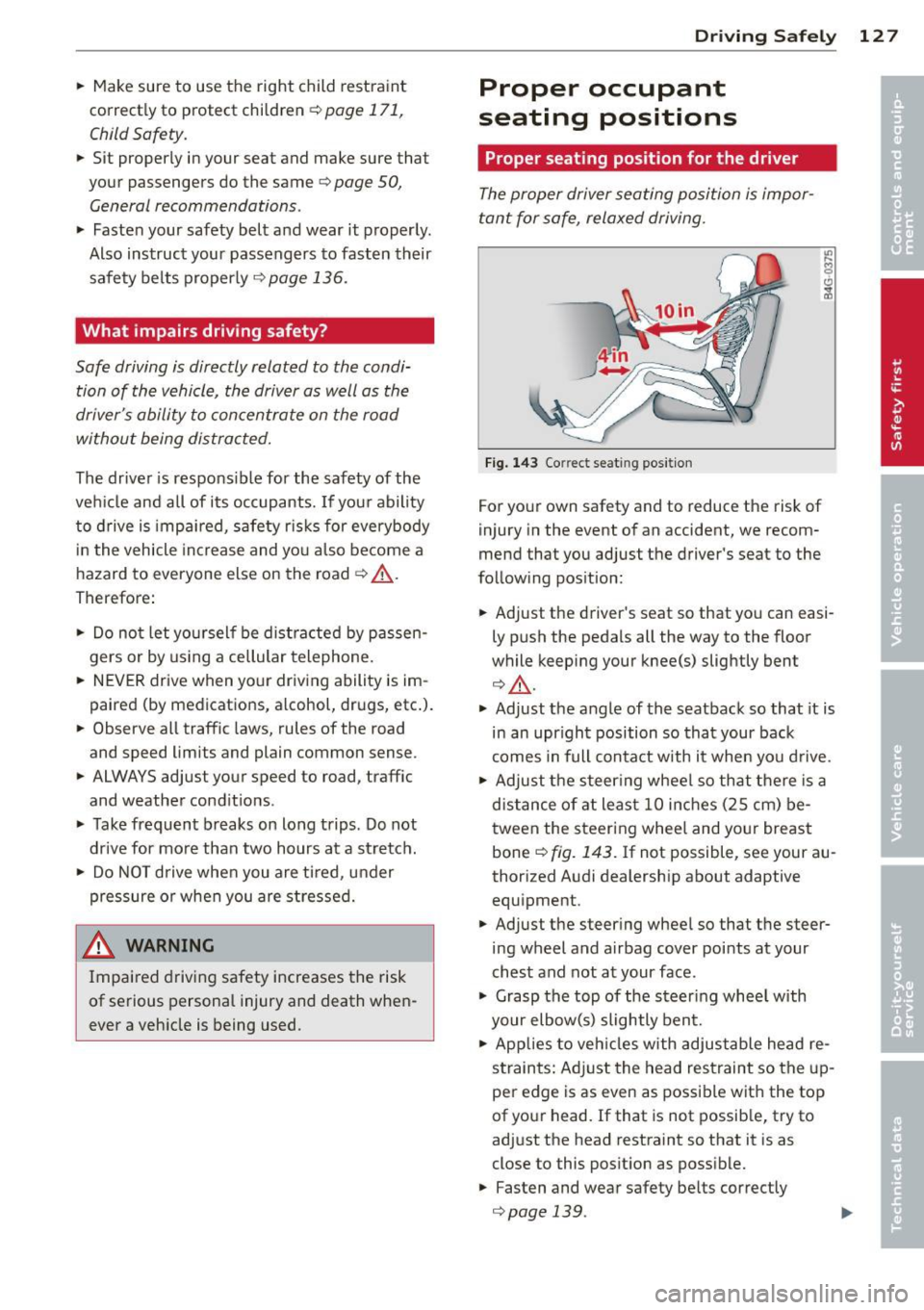
Fig. 143 Correct seat ing pos it ion
For your own safety and to reduce the risk of
injury in the event of an accident, we recom
mend that you adjust the driver's seat to the
follow ing pos ition:
.. Adjust the driver's seat so that you can easi
ly push the pedals all the way to the floor
wh ile keeping your knee(s) slightly bent
¢ _&. .
.. Adjust the angle of the seatback so that it is
in an upr ight position so that your back
comes in full contact w ith it when you drive.
.. Adjust the steering wheel so that there is a
distance of at least 10 inches (25 cm) be
tween the steering wheel and yo ur breast
bone
Q fig. 143. If not possible, see your au
thorized Audi dealership about adaptive
equipment .
.. Adjust the steer ing wheel so that the steer
ing wheel and airbag cover points at your
chest and not at your face.
.,. Grasp the top of the steering whee l with
your elbow(s) slightly bent.
.. Applies to vehicles with adjustable head re
straints: Ad just the head restraint so the up
per edge is as even as possible with the top
of your head. If that is not possible, try to
adjust the head restraint so that it is as
close to this posit ion as possible .
.. Fasten and wear safety be lts correctly
¢ page 139. .,.
Page 138 of 306
136 Safety belts
Safety belts
General notes
Always wear safety belts!
Wearing safe ty bel ts correctly saves lives!
This chapter exp lains why safety be lts are nec
essary, how they work and how to adjust and
wear them correctly .
.. Read a ll the information that fo llows and
heed all of the instruct ions and WARNINGS.
A WARNING
Not wearing safety belts or wearing them
improperly increases the risk of ser ious
personal in jury and death .
- Safety belts are the sing le most effective
means avai lab le to reduce the risk of se
r ious injury and dea th in a utomob ile acci
dents . For your protection and that of
yo ur passenge rs, always co rrectly wear
safety belts when the vehicle is moving .
- P regnant women, injured, or physically
im paired perso ns mu st also use safety
bel ts . Lik e all veh icle occup ants, they are
more like ly to be ser iously injured if they
do not wea r safety be lts . The best way to
protect a fetus is to protect the mother -
throughout the entire pregnancy.
Number of seats
Your Audi has a total of five seating positions: two in the front and three in the rear. Each
seating position has a safety belt.
A WARNING
Not wea ring safety belts or weari ng them
improp erly increases th e risk of ser ious
pe rsonal i njury and dea th.
- N ever st rap more than one pe rson, in
cl uding small ch ild ren, into any belt.
It is
e speci ally dange rous to pla ce a safety
belt over a child s itting on yo ur lap.
- N ever le t mo re people ride in the ve hicl e
than there are s afe ty be lts avail able. -
Be s ure everyone riding in the vehicle is
properly restrained w ith a separate safe
ty belt or child restra int.
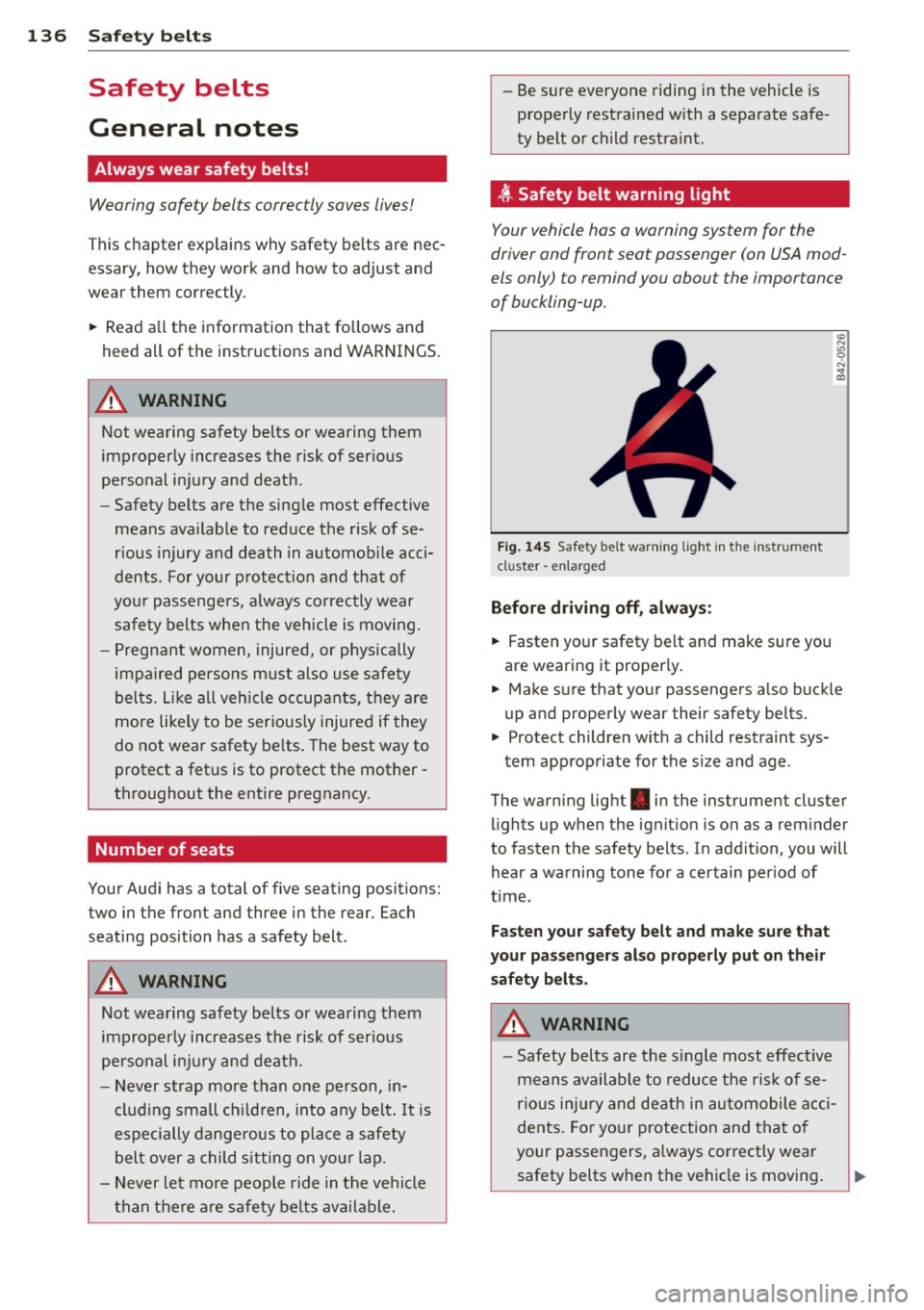
t Safety belt warning light
Your vehicle hos o warning system for the
driver and front seat passenger (on USA mod
els only) to remind you abou t the impor tance
of buckling-up .
Fi g. 14 5 Safety bel t warni ng lig ht in the inst rum ent
cl uster -e nl ar ged
Before driving off, alway s:
.. Fasten you r safety belt and make sure you
are wearing it properly .
.. Make s ure that your passengers a lso buck le
up and properly wear their safety be lts.
.. Protect children wit h a child restraint sys-
tem app ro priate for the s ize and age .
The warn ing light . in the instrument cluster
li ghts up when the ignit ion is on as a rem inder
to fasten the safety belts . In addit ion, you will
hear a wa rning tone fo r a ce rtain per iod of
t ime .
Fasten your safety belt and make sure that
your pass eng ers also properly put on the ir
s afety belt s.
A WARNING .....=-
-Safety b elts are the s ingle most eff ect ive
means availa ble to reduce t he ri sk of se
rio us inju ry and de ath in au tomobile acci
dents. Fo r yo ur protection and that of
your passengers , a lways cor rectly wear
safety belts when t he vehicle is moving .
Page 139 of 306
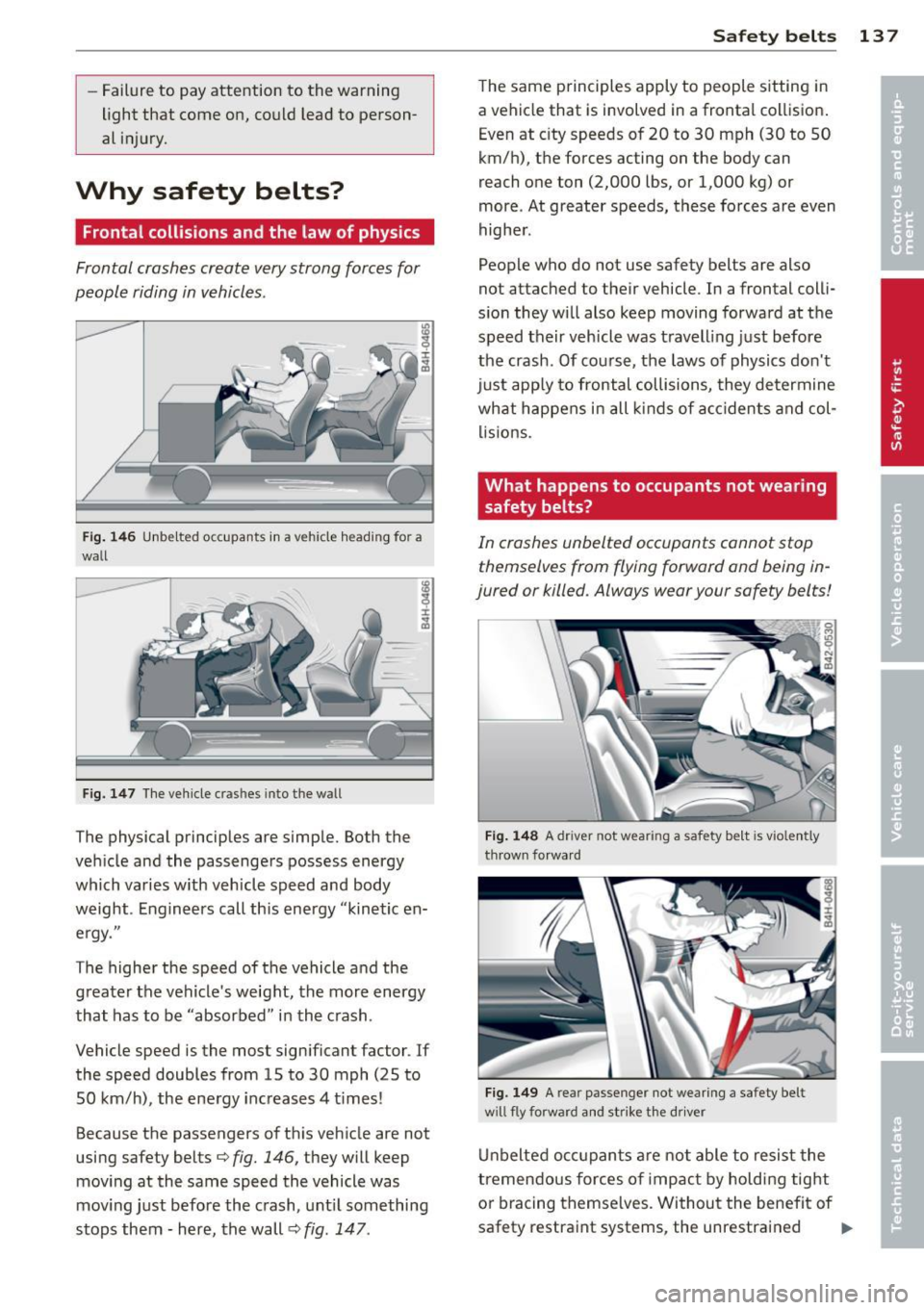
-Failure to pay attention to the warning
light that come on, could lead to person
al injury.
Why safety belts?
Frontal collisions and the law of physics
Frontal crashes create very strong forces for
people riding in vehicles .
Fig. 146 Unbelted occupants in a ve hicle heading for a
wall
Fig. 147 The vehicle cras hes into the wall
The physical principles are simple. Both the
vehicle and the passengers possess energy
which varies w ith veh icle speed and body
weight . Engineers call this energy "kinetic en
ergy."
The higher the speed of the vehicle and the
greater the vehicle's weight, the more energy
that has to be "absorbed" in the crash .
Vehicle speed is the most significant factor . If
the speed doubles from 15 to 30 mph (25 to
50 km/h), the energy increases 4 t imes!
Because the passengers of this vehicle are not
using safety belts¢
fig. 146, they will keep
moving at the same speed the vehicle was
moving just before the crash, until something
stops them - here, the wall ¢
fig. 147.
Safety belts 13 7
The same principles apply to people sitting in
a vehicle that is involved in a frontal collision.
Even at city speeds of 20 to 30 mph (30 to 50
km/h), the forces acting on the body can
reach one ton (2,000 lbs, or 1,000 kg) or
more . At greater speeds, these forces are even
higher.
People who do not use safety belts are also
not attached to their vehicle . In a frontal colli
sion they will also keep moving forward at the
speed their vehicle was travelling just before
the crash . Of course, the laws of physics don't
just app ly to frontal collisions, they determine
what happens in all kinds of accidents and col
lisions.
What happens to occupants not wearing safety belts?
In crashes unbelted occupants cannot stop
themselves from flying forward and being in
jured or killed. Always wear your safety belts!
Fig. 148 A driver not wea ring a safety be lt is vio lently
thrown forward
Fig. 149 A rear passenger not wearing a safety belt
w ill fly forward and strike the driver
Unbelted occupants are not able to resist the
tremendous forces of impact by holding tight
or bracing themselves. Without the benefit of
safety restraint systems, the unrestrained .,..
Page 142 of 306
140 Safety belts
To provide maximum protection, safety belts must always be positioned correctly on the
wearer 's body .
.,. Adjust the front seat and head restraint
properly ¢
page 50, General recommenda
t ions .
.,. Make sure the seatback of the rear seat
bench is in an upright position and securely
latched in place before using the belt¢,&.
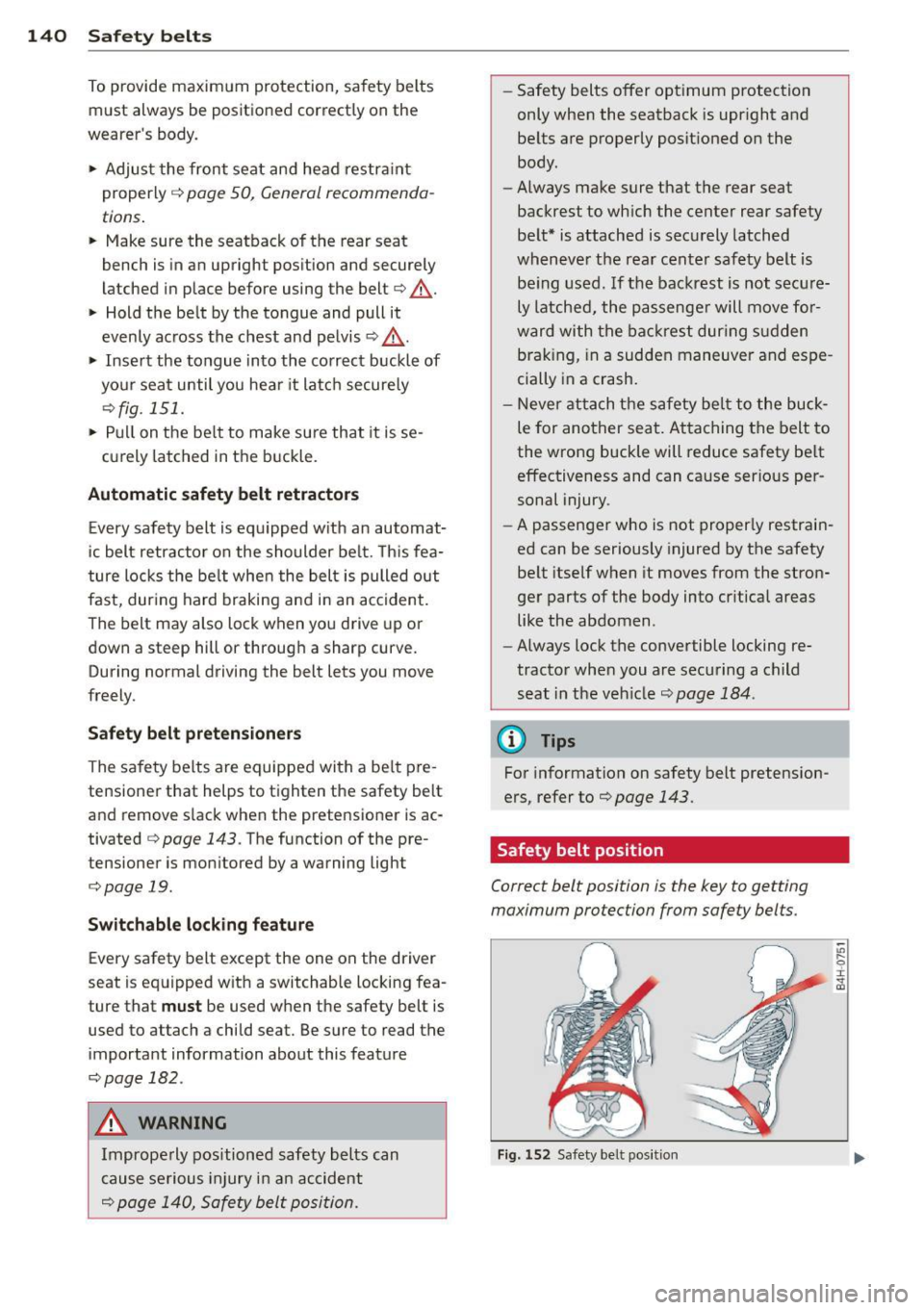
.,. Hold the belt by the tongue and pull it
evenly across the chest and pelvis ¢ ,& .
.,. Insert the tongue into the correct buckle of
your seat until you hear it latch securely
¢fig. 151.
.,. Pull on the belt to make sure that it is se-
curely latched in the buckle.
Automatic safety belt retractors
Every safety belt is equipped with an automat
ic belt retractor on the shoulder belt. This fea
ture locks the belt when the belt is pulled out
fast, during hard braking and in an accident.
The belt may also lock when you drive up or
down a steep hill or through a sharp curve. During normal driv ing the belt lets you move
freely.
Safety belt pretensioners
The safety belts are equipped with a belt pre
tensioner that helps to tighten the safety belt
and remove slack when the pretensioner is ac
tivated ¢
page 143. The function of the pre
tensioner is moni tored by a warning light
¢ page 19.
Switchable locking feature
Every safety belt except the one on the driver
seat is equipped with a switchable locking fea
ture that
must be used when the safety belt is
used to attach a child seat. Be sure to read the important information about this feature
¢ page 182 .
.,& WARNING
Improperly positioned safety belts can
cause serious injury in an accident
¢ page 140, Safety belt position.
-Safety belts offer optimum protection
only when the seatback is upright and
belts are properly positioned on the
body .
- Always make sure that the rear seat
backrest to which the center rear safety
belt* is attached is securely latched
whenever the rear center safety belt is
being used.
If the backrest is not secure
ly latched, the passenger will move for
ward with the backrest during sudden
braking, in a sudden maneuver and espe
cially in a crash.
- Never attach the safety belt to the buck
le for another seat. Attaching the belt to
the wrong buckle will reduce safety belt
effectiveness and can cause serious per
sonal injury .
- A passenger who is not properly restrain
ed can be seriously injured by the safety
belt itself when it moves from the stron
ger parts of the body into critical areas like the abdomen .
- Always lock the convertible locking re
tractor when you are securing a child seat in the vehicle¢
page 184 .
(D Tips
For information on safety belt pretension
ers, refer to ¢
page 143.
Safety belt position
Correct belt position is the key to getting
maximum protection from safety belts.
Fig. 152 Safety bel t position
"' .... 0
~ CD