warning AUDI S6 2016 User Guide
[x] Cancel search | Manufacturer: AUDI, Model Year: 2016, Model line: S6, Model: AUDI S6 2016Pages: 294, PDF Size: 73.88 MB
Page 20 of 294
Instruments and indicator lights
Carefully drive at a maximum speed of 35 mph
(60 km/h) to your authorized Audi dealer or
qualified workshop to have the malfunction cor
rected.
• Air su spen sion : Service mode. Vehicle can
onl y be moved with re strictions
Ca refu lly drive to your author ized A udi dealer or
author ized Audi Service Facility immed iate ly to
have the serv ice mode deactivated .
LIi Air suspen sion : S ys tem fault
There is a system malfunct io n that ca n result in
restricted drivi ng stability or reduced ground
clearance.
Drive to an authori zed Aud i dea ler or authori zed
Aud i Serv ice Facility immediately to have the
malfunct io n corrected.
LIi Air suspe nsion : Vehicle too low Ground
clearance reduced
The ground clearance is very low due to a system
malfunct ion . Wa it until the air suspension sys
tem has restored norma l ground clea rance. Oth
erwise, conditions such as an uneven road surface
can lead to vehicle damage.
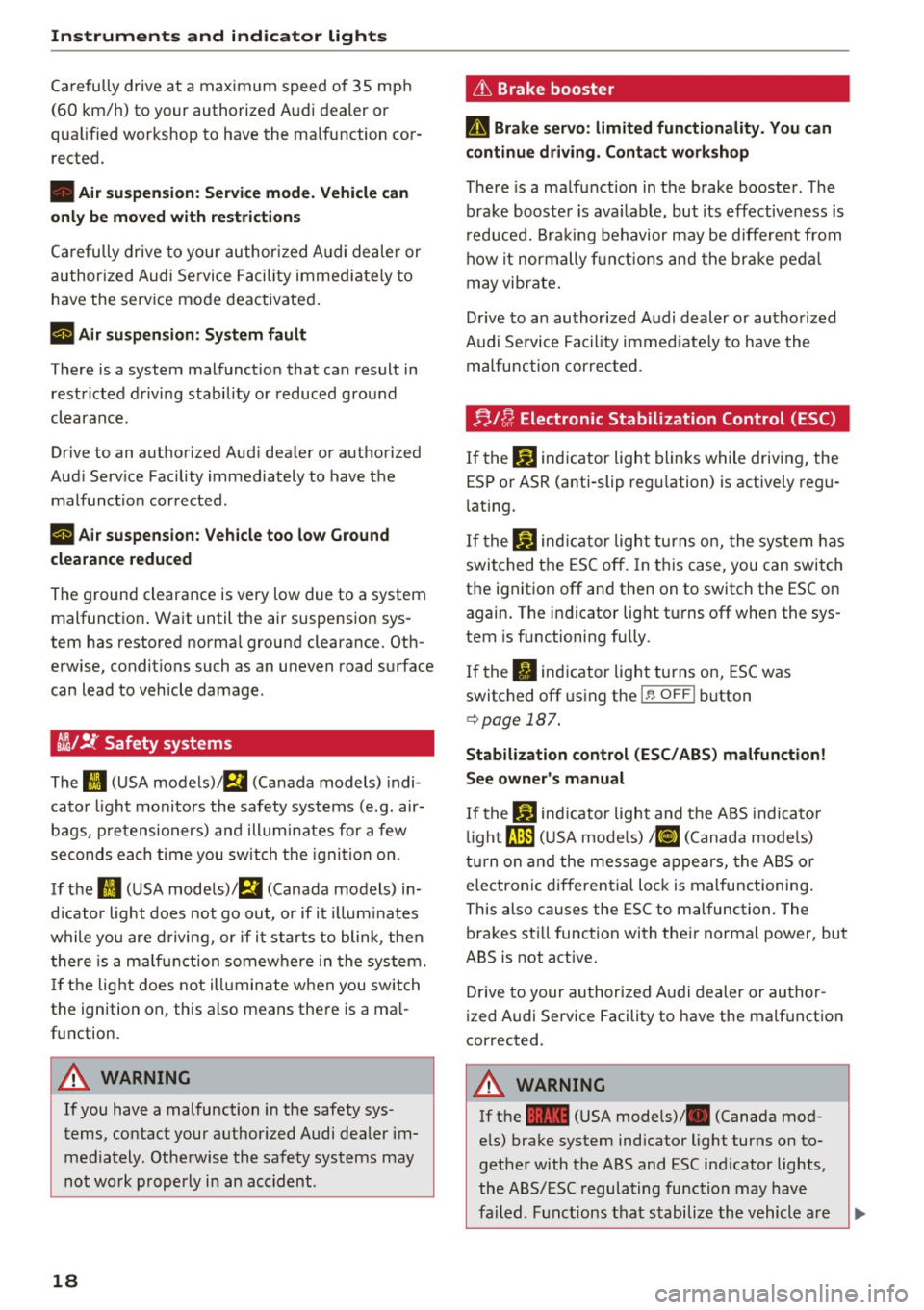
ii !f Safety systems
The II (USA models) tfll (Canada models) indi
cator light monito rs the safety systems (e.g. air
bags, pretensioners) and illuminates for a few
seconds each time you switch the ignition on.
If t he
II (U SA models)/ E,I (Canada models) in
d icator light does not go out, or if it i llum inates
while you are d riving, or if i t starts to blink , then
there is a ma lfunction somewhere in the system.
If the light does not ill uminate when you switch
the ign ition on, this also means there is a ma l
function.
A WARNING
If you have a malfunction in the safety sys
tems, contact your authorized Audi dealer im
mediately. Othe rw ise the safety systems may
not work properly in an acc ident .
18
L'h Brake booster
D Brake servo : limited functiona lity . You can
continue driving . Conta ct work shop
There is a malfunction in the brake booster. The
brake booste r is ava ilab le, but its effectiveness is
r educed. Bra king behavior may be different from
how it normally f un ct ions and the br ake pedal
may vibrate .
D rive to an authorized Audi dealer or authorized
Audi Se rvice Facil ity immed iate ly to have the
malfunction cor rec ted .
;;.I C; Electronic Stabilization Control (ESC)
If the bJ indicator light blinks while driving, the
ESP o r ASR (anti-slip regu lation) is actively regu
l ating .
If the
bJ ind icator light turns on, the system has
switched the ESC off. In th is case, you can switch
the ignition off and then on to switch the ESC on again. The indicator light t urns off when the sys
tem is functioning fully .
If the
II ind icator light turns on, ESC was
switched off using the
I~ O FFI button
¢ page 187 .
Stabilization control (ESC / ABS ) malfun ction!
See owner's manual
If the G1 ind icator light and t he ABS indica to r
li ght
rJ]J (U SA mode ls) / ii] (Canada mode ls)
tu rn o n and the message appears, the ABS or
e lectronic different ial lock is malfunctioning .
This also causes the ESC to malfunction. The bra kes sti ll function with the ir norma l pow er, but
ABS is not active.
Drive to your au thor ized A udi dealer or au thor
i zed Audi Service Facility to have the malfunction
correct ed .
A WARNING
If the 1111 (USA models)/ . (Canada mod
e ls) brake system indicator light turns on to
gethe r with the ABS and ESC ind icator lights,
the ABS/ESC regulating function may have
fa iled . Fu nctions that stabilize the vehicle a re .,.
Page 21 of 294
....
no longer available. This cou ld cause the vehi
cle to swerve and increase the risk of sliding.
Drive carefully to the nearest authorized Audi
dealer or other qualified workshop and have
the malfunction corrected.
(D Tips
For additional information on ESC and ABS,
refer to
c:::;, page 187.
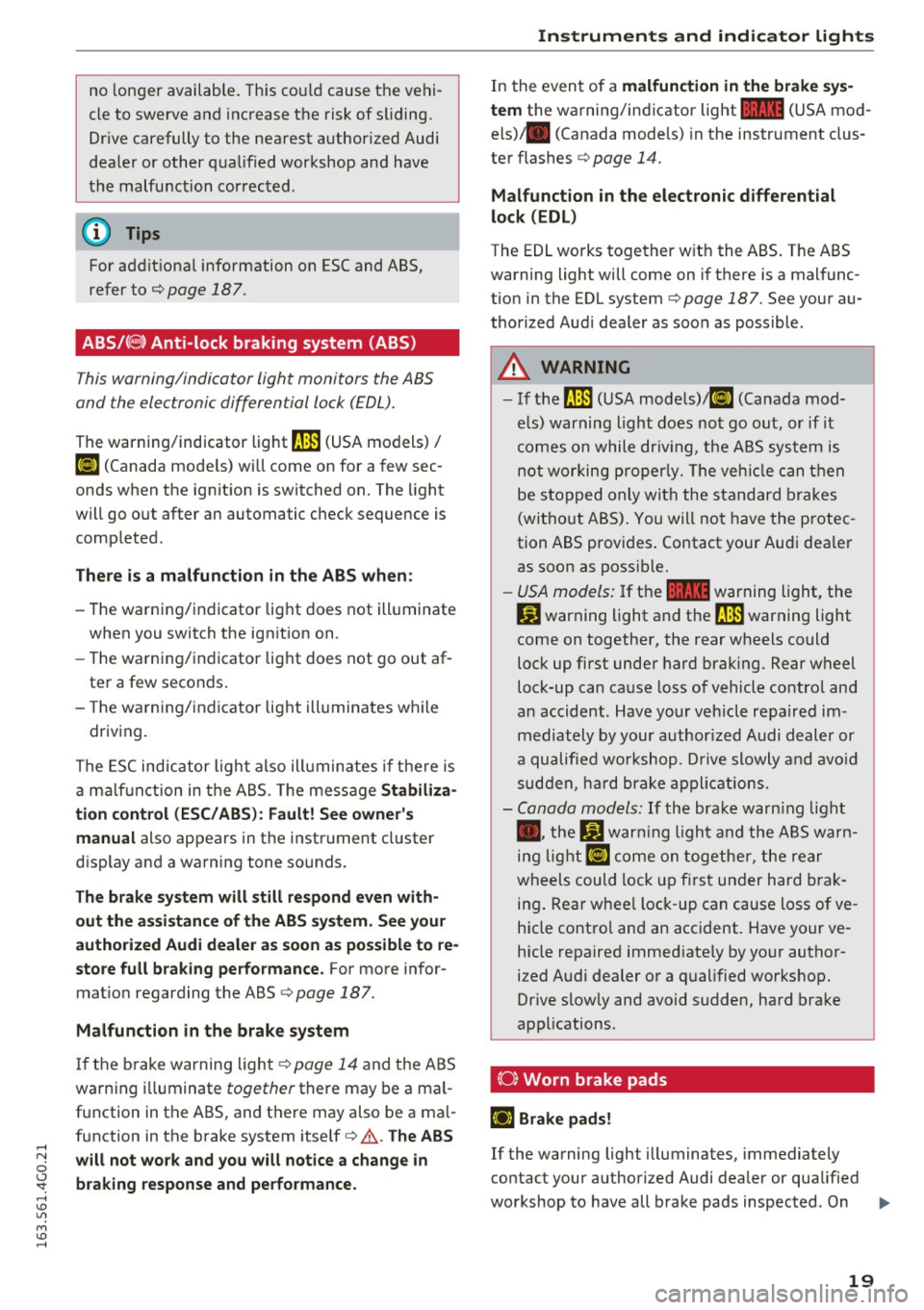
ABS /C8) Anti-lock braking system (ABS)
This warning/indicator light monitors the ABS
and the electronic differential lock (EDL).
The warning/indicator light~ (USA models)/
KG» (Canada mode ls) will come on for a few sec
onds when the ignition is switched on. The light
will go out after an automatic check sequence is
completed .
There is a malfunction in the ABS when:
-The warning/indicator light does not illuminate
when you switch the ign ition on .
- Th e warning/indicator light does not go out af
ter a few seconds .
- The warning/indicator light illuminates while
driving.
The ESC indicator light also illuminates if the re is
a ma lf u nction in the ABS. The message
Stabiliza
tion control (ESC/ ABS): Fault! See owner's
manual
also appears in the instrument cluster
disp lay and a warning tone sounds.
The brake system will still respond even with
out the assistance of the ABS system. See your
authorized Audi dealer as soon as possible to re
store full braking performance.
For more infor
mation regarding the ABS
c:::;, page 187.
Malfunction in the brake system
I f the brake warning light¢ page 14 and the ABS
warn ing illuminate together there may be a mal
function in the ABS, and there may also be a ma l
function in the brake system itself
c:::;, ,&. The ABS
"' will not work and you will notice a change in
0
~ braking response and performance. ....
In the event of a malfunction in the brake sys
tem
the warning/indicator light 11111 (USA mod
els) . (Canada models) in the instrument clus
ter flashes
c:::;, page 14.
Malfunction in the electronic differential
lock (EDL)
The EDL works together with the ABS . The ABS
warning light will come on if there is a malfunc
tion in the EDL system
c:::;, page 187. See your au
thorized Aud i dealer as soon as possible .
A WARNING
= -
-If the ~ (USA models)/ 11] (Canada mod-
els) warning light does not go out, or if it
comes on while dr iv in g, the ABS system is
not working properly. The veh icle can then
be stopped only with the standard brakes
(without ABS). You will not have the protec
tion ABS provides . Contact your Audi dea ler
as soon as possible.
- USA models: If the
11111 warning light, the
D.J warning light and the~ warning light
come on together, the rear wheels could
lock up first under hard braking. Rear wheel
lock-up can cause loss of vehicle control and
an accident . Have your vehicle repaired im
mediately by your author ized Audi dealer or
a qualified workshop. Drive slowly and avoid
sudden, hard brake applications.
- Canada models:
If the brake warn ing light
• • the
Ji] warning light and the ABS warn
ing light
II] come on together, the rear
wheels could lock up first under hard brak
ing . Rear whee l lock -up can cause loss of ve
hicle contro l and an accident. Have your ve
hicle repaired immediate ly by your author
ized Audi dealer or a qualified workshop.
Drive slowly and avoid sudden, hard brake
applications.
(0} Worn brake pads
iJ Brake pads!
If the warning light illuminates, immediately
contact your authorized Audi dealer or qualified
workshop to have all brake pads inspected . On
liJJ,-
19
Page 22 of 294
Instruments and indicator lights
USA models the warning light l'iJ comes on to
gether with the warning light
1111. Both sets of
brake pads on an axle must always be replaced at
the same time.
.,&. WARNING
Driving with bad brakes can cause a collision
and serious personal injury .
- If the warning light
l'iJ and the warning
light
11111> with the message Brake pads!
comes on in the instrument cluster display,
immediately contact your authorized Audi
dealer or qualified workshop to have all
brake pads checked or replaced if necessary.
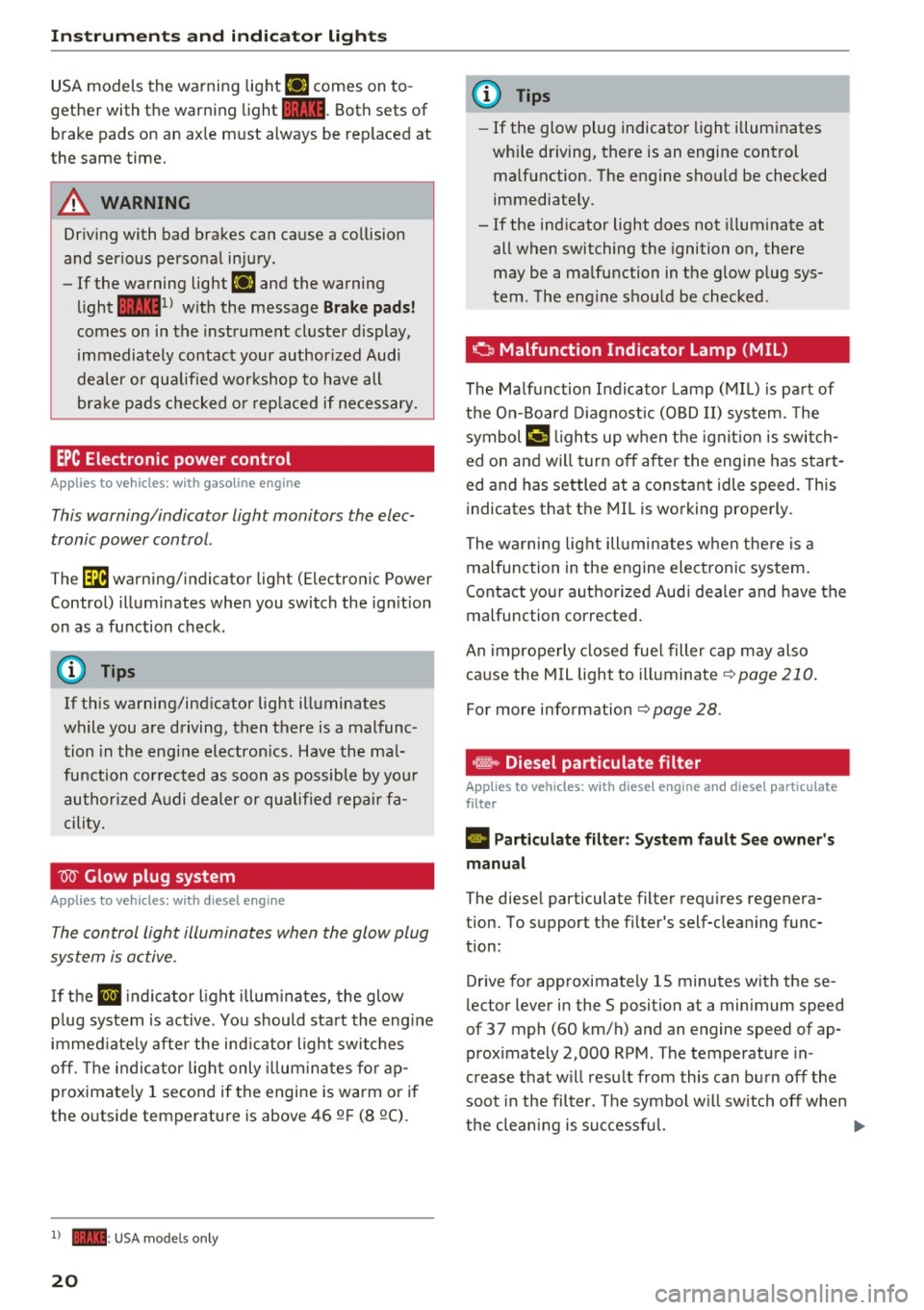
EPC Electronic power control
App lies to veh icles: w ith gaso li ne engine
This warning/indicator light monitors the elec
tronic power control .
The~ warning/indicator light (Electronic Power
Control) illuminates when you switch the ignition
on as a function check.
(D Tips
If this warning/indicator light illuminates
while you are driving, then there is a malfunc
tion in the engine electronics. Have the mal
function corrected as soon as possible by your
authorized Audi dealer or qualified repair fa
cility.
W Glow plug system
App lies to veh icles: w ith d iesel e ngi ne
The control light illuminates when the glow plug
system is active.
If the IJ indicator light illuminates, the glow
plug system is active . You should start the engine
immediately after the indicator light switches
off. The indicator light only illuminates for ap
proximately 1 second if the engine is warm or if
the outside temperature is above 46 QF (8 QC).
l) •= USA mo del s only
20
(D Tips
- If the glow plug indicator light illuminates
while driving, there is an engine control
malfunction. The engine should be checked
immediately .
- If the indicator light does not illuminate at
all when switching the ignition on, there
may be a malfunction in the glow plug sys
tem . The engine should be checked .
o Malfunction Indicator Lamp (MIL)
The Malfunction Indicator Lamp (MIL) is part of
the On-Board Diagnostic (OBD II) system. The
symbol
¢'4 lights up when the ignition is switch
ed on and will turn off after the engine has start
ed and has settled at a constant idle speed. This
indicates that the MIL is working properly.
The warning light illuminates when there is a
malfunction in the engine electronic system.
Contact your authorized Audi dealer and have the
malfunction corrected.
An improperly closed fuel filler cap may also
cause the MIL light to illuminate
~ page 210.
For more information ~ page 28.
· ~ Diesel particulate filter
Applies to veh icles : wi th diese l eng ine a nd diese l part iculate
filter
II Particulate filter: System fault See owner's
manual
The diesel particulate filter requires regenera
tion. To support the filter's self-cleaning func
tion:
Drive for approximately 15 minutes with these
lector lever in the S position at a minimum speed
of 37 mph (60 km/h) and an engine speed of ap proximately 2,000 RPM. The temperature in
crease that will result from this can burn off the
soot in the filter. The symbol will switch off when
the cleaning is successful. .,.
Page 23 of 294
.... N
0 <.J 'SI:
If the indicator light does not turn off, drive im
mediately to an authorized Audi dea ler or author
ized Audi Service Fac ility to have the malfunction
corrected.
_&. WARNING
Always adapt your speed to the current
weather, road and traffic conditions . You
should never disobey traffic laws in order to
follow driving recommendations.
(D Tips
For additional information on the diesel par
ticulate filter, refer to
c:> page 196.
! 7l Engine speed limitation
A ppl ies to vehicles: with e ngin e s pee d l imitat ion
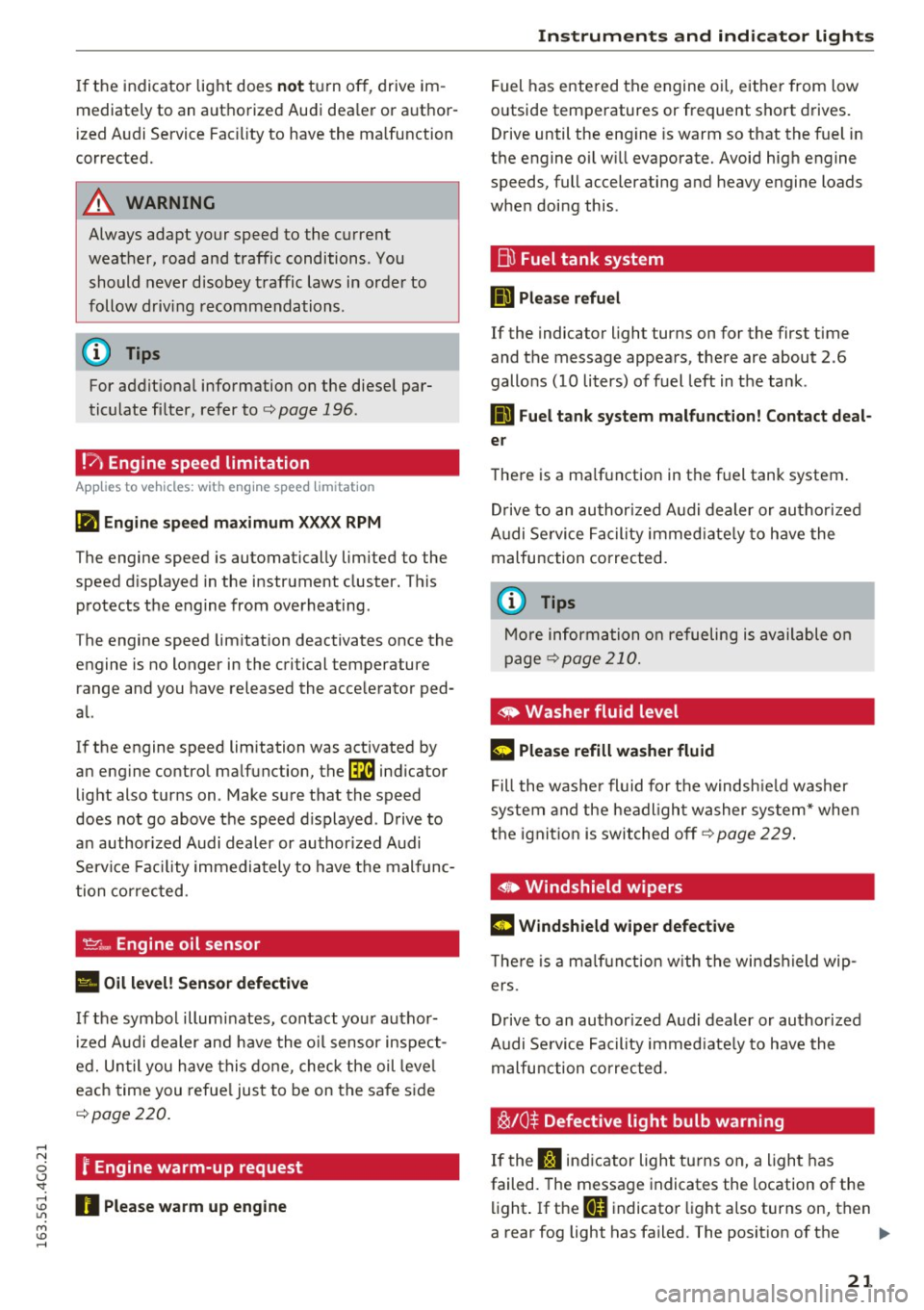
(II Engine speed maximum XXXX RPM
The engine speed is automatically limited to the
speed d isplayed in the instrument cluster. This
protects the engine from overheating.
The engine speed limitation deactivates once the
engine is no longer in the critical temperature range and you have released the accelerator ped
al.
If the engine speed limitation was activated by
an engine control malfunction, the~ indicator
light also turns on . Make sure that the speed
does not go above the speed d isplayed . Drive to
an author ized Audi dealer or authorized Audi
Service Facility immediately to have the malfunc
tion corrected.
<&,... Engine oil sensor
• Oil level! Sensor defective
If the symbol illuminates, contact your author
iz ed Audi dealer and have the oil sensor inspect
ed. Until you have this done, check the oil leve l
each time you refuel just to be on the safe side
<=>page 220.
f Engine warm-up request
~ n Please warm up engine
M v:, ....
Instruments and indicator lights
Fuel has entered the engine oil, either from low
outside temperatures or frequent short drives.
Drive until the eng ine is warm so that the fuel in
the engine oil will evaporate. Avoid high engine
speeds, full accelerating and heavy engine loads
when doing this .
Eli) Fuel tank system
IIJ Please refuel
If the indicator light turns on for the first time
and the message appears, there are about 2.6
gallons (10 liters) of fuel left in the tank .
D Fuel tank system malfunction! Contact deal
er
There is a ma lfunction in the fuel tank system.
Drive to an authorized Audi dealer or authorized
Audi Service Facility immediate ly to have the
malfunction corrected.
(D Tips
More information on refueling is available on
page
c:> page 210.
<9 Washer fluid level
g, rj iJlease refill washer fluid
Fill the washer fluid fo r the windsh ie ld washer
system and the headlight washer system* when
the ignition is switched off
c:> page 229.
• Windshield wipers
m Windshield wiper defective
There is a ma lfunction w ith the windshield wip
ers .
Drive to an author ized Audi dealer or authorized
Audi Se rvice Facility immediate ly to have the
malfunction corrected.
~/0$ Defective light bulb warning
If the S:$ ind icator light turns on, a light has
failed. The message indicates the location of the
light. If the
BB indicator light also turns on, then
a rear fog light has failed. The position of the ..,.
21
Page 24 of 294
Instruments and indicator lights
indicator light corresponds with the location on
the vehicle.
Drive to an autho rized Aud i de aler or autho rized
Aud i Service Facility immediately to have the
malfunct ion corrected .
Vehicle lights : Malfunction
There is a malfunction in the headlights or the
light switch .
Drive to an authorized Aud i dea ler or authori zed
Aud i Serv ice Facility immediately to have the
malfunct ion corrected .
~(i) Headlight range control
II Headlight range control: defective!
If the symbol illuminates, the headlight range
control is no longer work ing properly. Have the
system checked and repa ired at your Audi dealer .
isO Adaptive Light
Applies to vehicles: with Adaptive Light
IIJ Audi adaptive light: system fault
If the indicator light turns on and th is message
appears, there is a malfunction in the adaptive
light system . The headlights st ill function .
Go to an authori zed dea lership to have the head
lights or the control unit for the Adaptive Light
repaired .
~D Light/rain sensor
!I Automatic headlights/ automatic wipers :
System fault
The light/rain sensor is malfunct ion ing.
F or safety reasons, the low beams are turned on
permanently with the sw itch in
AUTO . However,
you can continue to turn the lights on and off us
ing the light switch. You can still control a ll func
tions that are independent of t he rain sensor
through the w indshield wiper lever .
Drive to an authori zed Aud i dea ler or authori zed
Aud i Serv ice Facility immediately to have t he
malfunct io n corrected.
22
I-! Sport differential
Applies to vehicles: with sport differentia l
I'll Sport differential: system fault
There is a malfunction with the sport d ifferential.
Drive to your authorized A udi dealer immediately
to have the malfunction corrected .
I'll Sport differential: overheating
The transmission temperature has increased sig
nificantly due to the sporty driving manner. Drive
in a less spo rty manner until the temperature re
turns to the norma l range and the indicator light
switches of .
A WARNING
-
Contact your authorized Audi dealer or a
qualified workshop if the sport differential is
faulty or malfunctioning. The repair must be
performed by trained personnel using the cor
rect oil in order to ensure safety .
¢¢Turn signals
The indicator light blinks when you use either
turn signal.
Whenever yo u use the left II or the right B
turn s ignal, the ind icator light blinks. When you
use the emergency flashers, both indicator lights
flash.
If one of the turn signa l light bulbs burn out, the
turn s ignal will blink twice as fast as normal.
Carefully drive to your authorized Aud i dea ler im
med iately to have the malfu nction corrected. The
i ndicator light does not indicate a ma lfunction if
a turn signal on the trailer or on the vehicle fails
i n trailer towing mode.
0) Tips
For more information on the turn signa ls, re
fer to¢
page 45.
CRUISE /l~) Cruise control
The wa rning/indicator light (ijjrn~i~ (USA models)/
... (Canad a models) il lum inates when the cruise
contro l is activated ¢
page 82.
Page 25 of 294
.... N
0 CJ '
Driver information
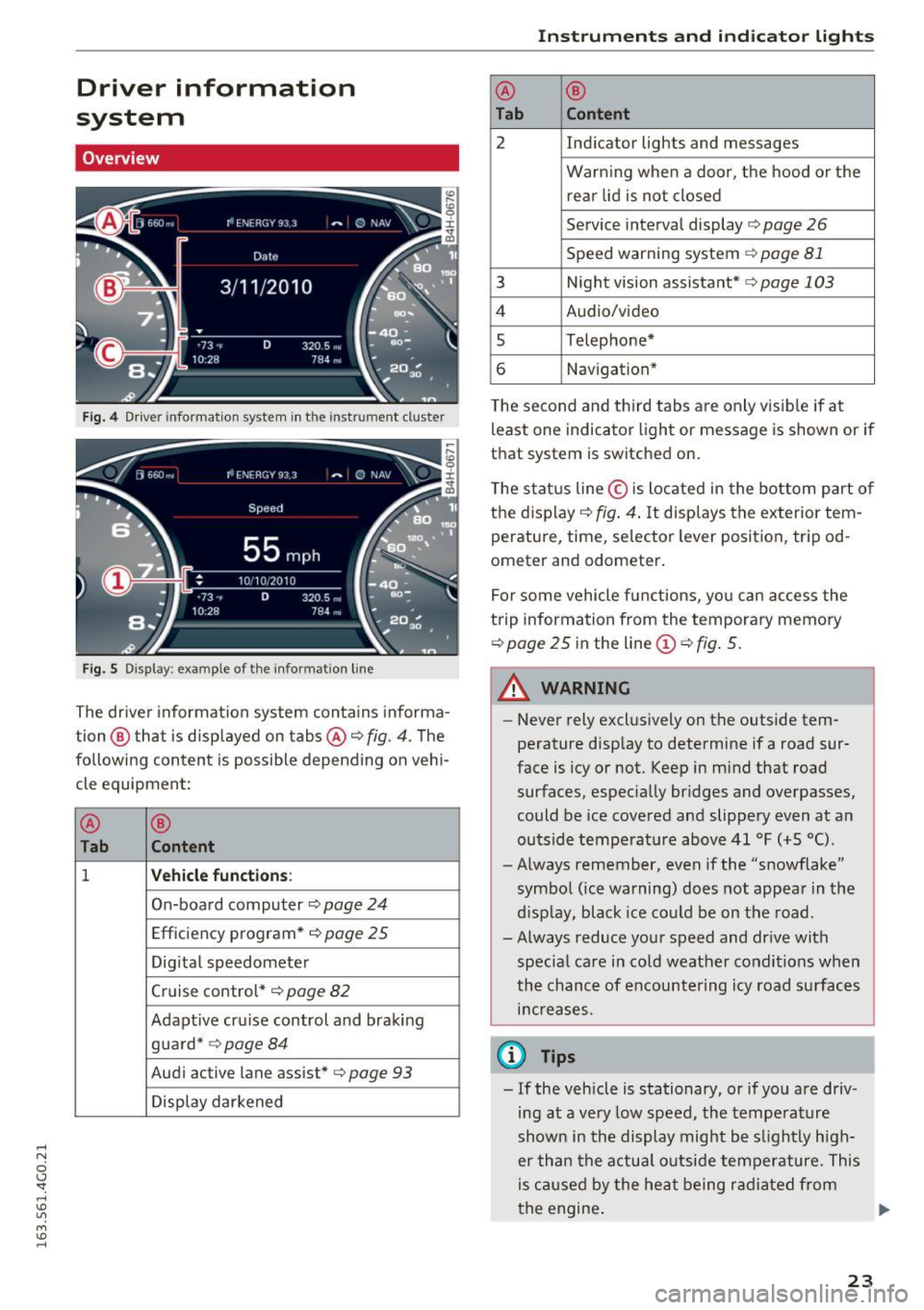
system
Overview
Fig. 4 Driver information system in the instrumen t cl uster
Fig. 5 Display : example of the information line
The driver information system contains informa
tion @ that is displayed on tabs@¢ fig.
4. The
following content is possible depending on vehi
cle equipment:
@
®
Tab Content
1 Vehicle function s:
On-board computer ¢page 24
Efficiency program*¢ page 25
Digital speedomete r
Cruise control*¢ page
82
Adaptive cruise control and braking
guard* ¢page
84
Audi active lane assist*¢ page 93
Display darkened
Instruments and indicator lights
@ ®
Tab Content
2 Indicator lights and messages
Warn ing when a door, the hood or the
rear lid is not closed
Service interval display ¢ page
26
Speed warning system ¢ page 81
3 Night vision assistant*¢ page 103
4 Audio/video
s Telephone*
6 Nav igation*
The second and third tabs are only visible if at
least one indicator light or message is shown or if
that system is switched on.
The status line © is located in the bottom part of
the display¢ fig.
4. It displays the exterior tem
perature, time, selector lever position, tripod
ometer and odometer.
For some vehicle functions, you can access the
trip information from the temporary memory
¢ page 25 in the line (D ¢ fig. 5.
_& WARNING
--Never rely exclusively on the outside tem
perature display to determine if a road sur
face is icy or not. Keep in mind that road
surfaces, especially bridges and overpasses,
could be ice covered and slippery even at an
outside temperat ure above 41 °F (+S °C).
- Always remember, even if the "snowflake"
symbol (ice warning) does not appear in the
d isp lay, black ice could be on the road.
- Always reduce your speed and drive with specia l care in co ld weather conditions when
the chance of encountering icy road surfaces
increases .
(0 Tips
- If the vehicle is stationary, or if you are driv
ing at a very low speed, the temperature
shown in the display might be slightly high
er than the actual outside temperature . This
is caused by the heat being radiated from
the engine . .,..
23
Page 29 of 294
.... N
0 CJ '
-Inspection or oil change reminder: After a cer
tain distance driven, a message appears in the
instrument cluster display each time the ign i
tion is switched on or off¢
fig. 13. The remain
ing distance or time is displayed briefly.
-Inspection or oil change due: If your vehicle is
due for an inspection or oil change or both, a
message appears briefly in the instrument clus
ter display when sw itching the ign ition on or
off:
Inspection due! or Oil change due! or Oil
change and inspection due! .
Checking service intervals
You can check the remaining distance or time un
til the next oil change or next inspection n the
Car menu. To do this, select: the
ICARI function
button
> (Car)* Systems control button > Service
& control > Service intervals .
Resetting the indicator
Your authorized Audi dealer or authorized Audi
Service Facility will reset the service interval dis
play after performing service .
If you have changed the oil yourself, you must re
set the oil change interval.
To reset the indicator, select: the
ICARI function
button
> (Car)* System control button > Service
& control > Service intervals. Turn the control
knob downward to
Reset oil change interval and
press the control knob.
(D Note
-Only reset the oil change indicator if the oil
was changed.
- Following the service intervals is critical to
maintain ing the service life and va lue of
your vehicle, especially the engine. Even if
the mileage on the vehicle is low, do not ex
ceed the time for the next service.
- Calculating the t ime to the next oil change
i s interrupted when the vehicle battery is
disconnected.
If the vehicle is not driven for
a long period of time, check the mainte
nance schedule so that you can follow the
maintenance interva ls.
Instruments and indicator lights
Head-up display
Applies to vehicles: with Head-up display
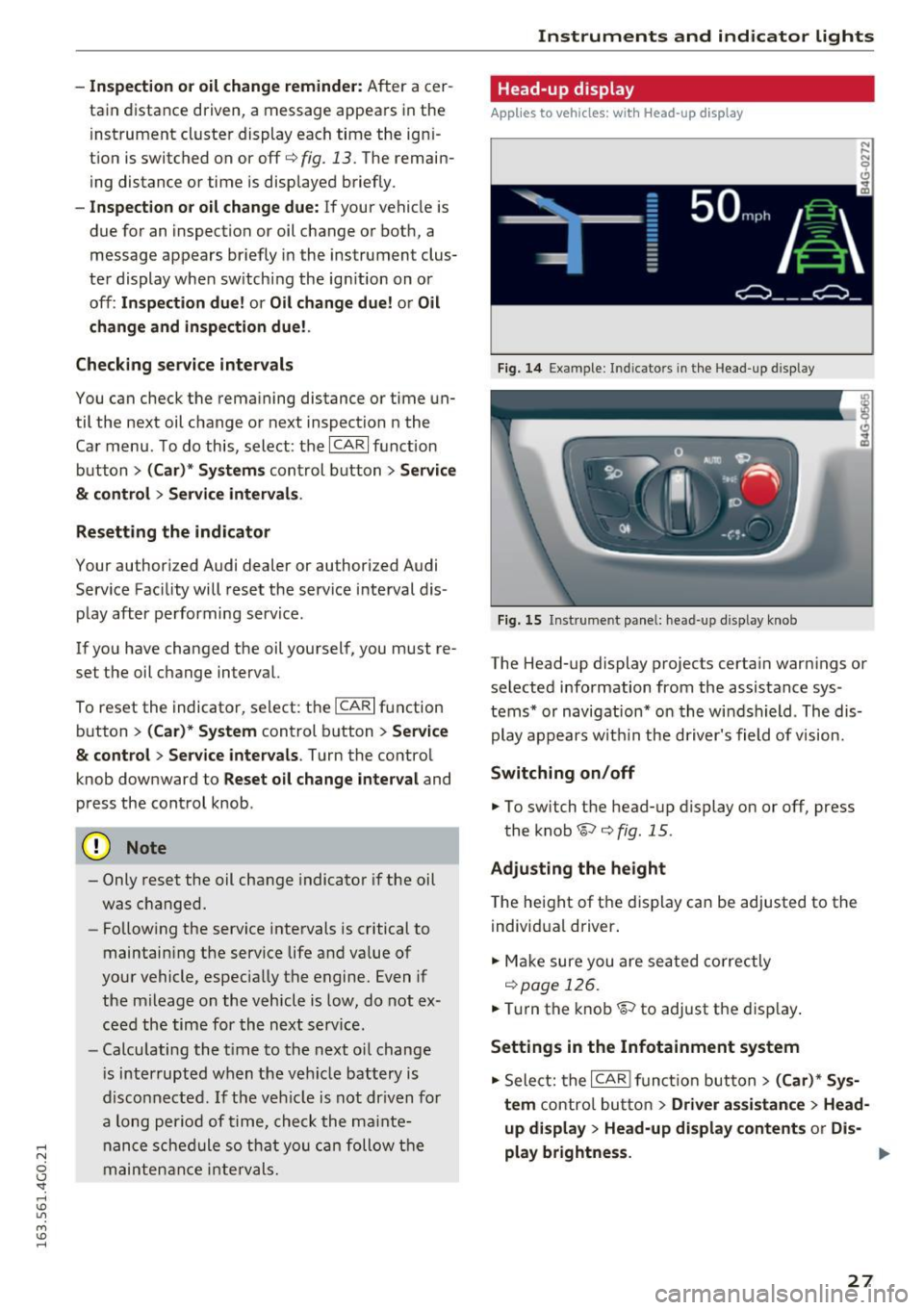
Fig. 14 Example : Indicato rs in the Head -up d isplay
Fig . 15 Instrument panel: head-up display knob
The Head-up display projects certain warnings or
selected information from the assistance sys
tems* or navigation* on the windshield . The dis
play appears w ithin the driver's field of vision.
Switching on/off
.. To switch the head-up display on or off, press
the knob~¢
fig. 15 .
Adjusting the height
The height of the display can be adjusted to the
individual driver .
.. Make sure you are seated correctly
r=!)page 126.
.. Turn the knob~ to adjust the disp lay .
Settings in the Infotainment system
.. Select: the I CAR I function button> (Car)* Sys
tem
control button > Driver assistance > Head
up display > Head-up display contents
or Dis-
play brightness. .,..
27
Page 30 of 294
Instruments and indicator lights
Display content
In the Infotainment system, you can specify
which information should be displayed: For ex
ample, this can include navigation information *,
Adapt ive cruise control* or night vision assist* .
The display of certai n in formation and some of
the red indicator lig hts cannot be hidden in the
Infotainment system.
Display brightness
You can adjust the display brightness in the Info
tainment system. The display brightness decreas
es automatically as the amount of light decreas
es. The basic level of brightness is adjusted with
the instrument illumination¢
page 48.
(D Note
To prevent scratches on the glass covering the
Head-up display, do not place any objects in
the projection opening.
@ Tips
-Sunglasses with polarization filt ers and un
favorable lighting conditions can affect the
display.
- An optim um display depends on the seat
position and the height adjustment of the
head-up display.
- A specia l windshield is needed for the head
up display function.
- F or informat ion on cleaning, refer to
c::;;, ta
ble on page
205.
On Board Diagnostic
System (OBD)
Malfunction Indicator Lamp (MIL)
The Malfunction Indicator Lamp (MIL) ¢..ifi in the
instrument cluster is part of the On-Board Diag
nostic (OBD II) system .
The warning/indicator light illuminates when the
ignit ion is switched on and goes out after the en
gine starts and the idle has stabilized . This indi
cates that the MIL is working properly.
If the light does not go out after the engine is
started, or illuminates wh ile you are driving, a
28
malfunction may exist in the engine system. If
the light illuminates, the catalytic converter
could be damaged.
Continue driving
with reduced power (avoiding
sustained high speeds and/or rapid accelera
tions) and have the condition corrected . Contact
your authorized Audi dea ler.
If t he light illuminates, the electronic speed lim
iter may also be ma lfunctioning. For more infor
mation ¢
page 29, Electronic speed limiter.
An improperly closed fuel filler cap may also
cause the MIL light to illuminate
c::;;, page 210.
On-Board Diagnostics
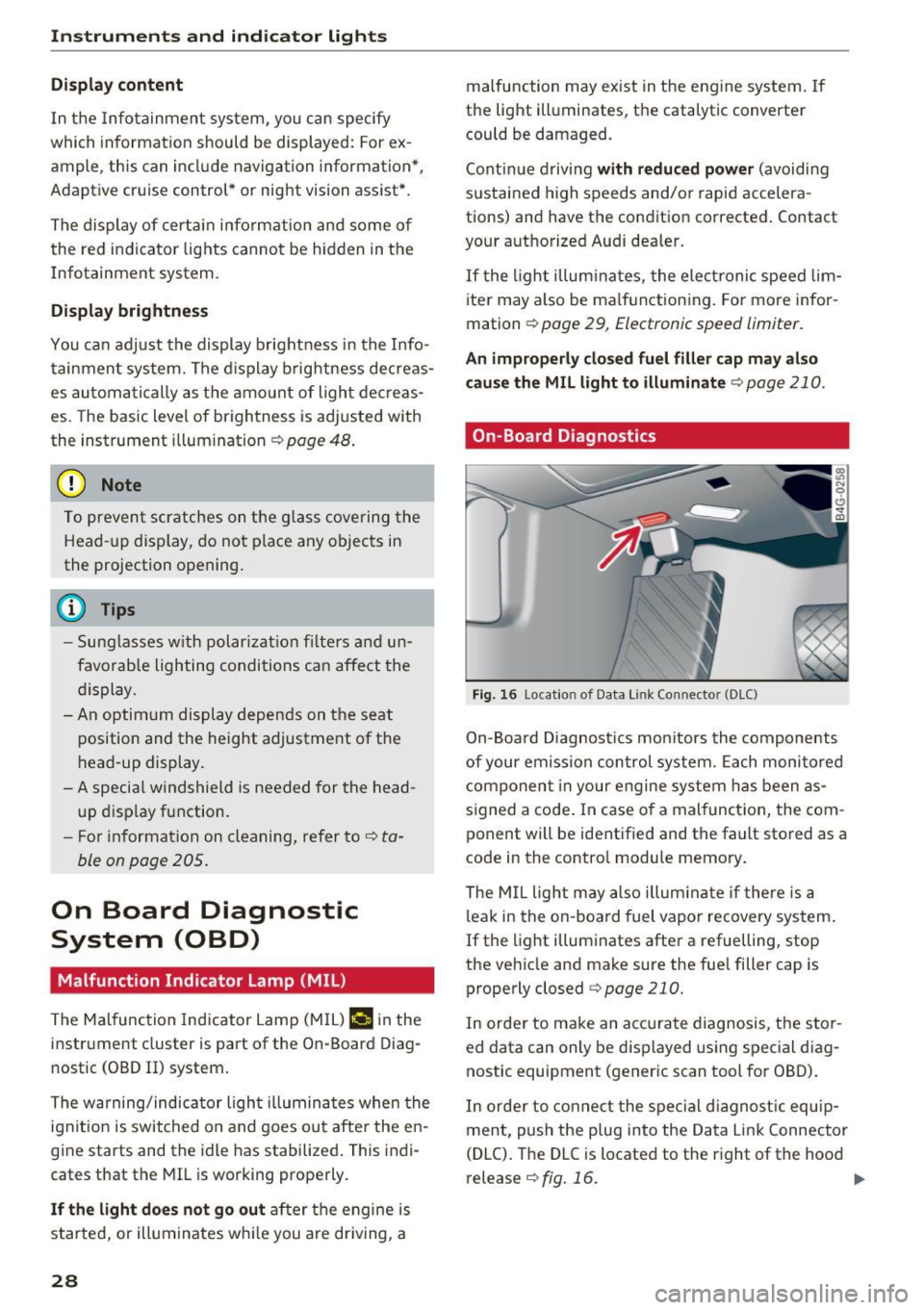
Fig. 16 Loca tion of Data Link Connector (DLC)
On-Boa rd Diagnostics monitors the components
of your emission control system. Each monitored
component in your engine system has been as
s ig ned a code . In case o f a malfunct ion, the com
pon ent will be identified and the fault stored as a
code in the contro l module memory.
The MIL light may also illum inate if there is a
leak in the on-boa rd fuel vapor recovery system.
If the light illuminates after a refuelling, stop
the vehicle and make sure the fuel filler cap is properly closed
c::;;, page 210.
In order to make an accu rate diagnosis, the stor
ed data can only be displayed using special diag
nostic equipment (generic scan tool for OBD) .
In order to connect the special diagnostic equip
ment, push the plug into the Data Link Connector
(DLC). The DLC is located to the right of the hood
release r:!>
fig. 16. ..,.
Page 31 of 294
Your authorized Audi dealer or a qualified service
station can interpret the code and perform the necessary repair.
A WARNING
Do not use the diagnostic connector for per
sonal use. Incorrect usage can cause malfunc tions, which can increase the risk of a colli
sion!
Electronic speed limiter -
Your veh
icle may be factory equipped with t ires
that are rated for a maximum speed of 130 mph
(210 km/h) . This is less than the maximum speed
of your vehicle . To reduce the risk of sudden tire
failure and loss of control if the vehicle is operat
ed at excessive speeds, your vehicle a lso has an
electronic speed limiter. The electronic speed limiter prevents your vehicle from going faster
than the tire speed rating. For more information
c::;, page 238 .
If the engine contro l unit receives faulty vehicle
road speed signals, the Malfunction Indicator
Lamp (MIL)
¢4 will illuminate . If this occurs,
contact the nearest authorized Audi dealer for
assistance .
S models
Your vehicle's top speed is e lectron ically limited
to 155 mph (250 km/h).
If the engine contro l unit receives faulty vehicle
roadspeed signa ls, the Malfunction Indicator
Lamp (MIL)
¢4 will illuminate. If this occurs,
contact the nearest authorized Audi dealer for
assistance .
A WARNING
Always observe the posted speed limits and
adjust your speed to suit prevailing road, traf
fic and weather cond it io ns. Never drive your
vehicle faster than the maximum speed rating
of the tires installed.
-
Instruments and indicator lights
29
Page 32 of 294
Opening and closing
Opening and closing
Keys
Key set
Fig. 17 Key set
@ Remote control key with mechanical key
You can centrally lock and unlock your vehicle
and start the engine w ith the master key with re
mote control. A mechanical key is integrated in
the remote control key¢
page 30.
@ Emergency key
The emergency key is not intended for constant
use. It shou ld only be used in an emergency.
Keep it in a safe place and do not carry it on your
key ring.
Key replacement
If you lose a key , contact your authorized Audi
dealer immediately to have the
lost key disab led .
Be sure to bring all your keys with you.
Personal comfort settings
If two people use one vehicle, it is recommended
that each person always uses "their own" master
key. When the ignition is switched off or when
the vehicle is locked, personal convenience set
tings for the following systems are stored and as
signed to the remote master key .
- Automatic climate contro l
- Central locking system
- Amb ience lighting*
- Seat memory*
- Parking system*
- Adaptive cruise control*
- Audi active lane assist*
30
-Audi side assist*
- Audi drive select
- Night vision assistant*
- Heated steering wheel*
The stored settings are automatically recalled
when you unlock the vehicle, when you open the
doors or when you switch the ignition on.
A WARNING
-
-Do not leave your vehicle unattended. Al
ways take your ignition key with you and
loc k your vehicle . Entr y by unautho rized per
sons could endanger yo u or result in theft or
damage the vehicle.
- Do not leave children unattended in the ve
hicle, especially with access to vehicle keys.
Unguarded access to the keys provides chil
dren the opport unity to start the engine
and/or activate vehicle systems s uch as the
power windows, etc. Unsupervised opera
tion of any vehicle system by ch ildren can
result in serious injury .
(D Tips
-The operation of the remote control key can
be temporarily disrupted by interference
from transmitters in the v icinity of the vehi
cle working in the same frequency range
(e.g . a cell phone, radio equipment).
- For security reasons, replacement keys are
only ava ilable from Audi dealers .
- For Declaration of Compliance to United
States FCC and Industry Canada regulations
~page 276.
Removing the mechanical key
Fig. 18 Remote contro l maste r key : removing the mecha ni-
ca l key .,..