remote control AUDI S8 2008 User Guide
[x] Cancel search | Manufacturer: AUDI, Model Year: 2008, Model line: S8, Model: AUDI S8 2008Pages: 404, PDF Size: 52.7 MB
Page 59 of 404
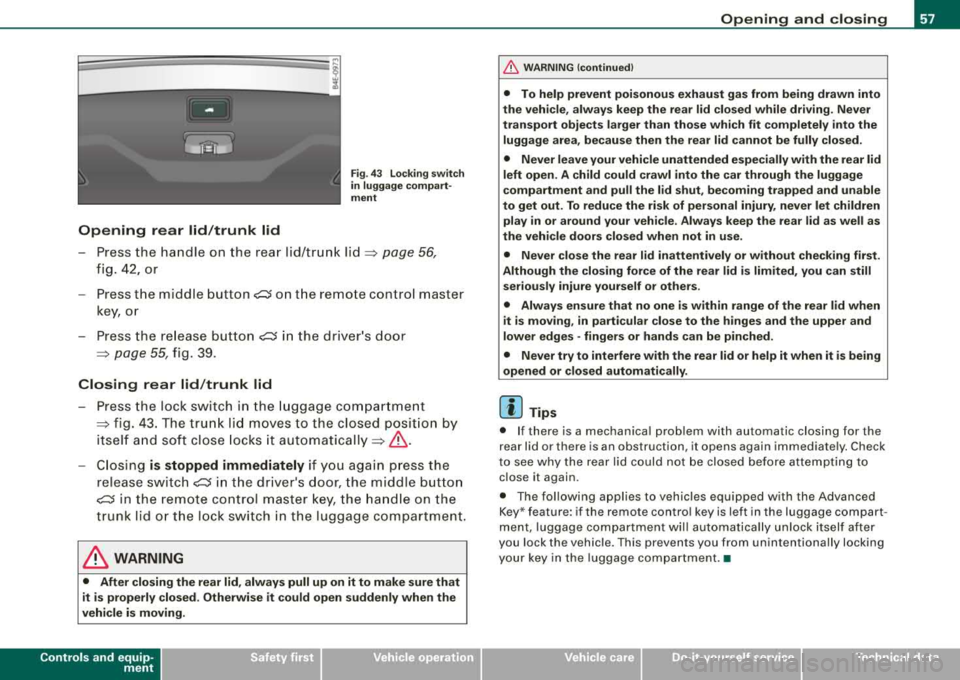
Opening rear lid/trunk lid
Fig . 4 3 Locking switch
in luggage comp art
ment
- P ress the han dle o n the rea r lid/tr unk lid ~ page 56,
fig. 42, or
- Press the midd le
bu tton~ o n th e remo te cont ro l m aster
ke y, o r
- Press the re lease b utton ~ in th e driver 's door
~ page 55, fig. 39 .
Closing rear lid /trunk lid
- Pre ss th e lock swit c h in the luggage compartmen t
~ fig . 43. The t runk lid mov es to the clos ed pos itio n by
i t s elf an d so ft close l ocks i t
aut om aticall y~ &.
-Closi ng is stopped immediately if yo u agai n press the
r elea se
sw itch~ in th e drive r's d oor, th e m iddle butt on
~ in t he remote c ont rol maste r key, t he handl e on t he
tr un k li d o r the lock sw itc h in the luggag e compar tme nt.
& WARNING
• After closing the rear lid, always pull up on it to make sure that
it is properly closed . Otherwise it could open suddenly when the
vehicle is moving .
Controls and equip ment
Opening and closing
&, WARNING (continued )
• To help prevent poisonous exhaust gas from being drawn into
the vehicle, always keep the rear lid closed while driving. Never
transport objects larger than those which fit completely into the
luggage area, because then the rear lid cannot be fully closed .
• Never leave your vehicle unattended especially with the rear lid
left open. A child could crawl into the car through the luggage
compartment and pull the lid shut , becoming trapped and unable
to get out . To reduce the risk of personal injury , never let children
play in or around your vehicle . Always keep the rear lid as well as
the vehicle doors closed when not in use.
• Never close the rear
lid inattentively or without checking first .
Although the closing force of the rear lid is limited , you can still
seriously injure yourself or others .
• Always ensure that no one is within range of the rear lid when
it
is moving, in particular close to the hinges and the upper and
lower edges -fingers or hands can be pinched.
• Never try to interfere with the rear lid or help it when it is being
opened or closed automatically.
[ i ] Tips
• I f there is a m ech anica l p rob lem with auto matic closin g for the
rear lid or there is an obstruction, it opens again immediate ly . Chec k
to se e w hy the rea r li d c ould not be closed be fore a ttemptin g to
c lose it again.
• T he fol lowin g appl ies to v ehicles equ ipp ed w it h th e Advanced
K ey * feature : if the remote contro l key is left in the luggage compart
men t, luggage c om partme nt will aut om ati ca lly un lock it self afte r
you lock the vehicle . This prevents you from unintentiona lly locking
you r ke y in the luggag e co mp artme nt. •
Page 61 of 404
for the power sun blinds* in the side windows . In addition to this,
t he rear climate contro l* is set to the
PA SS IV E mode. This means
that the climate controls in the front adjust the heating and venti la
tion in the rear of the
ve hicle => page 125.
[ i ] Tips
• I n order to activate the child safety lock on the left and the right
s ide, you have to press the two safety buttons in succession.
• Make certa in that the indica tor light in the corresponding safety
button illuminates when the child safety lock is activated .•
Advanced Key
A pplies to vehicles : with Advance d Key
Description
Opening your vehicle and starting the engine with the key
still in your pocket.
T he Advanced Key features is a keyless system which gives you the
possibility to lock and unlock your vehic le, as wel l as to start the
engine without having to use your key.
It does not matter if you have your key in your jacket pocket or in
your briefcase. As soon as you get within a certain distance to the
vehic le, t he system senses that your are approaching, it makes a
quick check to see if you are "authorized" and then it does the
following:
• unlocks the
veh ic le => page 60 .
• locks the vehicle => page 60.
• switches on the ignition and starts the engine when you press
t he [ START] button. You do not have to insert your key into the ign i
tion
lock=> page 131.
Controls and equip ment
Openin g and clo sing
& WARNING
• When you lock your vehi cle from out side , nobod y -espe cially
c hildren - should remain in side the vehicle. Remembe r, when you
lock the vehi cle from the out side the windo ws cannot be opened
from the in side.
• Wh en yo u le ave the vehi cle , al ways remove the ignition ke y and
t ak e it with you. Thi s will prevent pa ssenger s (children , for
e x ample ) from accident ally bein g locked in th e vehicle should the y
accid entally pre ss the powe r lo cking swit ch in the door s.
• Do not l eav e children in side the vehi cle un super vis ed . In an
emerg ency it would be impo ssible to open the doors from the
out side without the key .
[ i ] Tip s
• For the Advanced Key to properly work, you must a lways have
your vehicle key with you .
• The vehic le will lock or un lock the doors only if an authorized key
comes within 5 ft (1 .5 meters) from one of the vehic le doors or the
rear lid .
• You can st ill lock or unlock your vehic le using the remote control
key buttons, however the se lector lever must in the P position .•
Page 62 of 404
Opening and clo sing
Ap plies to vehicles : wi th Adv anced Key
Unlocking the vehicle
You can unlock the doors and rear lid without using the
remote control.
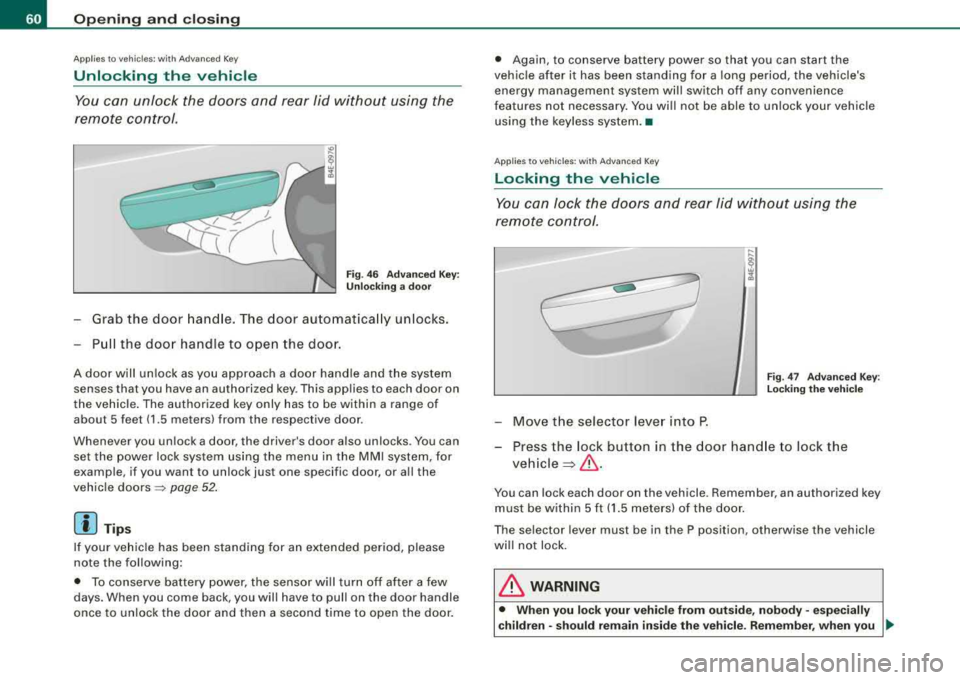
F ig . 46 Ad van ced Ke y:
Un locki ng a door
Grab the door hand le. The door automatica lly unlocks.
Pu ll the doo r handle to open the door.
A door will un lock as you approach a door hand le and the system
senses that you have an authorized key . This applies to each door on
the vehicle . The authorized key only has to be within a range of
about 5 feet (1 .5 meters) from the respective door .
Whenever you un lock a door, the driv er's door also unlocks . You can
set the power lock syste m using the menu in the MMI system, for
example , if you want to unlock just one specific door , or all the
vehic le doors
=> page 52 .
[ i J Tips
If your vehicle has been standing for an extended period, please
note the following:
• To conserve battery power, the sensor wil l turn off after a few
days. When you come back , you will have to pull on the doo r handle
once to unlock the door and then a second time to open the door . •
Again , to conserve battery power so that you can start the
vehic le after it has been standing for a long period, the vehicle's
energy management system will switch off any convenience
features not necessary . You wi ll not be able to unlock your vehicle
using the keyless system .•
A pplies to vehicles : with Adva nc ed Ke y
Locking the vehicle
You can lock the doors and rear lid without using the
remo te control.
F ig . 4 7 Advan ced Key:
L oc king th e vehic le
- Move the selector lever into P.
- Press the lock button in the door hand le to lock the
vehicle ~& -
You can lock each door on the vehicle . Remember, an authorized key
must be within 5 f t (1 .5 meters) of the doo r.
The selector lever must be in the P position , otherwise the vehicle
wi ll not lock.
& WARNING
• When you lo ck your veh icle from out side , nobody -espec ially
c hildren -should rem ain insid e the vehicle . R emember , when you
.,_
Page 63 of 404
& WARNING (continued)
lock the vehicle from the outside the windows cannot be opened
from the inside.
• When you leave the vehicle, always remove the ignition key and
take it with you. This will prevent passengers (children, for example) from accidentally being locked in the vehicle should they
accidentally press the power locking switch in the doors.
• Do not leave children inside the vehicle unsupervised. In an
emergency it would be impossible to open the doors from the
outside without the key.
[ i] Tips
It is not possible to open the door immediately after it has been
locked. This is intentional to allow you to check proper locking of all
vehicle doors. •
Anti-theft alarm system
The anti-theft alarm triggers an alarm if anyone attempts
to break into the vehicle.
The anti-theft alarm system triggers an audible alarm and turns on
the emergency flasher if an unauthorized interference with the
vehicle is sensed by the system.
How is the anti-theft alarm system switched on?
The anti-theft alarm system is switched on when you lock the
vehicle. The system is activated approximately 30 seconds after the
vehicle is locked . The indicator lights on top of the driver's and front
passenger's door trim start flashing rapidly for 30 seconds and then
blink slowly.
Controls and equip ment
Opening and closing
How is the anti-theft alarm system switched off?
The anti-theft alarm system is switched off only when you unlock
your vehicle . If you do not open a door within 60 seconds after you
have unlocked with the remote control, the vehicle will lock itself
again automatically.
When will the anti-theft alarm system be triggered?
When the vehicle is locked, the alarm system monitors and protects
the following parts of the vehicle:
• engine compartment
• luggage compartment
• doors
• ignition
When the system is activated, the alarm will be triggered if one of
the doors, the engine hood or the rear lid are opened, or if the igni
tion is turned on. The anti-theft alarm system will also go off when
the battery is disconnected.
Unlocking the rear lid by inserting and turning the key inside the
rear lid locking cylinder will trigger the optical and acoustic alarm .
You can also trigger the alarm by pressing the PANIC button on your
remote control. This will alert other people in case of emergency.
Press the
PANIC button again to turn off the alarm.
How is the anti-theft alarm switched off when
triggered?
The alarm system is switched off when you unlock the vehicle or
when the ignition is switched on. The alarm will also switch itself off
when it comes to the end of its cycle .
Emergency flasher and horn
The emergency flasher will blink briefly and the horn sounds when
the doors, engine hood and rear lid are properly closed.
If the emergency flashers do not blink, or the horn does not sound,
check the doors, engine hood and rear lid to make sure they are
properly closed. If you close a door, the hood or the rear lid with the
.,,.
Page 66 of 404
Opening and clo sing
[ i J Tip s
• The windows can st ill be opened and closed for about ten
minutes after the ignition has been turned off . The power windows
are not shut off until one of the front doors is opened .
• To switch on the chi ld safety lock in both rear doors, you must
press both child safety switches. Make sure the LEDs i n the sw itches
are illuminated. •
Switch in the front passenger 's door and on
the rear doors
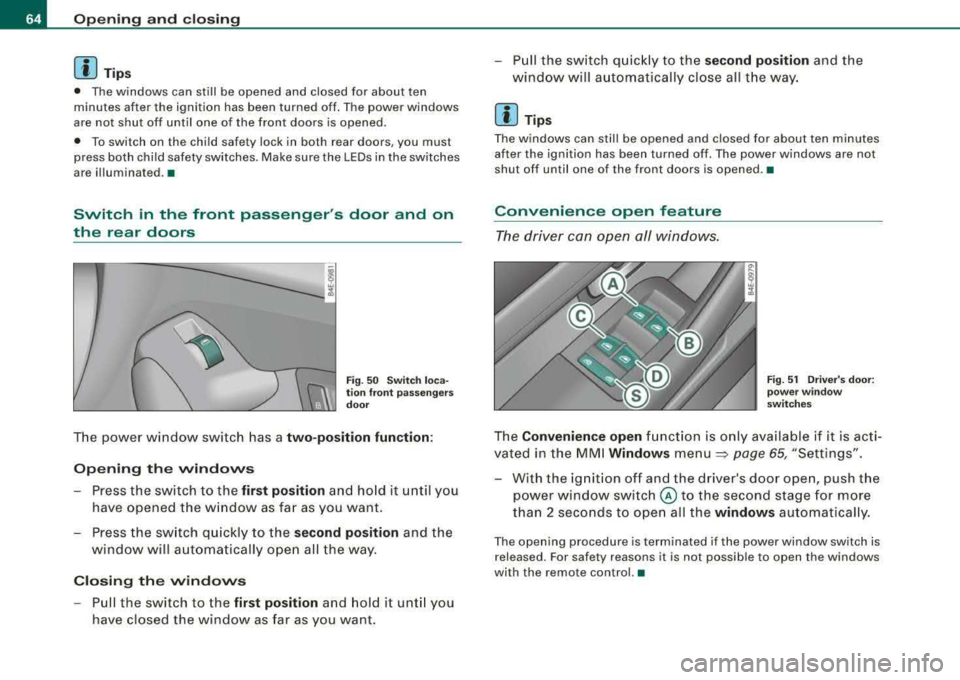
Fig . 50 Swit ch lo ca
tion fr ont p assengers
do or
T he power window switch has a two-position function :
Opening the windows
-Press the switch to the first position and ho ld it u ntil y ou
hav e opened the w indow as fa r as you want .
- Press the sw it c h q uickly to the
s econd position a nd the
w in dow wi ll a uto ma tica lly o pen all t he way .
Closing the windows
-Pull the switch to the first position and hold it unt il you
have closed the w indow as far as you want. - P
ull the switch q uic kly to the
second po sition an d the
wind ow will a uto matically cl ose all t he way.
[ i J Tips
The windows can st ill be opened and closed for about ten minutes
afte r the ignition has been turned off. The power windows are not
shut off until one of the front doors is opened .•
Convenience open feature
The driver can open all windows.
Fig . 5 1 Driv er's door:
po we r wi ndow
swit ch es
The Convenience open fun ctio n is onl y av ailable if it is ac ti
vated in the MM I
Windows menu=> page 65, "Settings".
- With the ignition off and the driver 's door open, push the
power window switch
@ to the second stage for more
than 2 seconds to ope n all the
window s automatically.
The open ing procedure is terminated if the power window switch is
released. For safety reasons it is not possib le to open the windows
with the remote control. •
Page 69 of 404
-To tilt the roof down to any intermediate position pull and
hold
the switch until the roof reaches the desired posi
tion.
& WARNING
Improper use of the power sunroof can cause serious personal
injury.
• Be careful when closing the power sunroof. Not paying atten
tion could cause you or others to be trapped and injured as the
roof closes.
• Always take the key with you when you leave the vehicle to
prevent injuries caused by the roof closing
• Never leave children or persons requiring assistance alone in
the vehicle, especially when they could access the vehicle keys.
Unsupervised use of the keys can result in the engine being
started or use of vehicle systems such as the power windows, etc.
which could result in serious injury. The doors could be locked
with the remote key, delaying help in an emergency.
• The power sunroof will continue to operate until the ignition
key has been removed and one of the front doors has been
opened. •
Power emergency closing
The sunroof can still be closed electrically if for some
reason the overload protection function becomes acti
vated.
The power sunroof is equipped with an overload protection
feature. If, under normal conditions, the power sunroof will
not close, you can close it using this feature .
-Turn the rotary switch to position @=>page 65, fig. 53.
Controls and equip
ment
Opening and closing
-Now pull the switch and hold it in this position until the
power sunroof closes completely.
& WARNING
Improper use of the power sunroof can cause serious personal
injury.
• Be careful when closing the power sunroof. Not paying atten
tion could cause you or others to be trapped and injured as the
roof closes.
• Always take the key with you when you leave the vehicle to
prevent injuries caused by the roof closing
• Never leave children or persons requiring assistance alone in
the vehicle, especially when they could access the vehicle keys.
Unsupervised use of the keys can result in the engine being
started or use of vehicle systems such as the power windows, etc.
which could result in serious injury. The doors could be locked
with the remote key, delaying help in an emergency.
• The power sunroof will continue to operate until the ignition
key has been removed and one of the front doors has been
opened. •
Page 79 of 404
-Rotate the control knob clockwise to increase the bright
ness, and
Rotate the control knob
counterclockwise to reduce the
brightness.
When the vehicle is unlocked, the standard lighting turns on auto
matically and dims after approx. 2 minutes, and when the ignition is
turned on it switches off immediate ly.
A background lighting profile can be switched on manually using
the light profile
switch ~ page 76, fig. 68. This wi ll turn off automat
ically after 30 minutes when the ignition is off. To reac tivate , press
the lighting profile switch.
Lighting profiles that were selected while driving remain active
during the course of travel.
The following lighting profiles can be adjusted and
dimmed in the MMI:
Driver's side footwell
Passenger's side foot -
well
Rear footwell
Rear door trim panel
Front interior lighting
Rear interior lighting
[ i J Tips
Highway
X
X
X
X X
X X
X
X
Cockpit Rear
X
X
X
X
X
X
X
Lighting profiles are stored on the remote control key being used. •
Controls a nd eq uip
ment
Clear vision
Vision
Sun visors
Using the sun visors makes driving safer.
] ~
J_~---~..r-:::Jli
WAANINO ..,
f,":a(S) ::-,....= ~ =
=:.:=-..:GJ
- -, - ~~ ,.. __ ..... _ ... -----__ ..., ______ ---
~
,l,
\,;....l--------:.:r.::Jli
WAANINO ATTENTIOH
-- ---
_____ ,.. ..
-----··
___ .. _
-·- ------------- ·----·---... -------------·-----
Fig . 69 Sun visor
Fig. 70 Sun visor with
two-part vanity mirror
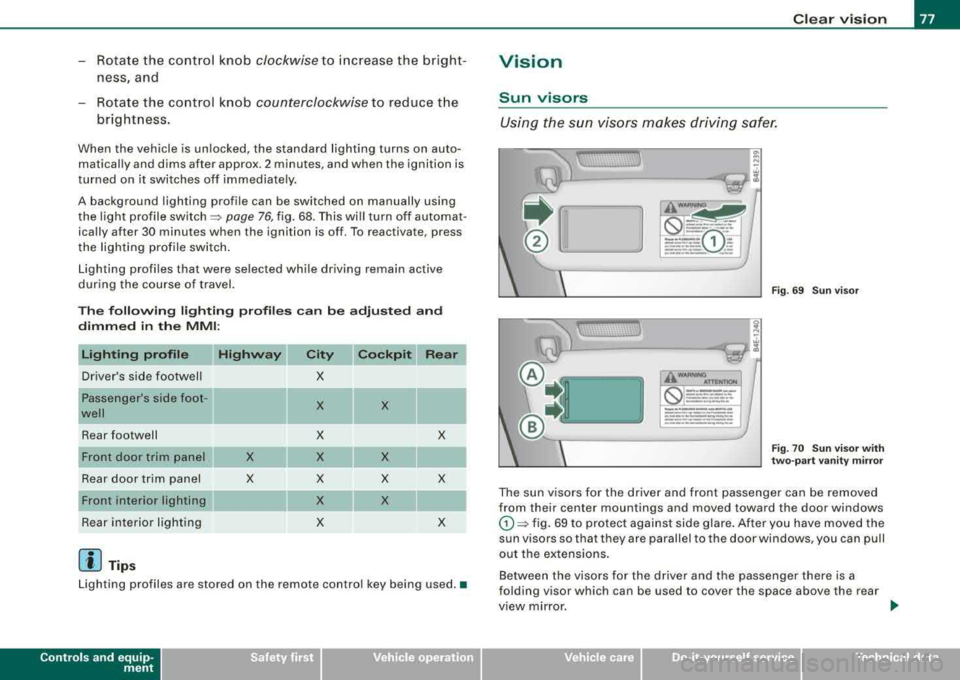
The sun visors for the driver and front passenger can be removed
from their center mountings and moved toward the door windows
G) ~ fig. 69 to protect against side glare. After you have moved the
sun visors so that they are parallel to the door windows, you can pull
out the extensions.
Between the visors for the driver and the passenger there is a
folding visor which can be used to cover the space above the rear
view mirror.
Vehicle care I I Technical data
Page 96 of 404
Seats and storage
Seat memory
Driver's seat memory
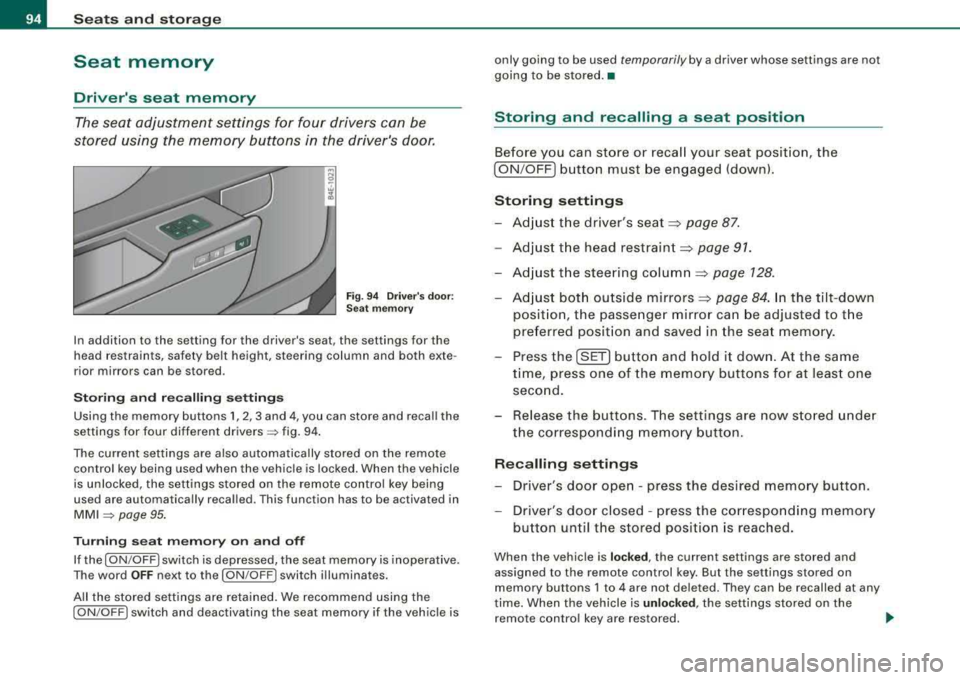
The seat adjustment settings for four drivers can be
stored using the memory buttons in the driver's door.
Fig. 94 Driver's door:
Seat memory
In addition to the setting for the driver's seat, the settings for the
head restraints, safety belt height, steering column and both exte
rior mirrors can be stored .
Storing and recalling settings
Using the memory buttons 1, 2, 3 and 4, you can store and recall the
settings for four different
drivers => fig. 94.
The current settings are also automatically stored on the remote
control key being used when the vehicle is locked. When the vehicle
is unlocked, the settings stored on the remote control key being
used are automatically recalled. This function has to be activated in
MMI => page 95.
Turning seat memory on and off
If the [ ON/OFF I switch is depressed, the seat memory is inoperative.
The word
OFF next to the [ON /OFF ! switch illuminates.
All the stored settings are retained. We recommend using the
[ ON /OFF! switch and deactivating the seat memory if the vehicle is only going to be used
temporarily by a driver whose settings are not
going to be stored. •
Storing and recalling a seat position
Before you can store or recall your seat position, the
[ ON /OFF] button must be engaged (down).
Storing settings
-Adjust the driver's seat => page 87.
-Adjust the head restraint => page 91.
-Adjust the steering column => page 128.
-Adjust both outside mirrors=> page 84. In the tilt-down
position, the passenger mirror can be adjusted to the
preferred position and saved in the seat memory.
-Press the [SET] button and hold it down. At the same
time, press one of the memory buttons for at least one
second.
-Release the buttons. The settings are now stored under
the corresponding memory button.
Recalling settings
-Driver's door open - press the desired memory button .
-Driver's door closed - press the corresponding memory
button until the stored position is reached.
When the vehicle is locked, the current settings are stored and
assigned to the remote control key. But the settings stored on
memory buttons 1 to 4 are not deleted. They can be recalled at any
time. When the vehicle is
unlocked , the settings stored on the
remote control key are restored. .,_
Page 97 of 404

If your vehicle is driven by other persons using your remote control
key, you should save your individual seat posi tion on one of the
memory buttons. You can recall your settings again simply and
conveniently by pressing the corresponding memory bu tt o n. When
the vehicle is locked, these settings are automatically re -assigned to
the remote control key and stored .
& WARNING
• For safety reasons, the seat s etting can only be recalled whe n
the vehi cle i s sta tiona ry
-otherwi se you ri sk h aving an accident .
• In an emergency , the recall operation can be stopped by
pre ssing the
I ON /OF F) button or b y briefly pre ssing an y given
mem ory button . •
Activating remote control key memory
To be able to recall the stored settings with the remo te
con trol key, the function has to be activated in
MM/ .
-Selec t Systems in the CAR menu .
-Select Seat adjustment .
-Select Driver's seat.
Controls a nd eq uip
ment
Fig . 9 5 MMI disp lay :
Drive rs' seat
Seats and storage
Sel ect Remote control key on to activate the rem ote
contro l key
mem ory ~ fig. 95 .
Passenger's seat memory
Using the memory but tons in the passenger's door, you
ca n sto re an d rec all f our se at sett ings.
Storing and recalling settings
Fi g. 9 6 Pa ssenger's
d oo r: s eat m emo ry
Using the memory buttons 1, 2 , 3 and 4, you can store and recall the
settings for four di fferent
passengers ~ fig. 96 .
Tu rning s eat m emory on and off
If the I ON /OFF ) switch is depressed, the seat memory is inoperative .
The word
OFF next to the I ON /OFF ) swi tch illuminat es.
All the s tored settings are retained. Now the seat can on ly be
adjusted electrically in the normal way. •
Vehicle care I I irechnical data
Page 135 of 404
On the road -----------------
& W AR NIN G (c ontinu ed )
re qu ir e d to ste er or br ake the vehicle . If you are n ot prep ared , this
c ould r esult in a colli sion and serious per sonal injur y.
• For y our safet y, move the sele cto r lever to the P po sition , then
turn off the engine. Oth erw ise the vehi cle could inad vertently roll
away.
• After tu rning off the engin e, the r adi ato r fa n ca n co me on and
ru n for up to 10 minute s
-even if the ignition is sw itched off . Like
wise , the fan could com e on if the temper ature in the engine
c omp artm ent r ais e s du e to he at build up or if you le ave the vehicle
s tanding in direc t sunligh t.
0 Note
After driving at high engine load, heat can bu ild up in the engine
compartment after you have turned off the engine. This can damage
t he engine . Let the veh icle stand and run in id le for about 2 minutes
before turning off the engine .•
Applies to vehicles: with Advanced Key
Driver's messages in the instrument cluster
Messages appear in the instrument cluster to let the
driver know if something is missing or if some thing must
be done.
No ke y identified
This message appears when you press the [ START ] button, but
t here is no remote control key insi de the vehicle or i f the system
does not recognize the key . For example, if your key is
shielded by
an object or
encased, i.e . ins ide an a lum in um br iefcase, the sig nal
from the key cannot be detected. E lectronic devices such as cell
phones can also interfere with t he rad io signa l.
Controls and equip
ment P
re ss bra ke pedal to start engine
This message appears when you press the [ S TART] button when
starting the engine but you have not depressed the brake pedal.
En gage N or P to start engine
This message appears when you start the engine but the selector
lever is not in t he P or
N pos ition. The e ng ine can be started o nly if
the selector lever is in one of these two positions .
-.?. Key not in vehicle
This message appears together with the -:?e symbol when the
remote con trol key is removed from t he ve hicle whi le the engine is
running . This is to remind you that you should not continue your trip
without you r key .
I f the key is no longer inside the veh ic le when you turn o ff the
engine, you will not be able to switch on the ignition or restart the
eng ine. Also, you w ill not be ab le to loc k the veh icle from the
outside.
S hift t o P, other wise vehi cle ca n roll away. Doors d o not lo ck if le ver
i s not in P.
This message appears for your safety together wit h an aud ib le
warning signa l when you press the [S TO P] button but the selector
lever is not in the P posit ion and you open the driver's door. Move
the selector lever into P, otherwise the vehic le could rol l away. In
addit ion, you will not be able to lock the vehicle with either the lock
button located on the door handle or the remote control.
To engag e steering lo ck, pre ss a nd hold S TOP button
This message appears for your personal safety if you switch off the
engine and the ignition by pressing the [ S TOP ] button and then
open the driver's door. In this case, the steering will sti ll not be
locked. The stee ring wheel wi ll lock :
• If you press the [ STOP] button for longer than 1 second.
• If you lock the vehicle fr om the outside .•