automatic transmission AUDI S8 2008 Owners Manual
[x] Cancel search | Manufacturer: AUDI, Model Year: 2008, Model line: S8, Model: AUDI S8 2008Pages: 404, PDF Size: 52.7 MB
Page 4 of 404
Table of contents
Table of contents
Vehicle literature ........ .
About this Owner's Manual ..................... .
Controls and
equipment .. ... ... ..... ... . .
Inst rumen ts and contr ols ..... .
Genera l ill ustration ............. .
Instruments and
warning/indica tor lig hts ....... .
Instruments ................... .
Warning/indicator lights ........ .
Driver informa tio n d isplay ..... .
Introduction ................... .
On-Board Diagnostic system
(080)
Auto Check Control ............ .
Speed war ning system ... ...... .
Trip computer ..... ............ .
Tire pressure monitoring system ..
Opening and closing .......... .
Keys ............ ... .. ... · · · · · · ·
Power locking system .......... .
Rear lid/Trunk lid .......... ..... .
Ch ild safety loc k .... ... .... .... . 5 Advanced Key
................ .
Anti-theft a larm system ..... ... .
Powe r w indows ... ... ... ... .. .
S lid ing/ti lt ing power sunroof ... .
6 Clear vision ... .... .. ... .. ..... .
9
11
1 1
1 2
12
1 6
2 4
2 4
27
28
36
38
40
47
47
49
55 58 Lights
..................... ... .
Interior lights ... ...... .. .. .. .. .
V is ion ........... ........... .. .
W iper and washer system ... ... .
Mirrors .. .. ... ......... ..... .. .
Seats and storage ......... ... .
Genera l recommendat ions ..... .
Powe r seat . ... ... ......... ... .
Head restraints .............. . .
Arm rest ..................... .
Seat memory ... ... ...... ..... .
Rear sea ts . ... ... ... ... ... .. .. .
Ind ividua l rear seats ........ ... .
Luggage compartment ........ .
Roof rack ........ ... .... .... .. .
Cup holder .................... .
As htray . ... ... ... ......... ... .
Cigarette lighter/socket ........ .
Long center console ........... .
Storage .... ...... ............ .
Warm and cold ............... .
Climate controls .............. .
W indshield defogg ing /defrosting .
Rear clim ate controls ..... ..... .
Basic settings ......... ... ... .. .
On the road ... ... . .. ... .. ... .. .
Stee ring .... ... ... ............ .
Ignition lock and ignition sw itch .
Starting and stopping the engine 59
Starting and stopping the engine
61 using t he Advanced Key . . . . . . . . . 131
62 Electromechanical parking brake . 134
65 Cru ise control . . . . . . . . . . . . . . . . . . 137
69
A dapt ive Cruise Control . . . . . . . . 139
69 Speed and distance control system 139
7 4 Driver informat ion . . . . . . . . . . . . . . 144
77 Specia l driving si tua tions . . . . . . . . 14 9
80
Audi lane assist . . . . . . . . . . . . . . . . 151
83 Lane assist . . . . . . . . . . . . . . . . . . . . 151
86
A udi side assist . . . . . . . . . . . . . . . . 15 4
86
87
91
93
9 4
96
97
100
103
105
106
107
108
109
1 14
11 4
123
125
126
128
128
129
130 Lane Change Assistant ........
. .
No tes ........ ...... ........ .. .
Automatic transmission ...... . .
tiptron ic® (6-speed automatic
transm ission) ................. .
Advanced Parking System .... .
Advanced Parking System with rear
v iew camera .................. .
Specia l parking situations ...... .
Towing hitch .. ....... ......... .
Settings in the MM I ..... ...... . .
Safety t ips .............. ...... .
Adaptive A ir Suspension ...... .
Adaptive Air Suspension and
Damping ..... .. .............. .
Homelink® ................... . .
Universa l remo te control ....... . 154
161
163
163
170
170
178
180
180
183
185
185
191
191
Page 13 of 404
Instruments and controls
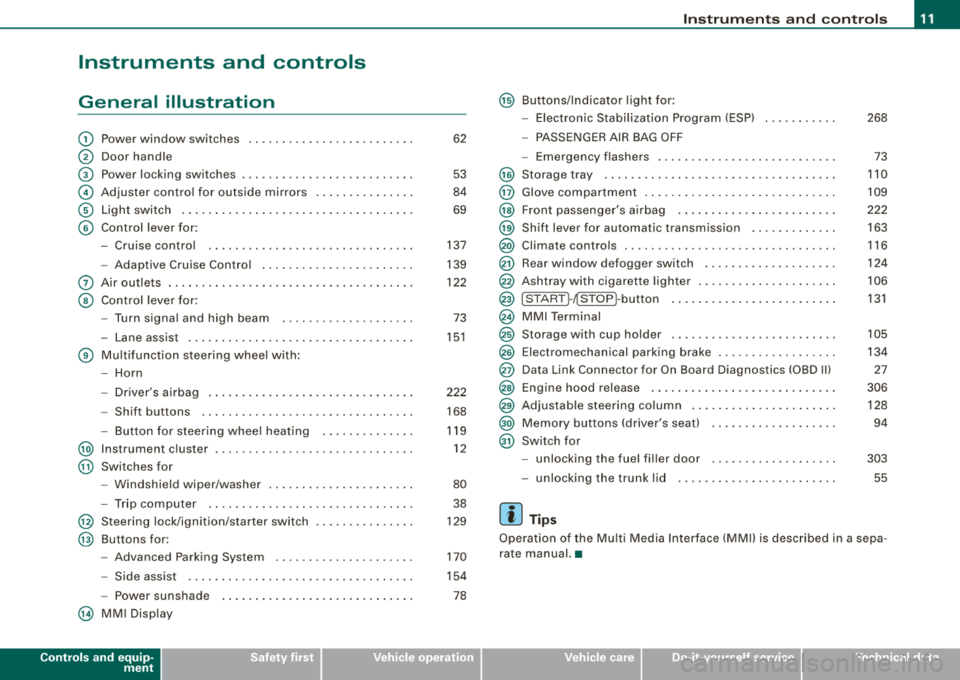
General illustration
G) Power window switches ........................ .
@ Door handle
G) Power locking switches ..... .. .... .... .... ...... .
© Adjuster contro l for ou tside mirrors ...... .... .... .
© Light switch .. ...... .... ... .... .... .... ..... .. .
© Contro l lever for:
- Cruise control .... .... ...... ....... ...... ... .
- Adaptive C ru ise Contro l .... .... .... .... .... .. .
0 Air outlets ... .. .... .... .... .... ... .... .... .... .
@ Contro l lever for:
- Turn signal and high beam ....... ... .. .... ... .
- La ne assist .. ...... ... .... .... .... ... .... ... .
© Multi function steering wheel with :
- Horn
- Driver's a irbag .. ...... ... .... .... .... .... ... .
- Shift buttons ............................... .
Button for steer ing whee l heating ........ ... .. .
@ Instrument c luster .. ... .... .... ....... .... .... . .
@ Switches for
- Windshield wiper/washer ............... ...... .
- Trip computer .... ....... .... .... .... .... ... .
@ Steering lock/ignit ion/starter switch
@ Buttons for:
- Advanced Parking System .. .... .... .... .... .. .
- Side assist ................................. .
- Po wer sunshade
@ MM I Disp lay
Controls and equip
ment
62
53
84
69
137
139
122
73
15 1
222
168
119 12
80 38
129
170
154
78
Ins trum ents and controls
@ Buttons/Indicator l ight for :
- Electronic Stabilization Program (ESP) 268
- PASSE NGER AIR BAG OFF
- Emergency flashers . . . . . . . . . . . . . . . . . . . . . . . . . . . 73
@ Storage tray . . . . . . . . . . . . . . . . . . . . . . . . . . . . . . . . . . . 110
@ Glove compartment . . . . . . . . . . . . . . . . . . . . . . . . . . . . . 109
@ Front passe nger's airbag . . . . . . . . . . . . . . . . . . . . . . . . 222
@ Shift lever for automatic transmission . . . . . . . . . . . . . 163
@ Climate controls . . . . . . . . . . . . . . . . . . . . . . . . . . . . . . . . 116
@ Rear window defogger switch . . . . . . . . . . . . . . . . . . . . 124
@ Ashtray with cigarette lighter . . . . . . . . . . . . . . . . . . . . . 106
@ ISTAR T~~ STOP ~butto n . . . . . . . . . . . . . . . . . . . . . . . . . 131
@ MMI Terminal
@ Storage with cup holder . . . . . . . . . . . . . . . . . . . . . . . . . 105
@ Electromechanical parking brake . . . . . . . . . . . . . . . . . . 134
@ Data Link Connector for On Board Diagnostics (OBD Ill 27
@ Engine hood release . . . . . . . . . . . . . . . . . . . . . . . . . . . . 306
@ Adjustable s teering co lumn . . . . . . . . . . . . . . . . . . . . . . 128
@ Me mory buttons (driver's seat) . . . . . . . . . . . . . . . . . . . 94
@ Switch for
- unlocking the fuel fil ler door
- unlocking t he tr unk l id
[ i ] Tips
303
55
Operation of the Mu lt i M edia In terface (MMI) is described in a sepa
rate manual. •
Page 165 of 404

_____________________________________________ A_ u_t _o _m_ a_ t_ i_c _ t_ r_ a_ n_ s_m _ is_ s_ io_ n _ ___.11111
Automatic transmission
tiptronic ® (6-speed automatic
transmission)
Gener al information
Your vehicle is equipped with an electronically controlled 6-speed
automatic transmission. Upshifting and downshifting takes place
automatically.
The transmission is also equipped with tiptronic®. It allows the
driver to shift gears
manually if desired ~ page 167. •
Driving th e autom ati c transmission
Starting the engine
- The selector lever must be in Nor P.
Starting off
-Press and hold the brake pedal.
Contro ls a nd eq uip
ment
Fig . 183 Shift gate on
the center console:
selector lever with
release button
- Press and hold the release button in the selector lever
handle and move the selector lever from
P or N to D and
release the button
=> & .
- Wait briefly until the transmission has shifted (you will
feel a slight movement).
- Remove your foot from the brake pedal and accelerate.
Rocking back and forth to become unstuck
- Shift only between D and R when the vehicle is at a full
stop and the engine is running at idle speed.
Stopping
- Press and hold the brake pedal until the vehicle has come
to a complete stop.
Keep the brake pedal depressed so that the vehicle
cannot roll forward or backward while it is
idling=>& .
-Once stopped, do not depress the accelerator pedal to
rev up the
engine=> &.
Parking
- Press and hold the brake pedal until the vehicle has come
to a complete stop.
- Set the parking brake
firmly=> page 135, "Parking".
- Press and hold the release button in the selector lever
handle, move the selector lever into
P and then let go of
the release button
=> &. ._
Vehicle care I I irechnical data
Page 166 of 404

___ A_ u_ t
_ o_ m_ a_ t_ i_ c _ t_r _a _n_ s_ m_ is_ s_io _ n ________________________________________________ _
The selector lever must be in Nor P. If one of the driving positions
is e ngaged a sa fe ty swit ch will preven t the eng ine from bei ng
started. See
also=:> pa ge 130 .
Before you move the selector lever from the P pos ition, you m ust
a lways apply the b ra ke pe dal be fore and wh ile depress in g th e
button in the hand le of the selecto r lever.
& WARNING
• Unintended vehicle movement can cause seriou s injury .
- When the selector lever is in a driving position , the vehicle
may creep , even at idle speed . Therefore do not release the
parking brake or foot brake until you are ready to move,
be cause power is tran smitted to the wheels as soon as a
driving position is engaged .
- Do not accelerate while select ing a driving position . At th is
time the engine must be at idle speed so that undue stress is
not placed on the clut ches in the transmi ssion .
- Remember: -even when stopped briefly with the automatic
transmission in
" D " or "R ", engine power is being transmitted
to the wheels . Your vehicle could "creep " forward or backward.
When stopped , keep the brake pedal fully depressed and use
the parking brake if necessary to keep the vehicle from rolling.
• If the selector lever is unintentionally moved into N while you
are driving , take your foot off the accelerator pedal and wait for
the engine to return to idle speed before sele cting a driving posi
tion.
• Never shift into
" R " or "P " when the vehicle is in mot ion .
• Never get out of the dri ver's seat when the engine is running .
• If you must get out of the vehicle , move the selector lever
securely into the P position and apply the parking brake firmly .
• If the engine must remain running , never have any driving posi
tion engaged when checking under the hood . Make sure the
selector lever has securely engaged and is locked in
"P" with the
parking brake firmly
set => page 299, "Engine compartment ".
& WARNING (continued )
Otherwise , any increase in engine speed may set the vehi cle in
motion , even with the parking brake applied . •
Selector lever positions
This sec tion des crib es the selec tor lever p ositions an d
driv ing rang es.
Fig . 184 Disp lay in the
in strument clu ster :
selector lever in pos i
t ion D
T he sele cto r leve r posi tion engag ed ap pears next to the selector
l ever as we ll as in the instrument cluster disp lay . A lso, the current
gear engaged is show n in po sitions D and S .
P -Park
In this selector lever posit ion the t ra nsmi ssio n i s m ec hani cally
l ocked. Engage
P on ly when the vehicle is completely stopped=> &
i n "Dr iv ing th e auto mat ic tra nsmi ssion" on page 163 .
To shift in or out of position P , you must first press and hold the
b rake peda l
and then press the release button in th e selec tor leve r
handle wh ile movi ng the selector lever to or from
P . You can shift
ou t of this posi tion only wi th th e igni tio n on.
R -Reverse
Th e trans missi on wil l au to m atica lly select t he lowest gear ratio
when you shift into reverse .
Page 167 of 404
_________________________________________________ A_ u_t_ o_ m_ a_t _i _c _ t
_ ra_ n_s_ m __ is_s_ io_ n _ ___.1111
Select R only when the vehicle is at a full stop and the engine is
running at idle
speed => & in "Driving the automatic transmission"
on
page 763 .
Before you move the selector lever to R, press both the button in the
handle of the selector lever
and the brake peda l at the same time .
When the ignition is on, the backup lights illuminate when the selector lever is moved into
R.
N -Neutral
The transmission is in neutral in this position. Shift to this position
for standing with the brakes applied =>
page 165.
When the vehicle is stationary or at speeds below 3 mph (5 km/h),
you must always apply the footbrake before and while moving the lever out of
N.
D -Normal position for driving forward
Position Dis for normal city and highway driving. It ranges from zero
to top speed and all six gears shift automatically, depending on
engine load, driving speed and automatically selected shift
programs.
When the vehicle is stationary or at speeds below 3 mph (5 km/h),
you must always apply the foot brake before and while moving the
lever to
D out of N .
In certain circumstances it may be advantageous to temporarily
switch to the manual shift program to manually select gear ratios to
match specific driving
conditions => page 167.
S -Sport position
Select this position for sportier performance. In this position, the
transmission will not upshift as soon, allowing the vehicle to use the increased power available at higher engine speeds to achieve live
lier acceleration.
When the vehicle is stationary or at speeds below 3 mph (5 km/h),
you must always apply the foot brake before and while moving the
lever to
S out of N.
Contro ls a nd eq uip
ment
& WARNING
Read and follow all WARNINGS => & in "Driving the automatic
transmission " on
page 163.
0 Note
Coasting downhill with the transmission in N and the engine not
running will result in damage to the automatic transmission and
possibly the catalytic converter. •
Automatic Shift Lock (ASL)
Automatic shift lock prevents you from accidentally
shifting into a forward gear or into reverse, thus causing
the vehicle to move unintentionally.
Fig . 185 Shift gate
selector lever lock
positions and interlock
button highlighted
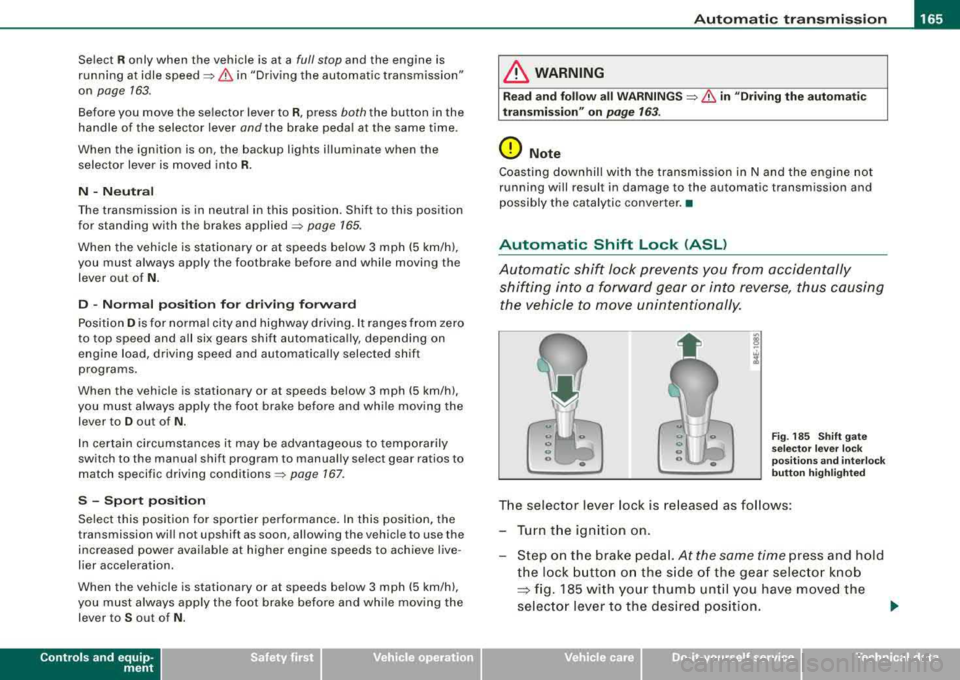
The selector lever lock is released as follows :
Turn the ignition on.
Step on the brake pedal.
At the same time press and hold
the lock button on the side of the gear selector knob
=:> fig. 185 with your thumb until you have moved the
selector lever to the desired position.
~
Vehicle care I I Technical data
Page 168 of 404
___ A_ u_ t
_ o_ m_ a_ t_ i_ c _ t_r _a _n_ s_ m_ is_ s_io _ n ________________________________________________ _
Aut om at ic se lec tor l ever lock
The se lector lever is locked in the P and N pos itions when the ign i
tion is turned on. To move the lever from these positions the driver
must depress t he brake peda l. As a reminder to t he driver, the
follow ing warn ing appears in the instrument c luster disp lay when
the selector is in
P and N :
When stationar y appl y foot brak e while selecting gear
A time de lay e lement prevents the selector lever from lock ing when
it is moved through the
N position (going from R to D l. The locking
e lement will lock the selector lever if the lever is left in N (Neutral)
for more than approximate ly 1 second, without the brake peda l
being pressed.
At speeds above about 3 mph (5 km/h) the Automatic Shift Lock is
automatically deactivated in the
N pos ition .
Interlock button
The lock button on t he se lector lever prevents the lever from being
accidentally shifted into certain positions. Pressing this button
deactivates the selector lever lock. Depending on the direction of
the shift, the selector lever locks at different positions . The positions
a re h igh lighted in the
il lustration => page 165, fig. 185.
Igniti on k ey sa fe ty in te rlock
The key cannot be removed from the ignition un less the selector
lever is in the
P park position. When the ignition key is removed, the
selector leve r wil l be locked in the
P posi tion .•
Kick-down
T he kick-down feature allows the vehicle to generate
maximum acceleration.
When you press t he accelerator peda l beyond the resistance point
that is reached at ful l throttle, the transmission will select a lower
gear ratio based on vehic le speed and engine RPM. The engine RP M
wi ll be control led to produce maximum vehicle acce leration as long as you continue to press the accelerator pedal beyond this resis
t ance po int.
& WARNING
Be careful when u sing th e kick -down feature on slippery road s.
R apid ac cel erat ion m ay ca use th e ve hic le to skid . •
Dynamic shift program (DSP)
T he aut omatic transmission is electronically controlled.
T he transmission is self adapting and wi ll autom ati ca lly select the
best shift program suited to t he driving condi tions and drivi ng s tyle.
The transmission will se lect one of the
eco nom y programs when
you drive at a steady speed or a gradual ly changing speed without
heavy acce leration . T his achieves optimum fuel efficiency, with ear ly
upshifting and delayed downshifting .
T he trans mission wil l automat ica lly select the
s porty shift programs
when you drive at higher speeds, or with heavy acce leration and
frequen tly changing speeds . Upshifts are de layed to make full use
of engine power. Down shifting takes place at higher engine speeds
t han in the economy programs .
The selection of the most suitab le shift program is a continuous,
automatic process . The driver can also make the transmission
switch to a sporty program by
quickl y pressing down the gas peda l.
T his causes the transmission to shift down to a lower gear to
achieve rapid acceleration, e.g . for quickly passing ano ther veh ic le .
You do not need to press the gas pedal into the kick-down range .
After the transmission has upshifted, t he original program is
selected according to your driving style.
An additional shift program allows the automatic transmission to select the proper gear for uph ill and downh ill gradients.
T his prevents the transmission from upshifting and downshifting
unnecessa rily on hi lls. The transmiss ion will shift down to a lower
~
Page 169 of 404
_______________________________________________ A_ u_t _o _m_ a_ t_ i_ c _ t_r _
a _n _s_ m_ i_ s _ s_ i_ o _ n _ ___._
gear when the driver presses the brake pedal on a downhill
gradient. This makes use of the braking effect of the engine without
the need to shift down manually. •
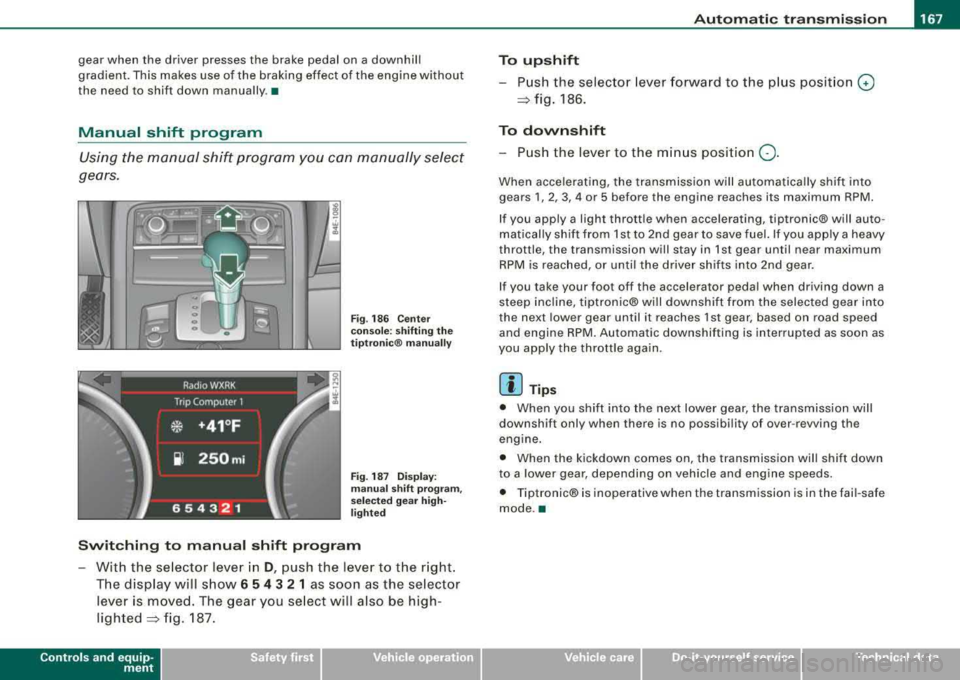
Manual shift program
Using the manual shift program you can manually select
gears.
Fi g. 186 Center
console: shifting the
tiptr onic ® manually
Fig. 187 Display:
man ual shift pr ogra m ,
selected gear high
li ghted
Switching to manual shift program
With the se lector lever in D, push the lever to the right.
The display will show
6 5 4 3 2 1 as soon as the selector
lever is
moved. The gear you select will also be high
lighted~ fig. 187.
Controls a nd eq uip
ment
To upshift
Push the selector lever forward to the plu s position 0
~ fig. 186.
To downshift
- Push the lever to the minus position Q.
When accelerating, the transmission will automatically shift into
gears
1, 2, 3, 4 or 5 before the engine reaches its maximum RPM.
If you apply a light thrott le when accelerating, tiptronic® will auto
matically shift from 1st to 2nd gear to save fuel. If you app ly a heavy
throttle, the transmission will stay in 1st gear until near maximum
RPM is reached, or until the driver shifts into 2nd gear.
If you take your foot off the accelerator peda l when driving down a
steep inc line, tiptronic® wi ll downshift from the selected gear into
the next lower gear until it reaches 1st gear, based on road speed
and engine RPM. Automatic downshifting is interrupted as soon as
you apply the throttle again.
[ i ] Tips
• When you shift into the next lower gear, the transmission will
downshift only when there is no possibi lity of over -revving the
engine.
• When the kickdown comes on, the transmission will shift down
to a lower gear, depending on vehicle and eng ine speeds.
• Tiptronic® is inoperative when the transmission is in the fai l-safe
mode .•
Vehicle care I I irechnical data
Page 170 of 404
___ A_ u_ t_ o_ m_ a_ t_ i_c _ t_r _
a _n _ s_ m_ is_ s_ io_ n _______________________________________________ _
Applies to vehicles: with tipt ronic-steeri ng wheel
Steering wheel vvith tiptronic ®
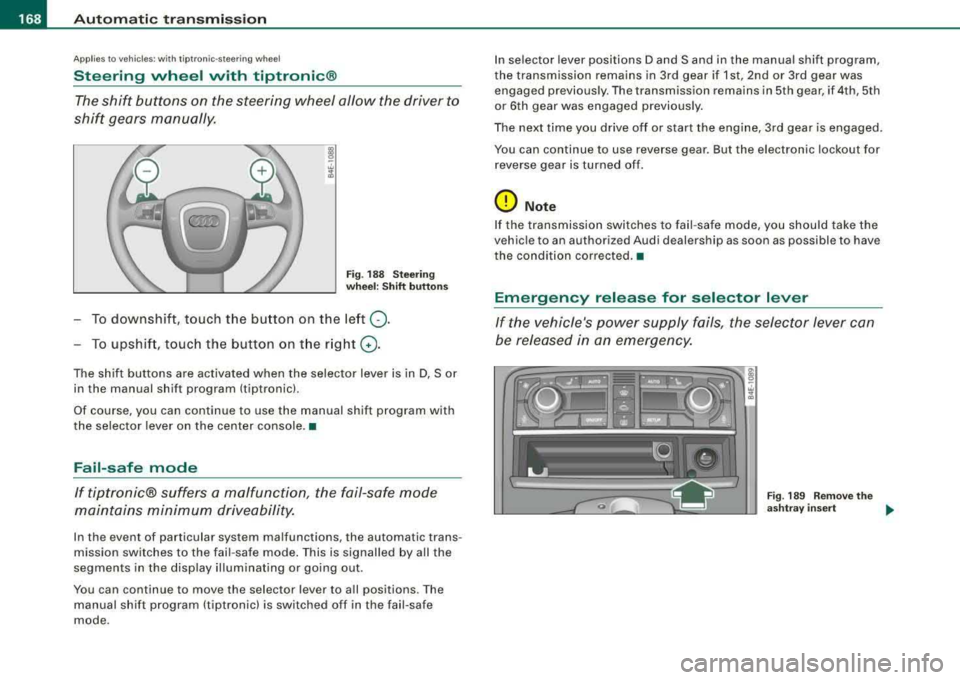
The shift buttons on the steering wheel allow the driver to
shif t gears manually .
Fig . 18 8 S te ering
w heel : Shift button s
To downshift, touch the button on the left 0-
To upshif t, touc h the button on t he r ight G) .
The shift buttons are activated when the selector lever is in D, Sor
in the manual shift program (tiptronic).
Of course, you can continue to use the manual shift program with
the selector lever on the center console. •
Fail-safe mode
If tiptronic® suffers a ma/function, the fail-safe mode
maint ains minimum driveability.
In the event of particular system malfunctions, the automatic trans
mission switches to the fail -safe mode . This is signalled by all the
segments in the disp lay il lum inating or going out .
You can continue to move the selector lever to a ll positions. The
manual shift program (tiptronic) is switched off in the fail-safe
mode . I
n selector lever positions D and Sand in the manual shift program,
the transmission remains in 3rd gear if 1st, 2nd or 3rd gear was engaged previous ly. The transmission rema ins in 5th gear, if 4th, 5th
or 6th gear was engaged previous ly .
The next time you drive o ff or start the engine, 3rd gear is engaged .
You can continue to use reverse gear . But the electronic lockout for
r everse gear is turne d of f.
0 Note
If the transmission switches to fail -safe mode, you should ta ke the
vehic le to an authori zed Audi dealership as soon as possible to have
the condition co rrected. •
Emergency release for selector lever
If the vehicle's power supply fails , the selector lever can
be released in an emergency.
Fig . 18 9 R emo ve the
a sh tray insert
..
Page 173 of 404

Advan ce d Parkin g Sy ste m Ill
-------------~--
-Press the sw it c h P111! in t he cen ter console =:> page 170,
fig. 192 to activate the Aud i pa rking system manually.
Activation of the acoustic park ing system is confirmed by
a brief acknowledgement sound. The indicator light in
the switc h lights up.
De activation
-If yo u drive forwa rds faster t han approx. 6 mph (1 0 km/h},
or
-if you switc h the ignition off, the entire acoustic parking
assist is automatically deactivated, or
-you can press the switch P111A. in the center console
=:> page 170, fig. 192 to deact ivate the Audi parking
system. The indicator light in the switch goes out.
You have to turn on the acoustic parking assist manuall y if you wish
to park the vehicle forwards or if you wish to approach an obstacle
forwards and want a distance warning .
The range at whic h the sensors start to measure is about:
Front
Rear
W arn in g tone s side
cen ter
side
cen ter 3
ft
(0 .90 ml
4f t
(1 .20 ml
2 ft (0.60 ml
Dis tance wa rn ing is given by chimes which are generated by a
signal generator . The volume and the pitch of the chimes can be
adjusted in the MM I
=> page 180.
Mute
I n t he case of vehic les with automatic transmission, an acoustic
distance warning is discontinued when the transmission selector
Controls and equip ment lever is moved to the P position
. However, the system remains
active . As soon as the selector lever is moved fro m the
P pos it ion
and the vehicle approaches an obstacle, the acoustic distance
warning resumes.
Dr iving fo rw ard /b ac kw ard
Dista nce warn ing w hen driving fo rward/ backward is based on
detection of an obstac le in the range of the parking assist. As the
distance decreases, t he time interval betwee n the aud ible t ones
becomes shorter.
When the distance is less than approx .
1 ft (0.30 m), the tone
becomes cont inuous. At th is po int you shou ld stop backing up or
driving forward .
I f the distance to an obstacle re m ains the same, the vo lume of the
distance warning is gradua lly reduced after about
4 seconds (does
not app ly to the zone for the continuous tone). If you start to
approach the detected obstacle again, the distance warning will
sound at the norma l volume again.
P arking
When you se lect another gear when park ing (e .g . reverse/forwa rd),
the warning tones are temporarily suppressed, but the visua l
display remains on the MMI display . If you start approaching a
detected obstac le again, the distance warning wi ll sound at the
normal volume again .
Vi su a l displa y
The segments on t he MMI d isp lay indicate a change in the distance
between the vehicle and an obstacle . The number of segments
displayed depends on the obstac les in front of or behind the
vehic le. The c loser the vehic le comes to the obstacle, the closer t he
segments approach the
vehic le => page 170, fig. 193. When the
seg ment before last is d isplaye d, the ve hicle has reac hed the coll i
sion zone. At this point you should stop backing up or driving
f orward
=> & . ~
Page 279 of 404
______________________________________________ D_ ri_v _ i_ n _, g..,_ a_ n_d _ e_ n_ v_i_ro _ n_ m_ e_ n_t __ lll
Driving and environment
The first 1,000 miles (1,500 km) and
afterwards
New engine
The engine needs to be run-in during the first 1,000 miles
(1,500 km).
For the first 600 miles (1,000 kilometers):
Do not use full throttle.
- Do not drive faster than 3/4 of the top speed marked on
the speedometer.
- Avoid high engine speeds .
From 600 to 1,000 miles (1,000 to 1,500
kilometers):
- Speeds can gradually be increased to the maximum
permissible road or engine speed.
During and after break-in period
-Do not rev the engine up to high speeds when it is cold.
This applies whether the transmission is in N (Neutral) or
1n gear.
After the break-in period
- Do not exceed maximum engine speed under any
circumstances.
- Upshift into the next higher gear
before reaching the red
area at the end of the tachometer
scale => page 12.
Controls and equip
ment Safety first
Vehicle operation
During the first few hours of driving, the engine's internal friction is
higher than later when all the moving parts have been broken in.
How well this break-in process is done depends to a considerable
extent on the way the vehicle is driven during the first 1,000 miles
(1,500 kilometers).
0 Note
Extremely high engine speeds are automatically reduced. However,
these rpm limits are programmed for an engine well run-in, not a
new
engine.
~ For the sake of the environment
Do not drive with unnecessarily high engine speeds -upshifting
early saves fuel, reduces noise and protects the environment .•
New tires
If your vehicle is running on new tires, drive particularly
careful for the first 350 miles (500 kilometers) after fitting.
& WARNING
New tires tend to be slippery and must also be "broken-in". Be
sure to remember this during the first 350 miles (500 kilometers).
Brake
gently. Avoid following closely behind other vehicles or
other situations that might require sudden, hard braking.
•
Vehicle care Do-it-yourself service Technical data