driver seat adjustment AUDI S8 2008 Owners Manual
[x] Cancel search | Manufacturer: AUDI, Model Year: 2008, Model line: S8, Model: AUDI S8 2008Pages: 404, PDF Size: 52.7 MB
Page 88 of 404
Seats and storage
Seats and storage
General recommendations
Why is your seat adjustment so important?
The safety belts and the airbag system can only provide
maximum protection if the front seats are correctly
adjusted.
There are various ways of adjusting the front seats to provide safe and comfortable support for the driver and the front passenger.
Adjust your seat properly so that:
• you can easily and quickly reach all the switches and controls in
the instrument panel
• your body is properly supported thus reducing physical stress
and fatigue
• the safety belts and airbag system can offer maximum protec
tion=> page 218.
In the following sections, you will see exactly how you can best
adjust your seats.
There are special regulations and instructions for installing a child seat on the front passenger's seat. Always follow the information
regarding child safety provided
in=> page 243, "Child Safety".
& WARNING
Incorrect seating position of the driver and all other passengers
can result in serious personal injury.
• Always keep your feet on the floor when the vehicle is in motion
- never put your feet on top of the instrument panel, out of the
window or on top of the seat cushion. This applies especially to
the passengers. If your seating position is incorrect, you increase
the risk of injury in the case of sudden braking or an accident. If
& WARNING (continued)
the airbag inflates and the seating position is incorrect, this could
result in personal injury or even death.
• It is important for both the driver and front passenger to keep
a distance of at least 10 inches (25 cml between themselves and
the steering wheel and/or instrument panel. If you're sitting any
closer than this, the airbag system cannot protect you properly. In
addition, the front seats and head restraints must be adjusted to
your body height so that they can give you maximum protection.
• Always try to keep as much distance as possible between your
self and the steering wheel or instrument panel.
• Do not adjust the driver's or front passenger's seat while the
vehicle is moving. Your seat may move unexpectedly, causing
sudden loss of vehicle control and personal injury. If you adjust
your seat while the vehicle is moving, you are out of position. •
Driver's seat
The correct seat position is important for safe and relaxed
driving.
We recommend that you adjust the driver's seat in the
following manner:
- Adjust the seat in fore and aft direction so that you can
easily push the pedals to the floor while keeping your knees slightly
bent => & in "Why is your seat adjustment
so important?".
- Adjust the seatback so that when you sit with your back
against the seatback, you can still grasp the top of the
steering wheel.
~
Page 89 of 404
-Position the head restraint according to the occupant's
height~ page 91. For maximum protection, the top of
the head restraint should be at least at eye level, prefer
ably higher and ideally level with the top of the head
~ page 203, fig. 218.
& WARNING
Never place any objects in the driver's footwell. An object could
get into the pedal area and interfere with pedal function. In case
of sudden braking or an accident, you would not be able to brake
or accelerate. •
Front passenger's seat
Always move the front passenger seat into the rearmost
position.
To avoid contact with the airbag while it is deploying, do not
sit any closer to the instrument panel than necessary and
always wear the three-point safety belt provided adjusted
correctly. We recommend that you adjust the passenger's
seat in the following manner:
-Move the front passenger seat into the rearmost position
of the fore and aft adjustment
range~ & in "Why is
your seat adjustment so important?" on
page 86.
-Bring the backrest up to an (almost) upright position. Do
not ride with the seat reclined.
-The ideal position for the head restraint is with the upper
edge of the restraint level with the top of your head
~ page 91. You should not lower the top of the restraint
below the level of your eyes.
Contro ls a nd eq uip
ment
Seats and storage
-Place your feet on the floor in front of the passenger's
seat. •
Power seat
Controls
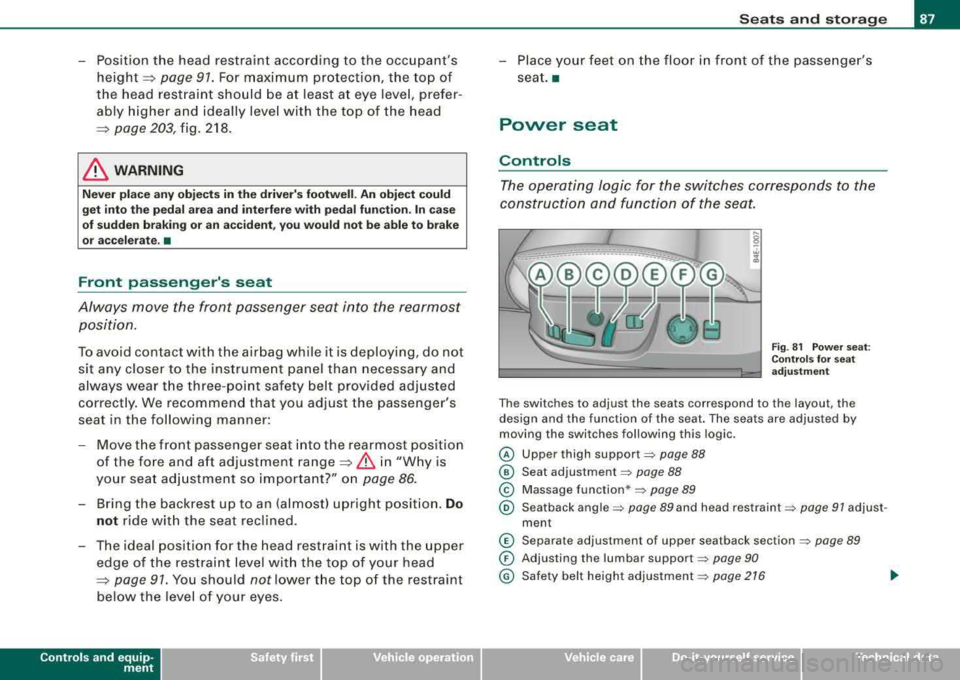
The operating logic for the switches corresponds to the
construction and function of the seat.
Fig. 81 Power seat:
Controls for seat
adjustment
The switches to adjust the seats correspond to the layout, the
design and the function of the seat. The seats are adjusted by
moving the switches following this logic .
@ Upper thigh support=> page 88
@ Seat adjustment=> page 88
© Massage function*=> page 89
® Seatback angle => page 89 and head restraint => page 91 adjust -
ment
© Separate adjustment of upper seatback section => page 89
0 Adjusting the lumbar support=> page 90
@ Safety belt height adjustment => page 216
Vehicle care
I I irechnical data
Page 90 of 404
Seats and storage
& WARNING
• Never adjust the driver's or front passenger's seat while the
vehicle is moving. If you do this while the vehicle is moving, you
will be out of position . Always adjust the driver's or front
passenger's seat when the vehicle is not moving .
• Be careful when adjusting the seat height . Check to see that no
one is in the way, or serious injury could result!
• Because the seats can be electrically adjusted with the ignition
key removed, never leave children unattended in the vehicle. Unsu
pervised use of the electric seat adjustments may cause serious
injury. •
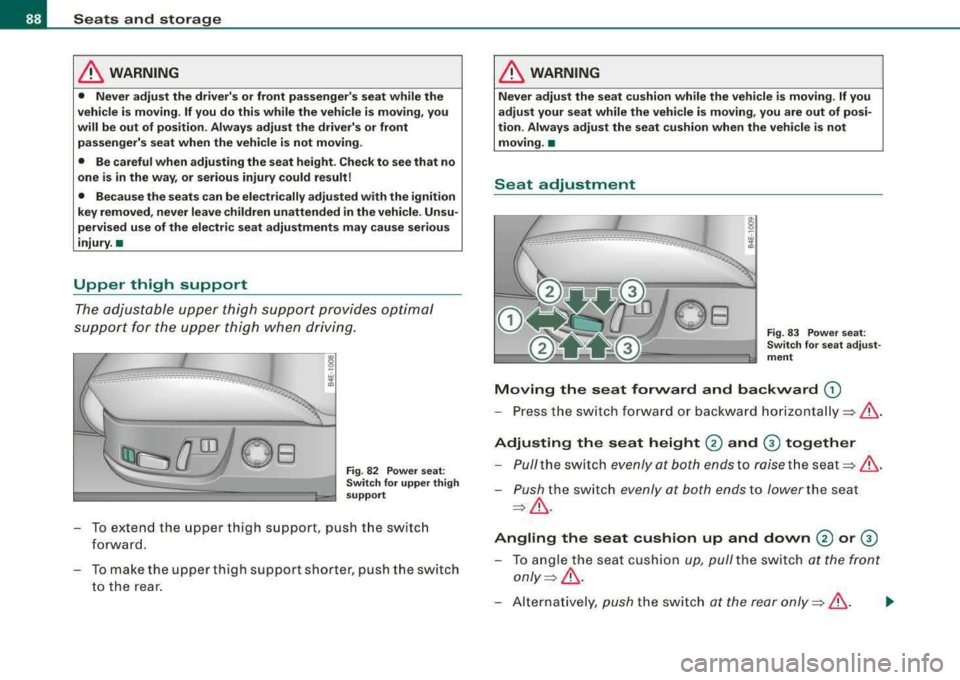
Upper thigh support
The adjustable upper thigh support provides optimal
support for the upper thigh when driving .
Fig. 82 Power seat :
Switch for upper thigh
support
- To extend the upper thigh support, push the switch
forward.
- To make the upper thigh support shorter, push the switch
to the rear.
& WARNING
Never adjust the seat cushion while the vehicle is moving . If you
adjust your seat while the vehicle is moving, you are out of posi
tion. Always adjust the seat cushion when the vehicle is not moving. •
Seat adjustment
Fig. 83 Power seat:
Switch for seat adjust
ment
Moving the seat forward and backward G)
- Press the switch forward or backward horizontally =>& .
Adjusting the seat height 0 and G) together
-Pull the switch evenly at both ends to raise the seat =>& .
-Push the switch evenly at both ends to lower the seat
=>& .
Angling the seat cushion up and down 0 or G)
-To angle the seat cushion up, pull the switch at the front
only=> &.
-Alternatively, push the switch at the rear only =>& . .,,_
Page 91 of 404
-To angle the seat cushion down, push the switch at the
front
only~ ,&.
Alternatively, pull the switch at the rear only~ ,&.
& WARNING
• Never adjust the driver's or front passenger's seat while the
vehicle is moving . If you do this while the vehicle is moving, you
will be out of position . Always adjust the driver's or front
passenger's seat when the vehicle is not moving.
• Be careful when adjusting the seat height . Check to see that no
one is in the way, or serious injury could result!
• Because the seats can be electrically adjusted with the ignition
key removed, never leave children unattended in the vehicle. Unsu
pervised use of the electric seat adjustments may cause serious
injury. •
Applies t o vehicles: with massage funct ion
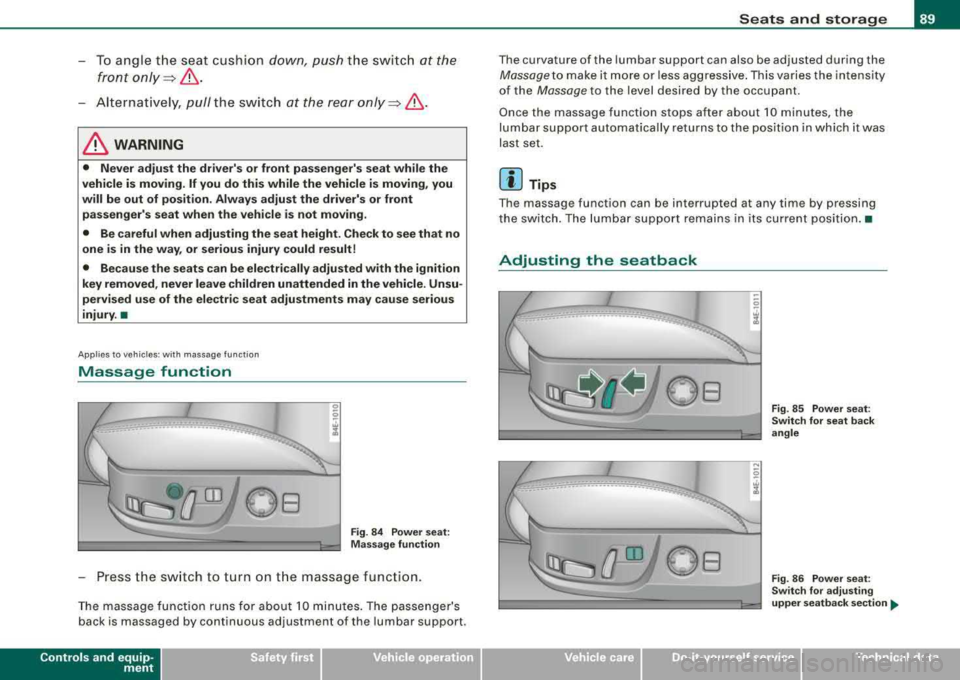
Massage function
0 0
.. .. ······-t
Fig . 84 Power seat:
Massage function
-Press the switch to turn on the massage function.
The massage function runs for about 10 minutes. The passenger's
back is massaged by continuous adjustment of the lumbar support.
Contro ls a nd eq uip
ment
Seats and storage
The curvature of the lumbar support can also be adjusted during the
Massage to make it more or less aggressive. This varies the intensity
of the
Massage to the level desired by the occupant .
Once the massage function stops after about 10 minutes, the
lumbar support automatically returns to the position in which it was
last set.
[ i] Tips
The massage function can be interrupted at any time by pressing
the switch. The lumbar support remains in its current position. •
Adjusting the seatback
-:_____ ·----· ... ___ ..._._ ..
Vehicle care I I
Fig. 85 Power seat:
Switch for seat back
angle
Fig. 86 Power seat:
Switch for adjusting
upper seatback section ...
Technical data
Page 93 of 404
& WARNING
Never adjust the lumbar support while the vehicle is moving. If you
adjust your seat while the vehicle is moving, you are out of posi
tion. Never adjust the seatback when the vehicle is moving. •
Seat adjustments in MMI
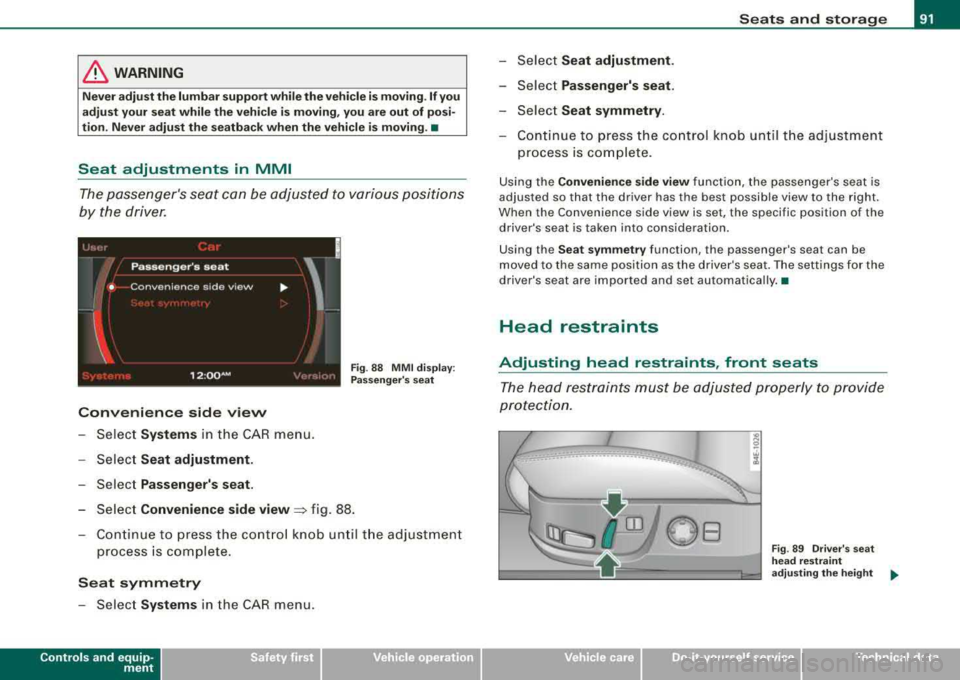
The passenger's seat can be adjusted to various positions
by the driver.
Convenience side view
- Select Systems in the CAR menu.
Select Seat adjustment.
-Select Passenger's seat.
Fig. 88 MMI display :
Passenger's seat
-Select Convenience side view~ fig. 88.
- Continue to press the control knob until the adjustment
process is complete.
Seat symmetry
-Select Systems in the CAR menu.
Controls a nd eq uip
ment
Seats and storage
-Select Seat adjustment.
-Select Passenger's seat.
-Select Seat symmetry.
-Continue to press the control knob until the adjustment
process is complete.
Using the Convenience side view function, the passenger 's seat is
adjusted so that the d river has the best possible view to the r ight .
When the Convenience side view is set, the specific position of the
drive r's seat is taken into considera tion.
Using the
Seat symmetry function, the passenger's seat can be
moved to the same position as the driver's seat. The settings for the
driver's seat are imported and set automatically. •
Head restraints
Adjusting head restraints, front seats
The head restraints must be adjusted properly to provide
protection.
Vehicle care I I
Fig . 89 Driver's seat
head restraint
adjusting the height
..,
Technical data
Page 95 of 404
'
~
--~ _
- _-----:::: =---1 ~
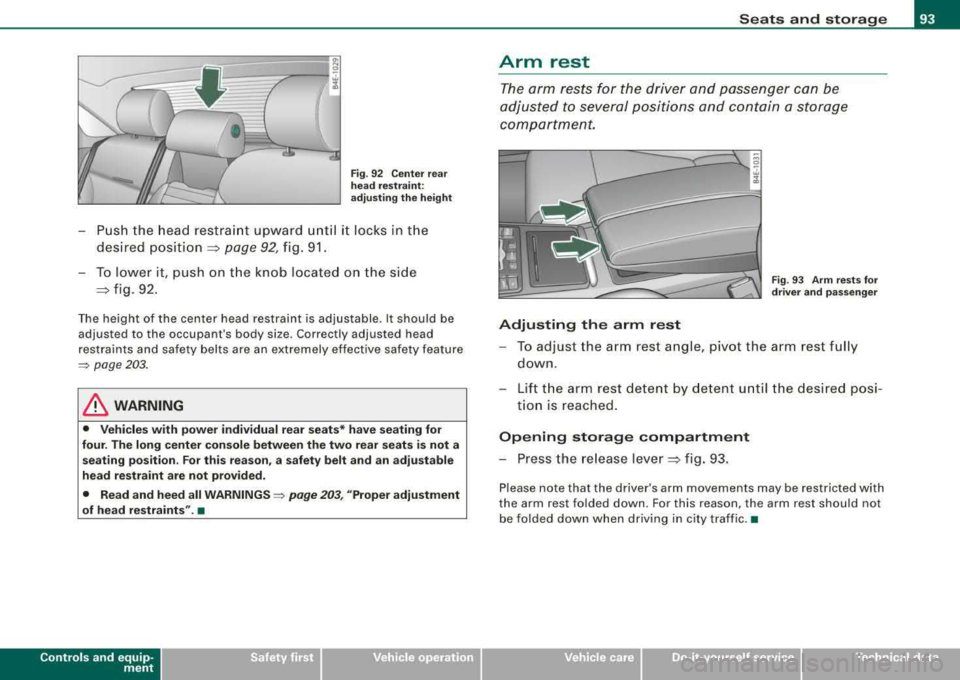
Fig. 92 Center rear
head restraint:
adjusting the height
- Push the head restraint upward until it locks in the
desired
position =:> page 92, fig. 91.
- To lower it, push on the knob located on the side
=:> fig. 92.
The height of the center head restraint is adjustable . It should be
adjusted to the occupant's body size. Correctly adjusted head
restraints and safety belts are an extremely effective safety feature
=> page 203.
& WARNING
• Vehicles with power individual rear seats* have seating for
four. The long center console between the two rear seats is not a
seating position . For this reason, a safety belt and an adjustable
head restraint are not provided.
• Read and heed all WARNINGS =>
page 203, "Proper adjustment
of head restraints". •
Contro ls a nd eq uip
ment
Seats and storage
Arm rest
The arm rests for the driver and passenger can be
adjusted to several positions and contain a storage
compartment.
"' 0
-. w ;l!i
Fig . 93 Arm rests for
driver and passenger
Adjusting the arm rest
-To adjust the arm rest angle, pivot the arm rest fully
down.
- Lift the arm rest detent by detent until the desired posi-
tion is reached .
Opening storage compartment
- Press the release lever =:> fig. 93.
Please note that the driver's arm movements may be restricted with
the arm rest folded down. For this reason, the arm rest should not
be folded down when driving in city traffic. •
Vehicle care
I I irechnical data
Page 96 of 404
Seats and storage
Seat memory
Driver's seat memory
The seat adjustment settings for four drivers can be
stored using the memory buttons in the driver's door.
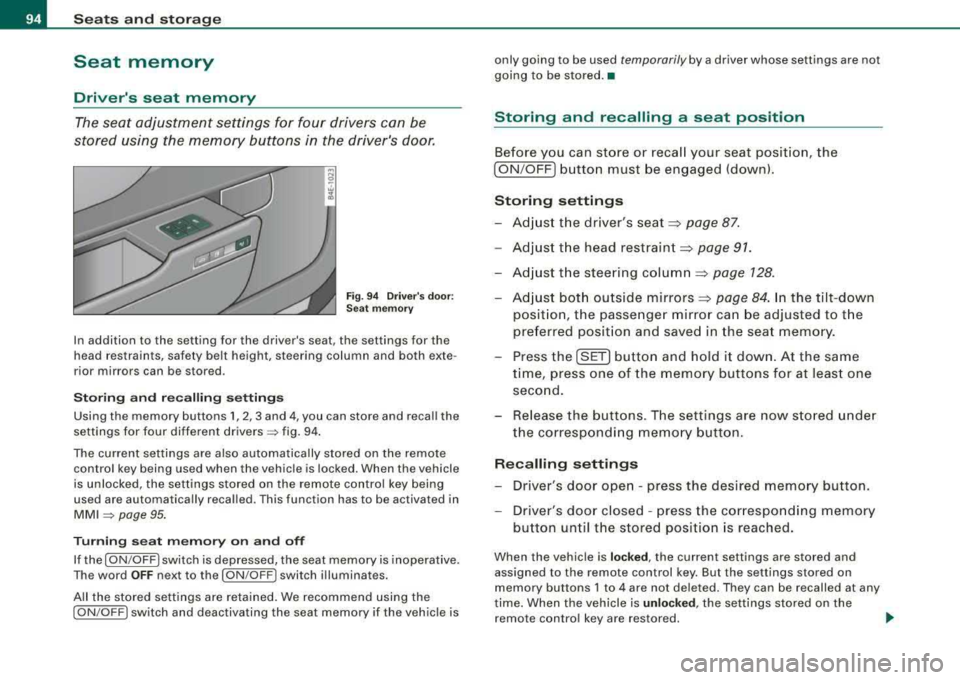
Fig. 94 Driver's door:
Seat memory
In addition to the setting for the driver's seat, the settings for the
head restraints, safety belt height, steering column and both exte
rior mirrors can be stored .
Storing and recalling settings
Using the memory buttons 1, 2, 3 and 4, you can store and recall the
settings for four different
drivers => fig. 94.
The current settings are also automatically stored on the remote
control key being used when the vehicle is locked. When the vehicle
is unlocked, the settings stored on the remote control key being
used are automatically recalled. This function has to be activated in
MMI => page 95.
Turning seat memory on and off
If the [ ON/OFF I switch is depressed, the seat memory is inoperative.
The word
OFF next to the [ON /OFF ! switch illuminates.
All the stored settings are retained. We recommend using the
[ ON /OFF! switch and deactivating the seat memory if the vehicle is only going to be used
temporarily by a driver whose settings are not
going to be stored. •
Storing and recalling a seat position
Before you can store or recall your seat position, the
[ ON /OFF] button must be engaged (down).
Storing settings
-Adjust the driver's seat => page 87.
-Adjust the head restraint => page 91.
-Adjust the steering column => page 128.
-Adjust both outside mirrors=> page 84. In the tilt-down
position, the passenger mirror can be adjusted to the
preferred position and saved in the seat memory.
-Press the [SET] button and hold it down. At the same
time, press one of the memory buttons for at least one
second.
-Release the buttons. The settings are now stored under
the corresponding memory button.
Recalling settings
-Driver's door open - press the desired memory button .
-Driver's door closed - press the corresponding memory
button until the stored position is reached.
When the vehicle is locked, the current settings are stored and
assigned to the remote control key. But the settings stored on
memory buttons 1 to 4 are not deleted. They can be recalled at any
time. When the vehicle is
unlocked , the settings stored on the
remote control key are restored. .,_
Page 97 of 404

If your vehicle is driven by other persons using your remote control
key, you should save your individual seat posi tion on one of the
memory buttons. You can recall your settings again simply and
conveniently by pressing the corresponding memory bu tt o n. When
the vehicle is locked, these settings are automatically re -assigned to
the remote control key and stored .
& WARNING
• For safety reasons, the seat s etting can only be recalled whe n
the vehi cle i s sta tiona ry
-otherwi se you ri sk h aving an accident .
• In an emergency , the recall operation can be stopped by
pre ssing the
I ON /OF F) button or b y briefly pre ssing an y given
mem ory button . •
Activating remote control key memory
To be able to recall the stored settings with the remo te
con trol key, the function has to be activated in
MM/ .
-Selec t Systems in the CAR menu .
-Select Seat adjustment .
-Select Driver's seat.
Controls a nd eq uip
ment
Fig . 9 5 MMI disp lay :
Drive rs' seat
Seats and storage
Sel ect Remote control key on to activate the rem ote
contro l key
mem ory ~ fig. 95 .
Passenger's seat memory
Using the memory but tons in the passenger's door, you
ca n sto re an d rec all f our se at sett ings.
Storing and recalling settings
Fi g. 9 6 Pa ssenger's
d oo r: s eat m emo ry
Using the memory buttons 1, 2 , 3 and 4, you can store and recall the
settings for four di fferent
passengers ~ fig. 96 .
Tu rning s eat m emory on and off
If the I ON /OFF ) switch is depressed, the seat memory is inoperative .
The word
OFF next to the I ON /OFF ) swi tch illuminat es.
All the s tored settings are retained. Now the seat can on ly be
adjusted electrically in the normal way. •
Vehicle care I I irechnical data
Page 99 of 404
Rear window shelf
You can place li gh t a rticles of cl othing on the re ar
window shelf behind the sea tbac k.
& WARNING
When driv ing , do not leave any hard objects on the rear w indow
s helf or allow your pet to sit on the shelf . They could be come a
hazard for vehicle oc cup ant s i n the event of sudden bra king or a
c rash .
[ i ] Tips
• A vent slot is located between t he shel f and the rear window . Do
not b lock the vent with any items you may place on the rear window
she lf.
• Do not place bulky items on the rear window shelf as they could
res trict or b lock the driver's vision in the rear view mirro r.•
Contro ls a nd eq uip
ment
Seats and storage
Individual rear seats
Ap plies to ve hic les : with indi vid ual rea r seat s
Controls
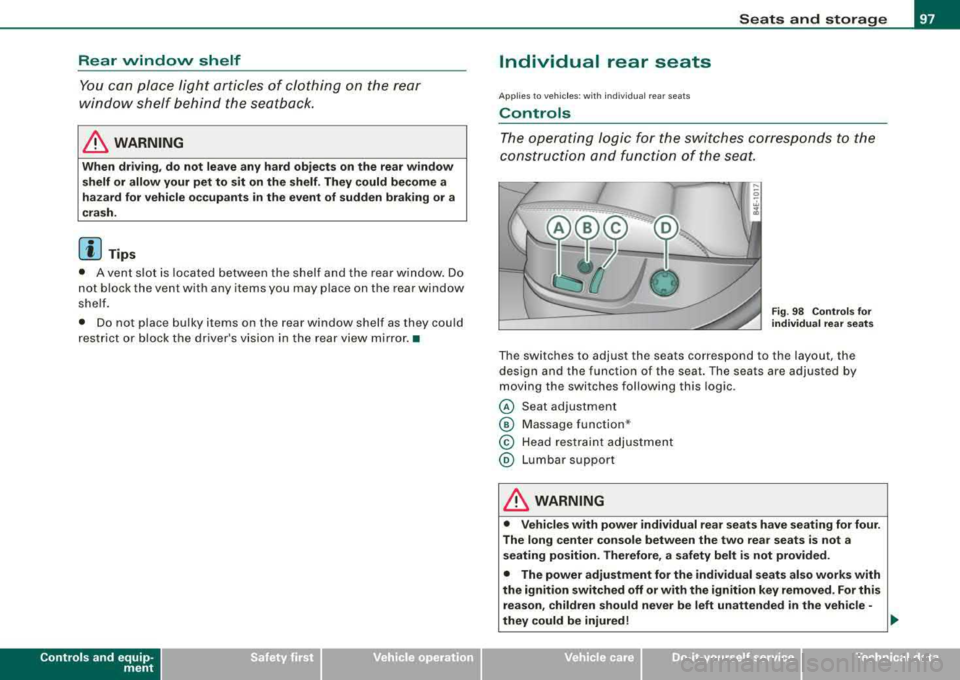
The operating logic for the switches corresponds t o the
construction and function of the sea t.
Fig. 98 Co ntro ls fo r
individual rear seats
The switches to adjust the seats correspond to the layout, the
design and the function of the seat. The seats are adjusted by
moving the switches following this log ic .
@ Seat adjustment
© Massage function *
© Head restraint adjustment
@ Lumbar support
& WARNING
• Vehicle s with power individual rear se ats have seating for four .
The long center co nsole between the two rear se ats is not a
s eating po sition. Therefore , a safety belt i s not provided.
• The power adjustment for the individual seats al so works with
the ignition switched off or with the ignition key removed . For this
re as on , children should never be left unattended in the vehicle -
they could be injured!
.,
Vehicle care I I irechnical data
Page 120 of 404
___ w_ a_ rm __ a_ n_ d_ c_ o_ ld __________________________________________________ _
driver's s ide can be sw it c hed to the passenger's side, and v ice versa.
In the case of vehic les with rear air conditioning *, the selected
temperature setting is also applied to the outer rear sea ts. The new
temperature is shown in the display .•
Ap plie s to veh ic les: w ith e le ct ric a lly he ated seat s
Heated seats ~
The seat cushion and the seat back of the front seats can
be heated electrically.
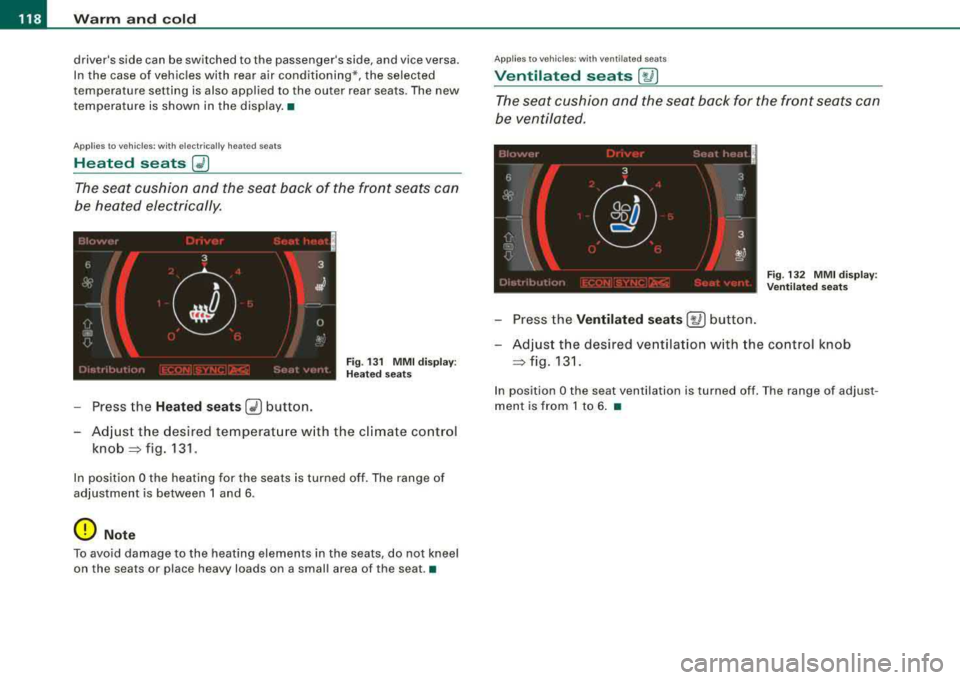
F ig . 13 1 M MI disp lay:
H eated s eats
- Press the Heated seats G2) button.
- Adjust the desired temperat ure w ith the climate control
knob =:> fig. 131 .
In position O the heating for the seats is turned off . The range of
adjustment is between 1 and 6 .
0 Note
To avoid damage to the heating elements in the seats , do not kneel
on the seats or place h eavy loads on a small area of th e se at .•
App lies to veh ic les : wit h venti lated seats
Ventilated seats [~ I
The seat cushion and the seat back for the front seats can
be ventilated .
Fig. 132 MM I d isplay :
Ve nti lated sea ts
- Press the Ventilated se ats [~ ] button.
- Adjust the des ired ventilation w ith the control knob
=:> fig . 131.
In position O the seat ven tilation is turned off . T he range of adjus t
ment is from 1 to 6 . •