lane assist AUDI S8 2008 Owners Manual
[x] Cancel search | Manufacturer: AUDI, Model Year: 2008, Model line: S8, Model: AUDI S8 2008Pages: 404, PDF Size: 52.7 MB
Page 4 of 404
Table of contents
Table of contents
Vehicle literature ........ .
About this Owner's Manual ..................... .
Controls and
equipment .. ... ... ..... ... . .
Inst rumen ts and contr ols ..... .
Genera l ill ustration ............. .
Instruments and
warning/indica tor lig hts ....... .
Instruments ................... .
Warning/indicator lights ........ .
Driver informa tio n d isplay ..... .
Introduction ................... .
On-Board Diagnostic system
(080)
Auto Check Control ............ .
Speed war ning system ... ...... .
Trip computer ..... ............ .
Tire pressure monitoring system ..
Opening and closing .......... .
Keys ............ ... .. ... · · · · · · ·
Power locking system .......... .
Rear lid/Trunk lid .......... ..... .
Ch ild safety loc k .... ... .... .... . 5 Advanced Key
................ .
Anti-theft a larm system ..... ... .
Powe r w indows ... ... ... ... .. .
S lid ing/ti lt ing power sunroof ... .
6 Clear vision ... .... .. ... .. ..... .
9
11
1 1
1 2
12
1 6
2 4
2 4
27
28
36
38
40
47
47
49
55 58 Lights
..................... ... .
Interior lights ... ...... .. .. .. .. .
V is ion ........... ........... .. .
W iper and washer system ... ... .
Mirrors .. .. ... ......... ..... .. .
Seats and storage ......... ... .
Genera l recommendat ions ..... .
Powe r seat . ... ... ......... ... .
Head restraints .............. . .
Arm rest ..................... .
Seat memory ... ... ...... ..... .
Rear sea ts . ... ... ... ... ... .. .. .
Ind ividua l rear seats ........ ... .
Luggage compartment ........ .
Roof rack ........ ... .... .... .. .
Cup holder .................... .
As htray . ... ... ... ......... ... .
Cigarette lighter/socket ........ .
Long center console ........... .
Storage .... ...... ............ .
Warm and cold ............... .
Climate controls .............. .
W indshield defogg ing /defrosting .
Rear clim ate controls ..... ..... .
Basic settings ......... ... ... .. .
On the road ... ... . .. ... .. ... .. .
Stee ring .... ... ... ............ .
Ignition lock and ignition sw itch .
Starting and stopping the engine 59
Starting and stopping the engine
61 using t he Advanced Key . . . . . . . . . 131
62 Electromechanical parking brake . 134
65 Cru ise control . . . . . . . . . . . . . . . . . . 137
69
A dapt ive Cruise Control . . . . . . . . 139
69 Speed and distance control system 139
7 4 Driver informat ion . . . . . . . . . . . . . . 144
77 Specia l driving si tua tions . . . . . . . . 14 9
80
Audi lane assist . . . . . . . . . . . . . . . . 151
83 Lane assist . . . . . . . . . . . . . . . . . . . . 151
86
A udi side assist . . . . . . . . . . . . . . . . 15 4
86
87
91
93
9 4
96
97
100
103
105
106
107
108
109
1 14
11 4
123
125
126
128
128
129
130 Lane Change Assistant ........
. .
No tes ........ ...... ........ .. .
Automatic transmission ...... . .
tiptron ic® (6-speed automatic
transm ission) ................. .
Advanced Parking System .... .
Advanced Parking System with rear
v iew camera .................. .
Specia l parking situations ...... .
Towing hitch .. ....... ......... .
Settings in the MM I ..... ...... . .
Safety t ips .............. ...... .
Adaptive A ir Suspension ...... .
Adaptive Air Suspension and
Damping ..... .. .............. .
Homelink® ................... . .
Universa l remo te control ....... . 154
161
163
163
170
170
178
180
180
183
185
185
191
191
Page 19 of 404
tl~ Airbag system
--
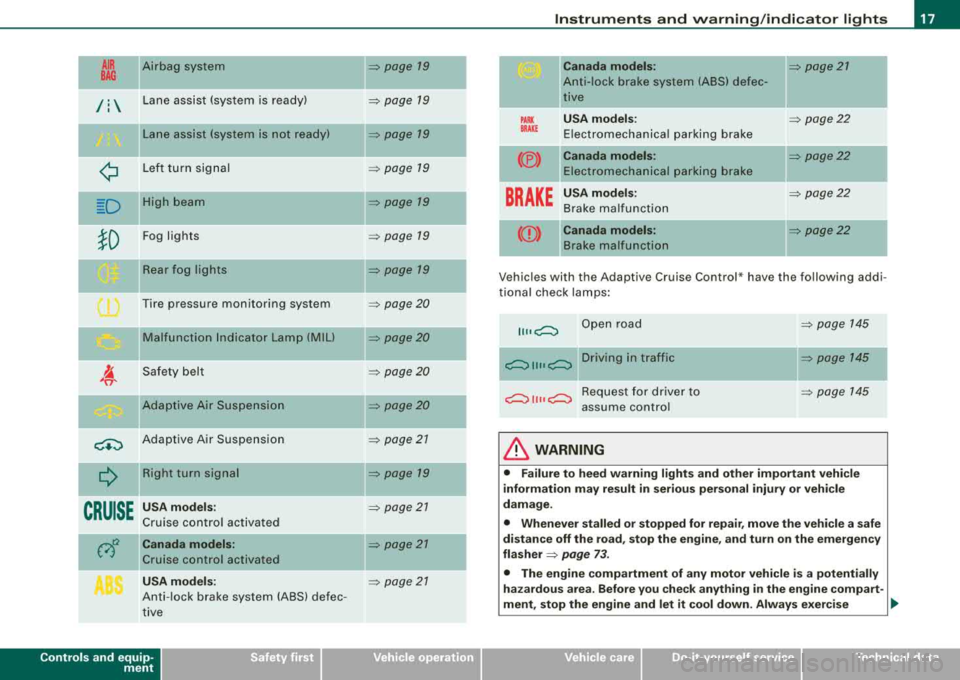
/: Lane assist (system is ready)
Lane assist (system is not ready)
¢ Left turn signal
--D High beam
}D Fog lights
Rear fog lights
Tire pressure monitoring sys tem
Malfunction Indicator Lamp (MIU
Safety belt
Adaptive Air Suspension
<+:) Adaptive Air Suspension Right turn signal
--
CRUISE
--
USA models:
Cruise control activated
Canada models:
Cruise control activated
USA models:
Anti-lock brake system (ABS) defec
tive
Controls and equip ment
=> page 19
-
=> page 19
=> page 19
=> page 79
-=> page 19
=> page 79
=> page 19
=> page 20
=> page 20
=> page 20
=> page20
=> page 21
=> page 79
-
=> page 27
=> page 27
-
=> page 21
Instruments and warning/indicator lights
PARK BRAKE
(®)
----
Canada models:
Anti-lock brake system (ABS) defec
tive
USA models :
Electromechanical parking brake
Canada models: Electromechanical parking brake
-
BRAKE
USA models:
Brake malfunct ion
--((D) Canada models:
Brake malfunction
=> page 27
=> page 22
=> page 22
-
=> page 22
-
=> page22
V ehicl es wi th th e Adaptive Cruis e Control * have the follow ing addi
tional check lamps:
Open road
~ 1111 ~ Driving in traffic
~ 1111 ~ Request for driver to
assume control
& WARNING
=> page 145
=> page 145
=> page 145
• Failure to heed warning lights and other important vehicle
information may result in serious personal injury or vehicle
damage.
• Whenever stalled or stopped for repair, move the vehicle a safe
distance off the road, stop the engine, and turn on the emergency
flasher
=> page 73.
• The engine compartment of any motor vehicle is a potentially
hazardous area. Before you check anything in the engine compart-
ment, stop the engine and let it cool down. Always exercise
~
Page 21 of 404
warning/indicator light should go out to show that the system is
fully functional again.
For more information about the
ESP=> page 268. •
Airbag system C:,
This warning/indicator light monitors the airbag and the
tensioner systems.
The ffi warning light illuminates for a few seconds each time you
switch on the ignition.
If the m warning light does not go out, or if it illuminates while you
are driving, or if it starts to blink, then there is a malfunction some
where in the system. If the light does not illuminate when you
switch on the ignition, this also means there is a malfunction.
& WARNING
If you have a malfunction in the airbag system, contact your autho
rized Audi dealer immediately. Otherwise the airbag or the belt
tensioner may not work properly in an accident. •
Applies to v ehicl es: w it h l ane ass is t
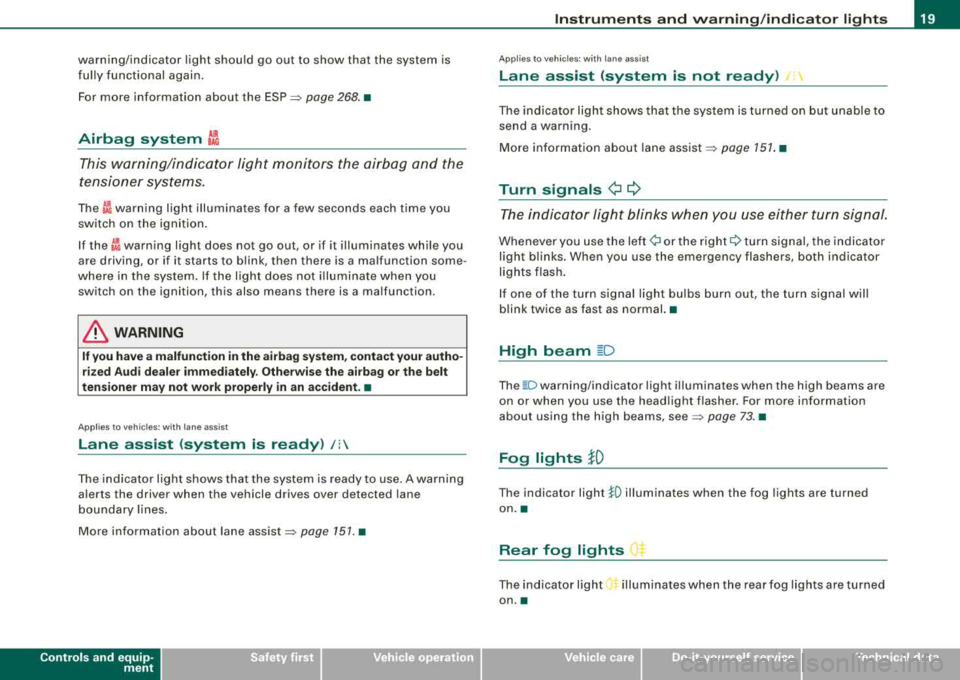
Lane assist (system is ready) /:
The indicator light shows that the system is ready to use . A warning
alerts the driver when the vehicle drives over detected lane
boundary lines.
More information about lane
assist=> page 151. •
Controls and equip
ment
Instruments and warning/indicator lights
Applies to vehi cles : wi th la ne ass is t
Lane assist (system is not ready) /:
The indicator light shows that the system is turned on but unable to
send a warning .
More information about lane
assist=> page 151. •
Turn signals ¢ Q
The indicator light blinks when you use either turn signal.
Whenever you use the left ¢i or the right Q turn signal, the indicator
light blinks . When you use the emergency flashers, both indicator
lights flash.
If one of the turn signal light bulbs burn out, the turn signal will
blink twice as fast as normal. •
High beam ~D
The ~D warning/indicator light illuminates when the high beams are
on or when you use the headlight flasher. For more information
about using the high beams,
see => page 73. •
Fog lights JO
The indicator light !0 illuminates when the fog lights are turned
on. •
Rear fog lights ()$
The indicator light O* illuminates when the rear fog lights are turned
on .•
Page 50 of 404
Opening and clo sing
Master key vvith remote control
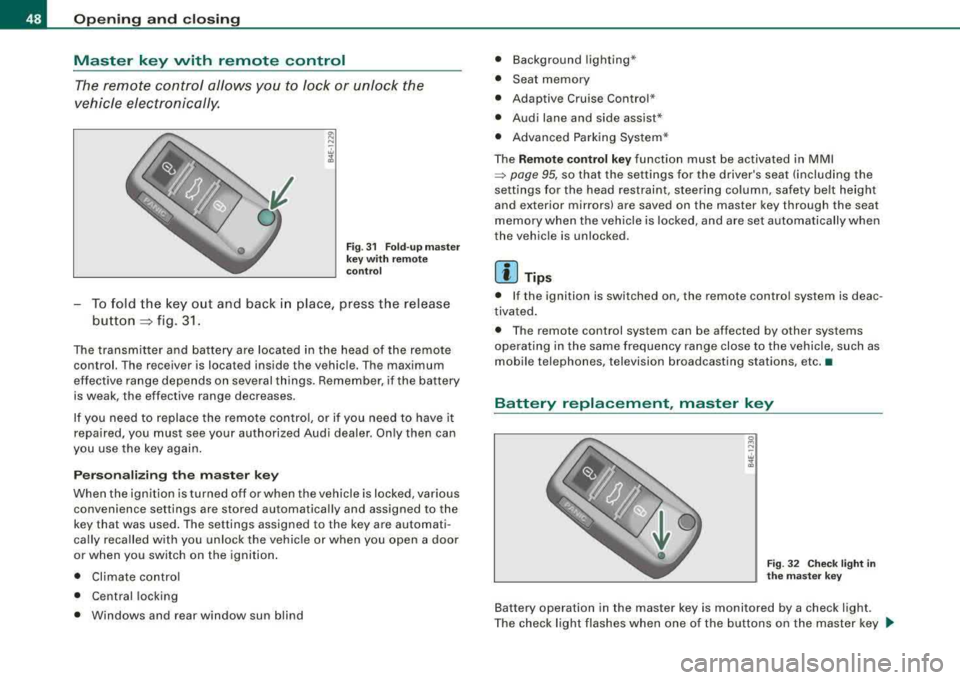
The remote control allows y ou to l ock or unlock the
vehicle electronically.
F ig . 31 Fo ld -u p m aster
key wit h re mote
c ontr ol
-To fold the key out and back i n place, press the release
button
::::, fig. 3 1.
The transmitter and battery are located in the head of the remote
control. The r eceiver is locat ed ins ide th e vehicle . Th e maximum
ef fective range depends on several th ings. Remember, if the battery
is weak, the effective range decreases.
If you need to replace the remote contro l, or if you need to have it
repaired, you must see your authorized Audi dealer. On ly then can
you use the key again .
P erson aliz ing the ma ste r ke y
When the ignition is turned off or when the vehicle is locked, various convenience set tings are stored automatical ly and assigned to the
key that was used . The settings assigned to the key are automati
cally recalled with you unloc k the vehicle or when you open a door
or when you switch on the igni tion .
• Climate contro l
• Ce ntral locking
• Windows and rear window sun blind •
Background lighting *
• Seat memory
• Adaptive Cruise Contro l*
• Audi lane and side assist *
• Advanced Parking Syste m*
The
Remo te co ntrol ke y function must be activated in MMI
~ page 95, so that the settings fo r the driver's seat (including the
settings for the head restraint, steering column , safety be lt height
and exterior mirrors) are saved on the master key through the seat
memory when the vehicle is locked, and are set automatically when
the vehic le is unlock ed.
[ i ] Tip s
• If the ignition is switched on, the remote control system is deac
tivated .
• The remote control system can be affected by other systems
opera ting in the same frequency range close to the vehicle, such as
mobile tel ephones, television broadcasting stations, etc. •
Battery replacement, master key
g N
-. w 1l.
Fig . 3 2 Che ck light in
th e m as ter key
Battery operation in the master key is monitored by a check light .
The check light flashes when one o f the buttons on the master key
~
Page 141 of 404
____________________________________________ ..:.A..:.= d:.:a:.! p::. t
.:.: i:..: v :..: e::......: C::.:..: ru=.:.: is::.:e::.....: C::.::: o:..:.n.:..: t:.: r..: o :.: l:...__J9I
Adaptive Cruise Control
Speed and distance control system
Applies to vehicles : with Adaptive C ruise Cont rol
Description
The Adaptive Cruise Control driver assistance program is
a combined speed and distance control system .
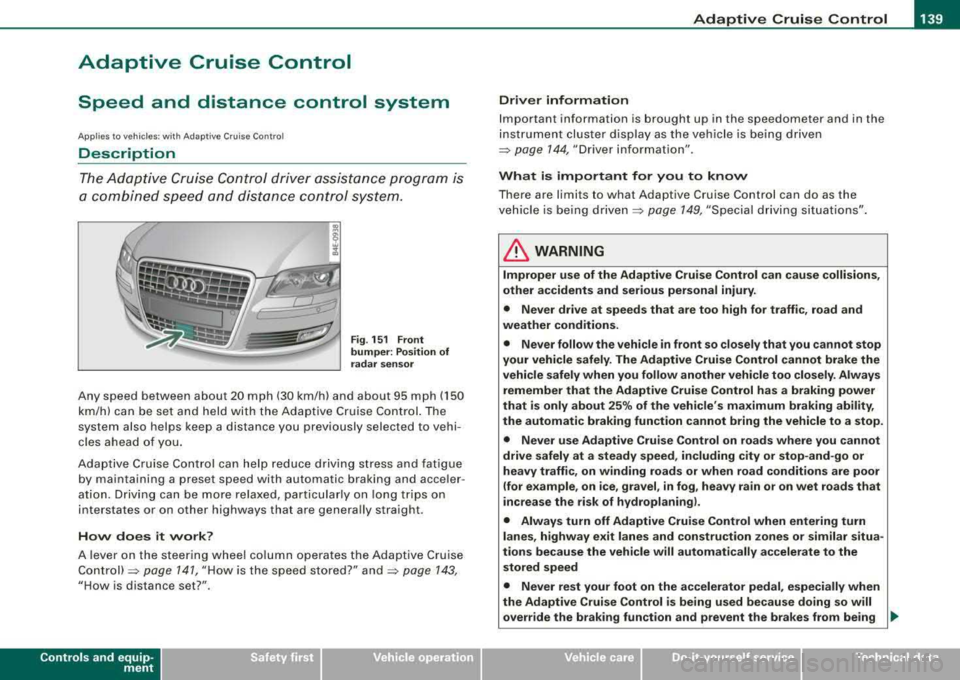
Fig. 151 Front
bumper: Position of
radar sensor
Any speed between about 20 mph (30 km/h) and about 95 mph (150
km/h) can be set and held with the Adaptive Cruise Control. The
system also helps keep a distance you previously selected to vehi
cles ahead of you.
Adaptive Cruise Control can help reduce driving stress and fatigue
by maintaining a preset speed with automatic braking and acce ler
ation. Driving can be more relaxed, particularly on long trips on
interstates or on other highways that are genera lly straight.
How does it work?
A lever on the steering wheel column operates the Adaptive Cruise
Control)=> page 141, "How is the speed stored?" and=> page 143,
"How is distance set?".
Contro ls a nd eq uip
ment
Driver information
Important information is brought up in the speedometer and in the
instrument cluster display as the vehicle is being driven
=> page 144, "Driver information".
What is important for you to know
There are limits to what Adaptive Cruise Control can do as the
vehicle is being
driven => page 149, "Special driving situations" .
LJ}. WARNING
Improper use of the Adaptive Cruise Control can cause collisions,
other accidents and serious personal injury.
• Never drive at speeds that are too high for traffic, road and
weather conditions.
• Never follow the vehicle in front so closely that you cannot stop
your vehicle safely. The Adaptive Cruise Control cannot brake the
vehicle safely when you follow another vehicle too closely. Always
remember that the Adaptive Cruise Control has a braking power
that is only about 25% of the vehicle's maximum braking ability,
the automatic braking function cannot bring the vehicle to a stop.
• Never use Adaptive Cruise Control on roads where you cannot
drive safely at a steady speed, including city or stop-and -go or
heavy traffic, on winding roads or when road conditions are poor
(for example , on ice, gravel , in fog , heavy rain or on wet roads that
increase the risk of hydroplaning).
• Always turn off Adaptive Cruise Control when entering turn
lanes , highway exit lanes and construction zones or similar situa
tions because the vehicle will automatically accelerate to the
stored speed
• Never rest your foot on the accelerator pedal, especially when
the Adaptive Cruise Control is being used because doing so will
override the braking function and prevent the brakes from being _.,
Vehicle care I I irechnical data
Page 153 of 404
Audi lane assist -_____________________ __.
Audi lane assist
Lane assist
Applies to vehicles: with lane assist
Description
Lane assist helps you keep your vehicle in your lane.
Lane assist uses a camera to detect lane boundary lines. If the
system detects that your vehicle is about to leave a lane boundary
line, the steering wheel
vibrates to alert the driver. If lane assist
detects boundary lines on both sides of the vehicle's lane, the
system enters active standby mode, which is indicated by the green
indicator light/: on the instrument cluster.
If the system is in active standby mode and the turn signal is acti
vated before driving over the boundary line, the warning does not
occur since the system allows for intentional lane changes.
The system is designed for driving on freeways and expanded high
ways and thus works only at speeds of 40 mph (65 km/h) or more.
& WARNING
• Lane assist will not keep your vehicle in your lane. The system
only warns the driver when the vehicle is leaving the lane. The
driver is always responsible for keeping the vehicle in the lane.
• The camera is not able to detect all lane boundary lines and in
some cases might also detect lane structures or objects as
boundary lines. This can lead to incorrect warnings or warnings
that fail to go off at all.
• The camera's visibility can be impaired by vehicles ahead of
you, for instance, or by rain, snow, heavy spray or light shining into
the camera lens. This can cause lane assist to fail to detect
boundary lines. •
Contro ls a nd eq uip
ment
Applies to vehicles: with lane assist
Activating and deactivating
Fig. 168 Turn signal
lever : Lane assist
button
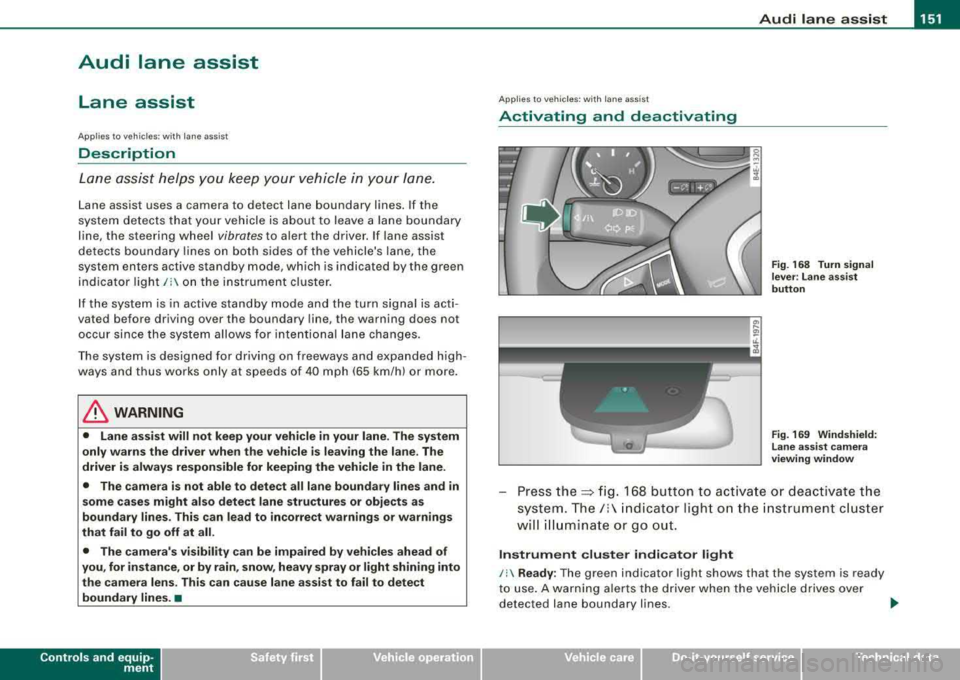
Fig . 169 Windshield:
Lane assist camera
viewing window
Press the:::> fig. 168 button to activate or deactivate the
system.
The/: indicator light on the instrument cluster
will illuminate or go out.
Instrument cluster indicator light
/: Ready : The green indicator light shows that the system is ready
to use. A warning alerts the driver when the vehicle drives over
detected lane boundary lines.
.,.
Vehicle care I I irechnical data
Page 154 of 404
-
Audi lane assist
----------------
I Not re ad y: The yellow ind icator light shows that the system is
t urned on but unab le to send a warning . This can be due to the
following:
• There are no boundary lines, or there is on ly one boundary line
present .
• The boundary lines are not detected (e.g. due to snow, dirt, wet
conditions or light shining into the camera lens) .
• More than two boundary lines (such as at construction sites) are
located in the vehicle's lane .
• The vehicle's speed is below the speed needed to activate it,
which is abou t 40 mph (65 km/h).
• The lane is narrower than about 8 ft . (2 .5 m), or wider than about
16
ft . (5 m).
• The curve is too sharp .
Notes on th e instr umen t clu ste r displa y
When the lane assist turns off automatically , the instrument cluster
indicator goes out and one of the following messages appears on
the display:
Audi lan e assist not available: C urre ntl y no se nsor vis ion
This message appears when the camera can no longer function
because it cannot detect the boundary lines. This may be due to the
following :
• The exterior s ide of the camera viewing
window => page 151,
fig. 169 is covered with dirt or ice. Clean this part of th e windshield.
• The camera v iew ing window is fogged up on the inside. In t his
case, wait until the fog disappears before turning lane assist on
aga in.
• The system was unable to detect boundary lines over an
extended period of time due to road conditions (such as snow
covered lanes). Do not turn lane assist on again unti l the lines can
be more easily detected .
Audi lane assist not ava ila bl e
A temporary malfunction is preventing lane assist from operating .
Try turning on lane assist again a t a la ter t ime.
Audi l ane ass is t: sys te m f ault
T he system should be checked by an authorized Audi dealer or other
qual ified workshop .
[ i ] Tips
• Make sure that the camera viewing window => page 151, fig. 169
is not covered by stickers or similar objects .
• Always keep the camera view ing w indow c lean . This can usual ly
b e don e by op erat ing the windshield wipers. •
App lies to vehicles: w it h l ane assist
MMI settings
You can use the MM/ to adjust the warning time and
steering wheel vibration.
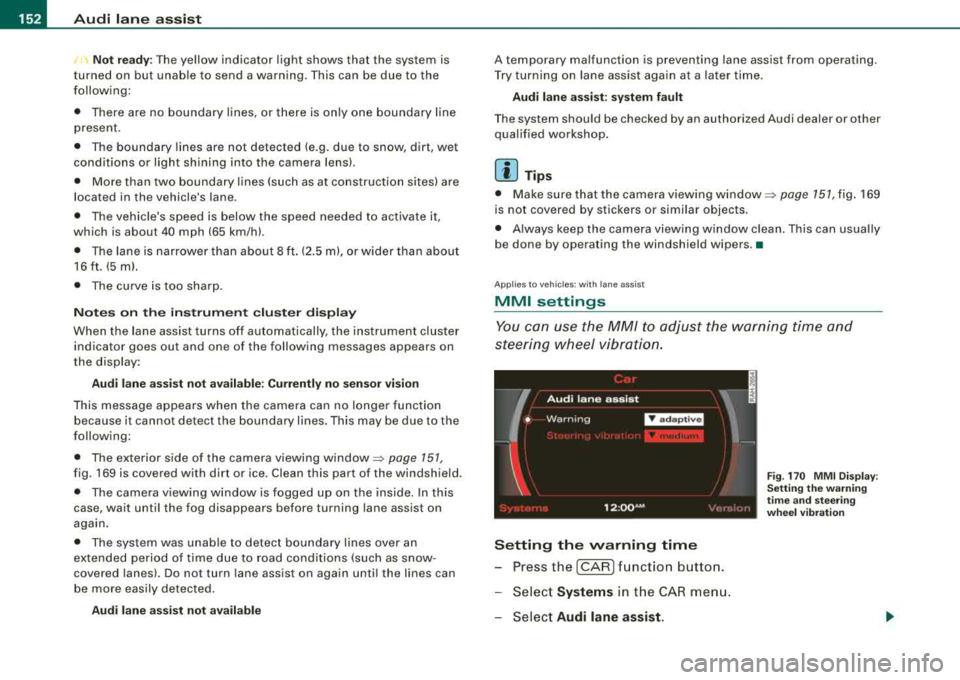
Setting the warning time
- Press the [CAR ] function button.
- Select
Systems in the CAR men u.
- Select
Audi l ane ass is t.
Fig . 17 0 M MI D isp lay :
Se ttin g th e w arning
t im e a nd stee ring
w hee l v ibr ati on
Page 155 of 404
![AUDI S8 2008 Owners Manual Audi lane a ssist -
----------------
-Sele ct Warning early , adaptive or late => page 152,
fig. 170 .
Sett ing th e st eering wh eel vibration
-Pressthe(CAR]function button.
-Selec t Syst](/img/6/57619/w960_57619-154.png "AUDI S8 2008 Owners Manual Audi lane a ssist -
----------------
-Sele ct Warning early , adaptive or late => page 152,
fig. 170 .
Sett ing th e st eering wh eel vibration
-Pressthe(CAR]function button.
-Selec t Syst")
Audi lane a ssist -
----------------
-Sele ct Warning early , adaptive or late => page 152,
fig. 170 .
Sett ing th e st eering wh eel vibration
-Pressthe(CAR]function button.
-Selec t Systems in the CAR menu .
-Select Audi lane a ssis t.
-Selec t Steering vibration weak, medium or strong.
Setting th e warning tim e
E a rl y:
This setting warns the driver before a wheel touches the
detected lane boundary line. The warning depends on the ve hicle's
angle as it approaches the boundary line . If you approach a
boundary l ine gradua lly, the warning will occur ear lier. If you
approach the boundary line at a very sharp angle, the warning wi ll
occur just before a whee l touches the l ine.
A dapti ve : In this setting, the warning time adjusts to the character
istics of the road and the vehic le speed. The warning occurs later for
curves and occurs ear lier for straight stretches of road . The warning
occurs later on narrow roads than on wide roads.
Late: Th is setting warns the driver when a whee l drives over the
detected lane boundary line.
Setting th e steering wheel vibrati on
When adjusting the steering whee l vibration, the steering wheel
v ibrates so that you can check the intensity you have set.
[ i ] Tips
• When making the adjustment, lane assist is not activated . The
steering whee l vibrates briefly only to assist you in changing the
se tting .
• Your settings are automatically stored and assigned to the
remote contro l key being used. •
Controls and equip
ment
Page 156 of 404
___ A_ u_d_ i _s _id _ e_ a_ s_ s_ is_t __________________________________________________ _
Audi side assist
Lane Change Assistant
Applies to vehicles: with side assist
Description
The side assist helps you when changing lanes.
I Audi AS J
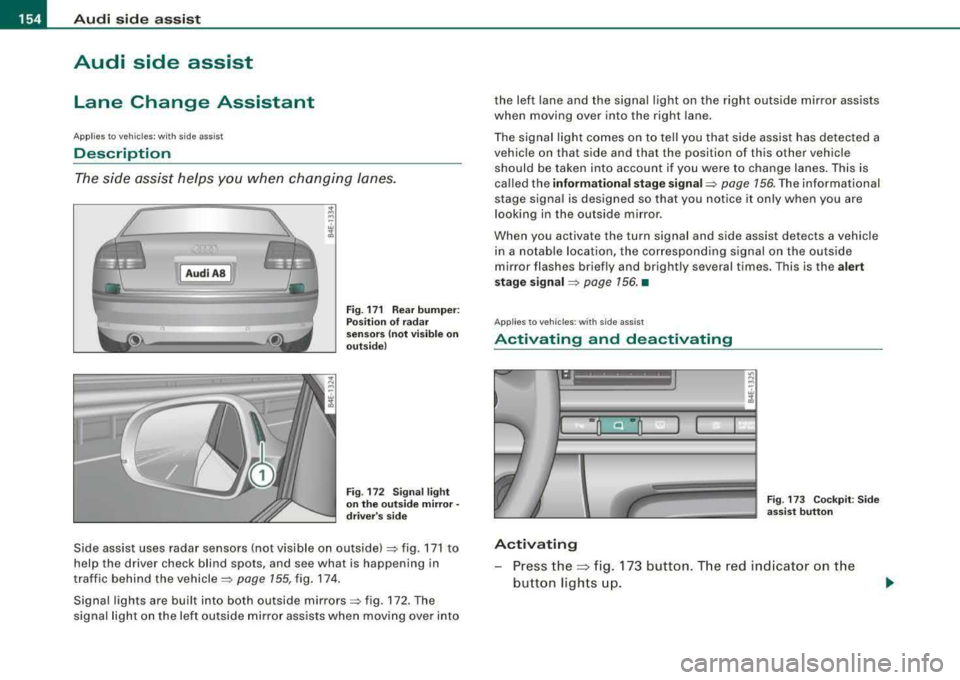
Fig. 171 Rear bumper:
Position of radar
sensors (not visible on
outside)
Fig . 172 Signal light
on the outside mirror·
driver's side
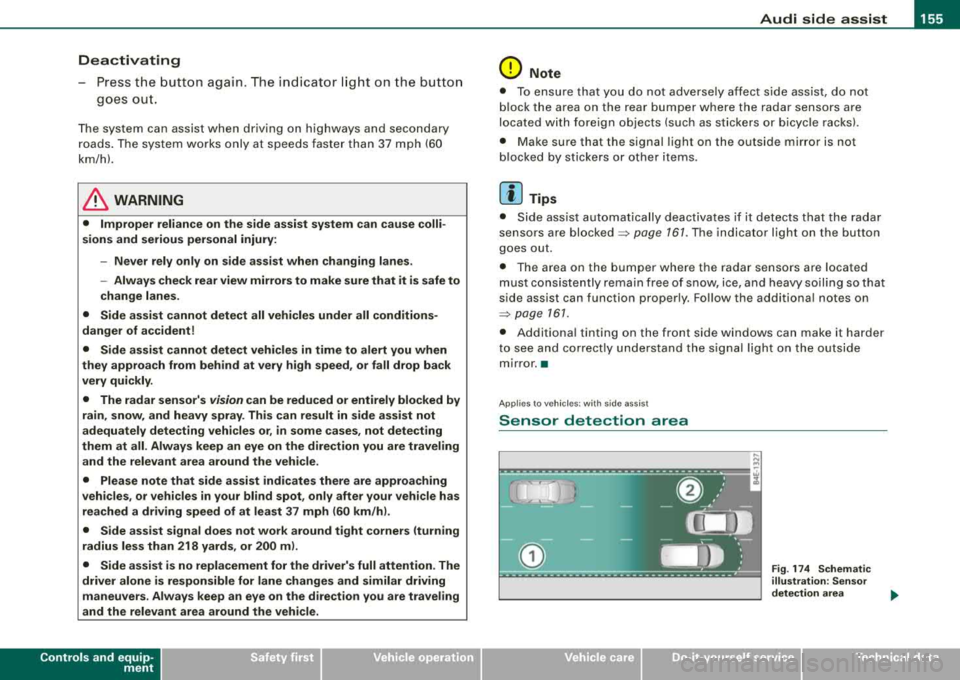
Side assist uses radar sensors (not visible on outside) => fig. 171 to
help the driver check blind spots, and see what is happening in
traffic behind the
vehicle => page 155, fig. 174.
Signal lights are built into both outside
mirrors=> fig. 172. The
signal light on the left outside mi rror assists when moving over into the left lane and the signal light on the right outside mirror assists
when moving over into the right lane.
The signal light comes on to tell you that side assist has detected a
vehicle on that side and that the position of this other vehicle
should be taken into account if you were to change lanes. This is
called the
informational stage signal=> page 156. The informational
stage signal is designed so that you notice it only when you are
looking in the outside mirror.
When you activate the turn signal and side assist detects a vehicle
in a notable location, the corresponding signal on the outside
mirror flashes briefly and brightly several times. This is the
alert
stage signal
=> page 156. •
Applies to veh icles : with side assist
Activating and deactivating
-
Activating
Fig . 173 Cockpit : Side
assist button
- Press the~ fig. 173 button. The red indica tor on the
button lights up.
Page 157 of 404
Audi side assist -
----------------
Dea ctivating
Press the button again . The indicator l ight on the butto n
goes out .
The system can assist when driving on highways and secondary
roads . The system works only at speeds faster than 37 mph (60
km/h).
& WARNING
• Improper reliance o n the side assist s ystem can cause colli
s ions and seriou s pers onal injury:
- Ne ver rel y only on side a ssis t w hen ch anging l anes .
- Always che ck re ar view mirror s to make sur e that it i s safe to
c hange lane s.
• Side assi st cannot dete ct all vehicle s under all condition s
danger of accident!
• Side a ssist cannot detect vehicles in time to alert you when
they app roach from behind at very high speed , or fall drop b ack
very quickly.
• The radar sen sor's
vi sion ca n be redu ced or entirel y blo cked b y
rain , snow , and heavy spray . Thi s can result in side a ssis t not
a dequately dete cting veh icles or , in some cases , not detect ing
them at all . Always keep an eye on the direction you are traveling
and the relevant ar ea around th e vehi cle .
• Please note that side a ssis t indicate s th ere are approaching
vehi cle s, or vehi cle s in your bl ind spot , onl y after your vehicle has
reached a driving speed of at lea st 37 mph (60 km /h).
• Side as sist sign al doe s not work around t ight corner s (turning
radiu s less than 218 yard s, or 200
ml.
• Side a ssist is no repla cement for the driver's full attention . The
driver alone i s re spon sible for lane ch anges and similar driving
maneuver s. Always k eep an eye on the d ire ction you are tr aveling
and the relevant area around the vehi cle .
Controls and equip ment
0 Note
• To ensure that you do not adverse ly affect s ide assist, do not
b lock the area on the rear bumper where the radar sensors are
located with foreign objects (suc h as stickers or bicycle racks).
• Make su re that the signal light on the outside mirror is not
b locked by stickers or other items.
[ i ] Tip s
• Side ass ist automatically deactivates if it detects that the radar
sensors are
blocked => page 167. The indicator light on the button
goes out.
• The area on the bumper where the radar sensors are located
must consistently re main free of snow, ice, and heavy so iling so that
side assist can function properly. Follow the additiona l notes on
=> page 761.
• Additiona l tinting on the front side windows can make it harder
to see and correct ly understand the s ignal light on the outside
mirror. •
Applies to veh ic les: with side ass ist
Sensor detection area
Fig . 17 4 Schem atic
illu stratio n: Senso r
det ection ar ea
.,.