ECO mode AUDI S8 2009 User Guide
[x] Cancel search | Manufacturer: AUDI, Model Year: 2009, Model line: S8, Model: AUDI S8 2009Pages: 408, PDF Size: 91.63 MB
Page 41 of 408
current tank of fuel and with the same driving style. The display
changes in increments of 6 miles (10 km).
The cruising range is calculated based on the fuel consumption for
the last 18 miles (30 kml. If you drive conservatively, the cruising
range will increase.
Average fuel mileage
The average fuel economy in MPG (1/100 km) since you last c leared
the memory appears in this display . You can use this display to
adjust your driving technique to achieve a desired mileage.
Current fuel mileage
The instantaneous fuel consumption in miles per gallon (1/100 km)
is shown in this display. You can use this display to adjust your
driving technique to achieve a desired mileage.
Fuel consumption is recalculated at intervals of 33 yards (30
metres). When the vehic le is sta tionary, the most recent fuel
consumption is displayed.
Average speed
The average speed in mph (km/h) since the last time the display was
reset appears in the display.
Elapsed time
The length of time that you have been driving since you last reset
the memory appears in this display.
[ i ] Tips
• Fuel consumptions (average and current) , range and speed are
displayed in metric units on Canad ian models .
• All stored values wil l be lost if the vehicle battery is
disconnected .•
Con tro ls and eq uip
ment
Driver information display
Memori es
The trip computer is equipped with two fully automatic
memones.
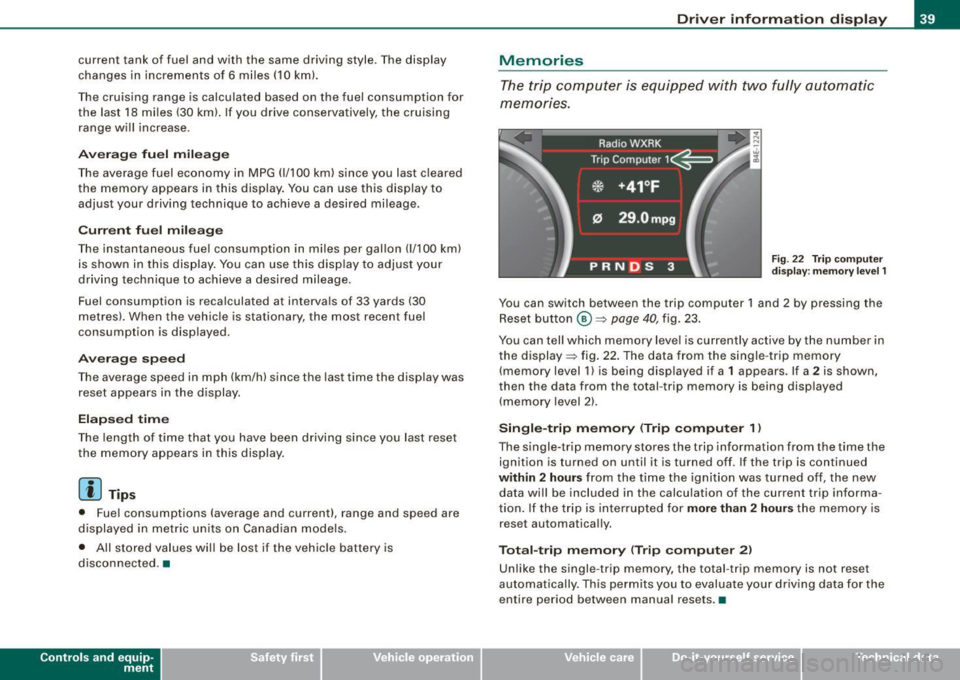
Fig . 22 Trip computer
display: memory level 1
You can switch between the trip computer 1 and 2 by pressing the
Reset button
@ ~ page 40, fig. 23.
You can tell which memory level is currently active by the number in
the display ~ fig . 22. The data from the single -trip memory
(memory level 1) is being displayed if a
1 appears . If a 2 is shown ,
then the data from the total -trip memory is being disp layed
(memory level 2).
Single-trip memory (Trip computer 1 )
The single-trip memory stores the trip information from the time the
ignition is turned on until it is turned off. If the trip is continued
within 2 hours from the time the ignition was turned off, the new
data will be included in the calculation of the current trip informa
tion. If the trip is interrupted for
more than 2 hours the memory is
reset automatically.
Total-trip memory (Trip computer 2)
Unlike the single -trip memory, the total -trip memory is not reset
automatically . This permits you to evaluate your driving data for the
entire period between manual resets .•
Vehicle care I I irechnical data
Page 65 of 408
Switching the power to the rear windows on or
off on vehicles with power child safety lock
- Press the left 00 button~ page 61, fig. 49 to switch off
the power window in the left door only. The LED in the
button illuminates .
- Press the right(!) button to
switch off the power window
in the
right door only. The LED in the button illuminates.
- Press the
00 button again to switch the power back on.
The LED in the button will go off.
By pressing the safety switch ®~ page 61, fig . 48, the function of
some switches in the rear can be turned off. When the symbol in
the safety switch illuminates, the fol lowing functions are switched
off:
• The power windows in the rear doors.
• The buttons for the in terior lights.
• The buttons for the power sun blinds* in side windows.
• The button for the power sun blind* in the rear window.
• In vehic les with rear climate contro l* the PASSIVE mode is ac ti
vated . In this mode the rear air conditioning can be operated only
from controls in the driver's area~
page 125.
This feature has been provided for the safety of small children riding
in the rear of the vehicle .
On vehicles with the
power child safety lock*~ page 61, fig. 49
these features can likewise be switched off . Both(!) buttons®
must be pressed.
• If
only the left(!) button is pressed, then only the rear left door
power window is switched off and the door is locked.
• If
only the right(!) button is pressed, then only the rear right
door
power window is switched off and the door is locked.
Contro ls and eq uip
ment
Opening and closing
[ i ] Tips
• The windows can still be opened and closed for about ten
minutes after the ignition has been turned off. The power windows
are not shut off until one of the front doors is opened.
• To switch on the child safety lock in both rear doors, you must
press both child safety switches. Make sure the LEDs in the switches
are illuminated. •
Switch in the front passenger 's door and on
the rear doors
Fig. 50 Switch loca
tion front passengers
door
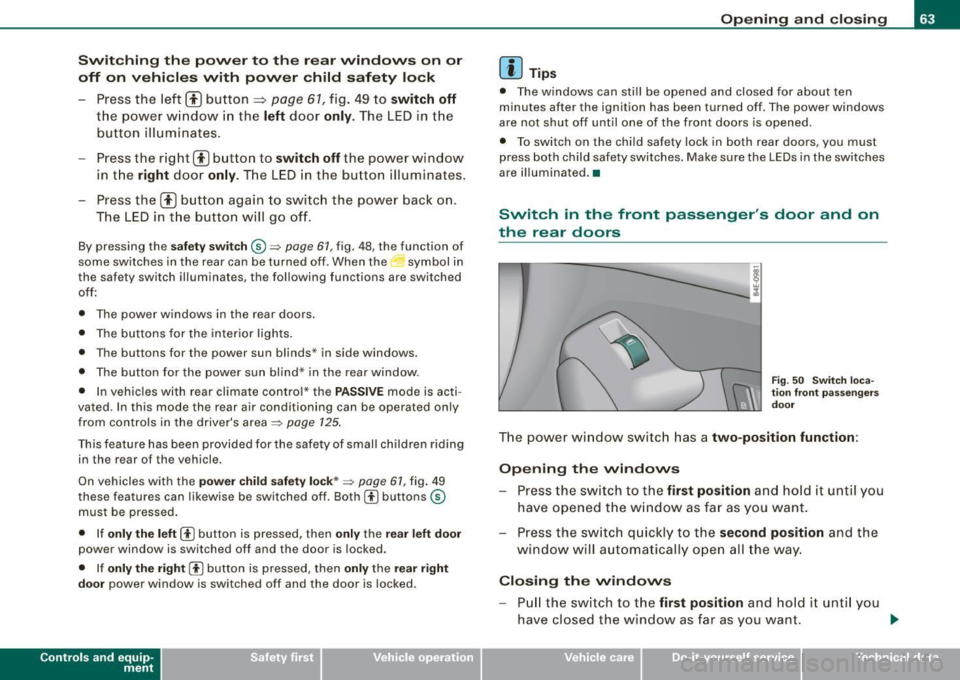
The power window switch has a two-position function :
Opening the windows
-Press the switch to the first position and hold it until you
have opened the window as far as you want.
- Press the switch qu ickly to the
second position and the
window will automatically open all the way.
Closing the windows
Pull the switch to the first position and hold it unti l you
have closed the window as far as you want. _,.
Vehicle care I I irechnical data
Page 73 of 408
Le avi ng hom e
The Leaving home functio ns ensures that when unlocking the
vehicle periphery is i lluminated in the dark . In addition, the fron t fog
lights, the tai l lights and the license plate light are turned on. Th is
function can be turned on and off .
High beam
With the switch in the AUTO position, the high beams can be turned
on only if the function is turned
on.
D aytim e ru nning l ight s
USA models:
The dayti me running lights can be turned on or off
using this function .
Canada models: The function cannot be turned off. It is activated
automatically each time t he ignition is turned on. This menu item is
shown "greyed out" .•
Front fog lights }0
F ig . 5 8 Instr um ent
pa nel : lig ht swit ch
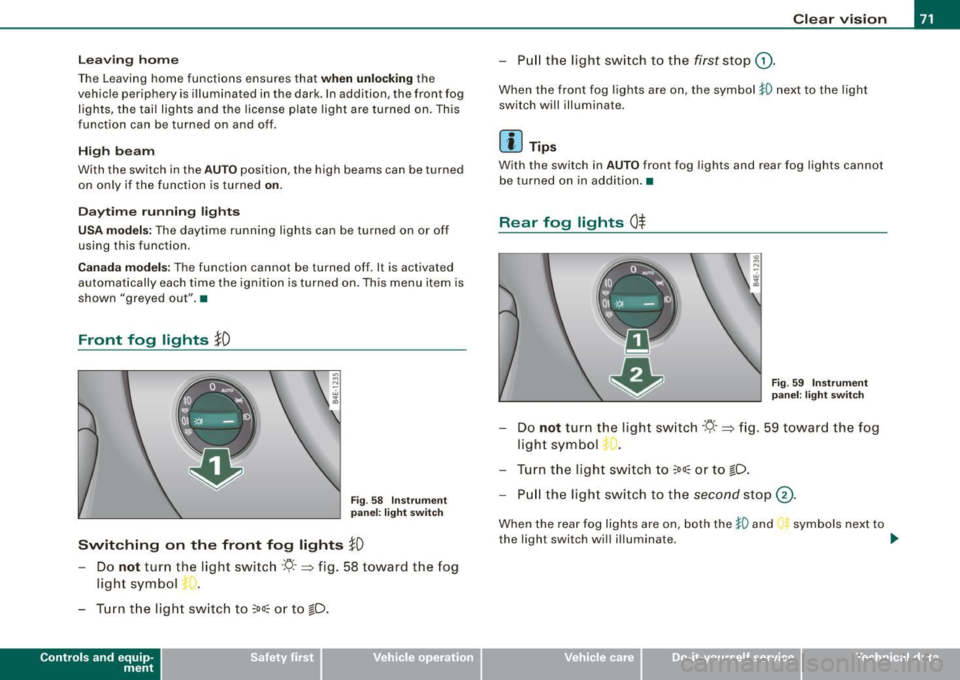
Switching on the front fog lights }D
- Do not turn the light switch ·YJ- · => fig. 58 toward the fog
light symbol
- Tur n t he light switch to
~oo:: o r to ~D .
Con tro ls and eq uip
ment
Clear vision
- P ull the ligh t switch t o th e first s to p G).
When the front fog l ights are on, the symbol }D next to the ligh t
switch will illuminate .
Ii ] Tips
With the switch in AUTO front fog lights and rear fog lights cannot
b e turned on in addition .•
R ear fog lights 0$
Fig . 59 In stru ment
p ane l: lig ht s witch
- Do not turn the light sw itch ·YJ- · => fi g. 59 towar d the fog
light symbol
- Turn the light sw itch to
~oo:: or to ~D.
- Pull the ligh t swit ch t o th e second stop @.
When the rear fog lights are on, both the }D and
the light switch will i lluminate. symbols next to
~
Vehicle care I I irechnical data
Page 82 of 408
Clear vision
Fig. 75 Left rear roof.
lining: Vanity mirror
folded down
- To fold down, tap the rear edge of the mirror as indicated
by arrow~
page 79, fig. 74.
As the mirror folds down, it automatically illuminates. •
Wiper and washer system
Windshield wiper ~
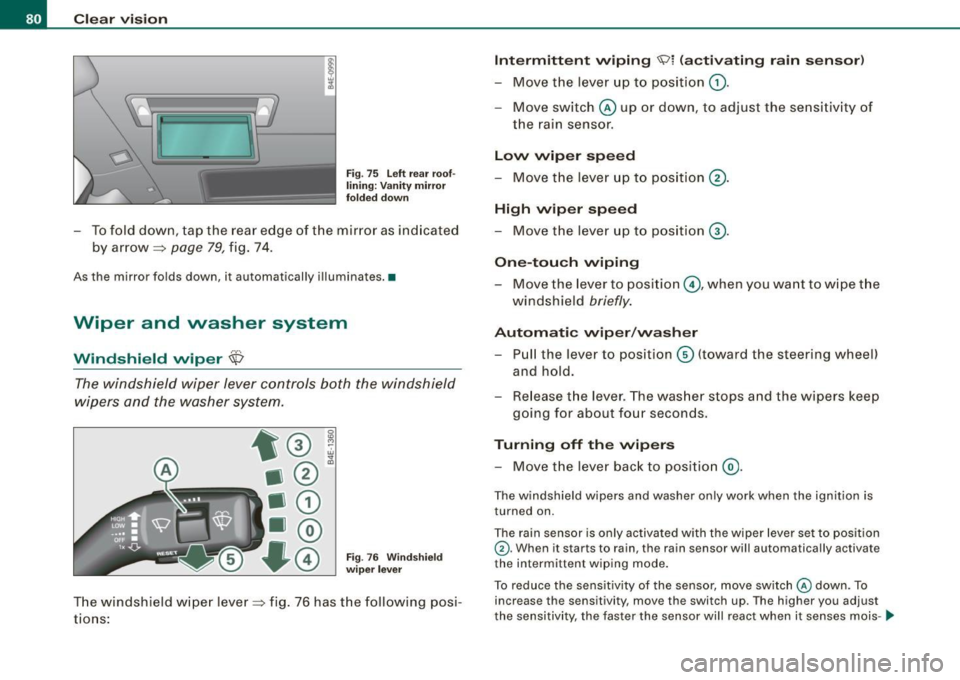
The windshield wiper lever controls both the windshield
wipers and the washer system.
0
"' M
Fig. 76 Windshield
wiper lever
The windshield wiper lever~ fig. 76 has the following posi
tions:
Intermittent wiping "91 (activating rain sensor)
Move the lever up to position G).
- Move switch @ up or down, to adjust the sensitivity of
the rain sensor.
Low wiper speed
- Move the lever up to position @.
High wiper speed
- Move the lever up to position G).
One-touch wiping
- Move the lever to pos ition ©, when you want to wipe the
windshield
briefly.
Automatic wiper/washer
- Pull the lever to position© {toward the steering wheel)
and hold.
- Release the lever. The washer stops and the wipers keep
going for about four seconds.
Turning off the wipers
- Move the lever back to position @.
The windshield wipers and washer only work when the ignition is
turned on.
The rain sensor is only activated with the wiper leve r set to position
G) . When it starts to rain, the rain sensor will automatically activate
the intermittent wiping mode.
To reduce the sensitivity of the sensor, move switch
@ down. To
increase the sensitivity, move the switch up. The higher you adjust
the sensitivity, the faster the sensor will react when it senses mois- .,_
Page 116 of 408
• .___w_ a_ rm __ a_ n_ d_ c_o _l_d ________________________________________________ _
Warm and cold
Climate controls
Description
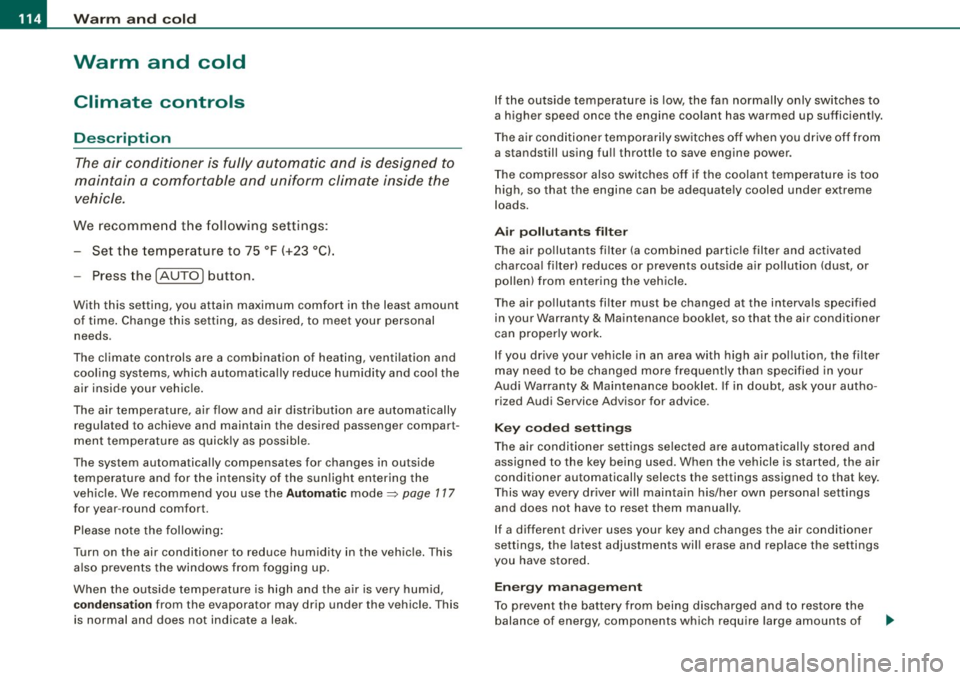
The air conditioner is fully automatic and is designed to
maintain a comfortable and uniform climate inside the
vehicle.
We recommend the follow ing settings:
- Set the temperature to 75 °F (+23 °C).
- Press the !AUTO
I button.
With this setting, you attain maximum comfort in the least amount
of time. Change this setting, as desired, to meet your personal needs.
The climate controls are a combination of heating, ventilation and cooling systems, which automatically reduce humidity and cool the
air inside your vehicle.
The air temperature, air flow and air distribution are automatically
regulated to achieve and maintain the desired passenger compart
ment temperature as quickly as possible.
The system automatically compensates for changes in outside
temperature and for the intensity of the sunlight entering the
vehicle. We recommend you use the
Automatic mode=> page 117
for year-round comfort.
Please note the following:
Turn on the air conditioner to reduce humidity in the vehicle. This also prevents the windows from fogging up.
When the outside temperature is high and the air is very humid,
condensation from the evaporator may drip under the vehicle. This
is normal and does not indicate a leak. If the outside temperature is low,
the fan normally only switches to
a higher speed once the engine coolant has warmed up sufficiently.
The air conditioner temporarily switches off when you drive off from
a standstill using full throttle to save engine power.
The compressor also switches off if the coolant temperature is too
high, so that the engine can be adequately cooled under extreme
loads.
Air pollutants filter
The air pollutants filter (a combined particle filter and activated
charcoal filter) reduces or prevents outside air pollution (dust, or
pollen) from entering the vehicle.
The air pollutants filter must be changed at the intervals specified
in your Warranty
& Maintenance booklet, so that the air conditioner
can properly work.
If you drive your vehicle in an area with high air pollution, the filter
may need to be changed more frequently than specified in your
Audi Warranty
& Maintenance booklet. If in doubt, ask your autho
rized Audi Service Advisor for advice.
Key coded settings
The air conditioner settings selected are automatically stored and
assigned to the key being used. When the vehicle is started, the air
conditioner automatically selects the settings assigned to that key.
This way every driver will maintain his/her own personal settings
and does not have to reset them manually.
If a different driver uses your key and changes the air conditioner
settings, the latest adjustments will erase and replace the settings
you have stored.
Energy management
To prevent the battery from being discharged and to restore the
balance of energy, components which require large amounts of
Page 118 of 408
• ..__w_ a_ r_m _ a_ n_d_ c_ o_ ld __________________________________________________ _
Controls
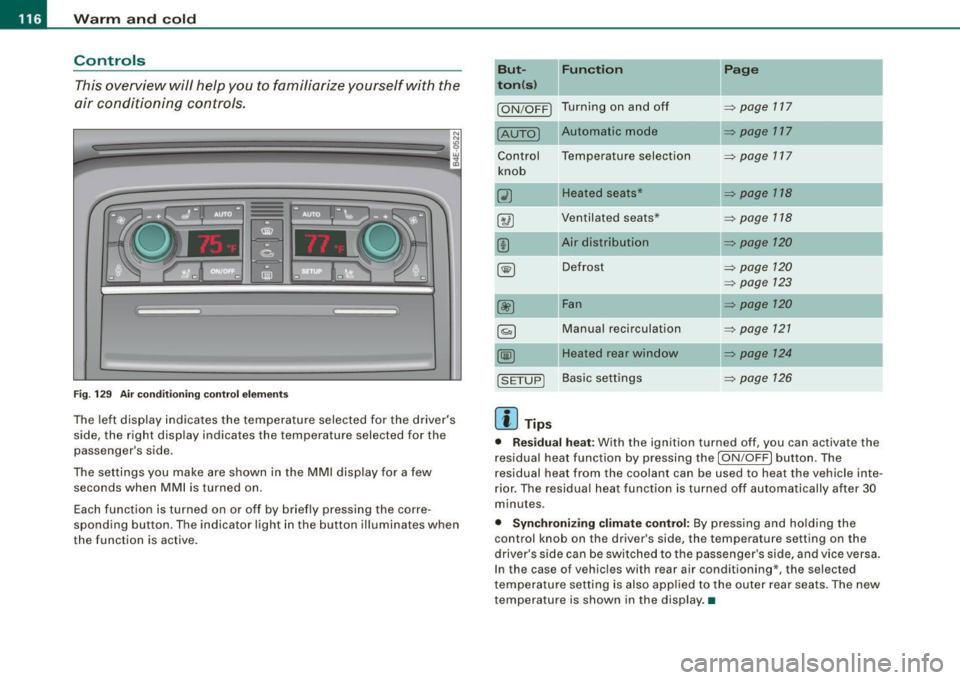
This overview will help you to familiarize yourself with the
air conditioning controls.
F ig. 1 29 Air condit ionin g c ontrol el em ent s
The left dis play indicates the temperature selected for the d river's
side , the right display indicates the temperature selected for the
passenger 's side.
The settings you make are shown in the MMI disp lay for a few
seconds when MMI is turned on.
Each function is turned on or off by briefly pressing the corre
spond ing button . The indicator l ight in the button illumina tes when
the function is active . But- Fun
ction
II Page
t o n(s )
ION/OFF) Tu rn ing on a nd off ~ page 117
[AUTO) Automatic mode ~ page 117
Contro l Temperatu re selection
~ page 717
knob
(i) Heated seats* ~ p age 118
8 @ Ven tilated sea ts* ~ page 118
(!) Ai r distribution ~ page 120
~ Defrost ~ page 120
~ page 123
00 Fan ~ page 120
§) Manua l recirculation ~ page 721
~ Heated rear window ~ page 124
[S ET UP) Basi c sett ings ~ page 126
[ i ] Tips
• Res idual heat : With the ignit ion turned off , you can activate the
r esidual heat function by pressing the
I ON /OFF ) button. The
residual heat from the coo lant can be us ed to heat the vehicle inte
r ior. The residua l heat function is turned off automatically after 30
minutes .
• Synchronizing clim ate control: By press ing and ho ld ing the
control knob on the driver's side, the temperature setting on the
driver's side can be switched to the passenge r's side , and vice versa .
I n the case of vehicles wi th rear air conditioning*, the select ed
t emperature se tting is also app lied to the o uter rear seats . The new
temperature is shown in the display. •
Page 123 of 408
![AUDI S8 2009 User Guide Warm and cold -
----------------
Manual air circulation I~]
Air recirculation prevents exhaust fumes or other pollu
tion from entering the vehicle.
Turning on air recirculation
-](/img/6/57618/w960_57618-122.png "AUDI S8 2009 User Guide Warm and cold -
----------------
Manual air circulation I~]
Air recirculation prevents exhaust fumes or other pollu
tion from entering the vehicle.
Turning on air recirculation
-")
Warm and cold -
----------------
Manual air circulation I~]
Air recirculation prevents exhaust fumes or other pollu
tion from entering the vehicle.
Turning on air recirculation
-Press[~] ~page 776,fig.129 ~&
Turning off air recirculation
- Press~ again, or
- press [AUTO], or
- press[@].
In the air recirculation mode, the air in the passenger compartment
is recirculated to prevent exhaust fumes and other pollution from
entering the vehicle. We recommend that you use the manual air
recirculation under the followi ng conditions:
• when driving through tunnels
• in a traffic jam.
& WARNING
Do not use this setting for extended periods of time . The windows
could fog up since no fresh air can enter the vehicle . If the
windows fog up, press the air recirculation button again immedi ately to switch off the air recirculation function or select defrost . •
Controls and equip
ment
I • •
Page 125 of 408
Warm and cold -
--------------------------------J
[ i J Tips
If the climate control system is operating in cooling mode, air flows
primarily from the outlets in the center console and in the door
pillars . To achieve adequate cooling, you should never close the
outlets completely. •
Using climate controls economically
Using the climate controls prudently can help save fuel.
When you use the air conditioner, engine power is reduced
and fuel consumption increases. To save fuel, you should
use the air conditione r only when necessary. Also please
n ote the following points:
- If you want to save fuel, activate ECON.
If you are going to drive with the windows open, use
ECON.
W For the sake of the environment
By reducing the amount of fuel you use, you also reduce the amount
of pollutants emitted into the air.•
Applie s to v ehicl es: with so lar slidi ng /tilt ing sunr oof
Solar blower fan /solar roof
With sufficient sunlight, the blower fan continues to
operate with solar energy to bring in fresh air after the
ignition has been switched off.
T he fan motor is operated by solar energy through the solar roof
after the ignition is turned off. Please make certain that vents ©
and © are open to achieve optimal ventilation=>
page 122, fig. 137.
Con tro ls and eq uip
ment
The ventilation operates only with the sunroof closed or in the tilted
position .
If the vehicle was switched off in the recircu lation mode, the air
conditioning automatically switches to fresh air operation.
Solar operation is not activated at low outside temperatures. •
Windshield defogging/defrosting
Applie s to v ehic les: w ith windsh ield defogg er/defr oste r
Windshield defogger /defroster @
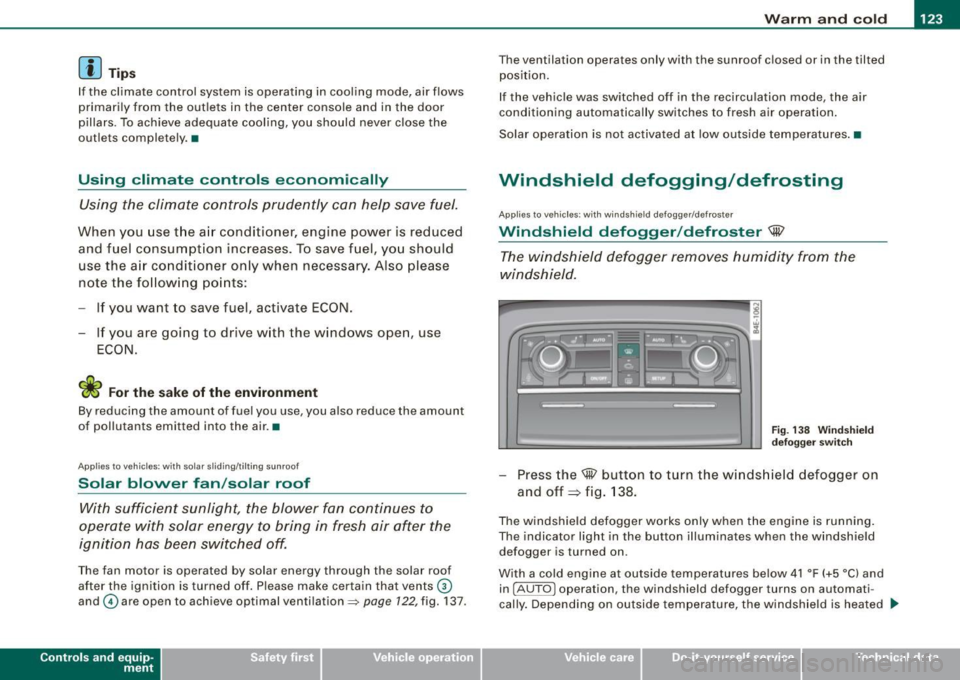
The windshield defogger removes humidity from the
windshield.
Fig . 138 Windshield
defogger switch
-Press the@ button to turn the windshield defogger on
and off~ fig . 138.
The windshield defogger works only when the engine is running.
The indicator light in the button illuminates when the windshield
defogger is turned on.
With a cold engine at outside temperatures below 41 °F (+5 °C) and
in !AUTO
l operation, the windshield defogger turns on automati
cally. Depending on outside temperature, the windshield is heated _,.
Vehicle care I I irechnical data
Page 126 of 408
• ..__w_ a_ r_m _ a_ n_d_ c_ o_ ld __________________________________________________ _
for a maximum of 4 minutes. The temperature for the climate
control must be selected so that it is operating in the heating mode.
When selecting the program setting
@, the windshield
defogger/defroster is switched on automatically at outside temper
atures below 41 °F (+5 °C). Depending on outside temperature, the
windshield is heated from 2 up to a maximum of 4 minutes.
The windshield defogger is deactivate d in ECON mode .
[ i ] Tips
• If a crack forms in the windshie ld due to a foreign object (e .g . a
stone chip), the defogger/defroster is not turned on . This prevents
t he crack from spreading.
• We recommend that you locate an Audi dealership immediately
to have the windshield replaced. •
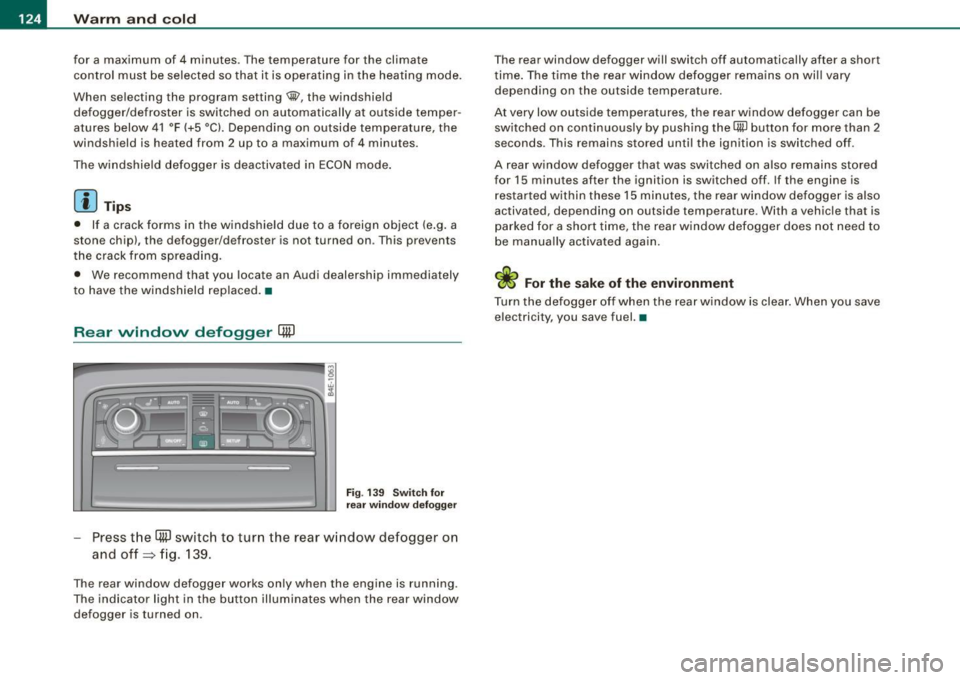
Rear window defogger [ml
Fig. 13 9 Sw itch for
r ea r wi ndow defo gger
Press t he (ffi] switch to turn the rear w indow defogger o n
and off=> fig. 139.
The rear window defogger works only when the engine is running .
The indicator light in the butto n illuminates when the rear win dow
defogger is turned on . T
he rear window defogger will switch off automatically after a short
t ime . The time the rear window defogger remains on wi ll vary
depending on the outside temperature.
At very low outside temperatures, the rear window defogger can be switched on continuously by push ing the
QW bu tton for more than 2
seconds. This remains stored unti l the ignition is switched off .
A rear window defogger that was switched on also remai ns stored
for 15 minutes after the ignition is switched off . If the engine is
r estar ted within these 15 minutes, the rear w indow defogger is also
activated, depending on outside temperature. With a vehic le that is
par ked for a short time, the rear window defogger does not need to
be manua lly activated again.
ci> For the sake of the environment
Turn the defo gger off when the rear w indow is clea r. When you save
electricity, you save fuel. •
Page 128 of 408
• .___w_ a_ rm __ a_ n_ d_ c_o _l_d ________________________________________________ _
0 Note
To avoid damage to the heating elements in the seats, do not kneel
on the seats or place heavy loads on a small area of the seat. •
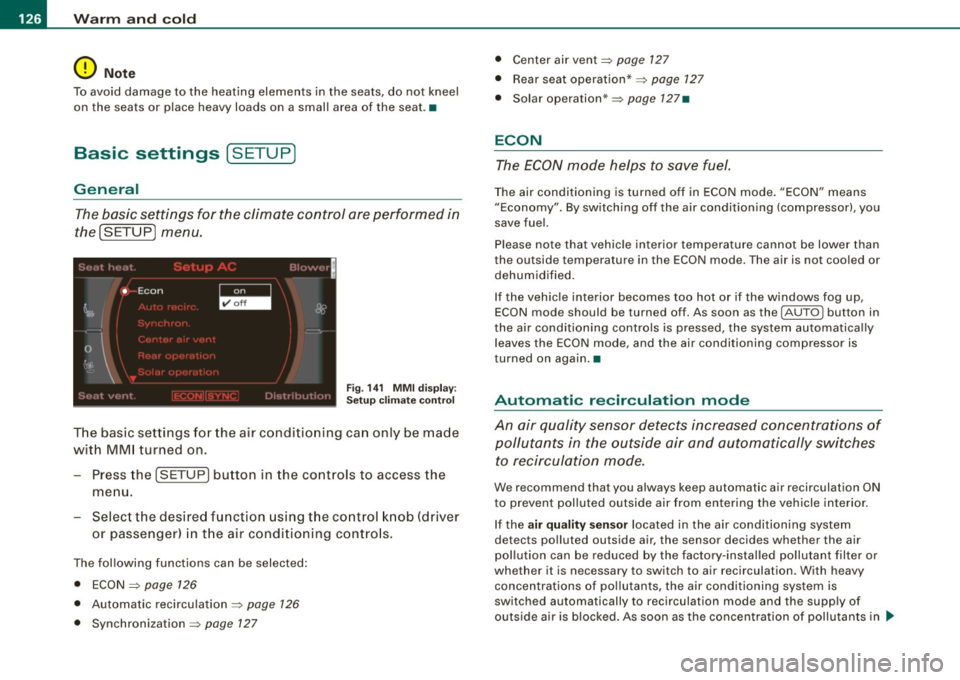
Basic settings [SETUP ]
General
The basic settings for the climate control are performed in
the(SETUP] menu.
Fig. 141 MMI display:
Setup climate control
The basic settings for the air conditioning can only be made
with MMI turned on.
- Press the !SETUP] button in the controls to access the
menu.
- Select the desired function using the control knob (driver
or passenger) in the air conditioning controls.
The following functions can be selected:
• ECON
~ page 126
• Automatic recirculation ~ page 126
• Synchronization ~ page 127
• Center air vent~ page 127
• Rear seat operation* ~ page 127
• Solar operation* ~ page 127•
ECON
The ECON mode helps to save fuel.
The air conditioning is turned off in ECON mode. "ECON" means
"Economy". By switching off the air conditioning (compressor), you
save fuel.
Please note that vehicle interior temperature cannot be lower than
the outside temperature in the ECON mode. The air is not cooled or
dehumidified.
If the vehicle interior becomes too hot or if the windows fog up,
ECON mode should be turned off. As soon as the
( AUTO ] button in
the air conditioning controls is pressed, the system automatically leaves the ECON mode, and the air conditioning compressor is
turned on again .•
Automatic recirculation mode
An air quality sensor detects increased concentrations of
pollutants in the outside air and automatically switches
to recirculation mode.
We recommend that you always keep automatic air recirculation ON
to prevent polluted outside air from entering the vehicle interior.
If the
air quality sensor located in the air conditioning system
detects polluted outside air, the sensor decides whether the air
pollution can be reduced by the factory-installed pollutant filter or
whether it is necessary to switch to air recirculation . With heavy
concentrations of pollutants, the air conditioning system is
switched automatically to recirculation mode and the supply of
outside air is blocked. As soon as the concentration of pollutants in ..