center console AUDI S8 2009 User Guide
[x] Cancel search | Manufacturer: AUDI, Model Year: 2009, Model line: S8, Model: AUDI S8 2009Pages: 408, PDF Size: 91.63 MB
Page 121 of 408
_________________________________________________ W_ a_ r_ m __ a_n_ d_ c_ o_ld _ __. 1111111
Ap plies to vehicles: with heated rear se ats
Heated rear seats
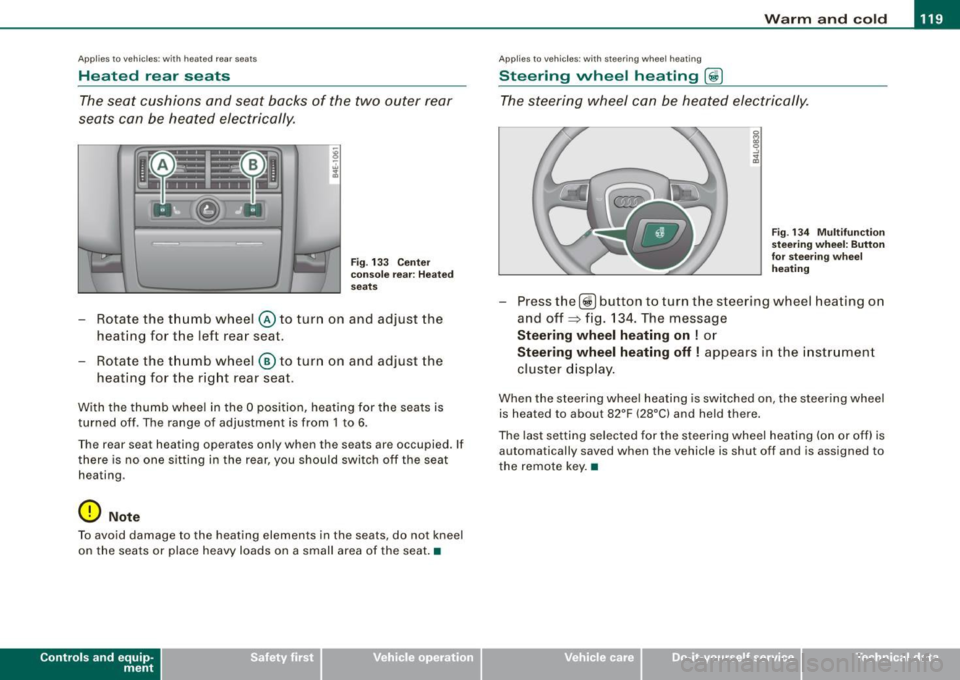
The seat cushions and seat backs of the two outer rear
seats can be heated electrically.
' ' ' 1 · ' ' --
------ ------~ ~
I I I I I I
Fig . 133 Center
console rear : Heated
seats
- Rotate the thumb wheel @ to turn on and adjust the
heating for the left rear seat.
- Rotate the thumb wheel
® to turn on and adjust the
heating for the right rear seat.
With the thumb wheel in the O position, heating for the seats is
turned off . The range of adjustment is from 1 to 6.
The rear seat heating operates only when the seats are occupied. If
there is no one sitting in the rear, you should switch off the seat
heating .
0 Note
To avoid damage to the heating elements in the seats , do not kneel
on the seats or place heavy loads on a small area of the seat. •
Contro ls and eq uip
ment
Ap plies to vehicle s: with ste erin g w heel heatin g
Steering wheel heating @
The steering wheel can be heated electrically.
Fig . 134 Multifunction
steering wheel: Button
for steering wheel
heating
Press the[@!] button to turn the steer ing wheel heating on
and off~ fig. 134. The message
Steering wheel heating on ! or
Steering wheel heating off! appears in the instrument
cluster display.
When the steering wheel heating is switched on , the steering wheel
is heated to about 82°F (28°C) and held there.
The last setting selected for the steering wheel heating (on or off) is
automatically saved when the vehicle is shut off and is assigned to
the remote key. •
Vehicle care I I irechnical data
Page 124 of 408
-L~W~a~r~m~ a~n~d~ c::.!o~l~d =-.._ _____________________________________________ _
Air outlets
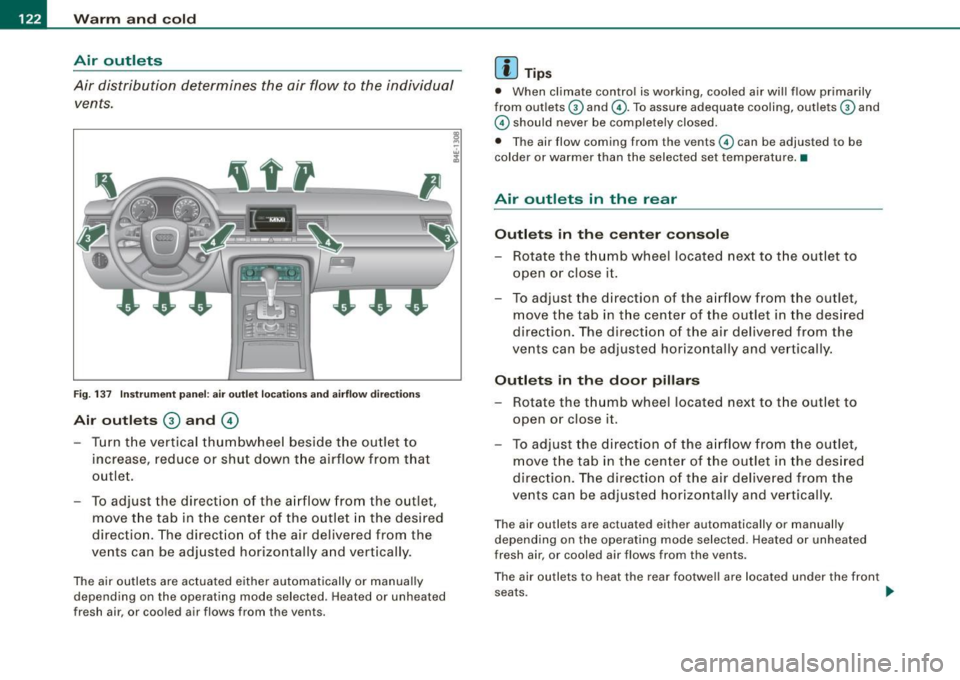
Air distribution determines the air flow to the individual vents .
Fig. 1 37 In stru me nt pan el: a ir outlet loca tio ns a nd airfl ow directions
Air outl ets 0 and ©
- Turn the vertical thumbw hee l beside the outlet to
increase, reduce or shut down t he airflow from that
outlet.
- To adjust the direct ion o f the a irflow from the outlet,
move t he tab in t he center of the outlet in the desired
directio n. The direct ion of the air delivered from the
vents can be adjusted horizontally and vertically.
The air outle ts are actua ted either automatically or manual ly
depending on the operating mode selected. Heated or unheated
fresh ai r, or cooled air flows from the v ents.
[ i ] Tips
• When climate contro l is working, coo led air wi ll flow primarily
from out lets
G) and ©-To assure adequate cooling, out lets G) and
© should never be completely closed.
• The air flow coming from the vents © can be adjusted to be
colder or warmer than the selected set temperature. •
Air outlets in the rear
Outlet s in the center console
- Rotate the t humb wheel located next to t he out let to
open o r close it.
- To adjust the direction of the a irflow from the outlet,
move the tab in t he center of the outlet in the des ired
direction. The direction o f the air delive red from the
vents can be adjuste d horizontally and vert ic a lly .
Outlets in th e door pillars
- Rotate the t humb wheel located next to t he out let to
open or close it.
- To ad just the d irection of th e airflow from t he outl et,
move t he tab in t he cen ter of the outl et in the des ired
direc tion . The direct io n of the air delive red from the
vents can be adjusted hor izontally and vertically .
The air outlets are actuated eithe r automatically or manually
depending on the operating mode se lected. Heated or unheated
fresh ai r, or cooled air flows from the vents .
The air outlets to heat the rear footwell are located under the front
sea ts . _,,
Page 125 of 408
Warm and cold -
--------------------------------J
[ i J Tips
If the climate control system is operating in cooling mode, air flows
primarily from the outlets in the center console and in the door
pillars . To achieve adequate cooling, you should never close the
outlets completely. •
Using climate controls economically
Using the climate controls prudently can help save fuel.
When you use the air conditioner, engine power is reduced
and fuel consumption increases. To save fuel, you should
use the air conditione r only when necessary. Also please
n ote the following points:
- If you want to save fuel, activate ECON.
If you are going to drive with the windows open, use
ECON.
W For the sake of the environment
By reducing the amount of fuel you use, you also reduce the amount
of pollutants emitted into the air.•
Applie s to v ehicl es: with so lar slidi ng /tilt ing sunr oof
Solar blower fan /solar roof
With sufficient sunlight, the blower fan continues to
operate with solar energy to bring in fresh air after the
ignition has been switched off.
T he fan motor is operated by solar energy through the solar roof
after the ignition is turned off. Please make certain that vents ©
and © are open to achieve optimal ventilation=>
page 122, fig. 137.
Con tro ls and eq uip
ment
The ventilation operates only with the sunroof closed or in the tilted
position .
If the vehicle was switched off in the recircu lation mode, the air
conditioning automatically switches to fresh air operation.
Solar operation is not activated at low outside temperatures. •
Windshield defogging/defrosting
Applie s to v ehic les: w ith windsh ield defogg er/defr oste r
Windshield defogger /defroster @
The windshield defogger removes humidity from the
windshield.
Fig . 138 Windshield
defogger switch
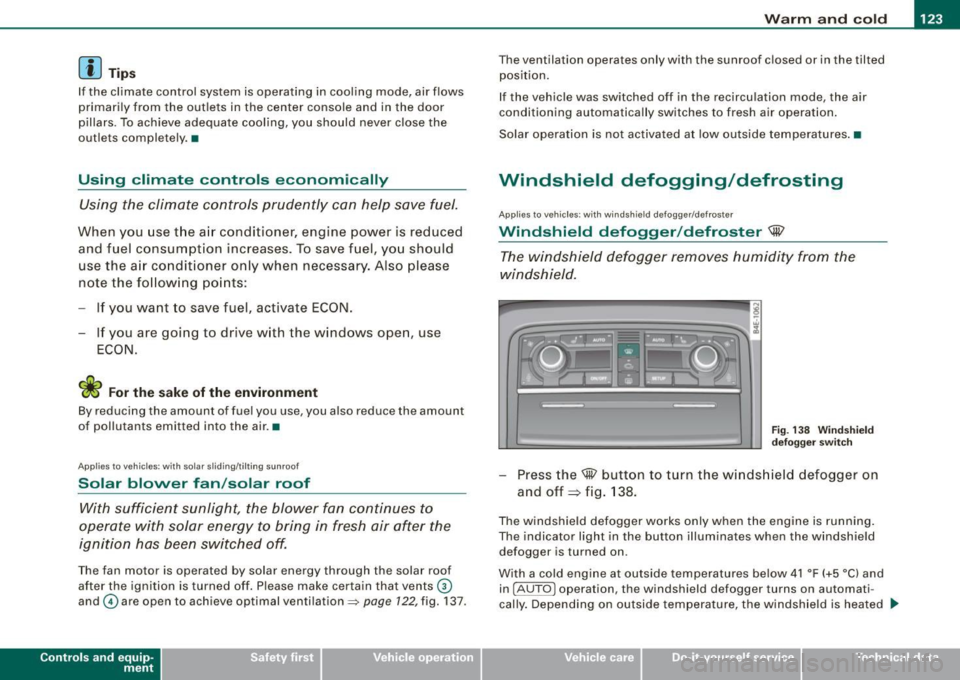
-Press the@ button to turn the windshield defogger on
and off~ fig . 138.
The windshield defogger works only when the engine is running.
The indicator light in the button illuminates when the windshield
defogger is turned on.
With a cold engine at outside temperatures below 41 °F (+5 °C) and
in !AUTO
l operation, the windshield defogger turns on automati
cally. Depending on outside temperature, the windshield is heated _,.
Vehicle care I I irechnical data
Page 127 of 408
Warm and cold -
-------------------'
Rear climate controls
Applies to vehic les: with rear a ir condition ing
Controls
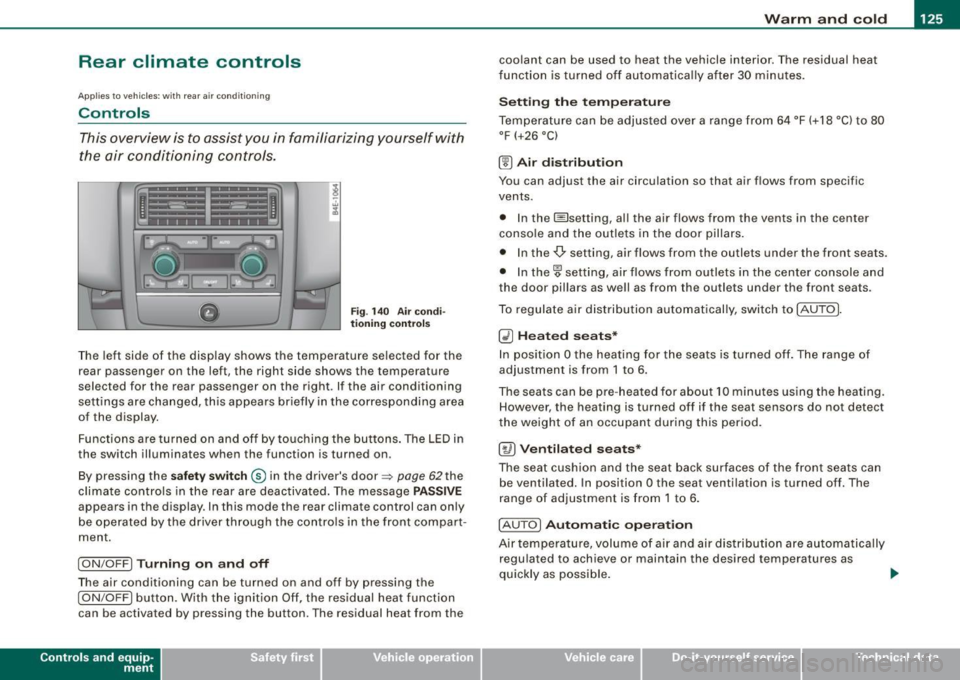
This overview is to assist you in familiarizing yourself with
the air conditioning controls .
Fig. 140 Air condi
tioning control s
The left side of the display shows the temperature selected for the
rear passenger on the left, the right side shows the temperature
selected for the rear passenger on the right. If the air conditioning
settings are changed, this appears briefly in the corresponding area
of the display.
Functions are turned on and off by touching the buttons . The LED in
the switch illuminates when the function is turned on .
By pressing the
safety switch ® in the driver's door=> page 62the
climate controls in the rear are deactivated. The message
PASSIVE
appears in the display. In this mode the rear climate control can on ly
be operated by the driver through the contro ls in the front compar t
ment.
I ON/OFF] Turning on and off
The air conditioning can be turned on and off by pressing the
I ON/OFF] button. With the ignition Off, the residual heat function
can be activated by pressing the button. The residual heat from the
Con tro ls and eq uip
ment
coolant can be used to heat the vehicle interior. The residual heat
fun ction is turned off automatica lly after 30 minu tes.
Setting the temperature
Temperature can be adjusted over a range from 64 °F (+18 °C) to 80
°F
(+26 °C)
® Air distribution
You can adjust the air circulation so that air flows from specific
vents.
• In the I isetting, al l the air flows from the vents in the center
conso le and the outle ts in the door pillars.
• In the-,!) setting, air flows from the outlets under the front seats.
• In the~ setting, air flows from outlets in the center console and
the door pil lars as we ll as from the outlets under the front seats.
To regulate air distribution automatically, switch to !AU TO].
~ Heated seats*
In position O the heating for the seats is turned off. The range of
adjustment is from 1 to 6.
The seats can be pre-heat ed for about 10 minutes using the heating.
However, the heating is turned off if the seat sensors do not detect
the weight of an occupant during this period.
[~ ) Ventilated seats*
The seat cushion and the seat back surfaces of the front seats can
be ventila ted. In position
O the seat ventilation is turned off. The
range of adjustment is from 1 to 6.
! AUTO]
Automatic operation
Air tempe rature, volume of air and air distribution are automatically
regulated to achieve or maintain the desired temperatures as
quickly as possible.
~
Vehicle care I I irechnical data
Page 173 of 408
Automatic transmi ssio n -
------------------'
Applies to vehi cles : wi th tip troni c-st eerin g wh eel
Steering wheel with tiptronic ®
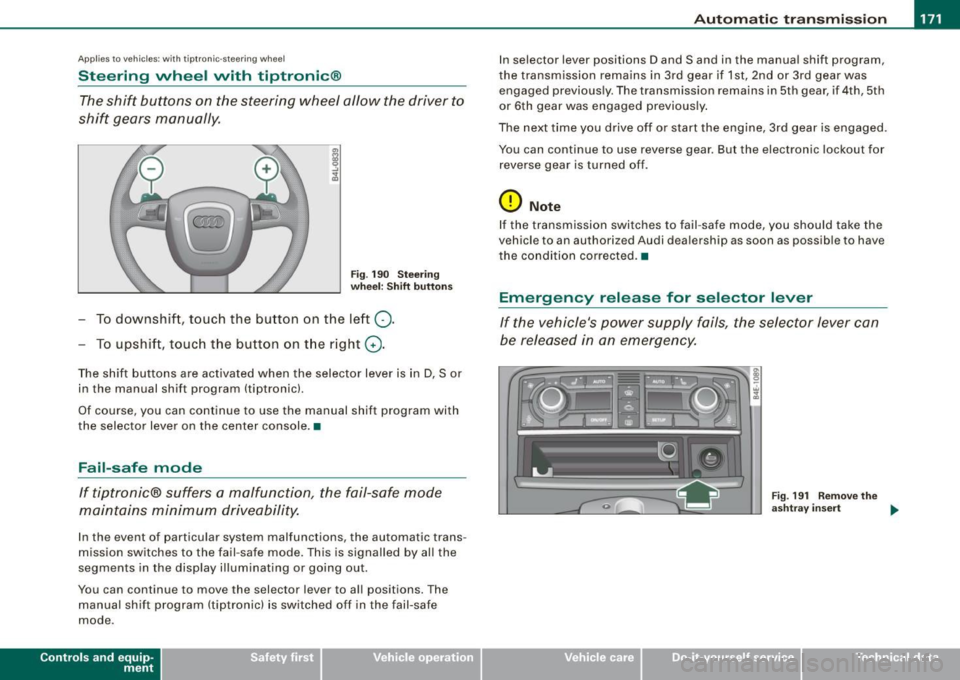
The shift buttons on the steering wheel allow the driver to
shift gears manually.
F ig . 190 Steering
whee l: S hift butt ons
- To downshift, touch the button on the left Q .
- To upshift , touch the button on t he right G) .
The shift buttons are activated when the selector lever is in D, Sor
in the manual shift program (tip tronic) .
Of course, you can continue to use the manual shift program with
the selector lever on the center console .•
Fail-safe mode
If tiptronic® suffers a malfunction, the fail-safe mode
maintains minimum driveability.
In the event of particular system malfunctions, the automatic trans
mission switches to the fail -safe mode. This is s ignalled by all the
segments in the display illuminating or going out .
You can continue to move the selector lever to all positions. The manual shift program (tiptronic) is switched off in the fail-safe
mode .
Contro ls and eq uip
ment
In selector lever positions D and Sand in the manual shift program ,
the transmission remains in 3rd gear if 1st, 2nd or 3rd gear was engaged previous ly. The transmission remains in 5th gear, if 4th, 5th
or 6th gear was engaged previously .
The next time you drive off or start the engine, 3rd gear is engaged .
You can continue to use reverse gear . But the electronic lockout for
reverse gear is turned off .
0 Note
If the transmission switches to fail -safe mode, you should take the
vehicle to an au thori zed Audi dea lership as soon as possib le to have
t he condition corrected .•
Emergency release for selector lever
If the vehicle's power supply fails, the selector lever can
be released in an emergency.
Fig . 19 1 Rem ove th e
as htray i nser t
~
Vehicle care I I Technical data
Page 175 of 408
Advanced Parking System -
-----------------=----C..----J
Advanced Parking System
Advanced Parking System with rear
view camera
Applies to veh icles : with Advanced Pa rking System with rear view camera
General information
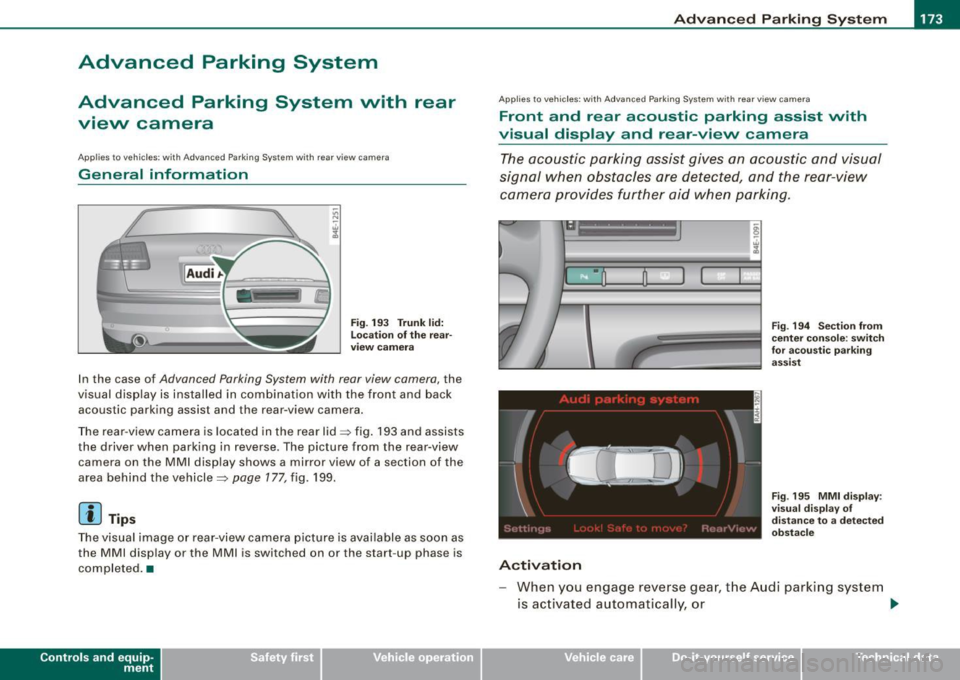
Fig. 193 Trunk lid:
Location of the rear
view camera
In the case of Advanced Parking System with rear view camera, the
visual display is installed in combination with the front and back acoustic parking assist and the rear-view camera.
The rear -view camera is located in the rear lid~ fig. 193 and assists
the driver when parking in reverse . The picture from the rear-view
camera on the MMI display shows a mirror view of a section of the
area behind the vehicle~
page 177, fig. 199.
[ i J Tips
The visual image or rear-view camera picture is available as soon as
the MMI display or the MMI is switched on or the start -up phase is
completed. •
Contro ls and eq uip
ment
App lies to vehicles: with Advanced Parking System w ith re ar view came ra
Front and rear acoustic parking assist with
visual display and rear-view camera
The acoustic parking assist gives an acoustic and visual
signal when obstacles are detected, and the rear-view
camera provides further aid when parking .
•
Activation
Fig. 194 Section from
center console: switch
for acoustic parking
assist
Fig . 195 MMI display:
visual display of
distance to a detected
obstacle
When you engage reverse gear, the Audi parking system
is activated automatically, or .,.
Vehicle care I I irechnical data
Page 176 of 408
• .___A_ d_v_ a_ n_c_ e_ d_ P _a_r_k _i_ n -=g,_ S-=y"- s_ t_ e_ m __________________________________________ _
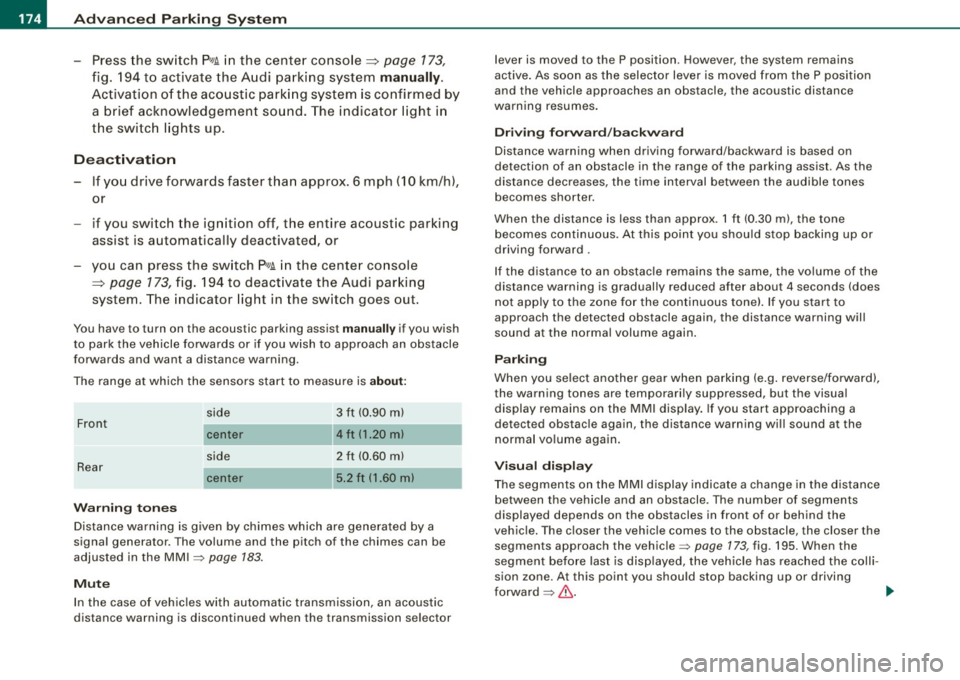
-Press the sw itch PJJJ! in the cente r console ~ page 173,
fig . 194 t o activate the A udi pa rking system m anually .
Activation of the acoustic parking system is confirmed by
a brief acknowledgement sound . The indicator lig ht in
the switch lights up.
D ea ctivation
If you drive forwards faster tha n approx. 6 mph (10 km/h),
or
- if you switch the ign ition off, the entire acoustic parking
assist is automatically deactivated, or
- you can press the sw itch
P111! i n the center console
=> page 173, fig. 194 to deact ivate the Audi parking
system. The indicator light in the switch goes out.
You have to turn on the acoustic parking assist m anuall y if you wish
to park the vehicle forwards or if you w ish to approach an obstacle
forwards and want a distance warning .
The range at which the sensors start to measu re is
about:
Front
Rear
W arning ton es side
cen
te r
side
cen ter 3 ft (0
.90 ml
4ft
(1.20 ml
2 ft (0.60 ml
5 .2 ft (1.60 ml
Distance warning is given by chimes which are generated by a
signal generator . The volume and the pitch of the chimes can be
adjusted in the MMI => page
183.
Mute
In the case of vehic les with automa tic transmission, an acoustic
distance warning is discontinued when the transmission selector l
ever is moved to the P position. However, the system remains
active . As soo n as the selector lever is moved from the
P posi tion
and the vehicle approaches an obstacle, the acoustic distance
warning resumes .
Dri ving fo rward/ba ckvv ard
Distance warning when driving forward/backward is based o n
detection of an obstacle in the range of the parking assist . As the
distance dec reases, the time interval between the audible tones
becomes shorter.
When the distance is less than approx . 1 ft (0.30 m), the tone
becomes continuous. At this point you shou ld s top backing up or
driving forward .
If the distance to an obstac le remains the same, the vo lume of the
distance warning is gradually reduced after about
4 seconds (does
not app ly to the zone for the cont inuous tone). If you sta rt to
approach the detected obstacle again, the distance warning will
sound at the normal volume again .
P a rk ing
When you selec t ano ther gear when parki ng (e .g . reverse/forward),
the warning tones are temporarily suppressed, but the visual display remains on the MMI display . If you start approaching a
detected obstacle again, the distance warning wi ll sound at the
normal vo lume again .
Visual disp lay
T he segments on the MMI display indicate a change in the distance
between the vehicle and an obstacle . The number of segments
displayed depends on the obstacles in front of or behind the
vehic le. The c loser the vehic le comes to the obstacle, the closer the
segments approach the vehic le => page
173 , fig. 195. When the
segment before last is disp layed, the veh icle has reached the colli
sion zone. At this point you should stop backing up or driving
forward =>
&,. ..,.
Page 401 of 408
______________________________________________ A_ l_,_ p _h_ a_ b_e _t_ic _ a _ l _in _ d_e _ x __ lll
Reading lights
Front ... ... ... .. .... .... ..... .. ..
74
Rear .. ..... ... ... ....... .... ... .. 75
Rear ashtray ......... .... ........ ... 107
Rear center console ..... ............ 108
Rear c limate controls ................ 125
Air distribution ................. .. 125
Automatic operation ...... ...... .. 125
Controls ......... .... ... .... .... 125
Heated seats . . . . . . . . . . . . . . . . . . . . . 125
PASSIVE ........................ 125
Switching on and off .............. 125
Temperature ... .. .... .... ...... .. 125
Venti lated seats ....... ........ ... 125
Rear fog lights ....................... 71
Rear lid
Automatic operation .......... .... .
56
Escape handle ............ ....... 350
Opening and closing ...... ..... .. .. 54
Opening manually ................. 55
Rear light
Defective . .... .... ....... ..... ... .
26
Rear seat
Contro ls ... .. .... .... ......... ...
97
Easy entry . . . . . . . . . . . . . . . . . . . . . . . 100
Head restraint adjustment ... ....... 99
Lumbar support ....... .... .... . 96, 99
Massage function ..... ...... .... .. 98
Seat adjustment ..... ....... .... .. 98
Setting in the MMI ................ 100
Rear view
See Rear-view camera .. ...... .... . 173
Rear window defogger ............... 124
Controls and equip ment Safety first
Rear window shelf
...... ... ... .. . .... . 97
Rear -view camera ........ ....... 173, 176
Parking mode 1 ...... ............ 178
Parking mode 2 .................. 179
Red symbols .............. ...... ... . 30
Refuel ling ...... ....... ...... .... ... 305
Release lever for hood ........... ... . 308
Remote control .. .... ... .... .... .... . 48
Unlocking and locking ............. 51
Remote control garage door opener
(HomeLink®) ...................
194
Remote rear lid releas ,e ............. ... 54
Repair manuals ........ .... ... .. .... 382
Repairs
Airbag system .... .... .... .... ...
234
Replacing
Wheel rims .......... ... .... ... ..
340
Replacing a fuse ................ .... 360
Replacing light bulbs .... .... .... .... 364
Replacing tires and wheels ........... 339
Reporting Safety Defects ......... 209, 210
Reset button ..... .. .... ........ .... . 14
Retractor ..........................
215
Rims Cast alloy .......................
295
Replacing .. ...... .... ...... ... .. 340
Roof rack ... ....... ........ .... .... 103
Loading ......................... 104
Mounting locations ......... .. .... 104
Roof weight ........................
104
s
SAFE ... ...... .......... ....... .... . 14
Safe driving habits ....... ....... .... 200
Safety belt height adjustment . .... .... 218
Safety belt position ... .... ...... ..... 216
Safety belt height adjustment ...... 218
Safety belts worn by pregnant women ..
217
Safety belt pretensioner .............. 218
Service and disposal ..... ......... 219
Safety belt warning light . .... .... . 20, 211
Safety be lts ... .. .... ....... .... .... 215
cleaning ...... .... ..... .. .... ... 301
Danger to passengers who do not wear a
safety belt ...... .... .... .... ...
213
Fastening ....................... 215
Improperly worn .................
218
Not worn ... .. .... .... .... ...... . 213
Safety belt position . ...... .... .... 216
Safety instructions .... .... .... .... 214
Securing child safety seats .........
255
Special considerations for pregnant
women ...... ....... .... .... ...
217
Unfastening ...... .... ...... .... . 217
Warning/indicator light ............
211
Why YOU MUST wear them ..... ... 211
Worn properly ........ ...... .... . 214
Safety comp liance sticker ............
376
Safety equipment .... ....... .... .... 200
Safety features for occupant restraint and
protection ... ... ........ .... ....
200
Vehicle operation Vehicle care Do-it-yourself service Technical data