key AUDI S8 2009 Owner's Manual
[x] Cancel search | Manufacturer: AUDI, Model Year: 2009, Model line: S8, Model: AUDI S8 2009Pages: 408, PDF Size: 91.63 MB
Page 64 of 408
Opening and closing
Switches for front door windows
@ operates the window in the driver's door.
@ operates the window in the front passenger's door.
Switches for rear windows
© operates the left rear window.
@ operates the right rear window .
Safety switch
© Safety switch for rear window operation.
& WARNING
• Do not leave children unattended in the vehicle, especially with
access to vehicle keys. Unsupervised use of the keys can result in
starting of the engine and use of vehicle systems such as power
windows, etc. which could result in serious injury.
• Remember -you can still open or close the power windows for
about ten minutes after the ignition is switched off. Only when
either of the front doors are opened are the power windows
switched off.
• Be careful when closing the windows. Check to see that no one
is in the way, or serious injury could result!
• Always remove the ignition key whenever you leave your
vehicle.
• If you lock your vehicle from the outside, no one, especially chil
dren, should remain in the vehicle.
• Do not stick anything on the windows or the windshield that
may interfere with the driver's field of vision.
[ i] Tips
• In addition to the switches in the driver's door there is a separate
switch in each door for the power window in that door=>
page 63,
fig.
50 .
• The driver can lower or raise the power side blinds * in the side
windows by using switches © and
@. •
Switches in the driver's door
The driver can operate all windows.
If the respective switch is pushed or pulled the window will
open or close. The power window switches have a
two-posi
tion function:
Opening the windows
- Push the switch to the first stop and hold it there until the
window has lowered to the desired position.
- Push the switch briefly to the
second stop: the window
will automatically open all the way.
Closing the windows
-Pull the switch up to the first stop and hold it there until
the window has risen to the desired position.
- Pull the switch quickly to the
second position: the
window will automatically close all the way=>
& in
"Controls" on
page 61.
Activating/deactivating rear windows
- Push the switch ®=> page 61, fig. 48 to the depressed
position to activate the rear windows - the light in the
switch will go out.
- Briefly press the switch ® to
deactivate the rear
windows - the switch will return to the safety position
and the light
I will illuminate.
Page 67 of 408
React ivating clo se/ open f eature
- Pull and hold the power window switch until the window
is complete ly closed.
- Re lease the switch.
- Pull the switch again for one second. The automatic
clos ing/opening is now reactivate d.•
Sliding/tilting power sunroof
How the power sunroof works
ffi
UUNU ~ 1-=llllf ~llfl
0 @ 0 F ig . 53 Sec tio n o f the
hea dlin er: s unroof
sw itch pos ition s
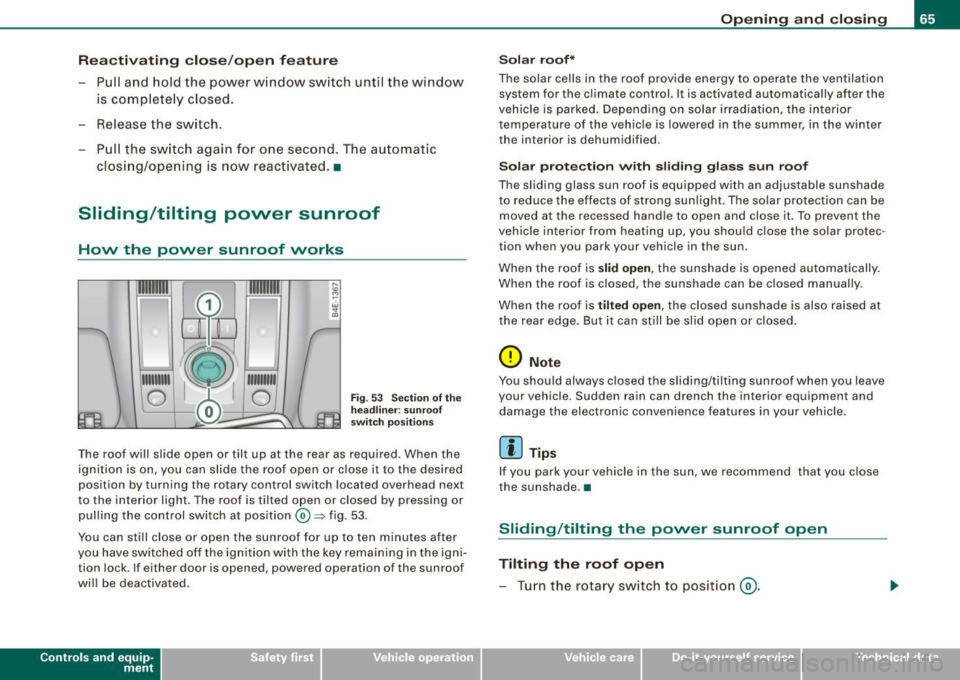
The roof will slide open or tilt up at the rear as required. When the
ignition is on, you can slide the roof open or c lose it to the desired
position by turning the rotary control switch located overhead next
to the interior light. The roof is tilted open or closed by pressing or
pul ling the control switch at position®~ fig. 53.
You can still close or open the sunroof for up to ten minutes after
you have switched off the ignition with the key remaining in the igni tion lock. If either door is opened, powered operation of the sunroof
will be deactivated .
Contro ls and eq uip
ment
Op ening and clo sing
S ol ar r oof *
The solar cells in the roof provide energy to operate the ventilation system for the c limate control. It is activated automatically after the
veh ic le is parked. Depending on solar i rradiation , the interior
temperature of the vehicle is lowered in the summer, in the winter
the interior is dehumidified.
So la r pr otec tion with slidi ng glass su n roof
The slid ing glass sun roof is equ ipped with an adjustable sunshade
to reduce the effects of strong sunl ight . The so lar protection can be
moved at the recessed handle to open and close it. To prevent the
vehic le interior from heating up, you should close the solar protec
tion when you park your vehicle in the sun.
When the roof is
slid open , the sunshade is opened automatically.
When the roof is closed, the sunshade can be closed manually.
When the roof is
t ilted open , the closed sunshade is also raised at
the rear edge. But it can still be slid open or closed.
0 Note
You should always closed the sliding/tilting sunroof when you leave
your vehicle. Sudden rain can drench the interior equipment and
damage the electronic convenience features in your vehicle .
[ i ] Tips
If you park your vehicle in the sun, we recommend that you close
the sunshade .•
Sliding /tilting the power sunroof open
Tilting the roof open
- Turn the rotary sw itch to posit ion @ .
Vehicle care I I irechnical data
Page 68 of 408
Opening and closing
-In position @, briefly press the control to tilt the roof up
completely.
- To tilt the roof open to any intermediate position press
and hold the switch until the roof reaches the desired
position.
Sliding the roof open
- Turn the switch to position (D to open the roof all the
way.
- Turn the switch to any other position to open the roof to
any intermediate position.
When the glass roof opens, the sun visor, which is designed to ward
off strong sunlight, opens along with it. The visor can be closed
manually when the sunroof is closed.
[ i J Tips
• Be aware that the sunroof may actually be open when the sun
visor is closed. Check and make sure that the sunroof is shut when
parking the car or if it suddenly starts raining.
• If the sunroof is not fully closed but you have pressed and held
the switch for the tilt position, the sunroof will not tilt. •
Closing the power sunroof
Sliding the roof shut
- Turn the rotary switch to position®=> page 65, fig. 53
=> & .
Tilting the roof shut
-Briefly pull the rotary switch to close the roof. -
To tilt the roof down to any intermediate position pull and
hold the switch until the roof reaches the desired posi
tion.
& WARNING
Improper use of the power sunroof can cause serious personal
injury.
• Be careful when closing the power sunroof. Not paying atten
tion could cause you or others to be trapped and injured as the
roof closes.
• Always take the key with you when you leave the vehicle to
prevent injuries caused by the roof closing.
• Never leave children or persons requiring assistance alone in
the vehicle, especially when they could access the vehicle keys. Unsupervised use of the keys can result in the engine being
started or use of vehicle systems such as the power windows, etc.
which could result in serious injury. The doors could be locked
with the remote key, delaying help in an emergency.
• The power sunroof will continue to operate until the ignition
key has been removed and one of the front doors has been
opened. •
Power emergency closing
The sunroof can still be closed electrically if for some
reason the overload protection function becomes acti
vated.
The power sunroof is equipped with an overload protection
feature. If, under normal conditions, the power sunroof will
not close, you can close it using this feature.
- Turn the rotary switch to position ®=>page 65, fig. 53 . .,_
Page 69 of 408
- Now pull the switch and hold it in this position until the
power sunroof closes completely.
& WARNING
Improper use of the power sunroof can cause serious personal
injury.
• Be careful when closing the power sunroof. Not paying atten
tion could cause you or others to be trapped and injured as the
roof closes.
• Always take the key with you when you leave the vehicle to
prevent injuries caused by the roof closing
• Never leave children or persons requiring assistance alone in
the vehicle, especially when they could access the vehicle keys. Unsupervised use of the keys can result in the engine being
started or use of vehicle systems such as the power windows, etc.
which could result in serious injury. The doors could be locked
with the remote key, delaying help in an emergency.
• The power sunroof will continue to operate until the ignition
key has been removed and one of the front doors has been
opened. •
Con tro ls and eq uip
ment
Opening and closing
Emergency closing by hand
The sunroof can be closed by hand in case of a power
failure.
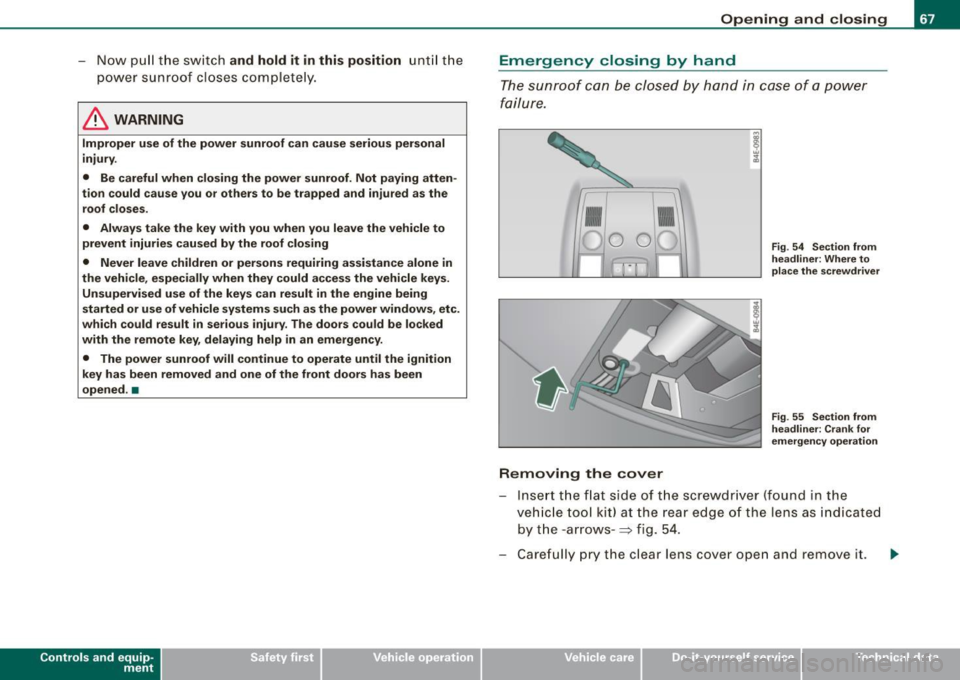
Removing the cover
Fig . 54 Section from
headliner: Where to
place the screwdriver
Fig . 55 Section from
headliner: Crank for
emergency operation
Insert the flat side of the screwdriver (found in the
vehicle tool kit) at the rear edge of the lens as indicated
by the -arrows- :::;, fig. 54.
Carefully pry the clear lens cover open and remove it. .,...
Vehicle care I I irechnical data
Page 70 of 408
Openin g a nd clo sin g
R etri eving th e cra nk for emerg ency closin g
-Use the ignition key or a screwdr iver to carefully pry the
cover off the left end of the instrument panel
=> page 360, fig. 293. The cra nk is stored next to the fuse
earner .
Closing the roof
- Push the crank G) => page 67, fig. 55 into the hex socket
0 until you can feel the crank engage . Start turning,
maintaining a steady pressure on the crank to keep it
f rom slipping off.
- After you have closed the sunroof, remove the crank and
replace the dome lig ht lens.
[ i ] Tip s
If you are unable to c lose the roof manually, contact the nearest
authorized Audi dea ler for assistance. •
Page 77 of 408
- Press the (D button to turn on the interior lights. If you
press the button a second time, the interior lights in the
rear are also turned on.
Reading lights ~
- Press the switch to turn the right or left reading light on
or off=>
page 74, fig. 64.
With the door contact circuit, 00 the interior lights turn on as soon
as you unlock the vehicle or open the doors. The interior lights are
also turned on when the ignition key is removed. The light goes out
about 2 minutes after the doors are closed. When the vehicle is
locked or when the ignition is turned on , the interior lights are
turned off.
When a door is open, the interior lights are turned off after about 10
minutes to prevent draining the battery .
[ i) Tips
The interior lights can be dimmed by holding the (D switch pressed
down. If the interior lights in the rear were turned on by pressing the
switch twice, the rear interior lights are also dimmed .•
Con tro ls and eq uip
ment
Clear vision
Rear Interior Lights
The rear interior lights also contain reading lights for
rear-seat passengers.
Fig . 65 Rooflining:
Rear interior lights
4
Fig. 66 Rooflining:
Rear reading lights
Interior lights
- Press the@) button to turn off the interior lights
=> fig. 65.
- Press the
(ID button to turn on the door contact circuit.
- Press the
(D button to turn on the interior lights.
Vehicle care I I irechnical data
Page 78 of 408
Clear vision
Reading lights
~
- Press one of the switches to turn the right or left reading
l ight on or off~
page 75, fig. 66.
With the door contact circuit, (ID the interior lights turn on as soon
as you unlock the vehicle or open the doors. The interior lights are
also turned on when the ignition key is removed . The light goes out
about 2 minutes after the doors are closed. When the vehicle is
locked or when the ignition is turned on, the interior lights are
turned off.
When a door is open, the interior lights are turned off after about 10
minutes to prevent draining the battery .
[ i J Tips
• By pressing the safety switch ©~ page 61, fig. 48 , the function
of some switches in the rear can be turned off. If the symbol in
the safety switch illuminates, the window regulators in the rear
doors, the switches for the interior lights and the switch for the elec
tric sun shade* are inoperative .
• The interior lights can be dimmed by holding the
(I] switch
pressed dow n.•
A pp lies to veh ic les : w ith back groun d lig ht in g
Background lighting
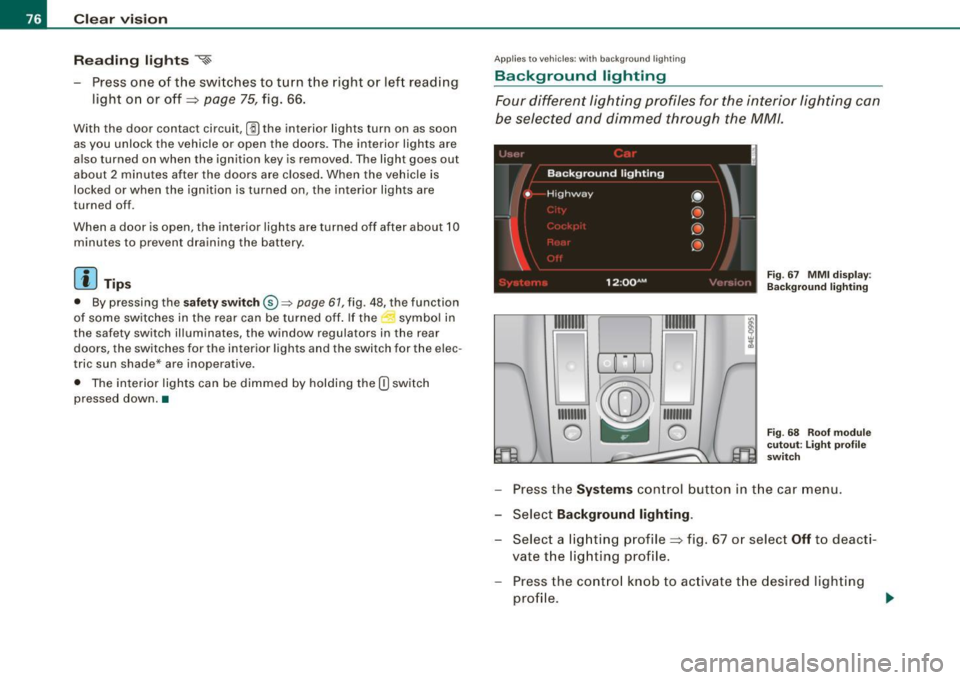
Four different lighting profiles for the interior lighting can
be selected and dimmed through the MM/ .
1t® ~i=-=
1111111
1
~ 111 111111
0 -- 0
Fig. 67 MMI display :
Background lighting
Fig. 68 Roof module
cutout: Light profile
switch
- Press the Systems control button in the car menu.
- Select
Background lighting .
-Select a lighting profile~ fig . 67 or select Off to deacti-
vate the lighting profile.
- Press the control knob to activate the desired lighting
profile .
Page 79 of 408
- Rotate the control knob clockwise to increase the bright
ness, and
- Rotate the control knob
counterclockwise to reduce the
brightness.
When the vehicle is unlocked, the standard lighting turns on auto
matically and dims after approx. 2 minutes, and when the ignition is
turned on it switches off immediate ly.
A background lighting profile can be switched on manually using
the light profile switch ~
page 76, fig. 68. This wi ll turn off automat
ica lly after 30 minutes when the ignition is off. To reactivate, press
the lighting profile switch.
Lighting profiles that were selected while driving remain active
during the course of travel.
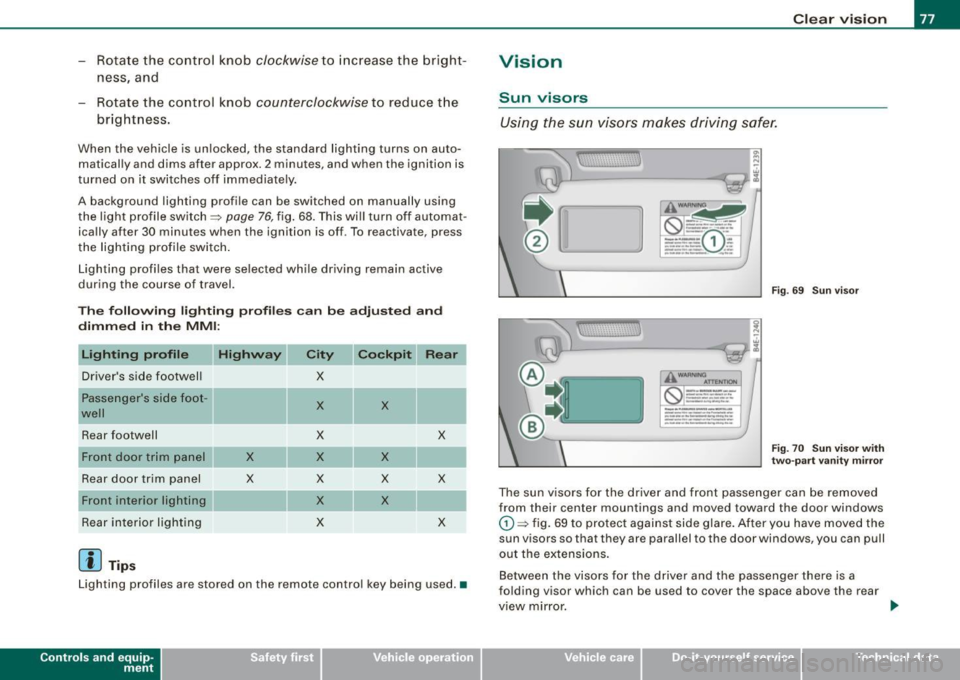
The following lighting profiles can be adjusted and
dimmed in the MMI:
Highway City
Driver's side footwel l X
Passenger's side foot -
X X
well
Rear footwell X X
X X X
Rear door trim panel X X X X
Front interior lighting
X X
Rear interior lighting
X X
[ i ] Tips
Lighting profiles are stored on the remote control key being used. •
Contro ls and eq uip
ment
Clear vision
Vision
Sun visors
Using the sun visors makes driving safer.
j !
J_~---~~::Jli
WAAN!NO ..
~(S) :;.......= ~ -=.:
=-....:=-..: (D- ·, - ~~ ,.. __ ., .. _ ~-
-----·-.., _____ ---
-J,
L--------.=.:.t.-:::Jti
W,\RNINO ATTENTION
-- -- -
_____ .., ..
--·--·· ------··----
_____ .., __ ,... ____ .., ___ ... _
---------
___ .., .. ____ _
Fig . 69 Sun visor
Fig . 70 Sun visor with
two-part vanity mirror
The sun visors for the driver and front passenger can be removed
from their center mountings and moved toward the door windows
G) ~ fig. 69 to protect against side glare. After you have moved the
sun visors so that they are parallel to the door windows, you can pull
out the extensions.
Between the visors for the driver and the passenger there is a
folding visor which can be used to cover the space above the rear
view mirror.
Vehicle care I I Technical data
Page 90 of 408
Seats and storage
& WARNING
• Never adjust the driver's or front passenger's seat while the
vehicle is moving. If you do this while the vehicle is moving, you
will be out of position . Always adjust the driver's or front
passenger's seat when the vehicle is not moving .
• Be careful when adjusting the seat height . Check to see that no
one is in the way, or serious injury could result!
• Because the seats can be electrically adjusted with the ignition
key removed, never leave children unattended in the vehicle. Unsu
pervised use of the electric seat adjustments may cause serious
injury. •
Upper thigh support
The adjustable upper thigh support provides optimal
support for the upper thigh when driving .
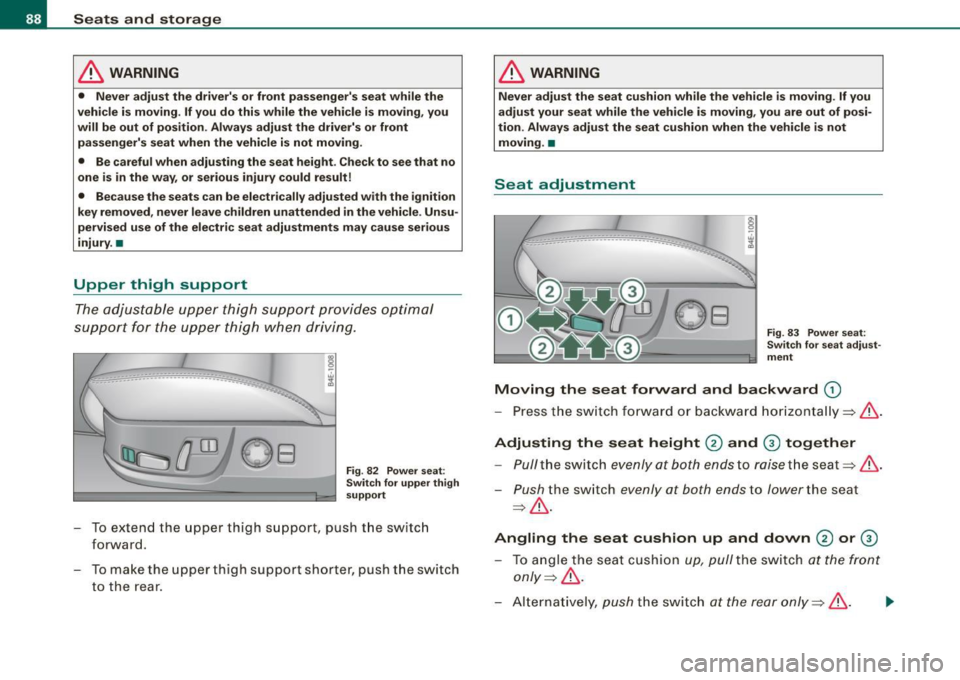
___ .. _:_·_-_.-_--·-·------·---.... _-_---.. ·-:.-_
Fig . 82 Power seat :
Switch for upper thigh
support
- To extend the upper thigh support, push the switch
forward.
- To make the upper thigh support shorter, push the switch
to the rear.
& WARNING
Never adjust the seat cushion while the vehicle is moving . If you
adjust your seat while the vehicle is moving, you are out of posi
tion. Always adjust the seat cushion when the vehicle is not
moving. •
Seat adjustment
Fig. 83 Power seat:
Switch for seat adjust
ment
Moving the seat forward and backward (D
- Press the switch forward or backward horizontally=>& .
Adjusting the seat height
0 and G) together
- Pull the switch evenly at both ends to raise the seat=> &.
-Push the switch evenly at both ends to lower the seat
=> & .
Angling the seat cushion up and down
0 or G)
- To angle the seat cushion up, pull the switch at the front
only=> &.
-Alternatively, push the switch at the rear only =>& . .,_
Page 91 of 408
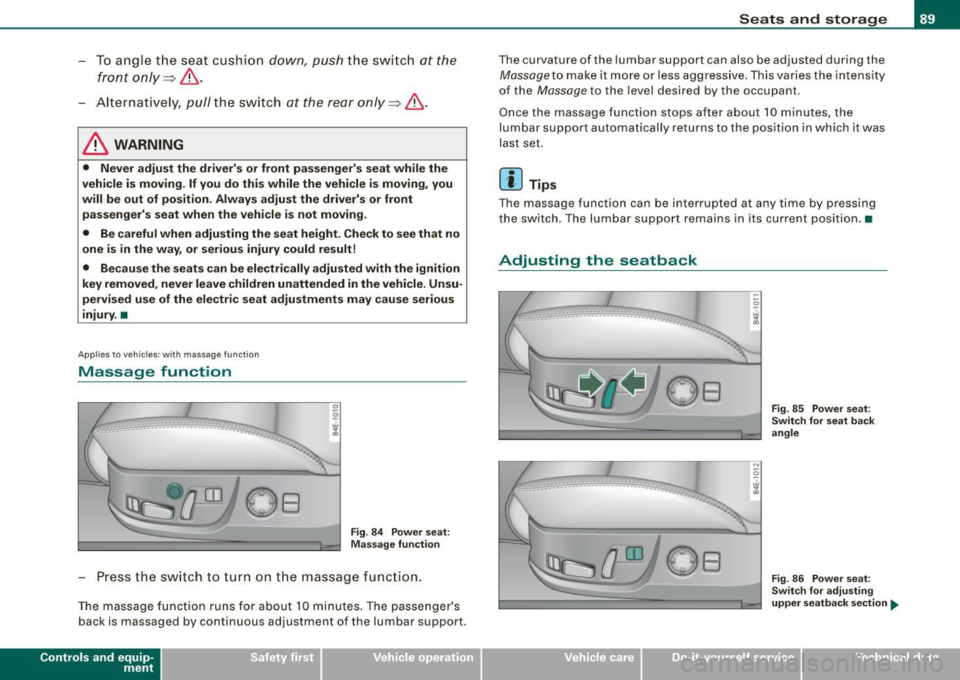
- To angle the seat cushion down, push the switch at the
front only~,& .
-Alternatively, pull the switch at the rear only~,& .
& WARNING
• Never adjust the driver's or front passenger's seat while the
vehicle is moving. If you do this while the vehicle is moving, you
will be out of position. Always adjust the driver's or front passenger's seat when the vehicle is not moving.
• Be careful when adjusting the seat height. Check to see that no
one is in the way, or serious injury could result!
• Because the seats can be electrically adjusted with the ignition
key removed, never leave children unattended in the vehicle. Unsu
pervised use of the electric seat adjustments may cause serious
injury. •
Applies to ve hicl es: with mas sa ge fu nction
Massage function
0 0
i
Fig. 84 Power seat:
Massage function
- Press the switch to turn on the massage function.
The massage function runs for about 10 minutes. The passenger's
back is massaged by continuous adjustment of the lumbar support .
Contro ls and eq uip
ment
Seats and storage
The curvature of the lumbar support can also be adjusted during the
Massage to make it more or less aggressive. This varies the intensity
of the
Massage to the level desired by the occupant .
Once the massage function stops after about 10 minutes, the
lumbar support automatically returns to the position in which it was
last set.
[ i] Tips
Th e massag e function can be int errupted at any tim e by pressing
the switch. The lumbar support remains in its current position. •
Adjusting the seatback
.. -_-_-__ ----------------. ---· --... ------------
Vehicle care I I
Fig . 85 Power seat:
Switch for seat back
angle
Fig . 86 Power seat:
Switch for adjusting
upper seatback section
~
irechnical data