fuel AUDI S8 2010 User Guide
[x] Cancel search | Manufacturer: AUDI, Model Year: 2010, Model line: S8, Model: AUDI S8 2010Pages: 384, PDF Size: 90.95 MB
Page 34 of 384
Driver information displ ay
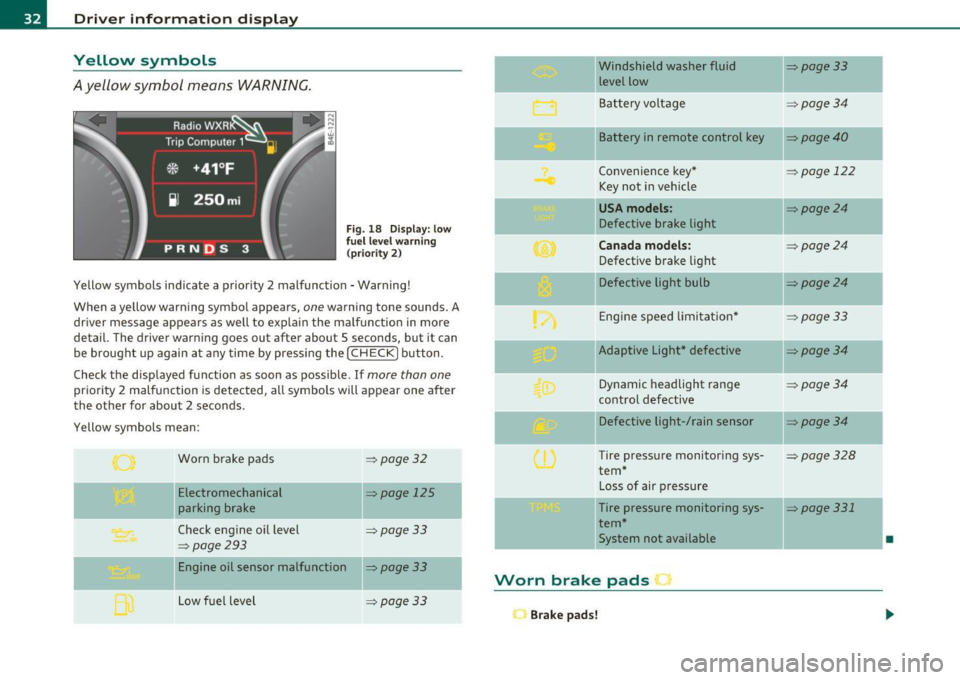
Yellow symbols
A yellow symbol means WARNING.
Fig . 18 Display: low
f ue l level warn ing
(priority 2)
Yellow symbols ind icate a prior ity 2 malfunction -Warning!
When a yellow warning symbo l appears,
one warning tone sounds. A
dr iver message appears as well to explain the ma lfunction in more
detail. The driver warning goes out after about 5 seconds, but it can
be brought up again at any time by pressing the
I CHECK] button .
Check the displayed function as soon as possible.
If more than one
priority 2 malfunction is detected, all symbols will appear one after
the other for about 2 seconds .
Yellow symbols mean:
Worn brake pads
=> page 32
Electromechanical => page 125
parking brake
Check engine oil level
=> page 33
=> page 293
Engine oil sensor malfunction => page 33
-
Low fuel level =>page33
Windshield washer fluid =>page33
level low ~
Bat tery voltage =>page34
-
II Battery in remote control key =>page40
Convenience key * =>page 122
Key not in veh icle
USA models: => page24
Defective brake light
Can ad a mod els : =>page24
Defect ive brake light
Defective light bulb
=>page24
E ng ine speed limitat ion* => page33
-
IIAdaptive Light* defective =>page34
Dynamic headlight range => page 34
contro l defective
Defective light-/rain sensor
=> page34
Tire pressure monitoring sys-=>page328
tern *
Loss of air p ressure
-Tire pressure monitoring sys-=> page331
tern*
11System not available •
Worn brake pads •
Brake pa ds!
Page 35 of 384
If the warning light illum inates, immediately contact your authorized
Audi dea ler or qu alified wor kshop to h ave all b rake pads insp ecte d.
On USA mode ls the warn ing light comes on together w it h the
warning light
BRAKE . Both sets of brake pads on an axle must a lways
be rep laced at the same time.
& WARNING
Driving w ith bad brakes can cause a collision and serious personal
injury .
• If the w arning light
ii and the warning light BRAKE1> with the
me ssage Brake pads! com es on in the in strument clu ster di splay,
immediately contact your author ized Aud i dealer or qualified
workshop t o have all brake pads che cked or replaced if
necessary. •
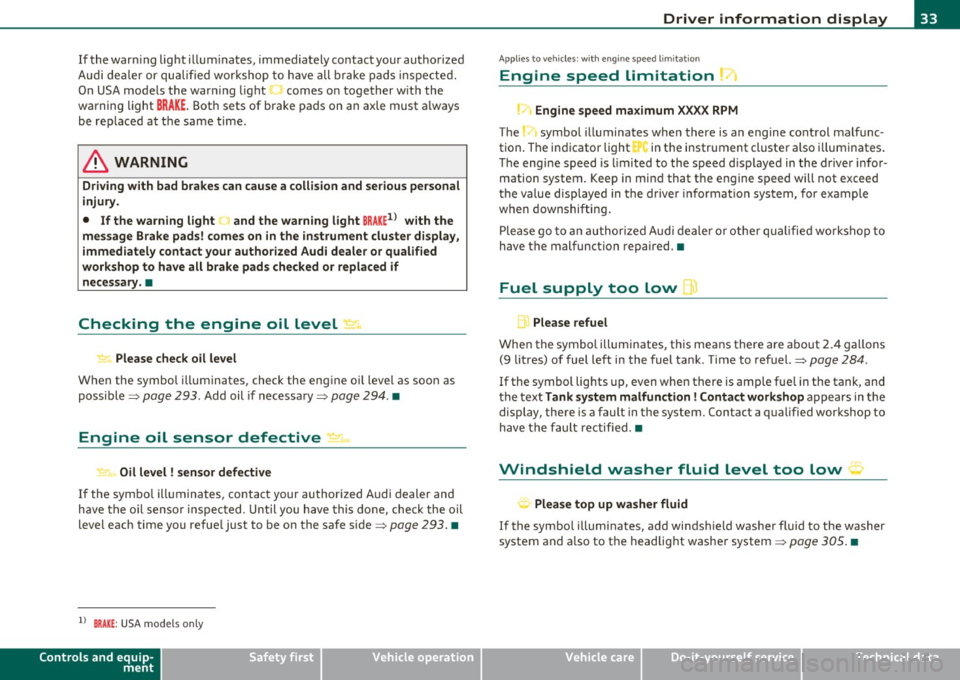
Checking the engine oil level ~
.... ,. Pleas e check oil level
W hen the symbol i lluminates, check the engine oi l level as soon as
poss ible=>
page 293. Add oil if necessary=> page 294. •
Engine oil sensor defective
~ Oil level ! sensor d efective
If the symbo l illuminates, contact your authorized Audi dealer and
have t he o il senso r in spec ted . U ntil yo u have this do ne, check the oil
level each time you refue l just to be on the safe side=>
page 293. •
ll BRAKE: USA mode ls on ly
Controls and equip
ment Safety first
Driver information display
A
pp lies to vehi cles : w ith engine s peed lim it a tion
Engine speed limitation
!.-• Engine speed maximum XXXX RPM
The symbol illuminates whe n there is an engine co ntrol malfunc
tion. The in dicator light in the instrument cluste r a lso i lluminates .
T he engi ne speed is limited to the speed d isp layed in the driver infor
mation system . Keep in mind that t he engine speed will not exceed
t he va lue disp layed in the d rive r in format ion sys tem, for example
when downshifting .
P lease go to an a uthor ized A udi deale r o r ot her qualifie d wo rk shop to
have the malfunction repa ired .•
Fuel supply too low w
A Please refuel
When the symbol illuminates, th is means there are about 2.4 ga llons
(9 litres) of fuel left in the fuel tank . Time to refuel.=>
page 284.
If
the symbol lig hts up, even when there is ample fue l in the tank, and
t he text
Tank sy stem m alfunction! Contact workshop appears in t he
display, there is a fa ult in the system. Con tact a qual ified workshop to
h ave the fault re ctified. •
Windshield washer fluid level too low ;>
Please top up washer fluid
If the symbo l illuminates, add windshield washe r fluid to the washer
system and a lso to the headlig ht washe r system =>
page 305. •
Vehicle care Technical data
Page 38 of 384
Driver information displ ay
The speed warn ing symbol 8 (USA models)/ 0 (Canada models) will
appear briefly in the display when you release the button to indicate
that the maximum speed has been stored successfully.
The max imum speed remains stored until it is changed by pressing
the button again briefly or unt il it is deleted by a lengthy push on the
button. •
Speed warning 2: setting a speed limit
Warning threshold 2 is set, changed and deleted in /11/111.
Switching speed warning on and off
- Select: Function button I CAR]> System s> Instrument
cl uster .
- Select Speed warning On to switch on the warning
threshold or
Off to turn off the warning threshold.
Setting and adjusting th e warning threshold
- Select : Function button! CAR ]> S ystems > Instrument
c luster.
- Select the second item in the Speed warning menu . The
submenu
Speed thre shold appears .
- Set the warning threshold you want.
Warning threshold 2 can only be set in a speed range from 20 to
150 mph (30 to 240 km/h). •
Trip computer
Introduction
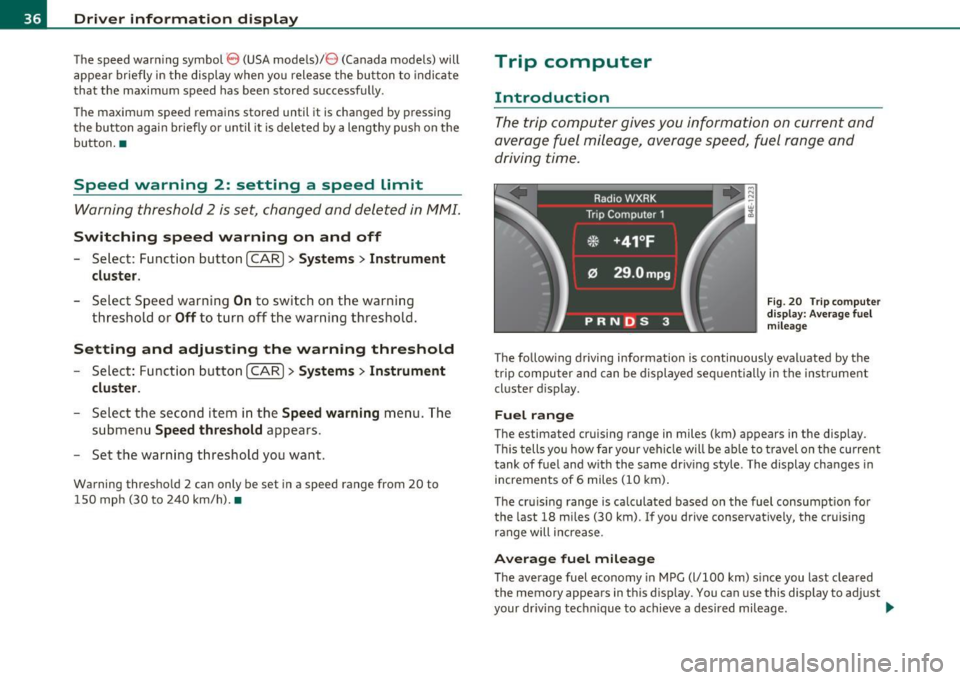
The trip computer gives you information on current and
average fuel mileage, average speed, fuel range and
driving time.
F ig . 2 0 Tri p com puter
d is pl ay: Ave ra g e fuel
mil eage
The follow ing driving information is continuously evaluated by the
trip computer and can be displayed sequen tially in the inst rument
cluster d isplay.
Fuel range
The estimated cruising range in miles (km) appears in the display .
T his tells you how far your vehicle w ill be ab le to travel on t he cu rre nt
tank of fuel and w ith the same driv ing style. The display changes in
increments of 6 miles
(10 km) .
The cru is ing range is ca lculated based on the fuel consumpt ion for
the last 18 miles
(30 km). If you drive conservatively, the cruising
range will increase .
Average fuel mileage
The average fuel economy in MPG (l/100 km) s ince you last clea red
the memory appears in this disp lay. You can use this display to adjust
your dr iv ing techn ique to achieve a desired mileage. ..,
Page 39 of 384
Current fuel mileage
T he instantaneous fuel consumption in miles per ga llon (l/100 km) is
show n in this disp lay. You can use this d isp lay to adjust you r driv ing
technique to achieve a desired m ileage .
Fuel consumption is recalculated at inte rvals of 33 ya rds (30 metres).
When the vehicle is stat ionary, the most recent fuel consumption is
displ ayed.
Average speed
Th e average speed in mph (km/h) since the last time the display w as
reset appears in the display.
Elapsed time
The length of time that you have been driving since you last reset the
memory appea rs in t his display.
rn Tips
• Fuel consumptions (average and cu rrent), ra nge a nd speed are
displayed in metr ic units on Canadian models.
• All s tored values will be lost if the vehicle battery is
disconnected. •
Contro ls a nd e quip
m en t Vehicle
OP-eration
Driver information display
Memories
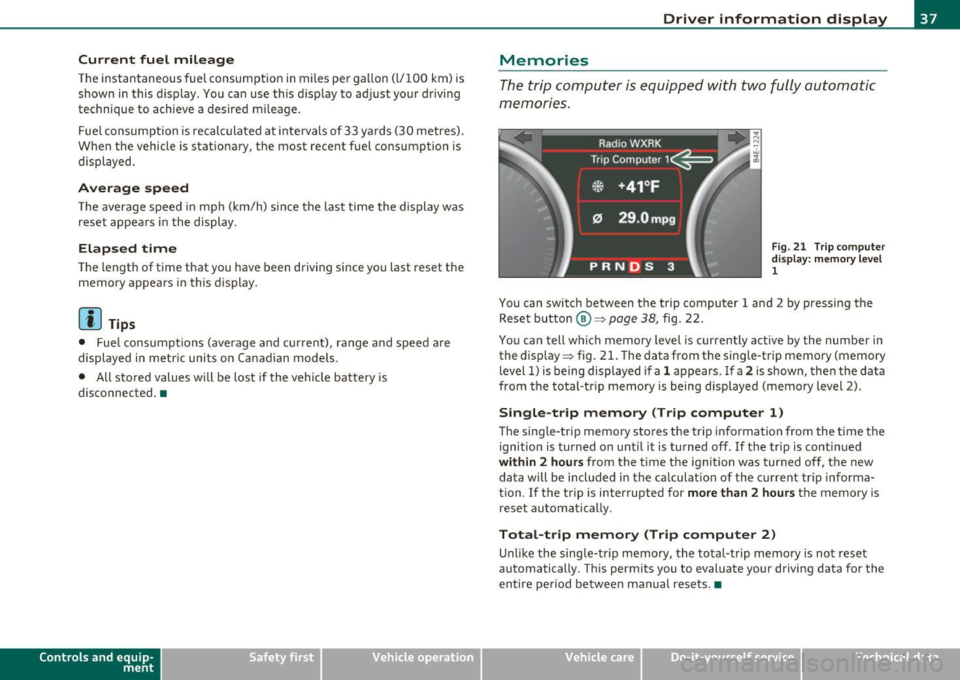
The trip comp uter is equ ippe d wi th two fully auto matic
memones.
Fig . 2 1 Trip co mpute r
di sp lay: m emory l ev e l
1
You can switch between the t rip computer 1 and 2 by pressing the
Rese t button
® ~page 38, fig. 22.
You ca n tell which memory level is curren tly active by the number in
the disp lay ~ fig. 21. The data from the sing le -trip memory (memory
level 1) is being displayed if a
1 appears . If a 2 is shown, the n the data
from t he total-tr ip memory is being displayed (memory level 2).
Single-trip memory (Trip computer 1)
Th e sing le -t rip memory sto res t he tri p inf ormation from the ti me the
ignitio n is turned on unti l it is t urned off . If th e tr ip is contin ued
within 2 hours from the t ime the ignit ion was turned off, the new
data will be included in the ca lculat ion of the c urrent tr ip informa
tion. If the trip is interrupted for
more than 2 hours the memory is
reset au toma tic ally.
Total-trip memory (Trip computer 2)
Unli ke the single -t rip m emo ry, th e total-trip memo ry is not rese t
automatically. Th is permits you to evaluate your driving data for the
entire pe riod be twee n man ual rese ts. •
Vehicle care Do-it-yourselt service iTechnical data
Page 40 of 384
Driver info rmation d isplay
Operation
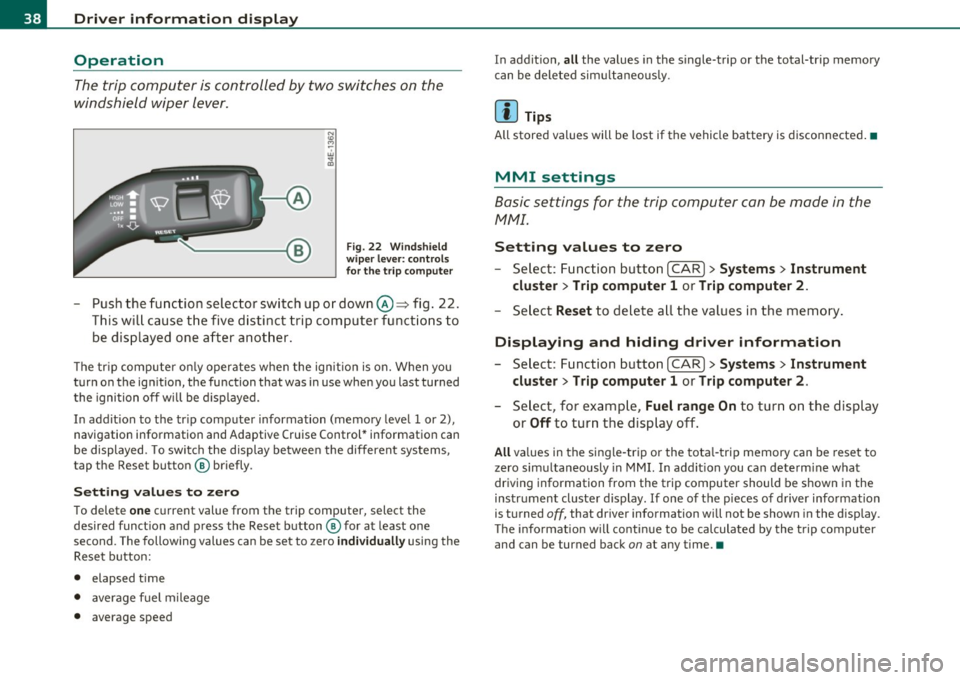
The trip computer is controlled by two switches on the
windshield wiper lever.
Fig. 22 Wi ndshi eld
wi per leve r: contr ols
for th e t rip co mputer
- Push the function selector switch up or down@~ fig . 22.
This will cause the five distinct trip computer functions to
be displayed one after another .
The tr ip computer only operates when the ignition is on. When you
turn on the ignition, the function that was in use when you last turned
the ignition off will be d isplayed.
In addit ion to the trip computer information (memory level 1 or 2),
navigation information and Adaptive Cruise Control* information can
be displayed. To switch the display between the different systems,
tap the Reset button ® briefly .
Sett ing values to zero
To delete one current value from the trip computer, select the
desired funct ion and press the Reset button ® for at least one
second. The following values can be set to zero
individu ally using the
Reset button:
• elapsed time
• average f uel mileage
• average speed In addit
ion,
all the values in the single-trip or the total-trip memory
can be deleted sim ultaneous ly .
[ i ] Tips
All stored values will be lost if the vehicle battery is disconnected.•
MMI settings
Basic settings for the trip computer can be made in the
MMI.
Setting values to zero
---Select: Function button I CAR ]> Systems > Inst rument
clust er > Trip comput er 1 or Trip computer 2 .
Selec t Reset to dele te all the values in the memory .
Displaying and hiding driver information
- Select: Function button I CAR ]> Sy stem s> Instru ment
clu ster > Trip computer 1 or Trip computer 2 .
-Select, for example, Fuel rang e On to turn on the d isplay
or
Off to turn the display off.
All values in the single -trip or the tota l-trip memory can be reset to
zero simu ltaneously in MMI. In add it ion you can determine what
driving information from the trip computer should be shown in the
instrument cluster display. If one of the p ieces of driver information
is turned
off, that dr iver information will not be shown in the display.
T he information will cont inue to be calculated by the trip computer
and can be turned back
on at any time. •
Page 44 of 384

Opening and closing
The rear lid can be locked or unlocked either by using the remote
con trol
or by turning the key inside the dr ive r's door loc k. Unl ocking
the vehicle w ith the remote control will only
unlock the rear lid, to
open it, the lid handle needs to be pressed.
Lock ing the vehicle
You c an lock t he veh icle from o uts ide eithe r by using the remote
control
or by turning t he key inside the drivers's door lock . When you
lock the vehicle :
• All doors and the rear lid are locked.
• All turn signa l lights will flash once when the car is locked .
• The anti-theft alarm system is activated . The horn of the anti
t heft ala rm system w ill sound and the a nti -t heft alarm system readi
ness lig ht, located in the upper part of the dr iver's door panel, w ill
start to blink.
• The veh icle inter ior lights turn off.
Unlocking and locking the vehicle using the
Convenience key*
Th e Convenience key * feature is a keyless system wh ich all ows yo u to
unlock the vehicle via sensors in the door handle. Loc king is likewise
keyless using a lock b utton. Each door is equipped w it h a sensor and
lock button.
Power side door closer*
The ve hicle is equipped with a power side door closer. When closing a
door, yo u simp ly need to gen tly push on the door. The door wi ll the n
automatically close by itself~
page 45.
Automatic locking
The automat ic lock ing feature locks all the vehicle doors and the rear
lid when you d rive faste r than 9 mph (15 km/h). This fun ction can be
turned on and off in the MMI
Central locking Menu~ page 44.
Yo u can unlock the vehicle from the ins ide by :
• removing the key from the ignit ion sw itch (the ve hicle w ill au to
matically un lock itself) or •
pressi ng the unloc k part of the power lock sw itch @or
pulling t he door handle (once to open the door).
& WARNING
• When you lock your vehicle from outside, nobody -especially
children -should remain inside the vehicle . Remember, when you
lo ck the vehicle from the out side the windows cannot be opened
from the inside .
• When you leave the vehicle, always remove the ignition key
and tak e it with you. This will prevent passenge rs (children, for
example) from accidentally being locked in the vehicle should
they accidentally pre ss the power lo cking switch in the doors .
• Do not leave children ins ide the vehicle unsupervised . In an
emergency it would be impossible to open the doors from the
out side without the key .
[ i ] Tips
• In the event of a crash w it h ai rbag deployme nt all locked doo rs
w ill be automat ically u nlocked to give access to the vehicle occupants
from the outside.
• If the powe r lock ing system s hou ld malfunction, you ca n lock each
door indiv idually using the ve hicl e key ~
page 46.
• If the power locking system should fail, yo u can still open the fuel
t ank flap in an emergen cy ~
page 287 .
• You are well advised not to keep valuables ins ide an unattended
veh icle, v is ib le or no t. Even a prope rly loc ked vehi cle c anno t provide
the security of a safe .•
Page 95 of 384

• These approved roof racks are the basis for a complete roof rack
system . Additional attachments for the basic roof rack are necessary
to safely transport luggage, bicycles, surf boards, skis or small boats .
All necessary hardware for these systems is ava ilable at your autho
rized Audi dealer .
• We recommend tha t you keep the installation instructions for
your roof rack system together with your Owner's literature in the
vehicle.
When should the roof rack be removed?
• Before going through an automat ic car wash (it is best to ask the
car wash operator fo r advice)
• When not in use, to reduce fuel consumpt ion, wind nois e and to
guard against theft.
& WARNING
• Use of an unapproved roof rack or incorrect mounting of an
approved roof rack can cause the roof rack or the items attached
to it to fall off the roof onto the road.
• Objects falling from the roof of a vehicle can cause a crash and
personal injury.
• Only mount the system between the markings shown in
=> fig. 98.
• The roof rack system must be installed exactly according to the
instructions provided.
0 Note
• Your vehicle warranty does not cover any damages to the vehicle
caused by using roof racks or mounting structures not approved by
Audi for your vehicle . The same applies to damage resulting from
incorrect roof rack installat ion .
• Always check the roof rack mountings and hardware before each
trip and dur ing a trip to make sure everything is sec urely tightened . If
Con tro ls a nd e quip
m en t Vehicle
OP-eration
Seats and storage
necessary, ret ighten the mountings and check the entire system from
time to time.
• After mounting a roof rack system, or when you transport objects
on the roof of your veh icle, the height of the vehicle is naturally
increased. Be careful when driving under low bridges or in parking
garages for example. This could cause damage to the load and even
the vehicle itself . •
Mounting Locations
Safe installation of a roof rack requires that the rack
supports are mounted between the small arrows marked
inside the door frames on all four doors.
Mounting
Fig. 98 Front and rear
markin gs
The roof rack system must be installed exactly according to the
instructions provided.
Mount th e roof racks supports in the side roof mo ldings . Make sure
to position the suppo rts on all four doors between the points marked
by small arrows=> fig. 98 . The markings can only be seen when the
doors are open. •
Vehicle care Do-it-yourselt service iTechnical data
Page 96 of 384
Seats and storage Loading the roof rack
Always dis tribute loads evenly . Make sure anything on
the roof rack is securely tied do wn.
- Always distribute the loads on the roof rack evenly .
- Always attach items to t he roof rac k securely before you
drive
off .
The maximum permissible roof weight is 220 lb (100 kg ). The roof
we igh t is made up of the weight of the roof rack system and the
we ight of the object be ing transported.
When using a roof rack system which has a lower load ca rrying
capac ity, you must not use up the total maxim um permissible load
carrying capacity specified above . Instead, you shou ld load the roof
ra ck system only to the maximum capacity specified by the manufac
turer of the roof rack system.
& WARNING
Weak, damaged or improper straps used to secure items to the
roof rack can fail during hard braking or in a collision and cause
seriou s personal injury.
• Make sure the roof rack is installed ex actly as specified above
~ page 93 .
• Always use suitable mounting straps for se curing items to the
roof rack to help prevent items from shifting or flying forward.
• Items on the roof rack must always be se curely mounted.
• The use of a roof rack can negatively affect the way a vehicle
handles . Ca rgo that is large , heavy, bulky , long o r flat will ha ve a
greater negative influence on the vehicle' s aerodyn amics, center
of gra vity and ove rall handling. Alw ays drive slowly, a void sudden
braking and maneuvers when tran sporting cargo on th e roof of
your veh icle.
& WARNING (contin u ed )
• Never e xceed the maximum permi ssible load carrying capacity
of the roof of your vehicle, the permi ssible a xle weights and the
permissible total weight of your vehicle~
page 3 5 7, "Weights".
• Alway s drive slowly, avoid sudd en braking and maneuv ers
when transporting cargo on the roof of your vehicle.
'£> For the sake of the environment
Sometimes it may be easier to leave a roof rack installed even tho ugh
you a re not using it. Due to the inc reased air resistance your veh icle
w ill unnecessarily use more fuel. Remove the roof rack if you are not
going to use i t. •
Cupholder
Cupholder in center console
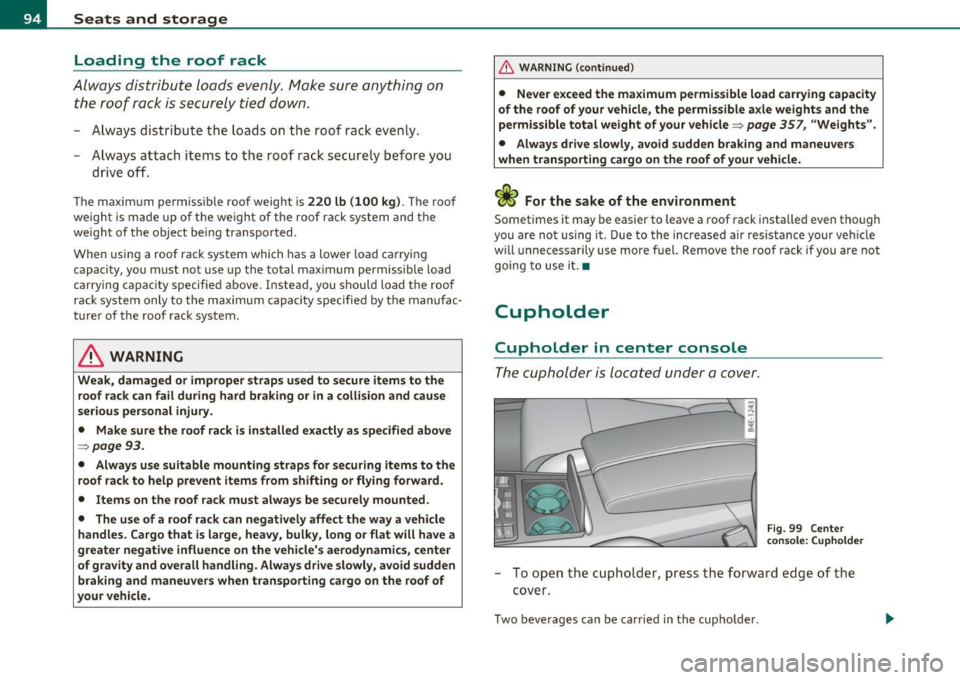
The cupholder is located under a cover.
Fi g. 99 Cente r
c on sole: ( uph old er
- To o pen the cu pholder, p ress the forward edge o f the
cover.
Two beverages can be carried in the cupholde r.
Page 114 of 384
-Warm and cold .,.,..__ ______________ _
(I) Tips
If the climate control system is operating in cooling mode , air flows
p rima rily from th e outlets in the center console and in the door
pillars . T o ach ieve adequa te cooling, you should never close the
ou tle ts completely. •
Using climate controls economically
Using the climate controls prudently can help save fuel.
When you use the a ir conditioner, e ngine power is reduced
and fuel consumption increa ses. To save fu el, you should use
the air co nditioner o nly when necessary. Also please note the
following points :
If you want to save fuel , activate ECON .
If you are going to drive with the wi ndows open, use ECO N.
~ For the sake of the environment
By reducing t he amount of fuel you use, you also reduce the amou nt
of pollutants emitted into the air .•
A ppli es to vehicl es : w ith sola r sliding /til tin g sunroof
Solar blower fan /solar roof
With sufficient sunlight, the blower fan continues to
operate with solar energy to bring in fresh air after the
ignition has been switched off
The fan motor is operated by solar energy throug h the solar roof after
t he ignition is tur ned off . P lease make certai n that vents @ and ©
are ope n to ach ieve op timal ventilation =:,
page 111, fig. 124.
The venti lation operates on ly with the sunroof closed or in the ti lted
position. If the veh
icle was switched off in the rec irculat ion mode, the air
condi tioning au tomatically sw itches to fresh a ir operation .
Solar operation is not activated at low outside temperatures .•
Windshield defogging/defrosting
A pp lie s t o v eh icles: w it h win dshie ld defo gger/ defrost er
Windshield defogger/defroster ®
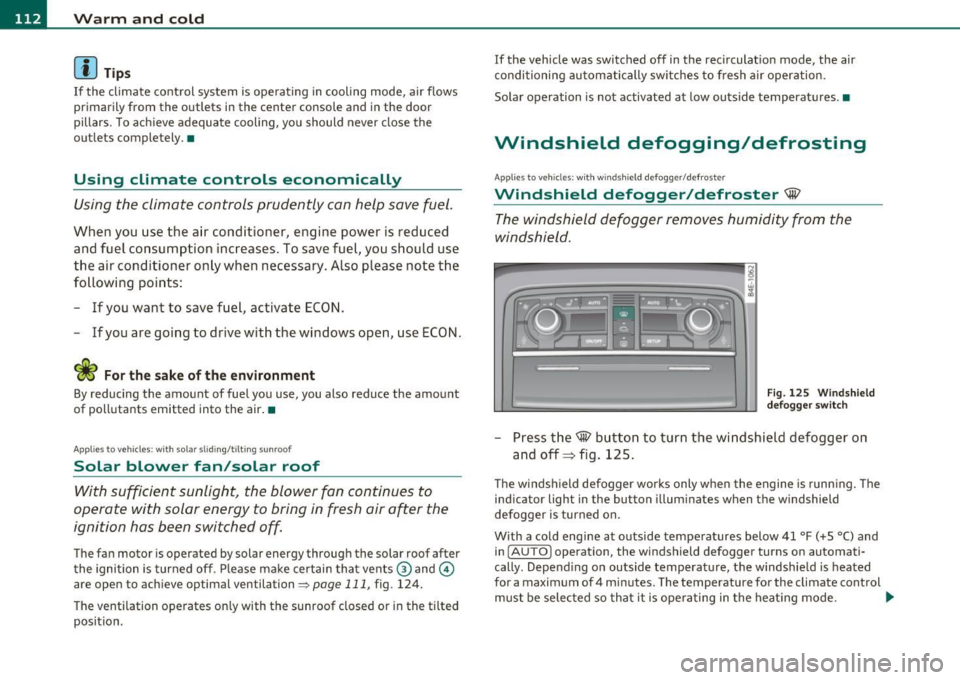
The windshield defogger removes humidity from the
windshield .
Fig. 12 5 Wi ndshie ld
def ogger switch
- Press the~ button to turn the wi ndsh ield defogger on
and off=> fig. 125.
T he windsh ield defogger works only when the engine is runn ing . T he
ind icator light in the button illum inates when the windshield
defogger is turned on.
With a cold engine at outside temperatures below 41 °F (+5 °C) and i n
( AU TO] operation, the windshield defogger turns on automati
cally . Depend ing o n outside temperat ure, the w indshie ld is heated
for a maximum of 4 m inutes. The temperature for the climate control
must be selected so tha t it is ope ra ting in the heat ing mode . .,_
Page 115 of 384
Warm and cold -_______________ __.
When selecting the program setting®, the windshield
defogger/defroster is switched on automatically at outside tempera
tures below 41
°F (+5 °(). Depending on outside temperature, the
windshield is heated from 2 up to a maximum of 4 minutes .
Th e windshield defogger is deactivated in ECON mode.
(I] Tips
• If a crack forms in the windshie ld due to a foreign object (e.g. a
stone chip), the defogger/defroster is not turned on. This prevents
the crack from spreading.
• We recommend that you locate an Audi dealership immediately to
have the windshie ld replaced. •
Rear window defogger QuJ
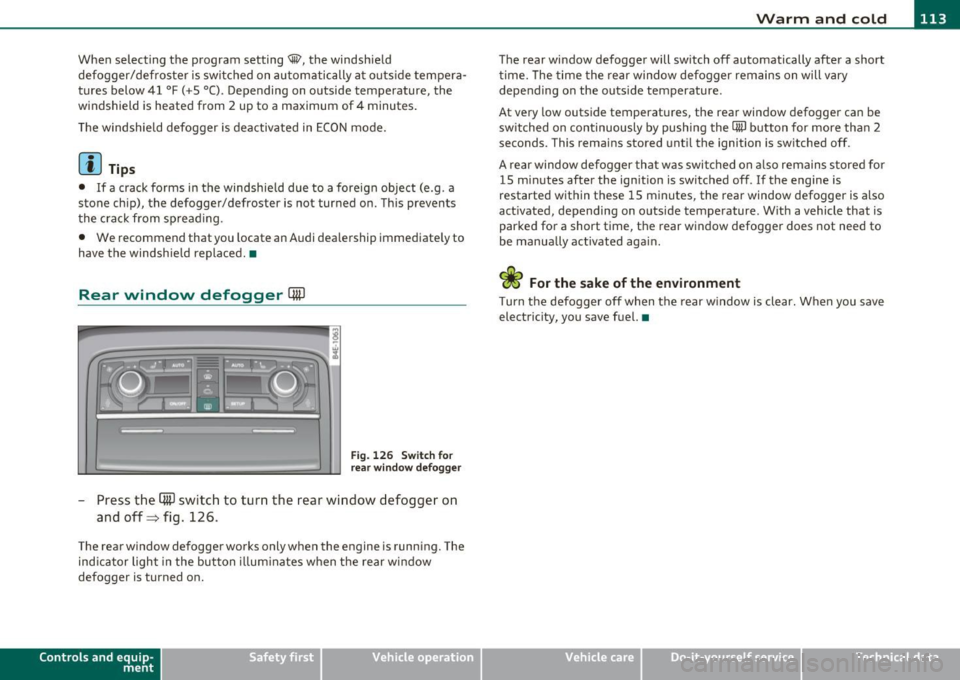
Fig. 126 Switch for
rear window defogger
- Press the (ffi) switch to turn the rear window defogger on
and off=> fig. 126 .
The rear window defogger works only when the engine is running. The
ind icator light in the button illum inates when the rear w indow
defogger is turned on.
Con tro ls a nd e quip
m en t Vehicle
OP-eration
The rear window defogger will switch off automatically after a short
time. The time the rear window defogger remains on will vary
depending on the outs ide temperature.
At very low outside temperatures, the rear window defogger can be
switched on continuously by push ing the
CiiiJ button for more than 2
seconds. This rema ins stored until the ignition is switched off.
A rear window defogger that was switched on also remains stored for
15 m inutes after the ignition is switched off . If the engine is
restarted within these 15 minutes, the rear window defogger is a lso
act ivated, depending on outside temperature . W ith a vehicle that is
parked for a short time, the rear window defogger does not need to
be manually activated again.
<£> For the sake of the environment
T urn the defogger off when the rear w indow is clear. When you save
electricity, you save fuel. •
Vehicle care Do-it-yourselt service iTechnical data