fuel AUDI S8 2010 Owners Manual
[x] Cancel search | Manufacturer: AUDI, Model Year: 2010, Model line: S8, Model: AUDI S8 2010Pages: 384, PDF Size: 90.95 MB
Page 5 of 384
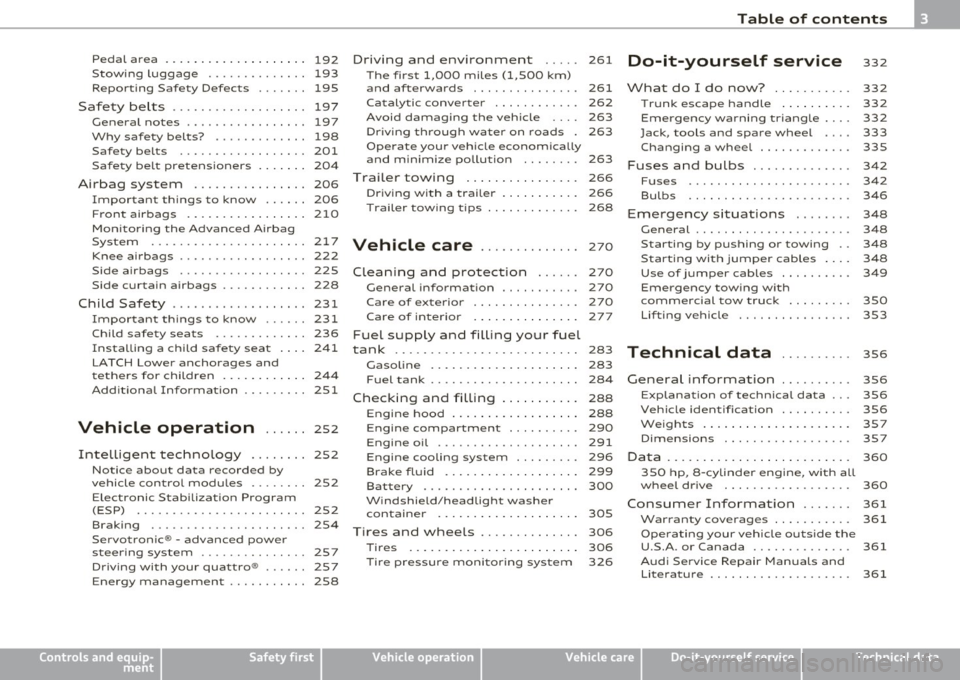
Pedal area ... ........ ......... 192
S towing luggage .............. 193
Reporting Safety Defects ....... 195
Safety be lts ................... 197
General notes ................. 197
Why safety belts? . . . . . . . . . . . . . 198
Safety belts . . . . . . . . . . . . . . . . . . 201
Safe ty be lt pretensioners . . . . . . . 204
Airbag system ................ 206
Important th ings to know . . . . . . 206
F ront airbags ......... ........ 210
Mon ito ring the Advanced A irbag
Syst em ...................... 217
Knee airbags . . . . . . . . . . . . . . . . . . 2 22
Side airbags . . . . . . . . . . . . . . . . . . 225
Side curtain airbags . . . . . . . . . . . . 228
Child Safety ................... 231
Important things to know ...... 231
Child safety seats . . . . . . . . . . . . . 236
Ins ta lling a ch ild safety seat . . . . 24 1
LAT CH Lower anchorages and
t ethers for chi ldren . . . . . . . . . . . . 244
Add itiona l Informa tion 251
Vehicle operation ...... 252
Intelligent tec hno logy ........ 252
Notice about data recorded by
v e hicl e contro l modu les . . . . . . . . 252
Electronic Stab ili z ati on Program
(ESP) ........................ 252
Braking . . . . . . . . . . . . . . . . . . . . . . 254
Servotronic ® -advanced power
steer ing system ............ ... 257
Dr iving with your quattro® ...... 257
Energy management . . . . . . . . . . . 258
Controls and equip
ment Safety first
Driving and environment
..... 261
The first 1,000 miles (1,500 km)
and afterwards . . . . . . . . . . . . . . . 261
Catalytic converter . . . . . . . . . . . . 262
Avoid damaging the veh icle 263
Dr ivi ng th rough wat er on roads . 263
Operate your veh icle economica lly
and m inimi ze po llution . . . . . . . . 263
Trailer towing ................ 266
Dr iving wi th a traile r . . . . . . . . . . . 266
T railer tow ing tips . . . . . . . . . . . . . 268
Vehicle care .............. 270
Clea nin g and pro tect ion ...... 270
General information . . . . . . . . . . . 270
Care of exterior . . . . . . . . . . . . . . . 270
Care of interior . . . . . . . . . . . . . . . 277
Fuel supply and filling your fuel
tank .......................... 283
Gasol ine . . . . . . . . . . . . . . . . . . . . . 283
F u el tank . . . . . . . . . . . . . . . . . . . . . 284
Checking and filling . . . . . . . . . . . 288
Eng ine hood . . . . . . . . . . . . . . . . . . 288
Eng ine compartment . . . . . . . . . . 290
Engine oil ............... ..... 291
Engine cooling system . . . . . . . . . 296
Brake fluid . . . . . . . . . . . . . . . . . . . 299
Bat tery . . . . . . . . . . . . . . . . . . . . . . 300
W indshield/head light washer
containe r . . . . . . . . . . . . . . . . . . . . 305
Tires and wheels .............. 306
Ti res 306
T ir e pressure monitor ing system 326
Table of contents
Do-it-yourself service
What do I do now? .......... .
Trunk escape handle ......... .
Emergency wa rning tria ngle ... .
Jack, tools and spare wheel ... .
Changing a wheel ........... . .
Fuses and bulbs ............. .
Fuses ...................... .
Bulbs ...................... .
Emergency situations ....... .
General ..................... .
Starting by pushing or towing ..
S tarting with jumper cables ... .
Use of j umper cables ......... .
Emergency towing with
commercial tow truck ........ .
Lifting vehicle ............... .
Technical data
General information
Explanat ion of technical data .. .
Vehicle identification ......... .
We ig hts ... ....... ....... ... .
Dimensions ................. .
Data .......... ......... ...... .
350 hp, 8-cylind er engine, with all
whee l dr ive ................. .
Consumer Information ...... .
Warranty coverages .......... .
Ope rating your vehicle outs ide the
U.S.A. or Canada ............. .
Aud i Se rvice Repair Man uals and
Literature ................... . 332
332
332
332
333
335
342
342
346
348
348
348
3
4 8
349
350
353
356
356
356
356
357
357
360
360
361
361
361
361
Vehicle operation Vehicle care Do-it-yourself service Technical data
Page 11 of 384
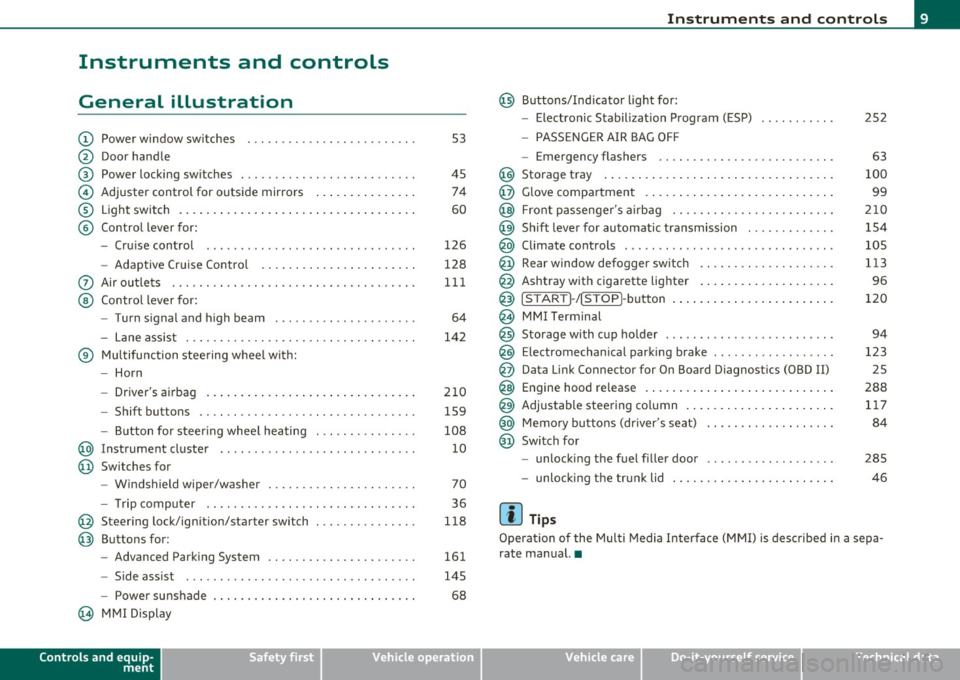
Instruments and controls
General illustration
(D Power window switches . .. .. .. ... .. ... .. ... ... . .
@ Door handle
@ Power locking switches . .. .. ......... .. .. .... ... .
© Adjuster control for outside mirrors .............. .
® Light switch ............... . ... ..... ....... ... .
© Control lever for:
- Cruise contro l ............ .... ... . ... ....... .
- Adaptive Cruise Control . ................... .. .
0 Air outlets .... .... .. .. .. ... ... ............. .. .
@ Control lever for:
- Turn signal and high beam .................... .
- Lane assist ................ ...... .. .. .. .. ... .
® Multifunction steering wheel with:
- Horn
- Driver's airbag ....................... ....... .
- Shift buttons .... .. .. .. .. .... ............... .
- Button for steer ing whee l heating . .. .. ... ...... .
@ Instrument cluster .................. .... ... ... .
@ Switches for
- Windshield wiper/washer ................ .. ... .
- Tr ip computer .. .......... . .. .... .. .. .... ... .
@ Steering lock/ignition/starter switch .............. .
@ Buttons for:
- Advanced Parking System .... .. .... .. ...... ... .
- Side ass ist ........... ........ ... ..... ... ... .
- Power sunshade
@ MMI Display
Controls and equip
ment Safety first
53
45 74
60
126
128
111
64
142
210 159
108 10
70
36
118
161
145
68
Instruments and controls
@ Buttons/Indicator light for:
- Electronic Stabilization Program (ESP)
- PASSENGER AIR BAG OFF
- Emergency flashers .. .. .. .. .. .... .. ......... .
@ Storage tray .................. .. .. .. ......... .
@ Glove compartment .... .... .. .. .... ........... .
@ Front passenger 's airbag .................... .. . .
@ Sh ift lever for automatic transmission ........... . .
@ Climate controls . .. .................... .... ... .
@ Rear window defogger switch .. .. .. .. .. .... ..... .
@ Ashtray with cigarette lighter ................... .
@ IS TART ]-/IS TOP]-button . ... ................ ... .
@ MMI Terminal
@ Storage with cup holder ..... .. .. .. ............. .
@ Electromechanical parking brake ... .. ...... ..... . .
@ Da ta Link Connector for On Board Diagnostics (OBD II)
@ Engine hood release ........................... .
@ Adjustable steering column ..................... .
@ Memory buttons (driver's seat) .................. .
@ Switch for
- unlock ing the fuel filler door ....... ....... .... .
- unlock ing the trunk lid
[ i ] Tips
252
63
100
99
210
154
105
113
96
120
94
123 25
288 117
84
285
46
Operation of the Multi Media Interface (MMI) is described in a sepa
rate manual. •
Vehicle care Technical data
Page 12 of 384

Instruments and warning /indicator lights
Instruments and warning/indicator lights
Instruments
Instrument cluster and controls
The instrument cluster is your central source of informa
tion.
Fi g. 2 O ver view of th e in stru men t clust er
© Coolant temperature gauge . . . . . . . . . . . . . . . . . . . . . . 10
@ Tachometer with t ime and date d isplay . . . . . . . . . . . . 11, 11
® Warning/indicator lights . . . . . . . . . . . . . . . . . . . . . . . . 14
© Driver information system . . . . . . . . . . . . . . . . . . . . . . . 22
© Speedomete r with odometer . . . . . . . . . . . . . . . . . . . . . 12
© Fuel gauge . . . . . . . . . . . . . . . . . . . . . . . . . . . . . . . . . . . . 12
(j) Reset button for tr ip odomete r . . . . . . . . . . . . . . . . . . . 12
@ !CHECK] button .... ...... ..... ......... ...... .
® Instrument cluster illumination ................. .
(I) Tips 13
1
3
The illum inat ion for the instrument cluster lights up whenever you
switch o n the ignition with the
vehicle headlight s off. As the daylight
fades, the instrument cluste r illum ination likewise d ims automati
cally and w ill go out completely when the outside light is very low .
T his featu re is mean t to remind you to switch on the headligh ts when
outs ide light conditions become poor .•
Engine coolant temperature gauge
The engine coo lant gauge ~ fig . 2 © only works when the ignition is
on. To p revent damage to yo ur engine, ple ase note the following
important po ints:
Engine cold
As long as the need le remains at the le ft end of the gauge, the engine
st ill has not re ached its operating tem perature. Avoid high eng ine
speeds, heavy engine loads and heavy throttle applicat ions.
Normal temperature
When the eng ine has reached its ope rating temperature, the needle
w ill move into the midd le of the gauge and remain t he re.
If the
eng ine is working hard at high outs ide temperatures, the needle may
go furthe r to the right. This is no need to wo rry as long as the _JL
wa rning light in t he instrument cluster does not illuminate .
Warning light in the instrument cluster -t
When the _ L warning light starts to flash, this ca n mean one of two
t hings: e ither the cool ant
temperature is too h igh, or the coolant
level is too low=> page 29. _,.
Page 13 of 384

If the indicator goes all the way to the right side inside the coolant
t empe ra tu re ga uge, the n th e eng ine cool ant tempe rature is too high.
Pull off the road to saf e location , turn off the engine and let it cool
down.
If the warning lig ht comes o n aga in after yo u have driven a
short distance, contact a qualified workshop.
& WARNING
• Always observe the warning in ::::> page 281 , "Engine compart
ment ", before opening the hood and checking the engine coolant
l e vel.
• Never open the engine hood if you see or hear steam, or if you
see engine coolant dripping from the engine compartment. You
c ould burn yourself. Let the engine cool off first so that you cannot
hear or see any steam or engine coolant .
0 Note
• Mounting additiona l lights or accessories in front of the a ir in lets
reduces the cooling effect of the radiator. At high outside tempe ra
tu res o r high engine load, the e ng ine could ove rheat .
• T he front spoi le r has bee n designed to properly distribu te the
cooling air when the vehicle is moving . If the spoiler is damaged, this
co uld reduce the coo ling effect and the eng ine could then overheat.
Ask your author ized A udi deale r for assistance. •
Tachometer (engine rev counter)
The tac home te r indicates the engine RPM (revoluti ons
pe r minu tes) .
The tachometer @::::> page 10, fig. 2 is the left of t he two large clock
type displays .
Th e eng ine tu rns at a speed
1,000 times t h e si ng le dig it in t he
display, e .g. if the need le is pointing at the "2" the engine is tu rning
at 2, 000 R PM.
Controls and equip
ment Safety first
Instruments and warning
/indicator lights
If e ngine RPM drops below 1,500, you s hould dow nsh ift to t he next
lower ge ar. T he re d area at t he e nd of the s cale i ndic ates m aximum
permissible e ngine RPM after the break-in per iod . Before reaching
this area, move the selector lever to posit ion "D (Drive)" or ease yo ur
foot off the accelerator pedal.
0 Note
The tachome ter needle s houl d not move in to the red range. If it does,
then only fo r a very short period of time . You could damage your
e n g in e by driv ing at h igh RPM .
c£> For the sake of the environment
Upshifting early saves fuel a nd reduces e ngine noise. •
Digital clock with date display
Date and time of day can be set in MMI.
Fig. 3 Instrumen t
cluster with digital
clock
Th e da te, time o f day , an d time and date form at can be se t in MM I.
You can find out more in the MMI manual. ..,.
Vehicle care Technical data
Page 14 of 384
![AUDI S8 2010 Owners Manual Instruments and warning/indicator lights
(I] Tips
• The dig ital clock and the odometer are turned on for about 30
seconds when the drivers door is opened.
• When the ign it](/img/6/57617/w960_57617-13.png "AUDI S8 2010 Owners Manual Instruments and warning/indicator lights
(I] Tips
• The dig ital clock and the odometer are turned on for about 30
seconds when the drivers door is opened.
• When the ign it")
Instruments and warning/indicator lights
(I] Tips
• The dig ital clock and the odometer are turned on for about 30
seconds when the driver's door is opened.
• When the ign ition is turned off, the odometer read ing and the
digital clock with date display can be switched on for about
30 seconds by press ing the
I CH ECK I button::::> page 13, fig. 5. •
Speedometer with odometer
The speedometer shows you the vehicle speed, and the
odometer shows you how many miles (kilometers) you
have driven.
Fig. 4 Instrume nt
cluster Odometer and res et button
The odometer and trip odometer are located inside the speedometer .
• USA models -Miles
• Canada models -Kilometers
You can switch the display from miles to kilometers and vice versa via
the MMI.
Lower odometer
The lower odometer shows the total number of mi les (kilometers)
driven.
Upper odometer (trip odometer)
The upper odometer shows the total number of miles (ki lometers)
dr iven since you last reset the odometer to zero . You can use th is
odometer when you want to keep track of how many m iles (kilome
ters) you have dr iven for a single trip or errand. The last digit indicates
1/10 of a mile (100 meters) .
You can reset the trip odometer to zero by pressing the Reset button
[0.0].
Malfunction message
If there is a malfunction somewhere in the instrument cluster, dEF
will appear in the trip odometer and will stay on. Contact your autho
rized Audi dealer to have the problem corrected.
Immobilizer
When you switch on the ign ition, the data chip inside the key is "read"
by the immobilizer system.
If an unauthori zed key is inserted into the ignition lock, the word
SAFE will come on and stay on . You will not be able to start the
vehicle=> page
41.
[ i ] Tips
• The digita l clock and the odometer are turned on for about 30
seconds when the driver's door is opened.
• When the ignition is turned off, the odometer reading and the
digital clock with date display can be switched on for about
30 seconds by pressing the [
CHECK] button::::> page 13, fig. 5. •
Fuel gauge
The fuel gauge only works when the ignition is on .
Th e fuel tank holds about 23.8 ga llons (90 liters). When the need le
reaches the reserve mark, the::::> page
33 ) symbol appears in the
instrument cluster display as well as the message
Please refuel. .,_
Page 15 of 384
There is still approximately 2.4 gallons (9 liters) of fuel left. This message is meant to remind you to
refuel.
(D Note
Never run the tank completely dry. An irregular supply of fuel can
cause engine misfiring and fuel could enter the exhaust system. The
catalytic converter could then overheat and be damaged. •
[CHECK) button
You can perform different functions with this button.
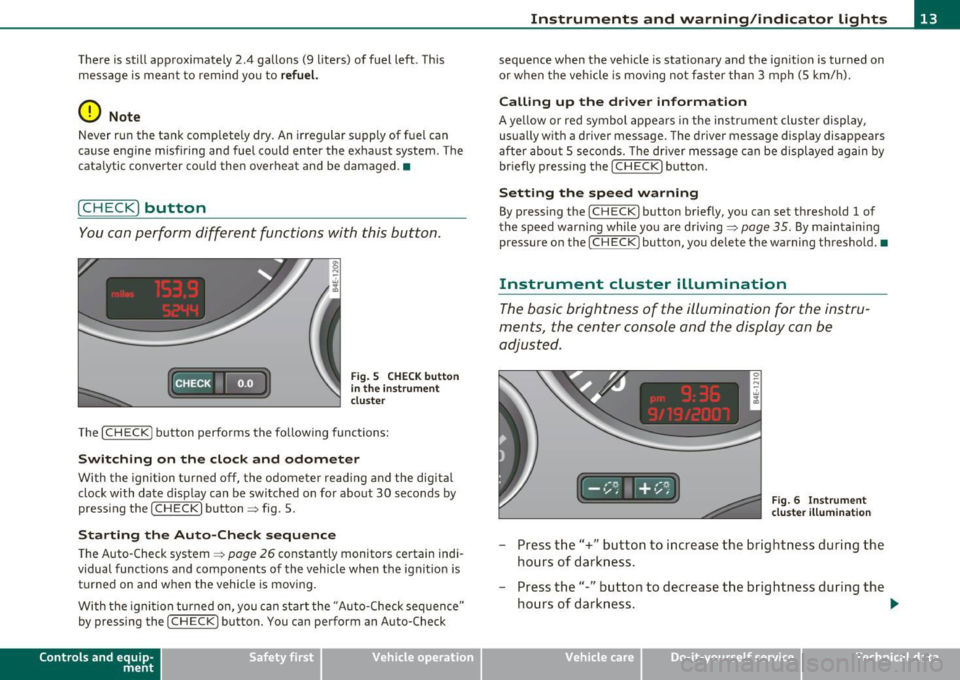
Fig. S CHECK button
in the instrument
cluster
The [ CHECK] button performs the following functions:
Switching on the clock and odometer
With the ignition turned off, the odometer reading and the digital
clock with date display can be switched on for about 30 seconds by
pressing the [
CHECK] button~ fig. 5.
Starting the Auto-Check sequence
The Auto-Check system~ page 26 constantly monitors certain indi
vidual functions and components of the vehicle when the ignition is turned on and when the vehicle is moving.
With the ignition turned on, you can start the "Auto-Check sequence"
by pressing the
(CHECK) button. You can perform an Auto-Check
Con tro ls a nd e quip
m en t Vehicle
OP-eration
Instruments and warning/indicator lights
sequence when the vehicle is stationary and the ignition is turned on
or when the vehicle is moving not faster than 3 mph (5 km/h).
Calling up the driver information
A yellow or red symbol appears in the instrument cluster display,
usually with a driver message. The driver message display disappears
after about 5 seconds. The driver message can be displayed again by
briefly pressing the [
CHECK) button.
Setting the speed warning
By pressing the [ CHECK] button briefly, you can set threshold 1 of
the speed warning while you are driving ~
page 35. By maintaining
pressure on the [
CHECK ) button, you delete the warning threshold.•
Instrument cluster illumination
The basic brightness of the illumination for the instru
ments, the center console and the display can be
adjusted.
Fig. 6 Instrument
cluster illumination
- Press the"+" button to increase the brightness during the
hours of darkness.
- Press the"-" button to decrease the brightness during the
hours of darkness. .,.
Vehicle care Do-it-yourselt service iTechnical data
Page 20 of 384

Instruments and warning/indicator lights
For more information::::;, page 328 . •
Malfunction Indicator Lamp (MIL) >
The Ma lfunction Indicator Lamp (MIL) is part of the On-Board D iag
nostic (OBD II) system . T he symbol lights up when the ignition is
turned on and will turn off after the engine has started and has
sett led at a constan t idle speed. Th is indicates that the MIL is working
properly .
The warning light illuminates when there is a malfunction in the
engine electron ic system. Contact your authorized Audi dealer and
have the malfunction corrected .
An improperly closed fuel filler cap may also cause the MIL light to
illuminate::::;,
page 285.
For more information ::::;, page 25. •
Safety belts~
This warning/indicator light reminds you to put on your
safety belt.
Th e 4,.. warning/ind icator light ill uminates when the igni tion is
switched on to remind the driver and any front passenger to put on
the safety belt. Additionally , an acoustic warning (gong) will a lso
sound .
For more Information ::::;,
page 197, "Safety belt warning light~"-•
Adaptive Air Suspension --1""::)
The warning/indicator light .... illuminates, when the jacking mode
has been activated::::;, page 179. This warn ing/i ndicator light has the
following functions: •
It illuminates for a few seconds after the ignition is turned on as
function check and then goes out.
• If the warning/ind icator light illuminates steadi ly, there is a
system fault in the Adaptive A ir Suspens ion. A system fault can result
in limited ride comfort and
low ground clearance. The fault should be
corrected as soon as possible by an authorized Audi dealer.
• If the warning/indicator light flashes, you should not drive the
vehicle . The flashing wa rning/ind icator light points to an extreme
H igh level. A very
pronounced lifting of the veh icle (extreme High
level) can resu lt, for examp le, when a heavy load is removed from the
vehicle . As soon as the level has returned to normal, the
warning/indicator light stops flashing, and you can drive away.
• If the warning/ind icator light flashes in conjunction with the~
wa rning/indicator light, you shou ld not drive off immediate ly in o rder
to prevent damage to the underbody . The two warning/indicator
lights flashing together points to an extreme Low level. A very
pronounced lowering of the veh icle (extreme Low level) can result,
for examp le, from a heavy load. As soon as the level has returned to
normal, the warning/indicator lights stop flash ing, and you can drive
away .
0 Note
If the warning/ind icator light flashes in conjunction with the~
warning/ind icator light, you should not drive the vehicle because low
lying vehicle parts can bottom out as you drive over uneven ground
and be damaged as a result .•
Adaptive Air Suspension~
The~ symbol illuminates fo r a few seconds after you have switched
on the ignition to indicate
reduced ground clearance when the
dynamic mode is activated and when the ignition is switched on with
a vehicle which was parked in dynamic mode::::;,
page 177, "Chassis
Controls". On vehicles which are equipped with the
sport suspension _,.,
Page 26 of 384
Driver information display
The current speed appears on the display. The speed is displayed in 1 mph (US model) or 1 km/h (Canadian model) increments .
You can sw itch the display from miles to kilometers and vice versa via
the MMI. •
Open door or trunk lid warning
The pictogram alerts you when doors or the rear lid have
been left open.
Fig. 12 Display: open
door or rear lid
warning
With the ignition switched on, the open door or rear lid warning illu
minates when at least
one door or the hood or the trunk lid is not
closed. The symbol also shows you
which door(s) or lid is not closed.
In the illustration ::::> fig. 12 it is the driver's door, the left rear door
and the rear lid. As soon as all the doors, the hood, the rear lid and
the fuel filler cap are properly closed, the door and rear lid wa rning
turns off and the Driver Information System functions selected are
displayed again. •
Defective light bulb warning
The defective light bulb warning tells you when a vehicle
light bulb has become defective .
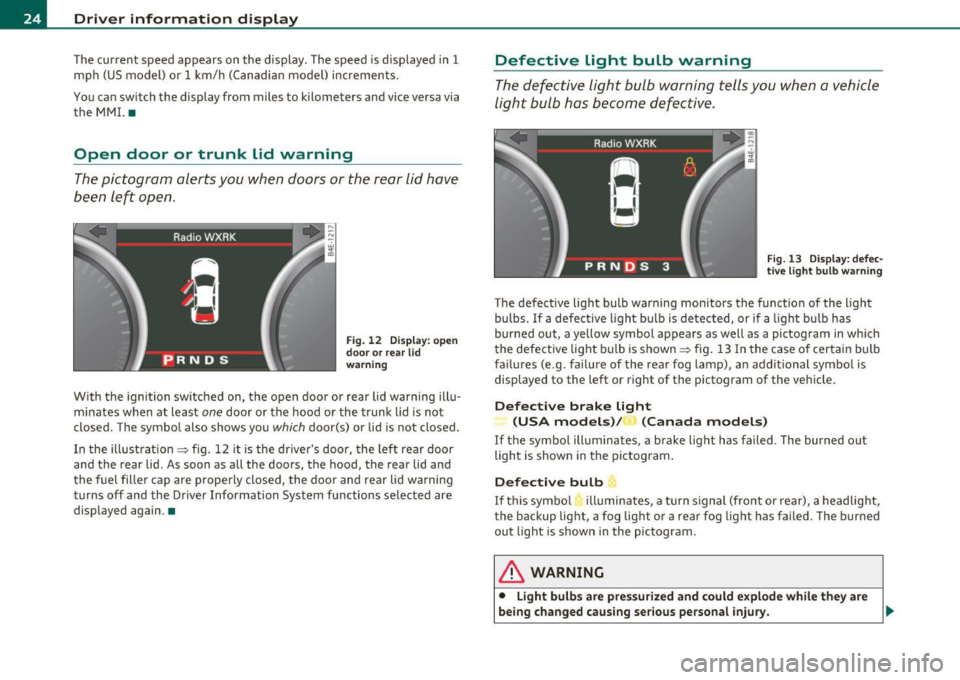
Fig. 13 Display: defec
tive light bulb warning
The defective light bulb warning monitors the function of the light
bulbs. If a defective light bulb is detected, or if a lig ht bu lb has
burned out, a yellow symbol appears as well as a pictogram in which
the defective light bulb is shown ::::> fig . 13 In the case of certa in bulb
failures (e .g . failure of the rear fog lamp), an addit ional symbol is
displayed to the left or right of the pictogram of the vehicle.
Defective brake Light
(USA models)/ (Canada models)
If the symbol illuminates , a brake light has failed . The burned out
light is shown in the pictogram.
Defective bulb
If this symbo l illuminates, a turn signal (front or rear), a headlight,
the backup light, a fog light or a rear fog light has fai led. The burned
out light is shown in the pictogram.
& WARNING
• Light bulbs are pressurized and could explode while they are
being changed causing serious personal injury . .,_
Page 28 of 384
Driver information display
If the light illuminates, the electronic speed limiter may also be
malfunctioning. For more information~
page 26, "Electron ic speed
limiter".
An improperly closed fuel filler cap may also cause the MIL light to
illuminate ~
page 285. •
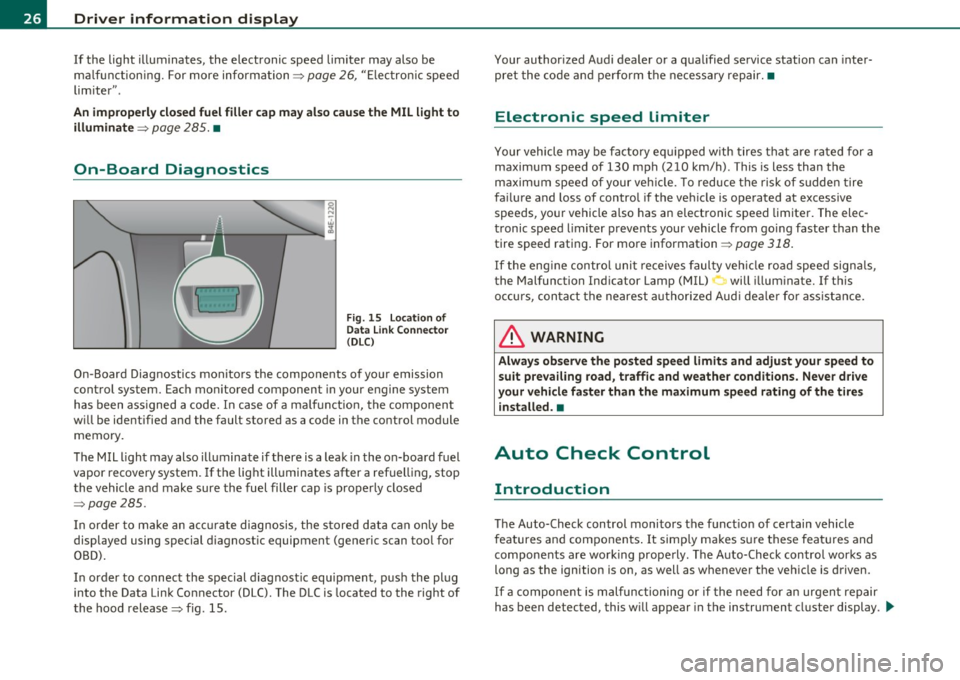
On-Board Diagnostics
Fig. 15 Location of
Data Link Connector
(OLC)
On-Board Diagnostics monitors the components of your emission
control system. Each mon itored component in your engine system
has been assigned a code. In case of a malfunction, the component
will be identified and the fault stored as a code in the control module
memory.
The MIL light may also illum inate if there is a leak i n the on-board fuel
vapor recovery system.
If the light illuminates after a refuelling, stop
the vehicle and make sure the fuel filler cap is properly closed
~page 285.
In order to make an accurate diagnosis, the stored data can only be
displayed using special d iagnostic equipment (generic scan too l for
OBD).
In order to connect the special diagnostic equipment, push the plug
into the Data Link Connector (DLC). The DLC is located to the right of
the hood release~ fig. 15. Your authorized
Audi dealer or a qualified service station can inter
pret the code and perform the necessary repair.•
Electronic speed limiter
Your vehicle may be factory equipp ed w ith tires that are rated for a
maximum speed of 130 mph (210 km/h) . This is less than the
maximum speed of your vehicle. To reduce the risk of sudden tire
failure and loss of control if the vehicle is operated at excessive
speeds, your vehicle a lso has an electronic speed limiter. The elec
tronic speed limiter prevents your vehicle from going faster than the
tire speed rating . For more information ~
page 318.
If the eng ine control unit receives faulty vehicle road speed signals ,
the Malfunction Indicator Lamp (MIL) will illuminate. If this
occurs, contact the nearest a uthorized Aud i dealer for assistance.
& WARNING
Always observe the posted speed limits and adjust your speed to
suit prevailing road , traffic and weather conditions. Never drive
your vehicle faster than the maximum speed rating of the tires
i nstalled. •
Auto Check Control
Introduction
The Auto-Check control monitors the funct io n of certain vehicle
features and components . It simply makes sure these features and
components are working properly. The Auto-Check control works as
long as the ignition is on, as well as whenever the vehicle is driven.
If a component is malfunctioning or if the need for an urgent repair
has been detected, this w ill appear in the instrument cluster display . .,,_
Page 33 of 384
- Make sure that the oil pressure warning symbol 't=:1:
appears no longer in the display before you start driving
again.
Dipstick reading checks OK
- If the oil pressure warning symbol 't=:1: starts flashing
again even though the engine oil level checks OK on the
dipstick,
do not continue driving and do not let the
engine run in idle.
Instead, contact your authorized Audi
dealer for assistance.
[ i) Tips
• The engine oil pressure symbol~ is not an indicator for a low
engine oil level. Do not rely on it. Instead, check the oil level in your
engine at regular intervals, preferably each time you refuel, and
always before going on a long trip.
• The yellow oil level warning indication _ requires oil refill or
workshop service without delay. Do not wait until the red oil pres sure warning ~ starts to flash before you respond to the low oil
level warning _ . By then, your engine may already have suffered
serious damage. •
Steering malfunction i
If there is a malfunction in the electronic steering column
lock, the steering cannot be unlocked.
If the i symbol in the display blinks, there is a malfunction
in the electronic steering column lock . An additional driver
message can also be displayed by pressing the (
CHECK)
button:
Do not drive vehicle: Steering defective
-Contact your nearest authorized repair facility.
Controls and equip
ment Safety first
Driver information display
-
Do not tow your vehicle.
& WARNING
Your vehicle must not be towed in the event of a malfunction in
the electronic steering column lock because it cannot be steered
due to the locked steering. If it is towed with the steering locked,
there is the risk of an accident. •
Ignition lock malfunction ,Pe
A malfunction in the ignition lock must be repaired imme
diately.
If the 2e symbol in the display blinks, there is a malfunction
in the electronic ignition lock. An additional driver message
can also be displayed by pressing the
(CHECK] button:
Ignition lock defective. Contact workshop !
- Do
not turn the engine off.
- Drive immediately to an authorized Audi dealer to have
the malfunction corrected.
If there is a malfunction in the electronic ignition lock, the ignition
cannot be turned off . Drive immediately to an authorized Audi dealer
to have the cause of the malfunction corrected.
If your vehicle has a Convenience key*, then you should not use the
[ STOP
l button to shut off the engine. You will not be able to start the
engine again once the ignition is switched off. •
Vehicle care Technical data