seats AUDI S8 2010 User Guide
[x] Cancel search | Manufacturer: AUDI, Model Year: 2010, Model line: S8, Model: AUDI S8 2010Pages: 384, PDF Size: 90.95 MB
Page 86 of 384
Seats and storage
Seat memory
Driver's seat memory
The seat adjustment settings for four drivers can be
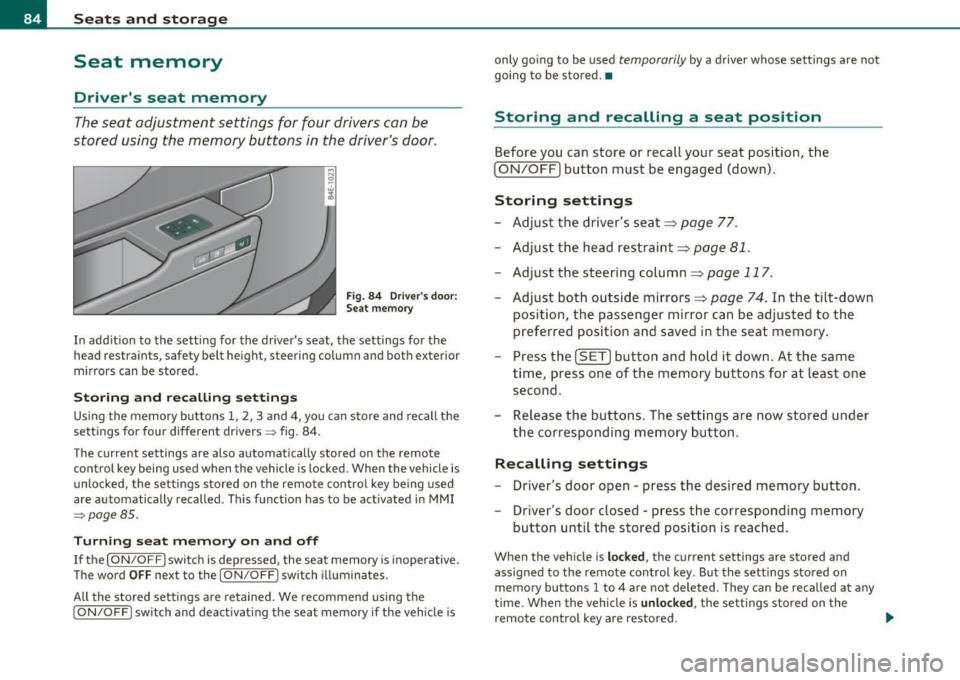
stored using the memory buttons in the driver's door .
Fig. 8 4 Driv er's do or:
S ea t memory
In addition to the setting for the driver's seat, the settings for the
head restraints, safety belt height, steering column and both exterior
mirrors can be stored .
Storing and rec all ing settings
Using the memory buttons 1, 2, 3 and 4 , you can store and recall the
settings for four different drivers~ fig. 84.
T he current settings are also automatically stored on the remote
control key being used when the vehicle is locked. When the vehicle is
unlocked, the settings s tored on the remote control key be ing used
are automatically recalled. This function has to be activated in MMI
~pogeBS .
Turning se at m em ory on and off
If the [ ON/OFF] switch is depressed, the seat memo ry is inope rative.
The word
OFF next to the [ ON/OFF] switch illuminates.
All the sto red settings are retained. We recommend using the
[ ON/OFF ] switch and deact ivat ing the seat memory if the vehicle is only going to be used
temporarily by a driver whose settings are not
going to be stored. •
Storing and recalling a seat position
Before you can store or recall your seat position, the
[ ON/OFF) button must be engaged (down).
Storing settings
- Adjust the driver's seat==>
page 77.
- Adjust the head restraint==>
page 81.
-Adjust the steering column==> page 117 .
-Adjust both outside mirrors==> page 74. In the tilt-down
position, the passenger m irror can be adjusted to the
preferred position and saved in the seat memory .
- Press the
[SET) button and hold it down. At the same
time , press one of the memory buttons for at least one
second .
- Release the bu ttons. The settings are now stored under
the corresponding memory button .
Recalling settings
- Driver's door open - press the desired memory button.
- Driver's door closed - press the corresponding memory
button until the stored position is reached.
When the vehicle is lock ed, the current settings are stored and
assigned to the remote control key. But the settings stored on
memory buttons 1 to 4 are not deleted. They can be recalled at any
time. Whe n the vehicle is
unlock ed , the sett ings stored on the
remote control key are restored . .,_
Page 87 of 384

If your vehicle is driven by other persons using your remote control
key, you should save your individual seat position on one of the
memory buttons . You can recall your settings again simply and
conveniently by pressing the corresponding memory button. When
the vehicle is locked, these settings are automatically re-assigned to
the remote control key and stored.
& WARNING
• For safety reasons, the seat setting can only be recalled when
the vehicle is stationary -otherwise you risk having an accident.
• In an emergency, the recall operation can be stopped by
pressing the [
ON/OFF] button or by briefly pressing any given
memory button. •
Activating remote control key memory
To be able to recall the stored settings with the remote
control key, the function has to be activated in MMI.
- Select: Function button (CAR]> Systems > Seat
adjustment > Driver's seat> Remote control key > on .
Con tro ls a nd e quip
m en t Vehicle
OP-eration
Seats and storage
Passenger's seat memory
Using the memory buttons in the passenger's door, you
can store and recall four seat settings.
Fig. 85 Passe nger's
door: seat memory
Storing and recalling settings
Using the memory buttons 1, 2, 3 and 4, you can store and recall the
sett ings for four different passengers::::;, fig. 85.
Turning seat memory on and off
If the [ ON/OFF] switch is depressed, the seat memory is inoperative.
The word
OFF next to the [ ON/OFF ] switch illuminates.
All the stored settings are retained. Now the seat can only be
adjusted electrically in the normal way. •
Rear seats
General information
Safe transportation of passengers on the rear seats
requires proper safety precautions.
All passengers on the rear seats must be seated in compliance with
the safety guidelines explained in::::;,
page 197 and ::::;, page 206. The .,
Vehicle care Do-it-yourselt service iTechnical data
Page 88 of 384
Seats and storage
correct seating position is crit ica l for the safety of front and rear seat
passenge rs alike =>
page 190 .
& WARNING
• Occupant s in the front and rear seat s must alway s be properly
restr ained .
• Do not let anyone ride in the v ehicle without the h ead
re st ra ints pro vided. He ad restraints help to reduce injuries .
• Loo se item s in sid e the pas senger compartment can fly forward
in a crash or sudden maneu ve r and injure o ccupa nts . Alway s store
articles in th e lugg age compartment and u se the tie-down eyelet s.
• Read and h eed all WARNINGS =>
page 190, "P roper seating
po sition s for pa ssengers in r ear seat s". •
Applie s to v eh icles: wit h rear lum bar suppo rt
Rear seat lumbar support
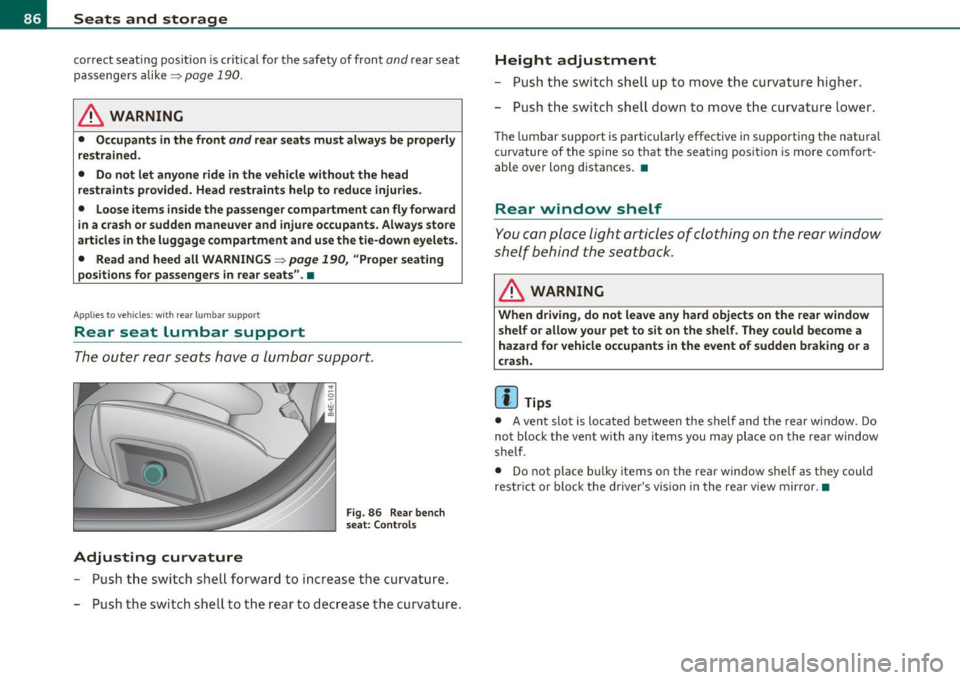
The outer rear seats have a lumbar support.
Adjusting curvature
F ig. 86 Rear bench
s eat: Contro ls
- Push the switch shell forward to increase t he curvature.
- Push the switch shell to the rear to decrease the curvature .
Height adjustment
- Push the switch shell up to move the curvature higher.
- Push the switch shell down to move the curvature lower .
The lumbar support is particularly effective in supporting the nat ural
curvature of the spine so that the sea ting position is more comfort
ab le over long distances. •
Rear window shelf
You can place light articles of clothing on the rear window
shelf behind the seatback.
& WARNING
When driving , do n ot leave any hard objects on the rear window
s helf or a llow y our pet to sit on the shelf . They c ould be come a
haza rd for vehicle occup ants in the event of sudden b raking or a
c rash .
[ i ] Tips
• A vent slot is located between the shelf and the rear window. Do
not block the vent with any items you may place on the rear window
shelf.
• Do not place bu lky items on the rear window shelf as they could
restr ict or block the driver's vis ion in the rear view mirror. •
Page 89 of 384

Individual rear seats
Applies to vehi cles: wit h in divi dua l rear sea ts
Controls
The operating logic for the s witches corresponds to the
construction and function of the seat.
Fig . 8 7 Con trols f or
individu al re ar sea ts
The switch es to ad just the seats correspond to th e layout, the design
and the func tion of the seat . The seats a re adjusted by mov ing the
switches following this logic .
@ Seat adjustmen t
® Massage funct ion*
© Head r estraint adjustment
@ Lu mb ar sup po rt
& WARNING
• Vehicles with power individual rear seats h ave seating for four.
T he lo ng ce nter console between the two rear seats is not a seating
p os ition. Therefore, a safety belt is not provided.
• The power adjustment for the individual se ats also wo rk s with
the ign it ion switched off or with the ign ition key removed . For this
reason , children should never be left unattended in the vehicle·
they could be injured!
Cont rols a nd e quip
m en t Vehicle
OP-eration
Seats and storage
& WARNI NG (continued )
• Exerci se caution when adju sting the seats. Unsupervised or
c arele ss seat adjustment can pinch fingers or hand s caus ing
injuries .•
A pp lies to vehicles : w it h ind iv idual rear sea ts
Seat adjustment
Seat forward/back ©
- Push the swi tch forward or back=}& .
Seat angle up/down@
- Push the switch up or down=}& .
& WARNING
Fig. 8 8 Individ ual re ar
s ea ts: S eat a dju stme nt
• Vehicles w ith power indi vidu al rear seats ha ve seating for four.
The l ong cent er cons ole between the two re ar se ats i s not a seating
position. The refore , a safety belt is not provided .
• The power adjustment for the individual seats also work s with
the ign ition switched off or with the ignition key remo ved . For th is
reason, children sh ould never be left un attended in the vehicle ·
they could be injured! .,,.
Vehicle care Do-it-yourselt service iTechnical data
Page 90 of 384
Seats and storage
& WARNING (continued)
• Exercise caution when adjusting the seats. Unsupervised or
careless seat adjustment can pinch fingers or hands causing
injuries. •
Applies to veh icles : w ith in div idua l rear seats wit h massage function
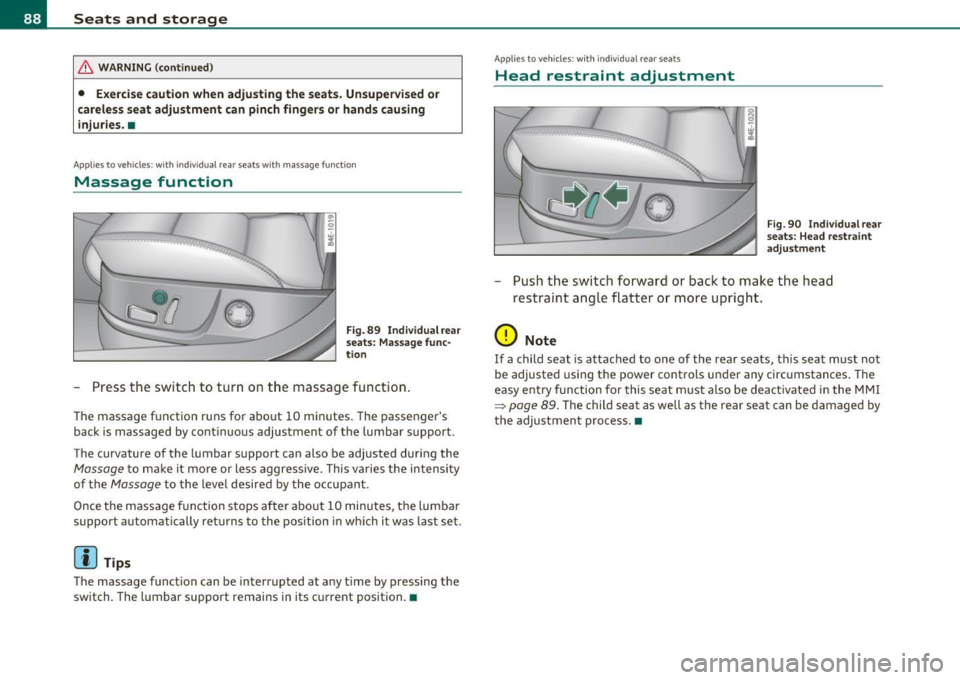
Massage function
Fig. 89 Individual rear
seats : Massage func·
t ion
- Press the switch to turn on the massage function .
The massage function runs for about 10 minutes. The passenger's
back is massaged by cont inuous adjustment of the lumbar support .
The curvature of the lumbar support can also be adjusted during the
Massage to make it more or less aggress ive. This varies the intensity
of the
Ma ssage to the level desired by the occupant.
Once the massage function stops after about 10 minutes, the lumba r
support automatically returns to the position in which it was last set .
(I) Tips
The massage function can be interrupted at any time by pressing the
switch. The lumbar support remains in its current position. •
App lies to veh icles: with ind ividua l rea r seats
Head restraint adjustment
Fig. 90 Individ ual rear
s eats : Head restraint
adjustment
- Push the switch forward or back to make the head
restraint angle flatter or more upright.
0 Note
If a child seat is attached to one of the rear seats, this seat must not
be adjusted using the power controls under any circumstances. The
easy entry function for this seat must also be deactivated in the MMI
~ page 89. The child seat as well as the rear seat can be damaged by
th e adjustment process. •
Page 91 of 384

Applies to vehicles : w ith individua l rear seats
Lumbar support
The lumbar support can be adjusted to the natural curva
ture of the spine .
0
Adjusting curvature
Fig. 9 1 Ind ividual rear
seats: Lumba r support
- Push the switch shell forward to increase the curvature .
- Push the switch shell to the rear to decrease the curvature .
Height adjustment
-Push the switch shell up to move the curvature higher .
- Push the switch shell down to move the curvature lower .
The lumbar support is pa rticularly effective in supporting the natural
curvature of the spine so that the seating position is more comfort
able over long distances.•
Contro ls and eq uip
m ent Vehicle
OP-eration
Seats and storage
Applies to vehicles : w ith ind ividual rear seats
Settings in the MMI
The easy entry function can be turned on and off in the
MMI.
: I·
I
'
Seat adjust ment
• Driver ·s seat ..
I
12 :00 ""' Fig. 92 MMI Display:
Seat adjustment
-Press the [ CAR] function button.
Select
Systems in the CAR menu.
Select
Seat adjustment . The Seat adjustment menu
appears => fig. 92 .
- Select
Left rear seat or Right rear seat .
-Select Easy entry on to turn on the easy entry function for
the corresponding seat or
off to turn off the function for
this seat .
Easy entry makes it more convenient to enter and leave the rear of the
vehicle . When the function is turned on, the seat au toma tically
moves to the rearmost position when the corresponding door is
opened. a
Vehicle care Do-it-yourselt service iTechnical data
Page 92 of 384
Seats and storage
Luggage compartment
Tie-down eyelets
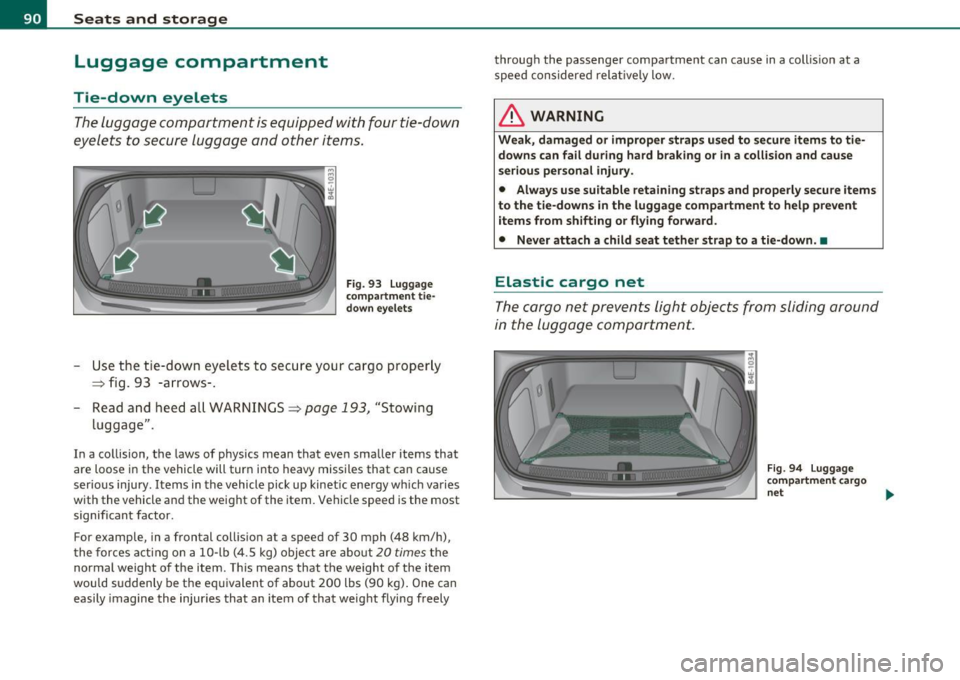
The luggage compartment is equipped with four tie-down
eyelets to secure luggage and other items.
Fig. 93 Luggage
compartment tie
down eyelets
Use the tie -down eyelets to secure your cargo properly
=> fig. 93 -arrows-.
- Read and heed all WARNINGS=>
page 193, "Stowing
luggage" .
In a collision, the laws of physics mean that even smaller items that
are loose in the vehicle will turn into heavy missiles that can cause
serious injury . Items in the vehicle pick up kinetic energy wh ich varies
with the vehicle and the weight of the item. Vehicle speed is the most
significant factor.
For example, in a frontal collision at a speed of 30 mph (48 km/h),
the forces acting on a 10-lb (4.5 kg) object are about 20
times the
normal weight of the item . This means that the weight of the item
would suddenly be the equivalent of about 200 lbs (90 kg). One can
easily imagine the injur ies that an item of that weight flying freely through the passenger compartment can cause in a collis
ion at a
speed considered relatively low.
& WARNING
Weak, damaged or improper straps used to secure items to tie
downs can fail during hard braking or in a collision and cause
serious personal injury.
• Always use suitable retaining straps and properly secure items
to the tie-downs in the luggage compartment to help prevent
items from shifting or flying forward.
• Never attach a child seat tether strap to a tie-down . •
Elastic cargo net
The cargo net prevents light objects from sliding around
in the luggage compartment.
Fig. 94 Luggage
compartment cargo
net ...
Page 93 of 384

Fig. 95 luggage
compartme nt cargo
net attached to
mou nting hooks
Securing objects to the luggage
compartm ent floor with the net
- Lay out the cargo net in the luggage compartment.
- Engage all four hooks into the fastening eyelets
~ page 90, fig . 94.
- Place objects to be secured under the net .
Configuring the net to restrain small objects
- Lay out the cargo net in the luggag e co mpartment.
- Engage all four hooks into the fastening eyelets
~ page 90, fig . 94.
- Pull down the mounting hooks © located below the base
of the rear w indow .
- Connect each loop on the net to the corresponding hook as
illustrated~ fig. 95.
- Place items inside the net .
Mounting ho oks
There are two mounting hook s under the base of the rear window
inside the l uggage compartment. You can attach the ca rgo net as well
as
light objects to these hooks.
Con trol s and equ ip
m ent Vehicle
OP-eration
Seats and storage
The mounting hooks are spring-loaded and will return to their normal
posit ion when not i n use .
& WARNING
For str ength-re lated r eason s, the m ounting h ooks c an only be
used to s ecur e object s weighing up to 1 0 lb . (5 kg). Heavier
obj ects w ill not be adequatel y secured -there i s a ri sk of injur y.•
App lies to ve hicl es : wit h sk i sac k
Ski sack
Use the ski sack to transport and protect skis and other
long, light items in the passenger compartment.
Vehicle care
0
Fig . 96 Lu ggage
compa rtment sk i sack
h atch
Fig. 97 Sk i sa ck :
s ecu rin g
Do-it-yourselt service iTechnical data
Page 94 of 384
Seats and storage
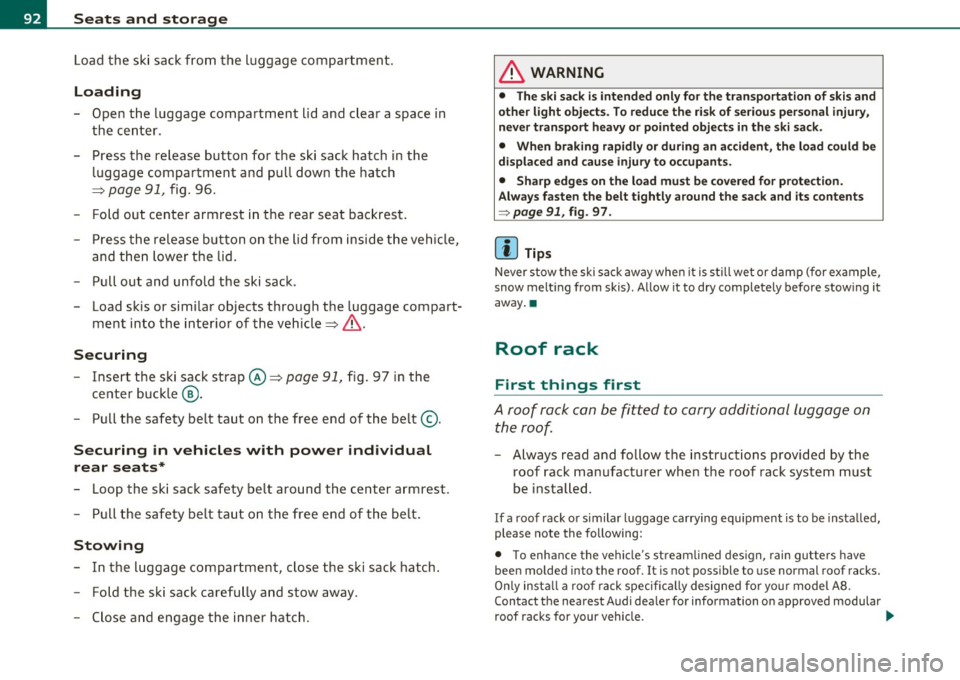
Load the ski sack from the luggage compartment .
Loading
-Open the luggage compartment lid and clear a space in
the center .
- Press the release button for the sk i sack hatch in the
luggage compartment and pull down the hatch
~ page 91, fig . 96.
- Fo ld out center armrest in the rear seat backrest .
- Press th e re le ase button on the lid from inside the v ehicle,
and then lower the lid .
- Pull out and unfold the ski sack.
- Load s kis or simi lar objects through t he luggage compart-
ment into the interior of the vehicle~& .
Securing
- Insert the ski sack strap © ~ page 91, fig. 97 in the
center buck le
@ .
- Pull t he sa fety belt taut on the free end of the belt@.
Securing in vehicles with power individual
rear seats*
- Loop the sk i sac k safety belt around the center armrest.
- Pu ll the safety bel t ta ut on the free end of the be lt.
Stowing
- In t he luggage compartme nt, close the ski sack hatch.
- F old the ski sack carefully and stow away.
- Close and engage the inne r hatch .
& WARNING
• The ski s ack is intended only for the transportation of skis and
other light object s. To redu ce the ri sk of serious per sonal injury ,
never transport heavy or pointed objects in the ski sack.
• When braking rapidly or during an accident, the load could be
d isplaced and cause injury to occupants .
• Sharp edg es on the load must be covered for prot ection .
Alw ays f aste n the belt t ightly a round the s ack and its contents
=> page 91 , fig . 97.
[ i ] Tips
N ever stow the ski sack aw ay when it is still we t or damp ( for ex ample ,
snow melt ing from skis). Allow it to dry completely before stow ing it
away .•
Roof rack
First things first
A roof rack can be fitted to carry additional luggage on
the roof.
- A lways read a nd follow the instruct ions provided by the
roof rack manufacturer when the roof rack system must
be ins ta lled.
If a roof rack or simila r luggage carrying equipment is to be installed,
please note the following :
• T o enh ance the vehi cle's st ream lined des ign, rain gu tters have
been molded into the roof. It is not possible to use normal roof racks.
On ly insta ll a roo f rack specifica lly designed fo r your model A 8.
Contact the nearest Audi dea ler for information on approved modular
roof rac ks for your vehicle. .,
Page 95 of 384

• These approved roof racks are the basis for a complete roof rack
system . Additional attachments for the basic roof rack are necessary
to safely transport luggage, bicycles, surf boards, skis or small boats .
All necessary hardware for these systems is ava ilable at your autho
rized Audi dealer .
• We recommend tha t you keep the installation instructions for
your roof rack system together with your Owner's literature in the
vehicle.
When should the roof rack be removed?
• Before going through an automat ic car wash (it is best to ask the
car wash operator fo r advice)
• When not in use, to reduce fuel consumpt ion, wind nois e and to
guard against theft.
& WARNING
• Use of an unapproved roof rack or incorrect mounting of an
approved roof rack can cause the roof rack or the items attached
to it to fall off the roof onto the road.
• Objects falling from the roof of a vehicle can cause a crash and
personal injury.
• Only mount the system between the markings shown in
=> fig. 98.
• The roof rack system must be installed exactly according to the
instructions provided.
0 Note
• Your vehicle warranty does not cover any damages to the vehicle
caused by using roof racks or mounting structures not approved by
Audi for your vehicle . The same applies to damage resulting from
incorrect roof rack installat ion .
• Always check the roof rack mountings and hardware before each
trip and dur ing a trip to make sure everything is sec urely tightened . If
Con tro ls a nd e quip
m en t Vehicle
OP-eration
Seats and storage
necessary, ret ighten the mountings and check the entire system from
time to time.
• After mounting a roof rack system, or when you transport objects
on the roof of your veh icle, the height of the vehicle is naturally
increased. Be careful when driving under low bridges or in parking
garages for example. This could cause damage to the load and even
the vehicle itself . •
Mounting Locations
Safe installation of a roof rack requires that the rack
supports are mounted between the small arrows marked
inside the door frames on all four doors.
Mounting
Fig. 98 Front and rear
markin gs
The roof rack system must be installed exactly according to the
instructions provided.
Mount th e roof racks supports in the side roof mo ldings . Make sure
to position the suppo rts on all four doors between the points marked
by small arrows=> fig. 98 . The markings can only be seen when the
doors are open. •
Vehicle care Do-it-yourselt service iTechnical data