bulb AUDI S8 2010 Owners Manual
[x] Cancel search | Manufacturer: AUDI, Model Year: 2010, Model line: S8, Model: AUDI S8 2010Pages: 384, PDF Size: 90.95 MB
Page 5 of 384
Pedal area ... ........ ......... 192
S towing luggage .............. 193
Reporting Safety Defects ....... 195
Safety be lts ................... 197
General notes ................. 197
Why safety belts? . . . . . . . . . . . . . 198
Safety belts . . . . . . . . . . . . . . . . . . 201
Safe ty be lt pretensioners . . . . . . . 204
Airbag system ................ 206
Important th ings to know . . . . . . 206
F ront airbags ......... ........ 210
Mon ito ring the Advanced A irbag
Syst em ...................... 217
Knee airbags . . . . . . . . . . . . . . . . . . 2 22
Side airbags . . . . . . . . . . . . . . . . . . 225
Side curtain airbags . . . . . . . . . . . . 228
Child Safety ................... 231
Important things to know ...... 231
Child safety seats . . . . . . . . . . . . . 236
Ins ta lling a ch ild safety seat . . . . 24 1
LAT CH Lower anchorages and
t ethers for chi ldren . . . . . . . . . . . . 244
Add itiona l Informa tion 251
Vehicle operation ...... 252
Intelligent tec hno logy ........ 252
Notice about data recorded by
v e hicl e contro l modu les . . . . . . . . 252
Electronic Stab ili z ati on Program
(ESP) ........................ 252
Braking . . . . . . . . . . . . . . . . . . . . . . 254
Servotronic ® -advanced power
steer ing system ............ ... 257
Dr iving with your quattro® ...... 257
Energy management . . . . . . . . . . . 258
Controls and equip
ment Safety first
Driving and environment
..... 261
The first 1,000 miles (1,500 km)
and afterwards . . . . . . . . . . . . . . . 261
Catalytic converter . . . . . . . . . . . . 262
Avoid damaging the veh icle 263
Dr ivi ng th rough wat er on roads . 263
Operate your veh icle economica lly
and m inimi ze po llution . . . . . . . . 263
Trailer towing ................ 266
Dr iving wi th a traile r . . . . . . . . . . . 266
T railer tow ing tips . . . . . . . . . . . . . 268
Vehicle care .............. 270
Clea nin g and pro tect ion ...... 270
General information . . . . . . . . . . . 270
Care of exterior . . . . . . . . . . . . . . . 270
Care of interior . . . . . . . . . . . . . . . 277
Fuel supply and filling your fuel
tank .......................... 283
Gasol ine . . . . . . . . . . . . . . . . . . . . . 283
F u el tank . . . . . . . . . . . . . . . . . . . . . 284
Checking and filling . . . . . . . . . . . 288
Eng ine hood . . . . . . . . . . . . . . . . . . 288
Eng ine compartment . . . . . . . . . . 290
Engine oil ............... ..... 291
Engine cooling system . . . . . . . . . 296
Brake fluid . . . . . . . . . . . . . . . . . . . 299
Bat tery . . . . . . . . . . . . . . . . . . . . . . 300
W indshield/head light washer
containe r . . . . . . . . . . . . . . . . . . . . 305
Tires and wheels .............. 306
Ti res 306
T ir e pressure monitor ing system 326
Table of contents
Do-it-yourself service
What do I do now? .......... .
Trunk escape handle ......... .
Emergency wa rning tria ngle ... .
Jack, tools and spare wheel ... .
Changing a wheel ........... . .
Fuses and bulbs ............. .
Fuses ...................... .
Bulbs ...................... .
Emergency situations ....... .
General ..................... .
Starting by pushing or towing ..
S tarting with jumper cables ... .
Use of j umper cables ......... .
Emergency towing with
commercial tow truck ........ .
Lifting vehicle ............... .
Technical data
General information
Explanat ion of technical data .. .
Vehicle identification ......... .
We ig hts ... ....... ....... ... .
Dimensions ................. .
Data .......... ......... ...... .
350 hp, 8-cylind er engine, with all
whee l dr ive ................. .
Consumer Information ...... .
Warranty coverages .......... .
Ope rating your vehicle outs ide the
U.S.A. or Canada ............. .
Aud i Se rvice Repair Man uals and
Literature ................... . 332
332
332
332
333
335
342
342
346
348
348
348
3
4 8
349
350
353
356
356
356
356
357
357
360
360
361
361
361
361
Vehicle operation Vehicle care Do-it-yourself service Technical data
Page 24 of 384
Driver information displ ay
Driver information display
Introduction
General notes
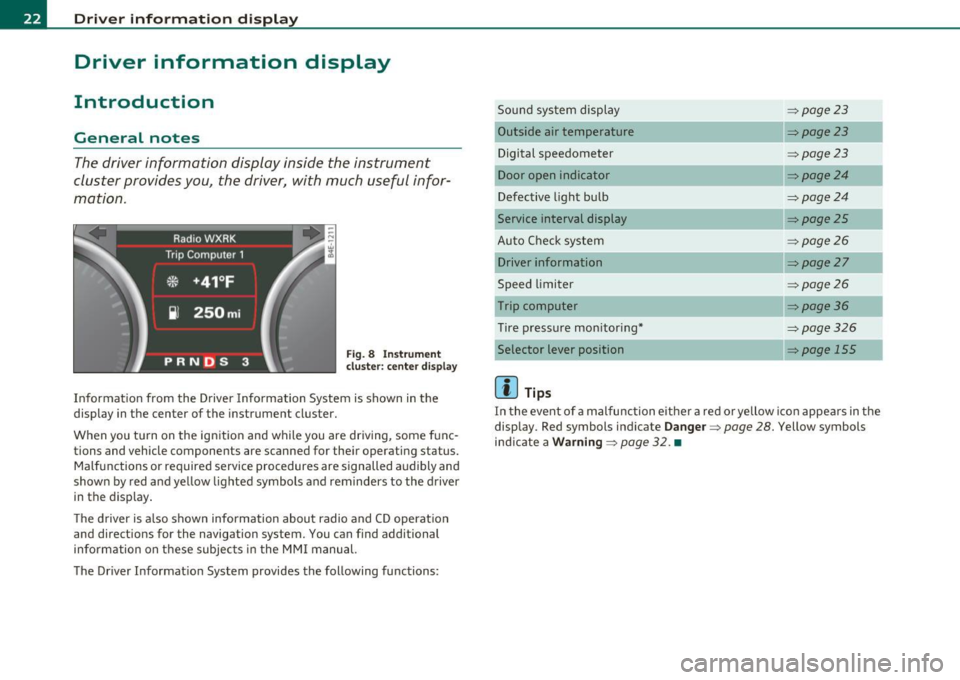
The driver information display inside the instrument
cluster provides you, the driver, with much useful infor
mation .
Fig. 8 Inst rument
cluster: center d isplay
Informat ion from the Driver Information System is shown in the
display in the center of the instrument cluster.
When you tu rn on the ign ition and while you are driving, some func
tions and vehicle components are scanned for their operating status. Malfunctions or required service procedures are signalled audibly and
shown by red and yellow lighted symbols and reminders to the driver
in the display .
T he d river is a lso shown information about radio and CD operation
and directions for the navigation system. You can find additional
information on these subjec ts in the MMI manual.
The Driver Informat ion System provides the following functions: Sound system display
:::>
page23
Outside air temperature :::>page23
Digital speedometer :::>page23
Door open indicator :::>page24
Defective light bulb :::>page24
Service interval display :::> page25
Auto Check system :::> page26
Driver information :::>page27
Speed limiter :::>page26
Trip computer :::> page36
Tire pressure mon itoring* :::>page326
Selector lever position => page 155
[]] Tips
In the event of a malfunction either a red or yellow ico n appea rs in the
display . Red symbols indicate
Da nge r=> page 28. Yellow symbols
ind icate a
Wa rning => page 32. •
Page 26 of 384
Driver information display
The current speed appears on the display. The speed is displayed in 1 mph (US model) or 1 km/h (Canadian model) increments .
You can sw itch the display from miles to kilometers and vice versa via
the MMI. •
Open door or trunk lid warning
The pictogram alerts you when doors or the rear lid have
been left open.
Fig. 12 Display: open
door or rear lid
warning
With the ignition switched on, the open door or rear lid warning illu
minates when at least
one door or the hood or the trunk lid is not
closed. The symbol also shows you
which door(s) or lid is not closed.
In the illustration ::::> fig. 12 it is the driver's door, the left rear door
and the rear lid. As soon as all the doors, the hood, the rear lid and
the fuel filler cap are properly closed, the door and rear lid wa rning
turns off and the Driver Information System functions selected are
displayed again. •
Defective light bulb warning
The defective light bulb warning tells you when a vehicle
light bulb has become defective .
Fig. 13 Display: defec
tive light bulb warning
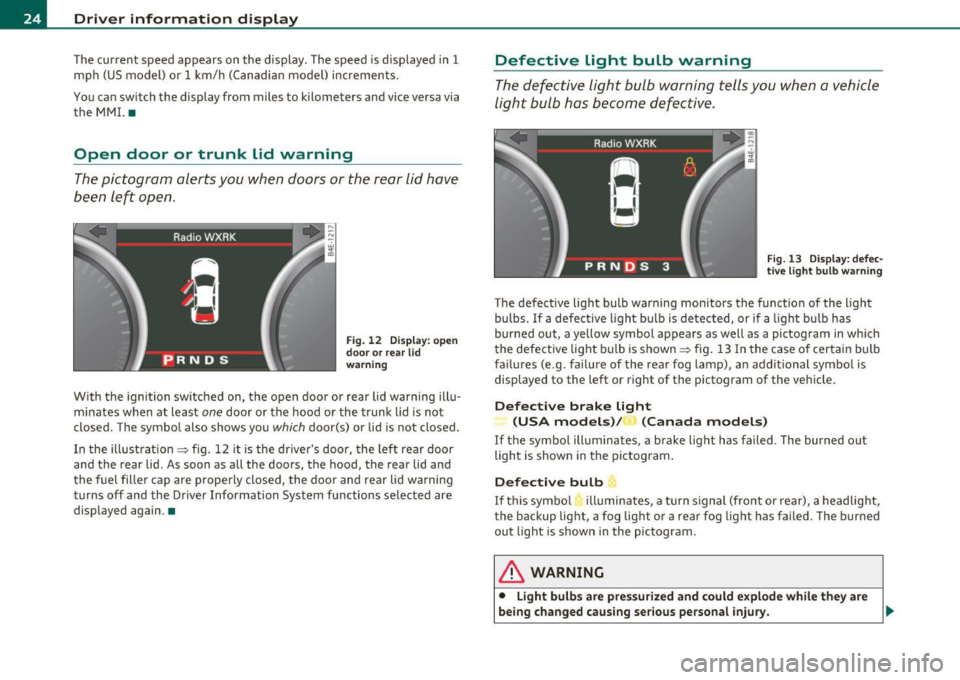
The defective light bulb warning monitors the function of the light
bulbs. If a defective light bulb is detected, or if a lig ht bu lb has
burned out, a yellow symbol appears as well as a pictogram in which
the defective light bulb is shown ::::> fig . 13 In the case of certa in bulb
failures (e .g . failure of the rear fog lamp), an addit ional symbol is
displayed to the left or right of the pictogram of the vehicle.
Defective brake Light
(USA models)/ (Canada models)
If the symbol illuminates , a brake light has failed . The burned out
light is shown in the pictogram.
Defective bulb
If this symbo l illuminates, a turn signal (front or rear), a headlight,
the backup light, a fog light or a rear fog light has fai led. The burned
out light is shown in the pictogram.
& WARNING
• Light bulbs are pressurized and could explode while they are
being changed causing serious personal injury . .,_
Page 27 of 384
& WARNING (co ntinued )
• Wo rk with due care when handling the high-voltage section of
gas di scharge (xenon) lights. Failure to do so could result in death
or ser ious injury.
[ i ] Tips
Have the bulb rep laced or the connection repaired by your autho rized
Audi Se rvice departmen t.•
Service interval display
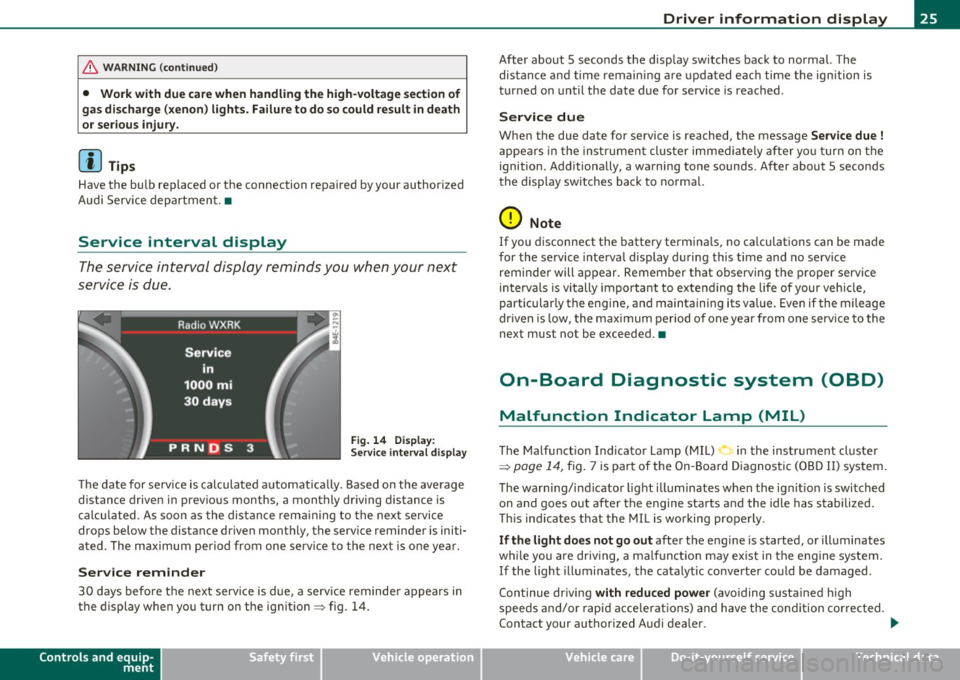
The service interval display reminds you when your next
service is due.
Fig . 14 D ispl ay :
Service inte rval disp la y
Th e date for serv ice is ca lculated automat ica lly . B ased on t he average
distance driven in previous months, a monthly driving distance is
c al cul ated. As soon as the dis tan ce rem aining to the nex t se rvi ce
drops below the distance dr iven mont hly, the serv ice reminder is initi
a ted. The m aximum pe riod from one se rvi ce to the ne xt is one ye ar.
Service reminder
30 day s befo re th e nex t serv ice i s du e, a serv ice reminde r appears in
the display when yo u turn on t he ignit ion~ fig. 14 .
Controls and equip
ment Safety first
Driver information display
After about 5 seconds the disp
lay switches back to norma l. The
dis tan ce and tim e rema ining a re up dat ed ea ch time the ign ition is
t urned on until the date due for service is reached .
Service due
When the due date for service is reached, t he message Service due !
appe ars in t he inst rume nt cluster immedi ately after yo u turn on t he
ignition . Additionally, a wa rning tone sounds . After about 5 seconds
t he disp lay sw itches ba ck to no rm al.
0 Note
If you d isconnect the batte ry termina ls, no ca lculations can be made
for the service in terva l display during this time and no serv ice
reminder will appear. Remember that observing t he p roper service
in terva ls is vi tally im portant to exte nd ing the life of your veh icle,
particular ly the e ngine, and maintainin g its va lue. Eve n if the mileage
dr ive n is low, the max im um per io d of o ne year from one serv ice to the
next must not be exceeded. •
On-Board Diagnostic system (OBD)
Malfunction Indicator Lamp (MIL)
The Ma lf u nc tion Indica tor Lamp ( MIL) in the ins trument cl uster
~ page 14, fig . 7 i s pa rt of t he On-B oard D iagnost ic (O BD II) system.
Th e warn ing/i nd ica to r lig ht ill umi nates when the ig nition is swi tched
on and goes out after the engine starts and the idle has stabilized.
Thi s ind ic at es that the MIL i s working prope rly .
If the light does not go out afte r th e e ngine is started, or ill uminates
w hil e you a re dr iv in g, a malf unct io n may e xis t in t he engine system.
If the light illum ina tes, the ca talytic conve rter co uld be damaged .
Continue driving
with reduced power (avo iding susta ined high
s peeds and/or rapi d acc elera tions) and h ave the con dition cor rec ted.
Contact your authorized A ud i dea le r. .,_
Vehicle care Technical data
Page 34 of 384
Driver information displ ay
Yellow symbols
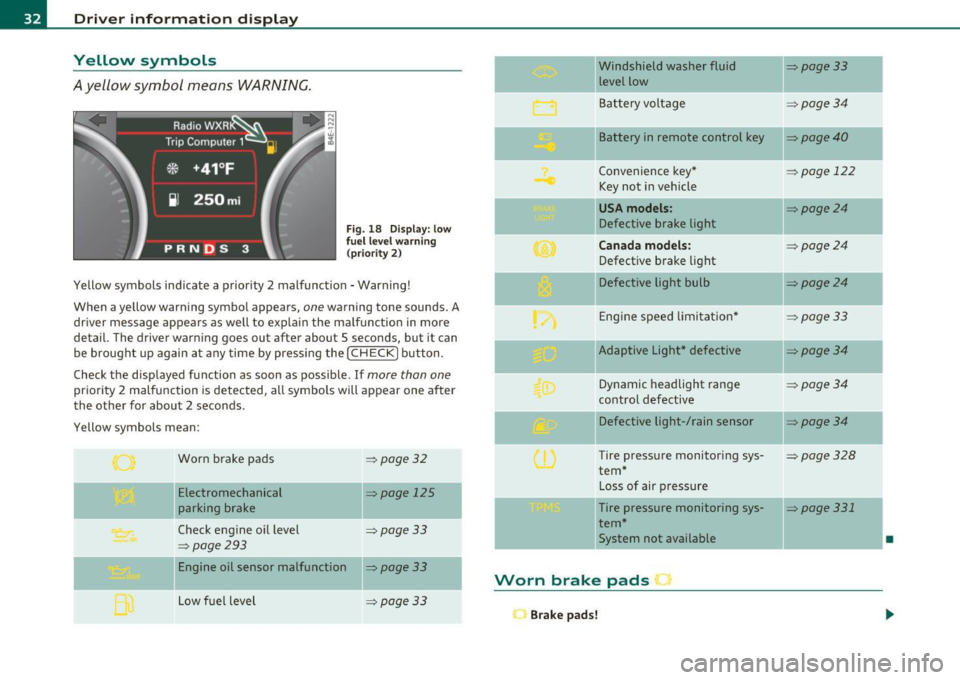
A yellow symbol means WARNING.
Fig . 18 Display: low
f ue l level warn ing
(priority 2)
Yellow symbols ind icate a prior ity 2 malfunction -Warning!
When a yellow warning symbo l appears,
one warning tone sounds. A
dr iver message appears as well to explain the ma lfunction in more
detail. The driver warning goes out after about 5 seconds, but it can
be brought up again at any time by pressing the
I CHECK] button .
Check the displayed function as soon as possible.
If more than one
priority 2 malfunction is detected, all symbols will appear one after
the other for about 2 seconds .
Yellow symbols mean:
Worn brake pads
=> page 32
Electromechanical => page 125
parking brake
Check engine oil level
=> page 33
=> page 293
Engine oil sensor malfunction => page 33
-
Low fuel level =>page33
Windshield washer fluid =>page33
level low ~
Bat tery voltage =>page34
-
II Battery in remote control key =>page40
Convenience key * =>page 122
Key not in veh icle
USA models: => page24
Defective brake light
Can ad a mod els : =>page24
Defect ive brake light
Defective light bulb
=>page24
E ng ine speed limitat ion* => page33
-
IIAdaptive Light* defective =>page34
Dynamic headlight range => page 34
contro l defective
Defective light-/rain sensor
=> page34
Tire pressure monitoring sys-=>page328
tern *
Loss of air p ressure
-Tire pressure monitoring sys-=> page331
tern*
11System not available •
Worn brake pads •
Brake pa ds!
Page 65 of 384

Appli es to veh icles: w ith Adap tive Ligh t
Adaptive Light
When making a turn or driving around tight corners, the
relevant area of the rood is better illuminated .
Adaptive Light (making turns)
Fig. 51 Ada ptive Li ght
when turnin g and
dr iv ing th roug h cu rv es
An additional bulb in the headlight prov ides a corner ing light @ in
addition to the low beam ©~ fig. 51. Adapt ive Light is switched on
and off automatically depending on dr iv ing cond itions.
When you activate the turn signal lever, the Adaptive Light for the
same s ide is sw itched on. Please note that the t urn signal lever must
engage.
Adaptive Light is not switched on if you on ly move the turn signal
lever to the point of resistance to s ignal a lane change~
page 64,
"Turn signal ¢i c:> and high beam ~o lever".
When d riving arou nd bends, Adaptive Light is con tro lled according to
steering wheel angle.
• It is switched on in tight corners.
• It is not switched on in long, open bends .
Adaptive Light (in curves )
When driving through curves, the low beams © are automatica lly
cont rolled depending on driving speed and the steer ing w heel angle.
Con tro ls a nd e quip
m en t Vehicle
OP-eration
Clear vision
The two main beams p ivot at d ifferent angles so that there is no unil
l u mi nated area in front of the vehicle .
[ i ] Tips
• T he system works up to a speed of abo ut 4 3 mph (70 km/h). If the
speed is higher, it is not activated .
• Adaptive Light ( in curves) func tions at a speed of abo ut 6 mph
(10 km/h) and is deactivated at speeds below abo ut 4 mph
(6 km/h). •
Emergency flasher ~
The emergency flasher makes other motorists aware that
you or your vehicle ore in on emergency situation.
7A I
Fi g. 52 Cen ter
c on sol e: e mergen cy
f la sh er swit ch
-Press the switch ~~ fig. 52 to turn the emergency
flashers on or off.
When the emergency flasher is on, all four turn signals blink at the
same time. The t urn signal indicator ligh ts
¢i Q in the instr ument
cluster, as well as the light in the emergency flas her switch ~ blink
likewise .
Th e eme rgency flashers wi ll turn on automat ically if yo u are in a n
acc ident where the airbag has deployed.
Vehicle care Do-it-yourselt service iTechnical data
Page 305 of 384

___________________________________________ C_ h_e _c _k_ i_n ~g_ a_n_ d_ f_ i_ll _i_n _g __ _
& WARNING (co ntinued )
just going to replace a light bulb , then it is enough to switch off
the lights .
• Before disconnecting the battery , switch off the anti-theft
alarm system! Otherwise you will set off the alarm.
• When disconne cting the battery, first disconnect the negat ive
cable and then the po sitive cable.
• Before reconnecting the b attery, make sure all electrical
consumer s are sw itched off. Reconnect the positiv e cable fir st and
then the negative cable . Never inte rchange the cables -this could
start a fire!
• Never charge a frozen or a thawed-out battery.
It could
explode! If a battery has frozen, then it must be replaced . A
di scharged batter y can freeze over at 32 °F (0 °C ).
• Make sure the vent hose is always attached to the opening on
the side of the battery .
• Never use batteries which are damaged. There is the danger of
an explosion! Alway s replace a damaged battery.
& WARNING
California Proposition 65 Warning:
• Battery posts , terminal s and related accessories contain lead
and lead compounds, chemicals known to the State of California
to cause cancer and reproductive problems. Wash hands after
handling.
0 Note
• Do not disconnec t the vehicle batte ry when t he ignit ion is
switched on o r when the engine is running, otherwise, you will
d amage e le ctro nic c ompone nts in t he ele ctrica l sys tem.
Safety first
• If your ve hicle is go ing to sta nd for a long per iod of time w it h out
bein g driven, protec t th e battery fro m "freezi ng", o therw ise i t wi ll be
damaged and will then have to be replaced .•
Battery charging
Sta rting t he e ng in e req uires a well c harged battery.
Always read and heed all WARNINGS b elo w =:> & and=:> &
i n "W orki ng on t he batt ery" o n
page 3 01.
- Turn off th e igni tio n and all electr ica l co nsum ers.
- Make su re the area is well vent ilated w hen you charge the
batte ry .
- Attach the red (posi tive
(B) c la m p of the charging equip
me nt to the posit ive te rmin al o f th e bat tery and t he b lac k
( n eg at ive(:)) clam p to t he jumper term inal.
- Only now plug t he m ain s lead for the c harg ing e quip ment
i n to t he wa ll outlet a nd tu rn it on=:> &.
- Make sure the charging rate is not over 30 amps/14.8
Volt.
- When the b attery is fully c harg ed: Turn t he ch arging
equ ip m ent off and remo ve t he mains l ead fr om the wall
ou tlet.
- Now remove the clamp s for the cha rging eq uipment .
A discharged ba ttery can freeze a t temperat ures of on ly O 0C. Allow a
frozen batte ry to thaw comp letely before attempting to charge it
=> & . However, we recomme nd not usin g a thawed battery aga in
because the battery casing can be cracke d due to ice formation and
c a n l eak battery a cid. .,._
Vehicle care Technical data
Page 344 of 384
lffll.,___F_ u_ s_e _ s_ a_n_ d_ b_u _ l_ b_ s _______________________________________________ _
Fuses and bulbs
Fuses
Replacing a fuse
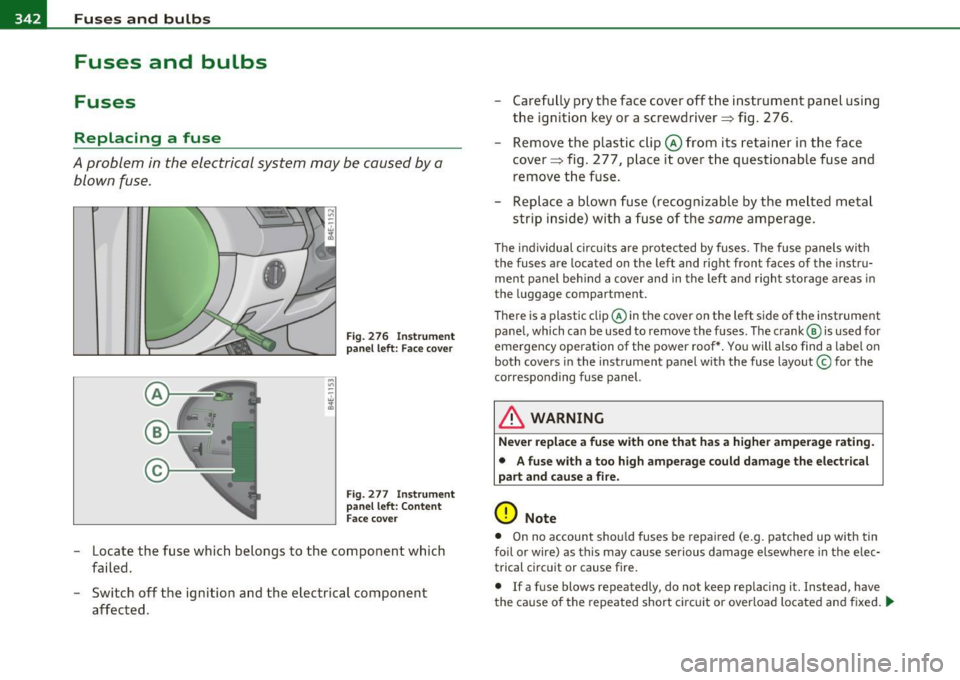
A problem in the electrical system may be caused by a
blown fuse.
F ig . 2 76 I nstrum ent
pane l left: Face c over
Fig . 277 Instr ument
p anel left : Content
Fac e co ver
- Locate the fuse which belongs to the component which
failed.
- Switch off the ignit ion and the electrical component
affected . - Carefu
lly pry the face cover off the instrument panel using
the ignit ion key or a screwdriver==> fig. 2 76 .
- Re move the plast ic cl ip © from i ts re taine r in the face
cover=> fig. 2 77, place i t over t he ques tiona ble fuse and
remove the f use .
- Rep lace a blown fuse (re cog niz able by the m elte d m etal
s tri p inside) wit h a fuse of the
same amp erag e.
T he ind ividu al c ircui ts are protec ted by fuses. The f use panels wi th
the fuses are located on the left and right front faces of the instru
ment pane l beh ind a cover and in the lef t an d righ t storage area s in
the luggage compartment.
Th ere is a plastic clip@ in the cover on the left side of the instrument
pane l, which ca n be used to remove the f uses . The crank @ is used for
eme rgency operation of the power roof *. Yo u will also find a label o n
both cove rs in the instrument panel wit h the fuse layout © for the
co rresponding fuse panel.
& WARNING
Never replace a fuse with one that has a higher amperage rating.
• A fuse with a too high amperage could damage the electr ical
part and cau se a fire.
(D Note
• O n no account s houl d fuses be repaired (e .g. patched up with tin
foil o r wire) as th is may cause se rious damage elsewhe re in t he elec
trical circ uit or cause fire .
• If a fuse blows repeatedly, do not keep replacing i t. Instead, have
t he ca use o f the repeated short c ircu it or over load lo cate d an d fixed . .,_
Page 348 of 384

lffll.,___F_ u_ s_e _ s_ a_n_ d_ b_u _ l_ b_s _______________________________________________ _
No.
1
2
3
4
5
6
7
8
9
10
Equipment
Vacant
Vacant
Vacant
Vacant
Digita l sound system control module
Navigation
TV Tuner
Rear-view camera
Commun ications box
Subwoofer in rear window shelf (BOSE)/
Amplifier (Bang
& Olufsen)
11 Socket
12 Vacant
Amps
30
5
10
5
5
15/30
20
Fuse Location, Luggage Compartment
right
Fig. 281 Fuse panel
layout
•
No. Equipment
1 Vacant
2 Fuel pump, left
3 Vacant
4 Vacant
5
6
7
8
9
Central control module for comfort system
(left light)
Central control module for comfort system (right light)
Central control module for comfort system (door clos ing)
Electronic parking brake control module, left
Electronic parking brake control module, right
10 Vacant
11 Vacant
12 Vacant
Bulbs
Replacing light bulbs
Amps
20
20
-
10
20
30
30
For your safety, we recommend that you hove your autho
rized Audi dealer replace burned out bulbs for you.
It is becoming increasingly more and more difficult to replace veh icle
light bu lbs since in many cases, other parts of the car must first be
removed before you are able to get to the bulb. This applies especially
to the light bulbs in the front of your car which you can only reach
through the engine compartment.
•
Sheet metal and bu lb holders can have sharp edges that can cause
serious cuts, and parts must be correctly taken apart and then prop- .,
Page 349 of 384

_______________________________________________ F_u _s_ e_ s_ a_ n_ d_ b_u _ l_ b _ s __ lllll
erly put back together to he lp prevent breakage of parts and long
t erm d am ag e fro m wat er th at can enter housin gs th at h ave not been
properly resealed.
For your safety, we recommend that you have your a uthorized Audi
de aler repla ce a ny bu lbs for you, s ince your deale r has the prope r
too ls, t he correct bu lbs and t he expertise.
Ga s discharge lamp s (Xenon lights) :
Due to the high electrical voltage, have the bulbs replaced by a qual
ifie d technician. Headlig hts with Xe non light can be identified by the
hig h volt age sticker.
& WARNING
Contact with high-voltage components of the electrical system
and improper replacement of gas discharge (Xenon ) headlight
bulbs can cause serious personal injury and death .
• Xenon bulb s are pres surized and can explode when being
changed.
• Changing Xenon lamp s requires the special training, instruc
tions and equipment .
• Only an authorized Audi dealer or other qualified workshop
should change the bulbs in gas discharge lamps .
& WARNING
There are parts with sharp edges on the openings and on the bulb
holders that can cause serious cuts .
• If you are uncertain about what to do , have the work
performed by an authorized Audi dealer or other qualified work
shop. Serious personal injury may result from improperly
performed work.
Safety first
(I] Tips
• If you mus t repl ace the light bulbs yourse lf , a lways remember
that the eng ine compartme nt of any vehicle is a hazar do us area to
work in. Always read and hee d all WA RNING S=>
page 281, "E ngi ne
compartment" =>& .
• It is bes t to ask yo ur author ized Audi dealer wheneve r yo u need to
change a bulb.•
Vehicle care Do-it-yourself service Technical data