change wheel AUDI S8 2015 Owners Manual
[x] Cancel search | Manufacturer: AUDI, Model Year: 2015, Model line: S8, Model: AUDI S8 2015Pages: 312, PDF Size: 79.18 MB
Page 95 of 312

Audi adapt ive crui se c ontrol an d bra kin g guard 9 3
vehicles or obstacles that are not moving
can trigger a collision warning and if con
firmed by the video camera, an acute col lis ion warn ing.
- For safety reasons, do not use adaptive
cruise control when driving on roads with
many curves, when the road surface is in
poor condit ion and/or in bad weather
(such as ice, fog, gravel, heavy rain and
hydroplan ing). Using the system under
these cond itions cou ld result in a co lli
sion .
- Switch adaptive c ruise control off tempo
rar ily when driv ing in turning lanes, on
expressway exits or in construction
zones . This prevents the vehicle from ac
celerating to the set speed when in these
situations .
- The adapt ive cru ise control system w ill
not brake by itse lf if you put your foot on
the accelerator pedal. Doing so can over ride the speed and distance regulation .
- When approaching stationary objects such as stopped traffic, adaptive cruise
control will not respond and braking
guard w ill have limited function.
- The adapt ive cruise control system and
braking guard do not react to people , an
ima ls, objects crossing the road o r on
coming objects .
- The function of the radar sensors can be
affected by reflective objects such as
guard ra ils, the entra nce to a tunnel,
heavy rain or i ce.
- Never follow a veh icle so closely that you
cannot stop your vehicle safe ly. The
adaptive cruise cont ro l c anno t slow or
brake the veh icle safely when you follow
another vehicle too closely. Always re
member that the automatic braking
funct ion cannot bring the veh icle to a
sudden or emergency stop under these
conditions .
- To prevent unintended operation, always
switch ACC off when it is not being used. (D Note
The sensors can be displaced by impacts or
damage to the bumper, wheel housing and underbody. That cou ld affect the adaptive
cruise control system and brak ing guard .
Have your authorized Aud i dea ler or a u
thorized Audi Serv ice Facility check their
funct ion.
In curves
Applies to vehicles: with Audi adaptive cruise control
I
F ig. 9 7 Exampl e: dri vin g in to a curve
When dr iving into a curve c:> fig. 97 and out of
a cu rve, the ad aptive cruise con trol m ay react
to a vehicle in the next lane and apply the
brakes . You can override or prevent the brak
i ng by pressing the accelerator pedal b riefly.
Stationary objects
Applies to vehicles: with Audi adaptive cruise control
Fig. 98 Ex ampl e: object chang ing l anes and s ta tio nar y
objec t
The adaptive cru ise con tro l system only reacts
to objects that a re mov ing o r th at the system
has a lready detected as moving . For examp le,
if a vehicle @, which has a lready been detect-
ed by the adaptive c ruise contro l, tu rns o r
changes lane s and another stationary vehicle .,._
Page 103 of 312

,....,
N ,....,
N
0 J:
'SI: ,...., \!) 1.1'1 ,...., 1.1'1 ,....,
Audi active Lane assist
Active Lane assist
Description
Applies to vehicles: with active lane assist
Active lane assist helps you keep your vehicle
in your lane.
Active lane assist detects lane marker lines
within the limits of the system using a camera in the windshield . If you are approaching a de
tected lane marker line and it appears likely
that you w ill leave the lane, the system will
warn you by means of corrective steer ing . T he
driver can over ride the cor re ct ive steer ing at
any time. If the veh icle crosses a line, the d riv
er is also warned by a light
vibration in the
steering whee l. The vibration warning must
be switched on in the MMI for this to happen.
Active lane ass ist is operable when the line
marking the lane is detected on at least one
side of the vehicle .
The system is designed for driv ing on free
ways and expanded highways and thus works only at speeds of 40 mph (65 km/h) or more .
Applies to vehicles with side assist* : If you ac
tivate your turn s ignal when active lane assist
is ready and when activated side assist has
classified a lane change as crit ica l because of
vehicles traveling alongside you or comi ng
closer, there will be noticeable correct ive
steer ing just before you leave the lane . This is
done to try to keep your veh icle in the lane.
Applies to vehicles w ithout s ide ass ist*: when
the system is ready, it does not warn you if
you act ivate your turn signa l before driving
across a lane marker line . In this case, it as
sume s that yo u are ch ang ing lanes intent ion
a lly.
I f the vehicle is also equipped with Audi adap
tive cruise cont ro l*, the co rrec tive steering
will be mo re specific in rega rd to the driving
situation. In addition to the lane marker lines,
the system can a lso take into account other
objects such as guard rails . If they are detect
ed in close proximity to the veh ic le, Audi ac-
Audi acti ve lane a ssis t 10 1
tive lane assist he lps prevent the vehicle from
driving too close to them. There is a lso pass
ing ass istance . The system does not provide
any correct ive steering if it detects that you
are passing another vehicle.
A WARNING
- The system warns the drive r that the ve
hicle is leaving the lane using co rrect ive
s teer ing . The d river is always r esponsible
for keeping the vehicle withi n the lane.
- The system can assist the dr iver in keep
i n g the vehicle in the lane, but it does
not steer by itself. A lway s keep yo ur
h a nds on the steering wheel.
- Cor rective s teer ing may not occur in cer
tain sit uat ions, such as dur ing heavy
bra king.
- Th e camera does not recogni ze all lane
marker lines. Cor rective s teer ing ca n only
take p lace on the side of the vehi cle
where lane marke r lines are detected.
- Othe r road str uctures o r objects co uld
possibly be identified unintentiona lly as
lane ma rker lines . As a res ult, corrective
steering may be unexpected or may not
occ ur.
- The camera view can be restricted, for
examp le by vehicles driving ahead or by
ra in, snow, heavy spray or light shining
into the camera . Th is can result in act ive
lane assis t not detecti ng the lane marke r
lines or detect ing them inco rrectly.
- Unde r ce rtain conditions such as ruts in
the road, a banked roadway or cross
winds, the co rrective stee ring alone may
not be enough to keep the vehicle in the
lane.
- For safety reasons, active lane ass ist
m ust not be u sed w hen the re a re poor
road and/or weat her condi tions such as
slippe ry roads, fog, grave l, heavy rain,
snow an d the potential for hydroplaning .
Using active lane assist under these con
ditions may increase the risk of a crash.
Page 107 of 312

.... N .... N
0 J:
-
"' ....
General information
Applies to vehicles: with side assist
®
©
Fig . 113 Dr iving situations
AUDI
Fig. 114 Rear of t he ve hicle: positio n of t he se nsors
Side assist functions at speeds above approx i
mately 19 mph (30 km/h).
@ Vehicl es th at ar e approaching
In certain cases, a vehicle will be classified as
cr itical for a lane change even if it is still
somewhat far away. The fas ter a vehicle ap
p roaches, the sooner the display in the exteri
or m irror will t urn on.
@ V ehicles traveling with you
Vehicles traveling w ith you are indicated in the
exterior m irror if they are classified as cr itical
for a lane change. All vehicles detec ted by
side assist are indicated by the time they en
ter your "blind spot", at the latest.
Audi side assist 105
© Veh icle s left behind
If you s low ly pass a vehi cle that s ide assist has
detected (the difference in speed between the
vehicle and you r vehicle is less than 9 mph or
15 km/h), the display in the exterior mirror
turns on as soon as the vehicle enters your blind spot.
The disp lay will not t urn on if you quickly pass
a vehicle that side assist has detected (the dif
ference in speed between the veh icle and your
vehicle is greater than 9 mph or 15 km/h).
Functi onal limitations
The radar sensors are designed to detect the
left and right adjacent lanes when the road
lanes are the normal width. In certain situa
tions, the d isp lay in the exterior mirror may
turn on even though there is no veh icle locat
ed in the area that is cr itical for a lane change.
For example:
- if the lanes are narrow or if your are dr iving
on the edge of your lane.
If this is the case,
the system may have detected the vehicle in
another lane that is
not adjacent to your
current lane .
- if you a re driving through a curve. Side assist
may react to a vehicle that is one lane ove r
from the adjacent lane.
- if side assist reacts to other objects (such as
high or d isp laced guard rails) .
- In poor weather conditions. The side assist
functions are l imited .
Do not cover the radar sensors
c> fig. 114 with
stickers, depos its, bicycle wheels or other ob
jects, because this will affect the funct ion. Do
not use s ide ass ist when towing a trailer. For
i nformation on cleaning, refer to
c> page 214.
_&. WARNING
- Always pay attention to traffic and to t he
area a round your ve hicl e. S ide assist can
not replace a driver's attention. T he driv
er a lone is always responsible for lane
changes and similar driving mane uvers.
Page 108 of 312

106 Audi side assist
-Improper reliance on the side assist sys
tem can cause collisions and serious
personal injury:
- Never rely only on side assist when
changing lanes.
- Always check rear view mirrors to make
sure that it is safe to change lanes.
- Side assist cannot detect all vehicles un
der all conditions- danger of accident!
- Please note that side assist indicates
there are approaching vehicles, or
vehicles in your blind spot, only after
your vehicle has reached a driving speed of at least 19 mph (30 km/h).
- In certain situations, the system may not
function or its function may be limited.
For example:
- if veh icles are approaching or being left
behind very quickly . The display may
not turn on in time.
- in poor weather conditions such as
heavy rain, snow or heavy mist .
- on very wide lanes, in tight curves or if
there is a rise in the road surface.
Vehicles in the adjacent lane may not
be detected because they are outside
of the sensor range.
(D Note
The sensors can be displaced by impacts or
damage to the bumper, wheel housing and
underbody . This can affect the system.
Have your authorized Audi dealer or au
thorized Audi Service Facility check their
function.
@ Tips
- If the window glass in the driver's door
or front passenger's door has been tint ed, the display in the exterior mirror may
be misinterpreted.
- For Declaration of Compliance to United
States FCC and Industry Canada regula
tions¢
page 293.
Activating and deactivating
Applies to vehicles: with side assist
Fig. 11S Driver 's doo r: Side ass ist butto n
.. Press the button c> A in General informa
tion on page 105
to switch the system on/
off. The LED in the button turns on when
side assist is switched on.
Adjusting the display brightness
Applies to vehicles: wit h side assist
The brightness setting can be adjusted via the
MMI.
.. Select: !CAR I function button> Car systems
control button > Driver assist > Audi side
assist .
The display brightness adjusts automatically
to the brightness of the surroundings, both in
the information and in the warning stage. In
very dark or very bright surroundings, the dis
play is already set to the minimum or maxi
mum level by the automatic adjustment . In
such cases, you may notice no change when
adjusting the brightness, or the change may
only be noticeable once the surroundings
change.
Adjust the brightness to a level where the dis
play in the informa tion stage will not disrupt
yo ur view forward. If you change the bright
ness, the display in the exterior mirror will
briefly show the brightness leve l in the infor
mation stage. The brightness of the warning
stage is linked to the brightness in the infor
mation stage and is adjusted along with the
information stage adjustment .
Page 122 of 312
120 Parking system s
Parking systems
General information
A ppl ies to vehicles: with parkin g system plus/rear view
camera/peripheral cameras
Depending on your vehicle's equ ipment, vari
ous parking a ids wi ll help yo u when pa rk ing
and maneuve ring.
The
parking sy stem plu s with rear view cam
era
ass ists you when park ing by aud ibly and
visua lly indicating objec ts detected
in front of
and behind the vehicle. The rear view came ra
shows the area behind the vehicle in the Info
tainment display . This display assists yo u
when you are cross or paralle l pa rking
co page 121.
The pe ripheral camera s assist yo u with pa rk
ing and maneuvering . You are aided by various
cameras depending on the vehicle equipment
leve l
co page 124. In add it ion, you are assist
ed by the functions from the sensors
co page 121, Sensors, co page 123, Visual
display.
A WARNING
- Always look fo r traff ic and check the area
around you r vehicle by looking at it di
rect ly as we ll. The parking sys tem canno t
rep lace t he drive r's a ttent ion. The dr iver
is a lways respons ible for safety during
parking and for all other maneuvers.
- Please note tha t some sur faces, such as
clothing, are not detected by the system .
- Sensors and cameras have blind spots in
wh ich peop le and objects cannot be de
tected . Be especially cautious of children
and animals.
- The sensors can be displaced by impacts or damage to the radiato r grille, bumpe r,
wheel housing and the underbody. The park ing systems may become impaired
as a result. Have your authorized Audi
dealer or qualified workshop check their
f unction.
- Make sure the sensors are not covered by
stickers, deposits or any othe r obstruc
t ions as it may impair the senso r func- tion. Fo
r informat ion on cleaning, refe r
to
co page 214.
@ Note
- Some objects are not detected by the
system under certain ci rcumstances:
- Objects such as barrie r chains, trailer
draw bars, vertical poles or fe nces
- Objects above the sensors such as wall
extensions
- Objects w ith specific surfaces or struc
tures such as chain link fences or pow
de r snow.
- If you conti nue driving closer to a low- ly
ing object, it may disappea r from the
sensor range. Note that you w ill no lon
ger be warned about this obstacle.
0) Tips
- The system may provide a warning even
tho ugh there are no obstacles in the cov
erage a rea in some situations, such as:
- certain road su rfaces or for long grass .
- ex terna l ult raso nic sources e.g. from
cleaning vehi cles.
- h eavy ra in, s now or thick ve hicle ex
ha ust.
- We recommend tha t yo u pr actice park
ing in a t raff ic-free locat ion or par king
lot to become familiar w it h the system.
Whe n doi ng this, the re should be good
light and weathe r cond itions.
- Yo u can change the vol ume and pitch of
the s ignals as we ll as the disp lay
co page 130.
-Please refer to the instr uctions for tow
ing a t railer
co page 130.
-W hat appea rs in the infotainment dis
play is somewhat time-delayed.
Page 124 of 312
122 Parking systems
If the distance to an obstacle remains con
stant, the volume of the distance warning
gradually drops after about four seconds (this
does not apply in the continuous tone range).
Rear view camera
The rear view camera is located above the rear
license plate bracket. Make sure that the lens
for the parking system
c:> fig. 132 is not cov
ered by deposits or any other obstructions be
cause this can affect the function of the park
ing system. For information on clean ing, refer
to
c:> page 214.
The rear view camera coverage area includes
(D ¢fig . 131. Only this area is shown in the
Infotainment display. Objects that are outside
of this area @are not displayed.
The accuracy of the orientation lines and the
blue surfaces is reduced if the adaptive air
suspens ion* is faulty, if the vehicle is lifted or
if the
dynamic mode is activated c;, page 108.
A WARNING
-Always read and follow the applicable
warnings
c:> &. in General information on
page 120.
- If the position and the installation angle
of the rear view camera was changed, for
example, after a collision, do not contin
ue to use the system for safety reasons.
Have it checked by your authorized Audi
dealership or authorized repair facility.
- Only use the rear view camera to assist
you if it shows a good, clear picture. For example, the image may be affected by
the sun shining into the lens, dirt on the
lens or if there is a system fault.
- Use the rear view camera only if the lug
gage compartment lid is completely
closed. Make sure any objects you may
have mounted on the luggage compart
ment lid do not block the rear view cam
era.
- The camera lens enlarges and distorts
the field of vision . The object appears
both altered and inaccurate on the
screen. -
In certain situations, people or objects in
the display appear closer or further
away:
- objects that do not touch the ground,
such as the bumper of a parked vehicle,
a trailer hitch or the rear of a truck. Do
not use the help lines in this case.
- If driven from a level surface onto an
incline , or a downward slope.
- If driven toward protruding objects.
-If the vehicle is carrying too much load
in the rear.
(D Note
-Always read and follow the applicable
warnings
c:> 0 in General information on
page 120.
- The orange colored orientation lines in
the Infotainment display show the vehi cle path depending on the steering
wheel angle. The front of the vehicle
front swings out more than the rear of
the vehicle. Maintain plenty of distance
so that your outside mirror or a corner of
your vehicle does not collide with any ob
stacles.
Switching on/off
Applies to vehicles : with parking system pl us with rear
v iew camera
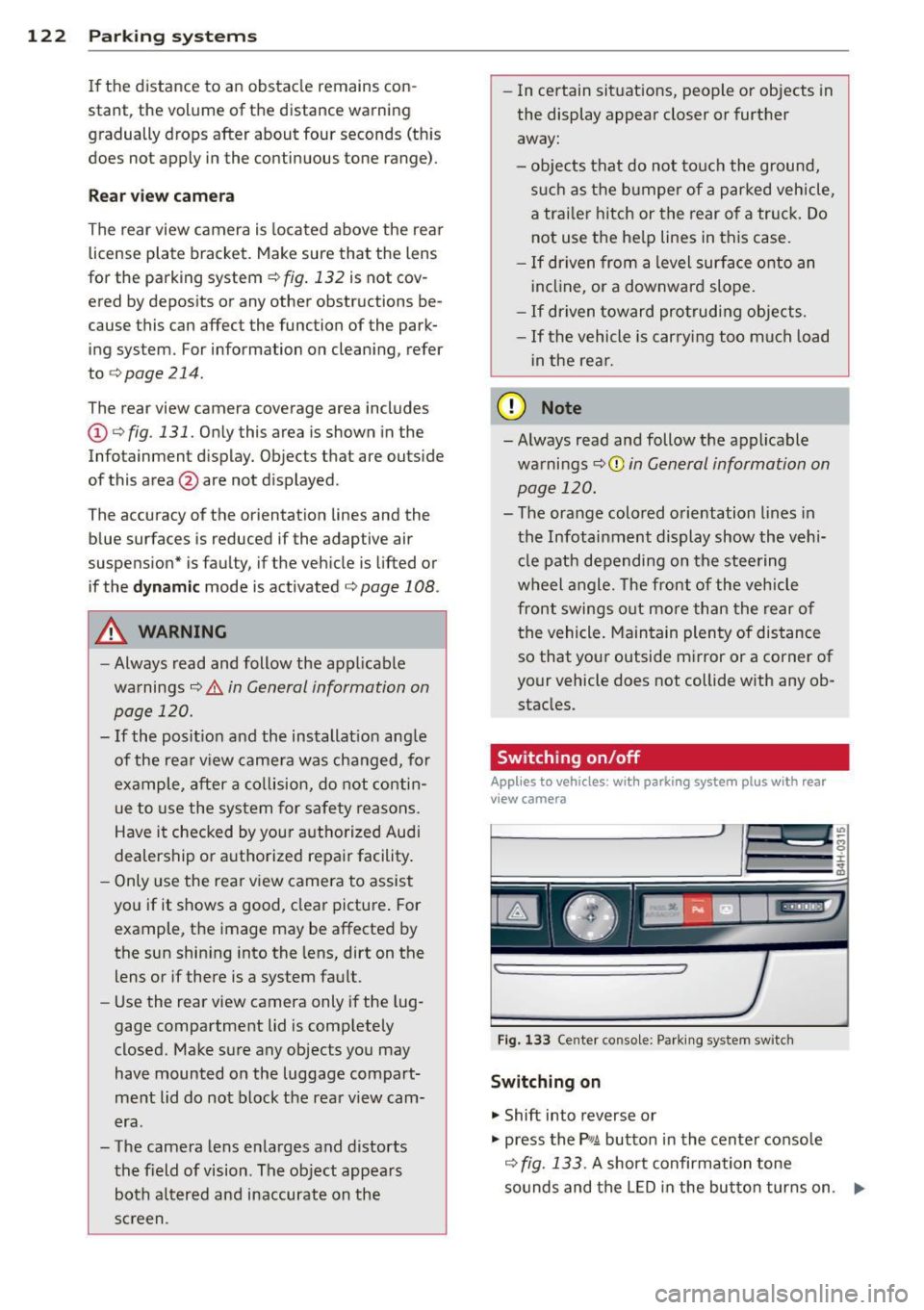
Fig . 133 Center console: Parking system sw itch
Switching on
.,. Shift into reverse or
.,. press the
PwA button in the center console
c:> fig. 133 . A short confirmation tone
sounds and the LED in the button turns on. .,..
Page 127 of 312
.... N .... N
0 J:
"". .... I.O
"' ....
"' ....
cameras. Depending on the vehicle equip
ment, you are assisted by vario us views such
as peripheral view, corner views at the front
and rear of the vehicle, and views directly in
front of or behind the vehicle.
General information
App lies to vehicles: with top view camera system
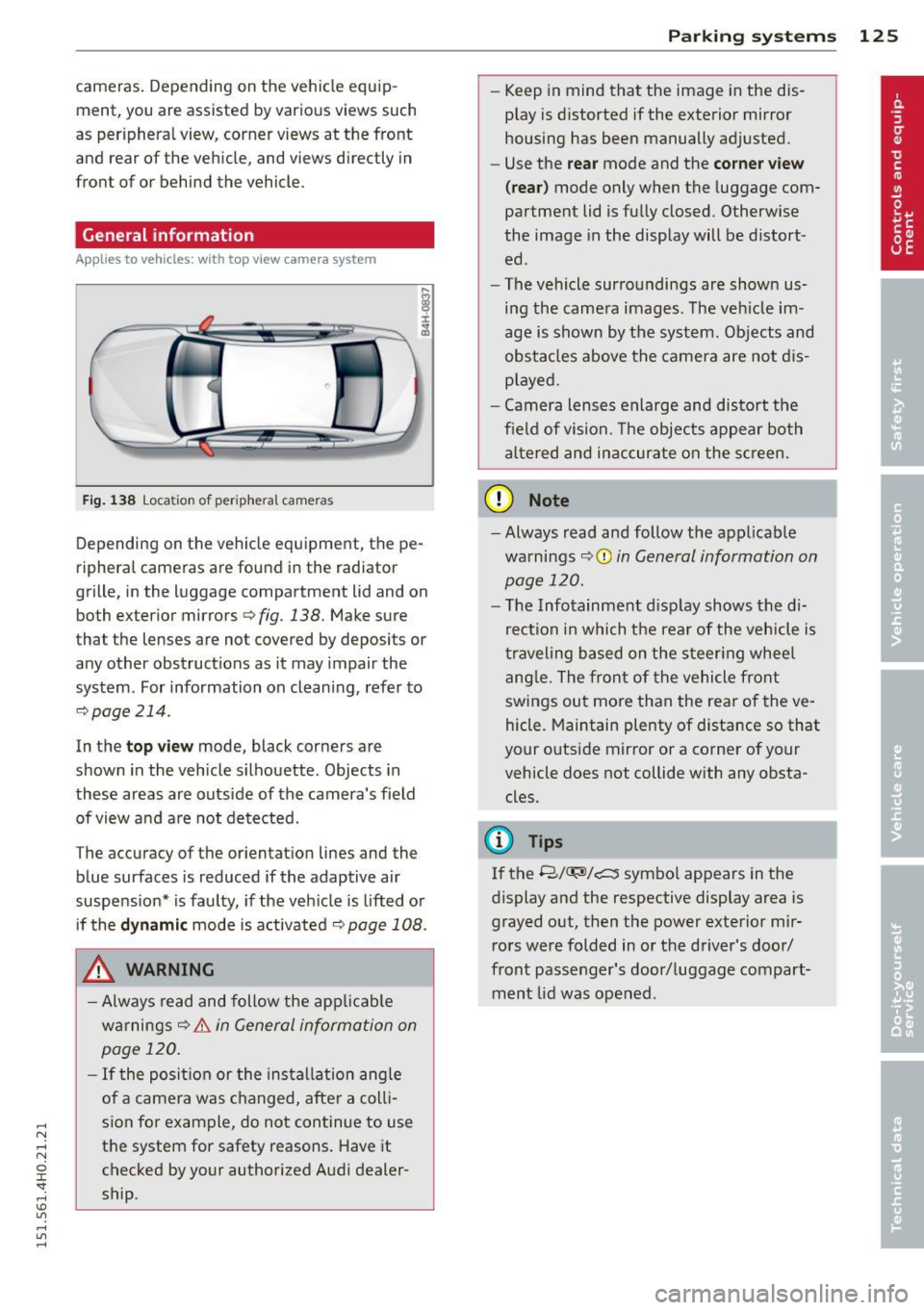
Fig. 138 Location of peripheral cameras
Depending on the vehicle equipment, the pe
ripheral cameras are found in the radiator
grille, in the luggage compartment lid and on
both exterior mirrors
c> fig. 138. Make sure
that the lenses are not covered by deposits or
any other obstructions as it may impair the
system. For information on cleaning, refer to
9page214.
In the top view mode, black corners are
shown in the vehicle silhouette . Objects in
these areas are outside of the camera's field of view and are not detected.
The accuracy of the orientation lines and the
b lue surfaces is reduced if the adaptive air
suspension* is faulty, if the vehicle is lifted or
if the
dynamic mode is activated 9 page 108 .
_& WARNING
-Always read and follow the applicable
warnings
9 .&. in General information on
page 120.
- If the position or the installation angle
of a camera was changed, after a colli
sion for example, do not continue to use
the system for safety reasons. Have it checked by your authorized Audi dealer
ship .
-
Parking systems 125
- Keep in mind that the image in the dis
play is distorted if the exterior mirror
housing has been manually adjusted.
- Use the
rear mode and the corner view
(rear)
mode only when the luggage com
partment lid is fully closed. Otherwise
the image in the display will be distort
ed.
- The vehicle surroundings are shown us
ing the camera images. The vehicle im
age is shown by the system. Objects and
obstacles above the camera are not dis
played.
- Camera lenses enlarge and distort the
field of vision. The objects appear both
altered and inaccurate on the screen.
(D Note
-Always read and follow the applicable
warnings
~CD in General information on
page 120.
- The Infotainment display shows the di
rection in which the rear of the vehicle is
traveling based on the steering wheel
angle. The front of the vehicle front
swings out more than the rear of the ve
hicle. Maintain plenty of distance so that
your outside mirror or a corner of your
vehicle does not collide with any obsta
cles.
@ Tips
If the 8/IT;1J/c:5 symbol appears in the
display and the respective display area is
grayed out, then the power exterior mir rors were folded in or the driver's door/
front passenger's door/luggage compart
ment lid was opened .
Page 131 of 312

General information on page 125. The blue
area represents an extension of the vehicle's
outline by approx imately 16 ft (5 m) to the
rear. The long side of the blue area should
be on the curb. The entire blue area must fit
into the parking space .
• With the veh icle stopped, turn the steer ing
whee l to the right as far as it w ill go .
• Back into the park ing space unti l the b lue
c u rve¢
page 124, fig. 137 touches the curb
¢ &. in General information on page 125,
¢ (Din General information on page 125 .
Stop the vehicle.
• With the vehicle stopped, turn the steer ing
wheel to the left as far as it will go .
• Contin ue to back into the park ing space un
ti l the vehicle is parked paralle l to the curb
¢ ,& in General information on page 125,
¢(j) in General information on page 125.
@ marks the rear bumper . Stop the veh icle,
at the latest, when the red or ientation line
© borders an object. Keep an eye on the
front of your vehicle wh ile doing this .
Parking n ext to obstacles
When the re is an obstacle (such as a wall)
next to the pa rking space, choose a space w ith
mo re space on the sides. Position the long
side of the blue a rea so that there is sufficient
space from the obstacle. The area must not be
on the obstacle. You will also need to start
turning the steer ing whee l much earlier .
There should be a sufficient amount of space
between the obstacle and the b lue curve, and
the blue curve¢
page 124, fig . 137 must not
touch the obs tacle .
@ Tips
The left or right orientation lines and sur
faces will be displayed, depend ing on the
t ur n sig na l bei ng used.
P arking sys tems 129
Trailer view
App lies to vehicles: wit h top v iew camera system and
t railer hitch
This view assists you in positioning the vehicle
in front of a trailer.
F ig. 150 Infota inment: rear mode
Requ irement: the trailer mode is selected
¢ page 127.
• Now yo u can position your veh icle in front of
the trailer ¢,&
in General information on
page 125,
¢ (j) in General information on
page 125.
The orange colored orientation
line denotes the expected path towa rd the
trailer hitch . Use the blue lines to help you
es timate the distan ce to the trailer hitch .
Setting the mode
Applies to vehicles: wi th top v iew came ra sys te m
• Select: !CAR ! func tion b utton> C ar syst em s
cont ro l button > Driver a ssis t > Parking aid
> Change to front /rear > Auto or Manual.
Auto -
This view beh ind the vehicle ( Rear
mode) is displayed au tomatica lly when you
shift into reverse. T his view in front of the ve
hicle
( Front mode) is displayed automatica lly
when you shift into the forward gears.
Manual -This view behind the vehicle (Rear
mode) is always displayed when you turn on
the system .
Page 167 of 312

,....,
N ,....,
N
0 J:
'SI: ,...., \!) 1.1'1 ,...., 1.1'1 ,....,
& WARNING
Improper care, servicing and repair proce
dures can increase the risk of personal in
jury and death by preventing an airbag from deploying when needed or deploying an airbag unexpectedly:
- Never cover, obstruct, or change the steering wheel horn pad or airbag cover
~r the instrument panel or modify them
in anyway .
- Never attach any objects such as cup
holders or telephone mountings to the
surfaces covering the airbag units .
- For cleaning the horn pad or instrument
panel, use only a soft, dry cloth or one
moistened with plain water. Solvents or
cleaners could damage the airbag cover
or change the stiffness or strength of the
material so that the airbag cannot de
ploy and protect properly.
- Never repair, adjust, or change any parts
of the airbag system.
- All work on the steering wheel, instru
ment panel, front seats or electrical sys
tem (including the installation of audio
equipment, cellular telephones and CB
radios, etc.) must be performed by a
qualified technician who has the training
and special equipment necessary.
- For any work on the airbag system, we
strongly recommend that you see your authorized Audi dealer or qualified work
shop .
- Never modify the front bumper or parts
of the vehicle body .
- Always make sure that the side airbag can inflate without interference:
- Never install seat covers or replace
ment upholstery over the front seat
backs that have not been specifically
approved by Audi.
- Never use additional seat cushions that
cover the areas where the side airbags
inflate.
- Damage to the original seat covers or
to the seam in the area of the side air
bag module must always be repaired
Airbag system 165
immediately by an authorized Audi
dealer.
- The airbag system can be activated only
once . After an airbag has inflated, it
must be replaced by an authori zed Audi
dealer or qualified technician who has
the technical information, training and
special equipment necessary.
- The airbag system can be deployed only
once . After an airbag has been deployed,
it must be replaced with new replace
ment parts designed and approved espe
cially for your Audi model version . Re
placement of complete airbag systems
or airbag components must be per
formed by qualified workshops only. Make sure that any airbag service action
is entered in your Audi Warranty
& Main
t enance booklet under
AIRBAG REPLACE
MENT RECORD .
-For safety reasons in severe accidents,
the alternator and starter are separa ted
from the vehicle battery with a pyrotech
nic circuit interrupter .
- Work on the pyrotechnic circuit inter
rupter must only be performed by a
qualified dealer -risk of an accident!
- If the vehicle or the circuit interrupter
is scrapped , all applicable safety pre
cautions must be followed.
@ For the sake of the environment
Undeployed airbag modules and preten
sioners might be classified as Perchlorate
Material -special handling may apply, see
www .dtsc .ca. gov/hazard o u swaste/ per
chlorate . When the vehicle or parts of the
restraint system including airbag modules
and safety belts with pretensioners are
scrapped, all applicable laws and regula
tions must be observed. Your authorized
Audi dealer is familiar with these require
ments and we recommend that you have
your dealer perform this service for you.
•
•
Page 168 of 312

166 Airbag system
Other things that can affect Advanced
Airbag performance
Changing the vehicle's suspension system can
change the way that the Advanced Airbag Sys
tem performs in a crash. For example, using
tire-r im combinations not approved by Aud i,
lowering the vehicle, changing the stiffness of
the suspension, including the sp rings, suspen
sion struts, shock absorbe rs etc. can change
the forces that are measured by the a irbag
sensors a nd sent to the electron ic control
un it. Some suspension changes ca n, for exam
p le, increase the force levels measured by the
sensors and make the airbag system deploy in
crashes in which it would not dep loy if the
changes had not been made. Other kinds of
changes may reduce the force levels meas
ured by the sensors and prevent the airbag
from deploying when it should .
A WARNING
Changing the vehicle 's s uspension includ
ing use of unapproved tire-rim combina
tions can change Advan ced Airbag per
formance and increase the risk of serio us
personal injury in a crash.
- Never install suspens io n components
t hat do not have the same performance
characteristics as the components origi
nally installed on your vehicle .
- Never use tire-rim combinat ions that
have not been approved by A udi.
A WARNING
-
Items stored between the safety belt
buckle and the center console can cause
the sensors in the buckle to send the
wrong informat ion to the electronic con
trol modu le and prevent the Advanced A ir
bag System from work ing properly.
- Always make sure that nothing can inter-
fere w ith the safety belt buckles and that
they are not obstructed .
Knee airbags
Description of knee airbags
The knee airbag system can provide supple
mental protection to properly restrained
front seat occupants.
Fig . 169 Dr iver's knee airbag
T he driver knee airbag is in the ins trument
pane l underneath the steering wheel
¢fig. 169, the airbag for the passenger is at
about the same height in the instrument pan
el underneath the glove compartment.
T he knee airbag offers addi tional protection
to the driver 's and passenger's knees and up
per and lower thigh areas and supplements
the protection provided by the safety belts.
If the front airbags dep loy, the knee a irbags
also dep loy in frontal collisions w hen the de
ployment threshold stored in the control unit
is met
¢ page 160, More important things to
know about front airbags .
In addition to their normal safety f unction,
safety belts help keep the driver or front pas
senger in position in a fronta l collision so that
the a irbags can provide supplemental protec
t ion .
The airbag system is not a substitute for your safety belt . Rather, it is part of the overa ll oc
cupant restra int system in your vehicle. A l
ways remember that the a irbag system can
only he lp to protect you if you are wearing
you r safety belt and wearing it properly. This
is why you should always wear your safety
belt, no t jus t because the law requires you to
do so
¢page 143, General notes. .,.