power steering AUDI TT 2021 Owner´s Manual
[x] Cancel search | Manufacturer: AUDI, Model Year: 2021, Model line: TT, Model: AUDI TT 2021Pages: 280, PDF Size: 99.18 MB
Page 98 of 280

Assist systems
The system cannot guarantee that it will detect
vehicles correctly and it has switched off. The
sensors have been moved or are faulty. Have the
system checked by an authorized Audi dealer or
authorized Audi Service Facility soon.
Audi drive select (drive
settings)
Introduction
Applies to: vehicles with Audi drive select
Drive select makes it possible to experience dif-
ferent types of vehicle characteristics in one vehi-
cle. With different driving modes, the driver can
switch the setting, for example from sporty to
comfortable. In the Individual mode, the set-
tings can be adjusted to your personal preferen-
ces. This makes it possible to combine settings
such as a sporty drivetrain setting with comforta-
ble steering.
Using Audi drive select incorrectly can lead to
collisions, other accidents and serious inju-
ries.
Applies to: vehicles with Audi drive select
The vehicle setup in each mode depends on the
vehicle's features.
Engine and automatic transmission
Depending on the mode, the engine and auto-
matic transmission respond more quickly or ina
more balanced manner to accelerator pedal
movements.
Suspension control (Audi magnetic ride)*
The suspension control uses sensors to record in-
formation regarding steering movements, brak-
ing and acceleration operations by the driver, as
well as information about the road surface, driv-
ing speed, and load. With drive select, you can
adjust the suspension control to sporty (dynam-
ic), comfortable (comfort) or balanced (auto).
96
Steering
The power steering adapts. Indirect steering that
moves easily as in comfort mode is especially
suited to long drives on a highway. The dynamic
mode provides sporty, direct steering.
Engine sound*
The engine sound adapts to the current mode
and can be subtle to sporty.
— Certain vehicle settings will be reset when
the ignition is switched off.
— In some models, the maximum vehicle
speed can only be reached in the auto and
dynamic modes.
Selecting the driving mode
Applies to: vehicles with Audi drive select
You can choose between comfort, auto, dynamic
and individual.
BFV-0307
drive
select
Fig. 102 Center console: drive select button
BFV-0308
Applies to: TT RS
Fig. 103 Steering wheel: drive select button
> Press the ste button repeatedly until the de-
sired drive mode is displayed in the instrument
cluster/Infotainment system display. Or
Page 106 of 280

Intelligent Technology
Intelligent Technology
Electronic Stabilization
Control (ESC)
Electronic Stabilization Control (ESC) supports
driver safety. It reduces the risk of slipping and
improves driving stability. ESC detects critical sit-
uations such as the vehicle oversteering and un-
dersteering or the wheels are spinning. The
brakes are applied or the motor torque is reduced
in order to stabilize the vehicle. When the ESC
engages, the B indicator light flashes in the in-
strument cluster.
The following systems are integrated in the ESC:
Anti-lock braking system (ABS)
ABS prevents the wheels from locking when brak-
ing. The vehicle can still be steered even during
hard braking. Apply steady pressure to the brake
pedal. Do not pump the pedal. A pulsing in the
brake pedal indicates that the system is acting to
stabilize the vehicle.
Brake assist
The brake assist system can decrease braking dis-
tance. It increases braking power when the driver
presses the brake pedal quickly in emergency sit-
uations. You must press and hold the brake pedal
until the dangerous situation is over.
Anti-Slip Regulation (ASR)
ASR reduces drive power when the wheels begin
spinning and adapts the power to the road condi-
tions. This will increase the driving stability.
Electronic Differential Lock (EDL)
The EDL applies the brakes to wheels that are
slipping and transfers the drive power to the oth-
er wheels. This function is not available at higher
speeds.
In extreme cases, EDL automatically switches off
to keep the brake on the braked wheel from over-
heating. The vehicle is still functioning correctly.
EDL will switch on again automatically when con-
ditions have returned to normal.
104
Power steering
The ESC can also support vehicle stability
through steering.
Selective wheel torque control
Selective wheel torque control is used when driv-
ing on curves. Braking is targeted toward the
wheels on the inside of the curve as needed. This
allows more precise driving in curves.
Automatic post-collision braking system
The automatic post-collision braking system can
help to reduce the risk of sliding and of addition-
al collisions after an accident. If the airbag con-
trol module detects a collision above a certain ve-
hicle speed, the vehicle is braked by the ESC.
The vehicle does not brake automatically if one of
the following occurs:
— The driver presses the accelerator pedal
—The braking force generated by the pressed
brake pedal is greater than the braking force
that would be initiated by the system
— The ESC, the brake system, or the vehicle elec-
trical system is not functioning
Z\ WARNING
— The ESC and its integrated systems cannot
overcome the limits imposed by natural
physical laws. This is especially important on
slippery or wet roads. If the systems begin
acting to stabilize your vehicle, you should
immediately alter your speed to match the
road and traffic conditions. Do not let the in-
creased safety provided tempt you into tak-
ing risks. This could increase your risk of a
collision.
— Please note the risk of a collision increases
when driving fast, especially through curves
and on slippery or wet roads, and when driv-
ing too close to objects ahead. There is still
a risk of accidents because the ESC and its
integrated systems cannot always prevent
collisions.
— Accelerate carefully when driving on
smooth, slippery surfaces such as ice and
snow. The drive wheels can spin even when
these control systems are installed and this
Page 109 of 280

8S1012721BE
Intelligent Technology
— Utilize the engine braking effect when driv-
ing downhill by selecting the “S” driving
program > page 82. This reduces the load
on the brakes. If you need to brake addition-
ally, brake in intervals and not continuously.
G) Tips
— If you retrofit your vehicle with a front spoil-
er, wheel covers or similar items, make sure
that the air flow to the brakes is not ob-
structed. Otherwise the brake system can
overheat.
— Also refer to the information about brake
fluid > page 209.
Messages
EG / ©) Brakes: malfunction! Safely stop ve-
hicle
There is a malfunction in the brake system. If
[ES / Gana Blalso turn on, there is a malfunc-
tion in the ABS, ESC, and braking distribution. If
the brake booster is not working, you have to use
much more force when braking the vehicle.
Do not continue driving. See an authorized Audi
dealer or authorized Audi Service Facility for as-
sistance. Read and follow the other safety pre-
cautions > A\.
GG / @ Warning! No brake booster function
If the brake booster is not working, you have to
use much more force when braking the vehicle.
See an authorized Audi dealer or authorized Audi
Service Facility for assistance.
GG if @ Brake pads: wear limit reached. You
can continue driving. Please contact Service
The brake pads are worn. Drive to an authorized
Audi dealer or authorized Audi Service Facility as
soon as possible to have the malfunction correct-
ed.
Ga / @ Parking brake: malfunction! Safely
stop vehicle. See owner's manual
— If the indicator light and the message appear
when the vehicle is stationary or after switch-
ing the ignition on, check if you can release the
parking brake. If you cannot release the parking
brake, see an authorized Audi dealer or author-
ized Audi Service Facility. If you can release the
parking brake and the message still appears,
see an authorized Audi dealer or authorized
Audi Service Facility immediately to have the
malfunction corrected.
— If the indicator light and message appear while
driving, the hill start assist or emergency brak-
ing function may be malfunctioning. It may not
be possible to set the parking brake or release
it once it has been set. Do not park your vehicle
on hills. See an authorized Audi dealer or au-
thorized Audi Service Facility for assistance.
Other indicator lights
When you switch the ignition on, the IBRAKE| /@
indicator light turns on briefly to check the func-
tion. If the indicator light does not turn on, there
is a system malfunction.
fe / @ stays on, there is a malfunction in
the brake system.
ZA\ WARNING
If a malfunction occurs in the ABS, ESC, and
braking distribution, interventions that stabi-
lize the vehicle will no longer be available.
This could cause the vehicle to swerve, which
increases the risk that the vehicle will slide.
Do not continue driving. See an authorized
Audi dealer or authorized Audi Service Facility
for assistance.
Steering
Electromechanical steering supports the driver's
steering movements by electronically adapting
the power steering depending on the vehicle
speed. The settings depend on the selected Audi
drive select* mode.
Messages
a Steering: malfunction! Please stop vehicle
The power steering may have failed. Adapt your
driving style immediately to compensate for the
fact that it may be more difficult to turn the >
107
Page 110 of 280

Intelligent Technology
steering wheel, and stop your vehicle in a safe lo-
cation as soon as possible. Do not continue driv-
ing. See an authorized Audi dealer or authorized
Audi Service Facility for assistance.
& Steering: malfunction! You can continue
driving
There is a malfunction in the steering system.
Steering may be more difficult or more sensitive.
Adapt your driving style. Have the steering sys-
tem checked immediately by an authorized Audi
dealer or authorized Audi Service Facility. Please
note that the red indicator light may turn on af-
ter restarting the engine. Do not continue driving
if it does.
@ Tips
If the a or El indicator light only stays on
for a short time, you may continue driving.
All wheel drive (quattro)
Applies to: vehicles with all wheel drive
The all-wheel drive system distributes the driving
power variably to the front and rear axle to im-
prove the driving characteristics. It works togeth-
er with selective wheel torque control, which can
activate when driving through curves
=> page 104.
The all-wheel drive system is designed for high
motor power. Your vehicle is exceptionally power-
ful and has excellent driving characteristics both
under normal driving conditions and on snow and
ice. Always read and follow safety precautions
>A.
Z\ WARNING
— Even in vehicles with all wheel drive, you
should adapt your driving style to the cur-
rent road and traffic conditions to reduce
the risk of an accident.
— The braking ability of your vehicle is limited
to the traction of the wheels. In this way, it
is not different from a two wheel drive vehi-
cle. Do not drive too fast because this in-
creases the risk of an accident.
108
— Note that on wet streets, the front wheels
can “hydroplane’” if driving at speeds that
are too high. Unlike front wheel drive
vehicles, the motor RPM does not increase
suddenly when the vehicle begins hydro-
planing. Adapt your speed to the road condi-
tions to reduce the risk of an accident.
Rear spoiler
Applies to: vehicles with retractable rear spoiler
a
id > z
oO
Fig. 113 Center console: button for the rear spoiler
The rear spoiler increases driving stability. The
rear spoiler extends automatically at speeds
above approximately 75 mph (120 km/h). It will
retract automatically when the speed drops be-
low approximately 50 mph (80 km/h).
You can also extend and retract the rear spoiler
manually.
> Extending: press > briefly.
> Retracting: press and hold 3% when driving at
speeds up to approximately 10 mph (20 km/h).
At speeds from approximately 10 mph (20
km/h) to 75 mph (120 km/h), press 3% briefly.
Messages
If the HB or Mturns on and a corresponding
message appears, the rear spoiler may not be
able to extend due to a malfunction. This could
change the vehicle's driving characteristics at
high speeds. Do not drive faster than 85 mph
(140 km/h).
The rear spoiler may be blocked. Clean the rear
spoiler compartment > page 237, close all vehi-
cle doors and lids, and wait several minutes until
the vehicle has completely turned off. If the indi-
cator light turns on again the next time the >
Page 124 of 280
Voice recognition system
Voice recognition system
General information
Applies to: vehicles with voice recognition system
You can operate many functions in the vehicle
easily using voice commands.
Using the voice recognition system optimally
> Speak clearly and distinctly at a normal volume.
Speak louder when driving faster.
> Emphasize the words in the commands evenly
and do not leave long pauses.
> Close the doors, the windows, and the power
top* to reduce background noise. Make sure
that passengers are not speaking when you are
giving a voice command.
> Do not direct the vents toward the hands-free
microphone, which is in the roof headliner/on
the driver’s safety belt* near the front interior
lights. For additional information on the safety
belt microphone’, see > page 140.
> Only the driver should speak to the system, be-
cause the handsfree microphone is aimed to-
ward this seating position.
ZA\ WARNING
— Direct your full attention to driving. As the
driver, you have complete responsibility for
safety in traffic. Only use the functions in
such a way that you always maintain com-
plete control over your vehicle in all traffic
situations.
— Do not use the voice recognition system in
emergencies because your voice may change
in stressful situations. The system may take
longer to dial the number or may not be
able to dial it at all. Dial the emergency
number manually.
G) Tips
There are no voice guidance* prompts when a
dialog is active.
Operating
Applies to: vehicles with voice recognition system
Requirement: the ignition and the MMI must be
switched on. A system language supported by
122
the voice recognition system must be set. There
must be no phone calls in progress and the park-
ing aid must not be active.
> Switching on: briefly press the %» button @)
=> page 14, fig. 10 on the multifunction steer-
ing wheel and say the desired command after
the Beep.
> Switching off: press and hold the ™» button,
or:
» Say the command Cancel.
> Pausing: say the command Pause. To resume,
press the ™» button.
> Correcting: press the button one time G)
=> page 12, fig. 6, or:
» Say the command Correction.
Input assistance
The system guides you through the input with
visual and audio feedback.
— Visual input assistance: after switching on
voice recognition, a display with a selection of
possible commands appears. This command
display can be switched on or off. Select:
MENU] button > Settings > left control button
> MMI settings > Speech dialog system.
— Audio input assistance: to have the possible
commands read, press the “9 button on the
multifunction steering wheel briefly and say
Help.
Additional settings
See > page 194, Voice recognition system.
Gi) Tips
—The dialog pauses when there is an incom-
ing phone call and will continue if you ig-
nore the call. The dialog ends if you answer
the call.
— You can select an item in the list using ei-
ther the voice recognition system or the
control knob.
Page 253 of 280
8S1012721BE
Emergency assistance
coupling becoming overloaded when driving off-
road.
For the most safety and security, drive with a tow
bar. You should use a towing cable only if a tow
bar is not available. Use a towing cable made of
synthetic elastic cable similar elastic material.
ZA\ WARNING
— Towing highly increases the risk of an acci-
dent, for example from colliding with the
towing vehicle.
— To reduce the risk of an accident, do not al-
low anyone to remain inside the vehicle
when it is being transported by a tow truck
or a special transporter.
® Note
— If normal towing is not possible, for exam-
ple if the transmission is faulty or if the
towing distance is greater than 30 miles
(50 km), then transport the vehicle ona
special carrier.
— If the vehicle is towed by a tow truck at the
axle that is not permitted, this can cause se-
vere damage to the transmission.
— The vehicle must not be tow started for
technical reasons.
G) Tips
— If there is a power failure, the selector lever
will not move out of the "P" position. The
parking lock must be released using the
emergency release before towing the vehi-
cle > page 88.
— Follow the local legal regulations for tow-
ing.
Read and follow the important information un-
der > page 250.
Preparations
> Only secure the towing cable or tow bar at the
designated towing loops > page 2517,
=> page 252.
> Make sure the towing cable is not twisted. Oth-
erwise it could disconnect from the towing loop
while towing.
> Switch the emergency flashers on in both
vehicles > page 38. However, do not do this if it
prohibited by law.
Towing vehicle (front)
> Only start to drive when the towing cable is
taut.
> Be especially careful when accelerating.
» Avoid sudden braking or driving maneuvers.
Vehicle being towed (rear)
> Make sure the ignition is switched on so that
the steering wheel is not locked and so that you
can use the turn signals, the horn, and the
windshield wipers if needed > /A\.
> Switching it off before the vehicle has stopped
may impair the function of the brake booster
and power steering. You would then need to
use more force to steer and brake the vehicle.
> Release the parking brake > page 79.
> Select the “N” selector lever position.
> Make sure the towing cable is always taut.
ZA\ WARNING
— Never tow a vehicle using a tow bar or tow-
ing cable if the vehicle does not have electri-
cal power.
— If the vehicle runs out of power while it is
being towed, stop towing the vehicle imme-
diately and consult an authorized Audi deal-
er or qualified repair facility.
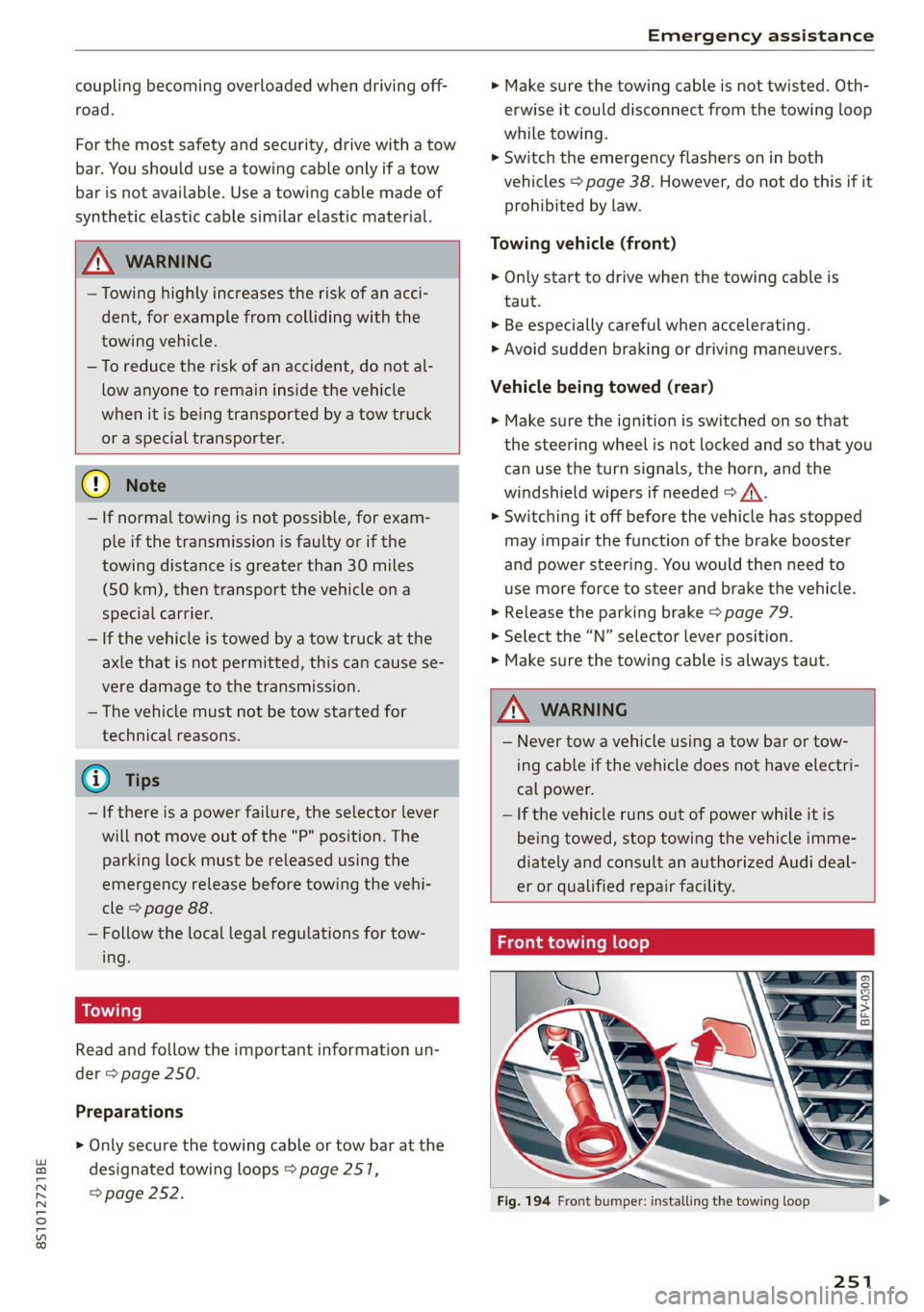
Front towing loop
Fig. 194 Front bumper: installing the towing loop
251
Page 256 of 280
Fuses and bulbs
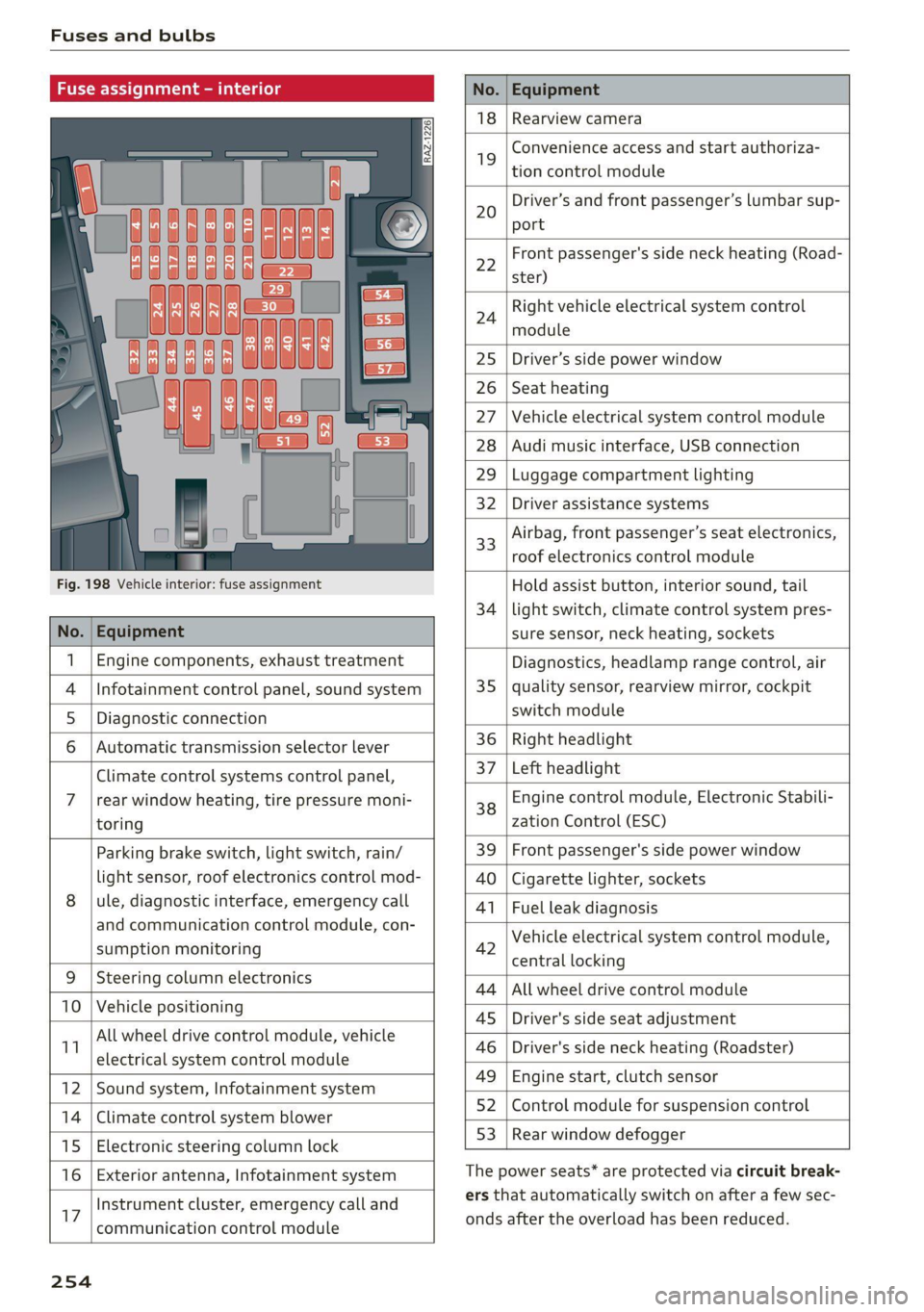
Fuse assign
No. Equipment
18 Rearview camera
19
Convenience access and start authoriza-
tion control module
20
Driver’s and front passenger’s lumbar sup-
port
Fig. 198 Vehicle interior: fuse assignment
22
Front passenger's side neck heating (Road-
ster)
24
Right vehicle electrical system control
module
25 Driver’s side power window
26 Seat heating
27 Vehicle electrical system control module
28 Audi music interface, USB connection
29 Luggage compartment lighting
32 Driver assistance systems
33
Airbag, front passenger’s seat electronics,
roof electronics control module
Hold assist button, interior sound, tail
34 | light switch, climate control system pres-
No. | Equipment sure sensor, neck heating, sockets
1 | Engine components, exhaust treatment Diagnostics, headlamp range control, air
4
|Infotainment control panel, sound system 35 | quality sensor, rearview mirror, cockpit
5 | Diagnostic connection switch module
6 |Automatic transmission selector lever 36 | Right headlight
Climate control systems control panel, 37 [Left headlight
7 |rear window heating, tire pressure moni- 38 Engine control module, Electronic Stabili-
toring zation Control (ESC)
Parking brake switch, light switch, rain/ 39 | Front passenger's side power window
light sensor, roof electronics control mod- AO | Cigarette lighter, sockets
8 |ule, diagnostic interface, emergency call 41 | Fuel leak diagnosis
and communication control module, con- 7 -
SUPADRIOR HIORIEOFIA 42 Vehicle electrical system control module,
P 9 central locking
9 |Steeri l lectroni
Sg CeIn ess 44 |All wheel drive control module
10 | Vehicle positionin : ;
P - g - 45 | Driver's side seat adjustment
11 aes oe 46 | Driver's side neck heating (Roadster)
49 | Engine start, clutch sensor
12 |Sound system, Infotainment system g
14 | Cimareconttol system Blower 52 | Control module for suspension control
53 | Rear window defogger
15 | Electronic steering column lock window 99°
16 | Exterior antenna, Infotainment system The power seats* are protected via circuit break-
Instrument cluster, emergency call and ers that automatically switch on after a few sec-
17 | -ommunication control module onds after the overload has been reduced.
254
Page 274 of 280
Index
Operating
Instrument cluster.................0005 12
Multifunction steering wheel............ 12
Multi Media Interface................. 111
Voice recognition system.............. 122
Optional equipment number............. 263
OptiONSIMENU « ssa x 2 smssse oo ore a4, 115,116
Overview (Cockpit): «cscs 2 + coves sv wea 6 ¥ ove 6
P
Painticodes cx csinoe ox avvuos @ macro o one eo 3 263
Paint damage’: = = aves +s awe es eee te ees 238
Panic BURTON wesw: x 2 geese § e amenE aE aOR oe 21
Panic TUNCtION : « acim 2s see 2 e Re Fe Hee FS 21
Parental control............ eee sees 181
Parking aid... 2.1... cece eee eee ee 98
Cleaning the sensors/camera........... 237
Malfunctions ¢ wisi oown ao een « 2 wane 102
Parking brake
Indicator light. ..... 2.0.0... cee eee eee 16
also refer to Electromechanical
parking brake sccs ¢ « cea yo oma ye eee oo: 79
Parkitig Light’ scum: « « nqame « ¢ egyes 5 2 ows a a 36
Parking system
Adjusting the display/warning tone...... 102
Cleaning the rearview camera........... 101
Parking system plus.............-.00 eee 99
Peripheral display...............-..00- 99
Rear parking systeM.............000005 98
Rearview camera........2--..0 02 ee eee 100
also refer to Parking aid............ 99, 100
Parking (automatic transmission) ....... 83, 84
Pass-thrOUgh sau x » eee ¢ 9 een § Hawa & pee 66
Pause (audio/video file).............. 14,177
Perchlorate ...................00000008 258
Performance/torque display
refer to Sport displays.................. 15
Peripheral display...............--.00005 99
Personal hotspot...................00. 142
Phonebook
FOfEFUG CONLACS ccs ¢ c mass cs EES cB eee 137
Playback (media).............---00 eee 177
Playlist... 2... cece cee eee eee 180
Point of interest........ 2... e eee ee eee 151
Point of interest search..............0.. 152
also refer to Point of interest........... 151
272
POLISHING eccsire « sevens i © essen we wievees =H oneseos = 238
Pollen filter
refer to Pollutant filter................. 69
Pollutant filter... 20... 0.0... eee eee 69
Power
Seat adjustment...............02.000. 46
Power sourceS...........0.0005 63, 130,175
POWER EOP! « srrie oo atenene oo crore 2 sores 2 ere 31
Cleaning......... eee eee eee eee 238
CLOSING: s = seas ¢ = deme so Sewee Fe SeeE EF ARS 31
Convenience closing..........0seeeeees 32
Convenience opening................... 32
EMmiergency Opel atoning « ¢ ases « pases & pew 33
Generalinformation..................- 31
Malfunction... ... 2.0.0.0. e cee ee eee eee 32
MESSAGES « sexy ¢ 2 eaem 5 eee sy eS * 32
OPENING « eevies «orm oo eee © 6 ere ws 311
Wind deflector.............. cece eee ee 33
Power windowS............ 000 eee eee eee ee 27
Malfunction...............0 02.2 e ee eee 28
Presentation mode..............---000- 155
Presets (radio). ............0 00 eee eee 166
Pressure
Tire pressure monitoring system.... 232, 233
Til@Siss « 2 nec ¢ eee + + eevee + ¥ eee ee oe 224
Program guide
RadIO costes xs soccee vo eee woe eee © 2 ane © 165
Programming (steering wheel button)...... 14
PROt@CUNGines = 9 newy x 8 aus x eonee wx HER we 238
Pyrotechnic elements..........20.0 00 258
Q
GUBUUIO’s = aan a 3 mam § EK Nee 5K CER § ERS 108
R
Radio... 2... eee eee eee 164
Additional station information.......... 166
PROSCEStas
Radio communications equipment........ 260
Radio equipment...............2..005- 260
Radio Standards Specification (RSS)....... 261
Rain/light sensor
Headlights ......... 0... cece eee eee eee 36
Intermittent (windshield wipers)......... 41
Page 276 of 280
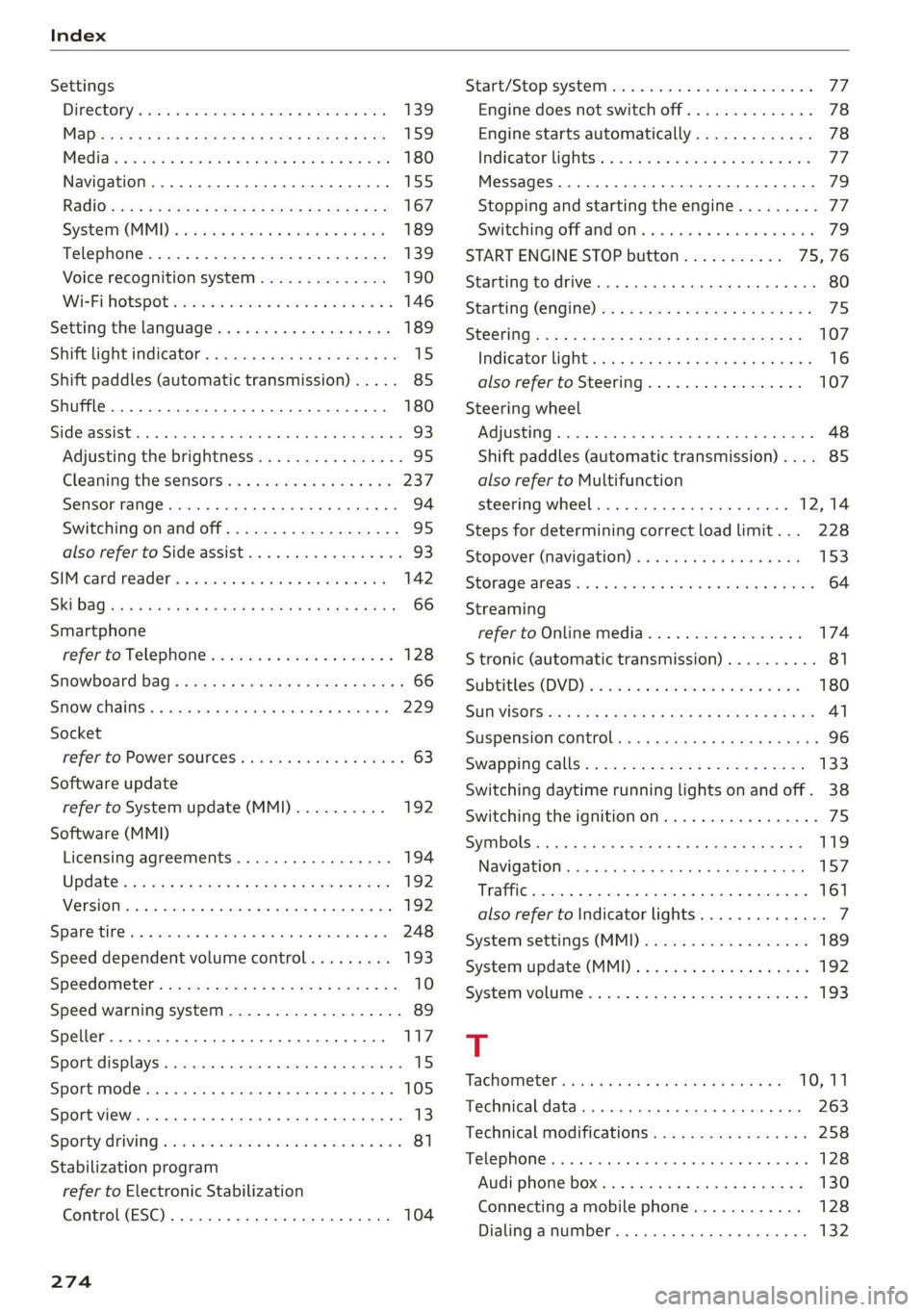
Index
Settings
Directory... ... cece eee eee eee eee 139
Mapaeos x 2 aeee x & seem o 2 eH oe ee 2 Eee 159
Medias. «= seman ss wave ox amanus ¥ ancaaneos « saners 180
Navigation...........0..0..0200 eee ee 155
RadiGuess: x x game x = seme os wee fs eee a oe 167
System (MM]) « « asiws + wom 6 wan we mewn 189
Telephone........... 00 eee eee eee 139
Voice recognition system.............. 190
Wi-Fi hotspot coicvs <5 esorn es ows oe ween oe 146
Setting the language.................0. 189
Shift light indicator’: sess ss vows se wae sy we 15
Shift paddles (automatic transmission) .... . 85
Shuffle... 2... eee eee eee 180
Side assist... 2... eee eee eee 93
Adjusting the brightness................ 95
Cleaning the sensors...........0000005 237
Sensor range... ..- 22... cece ee eee 94
Switching on and off...............0-0- 95
also refer to Side assist... .......0000006 93
SIM card Teader’s « « wera 2 » enw 2 2 ges 2 ges 142
Ski DaGiics + ais & © nets & ¥ MOE oo SOUS FE 66
Smartphone
referto Telephone...............00005 128
Snowboard bag ; ¢ «sess ¢ seas cones a ewes 66
SNOW. Chains: « = scan & o wee eee & Hae & 229
Socket
refer to Power sourceS..........--.200-5 63
Software update
refer to System update (MMI).......... 192
Software (MMI)
Licensing agreements................. 194
Updates 2 aces ¢ seu & y reen ¢ come x oes 192
MersiOMies ¢ 2 ccmers @ v serses © v sone 2 6 seme 2 Y 192
SParetiress « s mse se seas x e wows x e ees «es 248
Speed dependent volume control......... 193
Speedometer’: sexs sz ween sy ses x eee gee 10
Speed warning system.............2--00. 89
Speller... 20... 2. eee eee eee eee ee 117
Sport displays....... 0.0.0... cee eee eee ee 15
Sport mode...... 2... eee eee eee eee ee 105
SPOT MWh & viene «+ srenoire w e embewie a w ease a wa 13
Sporty CrivVing wien «+ wows = 0 wow © © eee oo ws 81
Stabilization program
refer to Electronic Stabilization
Control (ESC)... 2... eee 104
274
Start/Stop SYSte Mier «2 ssa = 2 ance ev eae 77
Engine does not switch off.............. 78
Engine starts automatically............. 78
Indicator lights: . . cise oe cme «sane ee oe 77.
MessageS.... 0.2... cece eee ee eee eee 79
Stopping and starting the engine......... 77
Switching off and/oni. « «swe sa wei «2 ames 79
START ENGINE STOP button........... 75,76
SUAEIMG EO ArIVEle: = = coun + x coups oe Rue ye om 80
Starting (Cngine)ixe « «wees x » ween ss mee 2 oe 75
Steering............ 00.0. cece eee eee 107
Indicator lighticcs ss scape seems so ewes ve 16
also refer to Steering...............4. 107
Steering
wheel
Adjusting ...... 0.6... cece eee eee 48
Shift paddles (automatic transmission) .... 85
also refer to Multifunction
steering wheel..............-.0000- 12,14
Steps for determining correct load limit... 228
Stopover (navigation) .............0000- 153
Storage:areasiia: « 6 wns e+ were « ¥ ewes © 9 swear 64
Streaming
refer to Online media................. 174
S tronic (automatic transmission).......... 81
Subtithes(DVD) « + seovse x 6 swine a 6 seaians 6 @ ones 180
SUIWISOFS.« wesu = 5 wane 6 s wang x % geRE & & BEER 41
SUSPENSION CONtOlws « < nem: « pea se ews 96
Swappinigiealls): « « seme 2s amex zs mee s oe 133
Switching daytime running lights on and off. 38
Switching the ignitionon................- 75
Symbols... 0.00... 0 cece eee eee eee 119
NaViGBtiOnece = y sews ¢ 2 deaik 2 eee § Bas 157
TRAFIC scoxe os esata oe ore 6 2 aor ae aeRO 161
also refer to Indicator lights.............. 7
System settings (MMI) w.cesx « cncu ee wane a « 189
System update (MMI)...............0088 192
System VOLUME « ace s case es nae ev eee os 193
T
Tachometer iiss « + wus ¢ ¢ were a eeoee 4 2 10,11
Technical datas: «sews < pase se nee ss ve 263
Technical modifications................. 258
Telephone.......... 0. cece cece eee eee 128
Audi phone box... .:c..sseecesneeees 130
Connecting a mobile phone............ 128
Dialinganumber..............-.0000- 132
Page 278 of 280
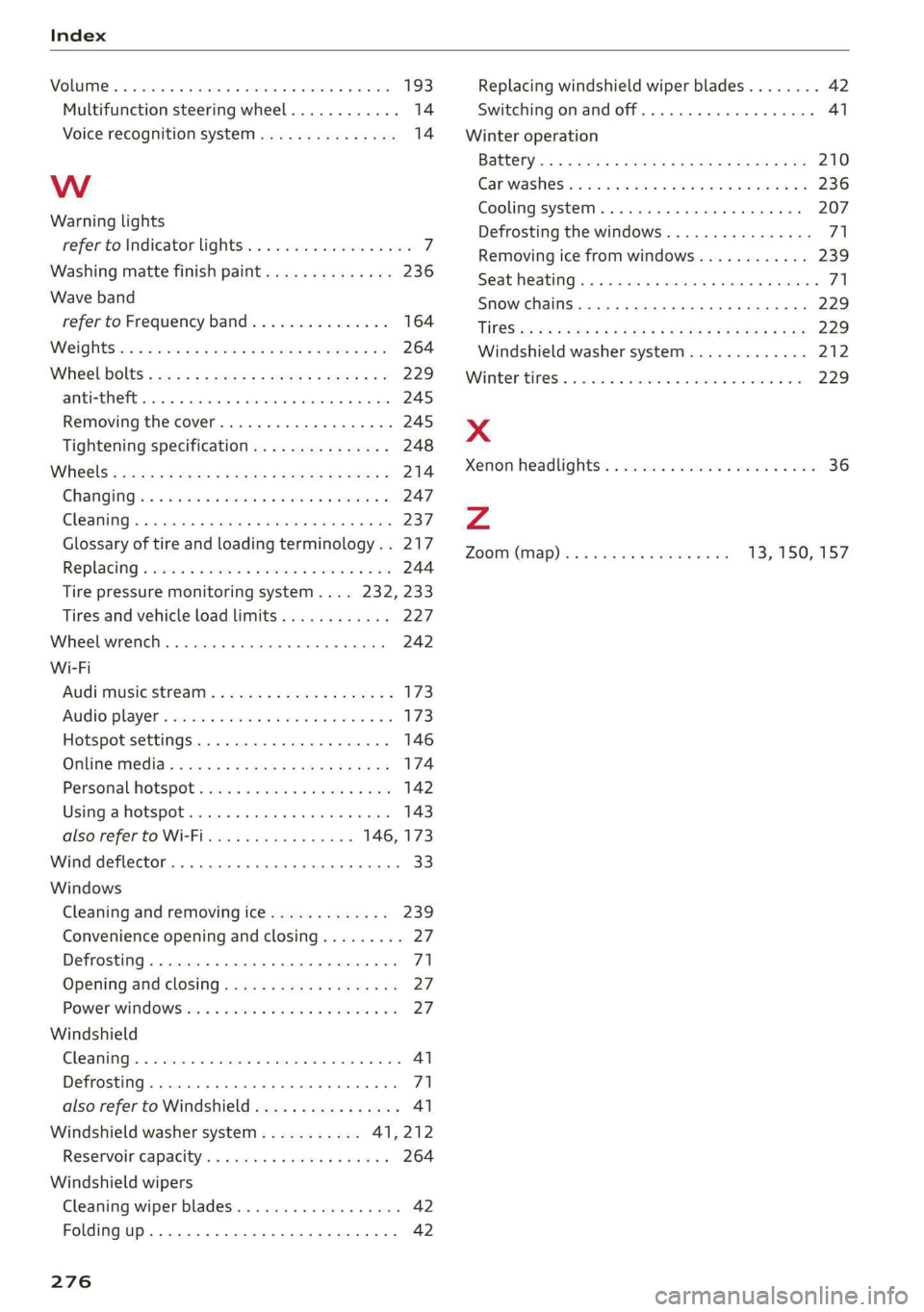
VOLUIMG ss 5 ecco a a casinos eeneaue « 0 asmanee 2 exexeet 193
Multifunction steering wheel............ 14
Voice recognition system wii... oie. se eee 14
WwW
Warning lights
refer to Indicator lights...............00. 7
Washing matte finish paint.............. 236
Wave band
refer to Frequency band............... 164
Weightstic = 2 sees 2 nee a onesie av moe oo He 264
Wheel. bolts » soar » ¢ sacs 2 2 gee ¥ scene § og 229
anti-theft... 0.0... e eee eee eee 245
Removing the cover............0.e000e 245
Tightening specification............... 248
Wihieels « saws = ame ¢ game x x ee 2 2 eee 2 214
CHANGING!) + sei eo wen wo ween wo ees wo 247
Cleaning. ........ cee eee eee 237
Glossary of tire and loading terminology. . 217
Replacing « severs 2 2 ana 2 siren + 3 mein © 9 oe 244
Tire pressure monitoring system.... 232, 233
Tires and vehicle load limits............ 227
Wheelwrench..........-.0000see seas 242
Wi-Fi
AUG MUSICStFeatii: » scum « x cewe vv ree 2 173
AUGIO playeP « saves ss sassen 3 3 mains ov awema oo 173
Hotspot settings..................... 146
Online Media s « wens « s sees x 2 eee ge ee 174
Personal hotspot................--04. 142
Using ahotspot.............0.. 202 e ee 143
also refer to Wi-Fi..........-00005 146, 173
Wind deflector. ........ 0.0.00 cece ee eee 33.
Windows
Cleaning and removing ice............. 239
Convenience opening and closing......... 27
Defrosting........ 0.0... cece eee eee eee 71
Opening and closing.................-. 27.
Power windOwsSsin: « o scosess s a awesese v & anivene a s 27
Windshield
Cleaning.......... eee eee eee eee 41
Defrosting.......... ccc eee eee ee eee ee 71
also refer to Windshield................ 41
Windshield washer system........... 41,212
Reservoir'capacity’. «5 csus + 6 came es eve 264
Windshield wipers
Cleaning wiper blades...............0-. 42
Folding up.......... 0. eee eee eee eee eee 42
276
Replacing windshield wiper blades........ 42
Switching on and off................004 41
Winter operation
Battehy as ¢ = neue ¢ 5 ed.g ¢ Ses Bz eeiew GE 210
Garwashess: « scm «x meson © 2 mem o eam oo 236
Cooling systeM...... eee eee eee 207
Defrosting the windows................ 71
Removing ice from windows............ 239
Seat heating............ 0... eee eee eee 71
Snow chains.............00 cee eee eee 229
“TiP@Siss: = mons & x mommy o & ems oe ooE Fe oe 229
Windshield washer system............. 212
Winter tite © secs oo cveia a a een vo oan vw 229
x
Xenon headlights .............. cess eee 36
Zz
ZOOM (MAP) ies « » wees s 2 wees s Gos 13, 150, 157