brakes AUDI TT COUPE 2014 User Guide
[x] Cancel search | Manufacturer: AUDI, Model Year: 2014, Model line: TT COUPE, Model: AUDI TT COUPE 2014Pages: 284, PDF Size: 34.42 MB
Page 100 of 284
Downloaded from www.Manualslib.com manuals search engine Parking
aids
- The best parking results will be achieved if
you position the vehicle as parallel as possi
ble to the line of parked cars or the kerb be
fore you start the actual parking manoeu
vre.
- If there are suitable parking spaces on both
sides of the road (for instance on a one-way
street), you can change the direction of the
turn signals to park on the other side, even
if you have already activated the park assist.
Parking parallel to the roadside
Applies to vehicles: with park assist
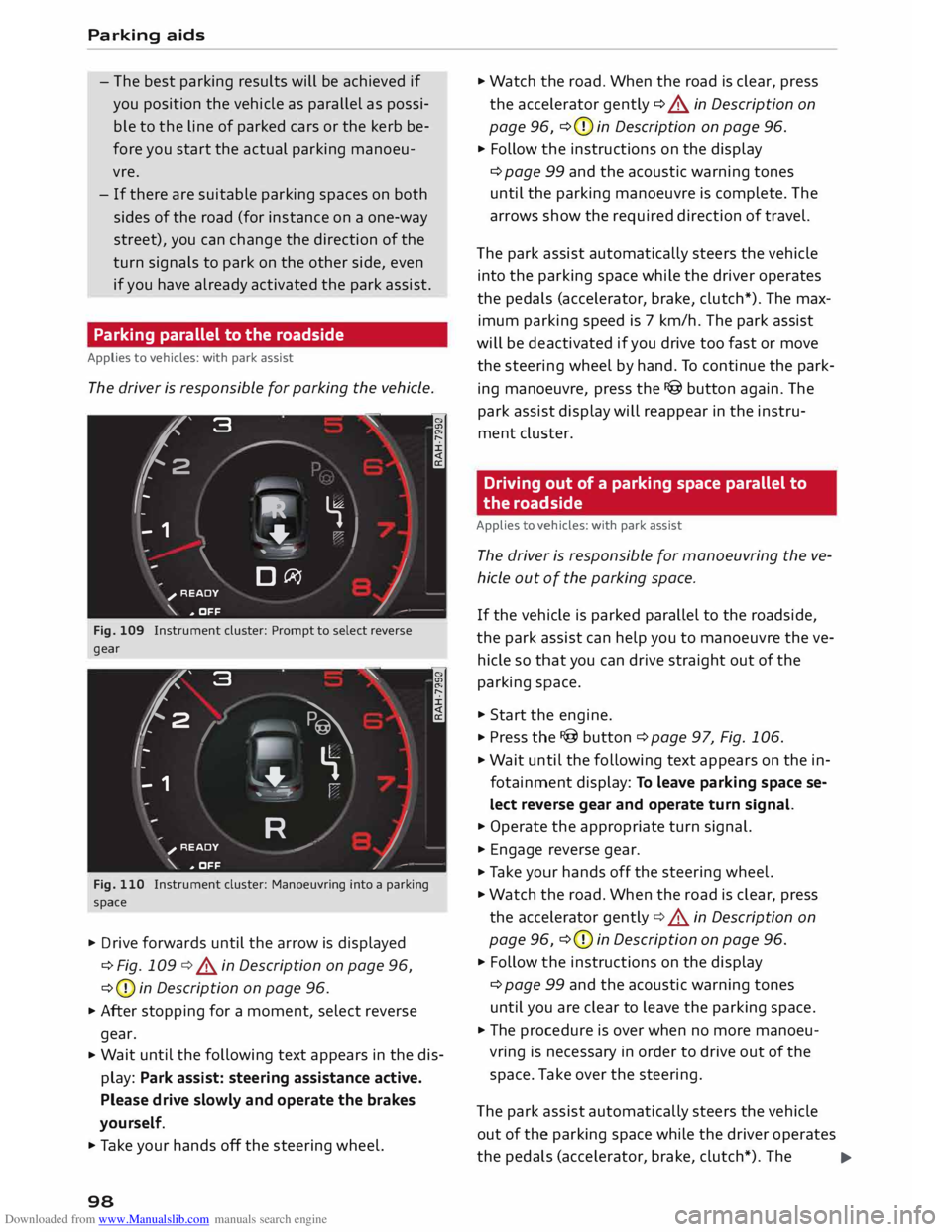
The driver is responsible for parking the vehicle.
�' 3 "
I
- IR t;
-
- 1 '"*-� )
,-...-
\ D�
)__
�
READY
\. ,. OFF
Fig. 109 Instrument cluster: Prompt to select reverse
gear
t' 3
2 ,
I I
-
-
- 1 "
� \
�
"'+-
, -- ':" ' I
R )__
�
READY
_,..-
\. ,. OFF
Fig. 110 Instrument cluster: Manoeuvring into a parking
space
... Drive forwards until the arrow is displayed
¢ Fig. 109 ¢&. in Description on page 96,
¢ (D
in Description on page 96.
... After stopping for a moment, select reverse
gear.
... Wait
until the following text appears in the dis
play: Park assist: steering assistance active.
Please drive slowly and operate the brakes
yourself.
... Take your hands off the steering wheel.
98 ...
Watch the road. When the road is clear, press
the accelerator gently ¢ &. in Description on
page 96, ¢(D
in Description on page 96.
... Follow the instructions on the display
¢ page 99 and the acoustic warning tones
until the parking manoeuvre is complete. The
arrows show the required direction of travel.
The park assist automatically steers the vehicle
into the parking space while the driver operates
the pedals (accelerator, brake, clutch*). The max
imum parking speed is 7 km/h. The park assist
will be deactivated if you drive too fast or move
the steering wheel by hand. To continue the park
ing manoeuvre, press the I@ button again. The
park assist display will reappear in the instru
ment cluster.
Driving out of a parking space parallel to
the roadside
Applies to vehicles: with park assist
The driver is responsible for manoeuvring the ve
hicle out of the parking space.
If the vehicle is parked parallel to the roadside,
the park assist can help you to manoeuvre the ve
hicle so that you can drive straight out of the
parking space .
... Start the engine .
.., Press the !@button ¢page 97, Fig. 106 .
... Wait until the following text appears on the in
fotainment display: To leave parking space se
lect reverse gear and operate turn signal.
... Operate the appropriate turn signal.
... Engage reverse gear .
.., Ta ke your hands off the steering wheel.
... Watch the road. When the road is clear, press
the accelerator gently¢&. in Description on
page 96, ¢(D
in Description on page 96 .
... Follow the instructions on the display
¢ page 99 and the acoustic warning tones
until you are clear to leave the parking space .
... The procedure is over when no more manoeu
vring is necessary in order to drive out of the
space. Take over the steering.
The park assist automatically steers the vehicle
out of the parking space while the driver operates
the pedals (accelerator, brake, clutch*). The
..,.
Page 101 of 284
Downloaded from www.Manualslib.com manuals search engine maximum
manoeuvring speed is S km/h. The
park assist will be deactivated if you drive too
fast or move the steering wheel by hand. To con
tinue the parking manoeuvre, switch the engine
off/on. Then press the I@ button again. Alterna
tively, drive out of the parking space without us
ing the park assist.
Driver messages
Applies to vehicles: with park assist
I@ Park
assist: steering assistance active.
Please drive slowly and operate the brakes your
self
The park assist is ready. You can now park the ve
hicle. Watch the road c:::> A in Description on
page 96.
Ill Park assist: ended.
II Park assist: ended. Please take over steer
ing.
The park assist has finished the parking manoeu
vre.
Ill Park assist: cancelled. Continue steering ve
hicle!
The park assist has interrupted the parking ma
noeuvre.
Ill Park assist: cancelled. Steering input detec
ted. Continue steering vehicle!
The steering assistant has been deactivated be
cause the driver has intervened in the steering.
To continue the parking manoeuvre, press the
I@ button again.
[S] Reduce
your speed! For the best results when
passing the line of parked cars where you want to
park, do not drive faster than 30 km/h (if parking
parallel to the roadside) or 20 km/h (if parking
perpendicular to the roadside) c:::> page 97.
Ill Park assist: cancelled. Speed too high. Con
tinue steering vehicle!
You were driving too fast into the parking space.
0
"' Do not exceed 7 km/h when driving into the park-
� ing space.
....
\D Lfl
N
Lfl
.... Parking
aids
• Park assist: currently unavailable. Stabilisa
tion control (ESC) off
Switch the ESC on to use the park assist.
� To leave parking space select reverse gear
and operate turn signal.
The park assist is ready. You can leave the parking
space. Watch the road c:::> A in Description on
page 96.
• Park assist: cancelled. Stabilisation control
(ESC) input. Continue steering vehicle!
Ta ke over the steering. Finish parking without the
park assist or drive out of the parking space.
The park assist has interrupted the parking ma
noeuvre, because the ESC has been switched off.
Ta ke over the steering or switch on the ES(
c:::> page 104 and start the parking manoeuvre
again ¢page 97.
Ill Park assist: ended. Please take over steering
and continue driving.
The park assist has finished manoeuvring the ve
hicle out of the parking space. Please take over
the steering.
Ill Park assist: cancelled. Space too small
The assist function is unable to automatically
steer the vehicle out of the parking space be
cause the space is too small. Manoeuvre the vehi
cle out of the parking space without using the
park assist.
• Park assist: time limit exceeded
Ill Park assist: cancelled. Time limit exceeded.
Continue steering vehicle!
The parking manoeuvre was not completed with
in about six minutes after the park assist was ac
tivated. To continue the parking manoeuvre,
press the I@ button again.
• Park assist: currently unavailable
Ill Park assist: currently unavailable. Continue
steering vehicle!
The park assist cannot be used to park the vehi
cle. Try repeating the parking manoeuvre or
switching the ignition off and on again.
..,.
99
Page 103 of 284
Downloaded from www.Manualslib.com manuals search engine Intelligent
technology
Electro-mechanical
power steering
Electro-mechanical power steering assists the
driver when steering.
The degree of power assistance is adapted elec
tronically, depending on the speed.
If the power steering should fail at any time or
the engine is switched off (for instance when be
ing towed), the car can still be steered. However,
substantially more effort than normal will be re
quired to turn the steering wheel.
Warning/indicator lamps and driver
messages
• Steering: fault. Please stop vehicle
If the warning lamp lights up permanently and
the message appears, there may be a power
steering failure.
Do NOT drive on. Obtain professional assistance.
• Steering: fault. Please stop vehicle
There is a malfunction in the electronic steering
lock. The ignition can no longer be switched on.
Do not have the vehicle towed away, because you
won't be able to steer it. Obtain professional as
sistance.
G'!b Steering:
fault. You can continue driving
If the indicator lamp lights up, the steering re
sponse may be heavier or lighter than usual. In
addition, it is possible that the steering wheel
will be off centre when driving in a straight line.
Drive slowly to a qualified workshop and have the
fault rectified.
Ive Steering
lock: fault. Please contact work
shop
There is a malfunction in the electronic steering
lock.
� Drive
to a qualified workshop soon and have the
a: fault rectified.
....
\D Lfl
N
Lfl
.... Intelligent
technology
A WARNING
Have the system malfunction repaired by a
qualified workshop as soon as possible -risk
of accident!
«]} Note
You can drive on if the warning/indicator lamp
• or mJ lights up only briefly.
Brakes
New brake pads
New brake pads do not give full braking effect for
the first 400 km, they must first be "bedded in".
However, you can compensate for the slightly re
duced braking effect by applying more pressure
on the brake pedal. Avoid placing a heavy load on
the brakes during the running-in period.
Wear The rate of wear on the brake pads depends a
great deal on how you drive and the conditions in
which the vehicle is operated. Negative factors
are, for instance, city traffic, frequent short trips
or hard driving with abrupt starts and stops.
Noises Brake noise may develop in certain situations, de
pending on the speed, braking force and ambient
conditions (such as temperature and relative hu
midity).
Effect of moisture and salt
In certain conditions, such as in heavy rain, or af
ter washing the car or driving through water, the
full braking effect can be delayed by moisture (or
in winter by ice) on the discs and brake pads. The
brakes should be "dried" by pressing the pedal to
restore full braking effect.
When you are driving at higher speeds with the
windscreen wipers on, the brake pads are very
briefly brought into contact with the brake discs.
This automatic process which goes unnoticed by
the driver is carried out at regular intervals and is
intended to improve braking response in wet con-
ditions. ..,..
101
Page 104 of 284
Downloaded from www.Manualslib.com manuals search engine Intelligent
technology
The effectiveness of the brakes can also be tem
porarily reduced if the car is driven for some dis
tance without using the brakes when there is a
lot of salt on the road in winter. The layer of salt
that accumulates on the discs and pads can be re
moved with a few cautious brake applications.
Corrosion
There may be a tendency for dirt to build up on
the brake pads and corrosion to form on the discs
if the car is used infrequently, or if you only drive
low mileages without using the brakes very
much.
If the brakes are not used frequently, or if corro
sion has formed on the discs, it is advisable to
clean off the pads and discs by braking firmly a
few times from a moderately high speed ¢.&,..
Faults in the brake system
If the brake pedal travel should ever increase
suddenly, this may mean that one of the two
brake circuits has failed. Drive immediately to the
nearest qualified workshop and have the fault
rectified. On the way to the dealer, be prepared
to use more pressure on the brake pedal and al
low for longer stopping distances.
Low brake fluid level
Malfunctions can occur in the brake system if the
brake fluid level is too low. The brake fluid level is
monitored electronically.
Brake servo
The brake servo amplifies the pressure you apply
to the brake pedal. It only works when the engine
is running.
& WARNING
- When applying the brakes to clean off de
posits on the pads and discs, select a clear,
dry road. Be sure not to inconvenience or en
danger other road users; do not risk an acci
dent.
- Never let the car coast with the engine
switched off (this can cause accidents).
102 CD
CAUTION
- Never let the brakes "drag" by leaving your
foot on the pedal when you do not really in
tend to brake. This overheats the brakes, re
sulting in longer stopping distances and
greater wear.
- Before driving down a long, steep gradient,
it is advisable to reduce speed and move the
selector lever to a lower gear. In this way
you will make use of the engine braking ef
fect and relieve the load on the brakes. If
you still have to use the brakes, it is better
to brake firmly at intervals than to apply the
brakes continuously.
Note
- If the brake servo is out of action, you must
apply considerably more pressure to the
brake pedal than you normally would.
- If you wish to equip the car with accessories
such as a front spoiler or wheel covers, it is
important that the flow of air to the front
wheels is not obstructed, otherwise the
brakes can overheat.
Electronic stabilisation
control (ESC)
Description
The electronic stabilisation control (ES() increa
ses the car's stability. It reduces the tendency to
skid and improves the stability and road holding
of the vehicle. The ESC detects critical handling
situations, such as understeer, oversteer and
wheelspin on the driven wheels. It stabilises the
vehicle by braking individual wheels or by reduc
ing the engine torque. The indicator lamp Ii] in
the instrument cluster starts flashing as soon as
the ESC intervenes.
The following systems are integrated in the ESC:
Anti-lock brake system (ABS)
ABS prevents the wheels from locking up under
braking until the vehicle has reached a virtual
standstill. You can continue to steer the vehicle
even when the brakes are on full. Keep your foot
•
Page 105 of 284
Downloaded from www.Manualslib.com manuals search engine on
the brake pedal and do not pump the brakes.
You will feel the brake pedal pulsate while the
anti-lock brake system is working.
Brake assist system
The brake assist system can shorten the braking
distance. The braking force is automatically boos
ted if you press the brake pedal quickly in an
emergency. You must keep pressing the brake
pedal until the danger has passed.
Traction control system (ASR)
In the event of wheelspin, the traction control
system reduces the engine torque to match the
amount of grip available. This helps the car to
start moving, accelerate or climb a gradient.
Electronic differential lock (EDL)
When the EDL detects wheelspin, it brakes the
spinning wheel and directs the power to the oth
er driven wheel (or wheels on quattro* versions).
This function is not available at high speeds.
To prevent the disc brake of the braked wheel
from overheating, the EDL cuts out automatically
if subjected to excessive loads. The vehicle can
still be driven. The EDL will switch on again auto
matically when the brake has cooled down.
Steering recommendation
The ESC helps to stabilise the vehicle by changing
the steering wheel torque.
Selective wheel torque control
Selective wheel torque control intervenes when
cornering by braking the wheel(s) on the inside of
the bend individually as required. This enables
precision cornering. The relevant system may not
intervene in the wet or snow.
Multicollision brake assist system
The "multicollision brake assist system" can help
to reduce the risk of skidding and further colli
sions during an accident. If the airbag control
unit detects that a collision has taken place up-
� wards
of a certain speed, the vehicle is braked by
a'.: the ESC.
co
....
\D U'l
N
U'l
.... Intelligent
technology
The vehicle will not be braked automatically if:
- the driver presses the accelerator,
- the brake pressure applied by pressing the
brake pedal is higher than the brake pressure
initiated by the system,
- or the ESC, the brake system or the vehicle's
electrical system are not fully functional.
A WARNING
- The grip provided by the ESC and the inte
grated systems is still subject to the physi
cal limits of adhesion. Always bear this in
mind, especially on wet or slippery roads. If
you notice the systems cutting in, you
should reduce your speed immediately to
suit the road and traffic conditions. Do not
let the extra safety provided tempt you into
taking any risks when driving -this can
cause accidents.
- Remember that the accident risk always in
creases if you drive fast, especially in cor
ners or on a wet or slippery road, or if you
follow too close behind the vehicle in front
of you. Please bear in mind that even the
ESC and the integrated systems cannot
compe nsate for the increased accident risk.
- When accelerating on a uniformly slippery
surface (for instance all four wheels on ice
or snow), press the accelerator gradually
and carefully. The driven wheels may other
wise start to spin (in spite of the integrated
control systems), which would impair the
car's stability and could lead to an accident.
{D Note
- To ensure that the ABS and ASR systems
work properly, all four wheels must be fit
ted with identical tyres. Any differences in
the rolling radius of the tyres can cause the
system to reduce engine power when this is
not desired.
- The systems can make noises when they in
tervene.
- If the indicator lamp DJ orr§J appears,
there may be a malfunction ¢ page 14. -
103
Page 206 of 284
Downloaded from www.Manualslib.com manuals search engine Seat
belts
Seat belts
Why is it so important to
use seat belts?
Seat belts provide effective protection
The common belief that passengers can brace
their weight with their hands in a minor collision
is false.
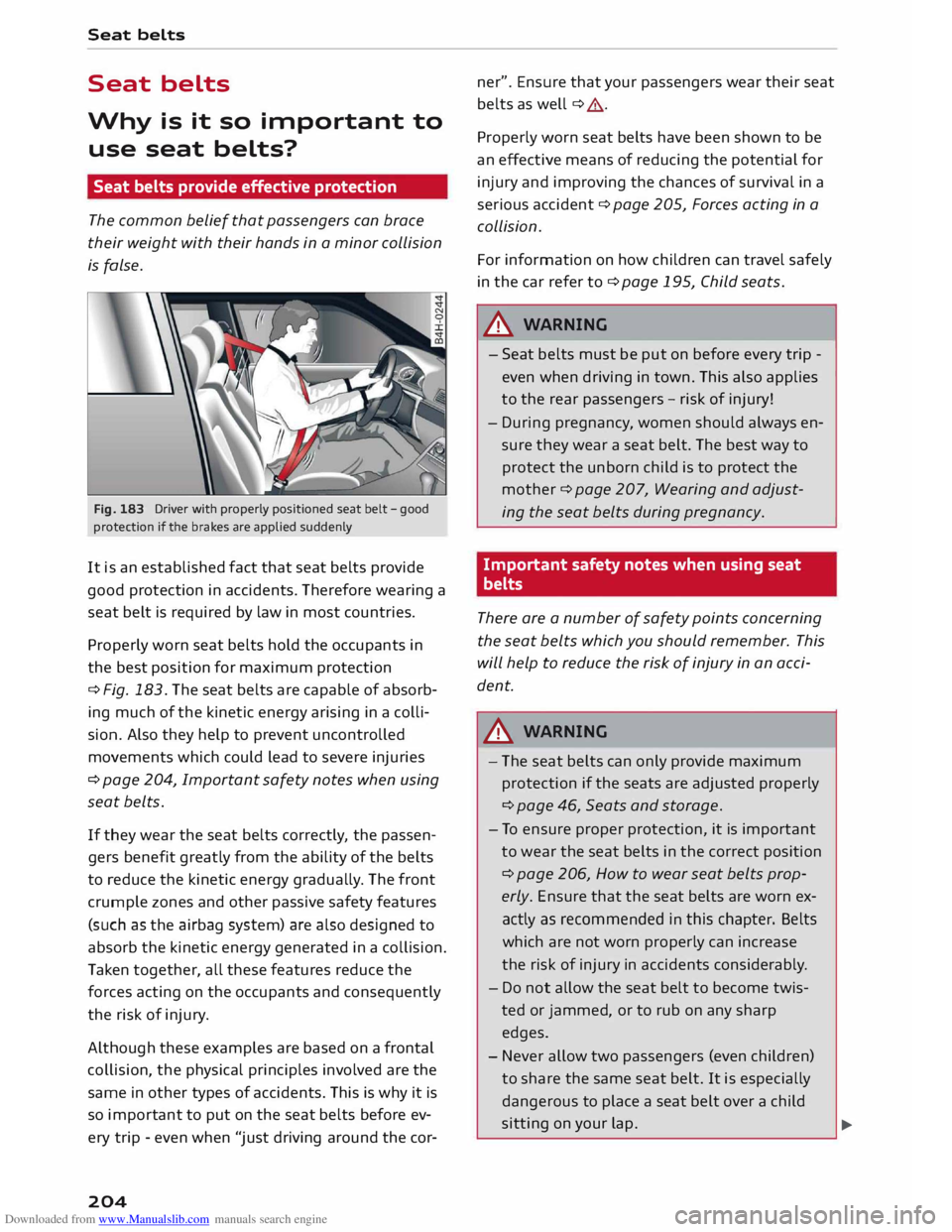
Fig. 183 Driver with properly positioned seat belt -good
protection if the brakes are applied suddenly
It is an established fact that seat belts provide
good protection in accidents. Therefore wearing a
seat belt is required by law in most countries.
Properly worn seat belts hold the occupants in
the best position for maximum protection
¢ Fig. 183. The seat belts are capable of absorb
ing much of the kinetic energy arising in a colli
sion. Also they help to prevent uncontrolled
movements which could lead to severe injuries
¢ page 204, Important safety notes when using
seat belts.
If they wear the seat belts correctly, the passen
gers benefit greatly from the ability of the belts
to reduce the kinetic energy gradually. The front
crumple zones and other passive safety features
(such as the airbag system) are also designed to
absorb the kinetic energy generated in a collision.
Taken together, all these features reduce the
forces acting on the occupants and consequently
the risk of injury.
Although these examples are based on a frontal
collision, the physical principles involved are the
same in other types of accidents. This is why it is
so import ant to put on the seat belts before ev
ery trip -even when "just driving around the cor-
204 ner".
Ensure that your passengers wear their seat
belts as well ¢ ,&.
Properly worn seat belts have been shown to be
an effective means of reducing the potential for
injury and improving the chances of survival in a
serious accident ¢ page 205, Forces acting in a
collision.
For information on how children can travel safely
in the car refer to¢ page 195, Child seats .
.lD.. WARNING
- Seat belts must be put on before every trip -
even when driving in town. This also applies
to the rear passengers -risk of injury!
- During pregnancy, women should always en
sure they wear a seat belt. The best way to
protect the unborn child is to protect the
mother ¢ page 207, Wearing and adjust
ing the seat belts during pregnancy.
Important safety notes when using seat
belts
There are a number of safety points concerning
the seat belts which you should remember. This
will help to reduce the risk of injury in an acci
dent.
.lD.. WARNING
- The seat belts can only provide maximum
protection if the seats are adjusted properly
¢page 46, Seats and storage.
- To ensure proper protection, it is important
to wear the seat belts in the correct position
¢ page 206, How to wear seat belts prop
erly. Ensure that the seat belts are worn ex
actly as recommended in this chapter. Belts
which are not worn properly can increase
the risk of injury in accidents considerably.
- Do not allow the seat belt to become twis
ted or jammed, or to rub on any sharp
edges.
- Never allow two passengers (even children)
to share the same seat belt. It is especially
dangerous to place a seat belt over a child
sitting on your lap.
�
Page 228 of 284
Downloaded from www.Manualslib.com manuals search engine Checking
and topping up fluids
Brake fluid
&
8cm DOT 4 0
0
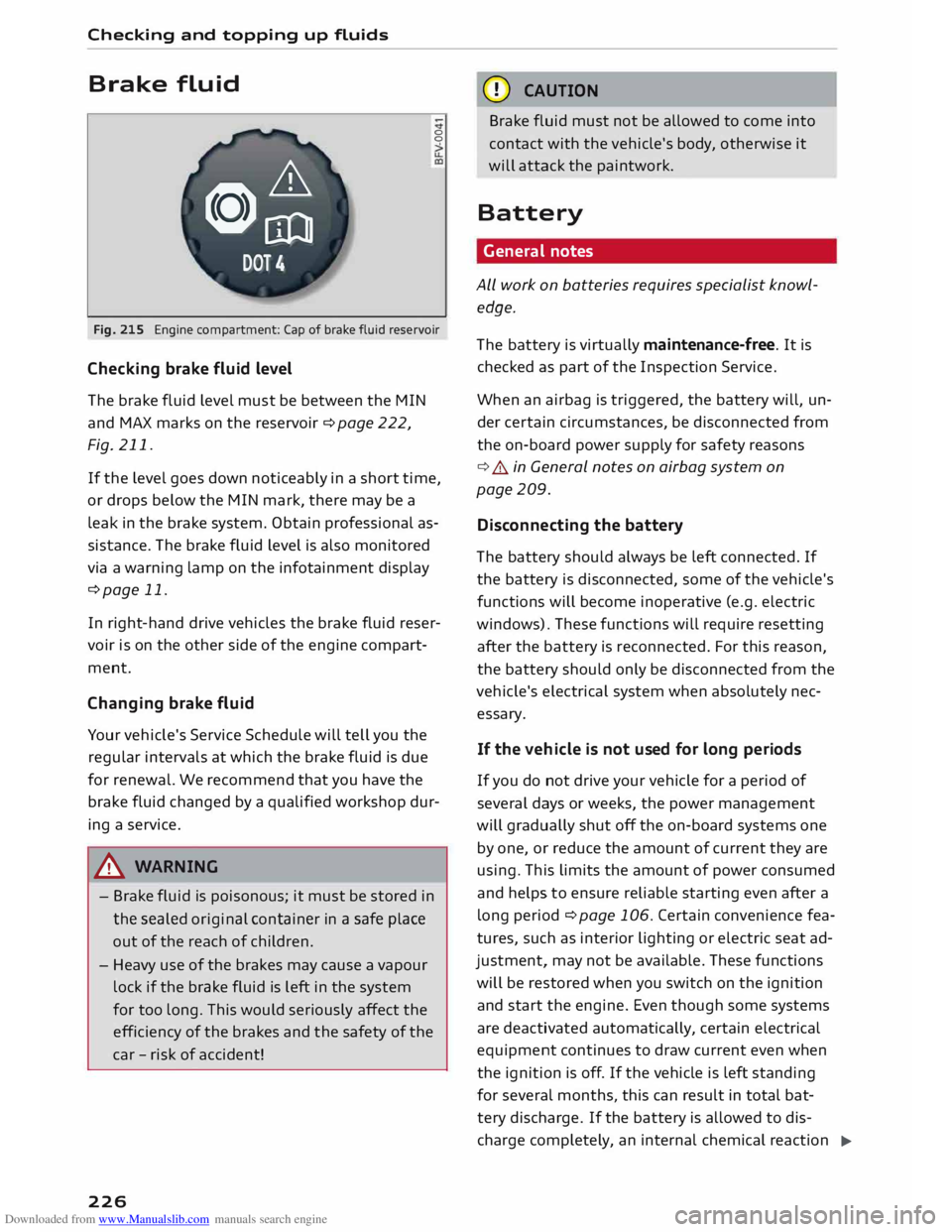
Fig. 215 Engine compartment: Cap of brake fluid reservoir
Checking brake fluid level
The brake fluid Level must be between the MIN
and MAX marks on the reservoir ¢ page 222,
Fig. 211.
If the Level goes down noticeably in a short time,
or drops below the MIN mark, there may be a
Leak in the brake system. Obtain professional as
sistance. The brake fluid Level is also monitored
via a warning Lamp on the infotainment display
¢page 11.
In right-hand drive vehicles the brake fluid reser
voir is on the other side of the engine compart
ment.
Changing brake fluid
Your vehicle's Service Schedule will tell you the
regular intervals at which the brake fluid is due
for renewal. We recommend that you have the
brake fluid changed by a qualified workshop dur
ing a service.
A WARNING
- Brake fluid is poisonous; it must be stored in
the sealed original container in a safe place
out of the reach of children.
- Heavy use of the brakes may cause a vapour
Lock if the brake fluid is left in the system
for too Long. This would seriously affect the
efficiency of the brakes and the safety of the
car -risk of accident!
226 CD
CAUTION
Brake fluid must not be allowed to come into
contact with the vehicle's body, otherwise it
will attack the paintwork.
Battery General notes
ALL work on batteries requires specialist knowl
edge.
The battery is virtually maintenance-free. It is
checked as part of the Inspection Service.
When an airbag is triggered, the battery will, un
der certain circumstances, be disconnected from
the on-board power supply for safety reasons
¢ .&.. in General notes on airbag system on
page 209.
Disconnecting the battery
The battery should always be Left connected. If
the battery is disconnected, some of the vehicle's
functions will become inoperative (e.g. electric
windows). These functions will require resetting
after the battery is reconnected. For this reason,
the battery should only be disconnected from the
vehicle's electrical system when absolutely nec
essary.
If the vehi cle is not used for long periods
If you do not drive your vehicle for a period of
several days or weeks, the power management
will gradually shut off the on-board systems one
by one, or reduce the amount of current they are
using. This Limits the amount of power consumed
and helps to ensure reliable starting even after a
Long period ¢ page 106. Certain convenience fea
tures, such as interior Lighting or electric seat ad
justment, may not be available. These functions
will be restored when you switch on the ignition
and start the engine. Even though some systems
are deactivated automatically, certain electrical
equipment continues to draw current even when
the ignition is off. If the vehicle is Left standing
for several months, this can result in total bat-
tery discharge. If the battery is allowed to dis
charge completely, an internal chemical reaction
..,_
Page 234 of 284

Downloaded from www.Manualslib.com manuals search engine Wheels
and tyres
& WARNING
- Use only tyre/rim combinations and match
ing wheel bolts approved by Audi. Otherwise
damage to the vehicle and an accident could
result.
- For technical reasons, it is not possible to
use wheels from other vehicles. In certain
cases, it is not even possible to use wheels
from another vehicle of the same model.
- It is very important to ensure that the tyres
you have chosen have adequate clearance.
When selecting replacement tyres, do not
rely entirely on the nominal tyre size marked
on the tyre; with some makes of tyre the ef
fective tyre size can differ significantly from
the nominal dimensions, even though the
tyres have the same size designation. Inade
quate tyre clearance can result in damage to
the tyres or the vehicle, causing a serious
safety risk.
- Avoid running the car on tyres that are more
than 6 years old. If you have no alternative,
you should drive slowly and with extra care
at all times.
- The use of run-flat tyres on your vehicle is
NOT authorised! Unauthorised use can cause
an accident or damage your vehicle.
- If wheel trims are fitted after the car is pur
chased, ensure that there is an adequate
flow of air for cooling the brakes -risk of ac
cident!
Tyre wear / damage
Fig. 219 Tyre tread: Tread wear indicators
l l
Please observe the applicable regulations in the country in
which you are travelling.
232 Tyre
wear
Inspect the tyres regularly for damage.
- The wear on under or over-inflated tyres is sig
nificantly higher.
- Fast cornering, heavy acceleration and hard
braking all increase tyre wear.
- If you notice excessive tyre wear, have the
wheel alignment checked by a qualified work
shop.
- Have your tyres rebalanced if steering wheel vi
brations indicate an imbalance. Otherwise, the
tyres and other parts of the vehicle may wear
faster.
Tread wear indicators
The original tyres on your vehicle have 1.6 mm
high tread wear indicators ¢ Fig. 219 running
across the tread at regular intervals. The letters
"TWI" or triangles on the sidewall indicate the
positions of the tread wear indicators.
The minimum tread depth 1
) is reached at the lat
est when the tread is worn down to the tread
wear indicators. Replace the tyres with new ones
¢ ,&..
Changing wheels round
Wheels should be changed round regularly to en
sure that the wear is equal on all tyres. Fit the
wheels from the rear axle on the front axle and
vice-versa. All the tyres will then last for about
the same time.
On tyres with a directional tread pattern, note
the direction of rotation indicated on the sidewall
¢page 247.
Concealed damage
Damage to tyres and rims is often not readily visi
ble. If you notice unusual vibrations or the car
pulling to one side, this may indicate that one of
the tyres is damaged. Reduce your speed imme
diately. Inspect the tyres for damage. If no exter
nal damage is visible, drive slowly and carefully
to the nearest qualified workshop and have the
car inspected.
Page 239 of 284
Downloaded from www.Manualslib.com manuals search engine 0
N
co
....
\D L/'l
N
L/'l
.... vehicle
with the ignition switched on - risk
of accident!
- To avoid cutting yourself on sharp metal
parts, always wear suitable protection when
cleaning the underside of the car or inside
the wheel arches.
- After the car has been washed, the full brak
ing effect can be delayed by moisture (or in
winter by ice) on the discs and brake pads -
risk of accident! The brakes should be dried
by pressing the pedal to restore full braking
effect.
CD CAUTION
- Before washing the vehicle in an automatic
car wash, please make sure to retract the
exterior mirrors and, if necessary, retract
the automatic rear spoiler* to prevent dam
age. Always use the electrical power control
to fold the mirrors in/out on vehicles with
electrically retractable exterior mirrors*.
Notes on cleaning and care
For cleaning and care of individual components
on the vehicle, please refer to the tables below.
These are recommendations only. If you have
Cleaning the exterior
Component Situation Care
of vehicle and cleaning
- Do not wash the vehicle in direct sunlight -
otherwise the paint can be damaged.
- Do not use insect sponges or abrasive
household sponges, etc. -they can damage
the surfaces.
- Matt-painted vehicle parts:
- Do not use polish or wax -otherwise the
paintwork can be damaged.
- Never use car-wash programmes that in
clude wax coatings. This could spoil the
matt finish.
- Do not attach any stickers or magnet la
bels to matt-painted parts as these could
damage the paintwork when they are re
moved.
@ For
the sake of the environment
The car should only be washed in special wash
bays. This prevents oily water from getting in
to the public drains.
special questions or certain components are not
listed, please ask your qualified workshop. Please
also refer to the notes ¢ &. .
Remedy
Wiper blades Di
rt/deposits
¢page43
Headlights/ Di rt/deposits Soft
sponge with mild detergent a
>
rear lights
Sensors Dirt/deposits
Soft
cloth with solvent-free cleaning agent
Snow/ice Small brush/solvent-free de-icer spray
Wheels Road
salt Water
Brake dust
Acid-free cleaning agent
Tailpipes Road
salt Water; suitable stainless steel cleaning product if necessa-
ry
Ornamental trim/ Dirt/deposits
Mild detergent a
>
; suitable stainless steel cleaning product
mouldings if necessary
237
Page 267 of 284
Downloaded from www.Manualslib.com manuals search engine 0
N
co
....
\D L/'l
N
L/'l
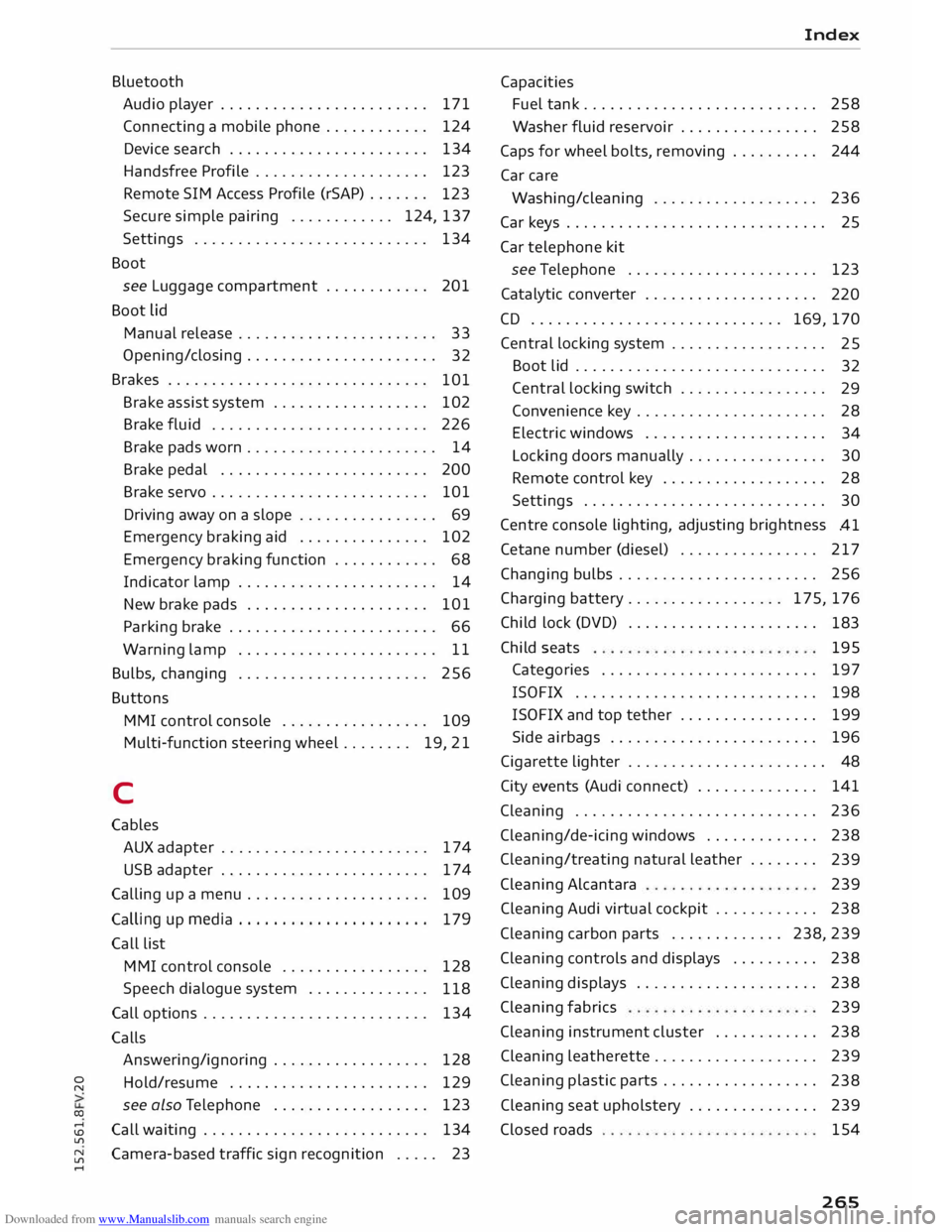
.... Bluetooth
Audio player ........................ 171
Connecting a mobile phone . . . . . . . . . . . .
124
Device search . . . . . . . . . . . . . . . . . . . . . . .
134
Handsfree Profile . . . . . . . . . . . . . . . . . . . .
123
Remote SIM Access Profile (rSAP) . . . . . . .
123
Secure simple pairing . . . . . . . . . . . . 124, 137
Settings . . . . . . . . . . . . . . . . . . . . . . . . . . . 134
Boot see Luggage compartment . . . . . . . . . . . . 201
Boot lid
Manual release . . . . . . . . . . . . . . . . . . . . . . .
33
Opening/closing . . . . . . . . . . . . . . . . . . . . . .
32
Brakes . . . . . . . . . . . . . . . . . . . . . . . . . . . . . .
101
Brake assist system . . . . . . . . . . . . . . . . . .
102
Brake fluid . . . . . . . . . . . . . . . . . . . . . . . . .
226
Brake pads worn . . . . . . . . . . . . . . . . . . . . . . 14
Brake pedal . . . . . . . . . . . . . . . . . . . . . . . .
200
Brake servo . . . . . . . . . . . . . . . . . . . . . . . . .
101
Driving away on a slope . . . . . . . . . . . . . . . . 69
Emergency braking aid . . . . . . . . . . . . . . . 102
Emergency braking function . . . . . . . . . . . .
68
Indicator lamp . . . . . . . . . . . . . . . . . . . . . . .
14
New brake pads . . . . . . . . . . . . . . . . . . . . . 101
Parking brake . . . . . . . . . . . . . . . . . . . . . . . . 66
Warning lamp . . . . . . . . . . . . . . . . . . . . . . . 11
Bulbs, changing . . . . . . . . . . . . . . . . . . . . . . 256
Buttons MMI control console . . . . . . . . . . . . . . . . . 109
Multi-function steering wheel.. . . . . . . 19, 21
C
Cables AUX adapter . . . . . . . . . . . . . . . . . . . . . . . .
174
USB adapter . . . . . . . . . . . . . . . . . . . . . . . .
174
Calling up a menu . . . . . . . . . . . . . . . . . . . . .
109
Calling up media . . . . . . . . . . . . . . . . . . . . . . 179
Call list
MMI control console . . . . . . . . . . . . . . . . .
128
Speech dialogue system . . . . . . . . . . . . . .
118
Call options . . . . . . . . . . . . . . . . . . . . . . . . . .
134
Calls Answering/ignoring . . . . . . . . . . . . . . . . . . 128
Hold/resume . . . . . . . . . . . . . . . . . . . . . . . 129
see also Telephone . . . . . . . . . . . . . . . . . .
123
Call waiting . . . . . . . . . . . . . . . . . . . . . . . . . .
134
Camera-based traffic sign recognition . . . . . 23 Index
Capacities Fuel tank .......................... .
258
Washer fluid reservoir . . . . . . . . . . . . . . . .
258
Caps for wheel bolts, removing . . . . . . . . . .
244
Car care
Washing/cleaning . . . . . . . . . . . . . . . . . . .
236
Car keys . . . . . . . . . . . . . . . . . . . . . . . . . . . . . . 25
Car telephone kit
see Telephone . . . . . . . . . . . . . . . . . . . . . .
123
Catalytic converter . . . . . . . . . . . . . . . . . . . .
220
CD ............................. 169, 170
Central locking system . . . . . . . . . . . . . . . . . .
25
Boot lid . . . . . . . . . . . . . . . . . . . . . . . . . . . . .
32
Central locking switch . . . . . . . . . . . . . . . . .
29
Convenience key . . . . . . . . . . . . . . . . . . . . . .
28
Electric windows . . . . . . . . . . . . . . . . . . . . .
34
Locking doors manually . . . . . . . . . . . . . . . .
30
Remote control key . . . . . . . . . . . . . . . . . . .
28
Settings . . . . . . . . . . . . . . . . . . . . . . . . . . . .
30
Centre console lighting, adjusting brightness
.41
Cetane number (diesel) . . . . . . . . . . . . . . . .
217
Changing bulbs . . . . . . . . . . . . . . . . . . . . . . .
256
Charging battery... . . . . . . . . . . . . . . . 175, 176
Child lock (DVD) . . . . . . . . . . . . . . . . . . . . . .
183
Child seats 195
Categories . . . . . . . . . . . . . . . . . . . . . . . . .
197
ISOFIX . . . . . . . . . . . . . . . . . . . . . . . . . . . . 198
ISOFIX and top tether . . . . . . . . . . . . . . . . 199
Side airbags . . . . . . . . . . . . . . . . . . . . . . . . 196
Cigarette lighter . . . . . . . . . . . . . . . . . . . . . . . 48
City events (Audi connect) . . . . . . . . . . . . . . 141
Cleaning . . . . . . . . . . . . . . . . . . . . . . . . . . . .
236
Cleaning/de-icing windows . . . . . . . . . . . . .
238
Cleaning/ treating natural leather . . . . . . . .
239
Cleaning Alcantara
239
Cleaning Audi virtual cockpit . . . . . . . . . . . . 238
Cleaning carbon parts . . . . . . . . . . . . . 238, 239
Cleaning controls and displays . . . . . . . . . .
238
Cleaning displays . . . . . . . . . . . . . . . . . . . . .
238
Cleaning fabrics
239
Cleaning instrument cluster . . . . . . . . . . . .
238
Cleaning leatherette . . . . . . . . . . . . . . . . . . .
239
Cleaning plastic parts . . . . . . . . . . . . . . . . . .
238
Cleaning seat upholstery . . . . . . . . . . . . . . . 239
Closed roads
154
265