tyre pressure AUDI TT COUPE 2014 User Guide
[x] Cancel search | Manufacturer: AUDI, Model Year: 2014, Model line: TT COUPE, Model: AUDI TT COUPE 2014Pages: 284, PDF Size: 34.42 MB
Page 238 of 284
Downloaded from www.Manualslib.com manuals search engine Care
of vehicle and cleaning
Care of vehicle and
cleaning
General notes
Regular and careful care helps to maintain the
value of the vehicle. This may also be one of the
requirements for upholding any warranty claims
in the event of corrosion or paint defects.
The required car care products are available from
Audi dealers or specialist retailers. Please follow
the instructions for use on the packaging.
A WARNING
- Cleaning products and other materials used
for car care can damage health if misused.
- Car care products can contain toxic substan
ces and must always be kept in a safe place
out of reach of children.
®, For the sake of the environment
- Please choose care products that are not
harmful to the environment.
- Surplus cleaning materials should not be
disposed of together with ordinary house
hold waste.
Washing the vehicle
The longer residues are allowed to remain on the
vehicle, the more damage they can do to the
paintwork. High temperatures (for instance in di
rect sunlight) further intensify the damage.
Before washing, soak heavy dirt with plenty of
water.
Stubborn dirt, such as bird droppings or resinous
tree sap, is best removed with plenty of water
and a micro-fibre cloth.
After the period when salt is put on the roads,
have the underside of the vehicle washed thor
oughly.
High-pressure cleaners
When cleaning the vehicle with a high-pressure
cleaner, always follow the operating instructions
for the equipment. This applies particularly to
236 the
operating pressure and the spraying distance.
Do not point the spray jet directly at the seals on
the windows, doors, bonnet or boot lid, or at the
tyres, rubber hoses, insulating material or sen
sors*. Maintain a distance of at least 40 cm.
Do not use a high-pressure cleaner to remove
snow and ice.
Never use high-pressure cleaners with a round-jet
nozzle or "dirt blasters".
The water must not be hotter than 60 °C.
Automatic car washes
Spray the vehicle with water before washing.
Ensure that the windows are closed and that the
windscreen wipers are switched off. Follow the
car wash operator's rules and recommendations,
especially if any accessories are attached to your
vehicle.
If possible use a brush less car wash.
Washing by hand
Clean the car with a soft sponge or brush, start
ing on the roof and working down. Use solvent
free cleaning agents.
Washing matt-painted vehicles by hand
To avoid damaging the paintwork when washing
the car, first remove any dust, sand and grit. In
sects, grease stains and fingerprints are best re
moved using a special cleaning agent for matt
painted surfaces.
Apply the product with a micro-fibre cloth. Do
not apply too much pressure to avoid damaging
the paintwork.
Rinse the car thoroughly with water. Then clean
the car with a neutral shampoo and a soft micro
fibre cloth.
Rinse the car with lots of water again and then
let it dry in the air. Remove any water stains with
a chamois.
A WARNING
-
- Follow the rules and recommendations of
the car wash operator and do not wash the
�
Page 244 of 284
Downloaded from www.Manualslib.com manuals search engine Mobility
Tool kit/tyre repair kit/compressor
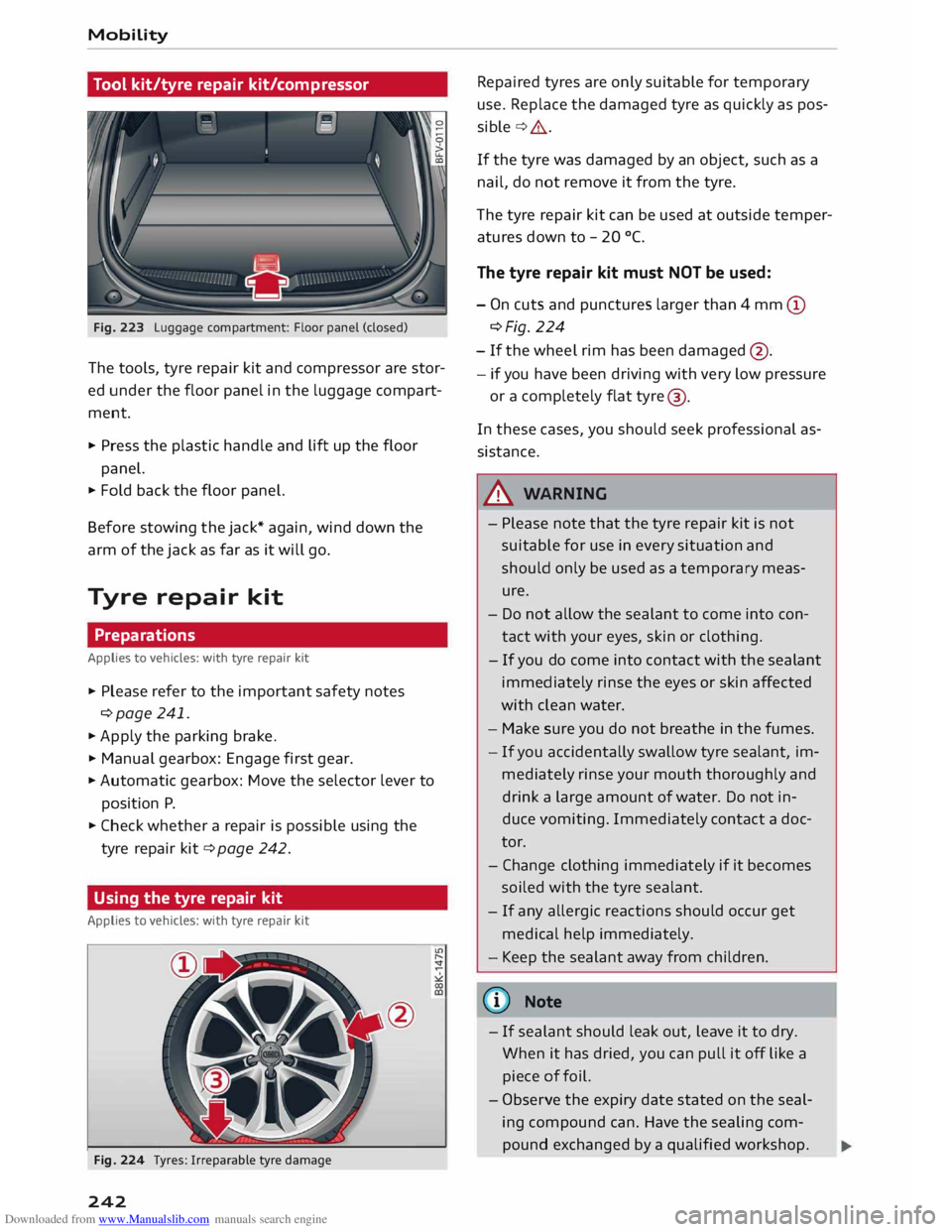
Fig. 223 Luggage compartment: Floor panel (closed)
The tools, tyre repair kit and compressor are stor
ed under the floor panel in the luggage compart
ment.
"' Press the plastic handle and Lift up the floor
panel.
"' Fold back the floor panel.
Before stowing the jack* again, wind down the
arm of the jack as far as it will go.
Tyre repair kit
Preparations
Applies to vehicles: with tyre repair kit
"' Please refer to the important safety notes
¢page 241.
"'Apply the parking brake.
"' Manual gearbox: Engage first gear.
"' Automatic gearbox: Move the selector lever to
position P.
"' Check whether a repair is possible using the
tyre repair kit¢ page 242.
Using the tyre repair kit
Applies to vehicles: with tyre repair kit
Fig. 224 Tyres: Irreparable tyre damage
242 Repaired
tyres are only suitable for temporary
use. Replace the damaged tyre as quickly as pos
sible ¢,&..
If the tyre was damaged by an object, such as a
nail, do not remove it from the tyre.
The tyre repair kit can be used at outside temper
atures down to - 20 °(.
The tyre repair kit must NOT be used:
- On cuts and punctures larger than 4 mm (D
¢Fig. 224
- If the wheel rim has been damaged @.
- if you have been driving with very low pressure
or a completely flat tyre@
.
In these cases, you should seek professional as
sistance.
A WARNING
- Pl ease note that the tyre repair kit is not
suitable for use in every situation and
should only be used as a temporary meas
ure.
- Do not allow the sealant to come into con
tact with your eyes, skin or clothing.
- If you do come into contact with the sealant
immediately rinse the eyes or skin affected
with clean water.
- Make sure you do not breathe in the fumes.
- If you accidentally swallow tyre sealant, im-
mediately rinse your mouth thoroughly and
drink a large amount of water. Do not in
duce vomiting. Immediately contact a doc
tor.
- Change clothing immediately if it becomes
soiled with the tyre sealant.
- If
any allergic reactions should occur get
medical help immediately.
- Keep the sealant away from children.
(©) Note
- If sealant should leak out, leave it to dry.
When it has dried, you can pull it off Like a
piece of foil.
- Observe the expiry date stated on the seal
ing compound can. Have the sealing com
pound exchanged by a qualified workshop.
Page 245 of 284
Downloaded from www.Manualslib.com manuals search engine 0
N
co
....
\D L/'l
N
L/'l
.... -
Please observe the relevant regulations.
Tyre repairs
Applies to vehicles: with tyre repair kit
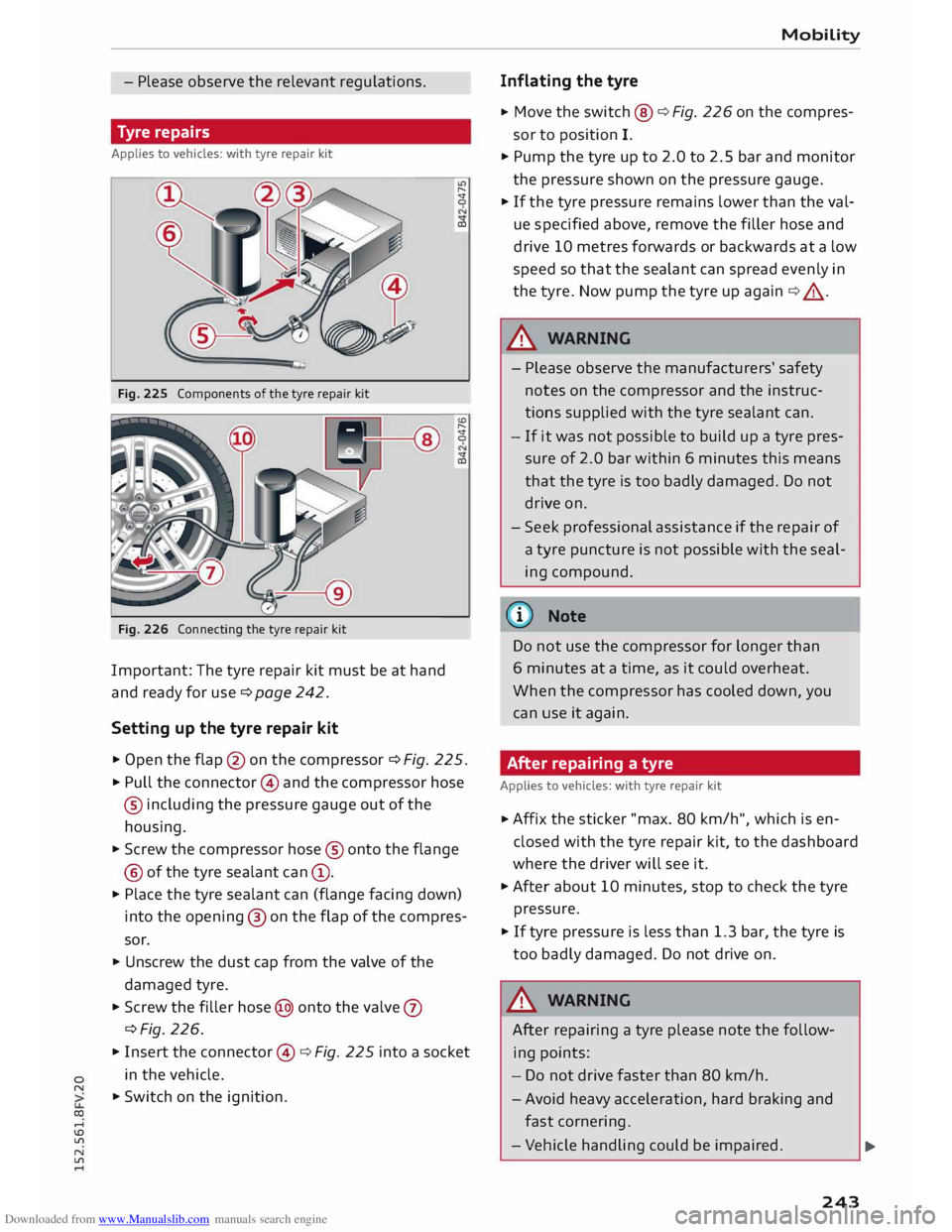
Fig. 225 Components of the tyre repair kit
Fig. 226 Connecting the tyre repair kit
Important: The tyre repair kit must be at hand
and ready for use¢ page 242.
Setting up the tyre repair kit LC'>
.....
'St
0
CD
'St
0
CD
.,. Open the flap @on the compressor ¢ Fig. 225.
.,. Pull the connector @ and the compressor hose
® including the pressure gauge out of the
housing.
.,. Screw the compressor hose® onto the flange
@ of the tyre sealant can (D.
.,. Place
the tyre sealant can (flange facing down)
into the opening ® on the flap of the compres
sor.
.,. Unscrew the dust cap from the valve of the
damaged tyre.
.,. Screw the filler hose@ onto the valve (J)
¢Fig. 226.
.,. Insert the connector @¢ Fig. 225 into a socket
in the vehicle.
.,. Switch on the ignition. Mobility
Inflating the tyre
.,. Move
the switch @¢ Fig. 226 on the compres
sor to position I.
.,. Pump the tyre up to 2.0 to 2.5 bar and monitor
the pressure shown on the pressure gauge.
.,. If the tyre pressure remains lower than the val
ue specified above, remove the filler hose and
drive 10 metres forwards or backwards at a low
speed so that the sealant can spread evenly in
the tyre. Now pump the tyre up again ¢_&..
A WARNING
- Please observe the manufacturers' safety
notes on the compressor and the instruc
tions supplied with the tyre sealant can.
- If it was not possible to build up a tyre pres
sure of 2.0 bar within 6 minutes this means
that the tyre is too badly damaged. Do not
drive on.
- Seek professional assistance if the repair of
a tyre puncture is not possible with the seal
ing compound.
(!)) Note
Do not use the compressor for longer than
6 minutes at a time, as it could overheat.
When the compressor has cooled down, you
can use it again.
After repairing a tyre
Applies to vehicles: with tyre repair kit
.,. Affix
the sticker "max. 80 km/h", which is en
closed with the tyre repair kit, to the dashboard
where the driver will see it.
.,. After about 10 minutes, stop to check the tyre
pressure.
.,. If tyre pressure is less than 1.3 bar, the tyre is
too badly damaged. Do not drive on .
A WARNING
After repairing a tyre please note the follow
ing points:
- Do not drive faster than 80 km/h.
- Avoid heavy acceleration, hard braking and
fast cornering .
- Vehicle handling could be impaired.
.,..
243
Page 249 of 284
Downloaded from www.Manualslib.com manuals search engine 0
N
co
....
\D Lfl
N
Lfl
.... not
possible to tighten the bolts to the re
quired torque using the hexagonal socket -
risk of accident!
CD CAUTION
When removing/fitting the wheel the rim may
hit and damage the brake disc. For this rea
son, please take care and get a second person
to assist you.
Tyres with directional tread pattern
A directional tread pattern can be identified by
arrows on the sidewall that point in the direction
of rotation. Always note the direction of rotation
indicated when mounting the wheel. This is im
portant so that these tyres can give maximum
grip and avoid excessive noise, tread wear and
aquaplaning.
If you ever have a puncture and need to fit the
spare wheel* in the wrong direction, please drive
with extra care because the tyre will not give op
timum performance in this situation. Bear this in
mind particularly when driving on wet roads.
To benefit from the advantages of tyres with this
type of tread pattern, the defective tyre should
be replaced and refitted as soon as possible so
that all tyres again rotate in the correct direction.
After changing a wheel
.,. Fit the hubcap or wheel bolt caps back on, as
required.
.,. Put the tools and jack back in the luggage com
partment.
.,. If the replaced wheel will not fit into the spare
wheel well, stow it safely in the luggage com
partment ¢ page 201.
.,. Check
the tyre pressure of the fitted wheel as
soon as possible.
.,. Adjust the tyre pressures and store them via
the infotainment system.
.,. The wheel bolts should be tightened to 120
Nm. Have this checked as soon as possible with
a torque wrench. Until then, drive with caution.
.,. Have
the flat tyre replaced as quickly as possi
ble. Mobility
Spare wheel
General notes
Applies to vehicles: with compact temporary spare wheel
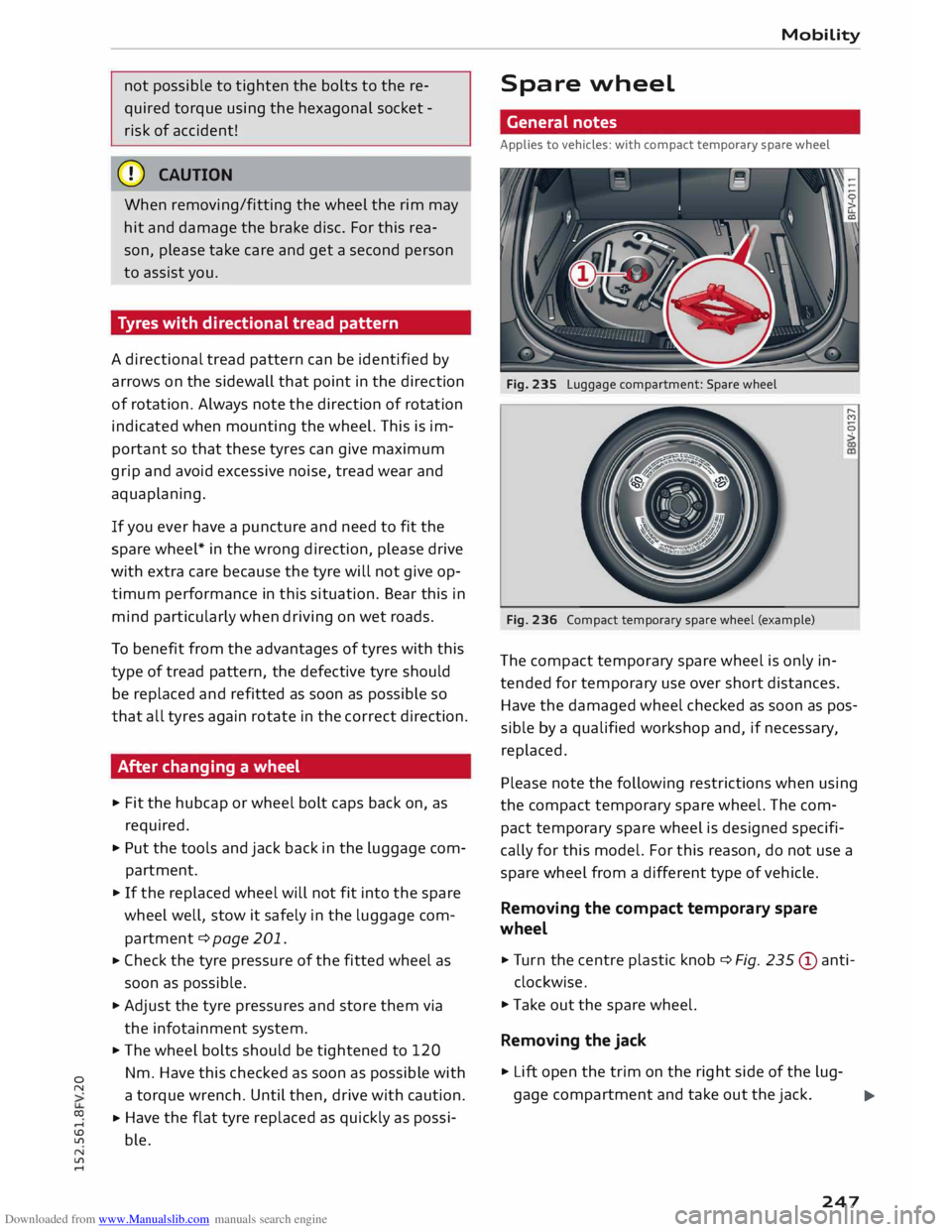
Fig. 235 Luggage compartment: Spare wheel
Fig. 236 Compact temporary spare wheel (example) ......
M
0
>
The compact temporary spare wheel is only in
tended for temporary use over short distances.
Have the damaged wheel checked as soon as pos
sible by a qualified workshop and, if necessary,
replaced.
Please note the following restrictions when using
the compact temporary spare wheel. The com
pact temporary spare wheel is designed specifi
cally for this model. For this reason, do not use a
spare wheel from a different type of vehicle .
Removing the compact temporary spare
wheel
.,. Tur n the centre plastic knob¢ Fig. 235 © anti-
clockwise.
.,. Take out the spare wheel.
Removing the jack
.,. Lift open the trim on the right side of the lug-
gage compartment and take out the jack.
..,..
247
Page 250 of 284
Downloaded from www.Manualslib.com manuals search engine Mobility
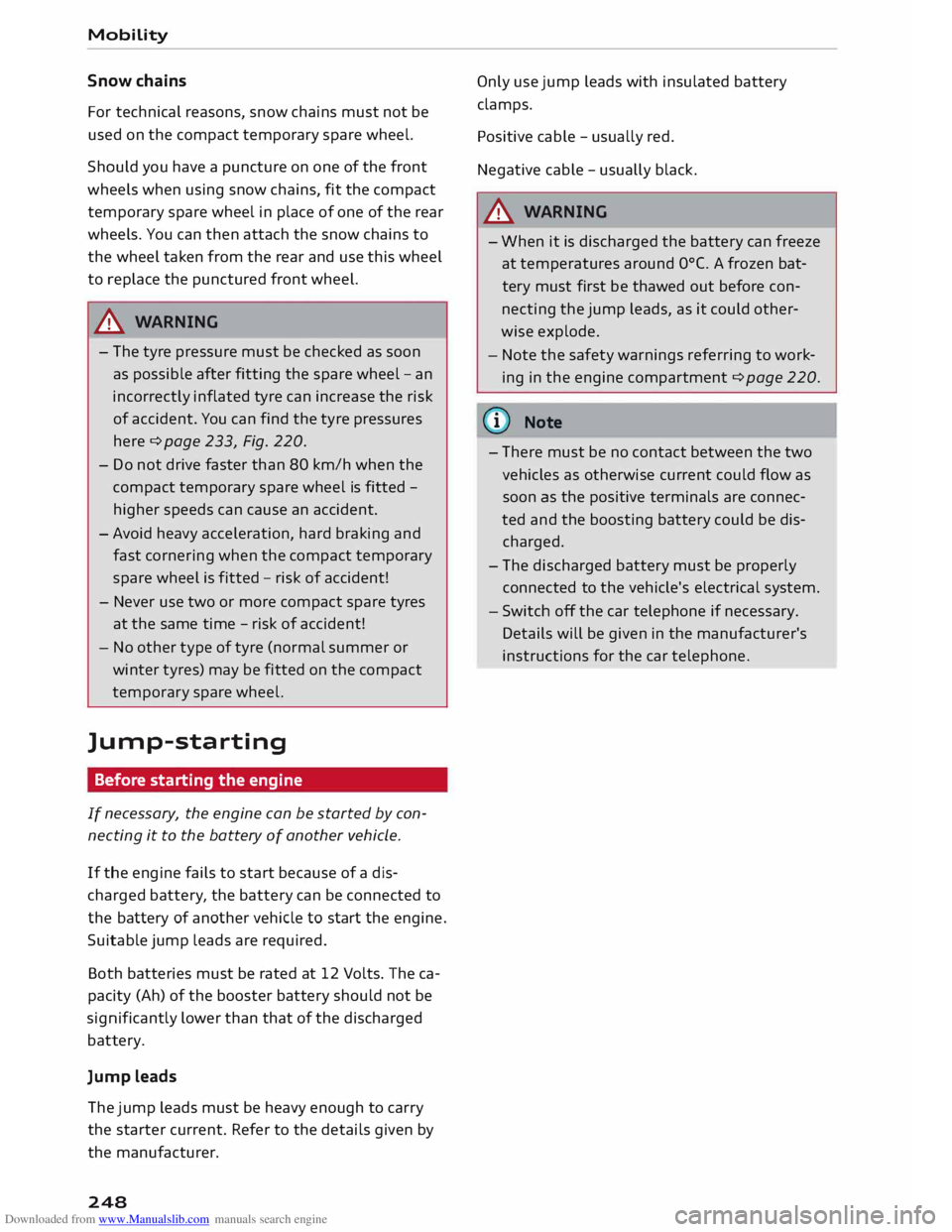
Snow chains
For technical reasons, snow chains must not be
used on the compact temporary spare wheel.
Sheu ld you have a puncture on one of the front
wheels when using snow chains, fit the compact
temporary spare wheel in place of one of the rear
wheels. You can then attach the snow chains to
the wheel taken from the rear and use this wheel
to replace the punctured front wheel.
A WARNING
- The tyre pressure must be checked as soon
as possible after fitting the spare wheel-an
incorrectly inflated tyre can increase the risk
of accident. You can find the tyre pressures
here ¢ page 233, Fig. 220.
- Do not drive faster than 80 km/h when the
compact temporary spare wheel is fitted -
higher speeds can cause an accident.
- Avoid heavy acceleration, hard braking and
fast cornering when the compact temporary
spare wheel is fitted -risk of accident!
- Never use two or more compact spare tyres
at the same time -risk of accident!
- No other type of tyre (normal summer or
winter tyres) may be fitted on the compact
temporary spare wheel.
]ump-starting Before starting the engine
If necessary, the engine can be started by con
necting it to the battery of another vehicle.
If the engine fails to start because of a dis
charged battery, the battery can be connected to
the battery of another vehicle to start the engine.
Suitable jump Leads are required.
Both batteries must be rated at 12 Volts. The ca
pacity (Ah) of the booster battery should not be
significantly lower than that of the discharged
battery.
Jump Leads
The jump Leads must be heavy enough to carry
the starter current. Refer to the details given by
the manufacturer.
248 Only
use jump leads with insulated battery
clamps.
Positive cable -usually red.
Negative cable -usually black.
A WARNING
- When it is discharged the battery can freeze
at temperatures around 0°
(. A frozen bat
tery must first be thawed out before con
necting the jump leads, as it could other
wise explode.
- Note the safety warnings referring to work
ing in the engine compartment ¢ page 220.
(© Note
- There must be no contact between the two
vehicles as otherwise current could flow as
soon as the positive terminals are connec
ted and the boosting battery could be dis
charged.
- The disch arged battery must be properly
connected to the vehicle's electrical system.
- Switch off the car telephone if necessary.
Details will be given in the manufacturer's
instructions for the car telephone.
Page 272 of 284
Downloaded from www.Manualslib.com manuals search engine Index
Heated Exterior mirrors . . . . . . . . . . . . . . . . . . . . . . 41
Rear window...................... 54, 56
Washer jets . . . . . . . . . . . . . . . . . . . . . . . . .
42
Heater (supplementary heater for diesel en-
gine) . . . . . . . . . . . . . . . . . . . . . . . . . . . . . . . . 57
Heating Seats ............................... 56
Heating/ventilation system
Adjusting air outlets . . . . . . . . . . . . . . . . . . 56
Controls . . . . . . . . . . . . . . . . . . . . . . . . . . . .
53
Help Audi connect . . . . . . . . . . . . . . . . . . . . . . .
146
Emergency calls . . . . . . . . . . . . . . . . . . . . .
131
Media . . . . . . . . . . . . . . . . . . . . . . . . . . . . . 184
Navigation . . . . . . . . . . . . . . . . . . . . . . . . .
162
Radio . . . . . . . . . . . . . . . . . . . . . . . . . . . . .
167
Speech dialogue system . . . . . . . . . . . . . . 117
Telephone . . . . . . . . . . . . . . . . . . . . . . . . . . 136
Hill hold assist . . . . . . . . . . . . . . . . . . . . . . . . 69
Hill starting
see Hill hold assist . . . . . . . . . . . . . . . . . . . . 69
Home address
Editing . . . . . . . . . . . . . . . . . . . . . . . . . . . .
153
Navigation . . . . . . . . . . . . . . . . . . . . . . . . . 153
Storing . . . . . . . . . . . . . . . . . . . . . . . . . . . . 153
Homelink (garage door opener) . . . . . . . . . . 34
Horn . . . . . . . . . . . . . . . . . . . . . . . . . . . . . . . . . 6
How to use
M MI control console . . . . . . . . . . . . . . . . . 109
Multi-function steering wheel . . . . . . . . 19, 21
Speech dialogue system . . . . . . . . . . . . . . 116
Hubcaps, removing . . . . . . . . . . . . . . . . . . . .
244
I
Identification data
Chassis number
Ignition 257
Warning lamp . . . . . . . . . . . . . . . . . . . . . . .
13
Immobiliser . . . . . . . . . . . . . . . . . . . . . . . 22, 25
Importing/exporting contacts . . . . . . . . . . . 133
Indicator lamps
see Warning lamps . . . . . . . . . . . . . . . . . . . . 9
Individual speech training . . . . . . . . . . . . . . 186
Inflation pressure (tyres) ........... 233, 234
270 Infotainment
display
Brightness . . . . . . . . . . . . . . . . . . . . . . . . .
186
Google Earth map . . . . . . . . . . . . . . . . . . .
159
Navigation map . . . . . . . . . . . . . . . . . . . . .
156
Input help . . . . . . . . . . . . . . . . . . . . . . . . . . .
153
Input level (media) . . . . . . . . . . . . . . . . . . . .
183
Inspection intervals . . . . . . . . . . . . . . . . . . .
229
Instrument cluster . . . . . . . . . . . . . . . . . . . . . .
8
Instruments . . . . . . . . . . . . . . . . . . . . . . . . . . . 8
Adjusting brightness . . . . . . . . . . . . . . . . . . 41
Interference (radio) . . . . . . . . . . . . . . . . . . . 167
Interior lights . . . . . . . . . . . . . . . . . . . . . . . . .
40
Interior monitor . . . . . . . . . . . . . . . . . . . . . . .
31
Intermittent wipe (windscreen wipers) . . . . .
42
Internet see Audi connect . . . . . . . . . . . . . . . . . . . .
137
Internet connection, establishing . . . . 138, 139
Internet radio . . . . . . . . . . . . . . . . . . . . . . . . 172
iPod see Audi music interface .......... 174,175
ISOFIX (securing child seats) . . . . . . . . . . . . 198
l
Jack ........................ 242, 245, 247
Jacking points . . . . . . . . . . . . . . . . . . . . . . . 245
Jack plug (3.5 mm)
see AUX input ...................
175, 176
Joystick Adjusting balance/fader . . . . . . . . . . . . . .
112
Adjusting sound focus . . . . . . . . . . . . . . . . 112
Moving map . . . . . . . . . . . . . . . . . . . . . . . . 112
Operating DVD main menu . . . . . . . . . . . .
112
Jukebox . . . . . . . . . . . . . . . . . . . . . . . . . . . . . 170
Deleting . . . . . . . . . . . . . . . . . . . . . . . . . . .
170
Filling . . . . . . . . . . . . . . . . . . . . . . . . . . . . .
170
Memory status . . . . . . . . . . . . . . . . . . . . .
. 170
Jump-starting . . . . . . . . . . . . . . . . . . . . . . . .
248
K
Kerb weight...... . . . . . . . . . . . . . . . . . . . . 258
Key-coded settings
Automatic air conditioner . . . . . . . . . . . . . . 55
Manual air conditioner. . . . . . . . . . . . . . . . .
53
Key-operated switch for front passenger's air-
bag . . . . . . . . . . . . . . . . . . . . . . . . . . . . . . . . 211
Page 276 of 284
Downloaded from www.Manualslib.com manuals search engine Index
On-board computer . . . . . . . . . . . . . . . . . . . . 22
ON/OFF button . . . . . . . . . . . . . . . . . . . . . . .
109
Online destinations . . . . . . . . . . . . . . . 119, 151
Online media . . . . . . . . . . . . . . . . . . . . . . . . .
173
Online news (Audi connect)
Online services 141
see Audi connect . . . . . . . . . . . . . . . . . . . .
137
Online traffic information . . . . . . . . . . . . . .
161
Opening Bonnet . . . . . . . . . . . . . . . . . . . . . . . . . . . .
221
Fuel tank flap . . . . . . . . . . . . . . . . . . . . . . .
218
Wi ndows ........................... 33
Options menu
Audi connect . . . . . . . . . . . . . . . . . . . . . . .
143
Connection manager . . . . . . . . . . . . . . . . . 188
Directory . . . . . . . . . . . . . . . . . . . . . . . . . . .
135
Map ............................... 157
Media . . . . . . . . . . . . . . . . . . . . . . . . . . . . . 181
Media settings . . . . . . . . . . . . . . . . . . . . . .
183
Messages . . . . . . . . . . . . . . . . . . . . . . . . . .
130
M MI
control console . . . . . . . . . . . . . . . . .
110
Navigation . . . . . . . . . . . . . . . . . . . . . . . . . 152
Radio . . . . . . . . . . . . . . . . . . . . . . . . . . . . . 163
Radio settings . . . . . . . . . . . . . . . . . . . . . . 166
Selecting settings . . . . . . . . . . . . . . . . . . . . 20
Telephone . . . . . . . . . . . . . . . . . . . . . . . . . . 134
Outside temperature display . . . . . . . . . . . . . 18
Over view of speech dialogue system . . . . . . 116
Over view (controls and displays) . . . . . . . . . . . 6
p
Paddle levers (automatic gearbox) . . . . . . . . 75
Paint damage . . . . . . . . . . . . . . . . . . . . . . . .
238
Paint No. . . . . . . . . . . . . . . . . . . . . . . . . . . . .
257
Park assist . . . . . . . . . . . . . . . . . . . . . . . . . . . . 95
Description . . . . . . . . . . . . . . . . . . . . . . . . . . 95
Driver messages . . . . . . . . . . . . . . . . . . . . . . 99
Driving out of a parking space . . . . . . . . . . . 98
Finding a parking space . . . . . . . . . . . . . . . . 97
Parking . . . . . . . . . . . . . . . . . . . . . . . . . . . . . 98
Parking aid . . . . . . . . . . . . . . . . . . . . . . . . . . .
93
Cleaning sensors . . . . . . . . . . . . . . . . . . . . 237
Parking aids
360 °
display . . . . . . . . . . . . . . . . . . . . . . . . . 94
Adjusting graphic display/warning beeps . 100
Malfunction . . . . . . . . . . . . . . . . . . . . . . . . 100
274 Park
assist . . . . . . . . . . . . . . . . . . . . . . . . . .
95
Parking system plus . . . . . . . . . . . . . . . . . . .
94
Rear parking aid . . . . . . . . . . . . . . . . . . . . . . 93
Parking brake . . . . . . . . . . . . . . . . . . . . . . . . .
66
Driving away from a standstill . . . . . . . . . . . 67
Emergency braking function . . . . . . . . . . . .
68
Parking the car . . . . . . . . . . . . . . . . . . . . . . .
67
Power supply failure . . . . . . . . . . . . . . . . . . 66
Releasing/applying . . . . . . . . . . . . . . . . . . .
66
Warning lamp . . . . . . . . . . . . . . . . . . . . 11, 66
Parking information (Audi connect) . . . . . . 140
Parking lights . . . . . . . . . . . . . . . . . . . . . . . . . 38
Parking system
see Parking aids . . . . . . . . . . . . . . . . . . . . . . 94
Parking (automatic gearbox) . . . . . . . . . . . . . 72
Particulate filter (diesel) . . . . . . . . . . . . . . . 220
Passenger's door, locking manually . . . . . . . . 30
Pause (audio/video file) .......... 20, 21, 179
Pedals . . . . . . . . . . . . . . . . . . . . . . . . . . . . . . 200
Pedestrian protection system . . . . . . . . . . . 202
Servicing . . . . . . . . . . . . . . . . . . . . . . . . . . .
203
Personal Wi-Fi hotspot . . . . . . . . . . . . . . . . . 139
Petrol ............................... 217
Phone book
see Directory . . . . . . . . . . . . . . . . . . . . . . . 131
Phone pre-installation
see Telephone . . . . . . . . . . . . . . . . . . . . . .
123
Picture format . . . . . . . . . . . . . . . . . . . . . . .
181
Playback (media) . . . . . . . . . . . . . . . . . . . . .
179
Playing Contact . . . . . . . . . . . . . . . . . . . . . . . . . . . .
133
Possible commands .................. 117
Point of
interest search . . . . . . . . . . . . . . . . 151
Polishing . . . . . . . . . . . . . . . . . . . . . . . . . . . . 238
Pollen filter
see Pollution filter . . . . . . . . . . . . . . . . . . . .
53
Pollution filter . . . . . . . . . . . . . . . . . . . . . . . .
53
Power management . . . . . . . . . . . . . . . . . . . 106
Indicator lamp . . . . . . . . . . . . . . . . . . . . . . . 13
Power steering
see Electro-mechanical power steering . . 101
Preheating (glow plugs) . . . . . . . . . . . . . . . . . 60
Presentation mode . . . . . . . . . . . . . . . . . . . .
153
Pressure (tyres) . . . . . . . . . . . . . . . . . . .
233, 234
Programme guide . . . . . . . . . . . . . . . . . . . . . 163
Page 280 of 284
Downloaded from www.Manualslib.com manuals search engine Index
Main functions . . . . . . . . . . . . . . . . . . . . . .
127
Microphone on/off . . . . . . . . . . . . . . . . . . . 129
M MI control console . . . . . . . . . . . . . . . . .
123
Options during a call . . . . . . . . . . . . . . . . . 129
Replacing a call . . . . . . . . . . . . . . . . . . . . .
129
Settings SIM card 134
126
Speech dialogue system . . . . . . . . . . . . . . 118
Troubleshooting . . . . . . . . . . . . . . . . . . . . .
136
Telephone mode . . . . . . . . . . . . . . . . . . . . . .
134
Telephone number
Call list . . . . . . . . . . . . . . . . . . . . . . . . . . . .
128
Dialling . . . . . . . . . . . . . . . . . . . . . . . . . . . . 128
Directory . . . . . . . . . . . . . . . . . . . . . . . . . . . 128
Favourites . . . . . . . . . . . . . . . . . . . . . . . . . .
128
Temperature display
Coolant . . . . . . . . . . . . . . . . . . . . . . . . . . . . . . 8
Outside temperature . . . . . . . . . . . . . . . . . . 18
Temperature selection
Automatic air conditioner . . . . . . . . . . . . . .
55
Temperature setting
Manual air conditioner . . . . . . . . . . . . . . . . . 54
Tethering . . . . . . . . . . . . . . . . . . . . . . . . . . . .
139
Text messages . . . . . . . . . . . . . . . . . . . . . . .
130
Deleting . . . . . . . . . . . . . . . . . . . . . . . . . . .
130
Having read out . . . . . . . . . . . . . . . . . . . . .
119
Options . . . . . . . . . . . . . . . . . . . . . . . . . . . .
130
Sending contact . . . . . . . . . . . . . . . . . . . . .
133
Writing . . . . . . . . . . . . . . . . . . . . . . . . . . . .
130
Ti ghtening torque (wheel bolts) . . . . . . . . . 247
Ti me . . . . . . . . . . . . . . . . . . . . . . . . . . . . 22, 186
tiptronic (automatic gearbox) . . . . . . . . . . . . 75
TMC/TMCpro see Traffic information (TM() . . . . . . . . . . 160
Tone (sound) . . . . . . . . . . . . . . . . . . . . . . . . .
190
Tools . . . . . . . . . . . . . . . . . . . . . . . . . . . . . . .
242
Top speed . . . . . . . . . . . . . . . . . . . . . . . . . . .
156
Top tether and ISOFIX (securing child seats)
199
Torque Wheel bolts 247
Tow-away protection . . . . . . . . . . . . . . . . . . . 31
Tow-starting . . . . . . . . . . . . . . . . . . . . . . . . .
250
Towing away . . . . . . . . . . . . . . . . . . . . . . . . .
250
Towline anchorage . . . . . . . . . . . . . . . . . . . .
242
TPMS (tyre pressure loss indicator) . . . . . . .
234
Traction control system . . . . . . . . . . . . . . . . 103
278 Traffic
avoidance . . . . . . . . . . . . . . . . . .
154, 160
Traffic information (TMC) . . . . . . . . . . . . . . .
160
Calling up . . . . . . . . . . . . . . . . . . . . . . . . . .
160
Having read out . . . . . . . . . . . . . . . . . . . . . 160
Showing on map
160
Volume . . . . . . . . . . . . . . . . . . . . . . . . . . . .
190
Traffic safety . . . . . . . . . . . . . . . . . . . . . . . . .
192
Traffic sign recognition
see Camera-based traffic sign recognition . 23
Train information (Audi connect) . . . . . . . . .
141
Travel information (Audi connect) . . . . . . . .
140
Treble (sound) . . . . . . . . . . . . . . . . . . . . . . . .
190
Trip recorder, resetting . . . . . . . . . . . . . . . . . . 22
Troubleshooting Audi connect . . . . . . . . . . . . . . . . . . . . . . . 146
Media drives . . . . . . . . . . . . . . . . . . . . . . . . 184
Navigation . . . . . . . . . . . . . . . . . . . . . . . . .
162
Radio . . . . . . . . . . . . . . . . . . . . . . . . . . . . .
167
Telephone . . . . . . . . . . . . . . . . . . . . . . . . . . 136
Turn signals . . . . . . . . . . . . . . . . . . . . . . . . . . . 38
Indicator lamp . . . . . . . . . . . . . . . . . . . . . . .
17
Twitter (Audi connect) . . . . . . . . . . . . . . . . . 142
Type plate
Chassis number . . . . . . . . . . . . . . . . . . . . .
257
Tyres . . . . . . . . . . . . . . . . . . . . . . . . . . . . . . . 242
Changing . . . . . . . . . . . . . . . . . . . . . . . . . .
244
Directional tread . . . . . . . . . . . . . . . . . . . .
247
Four-wheel drive . . . . . . . . . . . . . . . . . . . .
105
Inflation pressure .................. .
Repair kit ......................... .
Service life 233
242
232
Tyre pressure loss indicator . . . . . . . . . . . . 234
Wear indicator 232
u
Un locking/ locking
By remote control . . . . . . . . . . . . . . . . . . . .
28
With the central locking switch . . . . . . . . . 29
With the convenience key . . . . . . . . . . . . . . 28
With the key . . . . . . . . . . . . . . . . . . . . . . . . . 30
USB adapters . . . . . . . . . . . . . . . . . . . . . . . .
174
USB charging socket . . . . . . . . . . . . . . . . . . .
176
USB stick
see Audi music interface ..........
174, 175
Using phone book from another mobile
phone . . . . . . . . . . . . . . . . . . . . . . . . . . . . . . 132
Page 281 of 284
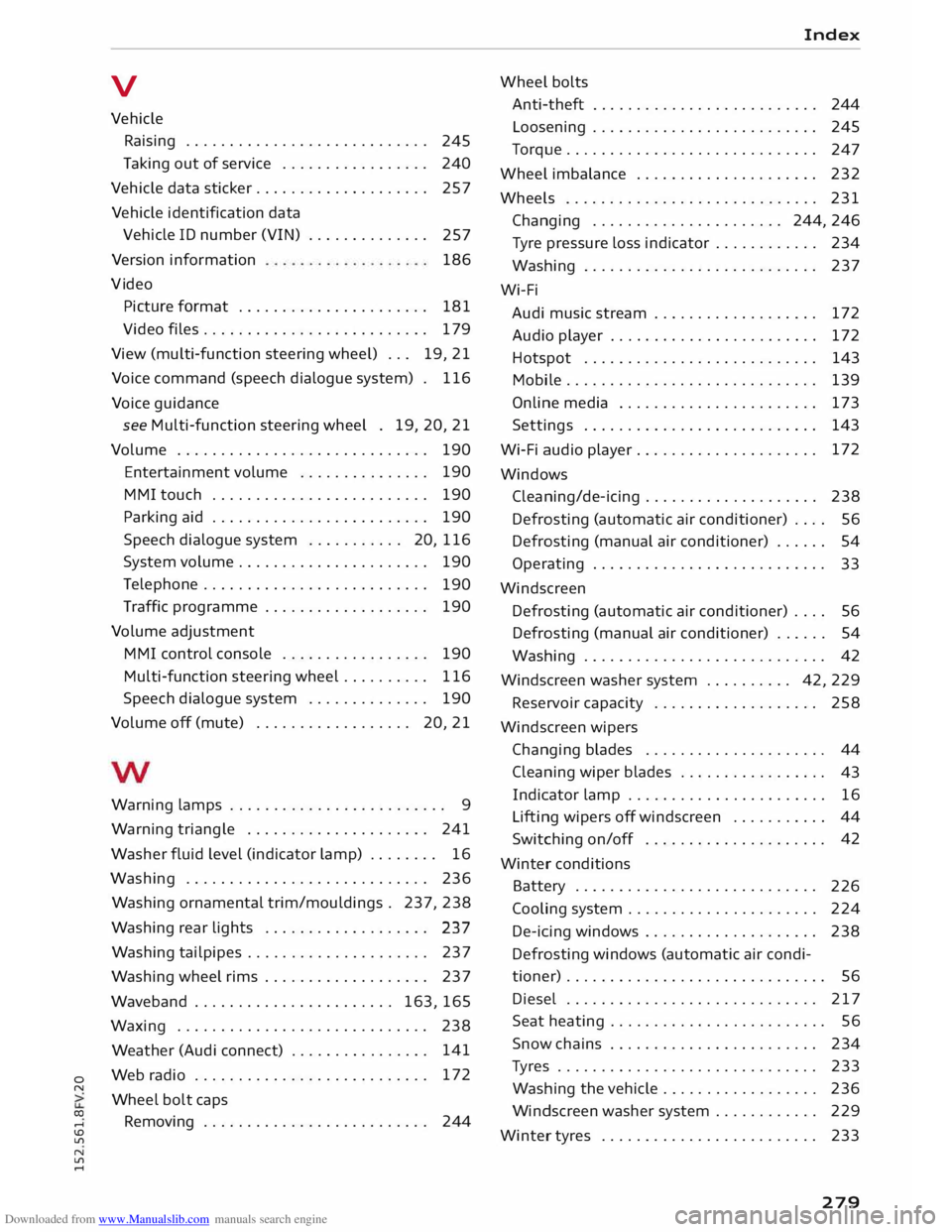
Downloaded from www.Manualslib.com manuals search engine 0
N
co
....
\D L/"l
N
L/"l
.... V
Vehicle Raising . . . . . . . . . . . . . . . . . . . . . . . . . . . . 245
Taking out of service . . . . . . . . . . . . . . . . . 240
Vehicle data sticker. . . . . . . . . . . . . . . . . . . . 257
Vehicle identification data
Vehicle ID number (VIN) . . . . . . . . . . . . . .
257
Version information
Vi deo 186
Picture format . . . . . . . . . . . . . . . . . . . . . .
181
Video files.......................... 179
View (multi-function steering wheel) . . .
19, 21
Voice command (speech dialogue system) . 116
Voice guidance
see Multi-function steering wheel . 19, 20, 21
Volume . . . . . . . . . . . . . . . . . . . . . . . . . . . . . 190
Entertainment volume . . . . . . . . . . . . . . . 190
MMI touch . . . . . . . . . . . . . . . . . . . . . . . . .
190
Parking aid . . . . . . . . . . . . . . . . . . . . . . . . .
190
Speech dialogue system . . . . . . . . . . . 20, 116
System volume.. . . . . . . . . . . . . . . . . . . . . 190
Telephone . . . . . . . . . . . . . . . . . . . . . . . . . .
190
Traffic programme . . . . . . . . . . . . . . . . . . .
190
Volume adjustment
MMI control console . . . . . . . . . . . . . . . . .
190
Multi-function steering wheel. . . . . . . . . . 116
Speech dialogue system . . . . . . . . . . . . . . 190
Volume off (mute) . . . . . . . . . . . . . . . . . . 20, 21
Warning lamps . . . . . . . . . . . . . . . . . . . . . . . . . 9
Warning triangle . . . . . . . . . . . . . . . . . . . . . 241
Washer fluid level (indicator lamp) . . . . . . . . 16
Washing . . . . . . . . . . . . . . . . . . . . . . . . . . . . 236
Washing ornamental trim/mouldings . 237, 238
Washing rear lights . . . . . . . . . . . . . . . . . . .
237
Washing tailpipes . . . . . . . . . . . . . . . . . . . . . 237
Washing wheel rims . . . . . . . . . . . . . . . . . . . 237
Waveband . . . . . . . . . . . . . . . . . . . . . . . 163, 165
Waxing ............................. 238
Weather (Audi connect) . . . . . . . . . . . . . . . . 141
Web radio . . . . . . . . . . . . . . . . . . . . . . . . . . . 172
Wheel bolt caps
Removing . . . . . . . . . . . . . . . . . . . . . . . . . .
244 Index
Wheel bolts
Anti-theft . . . . . . . . . . . . . . . . . . . . . . . . . . 244
Loosening . . . . . . . . . . . . . . . . . . . . . . . . . . 245
Torque . . . . . . . . . . . . . . . . . . . . . . . . . . . . .
247
Wheel imbalance . . . . . . . . . . . . . . . . . . . . .
232
Wheels ............................. 231
Changing ...................... 244,246
Tyre pressure loss indicator . . . . . . . . . . . . 234
Washing . . . . . . . . . . . . . . . . . . . . . . . . . . .
237
Wi-Fi Audi music stream . . . . . . . . . . . . . . . . . . .
172
Audio player . . . . . . . . . . . . . . . . . . . . . . . .
172
Hotspot . . . . . . . . . . . . . . . . . . . . . . . . . . .
143
Mobile........... .................. 139
Online media . . . . . . . . . . . . . . . . . . . . . . .
173
Settings . . . . . . . . . . . . . . . . . . . . . . . . . . .
143
Wi-Fi audio player . . . . . . . . . . . . . . . . . . . . . 172
Windows Cleaning/de-icing . . . . . . . . . . . . . . . . . . . . 238
Defrosting (automatic air conditioner) . . . .
56
Defrosting (manual air conditioner) . . . . . . 54
Operating . . . . . . . . . . . . . . . . . . . . . . . . . . .
33
Windscreen Defrosting (automatic air conditioner) . . . . 56
Defrosting (manual air conditioner) . . . . . . 54
Washing . . . . . . . . . . . . . . . . . . . . . . . . . . . . 42
Windscreen washer system . . . . . . . . . . 42, 229
Reservoir capacity . . . . . . . . . . . . . . . . . . . 258
Windscreen wipers
Changing blades . . . . . . . . . . . . . . . . . . . . .
44
Cleaning wiper blades . . . . . . . . . . . . . . . . .
43
Indicator lamp . . . . . . . . . . . . . . . . . . . . . . .
16
Lifting wipers off windscreen . . . . . . . . . . . 44
Switching on/off . . . . . . . . . . . . . . . . . . . . . 42
Winter conditions
Battery . . . . . . . . . . . . . . . . . . . . . . . . . . . .
226
Cooling system . . . . . . . . . . . . . . . . . . . . . .
224
De-icing windows . . . . . . . . . . . . . . . . . . . .
238
Defrosting windows (automatic air condi
tioner) . . . . . . . . . . . . . . . . . . . . . . . . . . . . . . 56
Diesel . . . . . . . . . . . . . . . . . . . . . . . . . . . . . 217
Seat heating . . . . . . . . . . . . . . . . . . . . . . . . . 56
Snow chains . . . . . . . . . . . . . . . . . . . . . . . .
234
Tyres . . . . . . . . . . . . . . . . . . . . . . . . . . . . . .
233
Washing the vehicle .. . . . . . . . . . . . . . . . .
236
Windscreen washer system . . . . . . . . . . . . 229
Winter tyres . . . . . . . . . . . . . . . . . . . . . . . . . 233
279