warning AUDI TT COUPE 2014 User Guide
[x] Cancel search | Manufacturer: AUDI, Model Year: 2014, Model line: TT COUPE, Model: AUDI TT COUPE 2014Pages: 284, PDF Size: 34.42 MB
Page 16 of 284
Downloaded from www.Manualslib.com manuals search engine Instruments
and warning/indicator lamps
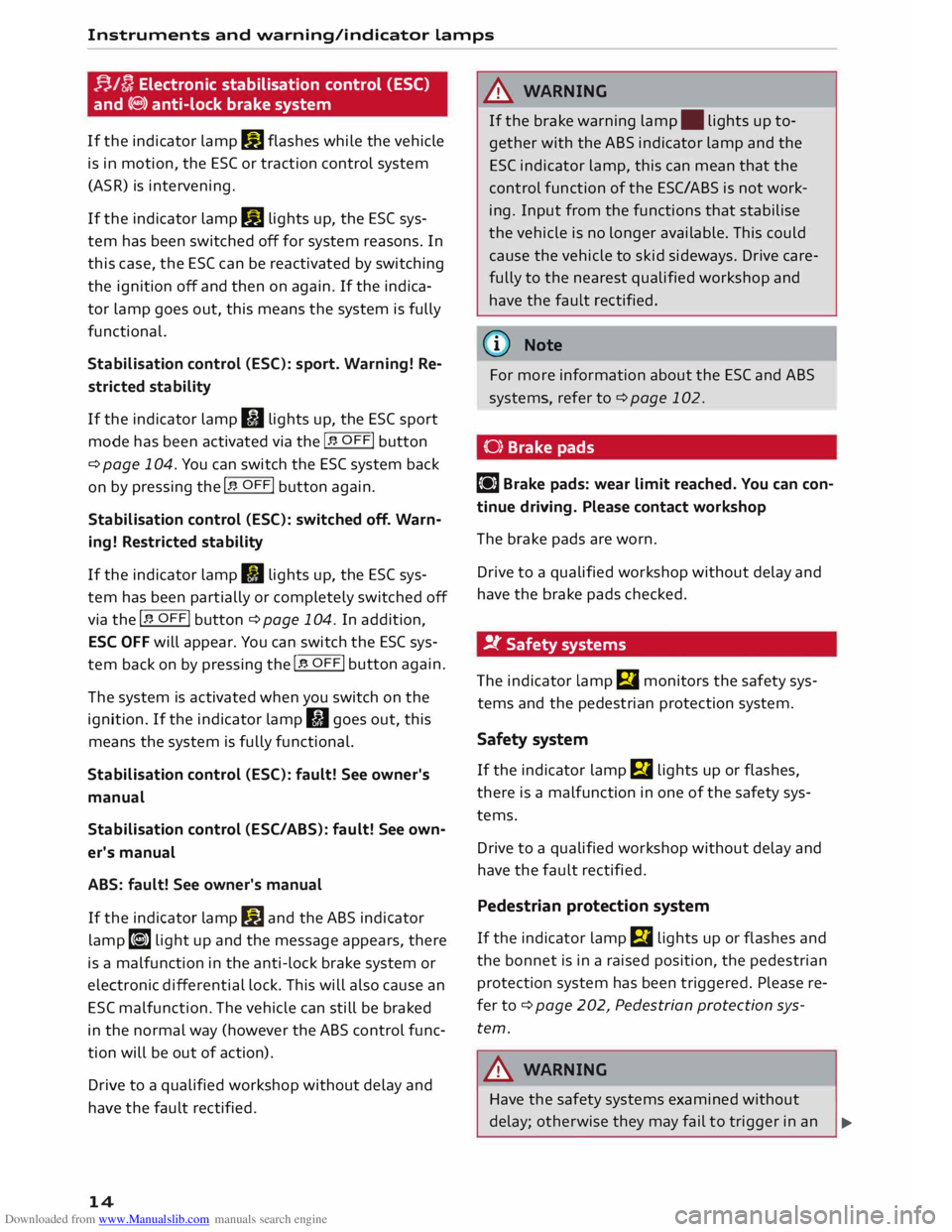
f}/D Electronic stabilisation control (ESC)
and (@)) anti-lock brake system
If the indicator lamp II flashes while the vehicle
is in motion, the ESC or traction control system
(ASR) is intervening.
If the indicator lamp II lights up, the ES( sys
tem has been switched off for system reasons. In
this case, the ES( can be reactivated by switching
the ignition off and then on again. If the indica
tor lamp goes out, this means the system is fully
functional.
Stabilisation control (ESC): sport. Warning! Re
stricted stability
If the indicator lamp fil lights up, the ESC sport
mode has been activated via the I� OFFi
button
¢page 104. You can switch the ESC system back
on by
pressing the I� OFFi
button again.
Stabilisation control (ESC): switched off. Warn
ing! Restricted stability
If the indicator lamp II lights up, the ESC sys
tem has been partially or completely switched off
via the I� OFFi button ¢ page 104. In addition,
ESC OFF will appear. You can switch the ESC sys
tem back on by pressing the I� OFFi button
again.
The system is activated when you switch on the
ignition. If the indicator lamp II goes out, this
means the system is fully functional.
Stabilisation control (ESC): fault! See owner's
manual
Stabilisation control (ESC/ABS): fault! See own
er's manual
ABS: fault! See owner's manual
If the indicator lamp II and the ABS indicator
lamp [i] light up and the message appears, there
is a malfunction in the anti-lock brake system or
electronic differential lock. This will also cause an
ESC malfunction. The vehicle can still be braked
in the normal way (however the ABS control func
tion will be out of action).
Drive to a qualified workshop without delay and
have the fault rectified.
14 A
WARNING
If the brake warning lamp. lights up to
gether with the ABS indicator lamp and the
ESC indicator lamp, this can mean that the
control function of the ESC/ ABS is not work
ing. Input from the functions that stabilise
the vehicle is no longer available. This could
cause the vehicle to skid sideways. Drive care
fully to the nearest qualified workshop and
have the fault rectified.
(t} Note
For more information about the ESC and ABS
systems, refer to ¢ page 102.
(0) Brake pads
II] Brake pads: wear limit reached. You can con
tinue driving. Please contact workshop
The brake pads are worn.
Drive to a qualified workshop without delay and
have the brake pads checked.
!t Safety systems
The indicator lamp El monitors the safety sys
tems and the pedestrian protection system.
Safety system
If the indicator lamp fll lights up or flashes,
there is a malfunction in one of the safety sys
tems.
Drive to a qualified workshop without delay and
have the fault rectified.
Pedestrian protection system
If the indicator lamp m lights up or flashes and
the bonnet is in a raised position, the pedestrian
protection system has been triggered. Please re
fer to ¢ page 202, Pedestrian protection sys
tem.
A WARNING
Have the safety systems examined without
delay; otherwise they may fail to trigger in an
..,.
Page 17 of 284
Downloaded from www.Manualslib.com manuals search engine Instruments
and warning/indicator lamps
accident -this could result in serious or possi
bly fatal injury.
rd.::, Engine management
Applies to vehicles: with petrol engine
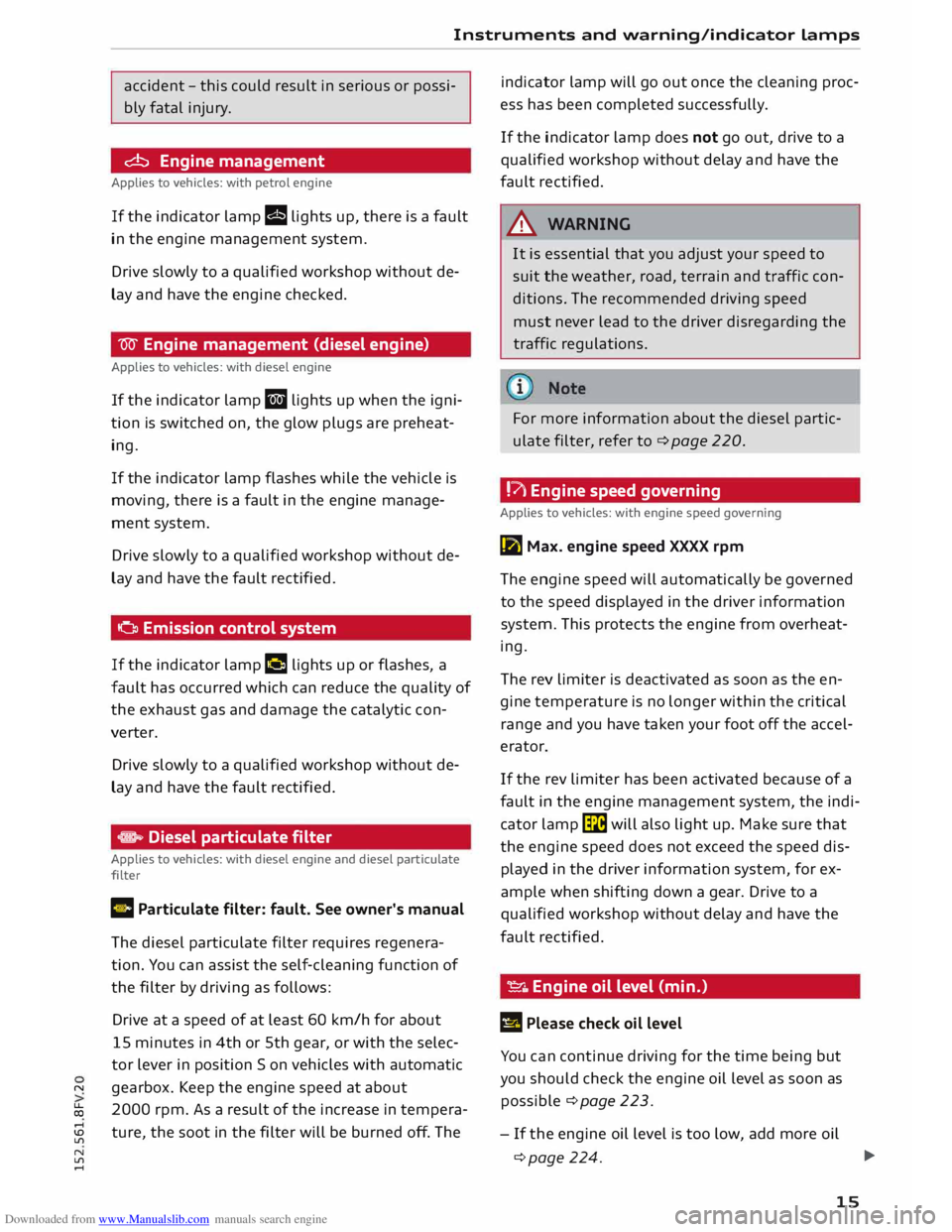
If the indicator lamp II lights up, there is a fault
in the engine management system.
Drive slowly to a qualified workshop without de
lay and have the engine checked.
W Engine management (diesel engine)
Applies to vehicles: with diesel engine
If the indicator lamp II lights up when the igni
tion is switched on, the glow plugs are preheat
ing.
If the indicator lamp flashes while the vehicle is
moving, there is a fault in the engine manage
ment system.
Drive slowly to a qualified workshop without de
lay and have the fault rectified.
o Emission control system
If the indicator lamp II lights up or flashes, a
fault has occurred which can reduce the quality of
the exhaust gas and damage the catalytic con
verter.
Drive slowly to a qualified workshop without de
lay and have the fault rectified.
,. Diesel particulate filter
Applies to vehicles: with diesel engine and diesel particulate
filter
C Particulate filter: fault. See owner's manual
The diesel particulate filter requires regenera
tion. You can assist the self-cleaning function of
the filter by driving as follows:
Drive at a speed of at least 60 km/h for about
15 minutes in 4th or 5th gear, or with the selec
tor lever in position S on vehicles with automatic
"' gearbox. Keep the engine speed at about
� 2000
rpm. As a result of the increase in tempera-
....
ID ture, the soot in the filter will be burned off. The
Lfl
N
Lfl
.... indicator
lamp will go out once the cleaning proc
ess has been completed successfully.
If the indicator lamp does not go out, drive to a
qualified workshop without delay and have the
fault rectified.
A WARNING
It is essential that you adjust your speed to
suit the weather, road, terrain and traffic con
ditions. The recommended driving speed
must never lead to the driver disregarding the
traffic regulations.
For more information about the diesel partic
ulate filter, refer to¢ page 220.
!?\ Engine speed governing
Applies to vehicles: with engine speed governing
la Max. engine speed XXXX rpm
The engine speed will automatically be governed
to the speed displayed in the driver information
system. This protects the engine from overheat
ing.
The rev limiter is deactivated as soon as the en
gine temperature is no longer within the critical
range and you have taken your foot off the accel
erator.
If the rev limiter has been activated because of a
fault in the engine management system, the indi
cator lamp� will also light up. Make sure that
the engine speed does not exceed the speed dis
played in the driver information system, for ex
ample when shifting down a gear. Drive to a
qualified workshop without delay and have the
fault rectified.
�- Engine oil level (min.)
E!! Please check oil level
You can continue driving for the time being but
you should check the engine oil level as soon as
possible ¢page 223.
- If the engine oil level is too low, add more oil
¢page 224. 1JJJ.
15
Page 18 of 284
Downloaded from www.Manualslib.com manuals search engine Instruments
and warning/indicator lamps
- If the engine oil level is normal but the indica
tor lamp stays on, drive to a qualified workshop
without delay and avoid high engine speeds.
-e:r ..,. Engine oil sensor
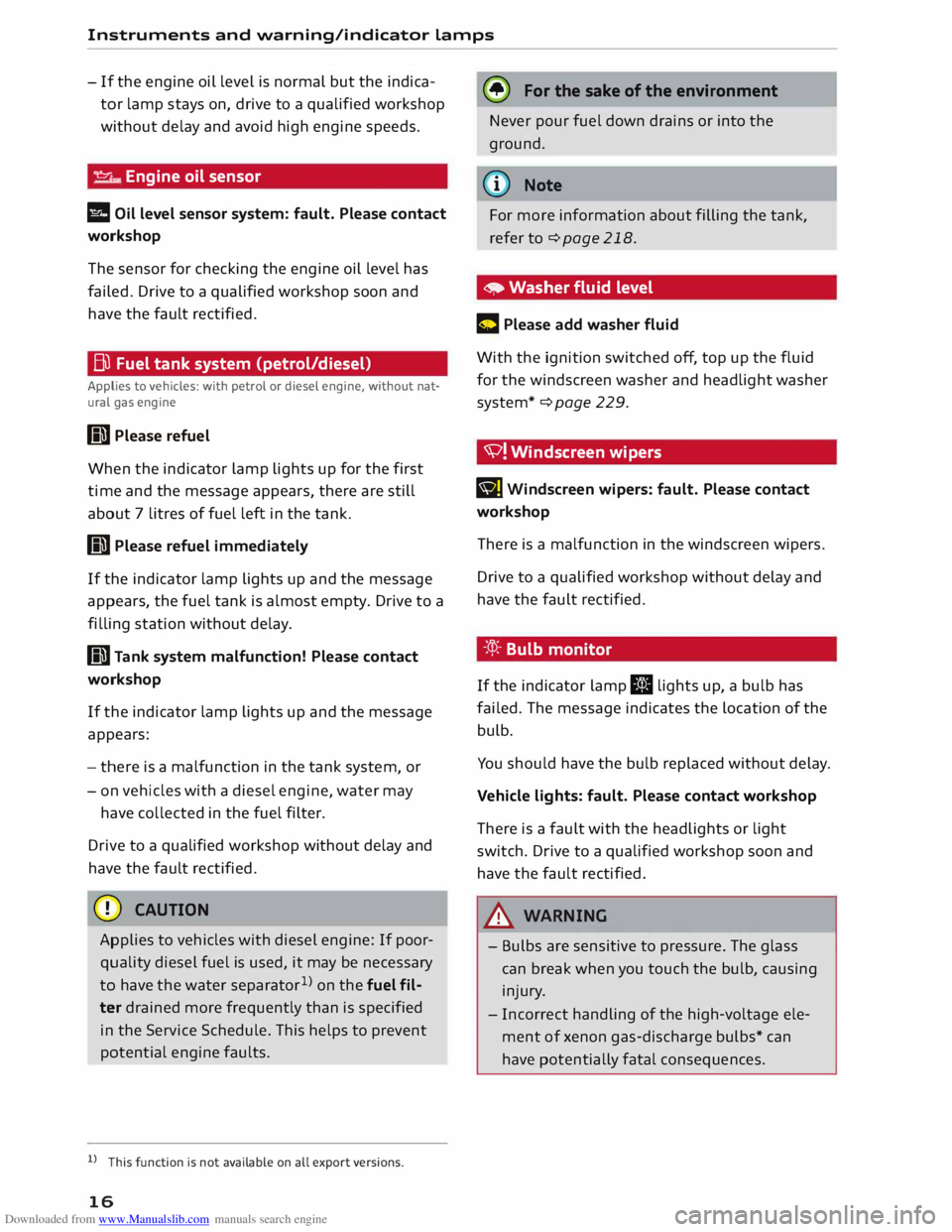
l!I Oil level sensor system: fault. Please contact
workshop
The sensor for checking the engine oil level has
failed. Drive to a qualified workshop soon and
have the fau Lt rectified.
Bu Fuel tank system (petrol/diesel)
Applies to vehicles: with petrol or diesel engine, without nat
ural gas engine
GD Please refuel
When the indicator lamp lights up for the first
time and the message appears, there are still
about 7 litres of fuel left in the tank.
GD Please refuel immediately
If the indicator lamp lights up and the message
appears , the fuel tank is almost empty. Drive to a
filling station without delay.
GD Tank system malfunction! Please contact
workshop
If the indicator lamp lights up and the message
appears:
- there is a malfunction in the tank system, or
- on vehicles with a diesel engine, water may
have collected in the fuel filter.
Drive to a qualified workshop without delay and
have the fau Lt rectified.
CD CAUTION
Applies to vehicles with diesel engine: If poor
quality diesel fuel is used, it may be necessary
to have the water separator 1
>
on the fuel fil
ter drained more frequently than is specified
in the Service Schedule. This helps to prevent
potential engine faults.
l l
This function is not available on all export versions.
16 (®
For the sake of the environment
Never pour fuel down drains or into the
ground.
(CD) Note
For more information about filling the tank,
refer to¢ page 218.
• Washer fluid level
C Please add washer fluid
With the ignition switched off, top up the fluid
for the winds creen washer and headlight washer
system* ¢ page 229.
'V! Winds creen wipers
B] Windscreen
wipers: fault. Please contact
workshop
There is a malfunction in the windscreen wipers.
Drive to a qualified workshop without delay and
have the fault rectified.
-:cp:- Bulb monitor
If the indicator lamp II lights up, a bulb has
failed. The message indicates the location of the
bulb.
You should have the bulb replaced without delay.
Vehicle lights: fault. Please contact workshop
There is a fault with the headlights or light
switch. Drive to a qualified workshop soon and
have the fault rectified.
_& WARNING
- Bulbs are sensitive to pressure. The glass
can break when you touch the bulb, causing
injury.
- Incorrect handling of the high-voltage ele
ment of xenon gas-discharge bulbs* can
have potentially fatal consequences.
Page 19 of 284
Downloaded from www.Manualslib.com manuals search engine 0
N
co
....
\D L/'l
N
L/'l
.... Instruments
and warning/indicator lamps
i,(D Headlight range control
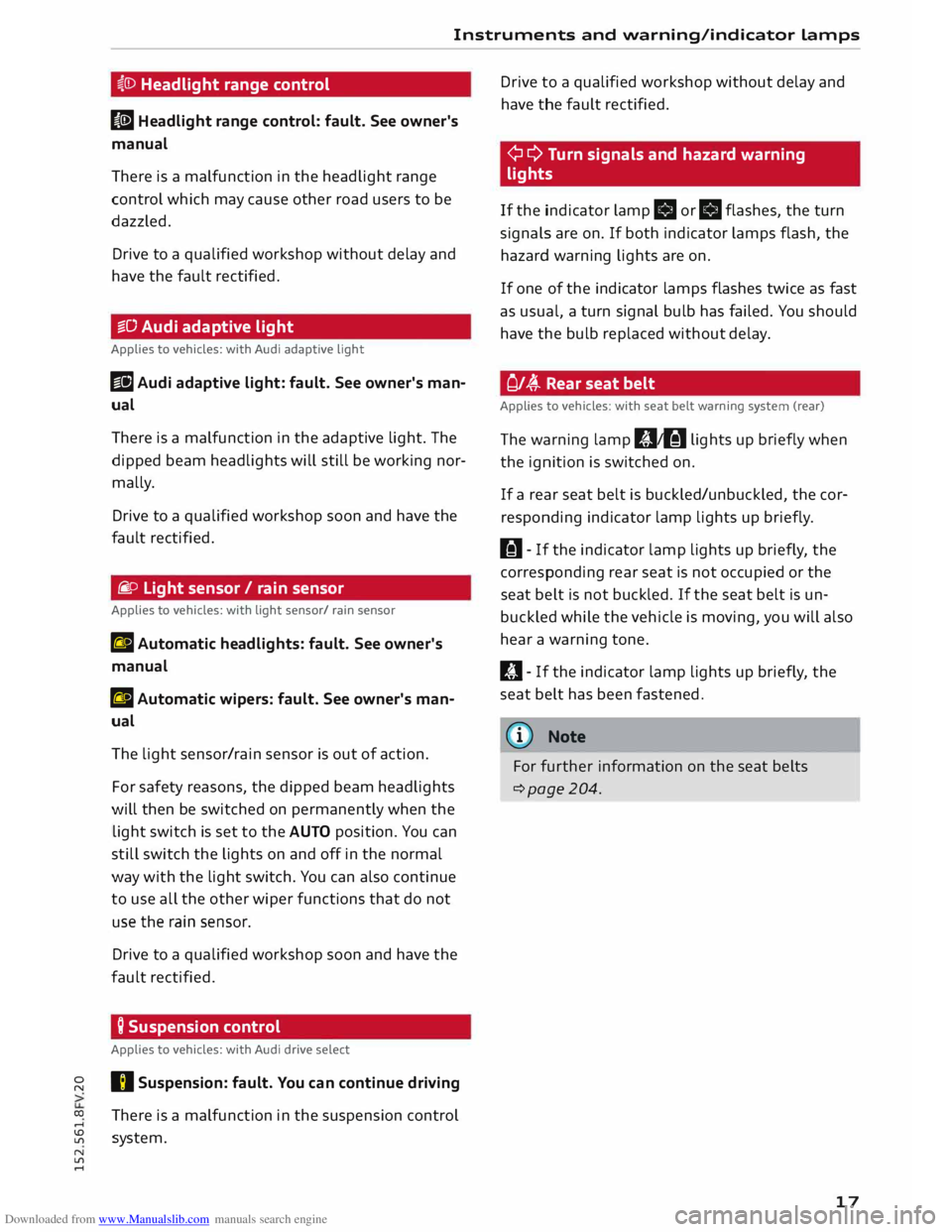
II Headlight range control: fault. See owner's
manual
There is a malfunction in the headlight range
control which may cause other road users to be
dazzled.
Drive to a qualified workshop without delay and
have the fault rectified.
§§0 Audi adaptive light
Applies to vehicles: with Audi adaptive light
Ill Audi adaptive light: fault. See owner's man
ual
There is a malfunction in the adaptive light. The
dipped beam headlights will still be working nor
mally.
Drive to a qualified workshop soon and have the
fault rectified.
fi. o Light sensor/ rain sensor
Applies to vehicles: with light sensor/ rain sensor
El Automatic headlights: fault. See owner's
manual
El Automatic wipers: fault. See owner's man
ual
The light sensor/rain sensor is out of action.
For safety reasons, the dipped beam headlights
will then be switched on permanently when the
light switch is set to the AUTO position. You can
still switch the lights on and off in the normal
way with the light switch. You can also continue
to use all the other wiper functions that do not
use the rain sensor.
Drive to a qualified workshop soon and have the
fault rectified.
Q Suspension control
Applies to vehicles: with Audi drive select
I) Suspension: fault. You can continue driving
There is a malfunction in the suspension control
system. Drive
to a qualified workshop without delay and
have the fault rectified.
¢ ¢ Turn signals and hazard warning
lights
If the indicator lamp.
or.
flashes, the turn
signals are on. If both indicator lamps flash, the
hazard warning lights are on.
If one of the indicator lamps flashes twice as fast
as usual, a turn signal bulb has failed. You should
have the bulb replaced without delay.
Of� Rear seat belt
Applies to vehicles: with seat belt warning system (rear)
The warning lamp 111,tfil lights up briefly when
the ignition is switched on.
If a rear seat belt is buckled/unbuckled, the cor
responding indicator lamp lights up briefly.
H- If the indicator lamp lights up briefly, the
corresponding rear seat is not occupied or the
seat belt is not buckled. If the seat belt is un
buckled while the vehicle is moving, you will also
hear a warning tone.
ill- If the indicator lamp lights up briefly, the
seat belt has been fastened.
@ Note
For further information on the seat belts
c::>page204.
17
Page 20 of 284

Downloaded from www.Manualslib.com manuals search engine Driver
information system
Driver information system
Overview
Fig. 4 Driver information system: Classic view
Fig. 5 Driver information system: Extended view
Th e driver information system displays various
comp onents:
(D Rev counter
@ Secondary display on left (two separate sec-
tions in extended view)
@ Tab area
@ Central area
® Status line (displayed on one or two lines)
® Secondary display on right (two separate sec
tions in extended view)
(J) Speedometer
A WARNING
Do not rely on the outside temperature dis
play as an ice warning. Bear in mind that
18 there
may be patches of ice on the roads even
at outside temperatures around +5 ·c -risk of
accident!
(CD) Note
- You can change the measurement units for
temperature or speed, etc. via the infotain
ment system.
- When the vehicle is stationary or travelling
at very low speeds, the temperature dis
played may be slightly higher than the ac
tual outside temperature as a result of the
heat radiated from the engine.
- At temperatures below +5°
C a snowflake
symbol appears next to the temperature
display ¢&..
Page 21 of 284
Downloaded from www.Manualslib.com manuals search engine 0
N
co
....
\D Lfl
N
Lfl
.... Multi-function steering
wheel with arrow
buttons
How to use the multi-function steering
wheel
You can use the multi-function steering wheel to
control the driver information system and MMI
functions, adjust the volume and switch the
speech dialogue system* on
/o
ff.
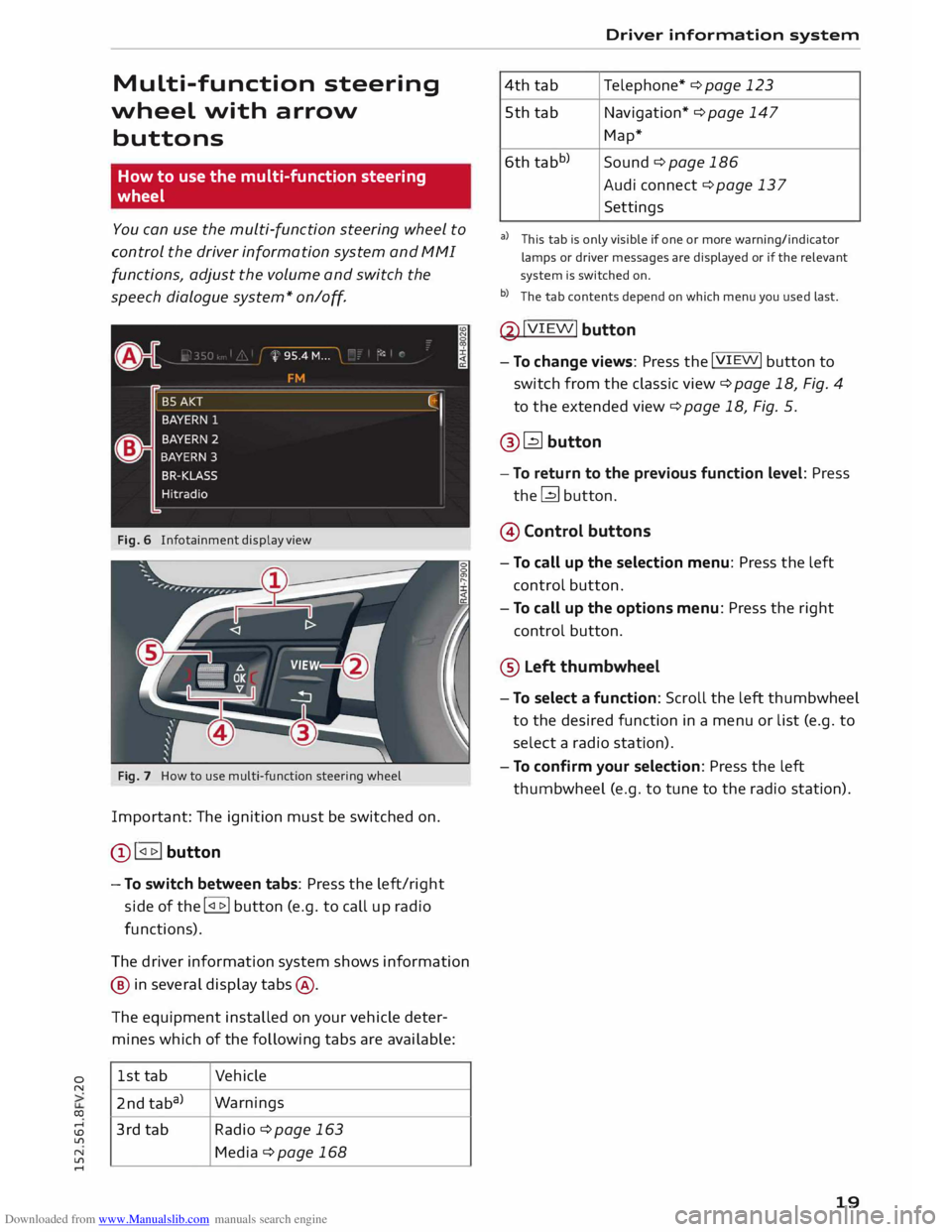
Fig. 6 Infotainment display view
Fig. 7 How to use multi-function steering wheel
Important: The ignition must be switched on.
Q) !<11>! button
- To switch between tabs: Press the left/right
side of the !<11>! button (e.g. to call up radio
functions).
The driver information system shows information
@ in several display tabs@.
The equipment installed on your vehicle deter
mines which of the following tabs are available:
1st tab Vehicle
2nd taba) Warnings
3rd tab Radio ¢page 163
Media ¢page 168 Driver
information system
4th tab Telephone*
¢ page 123
5th tab Navigation* ¢ page 147
Map*
6th tabb)
Sound¢ page 186
Audi connect ¢ page 137
Settings
al This tab is only visible if one or more warning/indicator
lamps or driver messages are displayed or if the relevant
system is switched on.
b l
The tab contents depend on which menu you used last.
@ !VIEW!
button
- To change views: Press the !VIEW! button to
switch from the classic view ¢page 18, Fig. 4
to the extended view¢ page 18, Fig. 5.
@� button
- To return to the previous function level: Press
the� button.
@ Control buttons
- To call up the selection menu: Press the left
control button.
- To call up the options menu: Press the right
control button.
® Left thumbwheel
- To select a function: Scroll the left thumbwheel
to the desired function in a menu or list (e.g. to
select a radio station).
- To confirm your selection: Press the left
thumbwheel (e.g. to tune to the radio station).
19
Page 23 of 284
Downloaded from www.Manualslib.com manuals search engine 0
N
co
....
\D Lfl
N
Lfl
.... ®
l<)NAVI button
- To have the last navigation cue repeated: Press
the� button while route guidance is active.
- To adjust the volume of the navigation cues:
Scroll the right thumbwheel up/down during
route guidance while a navigation cue is being
spoken.
Multi-function steering
wh
eel
with !MODE! button
How to use the multi-function steering
wheel
Applies to vehicles: with multi-function steering wheel
You can use the multi-function steering wheel to
control the driver information system and MMI
functions and adjust the volume.
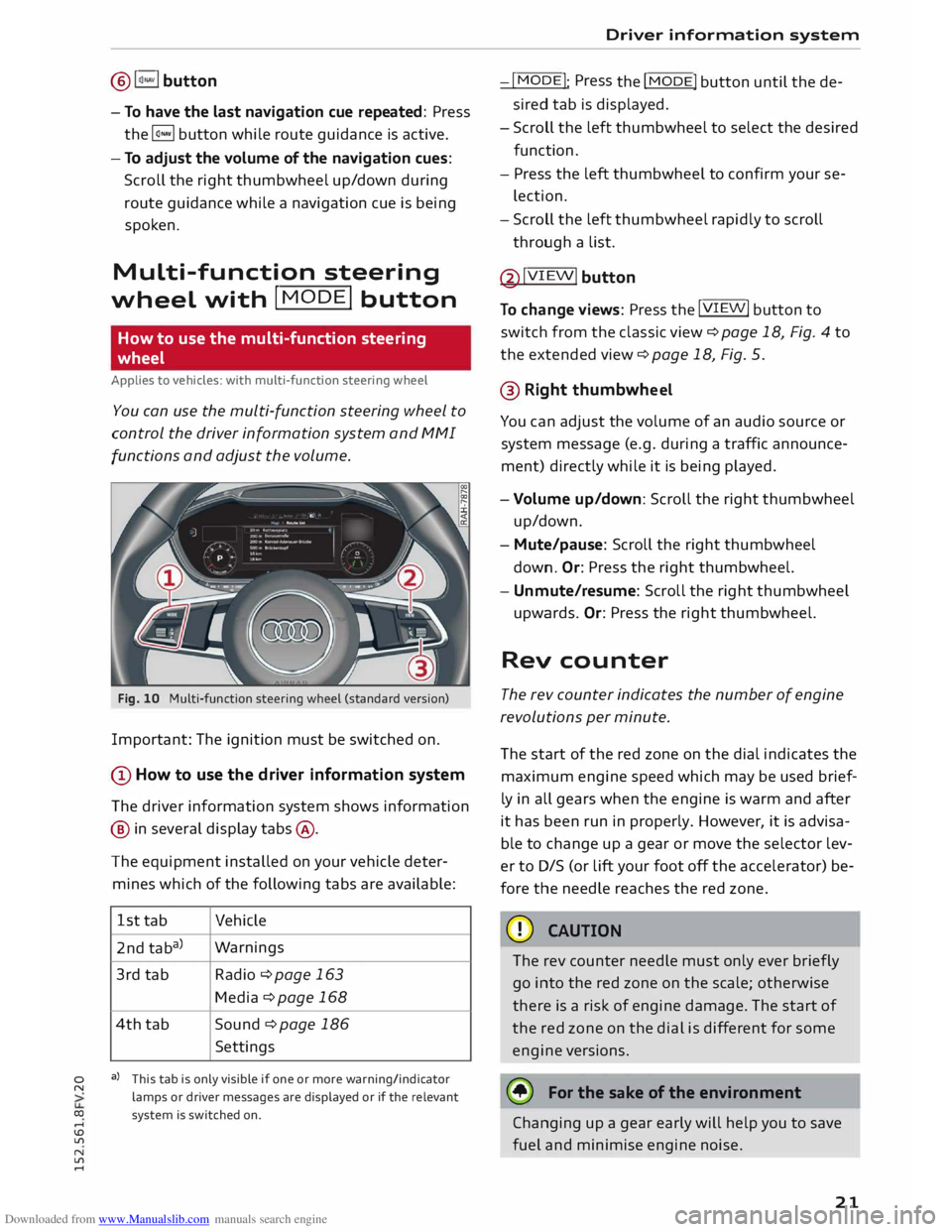
Fig. 10 Multi-function steering wheel (standard version)
Important: The ignition must be switched on.
(D How to use the driver information system
The driver information system shows information
@ in several display tabs@.
The equipment installed on your vehicle deter
mines which of the following tabs are available:
1st tab Vehicle
2nd taba) Warnings
3rd tab
Radio ¢page 163
Media ¢ page 168
4th tab
Sound ¢ page 186
Settings
a) This tab is only visible if one or more warning/indicator
lamps or driver messages are displayed or if the relevant
system is switched on. Driver
information system
-I MODE!
: Press
the I
MODE! button until the de
sired tab is displayed.
- Scroll the left thumbwheel to select the desired
function.
- Press the left thumbwheel to confirm your se
lection.
- Scroll the left thumbwheel rapidly to scroll
through a list.
@ !VIEW!
button
To change views: Press the !VIEW!
button to
switch from the classic view¢ page 18, Fig. 4 to
the extended view¢ page 18, Fig. 5.
@ Right thumbwh eel
You can adjust the volume of an audio source or
system message (e.g. during a traffic announce
ment) directly while it is being played.
- Volume up/down: Scroll the right thumbwheel
up/down.
- Mute/pause: Scroll the right thumbwheel
down. Or:
Press the right thumbwheel.
- Unmute/resume: Scroll the right thumbwheel
upwards. Or: Press the right thumbwheel.
Rev counter
The rev counter indicates the number of engine
revolutions per minute.
The start of the red zone on the dial indicates the
maximum engine speed which may be used brief
ly in all gears when the engine is warm and after
it has been run in properly. However, it is advisa
ble to change up a gear or move the selector lev
er to D/S (or lift your foot off the accelerator) be
fore the needle reaches the red zone.
CD CAUTION
The rev counter needle must only ever briefly
go into the red zone on the scale; otherwise
there is a risk of engine damage. The start of
the red zone on the dial is different for some
engine versions.
@ For the sake of the environment
Changing up a gear early will help you to save
fuel and minimise engine noise.
21
Page 25 of 284
Downloaded from www.Manualslib.com manuals search engine 0
N
co
....
\D Lfl
N
Lfl
.... Camera-based
traffic
sign recognition
Description
Applies to vehicles: with camera-based traffic sign recognition
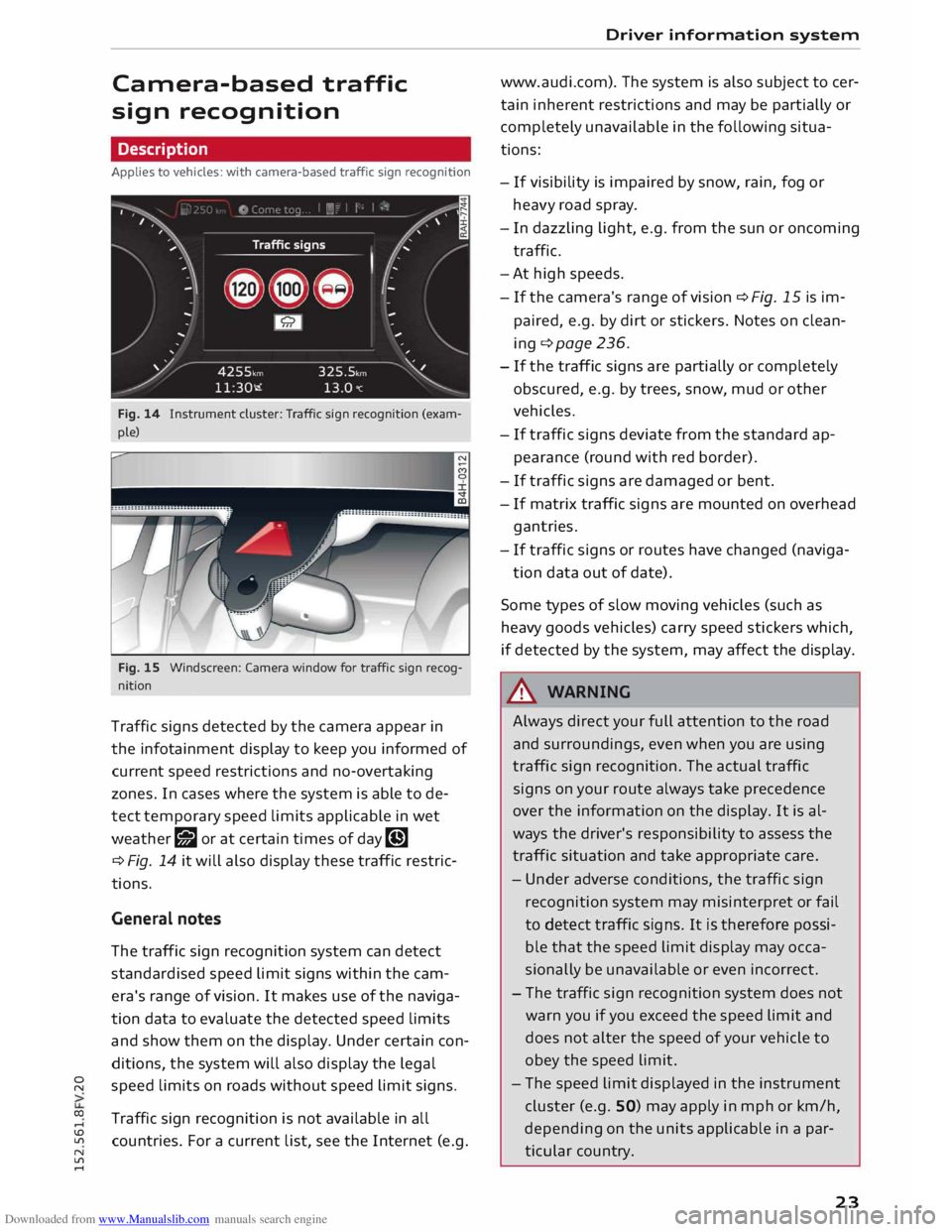
Fig. 14 Instrument cluster: Traffic sign recognition (exam
ple)
Fig. 15 Windscreen: Camera window for traffic sign recog
nition
Traffic signs detected by the camera appear in
the infotainment display to keep you informed of
current speed restrictions and no-overtaking
zones. In cases where the system is able to de
tect temporary speed limits applicable in wet
weather g;J or at certain times of day�
¢ Fig. 14 it will also display these traffic restric
tions.
General notes
The traffic sign recognition system can detect
standardised speed limit signs within the cam
era's range of vision. It makes use of the naviga
tion data to evaluate the detected speed limits
and show them on the display. Under certain con
ditions, the system will also display the legal
speed limits on roads without speed limit signs.
Traffic sign recognition is not available in all
countries. For a current list, see the Internet (e.g. Driver
information system
www.audi.com). The system is also subject to cer
tain inherent restrictions and may be partially or
completely unavailable in the following situa
tions:
- If visibility is impaired by snow, rain, fog or
heavy road spray.
- In dazzling light, e.g. from the sun or oncoming
traffic.
-At high speeds.
- If the camera's range of vision � Fig. 15 is im-
paired, e.g. by dirt or stickers. Notes on clean
ing ¢ page 236.
- If the traffic signs are partially or completely
obscured, e.g. by trees, snow, mud or other
vehicles.
- If traffic signs deviate from the standard ap
pearance (round with red border).
- If traffic signs are damaged or bent.
- If matrix traffic signs are mounted on overhead
gantries.
- If traffic signs or routes have changed (naviga-
tion data out of date).
Some types of slow moving vehicles (such as
heavy goods vehicles) carry speed stickers which,
if detected by the system, may affect the display.
& WARNING
Always direct your full attention to the road
and surroundings, even when you are using
traffic sign recognition. The actual traffic
signs on your route always take precedence
over the information on the display. It is al
ways the driver's responsibility to assess the
traffic situation and take appropriate care.
- Under adverse conditions, the traffic sign
recognition system may misinterpret or fail
to detect traffic signs. It is therefore possi
ble that the speed limit display may occa
sionally be unavailable or even incorrect.
- The traffic sign recognition system does not
warn you if you exceed the speed limit and
does not alter the speed of your vehicle to
obey the speed limit.
- The speed limit displayed in the instrument
cluster (e.g. SO) may apply in mph or km/h,
depending on the units applicable in a par
ticular country.
23
Page 27 of 284
Downloaded from www.Manualslib.com manuals search engine 0
N
co
.-I
\D L/"l
N
L/"l
.-I Doors
and windows
Central locking system
Description
The vehicle can be locked and unlocked via the
central locking system. You can use any of the
following:
- Remote control key¢ page 28
- Sensors in the door handles* ¢ page 28
- Lock on driver's door ¢ page 30
- Interior central locking switch ¢ page 29
Automatic locking function (Auto Lock)
The Auto Lock function locks the doors and the
boot lid when the vehicle exceeds a speed of
about 15 km/h.
The vehicle is unlocked again immediately when
the unlock button in the central locking switch is
pressed or one of the inside door handles is
pulled. The Auto Lock function can be switched
on and off on the infotainment system
¢page 30.
In the event of an accident in which the airbags
inflate, the doors will be automatically unlocked
to facilitate access and assistance.
Unlocking one side of the vehicle only
When you lock the vehicle, the central locking
system will lock the doors and the boot lid. When
you unlock the vehicle, the central locking system
will unlock either the driver's door only, or all the
locks on the vehicle, depending on the setting
you have selected on the infotainment system
¢page 30.
Turn signals
The turn signals will flash twice when the vehicle
is unlocked and once when the vehicle is locked.
If the turn signals do not flash, one of the doors,
the boot lid or the bonnet is still open or the igni
tion is still on.
Accidental lock-out
The central locking system prevents you from be
ing locked out of the vehicle in the following sit
uations: Doors
and windows
- When the driver's door is open, you cannot lock
the vehicle by pressing the� button on the re
mote control key or touching the locking sen
sor* on one of the doors.
- When one of the doors is open, it cannot be
locked together with the other doors by press
ing the� button in the central locking switch
and then closing the door ¢ page 29.
- On vehicles with convenience key*, the boot lid
will be released again automatically if the key
that was last in use is left inside the boot when
the boot lid is closed. The hazard warning lights
will flash four times.
To prevent yourself from being locked out, do not
lock the vehicle with the remote control key/con
venience key* until all of the doors and the boot
lid are closed.
(D Note
- Never leave any valuable items in the vehi
cle unattended. Even a locked vehicle is not
a safe.
- When you lock the vehicle, the LED on the
driver's window sill flashes. If the LED is still
on about 30 seconds after the vehicle is
locked, the central locking system is not
working properly. You should have the mal
function repaired by a qualified workshop.
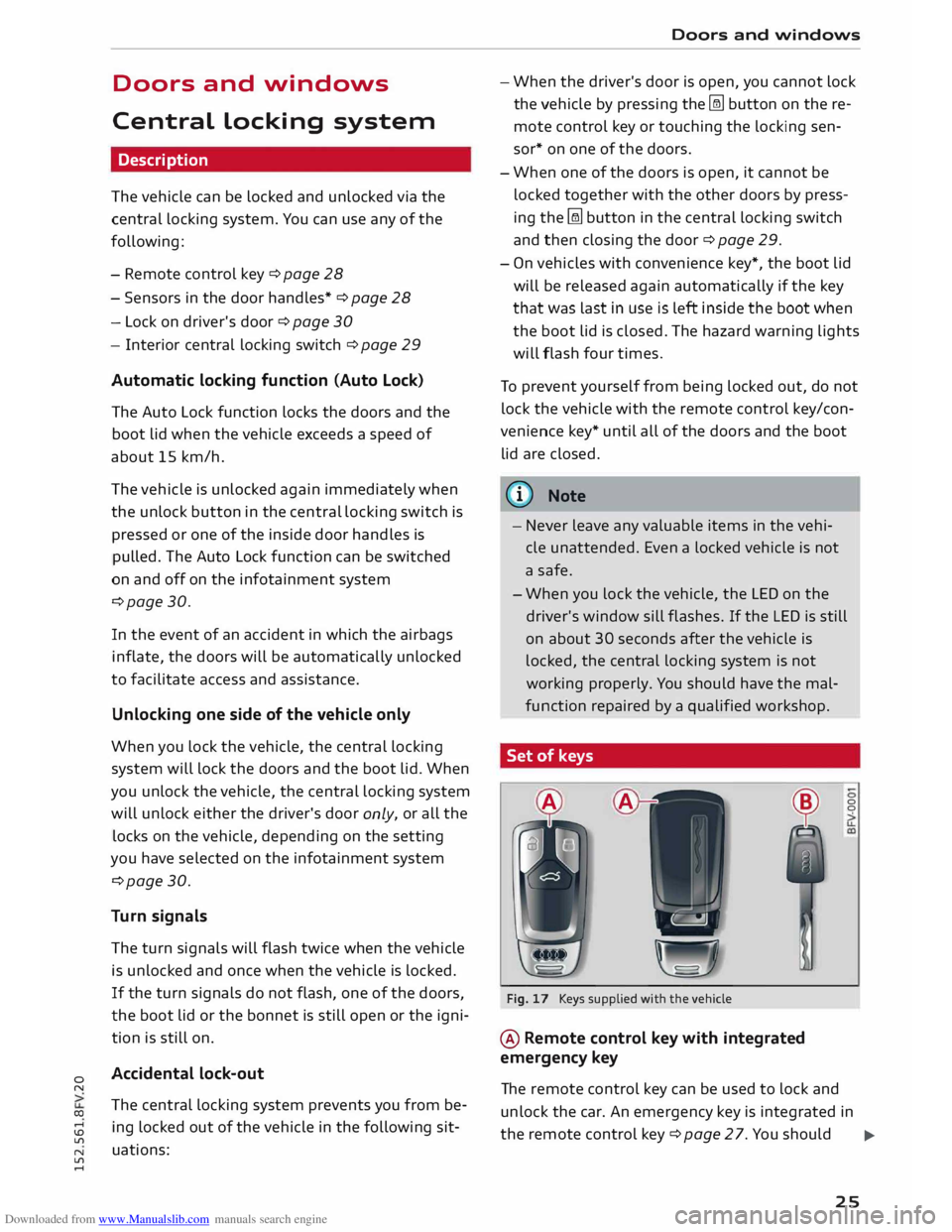
Set of keys
A A
Fig. 17 Keys supplied with the vehicle
@ Remote control key with integrated
emergency key 0
0
The remote control key can be used to lock and
unlock the car. An emergency key is integrated in
the remote control key¢ page 27. You should ..,.
25
Page 28 of 284
Downloaded from www.Manualslib.com manuals search engine Doors
and windows
check regularly that the emergency key is still
present in the remote control key casing.
@ Spare key
This key is intended for temporary use only and
should be used only in an emergency. Keep it in a
safe place and do not carry it on the keyring.
Replacing a key
If you should lose a key, please contact an Audi
dealer. Have the remote control coding for that
key deactivated. For this purpose you should
bring all available keys with you. It is also impor
tant to notify your insurance company if a key has
been lost.
Number of keys
You can check how many keys are initialised for
your vehicle using the infotainment system. Se
lect the following on the infotainment system:
I MENU I
button >Car> left control button > Serv
icing & checks > Initialised keys. This feature en
ables used car buyers to make sure they have re
ceived all of the keys.
Electronic immobiliser
The immobiliser is designed to prevent unauthor
ised persons from driving the vehicle.
It may not be possible to start the engine with
the key if there is another ignition key from a dif
ferent make of vehicle on the same key ring.
Data stored on remote control key
Data related to the service and maintenance of
the vehicle are stored continuously on your re
mote control key while you are driving. Your Audi
dealer can read out the data and will then be able
to tell you what service work is required. This also
applies to vehicles with convenience key*.
Personal convenience settings
If two people use the same car regularly, it is a
good idea for each person to have his or her
"own" remote control key. When you switch off
the ignition or lock the vehicle, your personal set
tings for the following convenience features are
stored and assigned to the remote control key:
- Air conditioner
26 -
Central locking system
-Windows
- Background lighting*
- Parking aid*
- Active lane assist*
- Side assist*
- Drive select
The stored settings are then recalled automati
cally the next time the vehicle is unlocked, the
doors are opened or the ignition is switched on.
_& WARNING
Always take the key with you when leaving the
vehicle -even if you only intend to be gone for
a short time. This is especially important if
children are left in the car. They might other
wise be able to start the engine or use power
operated equipment such as the electric win
dows -this could lead to injuries.
The function of the remote control key may be
impaired by interference from other nearby
radio signals (for example from a mobile tele
phone or TV transmitter) if these are in the
same frequency range.