warning lights AUDI TT COUPE 2014 User Guide
[x] Cancel search | Manufacturer: AUDI, Model Year: 2014, Model line: TT COUPE, Model: AUDI TT COUPE 2014Pages: 284, PDF Size: 34.42 MB
Page 19 of 284
Downloaded from www.Manualslib.com manuals search engine 0
N
co
....
\D L/'l
N
L/'l
.... Instruments
and warning/indicator lamps
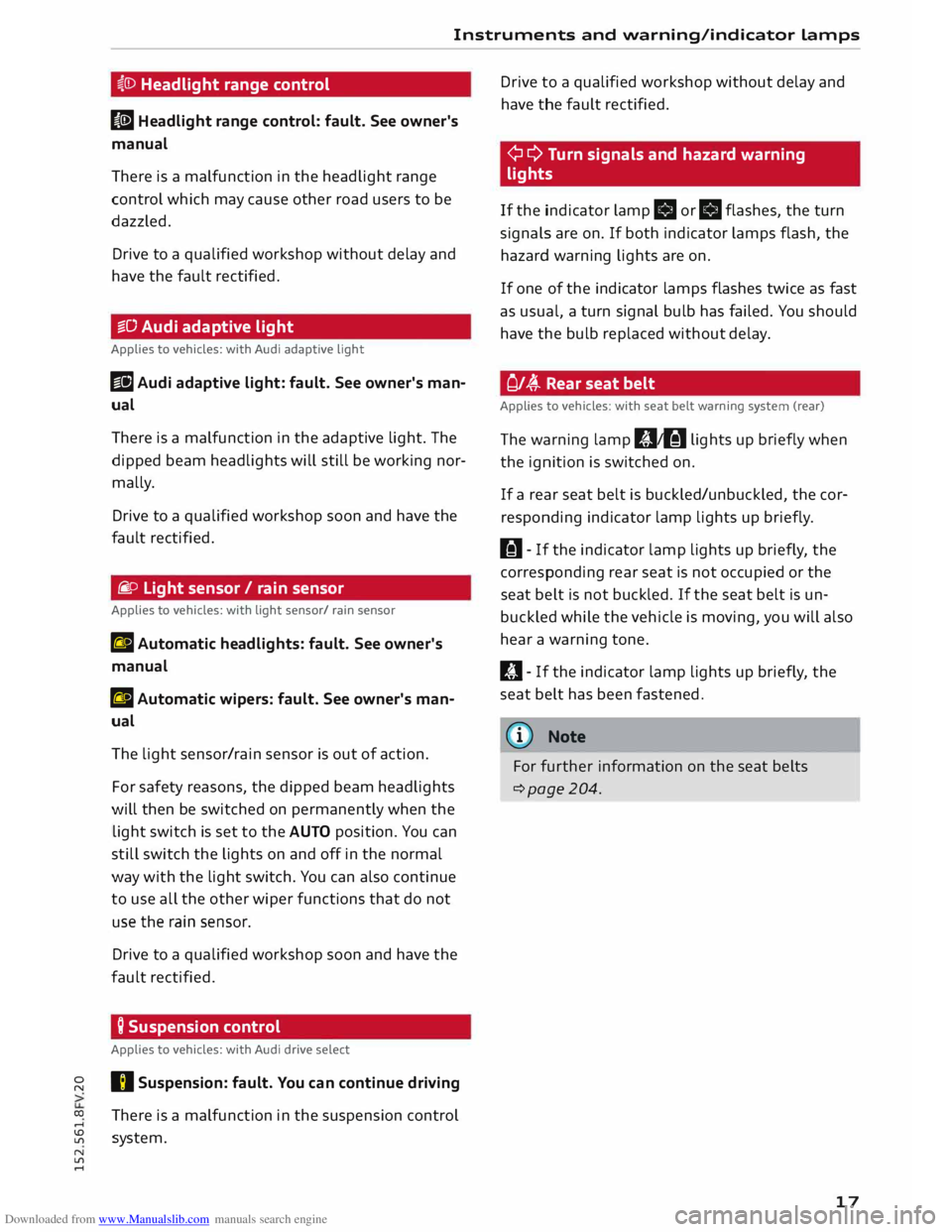
i,(D Headlight range control
II Headlight range control: fault. See owner's
manual
There is a malfunction in the headlight range
control which may cause other road users to be
dazzled.
Drive to a qualified workshop without delay and
have the fault rectified.
§§0 Audi adaptive light
Applies to vehicles: with Audi adaptive light
Ill Audi adaptive light: fault. See owner's man
ual
There is a malfunction in the adaptive light. The
dipped beam headlights will still be working nor
mally.
Drive to a qualified workshop soon and have the
fault rectified.
fi. o Light sensor/ rain sensor
Applies to vehicles: with light sensor/ rain sensor
El Automatic headlights: fault. See owner's
manual
El Automatic wipers: fault. See owner's man
ual
The light sensor/rain sensor is out of action.
For safety reasons, the dipped beam headlights
will then be switched on permanently when the
light switch is set to the AUTO position. You can
still switch the lights on and off in the normal
way with the light switch. You can also continue
to use all the other wiper functions that do not
use the rain sensor.
Drive to a qualified workshop soon and have the
fault rectified.
Q Suspension control
Applies to vehicles: with Audi drive select
I) Suspension: fault. You can continue driving
There is a malfunction in the suspension control
system. Drive
to a qualified workshop without delay and
have the fault rectified.
¢ ¢ Turn signals and hazard warning
lights
If the indicator lamp.
or.
flashes, the turn
signals are on. If both indicator lamps flash, the
hazard warning lights are on.
If one of the indicator lamps flashes twice as fast
as usual, a turn signal bulb has failed. You should
have the bulb replaced without delay.
Of� Rear seat belt
Applies to vehicles: with seat belt warning system (rear)
The warning lamp 111,tfil lights up briefly when
the ignition is switched on.
If a rear seat belt is buckled/unbuckled, the cor
responding indicator lamp lights up briefly.
H- If the indicator lamp lights up briefly, the
corresponding rear seat is not occupied or the
seat belt is not buckled. If the seat belt is un
buckled while the vehicle is moving, you will also
hear a warning tone.
ill- If the indicator lamp lights up briefly, the
seat belt has been fastened.
@ Note
For further information on the seat belts
c::>page204.
17
Page 27 of 284
Downloaded from www.Manualslib.com manuals search engine 0
N
co
.-I
\D L/"l
N
L/"l
.-I Doors
and windows
Central locking system
Description
The vehicle can be locked and unlocked via the
central locking system. You can use any of the
following:
- Remote control key¢ page 28
- Sensors in the door handles* ¢ page 28
- Lock on driver's door ¢ page 30
- Interior central locking switch ¢ page 29
Automatic locking function (Auto Lock)
The Auto Lock function locks the doors and the
boot lid when the vehicle exceeds a speed of
about 15 km/h.
The vehicle is unlocked again immediately when
the unlock button in the central locking switch is
pressed or one of the inside door handles is
pulled. The Auto Lock function can be switched
on and off on the infotainment system
¢page 30.
In the event of an accident in which the airbags
inflate, the doors will be automatically unlocked
to facilitate access and assistance.
Unlocking one side of the vehicle only
When you lock the vehicle, the central locking
system will lock the doors and the boot lid. When
you unlock the vehicle, the central locking system
will unlock either the driver's door only, or all the
locks on the vehicle, depending on the setting
you have selected on the infotainment system
¢page 30.
Turn signals
The turn signals will flash twice when the vehicle
is unlocked and once when the vehicle is locked.
If the turn signals do not flash, one of the doors,
the boot lid or the bonnet is still open or the igni
tion is still on.
Accidental lock-out
The central locking system prevents you from be
ing locked out of the vehicle in the following sit
uations: Doors
and windows
- When the driver's door is open, you cannot lock
the vehicle by pressing the� button on the re
mote control key or touching the locking sen
sor* on one of the doors.
- When one of the doors is open, it cannot be
locked together with the other doors by press
ing the� button in the central locking switch
and then closing the door ¢ page 29.
- On vehicles with convenience key*, the boot lid
will be released again automatically if the key
that was last in use is left inside the boot when
the boot lid is closed. The hazard warning lights
will flash four times.
To prevent yourself from being locked out, do not
lock the vehicle with the remote control key/con
venience key* until all of the doors and the boot
lid are closed.
(D Note
- Never leave any valuable items in the vehi
cle unattended. Even a locked vehicle is not
a safe.
- When you lock the vehicle, the LED on the
driver's window sill flashes. If the LED is still
on about 30 seconds after the vehicle is
locked, the central locking system is not
working properly. You should have the mal
function repaired by a qualified workshop.
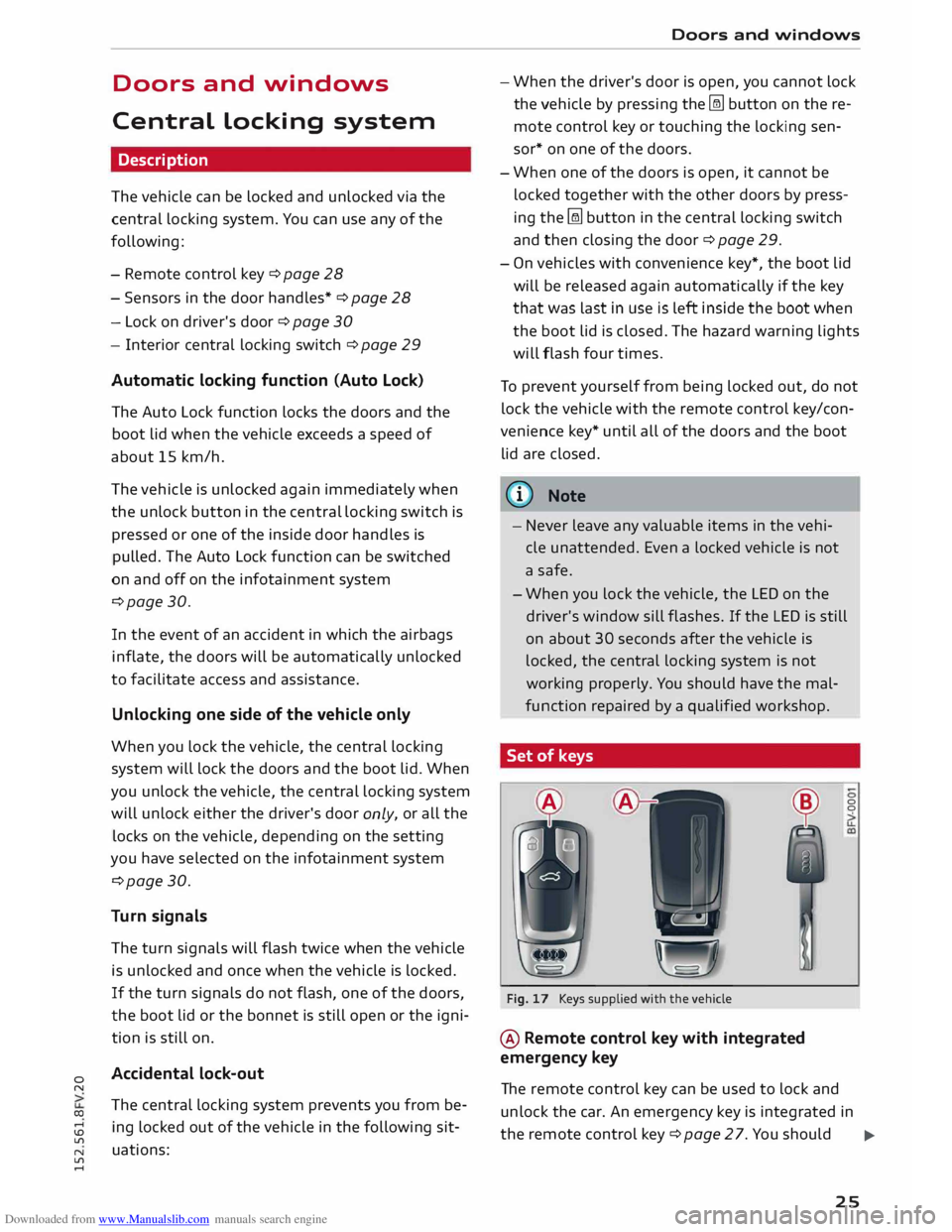
Set of keys
A A
Fig. 17 Keys supplied with the vehicle
@ Remote control key with integrated
emergency key 0
0
The remote control key can be used to lock and
unlock the car. An emergency key is integrated in
the remote control key¢ page 27. You should ..,.
25
Page 31 of 284

Downloaded from www.Manualslib.com manuals search engine 0
N
co
....
\D L/'l
N
L/'l
.... key,
for instance whether it is in your jacket pock
et or in a briefcase.
The locking function may be affected if you grasp
the door handle while the vehicle is being locked.
Once the doors have been locked, they cannot be
opened again immediately. This will enable you
to check that the doors are properly closed.
The system will unlock either all the doors or only
one of the doors, depending on the settings you
have chosen on the infotainment system
¢page 30.
_& WARNING
On vehicles with an anti-theft alarm system*,
do not leave anyone (especially children) in
the car if it is locked from the outside and the
safelock mechanism* is activated: the doors
and windows cannot then be opened from the
inside ¢ page 31. Locked doors could delay
assistance in an emergency, potentially put
ting lives at risk.
((I)) Note
Please note the following points if the vehicle
is left parked for long periods:
- To save electrical power, the proximity sen
sors are switched off after a few days. You
will then need to pull the door handle once
to unlock the vehicle, and a second time to
open it.
- To prevent the battery from becoming dis
charged and thus maintain the vehicle's
starting ability for as long as possible, the
power management system will gradually
switch off convenience functions that are
not required. In this case you may not be
able to unlock the vehicle with this conven
ience function. Doors
and windows
Central locking switch
Fig. 24 Driver's door: Central locking switch
� To lock the vehicle, press the� button ¢.& -
� To unlock the vehicle, press the @J button.
Please note the following when you use the cen
tral locking switch to lock your vehicle:
- The doors and the boot lid cannot be opened
from the outside (for safety reasons, when
stopped at traffic lights, etc.).
- The LED in the central locking switch lights up
when all of the doors are closed and locked.
- You can open the doors individually from the in
side by pulling the inside door handle.
- In the event of an accident in which the airbags
inflate, doors locked from the inside will be au
tomatically unlocked to facilitate access and as
sistance.
_& WARNING
- The central locking switch is still operative
when the ignition is switched off and will
automatically lock the entire vehicle when
the @l button is pressed.
- The central locking switch inside the vehicle
is not operative if you lock the vehicle from
the outside .
- Locked doors could delay assistance in an
emergency, potentially putting lives at risk.
Do not leave anyone (especially children) in
the vehicle.
The doors and the boot lid are locked auto
matically when the vehicle reaches a speed of
about 15 km/h (Auto Lock) ¢page 25. You 1111>
29
Page 39 of 284
Downloaded from www.Manualslib.com manuals search engine 0
N
co
....
\D L/'l
N
L/'l
.... Lights
and vision
Exterior lights
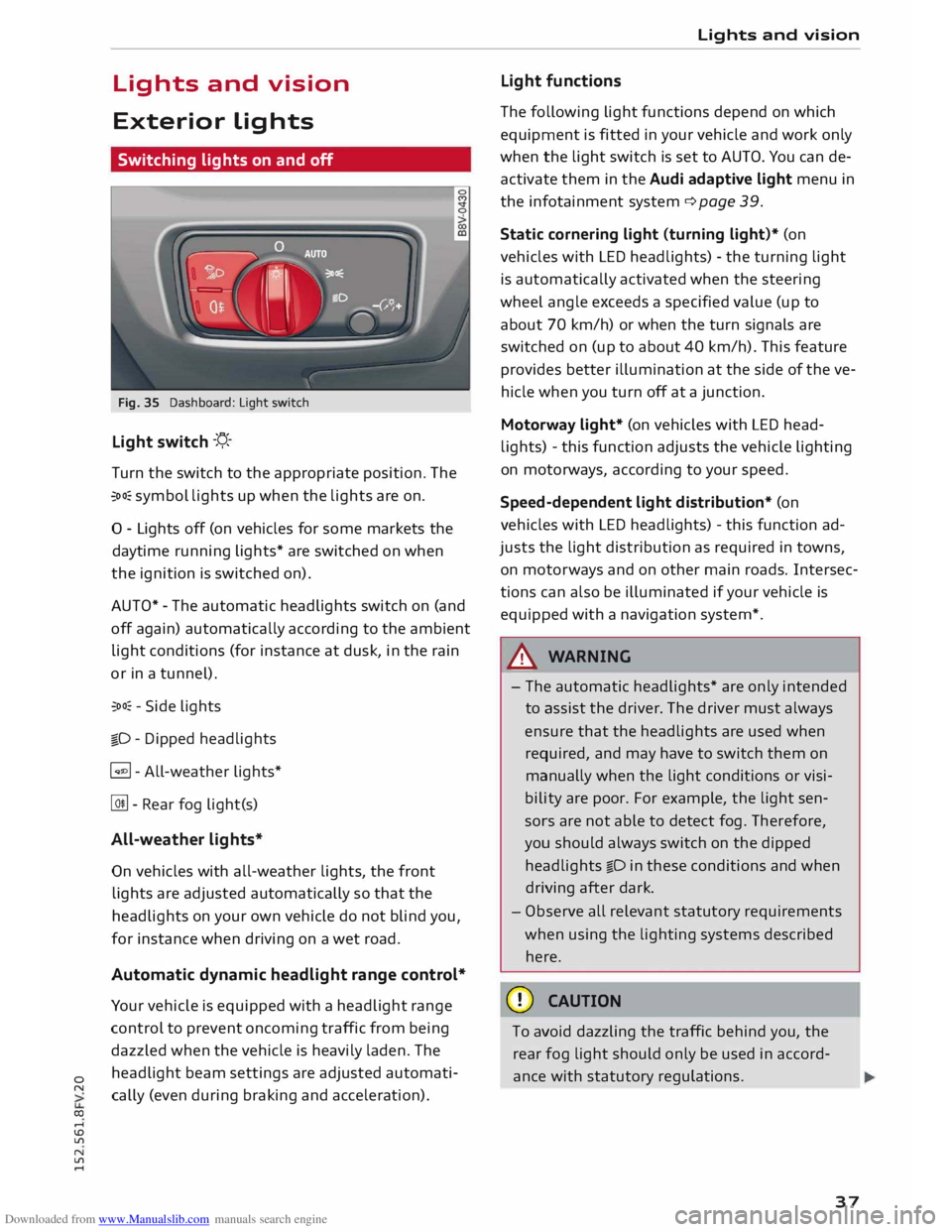
Switching lights on and off
Fig. 35 Dashboard: Light switch
Light switch -'!;5.-
T urn the switch to the appropriate position. The
�oo: symbol lights up when the lights are on.
0 - Lights off (on vehicles for some markets the
daytime running lights* are switched on when
the ignition is switched on).
AUTO* -The automatic headlights switch on (and
off again) automatically according to the ambient
light conditions (for instance at dusk, in the rain
or in a tunnel).
�oo: -Side lights
�D -Dipped headlights
� - All-weather lights*
@!l - Rear fog light(s)
All-weather lights*
On vehicles with all-weather lights, the front
lights are adjusted automatically so that the
headlights on your own vehicle do not blind you,
for instance when driving on a wet road.
Automatic dynamic headlight range control*
Your vehicle is equipped with a headlight range
control to prevent oncoming traffic from being
dazzled when the vehicle is heavily laden. The
headlight beam settings are adjusted automati
cally (even during braking and acceleration). Lights
and vision
Light functions
The following light functions depend on which
equipment is fitted in your vehicle and work only
when the light switch is set to AUTO. You can de
activate them in the Audi adaptive light menu in
the infotainment system¢ page 39.
Static cornering light (turning light)* (on
vehicles with LED headlights) -the turning light
is automatically activated when the steering
wheel angle exceeds a specified value (up to
about 70 km/h) or when the turn signals are
switched on (up to about 40 km/h). This feature
provides better illumination at the side of the ve
hicle when you turn off at a junction.
Motorway light* (on vehicles with LED head
lights) -this function adjusts the vehicle lighting
on motorways, according to your speed.
Speed-dependent light distribution* (on
vehicles with LED headlights) -this function ad
justs the light distribution as required in towns,
on motor ways and on other main roads. Intersec
tions can also be illuminated if your vehicle is
equipped with a navigation system*.
A WARNING
- The automatic headlights* are only intended
to assist the driver. The driver must always
ensure that the headlights are used when
required, and may have to switch them on
manually when the light conditions or visi
bility are poor. For example, the light sen
sors are not able to detect fog. Therefore,
you should always switch on the dipped
headlights io in these conditions and when
driving after dark.
- Observe all relevant statutory requirements
when using the lighting systems described
here.
CD CAUTION
To avoid dazzling the traffic behind you, the
rear fog light should only be used in accord
ance with statutory regulations.
37
Page 40 of 284

Downloaded from www.Manualslib.com manuals search engine Lights
and vision
@ Note
- The light sensor for the automatic head
lights* is Located in the mounting for the in
terior mirror. Do not affix any stickers on
this section of the windscreen.
- Some of the settings for the exterior light
ing can be adjusted in the driver informa
tion system.
- A buzzer will sound if you remove the igni
tion key and open the door when the exteri
or Lighting is on.
- On vehicles for some markets, the rear
lights switch on together with the daytime
running lights.
- In cool or damp weather, the inside of the
headlights, turn signals or rear lights can
sometimes mist up, due to the temperature
difference between the interior and exterior
of the car. They should clear again partially
or completely soon after you switch on the
headlights. This phenomenon has no influ
ence on the life expectancy of the vehicle
lights.
Turn signal and main beam lever
The turn signal Lever also operates the main
beam headlights, parking Lights and headlight
flasher.
Fig. 36 Turn signal and main beam headlight lever
Turn signals ¢¢ and parking lights pE
The turn signals will flash if you move the Lever
while the ignition is switched on. The parking
Lights will be switched on if you do this with the
ignition switched off.
@ -Turn signals/parking lights (right side)
38 0 @
-Turn signals/parking lights (left side)
If you just tap the Lever, the turn signals will
flash three times (one-touch signalling).
Main beam and headlight flasher �D
Move the lever to the appropriate position:
@ -Main beam headlights on (vehicles with main
beam assist* � page 38)
@ -Main beam headlights off or headlight flash
er
The indicator Lamp Ill will light up in the instru
ment cluster.
A WARNING
The main beam can dazzle other drivers. Risk
of accident! Never use the main beam head
lights or the headlight flasher if they could
dazzle other drivers.
((D Note
A buzzer will sound if you open the door when
the parking light is on.
' Main beam assist
Applies to vehicles: with main beam assist
The main beam assist automatically switches
the main beam headlights on or off depending
on the surrounding Light conditions.
Fig. 37 Turn signal and main beam lever: Switching main
beam assist on/off 0
A camera (located in the mounting for the interi
or mirror) detects light sources from other road
users. The main beams are activated or deactiva
ted automatically depending on the position of
vehicles on either side of the road, on the road �
Page 41 of 284
Downloaded from www.Manualslib.com manuals search engine speed,
and on other traffic and ambient condi
tions.
On vehicles with matrix LED headlights, individu
al segments of the main beam are activated or
deactivated. The relevant sector in front of the
vehicle is masked, while the surrounding areas
remain lit. The ambient surroundings are thus il
luminated optimally without dazzling other road
users.
Activating the main beam assist
Important: The light switch must be set to AUTO,
the dipped beam headlights must be on and the
main beam assist must be activated on the info
tainment system¢ page 39.
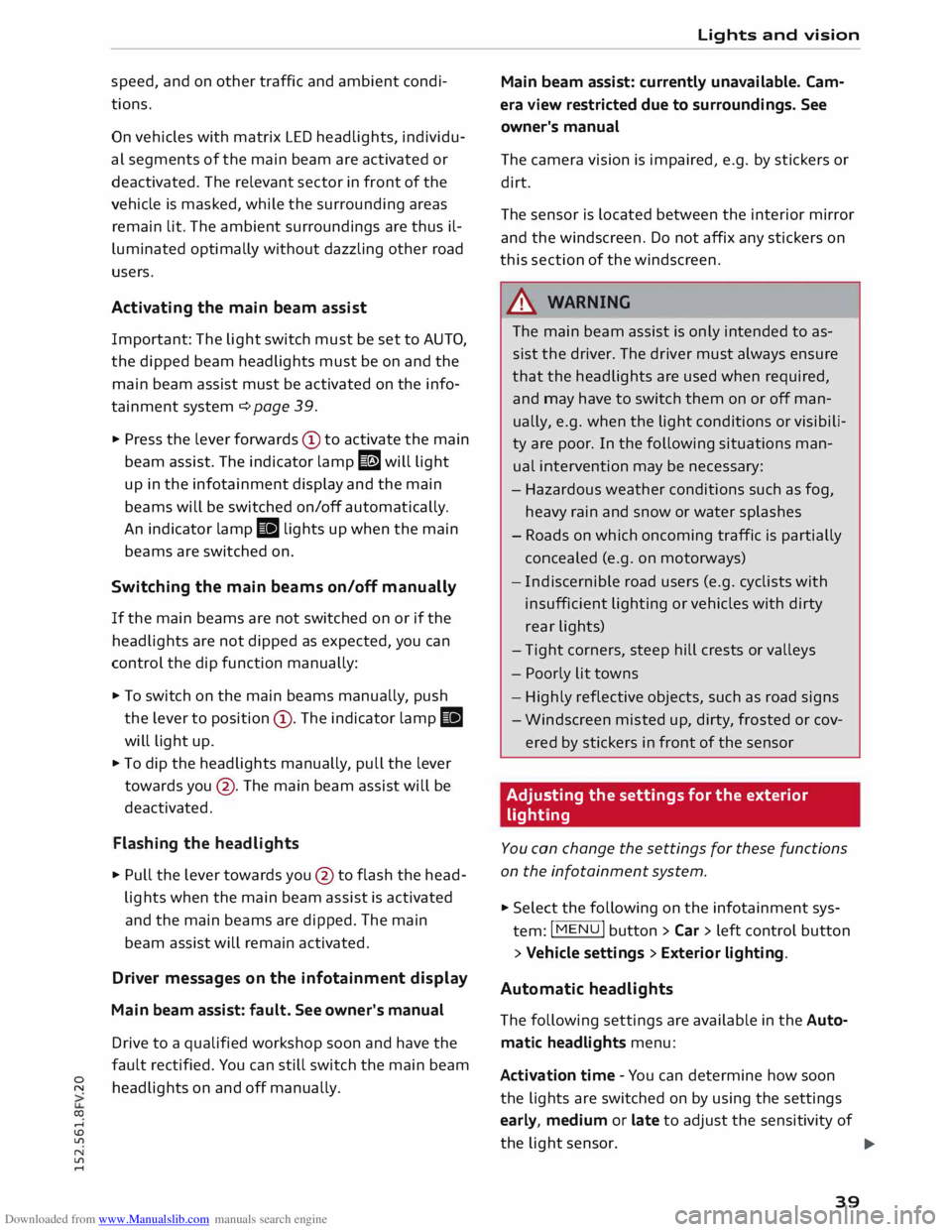
.,. Press the lever forwards CD to activate the main
beam assist. The indicator lamp I! will light
up in the infotainment display and the main
beams will be switched on/off automatically.
An indicator lamp II lights up when the main
beams are switched on.
Switching the main beams on/off manually
If the main beams are not switched on or if the
headlights are not dipped as expected, you can
control the dip function manually:
.,. To switch on the main beams manually, push
the lever to position (D. The indicator lamp II
will light up.
.,. To dip the headlights manually, pull the lever
towards you@. The main beam assist will be
deactivated.
Flashing the headlights
.,. Pull the lever towards you @ to flash the head
lights when the main beam assist is activated
and the main beams are dipped. The main
beam assist will remain activated.
Driver messages on the infotainment display
Main beam assist: fault. See owner's manual
Drive to a qualified workshop soon and have the
fault rectified. You can still switch the main beam
0
"' headlights on and off manually.
co ....
\D U'l
N
U'l
.... Lights
and vision
Main beam assist: currently unavailable. Cam
era view restricted due to surroundings. See
owner's manual
The camera vision is impaired, e.g. by stickers or
dirt.
The sensor is located between the interior mirror
and the windscreen. Do not affix any stickers on
this section of the windscreen.
& WARNING
The main beam assist is only intended to as
sist the driver. The driver must always ensure
that the headlights are used when required,
and may have to switch them on or off man
ually, e.g. when the light conditions or visibili
ty are poor. In the following situations man
ual interve ntion may be necessary:
- Hazardous weather conditions such as fog,
heavy rain and snow or water splashes
- Roads on which oncoming traffic is partially
concealed (e.g. on motorways)
- Indi scernible road users (e.g. cyclists with
insufficient lighting or vehicles with dirty
rear lights)
- Tight corners, steep hill crests or valleys
- Poorly lit towns
- Highly reflective objects, such as road signs
- Windscreen misted up, dirty, frosted or cov-
ered by stickers in front of the sensor
Adjusting the settings for the exterior
light ing
You can change the settings for these functions
on the infotainment system .
.,. Select the following on the infotainment sys
tem: I MENU
I button >Car> left control button
> Vehicle settings > Exterior lighting.
Automatic headlights
The following settings are available in the Auto
matic headlights menu:
Activa tion time -You can determine how soon
the lights are switched on by using the settings
early, medium or late to adjust the sensitivity of
the light sensor.
IJi,,
39
Page 42 of 284
Downloaded from www.Manualslib.com manuals search engine Lights
and vision
Main beam assist* -You can switch the main
beam assist* on and off.
Audi adaptive light* -You can switch the adap
tive light on and off.
Headlight dip settings for driving at home
and abroad
If you drive a right-hand drive vehicle in a left
hand drive country, or vice versa, it is not neces
sary to adjust the headlights, as they are de
signed for use when driving on the left or right.
Coming home/ leaving home
The coming home function lights up the area
round the vehicle after dark when the ignition
has been switched off and the driver's door
opened. To activate this function, select Entry/
exit lights.
The leaving home function lights up the area
round the vehicle after dark when the vehicle is
unlocked. To activate this function, select Entry/
exit lights.
The coming home and leaving home functions
are operational after dark when the light switch
is set to AUTO.
Hazard warning lights
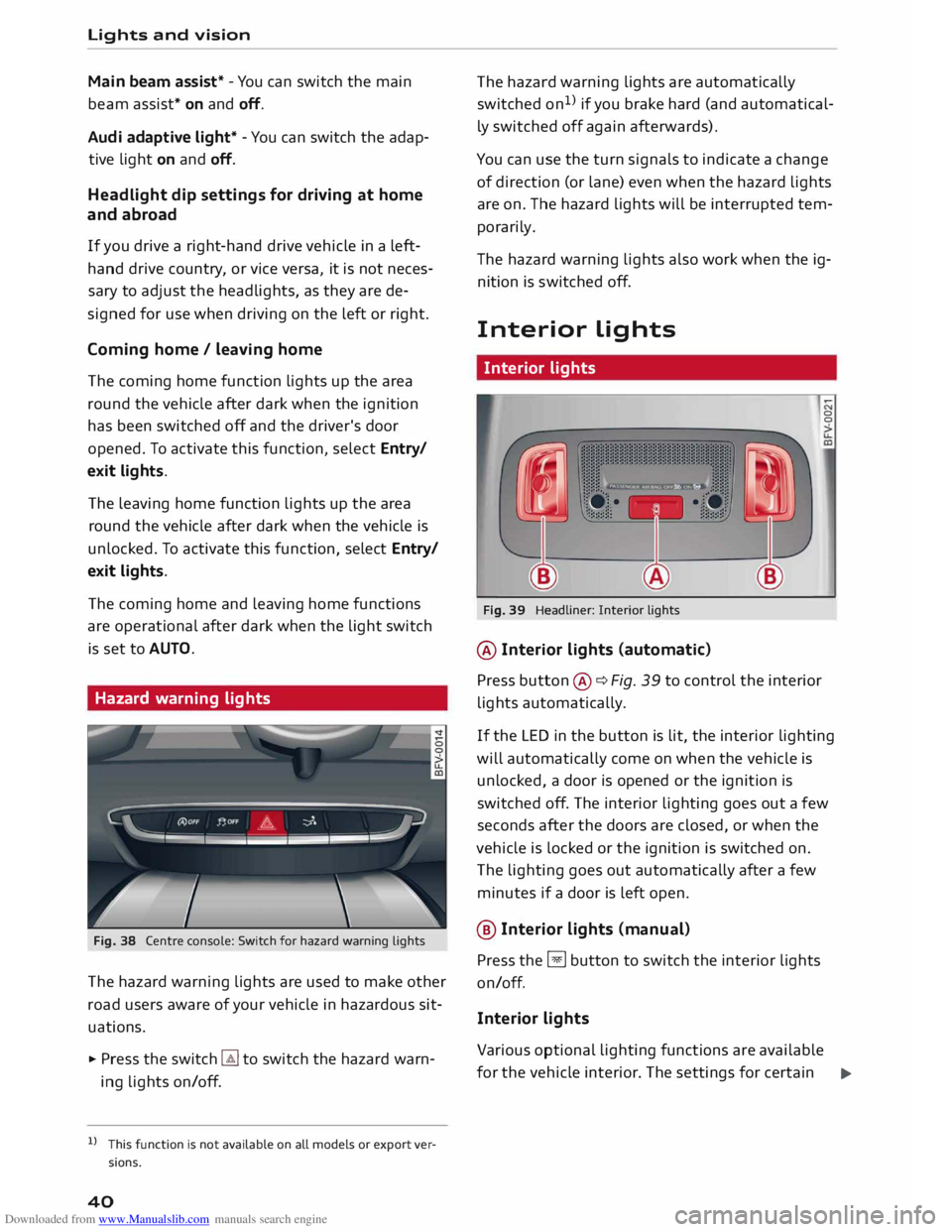
Fig. 38 Centre console: Switch for hazard warning lights
The hazard warning lights are used to make other
road users aware of your vehicle in hazardous sit
uations.
.,. Press the switch � to switch the hazard warn
ing lights on/off.
l l
This function is not available on all models or export ver
sions.
40 The
hazard warning lights are automatically
switched on1
>
if you brake hard (and automatical
ly switched off again afterwards).
You can use the turn signals to indicate a change
of direction (or lane) even when the hazard lights
are on. The hazard lights will be interrupted tem
porarily.
Th e hazard warning lights also work when the ig
nition is sw itched off.
Interior Lights
Interior lights
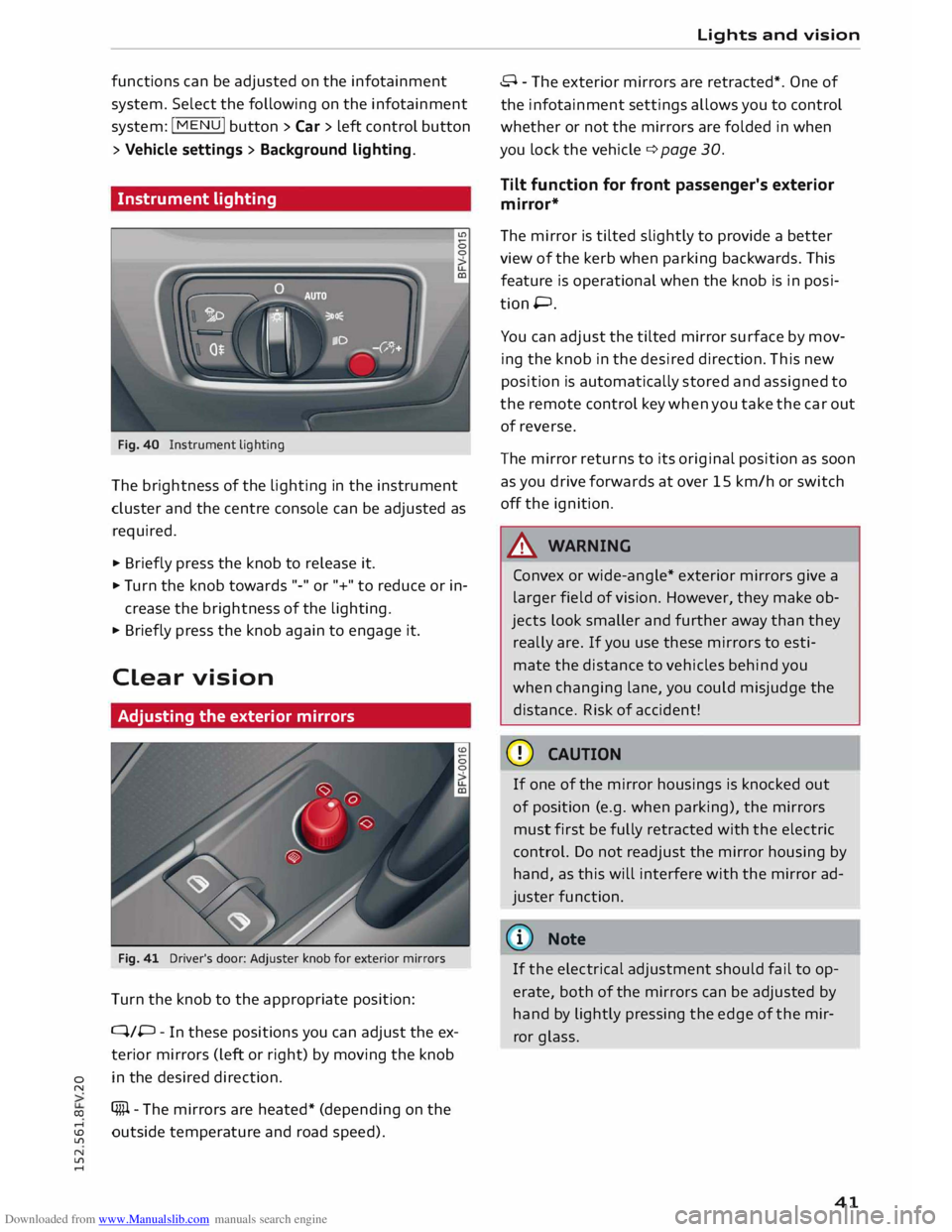
Fig. 39 Headliner: Interior lights
@ Interior lights (automatic)
Press button ®¢ Fig. 39 to control the interior
lights automatically. 0
0
If the LED in the button is lit, the interior lighting
will automatically come on when the vehicle is
unlocked, a door is opened or the ignition is
switched off. The interior lighting goes out a few
seconds after the doors are closed, or when the
vehicle is locked or the ignition is switched on.
The lighting goes out automatically after a few
minutes if a door is left open.
@ Interior Lights (manu al)
Press the §J button to switch the interior lights
on/off.
Interior lights
Various optional lighting functions are available
for the vehicle interior. The settings for certain .,.
Page 43 of 284
Downloaded from www.Manualslib.com manuals search engine 0
N
co
,-j
\D L/'l
N
L/'l
,-j functions
can be adjusted on the infotainment
system. Select the following on the infotainment
system: I MENU! button> Car > Left control button
> Vehicle settings > Background lighting.
Instrument lighting
Fig. 40 Instrument lighting
The brightness of the Lighting in the instrument
cluster and the centre console can be adjusted as
required.
.,. Briefly press the knob to release it.
.,. Tu rn the knob towards "-" or"+" to reduce or in
crease the brightness of the lighting.
.,. Briefly press the knob again to engage it.
Clear vision
Adjusting the exterior mirrors
Fig. 41 Driver's door: Adjuster knob for exterior mirrors
Turn the knob to the appropriate position:
Q/P -In these positions you can adjust the ex
terior mirrors (Left or right) by moving the knob
in the desired direction.
(fill - The mirrors are heated* (depending on the
outside temperature and road speed). Lights
and vision
8 - The exterior mirrors are retracted*. One of
the infotainment settings allows you to control
whether or not the mirrors are folded in when
you Lock the vehicle q page 30.
Tilt function for front passenger's exterior
mirror*
The mirror is tilted slightly to provide a better
view of the kerb when parking backwards. This
feature is operational when the knob is in posi
tion P.
You can adjust the tilted mirror surface by mov
ing the knob in the desired direction. This new
position is automatically stored and assigned to
the remote control key when you take the car out
of reverse.
The mirror returns to its original position as soon
as you drive forwards at over 15 km/h or switch
off the ignition.
A WARNING
Convex or wide-angle* exterior mirrors give a
Larger field of vision. However, they make ob
jects Look smaller and further away than they
really are. If you use these mirrors to esti
mate the distance to vehicles behind you
when changing Lane, you could misjudge the
distance. Risk of accident!
CD CAUTION
If one of the mirror housings is knocked out
of position (e.g. when parking), the mirrors
must first be fully retracted with the electric
control. Do not readjust the mirror housing by
hand, as this will interfere with the mirror ad
juster function.
{CD) Note
If the electrical adjustment should fail to op
erate, both of the mirrors can be adjusted by
hand by Lightly pressing the edge of the mir
ror glass.
41
Page 44 of 284
Downloaded from www.Manualslib.com manuals search engine Lights
and vision
Anti-dazzle setting
Your vehicle is equipped with a manual or auto
matic* anti-dazzle interior mirror.
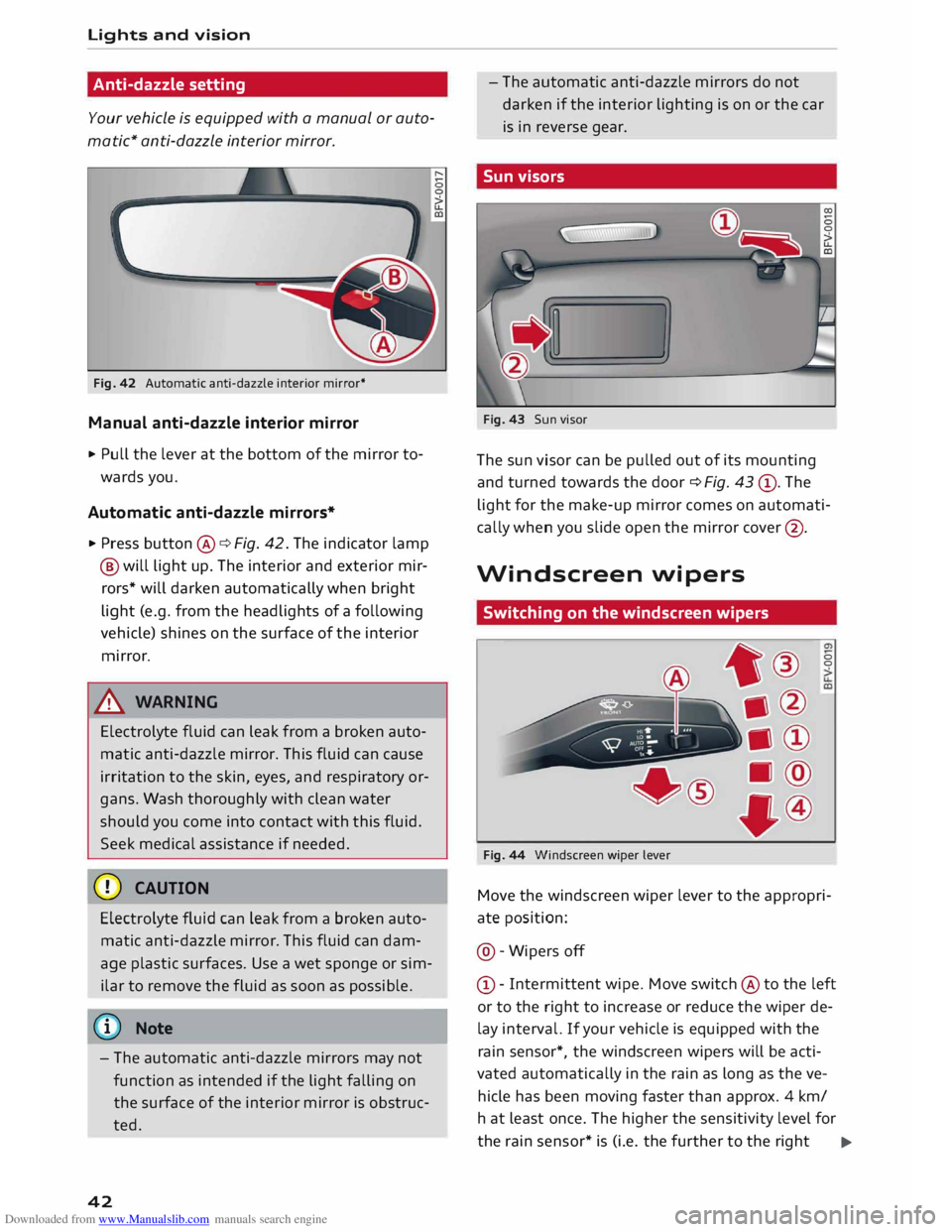
Fig. 42 Automatic anti-dazzle interior mirror*
Manual anti-dazzle interior mirror
.,. Pull the lever at the bottom of the mirror to
wards you.
Automatic anti-dazzle mirrors*
.,. Press button @¢ Fig. 42. The indicator lamp
@ will light up. The interior and exterior mir
rors* will darken automatically when bright
light (e.g. from the headlights of a following
vehicle) shines on the surface of the interior
mirror.
& WARNING
Electrolyte fluid can leak from a broken auto
matic anti-dazzle mirror. This fluid can cause
irritation to the skin, eyes, and respiratory or
gans. Wash thoroughly with clean water
should you come into contact with this fluid.
Seek medical assistance if needed.
CD CAUTION
Electrolyte fluid can Leak from a broken auto
matic anti-dazzle mirror. This fluid can dam
age plastic surfaces. Use a wet sponge or sim
ilar to remove the fluid as soon as possible.
(©) Note
- The automatic anti-dazzle mirrors may not
function as intended if the light falling on
the surface of the interior mirror is obstruc
ted.
42 -
The automatic anti-dazzle mirrors do not
darken if the interior lighting is on or the car
is in reverse gear.
Sun visors
Fig. 43 Sun visor
The sun visor can be pulled out of its mounting
and turned towards the door ¢ Fig. 43 ®· The
light for the make-up mirror comes on automati
cally when you slide open the mirror cover@ .
Windscreen wipers
Switching on the windscreen wipers
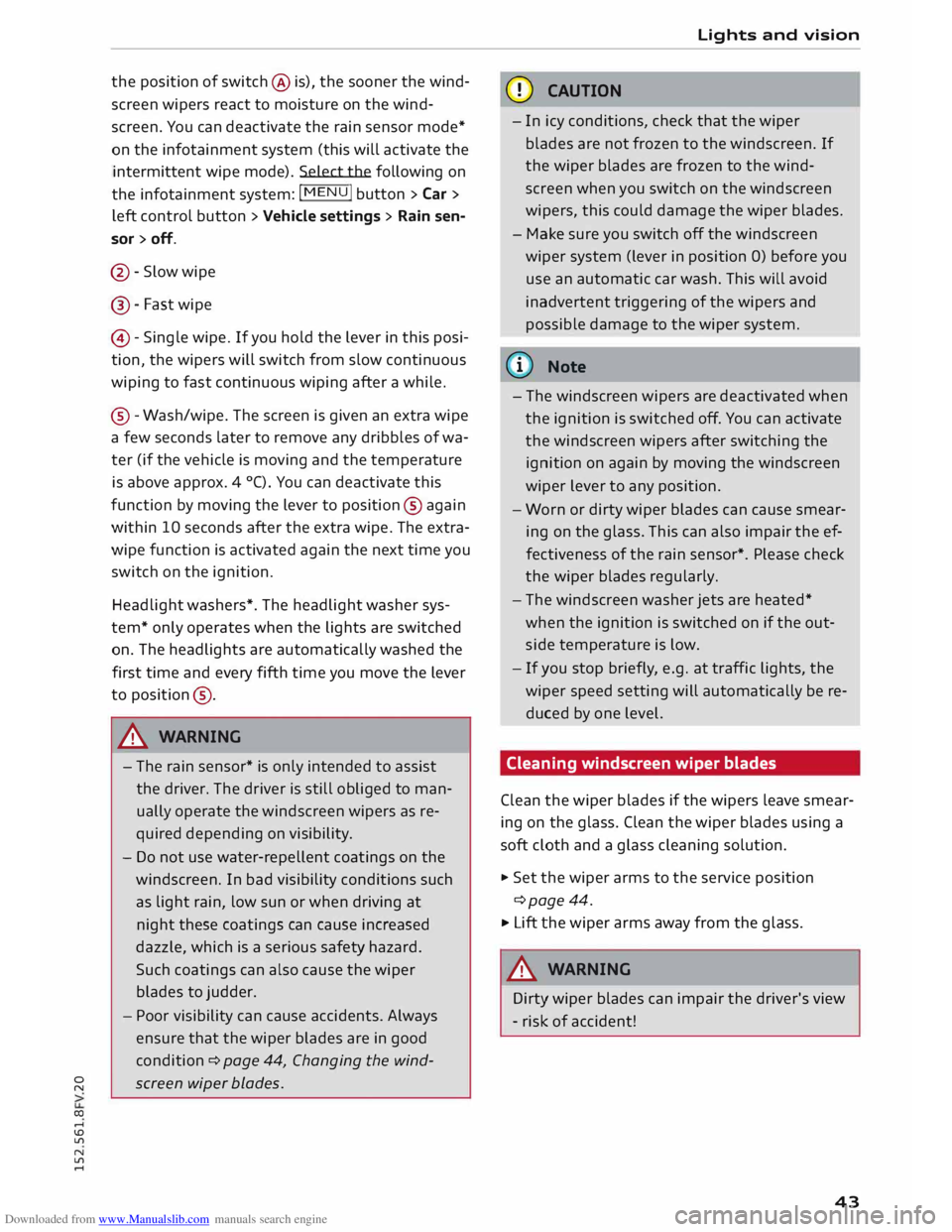
Fig. 44 Windscreen wiper Lever 0
0
Move the windscreen wiper lever to the appropri
ate position:
@ -Wipers off
© -Intermittent wipe. Move switch @ to the left
or to the right to increase or reduce the wiper de
lay interval. If your vehicle is equipped with the
rain sensor*, the windscreen wipers will be acti
vated automatically in the rain as long as the ve
hicle has been moving faster than approx. 4 km/
ha t least once. The higher the sensitivity level for
the rain sensor* is (i.e. the further to the right ..,.
Page 45 of 284
Downloaded from www.Manualslib.com manuals search engine 0
N
co
....
\D U'l
N
U'l
.... the
position of switch @ is), the sooner the wind
screen wipers react to moisture on the wind
screen. You can deactivate the rain sensor mode*
on the infotainment system (this will activate the
intermittent wipe mode). Select the following on
the infotainment system: I MENU! button
> Car >
left control button > Vehicle settings > Rain sen
sor > off.
@ -Slow wipe
@- Fast wipe
©- Single wipe. If you hold the lever in this posi
tion, the wipers will switch from slow continuous
wiping to fast continuous wiping after a while.
® -Wash/wipe. The screen is given an extra wipe
a few seconds later to remove any dribbles of wa
ter (if the vehicle is moving and the temperature
is above approx. 4 °C). You can deactivate this
function by moving the lever to position® again
within 10 seconds after the extra wipe. The extra
wipe function is activated again the next time you
switch on the ignition.
Headlight washers*. The headlight washer sys
tem* only operates when the lights are switched
on. The headlights are automatically washed the
first time and every fifth time you move the lever
to position ®·
.&_ WARNING
- The rain sensor* is only intended to assist
the driver. The driver is still obliged to man
ually operate the windscreen wipers as re
quired depending on visibility.
- Do not use water-repellent coatings on the
windscreen. In bad visibility conditions such
as light rain, low sun or when driving at
night these coatings can cause increased
dazzle, which is a serious safety hazard.
Such coatings can also cause the wiper
blades to judder.
- Poor visibility can cause accidents. Always
ensure that the wiper blades are in good
condition ¢ page 44, Changing the wind
screen wiper blades. Lights
and vision
CD CAUTION
- In icy conditions, check that the wiper
blades are not frozen to the windscreen. If
the wiper blades are frozen to the wind
screen when you switch on the windscreen
wipers, this could damage the wiper blades.
- Make sure you switch off the windscreen
wiper system (lever in position 0) before you
use an automatic car wash. This will avoid
inadvertent triggering of the wipers and
possible damage to the wiper system.
(1)) Note
- The windscreen wipers are deactivated when
the ignition is switched off. You can activate
the windscreen wipers after switching the
ignition on again by moving the windscreen
wiper lever to any position.
- Worn or dirty wiper blades can cause smear
ing on the glass. This can also impair the ef
fectiveness of the rain sensor*. Please check
the wiper blades regularly.
- The windscreen washer jets are heated*
when the ignition is switched on if the out
side temperature is low.
- If you stop briefly, e.g. at traffic lights, the
wiper speed setting will automatically be re
duced by one level.
Cleaning windscreen wiper blades
Clean the wiper blades if the wipers leave smear
ing on the glass. Clean the wiper blades using a
soft cloth and a glass cleaning solution.
..,. Set the wiper arms to the service position
¢page 44.
..,. Lift the wiper arms away from the glass.
.&_ WARNING
Dirty wiper blades can impair the driver's view
- risk of accident!
43