ECO mode AUDI TT COUPE 2014 Owner's Manual
[x] Cancel search | Manufacturer: AUDI, Model Year: 2014, Model line: TT COUPE, Model: AUDI TT COUPE 2014Pages: 284, PDF Size: 34.42 MB
Page 107 of 284
Downloaded from www.Manualslib.com manuals search engine 0
N
co
....
\D L/'l
N
L/'l
.... Four-wheel
drive
(quattro)
Applies to vehicles: with four-wheel drive
On quattro models the engine power is distrib
uted to all four wheels.
General notes
On four-wheel drive vehicles, the engine power is
distributed to all four wheels. The distribution of
power is controlled automatically according to
your driving style and the road conditions. Also
refer to ¢ page 102, Electronic stabilisation con
trol (£SC).
The four-wheel drive is specially designed to
complement the superior engine power of your
Audi. This combination gives the car exceptional
handling and performance capabilities -both on
normal roads and in more difficult conditions,
such as snow and ice. Even so (or perhaps espe
cially for this reason), it is important to observe
certain safety points¢.&,..
Winter tyres
Thanks to its four-wheel drive, your car will have
plenty of traction in winter conditions, even with
the standard tyres. Nevertheless, we still recom
mend that winter tyres or all-season tyres should
be fitted on all four wheels when winter road
conditions are expected, mainly because this will
give a better braking response.
Snow chains
On roads where snow chains are mandatory, this
also applies to cars with four-wheel drive
¢ page 234, Snow chains.
Replacing tyres On vehicles with four-wheel drive, all four tyres
must have the same rolling circumference. Also
avoid using tyres with varying tread depths
¢ page 231, New wheels or tyres.
Off-road er?
Your Audi does not have enough ground clear
ance to be used as an off-road vehicle. It is there
fore best to avoid rough tracks and uneven ter
rain as much as possible. Intelligent
technology
_&. WARNING
- Even with four-wheel drive, you should al
ways adjust your speed to suit the condi
tions. Do not let the extra safety provided
tempt you into taking any risks when driving
- this can cause accidents.
- The braking ability of your car is limited by
the grip of the tyres. In this respect, your
car is no different from a car without four
wheel drive. So do not be tempted to drive
too fast on icy or slippery roads just because
the car still has good acceleration in these
conditions -risk of accident!
- On wet roads bear in mind that the front
wheels may start to "aquaplane" and lose
contact with the road if the car is driven too
fast. If this should happen, there will be no
sudden increase in engine speed to warn the
driver, as with a front-wheel drive car. So do
not drive too fast in the wet: adjust your
speed to suit the conditions (accident risk).
Rear spoiler
Applies to vehicles: with automatic rear spoiler
The automatic rear spoiler increases the car's
stability.
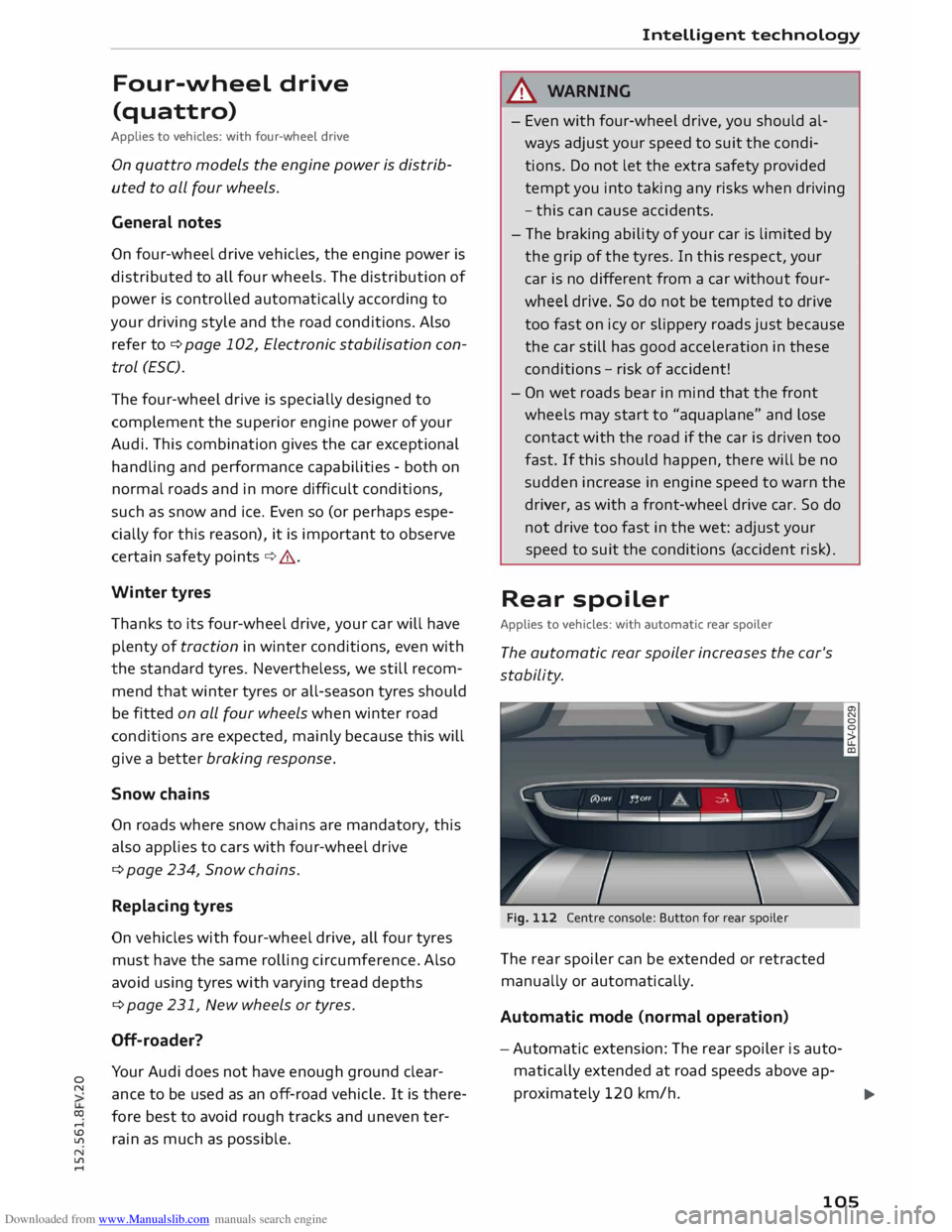
Fig. 112 Centre console: Button for rear spoiler
The rear spoiler can be extended or retracted
manually or automatically.
Automatic mode (normal operation)
- Automatic extension: The rear spoiler is auto
matically extended at road speeds above ap-
proximately 120 km/h.
..,.
105
Page 126 of 284
Downloaded from www.Manualslib.com manuals search engine Telephone
Your
mobile phone must support the remote SIM
Access Profile (rSAP) and be connected to the
MMI using the Car phone mode in order to use
the online functions of Audi connect*. Alterna
tively, you can use a separate SIM card in the SIM
card reader* ¢ page 126. A data plan1
l
is neces
sary in both cases.
You can use the online functions of Audi connect
¢ page 137 if your mobile phone contract in
cludes a data option 1
l
.
Handsfree
With this type of connection, you can use the
handsfree system to operate the telephone func
tions via the MMI. Your phone calls will be made
via the antenna of your mobile phone.
With the Audi phone box*, you can use the vehi
cle's external aerial to make calls. You can also
charge your phone with a USB adapter.
Connecting a mobile phone using
Bluetooth
Applies to vehicles: with telephone
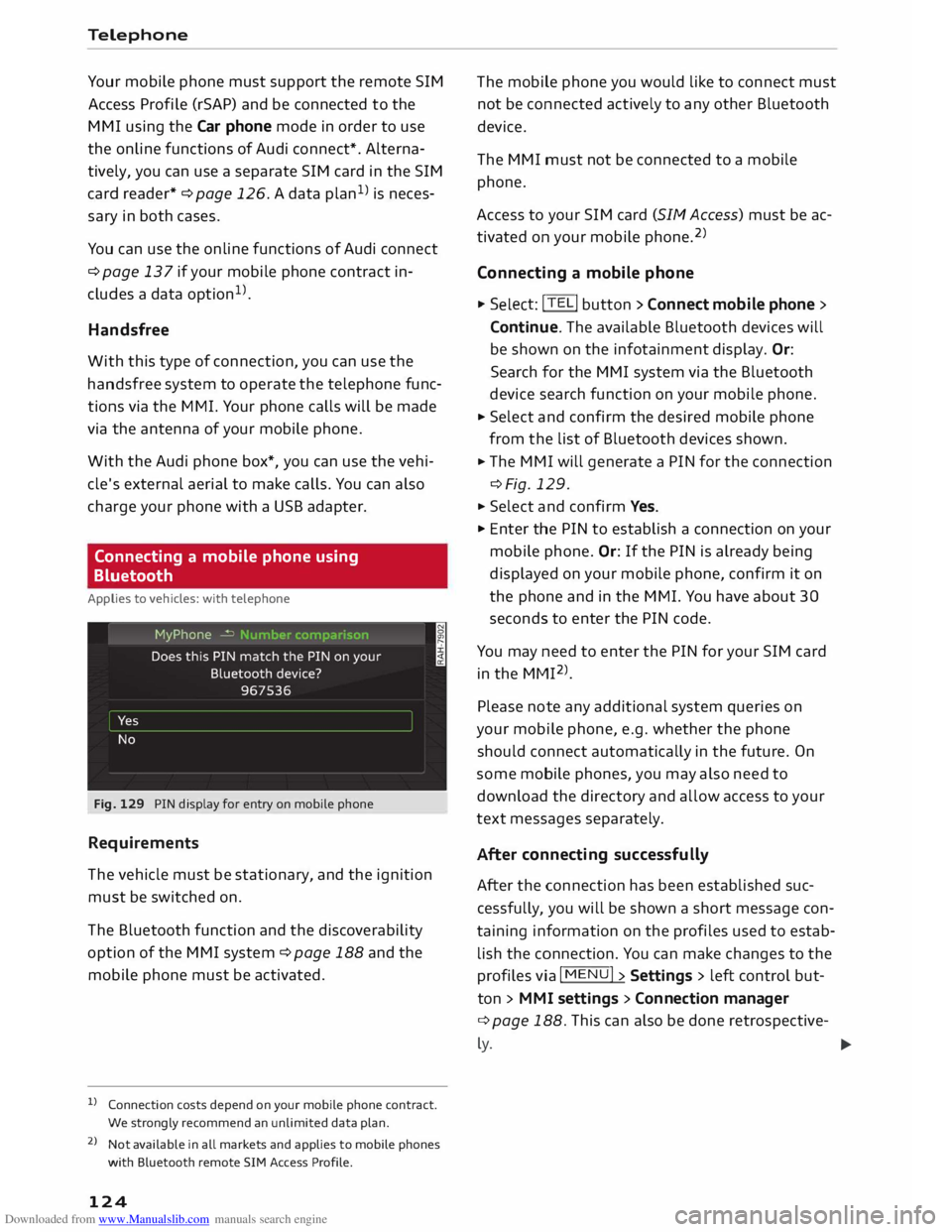
Fig. 129 PIN display for entry on mobile phone
Requirements
The vehicle must be stationary, and the ignition
must be switched on.
The Bluetooth function and the discoverability
option of the MMI system ¢ page 188 and the
mobile phone must be activated.
l) Connection costs depend on your mobile phone contract.
We strongly recommend an unlimited data plan.
2 l
Not available in all markets and applies to mobile phones
with Bluetooth remote SIM Access Profile.
124 The
mobile phone you would like to connect must
not be connected actively to any other Bluetooth
device.
The MMI must not be connected to a mobile
phone.
Access to your SIM card (SIM Access) must be ac
tivated on your mobile phone. 2
)
Connecting a mobile phone ... Sel ect: !TELi button > Connect mobile phone>
Continue. The available Bluetooth devices will
be shown on the infotainment display. Or:
Search for the MMI system via the Bluetooth
device search function on your mobile phone.
... Select and confirm the desired mobile phone
from the list of Bluetooth devices shown.
... The MMI will generate a PIN for the connection
¢Fig. 129 .
... Select and confirm Yes.
"' Enter the PIN to establish a connection on your
mobile phone. Or: If the PIN is already being
displayed on your mobile phone, confirm it on
the phone and in the MMI. You have about 30
seconds to enter the PIN code.
You may need to enter the PIN for your SIM card
in the MMI 2
l
_
Please note any additional system queries on
your mobile phone, e.g. whether the phone
should connect automatically in the future. On
some mobile phones, you may also need to
download the directory and allow access to your
text messages separately.
After connecting successfully
After the connection has been established suc
cessfully, you will be shown a short message con
taining information on the profiles used to estab
lish the connection. You can make changes to the
profiles via I MENU I> Settings > left control but
ton > MMI settings > Conn ection manager
¢ page 188. This can also be done retrospective-
� �
Page 137 of 284
Downloaded from www.Manualslib.com manuals search engine 0
N
co
....
\D Lfl
N
Lfl
.... with
the UMTS (3G) or GSM (2G) network de
pending on network availability and reception
and on the position of the vehicle. In this mode,
the reception is prioritised for the use of data
services. There may be restrictions when making
and receiving calls. We recommend that you
mainly use this setting in areas with good UMTS
(3G) network coverage.
Ring tone and volume settings 1
>
You can switch the MMI ring tone on or off using
the Mute telephone function. Ring tones are
played when you select the function Ring tone.
Press the rotary pushbutton to store the selected
ring tone. You can adjust the Microphone input
level during an active phone call using the rotary
pushbutton. For the settings Ring tone volume/
Message volume, see¢ page 190.
Network settings*
See ¢ page 188, Network settings* onwards
Serial number (IMEi)*
The serial number of the telephone module in
stalled in the MMI system is displayed.
Switch on teleph one/Switch off telephone
The car telephone will be turned "on" automati
cally when the ignition is switched on, as long as
it was not switched off separately the last time it
was used.
{D) Note
- You can bond several mobile phones to the
MMI system; however only one connection
is active at a time.
- All bonded Bluetooth devices can be deleted
by resetting the Bluetooth function to the
factory settings ¢page 187.
Directory settings
Applies to vehicles: with telephone .,. Sele
ct:
I TELi button > left control button > Di
rectory.
l l
Depends on the connected mobile phone Telephone
.,. Select: right control button > Directory set-
tings.
Memory capacity
The Memory capacity of the directory will be dis
played.
You can manage up to 17,000 contacts with the
directory. Up to 4,000 contacts can be loaded
from your mobile phone into each directory, and
up to 1,000 contacts can be imported from a
storage device.
Sort order
You can sort the contacts in your directory alpha
betically according to their surname or first
name.
Import contacts
Refer to ¢ page 133, Importing/exporting con
tacts.
Export contacts
Refer to ¢ page 133, Importing/exporting con
tacts.
Download phone book
To update the contacts in the MMI, you can
download the contacts from your mobile phone
manually. Depending on the mobile phone you
are using, the Bluetooth connection may have to
be disconnected and re-established before you
can update the contacts.
Greying out contacts without a number
If no number has been stored for a contact, the
contact is displayed greyed out in the directory.
You can activate this option if you wish to hide
these contacts.
135
Page 141 of 284
Downloaded from www.Manualslib.com manuals search engine 0
N
co
....
\D Lfl
N
Lfl
.... Inserting
SIM card
• Press the !TELi button.
• Insert your mini SIM card (printed side facing
up, contact surface facing down) into the slot
of the card reader ¢ Fig. 138. The missing cor
ner of the SIM card should be at the front left.
Then push the SIM card into the slot until you
feel it engage.
• Enter the PIN code for your SIM card in the
MMI.
• Select and confirm OK.
• To allow the MMI to connect automatically in
the future, select and confirm Yes.
• To establish an Internet connection for Audi
connect services, confirm the prompt on the
display with Accept.
After connecting successfully
After connecting successfully, one or two signal
strength bars (depending on the connection type)
will be displayed in the status line of the infotain
ment display.
You can now use Audi connect. •Sele
ct: !M
ENU! button
> Audi connect.
• Confirm the system query of whether an Inter
net connection should be established with Al
ways accept.
Removing SIM card
• Briefly press the SIM card. The card will then
eject from the slot. Remove the SIM card.
Using a personal Wi-Fi hotspot
Applies to vehicles: with Audi connect
Requirements
Your mobile device and mobile network provider
must support the mobile Wi-Fi hotspot function.
The personal Wi-Fi hotspot on your mobile device
is activated.
Other devices must be permitted to access the
mobile hotspot.
The Wi-Fi mode hotspot and client must have
been selected in the MMI ¢page 143. Audi
connect
Connecting the MMI to a personal hotspot
• Select: !TELi button
> right control button >
Connection manager.
• Select: right control button > Wi-Fi settings >
Wi-Fi mode.
• Select and confirm hotspot and client.
• Then select and confirm Network search. The
devices found will be shown on the infotain
ment display.
• Select and confirm your personal Wi-Fi hotspot
from the list.
• You may need to enter the password specified
by your mobile device.
• Select and confirm OK.
- Please contact your mobile network service
provider to find out which functions your
mobile device supports.
- Whether other devices can use the mobile
Wi-Fi hotspot depends on your data plan.
- Audi recommends that you set a password
to protect mobile wireless networks from
unauthorised access.
Configuring using
myAudi
Activating/configuring certain Audi
connect services
Applies to vehicles: with Audi connect
Before you first use certain Audi connect services,
it is necessary to activate/configure them via your
personal myAudi account:
- If you do not yet have a personal my Audi ac
count, please register on the Internet at
www.audi.com/myaudi.
- Add your vehicle to your myAudi account.
- Activate/configure the Audi connect services
you require for your vehicle in your myAudi ac
count.
- When you call up certain Audi connect services
on the MMI, it may be necessary to also enter
your myAudi user data/PIN in order to connect
the vehicle to myAudi.
..,.
139
Page 147 of 284
Downloaded from www.Manualslib.com manuals search engine 0
N
co
....
\D L/'l
N
L/'l
.... ¢
Fig. 140 appears in the status line of the info
tainment display.
You can cancel an active data connection manual
ly by setting the Connection setup option to nev
er.
Data roaming
The Data roaming function is deactivated when
the vehicle leaves the factory. Data roaming
must be activated (�) before you can use a data
connection abroad. This setting is saved for the
current SIM card/the mobile phone currently
connected.
Audi connect (MMI)
With the Audi connect {MMI) function, you can
allow or deny the use of Audi connect services if
the connection is set to no request or if reques
ted.
Wi-Fi devices
You can use the Wi-Fi devices function to allow
or deny a connection to the Internet.
Connection settings
Depending on the SIM card used, the connection
may be configured automatically. However, these
settings can be changed. For more information,
contact your service provider.
- APN: The system access point depends on your
mobile network service provider and is assigned
automatically.
- User name: The user name for your online pro
file is assigned by your mobile network service
provider.
- Password: The password for your online profile
is assigned by your mobile network service pro
vider.
To store changed connection settings: Press the
I BACK!
button.
Reset configuration
An online profile is created and configured auto
matically. The Connection settings you have
changed manually are reset to the default set
tings . Audi
connect
(D) Note
- According to the factory settings, the data
connection will be interrupted initially when
you travel abroad to protect you from unex
pected roaming charges. If you want to use
Audi connect services abroad, you must first
activate the Data roaming option.
- When using Google Earth you will be asked
explicitly whether you want to allow roam
ing before the system dials into a foreign
mobile phone network.
- For more information on roaming charges,
contact your service provider.
- Fur ther information
can
be found on the In
ternet at www.audi.com/connect.
Notes on Audi connect
Audi connect services
Applies to vehicles: with Audi connect
CD) Note
- Audi connect services are only available with
an existing mobile phone contract (or one
set up separately) and if you are in an area
with mobile phone network coverage. De
pending on your mobile phone tariff, you
may be charged for receiving data packets
on line, especially if you are using the sys
tem abroad. Because of the high level of da
ta usage, we strongly recommend using an
unlimited data
plan.
- The mobile phone standard
LTE*
is not avail
able for use in all countries. For further in
formation, please consult an Audi dealer or
your mobile network service provider.
- In order to use Audi connect services, you
will need a SIM card with a data option; to
use LTE*, the SIM card will also need to have
an LTE data option.
- The availability, scope, provider and price of
the services offered can vary, as can the way
in which the services are displayed on the
screen. These variations depend on your
country, model, model year, device and mo-
bile phone contract.
.,..
145
Page 161 of 284
Downloaded from www.Manualslib.com manuals search engine 0
N
co
....
\D L/'l
N
L/'l
.... Google
Earth map
display
Applies to vehicles: with navigation system and Audi connect
You can have the map display satellite images
using the Google Earth map display.
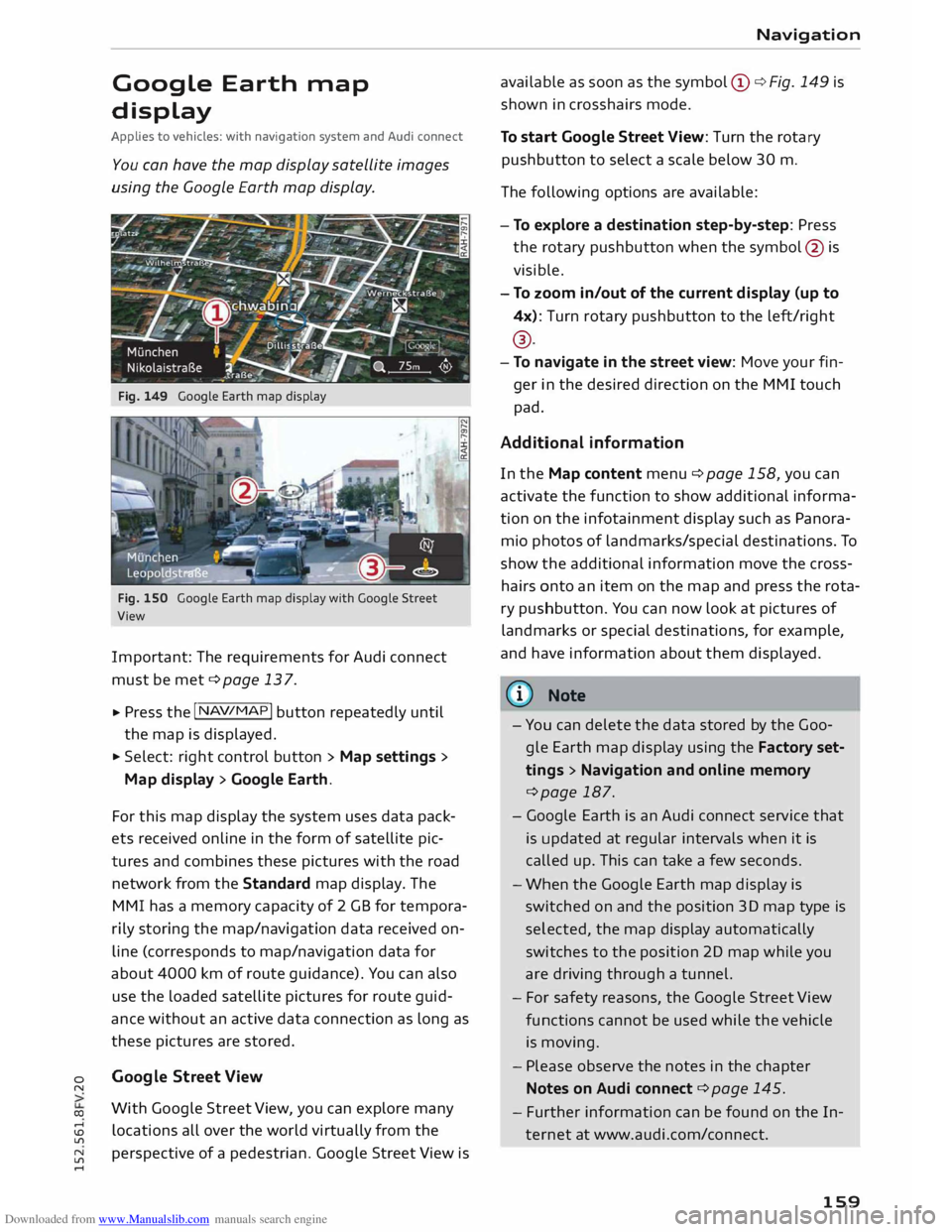
Fig. 149 Google Earth map display
Fig. 150 Google Earth map display with Google Street
View
Important: The requirements for Audi connect
must be met ¢page 137.
... Press
the I NAV/MAP!
button repeatedly until
the map is displayed.
... Select: right control button > Map settings>
Map display> Google Earth.
For this map display the system uses data pack
ets received on line in the form of satellite pic
tures and combines these pictures with the road
network from the Standard map display. The
MMI has a memory capacity of 2 GB for tempora
rily storing the map/navigation data received on
line (corresponds to map/navigation data for
about 4000 km of route guidance). You can also
use the loaded satellite pictures for route guid
ance without an active data connection as long as
these pictures are stored.
Google Street View
With Google Street View, you can explore many
locations all over the world virtually from the
perspective of a pedestrian. Google Street View is Navigation
available as soon as the symbol (D ¢ Fig. 149 is
shown in crosshairs mode.
To start Google Street View: Turn the rotary
pushbutton to select a scale below 30 m.
The following options are available:
- To explore a destination step-by-step: Press
the rotary pushbutton when the symbol @is
visible.
- To zoom in/out of the current display {up to
4x): Turn rotary pushbutton to the left/right
® ·
- To navigate in the street view: Move your fin-
ger in the desired direction on the MMI touch
pad.
Additional information
In the Map content menu¢ page 158, you can
activate the function to show additional informa
tion on the infotainment display such as Panora
mic photos of landmarks/special destinations. To
show the additional information move the cross
hairs onto an item on the map and press the rota
ry pushbutton. You can now look at pictures of
landmarks or special destinations, for example,
and have information about them displayed.
@ Note
- You can delete the data stored by the Goo
gle Earth map display using the Factory set
tings > Navigation and online memory
¢page 187.
- Google Earth is an Audi connect service that
is updated at regular intervals when it is
called up. This can take a few seconds.
- When the Google Earth map display is
switched on and the position 3D map type is
selected, the map display automatically
switches to the position 2D map while you
are driving through a tunnel.
- For safety reasons, the Google Street View
functions cannot be used while the vehicle
is moving.
- Please observe the notes in the chapter
Notes on Audi connect ¢page 145.
- Further information can be found on the In
ternet at www.audi.com/connect.
159
Page 170 of 284
Downloaded from www.Manualslib.com manuals search engine Media
Media
Introduction
The MMI system includes various media drives
and provides various options for connecting devi
ces. For example, you can play audio/video* files
from the jukebox or connect a mobile device to
the Audi music interface* and operate it via the
MMI.
Notes General notes
Media and format limitations: The MMI system
(incl uding the SD card reader and the connection
for the USB mass storage device*) has been tes
ted for use with many of the products and media
currently available on the market. However, there
may be some devices/media and audio/video*
files that are not supported or cannot be played,
or the functionality may be limited under certain
circ umstances.
Copyright: Please note that copyright law applies
to audio/video* files.
The MMI media drives do not support ORM-pro
tected files; these files are marked with the sym
bol ffi.
Data storage: Never store important data on SD
cards, the jukebox*, CDs/DVDs or mobile devices.
Audi shall not accept any liability whatsoever for
the loss of files and media.
Loading times: The more files, folders or play
lists are stored on a storage device, the longer it
will take to load the audio files/video* files. We
recommend using a storage device which con
tains only audio/video* files. If you want to re
duce the time it takes to load the audio/video*
files, you can create subfolders (e.g. for an artist
or album). The loading time will be extended ad
ditionally if you are importing data.
Metadata: Metadata stored on audio files (e.g.
artists, tracks, album covers) will be displayed
automatically when the files are played. If this in
formation is not stored on the relevant medium,
the MMI system will use the database of metada-
168 ta
from Gracenote. Nevertheless, metadata may
not be displayed in some cases.
Restricted performance: If you experience re
stricted performance, reset the Media settings
to the factory defaults ¢ page 187.
If you experience restricted performance from
the Jukebox*, reset it to the factory settings
¢page 187.
For information on the characteristics of the sup
ported media and file formats, please refer to
¢ page 177 onwards.
CD/DVD mode
CD/DVD and format limitations: In view of the
variety of CDs/DVDs and the difference in memo
ry capacities, the functionality may be restricted
in the case of some storage devices. Under cer
tain circumstances, audio CDs/video DVDs that
are copy-protected or CDs/DVDs that do not com
ply with the standard audio format, and multi
session CDs cannot be played at all, or the func
tionality may be limited. We recommend always
finalising the burning process when creating mul
tisession CDs. Multisession is not supported for
DVDs.
Handling CDs/DVDs, the CD drive or the DVD
drive: To ensure perfect, high-quality playback
and avoid scanning errors or damage to the me
dia drive, always store CDs/DVDs in a suitable
case and do not expose them to direct sunlight.
Do not use:
- Damaged, dirty or scratched CDs/DVDs
- Single CDs/DVDs (diameter 8 cm / 3 inches)
- Non-circular CDs/DVDs (shape CDs)
- CDs/DVDs with stickers
- Protective rings
- Cleaning discs
Thermal cut-out: In the case of unusually hot or
cold outside temperatures, it is possible that CD/
DVD playback will temporarily not be possible. A
thermostat switch is installed to protect the CD/
DVD and the reading laser.
Laser devices: Laser devices are divided into the
safety classes 1 to 4, as specified by DIN IEC 76
..,.
Page 219 of 284
Downloaded from www.Manualslib.com manuals search engine Checking
and topping up
fluids
Fuel Petrol grade
Applies to vehicles: with petrol engine
The correct grade of petrol is listed inside the
fuel tank flap.
The vehicle is equipped with a catalytic converter
and must only be run on unleaded petrol. The
petrol must comply with the EN 228 or DIN
51626-1 standard and must be sulphur-free. You
can fuel your vehicle with fuels containing a max
imum of 10% ethanol (ElO). The petrol grades
have different octane ratings (RON).
The following headings relate to the sticker on
the inside of your vehicle's tank flap:
Unleaded fuel only RON/ROZ 95 Super,
Premium or min. RON/ROZ 91 Normal
The use of premium petrol (95 RON) is recom
mended. If that type of fuel is not available, reg
ular petrol (RON 91) can be used with a slight
loss of power.
Unleaded fuel only, min. RON/ROZ 95 Super,
Premium
Premium petrol (at least 95 RON) must be used.
If premium petrol is not available, the engine can
be run on regular petrol with 91 RON as an emer
gency measure. In this case only use moderate
engine speeds and a light throttle. Fill up with
premium or Super Plus petrol as soon as possi
ble.
Unleaded fuel only RON/ROZ 98 Super Plus
or min. RON/ROZ 95 Super, Premium
The use of Super Plus petrol (98 RON) is recom
mended. If that type of fuel is not available, pre
mium petrol (RON 95) can be used with a slight
loss of power.
If premium petrol is not available, the engine can
� be
run on regular petrol with 91 RON as an emer-
>
� gency
measure. In this case only use moderate
� engine
speeds and a light throttle. Fill up with
U'l
N
U'l
.-1 Checking
and topping up fluids
premium or Super Plus petrol as soon as possi
ble.
CD CAUTION
- Do NOT fuel your vehicle with high-ethanol
fuel blends (e.g. ESQ or E85). This will dam
age the fuel system.
- Just one tank of leaded fuel or fuel with
metallic additives will permanently impair
the efficiency of the catalytic converter.
- You should use only petrol additives which
have been approved by Audi. Additives with
so-called octane boosters or antiknock addi
tives can contain metallic additives that
cause significant damage to the engine and
the catalytic converter. Do not use such ad
ditives.
- Metal-based fuels, which can be identified
from the marking on the fuel dispenser,
must not be used. LRP fuel (lead replace
ment petrol) also contains high concentra
tions of metallic additive. Risk of engine
damage!
- High engine speed and full throttle can
damage the engine when using petrol with
an octane rating lower than the correct
grade for the engine.
«'.D Note
- You can use higher octane fuel than your en
gine requires.
- In countries where sulphur-free fuel is not
available, you may use low-sulphur fuel in
stead.
Diesel fuel
Applies to vehicles: with diesel engine
Please note the information on the inside of the
fuel tank flap.
The use of sulphur-free diesel to EN 590 is rec
ommended. If that type of fuel is unavailable,
diesel to EN 590 can be used. It must have ace
tane number (CN) of at least 51. The cetane
number indicates the ignition quality of the die-
sel fuel.
llJl,,
217
Page 233 of 284
Downloaded from www.Manualslib.com manuals search engine 0
N
co
....
\D L/'l
N
L/'l
.... Wheels
and tyres
Wheels General notes
... Inspect the tyres regularly for damage (cuts,
cracks or blisters, etc.). Remove any foreign
bodies embedded in the treads.
... If you have to drive over a kerb or similar obsta
cle, drive very slowly and as near as possible at
a right angle to the kerb.
... Damaged rims or tyres must be replaced imme
diately.
... Keep grease, oil and fuel off the tyres.
... Mark
the wheels before taking them off so that
they rotate in the same direction when refitted.
... When removed, the wheels should be stored
flat in a cool, dry and preferably dark place.
CD CAUTION
- Please note that summer and winter tyres
are optimised for the prevailing road condi
tions at different times of year. We recom
mend that you use winter tyres during the
winter months. At low temperatures, sum
mer tyres lose their elasticity and grip, and
braking performance also suffers as a re
sult. Cracks can form in the tread block on
summer tyres if they are used at very cold
temperatures, and this can cause perma
nent damage to the tyres. An increase in
rolling noise and tyre imbalance may result
from this damage.
- Machined, polished or chrome-plated rims
must not be used in winter conditions. The
process used to manufacture these types of
wheel rim does not provide adequate sur
face protection against corrosion, and the
rims can be permanently damaged by road
salt or similar.
New wheels or tyres
It is best to have all servicing of wheels and tyres
performed by a qualified workshop, since they
have the necessary special tools and replacement
parts and trained personnel. Wheels
and tyres
... New tyres do not yet give maximum grip. When
driving with new tyres, drive at moderate
speeds and be especially careful during the first
500 km.
... All four wheels must be fitted with tyres of the
same type, size (rolling circumference) and
preferably the same tread pattern.
... Tyres should be replaced in pairs and not indi
vidually (i.e. both front tyres or both rear tyres
together).
... We recommend the use of Audi Genuine Tyres.
If you wish to use other tyres, please note that
the actual size can differ from the nominal size
marked on the tyre ¢.&_
.
... If you wish to purchase a different combination
of rims and tyres than the ones fitted on the ve
hicle during production, it is advisable to con
sult a qualified workshop beforehand ¢.&_
.
On vehicles with four-wheel drive, all four wheels
must always be fitted with tyres of the same
type, make and tread pattern, as otherwise the
driveline can be damaged by variations in the
wheel speeds. For the same reason, only use a
spare wheel* which has the same rolling circum
ference as the normal road wheels.
If the spare wheel* is not the same type as the
tyres fitted on the car (for example if the car has
winter tyres or wide-section tyres) you should on
ly use the spare wheel* if a puncture occurs, and
then only for a short period of time. In this case,
please drive with extra care. Refit a normal road
wheel as soon as possible.
Manufacturing date
The manufacturing date is indicated on the tyre
sidewall (possibly only on the inner side of the
wheel):
DOT ... 2214 ...
means, for example, that the tyre was produced
in the 22nd week of 2014.
Audi Genuine Tyres
Audi Genuine Tyres with the marking "AO" or
"RO" are specially matched to your Audi. When
used properly, these tyres meet the highest
standards in safety and handling. Your specialist
retailer will be glad to provide more information . ..,..
231
Page 249 of 284
Downloaded from www.Manualslib.com manuals search engine 0
N
co
....
\D Lfl
N
Lfl
.... not
possible to tighten the bolts to the re
quired torque using the hexagonal socket -
risk of accident!
CD CAUTION
When removing/fitting the wheel the rim may
hit and damage the brake disc. For this rea
son, please take care and get a second person
to assist you.
Tyres with directional tread pattern
A directional tread pattern can be identified by
arrows on the sidewall that point in the direction
of rotation. Always note the direction of rotation
indicated when mounting the wheel. This is im
portant so that these tyres can give maximum
grip and avoid excessive noise, tread wear and
aquaplaning.
If you ever have a puncture and need to fit the
spare wheel* in the wrong direction, please drive
with extra care because the tyre will not give op
timum performance in this situation. Bear this in
mind particularly when driving on wet roads.
To benefit from the advantages of tyres with this
type of tread pattern, the defective tyre should
be replaced and refitted as soon as possible so
that all tyres again rotate in the correct direction.
After changing a wheel
.,. Fit the hubcap or wheel bolt caps back on, as
required.
.,. Put the tools and jack back in the luggage com
partment.
.,. If the replaced wheel will not fit into the spare
wheel well, stow it safely in the luggage com
partment ¢ page 201.
.,. Check
the tyre pressure of the fitted wheel as
soon as possible.
.,. Adjust the tyre pressures and store them via
the infotainment system.
.,. The wheel bolts should be tightened to 120
Nm. Have this checked as soon as possible with
a torque wrench. Until then, drive with caution.
.,. Have
the flat tyre replaced as quickly as possi
ble. Mobility
Spare wheel
General notes
Applies to vehicles: with compact temporary spare wheel
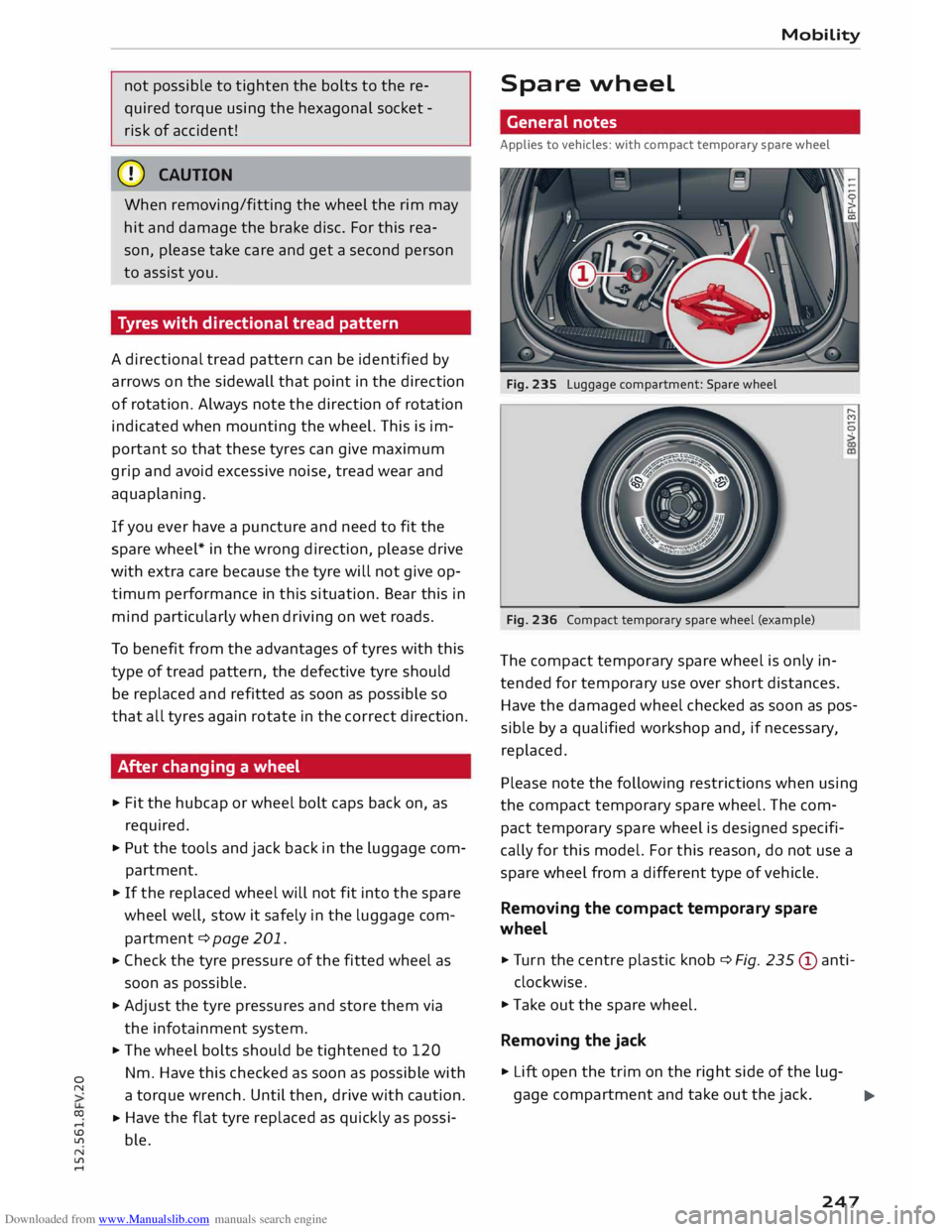
Fig. 235 Luggage compartment: Spare wheel
Fig. 236 Compact temporary spare wheel (example) ......
M
0
>
The compact temporary spare wheel is only in
tended for temporary use over short distances.
Have the damaged wheel checked as soon as pos
sible by a qualified workshop and, if necessary,
replaced.
Please note the following restrictions when using
the compact temporary spare wheel. The com
pact temporary spare wheel is designed specifi
cally for this model. For this reason, do not use a
spare wheel from a different type of vehicle .
Removing the compact temporary spare
wheel
.,. Tur n the centre plastic knob¢ Fig. 235 © anti-
clockwise.
.,. Take out the spare wheel.
Removing the jack
.,. Lift open the trim on the right side of the lug-
gage compartment and take out the jack.
..,..
247