air condition AUDI TT COUPE 2014 Owner's Manual
[x] Cancel search | Manufacturer: AUDI, Model Year: 2014, Model line: TT COUPE, Model: AUDI TT COUPE 2014Pages: 284, PDF Size: 34.42 MB
Page 216 of 284
Downloaded from www.Manualslib.com manuals search engine Airbag
system
Side airbags
Description of side airbags
Applies to vehicles: with side airbags
The airbag system is not a substitute for the seat
belts.
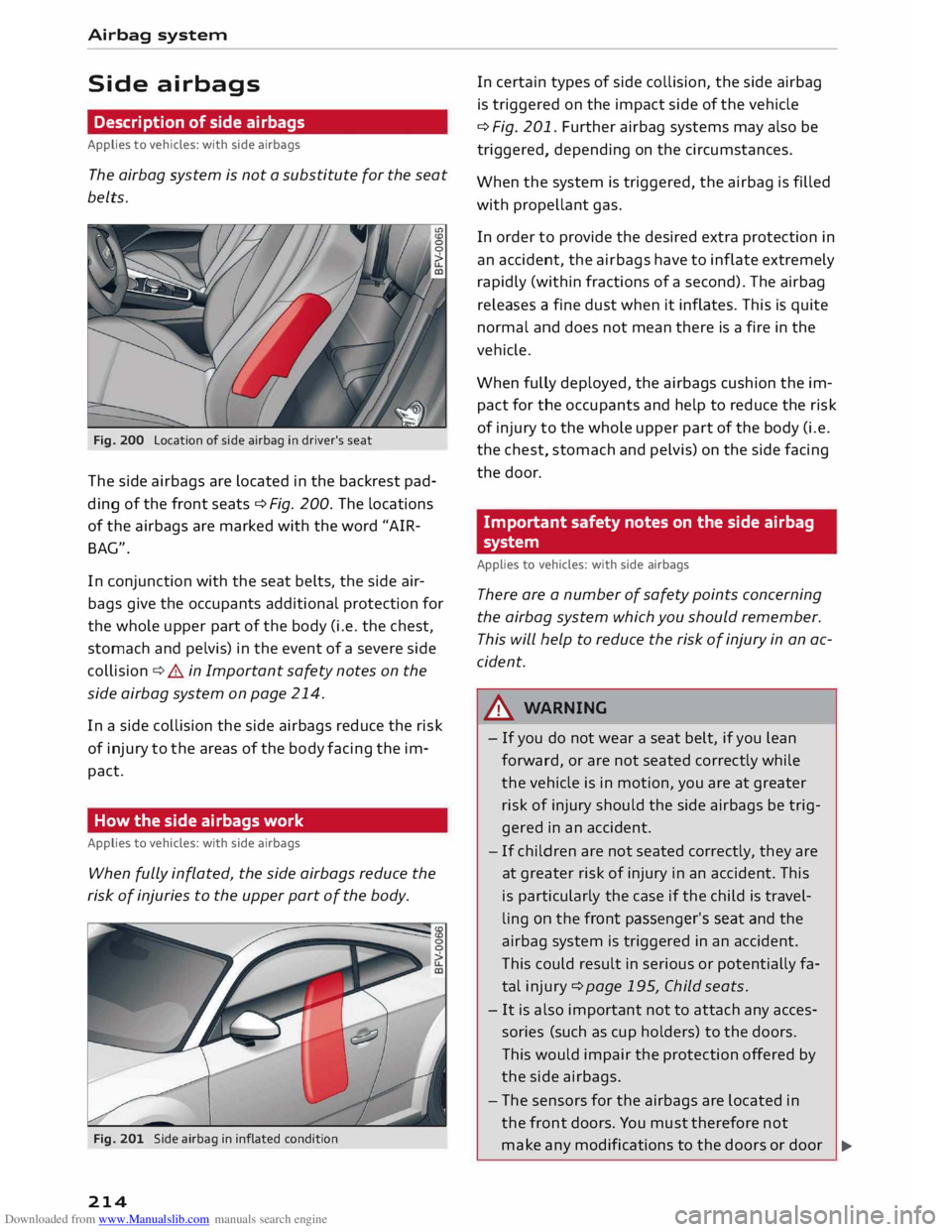
Fig. 200 Location of side airbag in driver's seat
The side airbags are located in the backrest pad
ding of the front seats¢ Fig. 200. The locations
of the airbags are marked with the word "AIR
BAG".
In conjunction with the seat belts, the side air
bags give the occupants additional protection for
the whole upper part of the body (i.e. the chest,
stomach and pelvis) in the event of a severe side
collision ¢&. in Important safety notes on the
side airbag system on page 214.
In a side collision the side airbags reduce the risk
of injury to the areas of the body facing the im
pact.
How the side airbags work
Applies to vehicles: with side airbags
When fully inflated, the side airbags reduce the
risk of injuries to the upper part of the body.
Fig. 201 Side airbag in inflated condition
214 In
certain types of side collision, the side airbag
is triggered on the impact side of the vehicle
¢ Fig. 201. Further airbag systems may also be
triggered, depending on the circumstances.
When the system is triggered, the airbag is filled
with propellant gas.
In order to provide the desired extra protection in
an accident, the airbags have to inflate extremely
rapidly (within fractions of a second). The airbag
releases a fine dust when it inflates. This is quite
normal and does not mean there is a fire in the
vehicle.
When fully deployed, the airbags cushion the im
pact for the occupants and help to reduce the risk
of injury to the whole upper part of the body (i.e.
the chest, stomach and pelvis) on the side facing
the door.
Important safety notes on the side airbag
system
Applies to vehicles: with side airbags
There are a number of safety points concerning
the airbag system which you should remember.
This will help to reduce the risk of injury in an ac
cident.
A WARNING
- If you do not wear a seat belt, if you lean
forward, or are not seated correctly while
the vehicle is in motion, you are at greater
risk of injury should the side airbags be trig
gered in an accident.
- If children are not seated correctly, they are
at greater risk of injury in an accident. This
is particularly the case if the child is travel
ling on the front passenger's seat and the
airbag system is triggered in an accident.
This could result in serious or potentially fa
tal injury ¢page 195, Child seats.
- It is also important not to attach any acces
sories (such as cup holders) to the doors.
This would impair the protection offered by
the side airbags.
- The sensors for the airbags are located in
the front doors. You must therefore not
make any modifications to the doors or door
�
Page 217 of 284
Downloaded from www.Manualslib.com manuals search engine 0
N
co
....
\D Lfl
N
Lfl
.... trim
(e.g. retrofitting loudspeakers), as this
could impair the function of the side air
bags. Any damage to the front doors could
lead to faults in the system. Repairs or any
other work on the front doors must there
fore always be carried out by a qualified
workshop.
- Do not apply excessive force to the sides of
the backrests (such as hard knocks or kicks),
as this could damage parts of the system.
The side airbags could then fail to operate
when required.
- If you intend to fit protective covers over the
seats, these must be of the specific type ap
proved for use on Audi seats with side air
bags. Conventional seat covers would ob
struct the side airbag when it inflates out of
the backrest, and seriously reduce the air
bag's effectiveness.
- Any damage to the original seat upholstery
or around the seams of the side airbag units
must be repaired immediately by a qualified
workshop.
- Any work involving the
side
airbag system or
removal and installation of the airbag com
ponents for other repairs (such as repairs to
the seats) must always be performed by a
qualified workshop. Otherwise the airbag
system may fail to work properly.
Head-protection airbags
Description of head-protection airbags
Applies to vehicles: with head-protection airbags
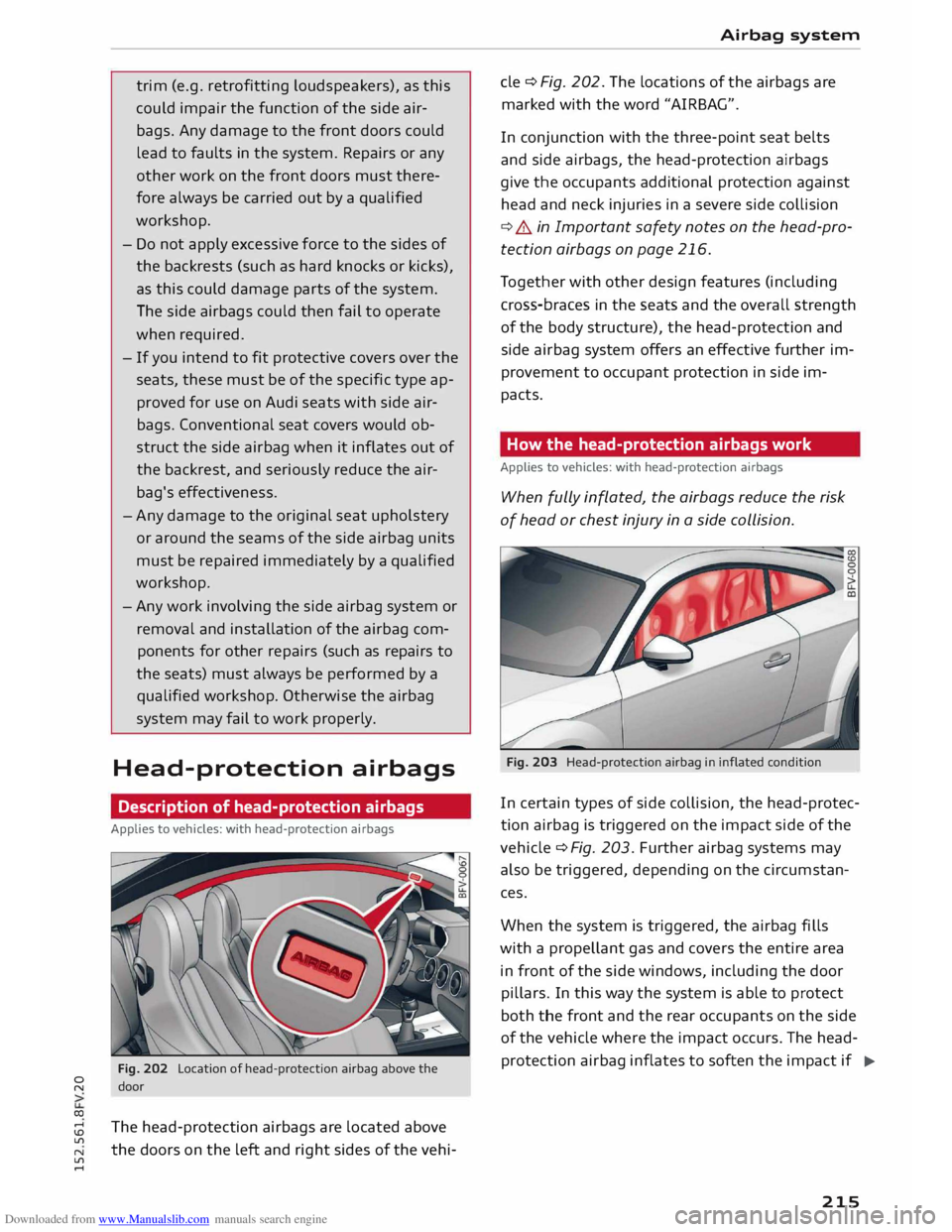
Fig. 202 Location of head-protection airbag above the
door
The head-protection airbags are located above
the doors on the left and right sides of the vehi- Airbag
system
de ¢Fig. 202. The locations of the airbags are
marked with the word "AIRBAG".
In conjunction with the three-point seat belts
and side airbags, the head-protection airbags
give the occupants additional protection against
head and neck injuries in a severe side collision
¢.&. in Important safety notes on the head-pro
tection airbags on page 216.
Together with other design features (including
cross-braces in the seats and the overall strength
of the body structure), the head-protection and
side airbag system offers an effective further im
provement to occupant protection in side im
pacts.
How the head-protection airbags work
Applies to vehicles: with head-protection airbags
When fully inflated, the airbags reduce the risk
of head or chest injury in a side collision.
Fig. 203 Head-protection airbag in inflated condition
In certain types of side collision, the head-protec
tion airbag is triggered on the impact side of the
vehicle ¢ Fig. 203. Further airbag systems may
also be triggered, depending on the circumstan
ces.
When the system is triggered, the airbag fills
with a propellant gas and covers the entire area
in front of the side windows, including the door
pillars. In this way the system is able to protect
both the front and the rear occupants on the side
of the vehicle where the impact occurs. The head
protection airbag inflates to soften the impact if
..,.
215
Page 227 of 284
Downloaded from www.Manualslib.com manuals search engine 0
N
co
....
\D Lfl
N
Lfl
.... Coolant
addi-Frost protec-
tive tion
Countries with min. 40 %,
min. -25 °C
warm climate max. 45 %
Countries with min.
50 %,
max. -40 °C
cold climate max.
60 %
CD CAUTION
- Have your qualified workshop check the
cooling system before the winter season to
make sure that the anti-freeze concentra
tion is adequate for the conditions to be ex
pected. This applies particularly if you drive
into a colder climate zone.
- To prevent damage to the engine, do not
use a different type of anti-freeze additive if
the approved type of additive is not availa
ble. In this case use only water and bring
the coolant concentration back up to the
correct level as soon as possible by putting
in the specified additive.
- Always top up with fresh, unused coolant.
- Radiator sealants must not be added to the
coolant.
Topping up coolant
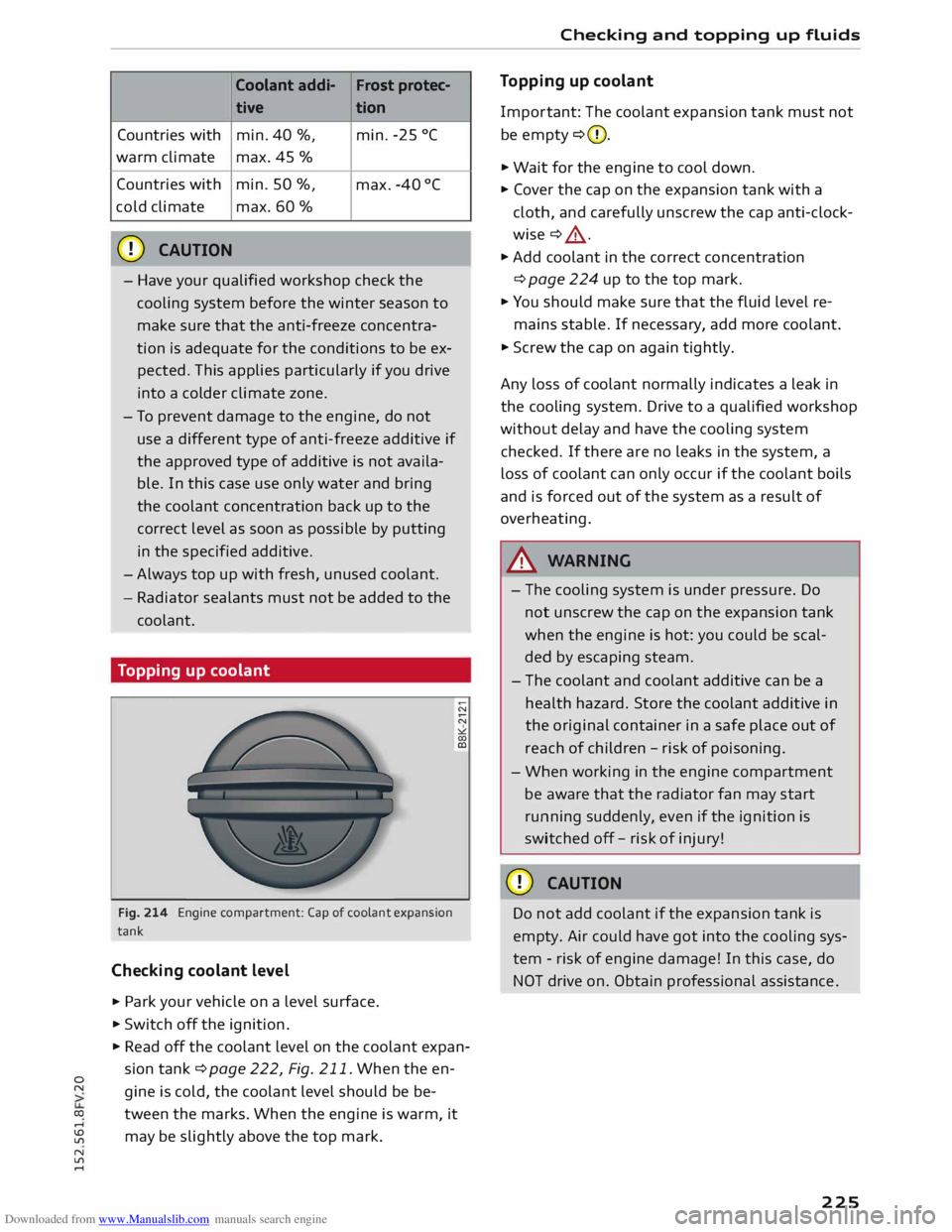
Fig. 214 Engine compartment: Cap of coolant expansion
tank
Checking coolant level
.. Park
your vehicle on a level surface .
.. Switch off the ignition .
.. Read off the coolant level on the coolant expan
sion tank ¢ page 222, Fig. 211. When the en
gine is cold, the coolant level should be be
tween the marks. When the engine is warm, it
may be slightly above the top mark. Checking
and topping up fluids
Topping up coolant
Impor tant: The coolant expansion tank must not
be empty ¢(D.
.. Wait for the engine to cool down.
.. Cover the cap on the expansion tank with a
cloth, and carefully unscrew the cap anti-clock
wise ¢ .&_ .
.. Add coolant in the correct concentration
¢ page 224 up to the top mark.
.. You should make sure that the fluid level re-
mains stable. If necessary, add more coolant.
.. Screw the cap on again tightly.
Any loss of coolant normally indicates a leak in
the cooling system. Drive to a qualified workshop
without delay and have the cooling system
checked. If there are no leaks in the system, a
loss of coolant can only occur if the coolant boils
and is forced out of the system as a result of
overheating.
A WARNING
- The cooling system is under pressure. Do
not unscrew the cap on the expansion tank
when the engine is hot: you could be scal
ded by escaping steam.
- The coolant and coolant additive can be a
health hazard. Store the coolant additive in
the original container in a safe place out of
reach of children -risk of poisoning.
- When working in the engine compartment
be aware that the radiator fan may start
running suddenly, even if the ignition is
switched off-risk of injury!
CD CAUTION
Do not add coolant if the expansion tank is
empty. Air could have got into the cooling sys
tem -risk of engine damage! In this case, do
NOT drive on. Obtain professional assistance .
225
Page 233 of 284
Downloaded from www.Manualslib.com manuals search engine 0
N
co
....
\D L/'l
N
L/'l
.... Wheels
and tyres
Wheels General notes
... Inspect the tyres regularly for damage (cuts,
cracks or blisters, etc.). Remove any foreign
bodies embedded in the treads.
... If you have to drive over a kerb or similar obsta
cle, drive very slowly and as near as possible at
a right angle to the kerb.
... Damaged rims or tyres must be replaced imme
diately.
... Keep grease, oil and fuel off the tyres.
... Mark
the wheels before taking them off so that
they rotate in the same direction when refitted.
... When removed, the wheels should be stored
flat in a cool, dry and preferably dark place.
CD CAUTION
- Please note that summer and winter tyres
are optimised for the prevailing road condi
tions at different times of year. We recom
mend that you use winter tyres during the
winter months. At low temperatures, sum
mer tyres lose their elasticity and grip, and
braking performance also suffers as a re
sult. Cracks can form in the tread block on
summer tyres if they are used at very cold
temperatures, and this can cause perma
nent damage to the tyres. An increase in
rolling noise and tyre imbalance may result
from this damage.
- Machined, polished or chrome-plated rims
must not be used in winter conditions. The
process used to manufacture these types of
wheel rim does not provide adequate sur
face protection against corrosion, and the
rims can be permanently damaged by road
salt or similar.
New wheels or tyres
It is best to have all servicing of wheels and tyres
performed by a qualified workshop, since they
have the necessary special tools and replacement
parts and trained personnel. Wheels
and tyres
... New tyres do not yet give maximum grip. When
driving with new tyres, drive at moderate
speeds and be especially careful during the first
500 km.
... All four wheels must be fitted with tyres of the
same type, size (rolling circumference) and
preferably the same tread pattern.
... Tyres should be replaced in pairs and not indi
vidually (i.e. both front tyres or both rear tyres
together).
... We recommend the use of Audi Genuine Tyres.
If you wish to use other tyres, please note that
the actual size can differ from the nominal size
marked on the tyre ¢.&_
.
... If you wish to purchase a different combination
of rims and tyres than the ones fitted on the ve
hicle during production, it is advisable to con
sult a qualified workshop beforehand ¢.&_
.
On vehicles with four-wheel drive, all four wheels
must always be fitted with tyres of the same
type, make and tread pattern, as otherwise the
driveline can be damaged by variations in the
wheel speeds. For the same reason, only use a
spare wheel* which has the same rolling circum
ference as the normal road wheels.
If the spare wheel* is not the same type as the
tyres fitted on the car (for example if the car has
winter tyres or wide-section tyres) you should on
ly use the spare wheel* if a puncture occurs, and
then only for a short period of time. In this case,
please drive with extra care. Refit a normal road
wheel as soon as possible.
Manufacturing date
The manufacturing date is indicated on the tyre
sidewall (possibly only on the inner side of the
wheel):
DOT ... 2214 ...
means, for example, that the tyre was produced
in the 22nd week of 2014.
Audi Genuine Tyres
Audi Genuine Tyres with the marking "AO" or
"RO" are specially matched to your Audi. When
used properly, these tyres meet the highest
standards in safety and handling. Your specialist
retailer will be glad to provide more information . ..,..
231
Page 236 of 284
Downloaded from www.Manualslib.com manuals search engine Wheels
and tyres
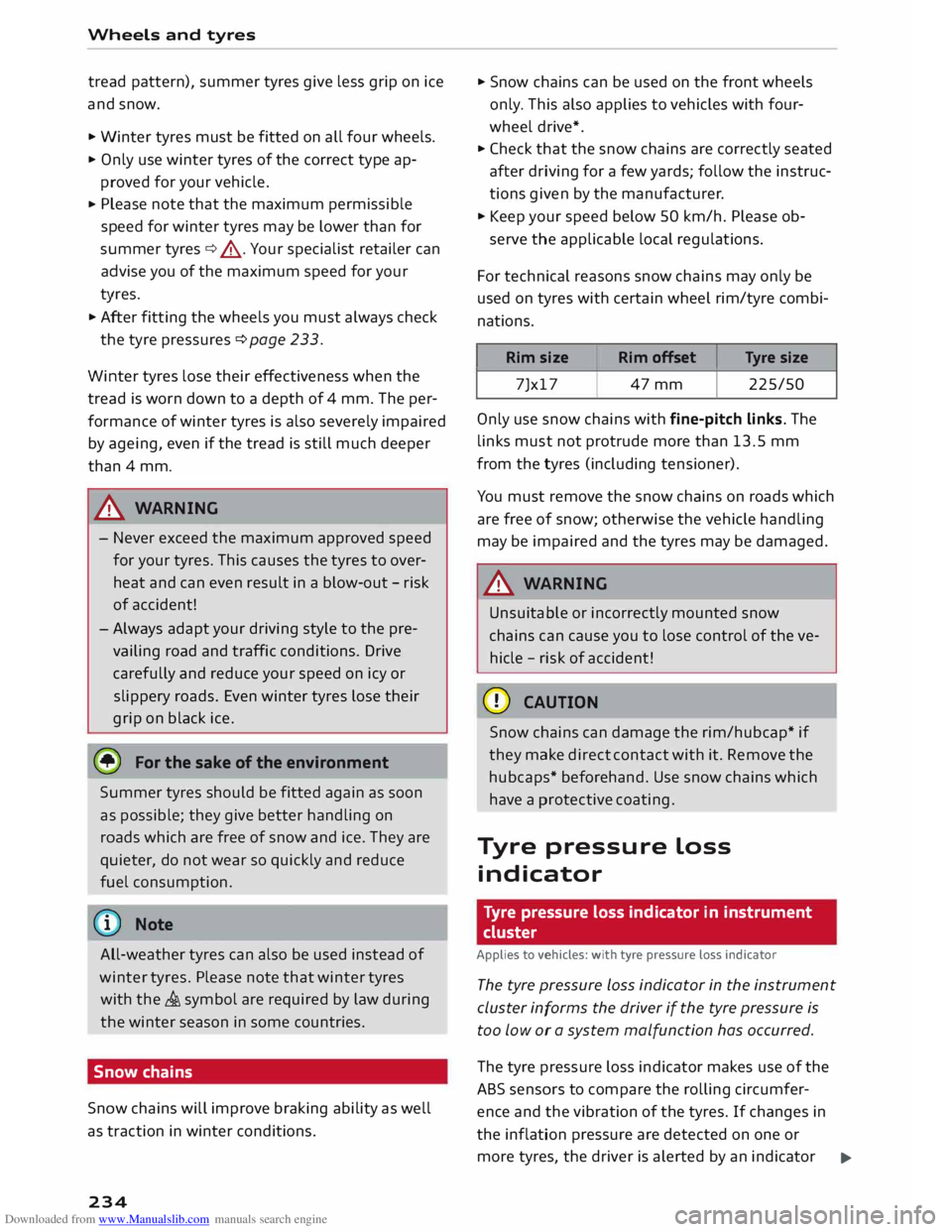
tread pattern), summer tyres give less grip on ice
and snow.
... Winter tyres must be fitted on all four wheels.
... Only use winter tyres of the correct type ap-
proved for your vehicle.
... Please
note that the maximum permissible
speed for winter tyres may be lower than for
summer tyres¢.&_ . Your specialist retailer can
advise you of the maximum speed for your
tyres.
... After fitting the wheels you must always check
the tyre pressures ¢page 233.
Winter tyres lose their effectiveness when the
tread is worn down to a depth of 4 mm. The per
formance of winter tyres is also severely impaired
by ageing, even if the tread is still much deeper
than 4 mm.
.&_ WARNING
- Never exceed the maximum approved speed
for your tyres. This causes the tyres to over
heat and can even result in a blow-out -risk
of accident!
- Always adapt your driving style to the pre
vailing road and traffic conditions. Drive
carefully and reduce your speed on icy or
slippery roads. Even winter tyres lose their
grip on black ice.
@) For the sake of the environment
Summer tyres should be fitted again as soon
as possible; they give better handling on
roads which are free of snow and ice. They are
quieter, do not wear so quickly and reduce
fuel consumption.
(Qj) Note
All-weather tyres can also be used instead of
winter tyres. Please note that winter tyres
with the & symbol are required by law during
the winter season in some countries.
Snow chains
Snow chains will improve braking ability as well
as traction in winter conditions.
234 ...
Snow chains can be used on the front wheels
only. This also applies to vehicles with four
wheel drive* .
... Check that the snow chains are correctly seated
after driving for a few yards; follow the instruc
tions given by the manufacturer .
... Keep your speed below 50 km/h. Please ob-
serve the applicable local regulations.
For technical reasons snow chains may only be
used on tyres with certain wheel rim/tyre combi
nations.
Rim size
Rim offset Tyre
size
7Jx17 47mm 225/50
Only use snow chains with fine-pitch links. The
links must not protrude more than 13.5 mm
from the tyres (including tensioner).
You must remove the snow chains on roads which
are free of snow; otherwise the vehicle handling
may be impaired and the tyres may be damaged.
.&_ WARNING
Unsuitable or incorrectly mounted snow
chains can cause you to lose control of the ve
hicle -risk of accident!
CD CAUTION
Snow chains can damage the rim/hubcap* if
they make direct contact with it. Remove the
hubcaps* beforehand. Use snow chains which
have a protective coating.
Tyre pressure Loss
indicator
Tyre pressure loss indicator in instrument
cluster
Applies to vehicles: with tyre pressure Loss indicator
The tyre pressure Loss indicator in the instrument
cluster informs the driver if the tyre pressure is
too low or a system malfunction has occurred.
The tyre pressure loss indicator makes use of the
ABS sensors to compare the rolling circumfer
ence and the vibration of the tyres. If changes in
the inflation pressure are detected on one or
more tyres, the driver is alerted by an indicator
..,.
Page 237 of 284
Downloaded from www.Manualslib.com manuals search engine 0
N
co
....
\D Lfl
N
Lfl
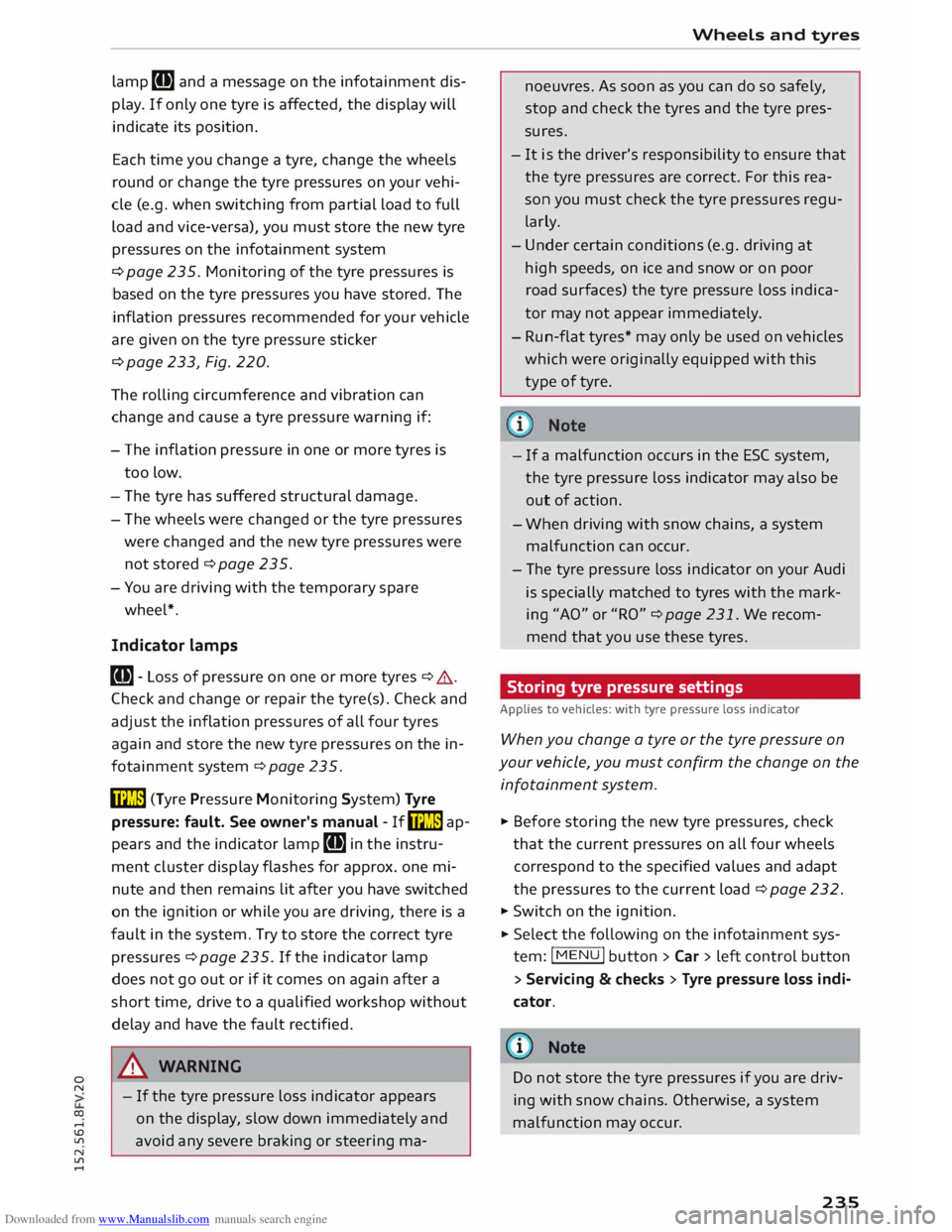
.... lamp
[Bl and a message on the infotainment dis
play. If only one tyre is affected, the display will
indicate its position.
Each time you change a tyre, change the wheels
round or change the tyre pressures on your vehi
cle (e.g. when switching from partial load to full
load and vice-versa), you must store the new tyre
pressures on the infotainment system
¢ page 235. Monitoring of the tyre pressures is
based on the tyre pressures you have stored. The
inflation pressures recommended for your vehicle
are given on the tyre pressure sticker
¢ page 233, Fig. 220.
The rolling circumference and vibration can
change and cause a tyre pressure warning if:
- The inflation pressure in one or more tyres is
too low.
- The tyre has suffered structural damage.
- The wheels were changed or the tyre pressures
were changed and the new tyre pressures were
not stored ¢ page 235.
- You are driving with the temporary spare
wheel*.
Indicator lamps
RI]- Loss of pressure on one or more tyres¢ A.
Check and change or repair the tyre(s). Check and
adjust the inflation pressures of all four tyres
again and store the new tyre pressures on the in
fotainment system¢ page 235.
ffim (Tyre Pressure Monitoring System) Tyre
pressure: fault. See owner's manual -If� ap
pears and the indicator lamp [Bl in the instru
ment cluster display flashes for approx. one mi
nute and then remains lit after you have switched
on the ignition or while you are driving, there is a
fault in the system. Try to store the correct tyre
pressures ¢ page 235. If the indicator lamp
does not go out or if it comes on again after a
short time, drive to a qualified workshop without
delay and have the fault rectified.
&_ WARNING
- If the tyre pressure loss indicator appears
on the display, slow down immediately and
avoid any severe braking or steering ma- Wheels
and tyres
noe uvres. As soon as you can do so safely,
stop and check the tyres and the tyre pres
sures.
- It is the driver's responsibility to ensure that
the tyre pressures are correct. For this rea
son you must check the tyre pressures regu
larly.
- Under certain conditions (e.g. driving at
high speeds, on ice and snow or on poor
road surfaces) the tyre pressure loss indica
tor may not appear immediately.
- Run-flat tyres* may only be used on vehicles
which were originally equipped with this
type of tyre.
- If a malfunction occurs in the ESC system,
the tyre pressure loss indicator may also be
out of action.
- When driving with snow chains, a system
malfunction can occur.
- The tyre pressure loss indicator on your Audi
is specially matched to tyres with the mark
ing "AO" or "RO" ¢ page 231. We recom
mend that you use these tyres.
Storing tyre pressure settings
Applies to vehicles: with tyre pressure loss indicator
When you change a tyre or the tyre pressure on
your vehicle, you must confirm the change on the
infotainment system.
� Before storing the new tyre pressures, check
that the current pressures on all four wheels
correspond to the specified values and adapt
the pressures to the current load ¢ page 232.
� Switch on the ignition.
� Select the
following on the infotainment sys
tem: I MENU I button >Car> left control button
> Servicing & checks > Tyre pressure loss indi
cator.
@ Note
Do not store the tyre pressures if you are driv
ing with snow chains. Otherwise, a system
malfunction may occur .
235
Page 257 of 284
Downloaded from www.Manualslib.com manuals search engine 0
N
co
....
\D L/'l
N
L/'l
.... ,&.
WARNING
Never attempt to repair a fuse or replace a
blown fuse by fitting a fuse with a higher am
pere rating. This could damage the electrical
system -risk of fire!
CD CAUTION
If a newly replaced fuse blows again after a
short time, the electrical system must be
checked by a qualified workshop as soon as
possible.
@ Note
- Unassigned fuse locations are not shown in
the tables below.
- Some of the items of equipment listed in
the tables below are only fitted on certain
models or are optional extras.
Fuses in vehicle interior
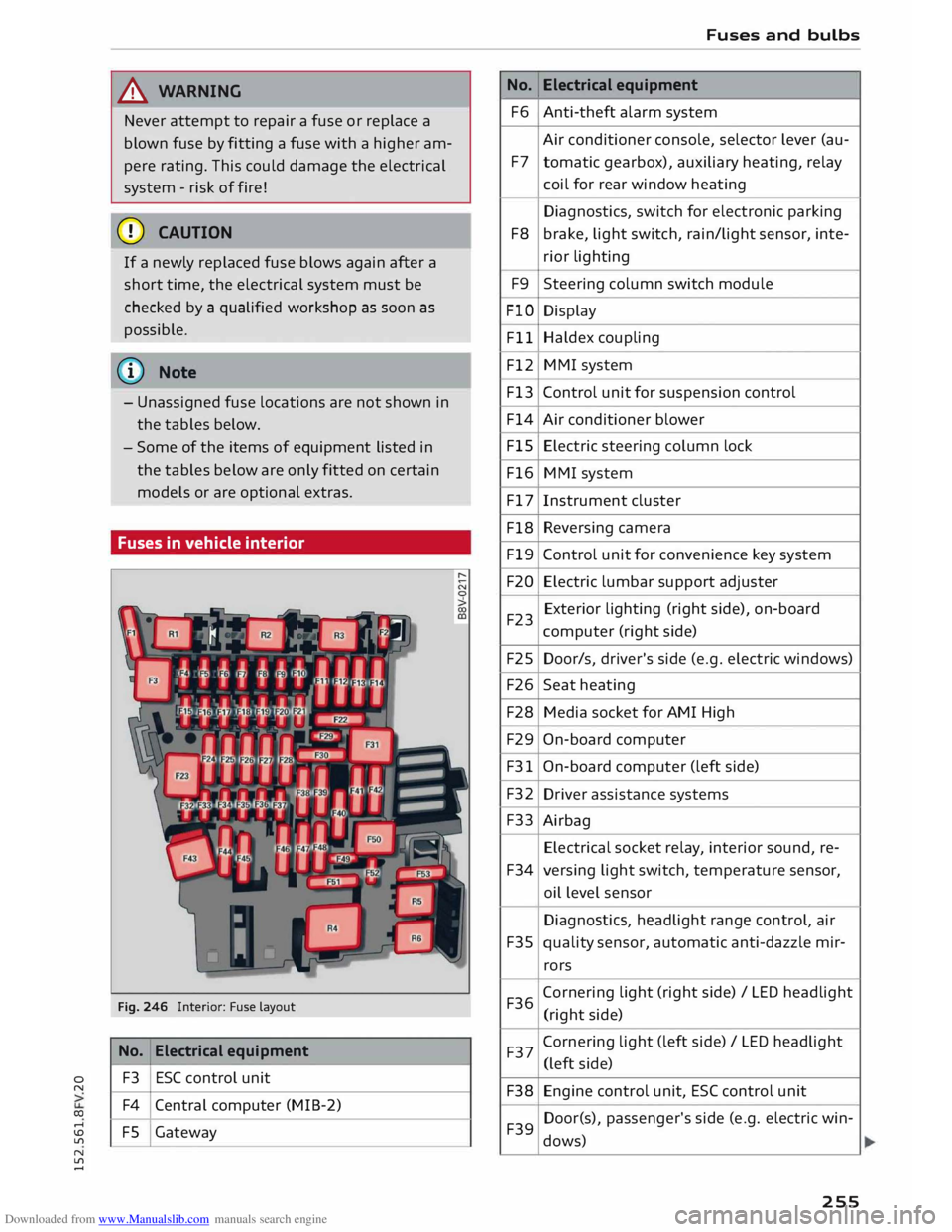
Fig. 246 Interior: Fuse layout
No. Electrical
equipment
F3 ESC
control unit
F4 Central computer (MIB-2)
FS Gateway No.
F6
F7
F8 F9
FlO Fll
F12
F13
F14
FlS
F16
F17
F18
Fl9
F20
F23
F25
F26
F28
F29
F31
F32 F33
F34
F35
F36 F37
F38 F39 Fuses
and bulbs
Electrical equipment
Anti-theft alarm system
Air conditioner console, selector lever (au-
tomatic gearbox), auxiliary heating, relay
coil for rear window heating
Diagnostics, switch for electronic parking
brake, light switch, rain/light sensor, inte-
rior lighting
Steering column switch module
Display
Haldex coupling
MMI system
Control unit for suspension control
Air conditioner blower
Electric steering column lock
MMI system
Instrument cluster
Reversing camera
Control unit for convenience key system
Electric lumbar support adjuster
Exterior lighting (right side), on-board
computer (right side)
Door/s, driver's side (e.g. electric windows)
Seat heating
Media socket for AMI High
On-board computer
On-board computer (left side)
Driver assistance systems
Airbag Electrical socket relay, interior sound, re-
versing light switch, temperature sensor,
oil level sensor
Diagnostics, headlight range control, air
quality sensor, automatic anti-dazzle mir-
rors
Corn ering light (right side)/ LED headlight
(right side)
Cornering light (left side) / LED headlight
(left side)
Engine control unit, ESC control unit
Door(s), passenger's side (e.g. electric win-
dows)
255
Page 264 of 284
Downloaded from www.Manualslib.com manuals search engine Accessories
and modifications to the vehicle
Device Text message
Possible reme-
dy
Infotainment Some
func-
Switch on the
display tions
of the in-
ignition. If the
fotainment component
system are cur- protection is
rently unavail- still not deacti-
able. Please vated, contact
switch on the a
qualified
ignition. workshop.
Environmental compati
bility
Environmental protection is a top priority in the
design, choice of materials and production of
your new Audi.
Design measures for economical recycling
- Modular construction to facilitate dismantling
- Plastic parts and elastomers are labelled in ac-
cor dance with ISO 1043, ISO 11469 and ISO
1629
Choice of materials
- Nearly all materials used can be recycled
- Similar types of plastics grouped together for
easy recycling
- Recycled materials used in manufacture
- Reduced vapour emissions from plastics
- CFC-free refrigerant in air conditioner
Compliance with the laws prohibiting the use of:
Cadmium, asbestos, lead, mercury , chrome VI
and other substances such as flame retardants
and plasticisers.
Manufacturing methods
- Using recycling material for manufacturing
plastic parts
- Solvent-free cavity sealing
- Solvent-free wax for protecting the vehicles in
transit
- Solvent-free adhesives
- No CFCs used in production
- Surplus materials used extensively for energy
conversion and building materials
- Overall water consumption reduced
262 -
Heat recovery systems
- Water-soluble paint
Page 265 of 284
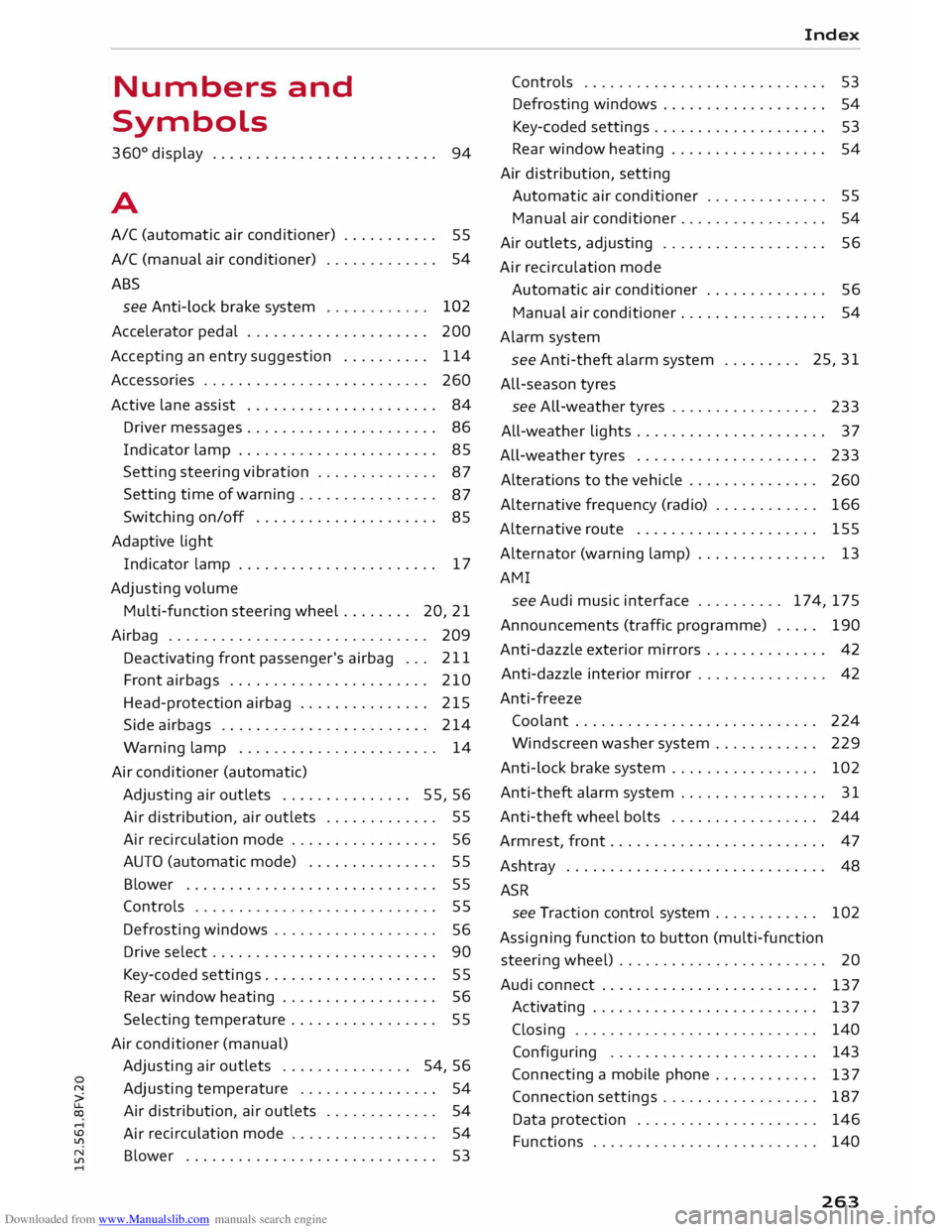
Downloaded from www.Manualslib.com manuals search engine Numbers
and
Symbols
360 °
display . . . . . . . . . . . . . . . . . . . . . . . . . .
94
A
A/C (automatic air conditioner) . . . . . . . . . . .
55
A/C (manual air conditioner) . . . . . . . . . . . . . 54
ABS see Anti-Lock brake system 102
Accelerator pedal . . . . . . . . . . . . . . . . . . . . . 200
Accepting an entry suggestion . . . . . . . . . . 114
Accessories . . . . . . . . . . . . . . . . . . . . . . . . . .
260
Active Lane assist . . . . . . . . . . . . . . . . . . . . . .
84
Driver messages . . . . . . . . . . . . . . . . . . . . . .
86
Indicator Lamp . . . . . . . . . . . . . . . . . . . . . . .
85
Setting steering vibration . . . . . . . . . . . . . .
87
Setting time of warning................
87
Switching on/off . . . . . . . . . . . . . . . . . . . . .
85
Adaptive Light Indicator lamp . . . . . . . . . . . . . . . . . . . . . . . 17
Adjusting volume
Multi-function steering wheel.. . . . . . .
20, 21
Airbag .............................. 209
Deactivating front passenger's airbag . . . 211
Front airbags . . . . . . . . . . . . . . . . . . . . . . . 210
Head-protection airbag . . . . . . . . . . . . . . . 215
Side airbags . . . . . . . . . . . . . . . . . . . . . . . . 214
Warning lamp . . . . . . . . . . . . . . . . . . . . . . . 14
Air conditioner (automatic)
Adjusting air outlets . . . . . . . . . . . . . . . 55, 56
Air distribution, air outlets . . . . . . . . . . . . . 55
Air recirculation mode . . . . . . . . . . . . . . . . . 56
AUTO (automatic mode) . . . . . . . . . . . . . . . 55
Blower . . . . . . . . . . . . . . . . . . . . . . . . . . . . .
55
Controls . . . . . . . . . . . . . . . . . . . . . . . . . . . .
55
Defrosting windows . . . . . . . . . . . . . . . . . . .
56
Drive select . . . . . . . . . . . . . . . . . . . . . . . . . . 90
Key-coded settings . . . . . . . . . . . . . . . . . . . .
55
Rear window heating . . . . . . . . . . . . . . . . . .
56
Selecting temperature . . . . . . . . . . . . . . . . . 55
Air conditioner (manual) Adjusting air outlets . . . . . . . . . . . . . . . 54, 56
� Adjusting
temperature . . . . . . . . . . . . . . . . 54
� Air
distribution, air outlets . . . . . . . . . . . . . 54
,-j
� Air
recirculation
mode . . . . . . . . . . . . . . . . . 54
� Blower
. . . . . . . . . . . . . . . . . . . . . . . . . . . . . 53
,-j Index
Controls . . . . . . . . . . . . . . . . . . . . . . . . . . . . 53
Defrosting windows . . . . . . . . . . . . . . . . . . . 54
Key-coded settings. . . . . . . . . . . . . . . . . . . . 53
Rear window heating . . . . . . . . . . . . . . . . . . 54
Air distribution, setting
Automatic air conditioner . . . . . . . . . . . . . .
55
Manual air conditioner . . . . . . . . . . . . . . . . .
54
Air outlets, adjusting . . . . . . . . . . . . . . . . . . .
56
Air recirculation mode
Automatic air conditioner . . . . . . . . . . . . . .
56
Manual air conditioner . . . . . . . . . . . . . . . . .
54
Alarm system
see Anti-theft alarm system . . . . . . . . . 25,
31
All-season tyres
see ALL-weather tyres . . . . . . . . . . . . . . . . .
233
All-weather Lights . . . . . . . . . . . . . . . . . . . . . . 3 7
All-weather tyres . . . . . . . . . . . . . . . . . . . . . 233
Alterations to the vehicle . . . . . . . . . . . . . . .
260
Alternative frequency (radio) . . . . . . . . . . . . 166
Alternative route . . . . . . . . . . . . . . . . . . . . . 155
Alternator (warning lamp) . . . . . . . . . . . . . . . 13
AMI see Audi music interface .......... 174,
175
Annou ncements (traffic programme) . . . . . 190
Anti-dazzle exterior mirrors . . . . . . . . . . . . . .
42
Anti-dazzle interior mirror . . . . . . . . . . . . . . .
42
Anti-freeze Coolant . . . . . . . . . . . . . . . . . . . . . . . . . . . . 224
Winds creen washer system . . . . . . . . . . . . 229
Anti-lock brake system . . . . . . . . . . . . . . . . .
102
Anti-theft alarm system . . . . . . . . . . . . . . . . . 31
Anti-theft wheel bolts . . . . . . . . . . . . . . . . . 244
Armrest, front . . . . . . . . . . . . . . . . . . . . . . . . .
47
Ashtray . . . . . . . . . . . . . . . . . . . . . . . . . . . . . . 48
A5R
see Traction control system . . . . . . . . . . . . 102
Assigning function to button (multi-function
steering wheel) . . . . . . . . . . . . . . . . . . . . . . . . 20
Audi connect . . . . . . . . . . . . . . . . . . . . . . . . .
137
Activating . . . . . . . . . . . . . . . . . . . . . . . . . .
137
Closing . . . . . . . . . . . . . . . . . . . . . . . . . . . .
140
Configuring . . . . . . . . . . . . . . . . . . . . . . . .
143
Connecting a mobile phone . . . . . . . . . . . .
137
Connection settings . . . . . . . . . . . . . . . . . .
187
Data protection . . . . . . . . . . . . . . . . . . . . .
146
Functions . . . . . . . . . . . . . . . . . . . . . . . . . .
140
263
Page 266 of 284
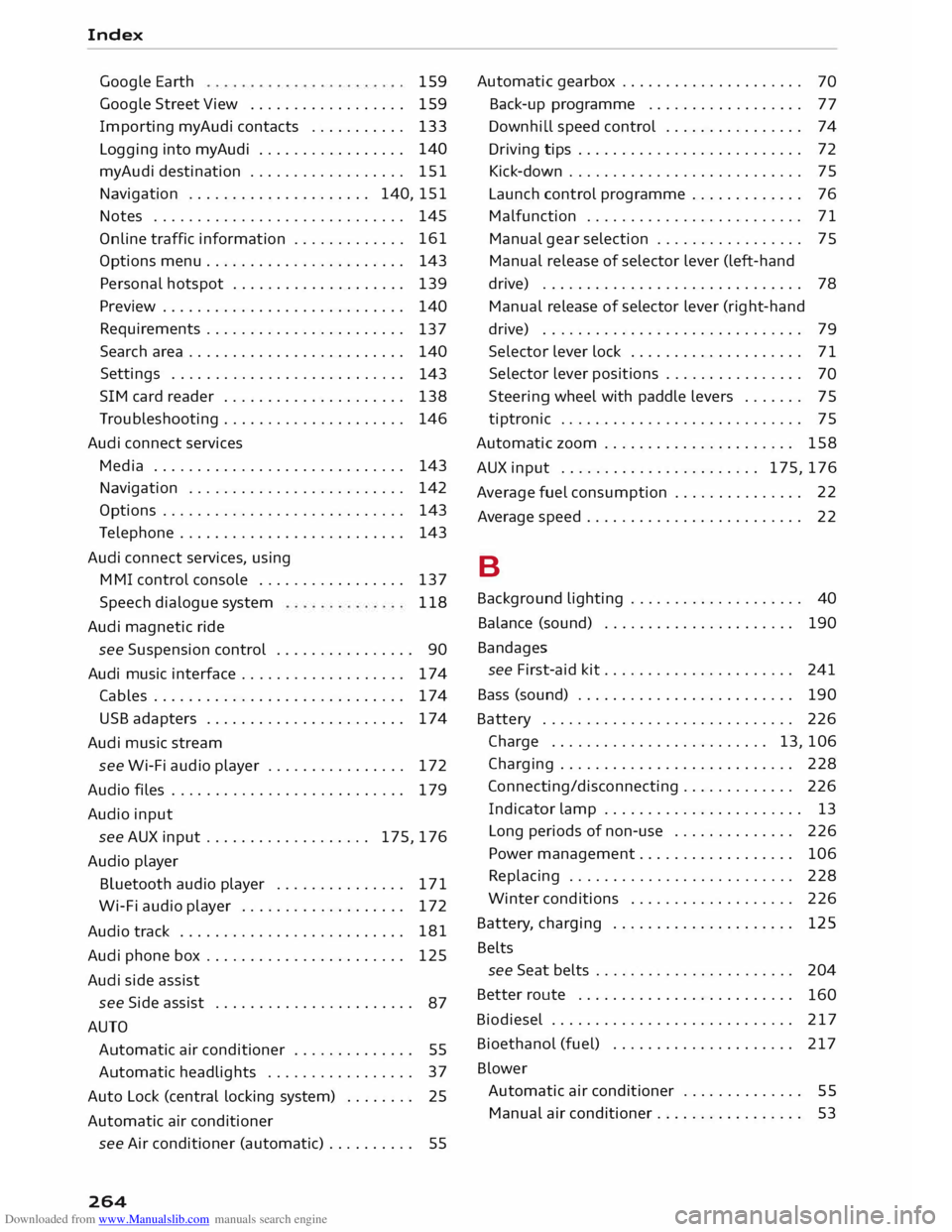
Downloaded from www.Manualslib.com manuals search engine Index
Google Earth
Google Street View
................. .
Import ing myAudi contacts .......... .
Logging into myAudi ................ . 159
159
133
140
myAudi destination . . . . . . . . . . . . . . . . . . 151
Navigation . . . . . . . . . . . . . . . . . . . . . 140, 151
Notes . . . . . . . . . . . . . . . . . . . . . . . . . . . . . 145
Online traffic information . . . . . . . . . . . . . 161
Options menu . . . . . . . . . . . . . . . . . . . . . . .
143
Personal hotspot . . . . . . . . . . . . . . . . . . . .
139
Preview . . . . . . . . . . . . . . . . . . . . . . . . . . . . 140
Requirements . . . . . . . . . . . . . . . . . . . . . . .
137
Search area . . . . . . . . . . . . . . . . . . . . . . . . .
140
Settings . . . . . . . . . . . . . . . . . . . . . . . . . . .
143
SIM card reader . . . . . . . . . . . . . . . . . . . . .
138
Troubleshooting . . . . . . . . . . . . . . . . . . . . .
146
Audi connect services
Media . . . . . . . . . . . . . . . . . . . . . . . . . . . . . 143
Navigation . . . . . . . . . . . . . . . . . . . . . . . . . 142
Options . . . . . . . . . . . . . . . . . . . . . . . . . . . .
143
Telephone . . . . . . . . . . . . . . . . . . . . . . . . . .
143
Audi connect services, using
MMI control console . . . . . . . . . . . . . . . . . 137
Speech dialogue system 118
Audi magnetic ride
see Suspension control . . . . . . . . . . . . . . . . 90
Audi music interface . . . . . . . . . . . . . . . . . . .
174
Cables . . . . . . . . . . . . . . . . . . . . . . . . . . . . .
174
USB adapters . . . . . . . . . . . . . . . . . . . . . . .
174
Audi music stream
see Wi-Fi audio player . . . . . . . . . . . . . . . .
172
Audio files . . . . . . . . . . . . . . . . . . . . . . . . . . .
179
Audio input
see AUX input ................... 175,
176
Audio player
Bluetooth audio player . . . . . . . . . . . . . . . 171
Wi-Fi audio player . . . . . . . . . . . . . . . . . . . 172
Audio track . . . . . . . . . . . . . . . . . . . . . . . . . . 181
Audi phone box . . . . . . . . . . . . . . . . . . . . . . . 125
Audi side assist
see Side assist . . . . . . . . . . . . . . . . . . . . . . .
87
AUTO Automatic air conditioner . . . . . . . . . . . . . . 55
Automatic headlights . . . . . . . . . . . . . . . . . 37
Auto Lock (central locking system) . . . . . . . .
25
Automatic air conditioner
see Air conditioner (automatic) . . . . . . . . . .
55
264 Automatic
gearbox . . . . . . . . . . . . . . . . . . . . . 70
Back-up programme . . . . . . . . . . . . . . . . . . 77
Downhill speed control . . . . . . . . . . . . . . . . 74
Driving tips . . . . . . . . . . . . . . . . . . . . . . . . . . 72
Kick-down . . . . . . . . . . . . . . . . . . . . . . . . . . . 75
Launch control programme . . . . . . . . . . . . . 76
Malfunction . . . . . . . . . . . . . . . . . . . . . . . . . 71
Manual gear selection . . . . . . . . . . . . . . . . . 75
Manual release of selector lever (left-hand
drive) . . . . . . . . . . . . . . . . . . . . . . . . . . . . . .
78
Manual release of selector lever (right-hand
drive) . . . . . . . . . . . . . . . . . . . . . . . . . . . . . .
79
Selector lever lock . . . . . . . . . . . . . . . . . . . . 71
Selector lever positions . . . . . . . . . . . . . . . . 70
Steering wheel with paddle levers . . . . . . . 75
tiptronic . . . . . . . . . . . . . . . . . . . . . . . . . . . .
75
Automatic zoom . . . . . . . . . . . . . . . . . . . . . . 158
AUX input ....................... 175,176
Average fuel consumption . . . . . . . . . . . . . . . 22
Average speed . . . . . . . . . . . . . . . . . . . . . . . . . 22
B
Background lighting . . . . . . . . . . . . . . . . . . . . 40
Balance (sound) . . . . . . . . . . . . . . . . . . . . . . 190
Bandages see First-aid kit . . . . . . . . . . . . . . . . . . . . . . 241
Bass (sound) . . . . . . . . . . . . . . . . . . . . . . . . . 190
Battery . . . . . . . . . . . . . . . . . . . . . . . . . . . . . 226
Charge . . . . . . . . . . . . . . . . . . . . . . . . . 13, 106
Charging . . . . . . . . . . . . . . . . . . . . . . . . . . . 228
Connecting/disconnecting . . . . . . . . . . . . . 226
Indicator lamp . . . . . . . . . . . . . . . . . . . . . . . 13
Long periods of non-use . . . . . . . . . . . . . .
226
Power management . . . . . . . . . . . . . . . . . .
106
Replacing . . . . . . . . . . . . . . . . . . . . . . . . . .
228
Winter conditions . . . . . . . . . . . . . . . . . . .
226
Battery, charging . . . . . . . . . . . . . . . . . . . . .
125
Belts see Seat belts . . . . . . . . . . . . . . . . . . . . . . .
204
Better route . . . . . . . . . . . . . . . . . . . . . . . . .
160
Biodiesel . . . . . . . . . . . . . . . . . . . . . . . . . . . . 217
Bioethanol (fuel) . . . . . . . . . . . . . . . . . . . . . 217
Blower Automatic air conditioner . . . . . . . . . . . . . .
55
Manual air conditioner. . . . . . . . . . . . . . . . .
53