CD player AUDI TT COUPE 2016 User Guide
[x] Cancel search | Manufacturer: AUDI, Model Year: 2016, Model line: TT COUPE, Model: AUDI TT COUPE 2016Pages: 322, PDF Size: 52.86 MB
Page 161 of 322
Downloaded from www.Manualslib.com manuals search engine .... N
G'. co ..... ID VI .... ID .....
Playing media
Accessing media
You can start and operate various media
through the MMI control panel.
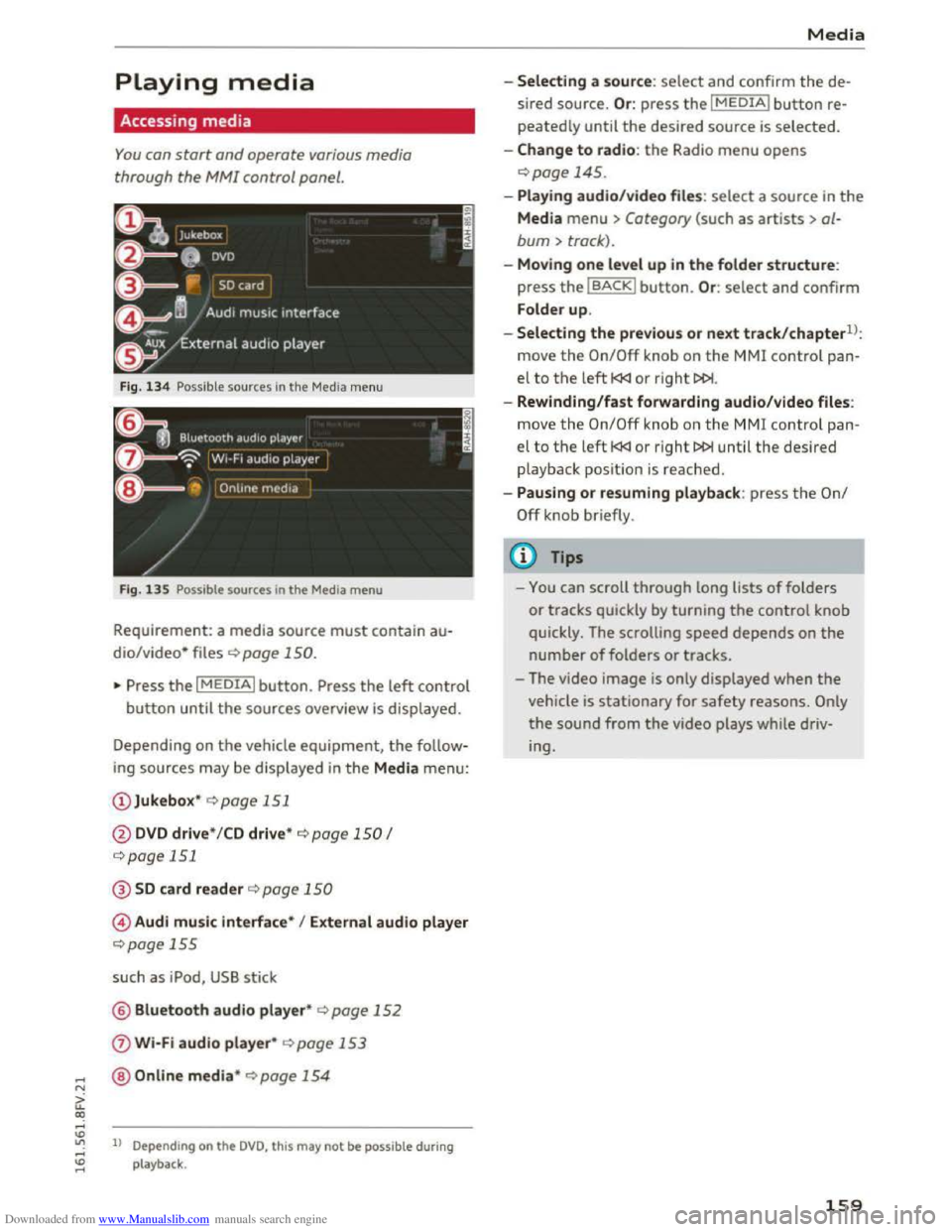
Fig. 134 Possible sources in the Media menu
F ig .
135 Possible sources in the Media menu
Requirement: a media source must contain au
dio/video* files c::> page 150.
"Press the I MEDIAi button. Press the left control
button until the sources overview is displayed.
Depending on
the vehicle equipment, the follow
ing sources may be displayed in the Media menu:
@ Jukebox* c::>page 151
@DVD drive * /CD drive* c::> page 150 I
c::>page 151
@SD card reader c::> page 150
© Audi music interface* I External audio player
c::>page 155
such as iPod, USB stick
@ Bluetooth audio player* c::> page 152
0 Wi-Fi audio player* c::> page 153
@Online media* c::>page 154
ll Depend ing on the DVD, this may not be possible during
playback .
Media
-Selecting a source: select and confirm the de
sired
source. Or : press the I MEDIAi button re
peatedly until the desired source is selected.
-Change to radio: the Radio menu opens
c::> page 145.
-Playing audio/video file s: select a source in the
Media menu > Category (such as artists > al
bum > track).
-Moving one level up in the folder structure:
press the IBACKI button. Or : select and confirm
Folder
up.
-
Selecting the previous or next track/chapterll:
move the On/Off knob on the MMI control pan
el to the left l
-Rewinding/fast forwarding audio/video files:
move
the On/Off knob on the MMI control pan
el to the left l
playback posit ion is reached .
-
Pausing or resuming playback: press the On/
Off knob briefly.
(D Tips
-You can scroll through long lists of folders
or tracks quickly by turning the control knob
quickly. The scrolling
speed depends on the
number of folders or tracks.
- The video
image is only displayed when the
vehicle is stationary for safety reasons. Only
the sound from the video plays while driv
ing.
159
Page 166 of 322
Downloaded from www.Manualslib.com manuals search engine Media
-The security levels for the Parental control
are based on the US standards from the Mo
tion Picture Association of America (MPAA).
Note that the age levels for video DVDs in
European countries may differ. -
Password entry
for Parental control will be
locked for approximately one minute if you
enter the incorrect password three times in
a row. The password can only be reset by an
authorized
Audi dealer.
Troubleshooting
Problem Solution
Audi music interface* /Bluetooth
Refer to the information on the Audi music interface*
audio player*:
mobile device is c::.> page 155/Blue·tooth audio player* c::.> page 152. You can learn
not supported. about supported mobile devices in the Audi database for mobile
devices
at www.audisua.com/bluetooth.
Audi music interface* : the vol-Adjust the volume of the mobile device to approximately 70% of
ume is too high/too low when the maximum output c> page 162, Input level.
starting playback through the
AUX input.
Audi music interface* : the porta-For many cell phones or mobile devices, playback is not possible
ble device
is not recognized as a when the battery level is too low (less than So/o of its capacity).
source. The mobile device will only be recognized as a source
in the MM!
after connecting if the battery charge is sufficient.
Audi music interface* : malfunc- The Bluetooth audio player function is switched on. Switch this
tions during audio playback
function off
c> page 168 when you are not using the Bluetooth
through an iPod/iPhone/iPad. audio player.
AUX input: there is static when When connecting and disconnecting, the External audio player
connecting and disconnecting the source is already selected. Before connecting or disconnecting the
AUX connection cable. mobile device, either mute the device (see q page 169) or switch
to a different audio source (for example
c> page 145, Accessing
the radio).
Bluetooth audio player*/Wi-Fi Only one interface should be actively used at a time to ensure
audio player*: audio playback in-problem-free playback.
terference .
Wi-Fi audio player*: audio play- Audio playback interference can occur on some cell phones if the
back interference . Internet connectilon in the vehicle was not established through
the SIM card reader* on the MMI control panel and the mobile da-
ta option on the cell phone is switched on. Deactivate the mobile
data
option on your cell phone.
Jukebox*: tracks on the imported When
importing playlists , all of the files themselves must be im-
playlist are grayed out. ported.
Jukebox*: imported tracks cannot If you cannot find imported tracks in the media center, they may
be played or found . not be supported .
Only copy supported files q page 15 7 to the
Jukebox .
164
Page 167 of 322
Downloaded from www.Manualslib.com manuals search engine Media
Problem Solution
Wi·Fi aud io pl aye r*: multiple de-Close the Audi MMI conn ect app on the connected devices (for ex-
vices
are connected to the Wi-Fi ample, smartphones) that are not being used as the Wi-Fi audio
hotspot. A media player (such as a player*. Likewise, close the UPnP server apps or the media perm is-
smartphone) appears as the sions on the integrated UPnP/DLNA server. Connect the desired
source and cannot be changed. device as a Wi-Fi audio player* <::;>page 153.
Wi-Fi audio play er* : audio play - Audio playback interference can occur on some cell phones if the
back interference. Internet connection in the vehicle was not established through
the SIM card reader* on the MMI control panel and the mobile da·
ta option on t h e cell phone is switched on. Deactivate the mobile
d a
ta option on your cell phone.
Online media *: connection failed To establish a connection to the MMI, the MMI connection switch
between the MMI and the Audi must be switched on in the Audi MMI c o nnect status screen.
MMI conne ct app.
Wi-Fi audio pla ye r* / Onl in e me-Interference can occur during audio playback if the Hots p ot and
di a*:
audio playback interference. client Wi -Fi mode setting c::;, page 126 was selected and your per-
sonal hotspot is not ava ilable. Fo r playbac k without interference,
Aud i
recommends the Hotspot setting for Wi·Fi mode .
Bluetooth
aud io pla yer*: interfer-Playback interference can occur when using the Blue tooth audio
ence with track d isplay and audio player if a music player app from a third party provider is open.
playback . Audi
recommends using the integrated media playe r on your Blue-
tooth device (such as a smartphone).
165
Page 169 of 322
Downloaded from www.Manualslib.com manuals search engine ...... N
> u. CX> ...... u:>
"' ...... u:> ......
-Radio
- Media s
ettings
-Jukebox*
- Directory *
-
Telephone*
-
Bluetooth and Wi·Fi *
-Nav igation settings*
-Navigation and online memory*
-
Voice recognition*
- Message
settings*
-Apps *
-
Operating tips
- Audi connect*
You can select the desired func tions individ ually
or all at once with the Select all entries optio n.
Select and confirm Restore factory settings.
{!) Tips
Make sure that not only the sett ings were de
leted
but a lso the stored data, if applicable.
Connection manager
Introduction
The connection manager gives you an overview
of your connected devices and their network sta
tus.
~ Select: IM ENU I button > Settings > left control
button> MMI settings> Connection manager.
If a mobile device was already connected, the
name of the dev ice and the connection mode will
dis pl ay under th e correspond ing menu item.
Using the telephone
-Connect new device : search for and connect a
cell phone.
' Data connection
Applies to vehicles with Audi connect
-Connect new device : search for and connect a
mobile device (such as a
smartphone).
-List of devices already connected: select your
cell
phone from the list of all the devices that
System settings
are already connected. Or: insert a mini SIM
card into
the SIM card reader Qpage 121.
MMI connect app
Applies to vehicles with Audi connect
Requirement: the Audi MMI connect app must
be installed and open on your mobile device.
-
Connect new device : search for and connect a
mobile device (such
as a smartphone).
-List of device s already connected: select your
mobi le device
from the list of all the devices
that are already connected.
Music
Applies to vehicles wit h Bluetooth or Wi-Fi au dio player
Audio player*
Requirement: the Bluetooth function and visibili
ty on the MM! Q page 168 and cell phone must
be switched on.
-
Connect new devi ce : press the control knob.
Select Bluetooth audio player . Search for and
connect a new device.
-List of devices already connected: select a
Bluetooth device
from the list of all the devices
that are already connected.
Wi·Fi audio player*
Requirement: the Wi·Fi hotspot on the MMI
Q page 126 and the Wi-Fi on your cell phone
must be switched on.
-
Connect new device : press the control kno b.
S earc h
for and connect a Wi-F i capa ble device.
- Disconnect
Wi·Fi audio player: deactivate th e
Wi-Fi on your
Wi·Fi capable device. The device
will
be automatically removed from the list.
Directory
Requirement: cell phones must not be connected
to the MM! through the Bluetooth remote SIM
access profile or through the Handsfree profile.
-
Connect new d evice : search for and connect a
new cell phone.
Or: insert a mini SIM card into
the SIM card reader Qpage 121. ..,.
167
Page 170 of 322
Downloaded from www.Manualslib.com manuals search engine System settings
-
Lis t of devices already co nn ected : select your
cell phone from the list of all the cell phones
that are already connected.
Additional options
Depending on the selected function, you can use
the right control button to access the available
additional options in the connection manager.
Bluetooth settings
-Bluetooth : when the function is switched on
~, the Bluetooth symbol appears in the Info
tainment system display. The MMI visibility for
Bluetooth devices can be turned on or off using
the Visible /Invi sible settings. Howeve r, it is
still possible to establish a Bluetooth connec
tion w ith pa ired devices when the visibility is
switched off. Bluetooth shoul d be switched t o
Invisible when the pairing process is complete
so that the MMI is not visible to others. Blue
tooth can be switched off. Then a Bluetooth
connection is not possible.
-Delete Bluetooth device: the selected cell
phone/mobile device is disconnected from the
MMI.
-Show Bluetooth profi les: you can individually
Connect or Dis connect the H andsfree , Car
phone and Directory/contacts profiles.
- Bluetooth audio player : switch this function on
~to select the Bluetooth audio player as a
source in the Media menu.
-Bluetooth name: the MMI Bluetooth name (for
example ,,AUDI MMI 2613") is displayed and
can be changed.
Online settings*
-Data connection settings: see~ page 127,
Configuring
the data connection
- Data usage coun ter : the amount of data pack
ets that are sent and received through the MMI
is displayed. You can reset the data usage infor
mation to zero using the Reset data cou nter
option.
-Netwo rk status: the mobile network provider
for data service as well as the network status
are displayed.
168
Wi-Fi settings*
See ~page 126, Wi-Fi Hotspot.
SIM PIN settings*
-Automatic PIN en try : when this function is
switched on~, the SIM PIN is automatically
saved in the MMI after it is entered for the first
time. The SIM PIN for four different SIM cards
can be saved in the MMI. With the function
switched off, the currently stored SIM PIN is
deleted from the MMI. When the automatic
PIN entry is switched on, there are no SIM PIN
prompts.
- Disable PIN query : when switched on, there are
no SIM PIN queries. The automatic PIN entry is
not used in this case.
-Change PIN: you can change the PIN on your
SIM card. First enter the current SIM PIN. The
SIM PIN can only contain digits 0-9. The new
SIM PIN must be entered twice for security and
then it will be saved to the SIM card.
Network settings*
- Logi
n: you can chose an autom atic login to
your cell phone service provider's network, or
you can choose a manual login from the list of
available networks.
-Netwo rk selection : available networks in the
present location can be selected under network
selection. This function is only available for the
manual login setting.
(D Tips
Some SIM cards do not allow the SIM PIN
queries to be switched off.
System update
"'Select: IMENUI button> Settings> left control
button > Sy ste m ma intenance .
-
System update : slide the storage device with
the update data into the appropriate drive
¢page 150. Select and confirm the drive>
Start update . The duration of the process de
pends on the size of the update.
Page 195 of 322
Downloaded from www.Manualslib.com manuals search engine -Objects in the zone of a deploying airbag
can
become projectiles when the airbag de
ploys and cause serious personal injury.
- Never hold
things in your hands or on your
lap
when the vehicle is in use.
-Never place accessories or other objects
(such as cup holders, telephone brackets,
note pads, navigation systems, or things
that are large, heavy, or bulky) on the doors;
never
attach then to the doors or the wind
shield; never place
them over or near or at
tach them to the area marked ,.AIRBAG" on
the steering wheel, instrument panel or the
seat backrests; never place them between
these areas and you or any other person in
the vehicle.
- Never
attach objects to the windshield
above
the passenger front airbag, such as
accessory GPS navigation units or music
players. Such
objects could cause serious in
jury
in a collision, especially when the air
bags inflate.
- Never recline
the front passenger seat to
transport objects. Items can also move into
the deployment area of the side airbags or
the front airbag during breaking or in a sud
den maneuver. Objects near the airbags can
fly dangerously through the passenger com
partment and cause injury, particularly
when the seat is reclined and the airbags in
flate.
A WARNING
A person on the front passenger seat, espe
cially infants and small children, will receive
serious injuries and can even be killed by be
ing
too close to the airbag when it inflates.
- Although
the Advanced Airbag System in
your vehicle is designed to turn off the front
passenger airbag if an infant or a small child
is on
the front passenger seat, nobody can
absolutely guarantee that deployment un
der these special conditions is impossible in
all conceivable situations that may happen
during the useful life of your vehicle.
- The Advanced Airbag
System can deploy in
accordance with the "low risk" option under
-I
Airbag system
the U.S. Federal Standard if a child that is
heavier
than the typical one-year old child is
on
the front passenger seat and the other
conditions for airbag deployment are met.
- Accident statistics have shown that children
are generally safer in the rear seat area than
in the front seating position .
- For
their own safety, all children, especially
12 years and younger, should always ride in
the back properly restrained for their age
and size.
Advanced front airbag system
Your vehicle is equipped with a front Advanced
Airbag
System in compliance with United States
Federal Motor Vehicle Safety Standard 208 asap
plicable at the time your vehicle was manufac
tured.
The front Advanced Airbag System supplements
the safety belts to provide additional protection
for the driver's and front passenger's heads and
upper bodies in frontal crashes. The airbags in
flate only in frontal impacts when the vehicle de
celeration is high enough.
The front Advanced Airbag System for the front
seat occupants is not a substitute for your safety
belts. Rather, it is part of the overall occupant re
straint system in your vehicle. Always remember
that the airbag system can only help to protect
you, if you are sitting upright, wearing your safe
ty belt and wearing it properly. This is why you
and your passengers must always be properly re
strained, not just because the law requires you to
be.
The Advanced Airbag
System in your vehicle has
been certified to meet the "low risk" require-
ments for 3 and 6 year-old children on the pas
senger side and very small adults on the driver
side. The low risk
deployment criteria are intend
ed to help reduce the risk of injury through inter
action with the front airbag that can occur, for
example, by being too close to the steering wheel
and instrument panel when the airbag inflates.
In addition,
the system has been certified to
comply with the "suppression" requirements of .,..
193
Page 198 of 322

Downloaded from www.Manualslib.com manuals search engine Airbag system
electronic control unit to regula te deployment
of the front Advanced Airbags.
- The
PASSENGER AIR BAG OFF light comes on
and stays on in the overhead console
¢page 200, fig. 158 and tells you when the
front Advanced Airbag on the passenger side
has
been turned off.
- A
sensor in the safety belt latch for the driver
and for
the front seat passenger that senses
whether that safety belt is latched or not and
transmits this information to the electronic
control unit.
A WARNING
Damage to the front passenger seat can pre
vent the front airbag from working properly.
-
Improper repai r or disassembly of the front
passenger and drive r seat will prevent the
Advanced Airbag System from functioning
properly.
-Repairs to the front passenger seat must be
performed by qualified and properly trained
workshop personnel.
-Never remove the front passenger or driver
seat from the vehicle.
- Never remove
the upholstery from the front
passenger seat.
-Never disassemble or remove parts from the
seat or disconnect wires from it.
- Never carry
sharp objects in your pockets or
put them on the seat. The capacitive pas
senger detection mat in the front p assenger
seat will not function properly if it is punc
tur ed.
- Never carry
things on your lap or carry ob
jects on the front passenger seat. Such ob
jects can influence the capacitance regis
tered by the capacitive passenger detection
system, so that incorrect information is pro
vided to the airbag control unit.
- Never
store items under the front passenger
seat. Parts of the Advanced Airbag System
under the passenger seat could be dam
aged, preventing them and the airbag sys
tem from working properly.
- Never place
seat covers or rep lacement up
holstery that have not been specifically ap
proved by Audi on the front seats.
196
-Seat covers can prevent the Advanced Air
bag System from recognizing child re
straints or occupants on the front passenger
seat and prevent the side airbag in the seat
backrest from deploying properly.
-If a seat heater has been retrofitted or oth
erwise added to the front passenger seat,
never install any child restraint system on
this seat.
-Never use cushions, pill ows , blankets, or
simila r items on the front passenger seat.
The additional laye rs p revent the capacit ive
p a
ssenger detecti on sys tem from accurately
measuring the capacitan ce of the child safe
ty seat and/or the person on the seat and
thus keep the Advanced Airbag System from
working properly.
- Never pl
ace or use any electrica l device
(such as a
laptop, CD player, electronic
games device, power inverter or seat heater
for child seats) on the front passenger seat
if the device is connected to the 12-volt
socket or the cigarette lighter socket. Such
dev i
ces can influence the capac itance regis
tered by the capacitive passenger detection
system, so that incorrect information is pro
vided to the airb ag control unit.
- I f you
must use a child restraint on th e fron t
p a
ssenger seat a nd the child restrain t man
ufacturer's instructions require the use of a
towel,
foam c u shion or something else to
properly position the child restraint, make
certain that the PASSENGER AIR BAG OFF
light comes on and stays on whenever the
child restraint is installed on the front pas
senger seat.
-
If the PASSENGER AIR BAG OFF light does
not come on and stay on, immediately in
stall child restraint in a rea r seating pos ition
and have
the airbag system inspected by
your Audi dea le r.
A WARNING
If the front passenger seat gets wet, dry it im-
mediately.
..,,.
Page 203 of 322
Downloaded from www.Manualslib.com manuals search engine .....
the combined capacitance of a typical l year
old
infant and one of the rearward-facing or
forward-facing child restraints listed in Federal
Motor Vehicle
Safety Standard 208 with which
the Advanced Airbag System in your vehicle was
certified.
If the front passenger seat is not occupied, the
front airbag will not deploy, and the PASSENGER
AIR BAG OFF light will stay on. Never install a
rearward -facing child
restraint on the front pas
senger seat, the safest place for a child in any
kind
of child restraint is at one of the seating po
sitions on
the rear seat ~page 189, Child re
straints on the front
seat -some important
things to know
and ~page 212, Child safety.
If the PASSENGER AIR BAG light comes
on ...
If the PASSENGER AIR BAG OFF light comes on
when one of the conditions listed above is met,
be sure to check the light regularly to make cer
tain that the PASSENGER AIR BAG OFF light
stays on continuously whenever the ignition is
on. If the PASSENGER AIR BAG OFF light does
n
ot appea r on and does not stay on all the time,
stop as soo n as it is safe to do so and
- reactivate
the system by turning the ignition
off for more than 4 seconds and then turning it
on again;
- remove and reinstall
the child restraint. Make
sure that the child restraint is properly instal
led and
that the safety belt for the front pas
senger seat has been correctly routed through
the child restrain t as described in th e child re
straint manufacturer's instructions;
- make
sure that the convertible locking retrac
tor on the safety belt for the front passenger
seat has been activated and that the safety belt
has been pulled tight.
-make sure that no electrical device (such as a
laptop,
CD player, electron ic games device,
power inverter
or seat heater for child seats) is
placed or used on the front passenger seat if
the device is connected to the 12-volt socket or
~ the cigarette lighter socket;
co -make sure that no seat heater has been retro-...
~ fitted or otherwise added to the front passen-
..... :::: ger seat;
Airbag system
-make sure that nothing can interfere with the
safety belt buckles and that they are not ob
structed;
-make sure that there are no wet objects (such
as a wet towel) and no water or other liquids on
the front passenger seat cushion.
If the PASSENGER AIR BAG light still does
not come on ...
If the PASSENGER AIR BAG OFF light still does
not come on and does not stay on continuously
(when
the ignition is switched on),
-
take the child restraint off the front passenger
seat and install it properly at one of the rear
seat positions. Have the airbag system inspect
ed
by your Audi dealer immediately.
-move the child to a rear seat position and make
sure that the child is properl y restrained in a
child
restraint that is appropriate for its size
and age.
The PASSENGER AIR BAG light should NOT
come on ...
The PASSENGER AIR BAG OFF light should NOT
come on when the ignition is on and an adult is
sitting in a prope r seating position on the front
passenger seat. If the PASSENGER AIR BAG OFF
light comes on and stays on or flashes for about
5 seconds while driving, under these circumstan
ces,
make sure that:
-the adult on the front passenger seat is proper
ly seated on the center of the seat cu sh ion wit h
his or
her back up against the backrest and the
backrest is not reclined,
-
the adult is not taking weight off the seat by
holding on to the passenger assist handle
above
the front passenger door or supporting
their weight on the armrest,
-the safety belt is being properly worn and that
there is not a lot of slack in the safety belt web
bing,
-
there are no aftermarket seat covers or cush
ions or
other things (such as blankets) on the
front passenger seat that might cause the ca
pacitive passenger detection system to miscal
culate electrical capacitance.
201
Page 215 of 322

Downloaded from www.Manualslib.com manuals search engine ..... N
G'. CX)
..... ID IJ' ..... ID .....
exceptional circumstances and the
PASSENGER AIR BAG OFF light does not
come on and stay on, immediately install
the rear-facing child safety seat in a rear
seating position and have the airbag system
inspected immediately by your Audi dealer.
A WARNING
-Forward-facing child seats installed on the
front passenger seat may interfere with the
deployment of the airbag and cause serious
personal injury to the child.
-If exceptional circumstances require the use
of a forward-facing child restraint on the
front passenger's seat, the child's safety
and well-being require the following special
precautions to be taken:
-Always make sure that the forward-facing
seat has been designed and certified by its
manufacturer for use on a front passenger
seat with a front and side airbag.
- Always carefully follow
the manufacturer's
instructions provided with the child seat
or infant carrier.
- Never install a child
restraint without a
properly
attached top tether strap if the
child restraint manufacturer's instructions
require the top tether strap to be used.
- Never
put the forward-facing child re
straint up against or very near the instru
ment panel.
- Always move
the passenger seat into its
rearmost position in the seat's fore and
aft adjustment range, as far away from
the airbag as possible before installing the
child restraint. The backrest must be ad
justed to an upright position.
- Always
make sure that nothing prevents
the front passenger's seat from being
moved
to the rearmost position in its fore
and aft adjustment range.
- Never place objects on the seat (such as a
laptop, CD player, electronic games de
vice, power inverter or seat heater for
child
seats). These may influence the elec
trical
capacitance measured by the capaci
tive
passenger detection system and can
Child safety
also fly around in an accident and cause
serious personal injury.
- Never place
or use any electrical device
(such as a
laptop, CD player, electronic
games device, power inverter or seat heat
er for child seats) on the front passenger
seat if the device is connected to the 12-
volt socket or the cigarette lighter socket.
-
If a seat heater has been retrofitted or
otherwise added to the front passenger
seat, never install any child restraint sys
tem on this seat.
-Make sure that there are no wet objects
(such as a wet towel) and no water or oth
er liquids on the front passenger seat
cushion.
- Always
make sure that the PASSENGER
AIR BAG OFF light comes on and stays on
a ll
the time whenever the ignition is
switched on.
-If the PASSENGER AIR BAG OFF light
does not come on and stay on, immediate
ly install the forward-facing child seat in a
rear seating position and have the airbag
system inspected by your authorized Audi
dealer.
- Always buckle
the child seat firmly in
place even if a child is not sitting in it. A
loose child seat can fly around during a
sudden stop or in a collision.
- Always read
and heed all WARNINGS
whenever using a child restraint in a vehi
cle
c> page 180, Safety belts, c> page 188,
Airbag system
and ~page 212, Impor
tant information .
(D Tips
Always replace child restraints that were in
stalled in a vehicle during a crash. Damage to
a child restraint that is not visible could cause
it to fail in another collision situation.
Advanced front airbag system and children
Your vehicle is equipped with a front "Advanced
Airbag System" in compliance with United States
Federal Motor Vehicle Safety Standard (FMVSS) ~
213
Page 219 of 322

Downloaded from www.Manualslib.com manuals search engine ..... N
G: CX)
.....
"' U"I
.....
"' .....
-Always carefully follow the manufacturer's
instructions provided with the child safety
seat or carrier.
- Always move
the front passenger seat into
the rearmost position of the passenger
seat's fore and aft adjustment range, and
as far away from the airbag as possible be
fore installing the child restraint.
- Always make sure that nothing prevents
the front passenger's seat from being
moved
to the rearmost position in its fore
and aft adjustment range.
- Always make
sure that the backrest is in
the upright position.
- Never place or use any
electrica l dev ice
(such as a laptop,
CD player, electron ic
games device, power inverter or seat heat
er for child seats) on the front passenger
seat ifthe dev ice is connected to the 12-
volt socket or the cigarette lighter socket.
- If a
seat heater has been retrofitted or
otherwise added to the front passenger
seat, never install any child restraint sys
tem on this seat.
- Make
sure that there are no wet objects
(such as a wet towel) and no water or oth
er liqu ids on the front passenger seat
cushion.
- Never place objects on
the seat (such as a
laptop,
CD p layer, electronic games de
vice, power inverter or seat heater for
child
seats). These may influence the elec
trical capacitance measured by the capaci
tive passenger detection system and can
also fly
around in an accident and cause
serious
personal injury.
- Always buckle
the child safety seat firmly in
place even if a child
is not sitting in it. A
loose child
safety seat can fly around during
a
sudden stop or in a collision.
- Always read
and heed all WARNINGS when
ever using a child restrained in a vehicle is
being used c::> page 180, Safety belts,
c::> page 188, Airbag system and
c::>page 212, Child safety.
Child safety
A WARNING
f=
To reduce the risk of serious injury, make sure
that th e PASSENGER AIR BAG OFF light
comes on and stays on whenever a child re
straint is installed on the front passenger seat
and the ignit io n is switched on.
- Take
the child restra int off the front passen
ger seat and install it prope rly at one of the
rear seat positions if the PASSENGER AIR
BAG OFF light does not stay on.
- Have
the airbag system inspected by your
authorized Audi dealer immed iately.
Secure unused safety belts on the rear seat
Fig. 165 Schematic overview : keep unused safety belts
away from ch
ildren in child safety seats. -outer rear safety
belt,
If a child safety seat is used on the rear bench,
especially with
LATCH universal lower anchorag
es, the unused safety belts must be sec ured so
that the child in the c hild restraint cannot reach
them c::> .&..
-Fasten the unused safety belt behind the child
seat and let the belt retractor wind up the safe
ty belt webbing.
A WARNING
A child in a chi ld safety seat installed with the
LATCH lower anchorages or with the s tandard
safety belt or a child in a booster seat on the
rear seat could play with unused rear seat
safety belts and become entangled. This
could cause
the child serious personal injury
and even death.
-Always secure unused rear seat safety belts
out of reach of children in child seats such
217