ECO mode AUDI TT COUPE 2016 Owner's Manual
[x] Cancel search | Manufacturer: AUDI, Model Year: 2016, Model line: TT COUPE, Model: AUDI TT COUPE 2016Pages: 322, PDF Size: 52.86 MB
Page 130 of 322
Downloaded from www.Manualslib.com manuals search engine Audi connect
{!) Tips
-When traveling in a different country, the
data connection may be ended to prevent
unplanned roaming charges, depending on
the factory settings.
You can only use Audi
connect services in another country once
you have activated
the Data roaming op
tion.
- For more
information on roaming fees, con
tact Audi connect customer support at
877-505-AUDI (2834).
- The speed
of the data connection may vary
depend ing on
the vehicle location, the cov
erage area of your cell phone service provid
er and if the recommended provider is used
or not.
- A data connect ion cannot
be estab lished if
i ncorrect data is entered in
the connection
settings.
- For more information on roaming charges,
contact your cell phone service provider.
- The Wi-Fi
hotspot reception quality depends
on
the signal strength and the availability of
the mobile network. For more information,
contact your
current network provider.
- For additional
information, visit
www.audiusa.com/help/audi-connect.
About Audi connect
Audi connect services
Applies to veh icles with Audi conn ect
(D Tips
-Audi connect services are only available with
an existing or separate cell phone contract
and only
within the mob ile netwo rk cover
age area. There may be additiona l costs
when connecting
to the Internet using data
packets, depending on your
cell phone rates
and particularly
with international service.
Based on
the high data volume, having a
flat rate data plan is highly recommended.
-
You can only use services supported by Audi
connect
if you have the optional MMI Navi
gation plus equipment with MMI touch and
Audi connect.
128
-Use of the L TE* mobile network standard is
not available in every country. Contact your
authorized Audi dealer or authorized Audi
Service Facility
or your cell phone service
provider
for additional information.
-
Using Audi connect services requires a SIM
card
with data options and, when using
L TE*, it also requires L TE options.
-
Usage of Audi connect services depends on
the availability of services through third par
ty providers.
-Also note the instructions in the chapter
Qpage 110, Telephone.
-Audi connect is designed for use only with
the provided SIM card. Receiving data pack
ets from th e Internet will quickly increase
th e volume of data used. For more informa
tion, contact Aud i connect customer sup
port at 877-505-AUDI (2834).
- The Audi connect services are available in
t he
USA. Audi connect services are currently
no t available in
Canada or in Mexico.
- Availability, scope, providers, screen display
and costs
of services may vary depending on
the country, model, model year, end device
and rates. For additional information,
visit
www.audiusa.com/help/audi-connect.
-
An initial registration/activation on the
myAudi platform at my.audiusa.com is nec
essary to use some services. Your author
ized Audi dealer or Audi connect customer
s u
pport at 877-505-AUDI (2834) will be
happy to provide information on options for
extending usage and any costs that may re
sult.
-
It is only possible to use Audi connect serv
ices with a valid Audi connect SIM card.
-
To ensure all of the Audi connect features
work correctly, Audi recommends setting up
data service and Wi-Fi packages
with your
network provider. Your network service
pro
vider can be authorized by law, through a ju
dicial order or other lawful instructions, to
disclose the position of your vehicle. For ad
ditional information on your cell phone
service provider's privacy policies
can be
found in their Terms of Use. .,.
Page 144 of 322
Downloaded from www.Manualslib.com manuals search engine Navigation
Online map view
Applies to: vehicles with navigation system and Audi connect
With the online map view, you can display the
map with satellite images.
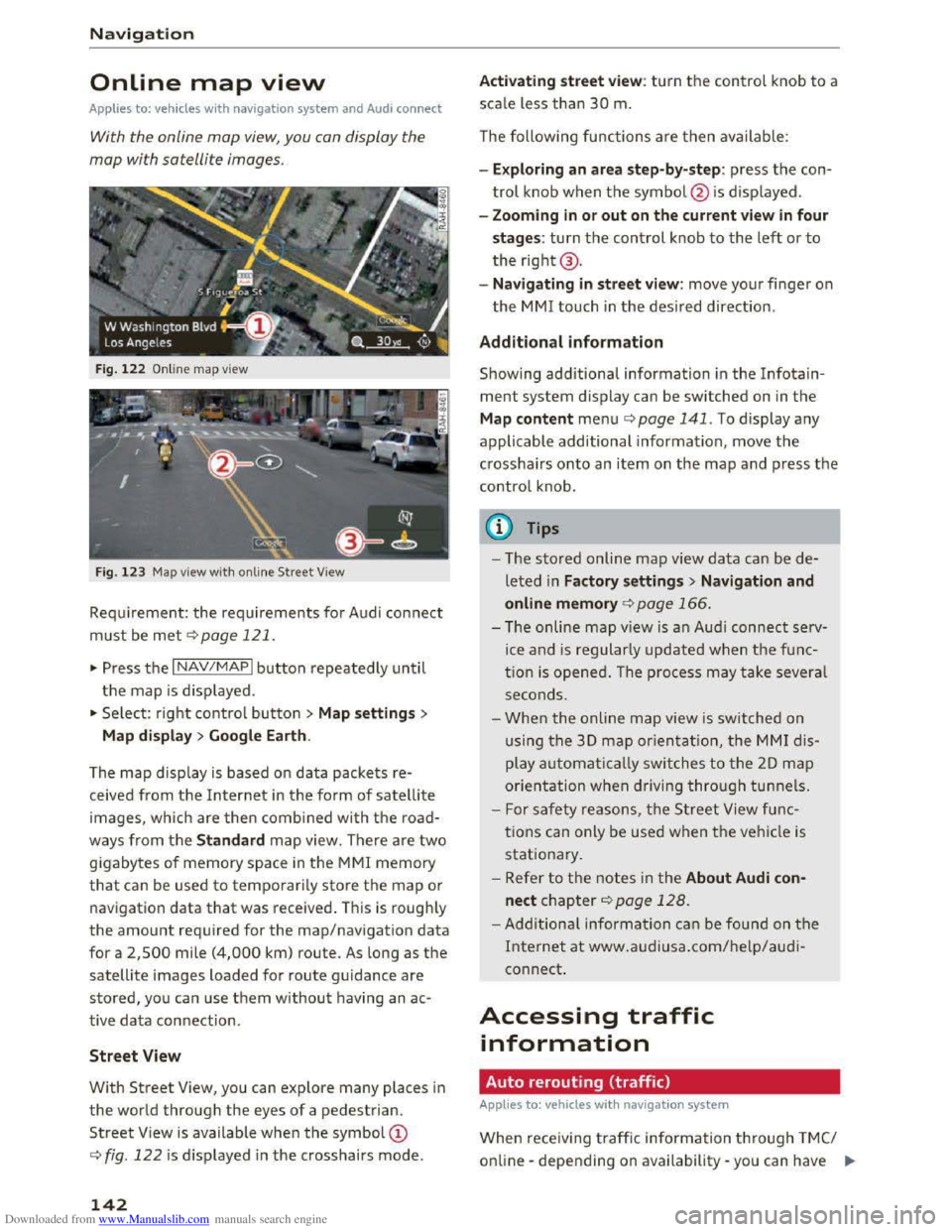
Fig. 122 Online map view
Fig.
123 Map view with on line Street View
Requirement: the requirements for Audi connect
must be met c::> page 121.
... Press the I NAV/MAPI button repeatedly until
the map is displayed .
... Select: right control button > Map settings>
Map
display> Google Earth.
The
map display is based on data packets re
ceived from the Internet in the form of satellite
images, which are then combined with the road
ways from the Standard map view. There are two
gigabytes of memory space in the MMI memory
that can be used to temporarily store the map or
navigation
data that was received . This is roughly
the amount required for the map/navigation data
for a 2,500 mile (4,000 km) route. As long as the
satellite images loaded for route guidance are
stored, you can use them without having an ac
tive data connection .
Street View
With Street View, you can explore many places in
the world through the eyes of a pedestrian.
Street View is available when the symbol©
c::> fig. 122 is displayed in the crosshairs mode.
142
Activating street view: turn the control knob to a
scale less than 30 m.
The following functions
are then available:
- Exploring
an area step-by-step: press the con
trol knob when the symbol @ is displayed .
-
Zooming in or out on the current view in four
stages: turn the control knob to the left or to
the right@.
-
Navigating in street view: move your finger on
the MM! touch in the desired direction .
Additional information
Showing additional information in the Info tain
ment system display can be switched on in the
Map content menu c::;.page 141. To display any
applicable additional information , move
the
crosshairs onto an item on the map and press the
control knob .
(D Tips
-The stored on line map view data can be de
leted in Factory settings> Navigation and
online memory c::;. page 166.
-The on line map view is an Audi connect serv
ice and is regularly updated when the func
tion is opened. The process may take several
seconds .
-
When the online map view is switched on
using
the 30 map orientation, the MMI dis
play automatically switches to the 20 map
orientation when driving through tunnels.
- For safety reasons, the Street View func
tions can only be used when the vehicle is
stationary.
-Refer to the notes in the About Audi con·
nect chapter c::> page 128.
-Additional information can be found on the
Internet at www.audiusa.com/help/audi
connect.
Accessing traffic
information
Auto rerouting (traffic)
Applies to: vehicles with navigat ion system
When receiving traffic inform ation through TMC/
online -depending on availability -you can have II>
Page 151 of 322
Downloaded from www.Manualslib.com manuals search engine ...... N
> u. CX> ...... u:>
"' ...... u:> ......
Media
Introduction
There are various media drives and connections
available in the MM!. You can play, for example,
audio/video files from the Jukebox* or connect
your mobile device to the Audi music interface*
and operate it through the MM!.
Notes
General information
Media and format restrictions: the MMI (includ
ing the SD card reader and th e USB storage de
vice
connecti on*) was tested w it h a variety of
products and media on the market. However,
there may be cases where individual devices or
media and audio/video* files may not be recog
n ized,
may play only with restrictions or may not
play at all.
Digital Rights Management: please note that
the audio/video* files are subject to copyright
protection.
The
media drives do not play files that are pro
tected by ORM and that are identified with the
symbol~.
Data security: never store important data on SD
cards, the Jukebox*, CDs/DVDs or mobile devices.
Audi
AG is not responsible for damaged or lost
files and media.
Loading times: the more files/folders/playlists
that are on a storage medium, the longer it will
take to load the audio/video files*. Audi recom
mends using storage media that only contain au
d io/video files*. To decrease the time it takes to
load audio/video files*, create subfolders (for ex
ample, for the artist or album). The loading time
will also increase when importing files.
Additional information: when playing, audio
files are automatically displayed with any addi
tional information that is stored (such as the ar
tist, track and album cover). If this information is
not available on the storage medium, the MMI
will check
the Gracenote metadata database .
Media
However, in some cases, the additional informa
tion may not be displayed.
Restricted functionality: reset the Media set
tings to the factory default settings if functional
ity is restricted r:!> page 166.
Reset the Jukebox* to the factory default set
tings if functionality is restricted~ page 166.
For information about the properties of support
ed media and file formats, refer tor:!> page 157.
CD/DVD mode
CD/DVD and format restrictions: the functionali
ty of in dividual storage media may be limited due
to the variety of blank CDs/DVDs avai lable and
t h e various
capacities. Audio CDs or video DVDs
with copy protection, CDs/DVDs that do not con
form to the standard and multisession CDs may
have limited playback or may not play at all. Audi
recommends finalizing the recording process
when creating multisession CDs. Multisession is
not supported for DVDs.
Using CDs /DVDs, the CD dri ve o r the DVD drive:
to ensure correct, high-quality playback and to
prevent damage to the drive or disc reading er
rors, always store CDs/DVDs in a protective
sleeve and do not expose them to direct sunlight.
Do not use:
-Damaged, dirty or scratched CDs/DVDs
-Single CDs/DVDs (3 inch/8 cm diameter)
-CD/DVDs that are not round
-CDs/DVDs with labels
- Protective rings
-
Cleaning CDs
Thermal protection switc h : CD/DVD playback
may be temporarily unavailable if outside tem
peratures are extremely hot or cold. A thermal
protection switch is installed to protect the CD/
DVD and the laser.
Laser
devices: laser devices are divided into safe
ty classes 1 to 4 in accordance with DIN IEC 76
(CO) 6/VDE 0837. The optical readers that are in
stalled conform to safety class 1. Lasers in this
class are very weak and well shielded, so there is
no
danger if used correctly.
149
Page 167 of 322
Downloaded from www.Manualslib.com manuals search engine Media
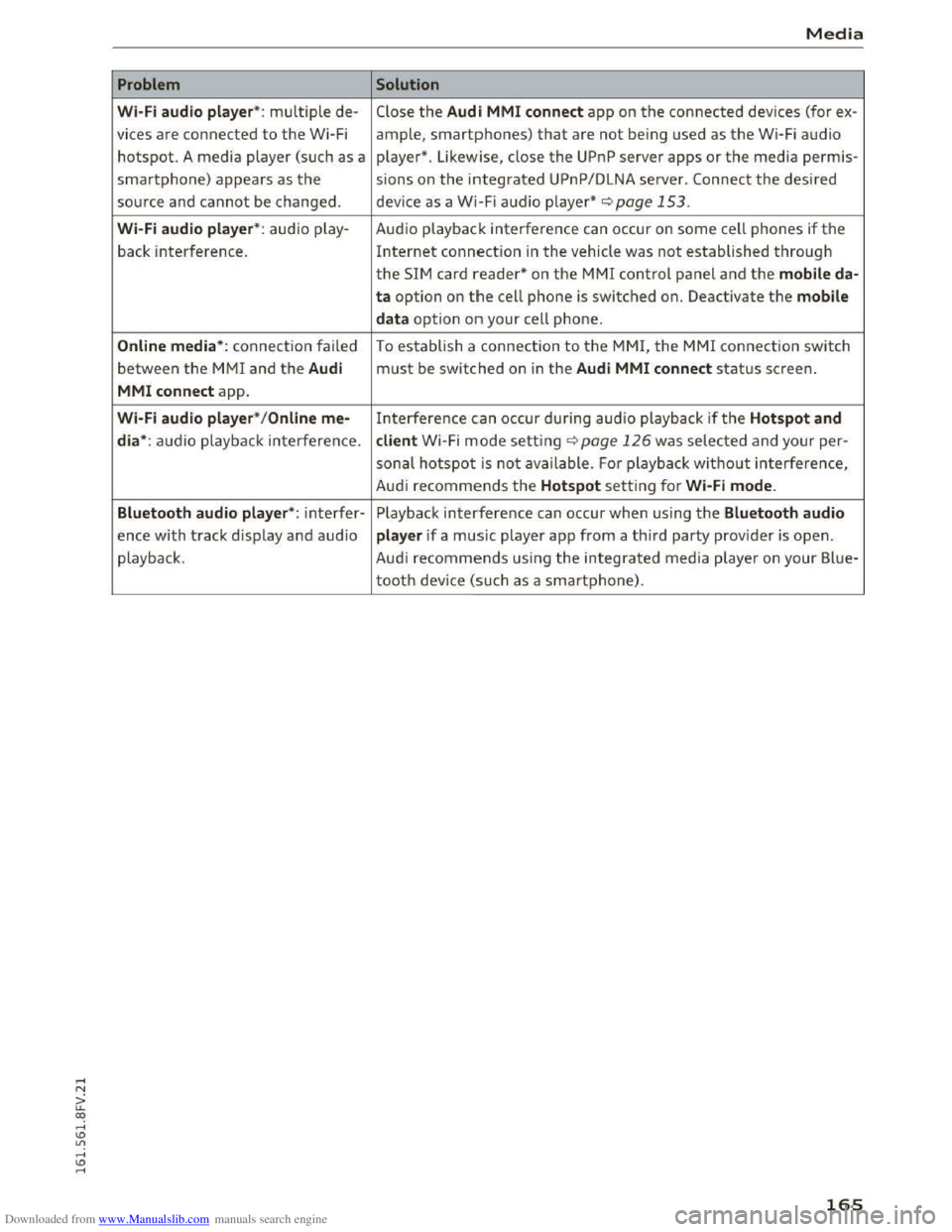
Problem Solution
Wi·Fi aud io pl aye r*: multiple de-Close the Audi MMI conn ect app on the connected devices (for ex-
vices
are connected to the Wi-Fi ample, smartphones) that are not being used as the Wi-Fi audio
hotspot. A media player (such as a player*. Likewise, close the UPnP server apps or the media perm is-
smartphone) appears as the sions on the integrated UPnP/DLNA server. Connect the desired
source and cannot be changed. device as a Wi-Fi audio player* <::;>page 153.
Wi-Fi audio play er* : audio play - Audio playback interference can occur on some cell phones if the
back interference. Internet connection in the vehicle was not established through
the SIM card reader* on the MMI control panel and the mobile da·
ta option on t h e cell phone is switched on. Deactivate the mobile
d a
ta option on your cell phone.
Online media *: connection failed To establish a connection to the MMI, the MMI connection switch
between the MMI and the Audi must be switched on in the Audi MMI c o nnect status screen.
MMI conne ct app.
Wi-Fi audio pla ye r* / Onl in e me-Interference can occur during audio playback if the Hots p ot and
di a*:
audio playback interference. client Wi -Fi mode setting c::;, page 126 was selected and your per-
sonal hotspot is not ava ilable. Fo r playbac k without interference,
Aud i
recommends the Hotspot setting for Wi·Fi mode .
Bluetooth
aud io pla yer*: interfer-Playback interference can occur when using the Blue tooth audio
ence with track d isplay and audio player if a music player app from a third party provider is open.
playback . Audi
recommends using the integrated media playe r on your Blue-
tooth device (such as a smartphone).
165
Page 169 of 322
Downloaded from www.Manualslib.com manuals search engine ...... N
> u. CX> ...... u:>
"' ...... u:> ......
-Radio
- Media s
ettings
-Jukebox*
- Directory *
-
Telephone*
-
Bluetooth and Wi·Fi *
-Nav igation settings*
-Navigation and online memory*
-
Voice recognition*
- Message
settings*
-Apps *
-
Operating tips
- Audi connect*
You can select the desired func tions individ ually
or all at once with the Select all entries optio n.
Select and confirm Restore factory settings.
{!) Tips
Make sure that not only the sett ings were de
leted
but a lso the stored data, if applicable.
Connection manager
Introduction
The connection manager gives you an overview
of your connected devices and their network sta
tus.
~ Select: IM ENU I button > Settings > left control
button> MMI settings> Connection manager.
If a mobile device was already connected, the
name of the dev ice and the connection mode will
dis pl ay under th e correspond ing menu item.
Using the telephone
-Connect new device : search for and connect a
cell phone.
' Data connection
Applies to vehicles with Audi connect
-Connect new device : search for and connect a
mobile device (such as a
smartphone).
-List of devices already connected: select your
cell
phone from the list of all the devices that
System settings
are already connected. Or: insert a mini SIM
card into
the SIM card reader Qpage 121.
MMI connect app
Applies to vehicles with Audi connect
Requirement: the Audi MMI connect app must
be installed and open on your mobile device.
-
Connect new device : search for and connect a
mobile device (such
as a smartphone).
-List of device s already connected: select your
mobi le device
from the list of all the devices
that are already connected.
Music
Applies to vehicles wit h Bluetooth or Wi-Fi au dio player
Audio player*
Requirement: the Bluetooth function and visibili
ty on the MM! Q page 168 and cell phone must
be switched on.
-
Connect new devi ce : press the control knob.
Select Bluetooth audio player . Search for and
connect a new device.
-List of devices already connected: select a
Bluetooth device
from the list of all the devices
that are already connected.
Wi·Fi audio player*
Requirement: the Wi·Fi hotspot on the MMI
Q page 126 and the Wi-Fi on your cell phone
must be switched on.
-
Connect new device : press the control kno b.
S earc h
for and connect a Wi-F i capa ble device.
- Disconnect
Wi·Fi audio player: deactivate th e
Wi-Fi on your
Wi·Fi capable device. The device
will
be automatically removed from the list.
Directory
Requirement: cell phones must not be connected
to the MM! through the Bluetooth remote SIM
access profile or through the Handsfree profile.
-
Connect new d evice : search for and connect a
new cell phone.
Or: insert a mini SIM card into
the SIM card reader Qpage 121. ..,.
167
Page 205 of 322
Downloaded from www.Manualslib.com manuals search engine system will not be impaired and that discarded
components do not cause injury or pollute the
environment.
A WARNING
Improper care, servicing and repair proce
dures can increase the risk of personal injury
and death by preventing an airbag from de
ploying when needed or deploying an airbag
unexpectedly:
- 1
-Never cover, obstruct, or change the steer
ing wheel horn pad or airbag cover or the in
strument panel or modify them in any way.
- Never
attach any objects such as cup holders
or telephone mountings to the surfaces cov
ering
the airbag units.
- For cleaning
the horn pad or instrument
panel, use only a soft, dry cloth or one mois
tened with plain water. Solvents or cleaners
could damage the airbag cover or change
the stiffness or strength of the material so
that the airbag cannot deploy and protect
properly.
- Never repair,
adjust, or change any parts of
the airbag system.
-All work on the steering wheel, instrument
panel, front seats or electrical system (in
cluding
the installation of audio equipment,
cellular telephones and CB radios, etc.)
must be performed by a qualified technician
who has the training and special equipment
necessary.
- For any work on
the airbag system, we
strongly recommend that you see your au
thorized Audi dealer or qualified workshop.
- Never modify
the front bumper or parts of
the vehicle body.
- Always
make sure that the side airbag can
inflate without interference:
- Never install
seat covers or replacement
upholstery over the front seatbacks that
have not been specifically approved by
Audi.
- Never
use additional seat cushions that
cover the areas where the side airbags in
flate.
Airbag system
-Damage to the original seat covers or to
the seam in the area of the side airbag
module must always be repaired immedi
ately by an authorized Audi dealer.
-The airbag system can deploy only once. Af
ter an airbag has been deployed, it must be
replaced with new replacement parts de
signed and approved especially for your
Audi
model version. Replacement of com
plete airbag systems or airbag components
must be performed by qualified workshops
only. Make sure that any airbag service ac
tion is
entered in your Audi Warranty &
Maintenance booklet under AIRBAG RE
PLACEMENT RECORD.
-For safety reasons in severe accidents, the
alternator and starter are separated from
the vehicle battery with a pyrotechnic circuit
interrupter.
-Work on the pyrotechnic circuit interrupt
er must only be performed by a qualified
technicians who have
the experience, in
formation and special tools necessary to
perform the work safely.
-
If the vehicle or the circuit interrupter is
scrapped, all applicable safety precautions
must be followed.
@ For the sake of the environment
Undeployed airbag modules and pretension
ers might be classified as Perchlorate Materi
al -special handling may apply, see
www.dtsc.ca.gov/hazardouswaste/perchlo
rate. When the vehicle or parts of the re
straint system including airbag modules and
safety belts with pretensioners are scrapped,
all applicable laws and regulations must be
observed. Your authorized Audi dealer is fa
miliar
with these requirements and we recom
mend that you have your dealer perform this
service for you.
Other things that can affect Advanced
Airbag performance
Changing the vehicle's suspension system can
change the way that the Advanced Airbag System
performs in a crash. For example, using tire-rim ..,.
203
Page 216 of 322
Downloaded from www.Manualslib.com manuals search engine Child safety
208 as applicable at the time your vehicle was
manufactured.
The Advanced Airbag system in your vehicle has
been certified to meet the "low-risk" require
ments for 3-and 6-year old children on the pas
senger side and small adults on the driver side.
The low risk deployment criteria are intended to
reduce the risk of injury through interaction with
the airbag that can occur, for example, by being
too close to the steering wheel and instrument
panel when the airbag inflates. In addition, the
system has been certified to comply with the
"suppression" requirements of the Safety Stand
ard, to turn off the front airbag for infants up to
12 months who are restrained on the front pas
senger seat in child restraints that are listed in
the Standard.
Even though your vehicle is equipped with an Ad
vanced Airbag
system, all children, especially
those 12 years and younger, should always ride
in the back seat properly restrained for their age
and size. The airbag on the passenger side makes
the front seat a potentially dangerous place for a
child
to ride. The front seat is not the safest place
for a child
in a forward-facing child safety seat. It
can be a very dangerous place for an infant or a
larger child in a rearward-facing seat.
The vehicle's Advanced Airbag System has a ca
pacitive
passenger detection system in the front
passenger seat cushion that can detect the pres
ence of a baby or a child in a ch ild restraint sys
tem on this seat.
The capacitiv e passenger detection system regis
ters the changes that resul t in an electrical field
when a ch ild , a child restraint, and a baby blanket
are on the front passenger seat. The change in
the measured capacitance due to the presence of
a child, a child restraint, and a baby blanket on
the front passenger seat is related to the child
restraint system resting on the seat. The meas
ured capacitance of a child restraint system var
ies
depending on the type of system and specific
make and model.
The electrical capacitance of the various types,
makes, and models of child restraints specified
by
the U.S.National Highway Traffic Safety Ad-
214
ministration (NHTSA) in the relevant safety
standard are stored in the Advanced Airbag Sys
tem control unit together with the capacitances
typical of infants and a 1-year old child. When a
child
restraint is used on the front passenger
seat with a typical 1 year-old infant, the Ad
vanced Airbag
System compares the capacitance
measured by the capacitive passenger detection
system with the data stored in the electronic con
trol unit.
Child restraints and Advanced front airbag
system
Regardless of the child restraint that you use,
make sure that it has been certified to meet Unit
ed States Federal Motor Vehicle Safety Standards
and ha s been certified by its manufacture r for
use with a n airbag. Always be sur e that the child
restraint is properly installed at one of the rear
seating positions. If in exceptional circumstances
you must use it on the front passenger seat, care
fully
read all of the information on child safety
and Advanced Airbags and heed all of the appli
cable WARNINGS. Make certain that the child
and child restraint are correctly recognized by the
capacitive passenger detection system in the
front passenger seat, that the front passenger
airbag is turned off, and that the airbag status is
always correctly si
gnaled by the PASSENGER AI R
BAG OFF light.
Many types and models of child restraints have
been available over the years, new models are in
troduced regularly incorporating new and im
proved
designs a nd older models are taken out of
production. Child restraints are not standardized .
Child
restraints of the same type typically have
different weights and sizes and different "foot
pr ints", the size and shape of the bottom of the
child restraint that sits on the seat, when they
are installed on a vehicle seat. These differences
make it virtually impossible to certify compliance
with the requirements for advanced airbags with
each
and every child restraint that has ever been
sold in the past or will be sold over the course of
the useful life of your vehicle.
For
this reason, the United States Nat ional High
way Traffic
Safety Administration has published a ..,_
Page 244 of 322
Downloaded from www.Manualslib.com manuals search engine Checking and Filling
@) For the sake of the environment
-Before changing your oil, first make sure
you know where you can properly dispose of
the used oil.
- Always
dispose of used engine oil properly.
Do not dump it on garden soil, wooded
areas, into open streams or down sewage
drains.
- Recycle
used engine oil by taking it to a used
engine oil collection facility in your area, or
contact a service station.
Coo Ling system
Coolant
The engine coolant performs two functions: it
keeps
the engine from overheating and it pro
tects the engine from freezing in the winter.
The cooling system is sealed and generally re
q uires
little attention.
The cooling
system has been filled at the factory
with a
permanent coolant which does not need to
be changed. The coolant consists of a mixture of
specially conditioned water and the manufactur
er's glycol-based coolant additive G13 antifreeze
with anticorrosion additives (50% for USA mod
els; 60% for Canadian models). This mixture
both assures the necessary frost protection and
protects metal components in the engine's cool
ing
system from corrosion and scaling. It also
raises
the boiling point of the coolant.
Do not reduce the concentrat ion of the coolant in
the summer by addi ng p la in water. The propor
tion of coolant additive must be at least 50°/o
but not more than 60°/o to maintain antifreeze
protection and cooling efficiency. If the coolant
frost protection is too low, the coolant could
freeze and damage the vehicle heating and en
gine cooling system.
For year-round driving,
antifreeze is added at the
factory for temperatures down to:
- -
31 °F ( -35 °C) USA
- -40 °F ( -40 °C) Canada.
242
If you must add coolant, use a mixture of water
and coolant additive. Mixing the coolant additive
with distilled
water is recommended.
A WARNING
~ h . Before you check anything in t e engine com-
partment, always read and heed all WARN
INGS C)page 236.
CD Note
-Before winter sets in, have the coo lant
checked to see if the coolant additive in you r
vehicle is
sufficient to meet the climate con
d itions. This is especia l
ly important if you
live
in a regio n where the winter is extre m e
ly cold . If necessary, increase the proportion
o f coo la
nt ad ditive to 60o/o.
-When add ing coolant additive to your cool
ing
system, remember:
-We recommend using only coolant addi
tive G12++
or G13 (check the label) for
your vehicle. This coolant additive is avail
able at authorized Audi dealers. Other
types of antifreeze can significantly re
duce corrosion protection. The resulting
corrosion can cause a loss of coolant and
serious engine damage.
-Do not add any type of radiator leak sealant
to your vehicle's engine coolant. Adding ra
dia to r repair fluid may adversely
affect the
func tion and performance of your cooling
system and could result in damage not cov
ered by your New Veh icle Limited W arranty .
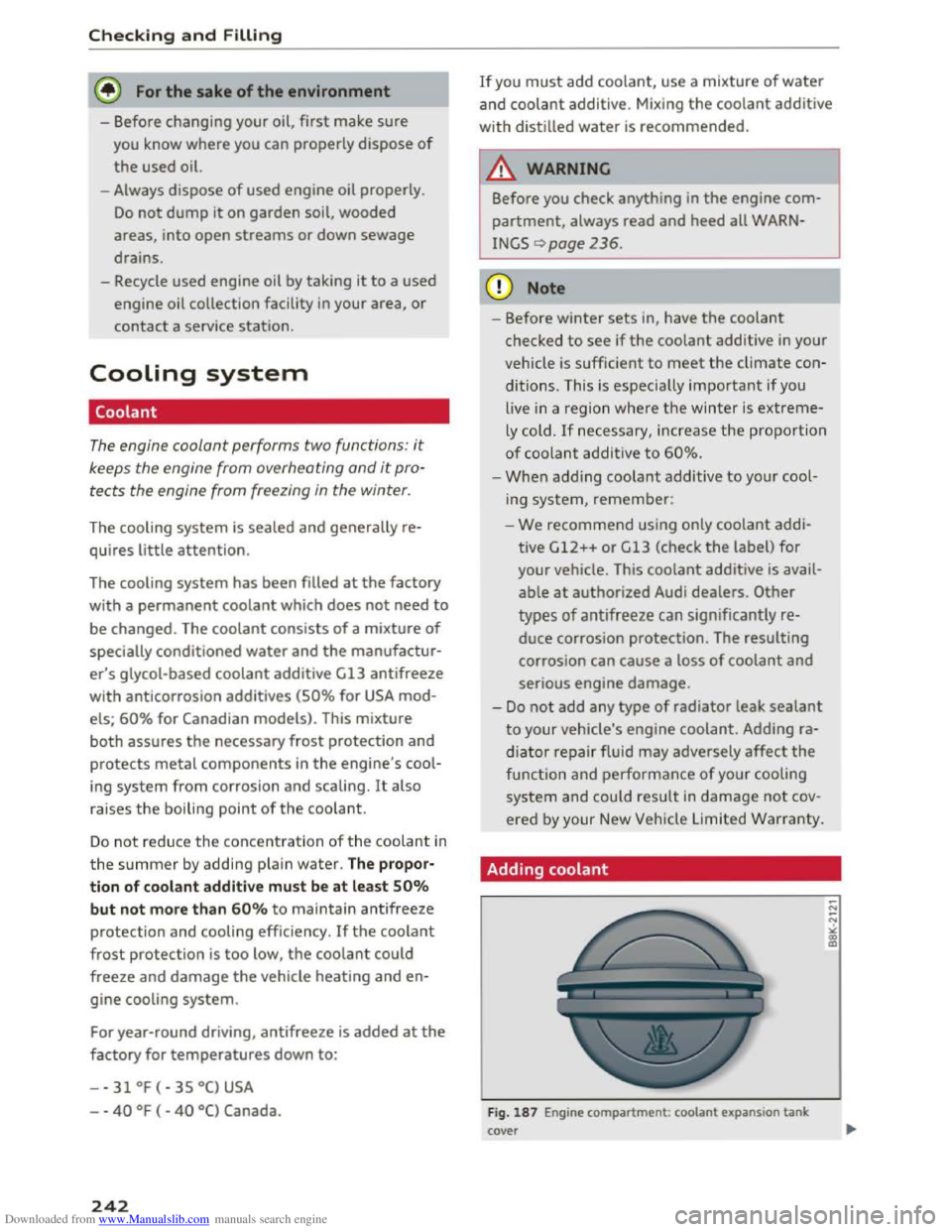
Adding coolant
Fig. 187 Engine compartment : coolant expansion tank
cover
Page 246 of 322
Downloaded from www.Manualslib.com manuals search engine Checking and Filling
-The auxiliary radiator fan switches on auto
matically when the engine coolant reaches a
certain temperature and will continue to run
until the coolant temperature drops.
Brake fluid
Checking brake fluid level
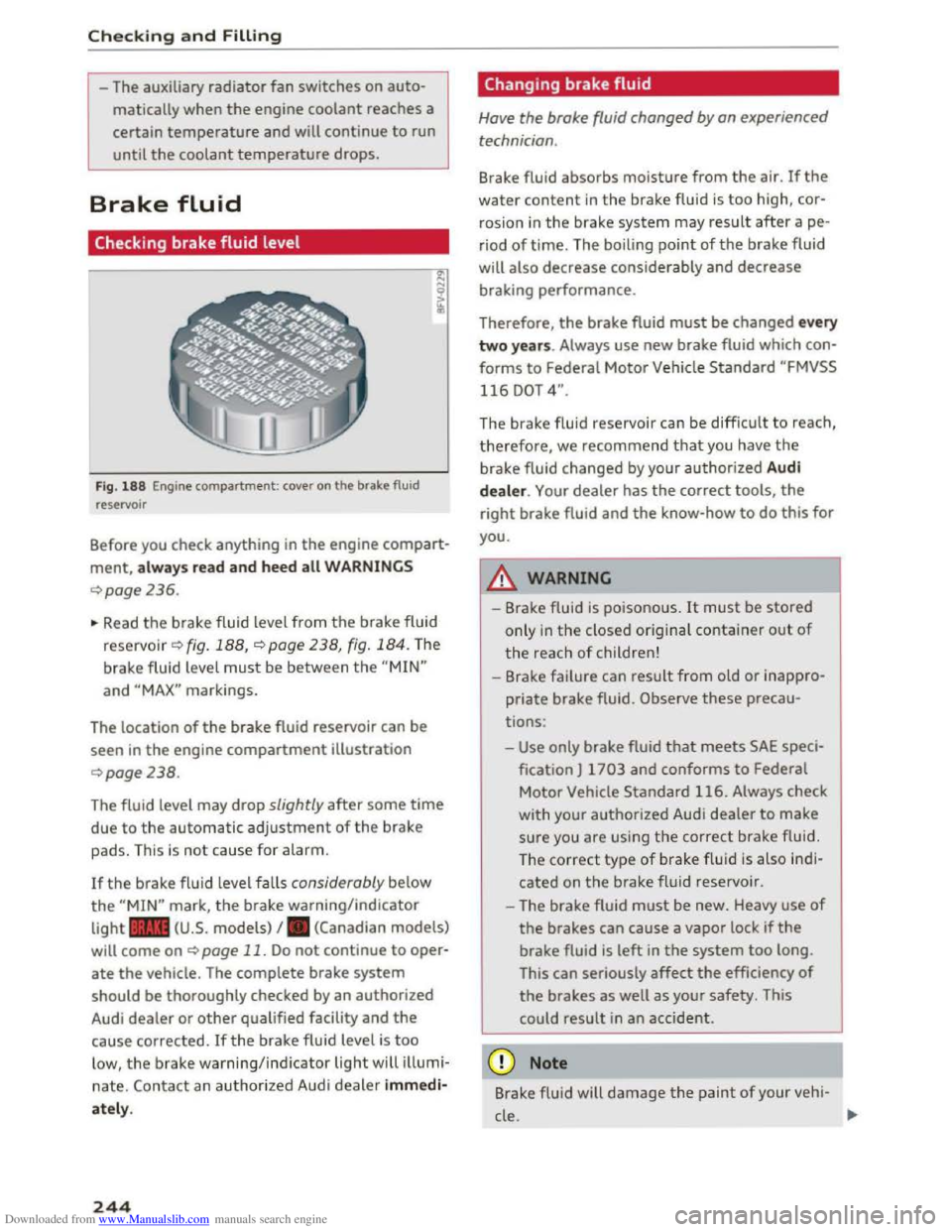
Fig. 188 Engine compartment: cover on the brake fluid
reservoir
Before you check anything in the engine compart
ment, always read and heed all WARNINGS
¢page 236.
~ Read the brake fluid level from the brake fluid
reservo ir ¢ fig. 188, ¢page 238, fig. 184. The
brake fluid level must be between the "MIN"
and "MAX" markings.
The location
of the brake fluid reservoir can be
seen in the engine compartment illustration
¢page238.
The fluid level may drop slightly after some time
due to the automatic adjustment of the brake
pads. This is not cause for alarm.
If the brake fluid level falls considerably below
the "MIN" mark, the brake warning/indicator
light .. (U.S. models) I. (Canadian models)
will come on ¢ page 11. Do not continue to oper
ate the vehicle. The complete brake system
should be thoroughly checked by an authorized
Audi dealer or other qualified facility and the
cause corrected. Ifthe brake fluid level is too
low, the brake warning/indicator light will illumi
nate. Contact an authorized Audi dealer immedi
ately.
244
Changing brake fluid
Have the brake fluid changed by an experienced
technician .
Brake fluid absorbs moisture from the air. If the
water content in the brake fluid is too high, cor
rosion in
the brake system may result after ape
riod of time. The boiling point of the brake fluid
will
also decrease considerably and decrease
braking performance.
Therefore, the brake fluid must be changed every
two years. Always use new brake fluid which con
forms to Federal Motor Vehicle Standard "FMVSS
116 DOT 4".
The brake fluid reservoir can be difficult to reach,
therefore, we recommend that you have the
brake fluid changed by your authorized Audi
dealer. Your dealer has the correct tools, the
right brake fluid and the know-how to do this for
you.
8._ WARNING
- Brake fluid is poisonous. It must be stored
only in the closed original container out of
the reach of children!
-Brake failure can result from old or inappro
priate brake fluid. Observe these precau
tions:
-Use only brake fluid that meets SAE speci
fication
J 1703 and conforms to Federal
Motor Vehicle Standard 116. Always check
with
your authorized Audi dealer to make
sure you are using the correct brake fluid.
The
correct type of brake f lui d is also ind i
cated on the brake fluid reservoir .
- The
brake fluid must be new. Heavy use of
the brakes can cause a vapor lock if the
brake fluid is left in the system too long.
This
can seriously affect the efficiency of
the brakes as well as your safety. This
could
result in an accident.
CD Note
Brake flu id will damage the paint of your veh i-
cle .
JIJ.
Page 259 of 322
Downloaded from www.Manualslib.com manuals search engine Occupant loading and distri
bution for vehicle normal load
for various designated seating
capac ities
Refer to the tire inflation pres
sure label for the number of seat
ing positions. Refer to the table
¢table on page 262 for the
number of people that corre
spond to the vehicle normal load.
New tires or wheels
Audi recommends having all work
on tires or wheels performed by
an authorized Audi dealer or au
thorized Audi Service Facility.
These facilities have the proper
knowledge and are equipped with
the required tools and replace
ment parts.
... New tires do not yet have the
optimum adhesion properties.
Drive carefully and at moderate
speeds for the first 350 miles
(500 km) with new tires.
... use tires of the same construc
tion, size (rolling circumference)
and as close to the same tread
pattern as possible on all four
wheels.
... Do not replace tires individually .
At
least replace both tires on the
same axle at the same time.
Wheel s
... Audi recommends that you use
Audi Original equipment tires. If
you would like to use different
tires, please note that the tires
may perform differently even if
they are the same size¢,&..
... If you would like to equip your
vehicle with a tire/rim combina
tion that is different from what
was installed at the factory, con
sult with an authorized Audi
dealer or authorized Audi Service
Facility
before making a pur
chase¢,&..
The spare tire* is different from
the regular tires installed on the
vehicle -for example, if winter
tires or wide tires are installed -
then only use the spare tire* tem
porarily in case of emergency and
drive carefully while it is in use. It
should be replaced with a regular
tire as soon as possible.
On all wheel drive vehicles, all
four wheels must be equipped
with tires that are the same brand
and have the same construction
and tread pattern so that the
drive system is not damaged by
different tire speeds. For this rea
son, in case of emergency, only
use a spare tire* that is the same ..
257