ignition AUDI TT COUPE 2019 Service Manual
[x] Cancel search | Manufacturer: AUDI, Model Year: 2019, Model line: TT COUPE, Model: AUDI TT COUPE 2019Pages: 312, PDF Size: 83.95 MB
Page 104 of 312
Voicerecognitionsystem
Voicerecognitionsystem
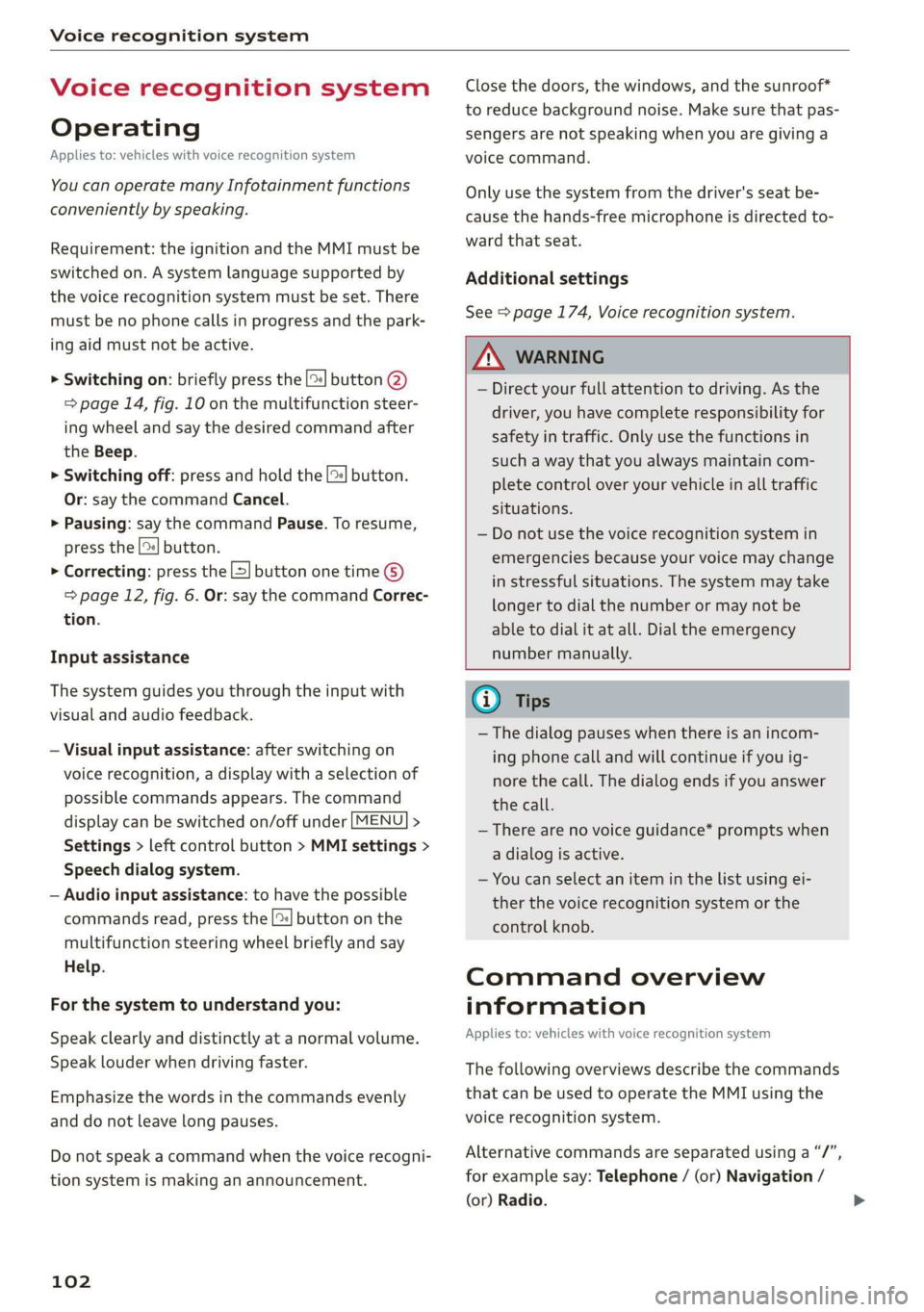
Operating
Appliesto:vehicleswithvoicerecognitionsystem
YoucanoperatemanyInfotainmentfunctions
convenientlybyspeaking.
Requirement:theignitionandtheMMImustbe
switched
on.Asystemlanguagesupportedby
thevoicerecognitionsystemmustbeset.There
mustbenophonecallsinprogressandthepark-
ingaidmustnotbeactive.
>Switchingon:brieflypressthe[2]button@)
=>page14,fig.10onthemultifunctionsteer-
ing
wheelandsaythedesiredcommandafter
theBeep.
>Switchingoff:pressandholdthe|™]button.
Or:saythecommandCancel.
>Pausing:saythecommandPause.Toresume,
pressthe|]button.
>Correcting:pressthe[>]buttononetime©
=>page12,fig.6.Or:saythecommandCorrec-
tion.
Inputassistance
Thesystemguidesyouthroughtheinputwith
visualandaudiofeedback.
—Visualinputassistance:afterswitchingon
voicerecognition,adisplaywithaselectionof
possiblecommandsappears.Thecommand
displaycanbe switchedon/offunder[MENU]>
Settings>leftcontrolbutton>MMIsettings>
Speechdialogsystem.
—Audioinputassistance: tohavethepossible
commandsread,pressthe[2]buttononthe
multifunctionsteeringwheelbrieflyandsay
Help.
Forthesystemtounderstandyou:
Speakclearlyanddistinctly atanormalvolume.
Speaklouderwhendrivingfaster.
Emphasizethewordsinthecommandsevenly
anddonotleavelongpauses.
Donotspeakacommandwhenthevoicerecogni-
tionsystemismakinganannouncement.
102
Closethedoors,thewindows,andthesunroof*
toreducebackgroundnoise.Makesurethatpas-
sengersarenot speakingwhenyouaregivinga
voicecommand.
Onlyusethesystemfromthedriver'sseatbe-
causethehands-freemicrophoneisdirectedto-
wardthatseat.
Additionalsettings
See>page174,Voicerecognitionsystem.
ZAWARNING
—Directyourfullattentiontodriving.Asthe
driver,youhavecompleteresponsibilityfor
safetyintraffic.Onlyuse thefunctionsin
suchawaythatyoualwaysmaintaincom-
pletecontroloveryourvehicleinalltraffic
situations.
—Donotuse thevoicerecognitionsystemin
emergenciesbecauseyourvoicemaychange
instressfulsituations.Thesystemmaytake
longertodialthenumberormaynotbe
abletodialitatall.Dialtheemergency
numbermanually.
G)Tips
— Thedialogpauseswhenthereisanincom-
ingphonecallandwillcontinueifyouig-
norethecall.Thedialogendsifyouanswer
thecall.
—Therearenovoiceguidance*promptswhen
adialogisactive.
—Youcanselectan iteminthelistusingei-
therthevoicerecognitionsystemorthe
controlknob.
Commandoverview
information
Appliesto:vehicleswithvoicerecognitionsystem
Thefollowingoverviewsdescribethecommands
thatcan beusedtooperatetheMMIusingthe
voicerecognitionsystem.
Alternativecommandsareseparatedusinga“/”,
forexamplesay:Telephone/(or)Navigation/
(or)Radio.
Page 109 of 312
8S1012721BA
Voicerecognitionsystem
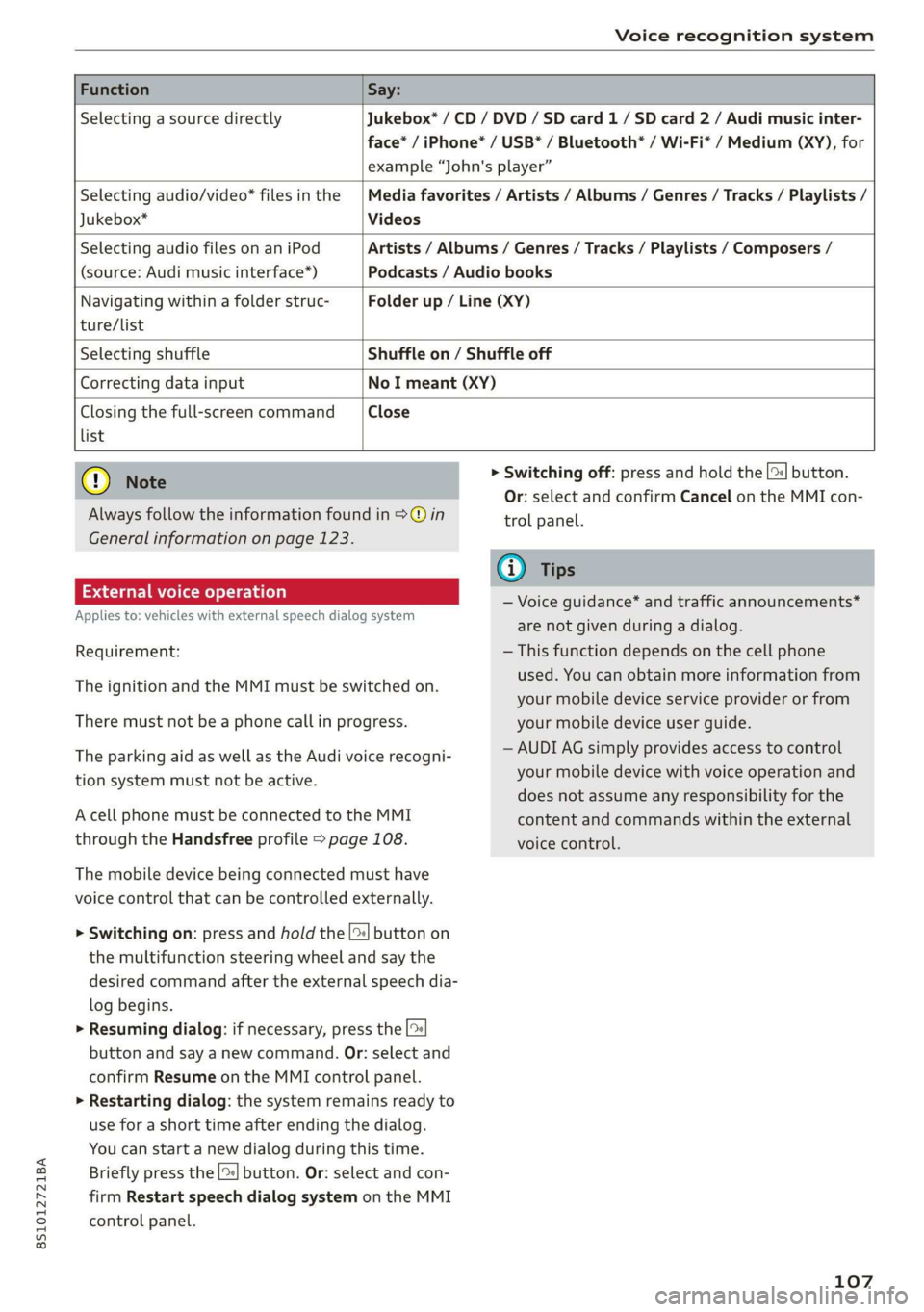
FunctionSay:
SelectingasourcedirectlyJukebox*/CD/DVD/SDcard1/ SDcard2/Audimusicinter-
face*/iPhone*/USB*/Bluetooth®/Wi-Fi*/Medium(XY),for
example“John'splayer”
Selectingaudio/video*filesinthe
Jukebox*
Mediafavorites/Artists/Albums/Genres/Tracks/Playlists/
Videos
SelectingaudiofilesonaniPod
(source:Audimusicinterface*)
Artists/Albums/Genres/Tracks/Playlists/Composers/
Podcasts/Audiobooks
Navigatingwithinafolderstruc-Folderup/Line(XY)
ture/list
SelectingshuffleShuffleon/Shuffleoff
CorrectingdatainputNoImeant(XY)
Closingthefull-screencommandClose
list
()Note
Alwaysfollowtheinformationfoundin>@in
Generalinformationonpage123.
Externalvoiceoperation
Appliesto:vehicleswithexternalspeechdialogsystem
Requirement:
TheignitionandtheMMImustbeswitchedon.
Theremustnot beaphonecallinprogress.
TheparkingaidaswellastheAudivoicerecogni-
tionsystemmustnotbeactive.
AcellphonemustbeconnectedtotheMMI
throughtheHandsfreeprofile>page108.
Themobiledevicebeingconnectedmusthave
voicecontrolthatcanbecontrolledexternally.
>Switchingon:pressandholdthe[>|buttonon
themultifunctionsteeringwheelandsaythe
desiredcommandaftertheexternalspeechdia-
logbegins.
>Resumingdialog:ifnecessary,pressthe|%
buttonandsayanewcommand.Or:selectand
confirmResumeontheMMIcontrolpanel.
>Restartingdialog:thesystemremainsreadyto
useforashorttimeafterendingthedialog.
Youcanstartanewdialogduringthistime.
Brieflypressthe[2]button.Or:selectandcon-
firm
RestartspeechdialogsystemontheMMI
controlpanel.
>Switchingoff:pressandholdthe|%]button.
Or:selectandconfirmCancelontheMMIcon-
trolpanel.
G)Tips
—Voiceguidance*andtrafficannouncements*
arenotgivenduringadialog.
—Thisfunctiondependsonthecellphone
used.Youcanobtainmoreinformationfrom
yourmobiledeviceserviceproviderorfrom
yourmobiledeviceuserguide.
—AUDIAGsimplyprovidesaccesstocontrol
yourmobiledevicewithvoiceoperationand
doesnotassumeanyresponsibilityforthe
contentandcommandswithintheexternal
voicecontrol.
107
Page 110 of 312
Telephone
Telephone
Introduction
Appliesto:vehicleswithtelephone
Tomakephonecallsinyourvehicleusingthe
MMI,connectyourcellphonetotheMMIvia
Bluetooth.
Handsfree
Afteryouhaveconnectedyourmobiledevice to
theMMIviaBluetooth,youcan use thehandsfree
systemandoperatetelephonefunctionsthrough
yourMMI.Youcanmakecallsusingtheantenna
onyourmobiledevice.
Z\WARNING
—Medicalexpertswarnthatmobiledevices
caninterferewiththefunctionofpacemak-
ers.Alwaysmaintainaminimumdistanceof
about8inches(20cm)betweenthecell
phoneantennaandthepacemaker.
—Donotcarrythemobiledeviceinapocket
directlyoverthepacemakerwhenthe
phoneisswitchedon.
—Switchthemobiledeviceoffimmediately
ifyoususpectitmaybeinterferingwith
thepacemaker.
—Donotusethevoicerecognitionsystem*
=page102inemergenciesbecauseyour
voicemaychangeinstressfulsituations.The
systemmaytakelongertodialthenumber
ormaynotbeabletodialitatall.Dialthe
emergencynumbermanually.
—Switchyourmobiledeviceoffinareaswhere
thereisariskofanexplosion.Theseloca-
tionsarenotalwaysclearlymarked.This
mayincludegasstations,fuelandchemical
storagefacilities ortransportvehicles,orlo-
cationswherefuelvapors(suchaspropane
orgasolinevaporinvehiclesorbuildings),
chemicalsorlargequantitiesofdustparti-
cles(suchasflour,sawdustormetal)may
bepresentintheair.Thisalsoappliestoall
otherlocationswhereyouwouldnormally
turnyourvehicleengineoff.
— Thedemandsoftrafficrequireyourfullat-
tention.Alwaysreadthechapter>page90,
Trafficsafety information.
108
@)Note
Alwaysfollowtheinformationfoundin>@in
Generalinformationonpage123.
@Tips
—TolearnwhichBluetoothconnectionsand
whichofthefunctionsinyourmobiledevice
aresupported,checkwithyourmobilede-
viceserviceproviderorthedatabaseformo-
biledevicesatwww.audiusa.com/
bluetooth.
— TheBluetooth connectionrangeislimited
toinsidethevehicle.Itcanalsobeaffected
bylocalconditionsandinterferencewith
otherdevices.
Setup
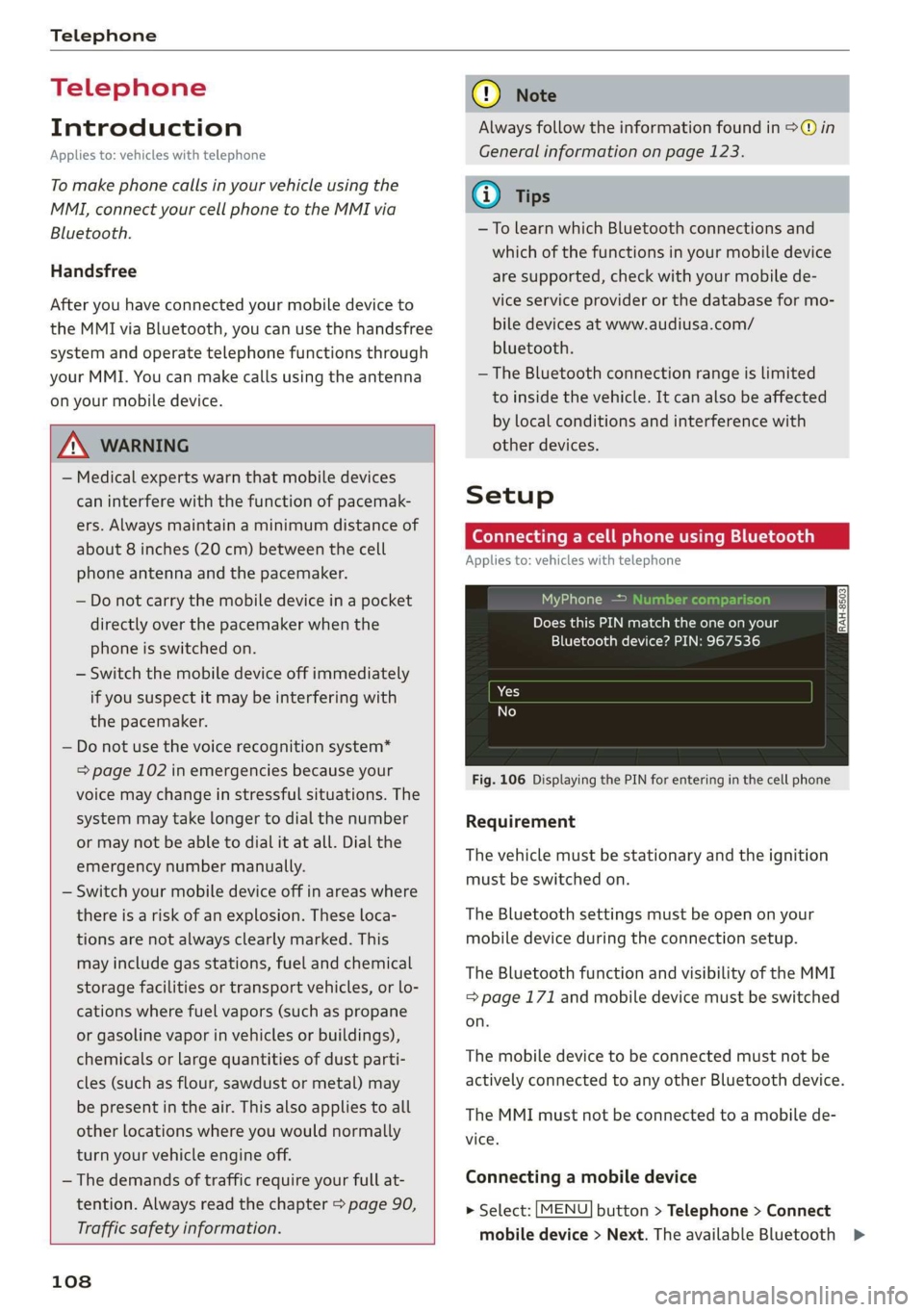
ConnectingacellphoneusingBluetooth
Appliesto:vehicleswithtelephone
MyPhone
DoesthisPINmatchtheoneon your
Bluetoothdevice?PIN:967536
Fig.106DisplayingthePINforenteringinthecellphone
Requirement
Thevehiclemustbestationaryandtheignition
mustbe switchedon.
TheBluetoothsettingsmustbeopenonyour
mobiledeviceduringtheconnectionsetup.
TheBluetoothfunctionandvisibilityoftheMMI
=page171andmobiledevicemustbeswitched
on.
Themobiledevicetobeconnectedmustnotbe
activelyconnectedtoanyotherBluetoothdevice.
TheMMImustnotbeconnectedtoamobilede-
vice.
Connectingamobiledevice
>Select:[MENU]button>Telephone>Connect
mobiledevice>Next.TheavailableBluetooth>
Page 111 of 312
8S1012721BA
Telephone
devicesareshownintheInfotainmentsystem
display.Or:searchfortheMMIinyourcell
phonethroughtheBluetoothdevicesearch.
>Selectandconfirmthedesiredcellphonefrom
thelistofdisplayedBluetoothdevices.
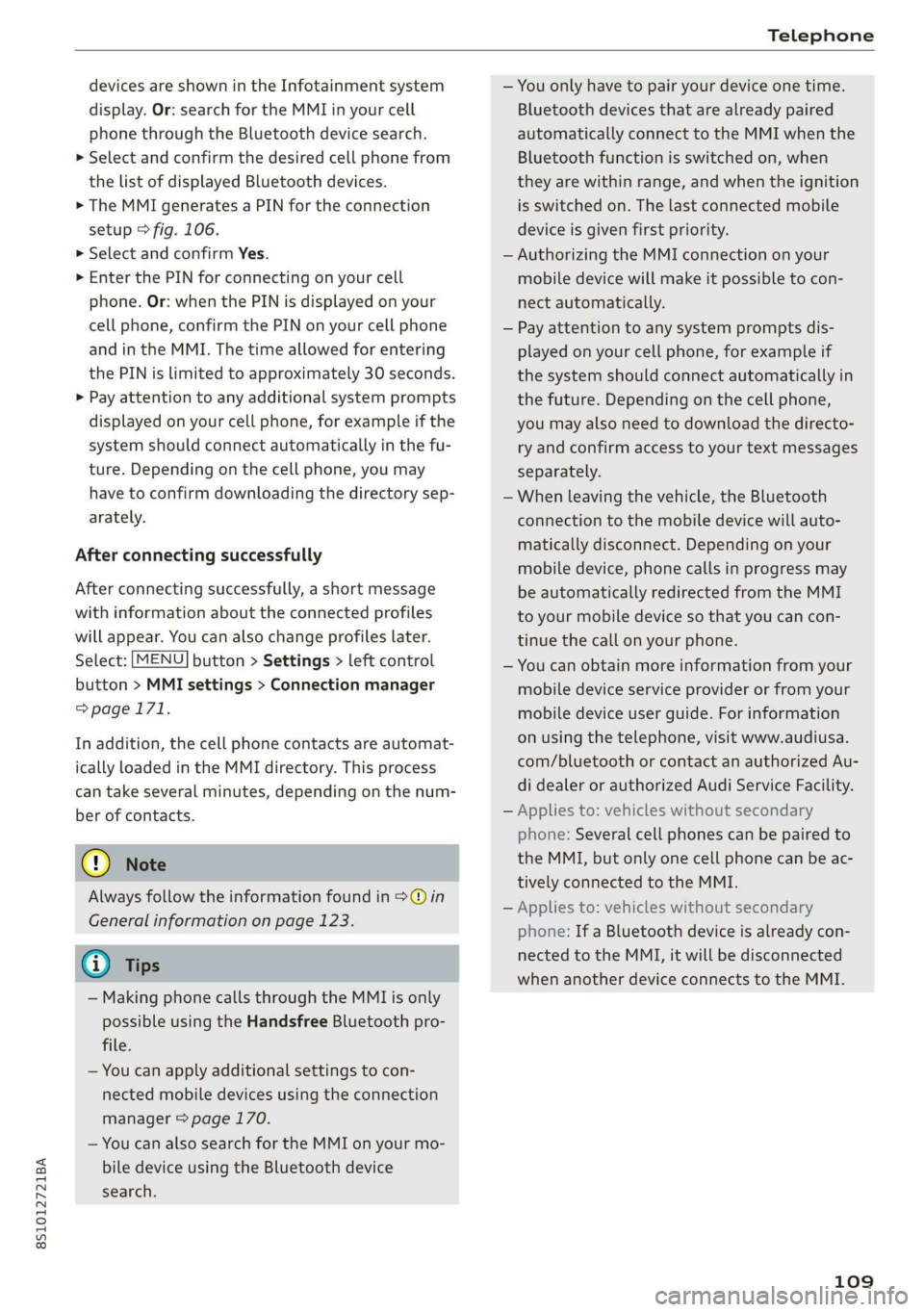
>TheMMIgeneratesaPINforthe connection
setup>fig.106.
>SelectandconfirmYes.
>»EnterthePINforconnectingonyourcell
phone.Or:whenthePINisdisplayedonyour
cellphone,confirmthePINonyourcellphone
andintheMMI.Thetimeallowedforentering
thePINislimitedtoapproximately30seconds.
>Payattentiontoanyadditionalsystemprompts
displayedonyourcellphone,forexampleifthe
systemshouldconnectautomaticallyinthefu-
ture.
Dependingonthecellphone,youmay
havetoconfirmdownloadingthedirectorysep-
arately.
Afterconnectingsuccessfully
Afterconnectingsuccessfully,ashortmessage
withinformationabouttheconnectedprofiles
willappear.Youcanalsochangeprofileslater.
Select:[MENU]button>Settings> leftcontrol
button>MMIsettings>Connectionmanager
=>page171.
Inaddition,thecellphonecontactsareautomat-
icallyloadedintheMMIdirectory.Thisprocess
cantakeseveralminutes,dependingonthenum-
berofcontacts.
@)Note
Alwaysfollowtheinformationfoundin>@in
Generalinformationonpage123.
@)Tips
— MakingphonecallsthroughtheMMIisonly
possibleusingtheHandsfreeBluetoothpro-
file.
—Youcan applyadditionalsettings tocon-
nectedmobiledevicesusingthe connection
manager©page170.
—YoucanalsosearchfortheMMIonyourmo-
biledeviceusingtheBluetoothdevice
search.
—Youonlyhavetopairyourdeviceonetime.
Bluetoothdevicesthatarealreadypaired
automaticallyconnecttotheMMIwhenthe
Bluetoothfunctionisswitchedon,when
theyarewithinrange,andwhentheignition
isswitchedon.Thelastconnectedmobile
deviceisgivenfirstpriority.
—AuthorizingtheMMIconnectiononyour
mobiledevicewillmakeitpossibletocon-
nectautomatically.
—Payattentiontoanysystempromptsdis-
playedonyourcellphone,forexampleif
thesystemshouldconnectautomaticallyin
thefuture.Dependingonthecellphone,
youmayalsoneedtodownloadthedirecto-
ryandconfirmaccesstoyourtextmessages
separately.
—Whenleavingthevehicle,theBluetooth
connectiontothemobiledevicewillauto-
maticallydisconnect.Depending onyour
mobiledevice,phonecallsinprogressmay
beautomaticallyredirectedfromtheMMI
toyourmobiledevice sothatyoucancon-
tinuethecallonyourphone.
—Youcanobtainmoreinformationfromyour
mobiledeviceserviceproviderorfromyour
mobiledeviceuserguide. Forinformation
onusingthetelephone,visitwww.audiusa.
com/bluetoothorcontactanauthorizedAu-
didealerorauthorizedAudiServiceFacility.
—Appliesto:vehicleswithoutsecondary
phone:Severalcellphonescanbepairedto
the MMI,butonlyonecellphonecanbeac-
tivelyconnectedtotheMMI.
—Appliesto:vehicleswithoutsecondary
phone:IfaBluetoothdeviceisalreadycon-
nectedtotheMMI,itwillbe disconnected
whenanotherdeviceconnectstotheMMI.
109
Page 112 of 312

Telephone
Operatingtwomobiledevicesthroughthe
Ii
YoucanconnecttwocellphonestotheMMI,for
exampleyourbusinesscellphoneastheprimary
phoneandyourprivatecellphoneasthesecon-
dary phone.You canbereachedinyourvehicle
throughbothcellphones.
Thefirstconnectedcellphoneisdisplayedasthe
primaryphoneintheMMI.Thesecondcellphone
isconnectedasthesecondaryphone.
Thedirectoryfromtheconnectedprimaryphone
willalwaysbedisplayed.Ifyouwouldliketouse
thedirectoryfromthesecondary phone, you
mustswitchtheprimaryandsecondaryphone
=>page110.
Connectingacellphoneastheprimary
phone
ConnectyourcellphonetotheMMIviaBlue-
tooth.Thefirstconnectedcellphoneisdisplayed
asthePrimaryphoneintheMMI.
See>page108,Connectingacellphoneusing
Bluetooth.
Connectingacellphoneasthesecondary
phone
Requirement:acellphonemustbeconnectedto
theMMIastheprimaryphone.
Select:[MENU]button>Telephone>rightcon-
trolbutton>Connectsecondarytelephone.
See>page108,Connectingacellphoneusing
Bluetooth.
Example:youhaveconnectedyourbusinesscell
phonetotheMMIastheprimaryphoneandyour
privatecellphoneasthesecondaryphone.To be
abletocallcontactsfromyourprivatecellphone
directory,youmustswitchtheprimaryandsec-
ondaryphone,sincethedirectoryfromthepri-
maryphoneisalwaysdisplayed.
Switchingtheprimaryandsecondaryphone
Requirement:aprimaryphoneandasecondary
phonemustbeconnected.
110
Switchprimaryandsecond.phone:select:
MENU}button>Telephone>rightcontrolbut-
ton>Switchprimaryandsecond.phone.
G)Tips
—Pleasenotethatonlythedirectoryfromthe
primaryphoneisalwaysdisplayed.
—Toviewifyourcellphoneisconnectedas
theprimaryorsecondaryphone,gotothe
Connectionmanager>page170.Or:the
devicenameoftheconnectedprimary
phoneisshownintheTelephonemenu
(suchasmyPhone).
—Iftheprimaryphonedoesnotconnectauto-
maticallytotheMMIwhentheignitionis
switchedon, forexamplebecauseitisout
ofthevehiclerangeortheBluetoothfunc-
tionisswitchedoff,thenapreviously paired
secondaryphoneisautomaticallyconnected
astheprimaryphone.
—Youcansendandreceivemessagesonyour
primaryphoneaswellasonyoursecondary
phone>page112,fig. 108.You donot
needtoswitchyourprimaryphoneandsec-
ondaryphoneforthis.
—Youcanalsomakeyourconnectedcell
phonethedefaultphonebyselectingSetas
defaulttelephoneintheConnectionman-
ager>page171.
Page 114 of 312
Telephone
@)Note
ApplicabletoCanada
InCanada,operationofaZoneEnhancer,
suchasan AudiPhoneBox,issubjecttothe
followingrequirementsoftheInnovation,
ScienceandEconomicDevelopmentCanada
(ISED):
—ThisisaCONSUMERdevice.
—BEFOREUSE,youMUSTmeetallrequire-
mentssetoutinCPC-2-1-05.
—YouMUSToperatethisdevicewithapproved
antennas
andcablesasspecifiedbythe
manufacturer.AntennasMUSTNOTbein-
stalledwithin20cmofanyperson.
—YouMUSTceaseoperatingthisdeviceim-
mediatelyifrequestedbyISEDoralicensed
wirelessserviceprovider.
—WARNING:£911locationinformationmay
notbeprovidedormaybeinaccuratefor
callsservedbyusingthisdevice.
G)Tips
— TheAudiphoneboxisnotavailableinall
countries.Foradditionalinformation,con-
tactanauthorizedAudidealership.
—Placingthemobiledeviceinabagorprotec-
tivesleeveinsidetheAudiphoneboxcanin-
terferewiththeconnectiontotheexternal
antenna.
—MetalobjectscannotbelocatedintheAudi
phoneboxwhenusingtheexteriorantenna*
andtheAudiphoneboxchargingfunction.
— Thechargingtimeandtemperaturewillvary
dependingonthemobiledevicebeingused.
—Whentheignitionisswitchedon,youcan
chargeyourmobiledeviceinthe Audiphone
box.
—Toreducetheriskofmalfunctions,make
surethemobiledeviceispositionedcorrect-
lyintheAudiphonebox.
— Themaximumchargingoutputis5watts.
—Strongtransmissionqualitycannotbeguar-
anteedifmorethanonemobiledeviceisin
thebox.
—AudirecommendsusingAudiGenuineAc-
cessories.Audihasverifiedtheirreliability,
safety,andsuitability.
112
—YoucanpurchaseaUSBadapterfromanau-
thorizedAudidealerorauthorizedAudi
ServiceFacility,oratspecialtystores.
—Ifyouplaceyourremotecontrolkeytogeth-
erwithyourmobiledeviceintheAudiphone
box,itmaycauseyourmobiledevicetostop
chargingifwirelesschargingisactive.
Usingthetelephone
Openingthetelephone
Appliesto:vehicleswithtelephone
Calllist
(2Sa
©—Directory
@=4)EyerLlane
(=)eamessage(mobiledevice)
(Sy
Fig.108Example:telephonefunctionsinselectionmenu
Hfemalg
i]Textmessage(myPhone)
i]Textmessage(Additionalphone)
@Q—=E-mail(myPhone)
Fig.109Example:additionaltelephonefunctionsinselec-
tionmenu
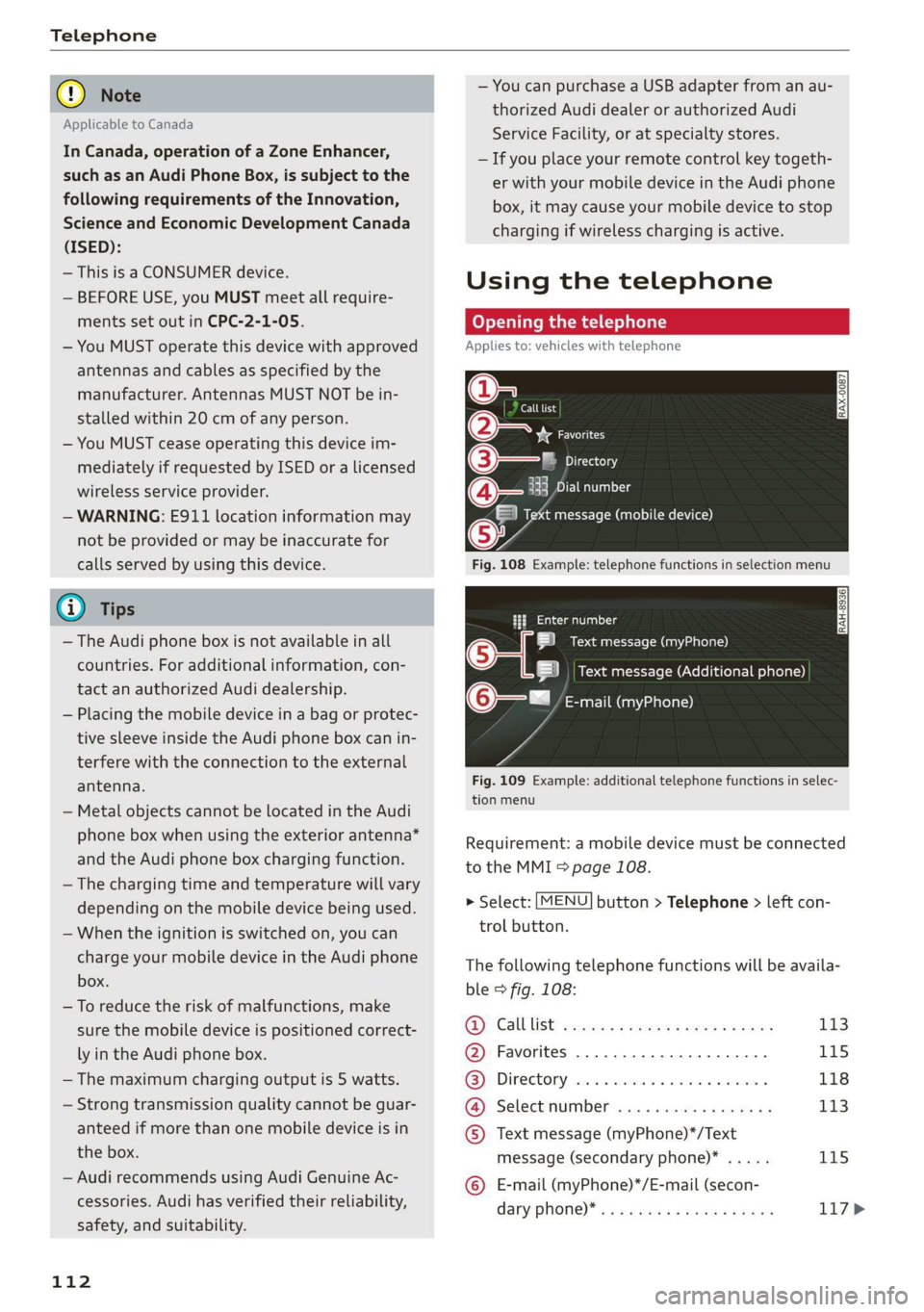
Requirement:amobiledevicemustbeconnected
totheMMI5page108.
>Select:[MENU]button>Telephone>leftcon-
trolbutton.
Thefollowingtelephonefunctionswillbeavaila-
ble>fig.108:
@Calllist:ssoysseeee4peesteeee113
@Favorites..............0.2..04115
@®Directory.......0...eeeeae118
@).Selectinumberiss
message(secondaryphone)*.....115
©E-mail(myPhone)*/E-mail(secon-
daryPhone)* ws«eaensswasnseeee117>
Page 126 of 312
Audiconnect
Audiconnect
Infotainment
Appliesto:vehicleswithAudiconnectInfotainment
WithAudiconnectInfotainmentservices,online
informationistransmitteddirectlytothevehicle.
AnInternetconnectionisrequiredtouseAudi
connectInfotainment.Dependingonthecountry
andthevehicleequipment,thefollowingoptions
maybeavailable:
—SIMcardreader
—PersonalWi-Fihotspot
Z\WARNING
Alwaysfollowtheinformationfoundin>AV
inGeneralinformationonpage123.
C)Note
Alwaysfollowtheinformationfoundin>@in
Generalinformationonpage123.
oy1eeetele
Appliesto:vehicleswithAudiconnectInfotainmentanda
SIMcardreader
Alldataconnectionswillbemadethroughthe
SIMcardinthecardreader,ifaSIMcardisinsert-
ed>@)inGeneralinformationonpage123.
Requirement:thevehiclemustbestationaryand
theignitionmustbe switchedon.Adataconnec-
tionmustbeconfiguredforAudiconnectInfo-
tainmentservices.YourpersonalSIMcardmust
beaminiSIMcard>@)andhaveadataoption.
InsertingaSIMcard
TheSIMcardreaderislocatedintheglovecom-
partment.
>TheangledcorneroftheSIMcardmustfaceto-
ward
the leftfrontsidewhenbeinginserted.
>SlidetheSIMcardintotheSIMcardreaderslot
untilyoufeeltheSIMcardclickintoplace.
> SelectandconfirmEnterPINontheMMI.En-
terthePINforyourSIMcard.
> SelectandconfirmOK.
124
>ToconnecttotheInternetautomaticallyinthe
future,selectandconfirmYes;seealso
>page127.
Afterconnectingsuccessfully,thesignalstrength
@andconnectiontype@)willbedisplayedin
theMMIstatusbar>page99,fig.104.
RemovingtheSIMcard
>PressontheSIMcardbriefly.
@)Note
—Alwaysfollowtheinformationfoundin>®
inGeneralinformationonpage123.
—ToreducetheriskofdamagingtheSIMcard
reader,onlyuseminiSIMcards(25mmx
15mm).Contactyourcellphoneservice
providerformoreinformationonminiSIM
cards.
—IfaSIMcardofadifferentsizeisinsertedin
theSIMcardreader,donotunderany cir-
cumstancesremovethiscardyourselfdue
totheriskofdamagingtheSIMcardreader.
ContactanauthorizedAudidealeror au-
thorizedAudiServiceFacility.
—ThereisariskofdamagingtheSIMcard
readerifyouuseaSIMcardadapter,be-
causevibrationscancausetheSIMcardto
falloutoftheadapterwhiledriving.
G)Tips
—AdditionalInternetconnectionsettingscan
befoundunder>page127.
—DonotremovetheSIMcardfromtheSIM
cardreaderwhenusingthe AudiconnectIn-
fotainmentservices.
UsingpersonalWi-Fihotspot
Appliesto:vehicleswithAudiconnectInfotainmentanda
personalWi-Fihotspot
Dependingonthecountryandthevehicleequip-
ment,theMMIcanusetheestablishedInternet
connectiononyourmobiledevicethroughaWi-Fi
connection.
Requirement:thevehiclemustbestationaryand
theignitionmustbe switchedon.Yourmobile
deviceandyourcellphoneserviceprovidermust>
Page 129 of 312
8S1012721BA
Audiconnect
Dependingontheequipmentandthecountry,
thefollowingoptionsmaybeavailableinthe
overviewofAudiconnectInfotainmentservices:
AboutAudiconnect
Hereyouwillfindlegalinformationregarding
AudiconnectInfotainmentusage.
Login
See>page125.
Connectionmanager
See>page170.
Licensesubscription
Thevalidityandexpirationdateofyourlicenses
aredisplayed.
Refresh
ThecontentoftheselectedAudiconnectInfo-
tainmentserviceortheentireAudiconnectInfo-
tainmentlistisupdated.
Dataprivacy
Requirement:theignitionmustbe switchedon.
Location,vehicle,andpersonal dataaretransmit-
tedwhenusingAudiconnectservices.
Allowingsendingofdata
—SelectandconfirmActivatedataconnection.
ThedatamodulefortheuseofallAudiconnect
serviceswillbeactive.
Restrictingsendingofdata
—SelectandconfirmActivateprivacy.Thedata
connectionislimitedordeactivateddepending
ontheequipment.ThemajorityofAudiconnect
serviceswillnotbeavailable.
Thefollowinginterfacesarenotaffectedbythis
setting:Bluetooth,BluetoothLowEnergy(BLE),
Wi-Ficonnection,Audi smartphoneinterface
(ASI),NearFieldCommunication(NFC),charging
communication(e-tron),ElectronicTollCollect
(ETC),ifequipped.
@®Note
Alwaysfollowtheinformationfoundin9@in
Generalinformationonpage123.
@Tips
Ifthetransmissionofdataislimited,data
willstillbe transmittedtoverifysubscrip-
tions.
Settings
Ce)atelatmarian(ola4
>Select:[MENU]button>Audiconnect>right
controlbutton>Connectionmanager.
>Select:rightcontrolbutton>Onlinesettings>
Dataconnectionsettings.
Depending onthecountry,vehicleequipment,
andconnectiontype,thefollowingfunctionsmay
beavailable:
Dataconnectionsettings
UsingtheDataconnectionsettingsmenu,you
cansetwhenthesystemshouldconnecttothe
Internet.TheInternetconnectiondisconnects
automaticallyoncethe requested Audiconnect
Infotainmentservicenolongerrequiresanydata.
—Connectionsetup:youcanselectwhenadata
connection should beestablished.
—Audiconnect(MMI):whenthisfunctionis
switchedon,adataconnectionisautomatically
establishedinordertouseAudiconnectInfo-
tainmentservices.
—Wi-Fidevices:whenthisfunctionisswitched
on,youcanallowordenyInternet connections.
Connectionsettings
Theconnectionisconfiguredautomaticallybased
ontheSIMcardbeingused.Thefollowing values
canbechanged.Youcanobtainmoreinformation
fromyourcellphoneserviceprovider.
—APN:theaccesspointdependsonthecell
phoneserviceproviderandisassignedauto-
matically.
—Username:yourcellphoneserviceprovideras-
signstheuser nameforyouronlineprofile.
—Password:yourcellphoneserviceprovideras-
signsthepasswordforyouronlineprofile.>
127
Page 130 of 312
Audiconnect
ZA\WARNING
Alwaysfollowtheinformationfoundin>AV
inGeneralinformationonpage123.
©)Note
Alwaysfollowtheinformationfoundin9@in
Generalinformationonpage123.
G@)Tips
Formoreinformationonroamingcharges,
contactyourcellphoneserviceprovider.
Appliesto:vehicleswithWi-Fihotspot
Youcan use theMMIasaWi-Fihotspottocon-
nect
uptoeight Wi-FidevicestotheInternet.
Requirement:theignitionmustbeswitchedon.
>Select:[MENU]button>Telephone>rightcon-
trolbutton>Wi-Fisettings.
Dependingonthecountryandthevehicleequip-
ment,thefollowing functionsmaybeavailable:
Wi-Fi
Whenthisfunctionisswitchedon,theMMIWi-Fi
hotspotisactiveandvisibletootherdevices(for
example,laptopsandcellphones).Youcancon-
nectyourWi-FidevicetotheMMIandusetheIn-
ternetconnectionifnecessary.Ifyouswitchoff
theWi-FiintheMMI,theWi-Fihotspotwillbe
deactivated.Therefore,anyotherdevicesaccess-
ingtheWi-Fihotspotwillnolongerbeconnected
totheWi-Fi.
Networkkey
TheWi-Ficonnectionbetweenyourvehicleand
yourWi-Fideviceisencrypted.Toestablishacon-
nection,youmustenterthefollowingvalues
whensettingupyourwirelessdevice.Youcan
changethemifnecessary.
—Accesspoint(SSID):nameoftheWi-Finet-
work.
—Password:arandompasswordwassetatthe
factoryintheMMI.Thepasswordcanbe
changed.Theencryptionmethodrequiresa
128
passwordtobeatleasteightcharacterslong.
Chooseasecurepassword.
—Visibletoothers:yourWi-Finetworkvisibility
can be switchedonoroff.
Networksearch
AlistofavailableWi-Finetworksinyourareais
displayed.
Connectiontopersonalhotspot
TheMMIWi-Fihotspotisactivated.AnMMIIn-
ternetconnectiontoapersonalWi-Fihotspot
(suchasasmartphone)canbeestablished.For
additionalinformation,see>page124.
ZAWARNING
Alwaysfollow theinformationfoundin>A\
inGeneralinformationonpage123.
C)Note
Alwaysfollowtheinformationfoundin>@in
Generalinformationonpage123.
@Tips
InvehicleswithoutAudiconnectInfotain-
ment,the useoftheWi-Fihotspotisonly
possiblefortheWi-Fiaudioplayer*.Adata
connectiontotheInternetcannotbeestab-
lished.
DataPrivacy
Appliesto:vehicleswith AudiconnectInfotainment
AUDIAGcollects,uses,storesandsharesyour
personalinformation,suchascontactdata,vehi-
cledata,usagedata,drivingdataandprecisege-
olocation,inordertoprovideyouwiththeprod-
uctsandservicesyouhavepurchasedorrequest-
ed,andforanumberofotherpurposes,forex-
ample,totrackqualityissues,toperformance
andsafety,tomeetourinternalcomplianceorle-
galrequirementsandtomarkettocustomers
andpotentialcustomers.Foramorecomplete
listofthedatawecollect,howweuseitandwith
whomweshareit,pleasevisityourAudination-
al/salesregionwebsiteatwww.audi.com.
Thecollection,useandsharingmayvarydepend-
ingonyourmodelandmodelyear,your
Page 155 of 312
8S1012721BA
Media
Whenimporting,theaudiofilesareautomatical-
lysortedintothemediacentercategoriesbased
onthestoredadditionalinformation>page159.
Thecopiedvideofilesarestoredinthemedia
centerundertheVideoscategory.
PlayingtheJukebox
Requirement:theJukeboxmustcontainaudio/
videofiles>page152,AddingfilestotheJuke-
box.
TheJukeboxisaccessedandoperatedthrough
theMMI@)&page158,fig. 133.
DisplayingJukeboxmemorycapacity
Select:rightcontrolbutton>Jukeboxmemory
capacity.InformationabouttheJukeboxmemory
capacityandthenumberofstoredtracksisdis-
played.
DeletingtracksfromtheJukebox!)
Requirement:theJukeboxmustcontainaudio/
videofiles.
—Deletinganentry:selectanentryfromthe
Jukeboxmediacenter.Select:rightcontrolbut-
ton>Deletefromjukebox>ThisentryorEn-
tirelist.
—Thestatusofthedeletingprocessisshownin
theMMI.Jukeboxplaybackstopsduringthede-
letingprocessandstartsagainautomatically
oncethedeletioniscomplete.
©)Note
Donotimportaudio/videofileswhentheen-
gineisturnedoffbecausethiswilldrainthe
vehiclebattery.
G)Tips
—TracksfromaudioCDscannotbeimported
totheJukeboxforlegalreasons.
—Filesthathavealreadybeenimportedare
automaticallyrecognizedandcannotbe
copiedtotheJukeboxagain.
—Itisnotpossibletoplay audio/video*files
intheCD/DVD*drivewhileimportingthem.
NotinthePlaybackview.
—TheJukeboxdoesnotprovideanexport
functionduetolegalreasons.
—Filesortrackswithoutadditionalstoredin-
formationarelistedasUnknown.Audirec-
ommendsaddingadditionalinformation
(suchasID3tags)toaudiofiles.
—Reset theJukeboxtothefactorydefaultset-
tings whensellingyourvehicle>page170.
Bluetoothaudioplayer
Appliesto:vehicleswithBluetoothaudioplayer
WiththeBluetoothaudioplayer,youcanplay
musicwirelesslyfromyourBluetooth-capable
device(suchas acellphone)throughtheMMI.
Requirement:thevehiclemustbestationaryand
theignitionmustbe switchedon.TheBluetooth
settingswillopenonyourmobiledeviceduring
theconnectionsetup.TheBluetoothfunctionand
visibilityoftheMMI=page171andmobilede-
vicemustbeswitchedon.TheBluetoothaudio
player=page171mustbe switchedoninthe
MMI.
—ConnectingaBluetoothdevice:pressthe
MEDIA]button.Presstheleftcontrolbutton
untilthesourcesoverviewisdisplayed.Select
andconfirmBluetoothaudioplayer©)
=>page158,fig.134.
—Ifnecessary,selectandconfirm,Notconnected
>ConnectBluetoothaudioplayer.TheBlue-
toothdevicesearchstarts.Followtheinstruc-
tionsintheMMI.
—
SelectandconfirmthedesiredBluetoothdevice
fromthelist.TheMMIgeneratesaPINforthe
connection.
—SelectandconfirmYes.
—EnterthePINforconnectingonyourBluetooth
device.Or:ifthePINisalreadydisplayedon
yourBluetoothdevice,confirmitintheBlue-
toothdeviceandintheMMI.Thetimeallowed
forenteringthePINislimitedtoapproximately
30seconds.
Themediaisstartedandoperatedthroughthe
mobiledeviceortheMMI,dependingonthede-
vicebeingused.
153
>