brake AUDI TT ROADSTER 2008 User Guide
[x] Cancel search | Manufacturer: AUDI, Model Year: 2008, Model line: TT ROADSTER, Model: AUDI TT ROADSTER 2008Pages: 316, PDF Size: 70.1 MB
Page 37 of 316
Fuel supply too low [J
When the J symbol illuminates, this means there is about 1.8
gal lons
(7 l iters) o f fue l left in the fuel ta nk. T ime to re fuel!
=>
page 275.
I f the symbo l lights up, even when there is ample fuel in the tank,
and the text
TANK SYSTEM MA LFUN CTION! CON TACT WORKSHOP
appears in the display, there is a fau lt in the system. Contact a qual
ified workshop to have the fau lt rectified. •
Checking the engine oil level _,;.
When the -= symbol illuminates, check the engine oil leve l as soon
as possib le =>
page 224. Top off the oil at your ear liest opportun ity
=>
page 225. •
Engine oil sensor defective
-
If the _ symbol illuminates, contact your authorized Audi dealer
and have the oil sensor inspected . Unti l you have this done, check
the oi l leve l each time you re fue l jus t to be on the sa fe s ide
=>
page 224 . •
Worn brake pads .)
If the symbo l illuminates, contact your authorized Audi dea ler to
have the front bra ke pads inspected (on that occasion have the rear
brakes inspected as wel l to be safe). •
Controls and equip
ment
Driver inform ation system
Speed warning 1
~ (USA models) / ~ (Canada
models)
I f the ~ symbo l illuminates, this means you are d riving faste r than
the set vehicle speed . Slow down!=>
page 37. •
Speed warning 2
-.... (USA models) /
l.,... (Canada models)
If the C) symbol il luminates, this means you have driven faster than
the sec ond set vehic le s peed. Slow d own! =>
page 37. •
Applies to veh icles : wi th dynami c he ad light r ange ad just ment
Headlight range control defective
If the il luminates, the dynamic head light range control is no
longer working pr ope rly. Have the syste m checked and repa ired at
your authorized Audi dea ler .•
Windshield washer fluid level too low .-_j
If the ~ symbol illuminates, add windshie ld washer fluid to the
washer sys tem =>
page 236 . •
Battery voltage low ~
If the C sy mb ol illu min ates, co ntact your au thori ze d Audi dealer
and have the following components inspected:
• drive belt
• generator
• b att e ry charge
I • •
Page 38 of 316
Driver information system
Also see if the generator warning/indicator light illuminates
=> page 19. •
Defective light bulb warning
The defective light bulb warning tells you when a vehicle
light bulb has become defective.
If a defective bulb has been detected by the system or a light bulb
burns out, the symbol with a message appears in the display to
tell you which bulb is burnt out and where it is located. For example:
REAR LEFT TURN SIGNAL
After 5 seconds, the message disappears. If you want to recall the
message into the display, press the CHECK button.
There are three reasons why the defective bulb message would appear in the display:
• the light bulb has burnt out=> page 277.
• the fuse is "blown" => page 273, "Replacing a fuse".
• the wire connection to the light bulb is defective.
Have the bulb replaced or the connection repaired by your autho
rized Audi Service department.
& WARNING
• Light bulbs are pressurized and could explode while they are
being changed causing serious personal injury.
• Work with due care when handling the high-voltage section of
gas discharge (xenon) lamps*. Failing to do so could result in death
or serious injury! •
Brake light defective K: U (USA
models) / (Canada models)
In case of a malfunction or component failure, the acoustic warning
will sound and the symbol&;
l[ (USA models)/ (Canada
models) can appear.
The following electrical components should be checked, repaired or
replaced, as necessary :
• Brake light bulbs
• All wiring connections
• Brake light switch
Contact your authorized Audi dealer for assistance if necessary.
[ i] Tips
The brake light switch is only inspected as part of the functional
check after the engine is started. •
Applies to vehicles: with automat ic headlights and rain sensor
Light /rain sensor defective >
AUTOMATIC HEADLIGHTS/AUTOMATIC WIPERS DEFECTIVE
If the symbol illuminates, the light sensor has failed. For safety
reasons the low beams are turned on permanently with the switch
in
AUTO. However , you can continue to turn the lights on and off
using the light switch. In the case of a defect in the rain sensor, the
windshield wiper lever functions are still available. Have the
light /rain sensor checked as soon as possible at a dealership. •
Applies to veh ic le s: w ith Adaptive Light
Adaptive Light defective
ADAPTIVE LIGHT DEFECTIVE
•
'
Page 63 of 316
objects are left inside the vehicle, they should be locked in the
luggage compartment. •
Applies to vehicles: with manual folding top
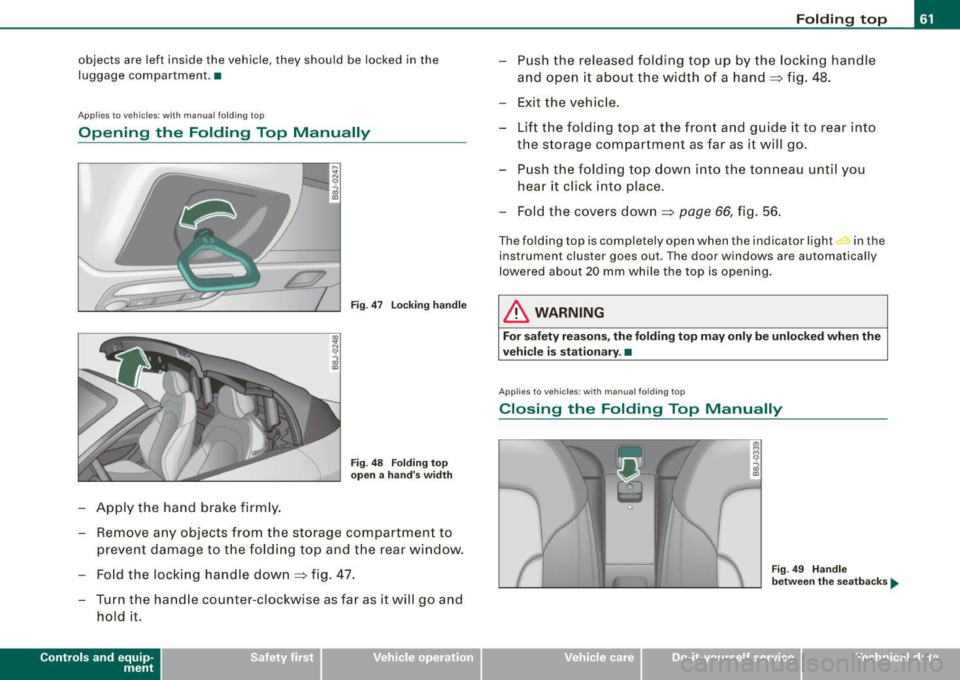
Opening the Folding Top Manually
LY.
-Apply the hand brake firmly.
Fig . 47 Locking handle
Fig . 48 Folding top
open a hand's width
- Remove any objects from the storage compartment to
prevent damage to the folding top and the rear window.
- Fold the locking handle down
~ fig. 47.
- Turn the handle counter-clockwise as far as it will go and hold it .
Contro ls and eq uip
ment
Folding top
- Push the released folding top up by the locking handle
and open it about the width of a hand
~ fig. 48.
- Exit the vehicle.
- Lift the folding top at the front and guide it to rear into
the storage compartment as far as it will go.
- Push the folding top down into the tonneau until you
hear it click into place.
- Fold the covers down
~ page 66, fig. 56.
The folding top is completely open when the indicator light in the
instrumen t cluster goes out. The door windows are automatically
lowered about 20 mm while the top is opening.
& WARNING
For safety reasons, the folding top may only be unlocked when the
vehicle is stationary .•
App lies to ve hicles: with manua l folding top
Closing the Folding Top Manually
Fig. 49 Handle
between the seatbacks ...
Vehicle care I I Technical data
Page 64 of 316
Folding top
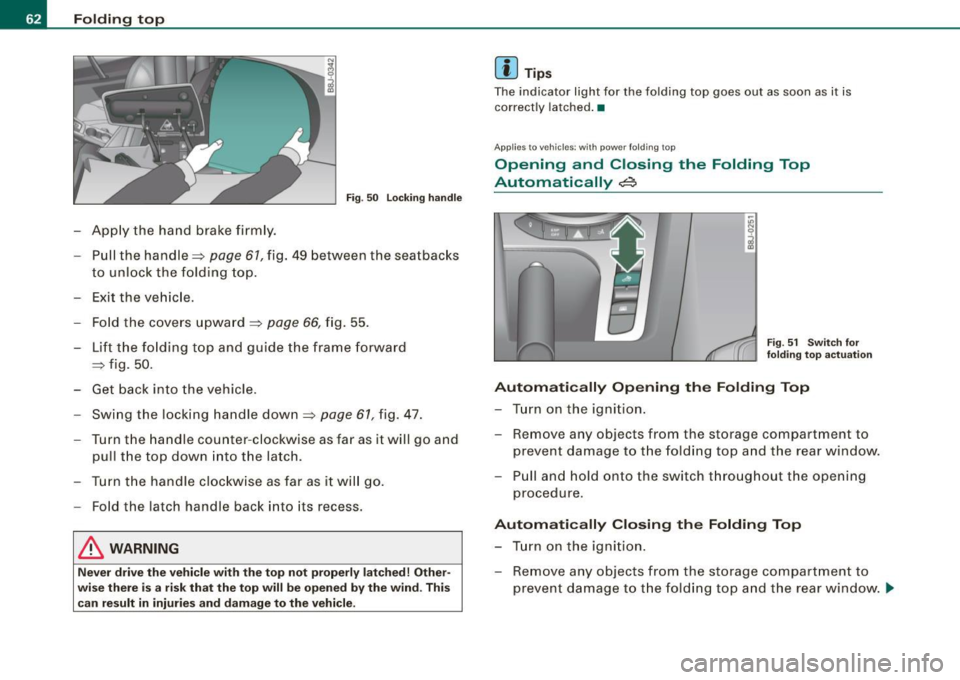
Fig. 50 Locking handle
Apply the hand brake firmly.
- Pull the handle~
page 61, fig. 49 between the seatbacks
to unlock the folding top.
- Exit the vehicle.
- Fold the covers upward
~ page 66, fig. 55.
- Lift the folding top and guide the frame forward
~ fig. 50.
- Get back into the vehicle.
Swing the locking handle down~
page 61, fig. 47.
Turn the handle counter-clockwise as far as it will go and
pull the top down into the latch.
Turn the handle clockwise as far as it will go.
- Fold the latch handle back into its recess.
& WARNING
Never drive the vehicle with the top not properly latched! Other
wise there is a risk that the top will be opened by the wind . This
can result in injuries and damage to the vehicle.
[ i ] Tips
The indicator light for the folding top goes out as soon as it is
correctly latched .•
Appl ies to vehic les: with powe r fo lding top
Opening and Closing the Folding Top
Automatically
~
Fig. 51 Switch for
folding top actuation
Automatically Opening the Folding Top
- Turn on the ignition.
- Remove any objects from the storage compartment to
prevent damage to the folding top and the rear window.
- Pull and hold onto the switch throughout the opening
procedure.
Automatically Closing the Folding Top
- Turn on the ignition.
- Remove any objects from the storage compartment to
prevent damage to the folding top and the rear window . ..,
Page 66 of 316
Folding top
-Within two seconds turn the key a second time and hold
it in this position until the power top has completely
closed.
Opening or closing motion stops immediately as soon as you
release the key . For safety reasons, i t is not possible to activate the
convenience feature with the remote control.
& WARNING
When opening and closing the power top make sure to keep your
self and others clear of all moving parts. Risk of injury! •
Applies to vehi cles: w ith wind deflecto r
Wind Deflector
The wind deflector reduces turbulence in the passenger
compartment and makes driving more comfortable.
Extending wind deflector
N
"'
I
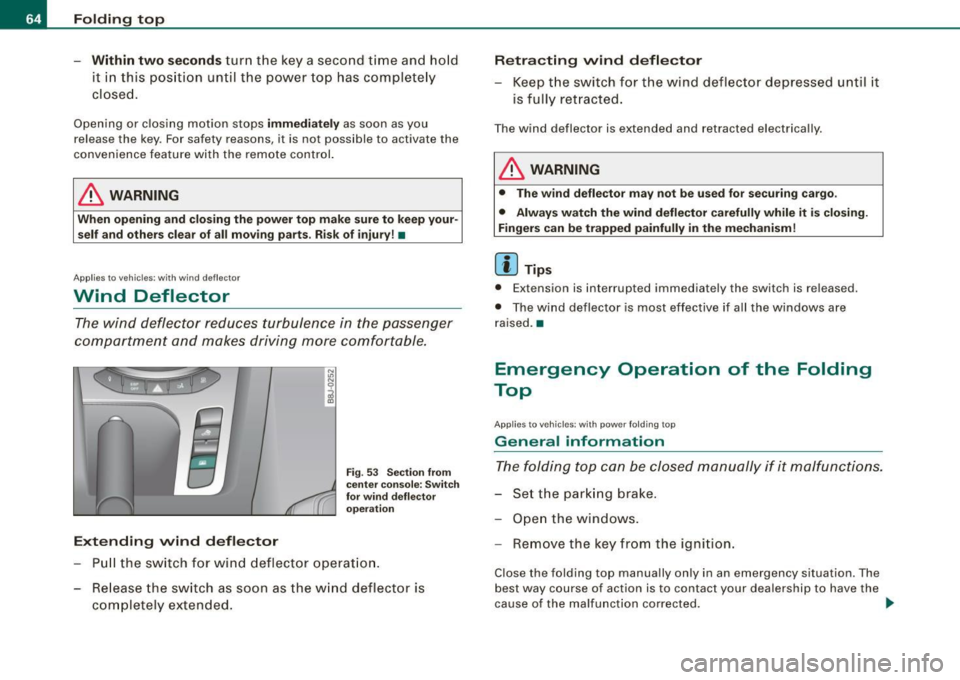
Fig . 53 Section from
center console: Switch
for wind deflector
operation
Pull the switch for wind deflector operation.
- Release the switch as soon as the wind deflector is
completely extended.
Retracting wind deflector
- Keep the switch for the wind deflector depressed until it
is fully retracted.
The wind deflector is extended and retracted electrically .
& WARNING
• The wind deflector may not be used for securing cargo.
• Always watch the wind deflector carefully while it is closing.
Fingers can be trapped painfully in the mechanism!
[ i ] Tips
• Extension is interrupted immediat ely the sw itch is releas ed.
• The wind deflector is most effective if all the windows are
raised. •
Emergency Operation of the Folding
Top
A pp lies to vehicles: wit h p owe r fo ld ing t op
General information
The folding top can be closed manually if it malfunctions.
- Set the parking brake.
- Open the windows.
- Remove the key from the ignition.
Close the folding top manually only in an emergency situation . The
best way course of act ion is to contact your dealership to have the
cause of the malfunction corrected. .,
Page 90 of 316
Seats and storage
-Position the head restraint according to the occupant's
height=>
page 92. For maximum protection, the top of
the head restraint should be at least at eye level, prefer
ably higher and ideally level with the top of the head
=>
page 132, fig. 120.
& WARNING
Never place any objects in the driver's footwell. An object could
get into the pedal area and interfere with pedal function. In case
of sudden braking or an accident, you would not be able to brake
or accelerate! •
Front passenger's seat
Always move the front passenger seat into the rearmost position.
To avoid contact with the airbag while it is deploying, do not
sit any closer to the instrument panel than necessary and
always wear the three-point safety belt provided adjusted
correctly. We recommend that you adjust the passenger's
seat in the following manner:
- Move the front passenger seat into the rearmost position
of the fore and aft adjustment range=>
& in "Why is
your seat adjustment so important?" on
page 87.
- Bring the backrest up to an (almost) upright position. Do
not ride with the seat reclined.
- The ideal position for the head restraint is with the upper
edge of the restraint level with the top of your head
=> page 92. You should not lower the top of the restraint
below the level of your eyes. -
Place your feet on the floor in front of the passenger's
seat. •
Adjusting front seats manually
Applie s to vehicles: with manua l seat ad justment
Adjustment controls
Various controls on the manual seats provide a wide
range for individual adjustments.
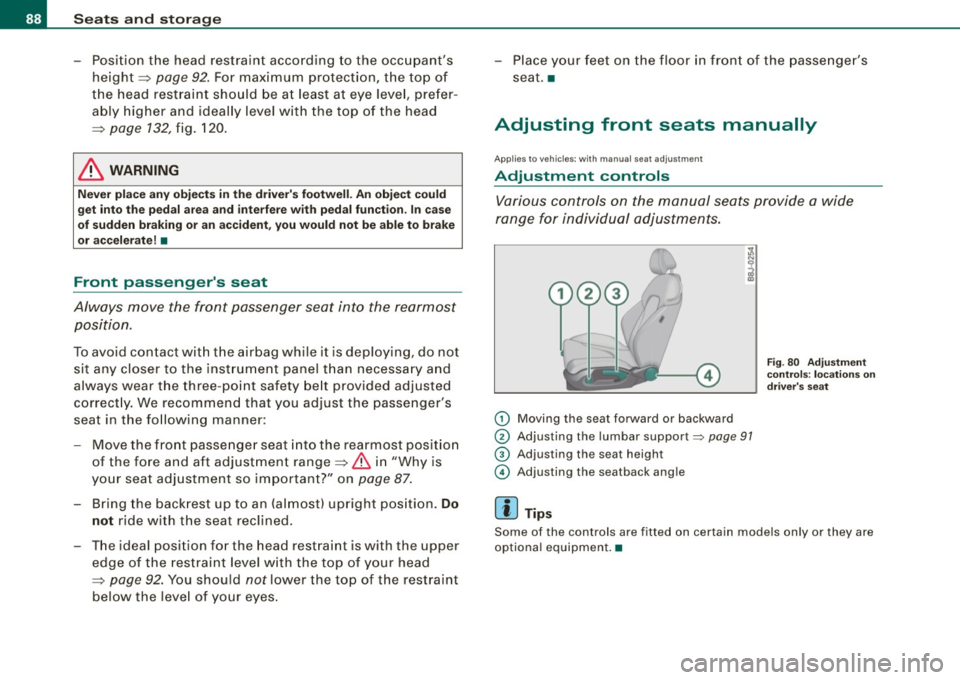
(D Moving the seat forward or backward
® Adjusting the lumbar support~ page 91
G) Adjusting the seat height
© Adjusting the seatback angle
[ i] Tips
Fig . 80 Adjustment
controls: locations on
driver's seat
Some of the controls are fitted on certain models only or they are
optional equipment. •
Page 98 of 316
Seats and storage
& WARNING (continued)
when accelerating or when applying the brakes or when driving
around a corner.
• When you are driving make sure that anything you may have
placed in the center console or other storage locations cannot fall
out into the footwells . In case of sudden braking you would not be
able to brake, depress the clutch or accelerate. •
Glove compartment
The glove compartment is illuminated and can be locked .
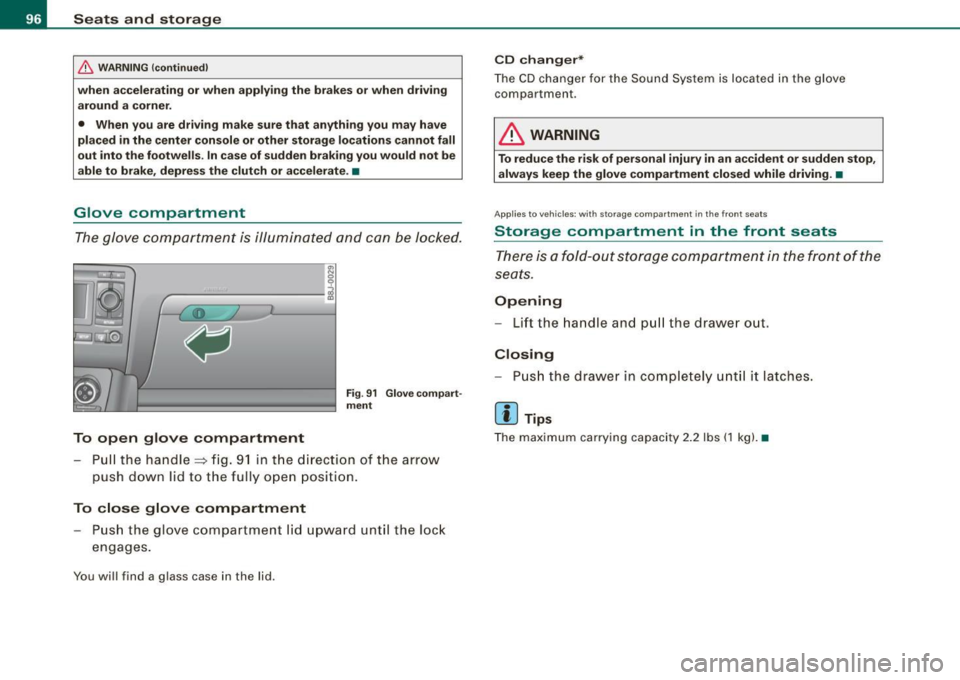
To open glove compartment
Fig. 91 Glove compart
ment
- Pull the handle=> fig. 91 in the direct ion of the arrow
push down lid to the fully open position.
To close glove compartment
Push the glove compartment lid upward until the lock
engages.
You will find a glass case in the lid .
CD changer*
The CD changer for the Sound System is located in the glove
compartmen t.
LJ}. WARNING
To reduce the risk of personal injury in an accident or sudden stop,
always keep the glove compartment closed while driving. •
App lies to veh icle s: w ith sto ra ge co mpart ment in the front seats
Storage compartment in the front seats
There is a fold-out storage compartment in the front of the
seats.
Opening
- Lift the handle and pull the drawer ou t.
Closing
- Push the drawer in completely until it latches.
[ i ] Tips
The maximum carrying capacity 2.2 lbs (1 kg). •
Page 109 of 316
___________________________________________________ O _n_ t_h _ e_ r_ o _ a_ d __ ,n
Starting and stopping the engine
Starting the engine
The engine can only be started with on original Audi key
and the clutch pedal* depressed.
- Set the parking brake.
Move the selector lever to the neutral position (automatic
transmission: selector lever in P or N)
~ & .
- On vehicles with manual transmission, fully depress the
clutch pedal.
- Turn the ignition key to position
G) ~ page 106, fig. 101
- do not depress the gas pedal when starting the engine!
- Let go of the key as soon as the engine starts.
A cold engine may at first be loud after it has been started. This is
due to the hydraulic valves building up the oil pressure . This normal
and no need for concern.
If the engine does not star t immediately, stop trying after 10
seconds and then try to restart the engine about 30 seconds later.
& WARNING
Never start or let the engine run in a confined or enclosed area.
Exhaust fumes from the engine contain carbon monoxide, a color
less and odorless gas. Carbon monoxide can be fatal if inhaled .
• Never leave the engine idling unattended. An unattended
vehicle with a running engine poses a danger of personal injury or
theft.
Controls and equip
ment
0 Note
• Avoid high engine speeds, fast acceleration or heavy engine
loads while the engine is still cold. This could damage the engine.
• The engine cannot be started by pushing o r towing the vehicle.
~ For the sake of the environment
To avoid unnecessary engine wear and to reduce exhaust emis
sions, do not let your vehicle stand and warm up. Be ready to drive
off immediately after starting your vehicle. Maintain moderate
speed until the engine is completely warm. Remember, the engine
performs best at operating temperature. •
Stopping the engine
-Turn the ignition key to position G) ~ page 106 , fig. 101.
& WARNING
• Never turn off the engine until the vehicle has come to a
complete stop.
• The brake booster and servotronic only work when the engine
is running . With the ignition turned off, you have to apply more
force when steering or braking. Since you cannot steer and stop
normally, this can lead to accidents and serious injuries.
• The radiator fan can continue to run for up to 10 minutes even
after you have turned off the engine and removed the ignition key.
The radiator fan can also turn on again if the engine coolant heats
up because of intense sunlight or heat build-up in the engine
compartment. .,
I • •
Page 110 of 316
• ..__O_ n_ t_h _ e_ r_ o_ a_ d ____________________________________________________ _
0 Note
Do not stop the engine immediately after hard or extended driving.
Keep the engine running for approximately two minutes to prevent
excessive heat build-up. •
Parking brake
Parking brake
When the parking brake is set, it prevents the vehicle from
rolling away unintentionally.
Setting the parking brake
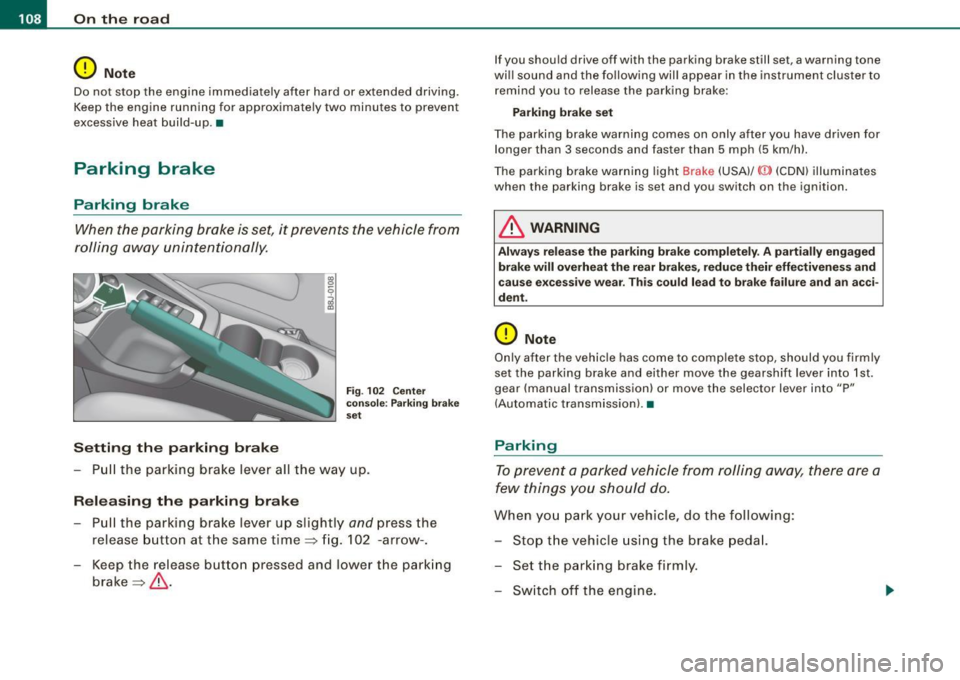
Fig . 102 Center
console: Parking brake
set
- Pull the parking brake lever all the way up.
Releasing the parking brake Pull the parking brake lever up slightly
and press the
release button at the same time=> fig. 102 -arrow-.
Keep the release button pressed and lower the parking
brake=>
& -
If you should drive off with the parking brake still set, a warning tone
will sound and the following will appear in the instrument cluster to remind you to release the parking brake:
Parking brake set
The parking brake warning comes on only after you have driven for longer than 3 seconds and faster than 5 mph (5 km/h).
The parking brake warning light Brake (USA)/
{CD) (CON) illuminates
when the parking brake is set and you switch on the ignition.
& WARNING
Always release the parking brake completely . A partially engaged
brake will overheat the rear brakes, reduce their effectiveness and
cause excessive wear. This could lead to brake failure and an acci
dent.
0 Note
Only after the vehicle has come to complete stop, should you firmly
set the parking brake and either move the gearshift lever into 1st .
gear (manual transmission) or move the selector lever into "P"
(Automatic transmission). •
Parking
To prevent a parked vehicle from rolling away, there are a
few things you should do.
When you park your vehicle, do the following:
- Stop the vehicle using the brake pedal.
- Set the parking brake firmly.
- Switch off the engine.
Page 111 of 316
_________________________________________________ O .=.:.n.:....: t~h :.::e ::....:.. r.::o :.::a :.:d::...__lfflll
- Wit h a manual transm issi on, engage 1st gea r, or with a n
a utomatic transmission place the se lector lever in P
=> & .
- Remove the ignition key from the ignit io n lock.
Wha t el se you should do wh en parking yo ur v ehi cle on
a n incli ne or d ecline
Turn the steering whee l so that if the vehicle shou ld start to rol l, it
wi ll roll into the curb.
I f you are park ing on a
decline (the front of you r ve hicle facing
downhill) , turn the front wheels to the right so that they poin t
toward the curb .
If you are park ing on an in cline (the font of your vehicle facing
uphill!, turn the front whe els to the left so that they point
away from
the curb .
& WARNING
This is how you can reduce the ri sk of injury when le avi ng your
vehicle .
• Never p ark the vehi cle w here it can come
in cont act w ith dry
gra ss, s pilled fuel or any other flammable mater ial s.
• Never allow anyone -espe cially small ch ildren -to remain
in the
vehicle when it is locked . Locked doors make it more difficult for
re scu ers to ac ce ss the pa ssenger compartment in the e vent of an
emergency . Danger to life!
• Never lea ve childr en un super vis ed in the vehicle . Children
c ould release the parking brake or move the gearsh ift l ever out of
gear . The vehicle could start to r oll away a nd cau se an a ccident .
• No matter what the season i s, the temperature
in a parked
v ehi cle can reach dangerou s level s. •
Controls and equip
ment
Acoustic parking system
A pplies to veh ic les : wit h 4 -ch anne l a cou stic park ass is t
Rear acoustic park assist
Acoustic park assist gives a warning a bout o bstacles
behind the vehicle.
Description
The rear acoustic park assist (4 -channel acoustic park assist) deter
mines the d istance of the vehic le from an obstac le using u ltrasonic
sensors. The sensors are in the rear bumper. The volume and the
pitch of the chimes can be adjusted through the menu display
=> page 27.
The range at which the sensors start to m easure is about :
To the side
Center rear
Acti v atio n
2 feet (0 .60 m)
5 feet (1.60 ml
The pa rking assist is activated when rever se ge ar is engaged . A brief
tone confirms that the system is activated .
Backing up
Distance warning when backing up starts when an obstacle is
detec ted in the range of the park ass ist system . As the distance
decreases, the time interval between the aud ible tones becomes
shorter .
When the distance is less than 1 foot (0.30 m) , the tone becomes
continuous . At this point you should stop backing up.
Please note that low objects a lready signalled by a warning can
disappear from the sys tem's detection range and wil l not continue
t o be signa lled . ..,
I • •