display AUDI TT ROADSTER 2008 Owner's Manual
[x] Cancel search | Manufacturer: AUDI, Model Year: 2008, Model line: TT ROADSTER, Model: AUDI TT ROADSTER 2008Pages: 316, PDF Size: 70.1 MB
Page 39 of 316
When this symbol ' illuminates, it means that Adaptive Light is
defective. Go to a qualified workshop to have the headlights or the
control unit for the Adaptive Light repaired. •
Applies to vehic les: w it h tir e p ressure monitor in g system
Tire pressure monitoring system J
Tire pressure that is too low must be corrected as soon as
possible .
If the 'symbol flashes for about one minute after the igni
tion is switched on and then remains on, there is a malfunc
tion in the system. Consult the nearest authorized Audi
dealer as soon as possible.
Additional information about the tire pressure monitoring system
can be found: => page 41. •
Speed warning system
Overview
The speed warning system helps you to keep your driving
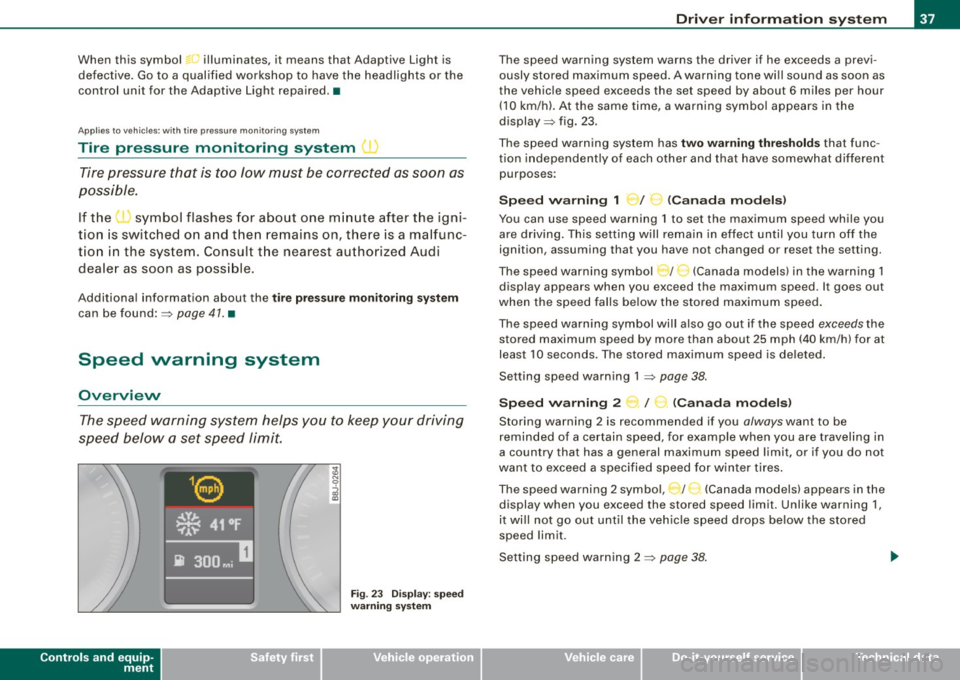
speed below a set speed limit.
Controls and equip
ment
Fig . 23 Display: speed
warning system
Driver inform ation system
The speed warning system warns the driver if he exceeds a previ
ously stored maximum speed. A warning tone wi ll sound as soon as
the vehicle speed exceeds the set speed by about 6 miles per hour (10 km/h). At the same time, a warning symbol appears in the
display=> fig. 23.
The speed warning system has
two warning thresholds that func
tion independently of each other and that have somewhat different
purposes :
Speed warning 1 )f ..._ (Canada models)
You can use speed warning 1 to set the maximum speed while you
are driving . This setting will remain in effect until you turn off the
ignition, assuming that you have not changed or reset the setting.
The speed warning symbol
J I ,.... (Canada models) in the warning 1
display appears when you exceed the maximum speed . It goes out
when the speed falls below the stored maximum speed.
The speed warning symbol will also go out if the speed
exceeds the
stored maximum speed by more than about 25 mph (40 km/h) for at
least 10 seconds. The stored maximum speed is deleted .
Setting speed warning 1 =>
page 38.
Speed warning 2 ...,,, /
e!. (Canada models)
Storing warning 2 is recommended if you always want to be
reminded of a certain speed, for example when you are traveling in
a country that has a general maximum speed limit, or if you do not
want to exceed a specified speed for winter tires.
The speed warning 2 symbol, / ) (Canada models) appears in the
display when you exceed the stored speed limit. Unlike warning 1,
it wi ll not go out until the vehicle speed drops below the stored
speed limit .
Setting speed warning 2 =>
page 38 .
I • •
Page 40 of 316
Driver inf ormation sy ste m
[ i J Tip s
Even though your vehicle is equ ipped with a speed warning system ,
you should still watch the speedometer to make sure you are not
driving faste r than the speed limit. •
Speed warning 1 : setting a speed limit
Warning threshold 1 is set by the button.
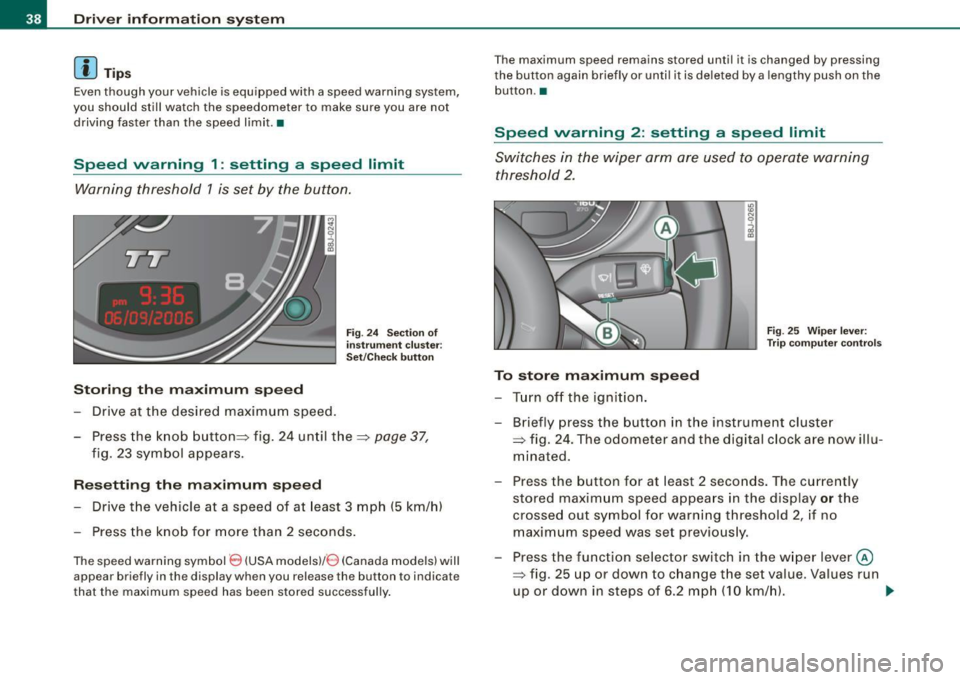
Storing the ma ximum speed
Drive at the desired maximum speed.
Fig . 2 4 Sec tio n of
in strum en t cl ust er:
Set/C hec k butto n
- Press the knob button~ fig. 24 until the ~ page 37,
fig. 23 symbol appears .
Resetting the max imum spe ed
- Drive the vehicle at a speed of at least 3 mph (5 km/h)
- Press the knob for more than 2 seconds .
The speed warning sy mbol 8 (USA models)/ 8 (Canada models) will
appear briefly in the d isplay when you release the button to indica te
that the maximum speed has been stored successfully . T
he maximum speed remains stored until it is changed by pressing
t he button again briefly or unti l it is dele ted by a lengthy push on the
but ton .•
Speed warning 2 : setting a speed limit
Switches in the wiper arm are used to operate warning
threshold 2.
To stor e maximum spee d
-Turn off the ignition.
Fig . 25 Wiper leve r:
T rip computer con tro ls
- Briefly press the button in the instrument cluster
=> fig. 24 . The odometer and the digital clock are now illu
mina ted .
- Press the button for at least 2 seconds. The currently stored maximum speed appears in the display
or the
crossed out symbol for warning threshold 2, if no
maximum speed was set previous ly.
- Press the function selector switch in the w iper lever @
=> fig. 25 up or down to c hange the set value . Va lues run
up or down in steps of 6 .2 mph (10 km/h). .,_
Page 41 of 316
To del ete maximum sp eed
-Turn off the ignition.
- Briefly press the button in the instrument cluste r
=>
page 38, fig . 24. The odometer and the digital clock are
now illuminated.
- Press the button for at leas t 2 seconds. T he curren tly
stored maximum speed appears in the display.
Press the rese t button in the w ipe r lever ®=>
page 38,
fig. 25 until the crossed out speed warni ng symbol fo r
warning threshold 2 appears in the d isplay.
A few seconds after the adjustment is comp leted, the illumination
for the odometer and the digital clock wi ll go out .
[ i J Tip s
This warning threshold can a lso be controlled through the trip
computer ~
page 28, "Navigating the menu". •
Contro ls and eq uip
ment
Dri ver in form ati on syst em
Trip computer
Introduction
The trip computer gives you inf ormation on current and
average fuel mileage, average speed, fuel range and
driving time .
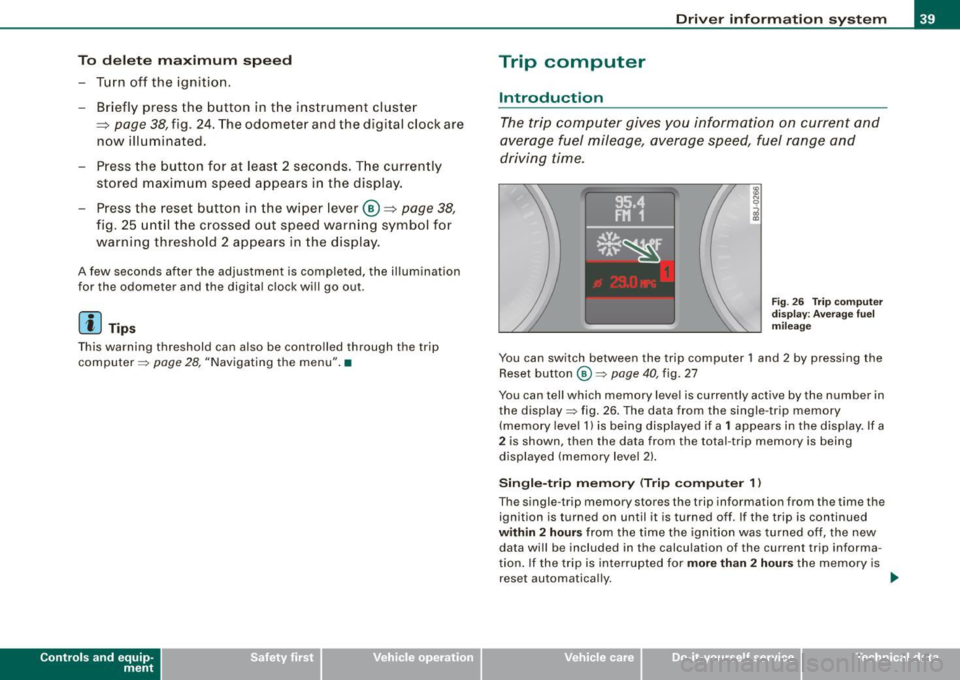
Fig . 2 6 Trip c omput er
di sp lay: Ave ra g e f uel
mi lea ge
You can switch between the trip computer 1 and 2 by pressing the
Reset button
@ ~ page 40 , fig. 27
You can tell which memory level is currently active by the number in
the display ~ fig . 26 . The data from the single -trip memory
(memory level 1) is being disp layed if a
1 appears in the display. If a
2 is shown, then the data from the total -trip memory is being
displayed (memory leve l 2) .
Sin gle -trip mem ory (Trip compute r 1)
The single -t r ip memory stores the trip information from the time the
ignition is turned on until it is turned off. If the trip is continued
within 2 hour s from the time the ignition was turned off, the new
data wi ll be included in the calcu lation of the current trip informa
tion. If the trip is interrup ted for
more than 2 hour s the memory is
reset automatica lly. _,.
Vehicle care I I irechnical data
Page 42 of 316
Driver inf ormation sy ste m
To ta l-tr ip mem ory ( Trip compu te r 2)
Unlike the single -trip memory, the total -tr ip memory is not reset
automatically . This permits you to evaluate your driving data for the
entire period between manua l resets.
Fu el r an ge
The estimated cruising range in miles (km) appears in the display.
This tells you how far your vehicle will be able to travel on the
current tank of fuel and with the same driving sty le . The display
changes in increments of 6 miles (10 km).
The cruising range is calculated based on the fuel consumption for
t he last 18 miles (30 km). If you drive conservatively, the cruising
range will increase .
Average fuel m ile ag e
The average fuel economy in MPG (1/100 km) since you last cleared
the memory appears in this display. You can use this display to
adjust your driving technique to achieve a desired mileage.
C ur rent fuel mil eage
The instantaneous fuel consumption in mi les per gallon (1/100 km)
is shown in th is d isplay. You can use this display to adjust your
driving technique to achieve a desired mileage.
Fue l consumption is recalcu la ted at intervals of 33 yards (30
meters). When the vehicle is stationary, the most recent fuel
consumption is d isplayed .
Average speed
The average speed in mph (km/h) s ince the last time the display was
reset appears in the display .
Elap se d time
The length of time that you have been driving since you last reset
the memory appears in this display.
Di stance
The elapsed distance since the last time the memory was cleared
appears in the display. The maximum distance that can be recorded
is 9,999 .9 miles (9,999 .9 kilometers).
[ i ] Tips
• Fuel consumptions (average and current), range and speed are
displayed in metric units on Canadian models.
• All stored values will be lost if the vehicle battery is
disconnected .•
Operation
The trip computer is controlled by two switches on the
windshield wiper lever.
S ele cting th e fun ctions
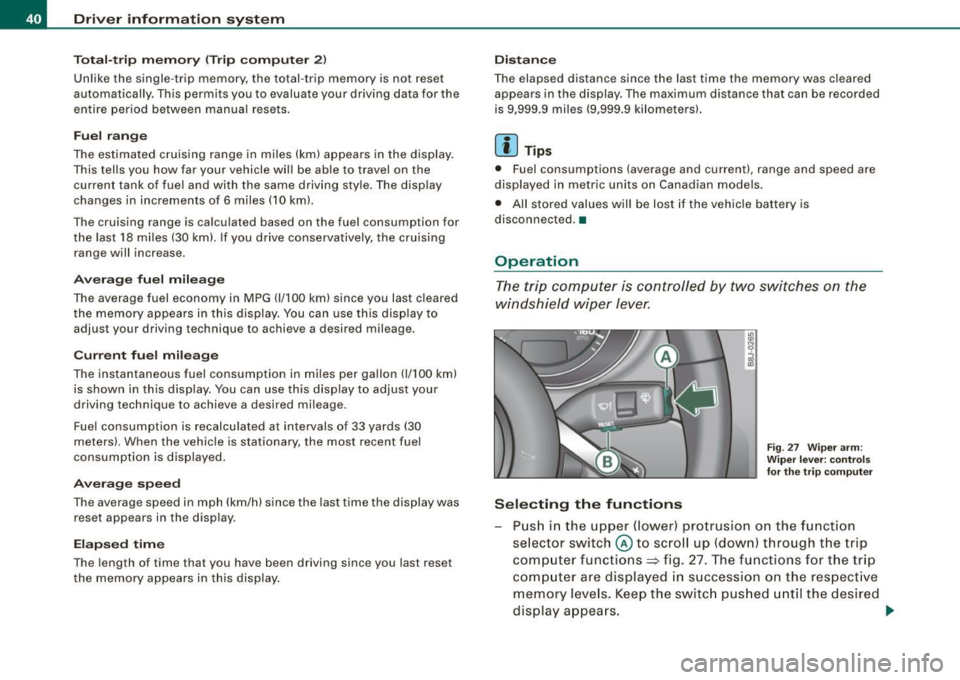
Fig. 27 Wiper ar m:
W iper l ever: co ntrols
fo r th e tr ip com pute r
P u sh in the upper (lower) pro trusion o n the function
se lector switch @to scroll up (dow n) through the trip
computer functions~ fig. 27. The functions for the trip
comp uter are displayed in succession on the respect ive
memory leve ls. Keep the switc h pus hed until the desired
display appears . .-,,
Page 43 of 316
Switchin g bet w ee n m enu l ev els
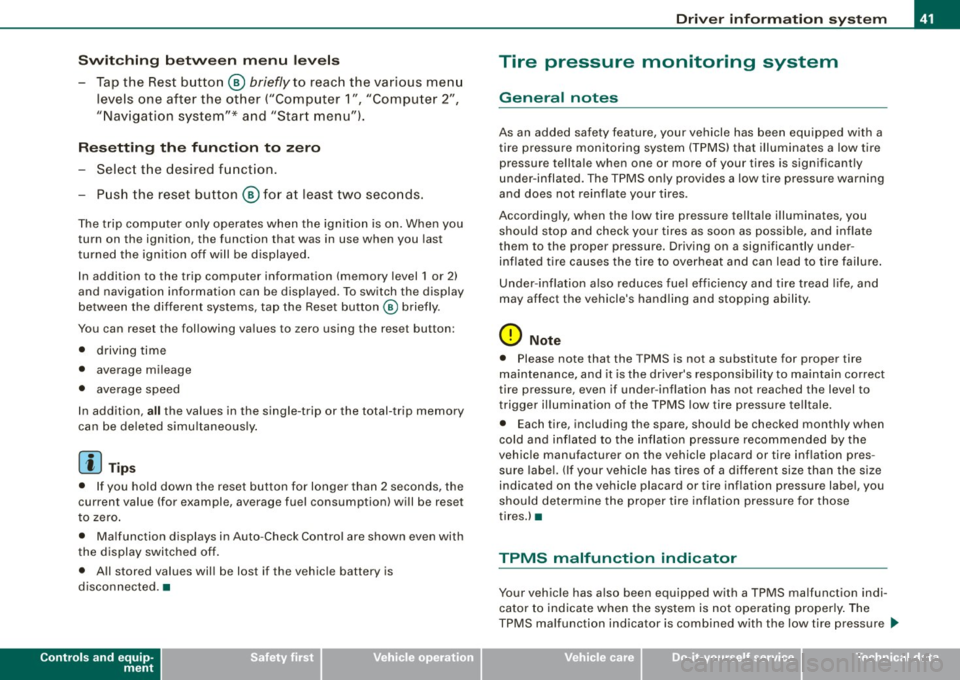
- Tap the Rest button ® briefly to reach the various menu
levels one after the other ("Computer 1 ", "Computer 2",
"Navigation system"* and "Start menu") .
Rese ttin g th e fun ction to z ero
- Select the desired function.
- Push the reset button ® for at least two seco nds .
The trip computer only operates when the ignition is on. When you
turn on the ignition, the function that was in use when you last
turned the ignition off will be displayed .
In addition to the trip computer information (memory level 1 or 2)
and navigation information can be displayed. To switch the display
between the different systems, tap the Reset button
@ briefly .
You can reset the following va lues to zero using the reset button:
• driving time
• average mileage
• average speed
In addition,
a ll the values in the single -trip or the total-trip memory
can be de leted simu ltaneously .
[ i ] Tips
• If you hold down the reset button for longer than 2 seconds, the
current value (for example, average fuel consumption) will be reset
to zero .
• Malfunction displays in Auto -Check Control are shown even with
the display switched off.
• All stored values will be lost if the vehicle battery is
disconnected. •
Controls and equip
ment
Dri ver infor mat io n sy ste m
Tire pressure monitoring system
General notes
As an added safety feature, your vehicle has been equipped with a
tire pressure monitoring system (TPMS) that illuminates a low tire
pressure telltale when one or more of your tires is significant ly
under -inflated. The TPMS only provides a low tire pressure warning
and does not reinflate your tires.
Accordingly, when the low tire pressure tellta le illuminates, you
should stop and check your tires as soon as possib le, and inflate
them to the proper pressure. Driving on a significantly under
inflated t ire causes the tire to overheat and can lead to tire failure .
Under -inflation a lso reduces fuel efficiency and tire tread l ife, and
may affect the vehicle's handling and stopping ability.
(D Note
• Please note that the TPMS is not a substitute for proper tire
maintenance, and it is the driver's respons ib ility to maintain correct
tire pressure, even if under -inflation has not reached the level to
trigger illumination of the TPMS low tire pressure telltale .
• Each tire, including the spare, should be checked monthly when
cold and inflated to the inflat ion pressure recommended by the
vehic le manufacturer on the vehicle p lacard or tire inflation pres
s u re label. (If your vehicle has tires of a different size than the size
indicated on the vehicle placard or tire inflation pressure labe l, you
should determine the proper tire inflation pressure for those
tires.) •
TPMS malfunction indicator
Your vehic le has a lso been equipped with a TPMS malfunction indi
cator to indicate when the system is not operating proper ly . The
TPMS malfunction indicator is combined with the low tire pressure _.,
I • •
Page 44 of 316
Driver inf orm atio n syst em
telltale. When the system detects a malfunction, the telltale will
flash for approximately one minute and then remain continuously
illuminated. This sequence will continue upon subsequent vehicle
starts up as long as the malfunction exists .
When the ma lfunction indicator is illuminated, the system may not
be able to detect or signal low tire pressure as intended.
TPMS malfunctions may occur for a variety of reasons, including the installation of replacement or alternate tires or wheels on the
vehicle that prevent the TPMS from functioning properly. A lways
check the TPMS malfunction tellta le after replacing one or more
tires or whee ls on your vehicle to ensure that the replacement or
a lternate tires and wheels al low the TPMS to continue to function
proper ly .•
Introduction
The tire pressure monitoring system monitors air pressure
in all four road wheels while the vehicle is moving.
As soon as the t ire pressure monitoring system senses a s ignificant
loss of air pressure in one or several tires, text messages and yel low
symbo ls appear in the instrument cluster display to a lert the driver.
The warning light in the instrument c luster comes on when the
tire is significantly underinflated
=> page 17.
The warning light
malfunction . also
illuminates in the case of a system
Be aware that tire pressure is also dependent on the temperature of
the tire . For every 18 °F (10 °C) increase in tire temperature, tire pres
sure increases by about 1 .5 psi (0. 1 bar) . The tire warms up while the
vehic le is moving and tire pressure rises. So you should adjust tire
pressure on ly when they are
cold , when the temperature of the tires
is roughly the same as the ambient air temperature.
In order to keep the tire pressure monitoring system properly ca li
brated, tire pressure on all four tires should be checked at regular intervals, adjusted if necessary and saved in the proper setting
(recommended
pressure)=>
page 44.
The tire pressure is shown on the label located on the driver 's side
B -pillar (visible when the door is open) .
& WARNING
• When the tire pre ssure monitor ing system warn ing light i s lit ,
one or more of your t ir es is s ignificantl y unde r-inflated . You should
s top and check your tire s as s oon as po ssible , and inflate them to
the p rope r pre ss ure as indi cated on th e vehicl e's tire pr essure
label
=> pag e 242. Driv ing on a s ignific antl y un der-inflated t ire
c a use s the tire to overhe at and can le ad to tire fa ilure. Unde r-inf la
ti on also i s lik el y to impair the vehicle' s handling and stopping
ability .
• Do not adju st t ir e pressur e wh en t ire t emp erature is exce ssiv e.
Thi s could le ad to seriou s tire dam age and even cau se the tire t o
bur st, w ith the addition al dan ger of an accident.
W For the sake of the environment
Driving with under -inflated tires reduces fuel efficiency and tire
tread life.
[ i ] Tips
• Each tire should be checked month ly when the temperature of
the tires is abou t the same as ambient air temperature and s et to the
recommended inflation pressure as specified on the tire pressure
label =>
page 242.
• The factory supplied spare whee l is equipped with a se nsor for
the tire pressure monitoring sys tem. As long as the spare wheel is
n ot mounted, the tire pressure of this tire wil l not be monitored.
• T he tire pressure monitoring system he lps the driver to keep an
eye on tire pressures . But the driver still has the responsibility f or
maintaining the correct tire pressure . .,_
Page 45 of 316
• Tire pressure must only be adjusted when the temperature of the
tires is about the same as ambien t air temperature.
• When tires are replaced, the sensors and valves should not be
exchanged. The valve core, nut, valve sea ling and sea l washer
(replacement kit) needs to be replaced. If necessary, the valve and
the wheel electronics have to be rep laced .
• If you should put different wheels and tires on your vehicle (e.g.
winter wheels and tires), you must be certain that the wheels and
tires are compatible with the tire pressure monitoring system.
Otherwise the system will register a malfunction and a fault
message will be displayed. For more information, contact your Audi
dea ler.
• Adjust the tire pressure and store the pressure in the tire pres
sure monitoring system to the load you are carrying .•
Significant loss of air pressure \-,1
The yellow symbol appears in the event of a significant
loss of air pressure.
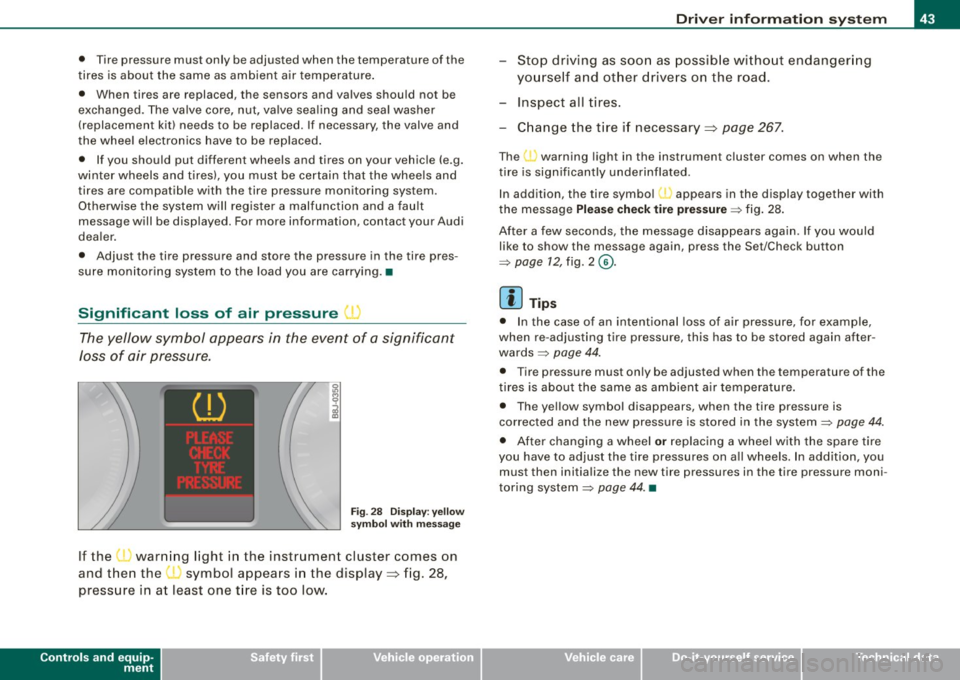
Fig. 28 Display: yellow
symbol with message
If the • warning light in the instrument cluster comes on
and then the ( symbol appears in the display~ fig. 28,
pressure in at least one t ire is too low.
Controls and equip
ment
Driver inform ation system
Stop driving as soon as possible without endangering
yourself and other drivers on the road .
- Inspect all tires.
Change the tire if necessary ~ page
267.
The ._ warning light in the instrument cluster comes on when the
tire is significantly underinflated .
In addition, the tire symbol(_, appears in the display together with
the message
Please check tire pressure => fig. 28.
After a few seconds, the message disappears again. If you would
like to show the message again, press the Set/Check button
=>
page 12, fig. 2 ©-
[ i ] Tips
• In the case of an intentional loss of air pressure, for example,
when re -adjusting tire pressure, this has to be stored again after
wards=> page 44.
• Tire pressure must only be adjusted when the temperature of the
t ires is about the same as ambient air temperature.
• The yellow symbol disappears, when the tire pressure is
corrected and the new pressure is stored in the system=>
page 44.
• After changing a wheel or replacing a wheel with the spare tire
you have to adjust the tire pressures on a ll wheels. In add ition , you
must then initia lize the new tire pressures in the tire pressure moni
toring system =>
page 44. •
I • •
Page 47 of 316
vehicle is underway. With pressing the button=> fig . 29, the re
programming of the new sensors and storing of actual pressures
starts . This learn ing phase can take up to 10 minutes driving time.
During the learning process the tire pressure monitoring system is
not avai lable. •
Malfunctions T =»'\,AC.:
A malfunction can have various causes.
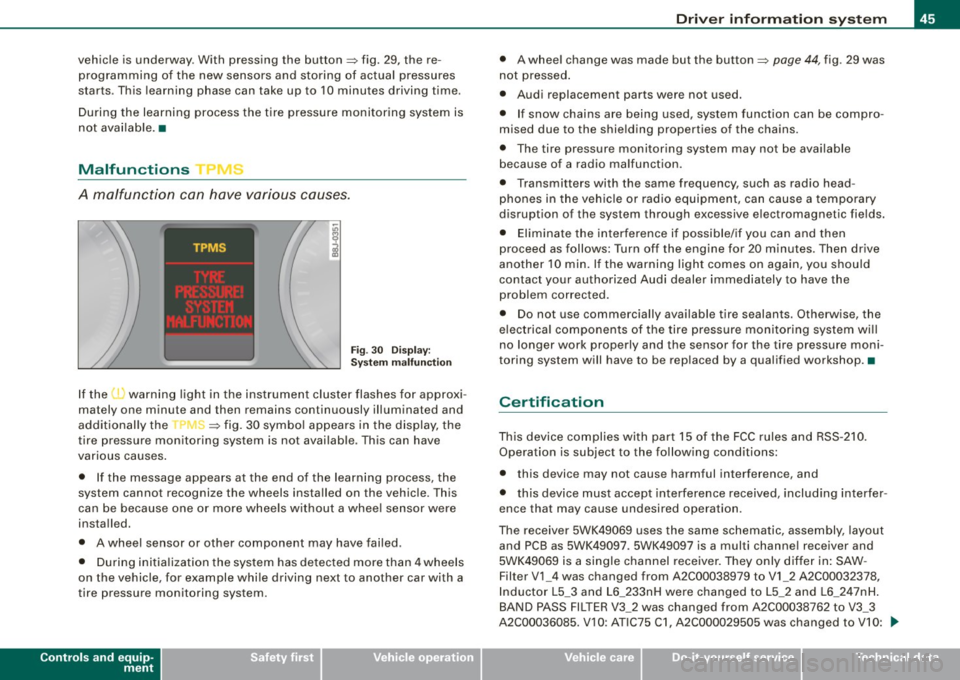
Fig. 30 Display:
System malfunction
If the t warning light in the instrument cluster flashes for approxi
mately one minute and then remains continuously illuminated and
additionally the
r fin'-=> fig. 30 symbo l appears in the display, the
tire pressure monitoring system is not available. This can have
various causes .
• If the message appears at the end of the learning process, the
system cannot recognize the wheels installed on the vehicle. This
can be because one or more wheels without a whee l sensor were
installed.
• A wheel sensor or other component may have failed .
• During initia lization the system has detected more than 4 wheels
on the vehicle, for example whi le driving next to another car with a
tire pressure monitoring system.
Controls and equip
ment
Driver inform ation system
• A wheel change was made but the button => page 44, fig. 29 was
not pressed .
• Audi replacement parts were not used.
• If snow chains are being used, system function can be compro
mised due to the shielding properties of the chains.
• The tire pressure monitoring system may not be available
because of a radio malfunction.
• Transmitters with the same frequency, such as radio head
phones in the vehic le or radio equipment, can cause a temporary
disruption of the system through excessive e lectromagnetic fields.
• Eliminate the interference if possible/if you can and then
proceed as follows: Turn off the engine for 20 minutes . Then drive
another 10 min. If the warning light comes on again, you should
contact your authorized Audi dealer immediately to have the
problem corrected.
• Do not use commercially available tire sealants. Otherwise, the
e lectrica l components of the tire pressure monitoring system will
no longer work properly and the sensor for the tire pressure moni
toring system will have to be replaced by a qualified workshop. •
Certification
This device complies with part 15 of the FCC rules and RSS-210.
Operation is subject to the following conditions:
• this device may not cause harmful interference, and
• this device must accept interference received, includ ing interfer
ence that may cause undesired operation.
The receiver 5WK49069 uses the same schematic, assembly, layout
and PCB as 5WK49097 . 5WK49097 is a multi channe l receiver and
5WK49069 is a single channel receiver. They only differ in: SAW -
Filter V1_4 was changed from A2C00038979 to V1_2 A2C00032378,
Inductor L5_3 and L6_233nH were changed to L5_2 and L6_2 47nH.
BAND PASS FILTER V3_2 was changed from A2C00038762 to V3_3
A2C00036085. V 10: ATIC75 C1, A2C000029505 was changed to V10: .,,,
I • •
Page 51 of 316
Master key battery replacement
Each master key contains a battery housed under the
cover.
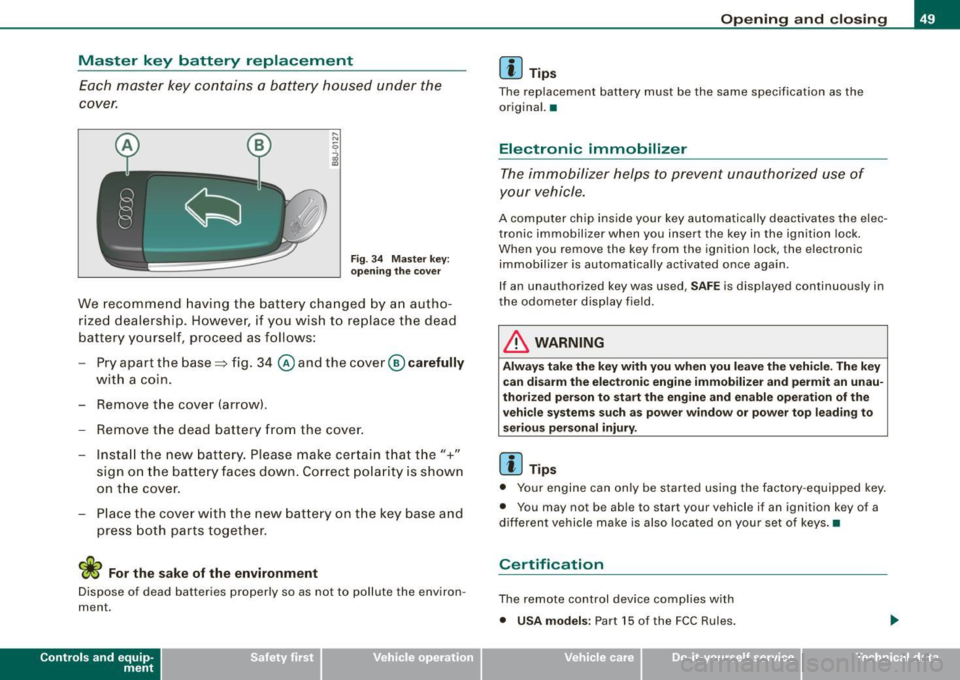
Fig . 3 4 Master key:
o peni ng the cover
We recommend having the battery cha nged by a n autho
rized dealership. However, if y ou wish to replace the dead
battery y ourself, proceed as follows :
- Pry apart the base => fig. 34
@ and the cover@ carefully
with a coin.
- Remove the cove r (arrow).
- Remove the dead battery from the cover.
- I nsta ll the new battery . Pl eas e make ce rtain t hat t he" +"
sign on the batte ry faces down . Correct po la rity is shown
on t he cover .
- Place the cover w ith the new bat tery on t he key base and
press both parts together .
For the sake of the environment
Dispose of dead batteries proper ly so as not to pol lute the environ
ment.
Con tro ls and eq uip
ment
Op ening and clo sing
[ i ] Tip s
The replacement battery must be the same specification as the
origina l.•
Electronic immobilizer
The immobilizer helps to prevent unauthorized use of
your vehicle.
A computer chip inside your key automatically deactivates the elec
tronic immobilizer when you insert the key in the ignition lock.
When you remove the key from the ignition lock, the e lectronic
immobil izer is automatically activated once again.
If an unauthorized key was used, SA FE is displayed continuously in
the odometer display field .
& WARNING
Always ta ke the key with y ou when you le ave the vehi cle. The key
ca n dis arm the el ectroni c eng ine immob ilizer and permit an un au
thori zed p erson to start the engine and enabl e ope ration of the
v ehi cle s ystems su ch a s po wer window or power t op leading to
s eri ous pe rso nal injury .
[ i ] Tip s
• Your engine can only be started using the fac tory -equipped key .
• You may not be ab le to start your vehicle if an ignition key of a
different vehicle make is a lso loca ted on your set of keys .•
Certification
The remote control device comp lies with
• USA models : Part 15 of the FCC Rules.
Vehicle care
I I irechnical data
Page 57 of 316
Rear lid/trunk lid
Opening and closing rear lid
You can open the rear lid from inside the vehicle using a
switch in the driver's door.
Opening the rear lid
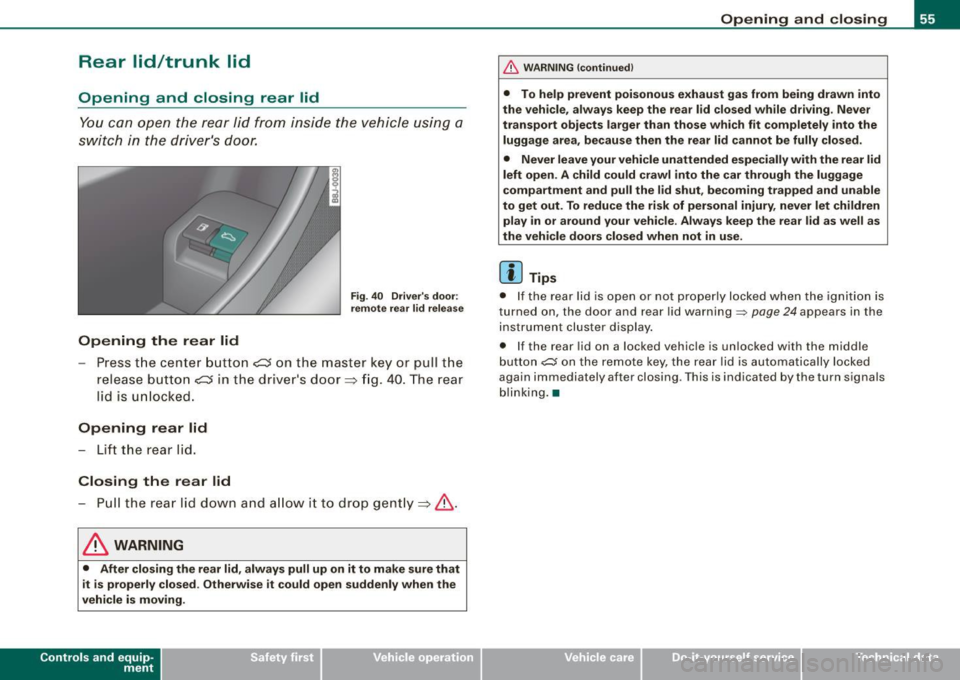
Fig . 40 Driver's door:
remote rear lid release
-Press the center button e::5 on the master key or pull the
release button
C::5 in the dr iver's door=> fig. 40. The rear
lid is unlocked.
Opening rear lid
- Lift the rear lid.
Closing the rear lid
- Pull the rear lid down and allow it to drop gently=>& .
& WARNING
• After closing the rear lid, always pull up on it to make sure that
it is properly closed. Otherwise it could open suddenly when the
vehicle is moving.
Con tro ls and eq uip
ment
Opening and closing
& WARNING !continued)
• To help prevent poisonous exhaust gas from being drawn into
the vehicle, always keep the rear lid closed while driving. Never
transport objects larger than those which fit completely into the
luggage area, because then the rear lid cannot be fully closed.
• Never leave your vehicle unattended especially with the rear lid
left open. A child could crawl into the car through the luggage
compartment and pull the lid shut, becoming trapped and unable
to get out. To reduce the risk of personal injury, never let children
play in or around your vehicle . Always keep the rear lid as well as
the vehicle doors closed when not in use.
[ i] Tips
• If the rear lid is open or not properly locked when the ignition is
turned on, the door and rear lid warning~
page 24 appears in the
instrument cluster display.
• If the rear lid on a locked vehicle is unlocked with the m iddle
button
~ on the remote key, the rear lid is automatically locked
again immediately after closing . This is indicated by the turn signals
blinking. •
Vehicle care
I I irechnical data